
If you're managing customer conversations across multiple channels, you've probably felt the pain of switching between platforms. One customer messages you on WhatsApp, another on Instagram, someone else prefers Facebook Messenger. Keeping track of it all becomes a logistical nightmare.
Zendesk Sunshine Conversations solves this problem. It's a unified messaging platform that connects 14+ channels through a single API, letting you manage every conversation from one place. But here's the thing: Sunshine Conversations isn't just one product. It's an entire ecosystem of apps, integrations, and extensions that extend what you can do with the platform.
In this guide, we'll walk through the Zendesk Sunshine Conversations app directory, what integrations are available, and how to choose the right ones for your business. We'll also look at when you might want a simpler alternative (like inviting eesel AI to your team) instead of building custom integrations.

What is Zendesk Sunshine Conversations?
Sunshine Conversations started as Smooch.io, a Canadian startup that built a unified messaging API. Zendesk acquired it in 2019, and it's now fully integrated into the Zendesk Suite as the underlying messaging infrastructure.
Think of it as a translation layer between your business systems and every messaging channel your customers use. Instead of building separate integrations for WhatsApp, Facebook Messenger, SMS, and web chat, you connect them all to Sunshine Conversations. Your agents see one unified conversation thread, no matter which channel the customer prefers.
The platform follows an API-first architecture. Developers can build custom apps, connect third-party chatbots, and create sophisticated workflows using the REST API. For non-technical teams, pre-built integrations in the app directory handle most common use cases without writing code.
How it fits in the Zendesk ecosystem
| Component | What It Does |
|---|---|
| Sunshine Conversations API | Unified messaging API for all channels |
| Web Widget for Messaging | Customer-facing chat widget for websites |
| Switchboard | Routes conversations between bots and human agents |
| Agent Workspace | Where your support team handles escalated conversations |
The Switchboard is particularly important. It controls which system (your bot, a third-party AI, or a human agent) handles each conversation at any moment. When a customer asks something your bot can't answer, the Switchboard passes control to a human while preserving the full conversation history.
Understanding the app directory ecosystem
The Sunshine Conversations app directory organizes integrations into five main categories. Understanding these helps you map out your messaging strategy.
The five integration categories
Customer Channels connect you to where your customers already are. WhatsApp, Instagram, Facebook Messenger, Apple Messages for Business, LINE, Telegram, Twitter DM, Viber, WeChat, and SMS through providers like Twilio and MessageBird. Each channel has different requirements, pricing, and capabilities.
Built for Messaging includes third-party chatbot platforms that integrate deeply with Zendesk's Agent Workspace. These aren't generic bots. They're designed to work with the Switchboard, handing off to human agents when needed.
Chatbots is a dedicated section for AI-powered automation tools. Some overlap with "Built for Messaging," but this category specifically focuses on bot platforms rather than general messaging tools.
Business Systems connects Sunshine Conversations to your existing tools. Slack for team notifications, Help Scout for alternative help desk workflows, email bridges, and more.
API & Webhooks gives you the building blocks for custom integrations. The Smooch API lets you build your own messaging applications. Webhooks notify your systems in real-time when conversations happen.
How apps connect to Sunshine Conversations
Every app in the directory follows a similar pattern. You authorize the connection, configure settings in both systems, and the integration handles the data flow. For customer channels, this means your messages sync bidirectionally. For chatbots, the bot receives conversation data and can respond or escalate to humans.
Apps run under your Sunshine Conversations account with specific permissions. You can create multiple apps for different use cases, each with its own configuration and API keys. This multi-tenant architecture lets agencies manage messaging for multiple clients from a single account.
Customer channel integrations
Choosing which channels to enable depends on your audience geography, demographics, and use case. Here's what each major channel offers.
WhatsApp Business API
WhatsApp is the world's most popular messaging app, with over 2 billion users globally. The WhatsApp Business API integration lets you send notifications, handle customer service, and conduct commerce conversations at scale.
Key considerations:
- Requires Meta business verification
- Conversation-based pricing (varies by country)
- 24-hour session window for free-form messages
- Rich media support (images, documents, location)
- Template messages required for outbound notifications
WhatsApp works best for businesses with international customers or in markets where WhatsApp dominates (Latin America, India, Europe, Southeast Asia).
Facebook Messenger
With 1+ billion monthly active users, Messenger remains a staple for customer communication. The integration supports rich messaging, quick replies, and handover protocols for bot-to-agent transfers.
Messenger conversations persist, so customers can pick up where they left off. It's particularly effective for e-commerce businesses and brands with strong Facebook presence.
Instagram Direct
Instagram's younger demographic (primarily 18-34) makes it essential for lifestyle, fashion, and consumer brands. The Instagram Direct integration handles messaging at scale while maintaining the visual nature of the platform.
Best for: Visual commerce, influencer-driven brands, and businesses targeting younger consumers.
Apple Messages for Business
For iOS users, Apple Messages for Business offers a premium messaging experience integrated directly into iMessage. Customers find your business through Siri, Search, or Maps and start conversations seamlessly.
High engagement rates and the trusted Apple ecosystem make this valuable for businesses serving iPhone-heavy markets. Setup requires Apple approval and verification.
Additional channels
| Channel | Best For | Region |
|---|---|---|
| LINE | Consumer brands, gaming | Japan, Thailand, Taiwan |
| Telegram | Privacy-conscious users, tech | Global (especially Eastern Europe, Middle East) |
| Viber | Community engagement | Eastern Europe, Middle East, Southeast Asia |
| Chinese market entry | China | |
| SMS (Twilio/MessageBird) | Universal reach, notifications | Global |

Chatbot and AI integrations
The chatbot category in the Sunshine Conversations directory focuses on platforms that integrate with the Switchboard for seamless bot-to-agent handoffs.
Available chatbot platforms
Aisera offers AI-driven service experience with autonomous resolution capabilities. It integrates with backend systems to handle complex workflows without human intervention.
Certainly by Cegeka provides a no-code chatbot builder specifically designed for e-commerce and customer service use cases.
Forethought specializes in generative AI for customer support, using large language models to understand and respond to complex queries.
Inbenta combines semantic search with conversational AI, making it effective for knowledge base-powered support.
Centribal Platform offers a comprehensive conversational AI platform with pre-built industry templates.
Custom bot development
If pre-built integrations don't meet your needs, you can build custom bots using the Sunshine Conversations API. Your bot receives webhook events for new messages, processes them using your own AI or business logic, and responds through the API.
The Switchboard API lets you control when conversations escalate to human agents programmatically. You can define rules based on sentiment analysis, intent detection, or specific keywords.
When directory chatbots make sense (and when they don't)
Pre-built chatbot integrations work well when you have developer resources to configure and maintain them, need complex bot orchestration across multiple AI systems, or want fine-grained control over handoff logic.
They may be overkill when you need AI support quickly without engineering overhead, want AI that learns from your existing tickets and documentation automatically, or prefer natural language configuration over API programming.
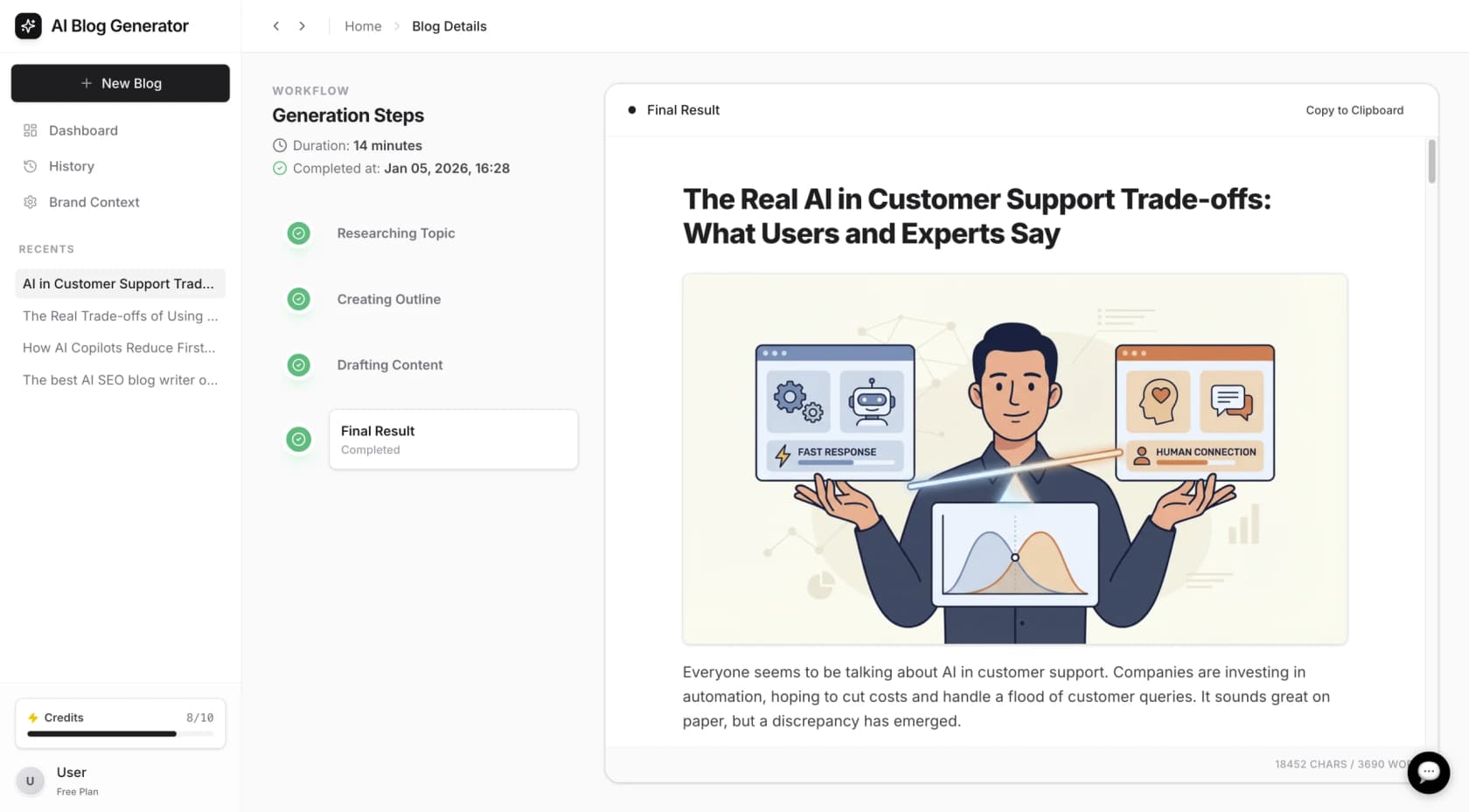
This is where an alternative approach like eesel AI fits in. Instead of building and configuring a bot through APIs, you invite eesel AI to your team as an AI teammate. It learns your business from past tickets, help center articles, and connected documentation. No complex setup, no Switchboard configuration, just an AI that handles frontline support and escalates what it can't resolve.
Business systems and workflow integrations
Beyond customer-facing channels, Sunshine Conversations connects to your internal tools.
Slack integration
The Slack integration serves two purposes. First, it can notify your team when high-priority conversations need attention. Second, it lets agents respond to customers directly from Slack, which is useful for teams that live in Slack anyway.
Help Scout bridge
If you're migrating from Help Scout or running a hybrid setup, this integration syncs conversations between systems. It's a niche use case but valuable during platform transitions.
Email for Business
Some workflows still need email. The email integration bridges messaging conversations to your email system, letting certain types of inquiries flow into traditional ticketing workflows.
Webhooks for custom workflows
The webhook integration is the most flexible option. It sends real-time events to any URL you specify. Common use cases include:
- Logging conversations to your data warehouse
- Triggering custom business logic when specific keywords appear
- Syncing conversation data to your CRM
- Alerting supervisors when escalation keywords are detected
When specifying a target URL, Sunshine Conversations makes an HTTP HEAD request to verify the domain exists and a service is running. If that fails, it tries the root domain before rejecting the configuration.
Pricing and plan requirements
Access to Sunshine Conversations features depends on your Zendesk Suite plan.
Plan requirements at a glance
| Plan | Monthly (per agent) | Annual (per agent) | Sunshine Access |
|---|---|---|---|
| Support Team | $25 | $19 | Basic messaging only |
| Suite Team | $69 | $55 | Basic messaging only |
| Suite Professional | $149 | $115 | Full API + 1,000 MAUs |
| Suite Enterprise | $219 | $169 | Full API + 1,000 MAUs |
Key distinction: "Basic messaging" means using the Web Widget and standard messaging features within Zendesk. "Full API access" means you can use the Sunshine Conversations API, build custom apps, and access the full app directory.
Understanding MAU pricing
Monthly Active Users (MAUs) count unique users who send or receive a message within a 30-day period. Your base plan includes 1,000 MAUs. After that, you buy add-on packs:
- 2,500 additional MAUs: approximately $50
- 25,000 additional notifications: approximately $50
If you have 5,000 unique customers messaging you per month, you'd need approximately 2 add-on packs beyond your base inclusion.
Channel-specific costs
Some channels have their own pricing beyond Zendesk's fees:
- WhatsApp: Per-conversation fees based on country and message type
- SMS: Per-message fees through Twilio or MessageBird
- Voice: Per-minute charges for phone integration
Factor these into your total cost calculations when choosing channels.
Getting started with your first integration
Ready to set up your first Sunshine Conversations integration? Here's the process.
Prerequisites
Before you start, ensure you have:
- Zendesk Suite Professional or Enterprise plan
- Admin access to Zendesk Admin Center
- For custom integrations: a server or cloud function to receive webhooks
- Developer resources if building custom apps
The setup process
Step 1: Choose your channel
Start with one channel that matches your audience. If most customers contact you via WhatsApp, start there. If you're B2B and website chat drives most volume, begin with the Web Widget.
Step 2: Create your Sunshine Conversations app
In Admin Center, navigate to Channels > Messaging. Create a new app and note your App ID. You'll also need to generate API keys (Key ID and Secret) for authentication.
Step 3: Configure the channel integration
For pre-built directory integrations, follow the setup wizard. For custom channels like WhatsApp Business API, you'll need to complete verification steps with the channel provider first.
Step 4: Test thoroughly
Use the Sunshine Conversations dashboard to send test messages. Verify that conversations appear correctly in the Agent Workspace. Test escalation paths if you're using bots.
Step 5: Monitor and iterate
After launch, monitor conversation volumes, response times, and customer satisfaction. Adjust your configuration based on real usage patterns.
Common pitfalls to avoid
-
Trying to enable every channel at once. Start with one or two channels that matter most to your customers. Master those before expanding.
-
Underestimating verification timelines. WhatsApp Business API and Apple Messages for Business both require business verification that can take days or weeks.
-
Ignoring mobile SDK status. The Sunshine Conversations Android and iOS SDKs are in maintenance mode. For new mobile implementations, use the newer Zendesk SDKs instead.
-
Forgetting about conversation limits. Conversations are limited to 30,000 messages. For high-volume channels, implement message archival strategies.
Choosing the right messaging strategy with eesel AI
By now, you understand what the Sunshine Conversations app directory offers: 14+ customer channels, chatbot integrations, business system connections, and powerful APIs for custom development. But is it the right approach for your team?
When Sunshine Conversations makes sense
The platform shines when you have developer resources available, need complex multi-channel orchestration, want fine-grained control over bot-to-agent handoffs, or have specific integration requirements that off-the-shelf solutions can't meet.
When to consider alternatives
For teams without extensive engineering resources, building custom Sunshine Conversations integrations can be overwhelming. The API is powerful but requires significant development time. You need to handle authentication, webhook management, conversation state, and error handling.
If you need AI support quickly and don't want to build custom bots, consider eesel AI. Instead of configuring APIs and Switchboard rules, you invite eesel AI to your team as an AI teammate. It connects to your Zendesk account, learns from your past tickets and help center, and starts handling conversations within minutes.
How eesel AI differs from directory chatbots
Traditional chatbot integrations require you to:
- Build conversation flows and decision trees
- Configure API connections
- Train the bot on specific intents
- Manage handoff logic through the Switchboard
With eesel AI, the approach is different. You define behavior in plain English: "If the refund request is over 30 days, politely decline and offer store credit." eesel learns your tone from existing tickets. You start with eesel drafting replies for review, then expand to full automation as it proves itself. No complex configuration, no developer resources required.
We integrate with Zendesk directly, so conversations flow naturally into your existing Agent Workspace. When eesel can't resolve something, it escalates to your human agents with full context.
Making your decision
If you have the engineering resources and need the flexibility of custom integrations, Sunshine Conversations and its app directory give you that power. Start with one channel, prove the value, then expand.
If you want AI-powered support without the development overhead, try eesel AI. You can be up and running in minutes, not weeks, and you'll know within days whether AI support works for your business.
Either way, the goal is the same: reaching your customers where they are, resolving their issues efficiently, and giving your team the tools to provide great support at scale.


