Relay app vs Zapier: Relay shut down, so here is how to move

Kurnia Kharisma

Katelin Teen
Last edited October 19, 2026
Who I am writing this for
I am Kurnia, a software engineer and writer with two years of SEO work behind me, and the query "relay app vs zapier" is a good example of why I read search data before I write. It maps to two people: a former Relay user who must move, and someone who found an old comparison written when Relay still sold plans. Neither needs a feature checklist for a product that cannot be bought. They need to know what maps, what does not, and what it costs on the other side.
At eesel we have spent years putting AI on live helpdesk queues, and the pattern I hear most on demo calls is the same one Relay was built around: start with AI drafting replies for a person to approve, then graduate to full automation once trust is earned. That is why the approval step is the part of this migration I spend the most time on below.
What happened to Relay.app?
Relay.app announced its wind-down on 16 July 2026 and turned off new signups the same day. Free accounts and their data were deleted on 15 August, and paid access ended on 14 September, per the timeline Relay published. Its CEO was Jacob Bank, and the homepage now says all accounts, workflows and run history have been permanently deleted.
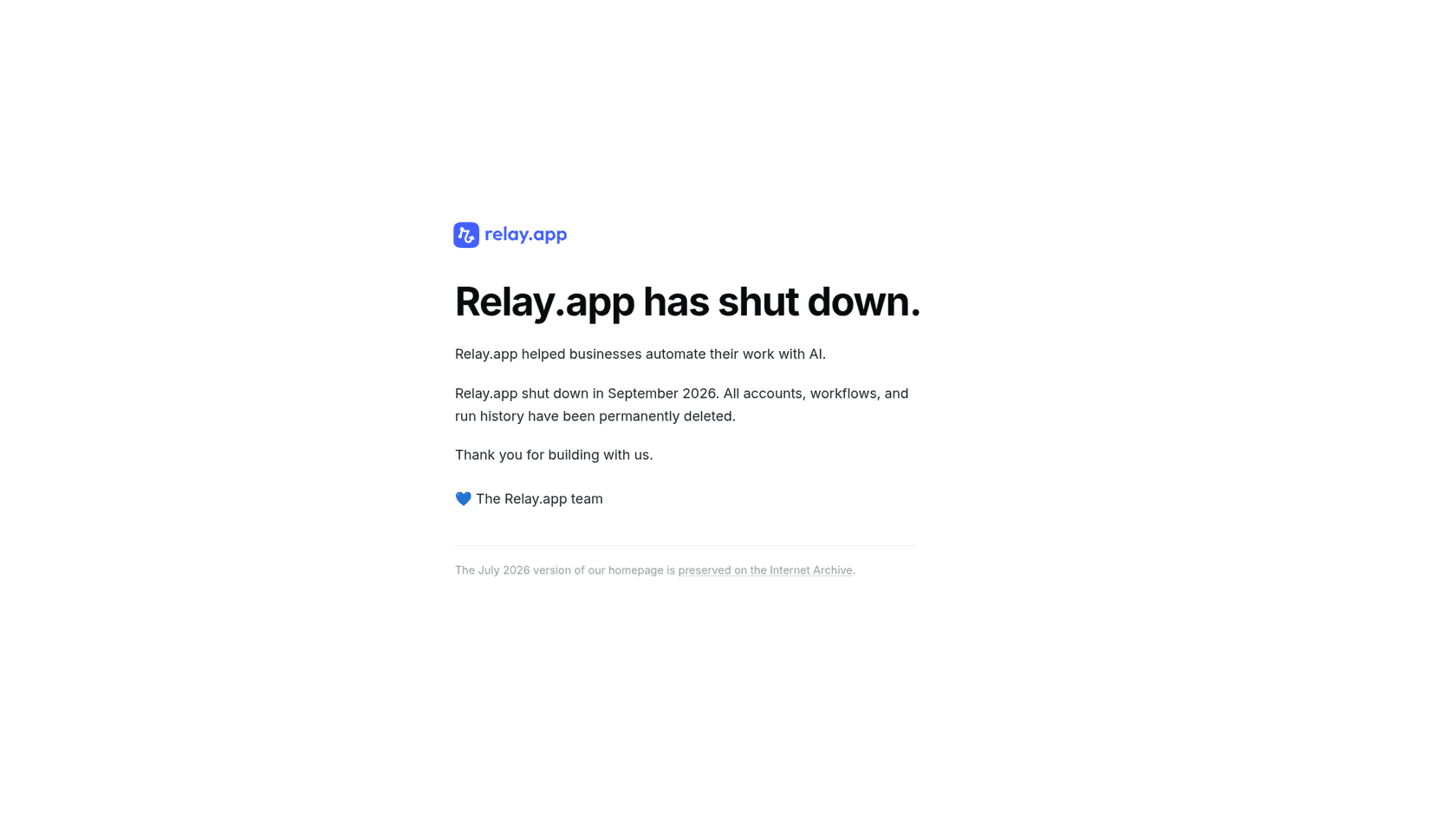
| Date | What happened |
|---|---|
| 16 July 2026 | Shutdown announced, new signups off |
| 15 August 2026 | Free accounts and data deleted |
| 14 September 2026 | Paid access ended, paid data deleted |
This was not a product that users abandoned. Relay held 4.9 out of 5 across 88 reviews on G2, and the reviews that mention it sound like someone who had finally found a fit:
"I've tested quite a few tools for automation workflows and AI agents, but with Relay I finally found what I was actually looking for. What stands out immediately is how effortless it is to get started."

If you were one of those users, there is nothing to export now. The practical question is which parts of your old workflows you can rebuild from memory, screenshots and run notes, and that is what the rest of this post sorts out.
Relay.app vs Zapier at a glance
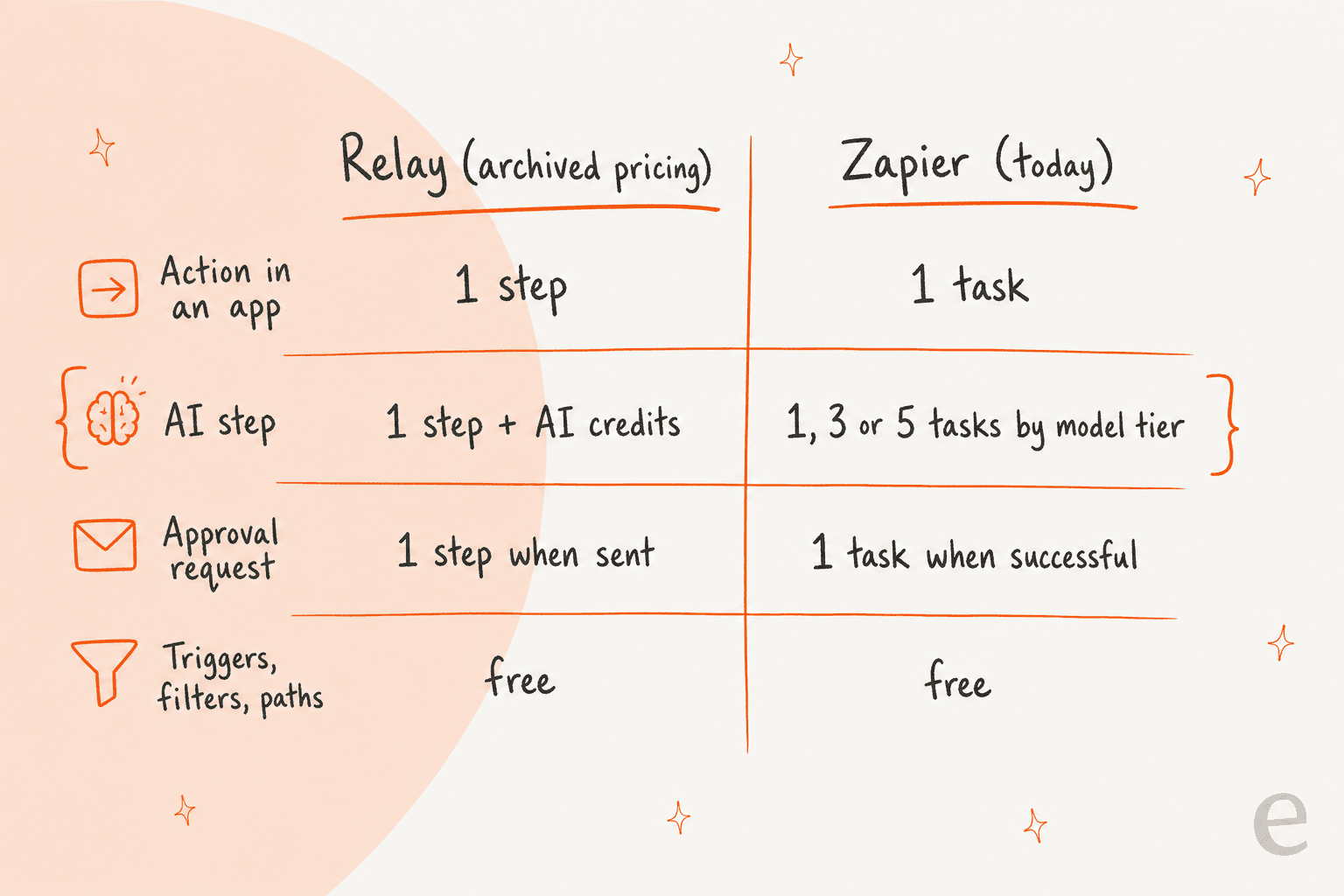
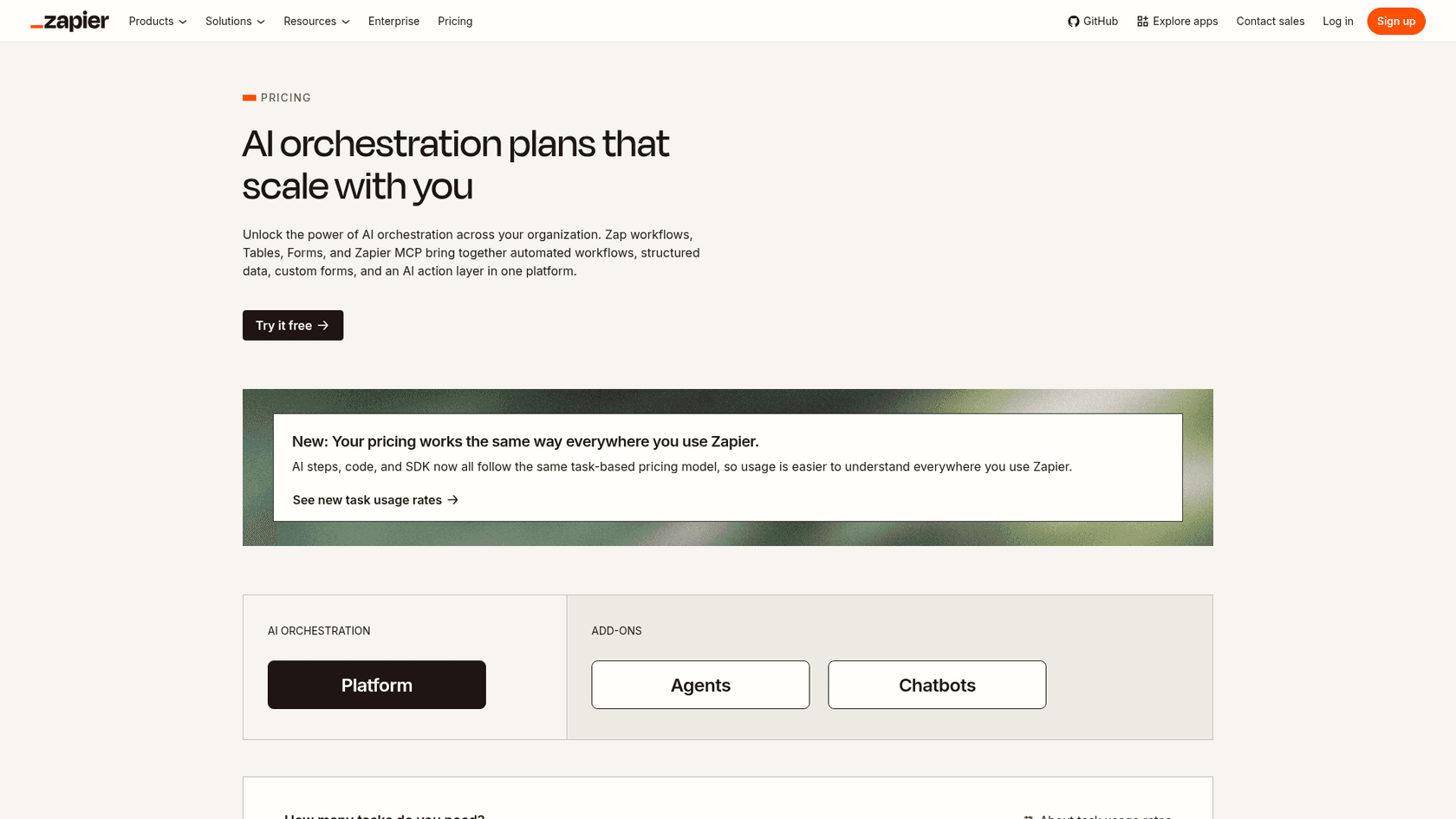
Both tools ran on the same basic model of workflow automation: a trigger starts a run, steps do work in other apps, and you pay for the steps rather than the runs. Relay was the narrower product with a sharper idea about people in the loop. Zapier is the broader platform with a larger connector library. The table below uses Relay's archived pricing page and Zapier's live pricing today.
| Relay.app (archived, shut down) | Zapier (live, October 2026) | |
|---|---|---|
| Status | Shut down September 2026 | Live |
| Entry paid plan | $19 per month billed annually, 750 steps, 2,000 AI credits | From $19.99 per month, selectable task tier |
| Team plan | $59 per month billed annually, 10 users, 1,500 steps | From $69 per month, 25 users |
| Free tier | 200 steps, 500 AI credits | 100 tasks per month, two-step Zaps |
| Billable unit | Step, plus a separate AI credit meter | Task, one pool shared by AI, code and MCP |
| Triggers | Free | Free |
| Approval step | Native step type, billed when the notification is sent | Human in the Loop, billed when the action succeeds |
| Connectors | 200+ claimed, 188 in the archived directory | 9,000+ apps |
| AI steps | Step plus AI credits, bring-your-own key option | 1, 3 or 5 tasks by model tier |
Prices for Relay come from the archived page and Zapier's from its pricing page. Zapier's price rises with the task tier you pick, so $19.99 is the starting point, not a typical bill.
How the billing models differ
Relay and Zapier agree on more than they disagree. Both charge nothing for triggers, and both leave logic like filters and paths free. The difference that bites is AI. Relay billed an AI step as one step and then drew down a separate AI credit balance, and credit burn could vary run to run. Zapier folds everything into one task pool and prices AI by model tier.
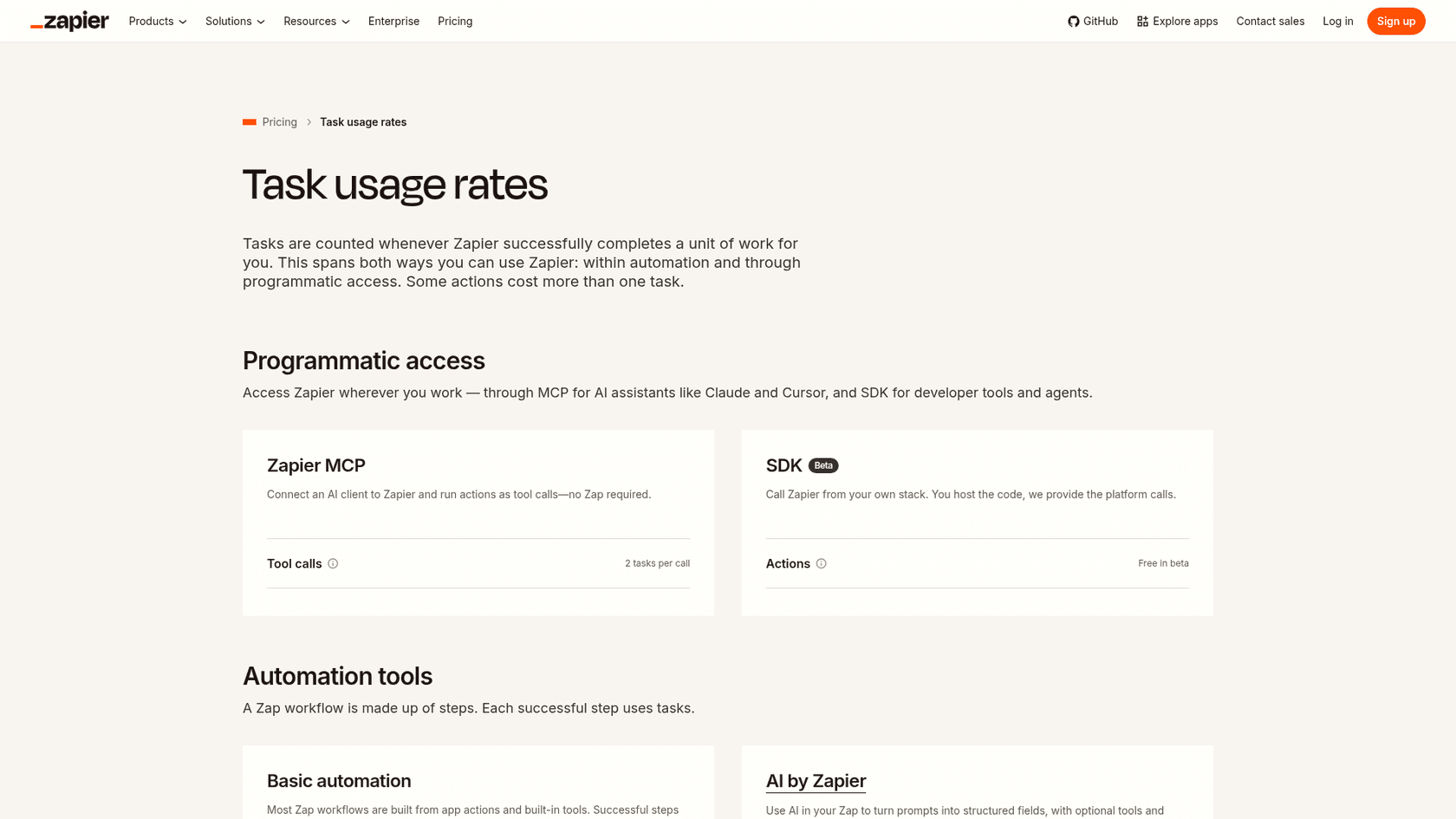
Here is what Zapier's usage rates page says, which I re-read today:
| Step type | Zapier task cost |
|---|---|
| Standard app action | 1 task |
| AI step, standard model | 1 task |
| AI step, advanced model | 3 tasks |
| AI step, premium model | 5 tasks |
| Formatter, Paths, Filter, Delay, Looping, Tables, Forms | 0 tasks |
| Zapier MCP tool call | 2 tasks |
The shape of your old workflows decides whether Zapier feels cheaper or dearer. A workflow with one app action and no AI costs about the same either way. A workflow that calls an AI model four times per run is where an advanced model puts three tasks on every call, so pick the model tier deliberately.
"The task-per-step model was always going to end up here. You're not paying for value, you're paying for graph traversal."

That is a fair warning, and it is why the estimator further down counts tasks before you commit. When you hit your limit, Zapier can switch you to pay-per-task billing at a higher per-task rate, or pause your Zaps if you turn that off, so it pays to know your number first. The older Zapier subscription guide covers the plan ladder in more depth.
Human-in-the-loop is the part that does not map one to one
Relay's sharpest idea was making a pause for a person a first-class step. Its human-in-the-loop docs described approvals, typed input forms, assignees who could be any email address or a Slack channel, due dates, reminders and a choice of what to do when a step went overdue. Every AI step also carried an optional review gate where a person could approve, edit or re-prompt the output.
Zapier covers the approval half well. The Request Approval action pauses a Zap and asks reviewers to approve, decline or edit the data. You can set custom button labels, choose whether a decline continues or stops the run, set a timeout and add reminders, and notify by email, Slack or a second Zap.
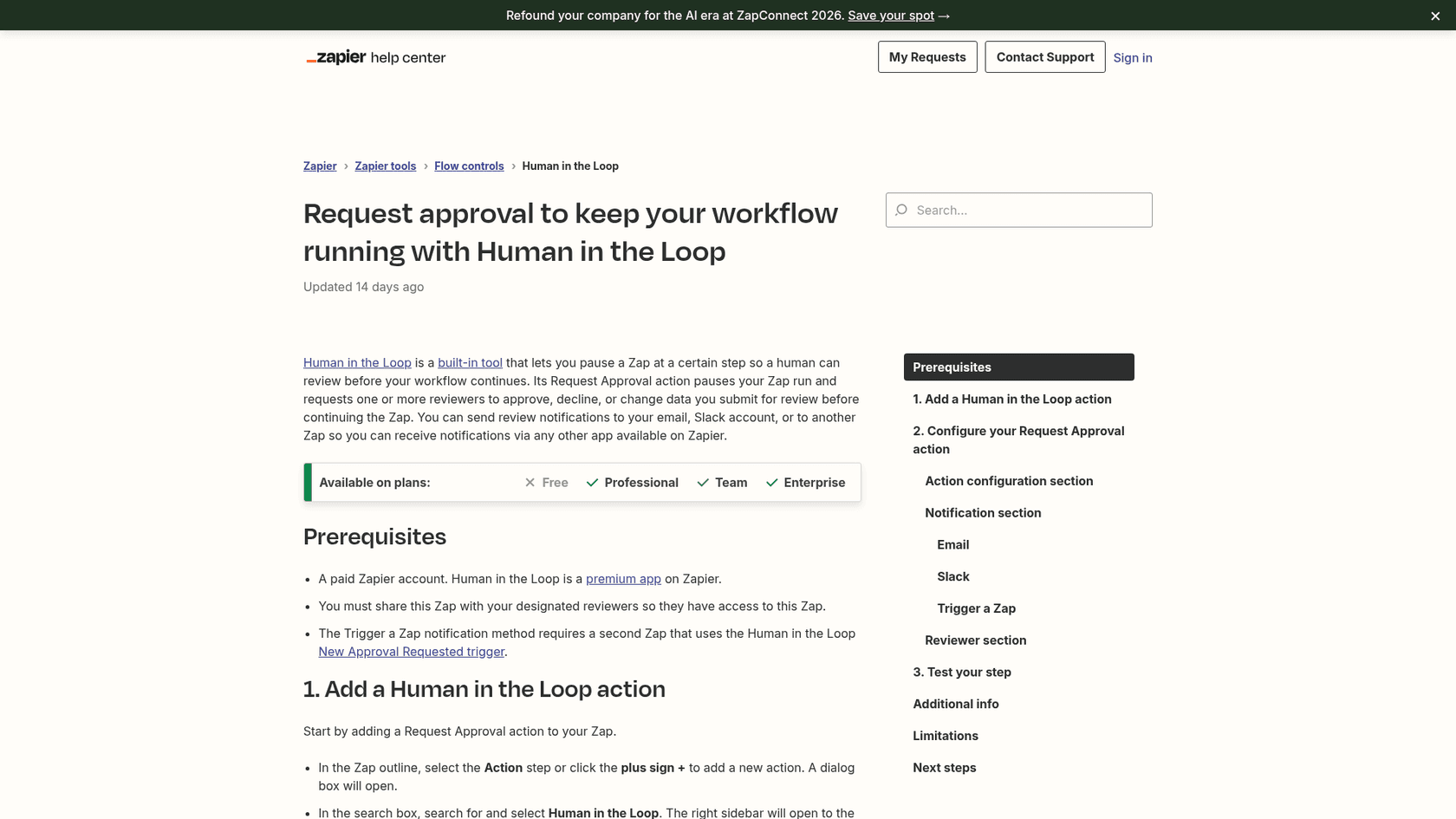
The differences to plan around are in the limitations list on that same page:
- Plan: Human in the Loop is available on Professional, Team and Enterprise, not Free.
- Reviewer accounts: reviewers must have a Zapier account, and on Professional you can only send requests to yourself.
- Team plans: on Team or Enterprise the reviewers must be logged in as one of the Zapier users you select.
- Loops: you cannot put a Human in the Loop action within or after a Looping step.
- Cost: only a successful action counts toward task usage, and notifications do not count as separate tasks.
For an ops team that used Relay to ping a client by email or a whole Slack channel for sign-off, that account requirement is the real migration cost. It is not a flaw in Zapier, it is a different design, and it means approvals that went to outsiders need a different route, such as a Slack approval step or an email Zap that acts on a reply. The broader design questions are in this guide to customer support approval workflows and the human-in-the-loop glossary entry.
Connectors: the number matters more than the claim
Relay marketed 200+ connectors, and the archived directory lists 188 apps. Zapier lists 9,000+. For a small stack of mainstream tools, both would have covered you, and one G2 reviewer of Zapier summed up why it stays the default:
"The breadth of integrations is unmatched - I've used it to wire HubSpot to Salesforce, push form submissions into Attio, sync ad lead forms (Meta, LinkedIn, Google) into our CRM in near real-time."
On Relay's side, "Limited Integrations" was the most common criticism in G2's tag summary, with 9 mentions. So if one of your Relay workflows relied on a workaround through webhooks, there is a good chance Zapier has a native connector for it now. The same reviewer also warns that pricing climbs with task volume, and that is where Make and n8n enter the conversation, covered in Make vs n8n and the Make pricing guide.
Moving your Relay workflows to Zapier
You cannot export from Relay, so this is a rebuild from your own notes. I would do it in this order, because each step makes the next one cheaper.
- Inventory what you remember. List each workflow's trigger, app actions, AI steps and approval points. Run notes in Slack or email notifications are often the only record left.
- Rank by pain. Rebuild the workflows that touch customers or money first.
- Map each step. Trigger to trigger, app action to action, wait to Delay, path to Paths, and AI step to AI by Zapier.
- Rebuild approvals last and carefully. This is the step with the account and plan limits above.
- Count tasks before switching on. Use the estimator below, then start on the lowest tier that fits.
- Run in draft mode for a week. Let the Zap draft or hold actions before it acts alone.
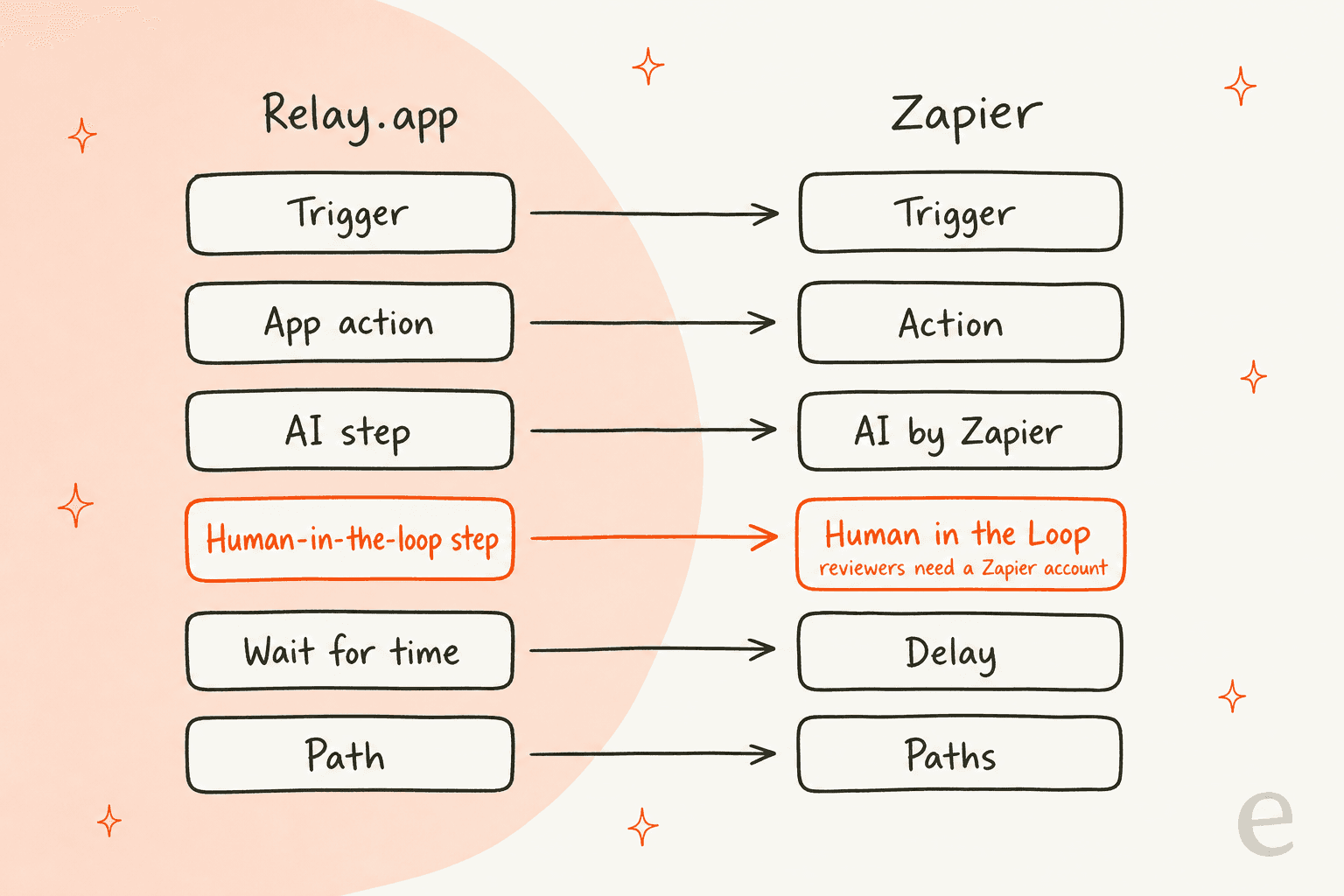
The mapping is clean for everything except the highlighted row. Most of a Relay workflow moves over in an afternoon, and the approval step is where I would budget time.
Estimate your Zapier task count
Plug in one workflow's shape. The estimator counts a standard app action as one task and an approval as one task, applies Zapier's AI tier rate, treats filters and paths as free, and shows the Relay step count you would have used for comparison.
Run it twice, once with a standard model and once with premium. If the task count jumps, the AI step is your cost, and a smaller model for classification and a larger one only for the final draft is usually the cheaper split.
When the workflow is really a support teammate
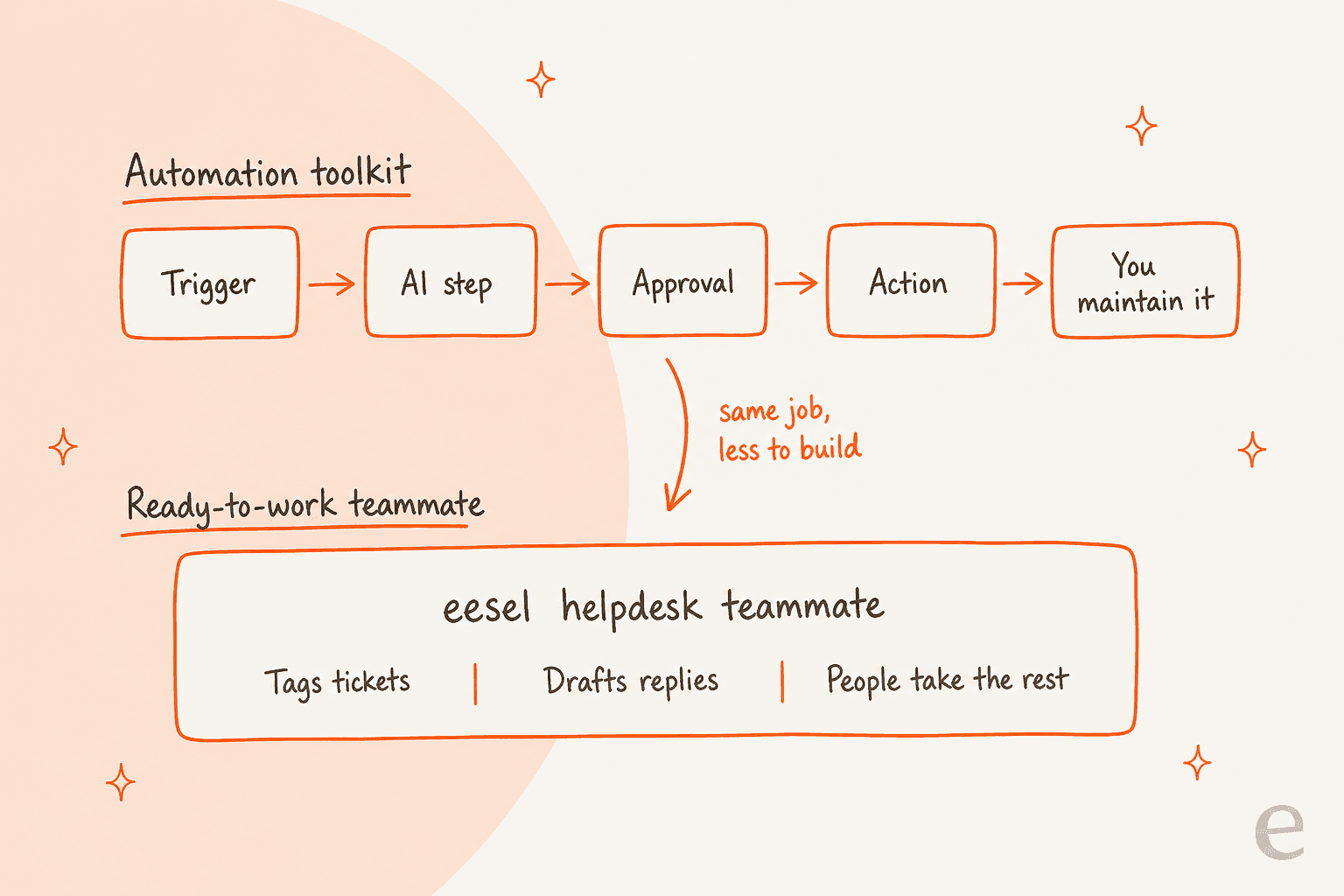
Look at what your Relay workflows were doing. If a good share were ticket triage, tagging, drafting replies with a person approving, and escalating the hard ones, you were building a helpdesk teammate out of steps. That is a perfectly good way to work, and it is the toolkit approach: you choose the trigger, the model, the approval and the fallback, and you maintain all of it.
eesel sits on the other side of that line. It is an AI teammate platform where you hire ready-to-work teammates for specific jobs, and the helpdesk teammate arrives with the integrations and company context for support. Zapier and Relay are toolkits, and eesel is the employee. The decision looks like this:
A concrete example is Rúngne, a Norwegian climbing apparel brand that runs three eesel agents on its Gorgias helpdesk. Between 8 August and 8 September 2026, eesel handled about 2,100 tickets, tagged about 880, left about 580 draft replies as internal notes for a person to send, and sent about 440 public replies. Plain questions on shipping, returns and stock get a direct answer, while cancellations, damage and anyone asking for a human go to the team. That is the Relay triage-draft-approve pattern without a workflow to maintain. SamCart does a similar split on Freshdesk, with one agent for email tickets and another for website chat.
This matches the adoption pattern from eesel demo calls: teams start with the AI drafting and approving, then widen what it answers alone. Because the eesel helpdesk teammate is tested against historical tickets before it goes live, you can see what it would have said first, similar in spirit to Relay's review gate. For the mechanics, see AI ticket routing for SaaS, ticket routing, AI ticket classification and AI agent handoff.
Pricing is also simpler to forecast than a task pool. eesel's plans start with 100 free credits, then a Teammate plan from $299 per month for 500 credits, where a ticket or chat is 1 credit however long it runs. That is a fixed monthly batch, not a count of every step in a flow.
If your team scripts its tooling, the eesel CLI is worth a look. It drives the same teammate you see in the dashboard: you can chat with it, connect a helpdesk, upload knowledge and approve held actions from a terminal, and every command prints JSON so Claude Code, Cursor or Codex can run the setup. If you also expose tools through the Model Context Protocol, the CLI is the scripting side of the same idea. It sits alongside patterns like AI agent CLI and controlling agents from CLI, and it is not a replacement for Zapier's connector library.
For a generic back-office flow that touches billing, HR and sales tools, I would still rebuild in Zapier. For a support queue, I would test the teammate first. Zapier calls its pitch AI orchestration, and if you would rather skip code entirely, see this no-code agent builder roundup. A wider survey of the field is in AI support automation platforms, and a related build-versus-buy view is in AgentKit vs Zapier.
What I would do in your position
- If your workflows were mostly app-to-app syncing: rebuild them in Zapier on Professional, starting at the lowest task tier, and check the estimator against your busiest workflow first.
- If your workflows needed external approvers: budget for the Zapier account requirement, or route sign-off through Slack or email, and test it before you rely on it.
- If your workflows were support triage and approved replies: put the eesel helpdesk teammate on a copy of your queue, in draft mode, for a week.
- If cost per task worries you: compare Make, n8n and Gumloop before you commit, since all three price differently.
Relay's idea that a workflow should wait for a person was right, and it outlives the product. Whichever platform you land on, keep that pause in the places where a wrong action is expensive.
Try eesel for your support queue
If the workflow you are rebuilding is a helpdesk one, the eesel helpdesk teammate plugs into Zendesk, Freshdesk, Gorgias and more, learns from your help center and past tickets, and lets you approve its drafts before it answers alone. Pending, approved and rejected activity shows in one list, so the person who used to sit in the approval step still has a place to work. Try eesel free with 100 credits, or read how AI first-response automation fits a queue like yours.

Frequently Asked Questions
Is Relay.app still available in 2026?
No. Relay.app's homepage now says the product shut down in September 2026 and that all accounts, workflows and run history were permanently deleted. If you are searching for a Relay.app alternative, you are choosing a replacement, not comparing two live tools.
What is the closest Zapier equivalent to Relay.app?
Zap workflows with the Human in the Loop action cover the same shape: triggers, app actions, AI steps, filters, paths and an approval pause. The gap is reviewer access, because Zapier reviewers need a Zapier account. See the Make vs Zapier comparison if you want a third option.
How much does Zapier cost compared with what Relay.app charged?
Zapier's Professional plan starts from $19.99 per month and Team from $69 per month, with price rising by task tier. Relay.app's last archived entry plan was $19 per month billed annually for 750 steps. For a fuller breakdown, read the Zapier subscription guide.
Does Zapier have human-in-the-loop approvals like Relay.app did?
Yes, through the Request Approval action, available on Professional, Team and Enterprise but not Free. Reviewers need a Zapier account, and on Professional you can only send requests to yourself, per Zapier's help article. The wider idea is covered in what HITL means.
Do Zapier AI steps cost more than other steps?
They can. Zapier's usage rates list 1 task for a standard model, 3 for an advanced model and 5 for a premium model per AI step. If AI sits in every run, an AI workflow automation budget should count those tiers.
Should I rebuild my Relay support workflows in Zapier or use a ready-made AI helpdesk teammate?
If the workflow is ticket triage and draft replies with approval, a ready-made AI helpdesk agent removes most of the build. If the workflow spans sales, finance and ops tools, Zapier's 9,000+ app connectors are the better fit.
Can I automate support tickets without building Zaps at all?
Yes. The eesel helpdesk teammate tags tickets, drafts replies as internal notes and answers plain questions, then leaves the rest to people, as in Rúngne's Gorgias setup. See how to automate ticket triage for the pattern.