

What is n8n?
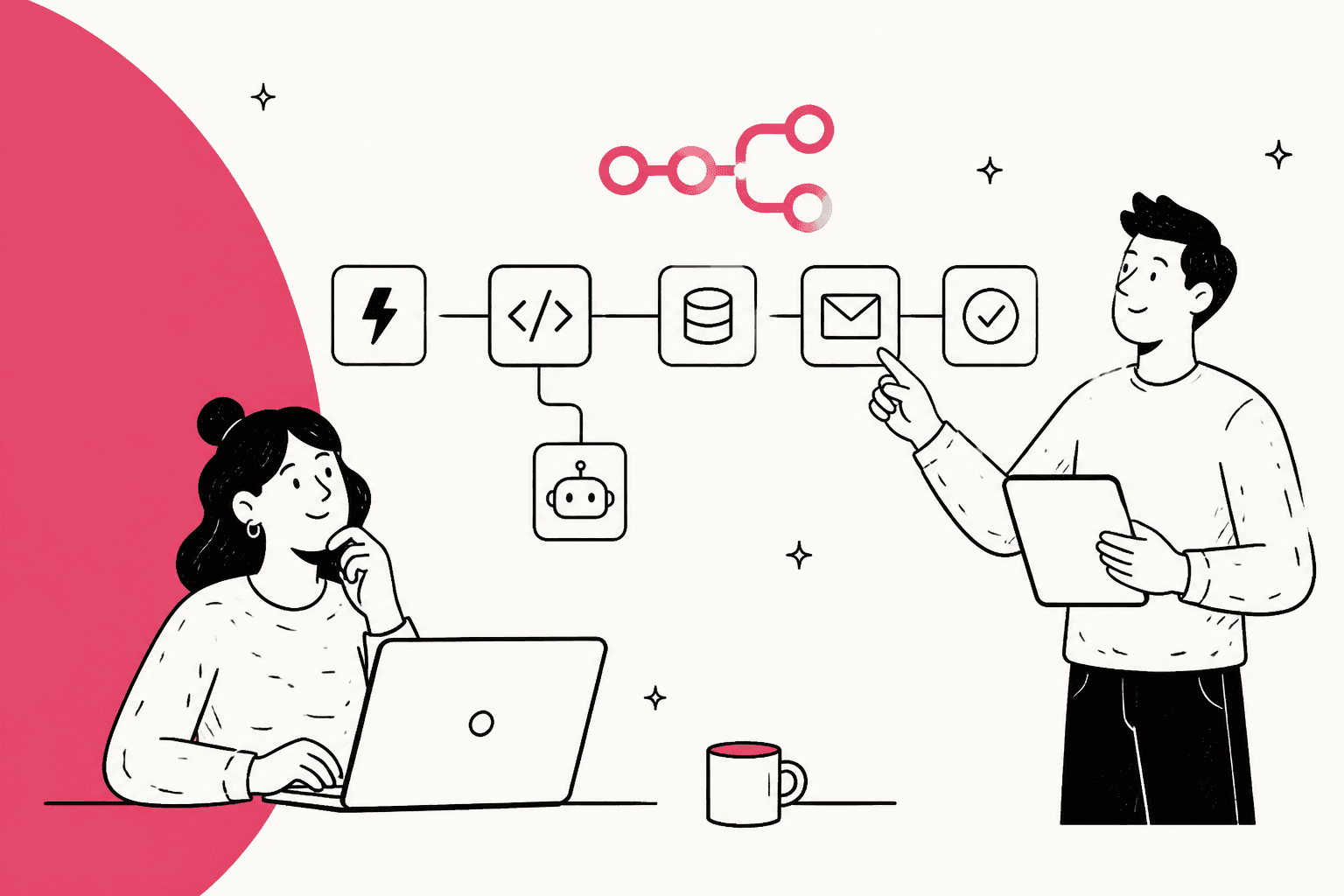
n8n (say it "n-eight-n") is a workflow automation platform that founder Jan Oberhauser has been building since 2019. You chain triggers, app nodes, logic and AI steps on a canvas, and you can run it on n8n Cloud or your own servers. It sits in the same category as Zapier and Make. If you're choosing between those two, my Make vs n8n breakdown goes deeper.
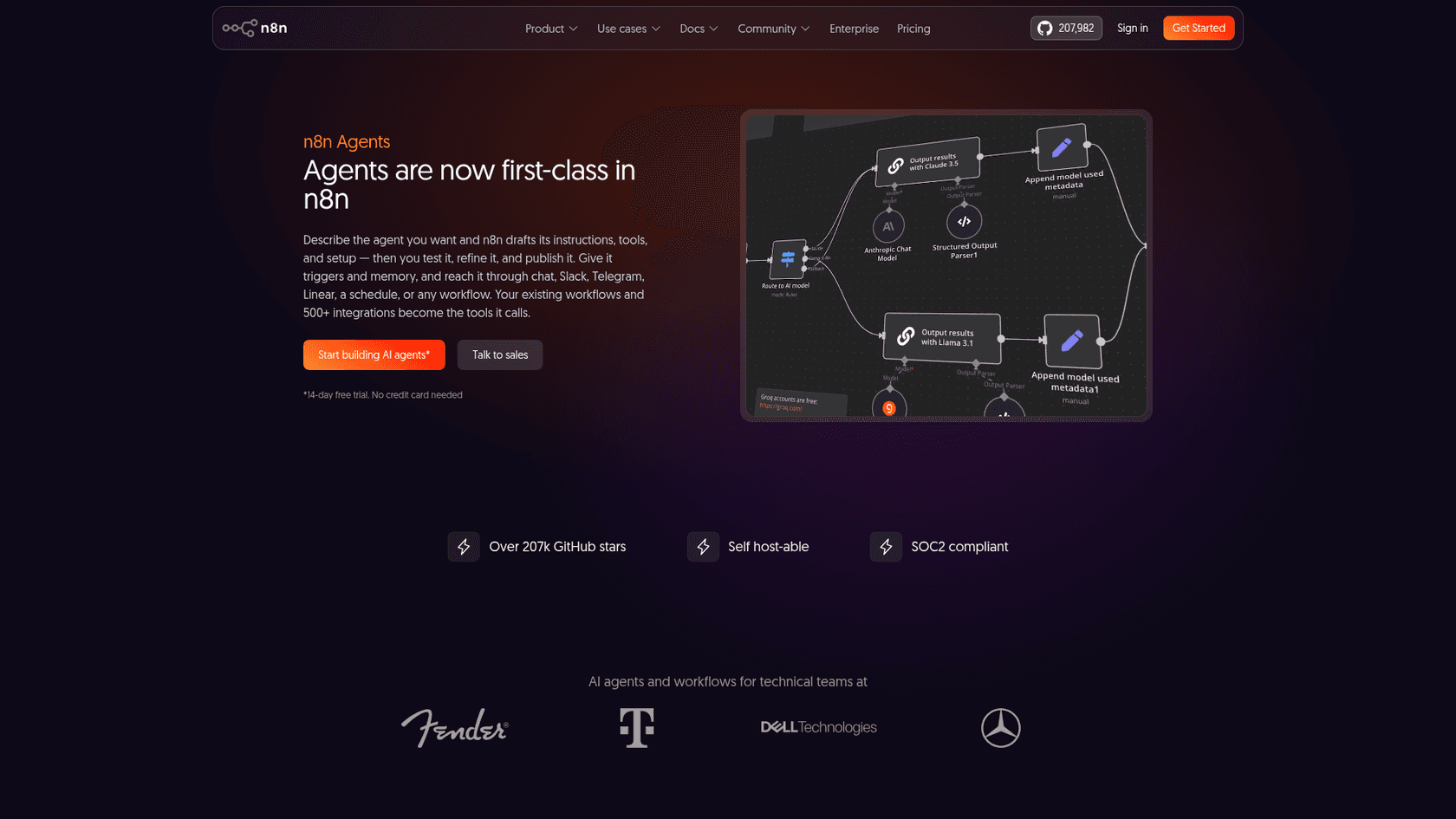
The numbers behind it are big. The GitHub repo had 207,989 stars and 61,185 forks when I checked today. n8n raised a $180M Series C at a $2.5B valuation in October 2025, and its press page lists a strategic investment from SAP in May 2026 at a $5.2B valuation. On G2 it holds 4.7/5 from 319 reviews, and 87% of them are five stars.
How I reviewed n8n
I'm Rama, and I build eesel's helpdesk integrations and APIs, so I spend my week inside the same Zendesk and Freshdesk APIs an n8n support workflow calls. For this review I read n8n's pricing page, its AI and agent docs, and the release notes from 2.30 (July 7) to 2.44 (October 13). I also checked the helpdesk node references and read 33 verbatim community comments from Reddit, Hacker News and G2. Prices below come only from n8n's own pages.
Scoring: I weighted building power and AI tooling heavily, because that's why people pick n8n. I also counted the real cost of running it and how much work a support team carries to get a production agent.
What n8n gets right
n8n earns its reputation in four places: the canvas, the agent options, the safety controls, and how fast it ships.
The canvas still sets the bar
The editor is a left-to-right node graph. Each node shows its input and output data next to it, and you can re-run one step instead of the whole workflow. When the no-code option runs out, you add a Code step in JavaScript or Python, or an HTTP Request to any API. That "code when you need it" balance is what most of the positive reviews mention.
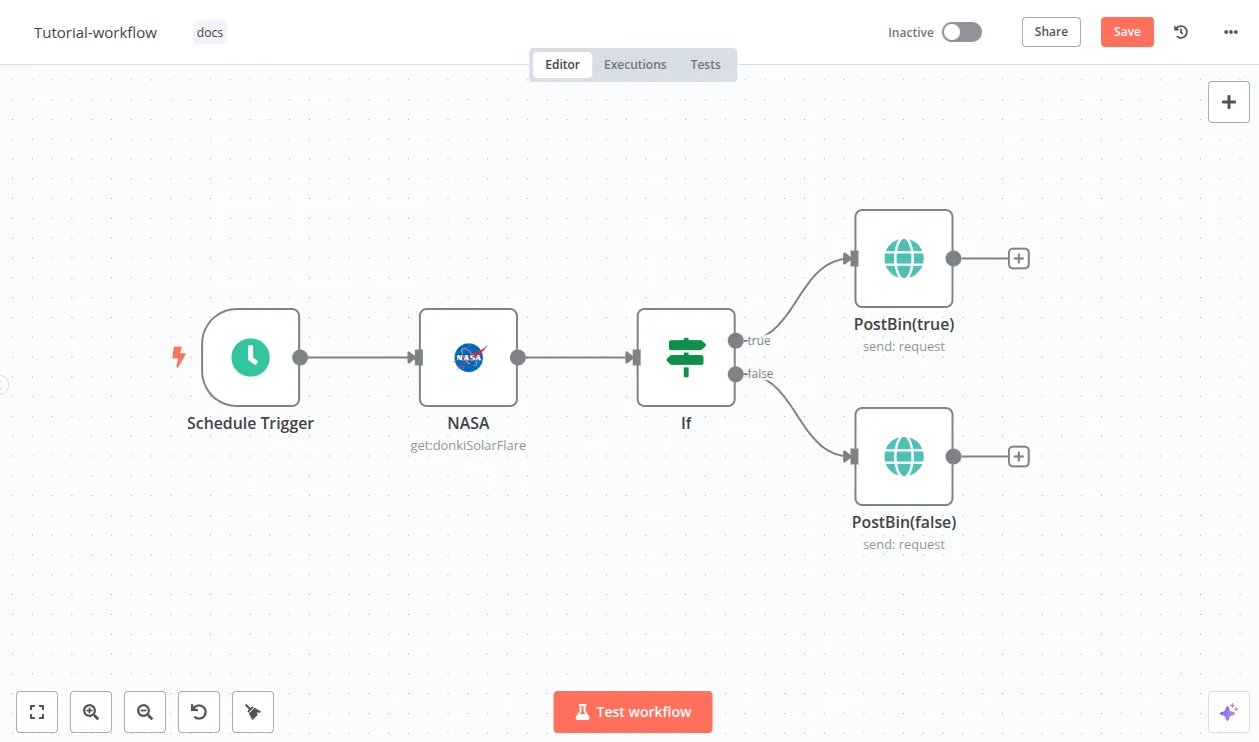
"a junior developer can put together some nodes to e.g. get data from an API, transform it (by writing code), prepare a CSV, send an email. In about an hour."

Two ways to build agents now
For years, an agent in n8n meant the AI Agent node: a step in a workflow that gets a chat model plus at least one tool, then decides which tool to call. It now works only as a Tools Agent, and the old v1 node will be removed in n8n 3.0.
n8n Agents have been on by default on every plan since version 2.42. You describe the job in plain language and give it a model, tools, skills and knowledge files. Memory, sessions, channels, versions and approvals come built in. n8n's own launch post compares it to buying a pre-built PC instead of building your own. The smart part: your existing workflows become the agent's tools. An agent that can only call an "add a note" workflow never holds write access to your CRM.
Two caveats. Agents are still labelled Preview in the docs. And the built-in channels are Slack, Telegram, Linear, Discord and a schedule, with WhatsApp added in the 2.44 beta. A helpdesk queue isn't one of them, so a Zendesk or Freshdesk agent still enters through a workflow trigger.
Real safety controls, if you set them up
n8n has done more here than most builders:
- Human review for tools: mark a tool as sensitive and the agent pauses for Approve or Deny before running it. That's the human-in-the-loop pattern, applied per tool.
- Guardrails node: checks text for jailbreaks, NSFW content or topic drift, and can strip PII, URLs and secret keys before text reaches a model. More on the idea in my AI guardrails explainer.
- Evaluations: light evaluations run a test dataset through a workflow on every Cloud plan. Metric-based evaluations score runs and compare them over time, on Cloud Pro and Enterprise, or self-hosted Enterprise.
- Budgets: 2.43 added an opt-in budget limit for agent runs, and 2.44 emails the agent owner when a monthly budget alert trips.
The catch is that each of these is something you add, configure and keep current. You also bring the test dataset, usually a Google Sheet or a data table.
It ships fast
The release list shows a new minor version roughly every week, with patches almost daily. The latest stable today is n8n@2.43.8. Since July, that pace has delivered MCP one-click sign-in for 70 MCP servers, a self-hosted Assistant you set up with your own model key, and Gateway credits so Cloud users can call models without their own API keys.
If you're building around MCP, my AI agent MCP server guide covers the moving parts.
Where n8n asks more of you
None of these are dealbreakers for an engineering team. They're the costs that the "free and self-hostable" pitch leaves out.
Self-hosting is a part-time job
Self-hosting is the most-cited reason people pick n8n, and the most-cited source of pain. You own Docker, the database, SSL, backups and the weekly upgrade cycle. A major version (2.0, December 2025) changed how workflows activate, and the 2.40 notes already warn about 3.0 changes.
"Keeping the environment up to date, configuring Nginx and SSL, and managing database backups for the n8n instance itself can take a lot of time, especially when compared with fully managed cloud solutions."

"Because then you have to manage the infrastructure. My team isn't big enough to need a full time infra person."

The license matters too. n8n is "fair-code", not open source, and it says so itself. The core line of the Sustainable Use License limits use to "your own internal business purposes" or non-commercial use. The license FAQ allows building automations for clients on your instance and using n8n behind the scenes in your product. It doesn't allow hosting n8n as a service, or letting outside users build workflows "via a custom UI, our API, MCP, or an AI agent".
The free Community Edition also leaves out SSO, environments, external secrets, log streaming and Git version control.
Agent reliability is your problem to engineer
The AI Agent node works. But production quality depends on your prompts, your tool design and your testing, and the community is candid about it.
"I've spent a lot of time building AI agents for real clients and found that agents made with the basic n8n node are very bad at tool selection, remembering context, and following prompts."
That post is from June 2025, and n8n has shipped a lot since: forced first tool calls in 2.40, guardrail runners, standalone Agents. The underlying point still holds, though. A deterministic workflow does the same thing every time, and an LLM step doesn't. If you're new to that risk, my piece on AI hallucination explains why it shows up in support replies.
"What I like least is that as workflows become more complex, it can be difficult to quickly identify where the problem is when something goes wrong."
G2's tag cloud for n8n lists "Learning Curve" (39 mentions) and "Difficult Learning" (23) among the top cons. That's the honest price of the flexibility.
Helpdesk nodes are thin, so you write API calls
This is the part that matters most for support teams, and I check it against the docs because I write against these APIs myself. The Zendesk node covers four resources: tickets, ticket fields, users and organizations. Ticket operations are create, delete, get, get all, recover a suspended ticket, and update. Macros, help center articles and views aren't in the list. For anything else, n8n points you to the HTTP Request node and Zendesk's REST API.
There's also a trap documented on that page. If an Update Ticket call sets tags, the ticket's entire tag list is replaced, so an agent that adds one tag can wipe your routing and SLA tags unless you fetch and merge first. The Freshdesk node is smaller still: 10 operations across contacts and tickets. My Zendesk n8n workflow guide walks through a real build. The Freshdesk version is in my Freshdesk n8n integrations roundup.
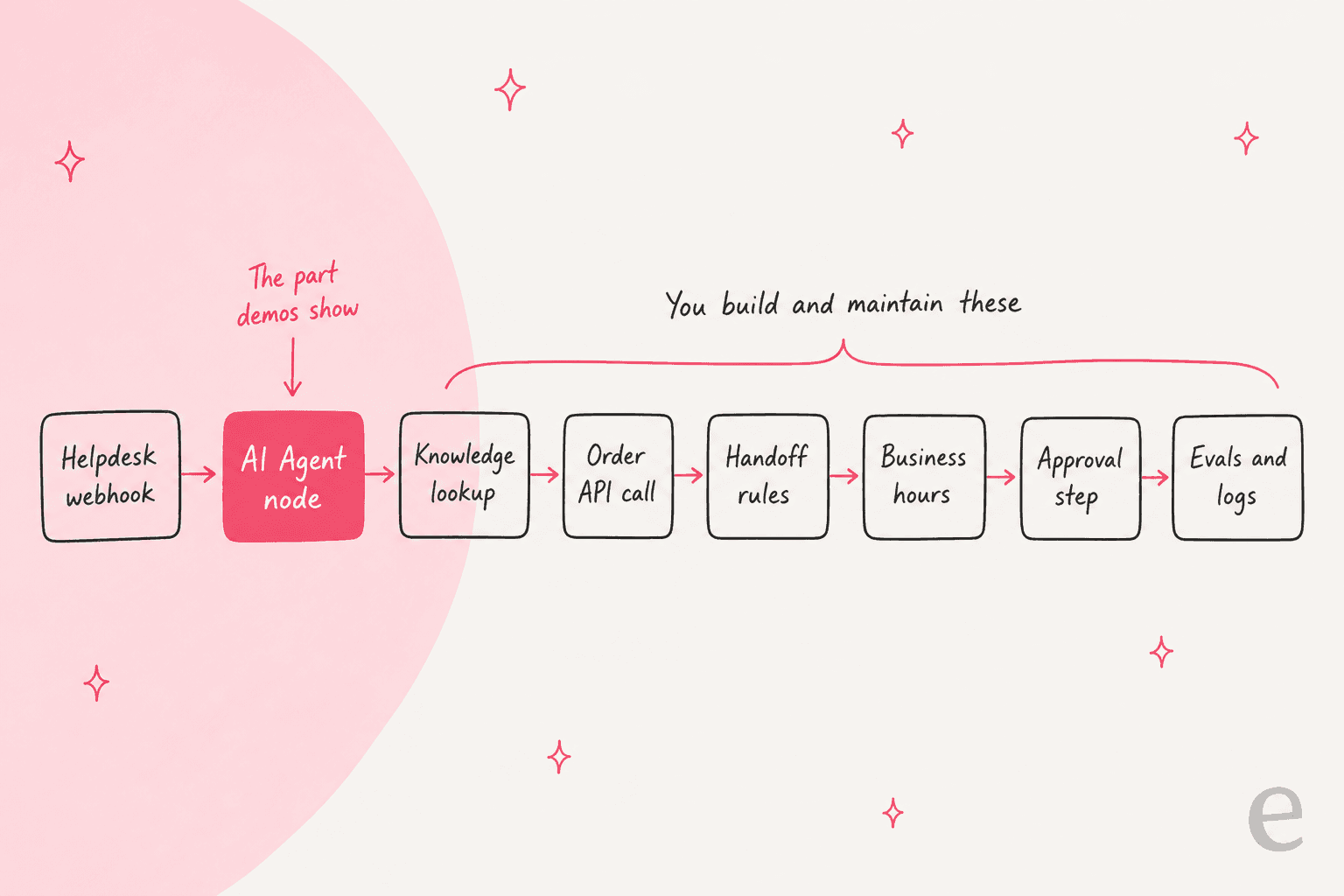
Put together, a support agent in n8n looks like the chain below. The AI step is the part the demos show. The rest is yours to build and keep working.
How much does n8n cost in 2026?
n8n prices by workflow executions. One execution is one full run of a workflow, however many steps it has. That's much cheaper than per-step pricing for long workflows. Every plan includes unlimited users, workflows and integrations. Here's the full grid from the pricing page as shown to US visitors (annual billing saves 17%):
| Plan | Price (billed annually) | Executions / month | Hosting | What you get and the limits |
|---|---|---|---|---|
| Community Edition | Free | No plan quota | Self-hosted | Sustainable Use License; no SSO, environments, external secrets, log streaming or Git |
| Starter | $20/month | 2.5K | n8n Cloud | 1 shared project, 5 concurrent executions, 5-minute max run, 1,600 Assistant credits, forum support |
| Pro | $50/month | 10K (a 50K size is available) | n8n Cloud | 3 shared projects, up to 50 concurrent, 40-minute max run, admin roles, metric-based evals, workflow history |
| Business | $800/month | 40K (sizes up to 500K) | Self-hosted only | 6 shared projects, SSO and LDAP, Git version control, environments, queue mode, forum support only |
| Enterprise | Contact sales | Custom | Cloud or self-hosted | 200+ concurrent, log streaming, external secrets, 365 days of insights, dedicated support with SLA |
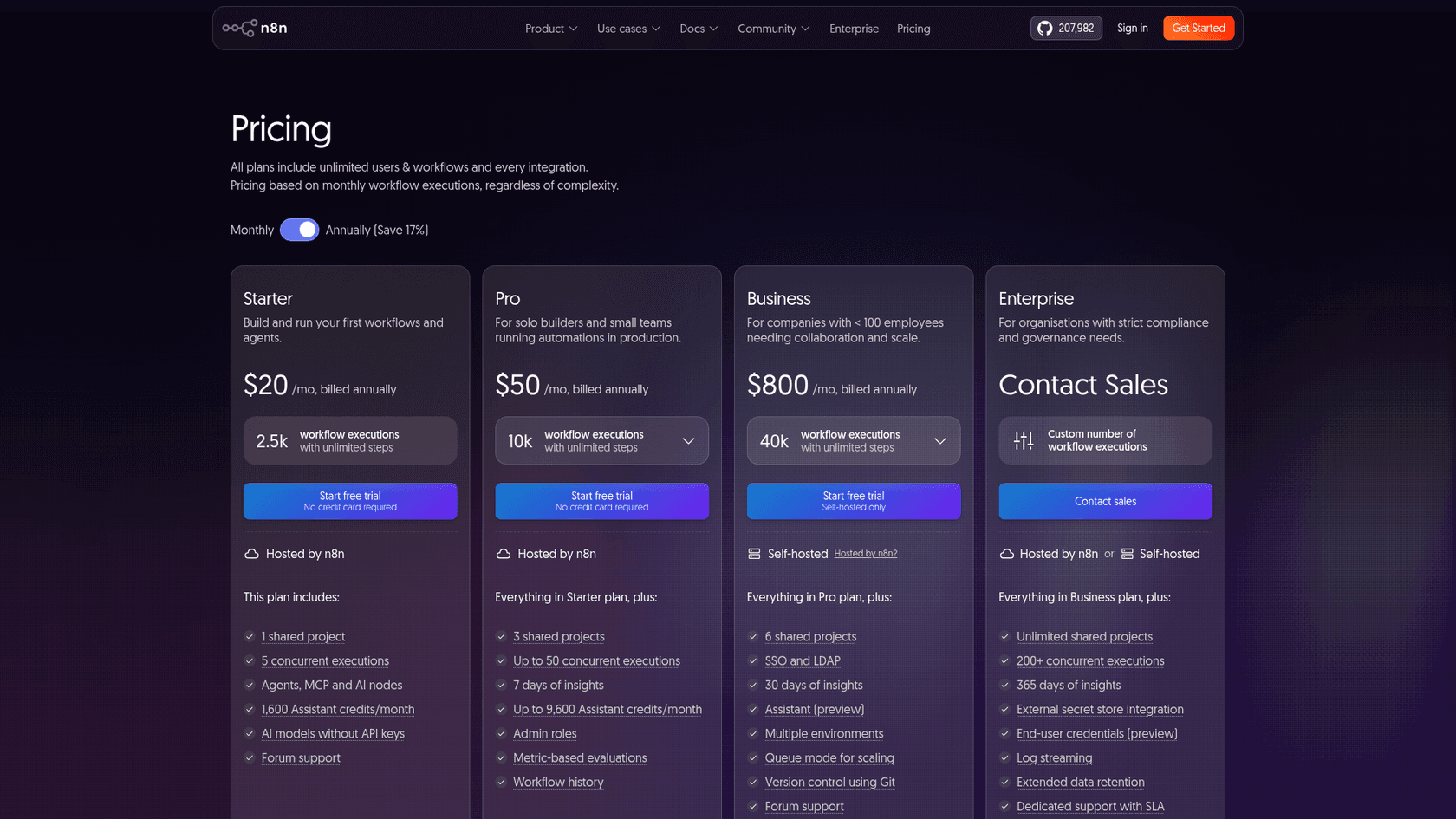
Three things the grid doesn't make obvious:
- European visitors see euros, and the numbers differ. From Europe the same page shows 20€, 50€ and 667€ per month billed annually, or 24€, 60€ and 800€ on monthly billing.
- Business overage is steep and comes later. Workflows keep running past your quota, but overage on Business is invoiced 45 days later at 4,000 EUR per extra bucket of 300,000 executions. Business also includes forum support only. Dedicated support starts at Enterprise.
- Self-hosted paid plans phone home. A Business or Enterprise license key pings n8n's license server daily, including your production execution count. Under 20 employees? The Start-up Plan takes 50% off Business.
The executions model has one blind spot for support work, and it's in n8n's own FAQ. For a chatbot, you multiply conversations by messages per conversation. Each user message is a run, so a chat agent uses up a plan faster than a nightly sync does.
"think about things like the chatbot trigger or MCP server trigger. Every single user interaction counts as an execution."
Plug your own volumes in below. It uses n8n's execution formula and plan sizes, and puts eesel's credit math next to it, where a ticket or chat is 1 credit however many replies it takes.
What users say about n8n
Sentiment splits along one line: people who like owning the build love n8n, and people who wanted a finished product feel the weight. The fans are loud.
"n8n in my experience using it for 2 years now, and compared to similar solutions as there are many doing quite the same thing: it is just a very good product. It's stable."
Cost complaints mostly come from self-hosted paid licenses, where you pay for both the servers and the executions.
"For a moderately used app we very quickly burned through their "executions" that were allotted by our license - and that's where we host it ourselves, configuring and paying for the servers, load balancers, key value store and database, with its failovers and backups."
And a newer 2026 thread asks whether coding agents make n8n less necessary, a fair question now that tools like Claude Code can write the same glue scripts. My Claude Code automation guide covers when that works.
"Used N8N late 2024-early 2025 a lot. But I just don't see its value anymore. AI tools like Cursor/Claude Code can do everything that N8N does and more."
I don't fully agree. A canvas with logs for every execution is easier for a team to own than a folder of scripts. But it does mean "we'll just build it" now has more than one option.
Should a support team use n8n?
Here's the frontline consensus I found on r/n8n, and it surprised me. Experienced builders mostly keep AI away from customer-facing replies.
"If you use AI limit it to tagging and summarizing the request only No verification no account lookups no AI-written replies That keeps sensitive issues safe and the flow predictable"
That's sensible advice for a DIY build. Replying safely means verifying who's asking, checking live order data, handing off at the right moment, and testing on real tickets before going live. Each of those is a sub-project in n8n. It also matches what I've seen at eesel. A European hosting provider on Zendesk left us to build its own AI, and our own post-mortem said "a lot of their friction came from setup complexity (handovers, Zendesk integration, business hours logic)". Building in-house doesn't remove that work. You just own all of it.
So I'd split the job, which plays to n8n's strengths:
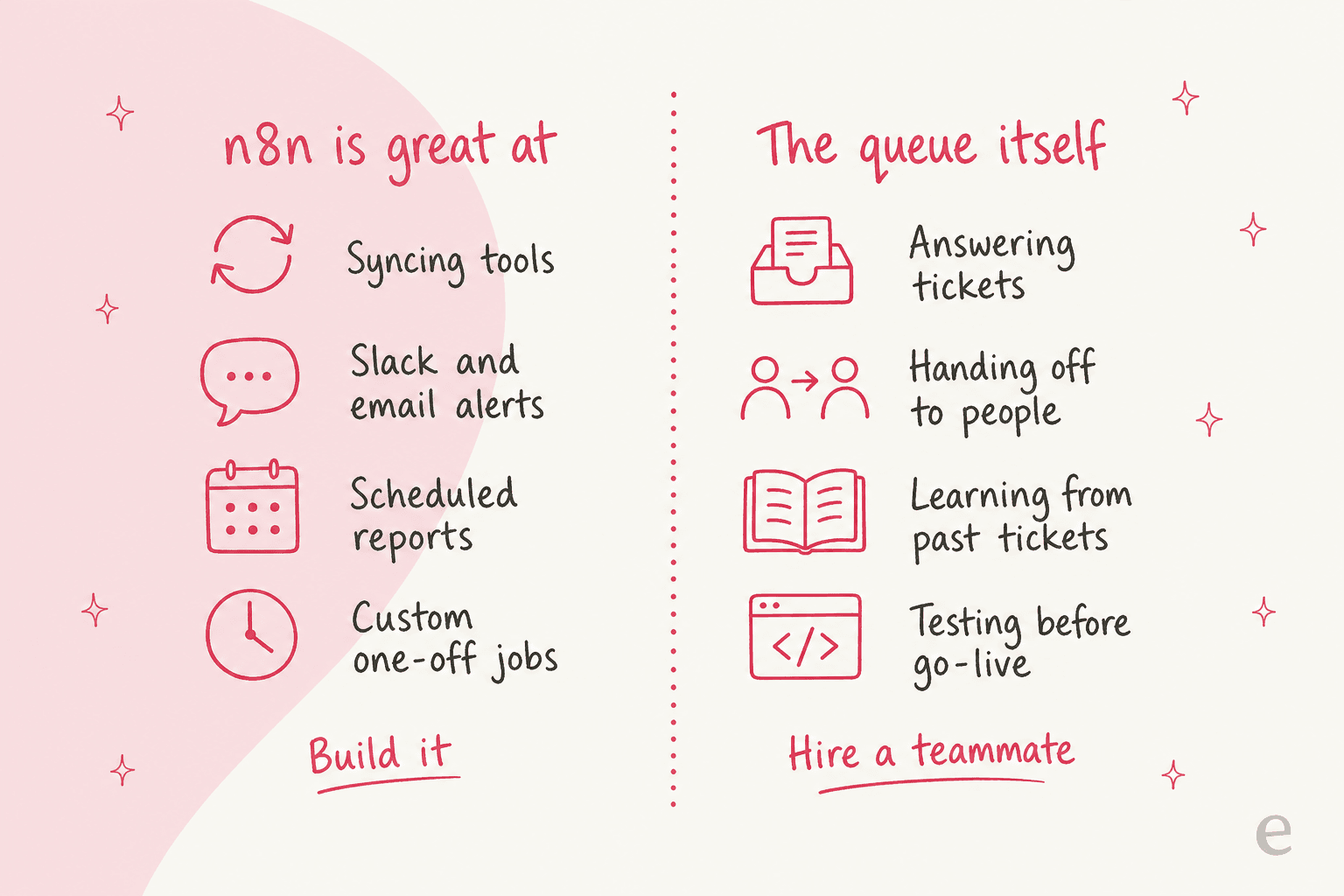
- Use n8n for the plumbing: syncing helpdesk data to a CRM or warehouse, Slack alerts on VIP tickets, weekly reports, and AI ticket classification where a wrong label is cheap. These are low-risk AI customer service workflows that n8n handles well.
- Hire for the queue: answering customers, handoffs to people, and learning from your ticket history. That's where an AI teammate that arrives with the helpdesk skills saves months.
Swiftreg, a UK number plate seller, shows what the second half looks like with a technical team behind it. Its eesel agents run on Zendesk, and the order, product, listing, tracking and cancellation lookups are skills built on scripts Swiftreg wrote. A validator checks every reply against those lookups before it's sent. Between August 8 and September 8, 2026, it handled about 2,100 Zendesk tickets, sending 1,494 public replies and leaving 1,055 internal notes where a person owned the next step. That's the control an n8n builder wants, without having to build the plumbing first.
If you want a structured way to judge either path, my AI support pilot scorecard sets the bar before anything touches a customer. For the test itself, see my guide to AI support agent testing.
n8n pros and cons
| Pros | Cons |
|---|---|
| Visual canvas plus JavaScript or Python in any step | Steep learning curve once workflows grow (39 "Learning Curve" tags on G2) |
| Per-execution pricing, not per step or per user | Chat agents count every message as an execution |
| Self-hostable, with your data on your own servers | Self-hosting means owning upgrades, backups and security |
| New Agents with memory, sessions, approvals built in | Agents are still Preview; no native helpdesk channel |
| Human review per tool, Guardrails node, evaluations | Each safety control is yours to configure and maintain |
| Weekly releases, 70 one-click MCP servers | Fast change means upgrade work and occasional breaking changes |
| Strong community and 4.7/5 on G2 | Fair-code license limits hosting for clients |
Who n8n is for, and who should skip it
Pick n8n if you have someone technical who enjoys building, a long tail of internal automations across many tools, data you'd rather keep on your own servers, or an agency that builds automations for clients on its own instance. It's one of the strongest options in my roundup of best workflow apps, and it compares well against code-first frameworks in AgentKit vs n8n and the three-way AgentKit vs Make vs n8n.
Skip n8n if what you need is a working support agent this month and nobody on the team wants to maintain one. The same goes if you plan to let your own customers build workflows inside your product, which needs an Enterprise license. If you're weighing builders against ready-made agents more broadly, my no-code AI agent builder guide and Voiceflow review cover the same trade-off from other angles.
My verdict: 4.2/5
| Area | Score | Why |
|---|---|---|
| Building power | 4.8 | Canvas, code steps, HTTP anything, sub-workflows |
| AI and agents | 4.3 | Agents plus the AI Agent node, approvals, guardrails, evals; Agents still Preview |
| Pricing and value | 4.2 | Execution pricing is fair for long workflows, but heavy for chat |
| Ease of running | 3.5 | Self-hosting and upgrades take real time; Business is self-hosted only |
| Fit for support teams | 3.4 | Thin helpdesk nodes, no helpdesk channel for Agents, testing is on you |
| Overall | 4.2 | The builder to beat, as long as you're happy to be the builder |
n8n is the best general-purpose automation builder for technical teams right now, and the Agents launch narrows the gap with ready-made agent products. Score it as what it is, a toolkit. If you want to build the support agent yourself and own it, n8n is a great place to do it. If you'd rather hire one, don't spend a quarter turning a toolkit into a teammate.
Hire eesel for the queue, keep n8n for the plumbing
eesel is the other half of that split. You hire ready-to-work AI teammates for specific jobs. The AI helpdesk teammate joins your Zendesk queue, learns from past tickets and your help center, and gets tested against historical tickets before it answers a customer. It works the same way on Freshdesk through the Freshdesk integration.
The AI blog writer does the same job for content. SE Ranking runs three eesel agents, one per product, across Zendesk tickets and live chat, and handled 4,650 conversations in a month.
For n8n readers, the eesel CLI is the part you'll care about. It's the same teammate as the dashboard, driven from your terminal. npx @eesel/cli init chat-bubble --site https://your-site.com creates an agent that reads your site, with no account needed to start. eesel integrations connect zendesk starts the helpdesk connection, which a person approves in Zendesk. eesel automations and eesel instructions manage what it does on its own, and eesel approvals approve <id> releases held actions. Every command prints JSON, errors come back with a hint field saying what to run instead, and --dry-run shows the exact call a write would make. That's why Claude Code, Cursor or Codex can run the whole setup for you. In CI you set EESEL_API_TOKEN, and eesel mcp token turns your workspace into an MCP server for any MCP client. n8n's MCP Client is one candidate, though I'd test that pairing on your own instance before relying on it.

Pricing is fixed monthly credit plans from $299 for 500 credits, where a ticket or chat is 1 credit however long it runs, and there's a free trial with 100 credits. Keep your n8n workflows for the plumbing, and let a teammate who already knows your helpdesk take the queue. Try eesel.