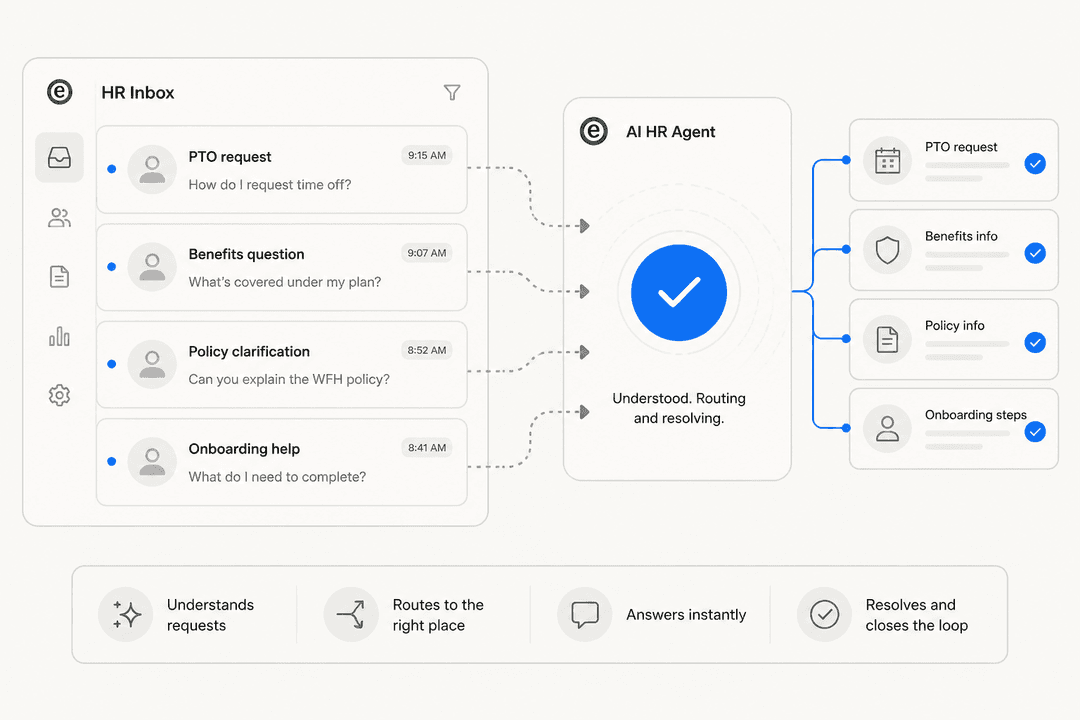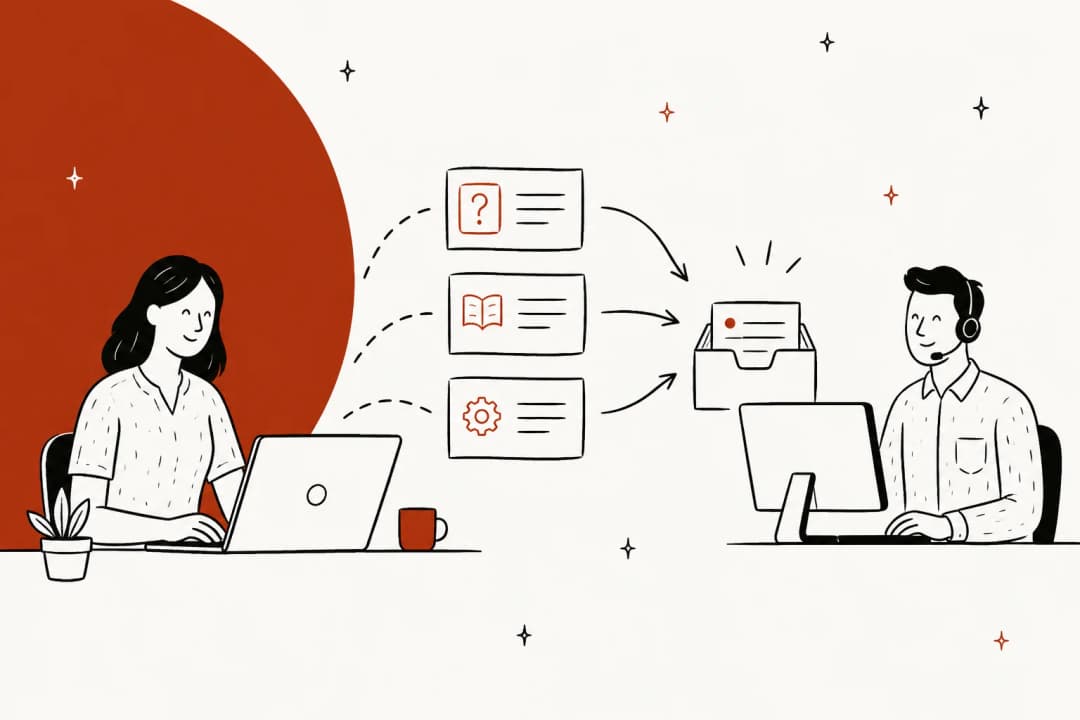
What is an HR service desk?
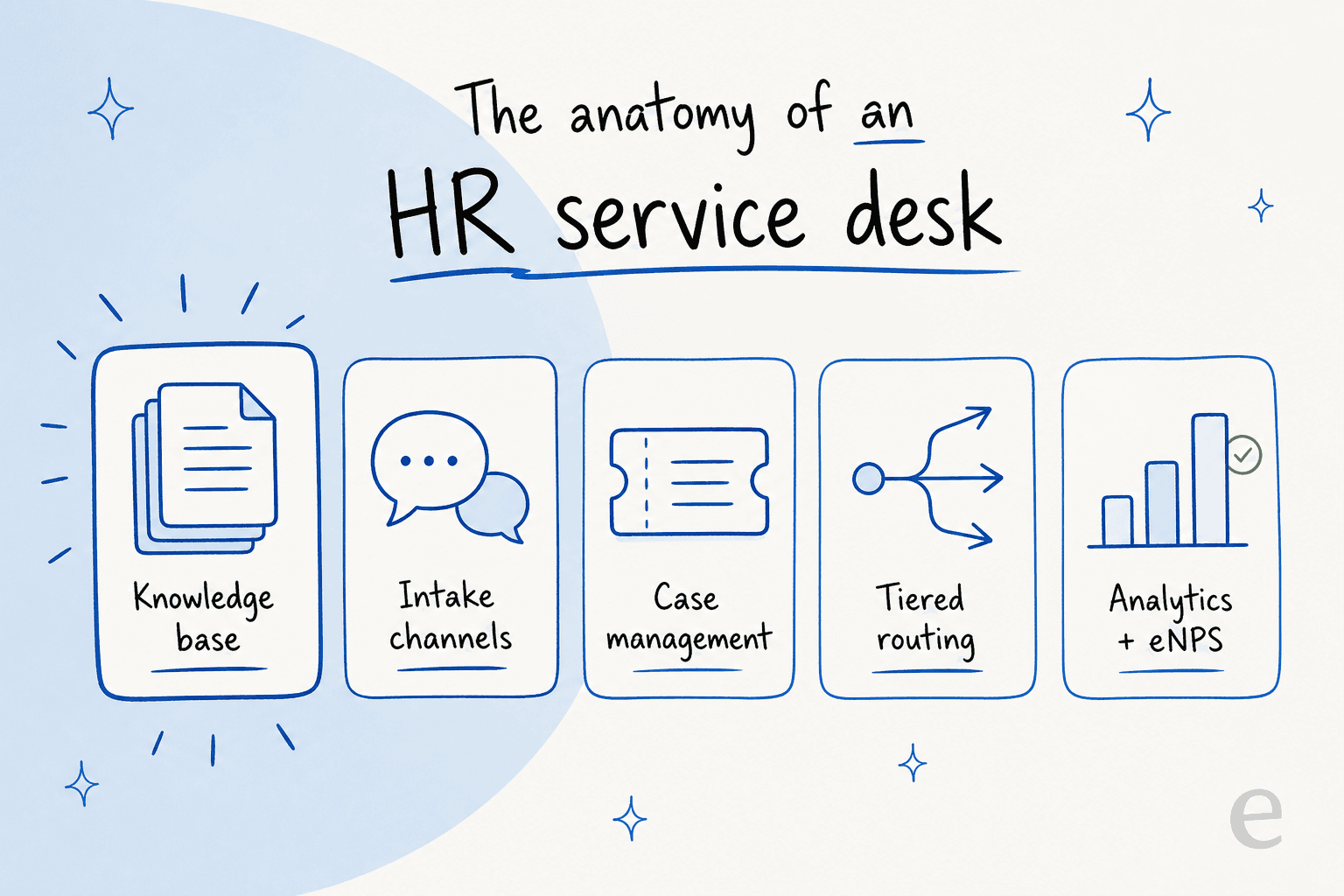
An HR service desk (you will also see "HR help desk" or "HR service delivery") is a centralized system that takes employee HR requests from multiple channels and turns them into organized, tracked cases that get routed, prioritized, and resolved through defined workflows. Atlassian describes it as software that "takes employee requests from multiple channels and turns them into organized tickets that get tracked and managed," automatically routing each one "to the right person based on issue type, urgency, or preset rules."
Where an IT service desk fields "my laptop won't boot," the HR desk fields "how much PTO do I have left," "where's my payslip," "how do I change my benefits," and "what's the parental-leave policy." ServiceNow frames the same idea as HR Service Delivery (HRSD): giving employees "instant answers, guidance, and fast issue resolution" and automating journeys "from hiring to exit."
HR service desk vs IT service desk vs help desk
The plumbing is shared (ticketing, routing, SLAs, a knowledge base, self-service), but the domain and the stakes differ:
| HR service desk | IT service desk | General help desk | |
|---|---|---|---|
| Handles | People-ops: PTO, payroll, benefits, onboarding, policy | Technical break-fix: passwords, VPN, hardware, access | Immediate question-answering |
| Rooted in | ESM (service management extended to HR) | ITIL / ITSM | Reactive support |
| Data sensitivity | Very high (comp, medical, employee relations) | Moderate | Varies |
| Signature need | Restricted queues for confidential cases | Change + incident management | Fast first response |
An IT service desk is rooted in ITIL, which defines the service desk as the point of communication between a service provider and its users. The HR desk borrows that machinery for the employee lifecycle, and because it touches compensation, medical, and employee-relations data, role-based permissions, encryption, audit trails, and GDPR/HIPAA compliance stop being nice-to-haves. Confidential cases like workplace conflict need their own restricted queue, separate from the general desk.
On the help desk vs service desk question specifically: a help desk is usually described as tactical and reactive (fix the immediate issue), while a service desk is strategic and manages the whole lifecycle of a request. In HR, most teams use the two names for the same thing, so do not get too hung up on it.
One practical note: plenty of organizations run HR on the same platform as IT, because the workflow engine is identical. That is the "Enterprise Service Management" pattern, extending ITSM-style service management to HR, facilities, legal, and finance.
The tiered support model
HR service desks inherit the service-desk tiered model, which routes each request to the right level of expertise instead of dumping everything on one person.
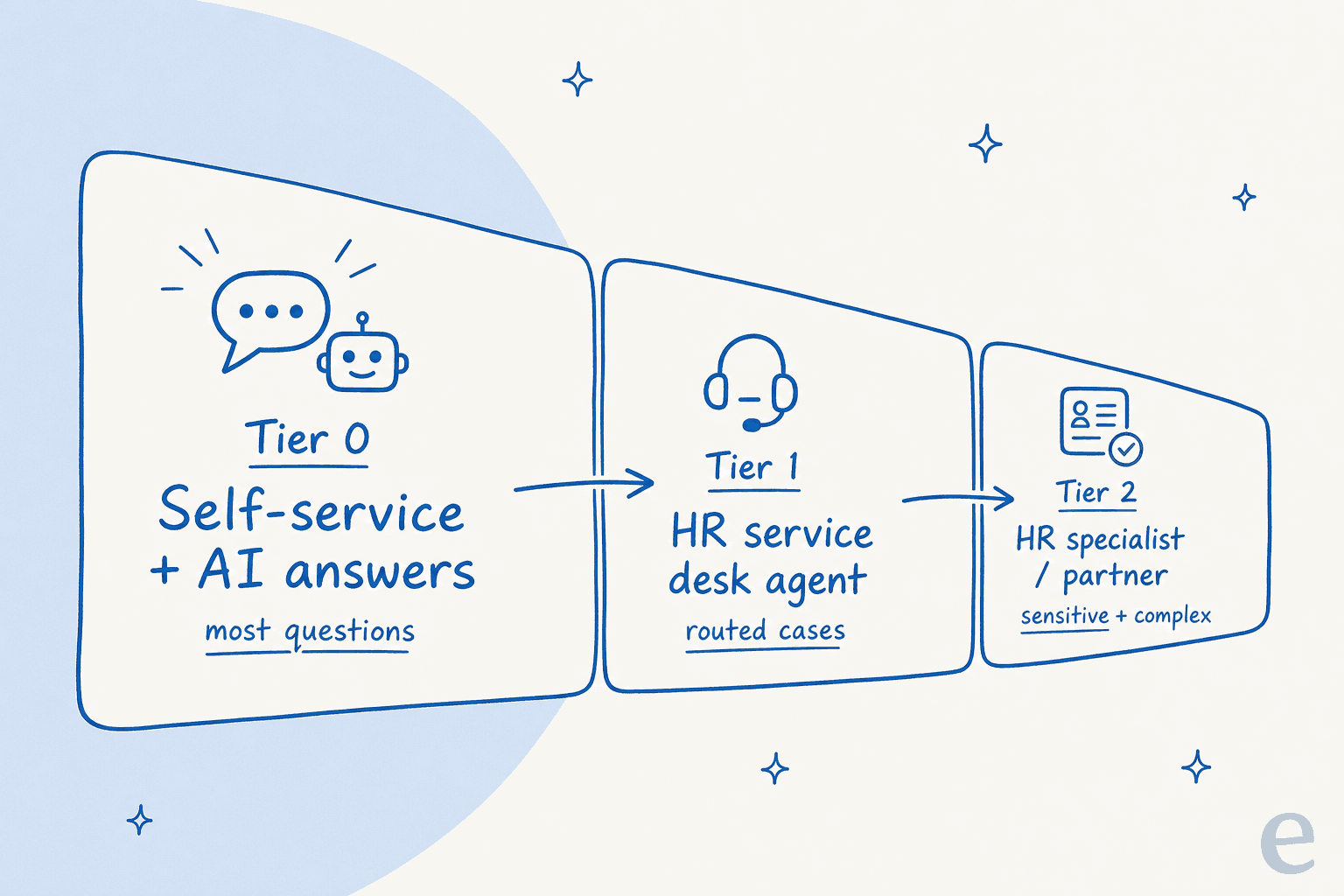
- Tier 0 (self-service). TOPdesk calls these "requests that should never become tickets": a searchable knowledge base, FAQs, an employee self-service portal, and AI chatbots. In HR that means PTO-balance lookups, "where's my payslip," policy documents, and the benefits FAQ.
- Tier 1 (frontline). Generalists who handle a wide range of routine requests: standard leave, benefits questions, onboarding steps. They assess, triage, and either resolve or escalate.
- Tier 2 (specialists). More complex cases needing deeper knowledge or system access, like comp/benefits edge cases, HRIS or payroll issues, and region-specific policy.
- Tier 3 (deep expertise). The sensitive stuff: employee-relations investigations, legal and compliance escalations, senior HRBP judgment calls.
The order you build in matters. TOPdesk's advice is blunt: "Start with Tier 0. Look for repeatable issues you can automate or address with knowledge base articles. Then train your Tier 1 team." Get tier 0 right and the rest of the pyramid gets dramatically lighter.
What employees actually ask (and where they ask it)
Here is the thing every vendor page skips: the volume is boring, and it is repetitive to a degree that surprises people. An HR practitioner put it well on LinkedIn:
"Every HR team I've seen drowning in questions is actually drowning in the same five questions asked 200 different ways. What's our leave policy?..."
That matches what I see on internal queues daily. The tier-0 candidates are almost always PTO balance, payslip location, benefits summary, the holiday calendar, and "how do I request time off." The tier-1 layer is submitting and approving leave, benefits enrollment, onboarding checklist items, and employment-verification letters. None of it is hard, and most of it is exactly what an HR chatbot can answer. There is just a lot of it, and it lands on a small team. One HR lead on r/humanresources described overseeing "a small HR team (3 generalists to 2300 employees)" and going looking to "set some SLAs" just to get organized. A 1-to-767 ratio is the norm, not the exception.
The second uncomfortable truth: employees do not use the portal you built. They ask in Slack or Teams because it is faster for them. A manager on Reddit said it plainly:
"We have a knowledge base, but honestly, no one uses it. When people need answers, they just ask in Slack or search through old emails and tickets."
If your self-service lives somewhere employees have to remember to go, adoption stays low no matter how good the content is. That single fact shapes the entire setup below.
HR service desk software in 2026
Most HR service desks run on one of two kinds of platform: an ITSM/ESM platform extended to HR, or an HRIS-native help desk. AI agents increasingly sit on top of whichever one is in place. List prices below were captured on 2026-07-05; enterprise HR tiers are almost always quote-gated.
| Tool | Best for | Public entry price | HR-specific packaging |
|---|---|---|---|
| ServiceNow HRSD | Enterprise, multi-region | Quote only | Yes, native HRSD |
| Freshservice (Business Teams) | Mid-market | $49/agent/mo (Pro) | Yes, Business Teams |
| Jira Service Management | Atlassian shops, IT + HR | Free tier, then per-agent | HR use case + template |
| Zendesk | AI-first ticketing | Per-agent SaaS | No, general suite |
| Zoho Desk | Budget / SMB | Low per-agent | No, general desk |
| Workday Help / Deel / Rippling | HRIS-native | Bundled / quote | Yes, inside the HRIS |
A few honest reads on each:
- ServiceNow HRSD is the enterprise heavyweight. The customer proof is genuinely big: Mondelez cites 76% self-service deflection, Ryder an 80% jump in HR-agent efficiency, and Lion consolidated 56 HR channels into one portal. It is also the tool teams most often find over-scoped and pricey, which is why cheaper ServiceNow alternatives are a whole category.
- Freshservice for Business Teams is the mid-market pick. Core ITSM starts at $19/agent/month, and the HR-focused Business Teams edition starts at $49/agent/month on the Pro tier (billed annually), with Freddy AI as an add-on. See our Freshservice AI pricing breakdown for the total-cost view.
- Jira Service Management has a real free tier and is the natural fit if you already live in Atlassian, with tight IT-to-HR handoffs for things like onboarding workflows. Its native AI (Rovo plus a virtual agent) is decent but not without limits.
- Workday Help and HRIS-native desks win on data proximity: the help desk already knows the employee's PTO balance and pay without an integration, which shrinks the "where's my payslip" problem at the source. They are weaker as a general cross-department service desk.
The AI layer is its own decision. Native options (ServiceNow Now Assist, Freddy AI, Atlassian Rovo) are convenient but tied to the platform. Independent agents built for employee support, Slack- and Teams-first, plug into whatever desk and knowledge you already have and bill by resolution rather than per seat, which is the difference between "the AI that came with my tool" and "an AI I chose."
How to set up an HR service desk
You do not need all of this on day one. Do it in this order and each step makes the next one lighter.
1. Build the knowledge base from real questions
Tier 0 is the whole game, but how you build it decides whether it works. The best argument I have read comes from a ServiceNow HRSD community post: start with an empty knowledge base and fill it only with the exact questions employees actually ask, not the speculative FAQs a committee thinks they should ask. The claim attached to it is concrete: contacts to HR can drop around 37% just from documenting real questions, because "once your team answered a question and wrote a KB article, there's a good chance they will never be asked that question again." The failure mode it names is HR staff acting as "human Googlers," re-answering the same thing by hand forever. A Reddit commenter put the same idea in reverse: "if every single person is asking the same question your training material isn't as robust as you think it is."
2. Give employees one front door, where they already are
Centralize every channel (email, portal, chat, Slack/Teams, mobile) into one intake so nothing gets lost in a personal inbox. But remember the adoption problem: if the front door is a portal nobody visits, you have not centralized anything. The move that works is meeting people in Slack or Teams and letting the desk capture the request from there. ServiceNow customer Lion consolidating 56 channels into one portal is the win in miniature, done at scale.
3. Route by tier, and separate the sensitive queue
Use auto-assignment to send each request to the right level by issue type, and classify accurately at intake so escalations arrive well-organized. Crucially, give confidential employee-relations cases their own restricted queue with tighter permissions. This is where an HR desk genuinely differs from an internal IT desk.
4. Set SLAs per request type
SLA-based prioritization pushes urgent matters to the front and lets routine requests follow normal timelines, and it gives employees transparency into where their request stands. This is often the first thing small teams reach for when they professionalize, and it is a fair place to start.
5. Automate the repetitive workflows
The biggest wins are onboarding/offboarding checklists that trigger automatically, approval chains for leave and expenses that move without manual forwarding, and reminders for compliance and training renewals. This is straightforward service-desk automation; it just needs someone to own it.
6. Layer AI on the volume, keep humans on judgment
AI belongs on tier-0 and tier-1 volume, not on sensitive cases. A well-upvoted r/sysadmin thread captures the caution ("Are we automating enterprise service desks into a corner?"): over-automating without a clear human path frustrates people and backfires. The right shape is AI answering the payslip-and-PTO questions instantly and quietly routing anything it is unsure about to a person.
7. Measure and iterate
Track response time, resolution rate, common request types, employee satisfaction (CSAT/eNPS), and self-service adoption, then feed it back into KB coverage and staffing. Roll out as a phased pilot (a few HR staff, limited request types) before you expand.
Where AI actually changes the HR service desk
Most of the "AI for HR" pitch is noise. The part that is real is narrow and worth it: deflecting the repetitive questions at the point where employees ask them.
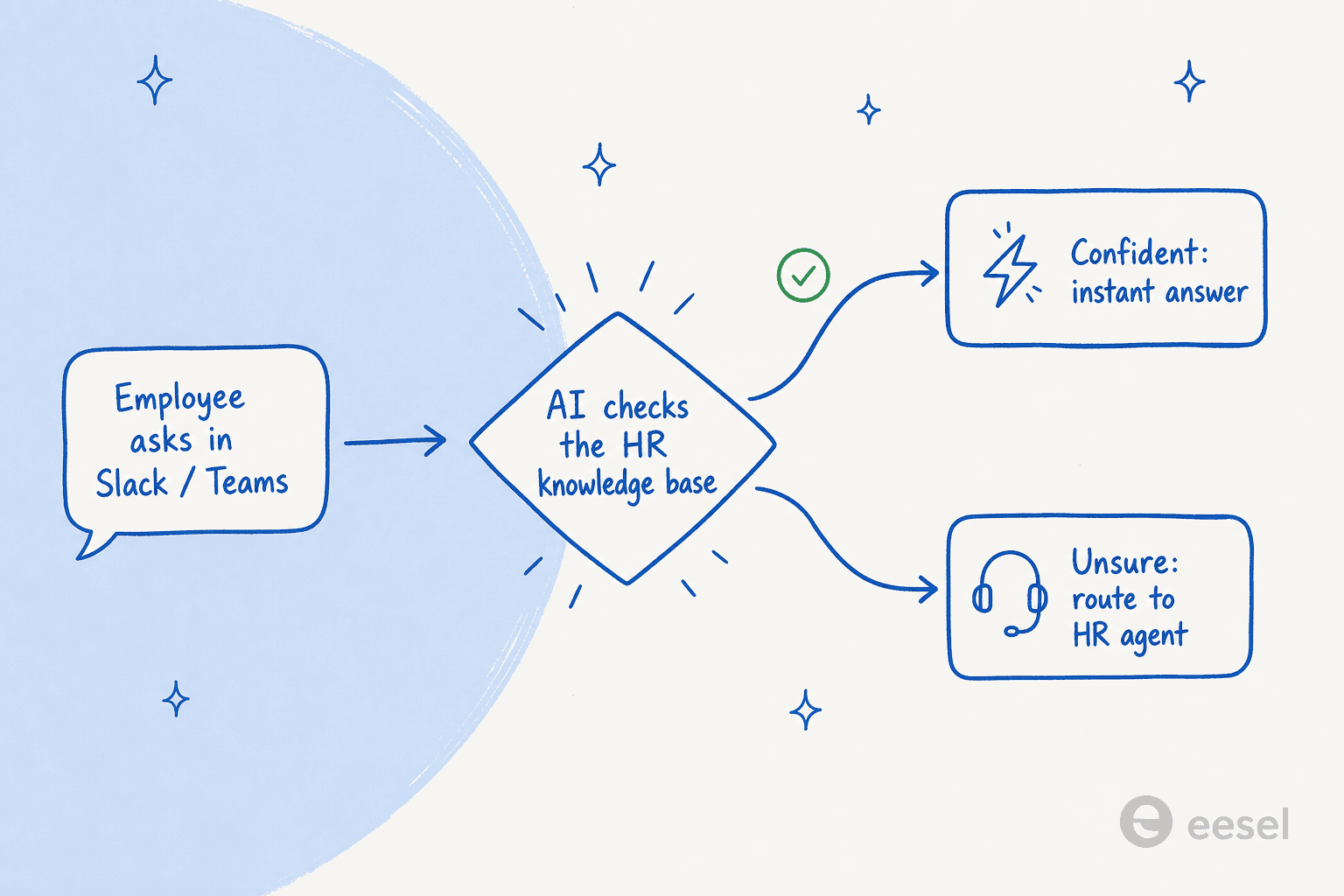
The flow that works: an employee asks in Slack or Teams, the AI checks the HR knowledge base and the connected systems, and if it is confident it answers instantly. If it is not confident, it routes to a human instead of guessing. That last part is the whole ballgame with sensitive data, which is why confidence-based triage matters more here than almost anywhere else.
We see the deflection curve on internal desks directly. One internal IT helpdesk running on Jira Service Management got AI to 15% ticket deflection on the way to a 55% target as its first-responder coverage grew, and that is the same mechanic an HR desk runs on. It starts modest and climbs as the knowledge base fills with the questions people actually ask.
A quick deflection estimate
Repetitive HR volume is easy to under-count. Plug in your numbers to see how much of it is realistically deflectable at tier 0 and roughly how many HR hours that frees.
The estimator is deliberately conservative, and the point is not the exact number. It is that even a mid-sized company is sitting on hundreds of monthly questions that never needed a human, and those are precisely the ones an AI knowledge-base chatbot is good at.
Try eesel for HR service desk deflection
If your HR team is drowning in the same handful of questions, the fix is not another portal nobody opens. It is putting the answers where employees already ask. eesel is an AI teammate that plugs into Slack and Microsoft Teams, reads your existing help docs, Confluence, Google Docs, and past tickets, and answers the repetitive HR questions instantly, routing anything it is not confident about to a person.
Two things make it a fit for HR specifically. First, you can run it in simulation against your past tickets before it answers a single live question, so you see exactly what it would have said and where the gaps are, no guessing. Second, it is usage-based (you pay per resolution, not per seat), so the cost tracks the volume it actually deflects rather than your headcount. It layers onto whatever desk you already run instead of forcing a replatform. You can try it for free.
Frequently Asked Questions
What is an HR service desk?
What is the difference between an HR service desk and an HR help desk?
How much does HR service desk software cost?
How do I reduce repetitive HR service desk tickets?
Can AI run an HR service desk on its own?



Article by
Riellvriany Indriawan
Riell is a designer and writer at eesel AI with about two years of experience researching CX platforms, AI chatbots, and helpdesk software. She combines her design background with a sharp eye for how these tools actually look and feel in practice — making her comparisons unusually visual and user-focused.