What is an HR help desk?
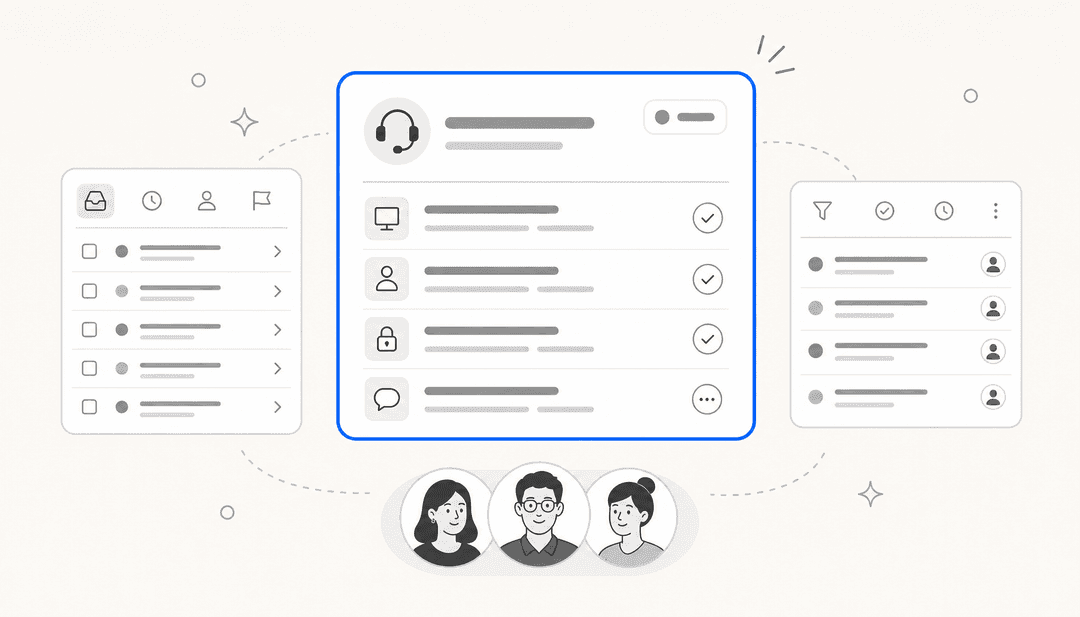
An HR help desk is the system employees use to get help with anything people-related: time off, pay, benefits, onboarding, IT-and-HR overlap like laptop requests, and the long tail of "who do I even ask about this". At its simplest it's a shared inbox and a ticket log. At its most built-out it's a full internal helpdesk with a knowledge base, request forms, SLAs, and reporting.
The reason it exists is boring but real: without one, employee questions scatter. Some go to a manager, some to a random HR person's DMs, some to a channel where they get half-answered and lost. Nobody can see how many requests came in, how long they took, or which ones keep repeating. An HR help desk pulls all of that into one place, which is the same reason support teams moved off shared inboxes and onto ticketing systems years ago.
The distinction worth drawing early: an HR help desk is a subtype of the broader internal support category, which also covers IT service desks and facilities. A lot of teams run HR and IT on the same underlying platform (often an ITSM tool like Jira Service Management or Freshservice) with separate queues. Whether you buy HR-specific software or run HR as a queue on a shared desk matters less than whether the thing actually answers people quickly.
What an HR help desk actually handles
Here's the part most buying guides skip: the value of an HR help desk isn't in handling every request the same way. It's in recognising that most of the volume is repetitive and answerable, and a small slice is sensitive and human-only. Get that split right and the whole thing works; get it wrong and you either drown your team in "what's my PTO balance" or let a bot near a harassment complaint.
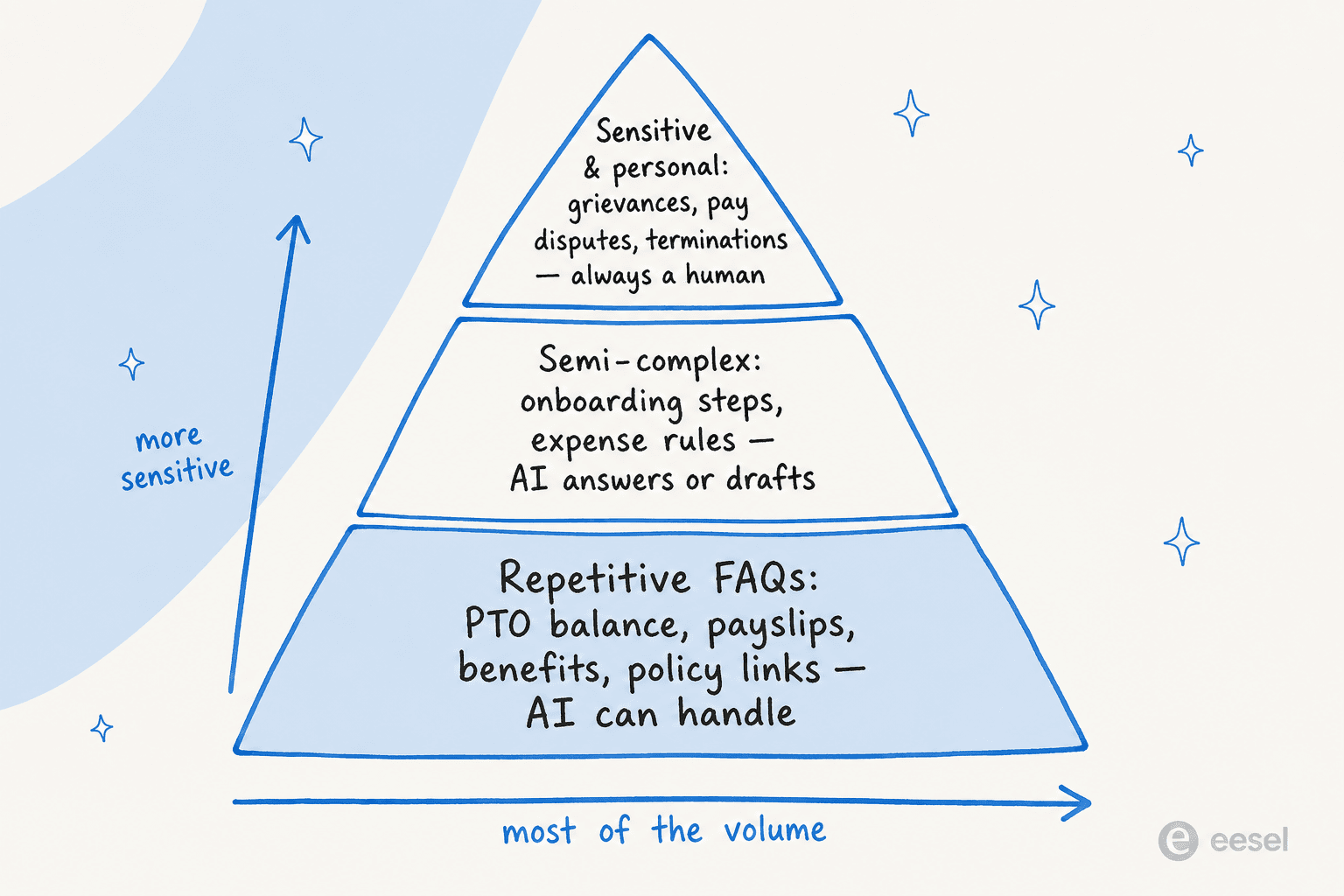
The base tier, the widest, is pure FAQ: PTO balances, payslip access, benefits enrolment windows, "where's the remote-work policy", "how do I book a meeting room". These have one correct answer that lives in a document somewhere. This is the tier AI should own.
The middle tier is semi-complex: onboarding checklists, expense-policy edge cases, "can I carry leave over". There's a right answer, but it depends on the person's situation, so the AI answers when it's confident and drafts-for-review when it isn't.
The top tier, the narrowest, is sensitive and personal: grievances, pay disputes, accommodations, anything touching a termination. These should never be auto-answered. The job of the software here is to route the request to the right human fast and privately, not to attempt a reply.
Traditional HR help desk vs an AI-powered one
A traditional HR help desk is reactive plumbing. An employee submits a ticket, it sits in a queue, someone picks it up, answers, closes it. That's a real improvement over DMs, but the human is still the bottleneck for every single request, including the fiftieth "how do I update my address this month".
An AI-powered HR help desk changes where the work happens. The repetitive questions get answered the moment they're asked, so the people-ops team only ever sees the requests that genuinely need a person.
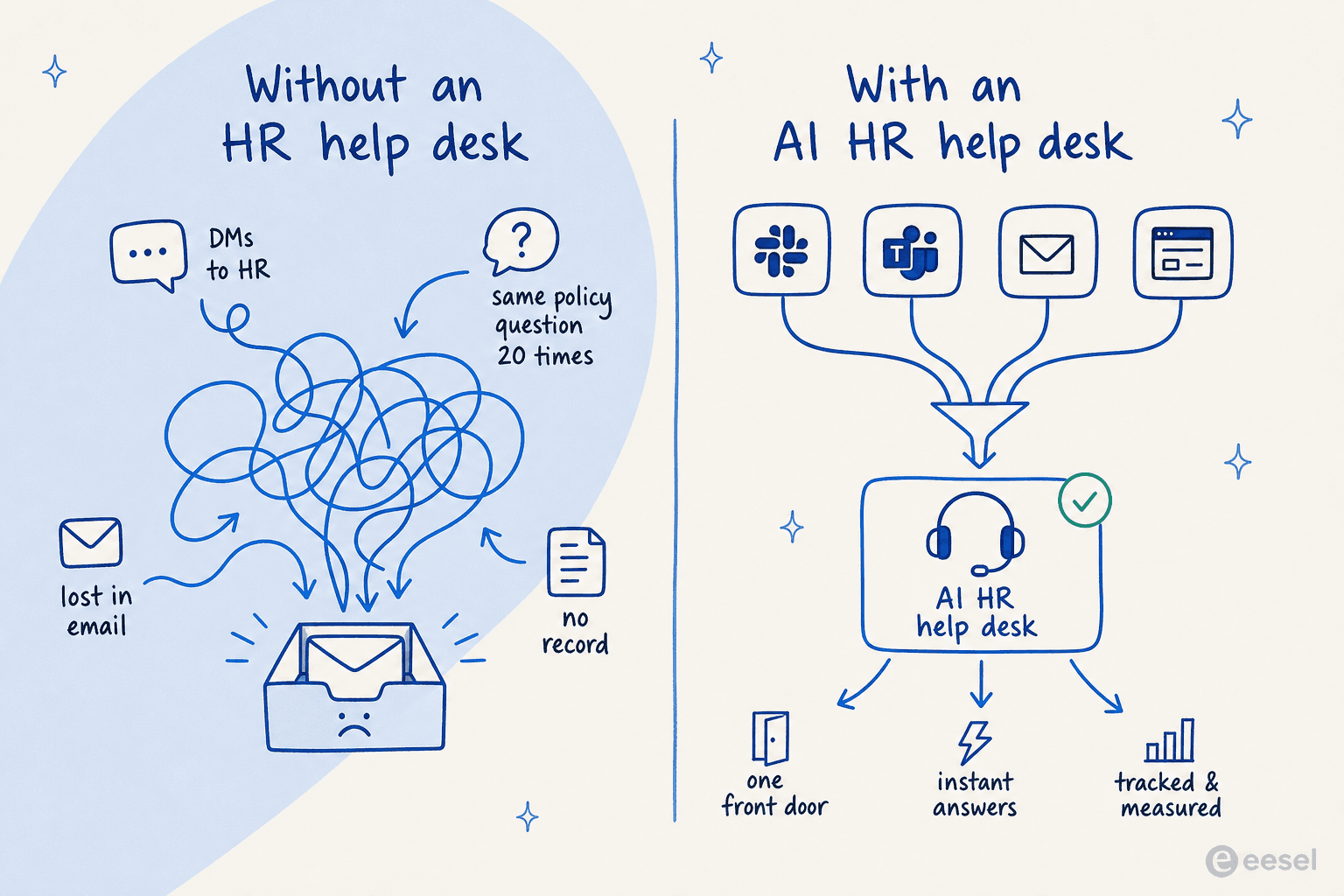
The shift matters most for the teams that feel it hardest: small people-ops functions supporting a growing headcount. When I hear from HR teams of two or three supporting a few hundred employees, the pain is never the hard cases, those are the interesting part of the job. It's that the repetitive questions never stop, and each one is a context-switch. That's exactly the load AI is good at absorbing.
This is the same pattern that played out in customer support and IT first. A head of IT at a fintech/debt-resolution company described running eesel as the first responder on their internal desk:
"We use it to be the first responder to our Helpdesk tickets in Jira. It essentially acts just like an agent would."
Head of IT, fintech/debt-resolution company (case study)
They were targeting a jump from 15% deflection to 55% on an internal Jira Service Management desk backed by Confluence and Slack. HR desks look almost identical under the hood, same repetitive-question shape, same knowledge-in-docs setup.
How an AI HR help desk actually works
Under the marketing, an AI HR help desk is a fairly simple loop, and understanding it tells you what to check when you're buying. It's not "a chatbot that memorised your handbook". It's a retrieval system: it reads the question, searches your real HR knowledge, and answers from what it finds.
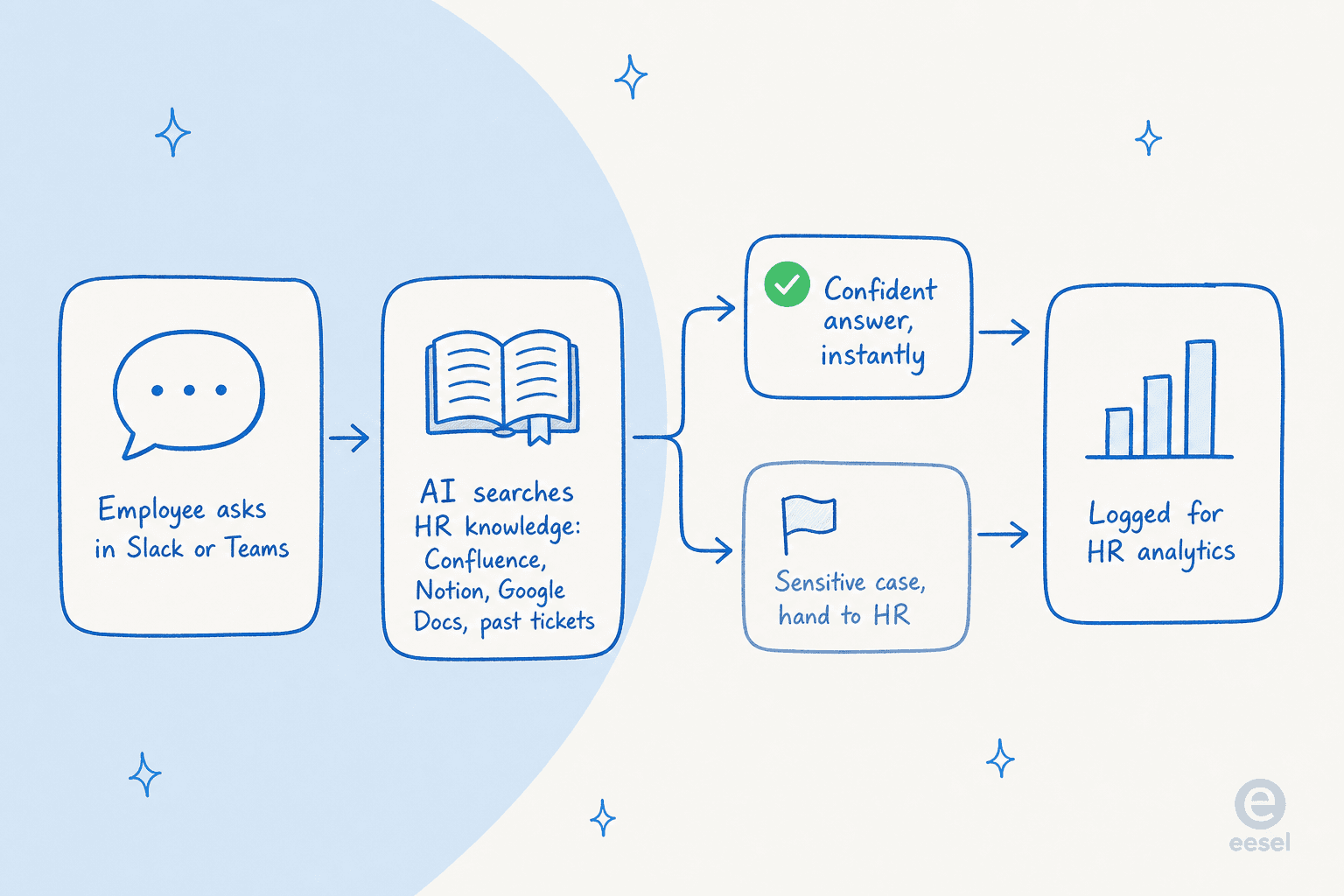
Step one, an employee asks a question in whatever channel they live in. Step two, the AI searches your connected knowledge, the policy docs in Confluence or Notion, the handbook in Google Docs, and past resolved tickets. This retrieval step is the whole ballgame: an AI that answers from your actual documents is grounded, and one that answers from its own training data guesses. Step three, it either replies with a confident, sourced answer or, when the question is sensitive or it isn't sure, hands off to a human. Step four, it logs everything so you can see what's being asked and where your docs have gaps.
That connect-to-your-knowledge step is where eesel's approach differs from a build-it-yourself bot. Rather than re-writing your handbook into a training interface, you point it at the sources you already maintain.

The reason this design wins is maintenance. HR policy changes constantly, new benefits, updated leave rules, a re-org. If your help desk answers from live documents, you update the doc and the answers update. If it answers from a separately-trained bot, every policy change is a re-training chore that nobody remembers to do, and the bot slowly starts lying. This is the same lesson behind picking knowledge management software that stays in sync rather than forking a copy.
Features to look for when choosing HR help desk software
Once you've seen how the loop works, the shopping list writes itself. Here's what actually separates a good HR help desk from a glorified inbox.
| What to look for | Why it matters | What to avoid |
|---|---|---|
| Answers in chat (Slack/Teams) | Employees ask where they already work; a portal-only tool gets ignored | "Log in to the portal to submit a request" as the only channel |
| Connects to your existing docs | Live knowledge means answers stay current with zero re-training | A bot you hand-train and must re-train on every policy change |
| Scope controls | You decide which questions AI answers vs. escalates | All-or-nothing automation with no confidence threshold |
| Clean human hand-off | Sensitive cases reach a real person fast and privately | AI attempting to answer grievances or pay disputes |
| Testing before go-live | See how it would have answered past questions before it's live | Deploying blind and finding out from angry employees |
| Usage-based pricing | Whole company can self-serve without per-seat cost | Per-agent seats that punish you for scaling access |
| Reporting on gaps | Learn which questions repeat and where docs are missing | A black box with no visibility into what's asked |
The two I'd weight highest are scope control and testing. Being able to say "only answer these categories, escalate everything else" is what makes an HR desk safe to automate, because HR is exactly the domain where a confident wrong answer does real damage. And the ability to simulate against your history before going live is what separates tools that were built by people who've done this from ones that ship a demo and hope. eesel runs a simulation over your past tickets so you see the resolution rate before a single employee talks to it.
A note on the "we've seen this go wrong" front: the reason scope control isn't optional is that HR answers carry legal and personal weight a shipping-status answer doesn't. Every rollout should start narrow, PTO and policy lookups only, and widen as you build trust, not the other way around.
Where your employees actually ask
The single biggest predictor of whether an HR help desk gets used is whether it lives where people already are. Roll out a beautiful portal and you'll watch adoption flatline, because nobody opens a portal to ask "is Monday a holiday". They ask in Slack.
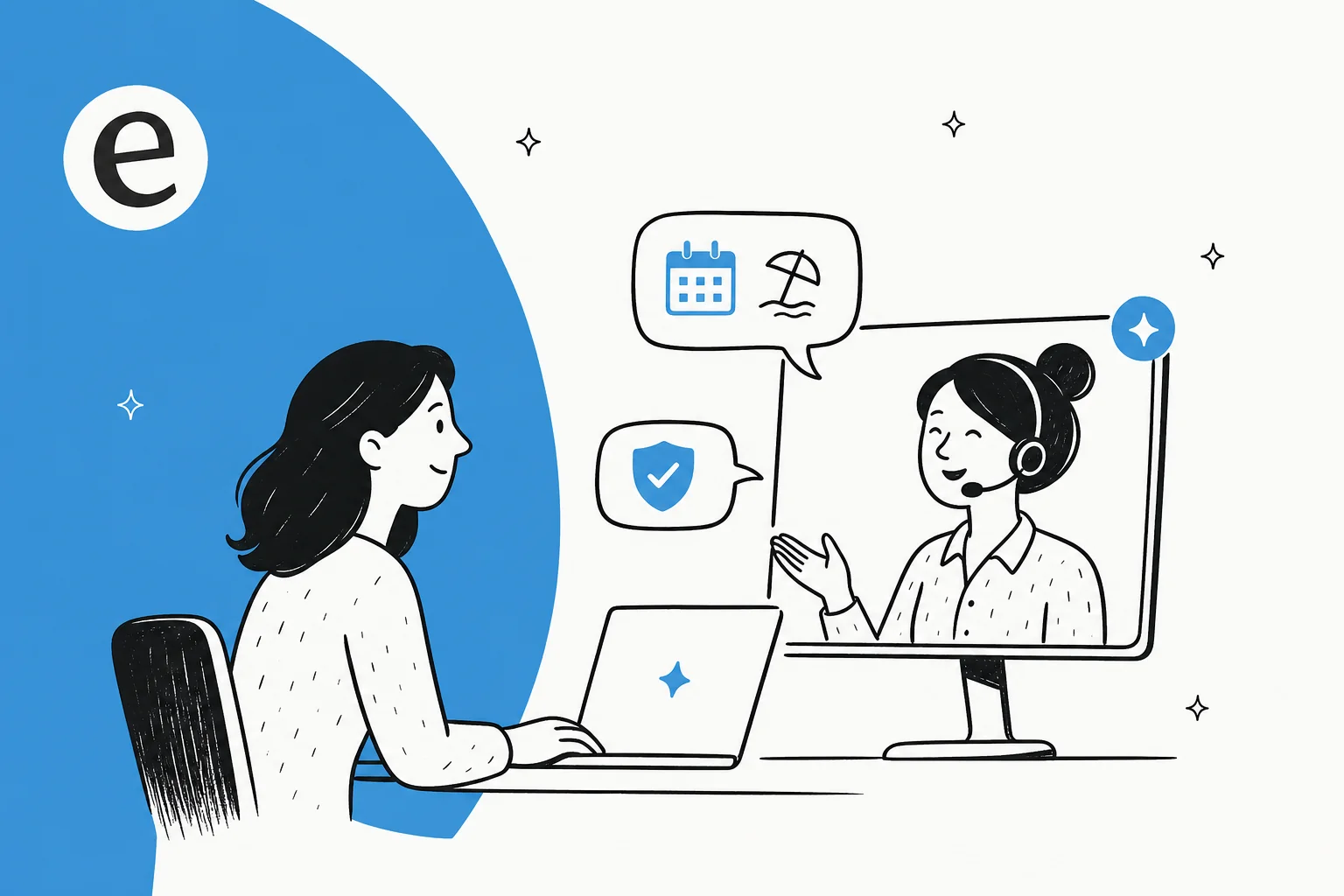
Chat-first is the whole game for internal support. An HR help desk that answers directly in Slack or Microsoft Teams meets people mid-question, and the AI can reply in-thread without anyone leaving the channel. Email and a self-service portal are still worth having as fallbacks, and a proper employee self-service portal has its place for forms and structured requests. But if you have to pick one channel to nail, it's chat.
This is also where the IT-and-HR overlap becomes an advantage. The same tool that answers HR questions in Slack can answer IT questions in the same place, which is why a lot of teams run a combined internal support chatbot rather than one bot per department. One front door, two knowledge bases behind it.
What an HR help desk costs in 2026
Pricing splits into two models, and the difference is bigger than the sticker.
Traditional HR help desk and ITSM platforms bill per agent seat. That's fine when a fixed HR team handles tickets, but it quietly punishes you for giving more people access, and it means the AI add-ons often sit behind the priciest tiers (worth reading the fine print in Freshservice pricing and Jira Service Management pricing before you commit).
The AI-layer model is usage-based: you pay for what the AI actually resolves, not for seats. eesel's pricing is a clean example, and because there's no per-seat fee, opening the HR desk to the entire company doesn't change the math.
| Plan | Price | Billing unit | Notes |
|---|---|---|---|
| Free trial | $0 | - | $50 of usage + 2 blog generations, no card required |
| Pay-as-you-go | $0.40 / ticket | Per ticket or chat resolved | No per-seat fee, no platform fee, no minimum |
| Annual commit | 25% less | Committed monthly spend | Commit $300+/mo for the year, discount applies even over |
| Enterprise | from $1,000/mo | Custom volume | Higher-volume and advanced needs |
The billable unit is the thing to pin down: eesel charges per resolved ticket or chat session, not per message, so a back-and-forth conversation is still one task. A worked example: an HR desk fielding 500 questions a month runs about $200, and you can set a hard monthly cap (default $250) so there are no surprises. Compare that to adding seats every time you want another person to have access.
Common mistakes when rolling out an HR help desk
A few patterns show up again and again, and they're all avoidable.
Automating everything on day one. The teams that succeed start with a narrow, safe scope, PTO and policy FAQs, and widen from there. Turning the AI loose on every category before you trust it is how you get a confidently wrong answer in front of an employee.
Making people use a portal. Covered above, but it's the most common adoption killer. If the help desk isn't in chat, half your company will keep DMing HR and the ticket log will lie about your real volume.
Letting the knowledge base rot. An AI HR help desk is only as good as the docs behind it. If your leave policy in Confluence is a year out of date, the AI will faithfully repeat the stale answer. The upside: a good desk reports on which questions it couldn't answer, which tells you exactly which docs to write next.
Ignoring the reporting. The analytics are half the value. They show you what employees actually struggle with, which is the roadmap for both your knowledge base and your policies.

Try eesel for your HR help desk
If you're running a lean people-ops team and the repetitive questions are eating your week, eesel is built for exactly this. It plugs into Slack, Teams, and your helpdesk, learns from the HR docs you already keep in Confluence, Notion, or Google Docs, and answers the FAQ tier instantly while cleanly escalating anything sensitive. You control the scope, and you can simulate it against your real past questions before it ever talks to an employee.

The pitch that lands with HR teams specifically: it's usage-based, so you can give the whole company access without a per-seat bill, and it's free to try with $50 of usage and no credit card. Point it at your handbook, keep it to PTO and policy questions to start, and see what your deflection rate looks like before you widen it.
Frequently Asked Questions
What is HR help desk software?
How much does an HR help desk cost?
Can AI handle HR help desk tickets on its own?
Where should employees reach the HR help desk?
What knowledge does an AI HR help desk need to answer questions?
How long does it take to set up an HR help desk?
What's the difference between an HR help desk and an IT help desk?



Article by
Kira
Kira is a writer at eesel AI with a Computer Science background and over a year of hands-on experience evaluating AI-powered customer service tools. She focuses on breaking down how helpdesk platforms and AI agents actually work so that support teams can make better buying decisions.