

GetButton is a well-built multi-app chat button, and I give it 3.5 out of 5. It puts one floating button on your site that opens WhatsApp, Messenger, Telegram, a contact form, a calendar link or any of 29 apps, and the homepage says it is trusted by more than 812,000 websites.
The catch is the word "free". The WordPress plugin installs for free, but the button itself needs a license: $4.99 a month billed annually, per domain ($59.88 a year), or $4.99 a month on Shopify with a $149 lifetime option. Only the newer ChatGPT bot has a free plan, and it is capped at a 50-page crawl. Most one-star reviews are people who expected a free button.
A button opens the conversation; it does not answer it. If your WhatsApp and Messenger chats are piling up, eesel's AI helpdesk teammate replies to them from your store data and help center. Question Beauty had it handle about 990 tickets in a month, many of them short Messenger and chat messages.
What is GetButton?
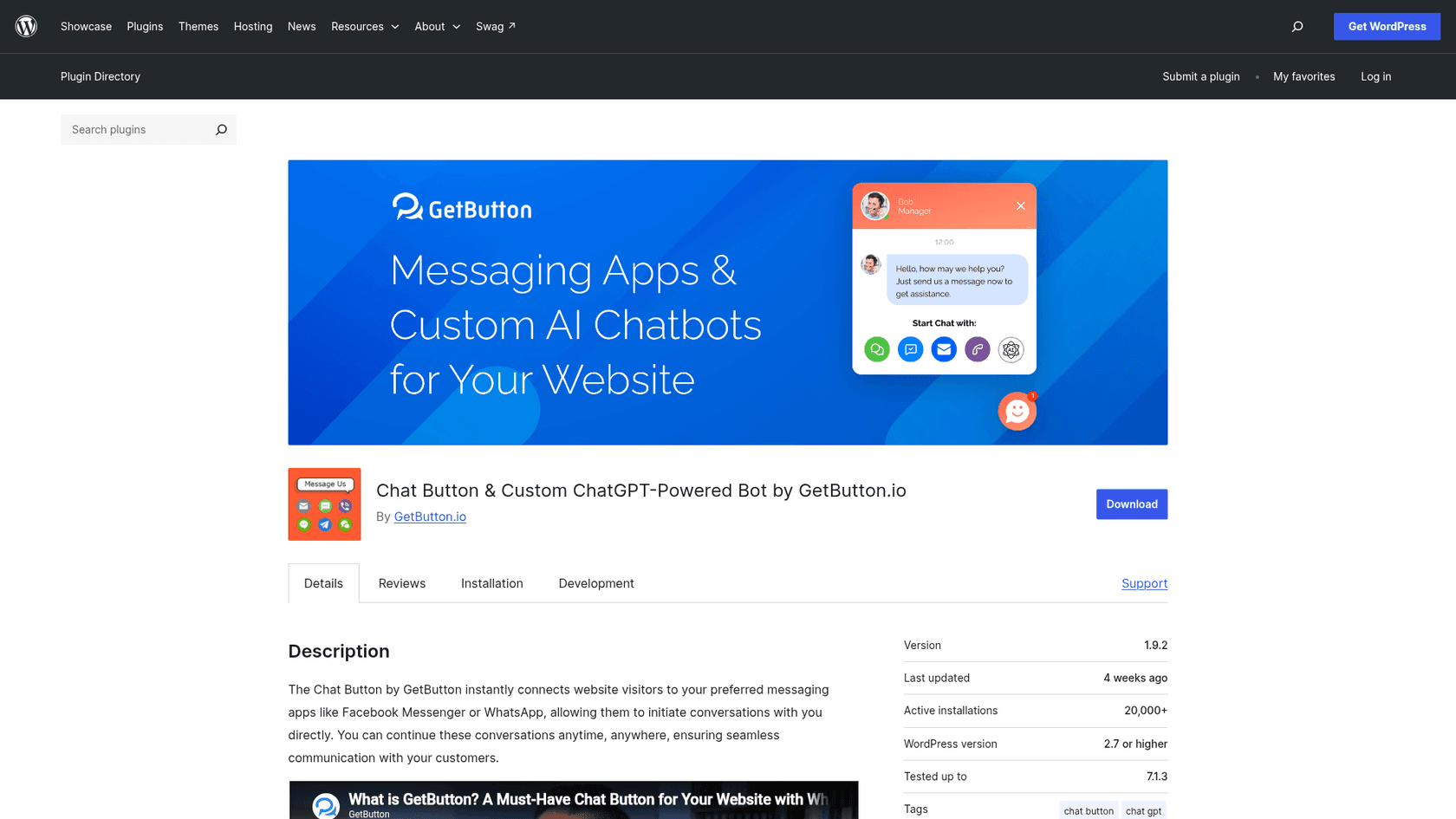
GetButton is a website chat button made by GetButton Apps Oy, the developer named on its Shopify App Store listing. Visitors click one floating icon, pick the app they already use, and the conversation continues there. The plugin first landed on WordPress.org in October 2016, and its URLs still carry an older name, whatshelp-chat-button.
I work on search and content at eesel, so I read reviews for one thing first: the question people are really asking. For GetButton, it is loud and clear. Most one-star WordPress reviews are about price, not the product, with titles like "Not free = useless" and "Waste of time because it's not free". That shaped how I wrote this review: what you get, what it costs, and where it stops.
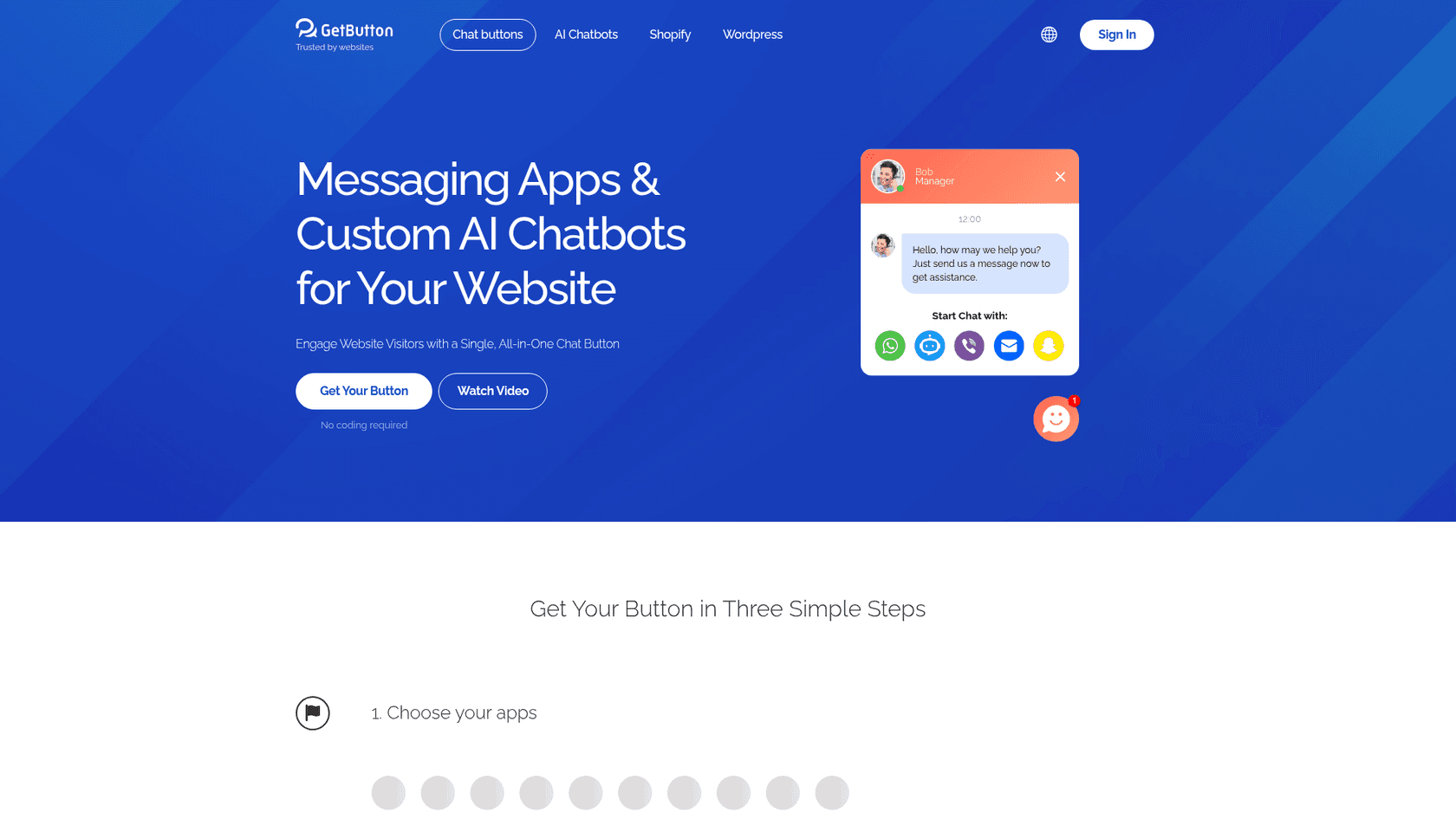
GetButton reaches you three ways:
- Website snippet built at getbutton.io, pasted before the closing body tag on any site.
- WordPress plugin, which is a box where you paste that same snippet. It has 20,000+ active installs.
- Shopify app, installed in one click as a theme app embed.
There is no Wix App Market listing, so on Wix you would paste the snippet as custom code. If you are on Wix and want a native app, my Wix Smart Chat review covers one.
How does the GetButton widget work?
GetButton is a set of deep links with a nicely designed popup around them. The widget docs describe five kinds of button: the AI chatbot, messaging apps, navigation apps like Waze and Google Maps, "conventional" actions like call, SMS and email, and a custom link.
You set it up in a builder: choose apps, enter your WhatsApp number or Facebook Page ID, style the button, then copy a short JavaScript snippet. Per the old widget guide, the widget "does not save any personal user data". The conversation lives in WhatsApp or Messenger, not on GetButton's servers.
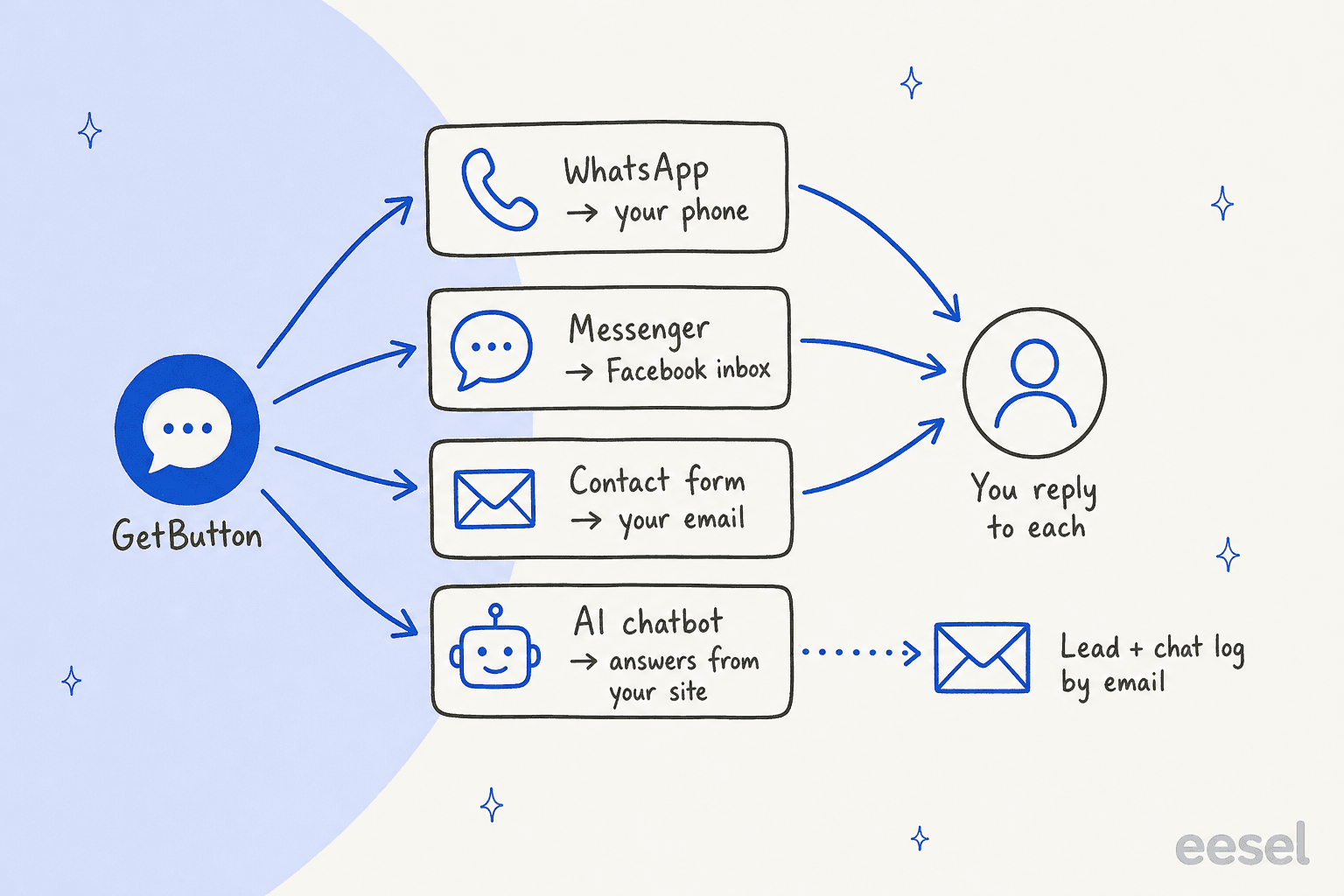
That design keeps it light and private. It also means every channel lands in a different place: WhatsApp on a phone, Messenger in the Facebook inbox, the contact form in email. There is no shared inbox and no single history, which is the gap I unpack in omnichannel vs multichannel support.
What features does GetButton have?
For a button, the list is long. Everything below comes from GetButton's own builder, help center and store listings.
29 apps in one button
The builder on getbutton.io lists 29 apps: AI Chatbot, WhatsApp, Contact Form, Messenger, YouTube, LINE, Viber, Snapchat, Telegram, Appointment, Custom link, Instagram, Skype, Apple Messages, LinkedIn, X.com, Waze, Vkontakte, Slack, TikTok, Discord, WeChat, Teams, Callback, SMS, Call, Email, Google Maps and KakaoTalk.
That breadth is the reason to pick GetButton over a WhatsApp-only button. One reviewer on the homepage sells to 40+ countries and says customers in each want a different app. LINE, KakaoTalk and Viber matter a lot in some markets and barely exist in others.
For WhatsApp, you can add several agents with their own numbers and a pre-filled first message, per the WordPress WhatsApp guide. One limit from the widget FAQ: one button per messenger, so two Facebook Pages need two separate widgets.
Design and greeting message
The styling controls cover color, custom image or icon, classic or rectangle shape, animation, border, notification dot, gradient, size, shadow, opacity, position and pixel offsets. You can show it on every page or only on pages you list.
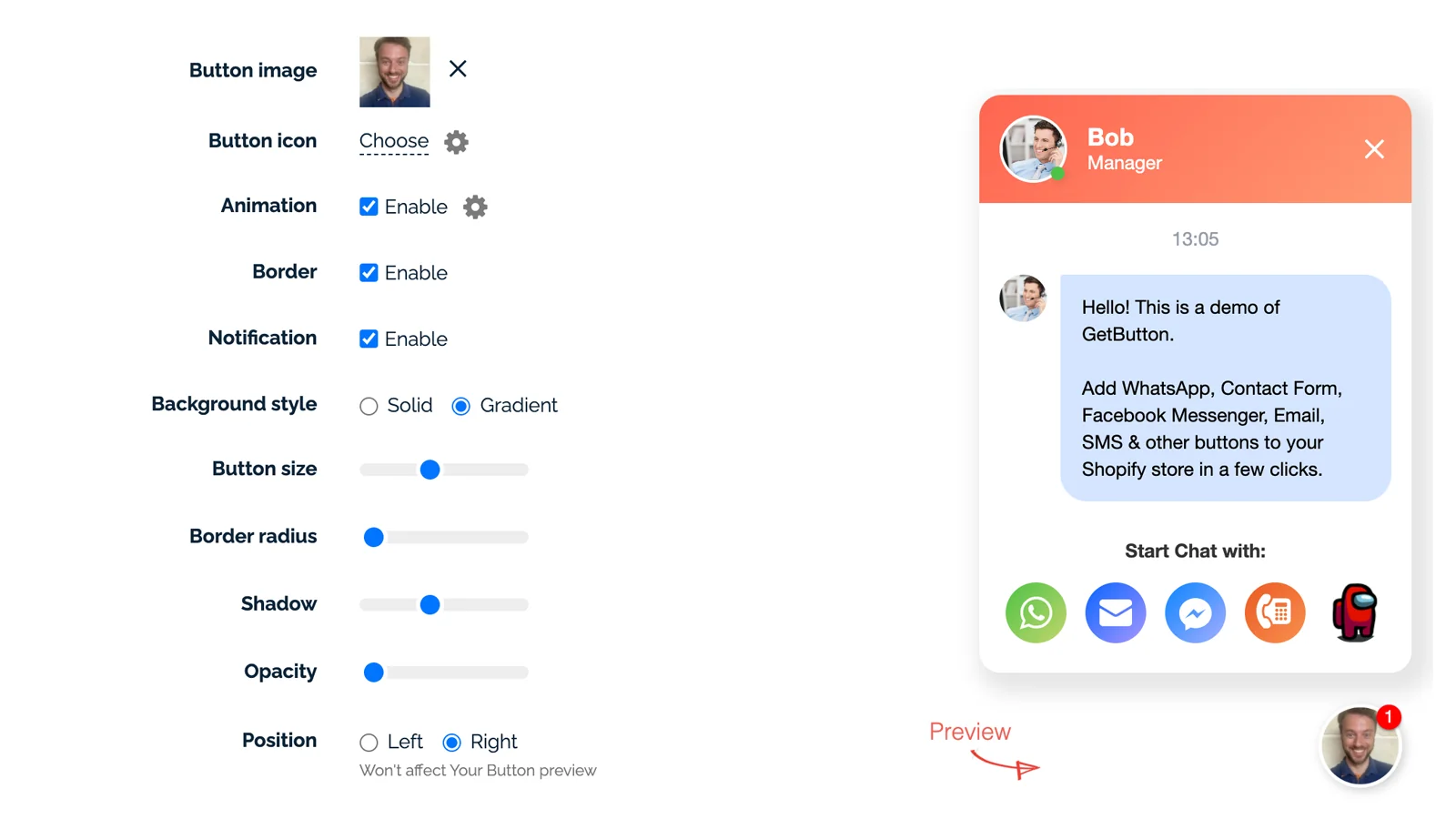
The greeting message is the feature GetButton leans on most: a small popup with an agent name, photo and text that appears after a delay, at a frequency you set from every page load to every 24 hours. The WordPress listing claims it "can increase chats by up to 10X", which is GetButton's own number. It works like the proactive chat triggers on full live chat tools, applied to a button.
Contact form, callback and appointment
Not every visitor wants to open WhatsApp. GetButton adds a floating contact form, a callback request and an appointment link inside the same button. Submissions go to your email. Click tracking goes to Google Analytics or Tag Manager, though the data stops at the click, so your first response time stays invisible to it.
Does GetButton have an AI chatbot?
Yes, and this is the newer half of the product. GetButton now sells a "custom ChatGPT bot" that sits inside the same button as one more app. The chatbot setup guide says it trains on your website, your files, or both, and claims it automates "up to 90% of customer requests".
The details from GetButton's help center:
| Setting | What GetButton documents |
|---|---|
| Training sources | Website URL plus up to 5 files (PDF, TXT, DOCX, CSV, XLSX), 5 MB each |
| Free plan crawl | Up to 50 pages, per the crawling guide |
| Website Search | Reads pages indexed by Google or Bing, at 5 messages per request from your quota |
| Custom instructions | A prompt field for tone, sales flow and fallback replies |
| Lead collection | Asks for name, email and phone after X messages or when stuck; Starter plan and up |
| Handoff | Lead details and the chat log are emailed to you |
The handoff row is the one I would look at hardest. When the bot does not know, it collects contact details and emails you the transcript, per the lead collection guide. That works for a sales lead. For a "where is my order?" question, it means the customer waits for an email reply, and the bot cannot check the order itself because nothing in the docs connects it to a store.
The other gap is reach. The bot lives in the website popup. It does not answer the WhatsApp or Messenger chats the same button sends away, so those still land on a phone for a person. That split is why I treat AI chatbots and live chat as different jobs.
How much does GetButton cost?
GetButton has no pricing page. The prices sit inside the builder and the store listings, which is part of why reviewers feel caught out.
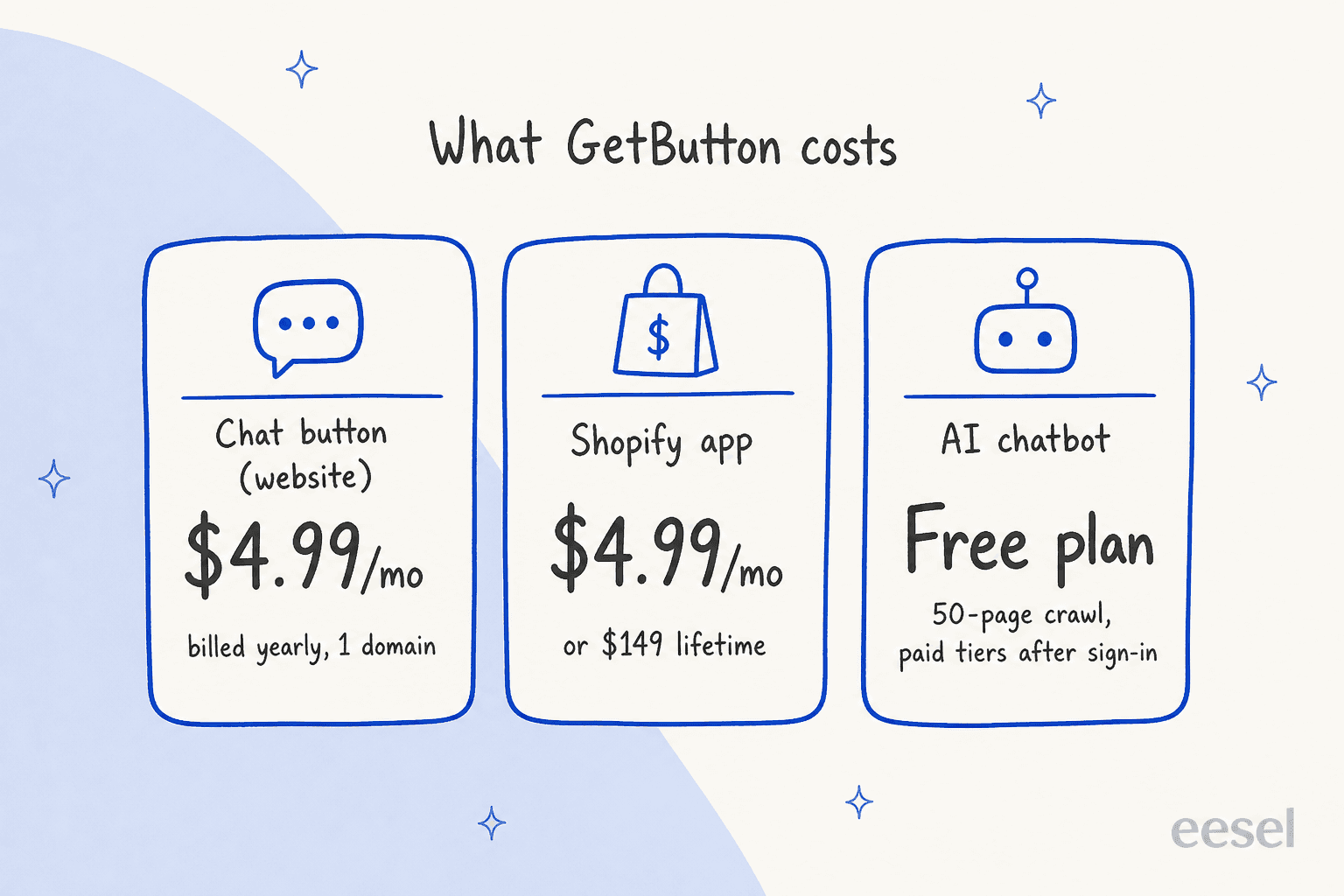
| Where you buy | Plan | Price | What you get |
|---|---|---|---|
| getbutton.io (any site, incl. WordPress) | 1-Year License | $4.99/month, billed annually ($59.88/year) | One license per domain |
| Shopify App Store | PRO | $4.99/month, 14-day free trial | Unlimited buttons, contact form, greeting message, animation, custom image, position, size and color |
| Shopify App Store | PRO LIFETIME | $149 one time | "Unlimited features forever" |
| GetButton AI chatbot | Free | $0 | 50-page crawl; paid tiers shown after sign-in |
| GetButton AI chatbot | Starter and up | Not published | Adds lead collection |
A few terms worth knowing before you pay. The website checkout runs through FastSpring, and the terms of service promise refunds within 15 days of purchase. Shopify charges bill every 30 days in USD.
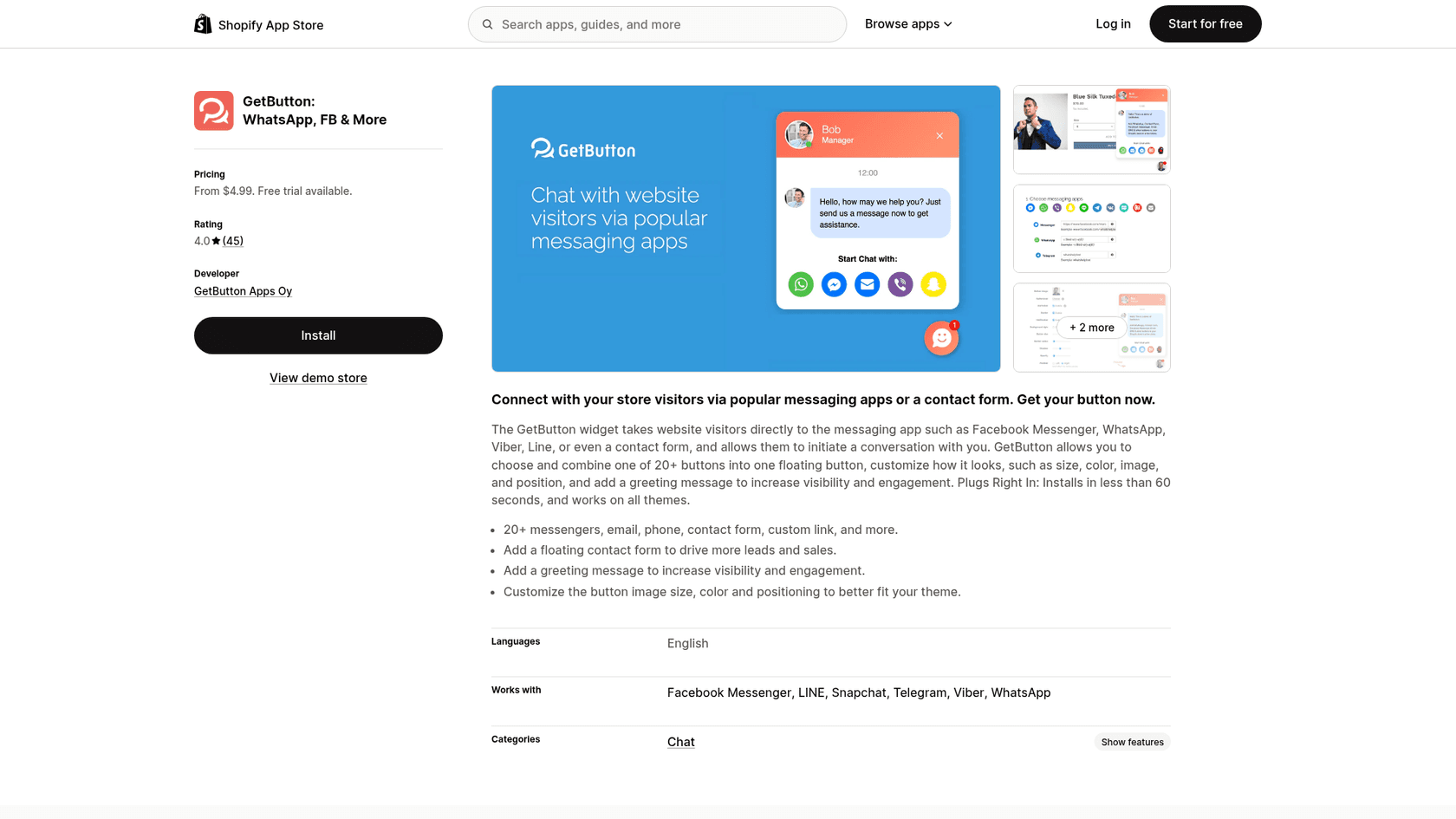
Is the GetButton button free?
Not in practice. GetButton's own WhatsApp button FAQ says that "after choosing a plan and completing the payment", you receive the code to embed. The builder marks most styling and greeting fields as PRO features, and the WordPress listing describes the ChatGPT bot as "included FREE with the basic GetButton subscription", so the free thing is the bot, not the button.
One reviewer tried the smallest possible setup and still hit the paywall:
"I tried creating a basic email form button without the greeting but it still required the pro plan."
To be fair to GetButton, $59.88 a year is cheap for what the button does. The problem is the label, not the price.
Monthly, yearly or lifetime?
On Shopify, lifetime pays for itself after about 30 months of the $4.99 plan. If you run several stores or sites, the per-domain rule multiplies everything. Plug in your own numbers:
Where the pages disagree
Three conflicts I found between GetButton's own pages, so you know what to confirm before buying:
- How many buttons. The widget guide says PRO lets you "add ten buttons", while the Shopify listing says "Unlimited buttons".
- WeChat. The same guide says WeChat is "not available", but the current builder lists it.
- The price has moved. In a March 2024 reply on the Shopify listing, GetButton told a long-time customer they had paid $2.99 "even after the price increases for new customers". Today's price for new buyers is $4.99.
What do GetButton users say?
The ratings look healthy on the surface. On WordPress.org, the plugin averages 4.5 from 175 ratings. On the Shopify App Store it is 4.0 from 45. Look at the spread, though, and it splits into two camps.
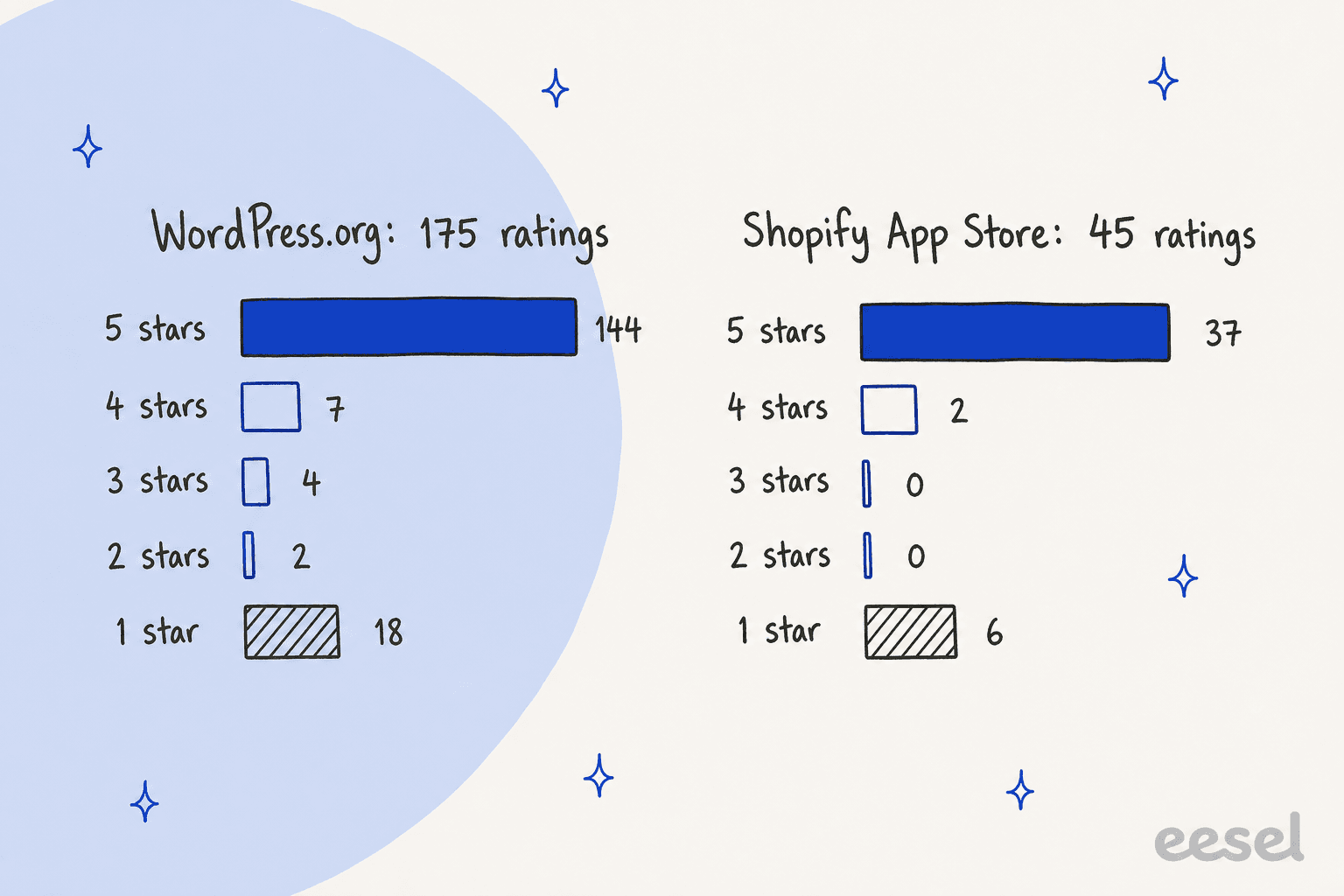
Almost nobody gives three stars. People either install it and love how quick it is, or feel misled about the price. The happy camp praises setup speed and support:
"Their team of experts dedicated half the day to resolve it."
The store owners in that camp mostly value one thing: customers can reach them in the app they already use. A Canadian wig store put it simply on the Shopify reviews: "messaging is a lot easier than picking up the phone and calling".
The unhappy camp has two complaints beyond pricing. One is page weight, from a store that had used it for six years. The other is removal, from June 2026:
"even you make uninstall to the app still shown in your website automatically"
GetButton's widget FAQ says to remove the code from your site and clear the cache if the button stays. Worth knowing before you install on a store you care about.
Where does GetButton fall short?
I like the product more than the reviews suggest. These are the limits that would decide it for me.
- No free button. The WordPress directory implies free; the builder asks for a license. Plan on $59.88 a year per domain.
- No pricing page for the AI bot. The free tier is documented; the paid tiers are only visible after you sign in.
- One license, one domain. Agencies and multi-store brands pay per site, with no bundle listed on getbutton.io.
- Channels stay scattered. WhatsApp goes to a phone and Messenger to Facebook. No ticket routing, no assignment, no shared history.
- The bot cannot act. It answers from pages and files, then emails you a lead. It does not check an order in Shopify or WooCommerce.
- Mixed-era docs. The old help pages and the new help center disagree on button counts and channels.
Who should use GetButton?
GetButton fits a small business whose customers live in more than one messaging app. Picture a hotel, a tour operator or an online shop selling into Asia and Europe, where LINE, KakaoTalk, Viber and WhatsApp all matter. One button covering all of them, with a greeting popup, for under $5 a month is good value.
Skip it if you want a free WhatsApp button on WordPress; the free plugins below do that. And skip it as your support plan if chat volume is already the problem. A button adds doors, and every door still leads to someone's phone. One eesel customer, a DTC supplements brand on Gorgias and Shopify, sees about 7,000 tickets a month on 30,000 orders, and at that ratio no button fixes the queue.
What are the alternatives to GetButton?
I have reviewed most of the chat buttons GetButton competes with. The short version:
- Chaty: the closest match, 25 channels, and the WordPress plugin is free with no time limit.
- Joinchat: a WhatsApp-first WordPress plugin with a free version and an optional AI add-on.
- QuadLayers Social Chat: a WordPress plugin with a free tier and yearly PRO licenses.
- Smartarget WhatsApp: for Shopify and Wix stores that only need WhatsApp.
- Elfsight AI Chatbot: if the AI bot is the part you want, not the button.
If you have outgrown buttons altogether, my roundups of the best WhatsApp chatbots and Shopify chatbot apps cover tools that answer, not only route.
GetButton review verdict: is it worth it?
3.5 out of 5. GetButton is a polished, fast-to-install button with more apps than almost any competitor, a greeting popup that works, and a price that is fair at $59.88 a year per domain. It loses points for presenting a paid button as free on WordPress, for hiding the AI bot's paid tiers behind a login, and for removal complaints that are recent, not ancient.
Buy it if you need many messaging apps in one button and you are fine paying for it. Pass if you want a free WhatsApp button, or if your real problem is answering the chats.
Where does eesel fit next to GetButton?
GetButton gets the shopper into WhatsApp or Messenger. eesel answers them once they are there. eesel is an AI teammate platform, and for this job the teammate is the AI helpdesk teammate, which works on your WhatsApp Business number, Facebook Messenger and Instagram.
It answers from your knowledge base, product pages and past tickets, looks up orders before replying, and hands anything that needs a decision to a person with a note. If you want the chat on your own site instead, the eesel chat bubble is one script tag, and WordPress sites can use the WordPress integration.
Question Beauty is the closest match to a GetButton store. Its volume is short Messenger, email and chat messages, often just a product name and "price?", in many languages. On Gorgias and Shopify, eesel handled about 990 tickets in a month, sent about 960 replies and closed about 280 without a person, after checking about 290 orders in Shopify first.
ClutchLoop, a phone accessories brand, runs eesel as "Loopy" on its website chat and Gorgias. In one month it sent about 180 replies directly, about seven in ten conversations, and did 76 live product lookups in Shopify for prices and stock. That is the step GetButton's bot leaves to an email.
The one rollout lesson I would pass on: the widget is where projects stall. One US Shopify coffee retailer churned from eesel while still stuck deploying the chat widget, before a single customer saw an answer. Start with the channel you already have, like WhatsApp, and add on-site chat after. My guides to automating WhatsApp support, WhatsApp auto replies and multilingual live chat walk through it.
Try eesel
If GetButton is already sending more WhatsApp and Messenger questions than you can answer from your phone, eesel's AI helpdesk teammate takes the repeat ones: order status from your store, product questions from your help center, and a clean handoff for refunds. It starts free with 100 credits, and paid plans begin at $299 a month for 500 credits, where one chat is one credit (eesel pricing).