

QuadLayers Social Chat is a solid, cheap WhatsApp button for WordPress, and I give it 4 out of 5. It runs on 200,000+ WordPress sites with a 4.9 rating from 696 reviews, the free plugin has no time limit, and Social Chat PRO costs $49 a year for one site or $99 lifetime.
Its real edge is WooCommerce. It puts WhatsApp buttons on product and shop pages with the product name and price filled in, and PRO can turn WhatsApp into a checkout payment method. The catch is the name: despite "Social", the plugin is WhatsApp only, and its AI bots now live on Quick.bot, a separate service with its own $0 to $149 monthly plans.
The bigger point from the support side: Social Chat gets more customers onto WhatsApp, and a person still answers every one. If those messages are turning into a queue, eesel's AI helpdesk teammate answers them from your help center and store. Rúngne, a climbing apparel brand, has eesel answer about one ticket in seven on its own and draft replies for its team on many of the others.
What is Social Chat?
Social Chat is a WordPress plugin from QuadLayers that adds a floating WhatsApp button to your site. A visitor taps it, WhatsApp opens on their phone or in WhatsApp Web, and the first message is already typed for them.
I work the eesel support queue every day, so I read tools like this from the other end: what lands in the inbox after the click. That end matters more than the button. A customer who taps "Chat with us" at 11pm expects a reply, and the button has quietly promised one.
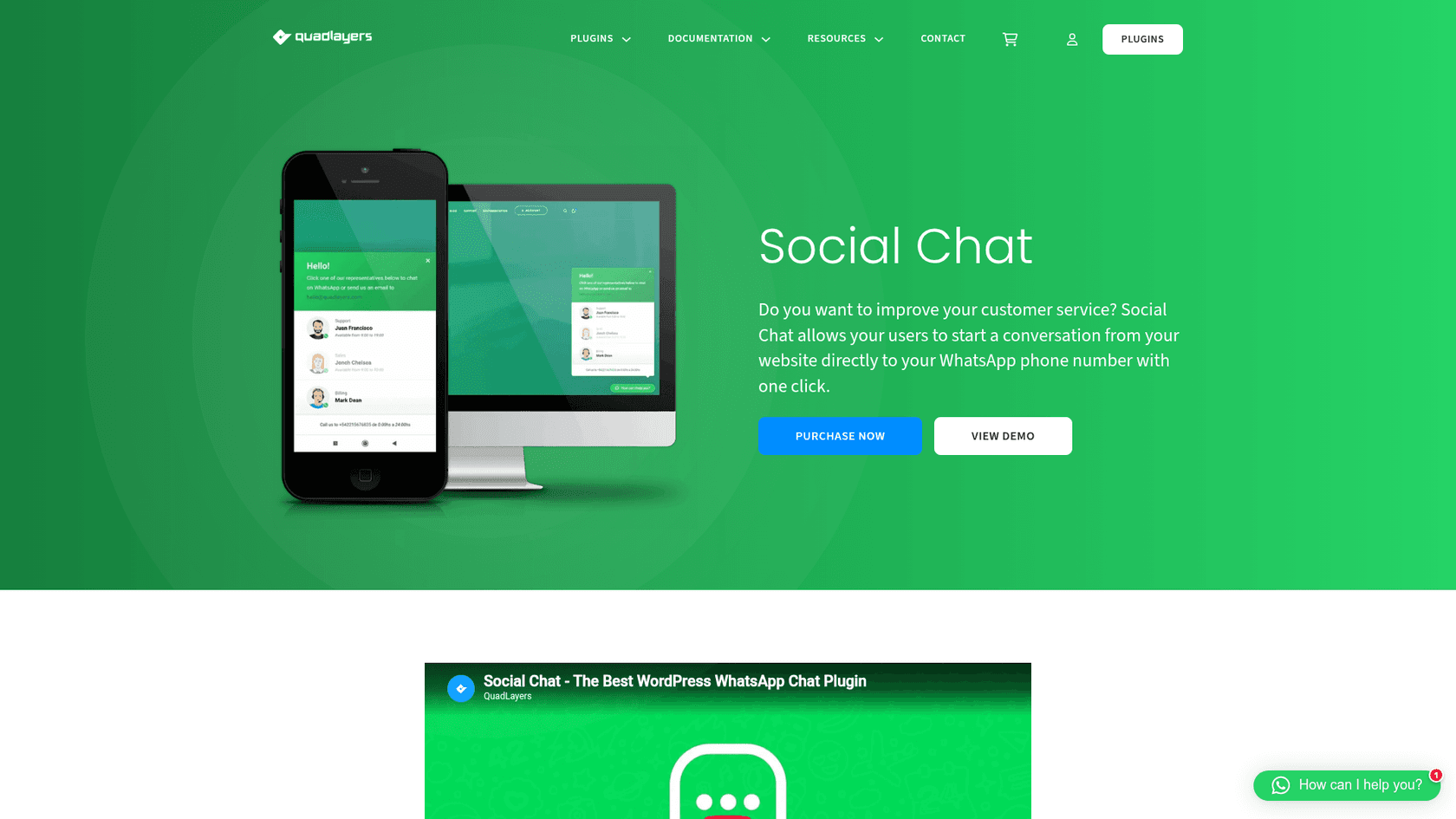
A few naming notes, because this plugin has had several names:
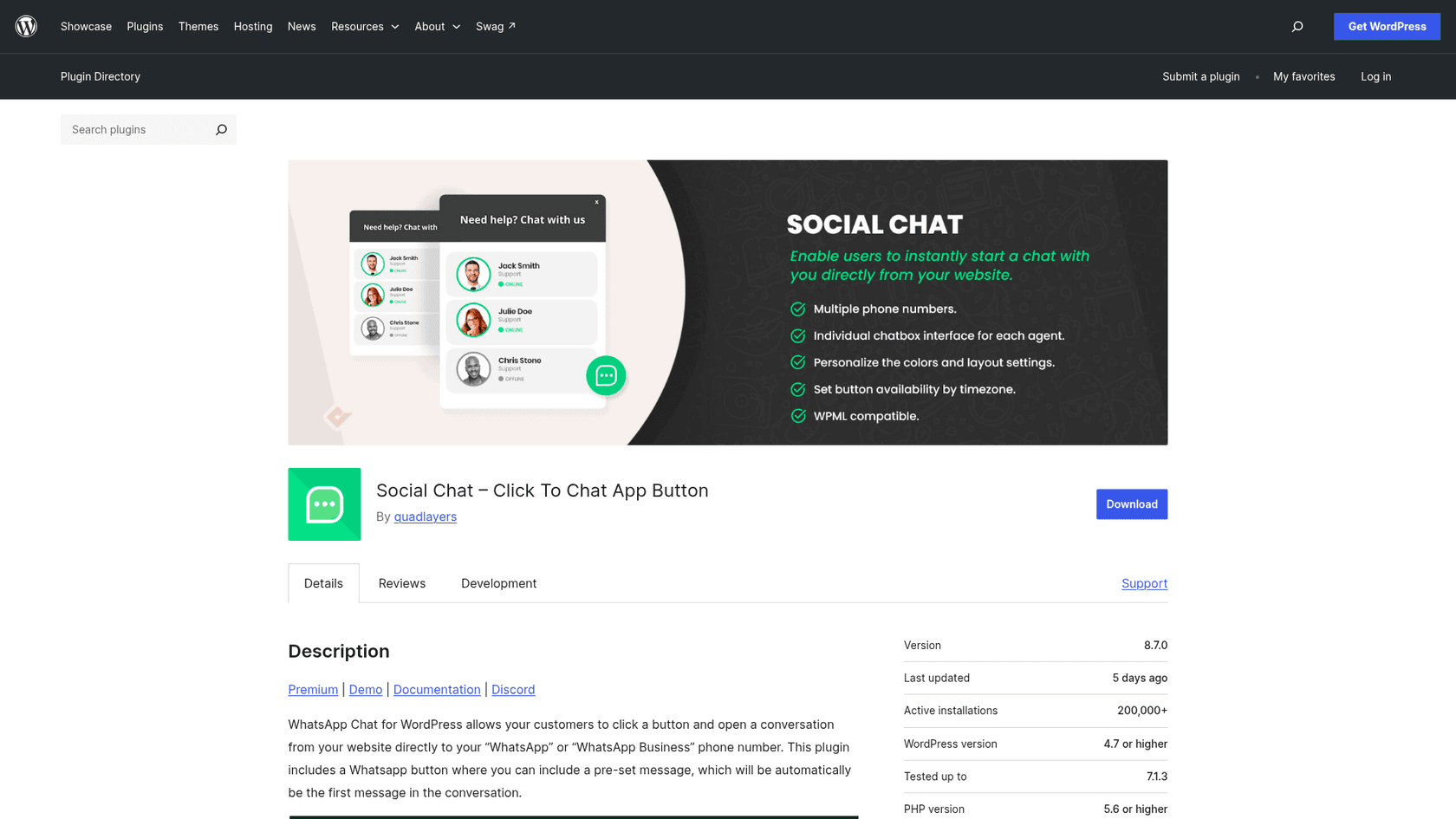
- On WordPress.org it is "Social Chat, Click To Chat App Button", with the slug
wp-whatsapp-chat. - It was called WhatsApp Chat until WordPress made QuadLayers rename it on August 8, 2019, over use of the WhatsApp name.
- Many people still search for "WP Social Chat".
- Its bot feature is now Quick.bot, which describes itself as having "started as Social Chat".
The plugin has been on WordPress.org since May 2017. Version 8.7.0 shipped on October 22, 2026, and it is tested up to WordPress 7.1.3.
How does the Social Chat button work?
The button is a WhatsApp link with a good design around it. Per the plugin listing, it opens a conversation "from your website directly to your WhatsApp or WhatsApp Business phone number", and on desktop the visitor lands in WhatsApp Web.
That design keeps the plugin light. There is no server holding your chats and no API account. QuadLayers says the plugin "does not store any personal data", which is why it calls itself GDPR compliant.
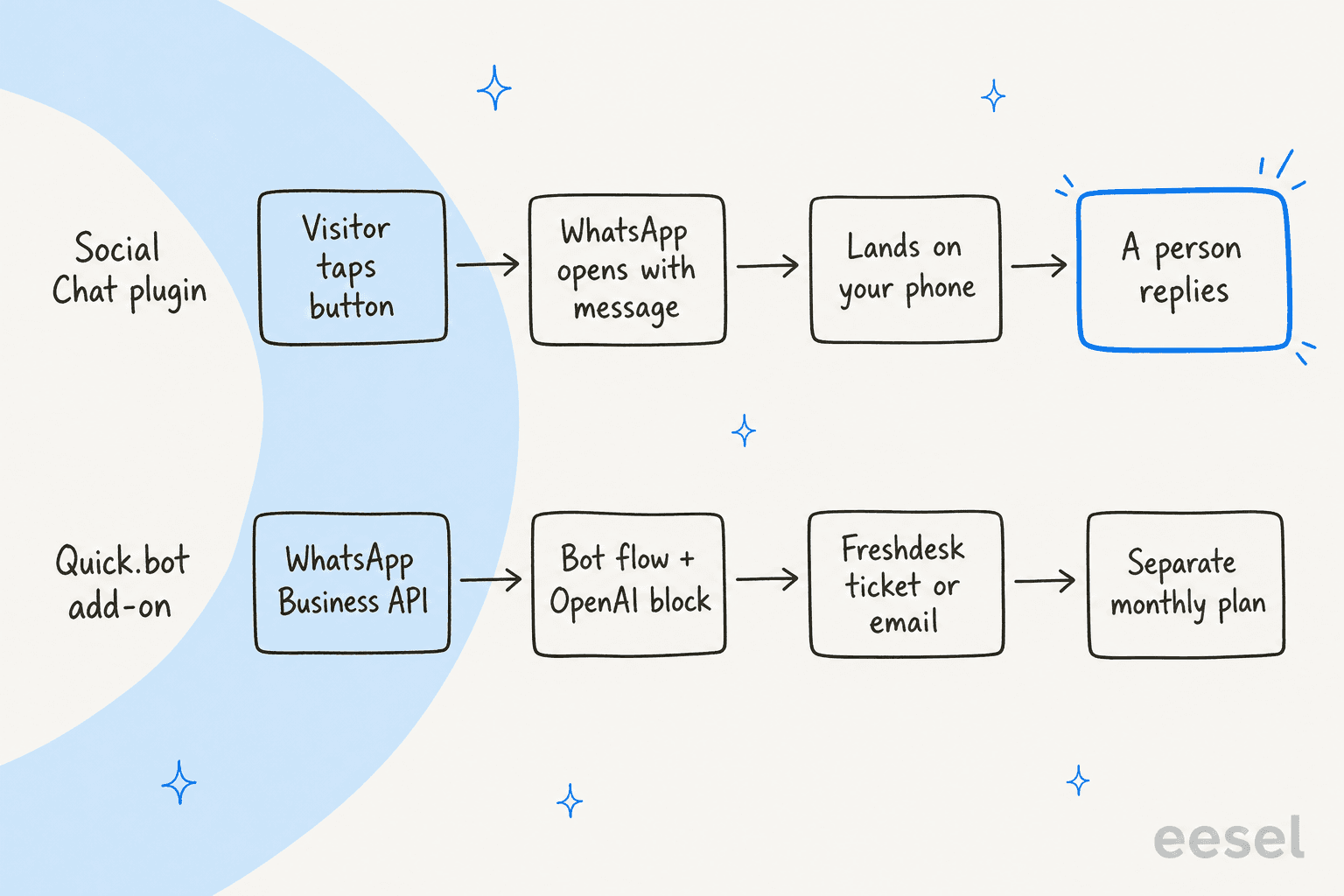
The trade-off is that every message lands on a phone, and someone has to pick that phone up. There is no shared inbox, no assignment and no history your teammates can see.
Two details are worth knowing before you install it:
- Your number is public. The plugin FAQ says every visitor can see the WhatsApp number, and advises against using one you want to keep private.
- Usernames fix that, as of 8.7.0. You can now use a WhatsApp Business @username instead of a number, so visitors open
wa.me/@yourusernamewithout seeing your phone number. If you change the username, the old link stops working.
What features does Social Chat have?
For a button plugin, the feature list is long. Everything below comes from the QuadLayers listing and product page, and I have split it by what is free and what needs PRO.
The button, the contact box and agents
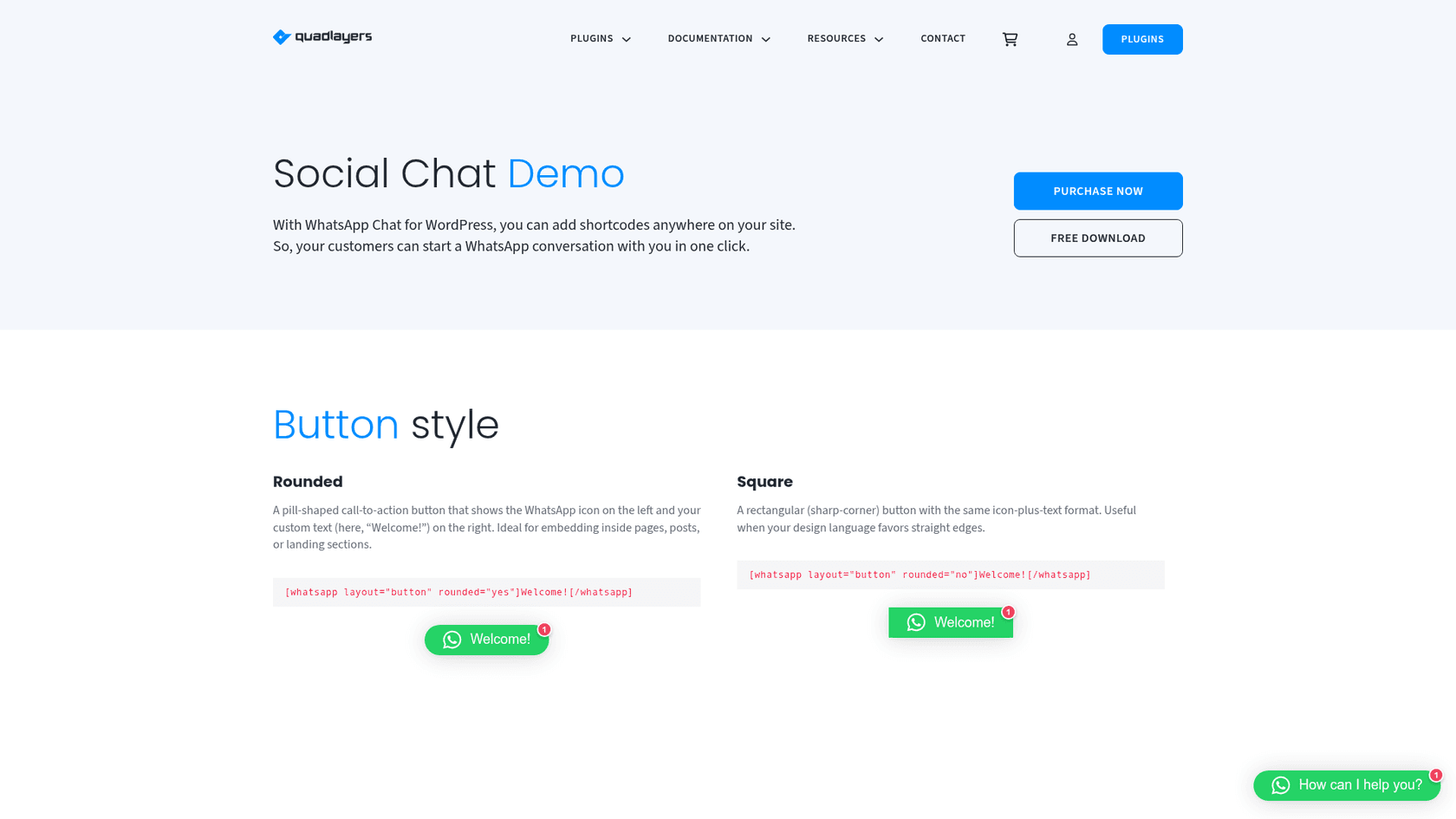
The free plugin gives you the button in two layouts, a contact box with a header, footer and avatar, colors, a custom icon, and page targeting by post type and taxonomy. You can also drop the button anywhere with a [whatsapp] shortcode.
PRO adds multiple agents, each with their own name, label and WhatsApp number, plus a chatbox per agent where the visitor types the first message before WhatsApp opens. It also adds business hours for the button and for each contact, a GDPR consent checkbox, WhatsApp group support, 40+ icons and Google Analytics 4 events.
Agents are basic ticket routing, done by the visitor. "Sales" and "Support" go to different phones, which works well for a team of three and gets messy at ten.
WooCommerce buttons and product variables
This is where Social Chat goes further than most click-to-chat plugins. Since version 6.0.1 it can put a WhatsApp button on single product pages, before or after the add to cart button. Since 8.1.9 it can add one to the shop page, category, tag and brand archives too.
The message can carry {PRODUCT_TITLE}, {PRODUCT_PRICE}, {PRODUCT_SKU} and the product URL. That one detail removes the "which product?" back and forth I see in support queues every day, because the first message already names it.
WhatsApp as a checkout payment method
Since version 8.3.0, PRO can add "WhatsApp Order" as a payment method at WooCommerce checkout. The order details go to your WhatsApp number or group with variables like {ORDER_ID}, {ORDER_TOTAL} and {CUSTOMER_NAME}, and the customer is redirected to WhatsApp after placing the order.
It suits stores that confirm payment by hand, like cash on delivery or bank transfer markets. It also means every order becomes a WhatsApp chat someone has to answer, so plan for the volume.
Bots, now on Quick.bot
QuadLayers added "AI-Powered Chatbots (Beta)" in 2026: a drag-and-drop flow builder with OpenAI blocks that "generate answers, classify intent, extract structured data", plus integrations to Freshdesk and email. Per the plugin changelog, version 8.6.0 replaced the bots API with an embedded Quick.bot iframe.
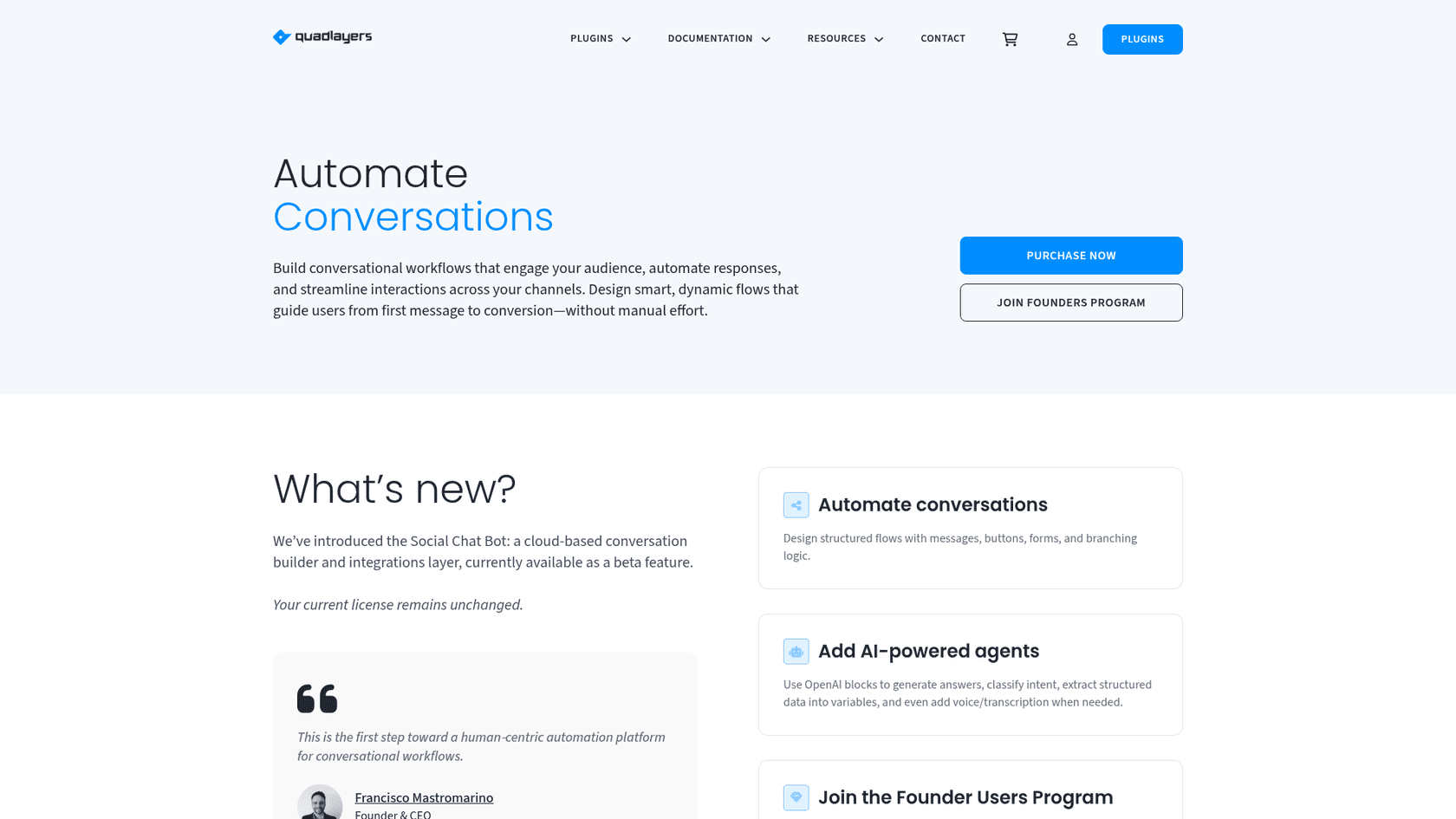
So the bot is not part of the plugin you install. It runs on Quick.bot's own infrastructure, you log in from the plugin's bots tab, and the WhatsApp side uses the WhatsApp Business API, with Meta billing the messages on your account. The QuadLayers bots page says plainly that "your current license remains unchanged", so a PRO license does not pay for Quick.bot usage.
The bot is a flow builder first. You draw the conversation, add an OpenAI block where you want a generated answer, and connect your own model keys. That is a different job from an AI agent that reads your help center and past tickets and answers whatever comes in, which I cover in my AI chatbot vs live chat guide.
How much does Social Chat cost?
Two bills, and they work differently. The plugin is a per-site license; the bot is a monthly plan.
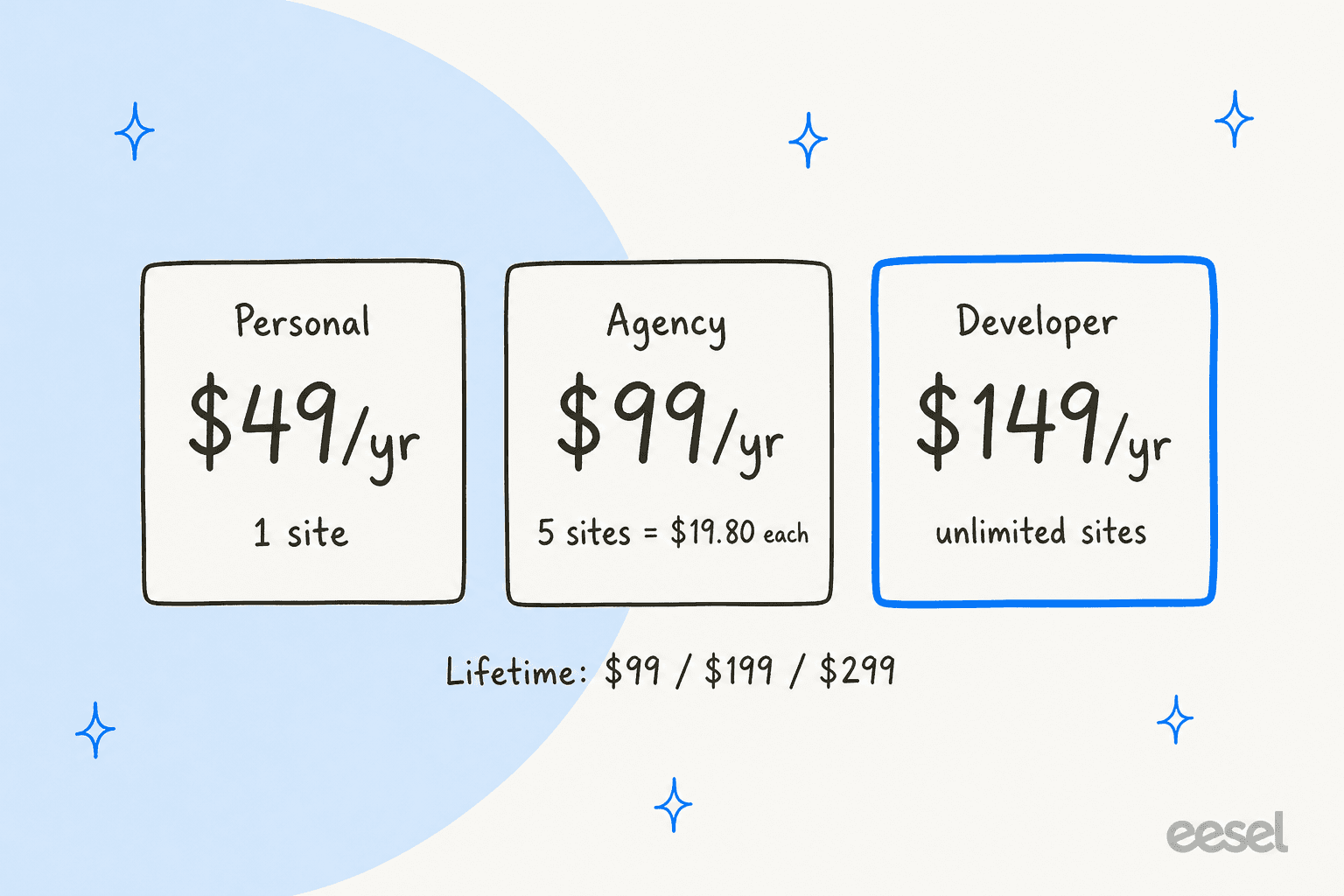
Social Chat PRO: priced per site
The free plugin is free forever. PRO is sold on the Social Chat product page, with a 30-day money-back guarantee.
| Plan | Sites | Annual | Lifetime |
|---|---|---|---|
| Free | 1 | $0 | $0 |
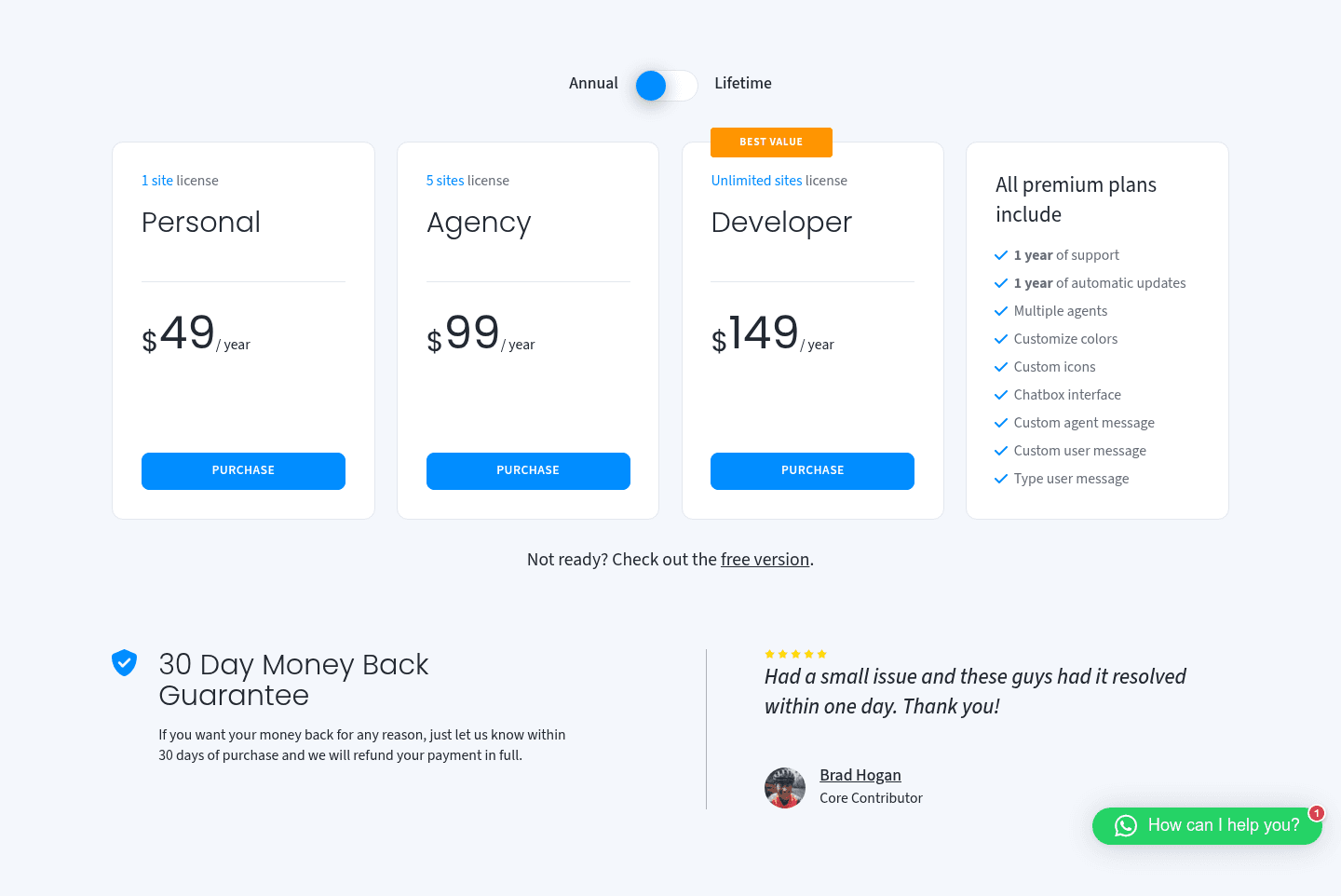
| Personal | 1 | $49 a year | $99 |
| Agency | 5 | $99 a year | $199 |
| Developer | Unlimited | $149 a year | $299 |
Annual plans include 1 year of support and updates; lifetime plans include lifetime support and updates. Every PRO plan carries the same features: multiple agents, colors, custom icons, the chatbox and custom messages.
The lifetime license pays for itself fast. Personal at $49 a year costs $147 over three years, against $99 once. For an agency, the Developer lifetime license at $299 covers every client site you will ever run.
Quick.bot: priced per conversation
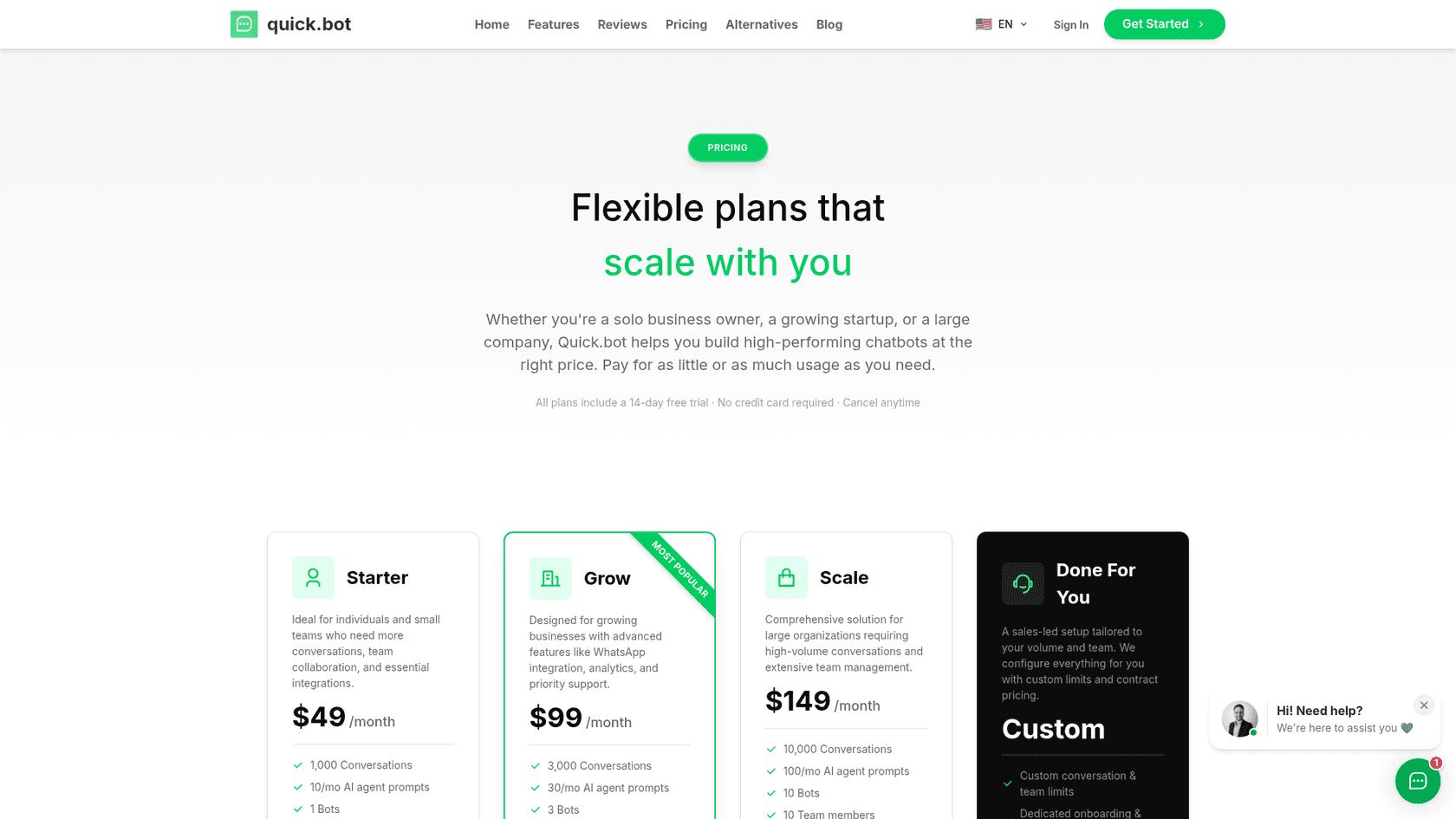
If you want the bots, Quick.bot's pricing is a separate monthly plan. Every plan includes WhatsApp, and paid plans have a 14-day free trial.
| Plan | Price | Conversations a month | AI agent prompts | Bots | Team members | Extra conversation |
|---|---|---|---|---|---|---|
| Free | $0 | 100 | 10 a month | 1 | 1 | Not listed |
| Starter | $49 a month | 1,000 | 10 a month | 1 | 1 | $0.02 |
| Grow | $99 a month | 3,000 | 30 a month | 3 | 3 | $0.012 |
| Scale | $149 a month | 10,000 | 100 a month | 10 | 10 | $0.007 |
| Done For You | Custom | Custom | Custom | Custom | Custom | Custom |
Quick.bot counts one conversation per session, however many messages it takes. On top of the plan, Meta bills each WhatsApp message on your own account; Quick.bot says it "adds no fee on top of Meta's". My Meta WhatsApp policy post explains those charges.
What will Social Chat cost you?
Plug in your sites, how long you will keep it, and whether you want bots. The calculator picks the cheapest license and the smallest Quick.bot plan that covers your volume.
Enter your number of sites and years, then switch on bots to add a Quick.bot plan to the total.
A single WooCommerce store keeping Social Chat for three years with about 800 bot conversations a month pays $99 for a lifetime license and $1,764 for Quick.bot Starter. The bot, not the plugin, is about 95% of the bill.
Where the pages disagree
I checked every vendor page and found a few gaps worth knowing:
- Bot limits. The QuadLayers bots page says the beta allows "up to 200 conversations per month", while Quick.bot's Free plan lists 100.
- What happens past the limit. Quick.bot's table lists a price per extra conversation, but its FAQ says bots "stop responding to new users until your next billing cycle". Expect a hard stop unless you confirm otherwise.
- Who gets the bots. The WordPress listing puts "AI-Powered Chatbots" under PRO features, while Quick.bot has a free plan open to anyone.
- Human handoff. The QuadLayers roadmap lists human handoff as "in progress", while Quick.bot's site describes a team inbox where "every chat" is assigned.
- Install count. WordPress.org shows 200,000+ active installs; Quick.bot cites "750,000+ installations" for QuadLayers as a whole.
What do Social Chat users say?
The ratings are about as high as plugin ratings go. On WordPress.org reviews, 662 of 696 reviews are five stars and 14 are one star, for a 4.9 average. I found no G2, Capterra, Trustpilot or Reddit presence for the plugin, so WordPress.org is the public record.
The detailed praise is about simplicity and support from QuadLayers:
"I've been using this plugin on a few sites now and love the simplicity. I recently had a technical challenge and support was great and fixed it. Yes, I had to wait a day or two for reply, but seeing as it's a free plugin, that turn-around time is understandable."
My favourite review is a reminder that the setup is easy enough to skip a step:
"picked up a lot of contact moments with potential guests because of the plugin, easy to install and set up, just remember to put your phone number, I accidentally left the developer's phone number..."
The complaints cluster in two places. The first is the modal that appears when you deactivate the plugin. Three one-star and two-star reviews from 2026 mention it, and QuadLayers replied that choosing "Skip & Continue" deactivates the plugin normally.
"if run the same issue as me, there is a tiny greyed out link in the bottom right "skip & deactivate"."
The second is buyers who expected a live chat and got a link. This 2024 review is about the PRO chatbox:
"It adds a chat window, that does not work as such, selecting the agent takes you to whatsapp web, even if you have whatsapp installed on your device."
QuadLayers' reply explained that the redirect is a limit of how WhatsApp works and offered a full refund. It is a fair read of the product: the chatbox looks like a chat, but the conversation happens in WhatsApp.
Where does Social Chat fall short?
None of these are bugs. They are the edges of a click-to-chat button, and worth knowing before you build a support process on one.
- WhatsApp only. The name says "Social", but the plugin covers WhatsApp and WhatsApp Business. If you want Messenger, Instagram or SMS buttons too, a multi-channel widget fits better.
- No inbox. Each message lands on a phone. There is no assignment, no shared history and no way to see what a teammate already promised.
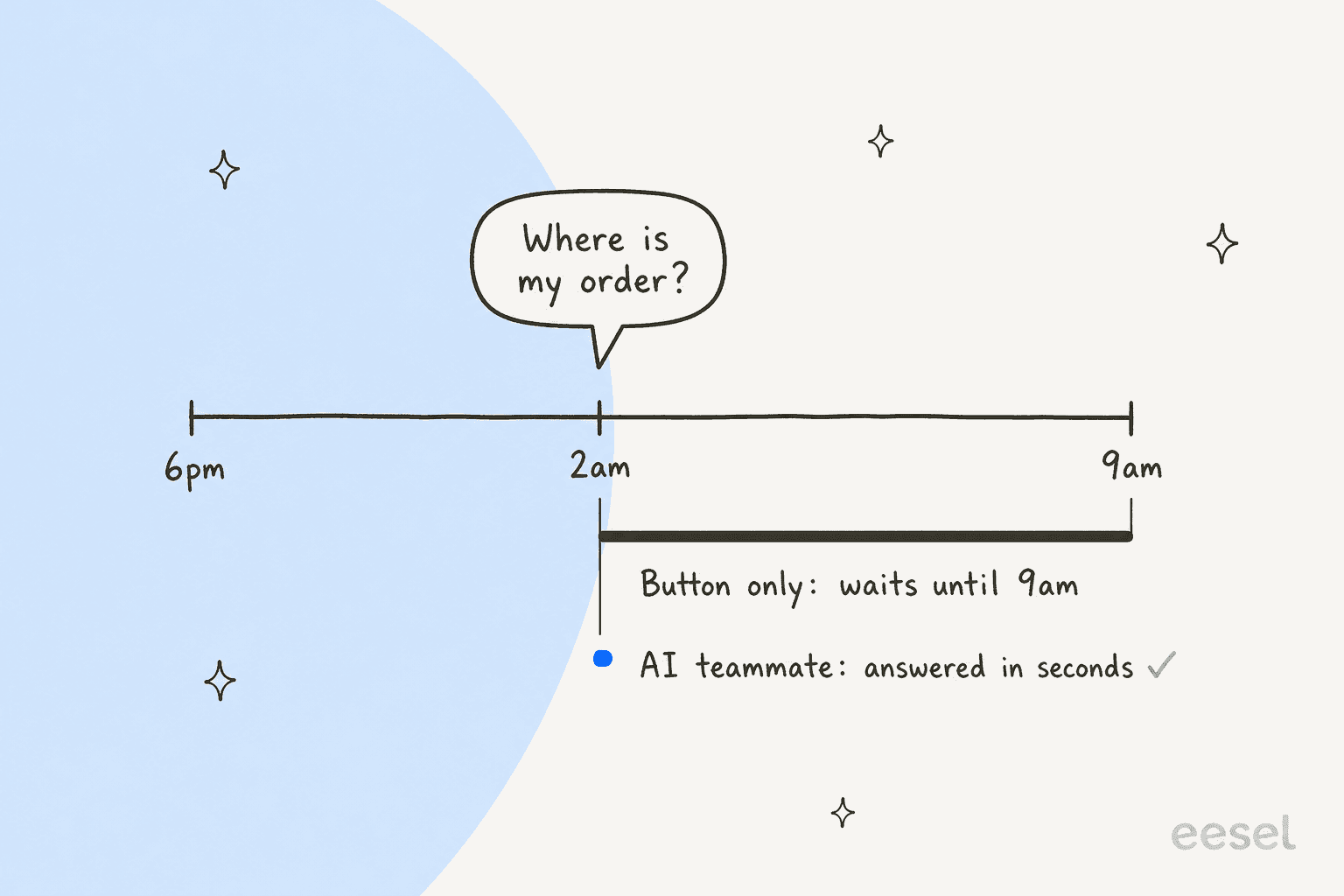
- No answers in the plugin. The pre-set message is the only automated part. "Where is my order?" still needs a person or an AI agent.
- Bots are a second product. Quick.bot brings its own account, its own plan and the WhatsApp Business API, which is a bigger setup than the button.
- No helpdesk link in the button. Chats sit outside your ticketing system and your reports, unless a Quick.bot flow creates a Freshdesk ticket.
- Translation needs care. Versions 8.6.6 and 8.6.7 fixed chat box texts so they translate through WordPress language packs and Loco Translate, so update before running a multilingual chat.
The quiet one is time. A button with business hours stops customers writing into silence, but it also hides the button when your team is offline, which is exactly when a lot of shoppers are browsing.
Who should use Social Chat?
Ask one question: who answers, and how many messages a day?
| You are... | Verdict |
|---|---|
| A WordPress site where the owner answers from their phone | Free plugin is enough |
| A WooCommerce store selling through WhatsApp | PRO, for product buttons, agents and the WhatsApp order method |
| An agency running many client sites | Developer license, $149 a year or $299 lifetime for unlimited sites |
| A small team splitting sales and support | PRO agents and business hours work |
| A store that wants scripted flows on WhatsApp | Try Quick.bot's free plan before you pay |
| A support team getting dozens of repeat questions a day | Skip; the bottleneck is answering, not the button |
What are the alternatives to Social Chat?
Split them by what happens after the click.
- Another button. Chaty covers 25 channels with a free WordPress plugin, and Smartarget is a WhatsApp-only widget for Shopify and Wix.
- A Wix-only button. On Wix, Rabbit SEO and PurpleBear both add a WhatsApp chat icon.
- A live chat on your site. Tools like Tidio keep the conversation on the page. My website live chat roundup compares the field.
- A WhatsApp API inbox. Providers put WhatsApp in a shared team inbox; start with my API provider list or the Wati alternatives.
- WhatsApp inside your helpdesk. See Freshdesk WhatsApp, Gorgias WhatsApp and Zendesk WhatsApp, then put an AI teammate on top.
For WooCommerce stores specifically, my AI for WooCommerce support picks and the WooCommerce chatbot guide go deeper.
Social Chat review verdict: is it worth it?
4 out of 5. For a WordPress or WooCommerce site that wants customers on WhatsApp, Social Chat does the job well. The free plugin is generous, PRO is cheap with a lifetime option, the WooCommerce work is the best I have seen in a button plugin, and QuadLayers ships often and answers reviews.
I take a point off for three things: the "Social" name on a WhatsApp-only plugin, the feedback screen on deactivation that keeps showing up in reviews, and the split between the plugin and Quick.bot, which makes the AI story harder to price. And for support teams, it solves the smallest part of the problem. Getting customers to message you is easy; answering every message is the work.
Where does eesel fit next to Social Chat?
The two do different jobs. Social Chat gets the visitor into WhatsApp, and eesel answers them once they are there. eesel is an AI teammate platform, and for this job the relevant teammate is the AI helpdesk teammate.
It connects to a WhatsApp Business number, learns from your knowledge base, docs and past tickets, and answers in 80+ languages. You set what it handles and when it hands over, in plain words, like "always escalate to a human if someone mentions a refund". Point Social Chat's button at that same number and every click lands in a conversation that gets answered.

For WooCommerce, there is a WooCommerce integration and a free eesel plugin for WordPress that reads your catalog and orders.
Other channels work the same way: Instagram DMs, the website chat bubble and helpdesks like Gorgias.
Two customers show what that looks like in practice. Rúngne, a Norwegian climbing apparel brand, gets email, live chat and social comments in one Gorgias queue. In one month eesel handled about 2,100 tickets there, sent about 440 public replies, left about 580 drafts for the team and answered around one in seven on its own, checking Shopify for orders and stock. Cancellations, damaged items and anyone who asks for a person go to the team.
Swiftreg, a UK number plate seller, runs eesel on Zendesk with lookups the team wrote itself. In one month it handled about 2,100 tickets and sent 1,494 public replies, each marked as written by AI. Per the story, the tickets that arrive overnight "get the same treatment" as the daytime ones, which is the part a button with business hours cannot do.
The pattern I see most is simple: a WhatsApp button comes first, then the volume, then the question of who answers at 2am. My guides on automating WhatsApp support and WhatsApp auto replies cover the steps in between.
Try eesel
If Social Chat is already sending more WhatsApp messages than you can answer from your phone, eesel's AI helpdesk teammate can take the repeat ones: order status from your WooCommerce or Shopify store, product questions from your help center, and a clean handoff for refunds. It starts free with 100 credits, and paid plans begin at $299 a month for 500 credits, where one chat is one credit (eesel pricing).