

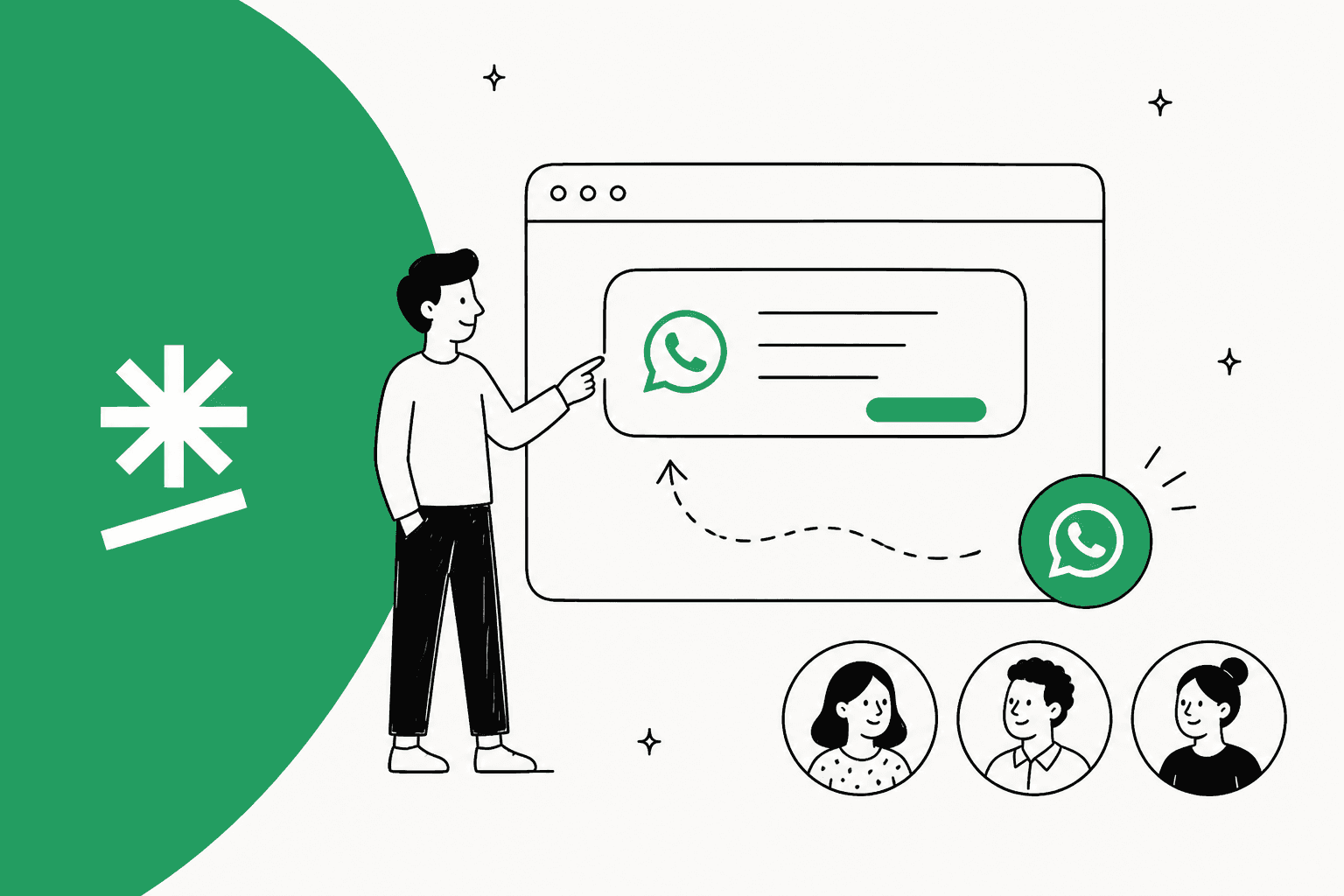
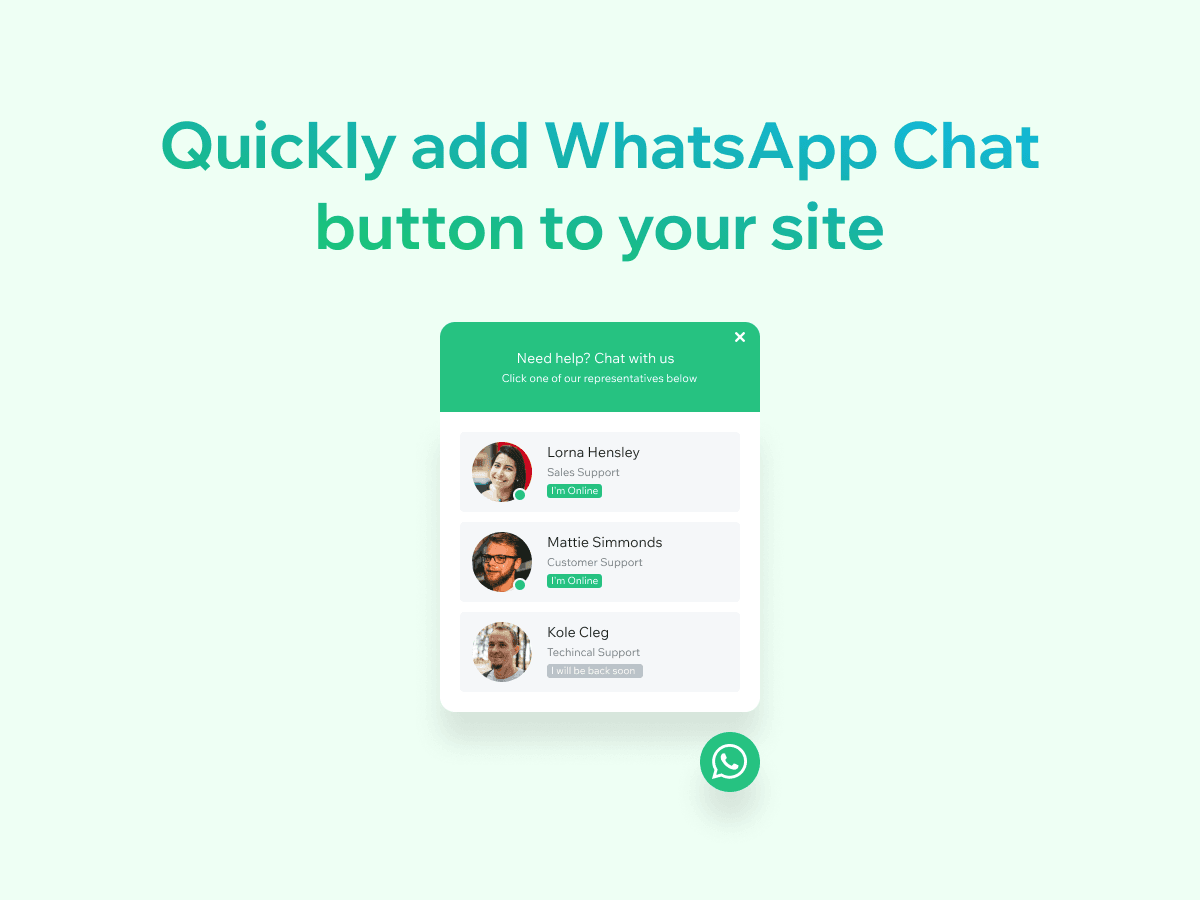
Certified Code's WhatsApp: Start Chat Button is a solid free WhatsApp button for Wix, and I give it 3.5 out of 5. It adds a floating button that opens WhatsApp with a message already typed, shows your team as profiles with online status, and is rated 4.9 from 598 reviews on the Wix App Market.
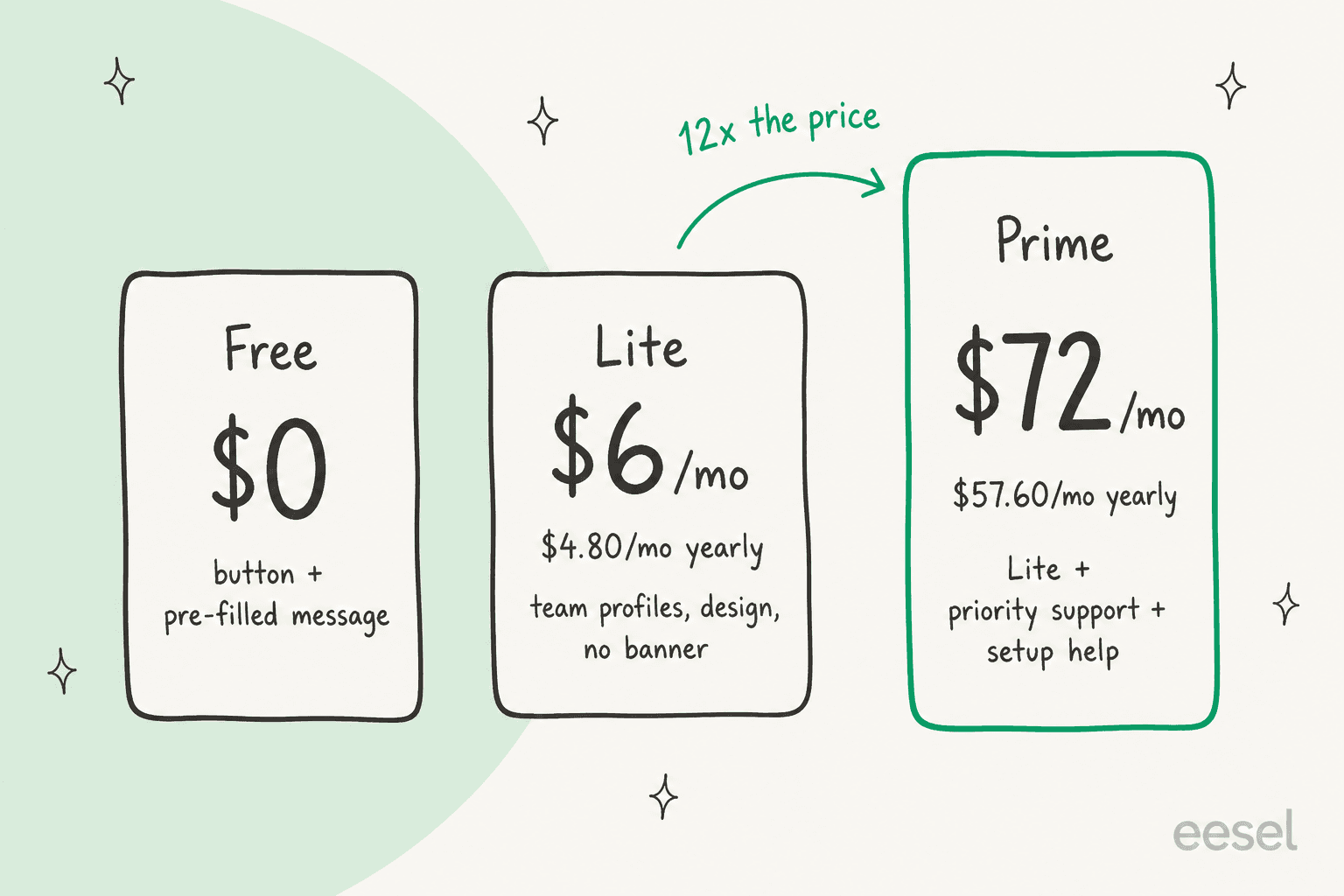
The pricing is simple until the top plan. The free button works, Lite at $6 a month adds team profiles and drops the promo banner, and Prime at $72 a month is the same button with priority support and setup help, 12 times the price of Lite.
The bigger point: the button only opens the conversation. Every chat still lands on a phone and waits for a person. If that is turning into a queue, the missing piece is answering, which is where eesel's AI helpdesk teammate fits. Nordbutiker, for example, runs a separate eesel bot for each of its 4 store brands, each one answering from its own site in its own language.
What is the Certified Code WhatsApp chat app?
It is a Wix app called WhatsApp: Start Chat Button, listed on the Wix App Market by Certified Code and marked "Verified by Wix". It puts a WhatsApp button on your Wix pages. A visitor taps it, picks a person if you have set up a team, and WhatsApp opens with a pre-filled message.
I spend most of my time on what people type into search boxes before they buy a support tool, and the Wix App Market is a good example of how crowded this small job is. A search for "whatsapp chat" there returns dozens of near-identical buttons. This one sits near the top on reviews, behind only Chaty's 1,600-review listing among the buttons I saw.
Who is behind it? Certified Code is the trading name of StudioBase Limited, per its Wix partner profile, which shows 806 completed projects and a 4.8 rating from 162 reviews. Its own site lists around 200 Wix apps, from review widgets to icon packs, plus apps for Ecwid, Canva and Framer. The WhatsApp button has siblings too: the same "Start Chat Button" exists for Messenger, Instagram, Telegram, LINE and LinkedIn.
That matters for one reason. This is a small app from a big catalogue, built to do one job well, not a support platform that happens to include WhatsApp.
How does the WhatsApp button work?
The button is a link with a nice design around it. Per the listing, it opens "the WhatsApp app on mobile and WhatsApp Web on desktop, with a pre-filled message". There is no server holding conversations, no WhatsApp Business API account and no message templates. That is why it is free to run and quick to install.
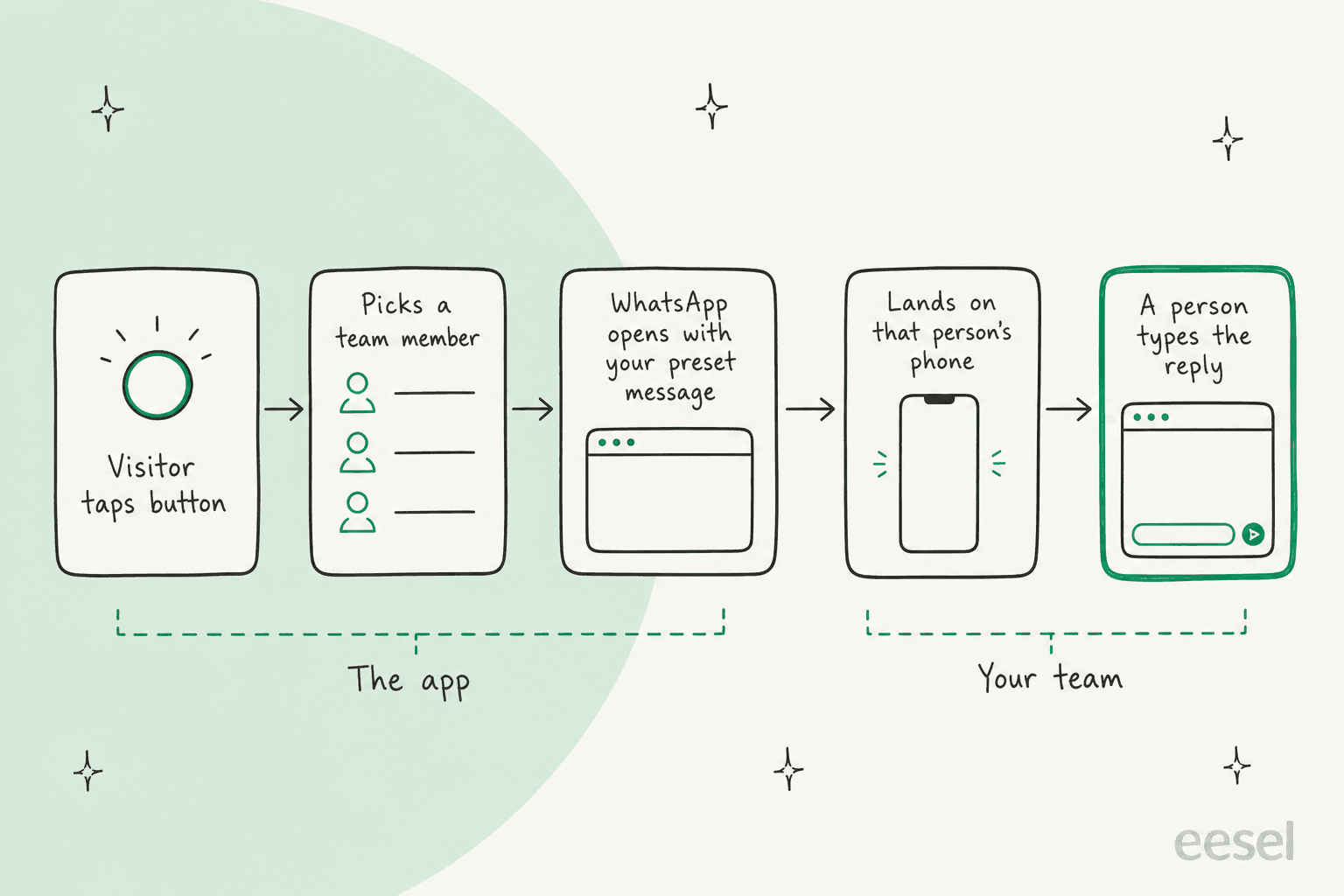
The trade-off is in the second half of that picture. Once WhatsApp opens, the app is done. The chat lives on whichever phone owns that number, with no shared inbox, no assignment and no record your teammates can see. For a solo owner that is fine. For three people splitting sales and support, it is the difference I describe in omnichannel vs multichannel support.
What features does it have?
The feature list is short and focused on the button itself. Everything below comes from the Wix listing and its screenshots.
Button design
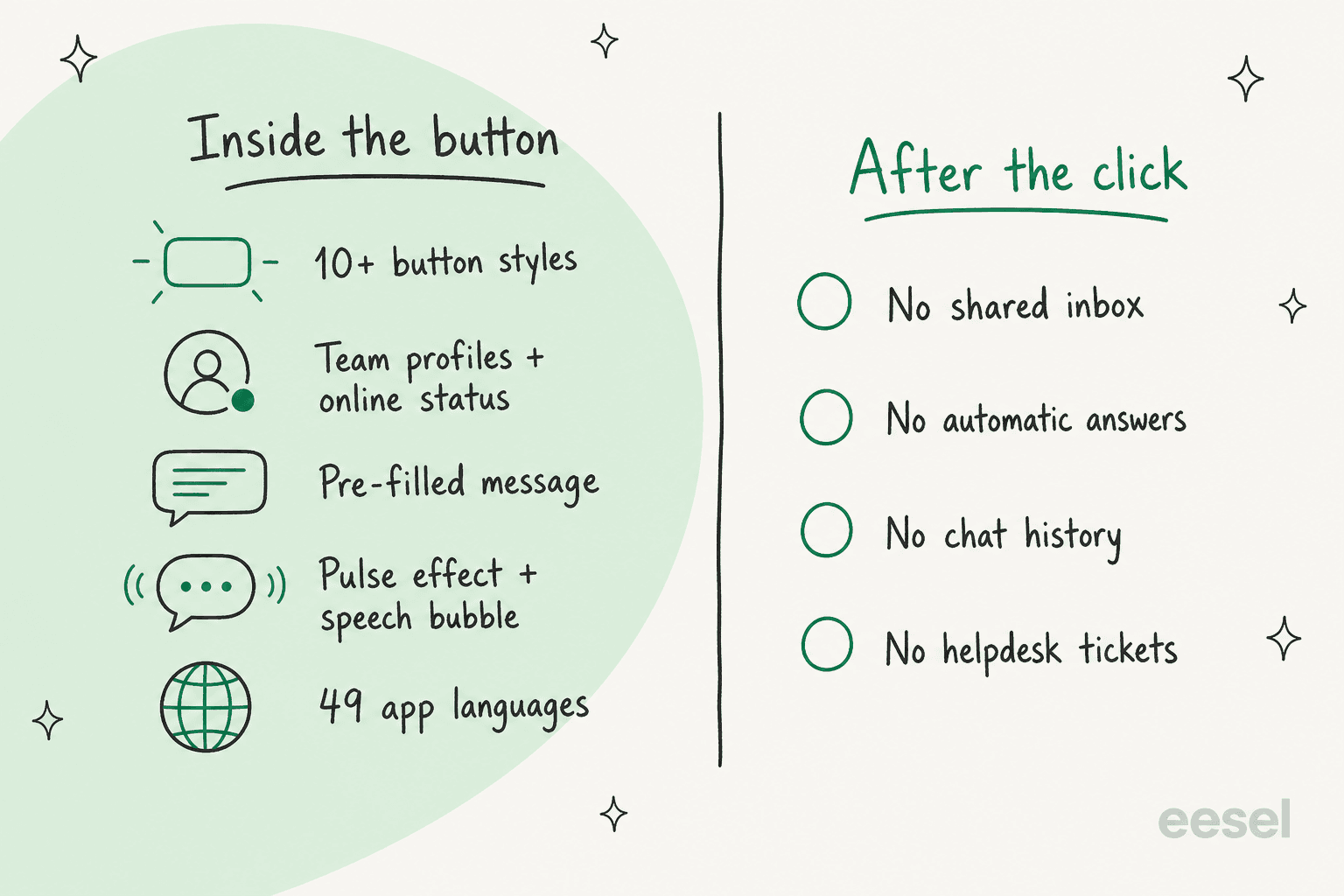
The listing promises "10+ button styles, 100+ design combinations, drag and drop", with no code or Velo needed. The settings screenshot shows button position, 7 styles, a background color, 7 effects, a notification number, a speech bubble and a pulse effect.
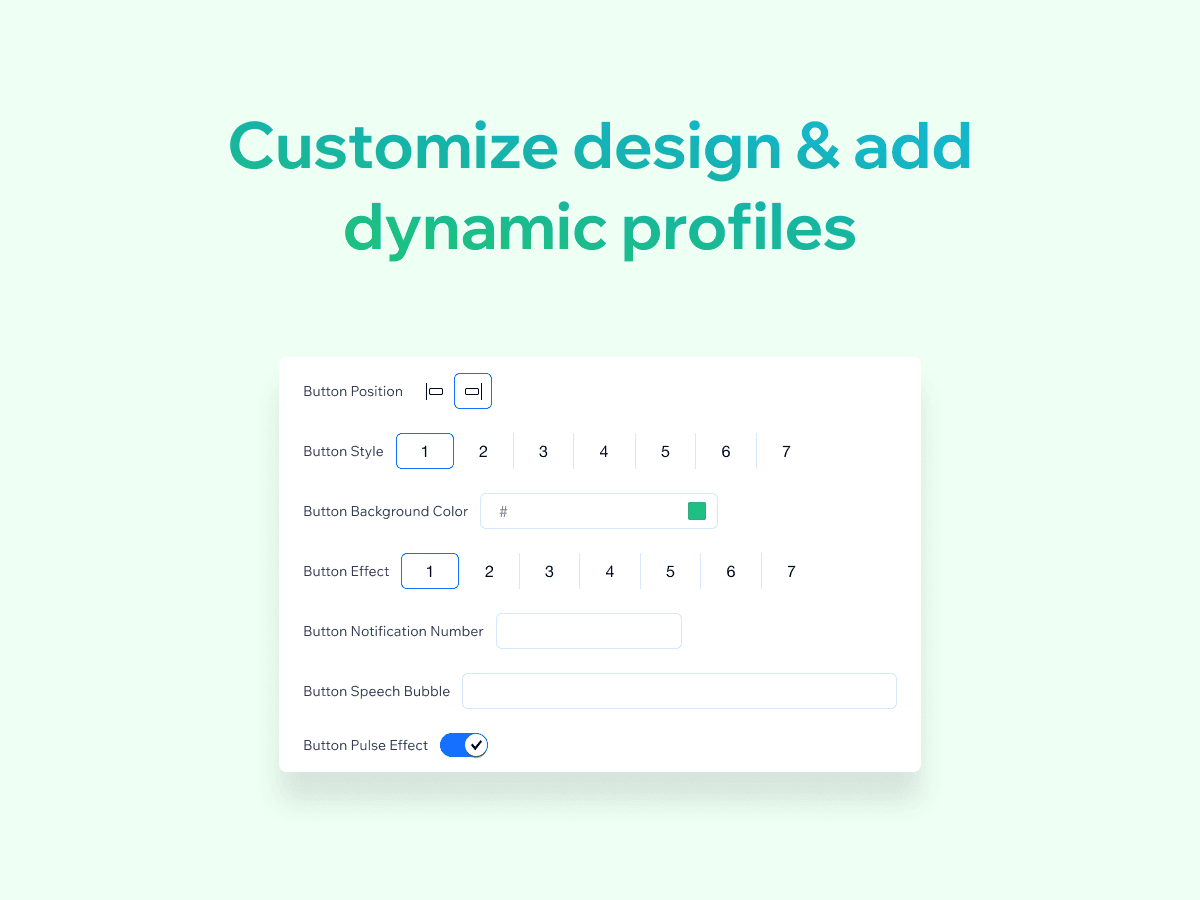
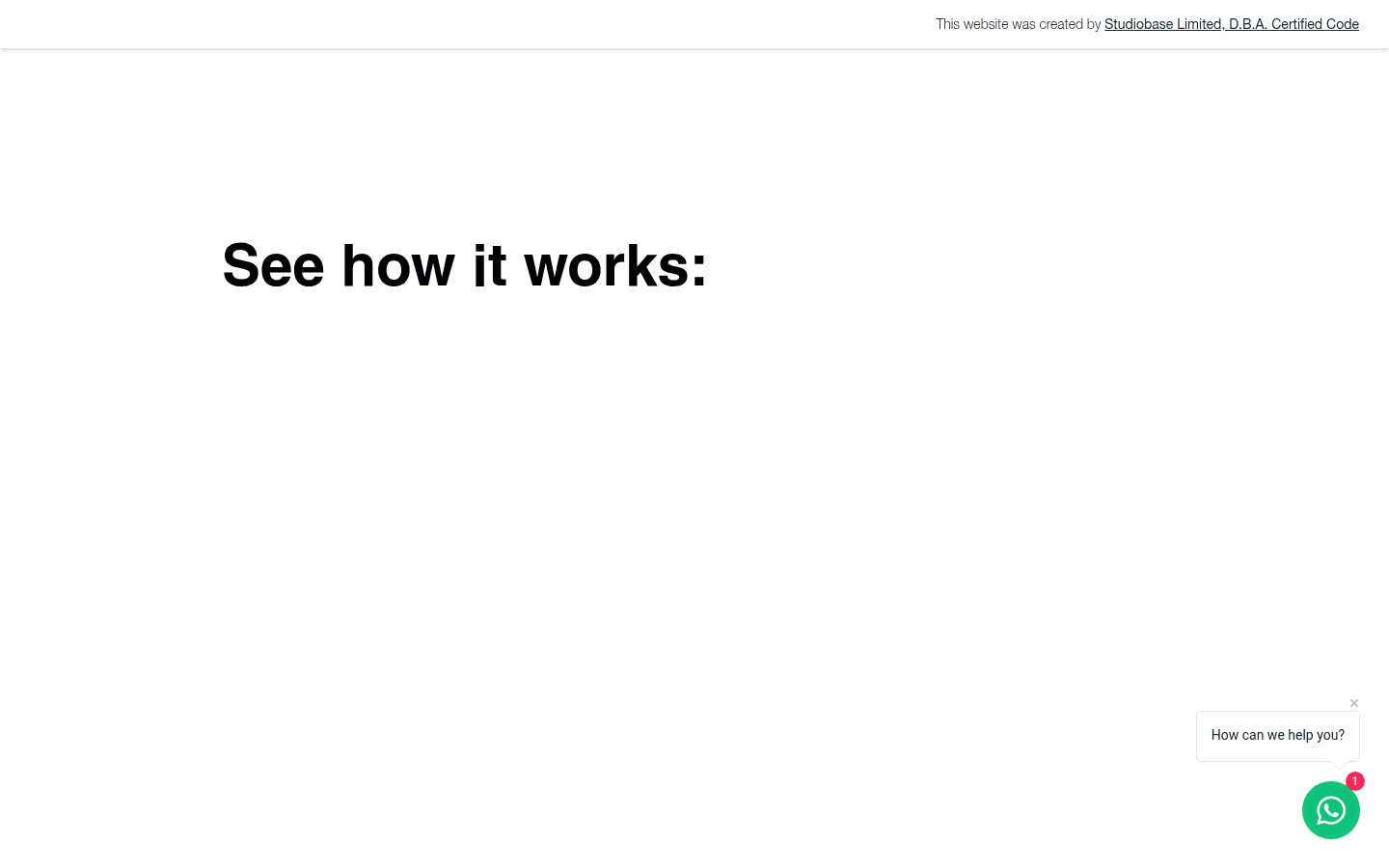
The notification number and speech bubble are small nudges that work. On Certified Code's own demo site, the button sits bottom right with a red "1" badge and a "How can we help you?" bubble. It is the same idea I cover in live chat triggers, done with a sticker instead of a rule.
Team profiles with online status
This is the feature that makes it more than a link. You add representatives with a name, photo, role and an online or offline status, and the visitor chooses who to message: "Sales Support" or "Technical Support", say. It is basic ticket routing, done by the customer instead of by software. Per the plan cards, team members come with Lite, not the free plan.
Pre-filled messages
You set a default first message so the visitor does not stare at an empty WhatsApp chat. It is small, but a good opener ("Hi, I have a question about...") gets more people to hit send.
49 languages
The app interface is listed in 49 languages, from Arabic to Welsh, and the listing says you can translate everything the widget shows. That fits the reviews, which are mostly in Spanish, Portuguese and Turkish. If your customers write in several languages, though, the people answering still need to read them, which is where multilingual live chat gets harder than the button.
How much does Certified Code WhatsApp chat cost?
There are three plans, priced in USD on the Wix listing, with a 20% saving for paying yearly.
| Plan | Billed monthly | Billed yearly (per month) | What it adds |
|---|---|---|---|
| Free | $0 | $0 | One-tap chat button on any page, mobile and desktop support, pre-filled message |
| Lite | $6 | $4.80 | Multiple team members, custom button design options, no ads and no promo banner |
| Prime | $72 | $57.60 | Everything in Lite, priority support, one-on-one setup help, features reviewed first |
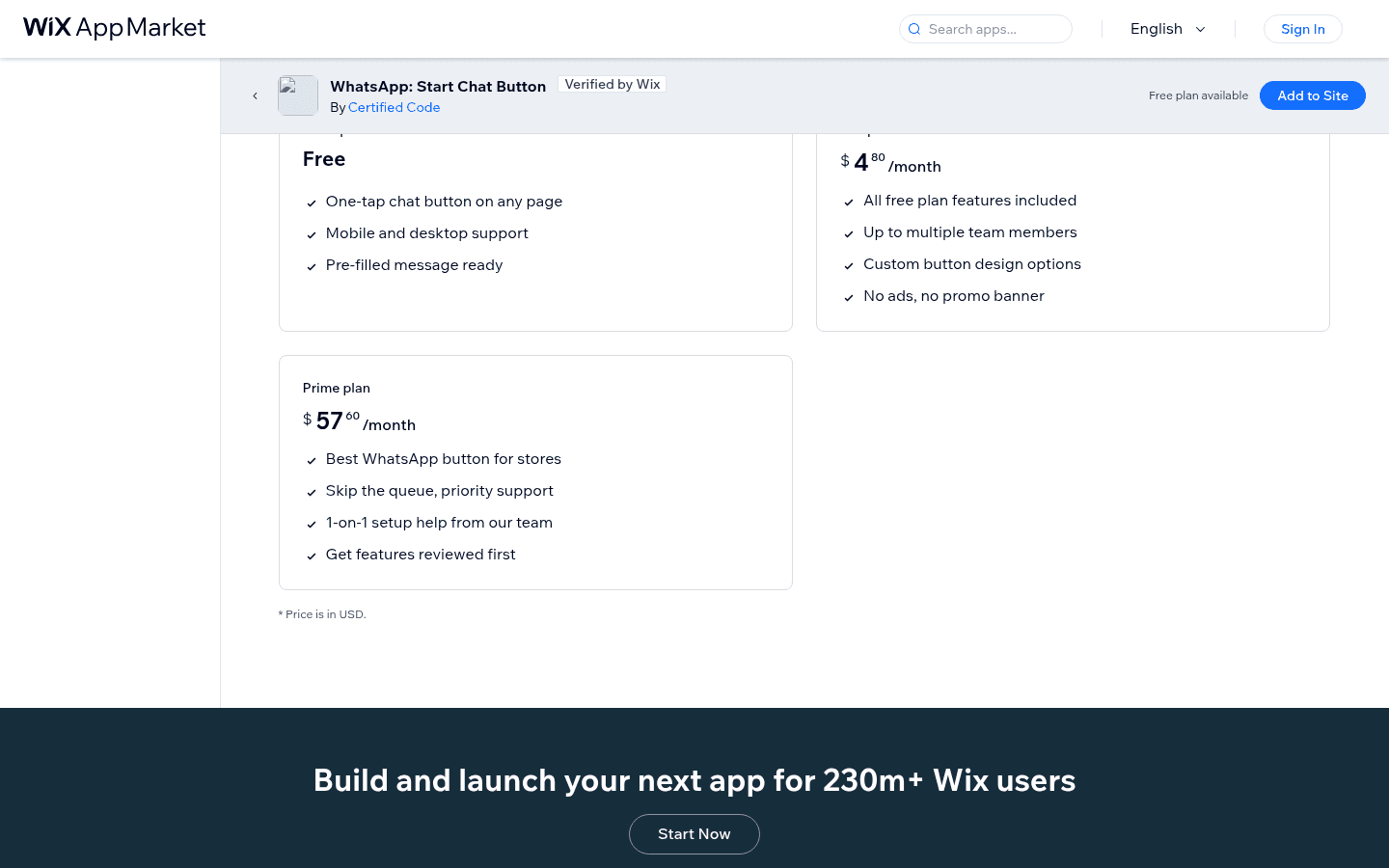
Two things stand out. First, no plan names a visitor or click limit, which is a real advantage over visitor-metered buttons. Chaty on Wix, for comparison, runs on chaty.app's plans, where the free tier stops at 500 visitors a month and Basic is $15 a month.
Second, Prime is a support plan, not a feature plan. Every product feature on the cards is in Lite. Prime's extras are about Certified Code's team: faster replies, setup help and having your requests looked at first. A yearly Prime plan costs $691.20, while a yearly Lite plan costs $57.60, the same as one month of Prime.
Which plan do you need, and what does answering cost?
The button is the cheap part. The calculator picks your plan, then puts a number on the part nobody prices: the time someone spends answering the chats it creates.
Pick what you need from the button, then type your chat volume to see how the plan compares with the time spent answering.
At 15 chats a day and 4 minutes each, a store spends 30 hours a month in WhatsApp. At $20 an hour, that is $600 of someone's time next to a $6 button. The button is about 1% of the real cost.
Where the listings disagree
I checked the listing, the plan cards and Certified Code's other pages, and a few details do not line up:
- What the upgrade adds. The listing description says "an upgraded version adds customisation and priority support", as if one plan does both. The plan cards split them: customisation in Lite at $6, priority support in Prime at $72.
- Team profiles on the free plan. The overview lists "multiple representative profiles" as a feature, while the cards put "Up to multiple team members" in Lite. Expect one contact on the free plan.
- The Ecwid version. Certified Code's site links a WhatsApp: Start Chat Button app for Ecwid, but the Ecwid link returned a "page not found" when I checked.
- A second WhatsApp app from the same company name. A newer WhatsApp Chat app is listed "By StudioBase", free, with no reviews yet. Its listing names features this one does not, such as working hours, page and device rules, the page title and URL in the message, and Meta Pixel events. If you need those, compare both before installing.
What do users say about it?
The rating is high: 580 of 598 reviews are five stars, with 12 one-star reviews. Most reviews are a word or two ("excelente", "works well", "Very reliable"), many in Spanish, Portuguese and Turkish, so they say more about how easy it is to install than about daily use. Certified Code replies to most of them.
The detailed praise is about simplicity:
"Muito bom, é fácil de instalar e tem ótimas configurações."
That one says the app is easy to install with good settings. The complaints point at the same spot, the paywall around design. One review titled "Very bad" reads:
"I can't customize the app the way I want."
A three-star review simply says "algo costoso", a bit expensive, and an August 2026 review complains about hitting a paywall at the end of setup. Certified Code replied to both.
One Reddit thread sums up how a lot of Wix owners think about these apps. Asking whether a highly rated WhatsApp app was worth it over a plain linked image, the poster decided on the link instead:
"I dont trust these extra apps for speed and reliability."

A reply in the same thread pointed to Wix's own guide for adding a WhatsApp link, which is the free baseline every button app is competing with. I found no G2, Capterra or Trustpilot listing for the app, so the Wix reviews are the public record.
Where does it fall short?
None of these are bugs. They are the edges of what a button can do.
- No inbox. Chats land on each person's phone. There is no assignment, no shared history and no way to see what a teammate already promised.
- No AI or automatic answers. The pre-filled message is the only automated piece. "Where is my order?" still needs a person, where an AI agent could answer it.
- No helpdesk link. Nothing in the listing connects chats to Zendesk, Gorgias or any ticketing system, so WhatsApp sits outside your reports and your first response time stays invisible.
- Only on Wix. The Ecwid link was dead when I checked, so in practice this is a Wix app.
- Fewer controls than the newer listings. Working hours, page rules and analytics events are named on the separate StudioBase listing, not on this one.
Who should use it?
Ask one question: who answers, and from where?
| You are... | Verdict |
|---|---|
| A Wix site where the owner answers from their phone | Free plan, done |
| A small Wix store with 2-4 people splitting sales and support | Lite at $6 a month for team profiles |
| Someone who wants hands-on setup help | Prime works, but at $72 a month, a one-off freelancer may cost less |
| A business that wants WhatsApp, Messenger and Instagram in one button | Look at Chaty instead |
| A support team already running a helpdesk | Skip; you need WhatsApp inside the helpdesk |
| A store getting dozens of repeat questions a day | Skip; the bottleneck is answering, not the button |
What are the alternatives?
Split them by what happens after the click.
- Another WhatsApp button on Wix. PurpleBear, Rabbit SEO and Smartarget do the same job with different price models. For many channels in one button, see Chaty; on WordPress, Social Chat.
- A live chat with an inbox. Wix's own option is covered in my Wix Smart Chat review, and Chatway and Tidio keep the chat on your site with a shared inbox.
- A WhatsApp API inbox. Providers put WhatsApp in a team inbox with assignment; start with my API provider list.
- WhatsApp inside your helpdesk, with AI answering. See Zendesk WhatsApp and Gorgias WhatsApp, then put an AI teammate on top.
For the wider field, my best WhatsApp chatbot list compares the tools that answer as well as open the chat.
Certified Code WhatsApp chat review verdict: is it worth it?
3.5 out of 5. For a Wix site that wants a WhatsApp button, it does the job well. The free plan is usable, team profiles with online status are a nice touch at $6 a month, there is no visitor meter, and Certified Code replies to reviews, good or bad.
I take points off for three things. Prime charges 12 times Lite for support rather than features. The listing and plan cards do not agree on what the free plan includes, and the newer StudioBase app lists controls this one does not. And for any business past the solo stage, it solves the smallest part of the problem. Getting customers to message you is easy; answering them all is the work.
Where does eesel fit next to a WhatsApp button?
The two do different jobs: the button gets the visitor into WhatsApp, and eesel answers them once they are there. eesel is an AI teammate platform, and for this job the relevant teammate is the AI helpdesk teammate.
It connects to a WhatsApp Business number, Facebook Messenger, Instagram and SMS. It answers from your site, your knowledge base and past tickets, and hands the conversation to a person by topic or when it is unsure. If you would rather keep the chat on your Wix site, eesel's chat bubble is one script tag.

Two customers show what that looks like. Nordbutiker, a Swedish e-bike and mobility scooter retailer with stores in 4 countries, runs one eesel bot per brand and language. Each bot learns from its own store's pages and that brand's solved Zendesk tickets, so a Danish customer gets Danish answers about Danish products, and spare parts and warranty cases go to a person. That is the multi-language, multi-person setup a team-profile button hints at, with the answering done for you.
Cape Coffee Beans, a specialty coffee store in Cape Town with more than a thousand products, uses eesel inside Zendesk with Shopify connected. In one month it ran about 160 scheduled queue checks, was called into 23 tickets by the team and looked up 19 products and 5 orders, with every answer linking its source. A WhatsApp button cannot tell you which chats slipped through; that kind of check can.
The pattern I see is simple: a button comes first, then the volume, then the question of who answers at 2am. My guides on automating WhatsApp support, WhatsApp auto replies and AI WhatsApp support for ecommerce cover the steps in between.
Try eesel
If your Wix button is already sending more WhatsApp questions than one phone can handle, eesel's AI helpdesk teammate can take the repeat ones: order status from your store, product questions from your site, and a clean handoff for refunds and complaints. It starts free with 100 credits, and paid plans begin at $299 a month for 500 credits, where one chat is one credit (eesel pricing).
Frequently Asked Questions
What is the Certified Code WhatsApp chat app?
It is a Wix app called WhatsApp: Start Chat Button, made by Certified Code. It adds a floating button to your Wix site that opens WhatsApp with a pre-filled message, on the app on phones and WhatsApp Web on computers. It is a button, not a live chat inbox or a chatbot.
How much does Certified Code WhatsApp chat cost?
Free, Lite at $6 a month ($4.80 a month billed yearly) and Prime at $72 a month ($57.60 a month billed yearly), all in USD. Prime adds priority support, one-on-one setup help and early review of feature requests. For the cost of answering the chats themselves, see eesel pricing.
Is it better than Chaty on Wix?
For WhatsApp only, Certified Code is cheaper: Lite is $6 a month with no visitor limit named, while Chaty on Wix uses chaty.app's visitor-based plans from $15 a month. Chaty covers 20+ channels in one button. My Chaty review has the full breakdown.
What is a good alternative for a Wix site that gets many WhatsApp questions?
Keep a button for the click, then add something that answers. eesel's AI helpdesk teammate connects to WhatsApp and to your site through the chat bubble. Plans start at $299 a month for 500 credits, where one chat is one credit.