

Let's be honest, trying to figure out what IBM Watson actually costs can feel like a puzzle. You know the name, it’s been a big deal in the AI world for years, especially for its work in machine learning and natural language processing. But when you try to nail down a price, you’re hit with a wall of different services, confusing plans, and costs that seem to change depending on who you ask.
It’s enough to make you want to give up before you even start.
This guide is here to cut through the noise. We're going to break down the different pricing models, shine a light on the hidden costs that can trip you up, and help you figure out if Watson’s heavy-duty approach is actually the right fit for your team.
What is IBM Watson and how does its structure affect Watson AI pricing?
First things first, "IBM Watson" isn't one thing you can just buy off the shelf. Think of it more like a big toolbox of different AI services and platforms. This is the main reason why you can't find a simple price tag, each tool has its own job and its own pricing.
The main tools in the box you'll probably come across are:
- IBM watsonx.ai: This is an AI studio where your developers can build, train, and roll out their own machine learning and generative AI models.
- IBM Watson Assistant: This is a platform specifically for building and launching AI-powered chatbots, usually for customer service.
- IBM Watson Studio: A much broader platform for data science and machine learning work.
These tools are built for the big leagues, huge companies with dedicated tech teams and money to burn. The pricing is set up to handle massive amounts of work, but that same structure can be a real headache for teams who just want something that works without a six-month setup process.
Breaking down the core Watson AI pricing models
IBM has a few different ways they charge for Watson. While the specific numbers change depending on the service, the models usually fit into three main buckets. Getting your head around these is the first step to guessing what your final bill might look like.
The 'free' lite plans: A starting point with some big catches
Like a lot of software, most Watson services, including Watson Assistant and watsonx.ai, dangle a free "Lite" or "Trial" plan in front of you. They’re designed to let you play around with the platform's features without putting a credit card down.
It's a great way to take a quick test drive, but these plans have some serious limitations. For example, the watsonx.ai free trial gives you a tiny allowance of tokens and compute power. While it's fine for a student project or a quick proof-of-concept, you’ll hit a wall the moment you try to do any real work with it. They’re a good way to see what the tech can do, but they’re not a real option for a running business.
Pay-as-you-go Watson AI pricing (Essentials plan)
The next step up is the "Essentials" plan, which is a classic pay-as-you-go model. You only pay for what you actually use. This is common for things like using an AI model, where you might get charged per million tokens it processes, or for pulling text from a document, where you might be billed per page.
The flexibility is nice, especially if your usage goes up and down. But it can make budgeting a nightmare. A busy month for your customer support team or a big data analysis project could lead to a surprisingly large bill, leaving you scrambling to explain the extra cost. It's a bit like leaving your electricity meter running without checking it, you might get a nasty surprise at the end of the month.
Subscription plans (Standard and enterprise)
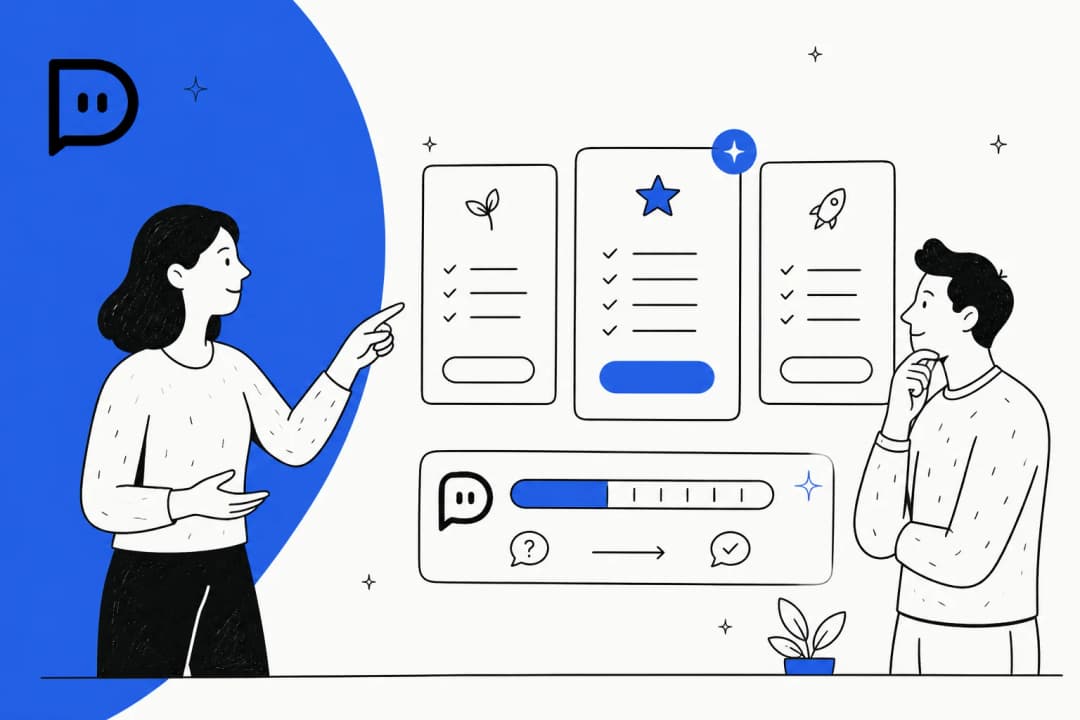
For a more predictable bill, IBM offers subscriptions. The "Standard" plan for watsonx.ai, for example, starts at $1,050 a month and gives you a set amount of resources. The Watson Assistant "Plus" plan is more accessible, starting at $140 a month for up to 1,000 users.
These plans give you a fixed monthly cost, which is great for planning. The catch? Overage fees. It's just like your phone plan, great until you go over your data limit. If you use more than your monthly allowance, you start paying those unpredictable pay-as-you-go rates for the extra usage, and those can add up fast.
Pro Tip: Here's something they don't advertise in big letters: the top-tier Enterprise plans are almost always 'contact us for pricing.' That’s code for a long sales process where you won’t know the price until after weeks of meetings. It's a world away from modern tools that just show you the price on their website.
| Tier | Monthly Cost | Key Features & Limits | Best For |
|---|---|---|---|
| Free | $0 | Up to 300,000 tokens/month; 20 CUH/month. | Students, developers, and teams testing basic functionality. |
| Essentials | Pay-as-you-go | Usage-based pricing for models and tools. | Startups and teams with variable or low-volume workloads. |
| Standard | $1,050+ | Includes a monthly allowance of compute hours and resources. | Mid-sized to large businesses needing predictable costs for production use. |
| Enterprise | Custom | Advanced features, dedicated support, and custom licensing. | Large enterprises with complex security and scalability needs. |
Hidden costs and factors that influence your final Watson AI pricing
The price on the sticker is rarely the final price you pay. With a platform as complex as Watson, there are quite a few other costs lurking in the shadows that can seriously inflate your total bill.
How different AI models affect Watson AI pricing
Not all AI models are created equal, and they definitely aren't priced that way. With watsonx.ai, you can use IBM’s own models (like their Granite series) or popular ones from companies like Meta (Llama 3) and Mistral AI. The price you pay per million tokens can be wildly different from one model to the next.
Think of it like choosing an engine for a car. A basic one gets you from A to B cheaply, but a high-performance one will cost a lot more to run. Using a powerful model for a complex task is like running the air conditioning on full blast, it gets the job done, but you'll feel it in your bill. You have to manage this carefully to avoid costs spiraling out of control.
Deployment and infrastructure costs
This is a big one. You can use Watson as a service hosted by IBM, or you can deploy its software on your own cloud servers, like AWS. While running it yourself gives you more control, the cost can be eye-watering.
For instance, we saw an AWS Marketplace listing for a one-year watsonx.ai software license priced at a jaw-dropping $643,200. And guess what? That doesn’t even include the cost of the actual AWS servers you need to run it on. This option is really only for giant corporations with very specific security needs and very deep pockets.
Implementation, training, and maintenance fees
A common complaint you'll see online is how difficult and slow it is to get Watson set up. It’s not a plug-and-play tool. You'll likely need to hire consultants or tie up your own developers for months just to get it working with your existing systems. These hidden costs for experts, development time, and ongoing maintenance can easily double your initial budget.
This is where the whole approach starts to feel a bit dated. Instead of spending a fortune on a long implementation project, a modern tool like eesel AI is designed to be ridiculously easy to set up. With simple, one-click connections for help desks like Zendesk and knowledge bases like Confluence, you can be up and running in minutes, not months. No developers required.
Is the complex Watson AI pricing model right for you?
So, after all that, is Watson the right choice? It’s powerful, no doubt. But it’s also expensive, complicated, and slow to get started. It’s really designed for Fortune 500 companies that have huge budgets, teams of AI specialists, and don’t mind a long, drawn-out implementation process.
For most customer support, IT, or internal knowledge teams, it’s like using a sledgehammer to crack a nut. The confusing pricing, risk of surprise bills, and months-long setup time are major downsides. It's just too much for most teams.
The case for a simpler alternative to complex Watson AI pricing
If you want the power of enterprise-grade AI without the headaches and hidden fees, you'll be much happier with an alternative like eesel AI. It was built to be the exact opposite of these complex systems: powerful, but simple and transparent.
For starters, the pricing is actually simple. eesel AI has straightforward, flat-rate plans based on how much you use the AI. You won’t find any confusing token charges or get hit with surprise fees for every problem it solves. You know exactly what you’re paying each month.
And you can forget about long implementation projects. The whole platform is self-serve. You can connect your help desk, let the AI learn from your existing knowledge base and past conversations, and launch it without ever needing to talk to a salesperson. You can genuinely get it done in an afternoon.
One of the best parts is that you can test it out with zero risk. Before you even turn the AI on for your customers, you can run a simulation on thousands of your past support tickets. It will show you exactly what its automation rate would have been, giving you a clear forecast of your ROI.
You also get full control without needing a PhD. A simple, visual editor lets you tweak the AI’s personality, decide what it can and can’t do, and set rules for when to hand off to a human agent. No coding needed.
Choosing the right AI partner beyond Watson AI
Look, IBM Watson has a lot of powerful technology under the hood. But its pricing is a maze of platform fees, usage charges, and hidden costs that are aimed squarely at massive companies. For most teams, it’s a huge investment in both time and money.
If you're looking for an AI solution that’s powerful, affordable, and actually easy to use, you’re better off looking at platforms that value transparency and speed. You can get the results you need without the budget-breaking complexity.
Tired of the pricing games and endless sales calls? See how eesel AI offers a powerful, transparent, and self-serve AI solution that you can test on your own data. Start a free trial or book a demo today.
Frequently asked questions
So, how can our team avoid unexpected charges with the pay-as-you-go Watson AI pricing model?
The best way is to set strict budget alerts and monitor your usage very closely. If your workload is unpredictable, a subscription plan with a fixed monthly cost might be a safer, though more expensive, option to prevent surprise bills from overages.
Does the standard Watson AI pricing we see on their website include the costs for implementation and training?
No, it almost never does. The listed price is for platform access only; you'll need to budget separately for implementation consultants, developer time, and ongoing maintenance, which can significantly increase your total cost of ownership.
Realistically, what can we actually accomplish with the free tier before the limits of Watson AI pricing kick in?
The free tier is best for very small-scale experiments or for developers to simply test the platform's features. You will likely hit the usage limits very quickly when trying to build a functional, production-ready application for your business.
Why is the enterprise-level Watson AI pricing always custom instead of just being listed on the site?
Enterprise plans are custom because they involve unique terms, dedicated support, and specific security or deployment requirements for large corporations. This "contact us" model leads to a lengthy sales process where the final price is negotiated based on your company's specific needs.
How much does my choice of AI model, like Llama 3 versus Granite, actually impact the overall Watson AI pricing?
The impact can be huge, as some third-party models can cost significantly more per million tokens than IBM's native models. Using a high-performance model for a simple task is one of the easiest ways to accidentally run up a large bill on a pay-as-you-go plan.
Is there a simple reason why the Watson AI pricing is so much higher than many other AI tools on the market?
The pricing is geared towards large enterprises with massive datasets and complex security needs, which demands a more robust and expensive infrastructure. The cost reflects its positioning as a heavy-duty, highly customizable solution rather than a simple, off-the-shelf tool.