The 6 best Canva Craft alternatives in 2026 for marketing graphics

Kurnia Kharisma

Katelin Teen
Last edited October 27, 2026
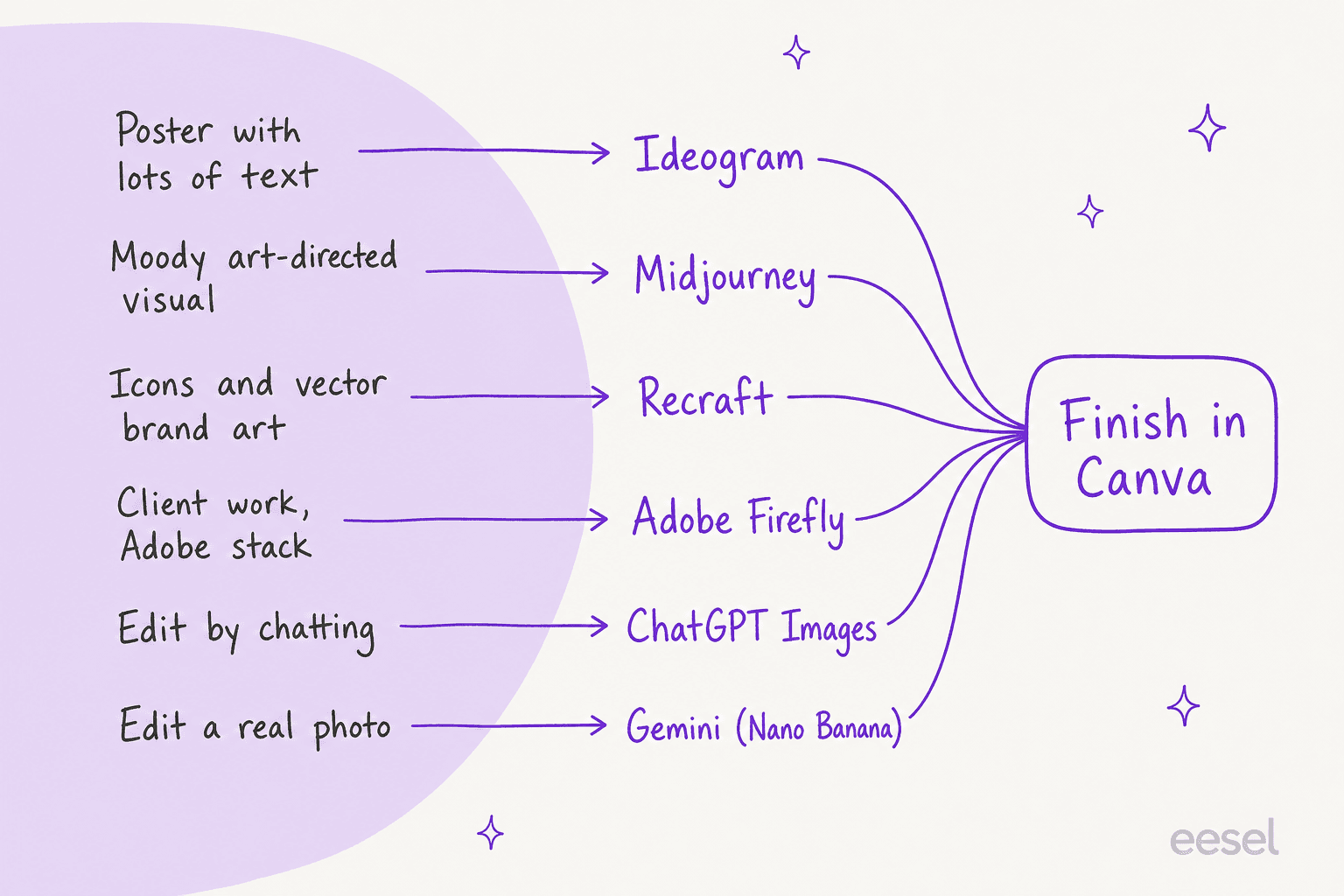
The best Canva Craft alternatives split by job: Ideogram for text-heavy graphics, Midjourney for art-directed visuals, and Recraft for vectors and brand-consistent sets. Adobe Firefly is the pick for client work that needs commercially safe output, ChatGPT Images for editing an image by chatting, and Google Gemini (Nano Banana) for editing real photos.
None of them replaces Canva's editor. Craft is free to try, costs nothing extra on top of your plan, and its output drops into editable layers. So the setup most marketers land on is generate the hero image elsewhere, then finish it in Canva, where the exact copy, logo and resizing live. Paid plans start at US$4.99 a month (Google AI Plus), and most individual plans land between US$8 and US$20.
And if the image is only half your content job, eesel's AI blog writer covers the other half: it researches and writes the post, then generates its banner and infographics in one house style, like every diagram on this page.
Why look past Canva Craft at all?
Canva Craft is Canva's first in-house image model, launched on October 22, 2026. It writes a composition plan first (elements, positions, scale, text), then renders up to 2K in more than 30 aspect ratios, with in-image text in 55 languages, per Canva's announcement. It debuted fourth on the DesignArena leaderboard at an Elo of 1340, behind three OpenAI models. That is a strong first release, and my Canva Craft review gives it 4/5.
So why look elsewhere? I work on search for this blog, and the searches behind "Canva Craft alternatives" read less like "Craft is bad" and more like "Craft can't do this one thing I need". The reasons I keep running into:
- Fine print and technical drawings. Canva itself says the first version has room to grow on both.
- No reference images yet. Canva lists them as coming, so you can't hand Craft a product photo and ask for it on a new background today.
- It shares your AI allowance. Craft has no separate price. It draws on Canva AI uses: up to 20 on Free, up to 200 Premium uses on Pro (US$144 a year), and 400 on Business (US$250 a year per person), per Canva's pricing. Heavy weeks can run it dry.
- The API is a preview. The
craft_v1_2kmodel on the Connect API takes about 50 to 60 seconds a job and spends the signed-in user's credits, per the Canva developer forum. The MCP version is "coming soon".
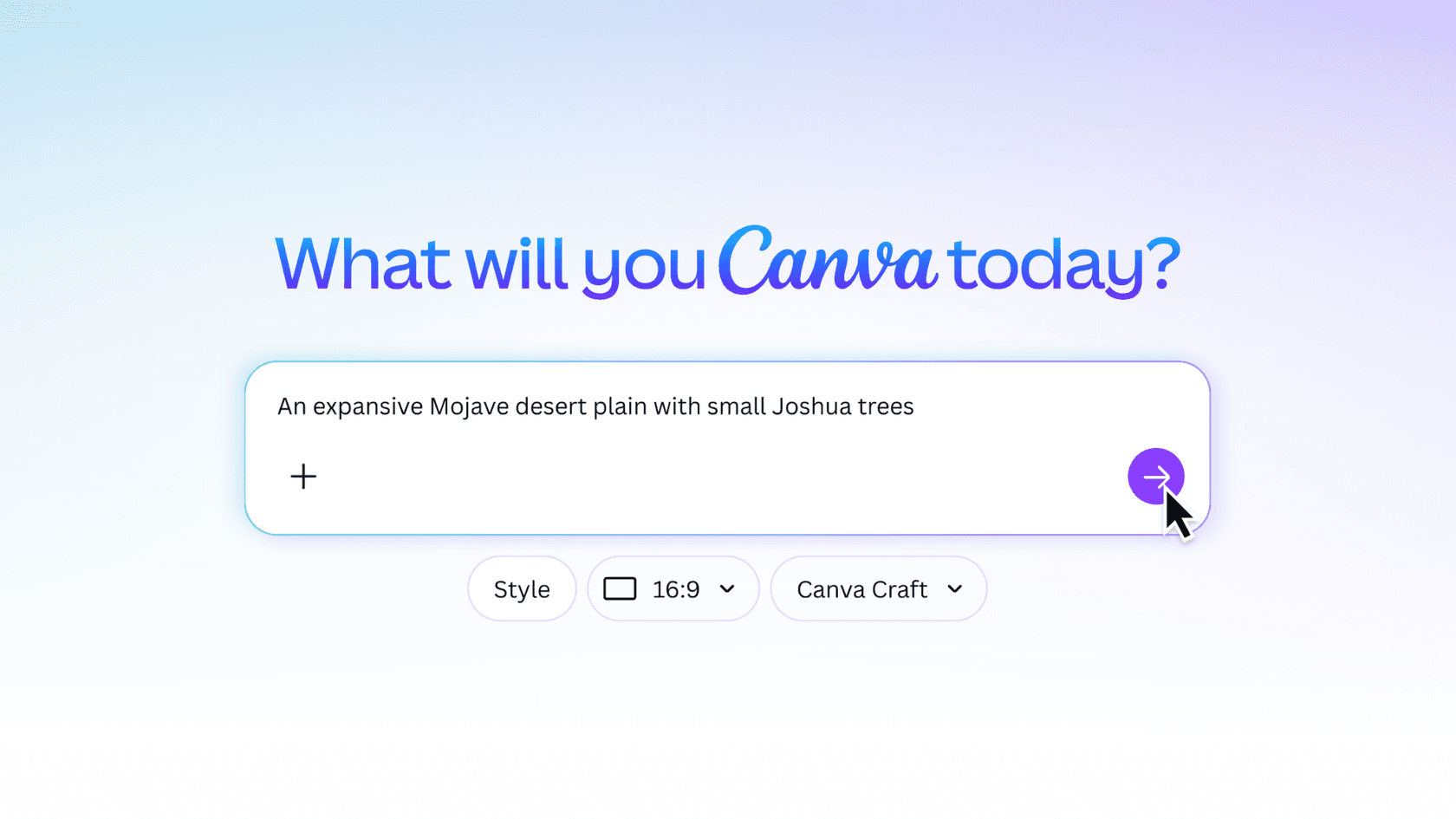
One early user put the plan-first idea well, and it's worth keeping in mind as you compare, because none of the tools below plan a layout the same way:
"One of the most annoying things about AI image generation is getting 90% of the way there, only to have one tiny detail ruin the whole thing. Canva Craft is taking a different approach: plan the composition first, then generate the image."
How did I pick these Canva Craft alternatives?
Before writing this, I ran a fresh ChatGPT chat as a buyer would ("I make marketing graphics and social posts... what are the best alternatives to Canva Craft?") and recorded what it searched and recommended. It named the same six tools I'd have picked, and it framed the choice the way I would: text rendering, visual quality, brand consistency and editing workflow are four different strengths, and no tool wins all four.
So each tool here earns its slot by being the best at one job a Canva user hits, and I judged them on five things:
- What it's best at, compared with Craft on the same job.
- Price for one buyer. A marketer making about 100 images a month, on the cheapest plan that covers it.
- Commercial use and privacy. Who owns the output, and whether your images are public by default.
- API access, for teams wiring images into a pipeline.
- How well it pairs with Canva, since most readers aren't leaving Canva.
Every price below comes from the vendor's own pricing page, checked on October 27, 2026.
Which Canva Craft alternative fits which job?
Here's the whole field in one table. The "100 images a month" column is the cheapest plan I'd put that buyer on.
| Tool | Best for | Free tier | Cheapest paid plan | ~100 images a month on | Commercial use | Vector output | API | Pairs with Canva |
|---|---|---|---|---|---|---|---|---|
| Canva Craft | Layouts that become editable layers | Yes, up to 20 AI uses | Pro, US$144/yr | Pro (200 Premium uses) | Canva's AI terms apply | No | Preview, uses user credits | Native |
| Ideogram | Text-heavy posters and ads | Weekly credits | Plus, $15/mo yearly | Plus (400 Medium images) | Yes, any plan | No | Yes, from $0.03/image | Download and upload |
| Midjourney | Art-directed, high-style visuals | No | Basic, $8/mo yearly | Basic (200 fast minutes) | Yes; Pro or Mega if revenue over $1M | No | No API plan | Download and upload |
| Recraft | Vectors, icons, brand styles | Yes, personal use only | Basic, $10/mo yearly | Basic (1,000 credits) | Paid plans only | Yes, SVG | Yes, from $0.007/image | Upload SVG or PNG |
| Adobe Firefly | Commercially safe client work | Daily free generations | Standard, $9.99/mo | Standard (unlimited standard images) | Yes, Firefly models | Yes, text to vector | No self-serve price listed | Download and upload |
| ChatGPT Images | Editing by conversation | Limited | Go (price varies by country) | Plus, $20/mo | Yes, you own output | No | Yes, per token | Download and upload |
| Google Gemini (Nano Banana) | Editing real photos | Yes, Nano Banana 2 | AI Plus, $4.99/mo | AI Plus (limits not published) | Yes, Google claims no ownership | No | Yes, from $0.0336/image | Download and upload |
Two things jump out. First, Recraft's Free plan is the only one here where the vendor owns what you make: free images are public, not licensed for commercial use, and owned by Recraft, per its pricing FAQ. Second, Midjourney and Ideogram both publish your images to a public gallery unless you pay for privacy, which matters for unreleased campaigns.
Not sure where to start? Pick what you're making:
Pick a job to see which Canva Craft alternative to try first, and what its cheapest useful plan costs.
1. Ideogram: best for text-heavy graphics
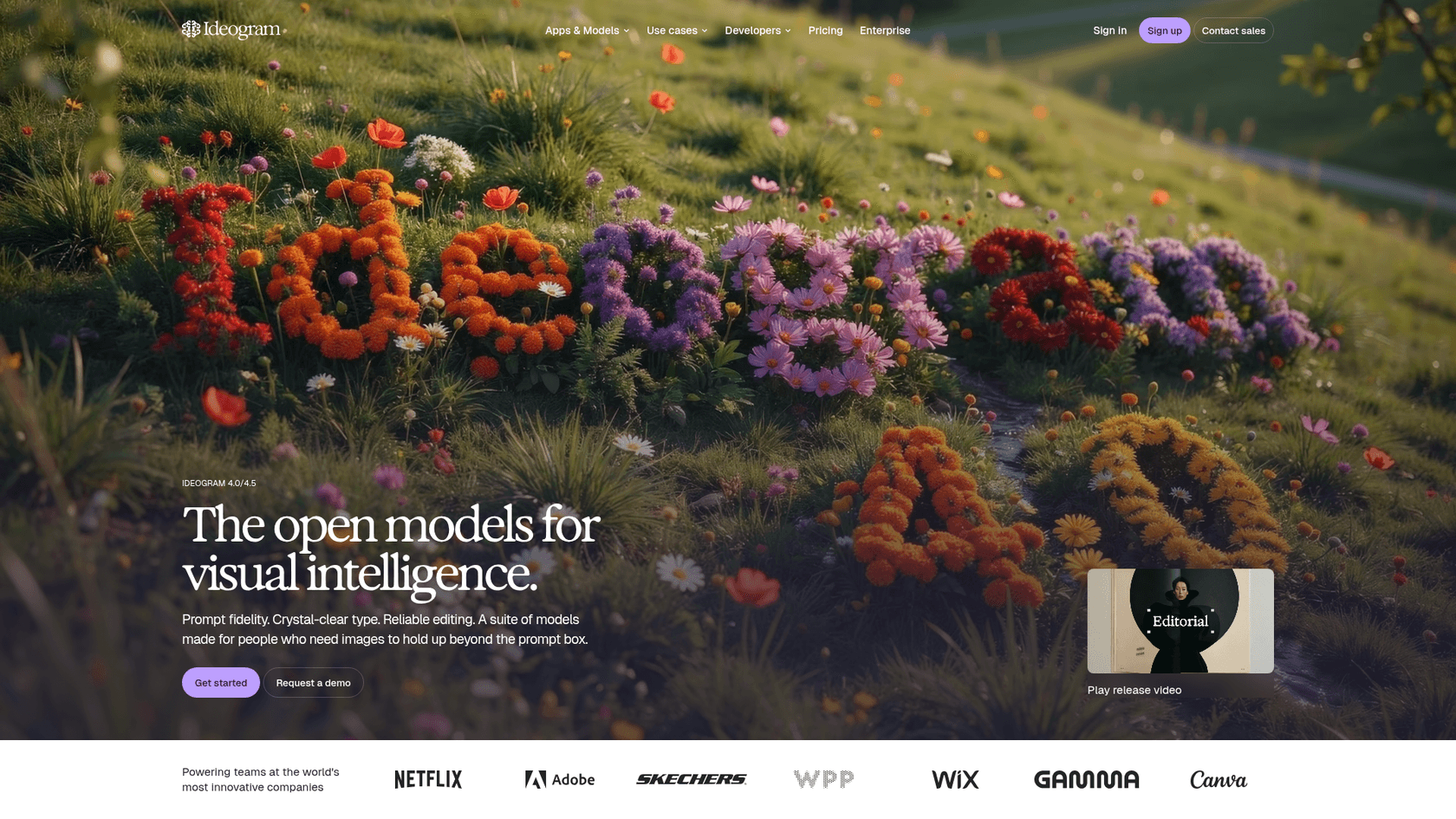
Best for: posters, ads, menus and social graphics where the words have to be right on the first try.
Ideogram has been the text-rendering specialist since long before Craft, and its new 4.5 model is pitched on exactly that: "readable type in every layout" and edits that stay true to your intent. It now hosts other labs' image and video models on the same plans, offers an MCP connection so agents like Claude and Cursor can generate and edit, and published open weights for Ideogram 4.0.
Where it beats Craft: you can hand Ideogram source images today (Craft's reference images are still coming), and its credit menu lets you pay 3 credits for a quick Low render or 10 for High. Where Craft wins: Ideogram hands you a flat image, not editable layers.
Licensing for the open weights is a separate matter from the app. A Hacker News regular who benchmarks image models flagged it:
"Yeah, unfortunately, a lot of them have been moving to their own bespoke, non-commercial licenses (Ideogram, Krea, Flux, Qwen 2, etc)."

That's about running the weights yourself. Images you make in the Ideogram app are yours for commercial use, per its pricing FAQ.
Pricing (from Ideogram's pricing page):
| Plan | Monthly | Billed yearly | Priority credits | Notes |
|---|---|---|---|---|
| Free | $0 | $0 | Weekly credits, amount varies | Images public |
| Plus | $20 | $15/mo ($180) | 2,400/mo | Private generation, unlimited slow credits |
| Pro | $60 | $42/mo ($504) | 7,500/mo | Batch generation, largest queue |
| Team | $30/user | $20/user/mo ($240) | 3,600/user/mo | Central billing and admin |
| Pay as you go | 1¢ per credit | n/a | On demand | API access |
| Enterprise | Custom | Custom | Custom | Custom models, SOC 2, SSO |
On Ideogram 4.5, a Low image costs 3 credits, Medium 6 and High 10. So Plus covers about 400 Medium images a month. On the API, 4.5 runs $0.03 (Low), $0.06 (Medium) and $0.10 (High) per image.
Pros:
- The strongest text rendering focus of any tool here.
- Source-image editing and character consistency work now.
- Clear per-image API prices and an MCP server for agent workflows.
Cons:
- Free accounts publish to the public gallery by default.
- No discounts or free trials on subscriptions, per the FAQ.
- Unused priority credits expire every cycle.
For more, see my Ideogram pricing breakdown and the wider Ideogram alternatives list.
Verdict: pick Ideogram when text accuracy decides whether the graphic ships. Skip it if you mostly need editable layouts, where Craft is still the better fit.
2. Midjourney: best for art-directed visuals
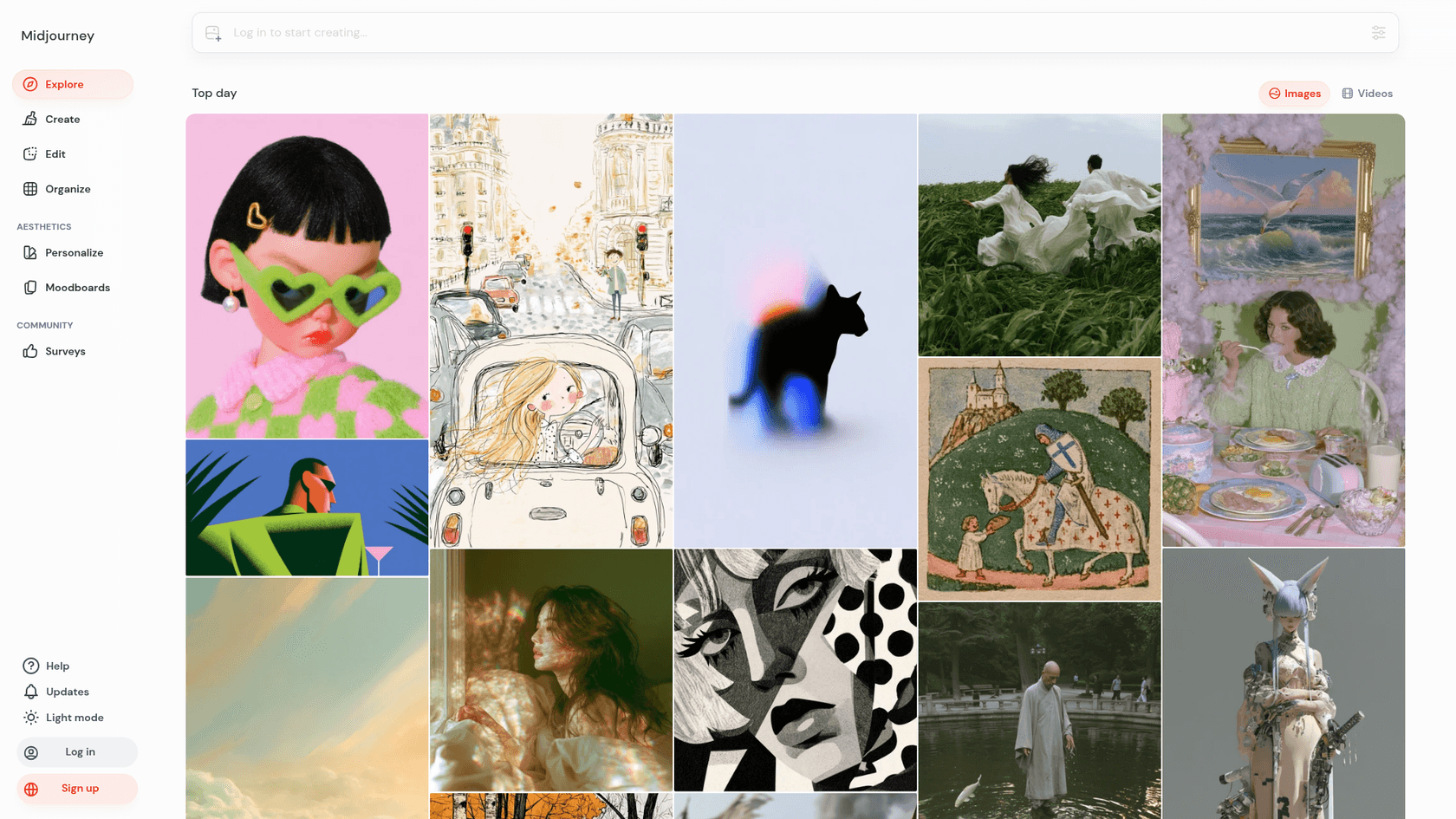
Best for: campaign key visuals, editorial illustration and anything where "looks expensive" beats "says the right words".
Midjourney is the aesthetic pick. Its default model is V8.2, released on July 24, 2026, which the version docs describe as "more creative, bold, sophisticated, and edgy". V8.2 also ships a new Edit Model that replaces Omni Reference, Character Reference and Retexture. Personalization learns your taste from images you rate, and Moodboards let you steer a whole campaign toward one look.
Against Craft, Midjourney is the better pick for illustration: Craft ranks 18th of 87 for Cartoons on DesignArena, per Canva's own chart. It's the weaker pick for type, and it isn't built around layouts at all. Native HD images reach 2K on V8.1 and V8.2.
Pricing (from Midjourney's plan comparison):
| Plan | Monthly | Billed yearly | Fast GPU time | Relax mode | Stealth (private) |
|---|---|---|---|---|---|
| Basic | $10 | $96 ($8/mo) | 3.3 hr/mo | No | No |
| Standard | $30 | $288 ($24/mo) | 15 hr/mo | Unlimited images | No |
| Pro | $60 | $576 ($48/mo) | 30 hr/mo | Unlimited images and SD video | Yes |
| Mega | $120 | $1,152 ($96/mo) | 60 hr/mo | Unlimited images and SD video | Yes |
Extra fast GPU time is $4 an hour on every plan. An SD job on V8.1 costs 0.8 minutes of GPU time and an HD job 1.3 minutes, so Basic's 200 minutes is about 250 SD jobs or 150 HD jobs a month. Commercial use comes with every plan, with one catch: a company making more than $1,000,000 a year must be on Pro or Mega to own its images, per the terms of service.
Pros:
- The most distinctive look of any tool here, with taste-learning Personalization.
- Moodboards and style references keep a campaign consistent.
- Ownership persists even if you later downgrade or cancel.
Cons:
- No free plan and no API plan on the plans page.
- Images are public unless you pay for Pro or Mega.
- Text in images is not its focus.
My Midjourney pricing guide does the GPU-minute maths in more detail, and Midjourney reviews collects what long-time users say. If you want to compare it head to head with OpenAI, see GPT Image 2 vs Midjourney.
Verdict: pick Midjourney for the hero shot that has to stop the scroll, then add the words in Canva. Skip it if your company is over $1M in revenue and won't pay for Pro.
3. Recraft: best for vectors and brand consistency
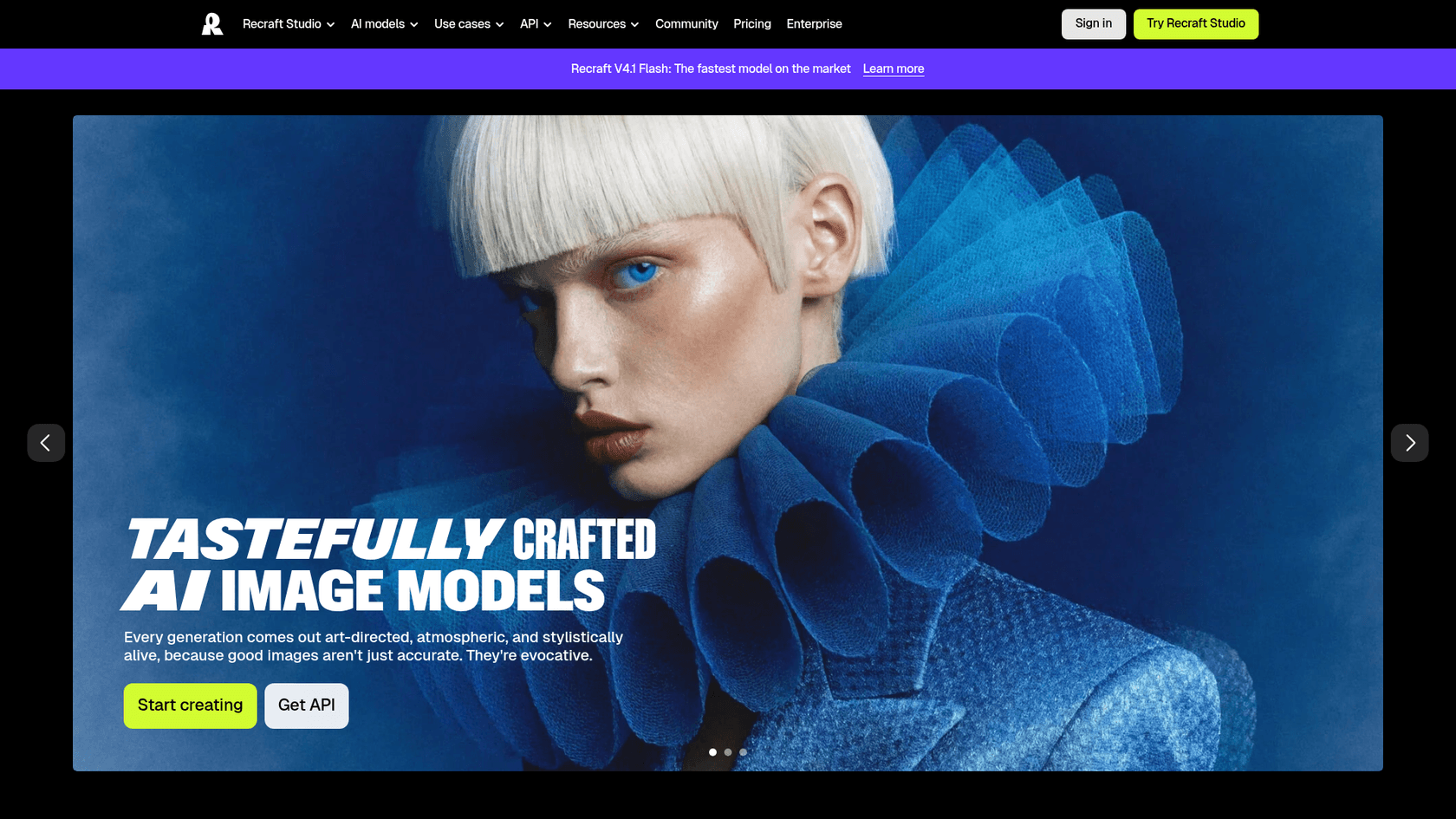
Best for: icon sets, illustrations and brand assets that need to match each other and scale as real vectors.
Recraft is the tool on this list built for designers who care about systems more than single images. It generates editable vector graphics directly, turns a handful of reference images into a reusable custom style "without training", and supports custom color palettes on paid plans. Its newest models are V4.1 and the faster V4.1 Flash, and paid plans also include partner models such as Nano Banana, Seedream, GPT Image and Flux.
That vector output is the clearest gap Craft can't fill. Craft renders pixels; Recraft gives you SVGs you can drop into Canva or any design tool and recolor. Developers have noticed:
"The name is "Recraft V4", and from looking it up: yeah, it sure seems like whatever black magic they use for SVG generation kicks ass."
Pricing (from Recraft's pricing page; prices shown on yearly billing, excluding VAT):
| Plan | Per month (billed yearly) | Credits | What you get |
|---|---|---|---|
| Free | $0 | 3 generations per style per day | Public images, no commercial use, Recraft models only |
| Basic | $10 ($120/yr) | 1,000/mo | Commercial rights, private images, partner models, up to 5 parallel generations |
| Pro | $16 ($192/yr) | 2,000/mo | Video generation, priority image generation |
| Teams | $18 per seat | 2,000/seat/mo | Shared workspace and styles, SSO, 24/7 support |
Credit costs vary by model, so the number of images 1,000 credits buys depends on which model you pick. On the API, V4.1 Flash is $0.007 per raster image, V4.1 is $0.035 raster or $0.08 vector, and a 2K Pro raster is $0.21.
Pros:
- Real vector output, which nothing else here offers.
- Custom styles from a few reference images keep a set consistent.
- The cheapest API image on this list, at under a cent with V4.1 Flash.
Cons:
- Free-plan images are public and owned by Recraft.
- Credit maths changes by model, so budgeting takes a test month.
- Less suited to photo-real campaign shots than Midjourney or Gemini.
See my Recraft pricing breakdown and Recraft alternatives if you're weighing it up.
Verdict: pick Recraft when you need a matching set of brand assets or anything that must scale cleanly. Never use the Free plan for client or brand work.
4. Adobe Firefly: best for commercially safe client work
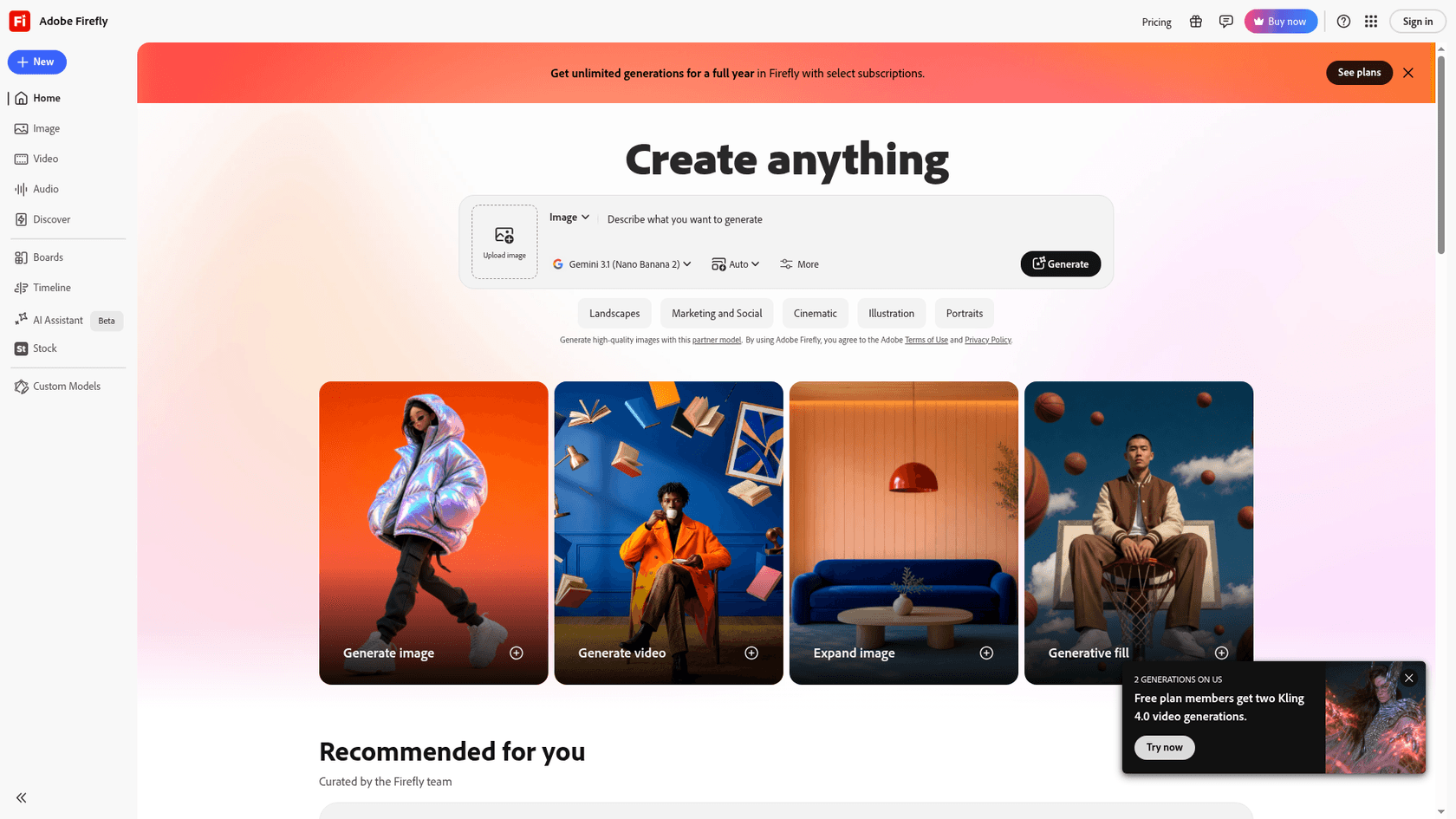
Best for: agencies and in-house teams whose clients ask "is this safe to use?", and anyone already living in Photoshop or Illustrator.
Adobe Firefly has two halves. Adobe's own Firefly models are trained on licensed and public-domain content, attach Content Credentials, and are sold as commercially safe, with IP indemnification for eligible enterprise customers, per the Firefly plans page. Then there are partner models from Google, OpenAI, Flux and others, which run inside the same app. Note the screenshot above: the model picker was set to Google's Nano Banana 2 when I opened it.
That split is the thing to understand. Adobe says plainly that "you're responsible for determining whether content generated by partner models is appropriate for your project." So the safe-to-use promise covers Adobe's models, not every image the app can make.
Pricing (from the Firefly plans page):
| Plan | Per month | Generative credits | Extras |
|---|---|---|---|
| Free | $0 | Daily free generations | Includes models like Nano Banana and Luma Ray3.14 |
| Firefly Standard | $9.99 | 2,000/mo | Unlimited standard image and vector generations |
| Firefly Pro | $19.99 | 4,000/mo | Adds Photoshop on web and mobile, Adobe Express Premium |
| Firefly Pro Plus | $49.99 | 10,000/mo | Up to 100 five-second videos |
| Firefly Premium | $199.99 | 50,000/mo | Unlimited Firefly Video Model |
Every paid plan includes unlimited standard image and vector generations, so for our 100-images-a-month buyer, Standard at $9.99 covers it with credits left for partner models or video. Credits reset monthly and don't roll over. If you already pay for Creative Cloud Pro ($69.99 a month), it includes 4,000 Firefly credits.
Pros:
- The clearest commercial-safety story for Adobe's own models.
- Unlimited standard images on the cheapest paid plan.
- One login for Adobe and partner models, plus Photoshop and Express on Pro.
Cons:
- Partner-model outputs fall outside the safety promise.
- No self-serve API price on the plans page.
- Five tiers of credits take a while to understand.
Verdict: pick Firefly when a client contract asks where the training data came from. Skip it if you only need occasional images and already pay for Canva Pro.
5. ChatGPT Images: best for editing by conversation
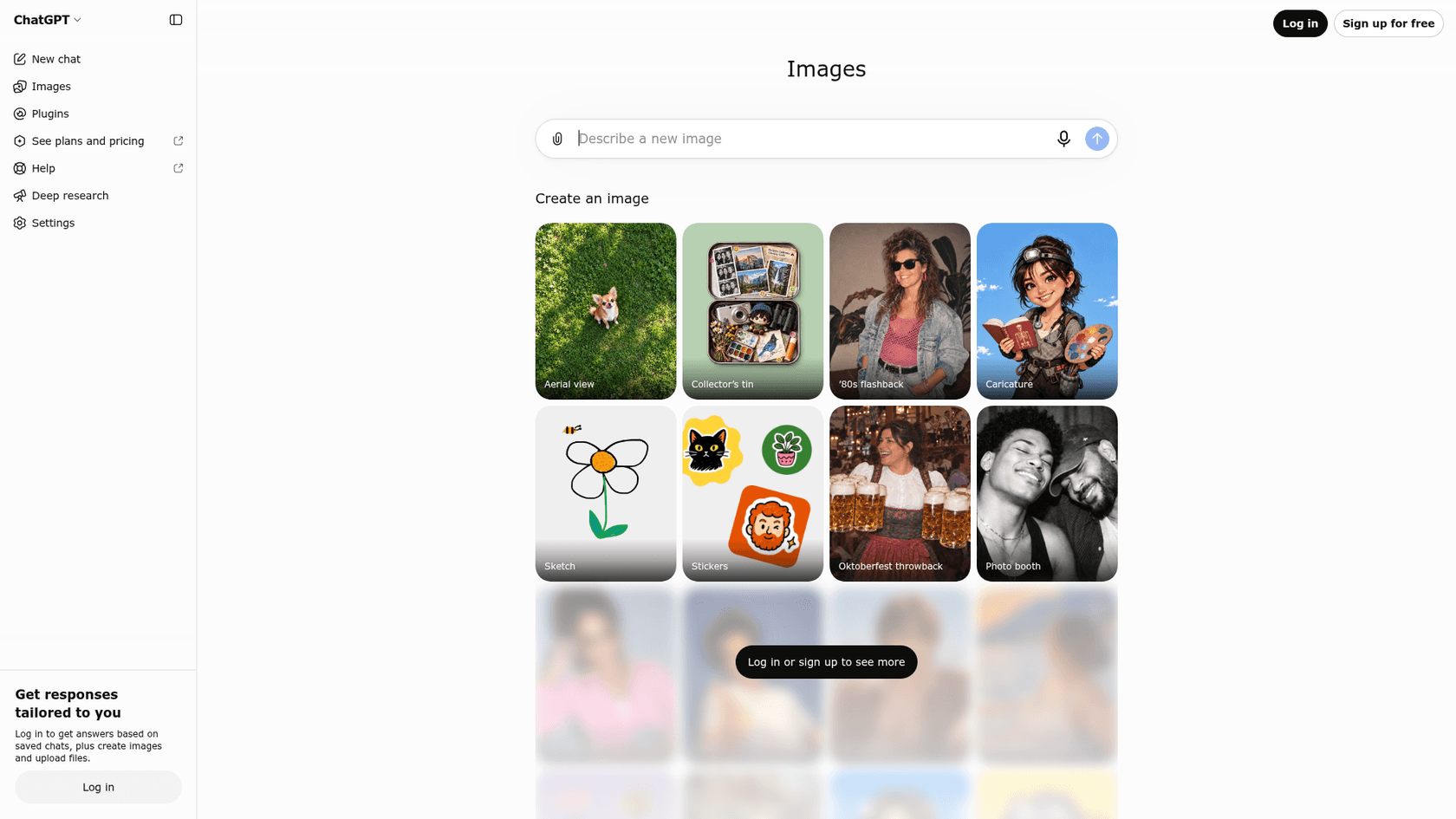
Best for: people who'd rather explain a change in a sentence than learn a tool, and quick iterations on one image.
ChatGPT Images runs on OpenAI's image models, and OpenAI holds the top spots on the leaderboard Craft is measured against: on Canva's own DesignArena chart, GPT-Image-2.5 Sunburst sits first at 1406 and Flare second at 1382, against Craft's 1340. The workflow is the selling point: you generate, then say "make the background warmer" or "swap the mug for a laptop" and keep going in the same chat.
OpenAI's terms of use assign you ownership of the output, so commercial use is straightforward. What OpenAI doesn't publish is a number: plans say "limited", "more", "more complex and accurate" and "unlimited" image creation rather than a monthly count.
Pricing (from ChatGPT's pricing page and OpenAI's help center):
| Plan | Per month | Image creation |
|---|---|---|
| Free | $0 | Limited |
| Go | Varies by country | More than Free; may include ads |
| Plus | $20 | More complex and accurate image creation |
| Pro 100 / 200 / 500 | $100 / $200 / $500 | Unlimited and faster image creation |
Plus pricing is from OpenAI's Plus help article and Pro tiers from the Pro tiers article. For developers, the API bills GPT-Image-2.5 Sunburst and Flare at $8 per 1M image input tokens and $30 per 1M output tokens, with a 50% batch discount.
Pros:
- Top of the leaderboard Craft is ranked on.
- The most natural editing loop: just describe the change.
- You own the output under OpenAI's terms.
Cons:
- No published monthly image count on any consumer plan.
- No brand kit or layout tools, so finishing still happens elsewhere.
- API pricing is per token, which makes per-image budgeting harder.
My ChatGPT Images 2.5 review covers output quality, and the pricing guide covers limits.
Developers should start with my OpenAI image generation explainer. If you mostly change existing images, the image edit API post covers masks.
Verdict: pick ChatGPT Images if you already pay for Plus and want the best single frame with the least learning. Skip it if you need a predictable image budget.
6. Google Gemini (Nano Banana): best for editing real photos
Best for: product shots and lifestyle photos you already have, and changing the light, angle, style or background without a reshoot.
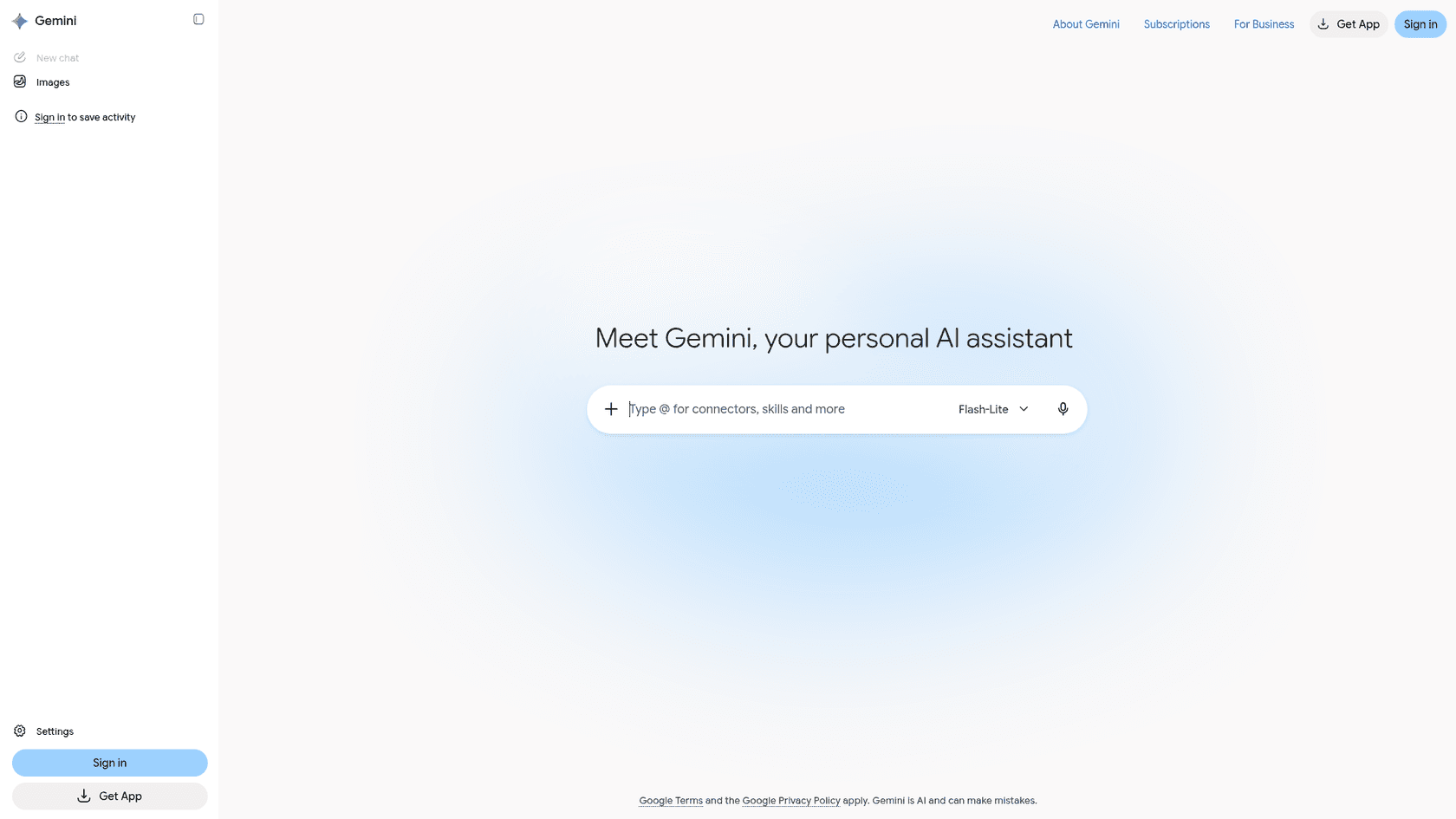
Google's image models go by Nano Banana, and they live inside the Gemini app. Google pitches them on editing a photo you upload: shift a sunny day to a moody night, take the style from a reference photo, resize for every format without cropping the details, and place clear text in many languages. The free tier gets Nano Banana 2. Nano Banana 2.1, the newest, needs a Google AI plan.
This is the clearest answer to Craft's missing reference images. A developer on Hacker News described the gap from the other side, wanting Nano Banana's images with Canva's layout control:
"The thing I need is nano-banana-level images with Canva+human-level abilities automated."
That's the pairing in one line: Gemini for the image, Canva for the layout.
Pricing (from Google's Gemini plans page):
| Plan | Per month | Image access |
|---|---|---|
| Free | $0 | Image generation and editing with Nano Banana 2 |
| Google AI Plus | $4.99 | 2x Free usage; unlocks Nano Banana 2.1 |
| Google AI Pro | $19.99 | 4x Free usage, plus 1,000 Google Flow credits |
| Google AI Ultra | $99.99 or $199.99 | 5x or 20x Pro usage |
Google doesn't publish a fixed number of images per plan, only the multiples. On the Gemini API, Nano Banana 2.1 costs $0.0336 per 1K image and $0.0504 per 2K image, and Nano Banana Pro is $0.134 per image up to 2K. Google's terms say it won't claim ownership of content you generate.
Pros:
- A free tier that already includes image editing.
- The cheapest paid plan on this list at $4.99.
- Strong photo editing from your own references.
Cons:
- Usage limits are multiples, not published counts.
- Nano Banana 2.1 sat below Craft on Canva's DesignArena chart.
- No design or brand tools, so layout happens elsewhere.
For more, my Nano Banana Pro guide covers the top model, its per-image pricing gets its own breakdown, and Nano Banana 2 alternatives covers the rest of the field.
Verdict: pick Gemini to edit photos you already own, especially on a tight budget. Skip it if you need fresh illustrated brand assets, where Recraft or Midjourney fit better.
What do these Canva Craft alternatives cost through the API?
If you're building images into a product or a content pipeline, the per-image API price matters more than the monthly plan. Here are the published per-image prices side by side:
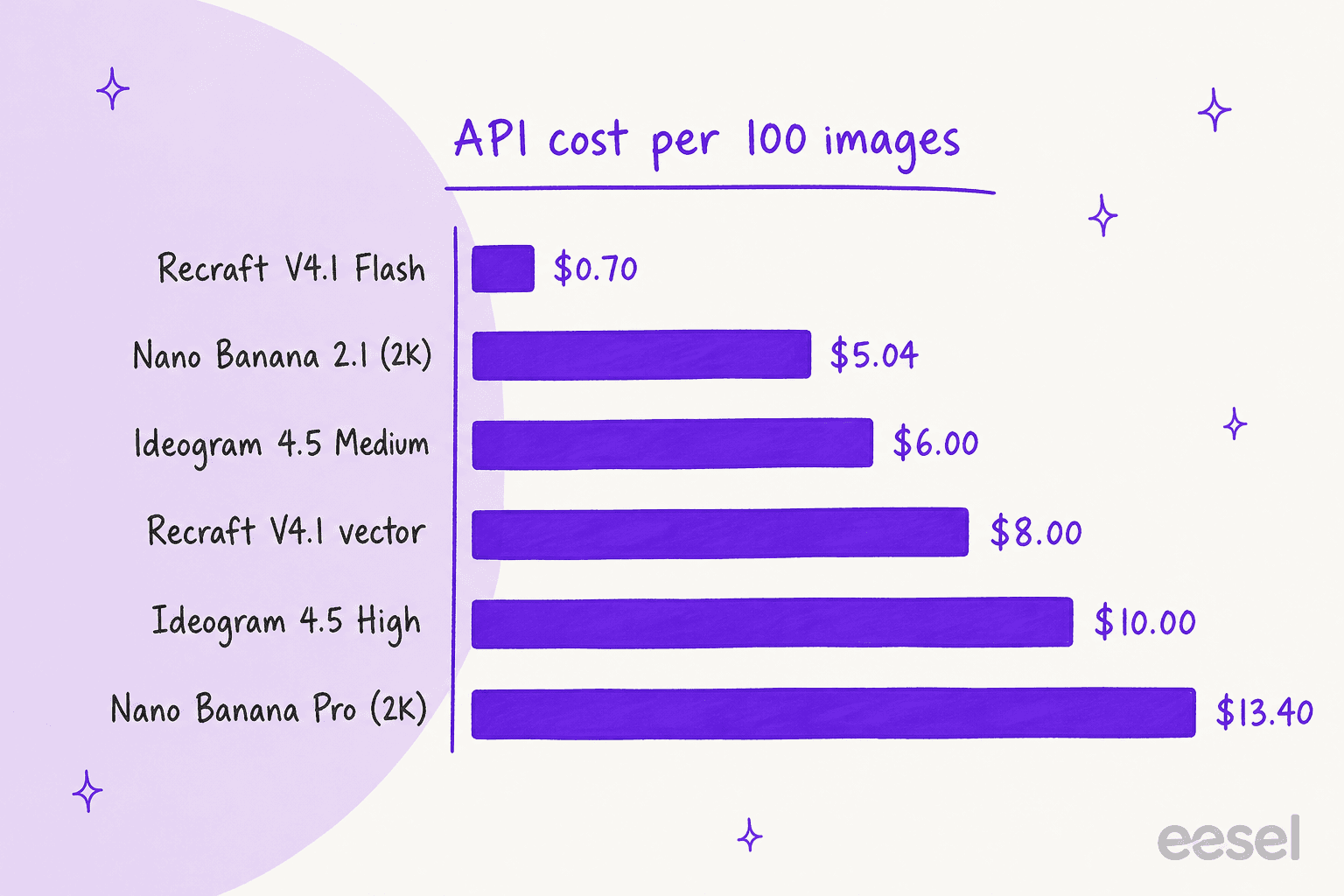
The spread is about 19x between the cheapest and priciest options for 100 images. Two tools sit off this chart on purpose. OpenAI prices GPT-Image-2.5 per token, not per image. And Craft's API has no developer price at all: each job spends the signed-in Canva user's AI credits, which suits apps built on top of Canva accounts but not a standalone product. If you're wiring any of these into agents, my notes on MCP servers for agents cover the plumbing. Ideogram already ships an MCP server today, and my MCP apps explainer shows where that leads.
Outside this shortlist, two more models are worth a test if API cost is the deciding factor. Flux 3 is the open-model favourite for builders, and Reve 2.1 ranked just below Craft on DesignArena.
If editing at scale matters more, look at Krea 3. And if you want to stay inside the Canva family, Canva also owns Leonardo AI, which it bought in 2024.
Should you replace Canva Craft or pair it with another tool?
Pair it. Every tool above hands you a finished, flat image. Canva is still where most marketing teams add the exact headline, the logo, the brand kit colors, and the 12 resized versions for each channel. That's why ChatGPT's own answer to this question ended on the same advice: generate the hero visual elsewhere, then finish and export in Canva.
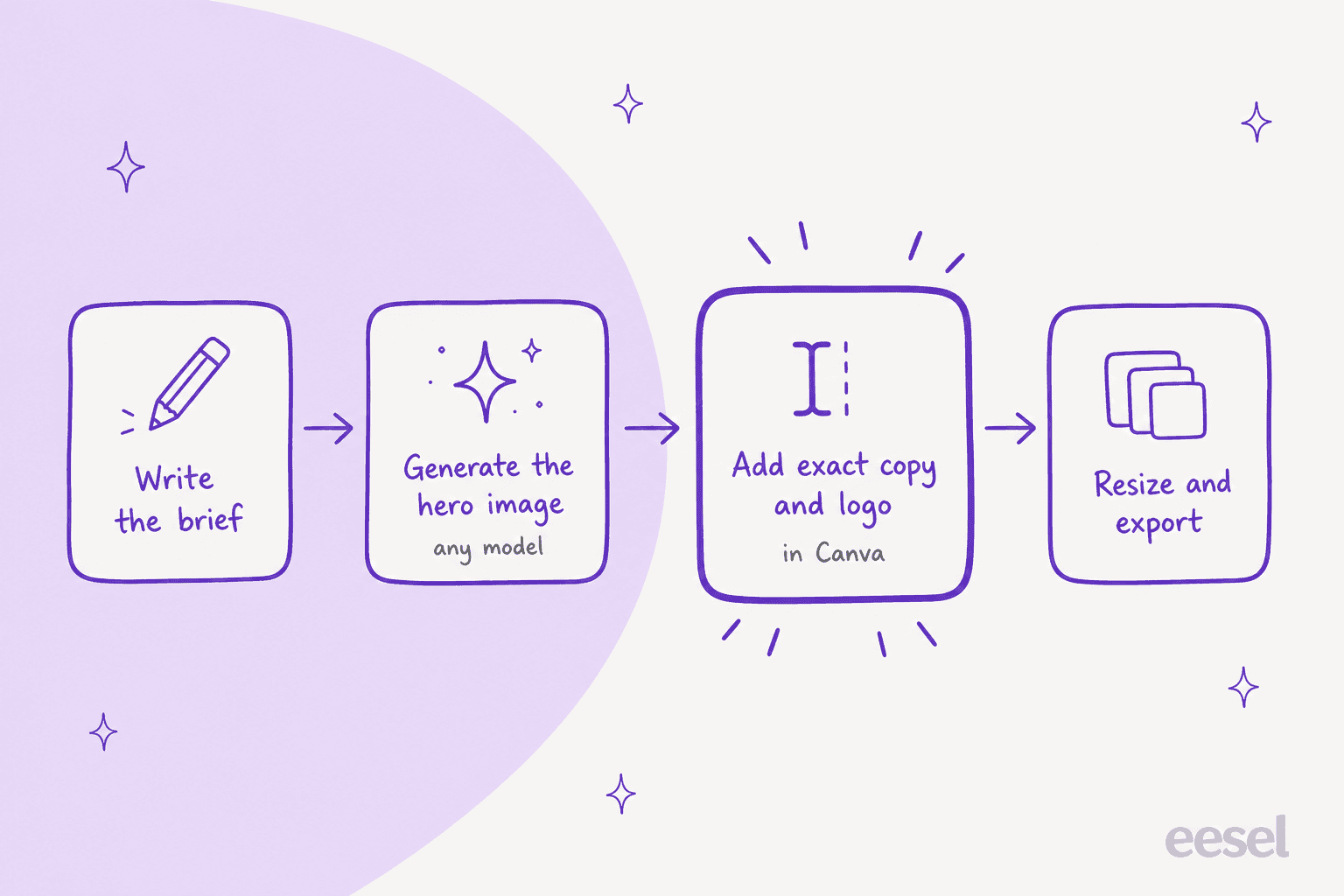
In practice, that looks like this:
- Write the brief once. Subject, mood, aspect ratio, and the words that must appear.
- Generate where the job is strongest. Ideogram for type-led posters, Midjourney for mood, Recraft for vectors, Gemini for edits to your own photos.
- Put the exact copy on in Canva. Even with good text rendering, I'd set prices, dates and legal lines as real text boxes, since a typo in an image can't be fixed with a click.
- Resize and export. Canva's resizing and brand kit do the boring part.
Keep Craft in the loop for layouts you want as editable layers, since that's the one thing none of these tools do. The tester's line from launch week still holds for all of them:
"the real test: can it put text on a poster without inventing new letters. if yes, half the image tools I've reviewed just got very nervous"
For a broader set of tools around the image itself, my Canva AI alternatives list covers full design suites, Canva AI pricing explains the allowance Craft draws from, and AI tools for social media marketing covers scheduling and captions.
Try eesel for the posts around your images
Every tool above makes a picture. For most marketing teams, though, the picture is attached to something: a launch post, a guide, a comparison page. That's the part eesel covers. eesel is an AI teammate platform, and one of its ready-to-work teammates is an AI blog writer. It researches a topic from primary sources, drafts the article, and generates the hero banner and in-body infographics in one consistent house style as part of finishing the post. The three diagrams on this page came out of that loop, in this post's Canva purple.

It's honest to say what it isn't: eesel is not an image model, and it won't replace Midjourney for a campaign key visual. What it replaces is the afternoon of writing the article that the key visual sits on top of, the way I describe in my AI blog writer workflow post. If you're new to the idea, AI blog writer explained starts from zero.
If visuals are the sticking point, my AI blog writer with images roundup compares the options. The same platform runs a helpdesk teammate too, which answers live chat for SEO software company SE Ranking across 4,650 conversations a month, so content and support can sit with one vendor.
Spending your Canva AI allowance on images and still writing every blog post around them by hand? eesel's blog writer joins your content workflow like a new hire who already knows your brand voice, and it ships the words and the visuals together. It's free to start, and my AI blog writer cost guide shows what scaling up looks like. Try eesel and give it your next launch post.
For the wider field, see my list of the best AI blog writers. The AI marketing tools roundup covers everything else on a content team's stack.
Frequently Asked Questions
What are the best Canva Craft alternatives?
The best Canva Craft alternatives are Ideogram for text-heavy graphics, Midjourney for art-directed visuals and Recraft for vectors. Adobe Firefly suits commercially safe client work, while ChatGPT Images and Gemini handle edits. Most teams still finish the design in Canva AI.
Is there a free alternative to Canva Craft?
Yes. Google Gemini includes image generation and editing with Nano Banana 2 on its free plan, Adobe Firefly gives free daily generations, and Ideogram gives eligible free accounts weekly credits. Recraft has a free plan too, but those images are public and owned by Recraft. Craft itself is free to try, using up to 20 AI uses on Canva Free, per my Canva AI pricing guide.
Which Canva Craft alternative is best for text in images?
Ideogram. Its 4.5 model is built around readable type in every layout, and the Plus plan at $15 a month billed yearly covers about 400 Medium images. My Ideogram pricing breakdown has the credit maths. Proofread dates and prices either way.
Is Midjourney better than Canva Craft?
For illustration and high-style campaign art, usually yes: Craft ranks 18th of 87 for cartoons on Canva's own DesignArena chart. For layouts with text that you want as editable layers, Craft is the better fit. See my Canva Craft review and Midjourney pricing guide to compare.
Can I use images from Canva Craft alternatives commercially?
On paid plans, yes for all six, with two catches. Midjourney requires Pro or Mega for companies over $1M in yearly revenue, and Recraft's free-plan images are owned by Recraft. Adobe says Firefly's own models are commercially safe, but partner-model outputs are yours to clear. More on Recraft in my Recraft pricing post.
Which Canva Craft alternative has the cheapest API?
Recraft V4.1 Flash, at $0.007 per raster image. Nano Banana 2.1 is $0.0504 per 2K image and Ideogram 4.5 is $0.06 at Medium. OpenAI prices ChatGPT Images 2.5 models per token instead, and Craft's API spends the signed-in Canva user's AI credits.
Should I stop using Canva if I switch from Canva Craft?
No. None of these tools gives you editable layers, a brand kit or one-click resizing. Generate the hero image where it's strongest, then add copy and resize in Canva. For the article around the image, an AI blog writer with images like eesel's writes the post and makes its visuals.