What is Nano Banana 2.1?
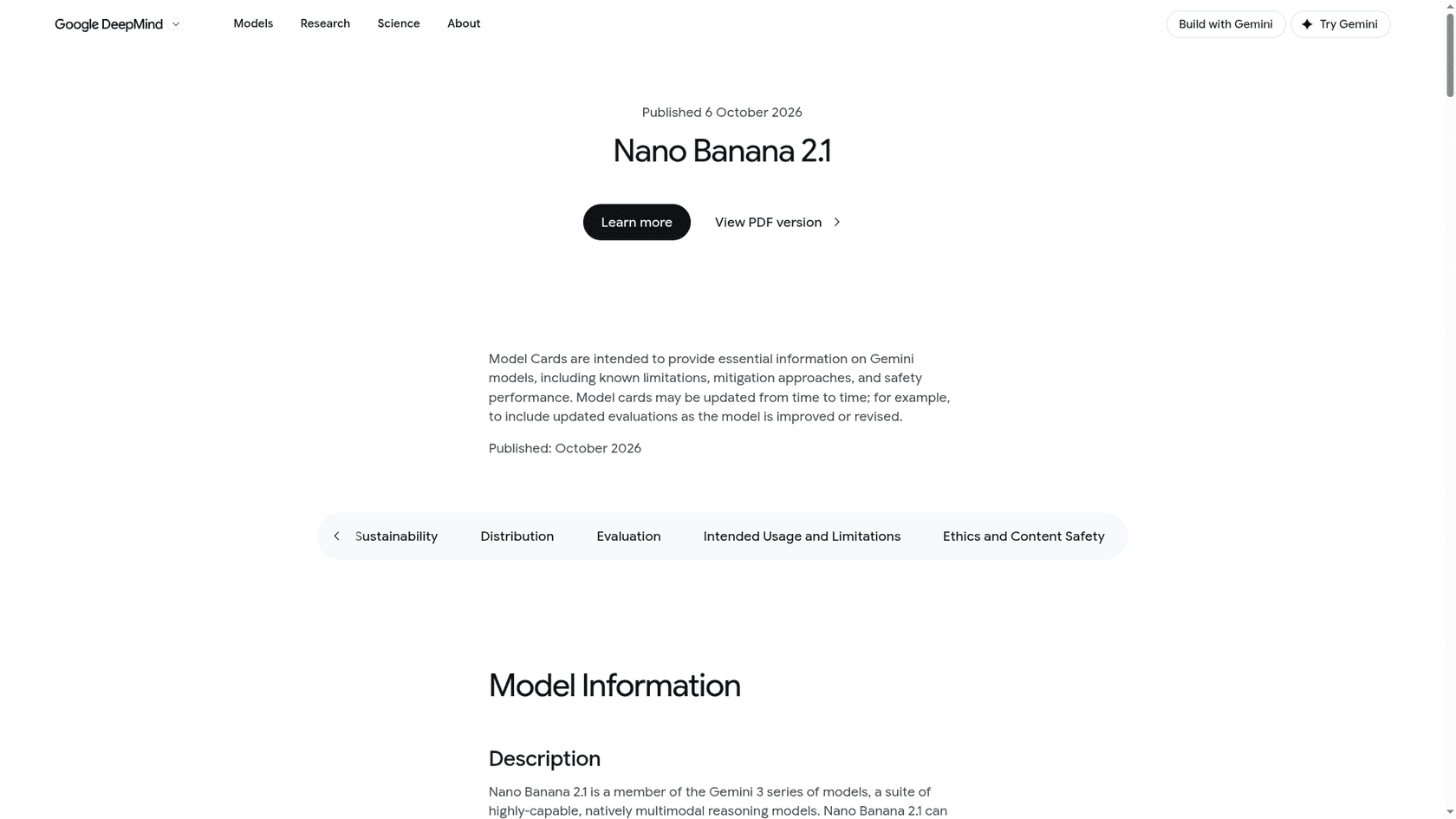
Nano Banana 2.1 is Google's latest "high-efficiency image generation and conversational editing model," and Google calls it "an update to Nano Banana 2." It launched straight at general availability on October 6, 2026, skipping any preview period, and the same changelog entry deprecated Nano Banana 2 (gemini-3.1-flash-image). Google hasn't announced a shutdown date yet.
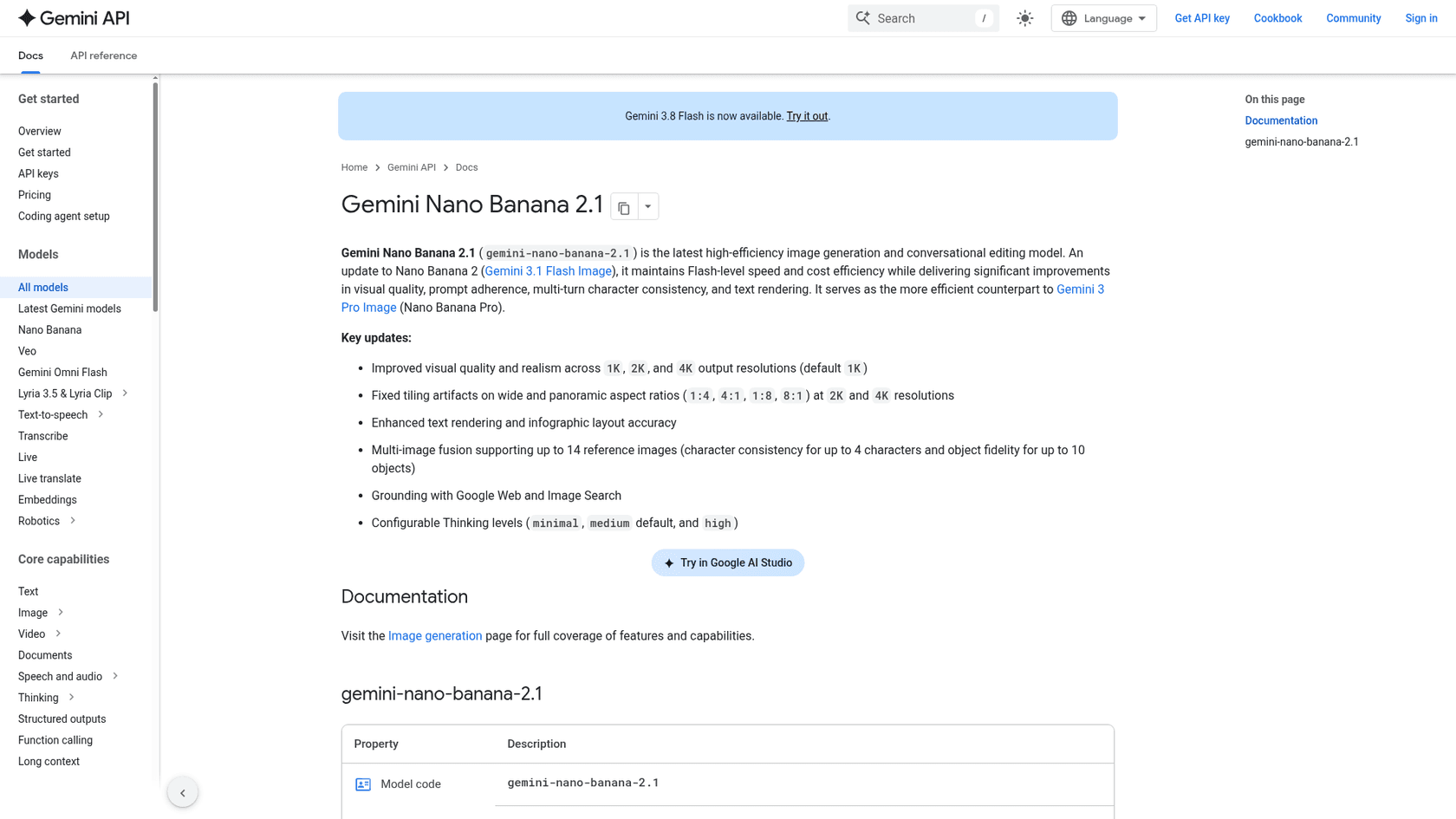
Under the hood it runs on Gemini 3.6 Flash rather than the newer Gemini 3.8 Flash, according to the DeepMind model card, and the same card lists a March 2026 knowledge cutoff. In terms of lineup, it sits in the middle of a Nano Banana family that has got crowded:
| Model | API ID | Role per Google's docs | Status |
|---|---|---|---|
| Nano Banana 2.1 | gemini-nano-banana-2.1 | "Primary high-efficiency workhorse" | GA, Oct 6, 2026 |
| Nano Banana 2 Lite | gemini-3.1-flash-lite-image | "Fastest and cheapest" | GA, Jun 30, 2026 |
| Nano Banana Pro | gemini-3-pro-image | "Premium choice for the most complex visual tasks" | Active |
| Nano Banana 2 | gemini-3.1-flash-image | Previous workhorse | Deprecated, Oct 6, 2026 |
| Nano Banana (original) | gemini-2.5-flash-image | Legacy | Migrate to 2 Lite |
Roles come from the model selection section of Google's Nano Banana guide. One naming detail: this is the first Nano Banana with its own branded model ID instead of a gemini-3.x-flash-image string, so remember that when you search your codebase for model names.
I write for eesel's blog, and every post I ship carries a hero banner plus three or more generated infographics, so I look at image model output all day. In the pipeline I use, about one render in three needs a redo, usually because of invented logos or garbled labels. I read this launch through that lens, asking what changes for someone generating images at volume.
What changed from Nano Banana 2?
Google lists six key updates on the API model page. Here they are next to what Nano Banana 2 offered:
| Nano Banana 2 | Nano Banana 2.1 | |
|---|---|---|
| Output sizes | 0.5K, 1K, 2K, 4K | 1K, 2K, 4K (no 0.5K) |
| Wide ratios (1:4, 4:1, 1:8, 8:1) | Tiling artifacts at 2K and 4K | Fixed |
| Thinking levels | minimal (default), high | minimal, medium (default), high |
| Reference images | Up to 14 | Up to 14 (4 characters, 10 objects) |
| Grounding | Google Web and Image Search | Google Web and Image Search |
| Image price at 1K | $0.067 | $0.0336 |
Sources: Google's Nano Banana guide, with prices from the Gemini API pricing page.
The rest of the list is quality claims, covering better realism at all three sizes, better text rendering and infographic layout, and better multi-turn character consistency. Google's launch post on X put it this way:
"This upgraded version outperforms our previous models across the board, with notable leaps in visual design, mask-based editing, and subject consistency to help you create more natural-looking images."
One small number to watch comes from Philipp Schmid of Google DeepMind, who posted "up to 5 characters consistency," but the docs say four, so trust the docs. Five character references is still a Nano Banana Pro feature.
Does Nano Banana 2.1 really beat Nano Banana Pro?
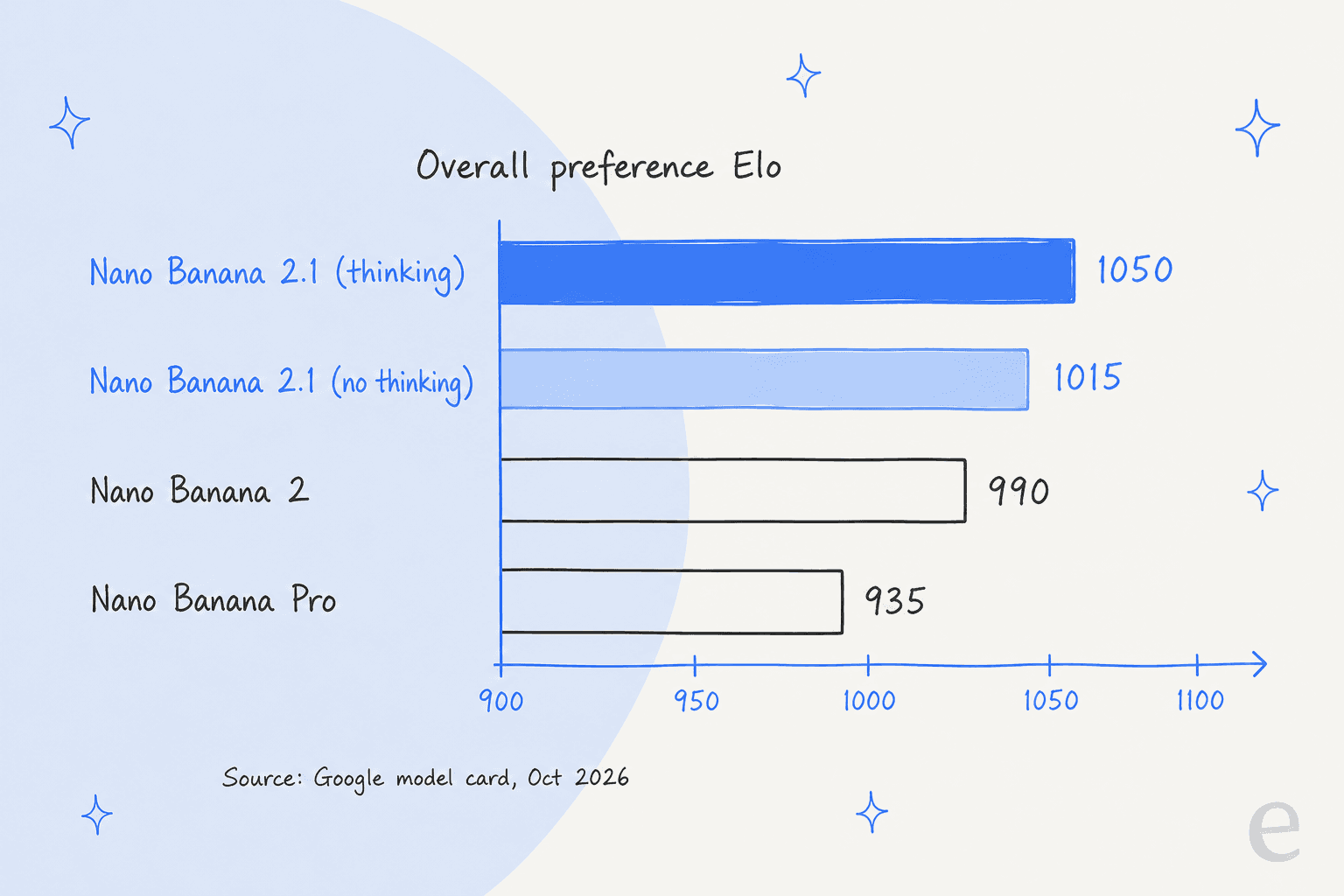
On Google's own scoreboard, yes, and by a lot. The model card reports side-by-side human preference Elo, and the cheaper Flash-class model now outranks the Pro model on every benchmark Google published.
The editing results are where the gap is widest:
| Benchmark (Elo) | 2.1, thinking | 2.1, thinking off | Nano Banana 2 | Nano Banana Pro |
|---|---|---|---|---|
| Overall preference (text-to-image) | 1050 | 1015 | 990 | 935 |
| Infographic design | 1048 | 1001 | 961 | 912 |
| General editing | 1026 | 980 | 938 | 939 |
| Multi-character consistency | 1106 | 1068 | 978 | 1011 |
| Mask/ink-based editing | 1049 | 1042 | 965 | 927 |
| Multi-reference editing | 1066 | 1041 | 988 | 989 |
| Infographic factuality (score) | 0.521 | 0.328 | 0.179 | 0.265 |
All figures are from the Nano Banana 2.1 model card, "as of October, 2026," with margins of roughly ±7 to ±22 points.
Two things stand out to me. First, multi-character consistency jumps 128 points over Nano Banana 2, the single largest gain in the table. Second, a lot of the improvement comes from thinking: overall preference drops 35 points when it's off. That matters for cost, which I'll get to.
Now the honest caveats. These are first-party evals with no outside models compared, and the card publishes no numbers for multilingual text rendering or multi-turn, even though both are listed as evaluated. The one careful independent test I found supports the editing story but not the "across the board" story. A Japanese AI video creator, @genel_ai, put eight reference people on one sofa, and 2.1 kept their faces and clothes distinct while Pro and Nano Banana 2 mixed them up. On plain photoreal generation, though, they couldn't tell 2.1 from Pro, and they guessed wrong about which image was which.
My read is that if your work is editing or product shots with several people, or any job where a character has to survive five rounds of changes, 2.1 is a real step up. If you only generate single images from scratch, expect a smaller jump than the Elo chart suggests.
How much does Nano Banana 2.1 cost?
Here's the full Gemini API price card for the family, from Google's pricing page:
| Model (Standard tier) | Input / 1M | Text + thinking out / 1M | Image out / 1M | 1K image | 2K image | 4K image |
|---|---|---|---|---|---|---|
| Nano Banana 2.1 | $1.50 | $7.50 | $30 | $0.0336 | $0.0504 | $0.113 |
| Nano Banana 2 | $0.50 | $3.00 | $60 | $0.067 | $0.101 | $0.151 |
| Nano Banana 2 Lite | $0.25 | $1.50 | $30 | $0.0336 | n/a | n/a |
| Nano Banana Pro | $2.00 | $12.00 | $120 | $0.134 | $0.134 | $0.24 |
| Nano Banana (original) | $0.30 | n/a | $30 | $0.039 | n/a | n/a |
The Batch tier halves every Nano Banana 2.1 rate, down to $0.0168 per 1K image, and in return you accept a turnaround of up to 24 hours. None of these models has a free API tier for image output, and search grounding is free for the first 5,000 requests a month (shared across Gemini 3.x models), then $14 per 1,000.
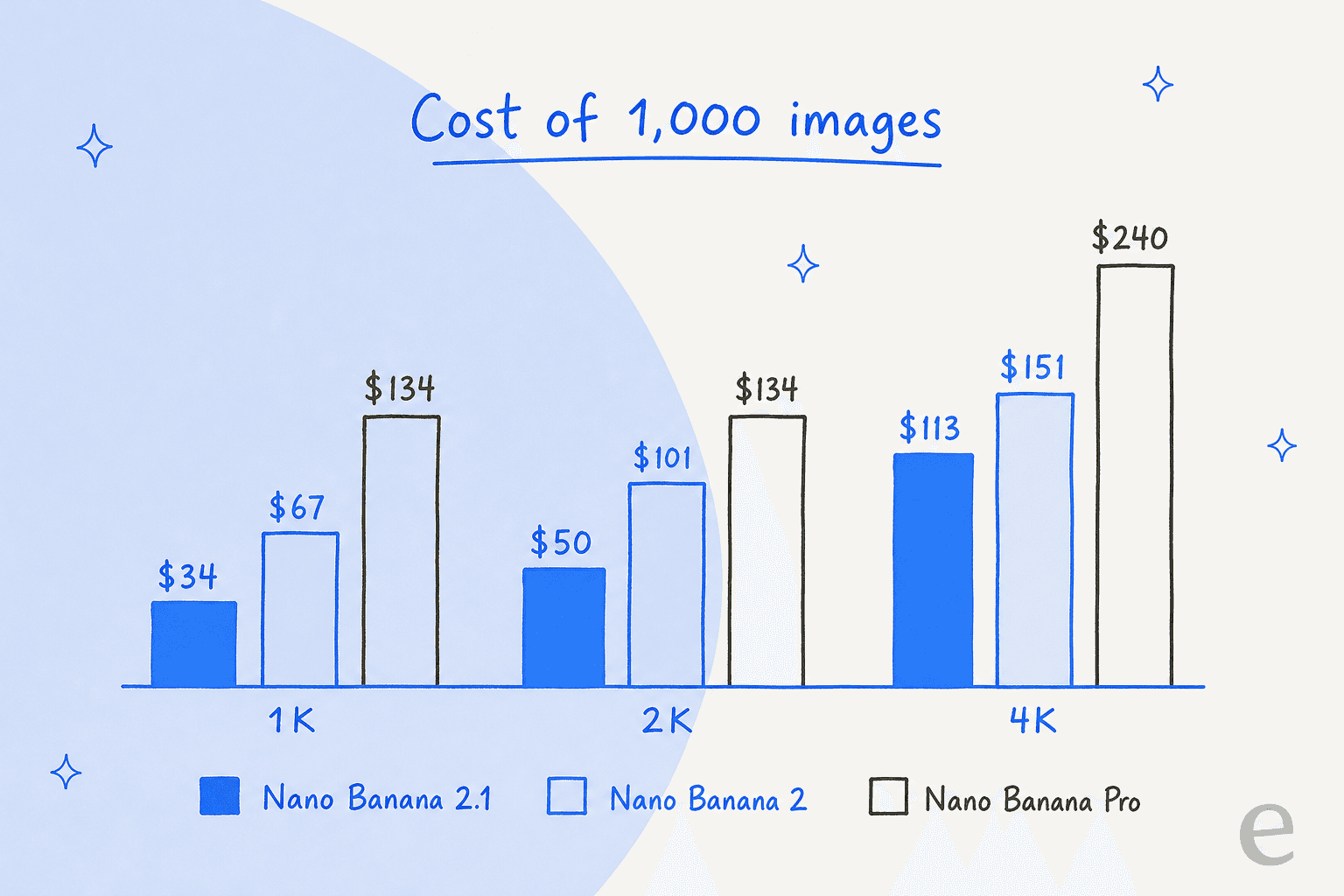
The headline is real: a thousand 1K images costs $33.60 on Nano Banana 2.1 versus $67 on Nano Banana 2 and $134 on Pro, which is the "4x cheaper" figure Schmid quoted. Three details change the math, though:
- 4K images use more tokens. Nano Banana 2.1 spends 3,780 tokens on a 4K image against 2,520 for Nano Banana 2, per the pricing page. So the 4K saving is $113 versus $151 per thousand, about 25%, not half.
- Thinking is always on. Google's guide says thinking "cannot be disabled in the API," and 2.1 defaults to
medium, where Nano Banana 2 defaulted tominimal. Those tokens bill at $7.50 per 1M, against $3 before. - Input costs 3x more. $1.50 per 1M versus $0.50. For a short prompt that's small, but it grows when you send several high-resolution reference photos.
To make that concrete, take a real 2K edit that a developer posted on Google's AI developer forum with thinking set to high. It used 4,958 input tokens and 3,972 thinking tokens, and here is the cost, assuming the image comes back:
| Cost line | Tokens | Rate | Cost |
|---|---|---|---|
| Input (photo plus instructions) | 4,958 | $1.50 / 1M | $0.0074 |
| Thinking | 3,972 | $7.50 / 1M | $0.0298 |
| 2K image output | 1,680 | $30 / 1M | $0.0504 |
| Total | $0.0876 |
That one edit costs about 74% more than the $0.0504 sticker price, and it lands close to Nano Banana 2's $0.101 per 2K image. It's still cheaper, just not by half. That probably explains replies like this one under Logan Kilpatrick's launch post:
"we waited that long for Nano banana 2.1 which is even more expensive than the current one without a big improvement!"
On per-image price that's wrong, but on input and thinking rates it's right. If you run high volume, set thinking_level to minimal on a sample of your real prompts and compare both quality and invoices before you commit.
What can you do with mask-based editing and references?
"Mask-based editing" sounds like you draw a pixel mask, but you don't, at least not in the API. Google's guide documents masking as "semantic masking": you describe the region in words, and the model edits only that part. Google's own template is "Using the provided image, change only the [specific element] to [new element/description]. Keep everything else in the image exactly the same."
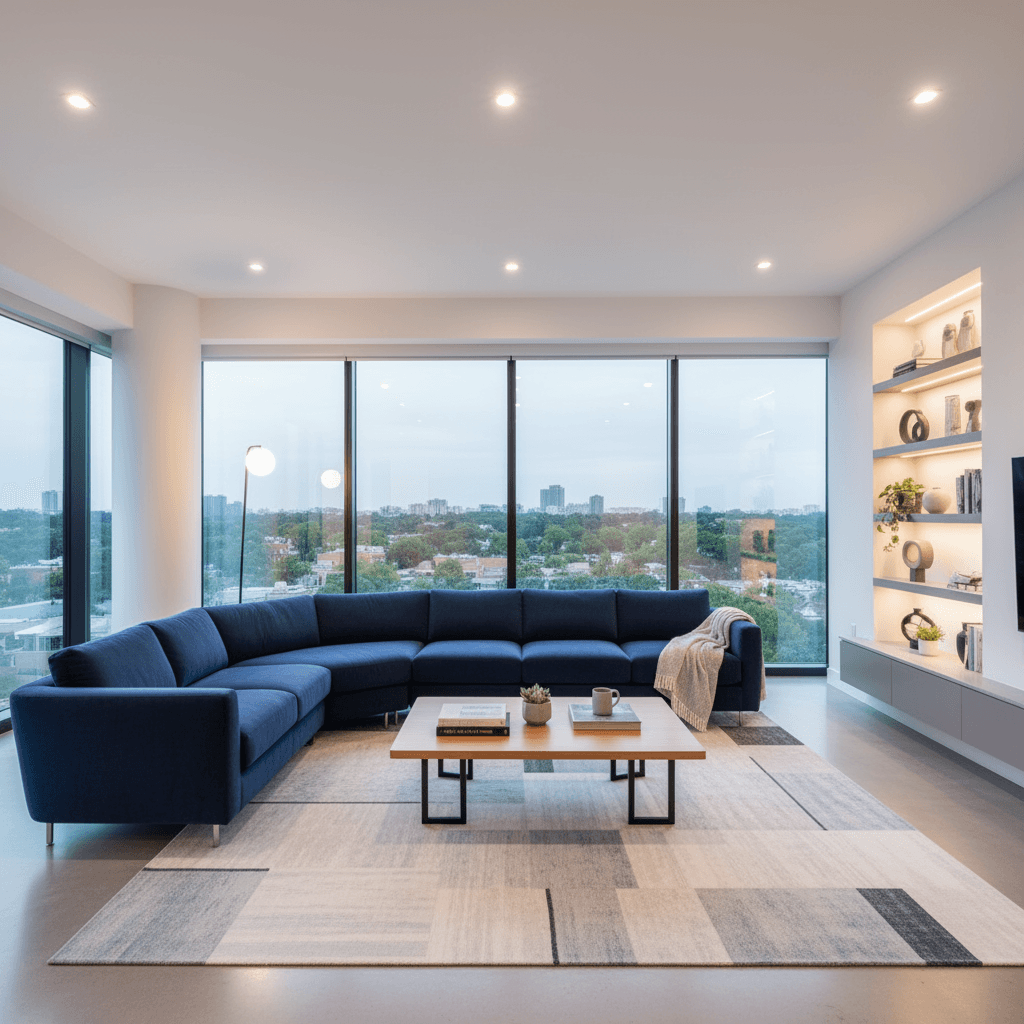

The "ink" half of the benchmark name refers to doodle-based edits, where you scribble on the image to mark what should change. That's the 1049 Elo score above, and until now you'd have reached for Ideogram or a dedicated object remover to get that kind of control.
For composites, you can pass up to 14 reference images in one request: up to four for character consistency and up to ten for object fidelity, per the reference image table. Pro still has two things that 2.1 lacks, five character slots and up to three style references, so a brand campaign with a fixed visual style is the reason to keep Pro in the toolbox.
What does search grounding add?
Nano Banana 2.1 can look things up before it draws. Turn on Google Search grounding and it pulls current facts into the image, such as a five-day forecast and a stock chart, or even a recent event. With Image Search grounding added on top, it can also use real photos as visual reference, which Google's guide notes is supported on Nano Banana 2.1 and Nano Banana 2 but not on 2 Lite.
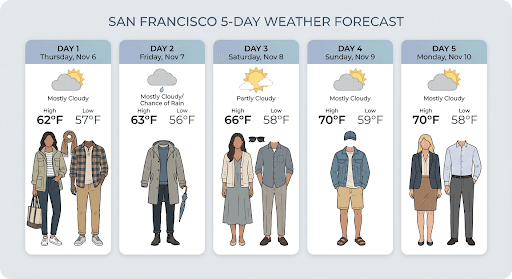
This is also where the infographic factuality score, 0.521 versus 0.179 for Nano Banana 2, should show up in practice, and for anyone making explainer graphics with real numbers in them it's the most useful line in the model card. One display rule applies: when grounding is on, Google requires you to show the returned search_suggestions snippet in your UI.
Where can you use Nano Banana 2.1?
Google rolled it out across every surface it owns on day one, per its rollout post and the model card:
- Gemini app: the consumer route, no code.
- AI Mode in Search: Google's Robby Stein says to tap the banana icon under the search box in the Google app.
- Google AI Studio and the Gemini API: the developer route, model ID
gemini-nano-banana-2.1. - Flow and Stitch: Google's video and UI design tools. The Stitch team suggests it for hero graphics and vector-style logos.
- Google Ads and Gemini Enterprise Agent Platform: the Cloud version runs on the global endpoint only, with Standard PayGo, Batch and Provisioned Throughput.
On the developer side, the API supports Batch but not context caching, function calling, structured outputs, the Live API, or Flex and Priority inference, per the model page. Google's code samples now use the new Interactions API (client.interactions.create) instead of generate_content, so snippets copied from older Nano Banana 2 tutorials will look different.
What are the early rough edges?
Two days in, a few problems are showing up in public. None is a dealbreaker, though each is worth knowing about before you move production traffic.
- Empty
MAX_TOKENSresponses. A team that "processed thousands of photos with 2.0 without encountering this issue" now sees occasional edits stop withMAX_TOKENSand no image, after using only 5,326 of a 32,768 output limit, per their forum thread. A retry worked. Google hadn't replied when I checked, which leaves open whether those empty responses are billed. - Three different input limits. The model card says 1M tokens, the API page says 131,072, and one developer reports the API rejects anything over 65,536. Until Google clarifies, size your reference-image payloads for the smallest of the three numbers.
- No 512px size. If you used Nano Banana 2's 0.5K output for cheap thumbnails or drafts, 2.1 doesn't offer that size, and Nano Banana 2 Lite at 1K is the closest substitute.
- Strict moderation, no transparency. A few launch-day replies complain about refusals, and one artist summed up a different gap in four words:
"Still no alpha transparency."
If you need transparent PNGs for stickers or product cutouts, Qwen Image 2.1 generates them natively.
The model card itself lists known limits too: small text that's "often blurry in 1k," imperfect character consistency, occasional left/right confusion, and "occasional slowness or timeout issues."
Which Nano Banana model should you use?
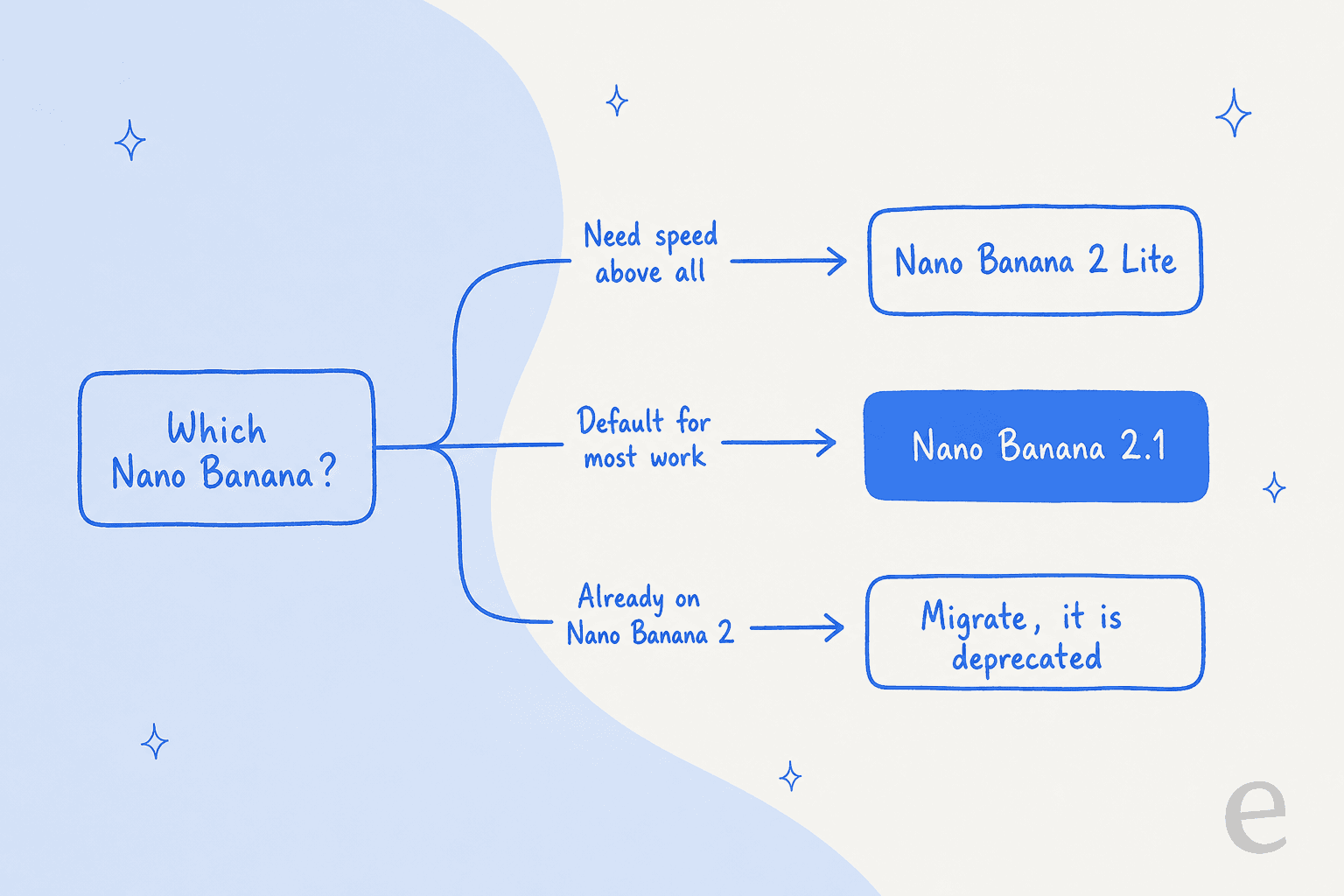
Here's how I'd pick:
- Pick Nano Banana 2.1 for almost everything new: editing, multi-person scenes, infographics, anything at 1K or 2K. It's Google's own recommendation, and it's what the docs now tell all new projects to use.
- Pick Nano Banana 2 Lite when latency and volume beat quality. At 1K it costs the same $0.0336 per image as 2.1, though its input tokens are 6x cheaper and its thinking tokens 5x cheaper, and it defaults to
minimalthinking. - Keep Nano Banana Pro for brand work that needs style references or five consistent characters, or text-heavy professional assets, where Google's guide still says "Use Gemini 3 Pro Image."
- Migrate off Nano Banana 2 on your own schedule, though you shouldn't wait for the shutdown email. Re-test your prompts, because the default thinking level changed.
When you compare across vendors, I would run ChatGPT Images 2.5 first with the same prompts, and FLUX 3 comes close behind.
For style-led work, Reve 2.1 and Meta Muse Image are worth a run before you lock in. For pure aesthetics, most designers still compare against Midjourney, though it has no comparable editing API.
My Nano Banana 2 alternatives roundup covers the wider field, including Grok Imagine. If you want a ByteDance option, start with my Seedream review.
Nano Banana 2.1 in a content workflow with eesel
A model like Nano Banana 2.1 is infrastructure. It returns a great image when you send it a great prompt, but somebody still has to write that prompt, check the render for invented logos and mangled labels, redo the one in three that's off, and then place the image next to the paragraph it explains. For a team publishing every week, that "somebody" turns into a part-time job.
That's the job the eesel AI blog writer takes off your plate. It's a ready-to-work AI content writer teammate. Give it a keyword and your site, and it researches primary sources, writes the post in your brand voice, generates a hero banner and brand-colored infographics, and adds internal links and FAQs. One German ecommerce brand that ran it about 15 times got 2,000 to 2,900-word SEO posts, each with a hero banner, infographics and FAQs, in roughly 12 to 20 minutes per post.

Because it's a teammate and not a raw model, it takes feedback the way a person would. One therapist using it told it:
"Going forward, stop giving only Caucasian images. I work with diverse races and ethnicities."
That instruction then applies to every post after it, so there's no prompt template to maintain. If you'd rather spend your week on strategy than on regenerating banners, try eesel for free, or see how it compares in my roundup of the best AI blog writers for SEO.
Frequently Asked Questions
What is Nano Banana 2.1?
gemini-nano-banana-2.1. It is built on Gemini 3.6 Flash and replaces Nano Banana 2 as the default model in the Nano Banana family.How much does Nano Banana 2.1 cost?
Is Nano Banana 2.1 free?
Is Nano Banana 2.1 better than Nano Banana Pro?
What is the difference between Nano Banana 2.1 and Nano Banana 2?
Should I switch from Nano Banana 2 to Nano Banana 2.1?
gemini-3.1-flash-image on October 6, 2026, with no shutdown date announced yet. Test your highest-volume prompts at the minimal thinking level first to see whether the quality holds. If speed matters more than quality, Nano Banana 2 Lite is the other path.Can I use Nano Banana 2.1 to illustrate blog posts?


Article by
Kurnia Kharisma
Kurnia is a software engineer and writer at eesel AI with two years of SEO experience, writing about AI tools, helpdesk software, and customer support. He pairs a developer's understanding of how these products are built with search-driven research into what actually ranks and resonates with the people searching for them.