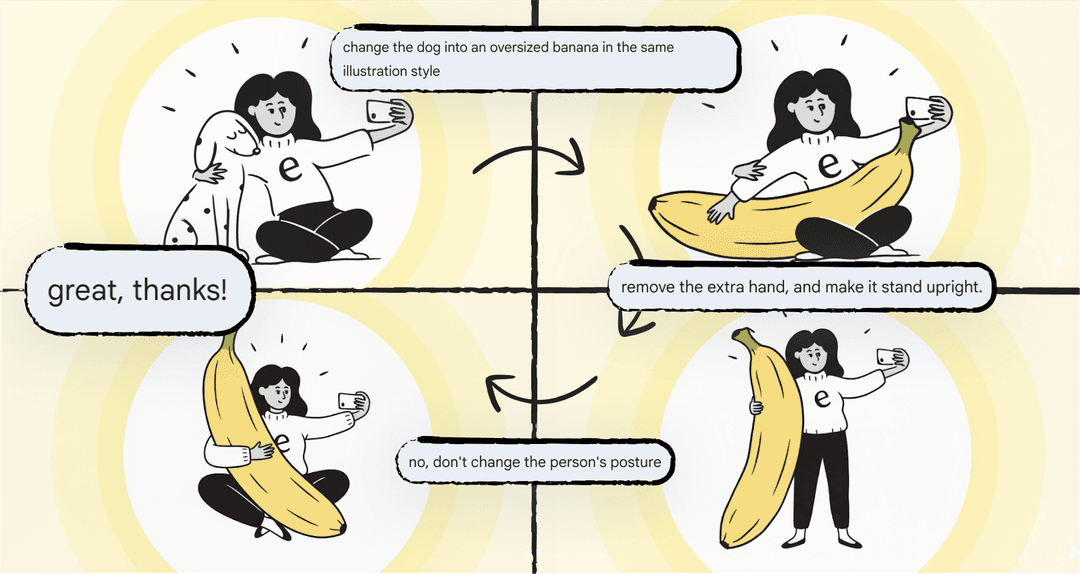
It wasn’t long ago that AI image generators were just a fun novelty, right? You’d type in a silly prompt and see what weirdness came out. But that's changed fast. These tools are now a huge part of the creative toolkit for many businesses. You’ve probably seen the buzz around Google’s image models, and now they're back with their latest release, Nano Banana Pro.
It’s a pretty big step up, and it’s already making waves for creatives and marketers. This guide will walk you through what Nano Banana Pro is, what it can do, how businesses are putting it to work, and how you can try it yourself.
What is Nano Banana Pro?
Nano Banana Pro, or officially, Gemini 3 Pro Image, is the newest and most capable image generation model from Google DeepMind. It's built on top of Google's heavy-hitting Gemini 3 Pro model. This isn't just a minor update. Because it's using Gemini 3, it's much better at understanding tricky instructions and has a solid grasp of real-world facts, which is a big improvement over its predecessor, Nano Banana (which uses Gemini 2.5 Flash).
Think of it as the difference between a fun hobbyist tool and a professional creative suite. According to Google's official announcement, the whole point is to help people "turn your visions into studio-quality designs with unprecedented control." It’s built for anyone who needs high-quality images for marketing, design, or creating any kind of content.
The core capabilities that set Nano Banana Pro apart
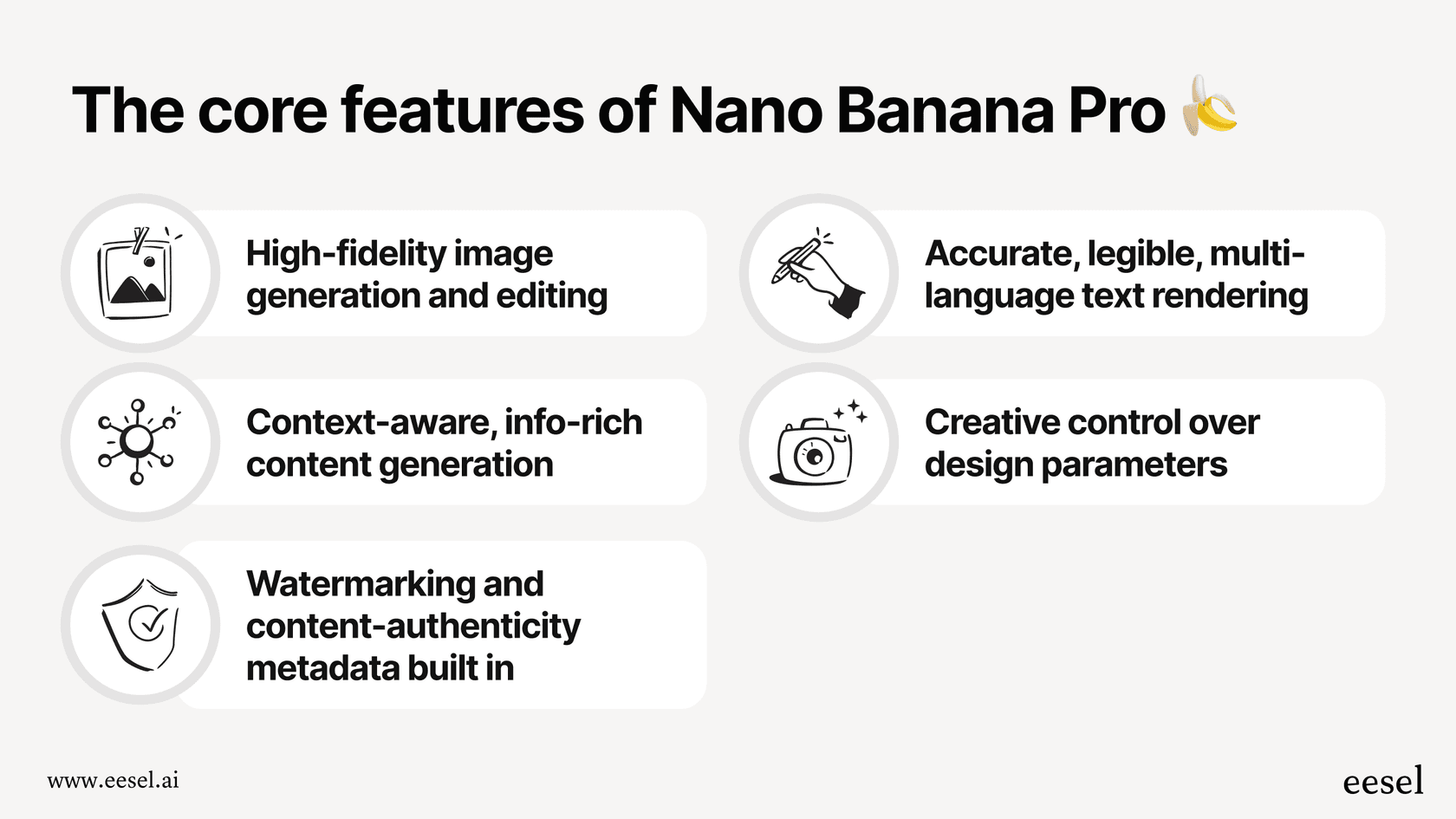
So what makes Nano Banana Pro actually different? It really boils down to three things that used to be major headaches with AI image tools: getting facts right, writing clean text, and giving you real creative control.
Enhanced reasoning for accurate visuals
Let's be honest: a lot of AI image generators just make stuff up. Ask for a historical map or a technical diagram, and you might get something that looks cool but is totally wrong. Nano Banana Pro gets around this by using Gemini 3's brainpower and connecting directly to Google Search for up-to-date info.
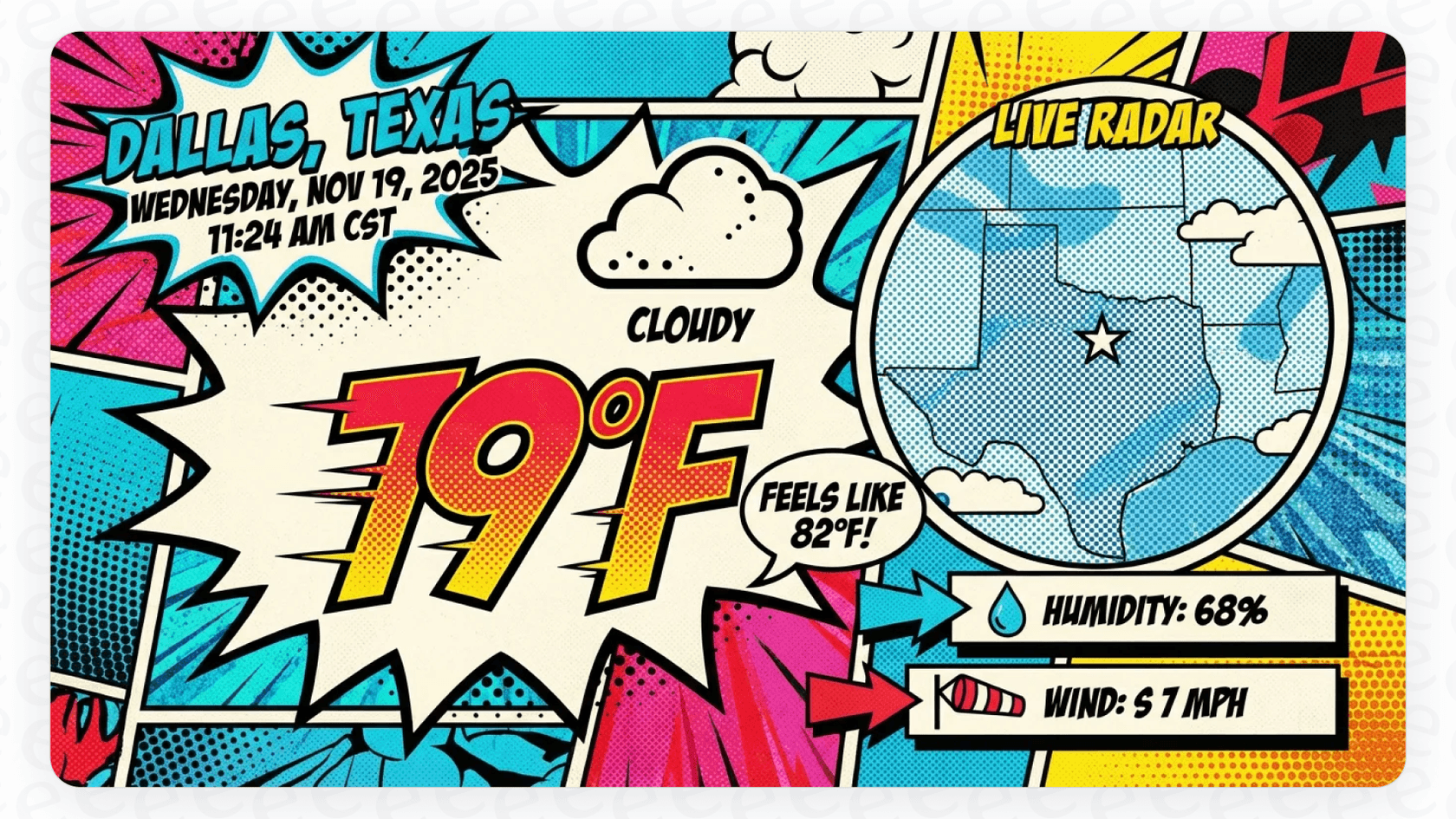
This means it isn't just guessing what something should look like. It’s pulling from a massive, current knowledge base to create images that are factually correct. The Google Cloud blog mentions you can use it for things like generating a step-by-step infographic for making Elaichi Chai, creating diagrams for technical training manuals, or even visualizing live weather data in a pop-art style.
Create legible text and localize content in multiple languages
Getting an AI to write actual, readable text inside an image has been a huge pain forever. Most models spit out weird, squiggly lines that look like a forgotten language. This is where Nano Banana Pro really shines.
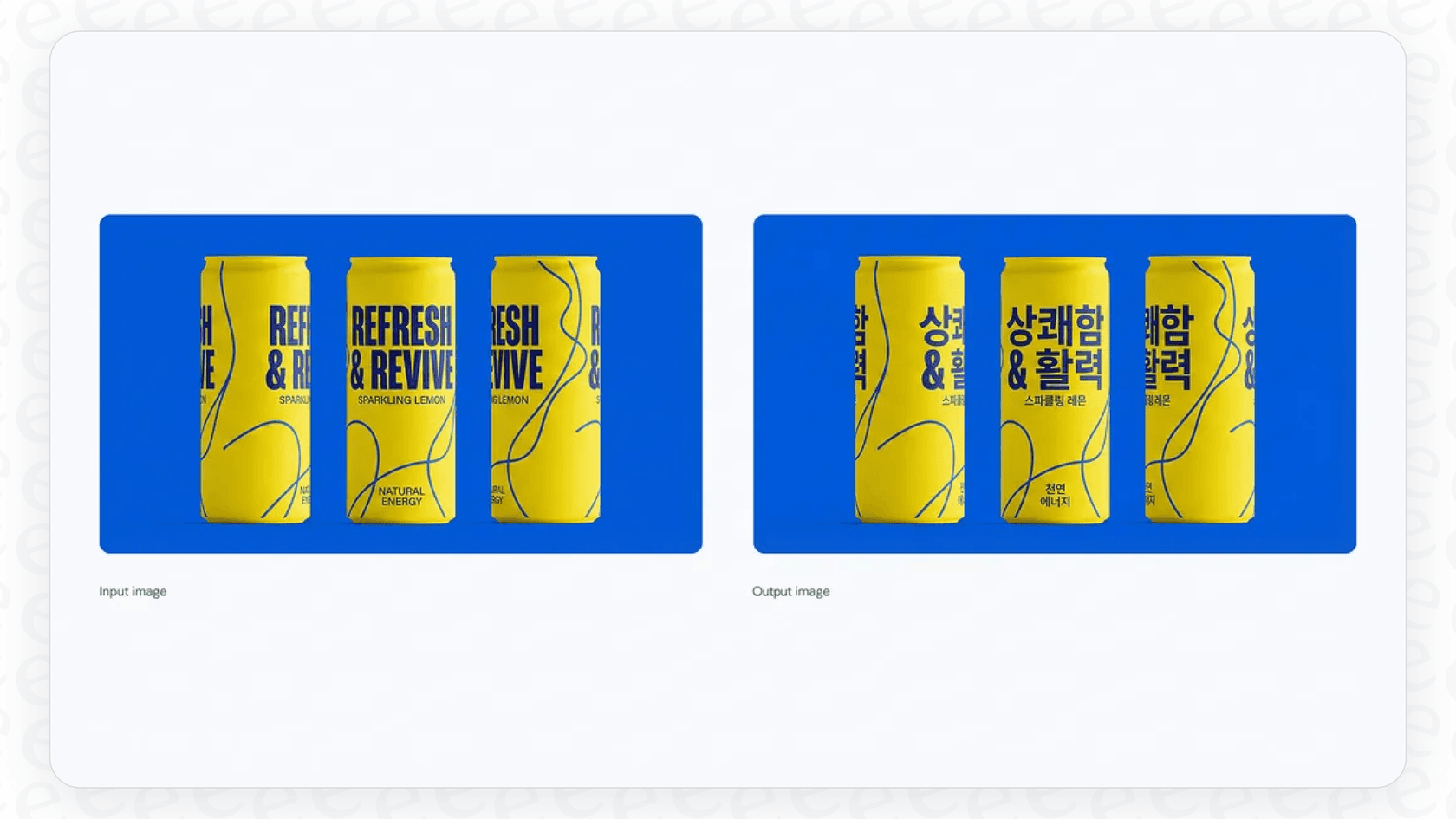
It can render anything from a quick tagline on a product mockup to a full paragraph on a poster, right inside the image. It handles different fonts, textures, and even calligraphy surprisingly well. For businesses, this is a massive advantage. You can create marketing materials and instantly translate the text for different markets. For example, you could generate an ad for a new drink with English text, then just ask the model to swap it to Korean for a new launch, all while keeping the design exactly the same.
Studio-quality creative controls for high-fidelity visuals
For anyone doing professional creative work, control and consistency are everything. Nano Banana Pro really delivers here.
First, let's talk about consistency. You can blend up to 14 different reference images into one picture and, more importantly, keep up to five people looking like themselves across different generated images. This is fantastic for creating a series of ads or storyboard scenes where you need the same characters to appear.
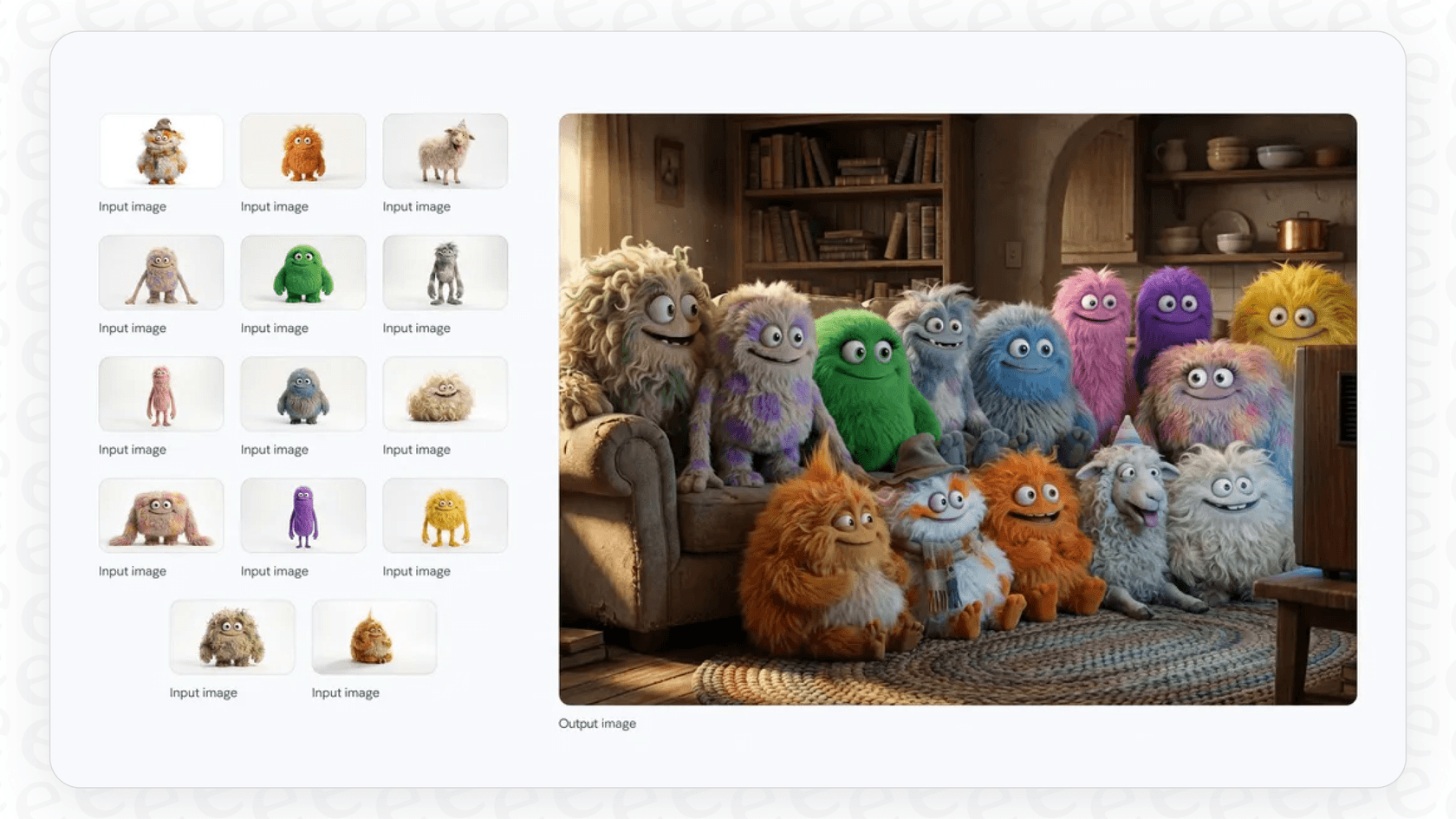
Then there's the level of control you get. It's not just about creating the initial image, but refining it. You can make small edits to just one part of the picture without ruining the rest, tweak camera angles, change the focus to create a nice blurry background, apply different color styles, or even switch the lighting from day to night.
And finally, the quality is top-notch. You can get your final images in high resolutions like 2K and 4K, formatted for whatever you need, whether it's a 16:9 video thumbnail or a 4:5 social media post.
How businesses and creators can use Nano Banana Pro
With all these features, it's easy to see how Nano Banana Pro is becoming more than just a fun tool for teams.
Accelerate marketing and advertising campaigns
Marketing teams can now create high-quality, on-brand images for global campaigns in a lot less time. Think about it: you could create one core product shot, then use Nano Banana Pro to spin up lifestyle photos, change the packaging text for different countries, and create a dozen variations for A/B testing on social media. It's not surprising that big names like Shopify, Klarna, and WPP are already using it to speed up their creative work, as mentioned on the Google Cloud blog.
Scale content creation for blogs and educational materials
If you're on a content team, Nano Banana Pro is great for making custom infographics, diagrams, and feature images that make articles pop. It can turn a wall of text into a simple visual, which is perfect for how-to guides and blog posts.
Of course, great visuals are just half the battle. You still have to write the actual article. This is where having a tool that handles the writing process can save you a ton of time. Our own eesel AI Blog Writer does just that, turning a single keyword into a full, SEO-friendly article with all the right links and formatting. We actually built it to scale our own content here at eesel AI and saw our daily impressions jump from 700 to 750,000 in three months. It's free to try out right now, and we'd love to hear what early users think.

Empower designers and developers with API access
One of the coolest things about Nano Banana Pro is that it isn’t a locked-down tool. Developers can plug its image-making abilities right into their own apps and workflows using the Gemini API and Vertex AI.
This is already happening in a big way. As the Google Cloud blog notes, top creative platforms like Adobe Firefly, Figma, and Canva are integrating Nano Banana Pro. This means millions of designers can use its power without ever leaving the tools they use every day. You could generate UI mockups, create new assets, or just brainstorm ideas without breaking your workflow.
How to access Nano Banana Pro: Pricing, tiers, and limitations
So, how can you get your hands on Nano Banana Pro? It's fairly easy to access, but what you can do with it depends on which Google service you're using.
Where and how to try Nano Banana Pro today
You can find the model in a few different places:
-
For everyone: The simplest way to try it is through the Gemini app. Just open it up, tap 'Create images,' and make sure to select the 'Thinking' model.
-
For professionals: It's being added to Google Ads and Google Workspace apps like Google Slides and Vids.
-
For developers: You can access it through the Gemini API in Google AI Studio and Vertex AI for bigger, enterprise-level projects.
As Gadgets360 notes, using it in the Gemini app is as easy as opening the image creator, picking "Thinking" from the model options, and typing what you want.
Understanding the cost and subscription tiers
Google is managing access with a quota system, so what you get depends on whether you're a free user or a paying subscriber.
-
Free users: You get a certain number of free images with Nano Banana Pro. After you use them up, you’ll be switched back to the standard, less powerful Nano Banana model.
-
Google AI Plus, Pro, and Ultra subscribers: If you have a paid plan, you get a higher number of generations, with Ultra subscribers getting the most.
Here’s a quick summary of how it works:
| User Tier | Access to Nano Banana Pro | Usage Limit | Visible Watermark |
|---|---|---|---|
| Free User | Yes | Limited quota, then reverts | Yes (Gemini sparkle) |
| Google AI Pro | Yes | Higher quota | Yes (Gemini sparkle) |
| Google AI Ultra | Yes | Highest quota | No (Removed for professionals) |
| Developers (AI Studio) | Yes | Varies by account | No (Removed for professionals) |
Nano Banana Pro watermarking and identifying AI content
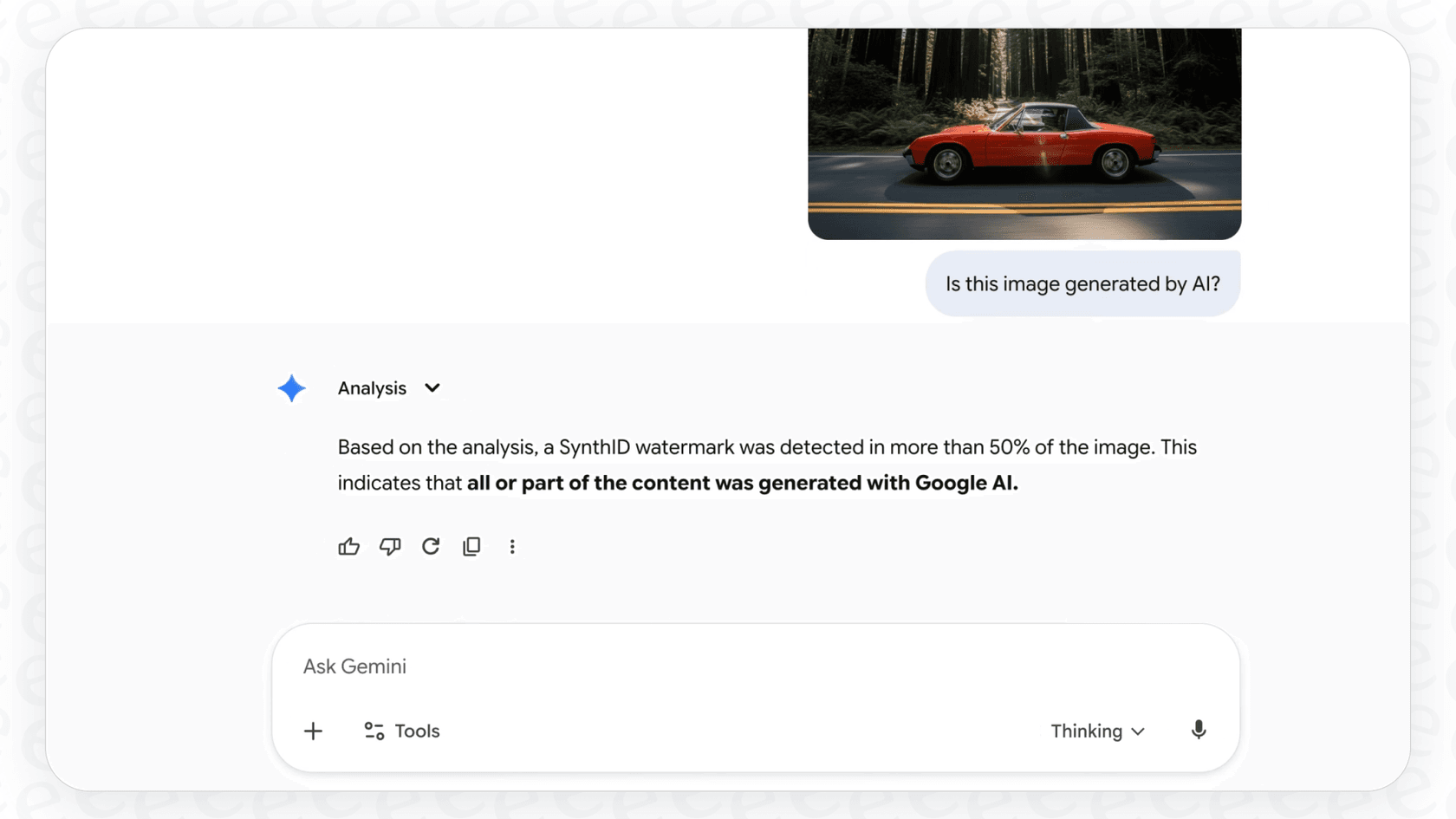
Google is also being pretty open about identifying AI content. Every image made with Nano Banana Pro has an invisible digital watermark called SynthID embedded in it. You can even upload an image to the Gemini app and ask if it was made by Google AI, and it will check for you.
For most people, there’s also a little "Gemini sparkle" in the corner. As noted on Google's blog, this visible mark is removed for Google AI Ultra subscribers and developers using the API. This was a deliberate choice to give professionals a "clean visual canvas for professional work."
Final thoughts on Nano Banana Pro
Nano Banana Pro is a pretty big deal for AI image generation. It’s the kind of tool that takes the tech from a fun distraction to something genuinely useful for businesses and creative pros. The focus on accuracy, real creative control, and legible text solves a lot of the problems that made earlier tools frustrating to use professionally.
Making amazing visuals is getting faster and easier. But a modern content strategy needs that same speed and quality for the writing part, too. A great article paired with a stunning visual is a powerful combination, and now your team can create both without spending weeks on them.
Ready to complete your content workflow? Give the eesel AI Blog Writer a try for free today and see how fast you can turn a keyword into an article that’s ready to publish.
Frequently asked questions
What exactly is Nano Banana Pro, and how does it improve upon previous AI image generators?
Nano Banana Pro, officially known as Gemini 3 Pro Image, is Google's newest and most capable AI image generation model, built on Gemini 3 Pro. It significantly improves upon earlier models by offering enhanced understanding for complex instructions and a stronger grasp of real-world facts.
How effective is Nano Banana Pro at creating legible text within images and supporting multilingual content?
Nano Banana Pro excels at rendering clear, readable text inside images, handling various fonts and styles effectively. It can also translate and localize text for different markets, allowing businesses to adapt marketing materials while maintaining consistent design.
What kind of creative control and consistency features does Nano Banana Pro offer for professional design work?
Nano Banana Pro provides extensive creative controls, including the ability to blend up to 14 reference images and maintain the identity of up to five people across multiple generated images. Users can make granular edits, adjust camera angles, change lighting, and output high-fidelity visuals in resolutions like 2K and 4K.
How can my marketing team use Nano Banana Pro to accelerate campaigns and produce varied content?
Marketing teams can leverage Nano Banana Pro to rapidly generate high-quality, on-brand images for global campaigns. This includes creating diverse lifestyle photos, product variations, and A/B testing assets, significantly speeding up content production for advertisements and social media.
What are the different ways to access Nano Banana Pro, and what are the associated costs or quotas?
You can access Nano Banana Pro through the Gemini app, within Google Ads and Google Workspace applications, or via the Gemini API and Vertex AI for developers. Free users have a limited generation quota, while Google AI Pro and Ultra subscribers receive higher limits, with Ultra offering the most.
Are there any watermarks or identification methods for content generated by Nano Banana Pro?
Yes, all images generated by Nano Banana Pro contain an invisible digital watermark called SynthID. Additionally, a visible "Gemini sparkle" is present in the corner for free and Google AI Pro users, which is removed for Google AI Ultra subscribers and API developers to provide a clean visual canvas.