


Genie 4 is the most impressive world model you can use today, and still a demo you visit rather than a tool you build on. Typing a prompt mid-session to add rain or drop in a character, with sound that follows the scene, is new and works in Google's own demos. But DeepMind's limits page says a session lasts "around a minute", and details drift more after each edit, which is the very feature you came for.
Worth it if you already pay $99.99 for Google AI Ultra. Skip it for game or app work: there's no public API and the only export is a video.
If you're putting AI in front of customers instead, copy Google's habit of publishing known issues and testing before launch. That's how eesel's helpdesk teammate rolls out, and the eesel CLI lets a coding agent run those test questions for you.
Is Genie 4 any good?
Yes, as a glimpse of where world models are going. No, as something you'd put in a production pipeline this year. That's my verdict after going through everything Google shipped on 18 November: the launch post, the Genie 4 model page and its limitations section, the Project Genie help page with its known-issues list, and the first day of reactions on Hacker News and Reddit.
I build integrations and APIs at eesel, so I read launches like this one with a builder's question in mind: what can I actually wire this into? With Genie 4, the honest answer today is nothing. You use it in a browser tab, at labs.google/projectgenie, and what comes out is a video of your playthrough. That doesn't make it bad. It makes it a different kind of product than the "game engine killer" headlines suggest.
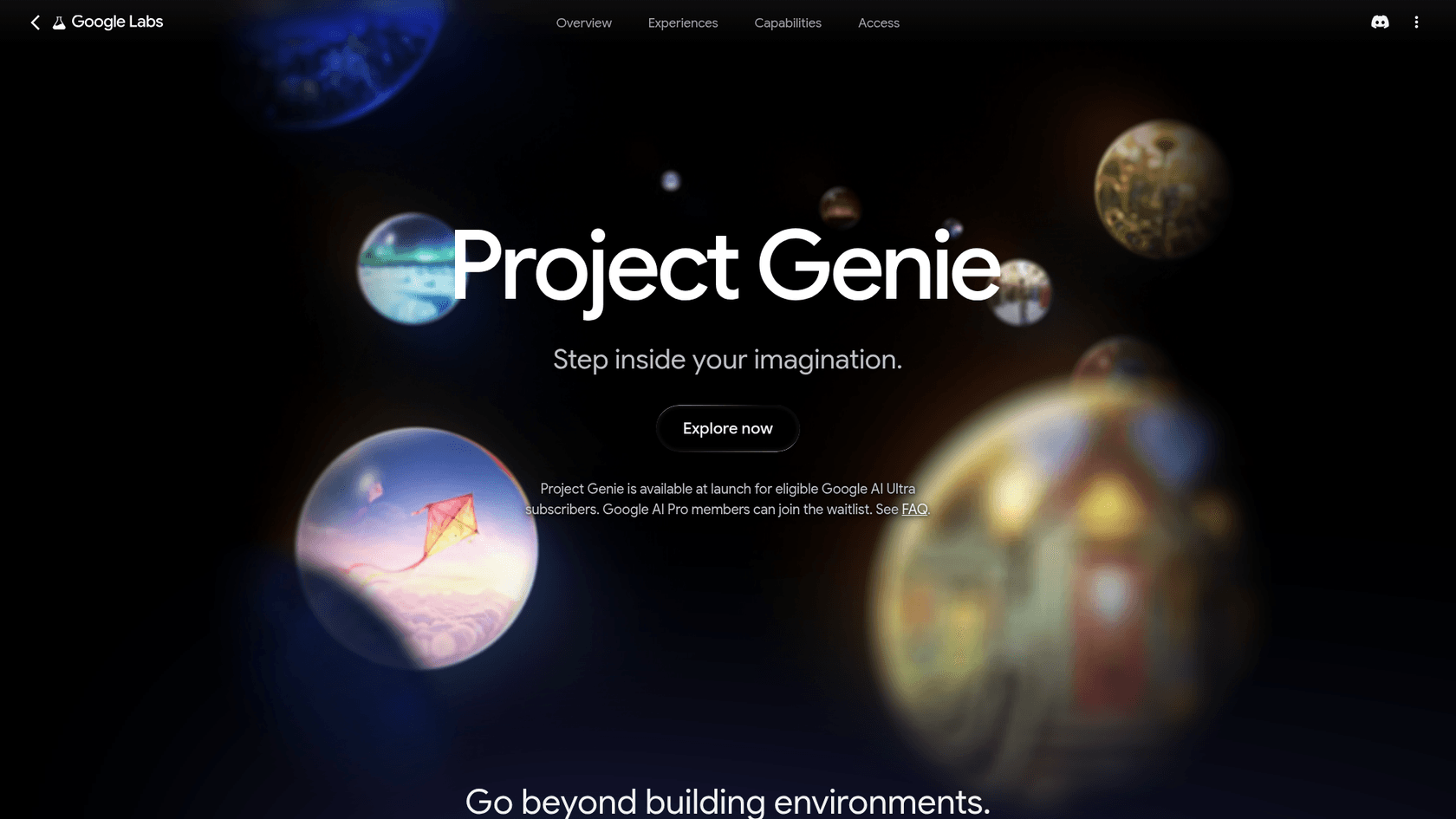
Here's the scorecard, with each line tied to what Google itself says:
| Area | What Google says | My rating |
|---|---|---|
| Visual realism | "Our most realistic and interactive world model yet" | Strong |
| Live prompt edits | Change weather, characters, action mid-session | Strong, with drift |
| Native audio | Ambient sound, music and dialogue generated with the world | New, accuracy "ongoing research" |
| Session length | "Around a minute of continuous interaction" | Weak |
| Consistency | Details "can shift or drift over time" | Weak on long or busy runs |
| Controls | "Known delay (latency) between control inputs and actions" | Fair |
| Export and API | Video download only, API for early access partners | Not there yet |
| Price | No AI credits, Ultra from $99.99/month | Fair if you're already on Ultra |
How does Genie 4 work?
Genie 4 isn't one model doing everything. It's a world model paired with Gemini, and that pairing explains both its best trick and its main weakness.
Per DeepMind's Genie 4 research post, Genie 4 generates the frames and audio while Gemini 3.8 Flash acts as "a guiding agent in the loop". Gemini watches the scene, breaks a goal into steps, and reviews incoming frames to check each step worked. Gemini Omni anchors how things look and move, so the world resembles the real one. When you type "make it rain", Gemini rewrites that into something that fits the scene, and Genie renders it, live, in your browser.
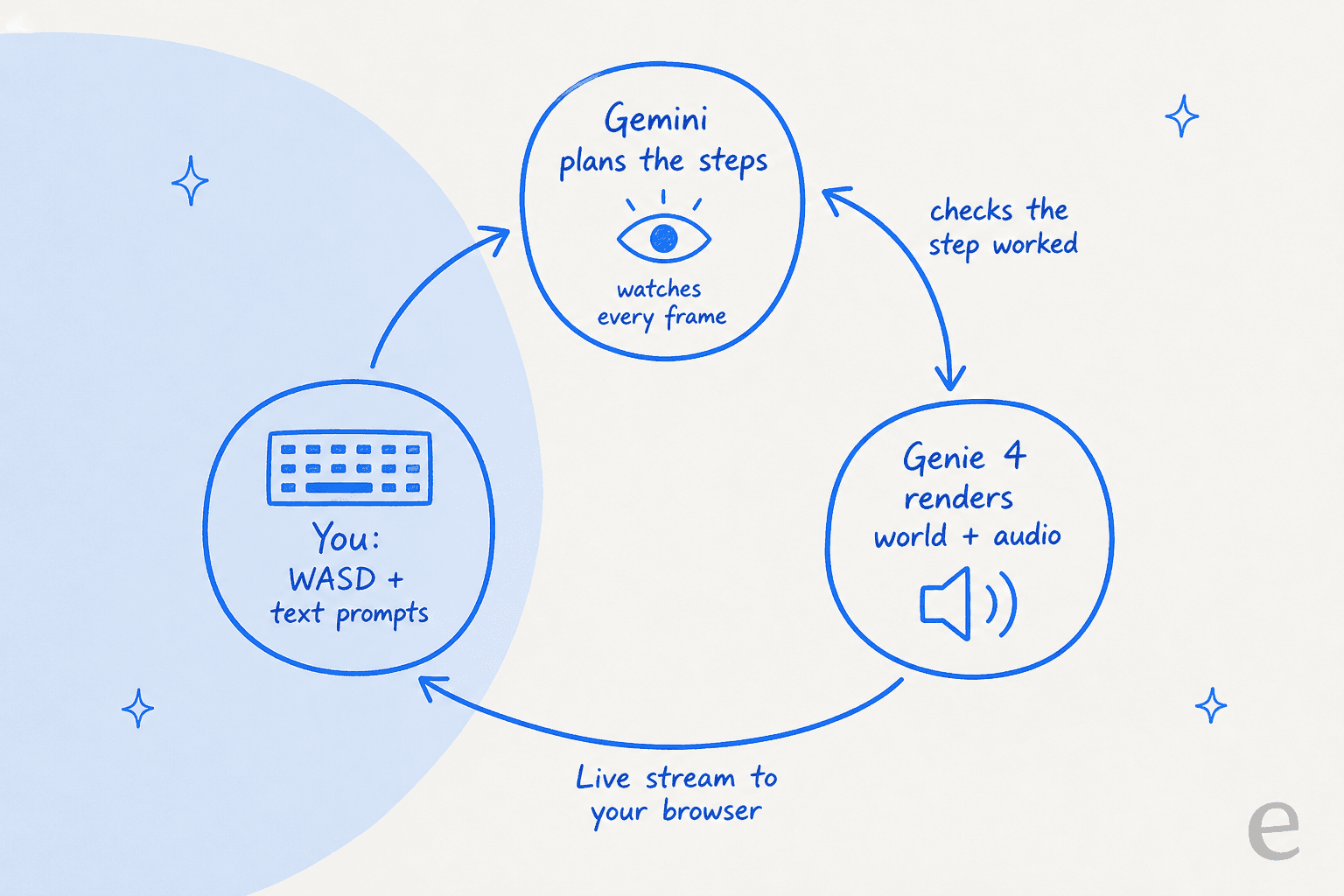
That's why the editing feels coherent at first, and it's also why the price model is odd. Every second of your session runs two kinds of models at once, streamed to you in real time. For the October announcement and what DeepMind showed then, see my Genie 4 explainer. If you're curious about the Gemini side, I've covered Gemini 3.8 Flash and the Gemini Omni Flash family separately.
The same loop powers DeepMind's robotics demos, where Gemini 4 Argon writes a multi-step plan and Genie 4 simulates a humanoid carrying it out. That research use, more than consumer worlds, is where Google says this is heading. My Gemini 4 Argon for robotics post and the Gemini Robotics 2 write-up cover that side.
What does Genie 4 do well?
Three things stand out, and together they make Genie 4 feel like a different product from the Genie 3 that launched in Project Genie in January.
You can change the world while you're in it. The launch post describes typing a new prompt mid-session to "shift the weather, drop in a character, or redirect the action". Genie 3 got a lighter version of this on the same day, but in Genie 4, Gemini adapts each prompt to the scene and keeps steering between your inputs, so it feels like a scene you direct rather than a Project Genie flythrough.
It makes sound. For the first time, Genie pairs visuals with "real-time native audio that adapts as the scene unfolds, from ambient soundscapes to character dialogue". A world with footsteps and rain on the roof feels far more like a place than a silent clip does.

People look like people. DeepMind calls the way Genie 4 simulates humans "the most dramatic leap", with characters that "move naturally" and can be steered in real time. The demo frames on the model page, a full opera house, a saxophonist on a lake, are a long way from the stiff figures in older world models.
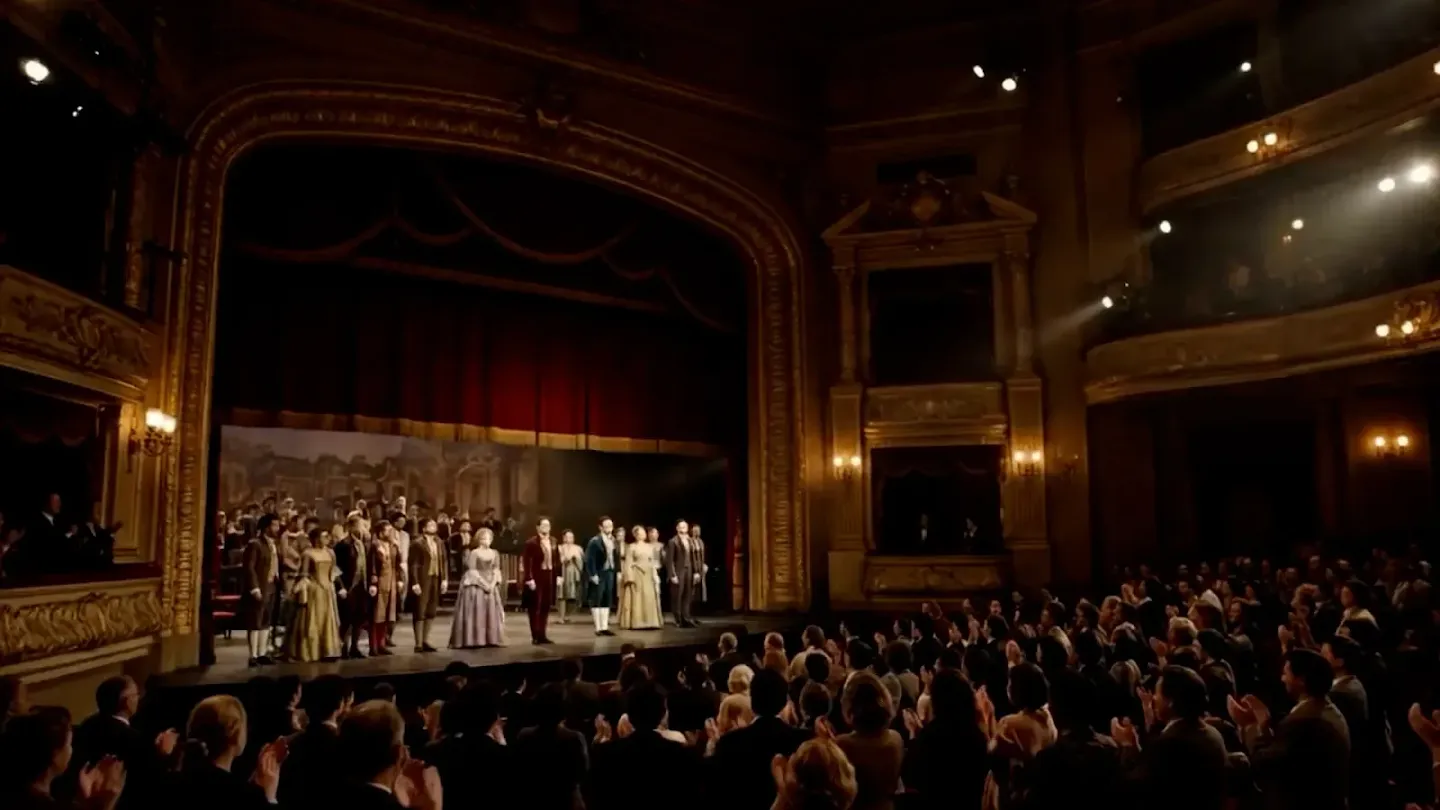
The surrounding product is better too. The new Project Genie agent turns a conversation into a world with its own look and soundtrack, and the community gallery lets you open and remix what other people published. Google's showcase pieces, like "Villa Giallo", a room-by-room mystery in a gothic manor, show the format at its best: short, atmospheric, and built for exploring rather than winning.

Where does Genie 4 fall short?
Google is unusually candid here. Its Genie 4 model page has a limitations section, and the Project Genie help page has a list of known issues. Read together, they describe the review most people will write after a week of use.
Sessions are short. The model page says Genie 4 "currently supports around a minute of continuous interaction, rather than extended sessions." That's shorter than the updated Genie 3, which now runs up to 3 minutes per generation. A minute is enough to wow someone. It's not enough to rehearse a scene twice and compare.
Edits cause drift. This is the one that matters most. DeepMind says visual details and object permanence "can shift or drift over time", and that this "becomes more noticeable as a simulation runs longer, after multiple complex prompt edits, or when navigating throughout a scene." The headline feature, editing mid-session, is one of the three things that makes the main weakness worse. Turn around after adding rain and a character, and the room behind you may not be the room you left.
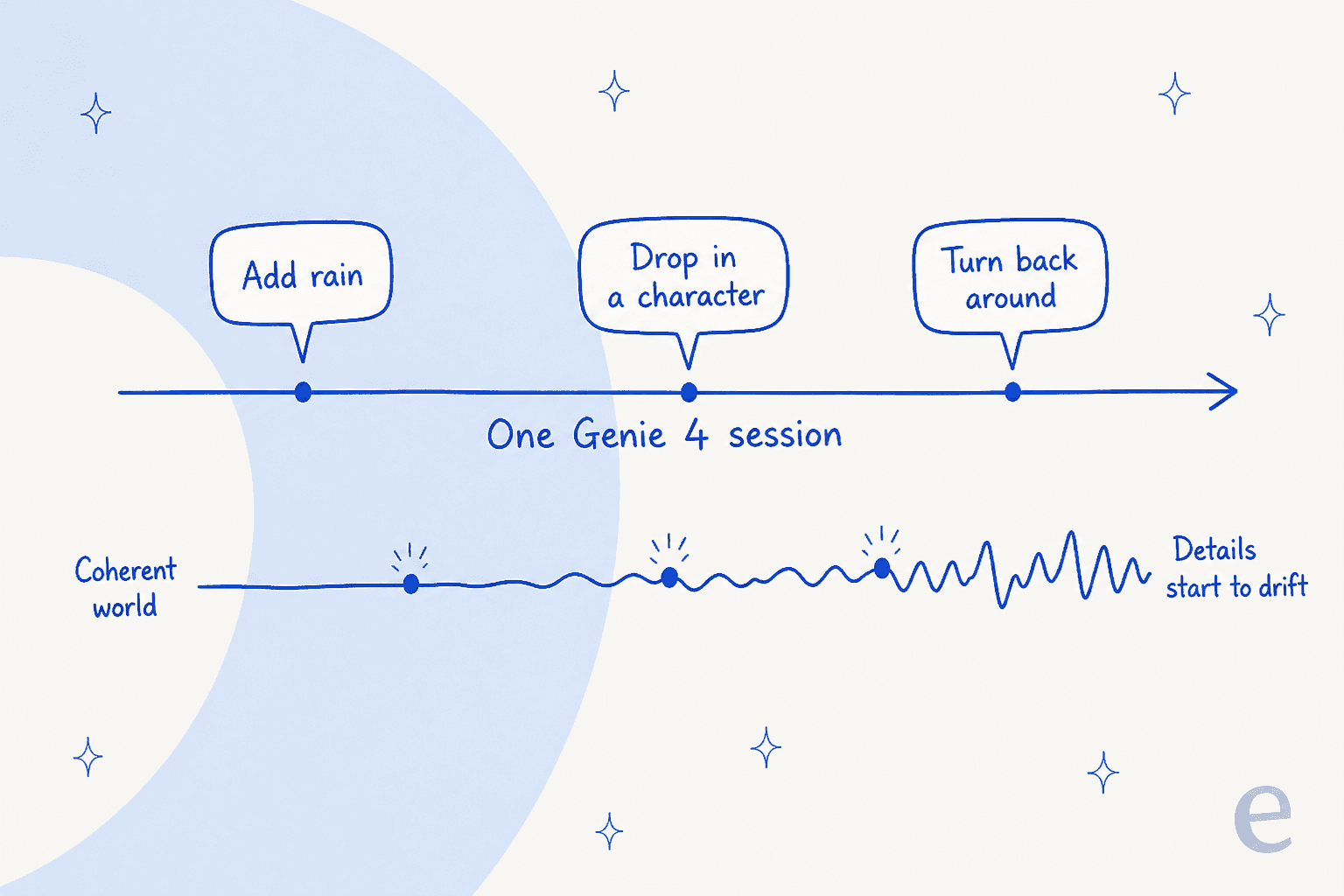
The help page's known-issues list is very specific. It names a character that "runs backwards", worlds where you "can't control character sometimes", streams where quality may "lower based on server load", controls that are "slow to respond", and streams that "get darker over time". That's a research prototype, and Google labels it one.
Some things it just doesn't do. Legible text "is often only generated when it's in the input world description", so signs and screens come out as squiggles unless you asked for the words. It can't recreate real-world locations accurately. And interactions between several independent characters are still listed as an open research problem.
You can't take anything out. After a session you can replay it, rewatch it, download a video, share it or remix it. There's no scene file, mesh or engine export, and the API is limited to early access partners. For anyone thinking about game prototypes, that's the ceiling.
What are people saying about Genie 4?
The first day of reactions mostly centred on access and consistency, not visuals. Nobody disputes the demos look good. The Hacker News launch thread reached 145 points and 117 comments, and the most common complaint was the one DeepMind's own limits page predicts:
"I mean do they expect people using Genie to be on acid or mushrooms so you don't notice that everything changes when you turn around?"

Builders asked the export question within the first few hours:
"Would love to be able to export an FBX or USD (or even OBJ or Gaussian splats or something) from this"
And plenty of people just couldn't tell what they'd get before paying. One commenter found the Ultra plans page still advertising Genie 3, which I also saw on Google's Gemini plans page on 19 November. Another put the problem plainly:
"I can't even see what 'genie' is on their website and I'm not gonna sign up for a 20x plan just to take a look. A demo may get me to signup, but I'm not gonna signup sight unseen."
Two corrections help here. You don't need the $199.99 20x tier, since the plans page footnote says Project Genie comes with any Google AI Ultra plan. And the help page says signed-out visitors can still open the gallery to "view short previews" of what people built, which is the closest thing to a free demo.
Over on r/GeminiAI, Pro subscribers mostly wanted in:
"If possible can Pro have Genie 3 now then maybe we can be a version behind each time to not take away the Ultra's selling point ?"

Genie 4 vs Genie 3: which should you pick in Project Genie?
Both are in the same model picker, at the same price, so this is a per-session choice, not a purchase decision.
| Genie 4 | Genie 3 | |
|---|---|---|
| Best for | Scenes with people, sound and live direction | Long flights through a place |
| Session length | Around a minute | Up to 3 minutes per generation |
| Audio | Native, adapts to the scene | None mentioned |
| Mid-session prompts | Yes, steered by Gemini | Yes, "real-time in-world events" |
| Start from a panorama | Not mentioned | Yes, 360-degree panorama grounding |
| Chain worlds together | Not mentioned | Yes |
My rule of thumb: Genie 4 when the subject is a person or a moment, Genie 3 when the subject is a place. And because Google applies a daily usage limit that "may vary by plan and demand", I wouldn't burn Genie 4 runs on scenery that Genie 3 handles well.
How much does Genie 4 cost?
Genie 4 has no price of its own. You get it through Project Genie, which comes with Google AI Ultra at $99.99 a month (5x usage) or $199.99 (20x). Google AI Pro at $19.99 only gets you on the waitlist, and Google AI Plus and the free plan don't include it.
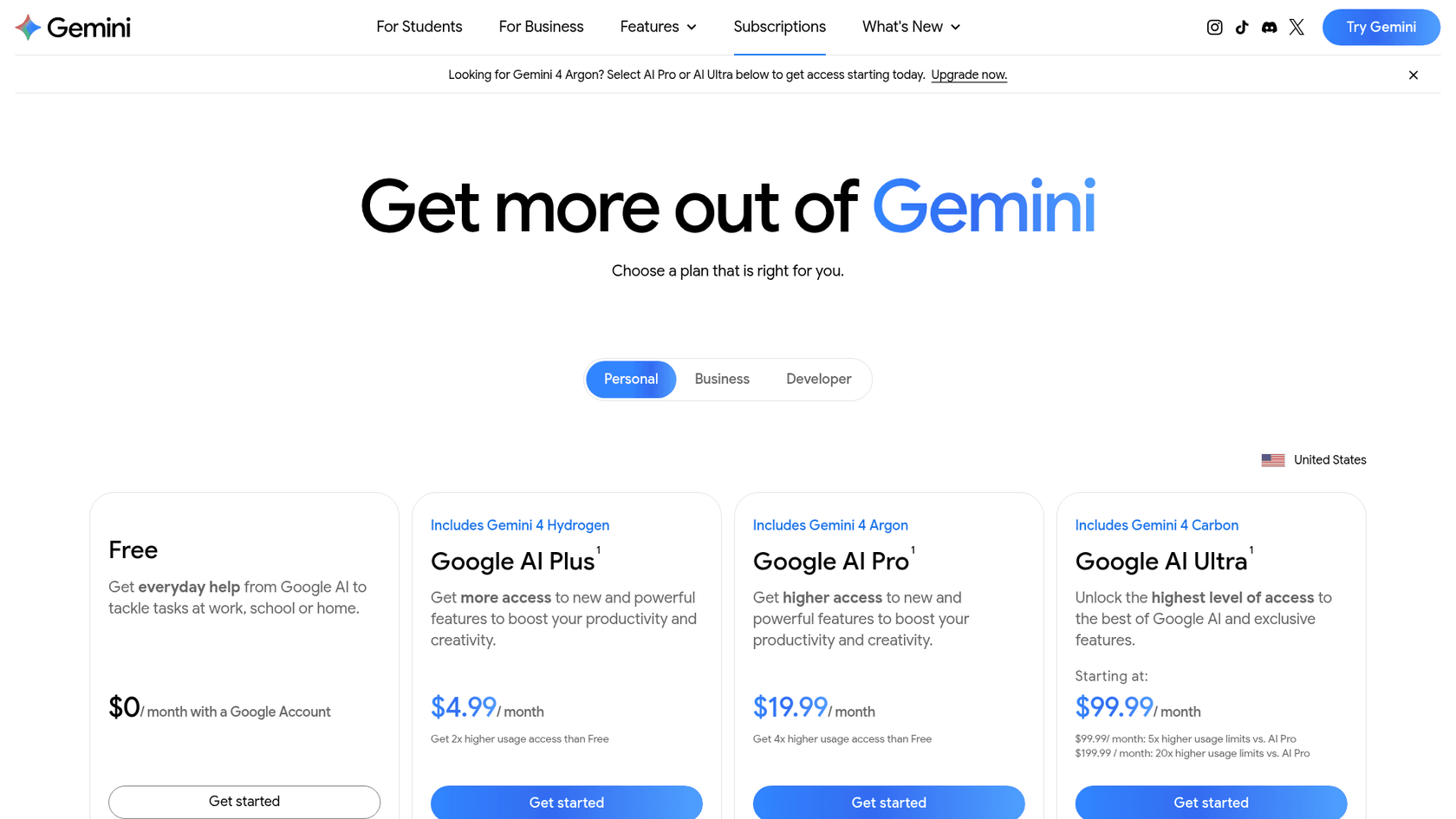
The help page adds that you "will not need to use your AI credits to generate worlds" during the early access period, so the subscription is the whole cost. The catch is the daily cap with no published number. I break down every plan, the queue and the missing API price in my Genie 4 pricing post, and the wider bundle in Gemini pricing.
Who should use Genie 4?
It comes down to what you already pay for and what you want to make.
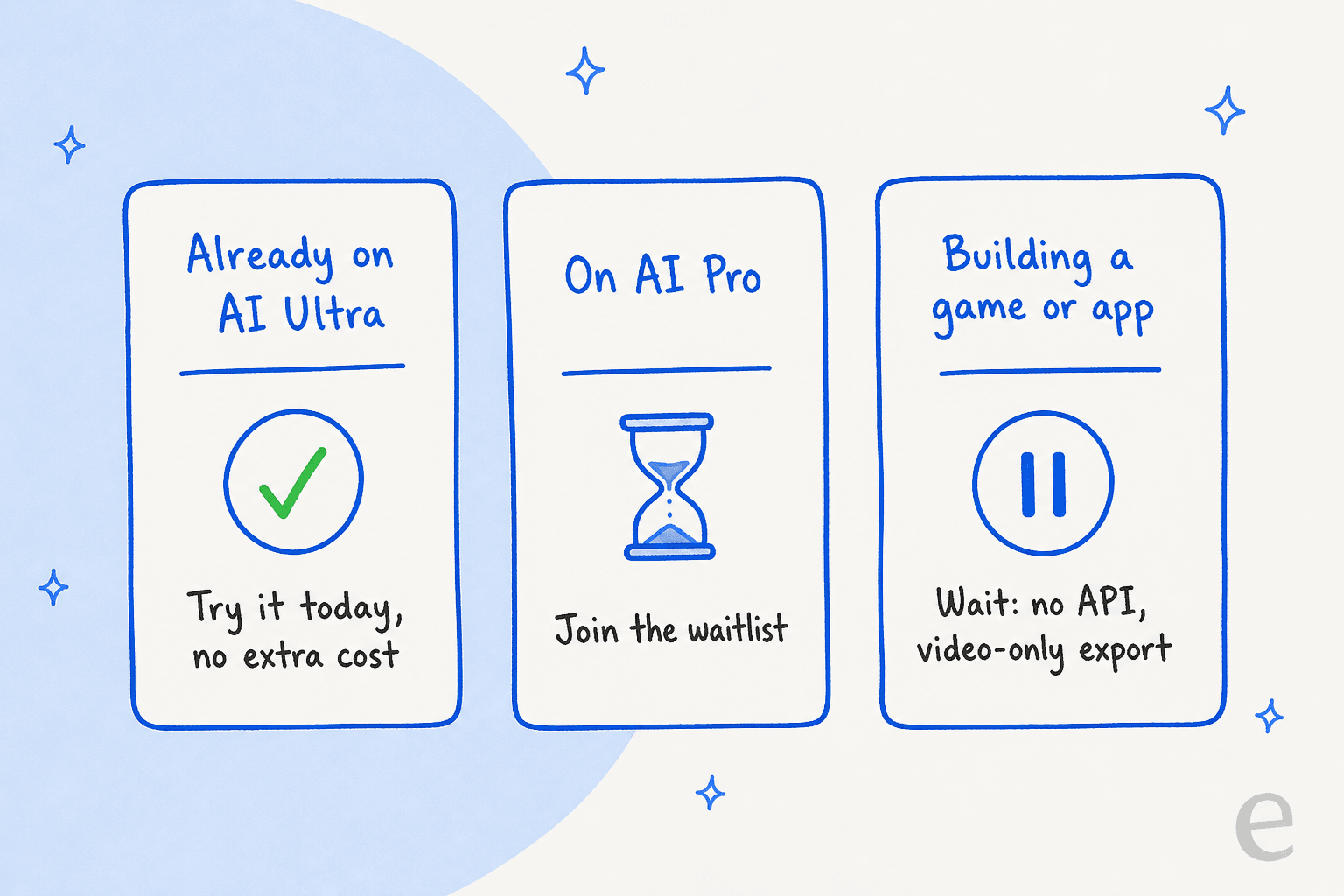
- Ultra subscribers: try it today. It's included, it uses no AI credits, and nothing else lets you walk around a world that talks back.
- Filmmakers and previs teams: worth a look. DeepMind says creatives are testing it as a "draft mode" for running several takes of a scene live. Keep each take short to stay ahead of the drift.
- Game developers: watch, don't plan. No engine export and no public API means it can't sit in your pipeline yet. For video you can ship today, tools like Runway, Sora 2 or Kling make fixed clips with a known price per output.
- Pro subscribers: join the waitlist rather than upgrading for this alone. The
$80a month jump to Ultra makes sense only if you'd also use Nano Banana Pro, Flow credits or Gemini 4 Carbon at higher limits.
If you're weighing Google's AI more broadly, my Gemini alternatives roundup is the place to compare.
What Genie 4's known-issues list gets right
The most useful thing Google shipped with Genie 4 isn't a feature. It's the list of what doesn't work yet.
A character that runs backwards, a stream that gets darker, details that drift after edits: Google wrote all of that down before anyone complained. That's why the Hacker News thread argued about whether world models are worth it, not whether Google oversold this one. Publishing your limits up front is how an early AI product keeps people's trust.
It's the same standard I'd hold any AI to before it talks to your customers, and it's how we build eesel, an AI teammate that joins your helpdesk. The failures there are quieter than a backwards-running character: a confident reply with the wrong refund date. So before eesel answers anyone, you can simulate it on your past tickets and see where it would have gone wrong, which is the most reliable way to prevent AI hallucinations in support.
Swiftreg, a UK private number plate seller, shows what that looks like in production. eesel runs on its Zendesk, answers order questions from Swiftreg's own live lookups rather than memory, and checks each reply against those results before sending. Every public reply ends with a footer saying the AI wrote it and may contain errors, which is Google's known-issues habit applied to customer email. In one month that setup handled about 2,100 tickets and sent 1,494 public replies.
With the eesel CLI, an AI coding agent like Claude Code can upload your approved help articles and macros, adjust the agent's instructions, and run a batch of test questions to check the answers before anything goes live. Connecting the helpdesk itself still needs someone with admin access to approve it, and uploaded knowledge still gets tested before launch.
Try eesel
If Genie 4 got you thinking about how an AI product should admit its limits, look at the AI you'd put in front of your customers. eesel works like a new hire for your helpdesk: it learns from your help center and past tickets, drafts or sends replies under rules you write, and you test it before launch on real history.
Try eesel free, or see how a support teammate differs from a general assistant in eesel vs ChatGPT.