


How does Krea 3 score at a glance?
I'm a software engineer at eesel with a computer science background, and my week is spent building features and AI agents, so I read a new model the way I'd read a spec: what it promises, what its own docs admit, and where early users hit the edge. I did not run a controlled bake-off against rival models. Every score below comes from Krea's launch post, its API docs, its pricing page, and the first three days of public reports on X and Hacker News.
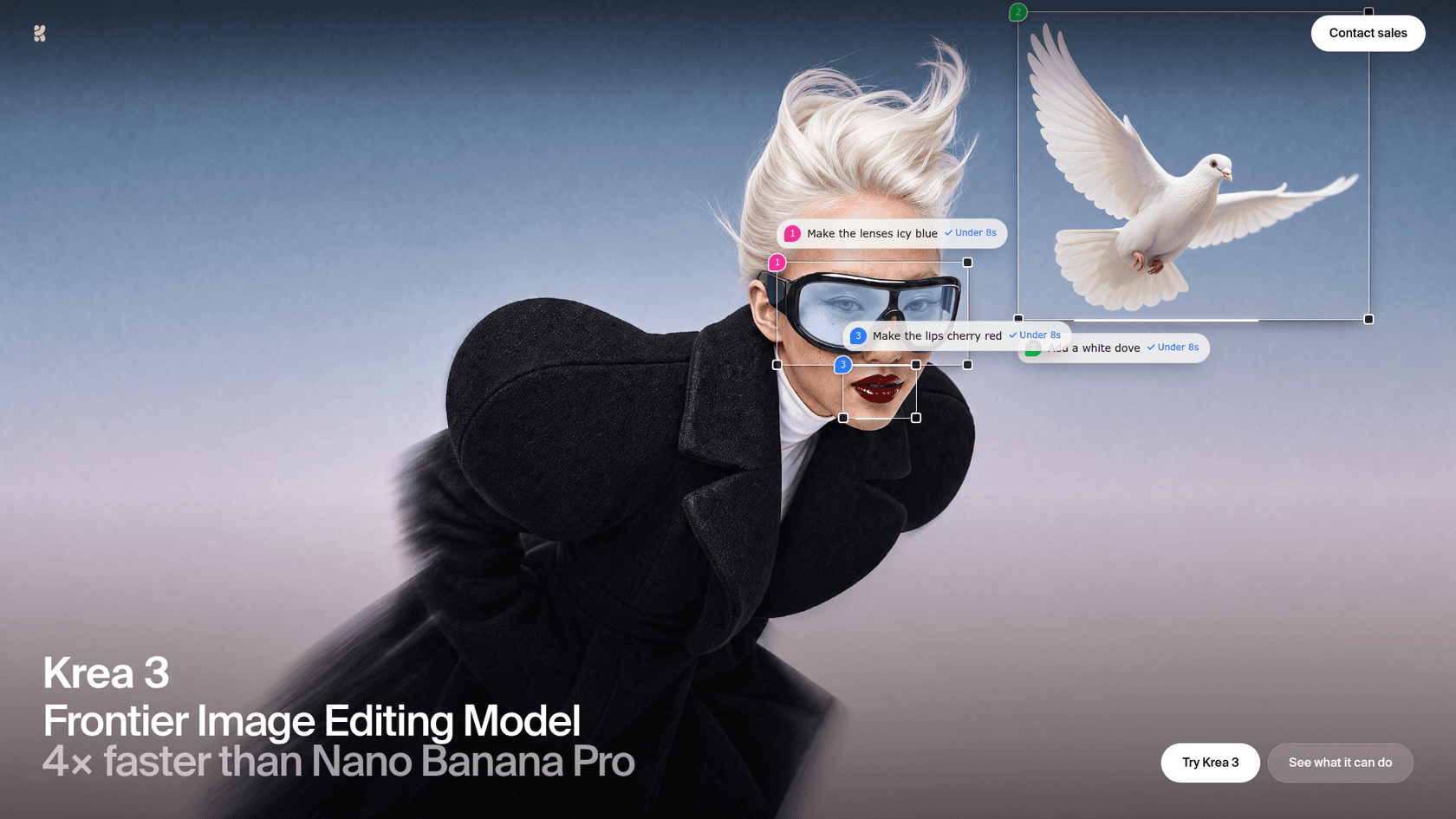
I care about these numbers for a practical reason. Our own blog pipeline generates a hero banner and several infographics for every post, and roughly 1 in 3 renders needs a redo. One customer in our records, a German baby-textile ecommerce brand, ran that pipeline about 15 times in three days to get posts with banners and brand-colored infographics. When a redo costs a minute instead of ten seconds, edit speed decides whether people iterate or settle, so I weighted it heavily.
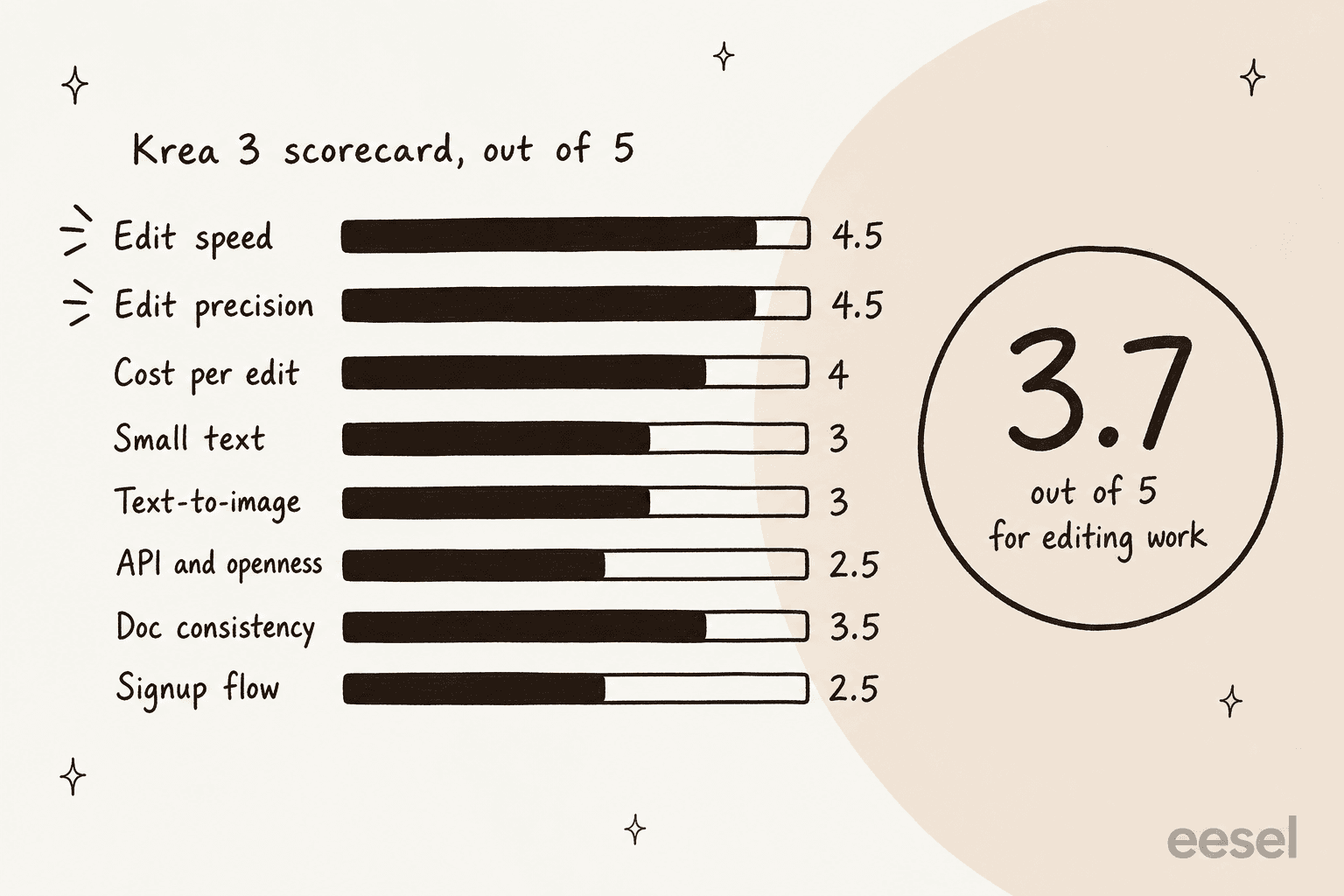
| Criterion | Score | Weight | Why |
|---|---|---|---|
| Edit speed | 4.5 | 2x | Under 8 s at 2K, vendor-measured; fal advertises under 6 s |
| Edit precision | 4.5 | 2x | Regional edits leave other pixels alone, shown in Krea's diff view |
| Cost per edit | 4 | 2x | About $0.13 for a 2K edit with one 2K reference |
| Small text | 3 | 1x | Early users saw scrambled signage and text overrunning clothing |
| Text-to-image | 3 | 0.5x | Krea itself flags it as experimental in the beta |
| API and openness | 2.5 | 1x | API is early access, no open weights, no LoRAs via API yet |
| Doc consistency | 3.5 | 1x | Reference limit is 6, 8 or 4 depending on the page |
| Signup flow | 2.5 | 1x | Several Hacker News users described pushy discount prompts |
The weighted average is 3.7. Weigh all eight criteria equally and it drops to 3.4, which is the honest range: a strong editing tool wrapped in a young product.
Is Krea 3 really fast, and does speed hold up?
Speed is the headline, so I started there. Krea says most edits finish "in under 8 seconds, end to end" at native 2K, and its fastest setup does an edit in about 4 to 5 seconds. In its comparison table, the other models come from the median request-to-result time for edit jobs on Krea between September 24 and October 1, 2026, queue included: Nano Banana Pro at 33 seconds and GPT Image 2 at 90.
Two things keep me from scoring it a 5. Those are Krea's numbers on Krea's infrastructure, and the landing page runs a different comparison with Nano Banana Pro at about 26.8 seconds. It also labels one competitor price "a draft estimate pending validation." A Hacker News reader added a fair point on the other side: the listed GPT Image figures look outdated unless you run its top quality setting.
"Just to clarify they might be accurate but only when using the absolute highest quality setting which is really really not necessary to get great results."

So I read the gap as real but smaller than the launch table suggests. Even against the 26.8-second figure it is a 3x difference, and it is the difference that changes habits. The OpenAI side of that comparison is covered in my ChatGPT Images 2.5 review, and I covered Google's tier in the Nano Banana 2 review.
How precise are the edits?
This is where Krea 3 earns its 4.5. The mechanism matters here, so here is how I understand it from Krea's own FAQ: the model is not a distilled copy of a larger one, it "finds that region first and renders only what changes." In the API that becomes a single flag, regional_edit: true, and the docs say everything outside the box stays exactly as it was. Regular edits, by contrast, re-render the whole image, so artifacts can build up if you keep editing the latest output.
Krea shows this with a changed-pixel map. The prompt was "Change only her coat to cobalt blue", and orange marks every pixel the model touched.
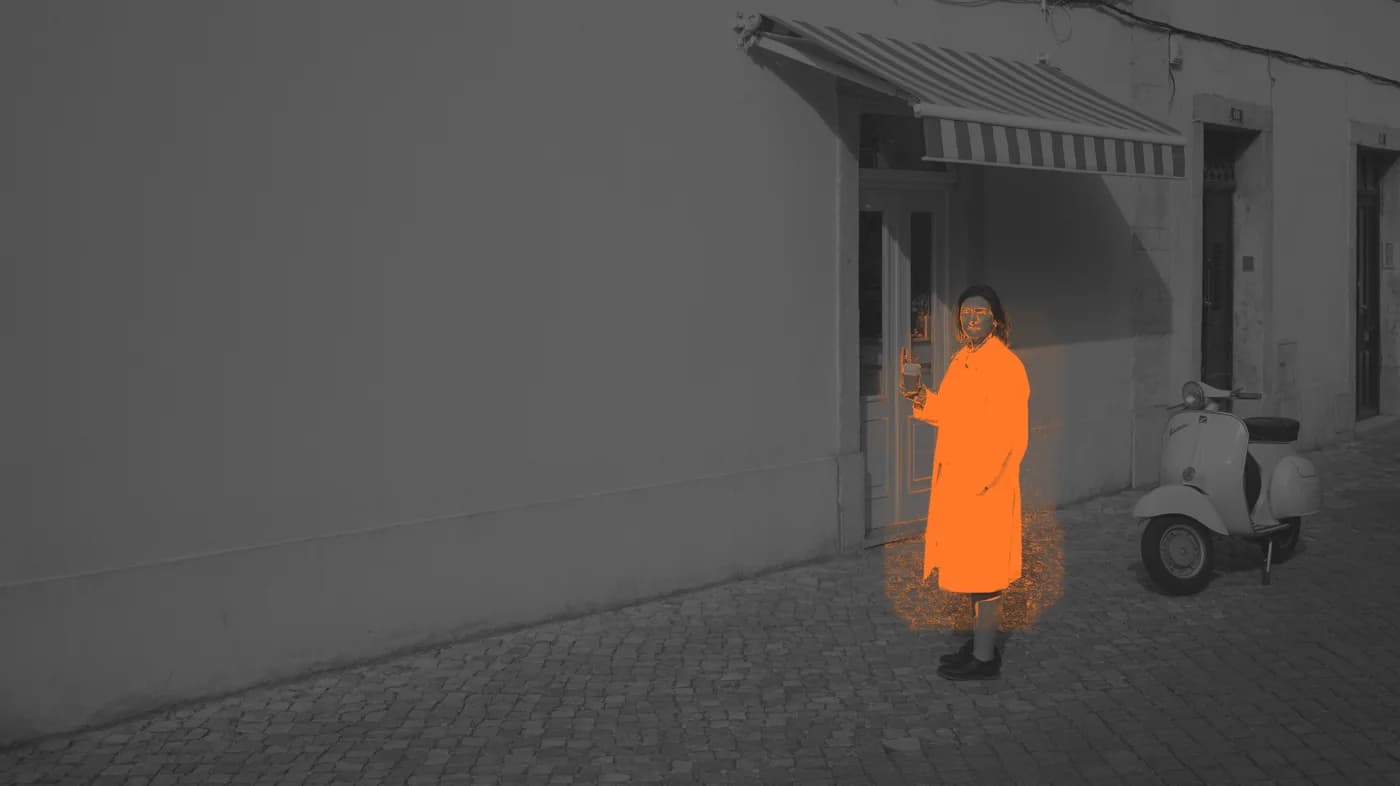
One example proves little, and early users found the edges of it. A Hacker News commenter who asked Krea 3 to seat a woman at a bar reported that it invented a jacket and let the shirt print run over it:
"Gave it a photo of a woman wearing a T-shirt, asked it to seat her at a fancy bar. It invented a suit jacket, which makes sense, but the drawing on the shirt runs right over the jacket. Gemini did much better."
Another reader doubted the advantage for background removal, since there the "region" is nearly the whole image. Both are fair. Precise edits shine when the change is small and the rest of the frame must survive, which is the catalog and campaign job. On the positive side, one X reply to the launch demo picked up the reflection detail:
"Ok the reflection in the water updating with the new sky got me. We fight just to keep one character's face the same across scenes, so swapping half a photo this cleanly is kind of wild"
Shane Hegde, who tests one creative tool a day, listed similar strengths in his Day 5 post: six reference inputs with a consistent subject, plus per-region prompts on a single image. His cons list was short, and the first item is a real limit:
"You can only generate up to 4 images at a time"
What does a Krea 3 edit really cost?
I give cost per edit a 4 and not a 5 because of the small print. The launch table lists $0.06 per image at 2K, "without image references." An edit has a reference by definition, the photo you are editing.
| Pricing component | 1K output | 2K output |
|---|---|---|
| Base price | $0.03 | $0.06 |
| Each 1K reference image | +$0.02 | +$0.02 |
| Each 2K reference image | +$0.07 | +$0.07 |
high thinking mode | +$0.02 | +$0.02 |
Source: Krea 3 API docs. The API is early access, so these are the published rates, not a self-serve price list.
Put together, a 2K edit of one 2K photo costs $0.13, and $0.15 with high thinking. That still sits under the $0.135 that Krea lists for Nano Banana Pro, a figure that also excludes references, and well under the $0.22 it lists for GPT Image 2. Krea's 100,000-edits-a-month illustration is $6,000 for Krea 3 against $13,500 and $22,000, but that uses the no-reference base price, so for edit work I'd rebuild it as roughly $13,000 for Krea 3 on one 2K reference each. The gap to Nano Banana Pro narrows to almost nothing at that rate, so the cost case rests on speed more than on price. The docs offer one cheap fix: around 1 MP is enough for most edits, so shrinking a reference to about 1K cuts its fee from $0.07 to $0.02. For how OpenAI prices the same job, see ChatGPT Images 2.5 pricing.
What do the Krea plans cost in the app?
In the app, Krea 3 draws on compute units, and it is "available to everyone," per the user guide. A heavier Krea 3 Ultra mode sits on Max plans and above. I checked these plans on the pricing page on October 18, 2026.
| Plan | Monthly billing | Billed yearly | Compute units |
|---|---|---|---|
| Free | $0 | $0 | 100 a day |
| Pro | $35/month | $21/month | 20,000 a month |
| Max | $105/month (60k tier) | $63/month | 60,000 by default, 40,000 to 100,000 on the slider |
| Business | $200/month | Not shown | 80,000 a month |
| Enterprise | Custom | Custom | Custom |
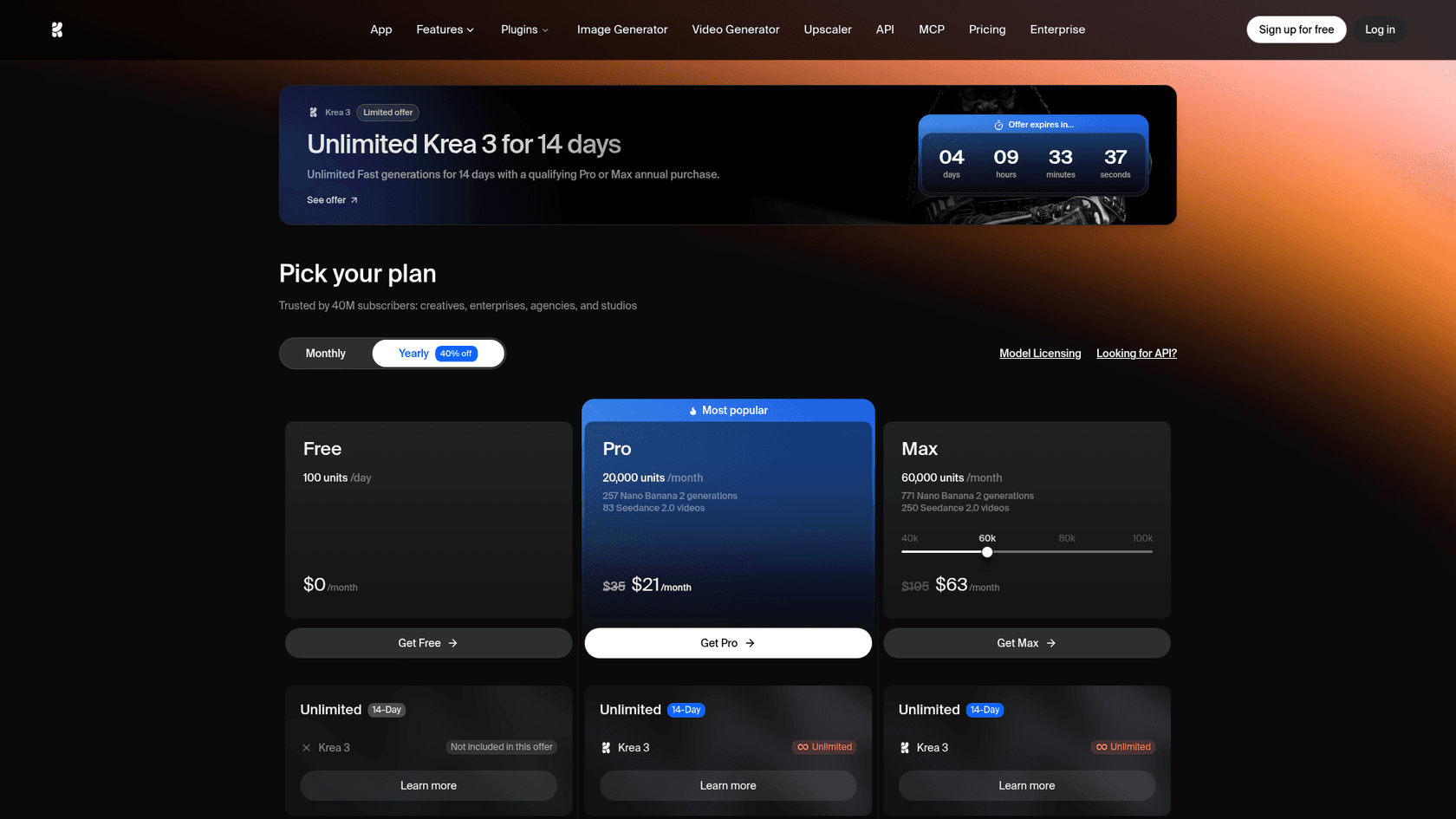
The plans themselves are reasonable next to Midjourney's plans, and the launch offer is generous: unlimited Fast generations for 14 days with a qualifying Pro or Max annual purchase. Units do not roll over on individual plans, per the compute units guide, so burst users on monthly billing lose what they skip.
The score drops on the flow around the plans. Hacker News users described a discount-after-decline prompt and a timer-style offer email, and the reaction was blunter than anything I read about the model itself:
"Incredibly aggressive dark patterns in this sign up flow just to try the model."
A Krea team member answered in the thread that he would "ponder about what would be a better growth strategy," so I score the signup flow a 2.5 for now. If you only want to try the model, the free plan's 100 units a day is the cleaner door than the discount email. Similar free tiers exist at Canva AI and Leonardo AI if you want a comparison point.
Where does Krea 3 lose points?
Three areas pull the average down, and Krea is candid about most of them.
- Small text and text-to-image. Krea flags text-to-image as experimental in the beta, and its team said editing was the priority. Early users saw scrambled signage and text running over clothing. If lettering is your job, Ideogram and OpenAI's models are the benchmark to test against first.
- Access and openness. The API is limited to workspaces in the Krea 3 beta, requested through sales@krea.ai. There are no open weights; Krea's team said on Hacker News they are "being discussed internally." Krea 3 does not yet support the style references and LoRAs that Krea 2's API offers, and sending them returns a 422 "coming soon."
- Docs that disagree. The launch post says up to 6 references per edit, the landing page and API docs say 8, and OpenRouter's listing shows 1 to 4. The API docs add that with five or more references each is resized to 1536 px on its longest side, so for full-detail references I'd send four or fewer.
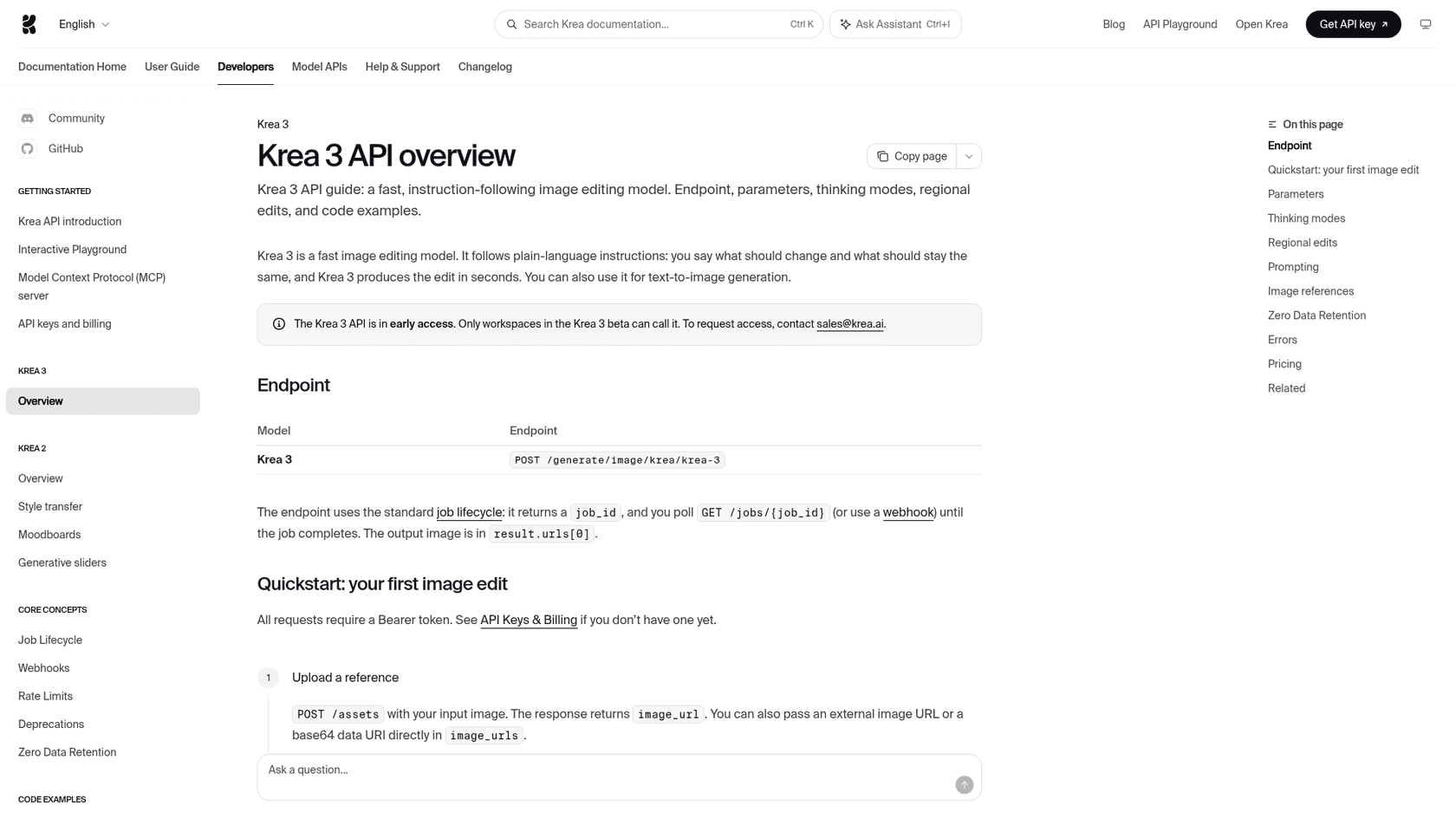
From a builder's chair, the API itself is tidy. It is a standard async job: POST to /generate/image/krea/krea-3, keep the job_id, then poll or take a webhook. Default output is 1K unless you pass resolution: "2K", and seeds are not deterministic. Most developers will probably reach it through a partner instead, because fal, OpenRouter, Together AI and Replicate are all named launch partners. If you already route image calls through one of them, trying Krea 3 is a model-name change.
Who should use Krea 3, and who should skip it?
Krea's own docs split the work between its models: Krea 3 for fast, instruction-following editing where a product or character must stay consistent, Krea 2 for style exploration with weighted style references, moodboards and LoRAs. I'd add two more lanes, since the honest answer is a routing decision rather than a single pick.
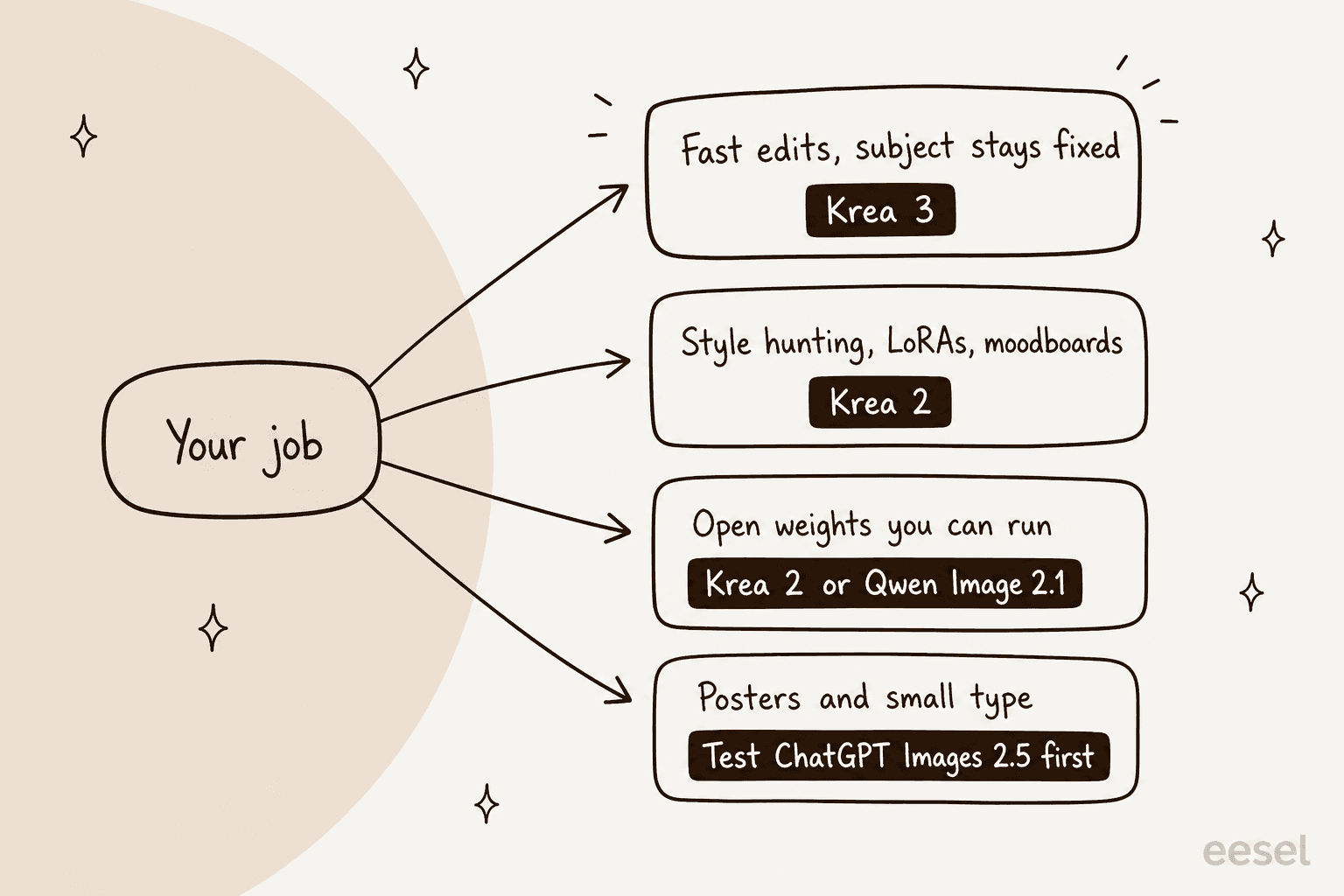
| You are... | My verdict |
|---|---|
| A catalog or ecommerce team swapping scenes around fixed products | Use Krea 3. Regional edits and the per-edit price suit volume work |
| A marketing team localizing one ad into many formats | Use it, and proofread every small line of text |
| A designer exploring a look | Stay on Krea 2, or look at Midjourney |
| A developer who needs fine-tuning or weights now | Wait, or try Qwen Image 2.1, which ships open weights under a research license |
| Someone doing posters or heavy typography | Test ChatGPT Images 2.5 first |
If your task is only cutouts or cleanup, a dedicated tool may be simpler, and my Photoroom alternatives list and Photoroom pricing breakdown cover that route. Shopify merchants can also start with Shopify Magic for backgrounds.
For the broader field, the Nano Banana 2 alternatives roundup is my widest comparison, and the ChatGPT Images 2.5 alternatives list leans toward typography. ByteDance's model has its own Seedream 5.0 Pro review.
Two more models aim at the same editing job: Qwen Image Edit from Alibaba, and OpenAI's image edit API.
For design assets, Recraft is worth a look, and Freepik is the bundle option.
Where does Krea 3 fit in a content workflow?
A fast editor removes one bottleneck, but most teams I talk to need images inside something: a product page, a campaign, a blog post. The model gives you the picture in 8 seconds; the research, drafting and editing around it still take hours.
That is the gap eesel's AI blog writer fills. It is a teammate you hire for one job: it finds the topic, researches it with every claim cited, writes in your brand voice, and draws its own hero banner and diagrams, so a post ships with visuals instead of as a wall of text. If you generate hero shots in Krea 3 for an ecommerce blog or a marketing team, the two sit side by side: Krea for the product image, the writer for the article around it.
My guide to creating AI blog images covers how to brief either one.
Try eesel
If you are testing Krea 3 because your content calendar needs more visuals, the slower part is usually the writing, not the picture. eesel's AI blog writer researches a topic, drafts a cited post in your voice, adds its own infographics, and takes plain-language edits like "make the intro punchier." See how it handles an AI blog writer with images, how teams set up an AI blog writer workflow, and which tools rank among the best AI blog writers.

Pair it with your Krea 3 edits and you get the whole post, not just the picture. Try eesel free and give it your next topic.