


Qwen Image 2.1 is Alibaba's newest open-weight image model, and the interesting part is what got smaller. The visual generator dropped from roughly 20B parameters to just 7B, which means it runs on a consumer GPU, while still doing text-to-image, editing with up to 10 reference images, and native 2K output in one model. Its signature trick is native transparency: it generates and edits RGBA images with a real alpha channel, which used to need a separate Qwen model.
Here's the catch nobody's putting in the headline: 2.1 is open weights, not open source. Earlier Qwen-Image releases were Apache 2.0. This one ships under a research-only license, so you can download it and experiment, but you cannot legally ship it in a product without a separate grant from Alibaba. For a hobbyist or a research team, that's a footnote. For anyone building a paid product on top of it, it's the whole story.
If you generate images to feed content rather than as the end product, the model is only half the job anyway. I build AI teammates at eesel, and our AI blog writer is the teammate that turns a pile of assets and research into a finished, published article, which is the part an image model doesn't touch.
What Qwen Image 2.1 actually is
Qwen Image 2.1 is the latest release in Qwen's image model line, from Alibaba's Qwen team, and it landed on September 20, 2026. It's an open-weight model that unifies two jobs most tools split apart: generating an image from a text prompt, and editing an existing image. Both live in a single 7B-parameter model you can download and run yourself (Qwen blog).
The blog frames the release around four things: it's compact and efficient, it does native transparency in a unified model, it has more versatile editing, and it renders more realistic textures. Of those, the two that actually change what you can do are the size drop and the transparency, so that's where I'll spend the most time.
A quick note on the name, because the community managed to confuse it within a day: the official repos, model card, and blog all call it Qwen-Image-2.1, not "Qwen-Image-2509" or "2512". If you're pulling weights, the Hugging Face ID is Qwen/Qwen-Image-2.1 (HF model card).
The real story: it got three times smaller
The prior Qwen-Image was a roughly 20B-parameter model with a 40.9GB BF16 image transformer. Qwen Image 2.1's visual generator is 7B, which is 14.2GB in BF16 and 7.26GB as an INT8 build. That's the summary one developer posted on release day, and it's the single most useful number in the whole launch:
"Qwen's Image 2.1 released but it come with lots of improvements but just as many caveats. The old Qwen-Image-2512 was a 20B model with a massive 40.9GB BF16 image transformer. But the new Qwen-Image-2.1 comes with … 7B visual generator, 14.2GB BF16, 7.26GB INT8"
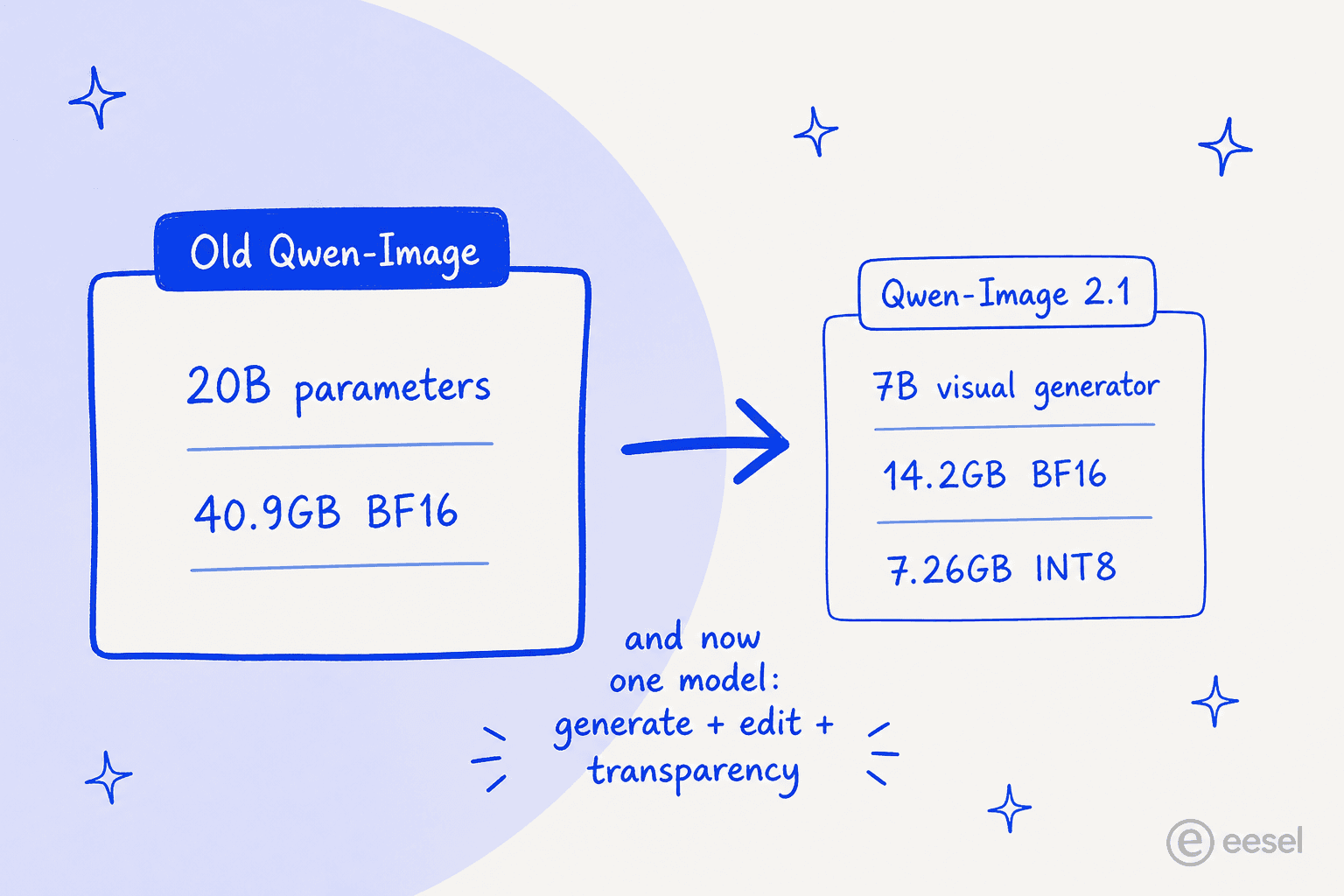
Why does the size matter so much? Because it moves the model from "rent a cloud GPU" territory to "runs on the card already in your desktop." One tester published a full setup running it in about 3.05 GiB of VRAM:
"I just published my full Qwen Image 2.1 guide, including a setup that generated images using just 3.05 GiB of VRAM. CPU offload makes a big difference: 512×512 at 3.05 GiB VRAM, using about 15.2 GiB of system RAM. 1024×1024 at 6.14 GiB VRAM with the text encoder on CPU."
For context, plenty of image models in this quality tier want 24GB+ to run comfortably. Getting usable output on a card with 4-6GB free is the difference between "I can try this tonight" and "I need to spin up a rented A100."
Native transparency is the feature people will actually use
This is the headline capability, and it's genuinely useful rather than a demo trick. Qwen Image 2.1 generates and edits transparent (RGBA) images natively, deciding from your prompt whether to output a normal image or one with a real alpha channel (Qwen blog).

Back in December 2025, Qwen shipped this as a separate model called Qwen-Image-Layered. In 2.1 it's folded into the main model, so you don't juggle two checkpoints. Concretely, it can:
- Generate a transparent image straight from text, including compositions of several transparent elements.
- Edit a transparent image while keeping the background transparent (change a subject's expression, keep the cutout).
- Edit text inside a transparent layer.
- Pull a subject out of an ordinary RGB photo as an RGBA cutout.
If you've ever generated a "logo on a transparent background" and gotten a checkerboard baked into the pixels instead of a real alpha channel, you know why this is a big deal. The model card even recommends a specific prompt shape for it, along the lines of "This is an RGBA image with transparency … the background is transparent" (HF model card). It's the kind of thing that quietly deletes a Photoshop step from a designer's day.
How it stays cheap to run: the architecture
Here's the part that explains the size drop. Qwen Image 2.1's visual generator is a single-stream diffusion transformer (DiT) with 32 layers, not the heavier dual-stream MMDiT design of the original Qwen-Image (capabilities deep dive). Two tricks keep it efficient, and they mostly pay off when you're editing.
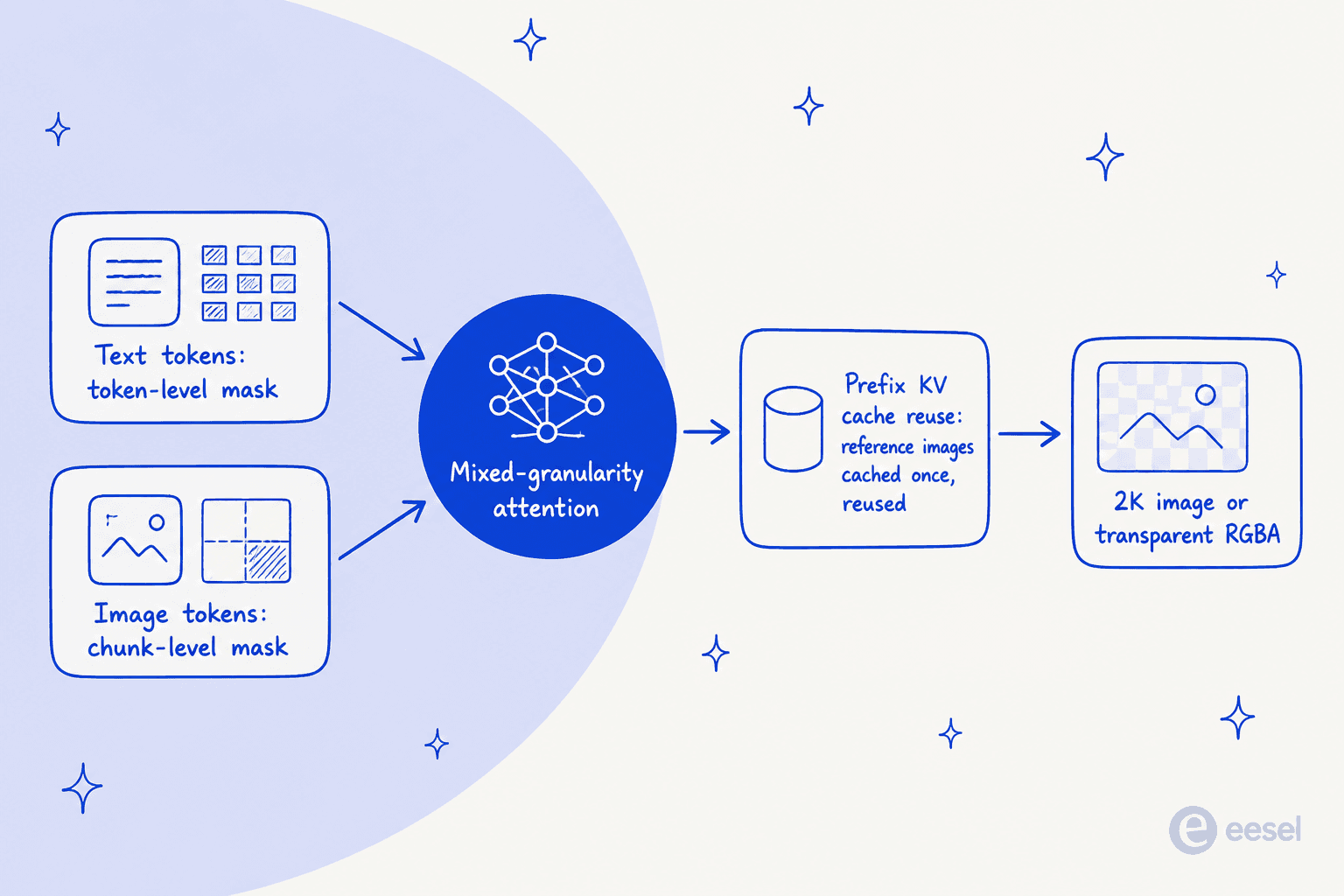
The first is mixed-granularity attention. Text tokens (your system prefix plus editing instructions) use a token-level causal mask, while the image generation uses a coarser chunk-level mask. The second is prefix KV cache reuse: your input images and edit instructions are static context, so the model computes them once in the first step and reuses the cache instead of recomputing every step (Qwen blog). That's the mechanism that makes editing with up to 10 reference images feasible on a small model, rather than something that quietly melts your GPU.
You don't need to care about any of this to use the model. But it's why "7B" and "edits with 10 references" can both be true at once, which on paper looks like it shouldn't be.
Editing: up to 10 references and flexible region selection
The editing side is where 2.1 stretches furthest. It takes up to 10 reference images in a single composition (Qwen blog). Qwen's own examples include a group photo assembled from six separate portraits, a virtual try-on built from five inputs (model, clothing, shoes, bag, hat), and a full room from ten furnishing images.
For picking where an edit lands, you get three options: draw colored circles to mark multiple regions at once, paint annotations directly, or hand it the original image plus a separate mask as two inputs. The mask route preserves the full original content, which is the one you want when you're doing surgical edits and can't afford drift elsewhere in the frame (Qwen blog). Qwen also claims better fidelity for keeping a person's identity consistent across edits and for preserving a product's text, texture, and shape, which is the boring-but-critical bit for anyone doing ecommerce imagery. If you're specifically comparing edit workflows, our Qwen image edit write-up goes deeper on that side.
Text rendering, still a Qwen strength
The Qwen-Image family has always been unusually good at rendering readable text inside an image, and 2.1 keeps that up. The blog says the model weighs not just the text content but the type style, layout, and how it sits in the overall composition (Qwen blog).
One honest caveat: the 2.1 announcement doesn't make an explicit multilingual or Chinese-text claim, even though strong Chinese rendering is a known trait of the family. The example prompts are in English. So I'd treat multilingual text as "probably inherited" rather than "officially promised for this release" until someone benchmarks it properly. That's the kind of gap where I'd rather flag it than pretend the marketing page said something it didn't.
The license: open weights, not open source
Here's the thing to read before you build anything real on it. Qwen Image 2.1 is released under the Qwen Research License Agreement, and the grant is, verbatim, "for non-commercial purposes only." Commercial use requires a separate license, requested through model-business@notice.qwencloud.com.
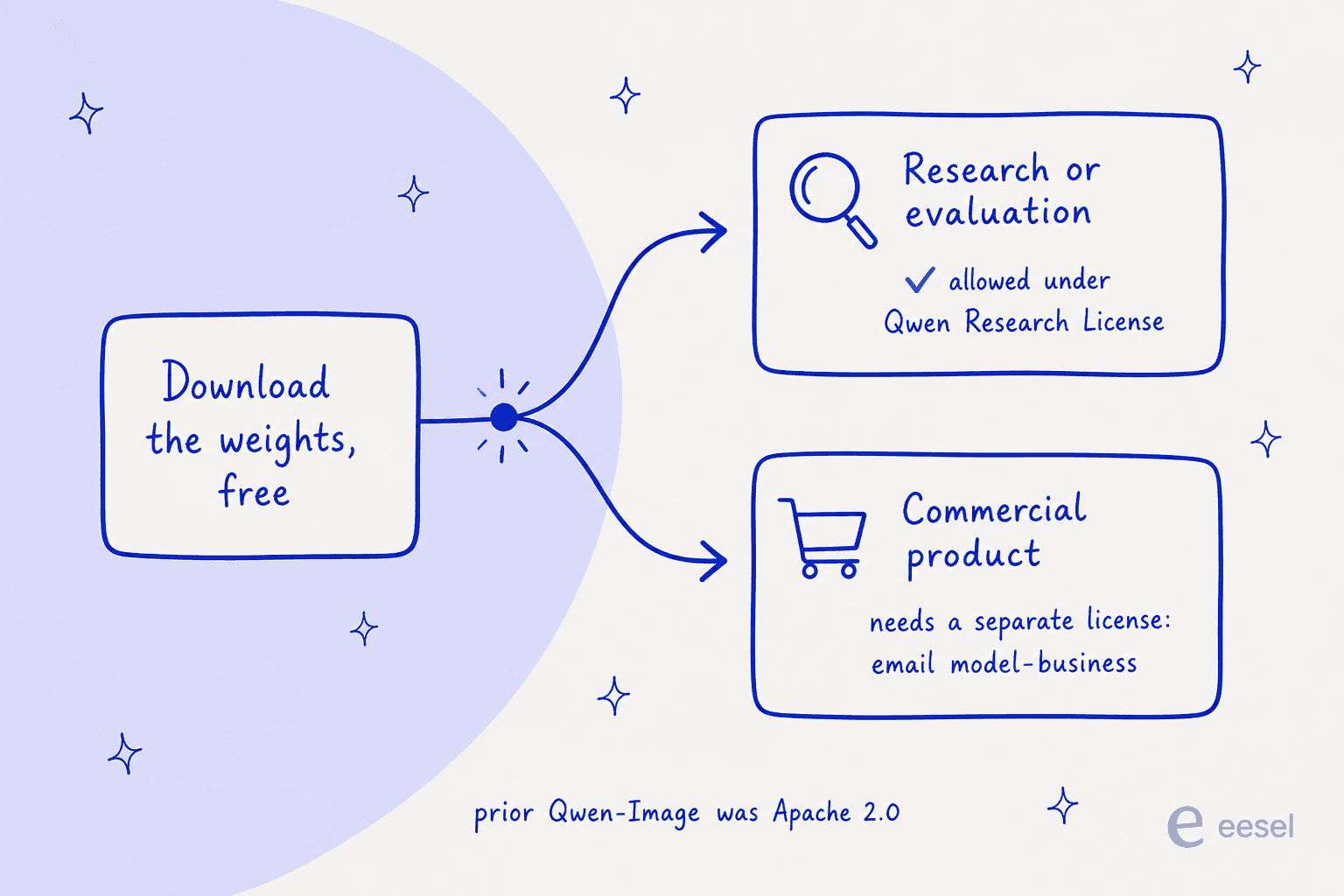
This is a real change, not a nitpick. Earlier Qwen-Image releases shipped under Apache 2.0, which let you do basically anything including build a business on it. 2.1 rolls that back to research-and-evaluation only. You can self-host it, you can modify and redistribute it (with attribution and the license included), but the moment there's money attached to the output, you're outside the free grant.
It also explains a quiet detail in the pricing picture: third-party hosts like fal.ai and Replicate list Qwen Image 2.0, not 2.1, as of this writing. The most likely reason is exactly this license, since a commercial host offering 2.1 would need that separate grant. So if you were hoping to hit a cheap 2.1 API endpoint on a third-party platform, that option mostly isn't there yet.
What it costs to actually use
There's a wrinkle in the pricing worth spelling out, because "how much is Qwen Image 2.1" doesn't have a clean answer. The model itself is free to download and run. There is no qwen-image-2.1 paid API SKU. Alibaba Cloud's Model Studio serves its commercial image API under qwen-image-3.0 model IDs instead, so the closest "official price" is for a different version.
| Route | Cost | Notes |
|---|---|---|
| Hugging Face Space demo | Free | Official hosted demo of the exact 2.1 model, queue-limited |
| Qwen Chat | Free | Image gen/edit built in, version served not published |
| HF / ModelScope weights | Free to download | Qwen Research License (non-commercial); bring your own GPU |
Official qwen-image-2.1 API | Not offered | Model Studio serves image gen under 3.0 IDs |
qwen-image-3.0 API (closest) | $0.003 input / $0.03 output per image | Reference only; not 2.1. Free quota 10 images, 90 days |
qwen-image-3.0-pro API | $0.003 input / $0.04-$0.075 output per image | 2k output costs more; free quota 10 images |
| fal.ai / Replicate | No 2.1 listing (2.0 only) | Likely blocked by the non-commercial license |
So the real cost of Qwen Image 2.1 is either "free plus your own GPU time" or "whatever your commercial license negotiation with Alibaba works out to." For a straight price comparison against the paid API line, our Qwen pricing post has the full table.
What people are saying
Early sentiment skews positive, with the usual open-model caveats. A widely-shared reaction flagged that the model ships with light content filtering, which is either a feature or a liability depending entirely on your use case:
"In case you're wondering, Qwen Image 2.1 is quite uncensored. It has decent anatomy understanding and can do various positions."
That post pulled the most engagement in the set (3,604 likes), which tells you something about what the open-model crowd cares about. Elsewhere, the reference-image editing feature is the part creators seem most excited to test, and community summaries land on cautious optimism: strong demand for the editing tools, welcomed as pressure on rivals, with a few voices reserving judgment on quality until the benchmarks come in.
On that last point, be a little skeptical of the benchmark claims for now. Qwen says the 7B model performs alongside larger open- and closed-source models, but the comparison runs on Qwen's own Qwen-Image-Bench, and the blog publishes it as a chart with no numeric scores you can check (Qwen blog). Vendor-run numbers on a vendor's own benchmark aren't wrong, but they aren't independent either. Wait for third-party evals before treating "matches the big models" as settled.
Who should reach for it
If you're a researcher, a hobbyist, or a team prototyping, Qwen Image 2.1 is an easy yes to try: it's free, it's small enough to run locally, the transparency is genuinely useful, and the multi-reference editing is more capable than most open models. If you build ecommerce or design imagery and you've been paying for background removal or transparent-asset generation, the native RGBA support alone is worth an evening of testing.
If you're building a commercial product, slow down and read the license first. The model is great; the terms are the constraint. Either budget for the commercial grant, or look at a model whose license actually lets you ship, like the fully commercial hosted options we cover in our best AI content generators roundup and the Nano Banana Pro review.
And keep the model in proportion to the job. An image model makes assets. If those assets are going into blog posts, product pages, or a content pipeline, the generation is one step of many, and it's usually not the step that eats your week.
Try eesel for the content around the image
Generating a good image is the fun ten minutes. Turning research, a keyword, and a stack of assets into a finished, on-brand, published article is the slog, and that's the part I work on. eesel is an AI teammate platform, and one of the teammates you can hire is an AI blog writer that drafts long-form posts from your own sources, drops in the images, and ships them, so a model like Qwen Image 2.1 becomes an input to your content rather than another tool you have to babysit.
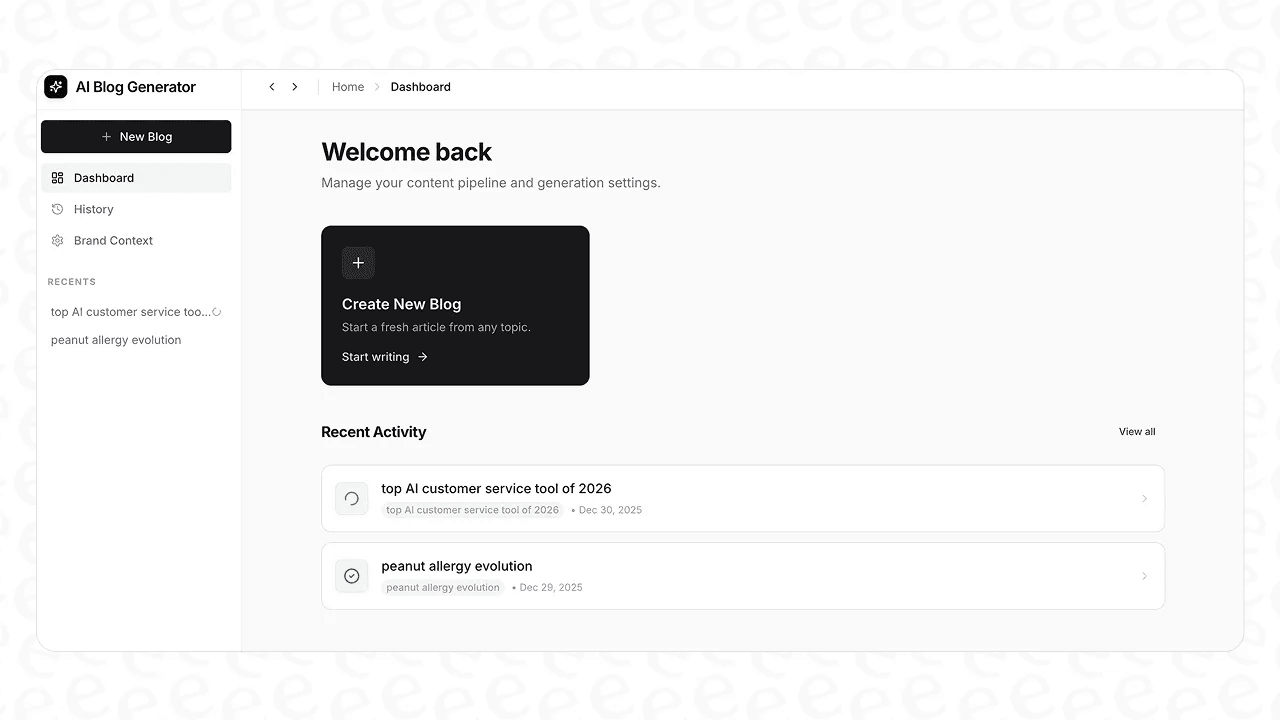
It's free to start, with a couple of blog generations included, no credit card. If image models are already part of your content stack, the blog writer is the teammate that puts them to work.