What Qwen-UI-Agent actually is
Qwen-UI-Agent is one single model that operates software the way a person does, which is by looking at the screen and clicking on it. It came out of the MAI-UI team inside Alibaba's Tongyi lab, and it is the direct successor of MAI-UI 1.0, which shipped 8B and 2B checkpoints back in December 2025. If you want the wider Alibaba picture first, our Qwen overview and Qwen review cover the model family.
The paper landed on arXiv on 30 July 2026, and it became the number one paper of the day on Hugging Face almost immediately, where it now sits at 308 upvotes. The project site frames it as one agent that "thinks, searches, and acts across mobile, desktop, and the web."
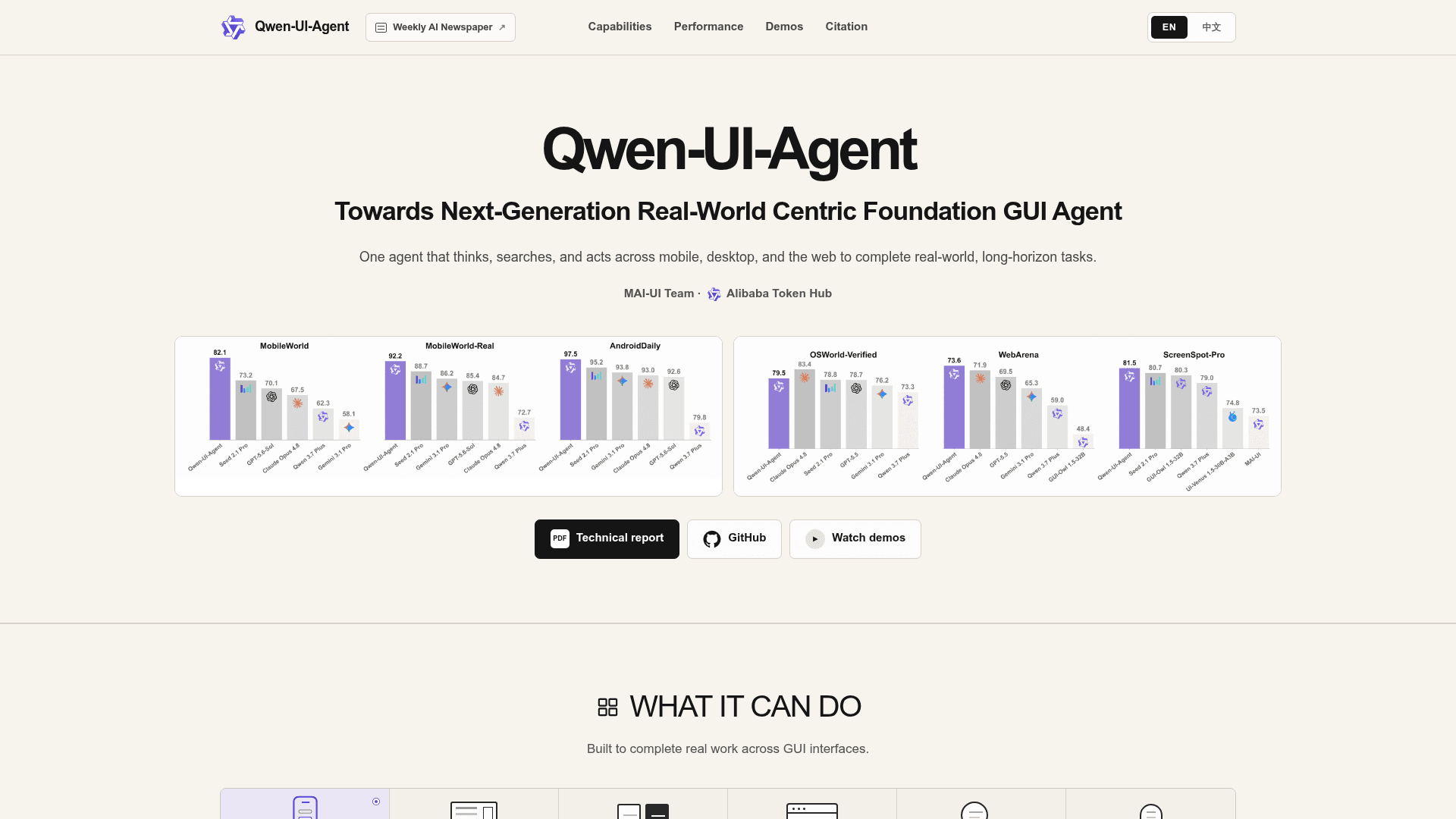
Look at the three buttons sitting under the charts. Technical report, GitHub, watch demos. That is the whole distribution surface right now, and I will be coming back to it.
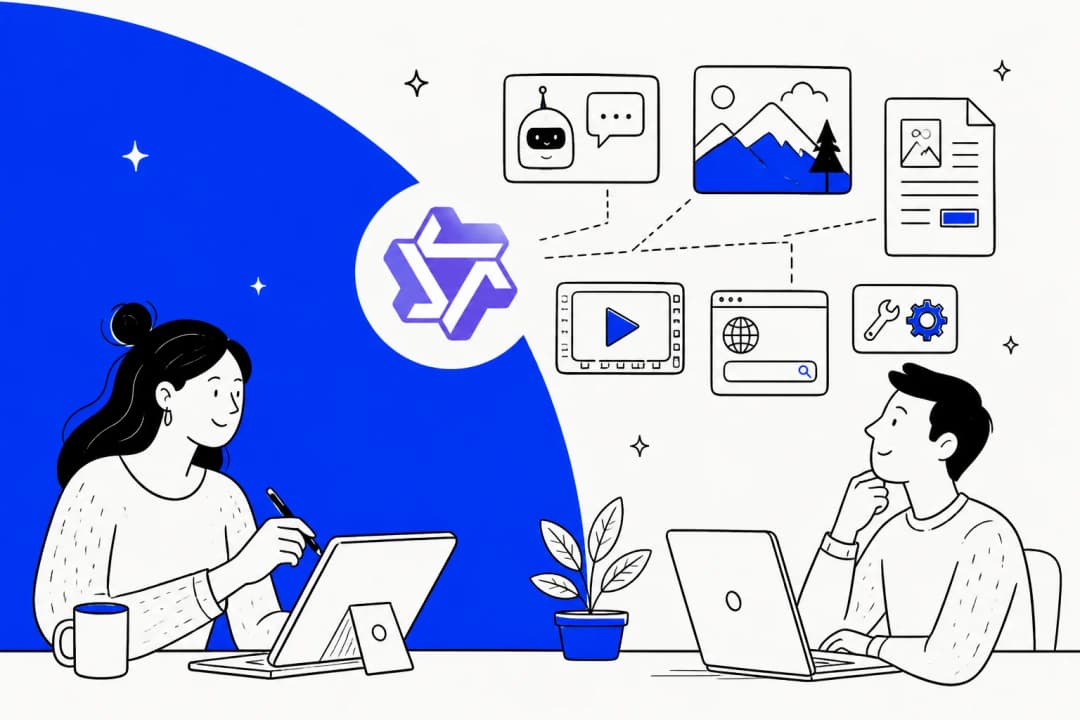
Four scenarios live inside the one model. Mobile GUI use and computer use, plus browser use, and then what Alibaba calls DeepSearch. That last one is the deep-research behaviour and it is not bolted on afterwards. The agent can leave an app, go and verify something out on the open web, then come back into the app to act on what it found. One of the published demos has it pulling claims out of a social video, checking them against research papers, and then returning to write a comment that names the specific problem.
If the category itself is new to you, our writeups on AI agents and on agents versus chatbots cover the ground faster than the paper will. For the permissively licensed end of the field, there is also our open source AI agents roundup.
How it works under the hood
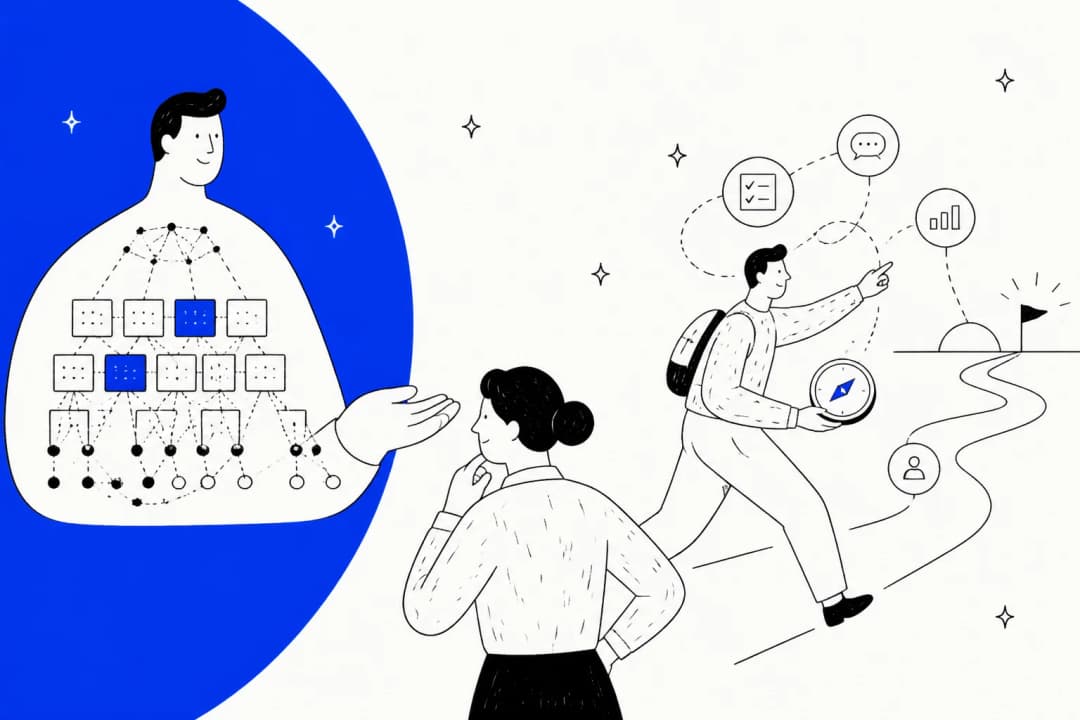
This is the part I find most interesting as somebody who builds agents for a living, because three of the design choices are not obvious ones, and all three are aimed at the same failure mode.
GUI and CLI in one action space
Most screen agents can only ever click. Qwen-UI-Agent can click or run a Bash command, and it picks between the two inside one single unified action space. Alibaba's own reporting on computer-use tasks says CLI commands and GUI clicks emerge as the two dominant action types, which is a polite way of saying that the model worked out that some jobs come far cheaper as one shell command than as thirty clicks.
Anyone who has ever watched a browser agent trying to rename forty files by dragging them will understand straight away why this matters.
Batched actions
Rather than emitting one action, waiting on a screenshot, then thinking again, the model emits several actions inside a single decision. Alibaba reports that roughly 40% of action outputs are batched in computer-use tasks.
The cost implication here is a real one. Every turn in a screen agent means a fresh screenshot going into context, and screenshots are expensive tokens. Halving the turn count on a long task is the difference between a workflow that is viable and one that quietly eats your budget, which is the same arithmetic behind AI agent cost at scale.
Trained on real phones, not just simulators
This is the headline claim, and it is also the one I would want to verify hardest if I could. Alibaba says it built a live mobile environment of 100+ physical smartphones covering 150+ apps, and used it for task construction, trajectory collection, training, and evaluation. It also built its own benchmark on top of that fleet, MobileWorld-Real, with 400+ tasks across 100+ apps.
The stated purpose is closing the sim-to-real gap, and the design does go at the thing that makes simulator scores misleading in the first place. Real apps have loading spinners, A/B tested layouts, sessions that expired, network flakiness that a sandbox never reproduces.
Training then runs online reinforcement learning over trajectories exceeding 100 steps, with around 10,000 environments rolling out concurrently. Feeding all of that is an AutoResearch-style data flywheel, where agents construct the tasks and the environments and the verifiers, diagnose their own failures, then plan the next iteration.
A harness for proactive work
The last piece is a lightweight harness layer that lets the agent start work off a real-world signal instead of a prompt. Alibaba's demo is a cancelled flight notification. The agent notices it, opens live travel apps, compares flights and trains against the user's 14:00 meeting, then comes back with ranked options. It does not book, which is worth to flag. It presents a decision and then it stops.
That restraint is the correct instinct, and it is the same one behind good AI agent handoff practices in support. Google took the opposite route with Chrome auto-browse, which acts inside the browser rather than asking first.
The benchmark results, read honestly
Here is where the story splits into two.
On phones it wins, clearly
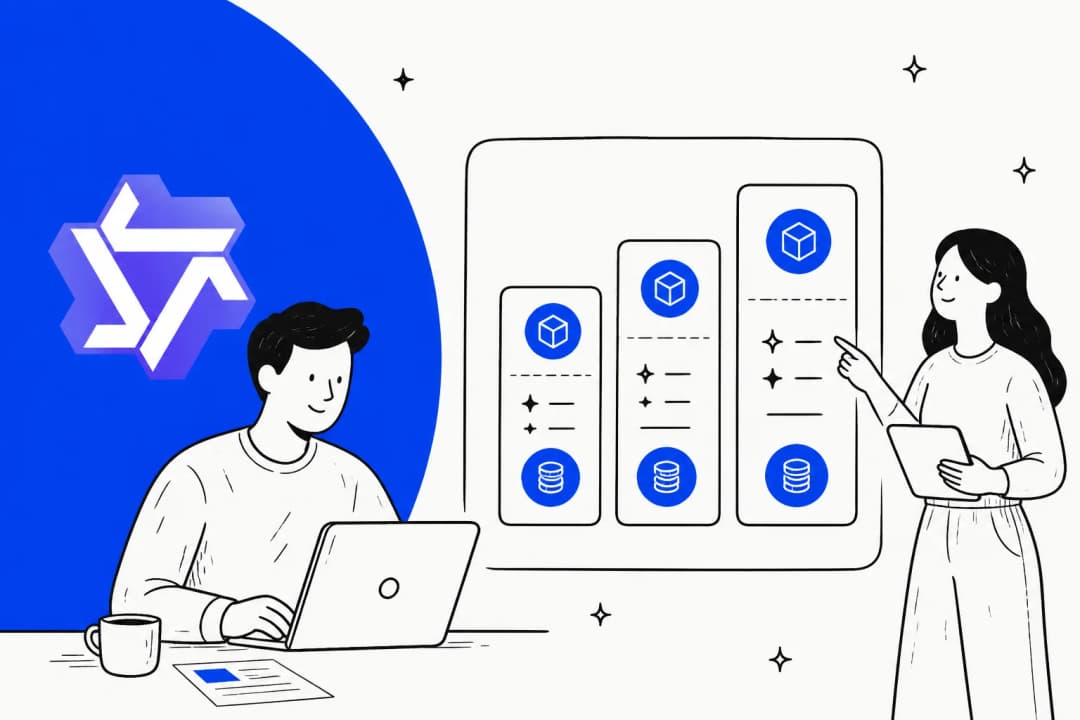
| Mobile benchmark | Qwen-UI-Agent | Seed 2.1 Pro | Gemini 3.1 Pro | GPT-5.6 Sol | Claude Opus 4.8 |
|---|---|---|---|---|---|
| MobileWorld | 82.1 | 73.2 | 58.1 | 70.1 | 67.5 |
| MobileWorld-Real | 92.2 | 88.7 | 86.2 | 85.4 | 84.7 |
| AndroidDaily | 97.5 | 95.2 | 93.8 | 92.6 | 93.0 |
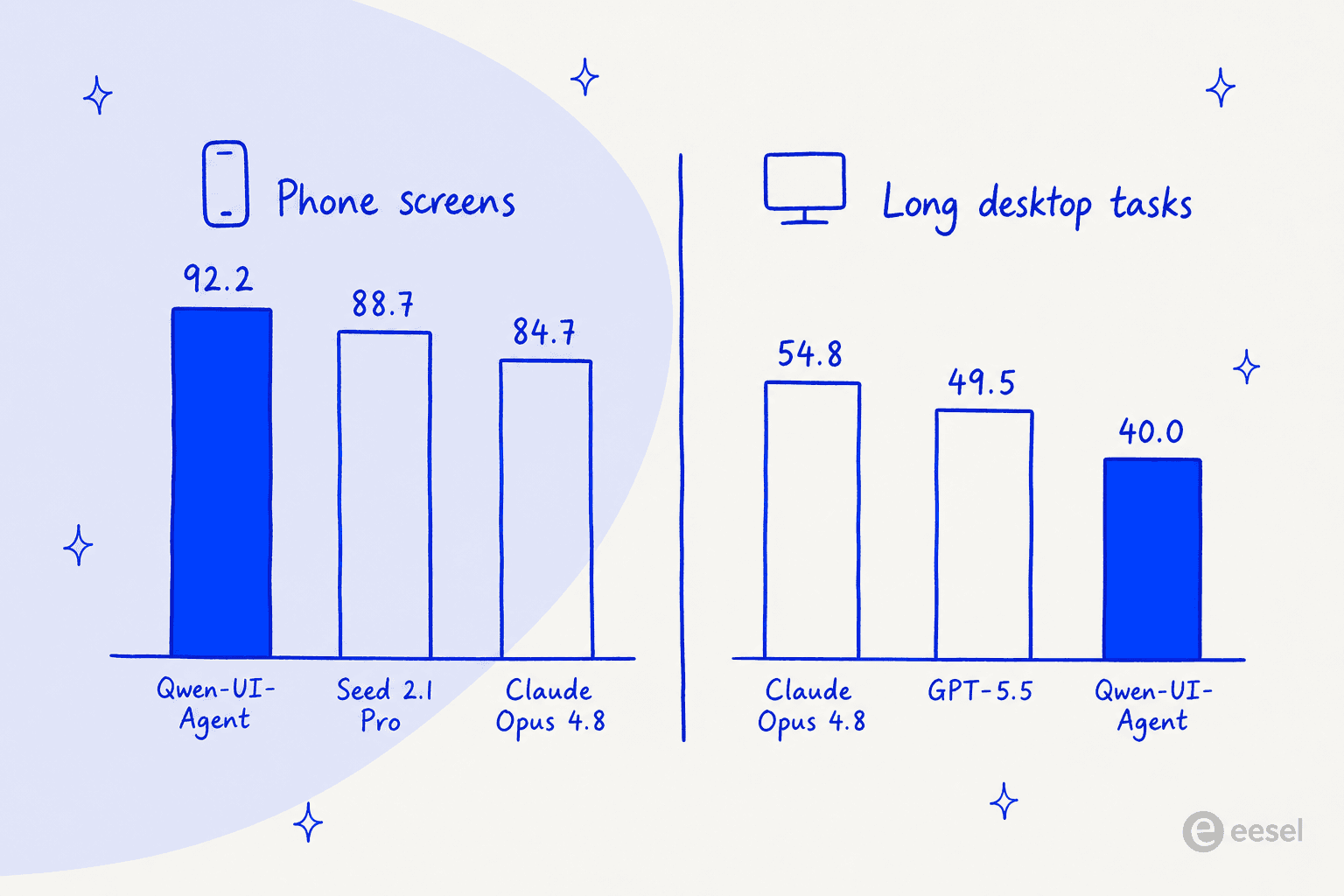
The MobileWorld margin is the one that stands out for me. Nearly nine points clear of the next model, and more than 14 points clear of GPT-5.6 Sol, on a benchmark where the tasks involve interactive agent-user exchanges instead of blind execution. These are not rounding-error gaps.
On desktops it is competitive, then it is not
| Computer and browser benchmark | Qwen-UI-Agent | Claude Opus 4.8 | GPT-5.5 | Gemini 3.1 Pro |
|---|---|---|---|---|
| OSWorld-Verified | 79.5 | 83.4 | 78.7 | 76.2 |
| OSWorld-v2 (partial progress) | 40.0 | 54.8 | 49.5 | not reported |
| WebArena | 73.6 | 71.9 | 69.5 | 65.3 |
OSWorld-Verified is a near-miss. Four points behind Claude Opus 4.8, but still ahead of GPT-5.5 and of Gemini 3.1 Pro. WebArena it takes outright. Then OSWorld-v2, the long-horizon set, opens up a 14.8-point gap against Opus 4.8.
The pattern lines up with what the mobile training tells you. Phone tasks are short and bounded and heavily practised inside that real-device fleet. Long desktop workflows are where models drift, and drift is the hardest thing of all to train away. Alibaba's own abstract uses the word "competitive" for computer use, and "state of the art" only for mobile. That is a fair description, which most coverage then flattens into one single claim.
Grounding is where it sweeps
Grounding is the boring skill that decides whether anything above actually works. Can the model put the cursor onto the right pixel? Qwen-UI-Agent leads every grounding benchmark in the report: 81.5% on ScreenSpot-Pro with zoom, 76.6% without the zoom, 97.5% on SS-V2, 70.0% on UI-Vision.
The no-zoom number is the honest one here. Zoom-in is a harness trick that crops and then re-examines the screen, so a model that only wins with it is leaning on scaffolding. Winning without it means the perception itself is real.
What about the general model underneath?
Alibaba also reports that the GUI training did not lobotomise the base model, and it publishes a comparison against Qwen3.5-27B to prove the point.
| General benchmark | Qwen-UI-Agent | Qwen3.5-27B |
|---|---|---|
| MMLU-Pro | 86.5 | 86.0 |
| MMMU-Pro | 72.4 | 73.5 |
| MathVision | 82.8 | 82.0 |
| IFEval (strict) | 90.2 | 90.4 |
| Tau2-Bench | 89.9 | 89.2 |
| Terminal-Bench 2.0 | 50.1 | 41.1 |
| BrowseComp-ZH | 75.0 | 62.1 |
Terminal-Bench jumping nine points, and BrowseComp-ZH jumping thirteen, is what you would expect from a model taught to use a shell and to search. The small dip on MMMU-Pro and on IFEval is the tax for that, and it is a small tax. One row goes the other direction: QwenClawBench drops from 48.5 down to 44.2, which the report publishes instead of hiding.
What the numbers do not say
Three caveats. To Alibaba's credit, two of them come from Alibaba itself.
Every score was reproduced in the authors' own environment. The evaluation note on the project site says so directly, then adds that some harness, judge, simulator, runtime or task-subset settings differ from the official evaluations. Several of the competitor rows carry a dagger marking them as author-reproduced instead of copied from the vendor's own report. That is more disclosure than most model launches bother with, and it also means these are not the same conditions the vendors published under.
The demos are built on the Chinese app ecosystem. Douyin, Hema, Trip.com, Amap, Dianping, Xiaohongshu, 12306, DingTalk, Beike. The engineering generalises. The specific 92.2% does not automatically carry over to a fleet of phones running Slack, Shopify and Gmail. If your workflows are Western SaaS, treat that mobile number as a strong signal about the method, and not as a promise about your own apps.
The website repo tells on the release. The project site's own repository still carries an editing instruction to replace the "coming soon" resource cards with the final report, code and checkpoint URLs at release time, and a note that result figures which conflict across the draft are deliberately omitted until the values are frozen. That is a project still mid-flight, and not a shipped product.
Can you actually run it today?
No. And this is the section I would be reading first if I were you.
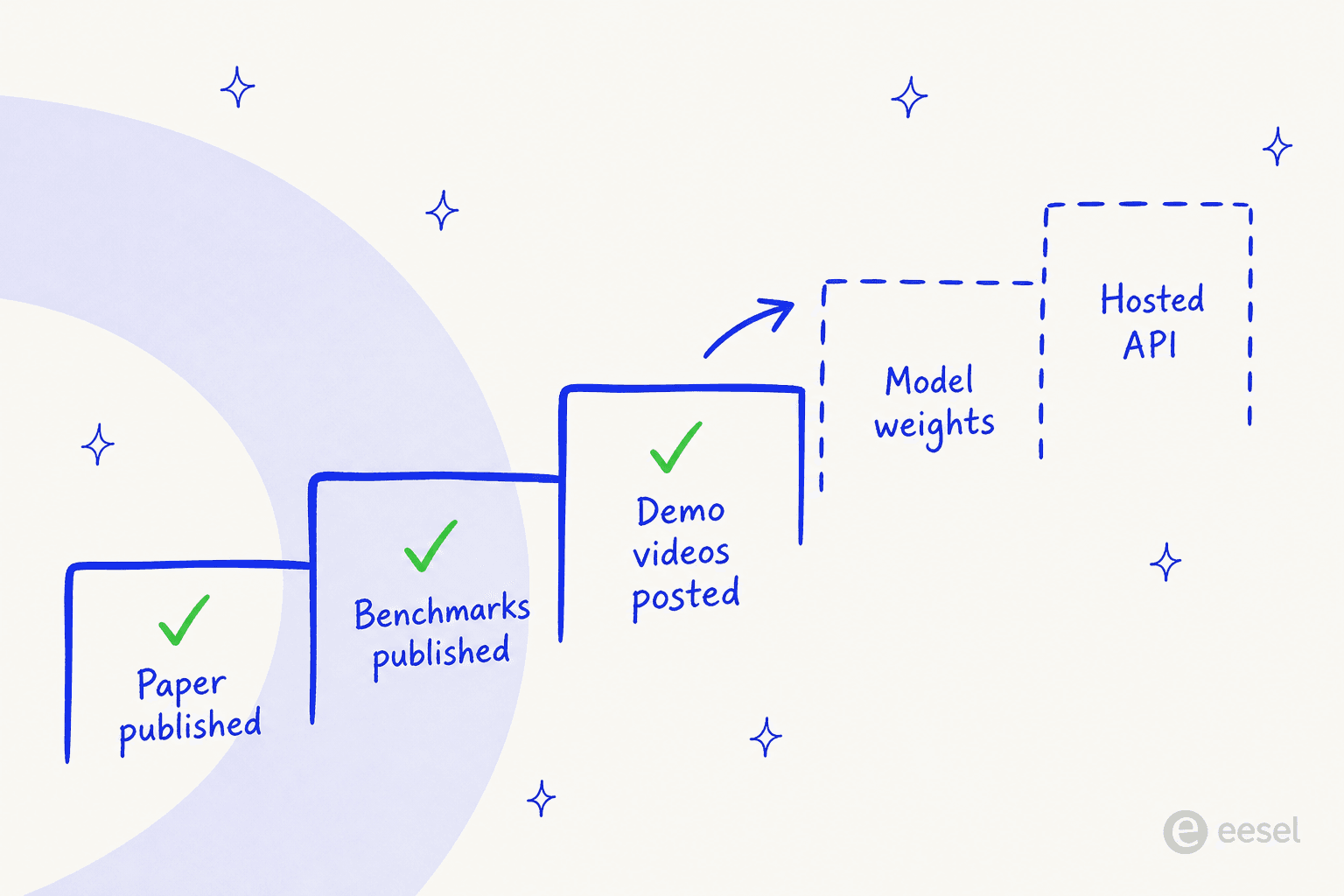
Here is what I checked, on the 24th of August 2026:
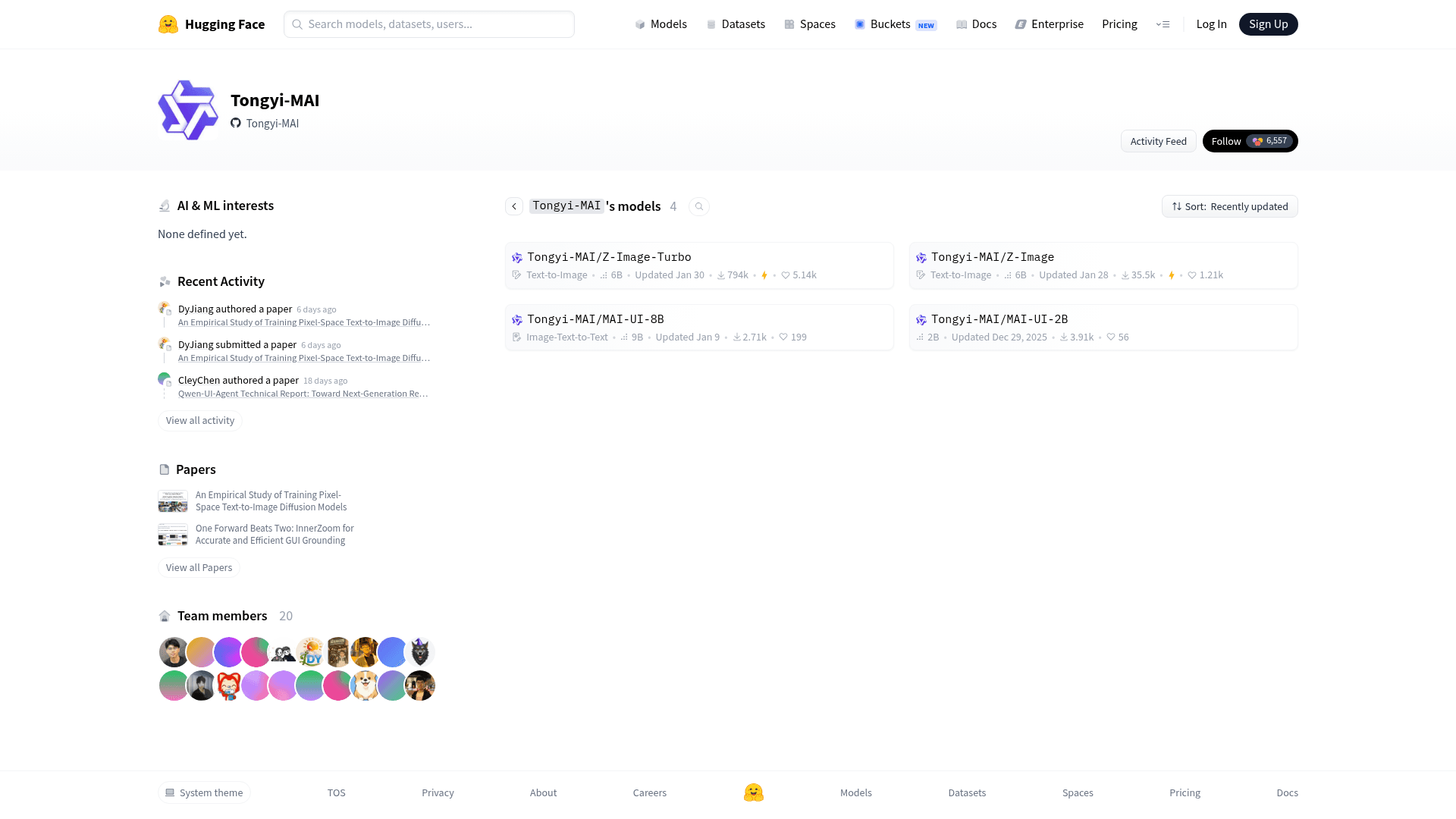
- The Tongyi-MAI organisation on Hugging Face lists four models: Z-Image, Z-Image-Turbo, MAI-UI-8B and MAI-UI-2B. No Qwen-UI-Agent.
- The paper page reports zero models, zero datasets and zero Spaces linked to it.
- The GitHub repository named Qwen-UI-Agent is website source only, and says so in bold at the top of its readme.
- The implementation repository, Tongyi-MAI/MAI-UI, has 2.2k stars and no release, no tags and no checkpoint link for this model.
- There is no Qwen-UI-Agent entry in Alibaba's model catalogue, so there is no endpoint and no rate card.
The one encouraging sign here is precedent. The same team released MAI-UI 8B and 2B back in December 2025, and the readme states that the project is Apache 2.0 licensed. Alibaba has shipped weights for its flagship line too, as our Qwen 3.8 Max review covers. So an open release is plausible enough. It is just not a thing that you can plan a quarter around.
If you need something callable this month, the practical shortlist runs through Qwen alternatives and Kimi K3. For a cheaper open option, there is DeepSeek V4 Flash.
What this means if you run a support queue
I want to be careful in this section, because "GUI agent scores 89.9 on a support benchmark" is exactly the sort of headline that ends up inside a board deck.
Tau2-Bench is a real benchmark, and 89.9 is a good score on it. But look at what it measures set against what a support lead actually needs. On calls I hear the same requirements coming back over and over. Train it on our own past tickets. Put a citation on every answer. And let us see what it would have done, before it does it. A screen-driving agent structurally cannot give you the second or third. It clicks. There is no answer object for attaching a source to, and there is also no dry-run mode for a mouse, which is why hallucination prevention in support starts from scope rather than from model choice.
One hardware support team I spoke with, running around 250 tickets a month inside Zendesk across multiple languages, made citations into a hard requirement before anything at all went live. Another one, a public-sector IT services firm that is losing two senior agents this year, wanted the AI trained on their own resolved tickets, specifically so the departing knowledge did not walk out with them. Neither of those is a screen problem. Both are retrieval and governance problems, closer to the questions in which LLM suits support than to anything in this paper, which is why the best AI model for support tickets is rarely the biggest one.
The pattern that actually works is a boring one, and it holds across nearly every rollout I have watched. Start in draft mode, where the AI writes and a human sends. Then graduate into full automation once the numbers have earned it. That is the shape of AI agent assist work, and it is why containment and escalation quality are better predictors of a successful deployment than any benchmark on this page. Support QA is the other half of that loop.
Where a GUI agent really earns its place is on the long tail of internal ops that nobody ever built an API for. A legacy admin panel. A supplier portal, or some internal tool from 2014. That is real value, and it is underrated too. It is just a different job from resolving customer tickets, in the same way that workflow automation is a different job from ticket deflection.
Where eesel fits
If you are reading a GUI agent paper because what you actually want is a smaller helpdesk queue, the shortcut is to skip over the screen layer entirely. eesel connects straight into Zendesk, Freshdesk, Gorgias and the rest, learns from your own past tickets and help centre rather than a public crawl, and cites the source on every answer it gives. It behaves less like a screen-driver and more like the AI teammates and AI employee framing we use for this work.
The part that matters most for this comparison: you can run it in simulation over thousands of your historical tickets and read exactly what it would have replied, before a single customer sees it. That is the "prove it first" step which a benchmark score can never substitute for, and it takes minutes instead of a procurement cycle. Free to try.

Who Qwen-UI-Agent is for
Worth tracking closely if you are building mobile automation, you run QA against real Android devices, or you are researching GUI agents and want the current best-documented method. The real-device training loop, and the GUI-plus-CLI action space, are the two ideas most likely to turn up in everybody else's next release.
Worth ignoring for now if you need something in production during this quarter. There is nothing there to deploy. Read the paper, note down the technique, and revisit it when a checkpoint appears. In the meantime, Qwen 3.7 Flash is the Alibaba model you can actually call.
Worth being sceptical about if your workloads are long desktop workflows. The 40.0% on OSWorld-v2 is the number that should be driving that decision, and not the 92.2% on phones. For that shape of work, Claude Opus 5 and its predecessors remain the safer bet, and our Opus 5 alternatives piece covers the rest of the field.
Not the right tool at all if you are trying to automate customer support. Not because it is weak. It is aimed at a different surface, that is all. What support teams need is something that plugs into the helpdesk and learns from your knowledge base and resolved tickets.
From there the work is routing, ticket classification, and clean support escalations when a human is needed. Screen-driving is not the bottleneck over there, and treating it like one is how teams end up holding an impressive demo and an unchanged queue.
The verdict
Qwen-UI-Agent is the most interesting GUI agent paper of the year, and it is the least usable product in this comparison. Both of those are true at the same time.
The mobile result is the real headline and it deserves to be: 92.2% on 400+ tasks across a fleet of physical phones, beating four frontier models, is not a benchmark artefact. The method behind it, particularly the mixing of shell commands into the click stream and the batching of actions per turn, is the kind of idea that gets copied.
The desktop result is the real caveat: 40.0% on long-horizon computer use against 54.8% for Claude Opus 4.8 is a wide gap, and long-horizon desktop work is most of what people mean anyway when they say "computer use" in a business context.
And the availability is the real blocker. Apache 2.0 sitting in a readme is an intention. Until a checkpoint actually lands, this is research to learn from, not software to buy. If the queue in front of you is a support queue rather than a screen, the best AI agent is not going to be the one that clicks fastest. It will be the one you were allowed to test on your own tickets before you trusted it.
Sources
Frequently Asked Questions
What is Qwen-UI-Agent?
Can I download Qwen-UI-Agent weights or use the API?
How good is Qwen-UI-Agent on mobile use?
Is Qwen-UI-Agent better than Claude Opus 4.8 for computer use?
What is the Qwen-UI-Agent pricing?
Can Qwen-UI-Agent handle customer support tickets?
Are the Qwen-UI-Agent benchmark numbers independently verified?
What is the best AI model for support tickets instead?


Article by
Kira
Kira is a writer at eesel AI with a Computer Science background and over a year of hands-on experience evaluating AI-powered customer service tools. She focuses on breaking down how helpdesk platforms and AI agents actually work so that support teams can make better buying decisions.