8 best ChatGPT Images 2.5 alternatives in 2026

eesel Team
Last edited September 9, 2026
ChatGPT Images 2.5 is OpenAI's latest image model, and it is fast and genuinely good at editing, but it is not the only, or always the best, option. If you want an alternative, the pick depends entirely on the job:
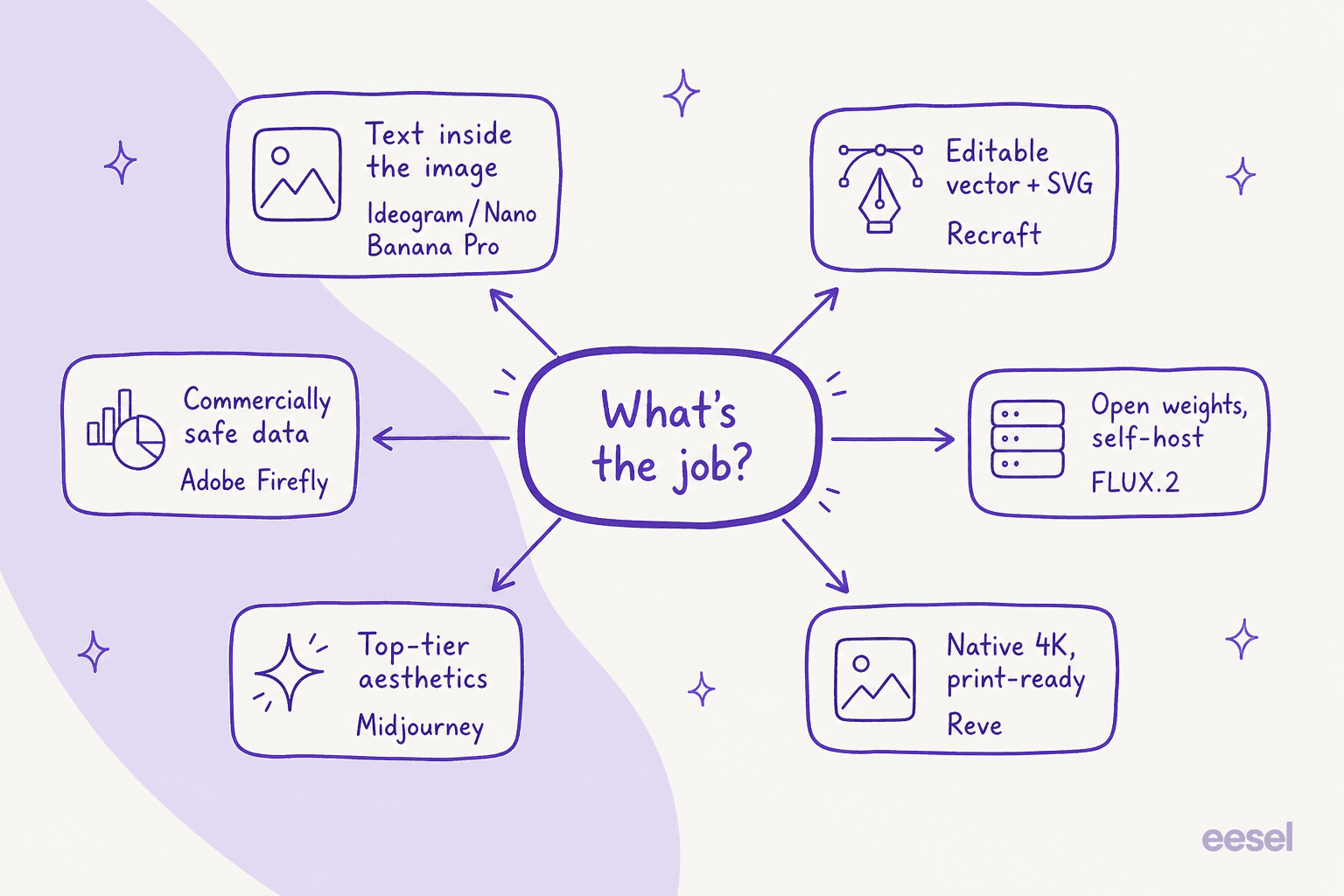
- Closest all-round swap: Nano Banana Pro (Google's Gemini 3 Pro Image). Matches the editing, beats it on in-image text.
- Best aesthetics: Midjourney V8.2, still the look most art directors reach for.
- Commercially safest: Adobe Firefly, trained on licensed data and built into Photoshop.
- Best text in images: Ideogram 4.0.
- Best editable vectors and brand kits: Recraft V4.1.
- Best for developers and self-hosting: FLUX.2 from Black Forest Labs.
- Best native 4K and editing newcomer: Reve 2.1.
- Best value if you can reach it: Seedream 5.0 Pro from ByteDance.
On raw per-image API cost the spread is roughly 7x, from about $0.03 (FLUX.2 [pro]) to $0.20 (Reve), so the "right" tool is a mix of output quality, license, and how you plan to run it. And if the reason you are generating images is to fill blog posts and marketing pages, the model is only half the job. Getting from raw output to a finished, on-brand post is where an AI blog writer does the work the model alone can't.
Why look past ChatGPT Images 2.5 at all
Let me be fair to it first, because ChatGPT Images 2.5 is a strong model. It generates up to 50% faster than Images 2.0, holds subjects from reference photos steady, and edits only the part of an image you asked it to change. It is free on every ChatGPT plan, and the two API models, gpt-image-2.5-flare and gpt-image-2.5-sunburst, land the quality bump with no price increase. For a lot of one-off assets, it is the fastest path from prompt to picture.
So why do people go looking? A few concrete reasons keep coming up:
- In-image text. ChatGPT Images 2.5 renders text more accurately than before, but long headlines, small labels, and multi-language type are still where dedicated models like Ideogram and Nano Banana Pro pull clearly ahead.
- No vectors. It outputs raster images only. If you need an editable SVG, a logo, or a palette-locked brand asset, you need a different tool.
- API cost at scale. The API bills per token, with image output at $30.00 per 1M tokens. That is fine for a handful of images and adds up fast for a pipeline pushing thousands.
- Open weights and self-hosting. You can't download the model. Teams with privacy rules or a wish to fine-tune on their own hardware need an open-weight option.
- Commercial-data comfort. Some brands want a model trained specifically on licensed data, which is a very particular thing that ChatGPT Images 2.5 doesn't market itself on.
None of these makes it a bad model. They just mean it isn't the right model for every job. Here is how I picked the alternatives, and then the eight worth your time.
How I chose these alternatives
I generate the visuals on this blog, every hero banner and in-body infographic you see, through image APIs, week in and week out. So I didn't rank these on a single benchmark demo. I compared them on the things that actually bite when you are shipping assets on a deadline: how legibly they render text, whether they can do vectors, what a real month costs, whether you can self-host, and how clean the editing loop is.
A quick note on fairness: I've spent real time in the ones I run in production, and read the docs, pricing, and user reviews closely for the rest. Where a tool is genuinely better than ChatGPT Images 2.5 at something, I say so. Where it is worse, I say that too.
The best ChatGPT Images 2.5 alternatives at a glance
| # | Tool | Best for | Latest model | Starting paid plan | API per image | Open weights? |
|---|---|---|---|---|---|---|
| 1 | Nano Banana Pro | Closest all-round swap, in-image text | Gemini 3 Pro Image | Google AI Plus | ~$0.13 (1K/2K) | No |
| 2 | Midjourney | Aesthetics and art direction | V8.2 | $10/mo Basic | No public API | No |
| 3 | Adobe Firefly | Commercial safety, Photoshop | Firefly Image 5 | $9.99/mo Standard | Credit-based | No |
| 4 | Ideogram | Text and typography | Ideogram 4.0 | $20/mo Plus | $0.03–$0.10 | Yes |
| 5 | Recraft | Vectors, SVG, brand kits | Recraft V4.1 | $10/mo Basic | ~$0.035/image | No |
| 6 | FLUX.2 | Developers, self-hosting | FLUX.2 | Pay-as-you-go | ~$0.03/MP | Yes |
| 7 | Reve | Native 4K, editing | Reve 2.1 | $7.99/mo Lite | ~$0.20/image | No |
| 8 | Seedream 5.0 Pro | Value, precise placement | Seedream 5.0 Pro | Usage-based | ~$0.04–$0.08 | No |
Now the detail, starting with the alternative most people should try first.
1. Google Nano Banana Pro (Gemini 3 Pro Image)
Best for: anyone who wants a like-for-like replacement that is also stronger at text and world knowledge.
Nano Banana Pro is the nickname for Google DeepMind's Gemini 3 Pro Image, the top tier of the "Nano Banana" family. It is built on Gemini 3 Pro with a default "Thinking" pass before it renders, which is exactly why it does so well on the things a general model usually fumbles. It renders legible in-image text across languages, grounds images in real-world facts through Google Search, and blends up to 14 reference images while keeping up to five people looking consistent. Output goes up to 4K, with a SynthID watermark on everything it makes.
If ChatGPT Images 2.5's headline is editing and reference fidelity, Nano Banana Pro's is text and knowledge. For anything with a headline, a chart, or a label, this is the first model I'd reach for.
Pricing: the Gemini app gives you a limited free quota, then falls back to the standard Nano Banana model, with higher quotas on Google AI Plus, Pro, and Ultra. On the Gemini API there is no free tier: Standard is $0.134 per 1K or 2K image and $0.24 per 4K image (billed as $120 per 1M image-output tokens).
Our take: the closest thing to a drop-in upgrade on this list. Pick it over ChatGPT Images 2.5 when text and factual accuracy matter; the only real friction is the always-on SynthID watermark and API pricing that is a touch higher than the cheapest developer options below.
2. Midjourney
Best for: art directors and creators who care most about the look.
Midjourney is still the model people reach for when the aesthetic is the point. The current version is V8.2, released in July 2026, joined by a V8.2 image-edit model in August that does instruction edits, inpaint, outpaint, and up to four image references. It runs through both a web app and the original Discord bot. Nothing here beats it for that distinctive, painterly, "how did it make that" quality that made it famous.
Two honest limitations for a business buyer. First, there is no public API, so you can't wire it into an automated pipeline the way you can the others here. Second, Stealth Mode (keeping your generations private) is locked to the Pro and Mega plans, and companies over $1M in revenue are required to be on those tiers for commercial use.
Pricing: four plans, billed monthly or 20% cheaper annually, at $10 Basic, $30 Standard, $60 Pro, and $120 Mega, with 3.3 / 15 / 30 / 60 fast-GPU hours respectively.
Our take: the best pure image quality on the list, and the worst fit for automation. If you are hand-crafting hero art, Midjourney. If you are generating assets programmatically, keep reading.
3. Adobe Firefly
Best for: brand and enterprise teams who need commercial safety and live in Adobe already.
Adobe Firefly's pitch is trust. Adobe's own models, now up to Firefly Image 5, are trained on licensed and Adobe Stock content plus public-domain work, and generations are flagged "commercially safe" in-app. For a legal team that wants a clear answer on training data, that is a real differentiator ChatGPT Images 2.5 doesn't lead with. It is also wired straight into Photoshop's Generative Fill and Express, so it slots into a workflow designers already use.
The 2026 twist is that Firefly now also hosts third-party partner models (GPT Image, Gemini/Nano Banana, FLUX.2, and more) as credit-consuming options, so it doubles as a hub. Designers I've read are candid about the trade-offs:
"Generative Fill in Photoshop is the part I touch most days, and it is the feature that moved Firefly from 'interesting' to 'in the workflow.' It behaves like a proper Photoshop layer, not a magic button that rewrites my file."

The same reviewer is honest about where it strains: faces and hands in a specific brief still come out wrong often enough that he doesn't trust it for a hero image with a person as the subject, and the shifting credit system makes it hard to tell a client what a piece actually "costs."
Pricing: a free tier with daily generations, then Standard $9.99/mo (2,000 credits), Pro $19.99/mo (4,000), Pro Plus $49.99/mo (10,000), and Premium $199.99/mo (50,000). Credits reset monthly and don't roll over.
Our take: the safest choice for regulated or brand-strict teams, and the most natural pick if your designers already live in Creative Cloud. Just budget for the credit math, especially if you turn on the premium partner models.
4. Ideogram
Best for: logos, posters, packaging, and anything where the words have to be right.
Ideogram has been the text-rendering specialist since it launched, and Ideogram 4.0 doubles down with precise, bounding-box layout control trained into the model. If you have ever fought a general image model to get a clean headline or a readable label, this is the relief. It also shipped as an open-weight model, with weights on GitHub under a commercial license, so you can run 4.0 on your own hardware, which is unusual for a tool this polished.
Pricing: a free tier, then Plus at $20/mo (1,000 priority credits), Pro at $60/mo (3,500), and Team at $30/user/mo. On the API, 4.0 is priced per image by quality: Turbo $0.03, Default $0.06, Quality $0.10.
Our take: if text is your job, Ideogram beats ChatGPT Images 2.5 handily, and the open-weight release makes it a genuine option for teams that want to self-host. It is narrower than the all-rounders, but within its lane it is the best here.
5. Recraft
Best for: designers who need editable vectors and a locked, consistent brand style.
Recraft does the thing almost no general model does well: it generates real editable vector graphics and SVGs, and it lets you define and lock a brand style so every asset looks like it belongs to the same identity. The current model is Recraft V4.1, and the pedigree is real; Recraft V3 hit #1 on the Artificial Analysis Text-to-Image leaderboard when it launched. Users describe exactly the workflow it is built for:
"My go-to for brand-consistent visual assets. What sets it apart is the ability to define and lock in a brand style, so every image feels like it belongs to the same visual identity rather than a random grab-bag of AI outputs."
Pricing: Free, then Basic $10/mo (1,000 credits), Pro $16/mo (2,000 credits, adds video), and Teams $18/mo per seat. On the API, V4.1 raster is about $0.035/image and vector output about $0.08.
Our take: for logos, icons, and repeatable brand assets, Recraft solves problems ChatGPT Images 2.5 structurally can't (it doesn't do vectors at all). If your output needs to be resized, recolored, or edited downstream, this is the one.
6. FLUX.2 (Black Forest Labs)
Best for: developers and teams who want to self-host or fine-tune.
Worth clearing up the naming first: Black Forest Labs has announced FLUX 3, but so far only its video-with-audio capability is generally available. For image generation today, the model you want is FLUX.2, which comes in [max], [pro], [flex], and open-weight [klein] variants. This is the alternative for people who want control: you can call it through the BFL API, through partners like fal.ai and Replicate, or download the open-weight versions and run them on your own hardware.
Pricing: pay-as-you-go, billed per megapixel. FLUX.2 [klein] starts around $0.014/MP, [pro] around $0.03/MP, [flex] $0.05/MP, and [max] $0.07/MP. Commercial self-hosting of the open weights needs a paid BFL license.
Our take: the most flexible option here and the cheapest at the entry end, but it is a developer's tool, not a polished consumer app. If your team wants to own the model, tune it, or keep generation in-house, FLUX.2 is the pick. If you want to type a prompt in a browser and get a great image, look higher up the list.
7. Reve
Best for: print-ready 4K output and a genuinely clean editing loop.
Reve, tagline "images you can touch," takes an unusual approach: it separates planning from rendering, representing an image as an editable, code-like intermediate structure before it paints pixels. The practical payoffs are real. Reve 2.1 does native 4K (16-megapixel) output that Reve calls print-ready, and its editing degrades far less over successive changes than diffusion-only models. It's a favorite for its editing feel:
"Reve 2.0 is incredible at image editing. It automatically detects layers in images you generate, and then you can specifically prompt to make changes."
Pricing: a Free plan with a daily energy refresh, Lite at $7.99/mo (5x the free allowance), and Pro at $19.99/mo (100x, and the only tier that unlocks video). On the API, a create or edit call costs 150 credits, about $0.20 per image, with a $10 minimum credit purchase.
Our take: the most interesting newcomer, and a strong pick if you edit heavily or need true 4K without an upscaling step. It costs more per API image than the developer options, but you are paying for resolution and editing quality, not raw volume.
8. Seedream 5.0 Pro (ByteDance)
Best for: photoreal output and precise object placement at a low per-image price.
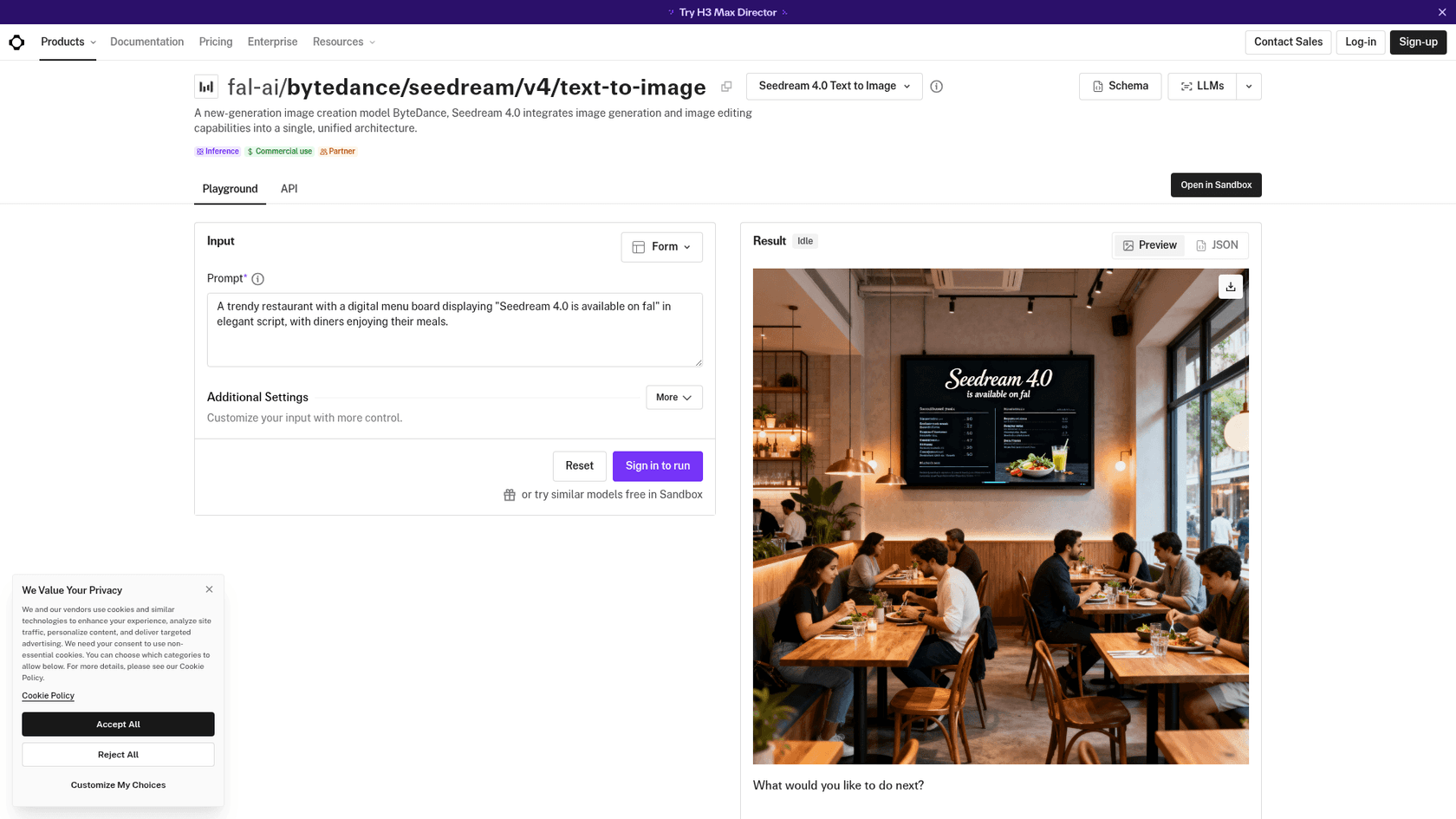
Seedream 5.0 Pro is ByteDance's flagship image model, released June 2026 and served through its Volcengine cloud (the consumer brand is Doubao). Its standout is precise positional and element control, plus multi-reference fusion that blends 2 to 10 reference images into one output, which makes it strong for product placement and layout-sensitive work. Per-image cost is low, roughly $0.04 to $0.08 depending on resolution.
The honest caveat: access. The first-party API is primarily China-focused, so most western developers reach Seedream through aggregators like fal.ai or Replicate rather than direct signup. That is an extra hop, and something to test before you build on it.
Pricing: usage-based per image through Volcengine, about ¥0.30 to ¥0.60 per output image (~$0.04–$0.08), with the first reference image free.
Our take: excellent quality-per-dollar and genuinely good at controlled composition, held back for a lot of readers only by the access story. If you already work through fal.ai or Replicate, it is well worth a look; if you want a clean first-party western signup, the tools above are simpler.
How to actually choose
If the list is starting to blur, the honest answer is that there is no single "best" here, only a best-for-the-job. Match the alternative to what you are actually trying to make:
And if cost is the deciding factor for a high-volume pipeline, the per-image API spread is wider than most people expect, from about three cents to twenty:
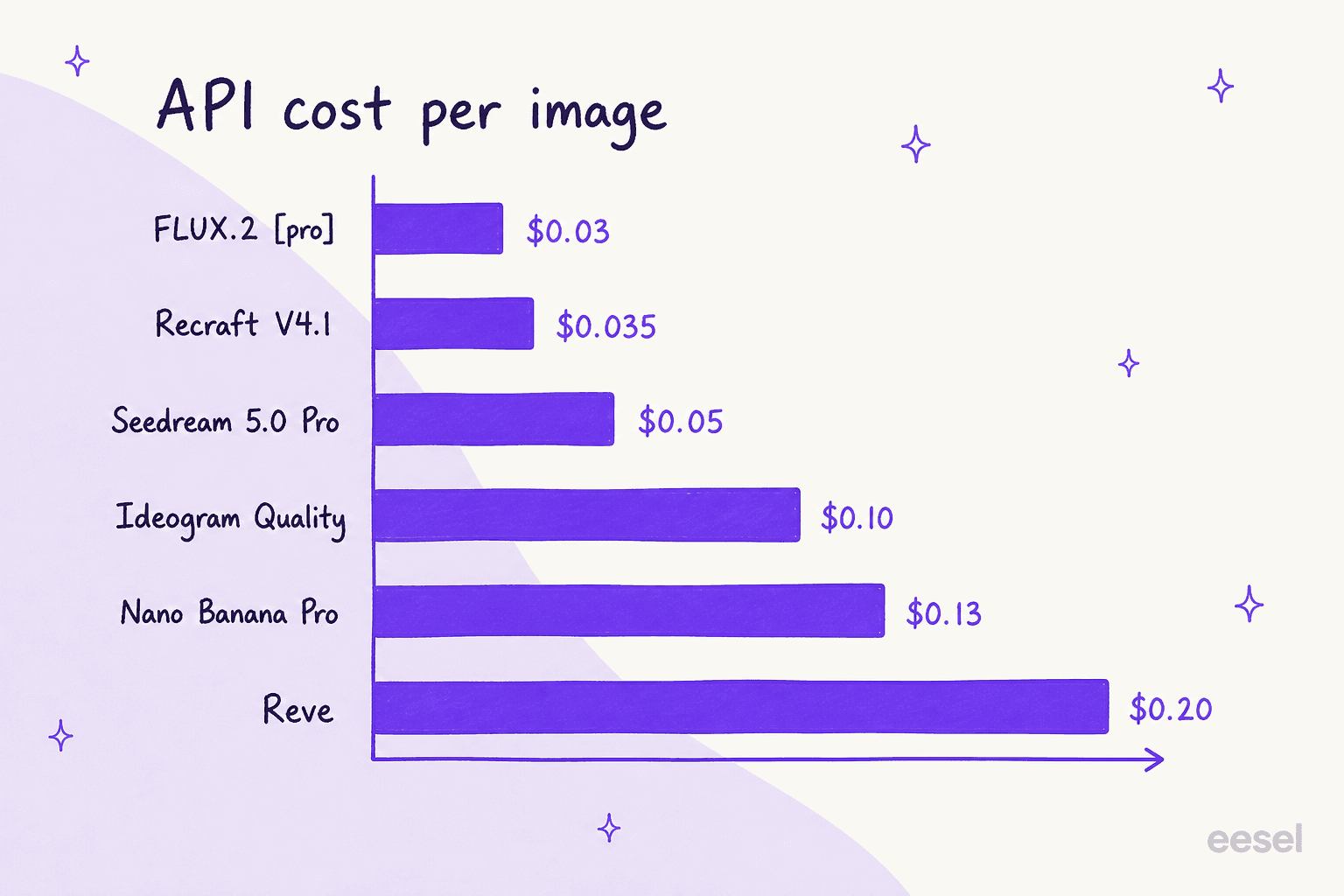
The pattern to notice: the cheapest options (FLUX.2, Recraft) are developer-first tools, while the pricier per-image models (Reve, Nano Banana Pro) bundle in resolution, editing quality, or knowledge you'd otherwise build yourself.
Try eesel for turning images into finished posts
Here's the thing every tool on this list has in common: they all hand you a raw image. That is the easy 20% of publishing a blog post or a landing page. The other 80%, the research, the draft in your brand voice, the banner and infographics placed where they belong, the citations, still lands on you.
That gap is exactly what eesel's AI blog writer closes. It is an AI teammate you hire for content, not a prompt box: it does keyword research, reads primary sources and Reddit threads, drafts in your voice, and generates the hero banner and in-body infographics itself, then publishes on a schedule. Every image in this post, including the two infographics just above, was generated through an image API and placed by that same workflow, so this is less a claim than a demonstration.
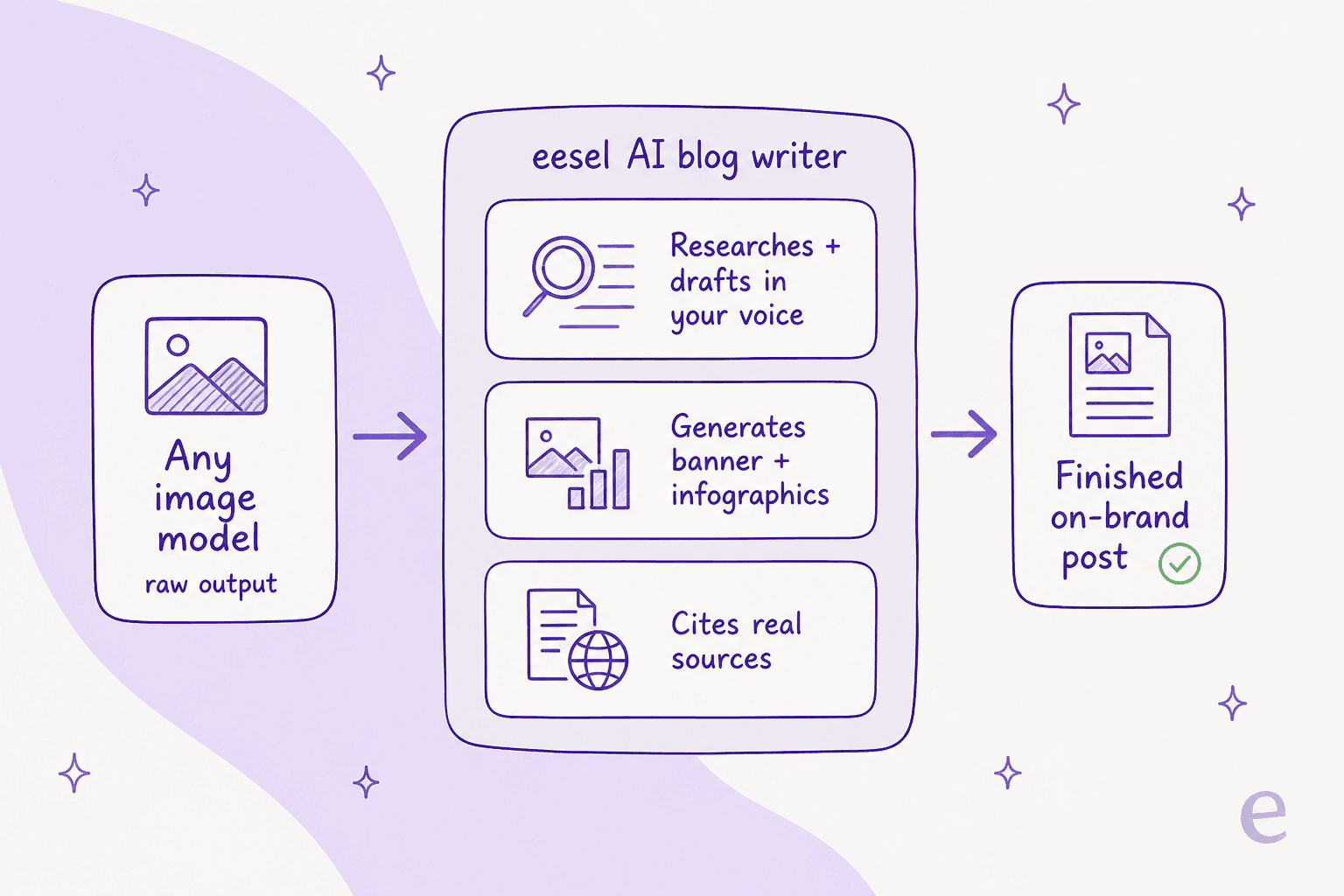
If you are choosing an image model because you need a steady stream of on-brand content, the model is a component; the AI blog writer with images is the machine that turns it into published work. It is free to try, and you can see a full post, images and all, in an afternoon.
Frequently Asked Questions
What is the best alternative to ChatGPT Images 2.5?
For most people, Google's Nano Banana Pro (Gemini 3 Pro Image) is the closest all-round swap, because it matches ChatGPT Images 2.5 on editing and beats it on legible in-image text. If you care most about typography, Ideogram wins; for editable vectors, Recraft. See the full ChatGPT Images 2.5 alternatives table above for the job-by-job breakdown.
Is there a free ChatGPT Images 2.5 alternative?
Yes. The Gemini app, Ideogram, Recraft, Reve, and Adobe Firefly all have free tiers with daily or monthly generation caps. ChatGPT Images 2.5 itself is also free on every ChatGPT plan, so the free-vs-free choice usually comes down to which model handles your kind of image, not price. Our ChatGPT Images 2.5 pricing breakdown covers the paid API side.
Which AI image generator is best for text in images?
Ideogram built its name on rendering text inside images cleanly, and Nano Banana Pro is the strongest for long, multi-language text. Both are stronger than most general image models here, which is why they lead our ChatGPT Images 2.5 alternatives list for anything with headlines, labels, or logos.
What is the cheapest ChatGPT Images 2.5 alternative for developers?
On per-image API cost, FLUX.2 [pro] (~$0.03) and Recraft V4.1 (~$0.035) are the cheapest of the hosted options, and open-weight models like FLUX.2 [klein] and Ideogram 4.0 can be run on your own hardware for the cost of compute. Wrapping any of them in a real content workflow is where an AI blog writer with images earns its keep.
Can I use ChatGPT Images 2.5 alternatives for commercial and marketing work?
Most can, but Adobe Firefly is the safest bet because its own models are trained on licensed and public-domain data and flagged commercially safe in-app. For a steady content marketing pipeline you usually want the model wrapped in a workflow that keeps brand color and layout consistent, which is where a dedicated AI blog writer comes in.