Why people look for ChatGPT pages alternatives
I build AI agents at eesel, and when OpenAI shipped pages on September 29, there was one thing that honestly impressed me, which is that the page itself is an AI object. You can tag ChatGPT, Codex, or your dot inline, and you can also leave Prompt blocks there for readers to run. I walk through all of it in my ChatGPT pages guide.
So why would anyone go looking elsewhere only two days later? There are four reasons that keep coming up:
- Plan gating. Pages come with ChatGPT Space, which is listed for Pro, Business, and Enterprise only. Plus and Free users don't get it, so the cheapest way in ends up being a Business Standard seat at $20 a month billed yearly, with a two-seat minimum.
- Unfinished pieces. OpenAI's getting started guide says "Automatic page updates with Keep updated are not available at launch," and mobile is read and share only.
- Lock-in. A page lives inside ChatGPT, and the only models that can edit it are OpenAI's.
- Launch-week bugs. On October 1 the OpenAI help center was still showing a banner for "Elevated errors in ChatGPT Space Pages."
The reaction on X was pretty blunt. This one is a low-engagement post, but it sums up quite well what a lot of the early testers were feeling:
"My early impression on ChatGPT's "pages" -This is Notion but worse -It's buggy and doesn't work -I have no idea why I'd ever use this feature"
And the plan gating hurt most for the people who had been the most excited:
"it's so sad to see @OpenAI completely ignoring plus users."
To be fair to OpenAI, calling it "Notion but worse" undersells it a bit. No other tool here has a block that readers run as a prompt, or a doc your personal agent keeps editing from Slack. If those two things are the reason you wanted pages, then the alternatives below will feel like a step back. But if what you want is just AI help on a shared doc, there are better-priced options for that.
How I picked these alternatives
Every tool on this list had to do the core job of a ChatGPT page: an AI that edits a document other people can open. For each vendor I read the pricing page and the help center and checked which plan actually unlocks the AI, then I also looked at how far a doc can travel once you share it.
They split into two families, and knowing early which one you need will save you a lot of trial and error:
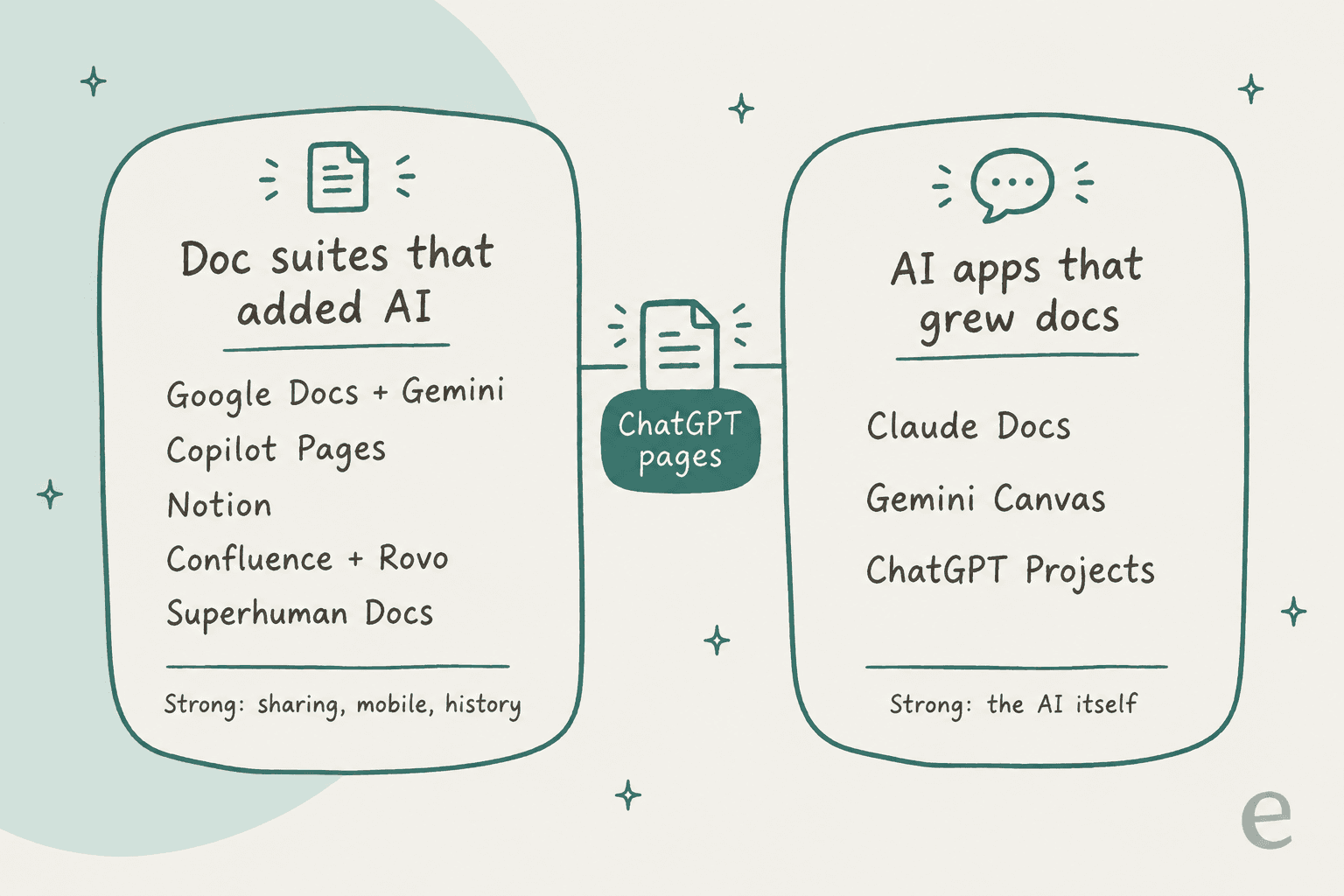
Doc suites that added AI are mature editors with years of sharing, permissions, mobile apps, and version history behind them, and in those the AI is the newer part. AI apps that grew docs start from a strong model and then bolt a document onto it. ChatGPT pages sit right in between the two, so the right swap depends on which half matters more to you.
ChatGPT pages alternatives compared
Here is the whole field in one table. For prices I used the lowest listed figure for the cheapest plan that unlocks AI in a shared doc, and several of them are yearly billing.
| Tool | Cheapest AI plan | Real-time co-editing with AI | Mobile editing | Version history | Share outside your org | Models | Free tier |
|---|---|---|---|---|---|---|---|
| ChatGPT pages | $20/seat (Business, yearly, 2-seat min) | Yes | No, read and share | Not documented | Invite or link where available | OpenAI only | No |
| Claude Docs | $17/month (Pro, yearly) | Yes, beta | No, view only | No, not yet | Pro/Max by link; Team/Enterprise no | Claude | No |
| Notion | $20/seat (Business) | Yes | Yes, with limits | 90 days on Business | Publish to web | Opus 5, GPT-5.6 Sol, Kimi K3 and more | AI trial only |
| Google Docs + Gemini | $14/user (Business Standard) | Yes | Yes | Yes | Link | Gemini | Docs free, Gemini in Docs paid |
| Copilot Pages | $0 extra with Microsoft 365 | Yes, AI may lag | Yes | Not documented | Loop link inside Microsoft 365 | Microsoft Copilot | With Copilot Chat |
| Confluence + Rovo | $5.42/user (Standard) | Yes | Apps exist | Yes, all plans | Public links on paid | Rovo, model choice on advanced agents | Yes, no Rovo |
| Superhuman Docs | $12/Doc Maker (Pro, yearly) | Yes | App listed | 30 days on Pro | Link, guests free | Not published | Yes, AI trial |
| Gemini Canvas | $0 | No, shared links make a copy | View, limited edits | Steps through versions | Public copy link | Gemini | Yes |
| ChatGPT Projects | $0 | No | Yes | Not documented | Project sharing by plan | OpenAI only | Yes |
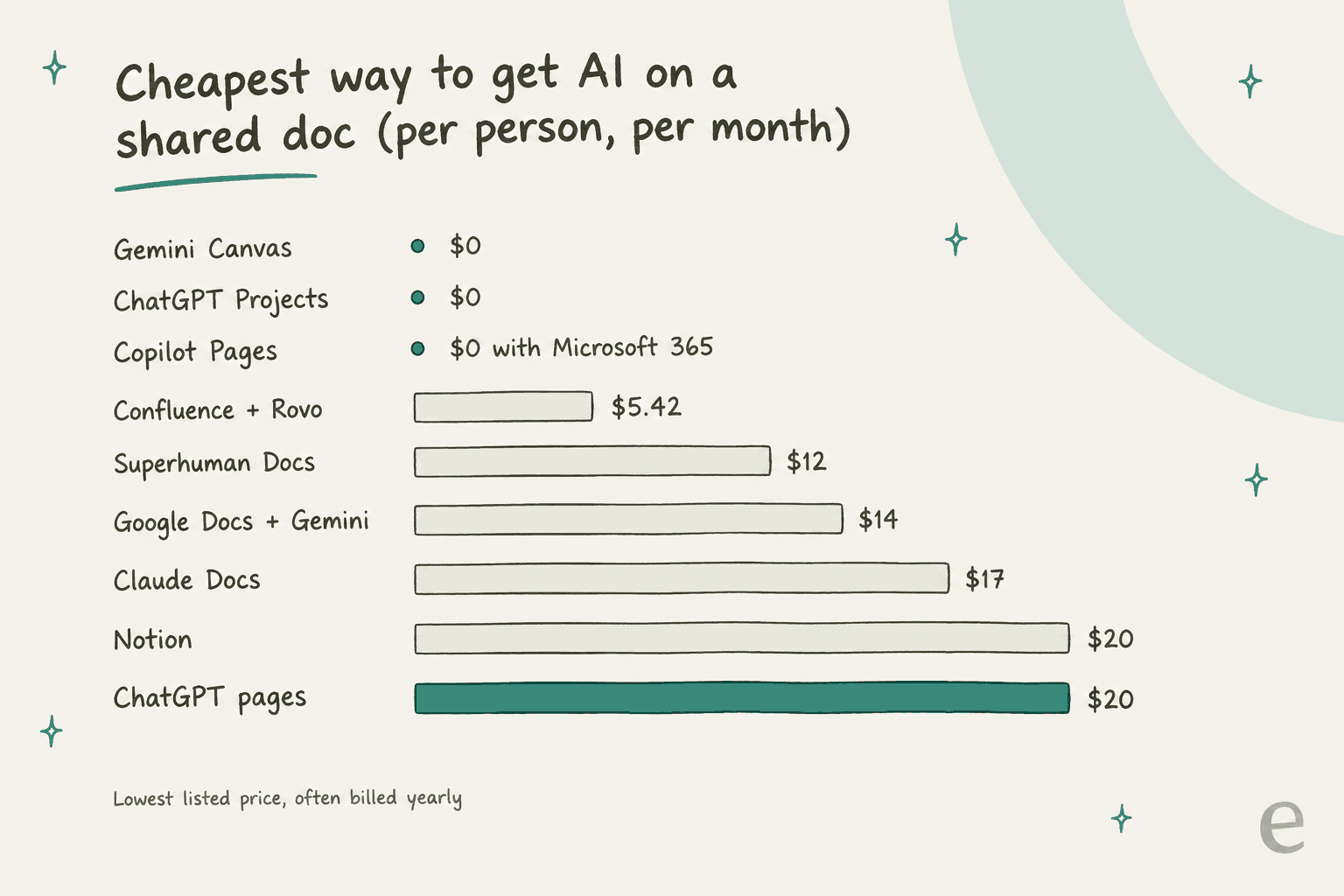
The chart shows the part that most people get wrong. ChatGPT pages aren't expensive per seat, they're expensive to reach, because Plus doesn't qualify and Business needs two seats. Meanwhile, three of these alternatives cost $0 extra, although Copilot Pages is only free if you already pay for Microsoft 365.
1. Claude Docs
Best for: teams who want the closest thing to ChatGPT pages, with people and an AI editing one doc live, and who are fine on a beta.
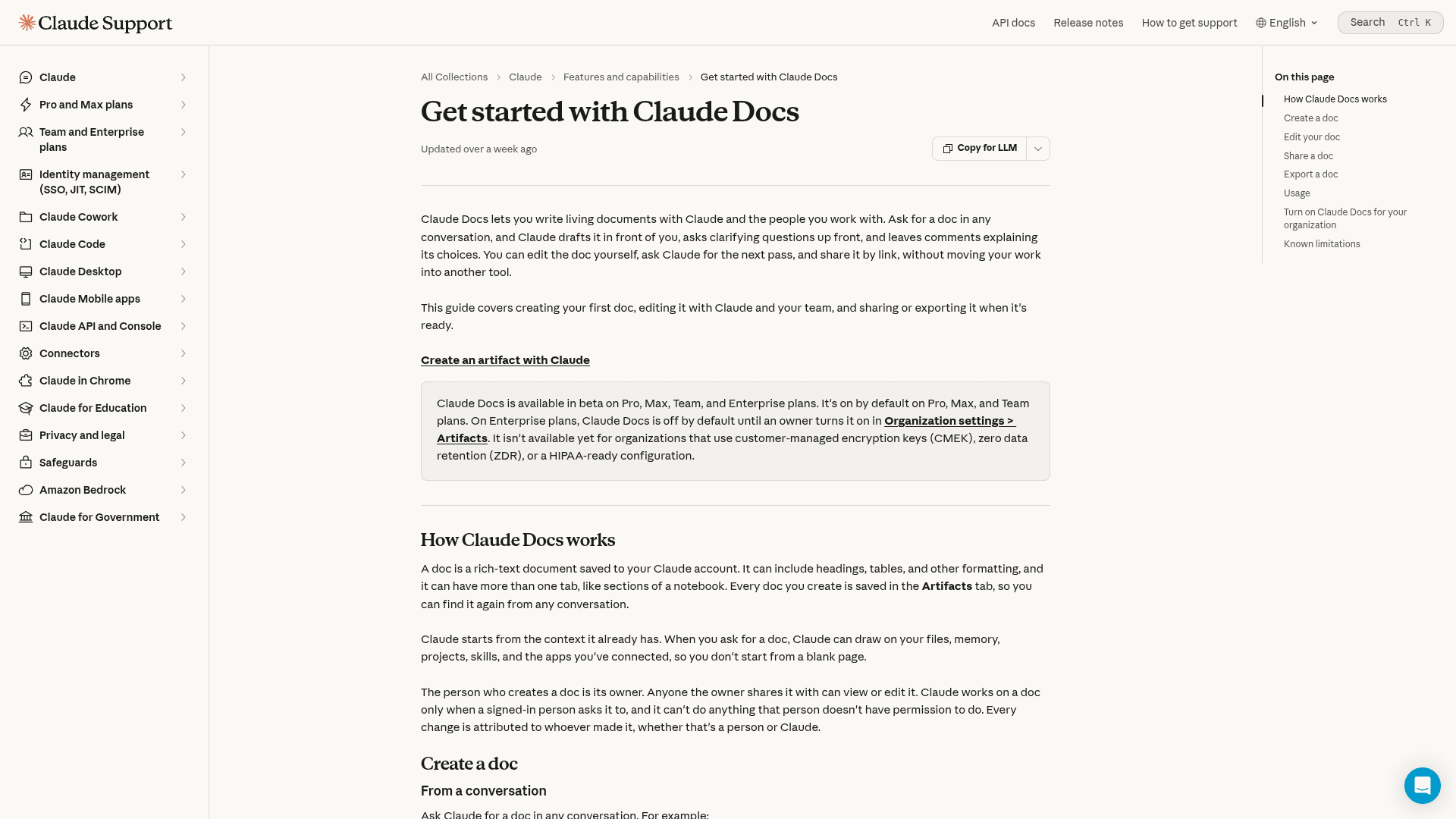
Anthropic relaunched artifacts in September, and the template that matters for this comparison is Claude Docs. Per the Claude Docs help article, "people with edit access can work on the same doc at the same time as you and Claude, and everyone's edits appear in real time." Each change gets attributed to whoever made it, whether that's a person or Claude. That is basically the ChatGPT pages pitch, almost word for word.
Since I build agents myself, the detail I like the most is how you request edits. You select some text and leave a comment on it, and if you mention @Claude in that comment, it replies, makes the edit, and explains it. A doc can hold multiple tabs, and Claude is able to draft from your files and memory, and from your projects and connected apps too. Exports go to Word, PDF, Markdown, or Google Docs, per Anthropic's artifacts overview.
Pros
- Real-time co-editing between people and the AI, the closest match on this list
- @Claude in comments keeps requests tied to a discussion
- Exports cleanly to Word, PDF, Markdown, and Google Docs
- Other artifacts can call Claude directly, with usage counted against each viewer's own plan, so the creator pays nothing
Cons
- It's a beta, and the help article lists "no version history yet," plus deletion is permanent with no trash
- On Team and Enterprise, docs can't be shared outside your org yet, and no plan can share a doc by email invite
- Every viewer needs a Claude account, and there's no comment-only access level
- Mobile is view only, and charts from connected apps don't refresh on their own
Pricing
| Plan | Price | Claude Docs |
|---|---|---|
| Free | $0 | No |
| Pro | $17/month yearly, $20 monthly | Yes, beta |
| Max | From $100/month | Yes, beta |
| Team, standard seat | $20/seat yearly, $25 monthly | Yes, beta |
| Team, premium seat | $100/seat yearly, $125 monthly | Yes, beta |
| Enterprise | $20/seat yearly plus usage at API rates | Off until an owner enables it |
Prices come from Claude's pricing page. Any Docs usage counts against the normal limits of your plan. My Claude pricing guide breaks down the usage tiers.
My take: If you were about to buy a ChatGPT Business seat purely for pages, try Claude Pro first. For one person it's cheaper, and the co-editing works in the same way. I'd skip it if you need version history, or if you need to send docs to clients from a Team plan, since neither of those is there yet. My Claude Docs review has more on the beta's rough edges.
2. Notion
Best for: teams that want a long-term home for docs, with AI that can pick from several frontier models.
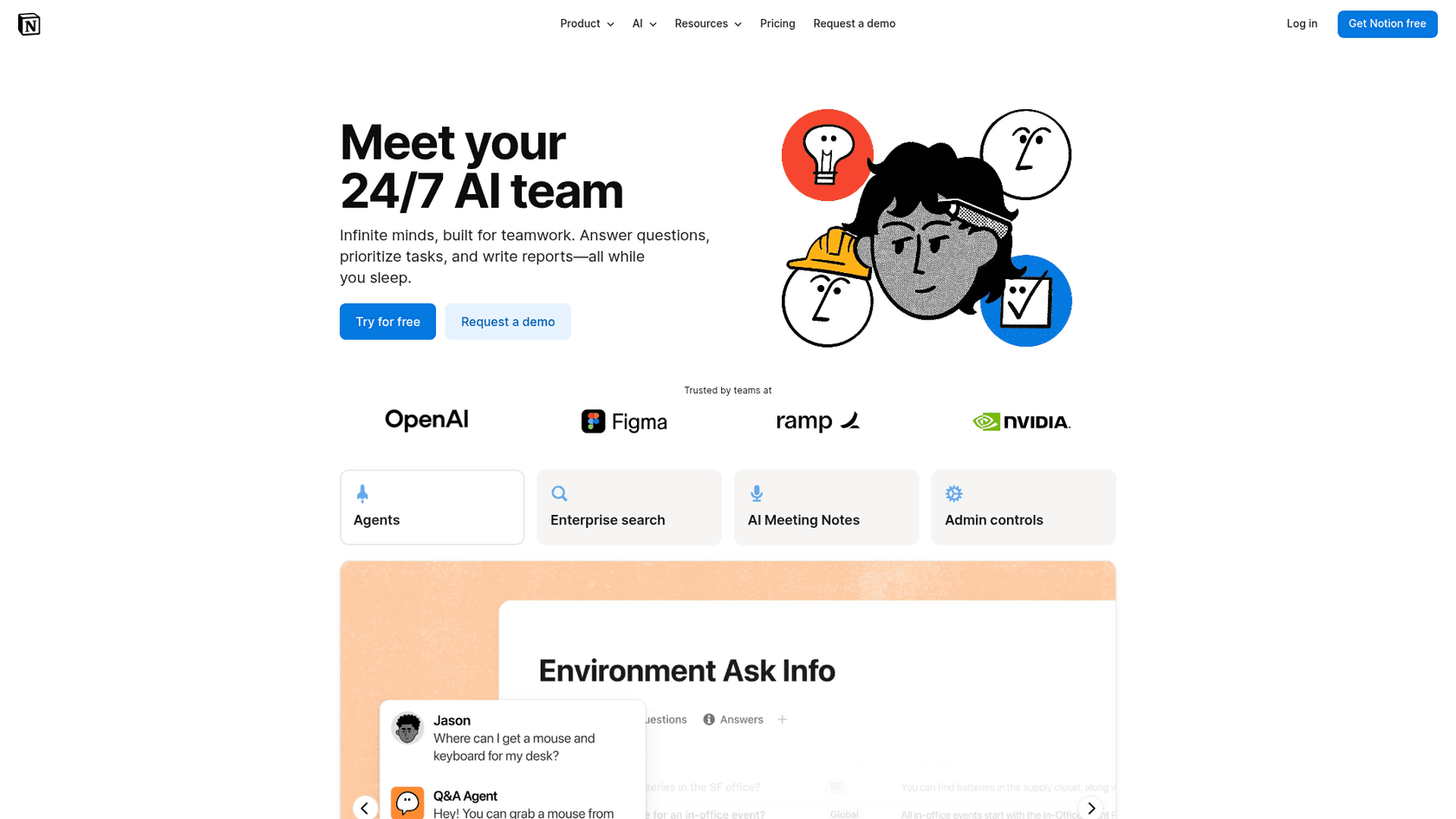
Notion is the tool people kept comparing pages to on launch day, and there's a good reason for that: Space looks a lot like it. Where they differ is that Notion has had years to build all the boring parts: page history, permissions, publishing, databases, and real mobile apps.
The AI side has caught up quickly, too. Since August 28 you can ask the agent to suggest edits and approve each change line by line, rather than letting it rewrite the page directly. Notion 3.7 added a model picker with Opus 5, GPT-5.6 Sol, and Kimi K3, and team skills that export as a SKILL.md file for tools like Claude Code. That is a real advantage over ChatGPT pages, where the only option you get is OpenAI's models.
On Reddit, opinion is split about the AI layer. One heavy user called a recent UI change "so annoying":
"I actually use Notion AI a lot, and even I think that change is so annoying that it's making me rethink moving more towards alternatives."

Pros
- Mature workspace: databases, permissions, page history, and publishing to the web on every plan
- Multi-model, with admin controls over which models agents can use
- Custom Agents that run on triggers or schedules, which is closer to "self-updating" than pages are today
- Full iOS and Android apps, plus a separate Notion Agents iOS app
Cons
- Full Notion AI is Business and Enterprise only; Free and Plus get a limited trial
- Custom Agents and premium models spend Notion credits, at $10 per 1,000 monthly credits
- Usage resets on a six-hour window and a monthly window, so heavy days can pause some AI features
- The mobile app can't select multiple blocks or import data
Pricing
| Plan | Price | Notion AI |
|---|---|---|
| Free | $0 | Trial |
| Plus | $10/seat/month | Trial |
| Business | $20/seat/month | Full, plus AI Meeting Notes and Enterprise Search (beta) |
| Enterprise | Custom | Full, plus zero data retention with AI providers |
Prices from Notion's pricing page, and Notion's billing help says yearly billing costs less. I break the plans down in my Notion pricing guide.
My take: Notion is my pick for teams that want one place for docs and also want the AI to be swappable. If you plan to lean on Custom Agents, keep an eye on the credit meter. For a team writing a handful of AI-assisted docs a month, Business is plenty, but if agents are running all day you should budget for credits. My Notion AI review covers day-to-day use.
3. Google Docs with Gemini
Best for: teams already on Google Workspace who want AI inside the doc editor everyone already knows.
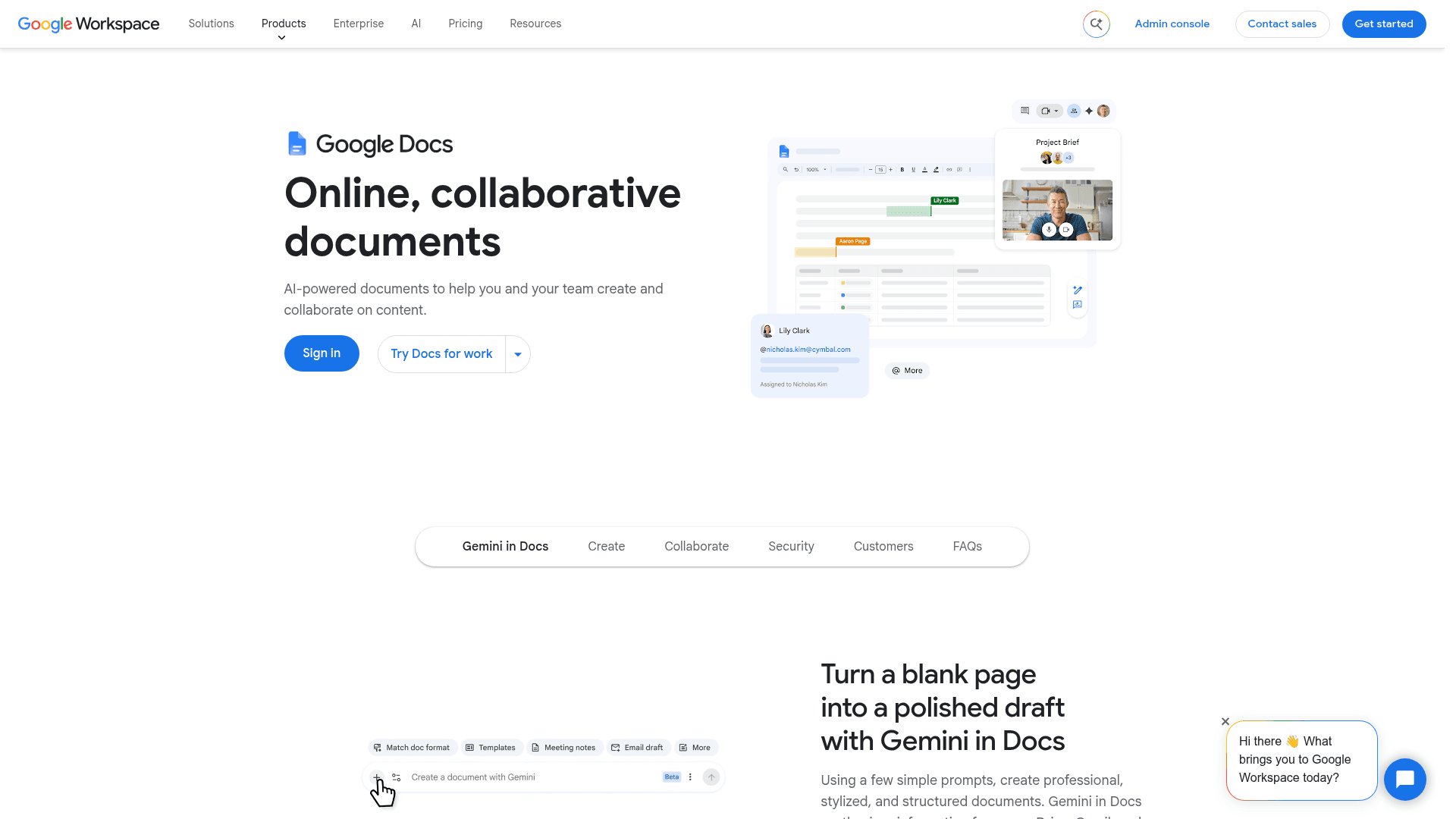
The joke on X at launch was that "every ai lab eventually ships google docs with worse fonts." It's a fair jab, since Google Docs already handles the hard part of a shared page: live co-editing, comments, assigned tasks, version history, mobile apps, and offline mode.
Gemini sits right inside all of that. Per Google's Gemini in Docs help, you type an instruction in a bottom bar and suggestions appear directly in the doc with Accept, Accept all, or Reject all. You can pull in sources from Drive or the web with "@", and Gemini can draft from your Drive and Gmail, plus Chat. As a review step, that's cleaner than letting an AI edit a page in place.
The feedback on G2 is quite honest about trust, though:
"On the AI side, I only trust the AI capabilities a little, and the results are only sometimes accurate and useful."

Pros
- The most mature collaboration of anything here: live editing, comments, tasks, history, offline
- AI edits land as suggestions you accept or reject
- Drafts from your own Drive, Gmail, and Chat
- Full mobile apps
Cons
- Business Starter at $7 doesn't include Gemini in Docs, so the real entry price is $14
- Side-panel chat history disappears if you refresh, reopen the doc, or go offline
- No runnable blocks like ChatGPT's Prompt or Visualize
- Gemini is the only model
Pricing
| Plan | Price | Gemini in Docs |
|---|---|---|
| Business Starter | $7/user/month | No |
| Business Standard | $14/user/month | Yes |
| Business Plus | $22/user/month | Yes |
| Enterprise | Contact sales | Yes |
| Google AI Pro (personal) | $19.99/month | Yes |
| Google AI Ultra (personal) | $99.99 or $199.99/month | Yes |
Business prices from Google Workspace pricing, which offers 16% off with a one-year commitment. Personal plans from Google AI subscriptions. More detail in my Google Workspace pricing guide.
My take: If your company is on Google Workspace, this is the alternative I'd try before anything else, because chances are you're already paying for it. Just check that you're on Standard or above. If you'd rather have the AI be the star instead of the editor, then look at Claude Docs. My Gemini for Google Workspace post covers the rest of the suite.
4. Microsoft Copilot Pages
Best for: Microsoft 365 companies that want shared AI pages at no extra cost.
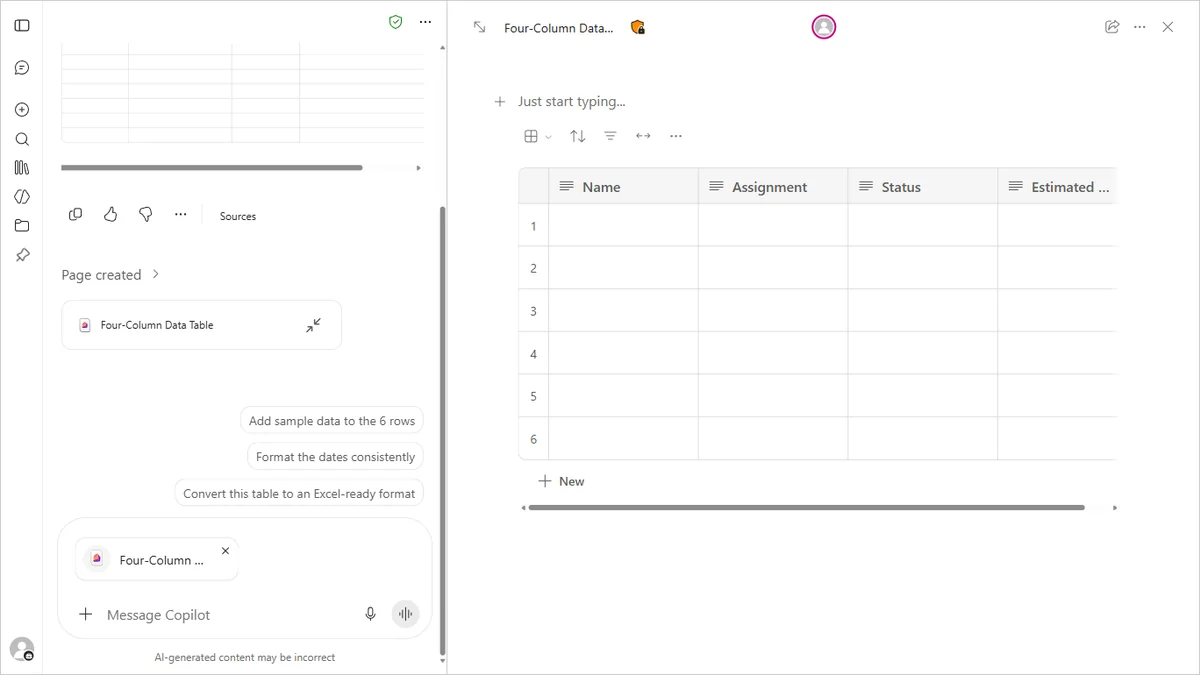
Copilot Pages is the alternative that most people overlook, even though it has the strongest price story of the bunch. Microsoft calls it "a dynamic, persistent canvas in Copilot chat designed for AI-powered group collaboration." You can turn any Copilot answer into a page and edit it next to the chat, then share it from there.
Here's the part that surprised me the most. On work accounts, Pages is "available to those who have SharePoint or OneDrive storage, including ones without a Microsoft 365 Copilot license," per Microsoft's getting started guide. Microsoft's enterprise page says the free Copilot Chat includes Pages for Entra users with an eligible Microsoft 365 subscription. So if your company runs on Microsoft 365, you likely have this today for $0 extra.
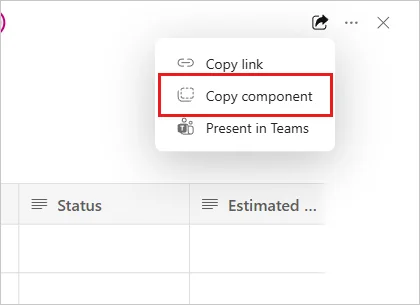
Sharing goes through Loop. "Copy link" opens the page in Loop, and "Copy component" pastes a live version into Teams, Outlook, or OneNote that updates in real time, per Microsoft's sharing guide. Pages can also be converted into Word or PowerPoint files.
Not everyone is happy with getting work back out of it, though:
"Copilot is notoriously bad at getting output OUT. My Copilot and I spent hours trying to debug various output methods. Copilot Pages is useless. Markdown? Never able to copy/paste anything intelligible. "Send to Page" only shares that section. Try to send the next block over? It overwrites the first."
Pros
- No extra cost on eligible Microsoft 365 work accounts, through Copilot Chat
- Live Loop components inside Teams, Outlook, and OneNote
- Create, edit, and share from the iOS and Android Copilot app
- Converts to Word or PowerPoint
Cons
- Microsoft says it works mainly with Microsoft 365 content, and third-party sources "may not be fully supported yet"
- AI answers "may not always reflect simultaneous edits by multiple users unless the page is refreshed"
- Sharing as live components needs an admin to switch on Loop components
- Layout control is limited, and large pages can get slow
Pricing
| Plan | Price | Copilot Pages |
|---|---|---|
| Copilot Chat with eligible Microsoft 365 | $0 extra | Yes |
| Microsoft 365 Business Standard with Copilot | $23.50/user/month yearly | Yes |
| Microsoft 365 Copilot (enterprise add-on) | $30/user/month yearly, $31.50 monthly | Yes, plus Copilot in the apps |
| Microsoft 365 Personal | $9.99/month | Yes |
| Microsoft 365 Premium | $19.99/month | Yes, higher limits |
Prices from Microsoft's Copilot pricing and individual plans. Personal plans include AI credit limits. My Copilot pricing guide maps the whole family.
My take: If you're a Microsoft 365 shop, try Copilot Pages before you buy anything. Testing it costs nothing, and it shows up in the apps your team already opens. If your docs mostly live outside Microsoft 365, skip it, because that's where it's at its weakest. For the head-to-head with Claude, see my Claude vs Copilot post.
5. Confluence with Rovo
Best for: engineering and product teams on Atlassian who want AI pages linked to Jira.
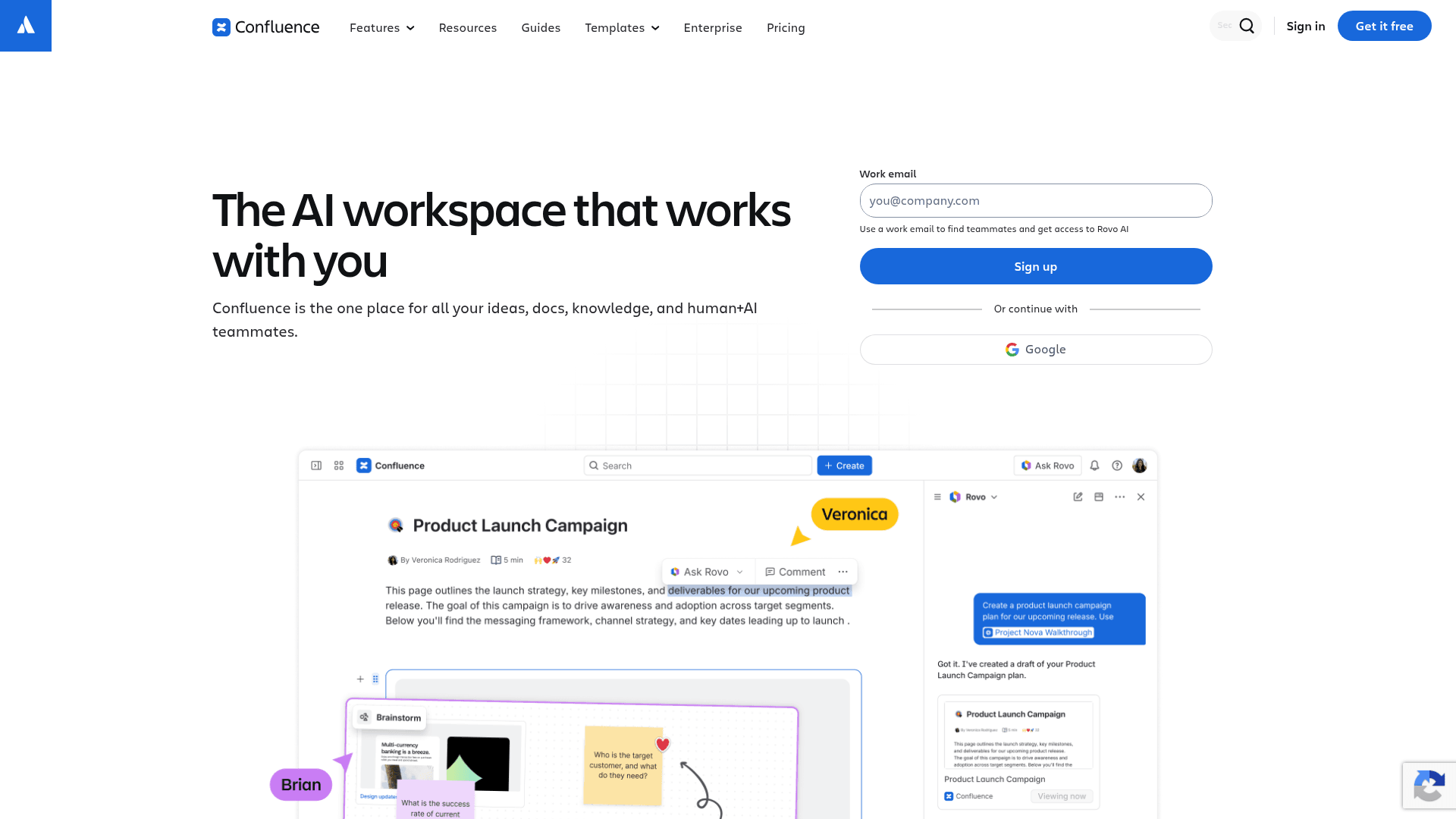
The Confluence homepage headline is now "The AI workspace that works with you," and Rovo, Atlassian's AI, is included on every paid plan at no extra purchase, per Atlassian's Rovo licensing. The cheapest paid plan is listed at $5.42 per user, and that makes it the lowest-priced paid option on this whole list.
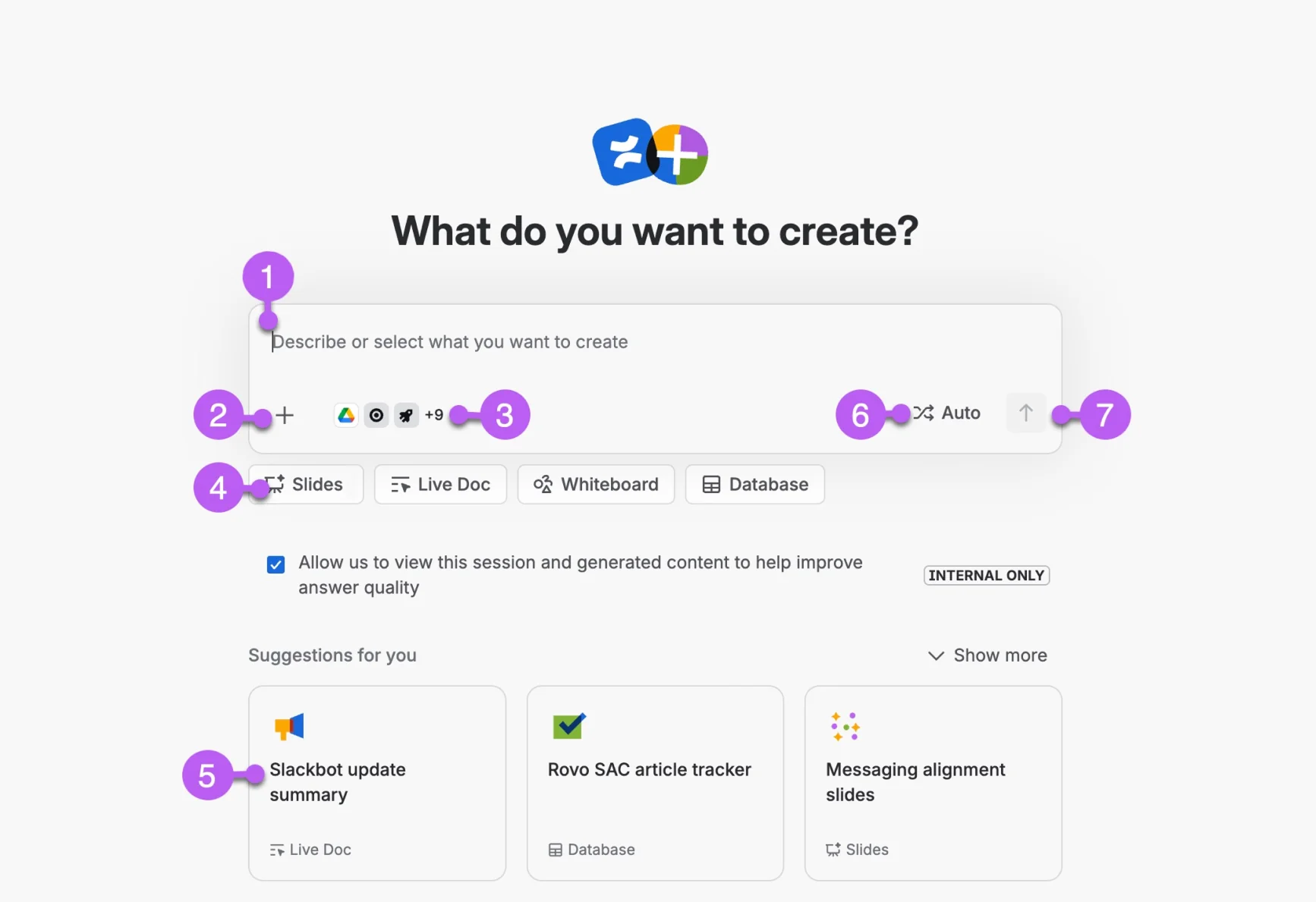
The AI inside the page is solid. "Create with Rovo" drafts a page, live doc, whiteboard, database, or slide deck from a prompt plus files and links, and the result waits in a private preview until you add it to Confluence. You can also select text and use Ask Rovo to improve, shorten, or translate it, as one Hacker News user described:
"In Edit mode for a page, you can select a range of text and a menu will pop up, with Ask Rovo being a drop down on it. There's a few good options... Improve Formatting, translation options, Make Shorter... ... but it also has Make Longer."

Pros
- Rovo included on all paid plans, starting at a low per-seat price
- Drafts land in a private preview before anyone else sees them
- Page versioning with compare and roll back on all plans
- Public view-only links and anonymous access for customer-facing pages
Cons
- AI runs on credits: 25 per user per month on Standard, and a Quick answers chat message costs 10 credits
- Overage at $0.01 per credit starts December 3, 2026, on by default with admin caps
- The Free plan has no Rovo, and Rovo needs a verified business email domain
- Heavier at small scale than a ChatGPT page if you don't use Jira
Pricing
| Plan | Price | Rovo credits per user/month |
|---|---|---|
| Free | $0, up to 10 users | No Rovo |
| Standard | $5.42/user/month | 25 |
| Premium | $10.44/user/month | 70 |
| Enterprise | Contact sales, yearly | 150 |
From Confluence pricing and Rovo usage limits. Credits are pooled across your org. My Confluence AI pricing guide does the per-team math.
My take: Before you pick Standard, do the credit math. At 10 credits per Quick answers message, 25 credits covers about two and a half chat messages per person per month, though credits are pooled across the org. For teams that are heavy on Jira, Premium is the realistic tier. Searching Confluence is free, so a team that mostly reads will still get value out of it. My Confluence vs Notion post covers the bigger trade-off.
6. Superhuman Docs (formerly Coda)
Best for: teams that build docs that act like apps, with tables, trackers, and AI columns.
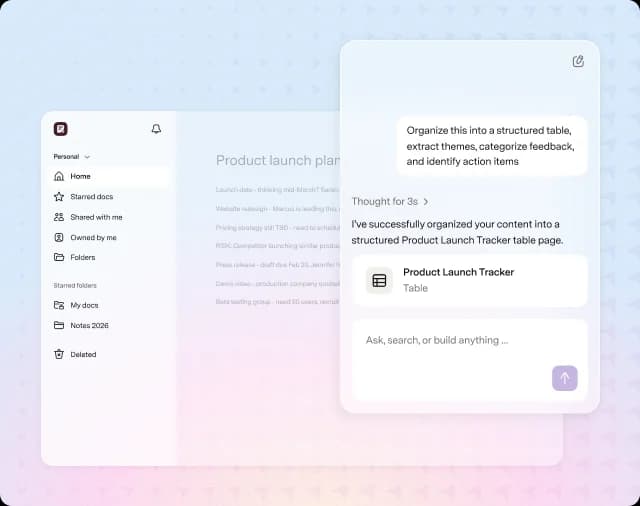
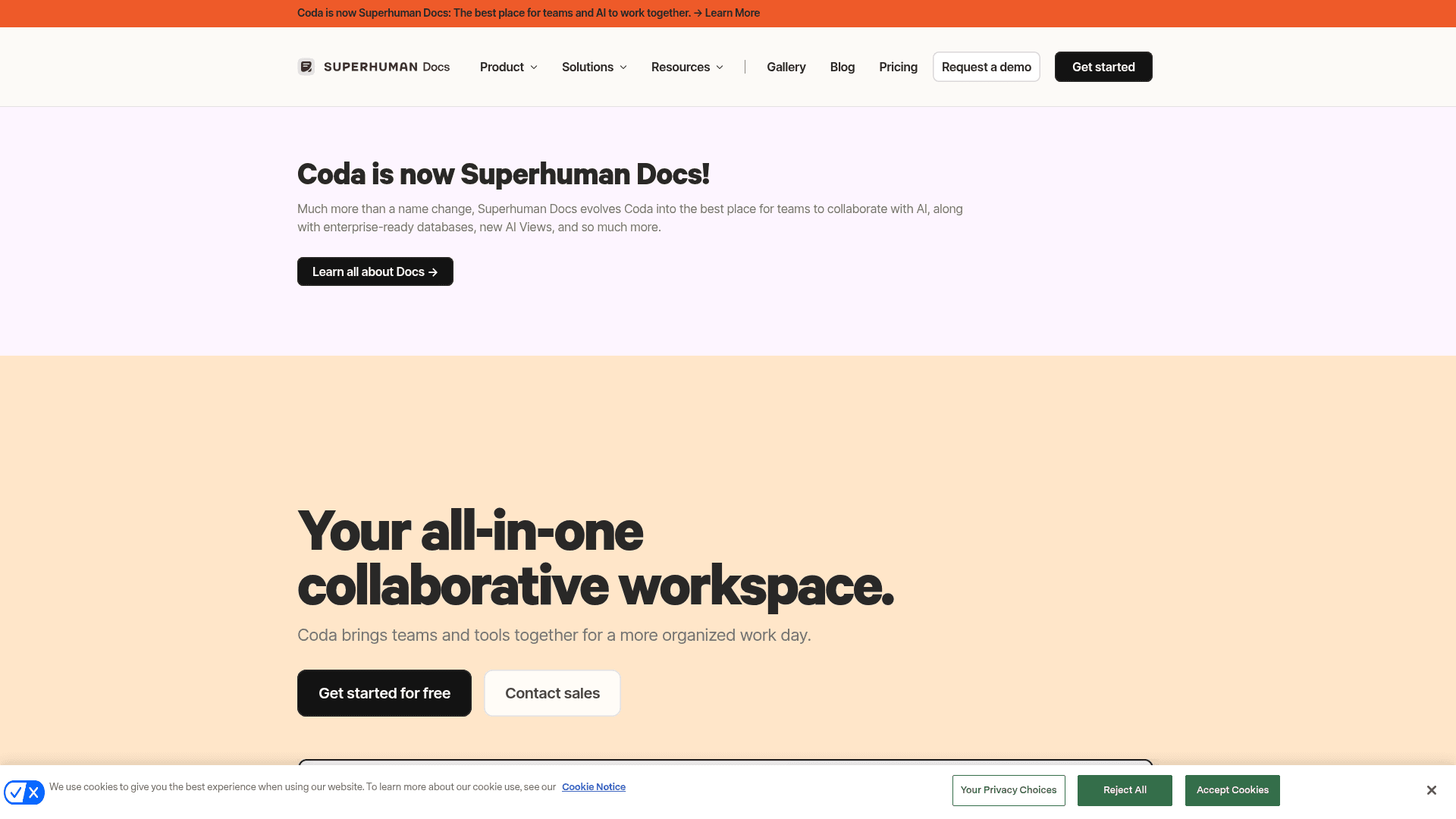
If you knew Coda, this is Coda. The Superhuman blog announced on July 8, 2026 that Coda is now Superhuman Docs, that existing docs carry over automatically, and that "your pricing isn't changing." These days it sits in a suite next to Superhuman Mail and Grammarly.
The pricing model is the reason it made this list. You pay per Doc Maker, and editors, viewers, and guest editors are always free, per the pricing page. For a team where two people build the docs and twenty people use them, this ends up dramatically cheaper than per-seat pricing. Docs AI is included on any paid plan with unlimited use during beta, under a fair use policy.
The AI here leans more toward structure: AI columns that fill themselves from a description, AI blocks that summarize a page or table, and AI Views (closed beta) where you describe a view and it builds on your live data. Superhuman Docs is also a listed connector in both Anthropic's and OpenAI's directories, which means Claude and ChatGPT can both read and edit it.
Pros
- Pay only for Doc Makers; editors, viewers, and outside guests are free
- Docs AI unlimited on paid plans during beta
- AI columns, AI blocks, and AI Views for tracker-style docs
- Works as a connector from inside Claude and ChatGPT
Cons
- The rename is fresh, and help pages are still moving from coda.io to Superhuman
- "Unlimited during beta" isn't a promise about pricing after beta
- Free plan keeps 7 days of version history and limits pages on shared docs
- No published model list for Docs AI
Pricing
| Plan | Yearly | Monthly |
|---|---|---|
| Free | $0 | $0 |
| Pro | $12/Doc Maker | $15/Doc Maker |
| Business | $33/Doc Maker | $40/Doc Maker |
| Enterprise | Custom | Custom |
From Superhuman Docs pricing. Grammarly is included with Pro on yearly billing. My older Coda pricing breakdown explains Doc Maker billing in more depth.
My take: If most of your team reads and edits but only a few people build, the Doc Maker model is the best deal on this list. I would keep an eye on what happens to AI pricing after the beta, and also on how the rename settles. My Notion vs Coda comparison is still a good guide to the editing model.
7. Gemini Canvas
Best for: individuals who want a free AI drafting space and can hand the result off to Google Docs.
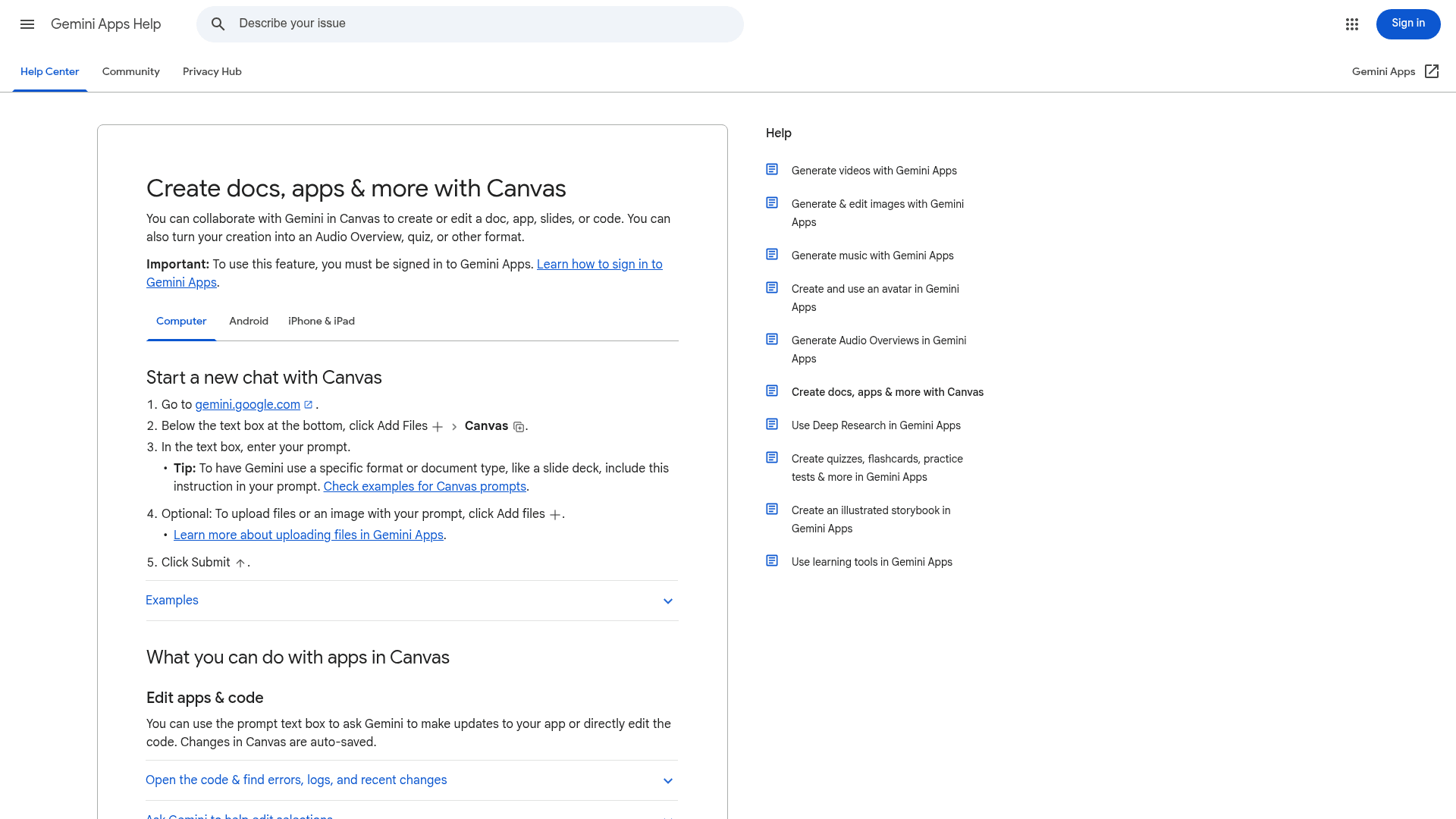
Canvas is the closest thing Google has to the old ChatGPT canvas, and it's free for every Gemini user. It makes docs, apps, slides and code next to the chat, and it auto-saves and lets you step back through versions. Pro and Ultra subscribers get Gemini 3 and a 1 million token context window, per the Canvas overview.
It has quietly gotten good. One Hacker News user, who had been harsh on it in 2025, now says this:
"lately. I often go to Gemini Canvas and just ask for some simple thing I want ... < 5 minutes later I have such a thing."
Where it falls short is collaboration. Per Google's Canvas help, sharing gives you a public link, but whoever opens it makes their own copy. There's no live co-editing at all. The workaround for that is "Export to Docs," which moves the draft into a real shared Google Doc.
Pros
- Free, with Canvas included on the Free Gemini plan
- Builds docs, interactive apps, slides, and code
- Export to Docs, Slides, PDF, or Colab
- Version stepping and a Suggest edits button
Cons
- No real-time co-editing; shared links open as a copy
- Shared links only open on the web, not in the mobile app
- Text formatting can only be edited on desktop
- Some sharing features aren't available to users under 18
Pricing
| Plan | Price | Canvas |
|---|---|---|
| Free | $0 | Yes |
| Google AI Plus | $4.99/month | Yes |
| Google AI Pro | $19.99/month | Yes, Gemini 3, 1M context |
| Google AI Ultra | $99.99 or $199.99/month | Yes |
From Google AI subscriptions. My Gemini pricing guide covers the API side too.
My take: Canvas is the right free swap if you used ChatGPT's old canvas and you mostly write alone. Draft in Canvas, then export to Docs once someone else needs to get in. Just don't use it as a team doc on its own, because copies-on-share means three people end up with three versions. My ChatGPT vs Gemini comparison covers the apps more broadly.
8. ChatGPT Projects and writing blocks
Best for: Plus and Free users who want to stay in ChatGPT without paying for Space.
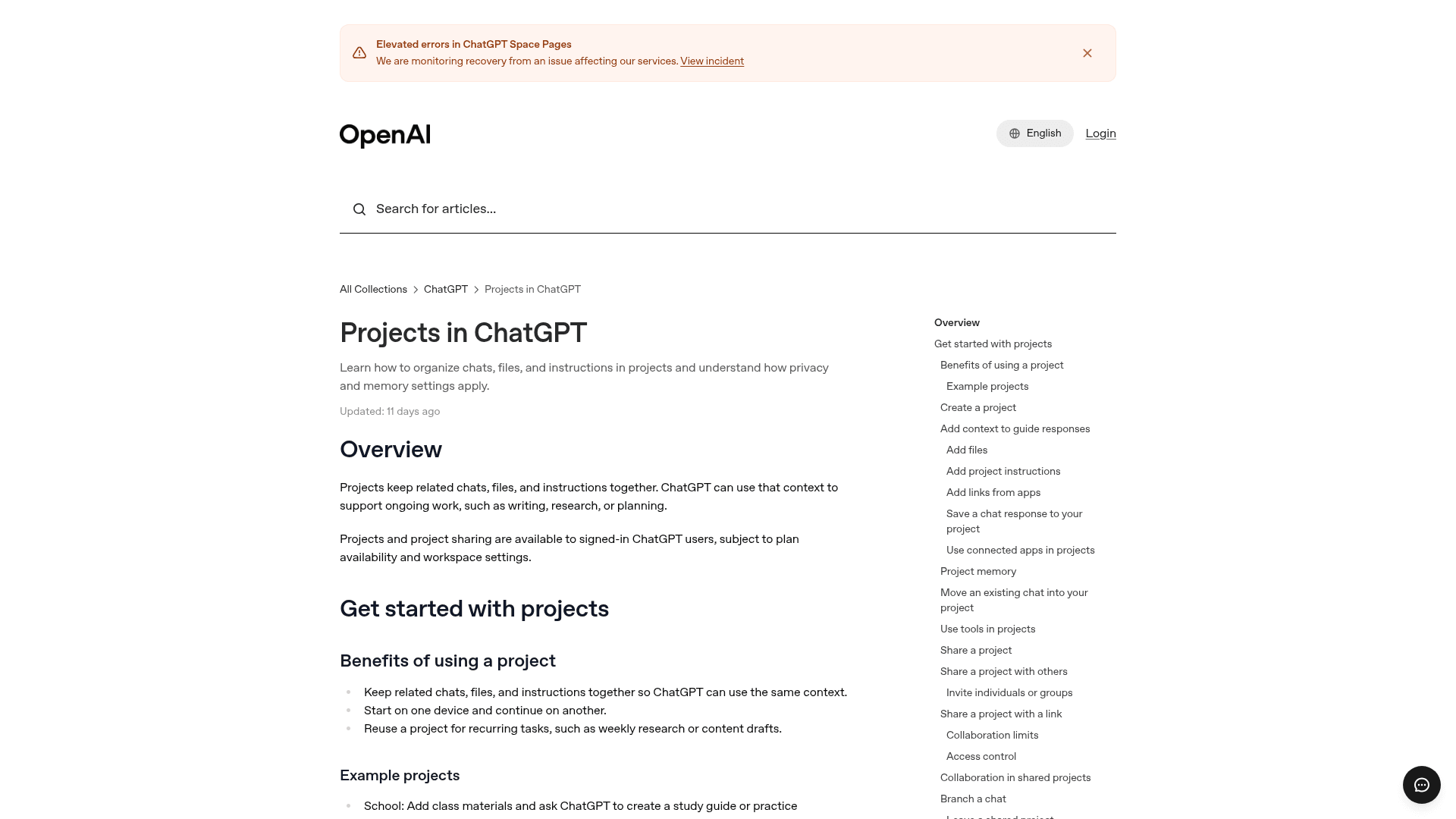
Sometimes the best ChatGPT pages alternative is just ChatGPT itself. OpenAI's Projects help article says projects keep related chats, files, and instructions together, and they run on every plan, Free included. Inside a chat, writing blocks are what replaced canvas on May 28, 2026, and they got a full-screen editor on June 8.
That combination covers most of the solo work. You keep a project with your files and instructions in it, and the long drafts open up in a writing block. OpenAI also says creating a space "does not replace your existing Projects," so nothing in here goes away if you decide to upgrade later.
Pros
- Free, on every ChatGPT plan
- Writing blocks give you a full-screen long-form editor in chat
- Project files and instructions carry context between chats
- Mobile editing works, unlike pages today
Cons
- No real-time co-editing; project sharing depends on your plan and workspace settings
- No Prompt, Visualize, or Task blocks
- A draft lives in one chat, not as a standalone document
- OpenAI models only
Pricing
| Plan | Price | Projects and writing blocks |
|---|---|---|
| Free | $0 | Yes |
| Plus | $20/month | Yes |
| Business | $20/seat yearly, $25 monthly | Yes, plus Space and pages |
From ChatGPT pricing and my ChatGPT pricing breakdown. Writing blocks are covered in the ChatGPT release notes.
My take: If you're on Plus and what you mostly want is a place to draft and keep context, stay put, since Projects and writing blocks do that well. Move to a page or one of the alternatives above only when somebody else needs to edit the same document at the same time.
Which ChatGPT pages alternative should you pick?
The question that decides it isn't which AI is the smartest. It's where your team's docs already live, and how far each doc needs to travel after it's written.
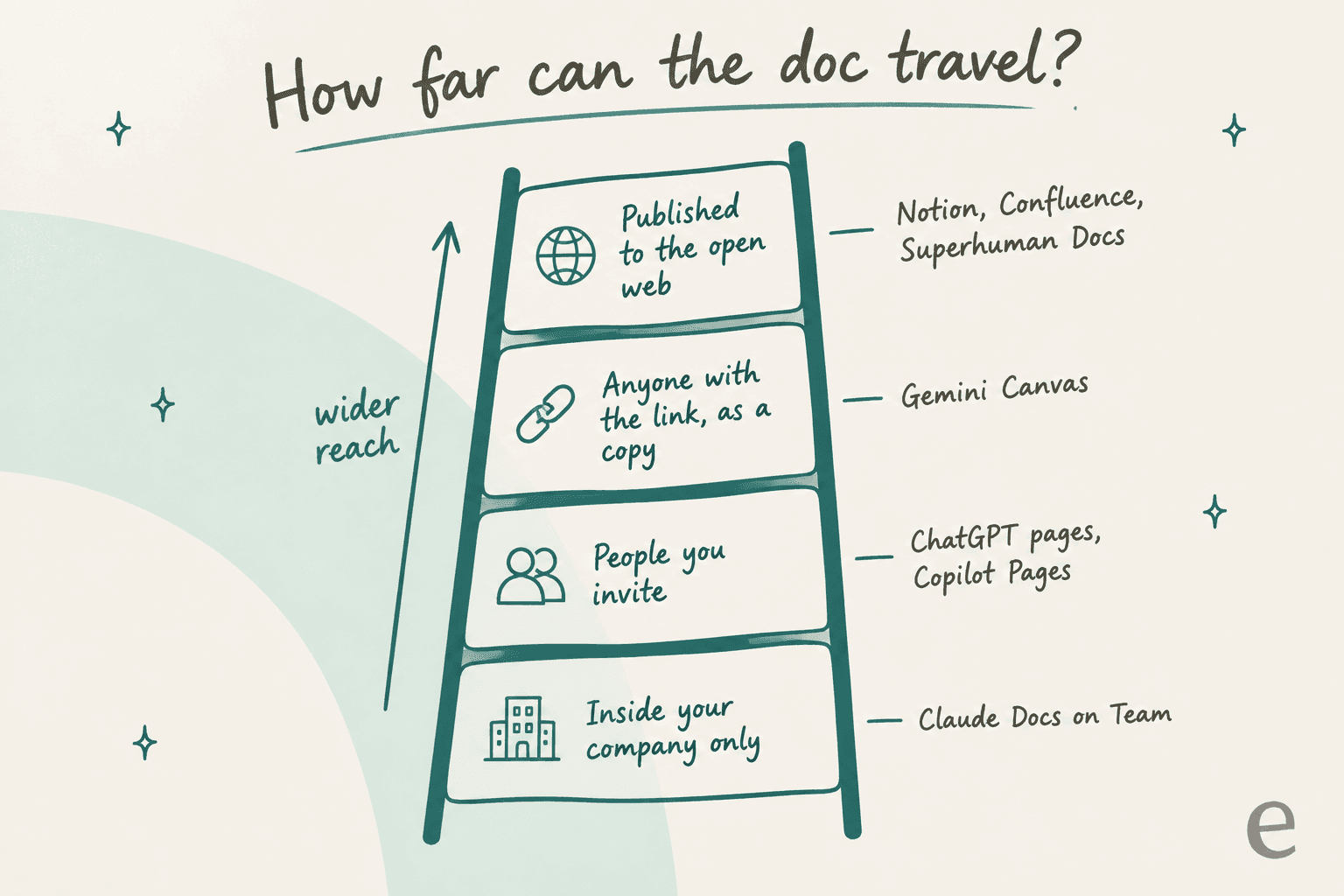
If a doc only ever goes to teammates, the lower rungs are fine. When it ends up in front of clients or partners or the public, start near the top instead. Pick your situation below to see where I'd start.
One quick warning, and it applies to every tool here: an AI-native doc is still a doc that you don't fully own. When someone lost access to their Claude Design projects after cancelling, one Hacker News reply put it neatly:
"nobody would accept Word deleting your files when you cancel Office. somewhere along the way we stopped distinguishing backup from custody."
Whichever one you pick, check the export options on the first day. Claude Docs, Copilot Pages, and Gemini Canvas all export to Word or Google Docs, and that is your exit if you change your mind.
eesel, for when your docs need to answer customers
Every tool above helps a team to write things down. None of them takes what you wrote and uses it to answer the customer who asks a question at 9pm on a Sunday. That's a different job, and it happens to be the one I work on.
I have seen what happens when the doc tool is fine but the docs still fail. On one eesel demo, a support manager at a bus-tracking service with a couple of hundred tickets a month realized their whole knowledge base was written for administrators, while the tickets came from riders. Moving those docs into a nicer editor would not have changed even a single reply. The fix starts with an AI that reads the docs and the past tickets together, so it learns how the team actually answers riders, not just what the admin manual says.
eesel is an AI teammate platform, and its AI helpdesk teammate does exactly this. It joins the helpdesk you already run, like Zendesk or Freshdesk, and learns from Notion, Confluence, Google Docs, and your past tickets. That means you can keep writing in whichever ChatGPT pages alternative you chose above.
Before it replies to anyone, it runs against your historical tickets, so you get to see how it would have answered before any customer does. And if the doc you're co-writing is actually a blog post, the AI blog writer is the other eesel teammate built for that. Try eesel free, or check the pricing first.
Frequently Asked Questions
What is the best ChatGPT pages alternative?
Is there a free alternative to ChatGPT pages?
Can ChatGPT Plus users get ChatGPT pages?
Is Notion a good alternative to ChatGPT pages?
How does Claude Docs compare to ChatGPT pages?
What's the cheapest ChatGPT pages alternative for a team?
Which ChatGPT pages alternative works best on mobile?
Can any of these ChatGPT pages alternatives answer customer questions?


Article by
Kira
Kira is a writer at eesel AI with a Computer Science background and over a year of hands-on experience evaluating AI-powered customer service tools. She focuses on breaking down how helpdesk platforms and AI agents actually work so that support teams can make better buying decisions.