
What is ChatGPT Intelligent UI?
I build the AI agents inside eesel, so for me the part of this launch that caught my eye wasn't the bike diagram, it was OpenAI admitting in public that the shape of an answer matters about as much as what is inside it. That is a lesson I learned the hard way. In a real-traffic trial with an e-commerce store handling about 1,000 tickets a month on Zendesk and Shopify, agents sent only 12% of AI drafts as-is. Most of the drafts were right, actually. The agents just kept cutting 8 to 15 sentence answers down into 1 to 3 sentence replies, since that is the shape a customer really reads. Intelligent UI is OpenAI betting on this same lesson, only at a scale of 1.2 billion weekly users.
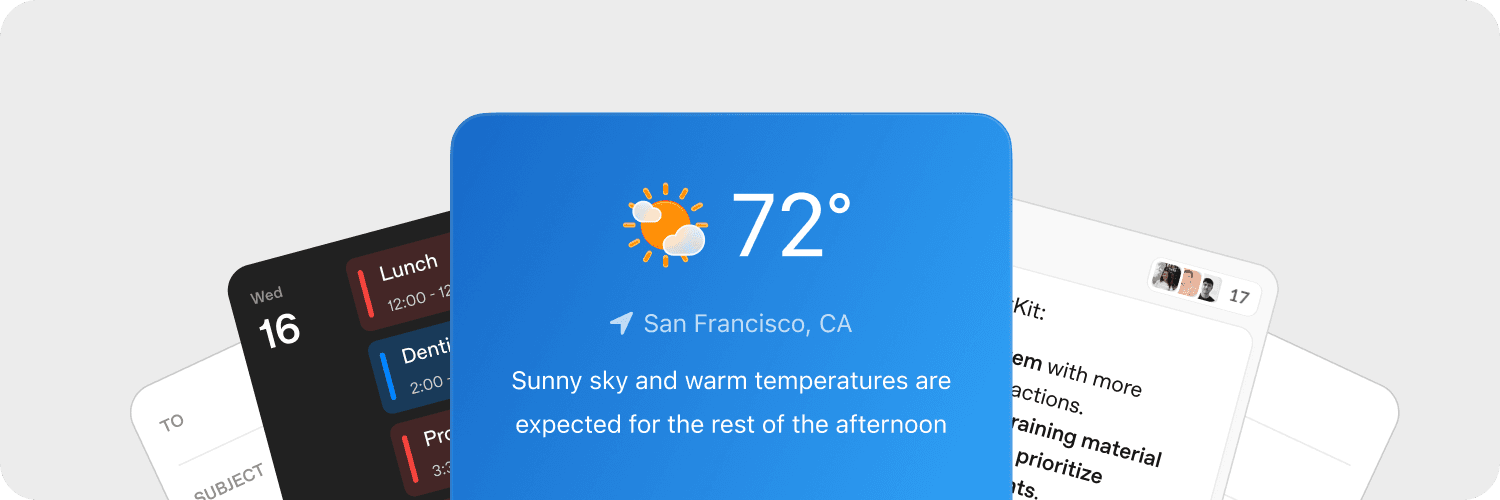
Intelligent UI is a capability of GPT-6 inside ChatGPT's Chat tab, and what it does is let a single response mix text and visuals together with interactive pieces. OpenAI's announcement says the model was trained "to compose responses using text, visuals and interactive elements, choosing how they fit together based on your question."
Here are the elements that OpenAI names, both on the launch page and in the release notes:
- Charts and graphics
- Side-by-side comparisons
- Interactive diagrams you can click through
- Maps, for things like road-trip stops
- Timelines and schedules
- Forms and tappable buttons
- Small tools: calculators, bill splitters, even games
There is no special prompt you need for it. The Help Center says it plainly: "Ordinary text answers are still possible, and no special prompt is required." If you ask how to roast a lamb for five people, you might get back a guest counter that rescales the shopping list for you, while asking what time it is in Tokyo should still give you just one line of text.
The official demos are worth a look, mainly because they show what OpenAI is optimizing for here:
- A 7-speed bike breakdown. An exploded bike diagram with tabs for frame, wheels, drivetrain, brakes and cockpit.
- A Sunday lamb roast plan. Menu cards, a guest-count stepper that recalculates quantities (5 people works out to 2.0 kg of bone-in lamb), a "Copy shopping list" button, and an 8-step cooking timeline.
- A central limit theorem explainer that you can poke at instead of only reading it.
- "The Check, Please." A clipboard-styled bill splitter built from an uploaded receipt ($107.78 total), with tip presets of 15, 18, 20 and 25%.
The last one is the one that matters most, because it shows you can ask for a visual style and not only a format.
Is it the same as canvas or Visualize?
No. Canvas was removed from GPT-5.5 on May 28, 2026. The older Visualize preview, the one you call with @Visualize, is still there as a separate plugin in both Chat and Work, although its docs haven't been updated for GPT-6 so far. OpenAI also hasn't said that Intelligent UI replaces it.
In practice the difference is this: Visualize is something you have to ask for, while Intelligent UI is the default way GPT-6 answers in Chat, with the model deciding when to use it.
How does Intelligent UI work under the hood?
As someone who builds agents, this is the part I find the most interesting. OpenAI didn't let the model write arbitrary web code for every answer. In its own words, it "built a library of native, streamable components, along with a compiler that processes the interface as the model generates it" (announcement).
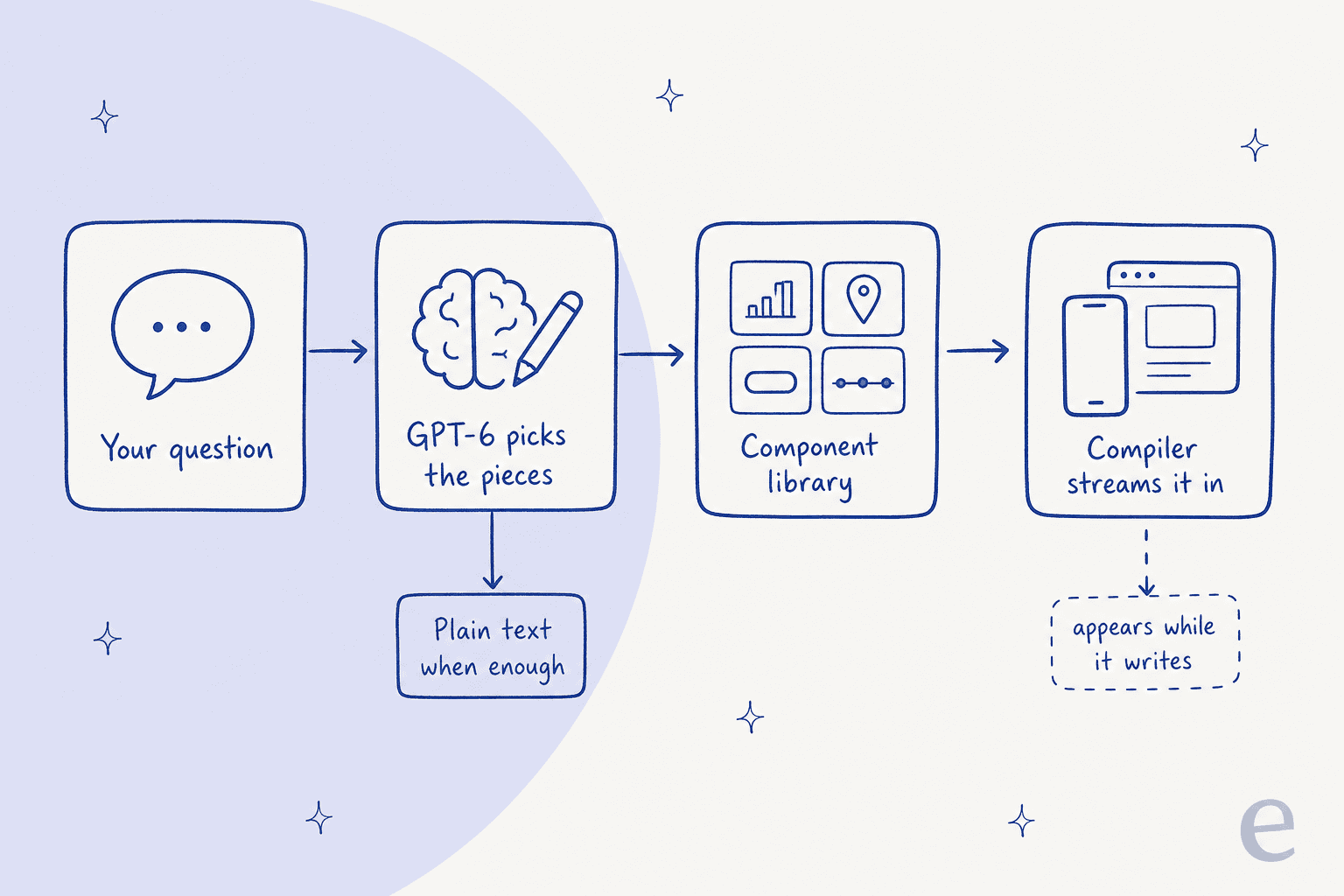
So in terms of moving parts, there are three of them:
- The component library. A fixed set of native building blocks (charts, steppers, map pins, checklists). OpenAI says this "gives each response a familiar design foundation while leaving the model room to decide how the pieces fit together."
- The model's judgment. GPT-6 was trained on when a component should be used and when it shouldn't. OpenAI says it evaluated the interfaces it creates "for clarity, usefulness, and completeness."
- The compiler. It renders the interface while the answer is still streaming, so there is no waiting for the whole response to finish, which is also why it feels fast.
Isa Fulford, who led the launch, put this same idea into one sentence on X:
"We trained the model to make thoughtful design decisions with these components, including when to use something interactive and when plain text still works best."
One Hacker News commenter guessed that under the hood it's "basically just producing a JSON schema to hand to the front-end renderer" (dbbk, Hacker News). That is only a guess and not a confirmed detail, but it does match the "components plus compiler" description, and it would explain why it doesn't feel any slower than text.
This design choice comes with a trade-off. A component library keeps answers consistent and fast, but the same library also puts a cap on what can be drawn. iOS developer Paul Solt noticed already on day two that it doesn't handle drag gestures, and he pointed people back to Visualize for that. OpenAI itself says "there's still work ahead to improve the model's design judgment and expand what it can create."
Alongside it ships a second change that is easy to miss: GPT-6 can now start answering while it is still thinking, and then add the detail after. OpenAI says that for questions that need web search, GPT-6 Instant starts answering 44% sooner on average than GPT-5.6 Instant (announcement).
Who gets Intelligent UI, and what does it cost?
Everyone with ChatGPT gets some version of it, at no extra cost. The Help Center says "Intelligent UI has no separate usage quota." What does change by plan is the model underneath, plus which of the thinking levels can use it.
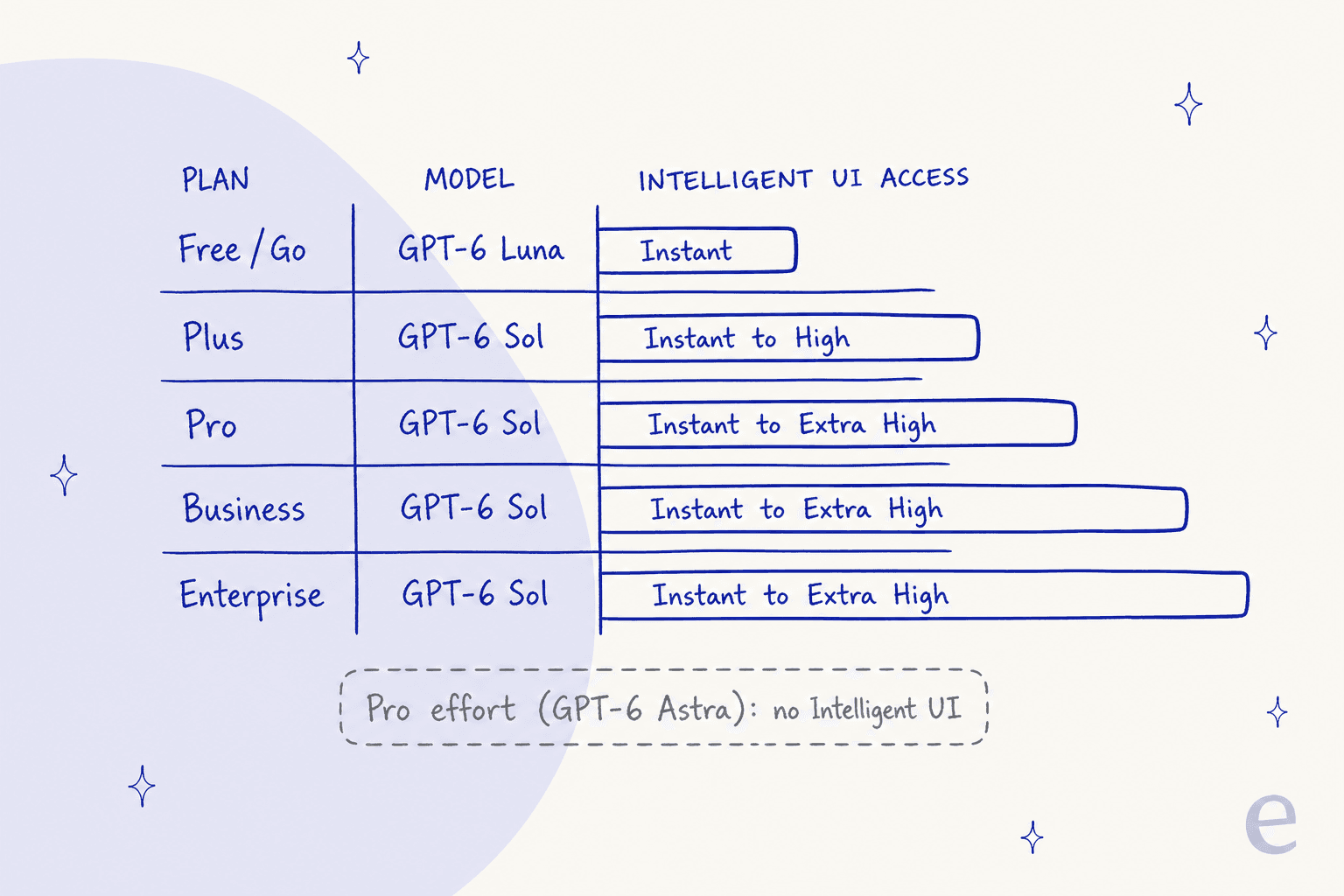
| Plan | Price | Model in Chat | Thinking levels with Intelligent UI | Rollout |
|---|---|---|---|---|
| Free | $0/month | GPT-6 Luna | Instant only | From Oct 8, 2026 |
| Go | $8/month | GPT-6 Luna | Instant only | From Oct 8, 2026 |
| Plus | $20/month | GPT-6 Sol | Instant, Medium, High | Oct 7, 2026 |
| Pro | From $100/month | GPT-6 Sol | Instant to Extra High (not Pro effort) | Oct 7, 2026 |
| Business | See pricing | GPT-6 Sol | Instant to Extra High | Oct 7, 2026 |
| Enterprise | Custom | GPT-6 Sol | Instant to Extra High, if your admin allows GPT-6 Sol | Oct 7, 2026 |
The prices come from OpenAI's pricing page, and the thinking-level eligibility comes from the Help Center. Pro is now sold in three tiers, one of them being the new Pro 500 at $500 a month.
There are two gotchas here that will confuse people:
- The Pro thinking level doesn't get it. Pro effort runs on GPT-6 Astra, and the release notes say it "doesn't support Intelligent UI." So the most expensive setting ends up being the one with the plainest answers.
- Work and Codex are unchanged. OpenAI says "the models powering Work and Codex are not changing as part of this release." If your team spends its day in ChatGPT Work, you won't see it over there.
For Enterprise, there isn't any separate Intelligent UI switch. The Enterprise release notes tie it to the existing GPT-6 Sol access setting, so when your admin hasn't enabled GPT-6 Sol, you won't be seeing it either. I go into more on workspace controls in my ChatGPT Enterprise guide.
Not sure if you should be seeing it or not? Pick your situation below:
How do you use it, and how do you turn it down?
There isn't much to actually "use." Once GPT-6 is selected you ask a question, and the decision is up to the model. Still, a few things do help in practice.
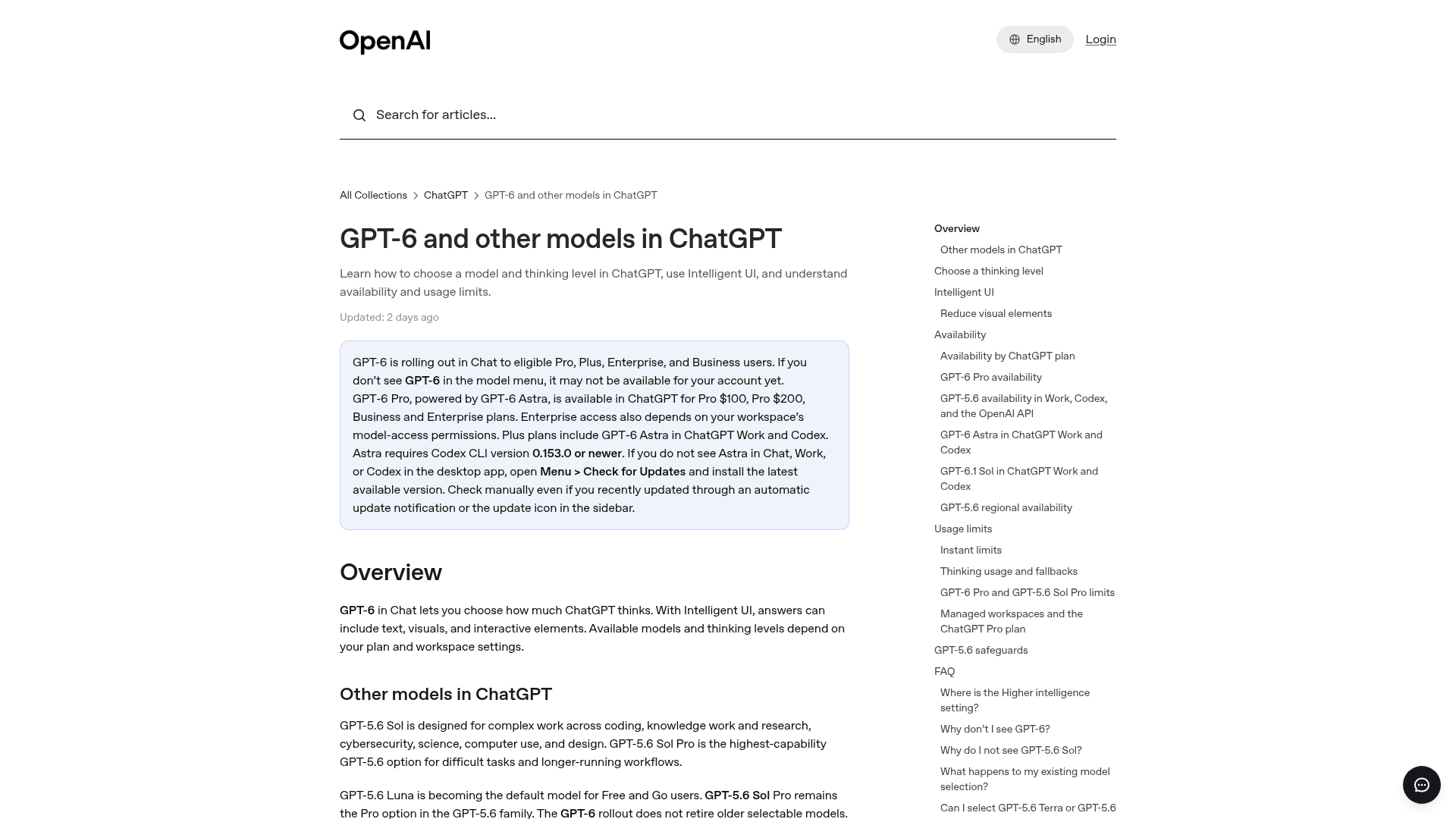
- Check the model menu. The Help Center says "GPT-6 replaces Latest," and it's "not labeled Sol." If you had explicitly picked GPT-5.6 Sol before, you stay on that one.
- Ask for a format when you want one. The bill-splitter demo shows you can request a style ("make it look like a clipboard"). Asking for "a checklist I can tick off" or for "a side-by-side comparison" gives it a nudge in that direction.
- Ask for text when you don't. If all you want is a ratio or a number, just say so. One Hacker News user complained about exactly this: asking how to make pancakes "might trigger a full UI that I need to sort through" (ddxv, Hacker News).
- Tone it down in Settings. On the web, turn off Settings > Layout and visuals. Do read the fine print, though: OpenAI says "some visual elements may still appear; this setting does not switch the entire answer experience to a classic or text-only mode."
- Use a custom instruction for a team. One Reddit user said their team "ended up disabling it with an 'anti visual slop' instruction which has worked so far" (u/Neurotopian_, Reddit). A line in your custom instructions that asks for plain text unless you request a visual is enough to do the job.
Per the Help Center, changing how one conversation looks doesn't carry over to your other chats.
Is Intelligent UI actually new?
It's less new than the launch video suggests. OpenAI has been shipping the pieces of it all year long, and Intelligent UI is just the moment when they became the default.
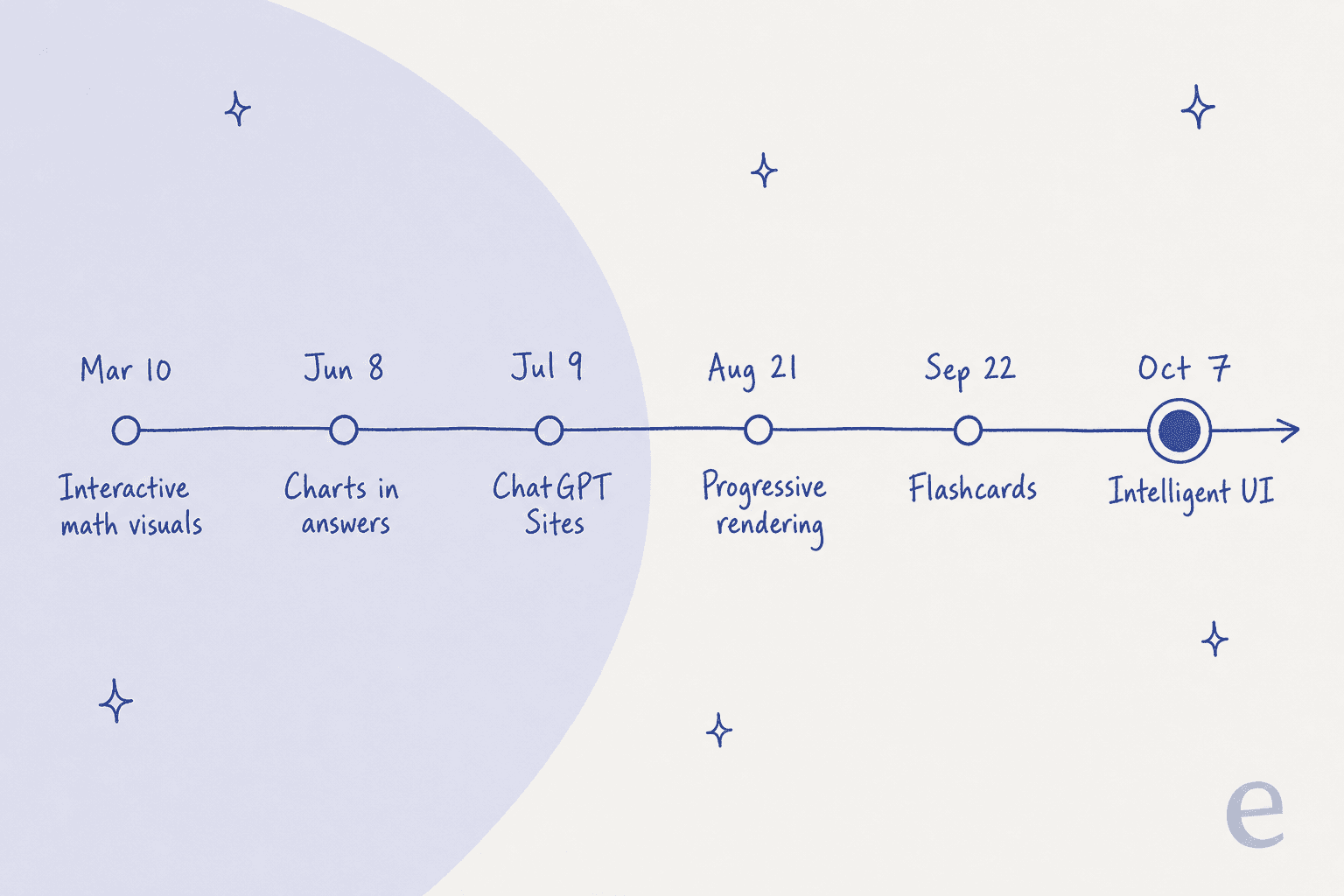
From OpenAI's own release notes:
- March 10: interactive visual modules for 70+ math and science topics
- June 8: bar, line, pie and scatter charts inside answers
- July 9: ChatGPT Sites for lightweight shareable apps
- August 21: interactive content that appears progressively instead of all at once
- September 22: interactive flashcards, plus Pages in Space a week later
- October 7: Intelligent UI, on by default
Competitors also got there first. Several Reddit users pointed out that Claude has offered clickable, interactive content in chat since around March, and one ran OpenAI's own bike prompt through Claude and got "a clickable infographic, then a few paragraphs" (u/Soupdeloup, Reddit). If you are weighing the two against each other, my ChatGPT vs Claude and ChatGPT vs Gemini comparisons cover more ground than just this one feature.
What is new is the delivery, meaning a trained model and a native component library, with streaming on top. Users who had tried Visualize noticed that difference right away.
"From the few prompts I've tried, it's already much better than the Visualize tool we had before, and MUCH faster too. It feels like they've completely rethought and redesigned how messages work in ChatGPT, rather than just adding visuals on top."

What are people saying about Intelligent UI?
Two days in, the reaction splits pretty cleanly. People who use ChatGPT for everyday planning love it, whereas the people using it for work text are reaching for the off switch.
The launch thread on Hacker News hit 748 points and 453 comments. The win I related to most came from someone who does their meal planning with ChatGPT:
"I always just wanted it to be able to make checkable grocery lists. I eventually just had it make a skill for work mode that would build a mini checklist app, but it was slow and felt janky needing to remember to switch to work mode. This is already such a huge improvement."

One Reddit user who had planned to move over to Claude changed their mind, calling the interactive visuals "a game changer" for everyday use while admitting Claude is "still MUCH better at coding" (u/foufou51, Reddit). Another one got a pricing-change analysis back as "a slick dashboard with graphs" without even asking for one (u/trufus_for_youfus, Reddit).
The pushback is mostly about fit, less about quality. The sharpest version of it came from a team that tested it for their work:
"Adding it to text-based requests for work makes less useful output since it's not easily pasted and it reduces accessibility (eg, for visually impaired users)."
On Hacker News, jjcm coined a name for it: "disposable UI" or "paper plate UI," meant for using once. Then there is the trust question, which in my view is the important one:
"How would a user know whether a generated visualization to illustrate some process is accurate or not?"
This isn't a hypothetical. A Hacker News commenter noticed that in OpenAI's own roast demo, the menu lists lamb and parsnips while the photo shows roast turkey and brussels sprouts. A polished interface makes an answer look more finished, but it doesn't make it any more correct, and a wrong chart is more convincing than a wrong sentence is.
The rollout had some bumps too: users on GPT-6 Sol who saw no visuals at all even with the launch prompts, and also people who had it on the web but not in the iOS app yet.
What can't Intelligent UI do yet?
Here is the list I would want to have before relying on it:
- It's Chat-only. No Work tab, no Codex, no API.
- The Pro thinking level skips it. GPT-6 Astra answers in text.
- Older desktop apps don't support it. On older macOS and Windows apps, OpenAI says to use the web instead.
- You can't fully turn it off. Layout and visuals reduces it; there is no text-only mode.
- Gestures are limited. There are no drag interactions yet, going by early developer testing.
- Sharing, export and memory aren't documented. OpenAI hasn't published how Intelligent UI answers behave in shared links, exports or memory. The older Visualize docs describe its results as "generally a snapshot" that isn't kept in sync with a source, and until OpenAI says otherwise, that is the safest assumption to make here as well.
- Copying out is harder. Several users report that answers are less pasteable than plain text, and this matters when ChatGPT output feeds into a doc or a ticket, or an email.
- Design judgment is still a work in progress. OpenAI says as much itself.
None of this makes it a bad feature. What it makes it is a consumer reading feature, and that is exactly what OpenAI built it to be.
Can developers or businesses use Intelligent UI?
Not directly. This is the most common misread I have seen so far, so it's worth being blunt about it: Intelligent UI has no API, no SDK and no price. The GPT-6 Sol and GPT-6 Luna API models list text as their only output, at $2/$10 and $0.10/$0.50 per million input and output tokens. Not a single developer page mentions Intelligent UI.
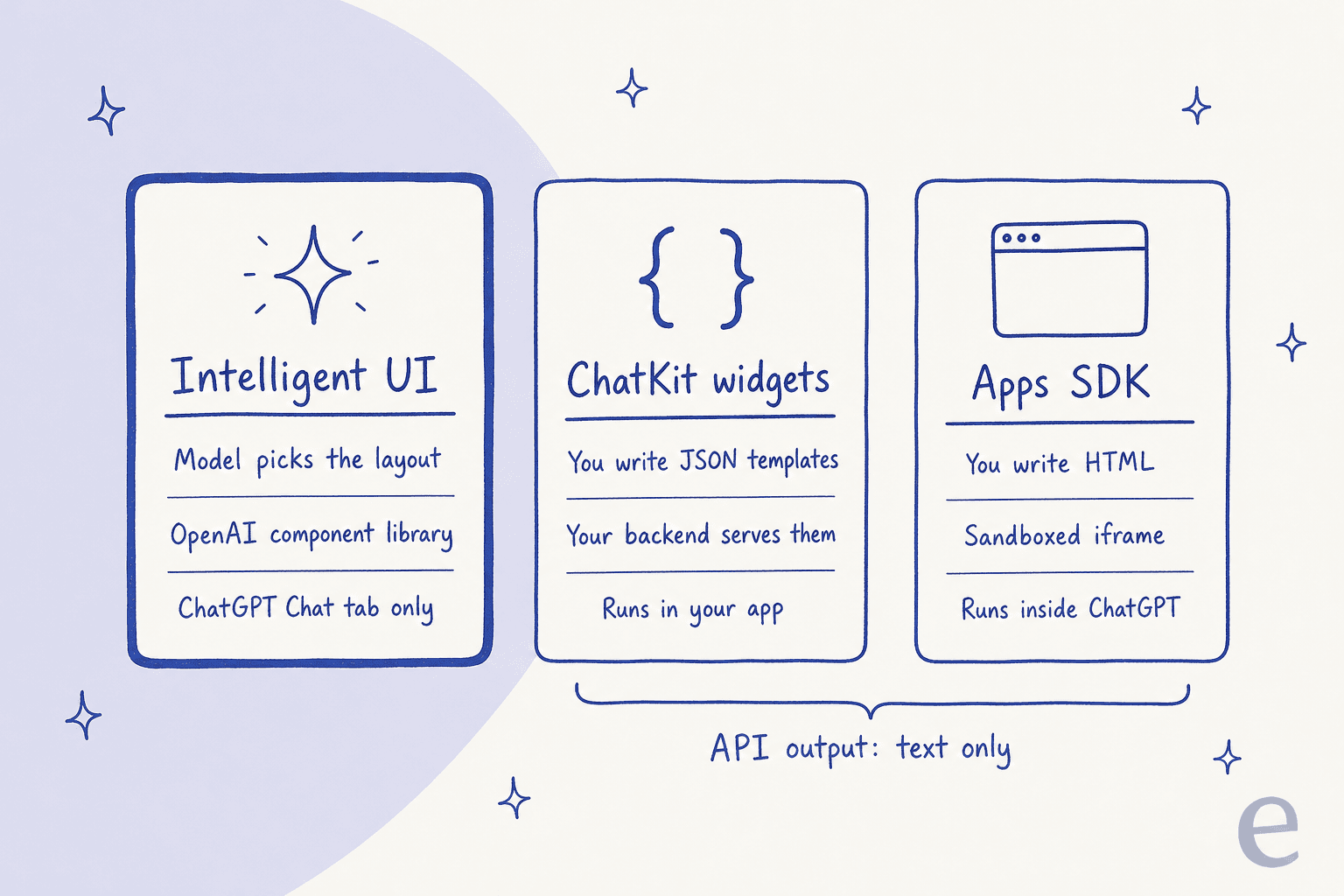
If you build on OpenAI, there are two other routes for you, and both of them put the design work back on your side:
- ChatKit widgets for your own app. You design cards, forms, buttons and lists in OpenAI's Widget Builder, then copy the JSON and serve it from your backend. The model doesn't get to compose them freely, since you are the one picking the template. One thing to note: OpenAI is shutting down Agent Builder on November 30, 2026, while ChatKit stays.
- The Apps SDK to show your UI inside ChatGPT. Your MCP server returns UI that runs inside an iframe in ChatGPT, using the open MCP Apps standard (Apps SDK docs). That is the way apps in ChatGPT work today.
Developers on Hacker News are already asking the obvious question, whether OpenAI wants to "steamroll every developers B2C product" or keep them building apps on the platform (theflyestpilot, Hacker News). I don't think anybody outside OpenAI knows the answer yet. For now, at least, the split is clear: OpenAI's best interface work lives in its own app, and yours lives in your iframe.
What does Intelligent UI mean for support and content teams?
It means two things, and they pull in different directions from each other.
For support teams, your customers have just gotten used to answers that are shaped to the question: a checklist for a setup task or a timeline for a delivery, and maybe a stepper for "how many seats do I need." That raises the bar for every help widget still replying with five paragraphs. My trial numbers from above say the same thing from the other side, which is that the reply customers want is short and shaped, not long and complete.
But look at what Intelligent UI doesn't do. The bill splitter does the calculating, but it doesn't charge anyone. In support, a pretty "Your refund" card is worth nothing unless something actually processes the refund in Shopify and updates the ticket in Zendesk. ChatGPT's Chat tab has no access to your helpdesk or your order system, and none to your policies either. It's a better way to show an answer, while support is mostly about doing the next step. That gap is the one an AI helpdesk agent fills, not a nicer chat bubble. If you are comparing options, my roundup of ChatGPT customer service alternatives is a good place to start.
For content teams, OpenAI says GPT-6 makes "better decisions about when to look something up," and it now turns what it finds into charts and maps, as well as comparisons. That makes your page into raw material for someone else's interface. One Hacker News user summed up where this is going: "URL-->user request--> answer & visualization. No more static menus, buttons, lists, etc." (jschveibinz, Hacker News). This favors pages with clean and specific facts that are easy to cite (real numbers, real tables) over pages that bury them in prose. If you are working on that, my guide to answer engine optimization tools and the wider list of AI search engines are worth reading next.
eesel, for when the answer has to do something
Intelligent UI is OpenAI getting the shape of an answer right, and eesel is about what happens once the answer is given. eesel is a set of ready-to-work AI teammates you hire for specific jobs, and for this topic the one that is relevant is the AI helpdesk teammate.

It joins the helpdesk you already use, like Zendesk, and learns from your help center and past tickets, then writes replies in the short shape your agents actually send. It can take the next step as well, for example looking up an order or tagging and routing a ticket, and it asks for approval on anything you want a human to sign off on. You can put it on your site with the chat bubble, and before it goes live it gets tested against your past tickets, so you see first how it would have replied. In terms of pricing, it's fixed monthly credit plans starting with a free tier, where one ticket or chat counts as one credit.
If you would rather drive it the way developers drive OpenAI's tools, the eesel CLI runs the same teammate from a terminal, where you can connect integrations and edit its standing instructions, approve or deny pending actions, and also read its activity log, all with JSON output that scripts and coding agents like Claude Code are able to use. And if it was the content side you came here for, eesel's AI blog writer is the teammate for that job.
Try eesel free and see what it would have said to last week's tickets.
Frequently Asked Questions
What is ChatGPT Intelligent UI?
Is ChatGPT Intelligent UI free?
Can I turn off Intelligent UI in ChatGPT?
Why don't I see Intelligent UI in my ChatGPT?
Is ChatGPT Intelligent UI available in the API?
How is ChatGPT Intelligent UI different from Claude's interactive visuals?
Can businesses use ChatGPT Intelligent UI for customer support?


Article by
Kira
Kira is a writer at eesel AI with a Computer Science background and over a year of hands-on experience evaluating AI-powered customer service tools. She focuses on breaking down how helpdesk platforms and AI agents actually work so that support teams can make better buying decisions.