ChatGPT Images 2.0: The era of visual reasoning is here in 2026

Stevia Putri
Last edited April 23, 2026
It used to be that asking an AI to generate an image was a bit like rolling dice at a casino. You'd throw in a prompt, cross your fingers, and hope the resulting "art" didn't have seven fingers on one hand or text that looked like a leaked cipher from an alien civilization. You were at the mercy of the model's random noise reconstruction, and getting a specific, logical layout was nearly impossible.
But that changed on April 21, 2026. With the launch of ChatGPT Images 2.0, OpenAI has moved the goalposts. We are no longer just talking about "generating" pixels; we are talking about visual reasoning. It is the difference between a painter who just throws colors at a canvas and an architect who plans the foundation before the first brick is laid.
Let's break it down.
What is ChatGPT image-gen 2.0?
At its core, ChatGPT Images 2.0 is the newest iteration of OpenAI's visual generation system, powered by the gpt-image-2 model. It replaces the previous 1.5 version as the default standard for all users. While earlier versions were impressive at making "pretty" pictures, they often failed when it came to logic, technical accuracy, or complex information hierarchy.
The core philosophy behind this update is that images are a language, not decoration. A good image should do exactly what a good sentence does: it selects, arranges, and reveals information in a way that makes sense to the human eye. This version isn't just about higher resolution (though it supports up to 4K via the API). It is about understanding the intent behind your prompt.
The "thinking" model: A new way to generate visuals with ChatGPT image-gen 2.0
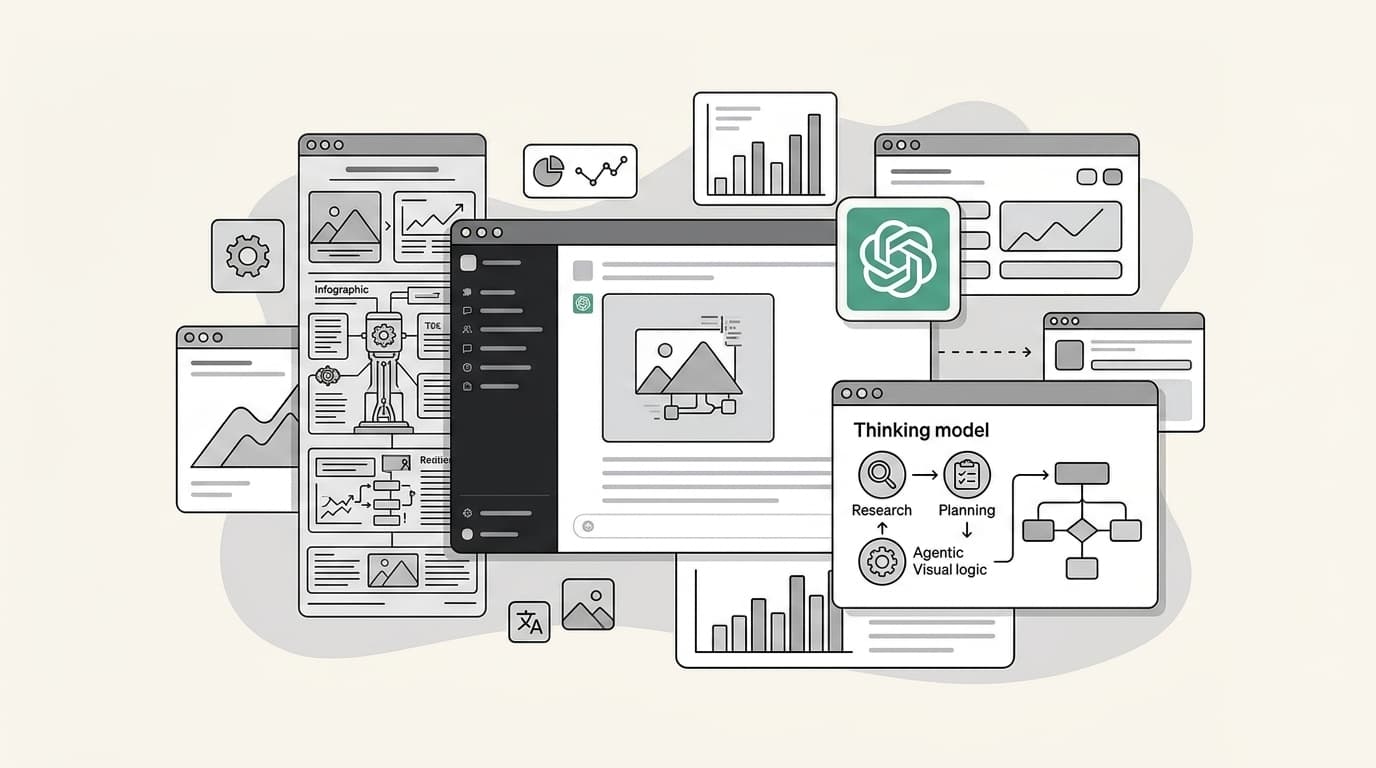
The biggest technical shift in this release is the integration of OpenAI’s "O-series" reasoning capabilities. Historically, image models have been "black boxes" where you provide a prompt and get a single, static output. ChatGPT Images 2.0 introduces what is called an "agentic" approach.
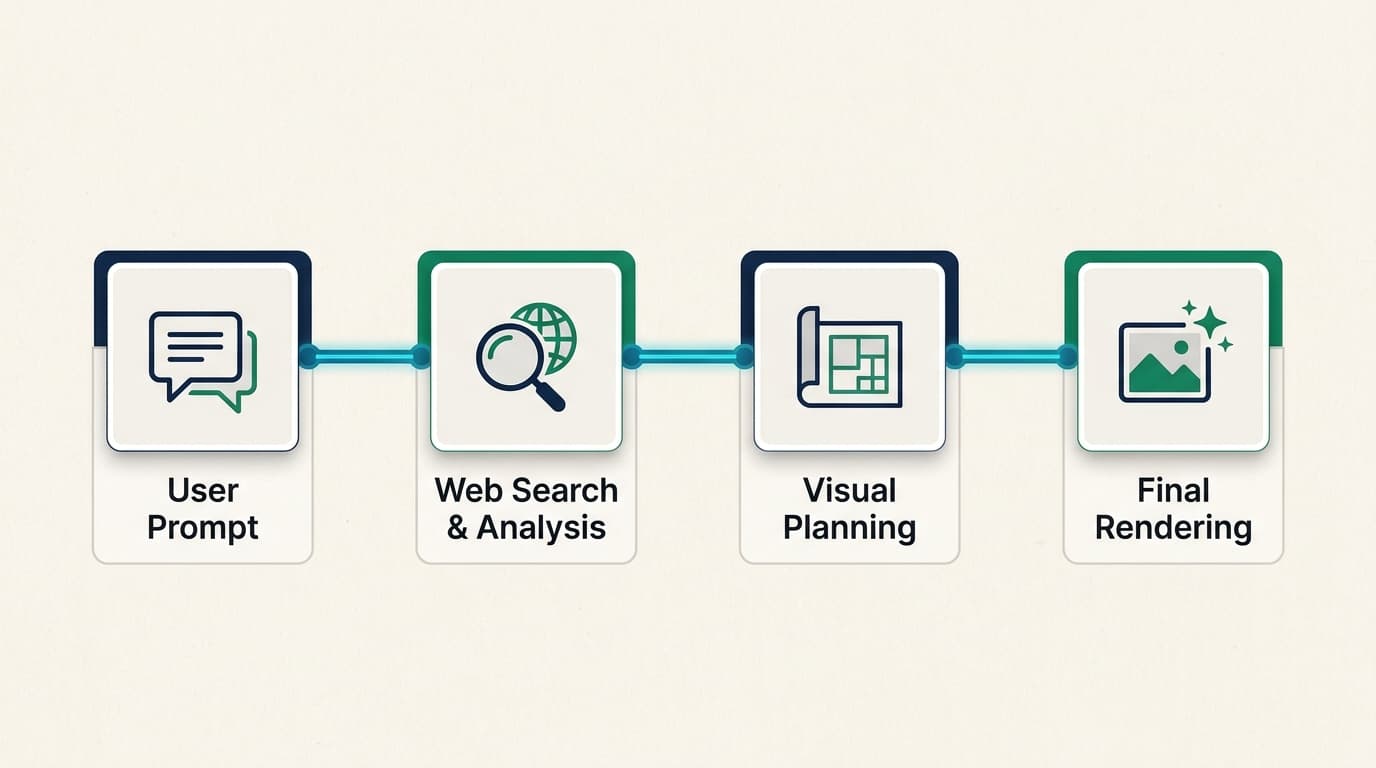
When you select a "Thinking" model in ChatGPT, the system doesn't just start drawing. It researches, plans, and reasons through the structure of the image first. It might search the web in real-time to ensure a technical artifact or a current event is rendered accurately. It can even analyze uploaded documents, like a complex PowerPoint or a spreadsheet, to ground its visuals in your specific data.
Bottom line? The model takes the time to "think" about where every pixel should go based on logic, not just probability. This is why you can now ask for a map of the ancient Aztec empire with a fully legible legend and actually get something usable for a classroom.
Key features that set ChatGPT image-gen 2.0 apart
If you have spent any time with previous AI image tools, you know the frustration of "garbage text" or losing your character's look between two different generations. ChatGPT Images 2.0 addresses these pain points directly.
Unprecedented text fidelity
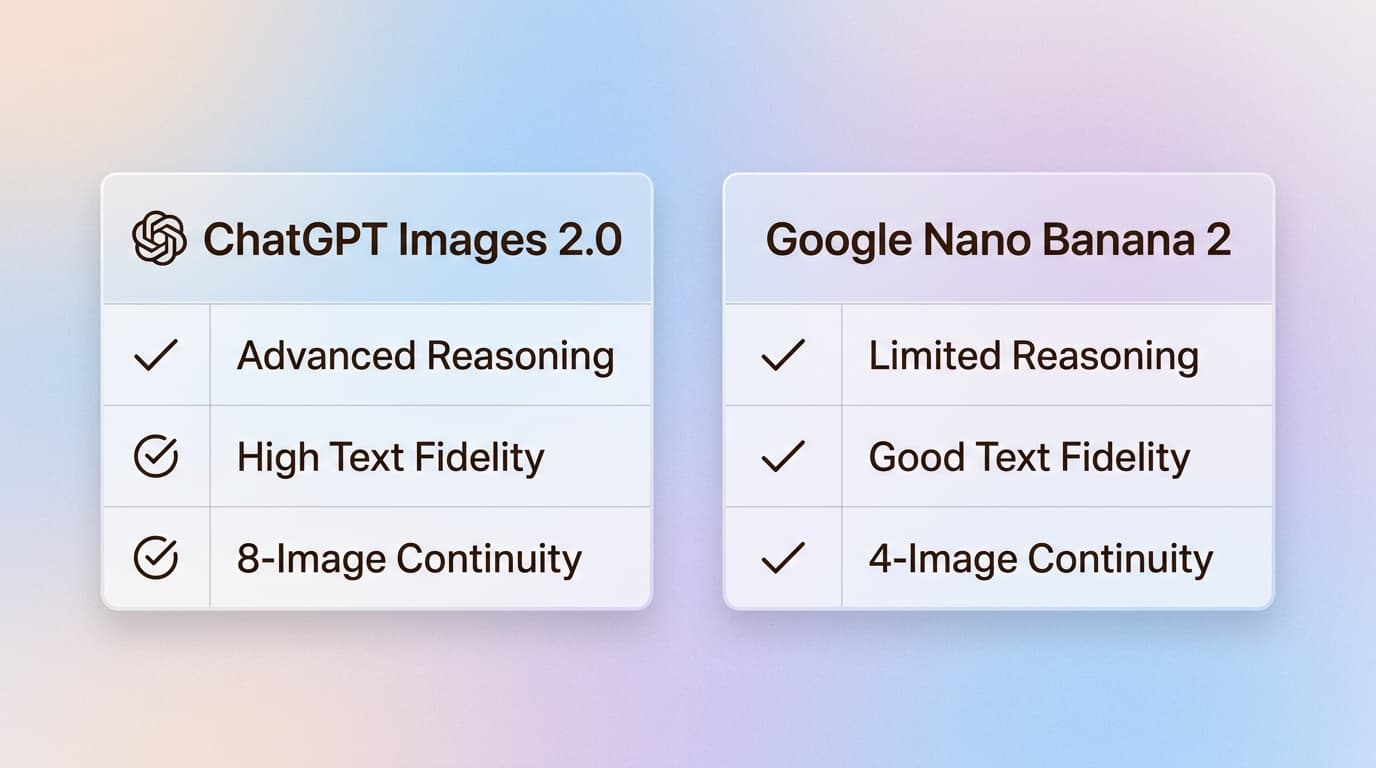
One of the most persistent tells of AI imagery has been the inability to spell. Two years ago, you couldn't get an AI to make a menu without it inventing fake foods like "margartas" or "enchuita." Now, the text fidelity is surprisingly good. You can generate full scientific diagrams, detailed posters, and restaurant menus that are production-ready. It can even render fine text on a grain of rice if that's what your prompt requires.
Sequential consistency for storytelling
For creators working on storyboards, manga, or brand campaigns, the "intent gap" has been a major hurdle. ChatGPT Images 2.0 can generate up to eight distinct images from a single prompt while maintaining character and object continuity. This means the hero of your comic strip will actually look like the same person from panel to panel, which was previously a cumbersome manual workflow.
Native multilingual support
OpenAI has also addressed the long-standing Western bias in AI imagery. The model is a "polyglot," offering significant gains in non-Latin script rendering. It now supports high-fidelity text in Japanese, Korean, Chinese, Hindi, and Bengali. The text isn't just a translation; it is rendered with a coherent flow that feels native to the design.
High-fidelity technical assets
Whether you need a floor plan for a new office, a realistic UI mockup for a mobile app, or a 4K technical diagram, ChatGPT Images 2.0 handles these with a level of specificity that rivals professional design tools.
Pricing and availability of ChatGPT image-gen 2.0
OpenAI's rollout strategy makes it clear they are pushing for professional adoption. While the base model is available to everyone, the advanced "Thinking" and "Pro" features are reserved for paid tiers.
Here's how the pricing breakdown looks in 2026:
| Tier | Key Features | Pricing |
|---|---|---|
| Free | Base Images 2.0 model for standard tasks | Free |
| Plus / Team | Thinking capabilities, web search, multi-image sets | $20 - $30 / month |
| Pro / Enterprise | Advanced ImageGen Pro models, higher resolution | $200+ / month |
| API (gpt-image-2) | 4K resolution, flexible aspect ratios (up to 3:1) | $8.00 input / $30.00 output |
If you are a developer, the API pricing has actually seen a slight reduction on the output side compared to the previous 1.5 model, making high-resolution generation more accessible for enterprise workflows.
ChatGPT image-gen 2.0 vs Google's Nano Banana 2
The main competition in 2026 comes from Google's Nano Banana 2 (also known as Gemini 3 Pro Image). Both models now offer dense text options "baked into" images, but ChatGPT Images 2.0 seems to claim the crown for UI fidelity and reproducing complex sets of images.
However, there are tradeoffs. Because of the reasoning and search steps involved, the "Thinking" models are noticeably slower than the fast, default generations we are used to. Factual grounding takes time. Additionally, the model has a knowledge cutoff of December 2025, so it might struggle with very recent news events unless it uses its real-time search feature.
Guardrails are also much stricter in this version. As users have noted, OpenAI uses a separate model to review outputs, and it is very restrictive about generating copyrighted IP or potentially deceptive political content.
Getting started with visual reasoning in your workflow with ChatGPT image-gen 2.0
The shift from simple pixels to a visual system means that AI isn't just assisting in making art anymore. It is conducting "economically valuable creative tasks." Whether you are a marketer building a campaign, a researcher creating diagrams, or a developer prototyping a UI, these tools are becoming essential.
But as you generate more and more of these assets, organizing them becomes the next challenge. This is where eesel comes in. We built eesel to be your AI teammate that organizes your work across all your apps. Whether it is a generated campaign image in ChatGPT or a strategy doc in Google Docs, our browser extension indexes everything locally so you can find what you need in seconds.
If you are leading a support team, eesel AI goes a step further. We provide an AI agent that plugs into your existing helpdesk, like Zendesk or Intercom, and handles support tickets autonomously using your company knowledge. Just as ChatGPT image-gen 2.0 uses reasoning to create visuals, our AI agents use reasoning to resolve customer issues with high precision.
Ready to see how we can help your team? Check out eesel AI to start automating your support today.

Frequently Asked Questions
Share this article

Article by
Stevia Putri
Stevia Putri is a marketing generalist at eesel AI, where she helps turn powerful AI tools into stories that resonate. She’s driven by curiosity, clarity, and the human side of technology.