

What is ChatGPT image-gen 2.0?
At its core, ChatGPT Images 2.0 is the newest iteration of OpenAI's visual generation system, powered by the gpt-image-2 model. It replaces the previous 1.5 version as the default standard for all users. While earlier versions were impressive at making "pretty" pictures, they often failed when it came to logic, technical accuracy, or complex information hierarchy.
The core philosophy behind this update is that images are a language, not decoration. A good image should do exactly what a good sentence does: it selects, arranges, and reveals information in a way that makes sense to the human eye. This version isn't just about higher resolution (though it supports up to 4K via the API). It is about understanding the intent behind your prompt.
For context on where this fits among all current OpenAI models including GPT-5.5, o3, and Sora gpt-image-2 is specifically the flagship image generation model, updated independently of the language model track. The two tracks are now decoupled, which means image gen will continue to improve on its own roadmap.
The "thinking" model: A new way to generate visuals with ChatGPT image-gen 2.0
The biggest technical shift in this release is the integration of OpenAI's "O-series" reasoning capabilities. Historically, image models have been "black boxes" where you provide a prompt and get a single, static output. ChatGPT Images 2.0 introduces what is called an "agentic" approach.
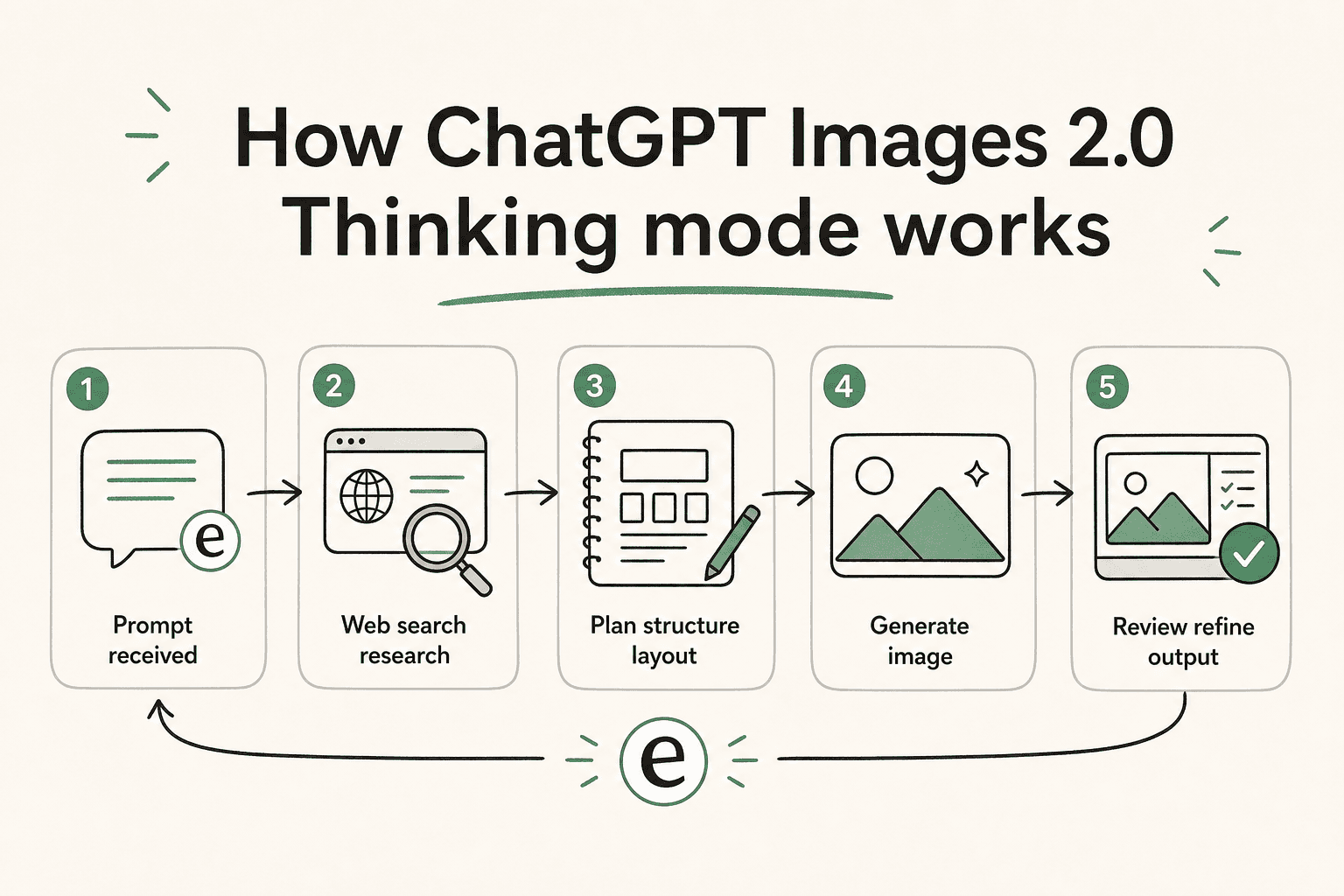
When you select a "Thinking" model in ChatGPT, the system doesn't just start drawing. It researches, plans, and reasons through the structure of the image first. It might search the web in real-time to ensure a technical artifact or a current event is rendered accurately the same deep research approach ChatGPT uses for text tasks, applied now to visuals. It can even analyze uploaded documents, like a complex PowerPoint or a spreadsheet, to ground its visuals in your specific data.
Bottom line? The model takes the time to "think" about where every pixel should go based on logic, not just probability. This is why you can now ask for a map of the ancient Aztec empire with a fully legible legend and actually get something usable for a classroom.
Key features that set ChatGPT image-gen 2.0 apart
If you have spent any time with previous AI image tools, you know the frustration of "garbage text" or losing your character's look between two different generations. ChatGPT Images 2.0 addresses these pain points directly.
Unprecedented text fidelity
One of the most persistent tells of AI imagery has been the inability to spell. A few years ago, you couldn't get an AI to make a menu without it inventing fake foods like "margartas" or "enchuita." Now, the text fidelity is surprisingly good. You can generate full scientific diagrams, detailed posters, and restaurant menus that are production-ready. It can even render fine text on a grain of rice if that's what your prompt requires.
This is a genuine unlock for AI content creators who need branded infographics without the manual Figma pass. Best AI writing tools have long paired well with ChatGPT for text; now the image side catches up for content generation workflows.
Sequential consistency for storytelling
For creators working on storyboards, manga, or brand campaigns, the "intent gap" has been a major hurdle. ChatGPT Images 2.0 can generate up to eight distinct images from a single prompt while maintaining character and object continuity. This means the hero of your comic strip will actually look like the same person from panel to panel, which was previously a cumbersome manual workflow.
For AI writing tools for newsletters or branded campaigns, this opens up a genuinely new workflow: generate a consistent visual series alongside your copy, without a dedicated designer for every variation. The viral GPT-Image-2 use cases that made rounds in April 2026 were mostly sequential storytelling threads and they landed because the character stayed the same.
Native multilingual support
OpenAI has also addressed the long-standing Western bias in AI imagery. The model is a "polyglot," offering significant gains in non-Latin script rendering. It now supports high-fidelity text in Japanese, Korean, Chinese, Hindi, and Bengali. The text isn't just a translation; it is rendered with a coherent flow that feels native to the design.
High-fidelity technical assets
Whether you need a floor plan for a new office, a realistic UI mockup for a mobile app, or a 4K technical diagram, ChatGPT Images 2.0 handles these with a level of specificity that rivals professional design tools. Developers using the OpenAI Image Edit API or Image Variations API can integrate this directly into their build pipelines for asset generation at scale.
Pricing and availability of ChatGPT image-gen 2.0
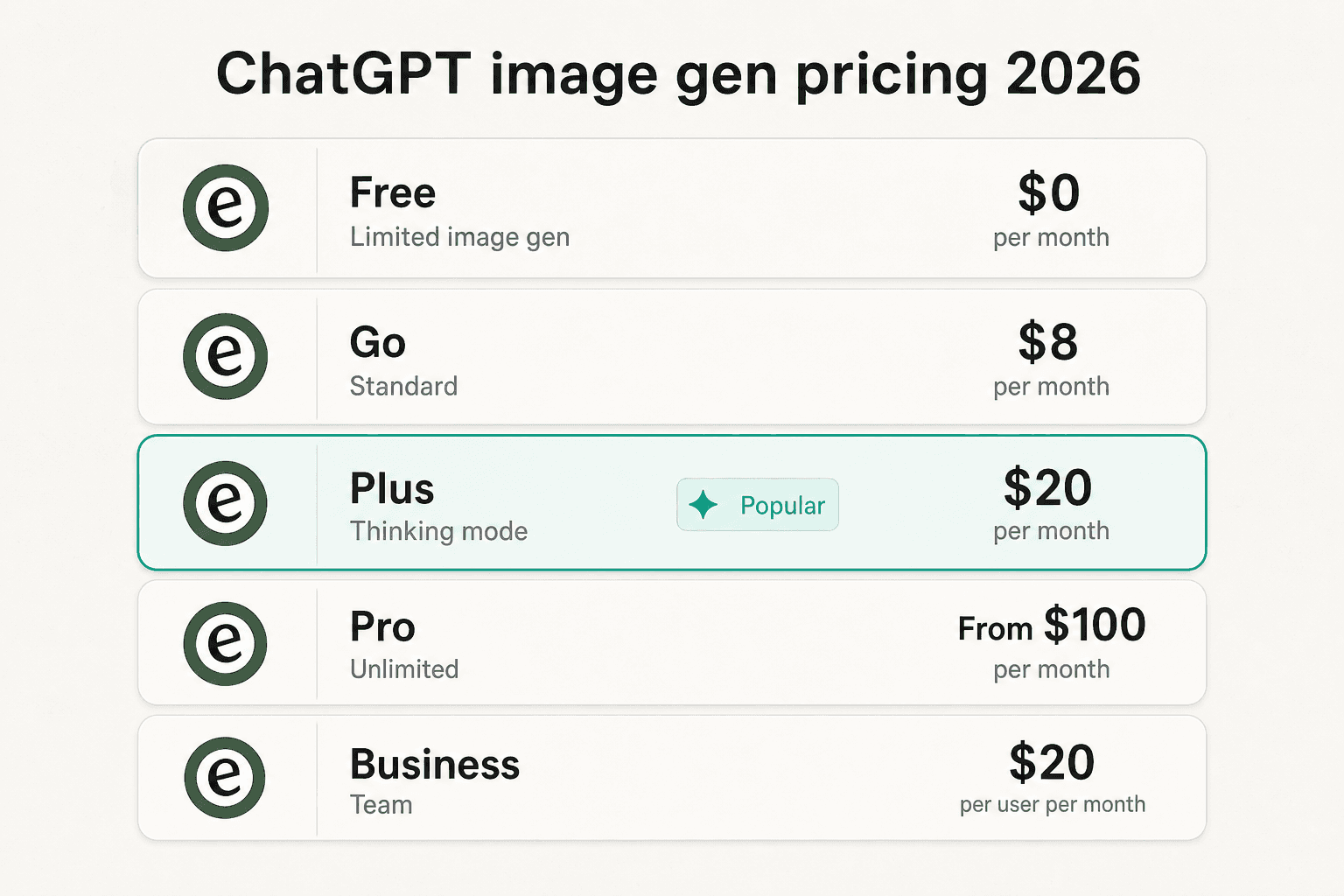
OpenAI's rollout strategy makes it clear they are pushing for broad adoption across all tiers. Since the April launch, the pricing structure has been updated most notably, a new "Go" tier at $8/mo, and the Pro plan dropping from $200+ to starting from $100.
Here's how the updated ChatGPT pricing breaks down as of mid-2026:
| Tier | Key Image Features | Pricing |
|---|---|---|
| Free | Limited image gen, standard quality | Free |
| Go | Standard image gen | $8 / month |
| Plus | Thinking mode, higher quality, multi-image sets | $20 / month |
| Pro | Unlimited + fastest generation, GPT-5.5 Pro | From $100 / month |
| Business | Full image gen, team admin tools | $20 / user / month |
| Enterprise | Max access, custom retention policies | Custom pricing |
| API (gpt-image-2) | 4K resolution, flexible aspect ratios (up to 3:1) | Usage-based per image |
If you are a developer, the API pricing is usage-based per image rather than per token a more predictable cost model for high-volume generation. The OpenAI rate limits documentation covers throughput caps by tier if you're building production pipelines.
For teams evaluating ChatGPT Enterprise or looking at the ChatGPT free trial options before committing, image gen quality is now a meaningful differentiator between tiers Thinking mode alone justifies Plus for anyone producing visual content at volume.
ChatGPT image-gen 2.0 vs Google and the competition in 2026
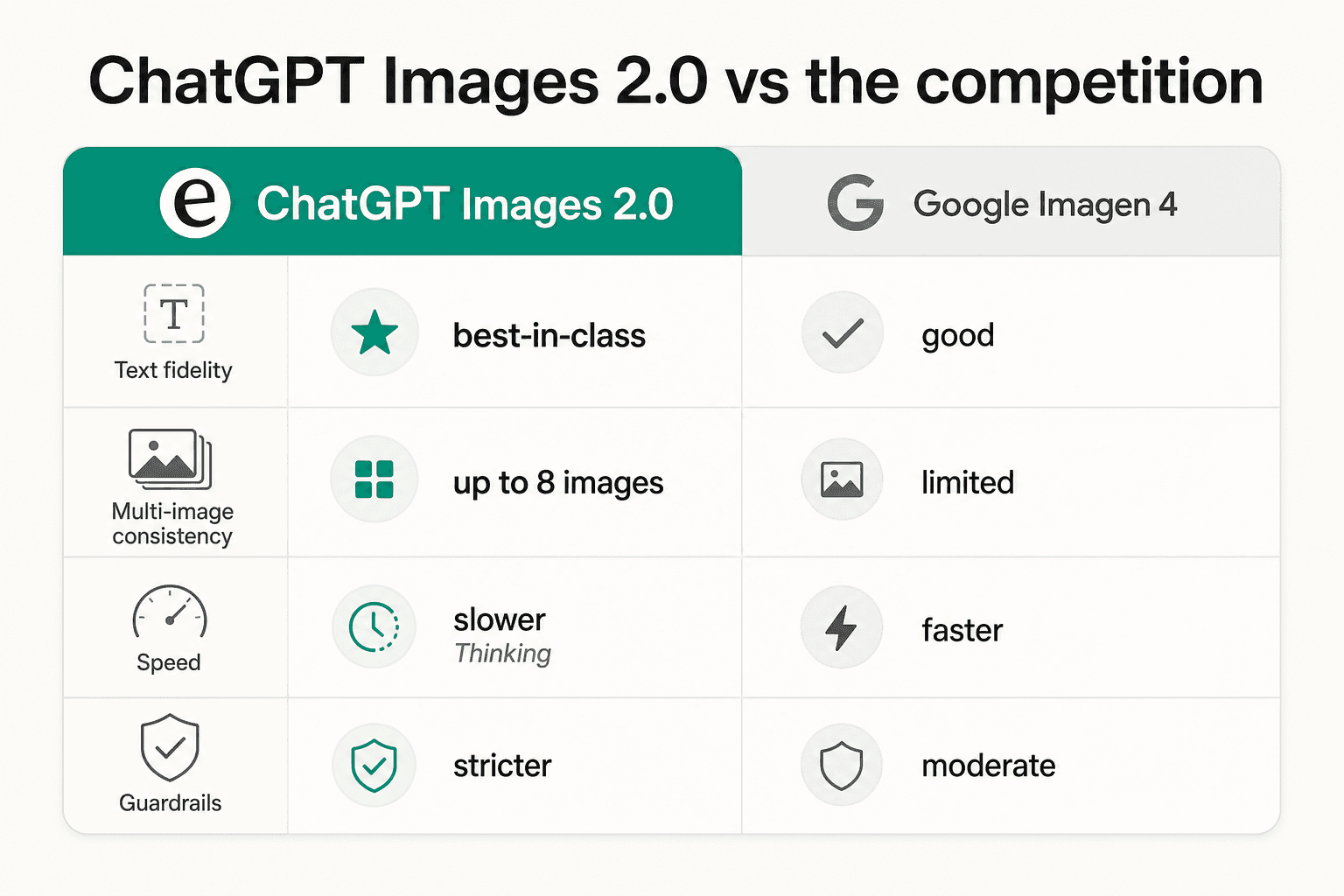
The main competition in 2026 comes from Google's Imagen 4 (also known as Gemini 3 Pro Image). Both models now offer dense text options "baked into" images, but ChatGPT Images 2.0 claims the crown for UI fidelity and multi-image sequence consistency.
Midjourney still leads for purely artistic, painterly outputs, but it lacks the logical reasoning layer. For a full head-to-head, the GPT Image 2 vs Midjourney vs DALL-E 3 comparison breaks it down with real examples. ChatGPT vs Gemini for content goes deeper on the broader content workflow angle.
However, there are tradeoffs. Because of the reasoning and search steps involved, the "Thinking" models are noticeably slower than the fast, default generations we are used to. Factual grounding takes time. Additionally, the model has a knowledge cutoff of December 2025, so it might struggle with very recent news events unless it uses its real-time search feature.
Guardrails are also much stricter in this version. As users have noted, OpenAI uses a separate model to review outputs per its safety best practices, and it is very restrictive about generating copyrighted IP or potentially deceptive political content. The OpenAI Moderation API underpins this review layer.
Getting started with visual reasoning in your workflow
The shift from simple pixels to a visual reasoning system means that AI isn't just assisting in making art anymore. It is conducting "economically valuable creative tasks." Whether you are a marketer building a campaign, a researcher creating diagrams, or a developer prototyping a UI, these tools are becoming essential parts of any AI content platform.
For content teams, the pairing of ChatGPT's writing and image-gen capabilities in one tool is increasingly compelling. The ChatGPT plugin marketplace also surfaces integrations that connect these visual outputs directly into design and publishing workflows.
But as you generate more and more of these assets, organizing them becomes the next challenge. This is where eesel comes in. I built eesel to be your AI teammate that organizes your work across all your apps. Whether it is a generated campaign image in ChatGPT or a strategy doc in Google Docs, our browser extension indexes everything locally so you can find what you need in seconds.
If you are leading a support team, eesel AI goes a step further. We provide an AI agent that plugs into your existing helpdesk like Zendesk or other platforms and handles support tickets autonomously using your company knowledge. Just as ChatGPT image-gen 2.0 uses reasoning to create visuals, our AI agents use reasoning to resolve customer issues with high precision.
Ready to see how I can help your team? Try eesel to start automating your support today.