What Google Labs Playground actually is
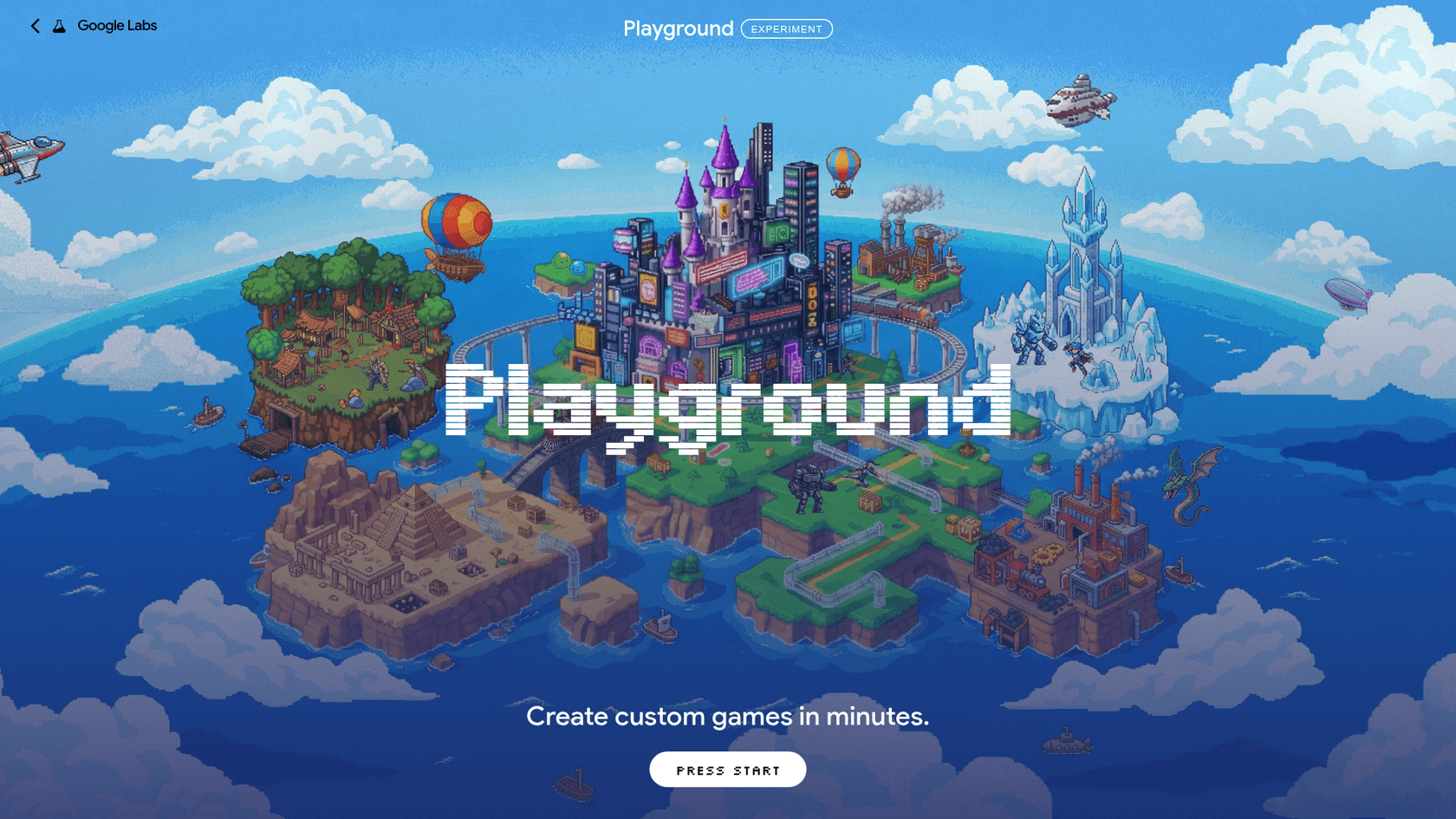
Playground is an "experimental gaming platform that lets you create, play, and share custom games," in the words of Google's launch post, written by Maryam Karimzadehgan, a software engineer on Google's AI Innovation + Research team. You type what you want, Playground builds it, and you play it right in the browser on a phone or a laptop.
I write about AI tools for eesel and spend a lot of my day looking at what people actually type into search. The searches around "Google Labs Playground" this week split three ways: what is it, can I use it, and is it any good. This post answers all three, in that order, with Google's own help center and real launch-week reactions behind each claim.
A few facts worth pinning down first:
- It lives at playground.google, with a product page on Google Labs listing starter genres like Trivia, Tower Defense and Racing.
- It is browser-based. No install, and games play on mobile, tablet and desktop, per the Playground Help Center.
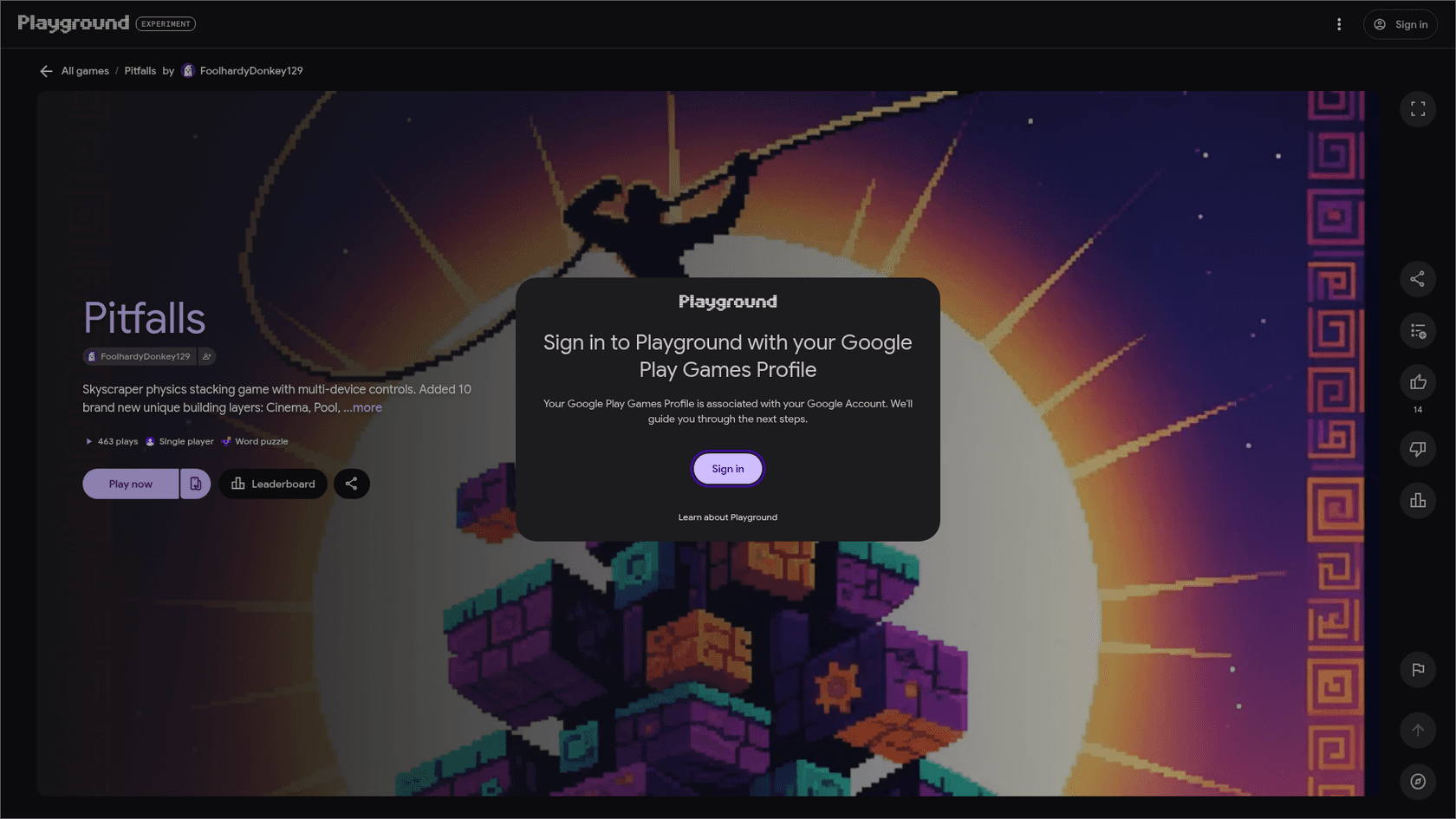
- It is social. Games can sit in the Explore gallery, carry leaderboards, and tie to your Play Games profile, which Playground requires.
- It is an experiment. Google calls it "an early experiment," which matters when you read the user feedback further down.
If you've seen Google's Project Genie, don't mix the two up. Genie generates explorable worlds from a world model. Playground generates actual game code that you can download.
How a prompt becomes a playable game
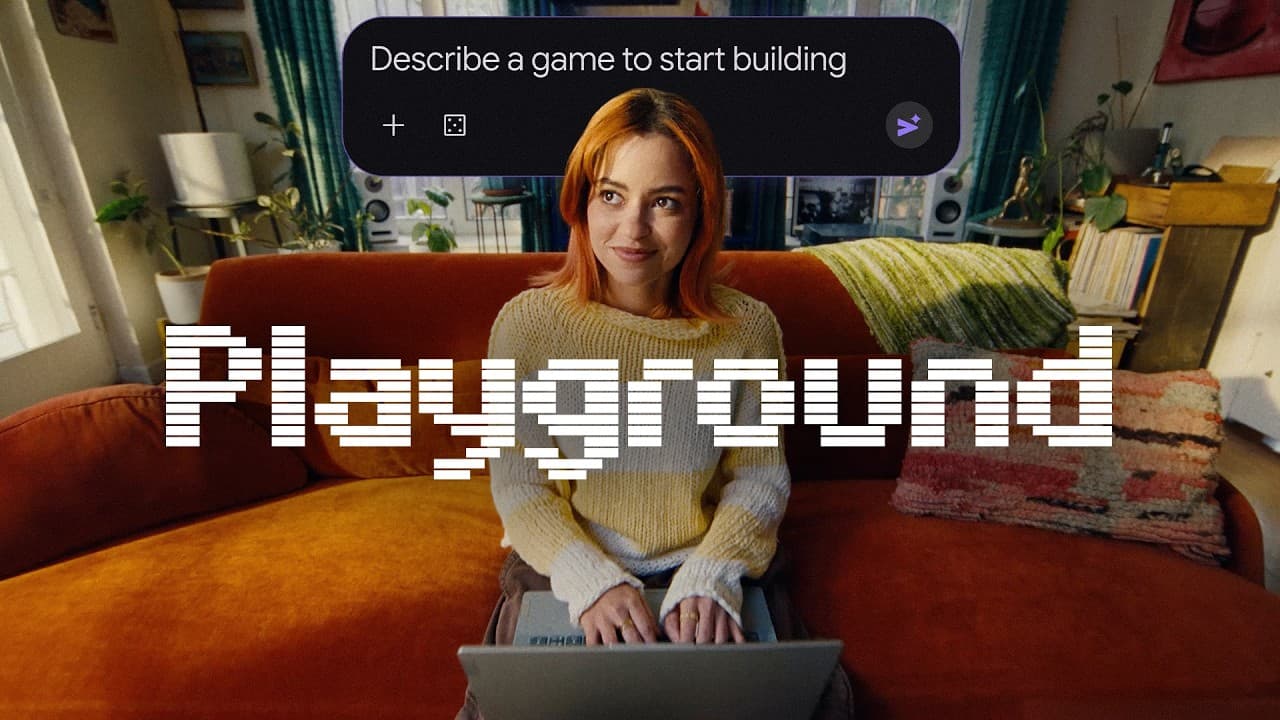
The creation flow is chat-first. Per the Help Center, you describe the game in plain text on the creation screen and click Generate, or start from a guided flow or a remixed starter prompt. You can upload a PNG or JPG as a style reference, though Playground turns uploads into stylized AI assets rather than dropping your original image into the game.
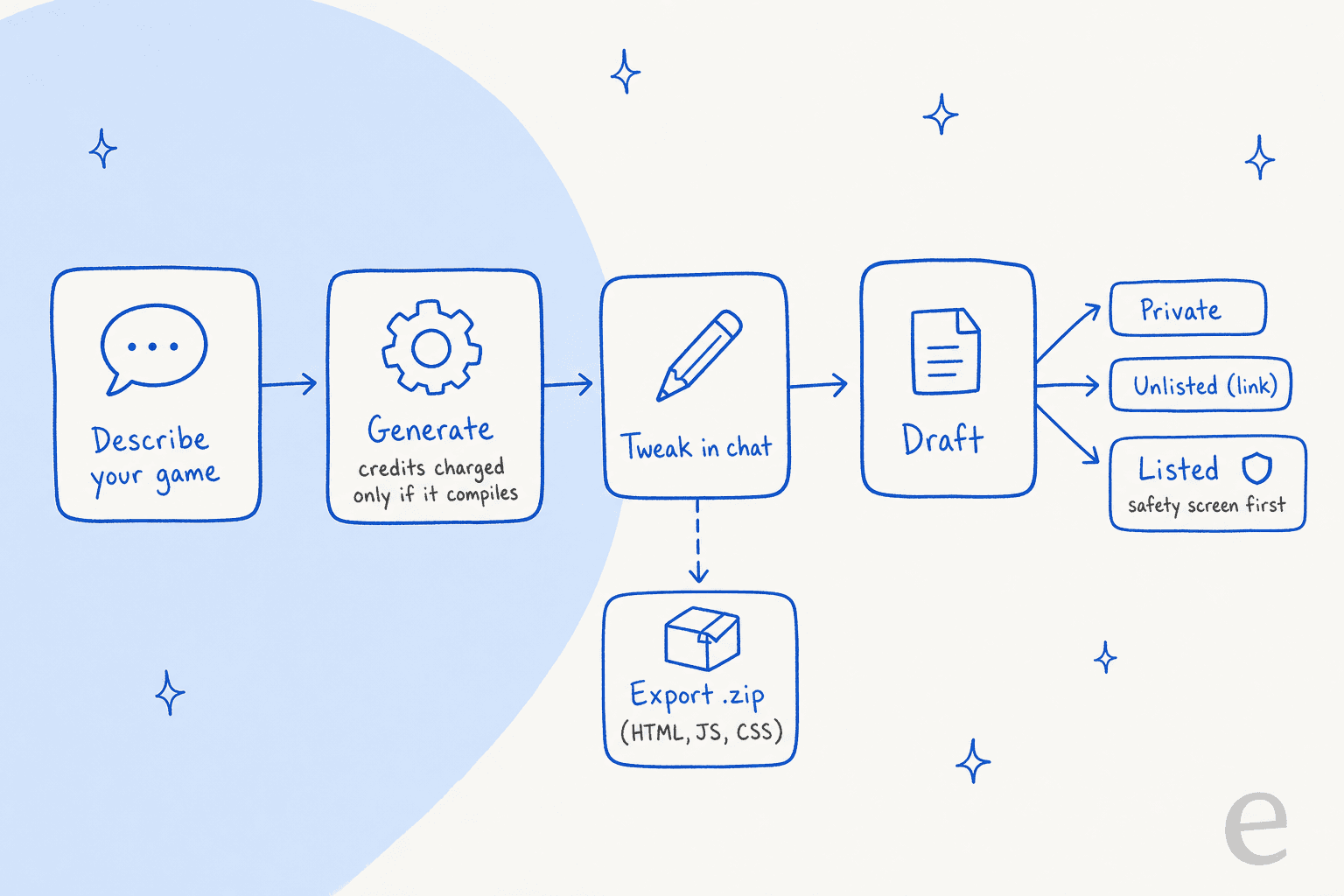
After the first build, everything happens in the same chat. The launch post lists the kinds of changes you can ask for: tweak the physics, rewrite the rules, customize characters, overhaul the environment. The Help Center's advice is to ask for clear, focused changes, one at a time, rather than one giant prompt. Having read the complaints below, I'd treat that as the single most useful tip on the page.
Three mechanics are worth knowing before you spend credits:
- You only pay for builds that compile. Credits are held when generation starts and deducted only when the game compiles. Failed or timed-out runs are refunded, and stopping mid-generation costs nothing.
- Multiplayer is a switch, not a prompt. You pick turn-based or real-time with a multiplayer chip before generating. Google labels it "early preview," and multiplayer games get no global leaderboards.
- Games start as drafts. Every new game is a private Draft. From there it can be Private, Unlisted (anyone with the link) or Listed in the public gallery.
Which models are under the hood? Google's own pages don't say. Press coverage reports Gemini, Nano Banana for art, and Lyria for music, but neither the Help Center nor the terms name a model, so I'd treat that as likely rather than confirmed.
Who can use it and what it costs
Access is the first wall most readers hit. Playground is open to users in the United States who are 18 or over, "with more countries coming soon," according to the Help Center. Playing the catalog is free. Creating is where it gets layered.
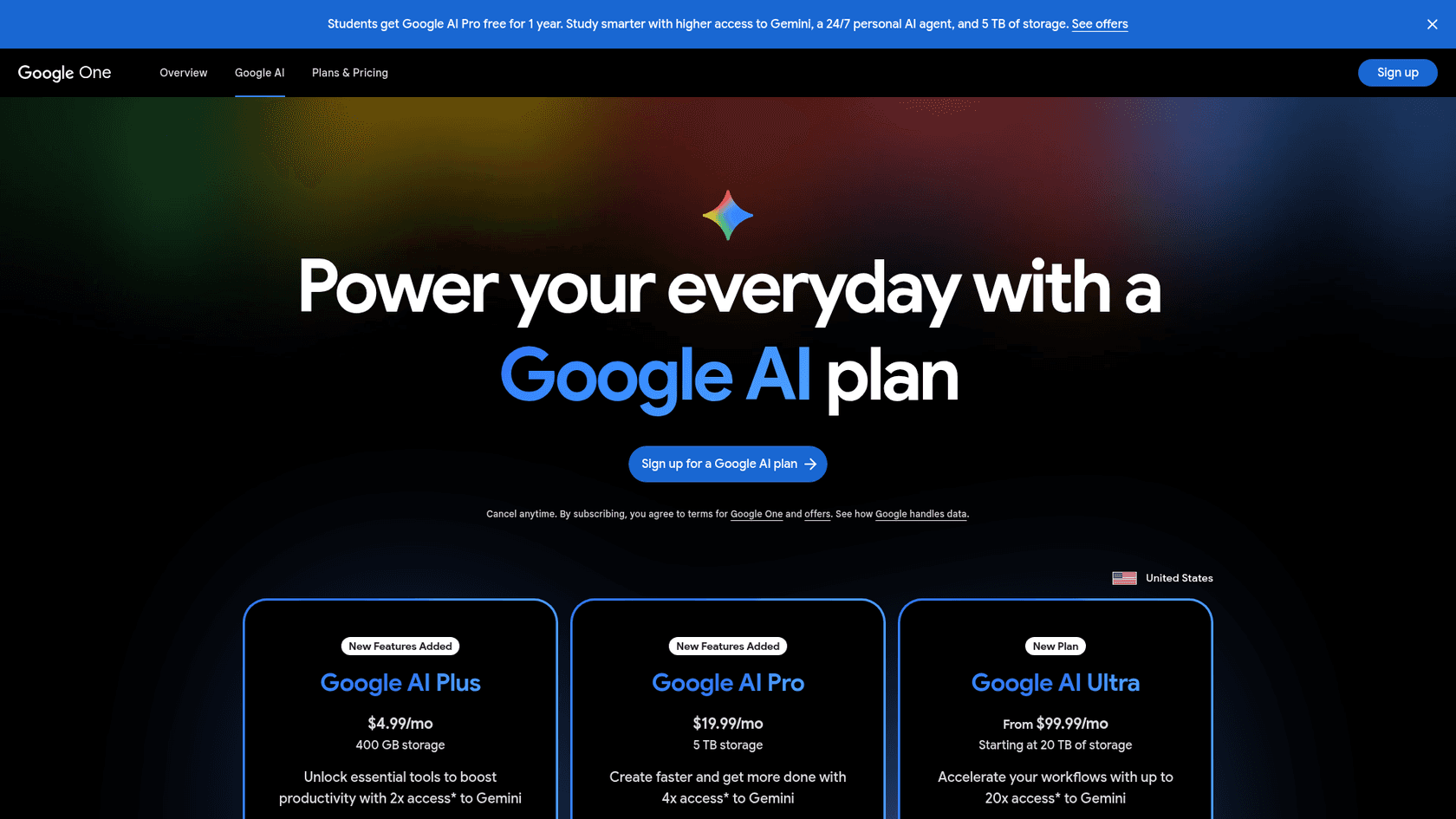
There's no Playground price tag. Game generation comes bundled with Google AI plans, and Google ranks each tier with a word instead of a number:
| Plan | Monthly price (US) | Playground game generation | Also includes |
|---|---|---|---|
| Free | $0 | Limited tokens, refreshed weekly, waitlist for access | Free play of all public games |
| Google AI Plus | $4.99 | "More" | 400 GB storage, 2x Gemini access |
| Google AI Pro | $19.99 ($199.99/year) | "Expanded" | 5 TB storage, 4x Gemini access |
| Google AI Ultra 5x | $99.99 | "Higher" | From 20 TB storage, up to 5x Pro limits |
| Google AI Ultra 20x | $199.99 | "Highest" | 20x Pro limits |
Google publishes no token counts for any tier. "More" and "Expanded" tell you the order, not the size, so you can't work out how many games a $4.99 plan buys. Two more fine-print details from the Help Center: Google One Family Sharing doesn't cover Playground credits, and credits can't be pooled or transferred.
The waitlist is also messier than the pricing table suggests. One Hacker News commenter described the upgrade path going wrong at launch:
"I upgraded, same message. I downgraded, they kept the money because now I have a month of a plan that I didn't need to check something I still don't have access to."

My practical advice: if you're in the US and curious, join the free waitlist first. Only pay for Google AI Plus if you'd use the rest of the plan anyway, since the Playground allowance alone is unmeasurable. If you're weighing the bigger tiers, my Gemini pricing breakdown covers what else you get.
The underrated part: you can take your game with you
Here's the bit that changed my read of the whole product. Under Your Games, the edit menu has an Export (Download Zip) option that downloads "the game's complete HTML, JavaScript, CSS and generated asset files," per the Help Center. Nothing in the Help Center ties that export to a paid tier.
That matters because most prompt-to-game tools keep your game on their platform. Compare what it takes to get your code out:
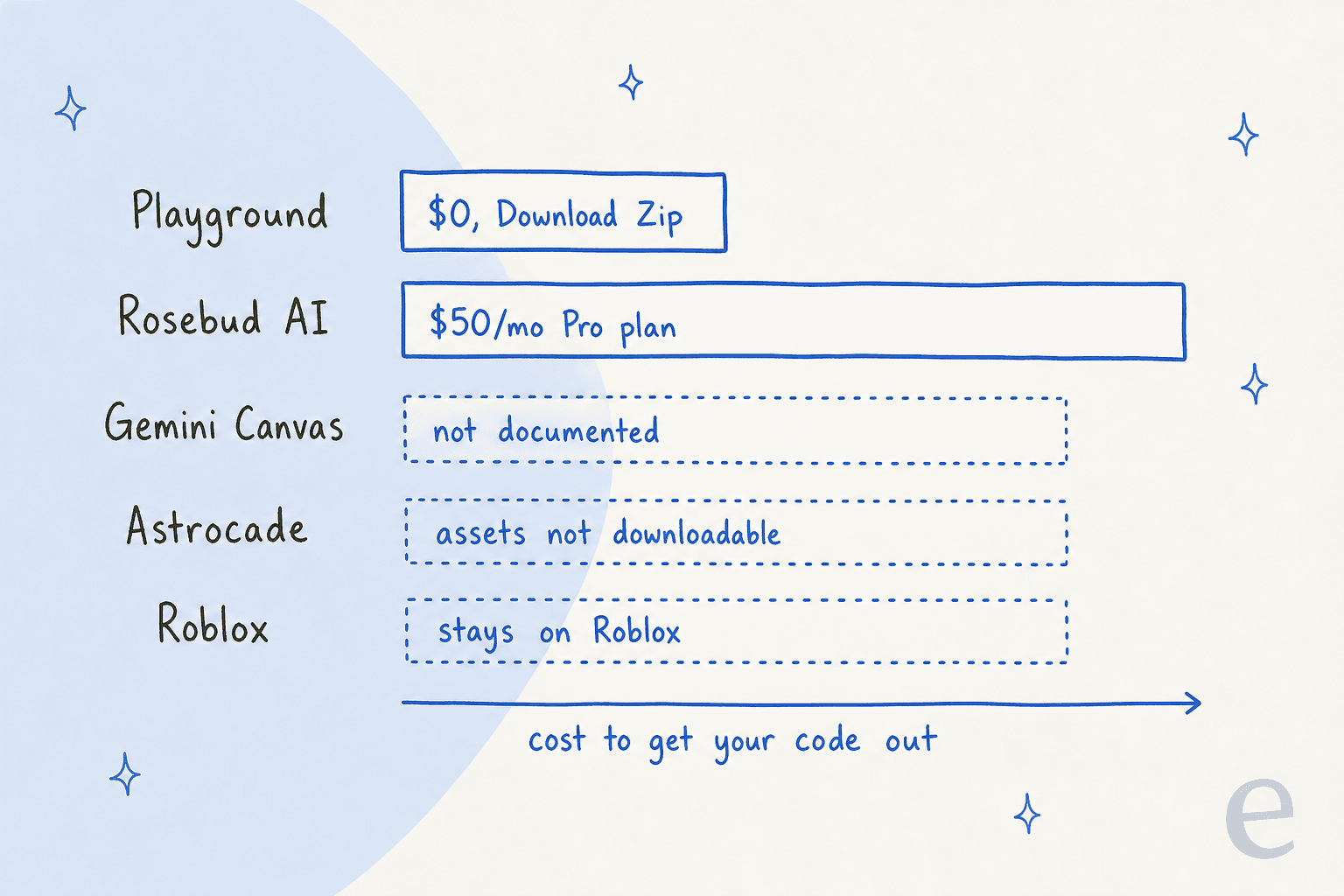
Rosebud AI's pricing page puts "downloadable project code (desktop only)" on its Pro plan at $50 a month. Playground's zip turns a toy into a starting point: a generated prototype you can open in a code editor, hand to a friend who codes, or keep building with Claude Code or Replit. If you've been curious about vibe coding but froze at a blank editor, a working Playground game is a friendlier first file.
Ownership is the other half. Playground's additional terms, last modified September 20, 2026, say "Google will not claim ownership over Your Games." In the same terms, you grant Google the right to monetize your games, including ads in or on them, and Google says it will ask your permission before doing so. You're also legally responsible for what you publish, and the terms bar third-party IP like copyrighted characters without written permission. So you can't publish your Mario fan game, even if the AI happily builds it.
Sharing, the gallery and the safety screen
Publishing is where Playground acts more like an app store than a code tool. The launch post says the Explore gallery uses "player ratings and play activity" to spotlight games, and players can like games, follow creators and compete on leaderboards through their Play Games profile.
Before a game can be Listed, it goes through an automated safety screen against the Community Guidelines. A few rules there are specific to games and easy to trip over:
- No knock-off cover art. Tiles or icons that "closely resemble the signature title cards or packaging of established commercial titles" are out.
- No fake badges. Claiming "Official Release" or adding an unauthorized "Editor's Choice" badge counts as misleading content.
- No gambling mechanics, including simulated money gambling, which sits in the regulated goods list next to alcohol and weapons.
- Genre homage is fine. Google explicitly welcomes parody and genre exploration "such as dungeon crawlers, kart racers, or retro platformers."
Leaderboards only work on single-player, publicly Listed games, with global boards and invite-only group leaderboards of up to 100 members. Edits to a published game stay in draft until you republish, which triggers another guidelines check, and the old version stays playable in the meantime. Every game page has a report flag, and removed games can be appealed.
What early users are saying
Launch-week feedback is split, and the split is useful. Most people who praised Playground played games. Most people who complained tried to make one.
On the playing side, the best reaction came from a Hacker News regular who topped a leaderboard:
"Just got #2 in the world (for now) on "Steampunk Match". Very impressive what's possible in the browser. No way I would've thought this was AI generated. It was much higher quality than the vibe coded games out of Claude."
On the making side, the theme is prompt compliance. One builder asked for an NES Zelda-style roguelike and got a Vampire Survivors-style arena instead, then tried to fix it:
"I asked it to fix several things, and then it worked for several minutes and changed literally nothing about the game--well, actually, it did change the game from being 5 levels long to 4 levels long"
The fairest summary came from a commenter who built two games quickly, a cozy space exploration game and a sci-fi trivia game, and liked the writing in both:
"It's still an experiment, simultaneous impressive, and frustrating, with rather unexpectedly low prompt compliance."
On X, AI creator Nate Herk hit a sharper problem: the tool can't look at its own output.
"I uploaded this reference image and this is what it gave me. It then proceeded to tell me that I never uploaded an image. Then it told me it has no way to visually verify or test out the game at all."
That last point is the one I'd underline. At eesel I've learned the same lesson on a very different product: an AI that can't check its own work ships confident mistakes. That's why eesel runs every AI helpdesk rollout as a simulation against past tickets before it touches a live queue. Playground has no equivalent yet, so you are the test suite. Play every build before you ask for the next change.
There's also a louder, skeptical crowd. One of the most-liked replies under Google Labs' launch post on X argued that players want polished games, not their own:
"People dont want their own games. they want someone to take time in game developement and polish everything."
That's a fair point about players. It misses the creators, though. The people who'll get the most from Playground are the ones who already have a notebook of game ideas and no time to learn an engine.
Where Playground falls short today
Pulling the research together, here are the limits I'd plan around:
- US and 18+ only. Everyone else gets a 403, and commenters in the UK and Taiwan reported exactly that in the Hacker News thread at launch.
- Unmeasured limits. "More" and "Expanded" aren't numbers, so heavy builders can't plan around them.
- Prompt compliance. Big, multi-part prompts drift. Small, single-change edits work better.
- No self-testing. The tool can't visually check what it built, so bugs surface when you play.
- Multiplayer is early. It's in "early preview," only in select genres, with no global leaderboards.
- Image uploads are references, not assets. Your PNG gets restyled by AI rather than used as-is.
None of these are unusual for a Labs experiment, and Google has been shipping them fast, with the Gemini agent for work landing a day later. Google shipped NotebookLM the same way, rough at first and better with feedback. Just don't pay for a higher tier on the assumption that the rough edges are gone.
Unity Spark: the step after Playground
The most interesting line in Google's announcement isn't about Playground at all. Google says Playground "will soon offer an integration with Unity Spark," which it describes as bringing "robust, professional-level mechanics, high-fidelity 3D capabilities, and the flexibility of the Unity runtime."
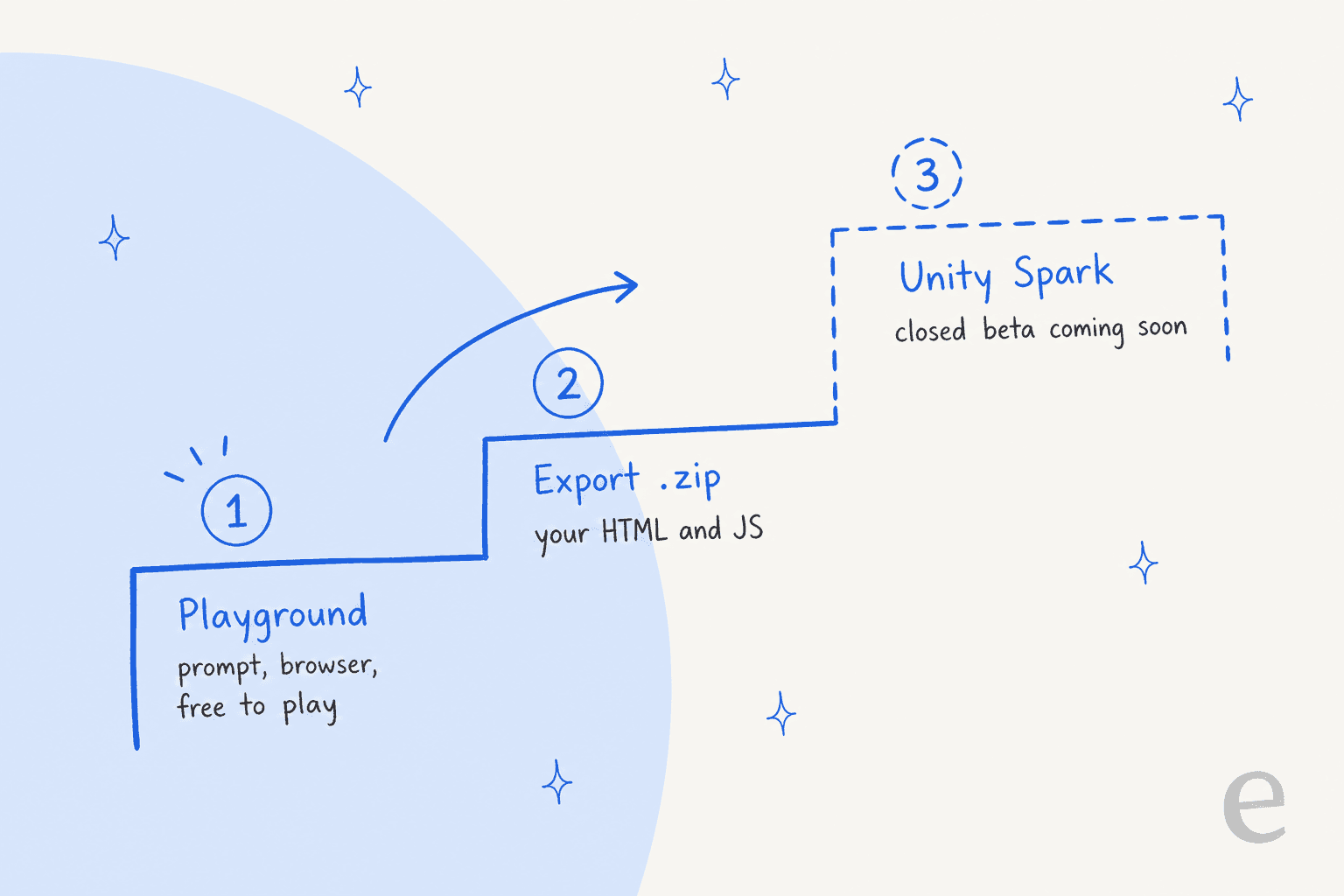
Right now, Unity Spark is a "Coming Soon" page with a waitlist and a single playable demo, Space Corridor. Google says it's "currently in testing, with closed beta coming soon," and neither company has published pricing.
My read: Playground is the on-ramp and Unity is the destination. Google gets a stream of new creators. Unity gets people who already have a working prototype and a reason to want more. If you're serious about a game idea, start it in Playground now, export the zip so you own a copy, and join the Unity Spark waitlist so you're early when the bridge opens.
Google Labs Playground vs other prompt-to-game tools
Playground isn't the only way to prompt your way to a game. Here's how it compares with the tools I'd weigh it against, using each vendor's own pages:
| Tool | What it makes | How you build | Code export | Free option | Paid plans |
|---|---|---|---|---|---|
| Google Labs Playground | Browser games, single and multiplayer | Chat prompts, guided flows | Download Zip | Weekly tokens after waitlist | Bundled in Google AI plans, $4.99 to $199.99/month |
| Rosebud AI | 2D and 3D browser games | Prompts, templates, code tab | Pro plan, desktop only | 8,000 credits per week | $15, $30, $50, $100/month |
| Astrocade | Short browser games in its own feed | Prompts in the Astrocade editor | Not documented | Free to create | None published |
| Roblox Assistant | Roblox experiences | Plan and build in Roblox Studio | Stays on Roblox | Studio is free | None published |
| Gemini Canvas | Simple web apps and games | Prompt in Gemini, iterate in chat | Not documented | Yes, on the free Gemini plan | Same Google AI plans |
| Project Genie | Explorable AI worlds, not game code | Text or image prompts | None | No | Google AI Ultra, $99.99 or $199.99/month |
Here's how I'd pick:
- Pick Playground if you're in the US, want the shortest path from idea to a shareable game, and like having the code as a zip.
- Pick Rosebud AI if you want to sell your game. Commercial rights start on its $30 10x Dev plan, which Rosebud pitches for games that could go to Steam or the App Store, and the $50 Pro plan adds downloadable project code.
- Pick Roblox Assistant if your audience already lives on Roblox.
- Pick Gemini Canvas for a quick one-off prototype if you're outside the US. It runs on the free Gemini plan.
If what you actually want is an app rather than a game, the better comparison is an AI app builder like Lovable or Replit AI.
My Lovable pricing and Replit pricing breakdowns show what those cost at real usage.
Is Google Labs Playground worth trying?
Yes, if you're in the US. Playing is free, the waitlist is free, and even the free tier gives you a weekly allowance once you're in. For a parent building a trivia game with their kid, a teacher making a review quiz, or a hobbyist sketching a level idea, it's the lowest-friction game maker Google has shipped.
Skip paying for it if your plan is to build something you'll sell or polish for months. The limits are unmeasured, prompt compliance is uneven, and the more powerful path (Unity Spark) isn't open yet. Rosebud's paid plans, or a real engine, fit that job better.
And whatever you build, export the zip. It's free, it's yours, and it's the difference between a fun afternoon and a prototype you can keep working on.
Try eesel for the writing around your game
Playground makes the game. If you want people to find it, someone still has to write the devlog, the launch post and the "how I built this" breakdown, and publish them somewhere search engines and AI answers will pick them up. That's the job I compared across the best AI blog writing tools, and it's what the eesel AI blog writer does: give it a topic and your site, and it researches primary sources, writes in your voice, makes the banner and infographics, adds internal links and FAQs, and hands you a post ready to publish.
This post was researched and drafted that way, from Google's help center to the Hacker News thread. It's free to try with no credit card, so try eesel on your first Playground devlog and see whether it saves you an evening.
Frequently Asked Questions
What is Google Labs Playground?
Google Labs Playground is an experimental platform, launched on October 7, 2026 at playground.google, where you describe a game in plain text and get a playable browser game back. You can keep editing it through chat, share it with a link, or publish it to a public gallery. It sits in the same Gemini family of experiments as Project Genie.
Is Google Labs Playground free?
Playing games in Playground is free. Creating them uses tokens: the free tier gets a limited number refreshed weekly, but free creation access is rolling out from a waitlist in batches. A Google AI Plus plan ($4.99 a month) or higher skips the waitlist and raises the weekly limit.
How much does Google Labs Playground cost on each Google AI plan?
Playground has no price of its own. Game generation is bundled into Google AI plans: Plus at $4.99/month ("More"), Pro at $19.99/month ("Expanded"), Ultra 5x at $99.99/month ("Higher") and Ultra 20x at $199.99/month ("Highest"). Google does not publish token counts per tier. My Gemini pricing guide covers what else each plan includes.
Can I use Google Labs Playground outside the US?
Not yet. Google Labs Playground is open to users 18 and over in the United States, with more countries listed as coming soon. Hacker News commenters in the UK and Taiwan reported a 403 error at launch. Outside the US, other Gemini tools like Canvas can still generate simple web games as code.
Can I download the code of a Google Labs Playground game?
Yes. In Your Games, open the edit menu and choose Export (Download Zip) to get the game's HTML, JavaScript, CSS and generated assets. That makes Playground a reasonable starting point for vibe coding for non-developers, since you can keep working on the files elsewhere.
Who owns a game made in Google Labs Playground?
Playground's terms say Google will not claim ownership of your games, but you grant Google the right to monetize them, including with ads, and Google says it will ask your permission before it does. You are also legally responsible for what you publish, so skip copyrighted characters. The same question comes up with every AI app builder, so read the terms before you build anything you care about.


Article by
Kurnia Kharisma
Kurnia is a software engineer and writer at eesel AI with two years of SEO experience, writing about AI tools, helpdesk software, and customer support. He pairs a developer's understanding of how these products are built with search-driven research into what actually ranks and resonates with the people searching for them.