

Canva Craft is Canva's first in-house image model, launched on October 22, 2026, and its trick is that it writes a layout plan before it draws a single pixel. That plan covers which elements appear, where they sit, how big they are and what text goes where, then a second model renders it at up to 2K in 30+ aspect ratios. The result is an image model built for posters, social posts and slides, not just pretty photos.
Canva says Craft debuted at #4 on DesignArena and made Canva the #2 lab for image generation, behind OpenAI. It is free to try in Dream Lab on any Canva plan (Free includes up to 20 AI uses a month), and developers can call it through the Canva API as craft_v1_2k. Its weak spots, by Canva's own account: fine print and technical drawings.
I build AI agents at eesel, and eesel's AI blog writer runs an image model on every post it draws a diagram for. Roughly 1 in 3 of those renders needs a redo, usually for text and layout mistakes. That is exactly the problem Craft's planning step is aimed at, so it is the release I'd test first this month.
What is Canva Craft?
Canva Craft is an image generation model that Canva announced on October 22, 2026. It is the first foundation model trained from scratch by Canva Research, the in-house AI lab Canva introduced one day earlier. It joins the rest of Canva AI as the first model there that Canva built itself.
That matters because Canva already connects outside models, a setup I covered in a post on GPT Image 1 Mini. Craft is the in-house option.
The pitch is design, not photography. Canva trained Craft on millions of human-made templates from its content library: posters, social posts, presentations, infographics, menus and typography-heavy layouts. Canva's argument is that templates teach a model how layout, hierarchy and type fit together in a way that flat photos can't.
The scale behind it is hard to ignore. Canva says more than a quarter of a billion people use the product, creating over 400 designs every second. A model that runs inside that has to be fast and cheap to serve, which is why Canva is already teasing two lighter variants, Craft-fast and Craft-ultrafast.
How does Craft work differently from other image models?
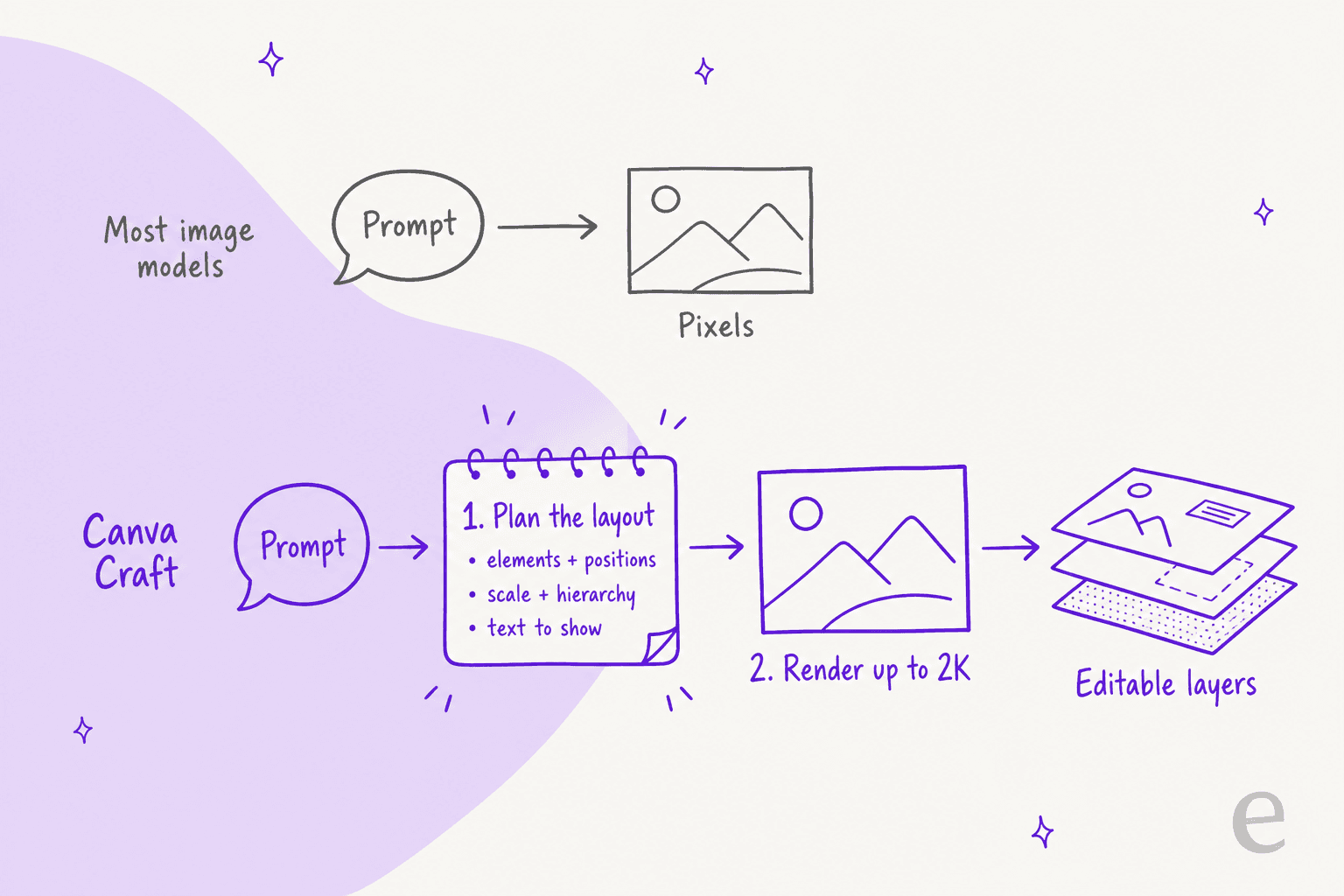
Most image models go straight from prompt to pixels. Craft splits the job in two. In the first stage, a planning model reads your prompt and writes a detailed plan of the composition: the elements, their spatial relationships, relative scale, visual hierarchy and any text that has to appear. In the second stage, a separate rendering model turns that plan into an image at up to 2K across more than 30 aspect ratios.
Why that matters in practice:
- Text lands where it should. Because the text is part of the plan, Craft can place legible headings and labels instead of guessing at letters mid-render. That is the classic failure of image models on posters.
- Edits stay local. A plan gives every element an address, so Canva says targeted changes no longer redraw everything else.
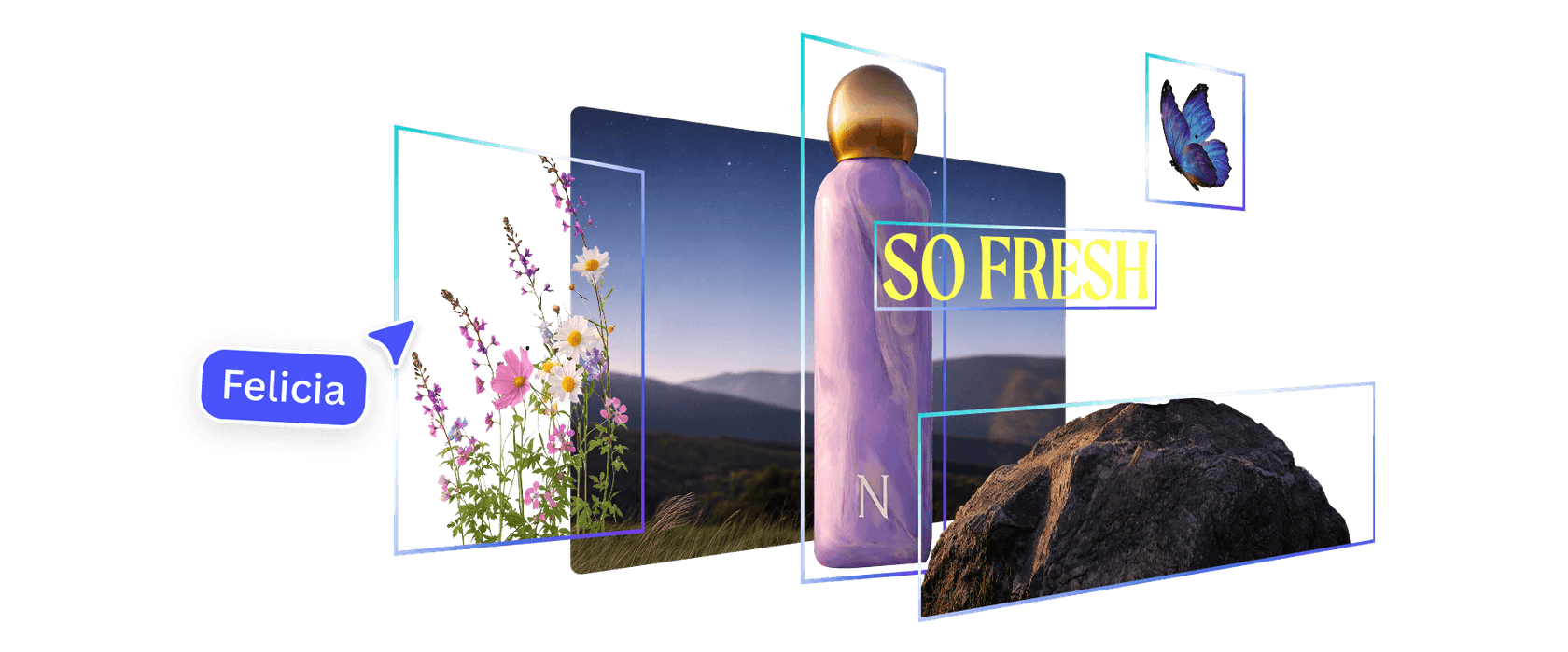
- Outputs come apart cleanly. Canva uses JSON bounding boxes from the plan to feed Magic Layers, which splits a generated image into editable design elements. Canva says Craft images separate faster and more accurately than before.
Canva isn't the only lab betting on this idea. Reve 2.1 also plans each picture as an editable layout before rendering, and Reve sits right behind Canva on Canva's own lab chart. Layout-first is turning into the design-tool camp's answer to pure photo models, and Craft is the version that lives inside the editor most marketers already use.
There is one more piece worth knowing about. Canva says it used model distillation to cut the number of inference steps "to a fraction of the original model," plus a custom inference engine for the planning stage, making Craft an order of magnitude faster than its first internal version. That work is what Craft-fast and Craft-ultrafast are built on.
How good is Canva Craft?
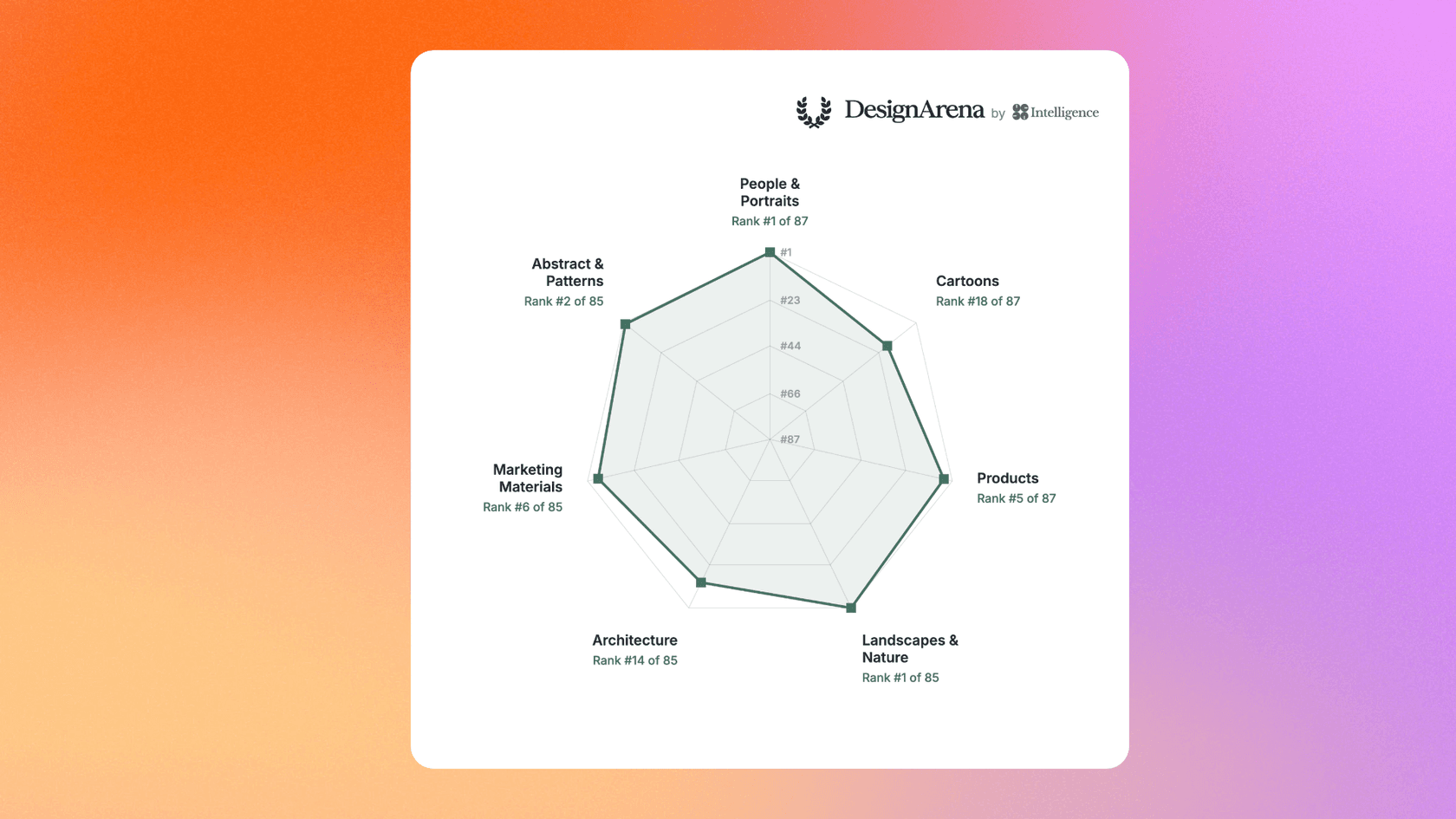
By Canva's numbers, Craft is a top-five image model on day one. Canva says it debuted as the fourth-ranked image generation model on DesignArena, a crowdsourced leaderboard for AI design, which makes Canva Research the second-ranked lab for image generation.
| Where Craft ranks (per Canva) | Rank |
|---|---|
| Overall image model on DesignArena | #4 |
| Image generation labs | #2, behind OpenAI |
| People & Portraits | #1 of 87 models |
| Landscapes & Nature | #1 of 85 models |
| Abstract & Patterns | #2 |
| Products | #4 |
Canva's own lab chart puts the top labs' best models at these scores: OpenAI 1406, Canva 1340, Reve 1321, Microsoft 1316, xAI 1308, Google 1289 and ByteDance 1267. So Craft beats the best from Google (the Nano Banana family), xAI (Grok Imagine) and ByteDance on that board.
It still sits a clear 66 points behind OpenAI, whose models include GPT Image 2. ByteDance's Seedream lands last of the seven labs.
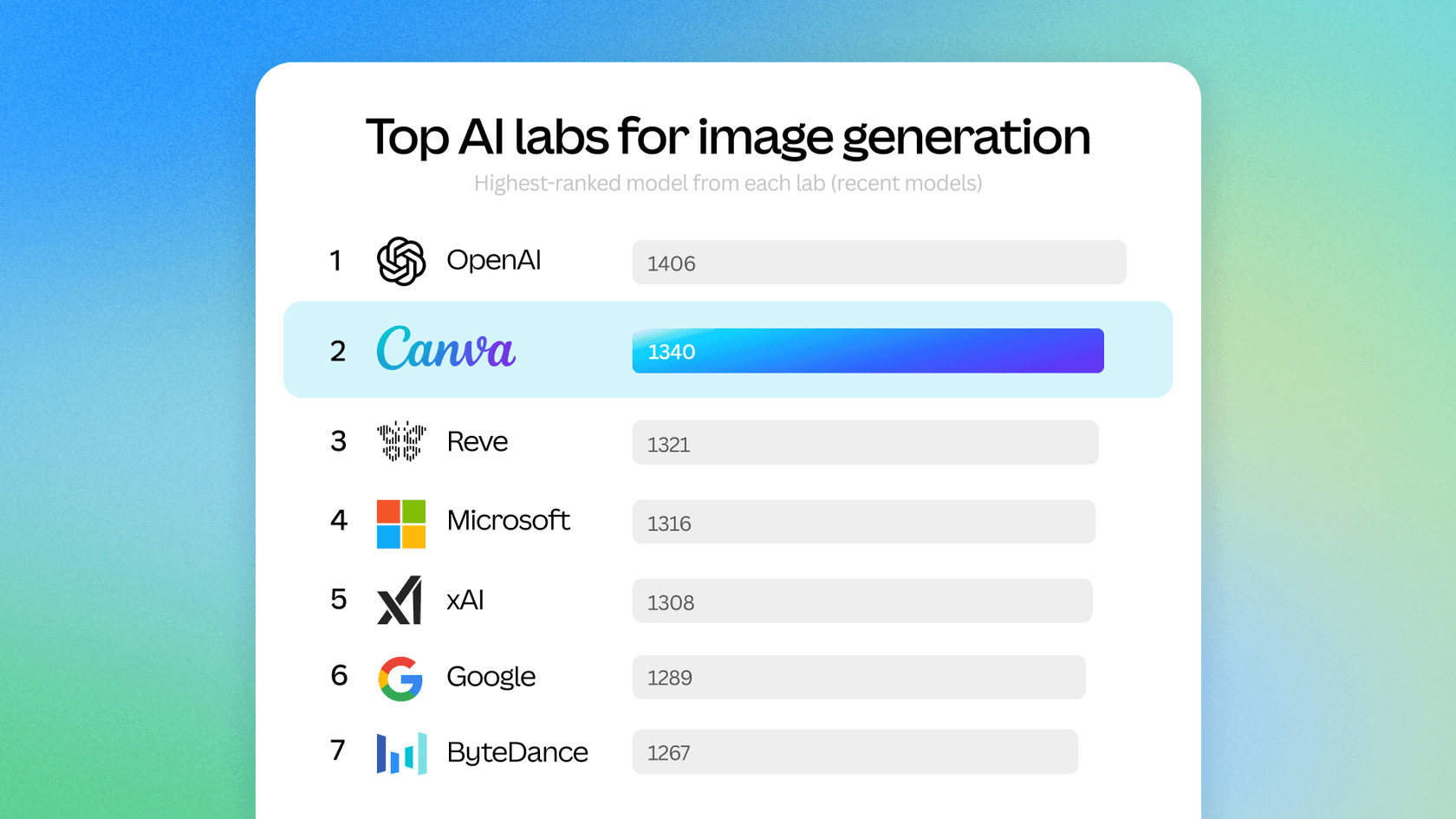
The early developer crowd noticed the same gap. On the Hacker News thread about the launch, the one reply summed it up in a line:
"2nd behind the OpenAI models in DesignArena image ranks"

Two caveats on these rankings. First, they come from Canva's announcement, and leaderboards move weekly. Second, Canva also ran its own internal tests: professional designers worked with dozens of researchers to compare more than 25,000 pairs of images head to head against leading models, and Canva says that when automated scores and designers disagreed, it sided with the designer. That is a good process, but it is still Canva grading its own homework.
What can you make with Canva Craft?
Canva lists six kinds of work Craft is built for: social content and marketing assets, lifestyle and editorial photography, illustration and digital art, people and characters, nature and environment imagery, and conceptual compositions. The marketing bucket is the one that sets it apart, because posters, flyers, ads and presentation visuals need layout and readable text, not just a nice scene.
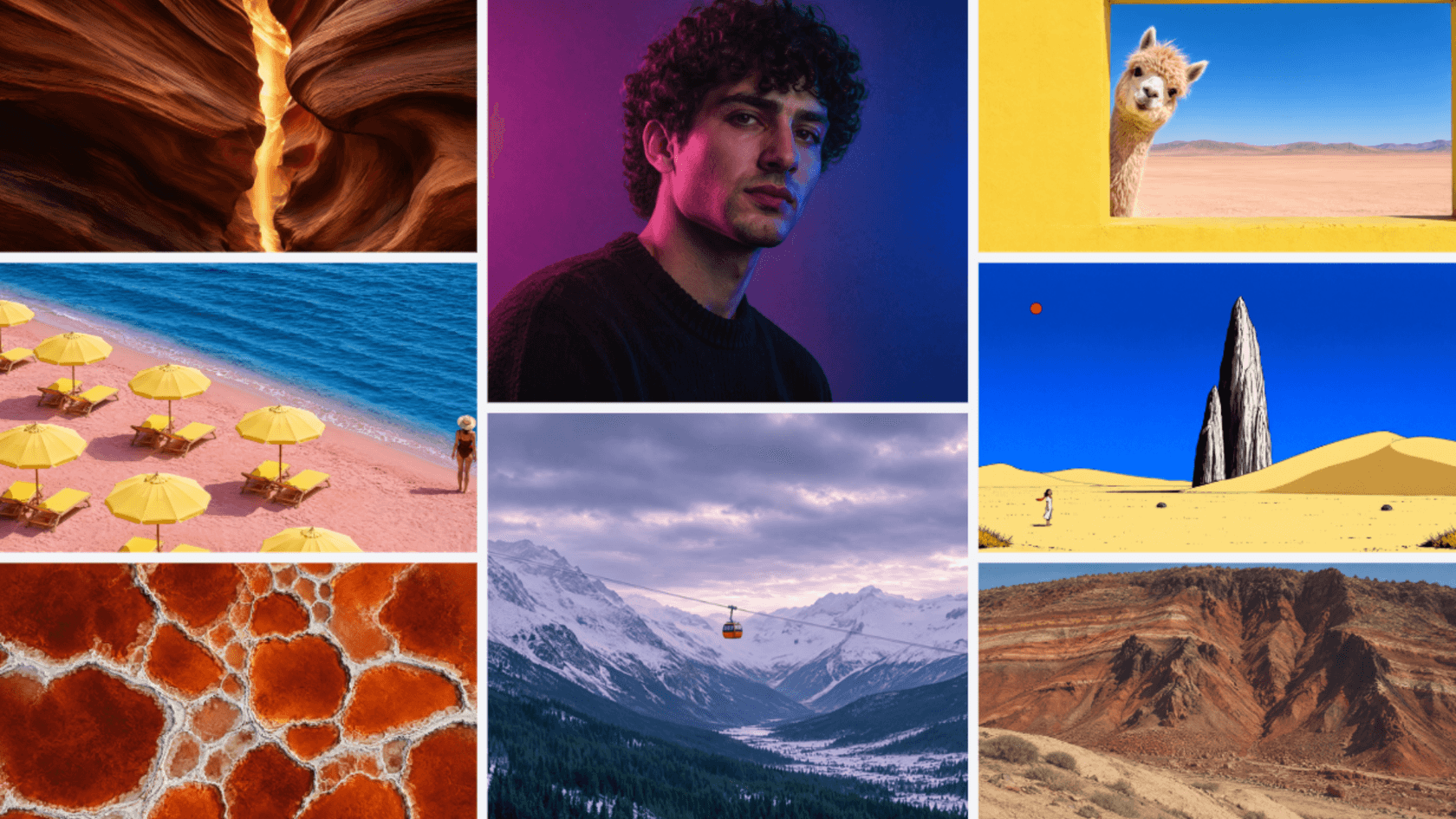
A few specifics that matter for real projects:
- Size: up to 2K resolution, more than 30 preset aspect ratios, or a custom one, so you can go from a story to a banner without cropping.
- Language: prompts work in any language, and Craft can write text in the image in 55 languages. That is a big deal for teams localizing campaigns across the markets their AI social media tools post to.
- Prompt following: Canva's example is asking for "a purple sky, long shadows and a lone tree" and getting all three, with the emphasis where you wanted it.
- Editability: outputs feed straight into Magic Layers, so a generated poster can become a design you rearrange by hand.
If your team already plans content in Canva, this is the part that changes the workflow. With other models, you generate an image elsewhere, download it and rebuild the text on top. With Craft, the text, layout and layers arrive together inside the design you were already editing.
How do you use Canva Craft?
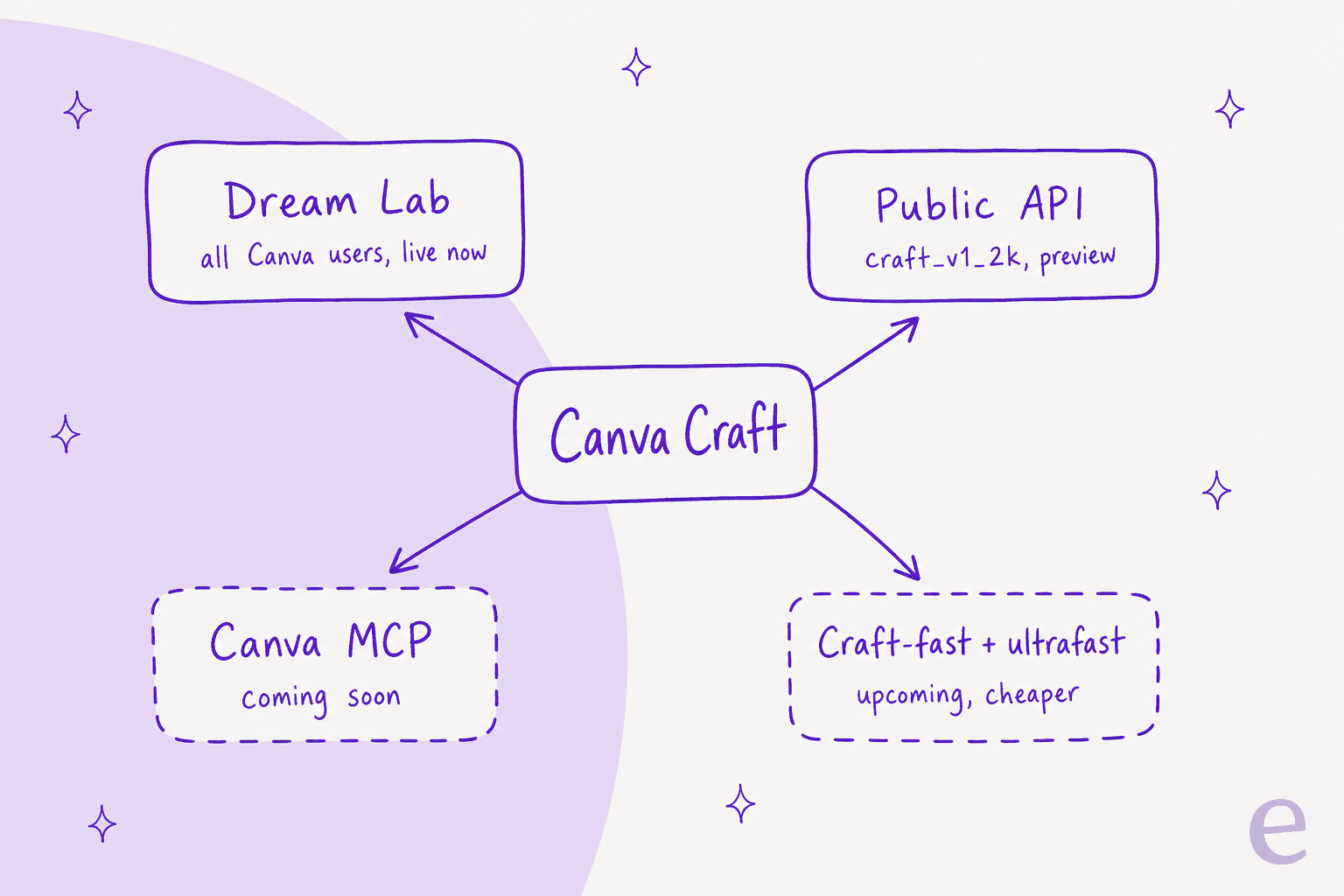
There are two ways in today, and two more on the way.
In the Canva editor (Dream Lab)
- Open Canva and click Dream Lab in the bottom left panel, or go straight to canva.com/dream-lab.
- Type your prompt, in any language.
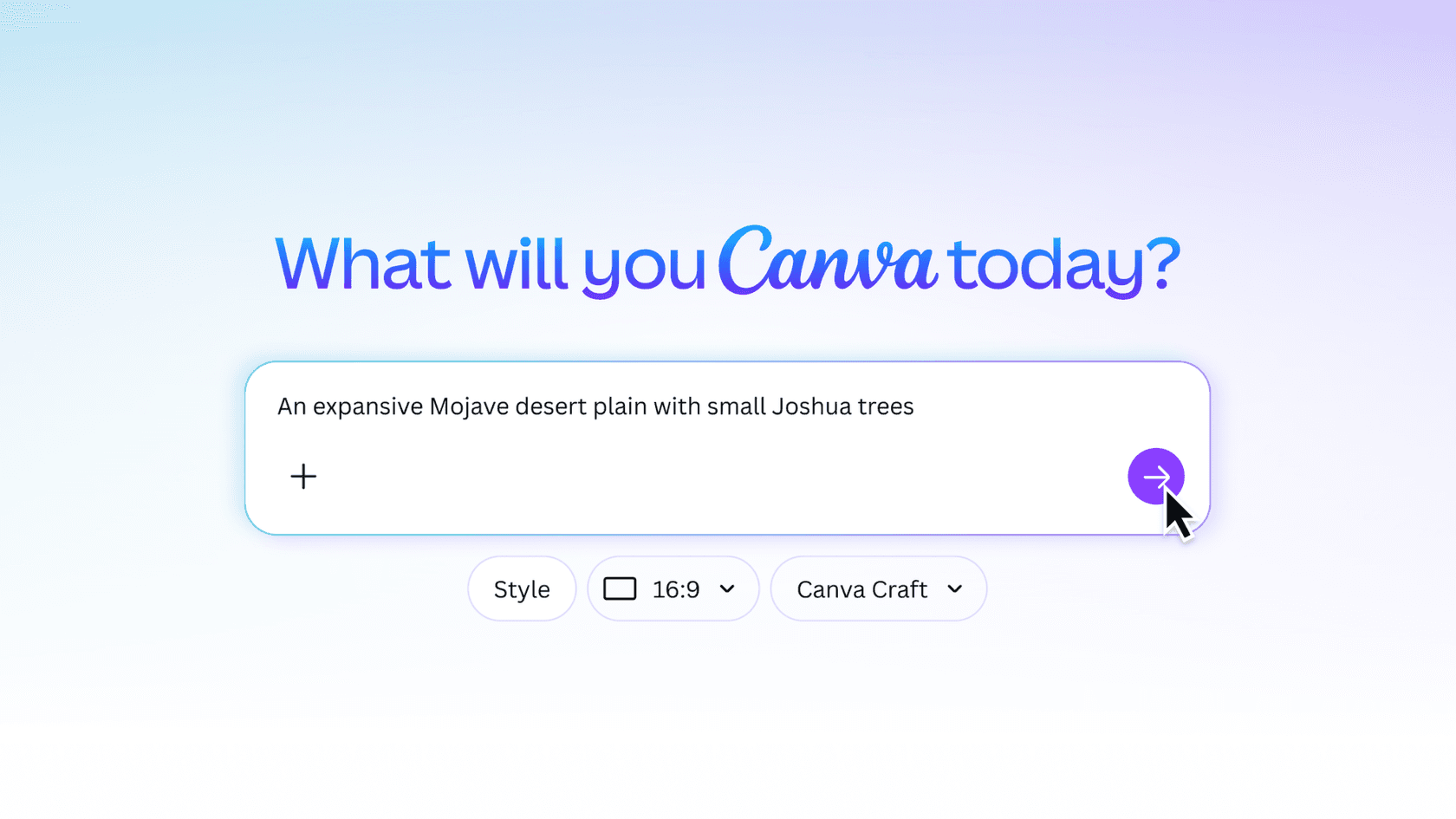
- Under the prompt box, pick a Style, an aspect ratio and Canva Craft as the model.
- Generate, then open the result in a design and run Magic Layers if you want to edit pieces separately.
Canva says Craft is available to all Canva users globally, so this works on the free plan too, within your monthly AI allowance.
Through the Canva API
Craft is also a model value on Canva's image generation endpoint, announced on Canva's forum the same day. You pin it like this:
POST /v1/image-generations
{
  "prompt": "A clean infographic poster titled 'Ocean Plastics 2026' with three stat callouts and a wave illustration",
  "model": "craft_v1_2k",
  "aspect_ratio": "portrait_2_3",
  "idempotency_key": "9c1f2d3e-5b6a-4c7d-8e9f-0a1b2c3d4e5f"
}
Then you poll the get job endpoint until status is success. The details that will bite you if you skip them:
- It is slow by design. Canva says Craft plans before it renders, so expect roughly 50 to 60 seconds per job and poll with backoff.
- Links expire. The download URL is valid for 24 hours, unless you set
asset_upload.typetouploadto save the image to the user's uploads. - It needs a user token with the
asset:writescope, and each job spends that user's AI credits. - It can fail cleanly. If Craft is unavailable, the job fails with
model_not_available; drop the pin to let Canva pick another model. Rejected prompts returnunsafe_input. - It is a preview API. Canva's REST API docs say preview APIs can change without a new version, and public apps that use them won't pass Canva's app review. Fine for internal tools, risky for a product you sell.
If you build on other image APIs, this flow will look familiar from OpenAI's image edit API. The difference is billing: Craft draws from a Canva user's allowance rather than a per-image developer bill.
Coming soon: Canva MCP and faster models
Canva says Craft will also connect to AI assistants through the Canva MCP server, so an agent can make "a launch graphic, a product shot or a social post as one step in a bigger task." If MCP servers are new to you, this is the bit to watch: it turns Craft from a tool you open into one your agents can call. Craft-fast and Craft-ultrafast are also on the way, which Canva says will cost "a fraction" of leading frontier models.
How much does Canva Craft cost?
There is no separate price for Craft. It runs on your Canva plan's shared monthly AI allowance, in the editor and through the API alike. Canva hasn't published how much of that allowance one Craft image uses, and its AI usage help page doesn't list Dream Lab under a tier yet. "Create an image with Canva AI" sits in the Premium tier, so the Premium column below is the best guide until Canva says otherwise.
| Plan | Price (annual) | Premium AI uses / month | Ultra AI uses / month | More AI |
|---|---|---|---|---|
| Canva Free | US$0 | Up to 20 (Standard or Premium) | Not available | Not available |
| Canva Pro | US$144/year, one person | Up to 200 | Up to 20 | AI Pass add-on |
| Canva Business | US$250/year per person | Up to 400 | Up to 40 | AI Pass and AI top-ups |
| Canva Enterprise | Custom | Up to 400 | Up to 40 | Talk to sales |
Prices from Canva's pricing page; allowances from Canva's AI usage help page. Premium and Ultra counts are either/or estimates from one shared pool, and they assume simple prompts.
Three things to know before you plan a campaign around those numbers:
- The counts are ceilings, not promises. Canva says the ranges assume you only use one tier of tool, with simple prompts, on the lightest tool in the tier. Real usage "will typically be on the lower end."
- Allowances are per person. On Teams, Business, Education and Enterprise, each member has their own allowance; nothing is pooled across the team.
- AI Pass is the overflow valve. AI Pass is a monthly add-on that gives 40x more AI than Pro, or 20x more than Business. Canva bills it pro rata on your plan's cycle but doesn't list the price on the AI Pass page.
For the full plan-by-plan view, including AI Pass, see my Canva AI pricing breakdown. If you're comparing against pay-per-image models, the ChatGPT Images 2.5 pricing and Reve 2.1 pricing posts show what the per-image route costs.
Where does Canva Craft fall short?
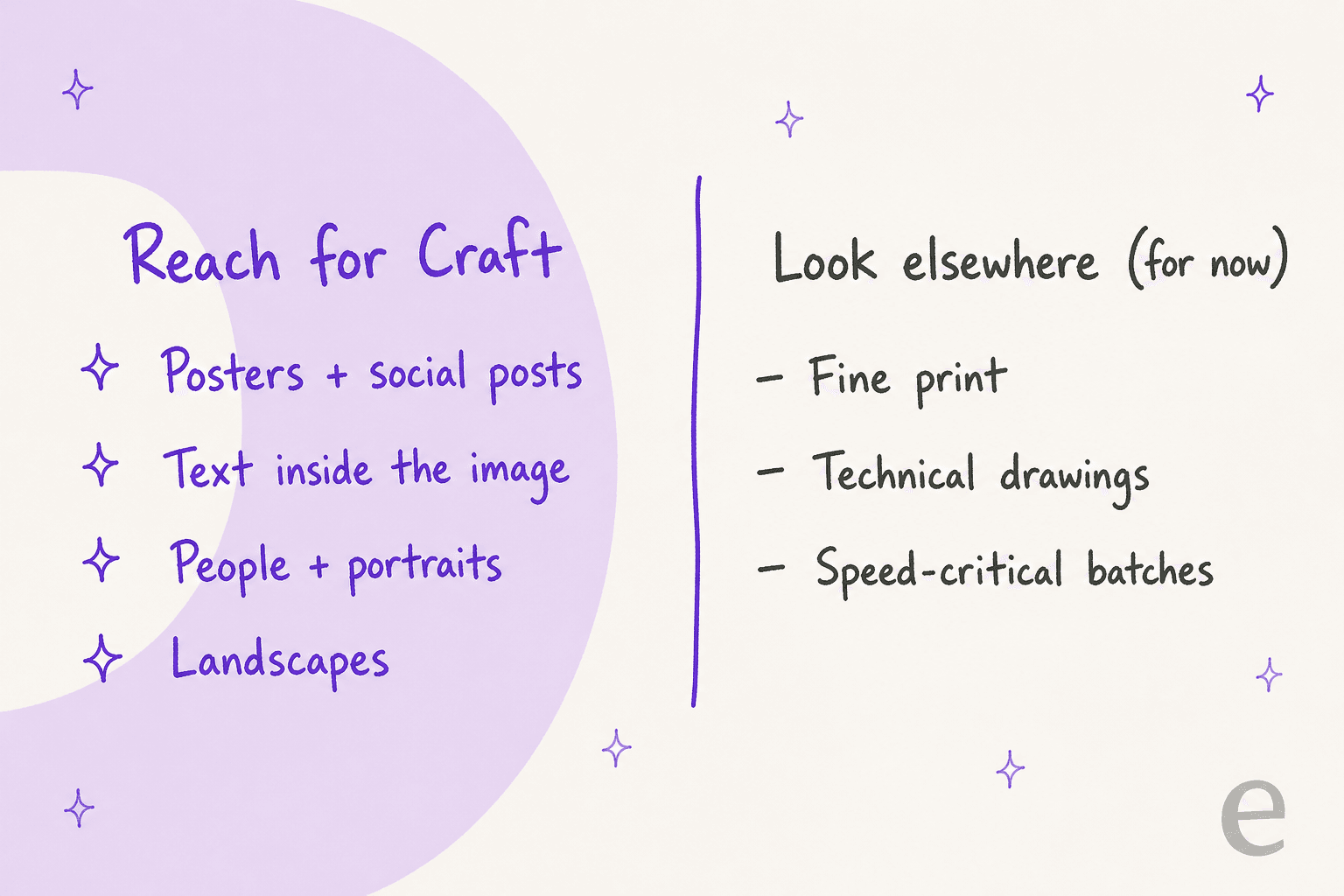
Canva is upfront about the gaps, which I appreciate. In its own words, the next versions will improve "things like fine print and technical drawings." So if your job is a dense spec sheet, a product label with legal copy or an engineering diagram, Craft is the wrong first pick today.
The other limits are practical rather than about image quality:
- Speed. The planning stage costs time. Around 50 to 60 seconds per API job is fine for one hero image and slow for a batch of 200 product shots. The faster variants are announced, not shipped.
- Products rank lower than people. Craft is #4 for Products on DesignArena, versus #1 for portraits and landscapes. Ecommerce teams should test against Nano Banana Pro and FLUX.3 before switching.
- Reference images aren't here yet. Canva says the architecture is the foundation for "more advanced editing and reference-image capabilities coming in future releases," which means brand-character consistency across a campaign isn't the strong suit yet.
- The API is a preview. Good for experiments, not for something customers rely on.
None of these are deal-breakers for the work Craft targets. They do mean it is a design model first, and not yet the one-model-for-everything some coverage implies.
What I'd test first with Canva Craft
Every illustration in an eesel blog post comes out of an image model, and I've watched the same four mistakes come back again and again: invented logos for real companies, a watermark clipped off the edge of the canvas, headlines nobody asked for, and stray check marks that read as an endorsement. About 1 in 3 renders needs a regeneration because of them. The diagrams in this post went through the same check.
Three of those four are layout problems, not drawing problems. That is why Craft's plan-then-render split is the interesting part of this launch, more than the leaderboard spot. If I were putting Craft through its paces, I'd run these prompts first:
- A poster with a headline, two stat callouts and a footer. Does every piece of text land where the prompt put it, spelled right?
- The same poster, edited. Change one stat and see whether the rest of the image stays put.
- A non-English social post. Pick one of your real markets and check the in-image text with a native speaker.
- A dense label. Push it into fine print on purpose to see where Canva's own warning starts to bite.
- Magic Layers on the output. Split the poster into layers and see how much hand cleanup is left.
If Craft gets the first three right, it saves the most annoying part of making social and blog visuals: rebuilding the text by hand on top of a generated image. If you want to see how Craft stacks up against the field, the Canva AI alternatives and Midjourney alternatives roundups are the places to start, and Canva AI reviews cover how the rest of the suite holds up.
Try eesel's AI blog writer
Craft makes the picture. Somebody still has to write the post around it, with the research, the citations and the internal links that make it rank. That is the job eesel's AI blog writer is hired for: it researches the topic from primary sources, drafts a long-form post in your brand voice, and generates its own diagrams in your colors, so you get a finished article rather than a pile of assets.

eesel's teammates already run in production for marketing-tech companies. SE Ranking, which makes SEO software and the Planable social media planner, runs an eesel agent on each of its three products and handled 4,650 conversations in one month. If you want the blog writer doing the same steady work for your content, try eesel or read how it fits an AI blog writing workflow.
Frequently Asked Questions
What is Canva Craft?
Is Canva Craft free?
How do I use Canva Craft?
craft_v1_2k.How does Canva Craft compare to other image models?
Does Canva Craft have an API?
model value on Canva's image generation endpoint, which is still a preview API, so breaking changes may happen. Jobs take roughly 50 to 60 seconds and use the user's AI credits. Craft on the Canva MCP server is listed as coming soon; the MCP server guide explains what that unlocks.