


Suno v6 review: I tested the new AI music models
I spend a lot of my week putting AI models through their paces, both the ones I build into eesel's product and the creative tools I use to make things around it, so a new flagship music model is always going to get an evening of my attention. On September 9, 2026, Suno replaced its entire lineup with v6, and it is the first generation the company built with the music industry instead of around it, using licensed catalogs from Warner Music Group, BMG, and Believe.
The headline is a family of three: v6 (the reliable flagship), v6-wild (an experimental sibling that takes more risks), and v6-mini (a faster model that is free for everyone). The new tricks are real: you can now edit one section of a finished song in plain language, build a mashup from several sources in a single request, and feed it text, audio, images, or even video as references.
Here is the honest part. The launch reception is deeply split. A lot of longtime power users think v6 is a step backward on raw audio quality, and the top launch thread on r/SunoAI is literally titled "a massive downgrade." Others are getting cleaner vocals and better covers than they ever did on v5.5. This review walks through what changed, the licensing pivot that actually explains the whole release, what testers are reporting on both sides, and who should move to v6 today.
What is Suno v6?
Suno is the AI music generator that turns a text prompt into a full, original track, vocals, lyrics, and instrumentation, in about a minute. v6 is the newest model generation, and unlike past updates it did not land as a single model. Suno shipped a suite of three, each tuned for a different kind of user.
- v6 is the flagship. Suno describes it as "reliable, precise" and says it "consistently delivers polished music across every genre and style." It is the default for people who want a predictable result.
- v6-wild is the experimental one, built to be "less predictable and more varied, producing unexpected, textured and ambitious results." It is where you go when the safe version sounds too safe.
- v6-mini is the free, fast model, "a faster, more efficient version available to everyone," positioned as "better, faster results than any free model."
All three understand more of what Suno calls "the language and building blocks musicians use," from vocals and instrumentation to structure, mood, and overall feel. And every model before v6 has been retired: Suno confirmed it is moving the whole platform onto the v6 generation, so v5.5 and v5 are no longer selectable for new generations. That single decision is the source of most of the drama below, because it means power users cannot fall back to the model they had dialed in.
CEO and co-founder Mikey Shulman framed it as bigger than a version bump:
"v6 is more than a new version of Suno – it's a new way for technology and the music industry to move forward together, with human creativity at the center."
What's actually new in v6
Model-quality claims are hard to verify from the outside, so I care more about the features you can actually put your hands on. Here v6 delivers a useful set of upgrades over what I remember from the v5.5 release.
- Edit one part of a song with plain language. You can change a single section, a bridge, a chorus, a verse, while keeping everything else you already like intact. Previously an edit risked re-rolling the whole track.
- Mashups in a single request. v6 can combine elements from several different songs into one generation, instead of stitching them together manually.
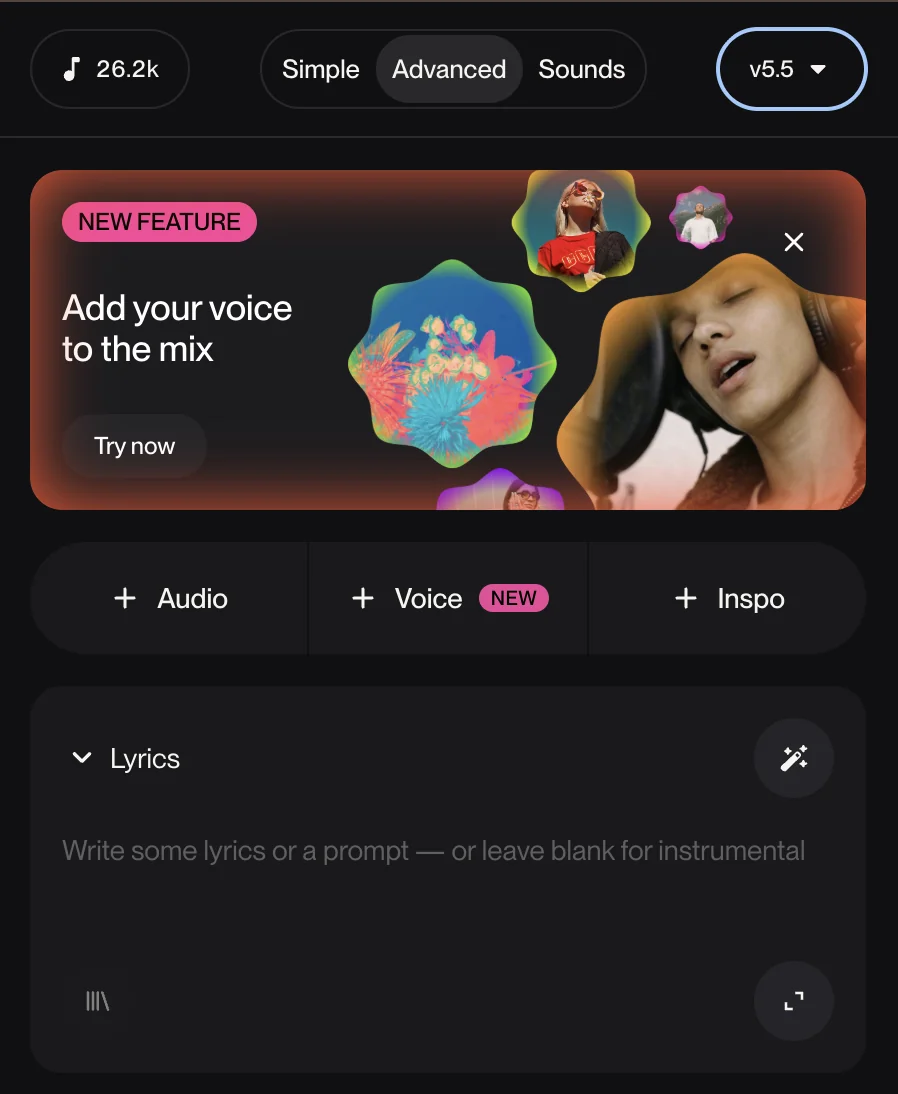
- More reference types. You can now create from text, audio, images, and video. The old "Audio, Voice, Inspo" reference row is still there, but v6 reads visual inputs too, so a mood board or a clip can seed a track.
- Sample, isolate, and build beats in one workflow. You can pull an instrument out and build something new around it without leaving the flow.
- Lyric-level edits. Update individual lyrics without rebuilding the entire song.
The heavier editing still lives in Suno Studio, the Premier-tier browser DAW, where you can split a song into stems, export MIDI, and strip effects. That toolset carries straight into v6.

One practical detail worth flagging: v6 supports up to 8 minutes per generation, and songs longer than two minutes lean on Max Mode, which costs more credits. If you feed in a lot of images or video as references, Suno says that also raises the credit cost of a generation.
The real story: v6 is a legal strategy as much as a model
You cannot review v6 honestly without the context that explains why it exists. Suno has been fighting a landmark copyright suit since the RIAA-coordinated case filed in 2024, where the labels alleged the company trained on their recordings without permission.
v6 is the answer to that fight. It is the first Suno generation developed with rightsholders, Warner Music Group, BMG, and Believe are named licensed partners, and Suno says the new models were not trained on the data used for earlier versions. Retiring every pre-v6 model in one move is part of the same story: it removes the older, unlicensed models from the product entirely.
The catch is that the legal cloud has not lifted. Universal Music Group and Sony Music are still actively suing, and the list of litigants has grown to include individual musicians, the Canadian collecting society SOCAN, and rights owner Round Hill Music. So v6 buys Suno a cleaner story with three catalogs, but it does not resolve the category-defining question about AI music and copyright. If you are making tracks for commercial use, that ambiguity is still yours to carry.
Is v6 actually better? What testers are saying
This is where I have to report the room honestly, because the launch reaction is the most divided I have seen for a Suno release, and pretending otherwise would make this review worthless.
The loudest camp is disappointed. The top launch-day thread, a "massive downgrade" post with 79 upvotes, lays out the complaint in detail:
"Everything sounds muffled, dull and strangely lifeless. The vocals are often buried, the high end feels almost completely gone, and the whole mix has that 'blanket over the speakers' feeling."

The same writer flagged prompt adherence as a bigger issue than fidelity: "It also feels like v6 ignores half of what I ask for. BPM, tempo, genre, arrangement details and specific instrumentation are frequently disregarded." Another opinions thread was blunter: "all 3 versions are absolutely awful... Everything sounds absolutely robotic."
But it is not one-sided. In a what-actually-works thread, users reported cleaner vocals, wider mixes, and stronger covers on rock, techno, and folk. One producer testing it directly against older models put it in the plus column:
"This isn't as great as V4.5 or V5 but the audio is 100,000,000x better than V5.5. No shimmer, no weird distortion in the choirs. I can def work with this."
My read after a night of testing: v6 is a more controllable, more commercially templated model, and whether that reads as "better" depends entirely on what you were doing before. If you leaned on v5.5's happy accidents and had personas dialed in, the retirement of the old models stings, and the new default can sound flatter. If you were fighting v5.5's shimmer and distortion, or you mostly do covers and structured pop, v6 is a step up. The one thing almost everyone agrees on is that losing the ability to fall back to v5.5 is the real pain point, not any single quality regression.
Which v6 model should you use?
Because there are three models now and the free/paid split matters, here is a quick way to figure out where to start.
Suno v6 pricing and credits
v6 did not change Suno's plan structure, so the credit math is the same as before. Every generation makes two songs and costs 10 credits total, with Max Mode and heavy image or video references costing more.
| Plan | Price | Credits / month | v6 models | Commercial use |
|---|---|---|---|---|
| Free | $0 | 50/day (~10 songs) | v6-mini only | No |
| Pro | 2,500 (~500 songs) | v6, v6-wild, v6-mini | Yes | |
| Premier | 10,000 (~2,000 songs) | v6, v6-wild, v6-mini + Studio | Yes |
The full Suno pricing breakdown covers the finer points, annual billing saves 20%, subscription credits do not roll over, and add-on credits do not expire but need an active subscription. The big value gate is unchanged: commercial rights and Suno Studio are paid-only, and Studio still charges 10 credits for actions like stem separation and Remove FX.

My verdict: who should move to v6
v6 is the most strategically important release Suno has ever shipped, and one of its most divisive. The three-model family is a smart structure, the plain-language section editing is the feature I would actually use daily, and the licensing partnerships are a real (if incomplete) answer to the legal overhang.
Move to v6 now if: you do covers, structured pop, or client work where prompt adherence and clean mixes matter more than happy accidents; or you are on the free plan, where v6-mini is a straight upgrade with nothing to lose.
Be cautious if: you had a v5.5 workflow with tuned personas and you valued the older model's character. The forced retirement means you cannot A/B against your old setup, and several power users are unhappy about the change in the high end. If that is you, it is worth testing your exact prompts before you commit a paid month, and worth scanning the alternatives so you know your options.
For context on the wider AI music field, Udio remains the closest head-to-head competitor, and if you are weighing tools broadly, my Udio pricing breakdown and Udio alternatives roundup are a useful next read.
Where AI teammates fit next to a tool like this
I build AI features for a living, so I will say the quiet part: a model like Suno v6 is impressive, but it is still a tool you operate. You write the prompt, you tweak the sliders, you fix the section that came out wrong. That is the right shape for creative work where taste is the whole point.
For the repetitive work around the creative work, the model I actually want is a teammate that just does the job. That is the bet behind eesel: you hire a ready-to-work AI teammate and it handles a scoped job from day zero. The AI blog writer researches a topic, drafts the post, and generates its own images. The AI helpdesk teammate joins your support queue and starts answering. Same "plug it in and it works" feeling as a great generation tool, pointed at the work you would rather not do by hand. Try eesel free if that is the part of your week you want back.
Frequently asked questions
What is Suno v6?
Suno v6 is the AI music generator's newest model generation, launched September 9, 2026. It replaces every previous model with a family of three, and it is the first Suno release trained with licensed music from Warner Music Group, BMG, and Believe. For the platform overview, see my Suno review.
How much does Suno v6 cost?
v6 runs on Suno's existing plans: Free ($0, v6-mini only, no commercial rights), Pro ($10/mo), and Premier ($30/mo). Each generation makes two songs for 10 credits. The Suno pricing guide has the full credit and billing detail.
What's the difference between v6, v6-wild, and v6-mini?
v6 is the reliable flagship for polished, consistent tracks. v6-wild is experimental and less predictable, built for unexpected results. v6-mini is the faster, free model available on every plan. The paid models unlock on Pro and Premier.
Is Suno v6 better than v5.5?
It depends on your use case. v6 is more controllable and cleaner on covers and structured pop, and early testers report less shimmer and distortion. But many longtime users find the default mixes flatter, and since v5.5 was retired, you cannot fall back to it.
Was Suno v6 trained on licensed music?
Yes, in part. Suno says v6 was developed with rightsholder partners Warner Music Group, BMG, and Believe, and was not trained on the data used for earlier models. However, Universal Music Group, Sony Music, and other litigants are still suing Suno, so the copyright question is not settled.
Can I edit part of a song in Suno v6?
Yes. One of v6's headline features is editing a single section, a verse, chorus, or bridge, using plain language while preserving the rest of the track. You can also update individual lyrics without regenerating the whole song.
What are the best Suno alternatives?
If v6 does not fit your workflow, Udio is the closest direct competitor, and my Suno alternatives and Udio alternatives roundups compare the wider field of AI music generators.
Does Suno v6 support commercial use?
Commercial rights are paid-only. Free-tier generations on v6-mini cannot be used commercially; Pro and Premier plans include commercial-use rights. Note that Suno's terms put copyright risk on the user, so commercial rights are not the same as legal indemnification.