Zendesk AI agents for employee service: plans, cost, limits

Rama Adi

Katelin Teen
Last edited November 12, 2026
Zendesk's employee service AI agents answer IT and HR questions from your connected knowledge, in the help center, Slack and Microsoft Teams, and can run workflows behind the answer. They need an Employee Service Suite plan from Growth ($59 per agent per month, billed yearly) upward; Suite Team doesn't include them. Zendesk's pricing page lists extra resolutions at $0.99 committed, but its customer-service page lists $1.50 and $2.00, so confirm which applies to you. If you want the same job inside your existing Zendesk, eesel's AI helpdesk teammate learns your help center, macros and tickets and drafts answers for a person to approve.
With the eesel CLI, an AI coding agent such as Claude Code can upload approved IT runbooks and HR policy pages, then ask test questions and check the answers before any employee sees them. Connecting Zendesk itself still needs an admin to approve it.
What are Zendesk's AI agents for employee service?
They are a separate type of AI agent for internal support, sold with Zendesk Employee Service. Zendesk's help center docs call them "knowledge bots" that work where employees already are: the help center, Slack and Microsoft Teams. They were built on technology from Zendesk's acquisition of Unleash, an enterprise search company. I haven't run one on a live account, so everything below comes from Zendesk's own docs, pricing pages and announcements, and I flag where they disagree.
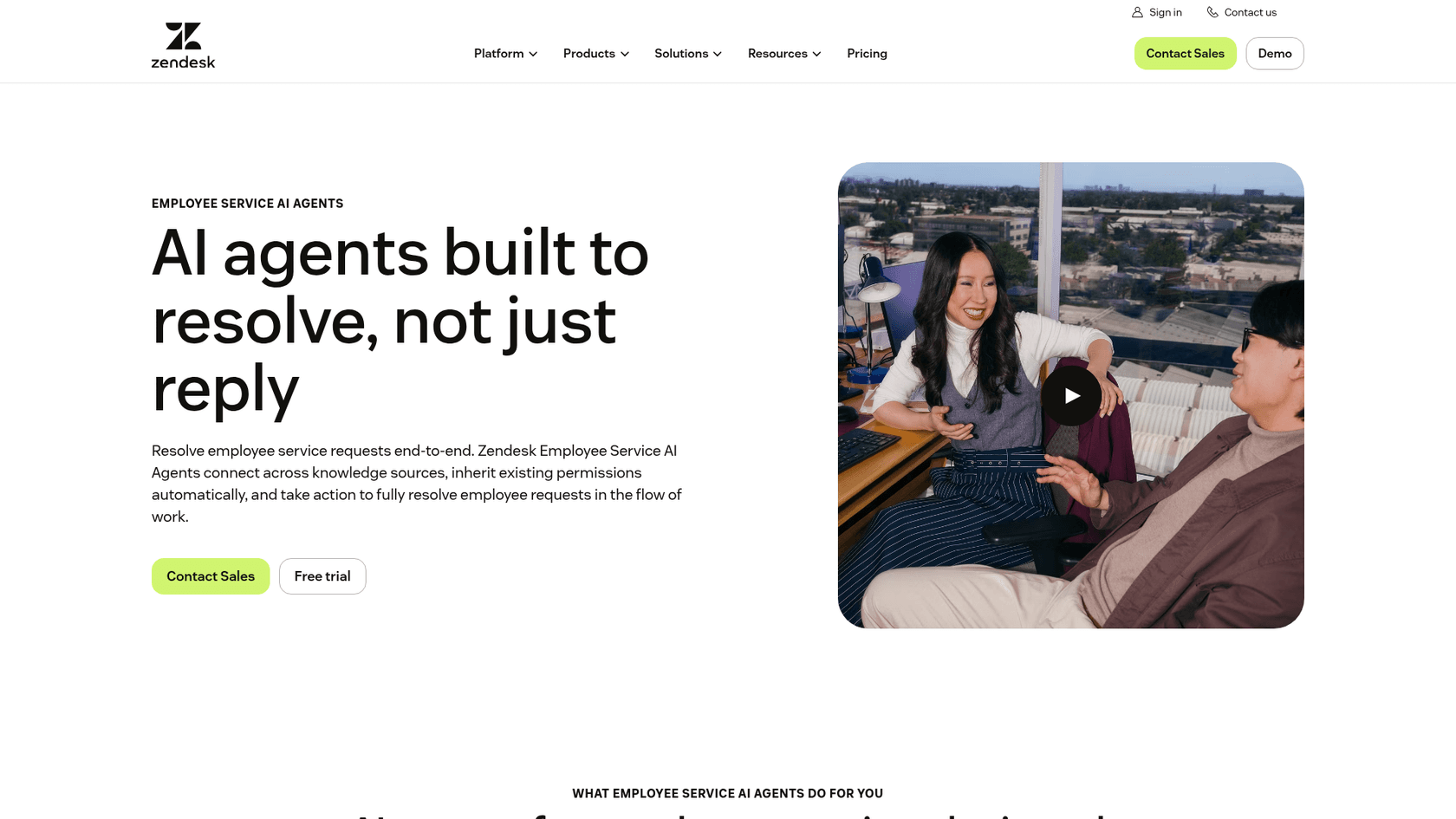
Here is the snapshot I'd use to brief a team.
| Question | Answer from Zendesk's docs |
|---|---|
| Who is it for? | IT, HR, Finance and other internal teams |
| Where does it run? | Help center in the messaging Web Widget, Slack, Microsoft Teams |
| What does it read? | 16 connected apps plus a web crawler, with permissions respected |
| What can it do? | Answer, open a ticket, search the web, read uploaded files, run action flows |
| Which plans? | Employee Service Suite Growth, Professional, Enterprise, Enterprise Plus |
| How is it billed? | Per automated resolution above an included allowance |
The timeline matters. Zendesk announced the early access program on July 10, 2026, with rollout from August 3. By November the how-to articles no longer carry "(EAP)" in their titles and were edited on November 3 and 4. I found no dated general-availability notice, though, and the original announcement still describes the EAP. Treat the label as unsettled and ask your account team.
Which plans and add-ons does it need?
You need an Employee Service Suite plan, not a Customer Service one, and at least Growth. Every employee service AI agent article lists Growth, Professional, Enterprise or Enterprise Plus. The Employee Service pricing page shows the dash for Suite Team on the AI agent rows.
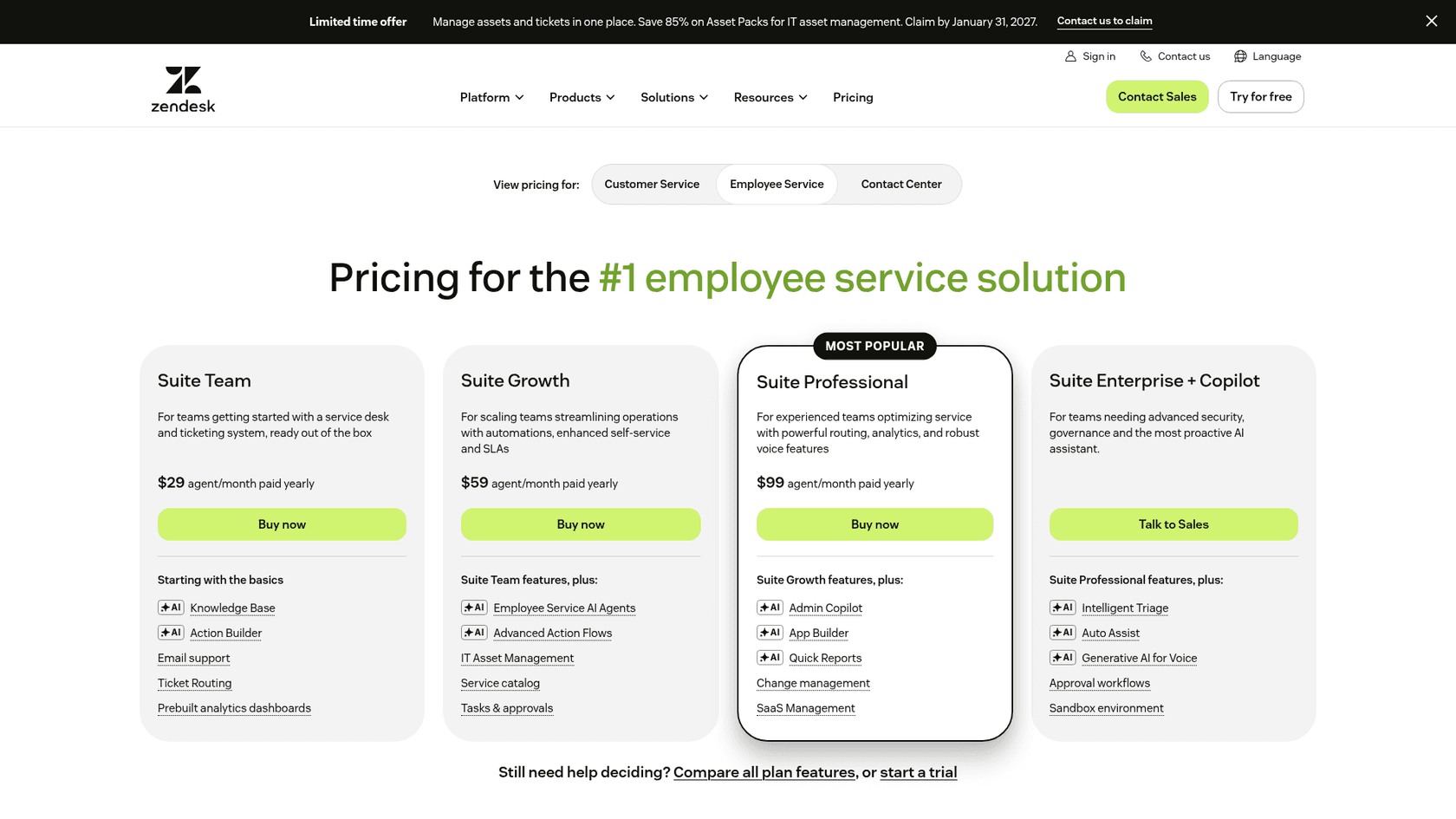
| Plan | Annual, per agent per month | Monthly, per agent per month | Employee service AI agents |
|---|---|---|---|
| Suite Team | $29 | $39 | No |
| Suite Growth | $59 | $79 | Yes, 10 included resolutions per agent per month |
| Suite Professional | $99 | $125 | Yes, 10 included resolutions per agent per month |
| Suite Enterprise + Copilot | Talk to sales | Talk to sales | Yes |
Add-ons on the same page, at the annual rate, are Copilot at $50, Quality Assurance at $35 and Advanced Data Privacy and Protection at $50, each per agent per month. Zendesk also says features such as App Builder, Action Builder and Voice are billed on consumption above plan allowances, and doesn't publish those rates. The trial is 14 days, no card, and defaults to Suite Professional. For the full plan ladder, see my Employee Service pricing guide.
Two things to note. Seats are for your IT and HR agents. The pages I read don't charge a seat per employee who asks a question. And an older version of Zendesk's FAQ said AI agents were included in all Employee Service plans; the current one says Growth and above.
What can it answer, and from where?
It answers from the sources an admin connects. A Knowledge admin connects them in Admin Center under AI, AI agents, Sources, and a Support admin then picks which sources each agent may use. The docs list these connectors:
- Documents and wikis: Google Drive, SharePoint, Confluence, Notion, Box, Dropbox, Document360, ReadMe, Guru
- Sales and enablement content: Highspot, Seismic
- Work systems: Jira, GitHub, Freshdesk
- Chat: Slack, Microsoft Teams
- Websites: a web crawler (sites need a sitemap)
That is 16 apps plus the crawler, plus Zendesk's own help center.
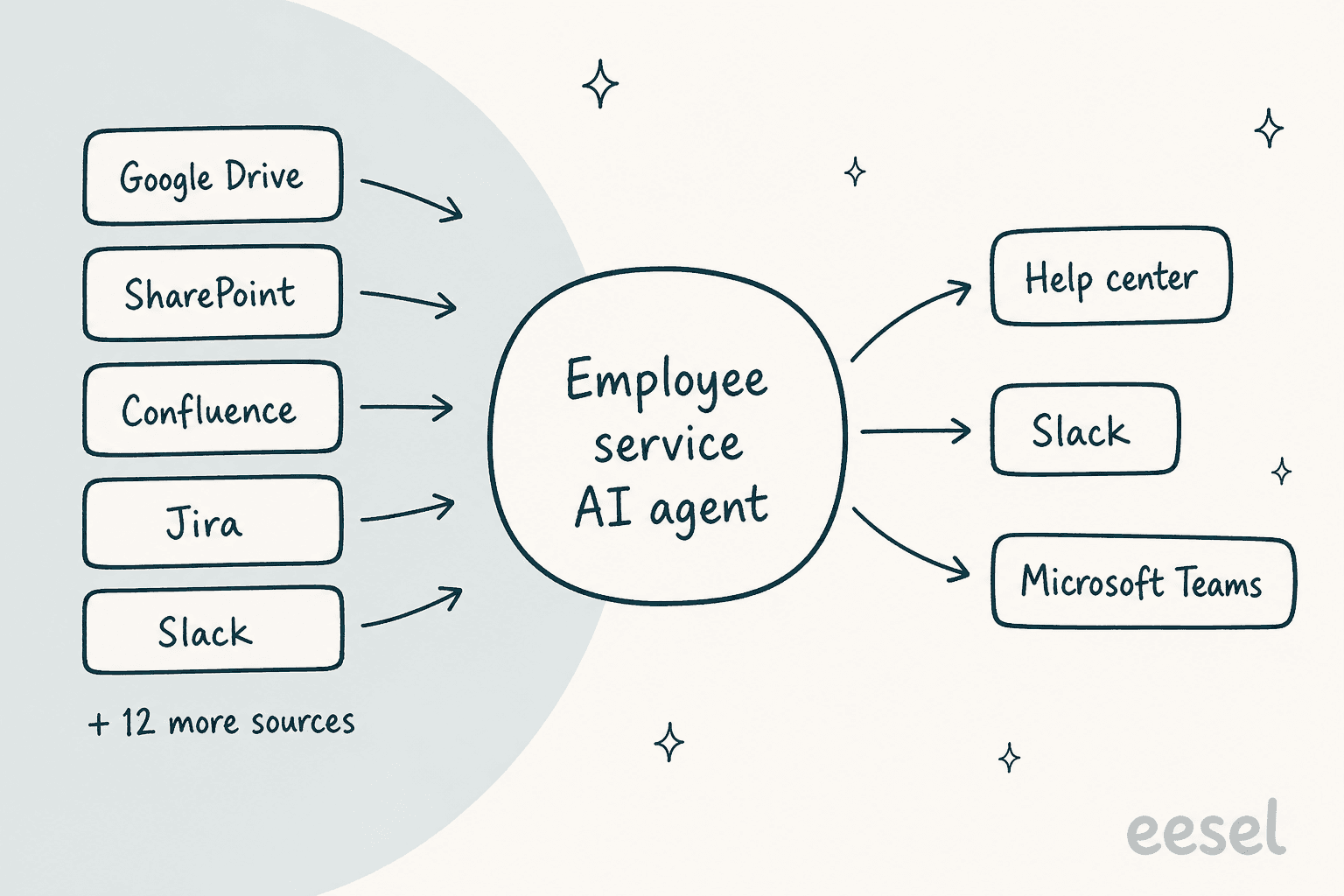
Sync is mostly incremental. The Box, Confluence, Jira and Dropbox sections list updates every 15 minutes, and Jira and Dropbox sync user and permission directories every 6 hours. Document360 syncs a full snapshot every 6 hours and only published articles. The list is thinner on systems of record: ServiceNow and Workday aren't in the knowledge source list, so an answer that depends on either has to come through an action instead, covered next.
Does it respect who can see what?
Yes, with one wrinkle. Connected sources are set to restricted or open access. Restricted means a person sees only what they can already open in the source, including Jira issue-level security and Confluence spaces. Zendesk's marketing says it mirrors identity providers such as Okta or Azure AD.
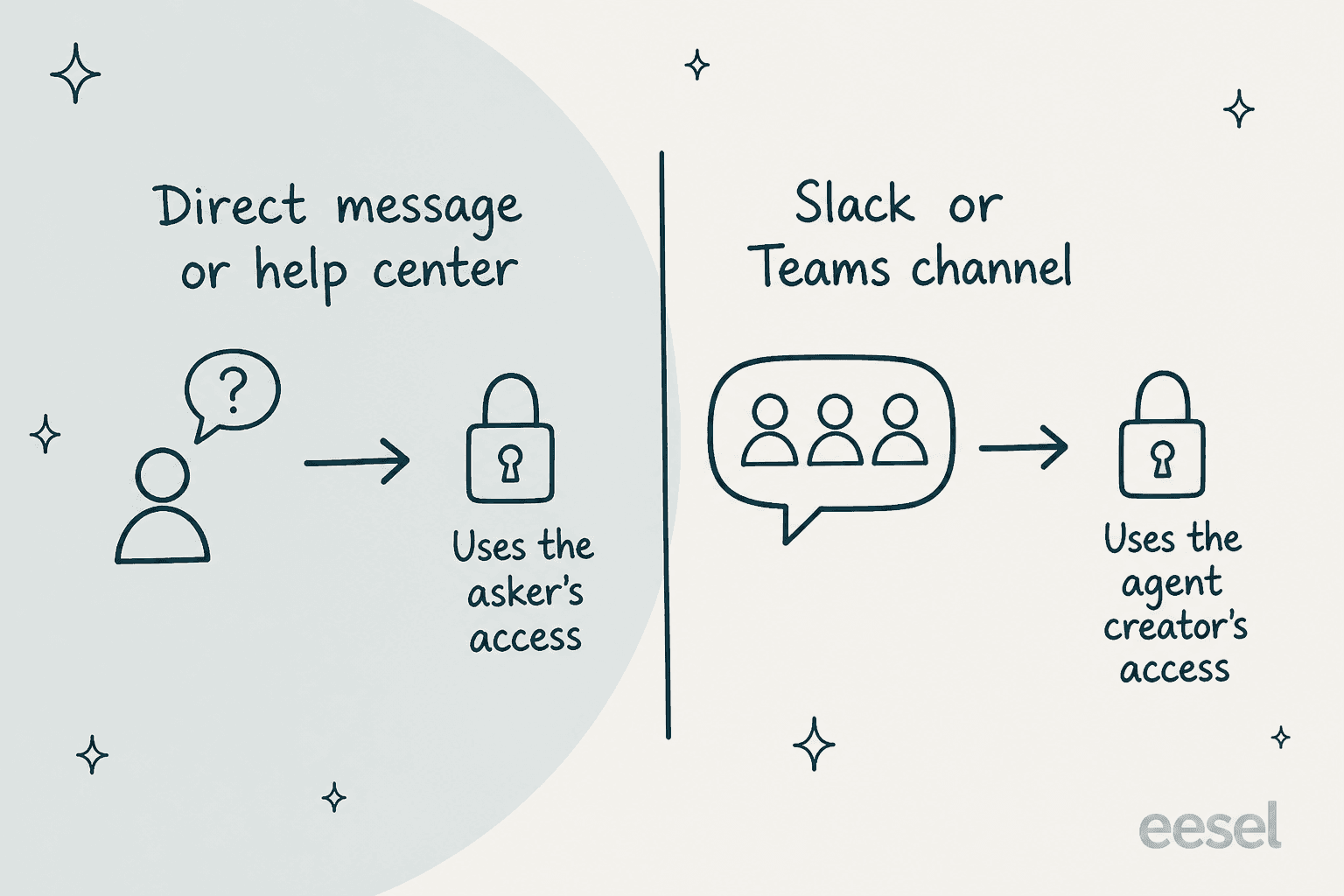
The wrinkle is in the deployment article. In the help center widget and in direct messages, the agent uses the asking person's permissions. In Slack and Teams channels, it uses the permissions of the admin who created the agent. So a channel agent built by someone with broad access can surface content that a channel member couldn't open themselves. Keep channel agents on sources that are safe for everyone in that channel.
What can it do besides answer?
Five tools are selectable when you create an agent, per the creation guide:
| Tool | What it does |
|---|---|
| Sources (enterprise search) | Searches connected knowledge |
| Open ticket | Creates a Zendesk ticket from the conversation |
| Web search | Searches the internet or only domains you name |
| Files | Reads files the employee uploads |
| Actions and advanced action flows | Runs action flows, custom actions and external connector actions |
The agent can also hold a persona, guardrails and tool-use instructions, plus quick prompts with fill-in brackets such as a project name.
The action side is where IT and HR value sits. Zendesk's launch post gives examples: updating an address in Workday with utility bill verification, handling software access requests with approvals, and onboarding a new hire by creating a Workday profile, provisioning an Okta account and assigning a laptop. Admins describe the outcome and an AI builder drafts the workflow. Zendesk says that in the first two months, 300 customers ran 9 million workflows. That is Zendesk's own figure, not independent measurement.
Advanced action flows are code under the hood, with limits worth knowing: a default 5 minute execution timeout (up to 10), 128 MB of memory, pauses of up to 30 days for approvals, and up to 8 concurrent HTTP requests. They run with the permissions of the admin who built them, and they can call MCP tools. For the HR side, Zendesk has prebuilt HRIS integrations for Workday, HiBob, BambooHR and Rippling, though that May 2025 post describes agent-workspace lookups, not the AI agent acting on them.
If you're comparing how other platforms handle the same job, see my guides to AI for ITSM, AI for HR support and AI internal helpdesks.
How is it billed?
Per automated resolution, on top of the seat. Each Growth or Professional seat includes 10 resolutions a month, capped at 10,000 per year for the account. Beyond that you pay per resolution. The FAQ on Zendesk's AI agents page adds a carve-out I'd note first: only resolutions that come from connected external sources are charged, and answers from your Zendesk Help Center stay free.
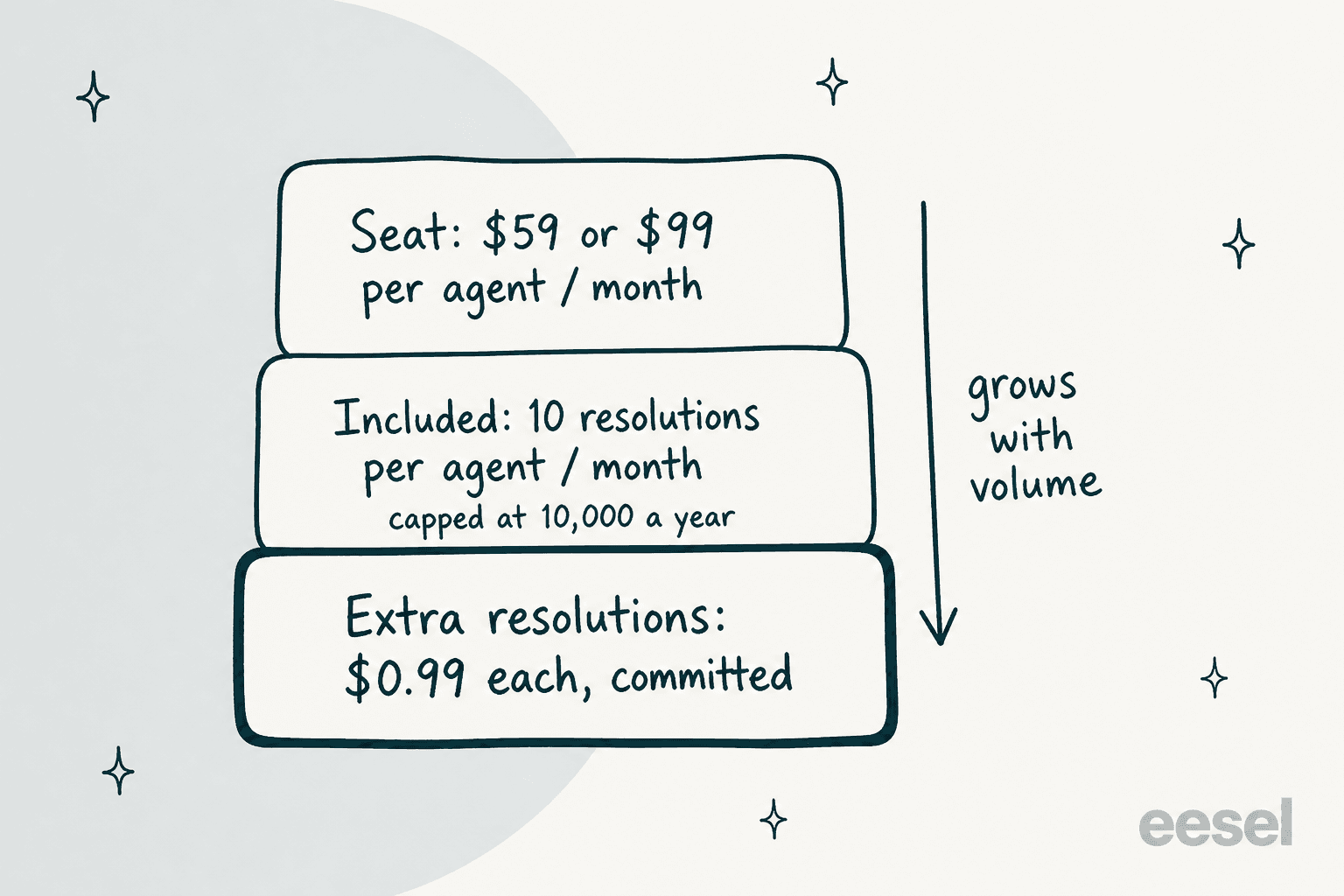
A worked example, using Zendesk's published rates and my arithmetic. A 20-seat Suite Growth team pays $1,180 a month in seats (20 x $59) and gets 200 included resolutions. If 1,500 employee questions a month resolve from SharePoint and Confluence, 1,300 are billable: $1,287 at $0.99, or $1,950 at the $1.50 customer-service committed rate. The AI line can pass the seat line.
Why do the prices disagree?
Because two Zendesk pages publish different numbers, and I can't tell which governs a new account:
- The Employee Service pricing page lists committed automated resolutions at
$0.99on Growth and Professional, with no pay-as-you-go row. - The Customer Service pricing page lists
$1.50committed and$2.00pay-as-you-go. My earlier August research on the Employee Service page found the same$1.50and$2.00, so the number has moved. - The resolutions article, edited November 11, still describes the platform from before resolution tiers and says committed usage needs 100 or more resolutions bought ahead.
Then there is the direction of travel. On November 10, Zendesk's Outcome AI post announced outcome-based pricing with unlimited seats and an Outcome Budget, counting conversational outcomes and workflow outcomes. I found no price list or date for existing accounts, so I haven't priced it. My metrics guide and Zendesk AI pricing guide cover how resolutions are counted.
How do you set it up?
Zendesk's getting started article gives six steps. Here is how I'd run them, with rough time for a small team:
- Tidy the content first (a day or two). The agent is only as good as the knowledge base it reads. Zendesk points to its guide on optimizing knowledge for generative AI.
- Connect sources (30 minutes each). As a Knowledge admin, add each app in Admin Center, choose Restricted access where content isn't company-wide, and pick the spaces or folders to sync.
- Create the agent (15 minutes). As a Support admin, go to AI, AI agents, Create AI agent. Name it, add sources, tools and instructions. A default agent already exists for your help center.
- Install Slack or Teams (20 minutes). Install the Zendesk for AI Agents app. In Teams, type
@ZendeskAIAgent invitein each channel; in Slack, add the app to public channels or/invite @Zendeskin private ones. - Set the response trigger. Slack and Teams channel agents respond to work-related questions (recommended), every message, or explicit mentions. Start with mentions only.
- Deploy and watch. Assign the agent to a channel and review what employees ask. For deeper tuning, my guides to handoff and escalation and escalation rules apply, even though they were written for customer-facing agents.
I found no test or preview step in the creation or deployment articles. That differs from the customer service side, where Zendesk's launchpad tests scenarios before go-live. For an internal agent that can touch access and HR data, pilot in one private channel first.
Where does it fall short?
These are the limits I'd plan around, all from Zendesk's own pages:
- Seat plan floor. Suite Team has no employee service AI agents.
- Channel permissions. Channel agents answer with the creator's access, as above.
- Connector count. The pricing page says "20+ enterprise systems", while the docs list 16 apps and a crawler. The sources article's summary mentions Salesforce, yet I found no Salesforce section in it.
- Original exclusions. The early access announcement excluded HIPAA or FedRAMP certified accounts, accounts opted out of generative AI, and accounts already running an AI agent. I couldn't confirm whether that still holds.
- Employee service only. The announcement said it would later extend to Customer Service Suite customers using it for internal service. I saw no date.
- Action surface. Ticket creation is the documented write path inside the agent itself; anything else rides on action flows you build and maintain.
The people who use the product describe a similar trade-off between breadth and effort. On G2, Zendesk for Employee Service holds 4.5 out of 5 across 113 reviews, though those reviews cover the whole product, not just AI agents. A recent three-star review put it this way:
"Many useful workflows require careful setup of forms, fields, permissions, triggers, automations, views, and knowledge content before the experience feels truly streamlined."

The same reviewer noted it can be unclear "which features require an additional product or license". That matches what I found on plan and billing pages.
Is it the right fit for your internal helpdesk?
It depends on where your knowledge and your tickets already live. Pick the line closest to yours.
If you're weighing platforms, my guides to the best internal helpdesk software, employee self-service portals and internal support chatbots compare the field.
Other vendors follow a similar pattern, as in my Agentforce employee support review.
How does eesel handle internal IT and HR queues?
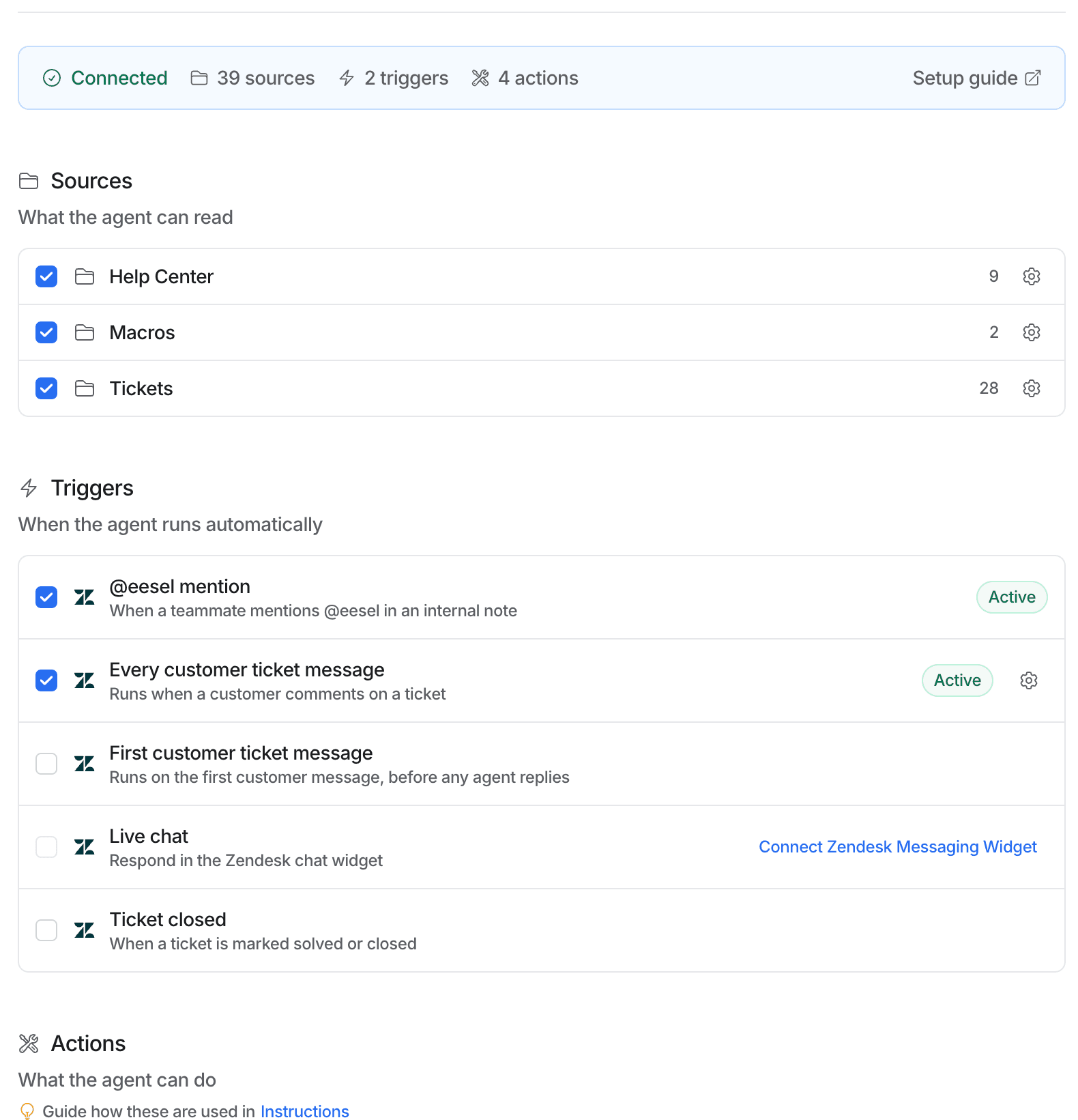
eesel is an AI teammate platform, and the one I'm describing here is its AI helpdesk teammate. It plugs into the helpdesk you already run, Zendesk included, so there is no second ticket system to adopt. In the dashboard (shown in the screenshot below), the Zendesk integration reads your help center, macros and tickets, and triggers when a teammate mentions @eesel in an internal note or on every customer ticket message.
The pattern carries over to internal queues. Point it at your IT runbooks and HR policy pages, and an agent drafts the answer for a person on the IT or HR team to approve, naming the sources it used. On eesel's pricing page, Slack questions and scheduled agents use credits like any other work, so internal Slack Q&A and a Zendesk queue draw from one plan.
Two customer stories show the pieces. smava runs three eesel agents on one Zendesk, handling about 27,000 tickets in a month between 8 August and 8 September 2026. They draw on about 820 macros and help center articles and write categories into Zendesk fields, with people sending the replies. That is customer-facing, but it is the same Zendesk connection an internal queue would use. An industrial automation company put its technical library behind a chat that answers only from the documents and links the source, which is the internal Q&A pattern in miniature.
On cost, the eesel pricing page lists a free 7-day trial with 100 credits, then $299 a month for 500 credits, scaling to $699 for 1,500. A credit is a ticket or chat worked, not only a resolved one, so it isn't the same unit as a Zendesk resolution. Compare on your own volume. For more on the helpdesk-agent idea, see my AI helpdesk agent overview and eesel versus Zendesk AI.
Try eesel for your Zendesk helpdesk
If your IT or HR team already lives in Zendesk, you don't have to wait for the employee service agent to settle. Try eesel: connect your Zendesk, point it at your IT and HR documents, and watch it draft answers for your team to approve before anything reaches an employee. See the Zendesk integration and the best AI for Zendesk roundup.
Frequently Asked Questions
What are Zendesk's AI agents for employee service?
They are AI agents built for internal support, sold with Zendesk Employee Service. They answer employee questions from connected sources such as Google Drive, SharePoint and Confluence, and can open tickets or run action flows. They work in the help center, Slack and Microsoft Teams. For the customer-facing side, see my Zendesk AI agents guide.
Which Zendesk plan includes employee service AI agents?
Employee Service Suite Growth, Professional, Enterprise or Enterprise Plus, per Zendesk's docs. Suite Team doesn't include them. On annual billing, Growth is $59 and Professional is $99 per agent per month. See my Zendesk employee service pricing guide for the full ladder.
How much do Zendesk employee service AI agents cost?
You pay the seat plus automated resolutions above the included allowance of 10 per agent per month, capped at 10,000 a year. Zendesk's Employee Service pricing page lists committed resolutions at $0.99, while its customer-service page lists $1.50 committed and $2.00 pay-as-you-go, so confirm the rate with Zendesk. Only resolutions from connected external sources are charged; Help Center answers stay free. My Zendesk AI pricing guide covers the customer side.
Can Zendesk's employee service AI agent work in Slack and Microsoft Teams?
Yes. After installing the Zendesk for AI Agents app, you assign an agent to public or private channels and choose when it responds: work-related questions, every message, or explicit mentions. In channels it answers with the creator's permissions. My guides to AI for Slack support and AI for Microsoft Teams support compare other options.
Does it connect to Okta, ServiceNow or Workday?
Okta and Azure AD are named as identity providers whose permissions the agent mirrors. ServiceNow and Workday aren't in the docs' knowledge source list, but Zendesk's launch post uses Workday and Okta in action-flow examples. Connecting them means building action flows. See my AI for ServiceNow guide if that is your ticket system.
Can the employee service AI agent take actions, like a password reset?
It can open a ticket and call action flows, custom actions and external connector actions. Zendesk's marketing mentions access provisioning and leave requests, but those run through workflows you build, not a built-in feature. Advanced action flows have a default 5 minute timeout and can pause up to 30 days for approvals. My AI for ITSM guide covers the wider pattern.
Can I use eesel for internal IT and HR requests on Zendesk?
eesel's Zendesk integration reads your help center, macros and tickets and drafts answers for a person to approve, naming its sources. Pointing it at IT runbooks and HR policy pages follows the same pattern. See my AI internal helpdesk guide, and the eesel pricing page for current credit plans.
Is Zendesk's employee service AI agent generally available?
I couldn't confirm. Zendesk announced the early access program on July 10, 2026 with rollout from August 3, and its how-to articles dropped the EAP label in early November, but I found no dated general-availability notice. Ask your account team. For related launches, see the AI agent launchpad.