Gorgias alternatives for WooCommerce: 6 helpdesks compared (2026)

Kira

Katelin Teen
Last edited November 25, 2026

The best Gorgias alternative for most WooCommerce stores is Re:amaze: on WooCommerce, Gorgias gives you a read-only order sidebar and no AI Agent, while Re:amaze lets agents refund and change order status from the conversation and its AI Agent reads WooCommerce orders. Re:amaze Starter is $59 a month for unlimited users, or $74 for a three-person team answering 600 conversations, against $180 on Gorgias. That gap is the whole story. Gorgias's own WooCommerce 101 doc says you can't create, edit, cancel or refund WooCommerce orders from a ticket, and its AI Agent setup doc says AI Agent isn't supported on WooCommerce stores, yet a WooCommerce store pays the same per-ticket price as a Shopify one.
Before you migrate, check which half of the gap you actually feel. If your team likes the Gorgias inbox and the missing piece is AI that answers and acts on WooCommerce orders, eesel joins your Gorgias as an AI teammate, reads the live WooCommerce order and can hold refunds for a person's yes, with no move. An AI coding agent such as Claude Code can set it up through the eesel CLI, though connecting Gorgias still needs an admin's approval. If you want refunds from the ticket and a cheaper seat price, Re:amaze, Zendesk with a $10 add-on, or Fluent Support inside WordPress each fix a different part.
Why WooCommerce stores look past Gorgias
Gorgias is a good helpdesk, and it's fair to start there (the Gorgias review goes deeper). It prices by ticket and "never priced per agent", so a growing team doesn't pay for every new seat (pricing page). Email, chat, social and a help center come on every plan, and its WooCommerce app is built by Gorgias, listed on all four plans, and lets you connect several stores to one account (WooCommerce 101). If you sell on both Shopify and WooCommerce, keeping one inbox for both is a real reason to stay, and if you're Shopify-only, the Shopify version of this list fits better.
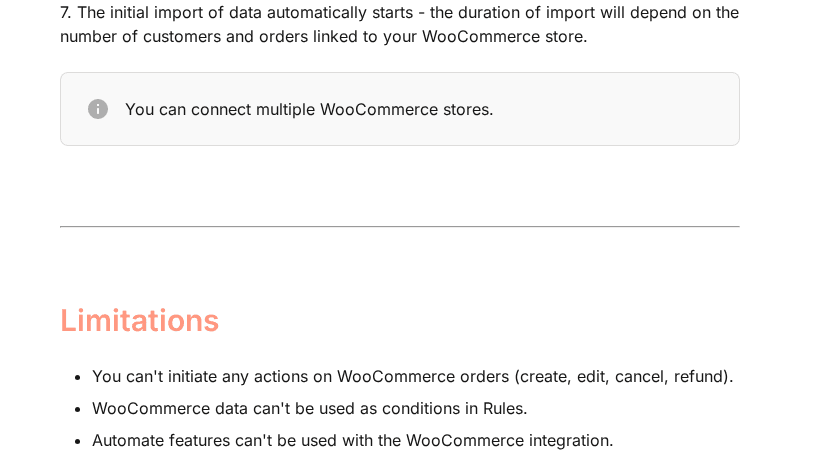
The trouble is what the WooCommerce app leaves out. In the ticket sidebar you get the customer's contact details and their WooCommerce orders, kept in sync as orders change. Then the same doc ends with a Limitations section: "You can't initiate any actions on WooCommerce orders (create, edit, cancel, refund)", WooCommerce data can't be used as conditions in Rules, and Automate features can't be used with the integration (WooCommerce 101).
On Shopify, the same sidebar has Create order, Duplicate, Cancel and Refund buttons (Shopify actions doc). And AI Agent, the part Gorgias leads with, needs a connected Shopify store: its setup doc says it "is not supported on stores that use BigCommerce, Magento or WooCommerce" (AI Agent on Chat). Gorgias says it plainly on its own LLM info page: "The full Gorgias platform is built for Shopify."
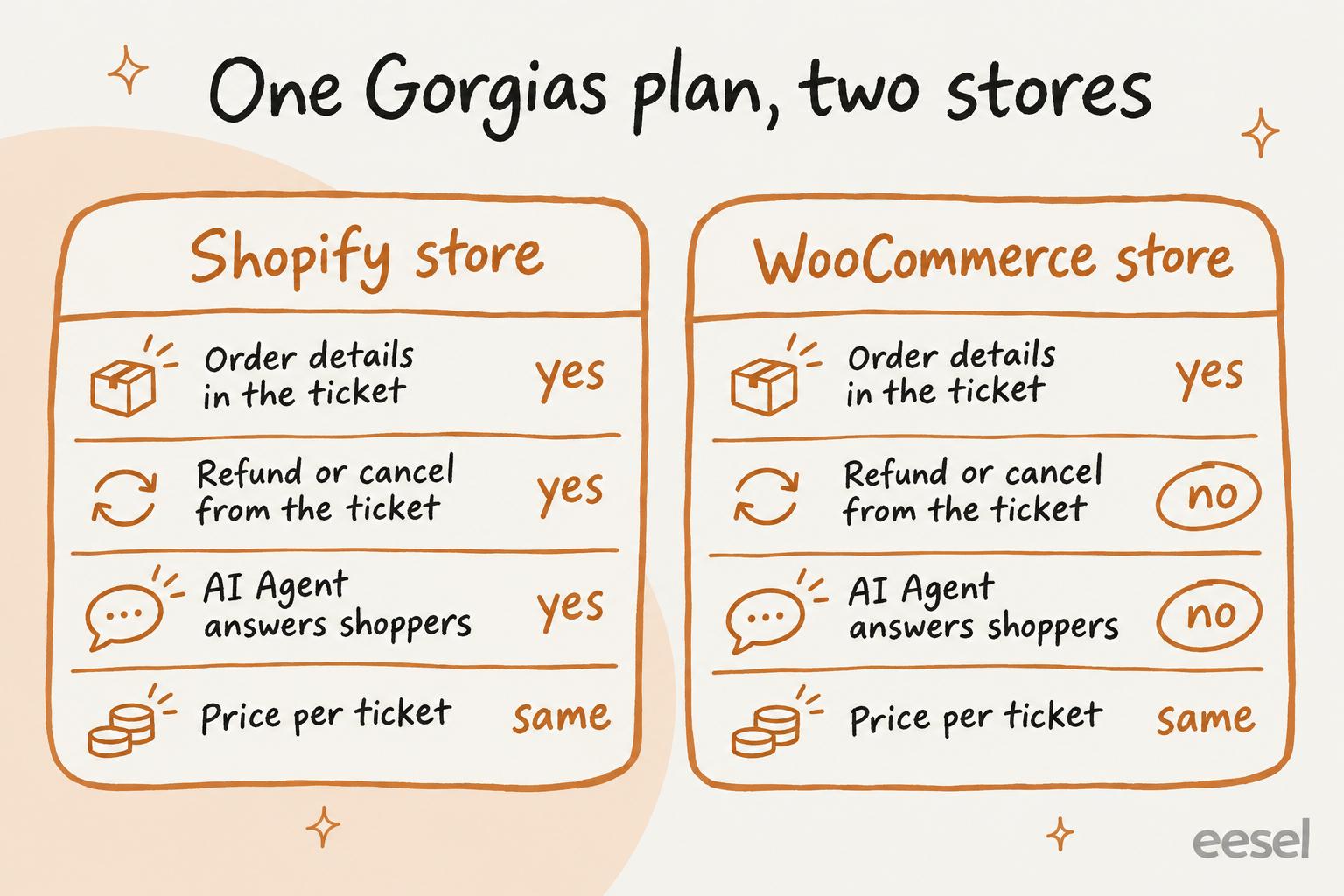
So a WooCommerce team on Gorgias reads the order in Gorgias, then opens WordPress in another tab to refund it, and answers every "where is my order?" by hand, even though the WooCommerce order status is right there in the sidebar. That is the reason stores start looking, more than price.
What does Gorgias cost a WooCommerce store?
Gorgias bills by ticket: a ticket counts once the helpdesk sends at least one message on it, from a person, a Rule or AI Agent, and inbound tickets nobody replies to aren't billed (how you're billed). The helpdesk-only plans, billed monthly (pricing page):
| Plan | Tickets a month | Helpdesk price | Extra tickets |
|---|---|---|---|
| Starter | 50 | $10 | $0.40 each |
| Basic | 300 | $60 | $40 per 100 |
| Pro | 2,000 | $360 | $36 per 100 |
| Advanced | 5,000 | $900 | $36 per 100 |
Watch the headline numbers on the pricing page. They show each plan with AI Agent added (Starter $40, Basic $90, Pro $550, Advanced $1,430 a month), and AI Agent doesn't run on a WooCommerce store, so switch "Add AI Agent" off before you compare. The Gorgias AI pricing breakdown covers that side for Shopify stores.
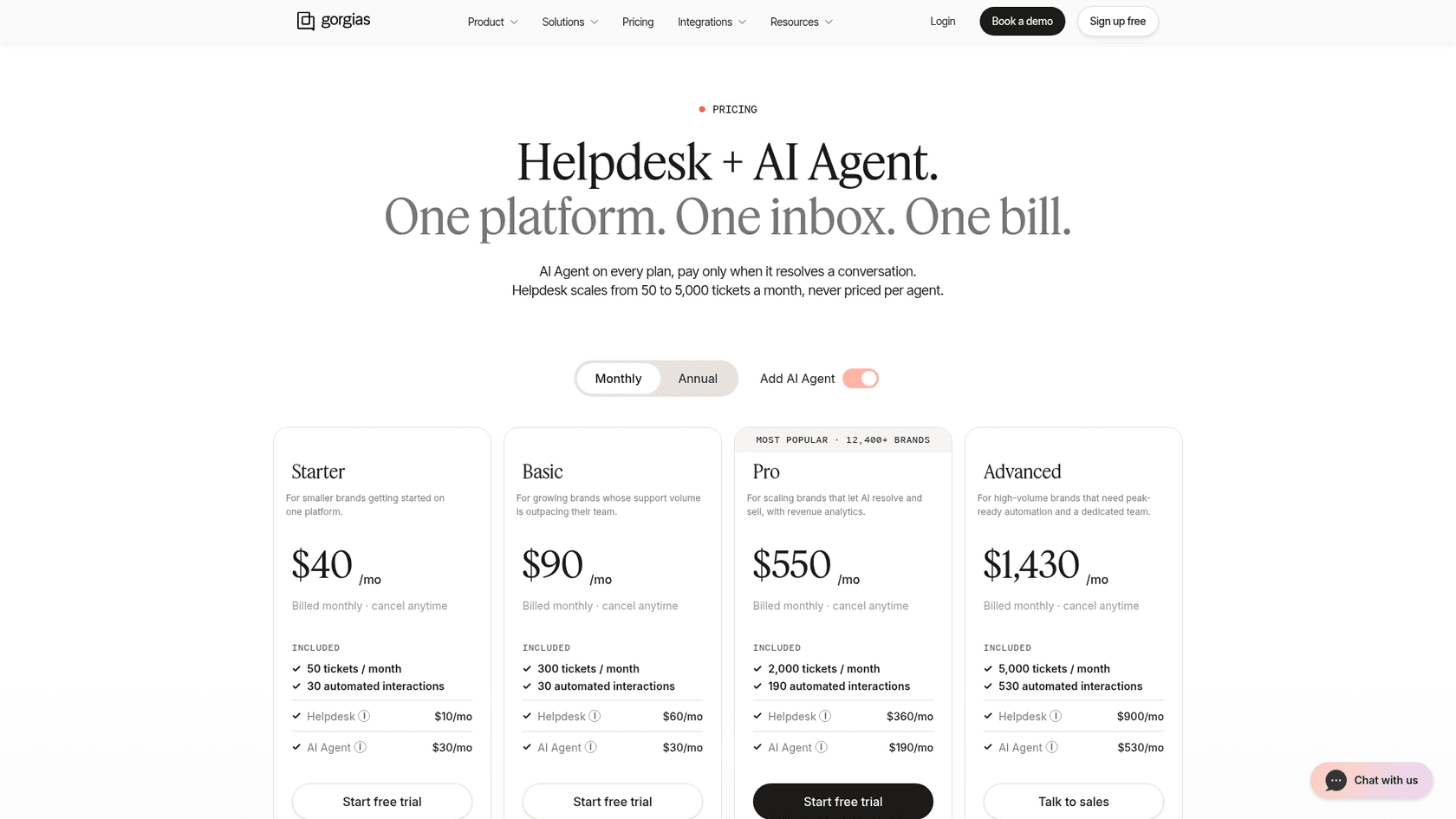
To compare like for like, I'll price every option below for the same store: three people answering 600 tickets a month. On Gorgias that's Basic at $60 plus 300 extra tickets at $40 per 100, so $180 a month. Pro would be $360, so Basic plus extra tickets is the cheaper way there.
Do you need to leave Gorgias at all?
Not always. The gap on WooCommerce has two halves, and only one of them needs a new helpdesk.
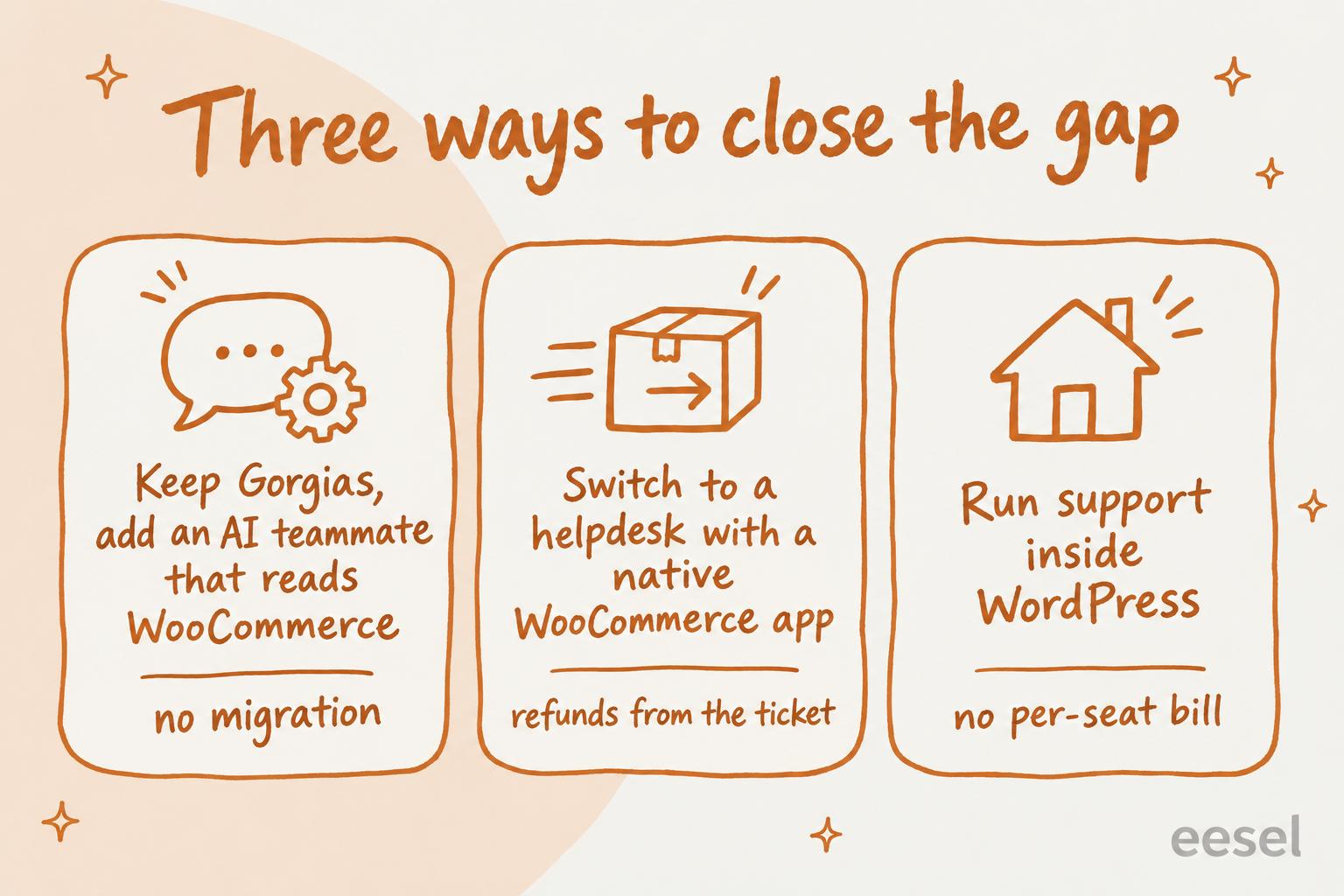
If your agents are happy in the Gorgias inbox and the pain is that nothing answers order questions for them, you can add that without moving. eesel works inside Gorgias tickets, replying or drafting, tagging, assigning and closing (eesel's Gorgias docs). Connect your store too and it looks up WooCommerce orders, customers, products and subscriptions while it handles the ticket, and can add order notes, cancel, or refund through your payment gateway (or record a refund in WooCommerce only) (eesel's WooCommerce docs). Each of those actions can run on its own, ask first or stay off (actions and approvals), so a refund can wait for a person's yes. Its free WordPress plugin connects the store without copying API keys.
If the pain is the agents themselves clicking out to WordPress to refund, or a per-ticket bill that grows faster than your team, then a different helpdesk is the fix. Those are the six below. For AI tools that sit on top of Gorgias rather than replace it, see Gorgias AI Agent alternatives.
How I chose these six
I kept only helpdesks a WooCommerce store can actually run on, and checked each against the three things Gorgias doesn't do there: change an order from the ticket, let its AI read WooCommerce orders, and price that a small team can predict. Every price, plan and limit below comes from the vendor's own pricing page, docs or marketplace listing, checked on 24 and 25 November 2026. I priced each one for the same three-person, 600-tickets-a-month store.
The six alternatives at a glance
Prices are monthly billing for the same store: three people, 600 tickets or conversations a month, before any AI charges.
| Option | WooCommerce app built by | Change an order from the ticket | AI reads WooCommerce orders | Three people, 600 tickets |
|---|---|---|---|---|
| Gorgias (for reference) | Gorgias | No | No, AI Agent is Shopify-only | $180 |
| Re:amaze | Re:amaze | Refund, order and payment status, notes | Yes | $74 on Starter |
| eDesk | eDesk | Documented for Shopify, not WooCommerce | Not documented for WooCommerce | $165 |
| Fluent Support | Runs inside WordPress | No, but WooCommerce admin is the same dashboard | Only through its MCP server | $129 a year |
| Zendesk | Zenplates ($10 a month) | Status, refunds, addresses, coupons, notes | No prebuilt action; custom API calls | $217 |
| Help Scout | OPMC ($99 a year) | No | No, Scout can't read store data yet | About $98 |
| Freshdesk | MorfDev (paid) | Refunds, cancel, shipping address | No WooCommerce workflow | $105 plus the app |
The 6 best Gorgias alternatives for WooCommerce
1. Re:amaze
Best for: WooCommerce stores that want the closest thing to Gorgias, with the order actions and AI that Gorgias keeps for Shopify.
On WooCommerce. Re:amaze's WooCommerce setup article says it "integrates natively with WooCommerce and WordPress", and lists what agents can do from the conversation: process refunds, update order and payment status, add order notes and see shipping and tracking. Those are the exact buttons a Gorgias WooCommerce sidebar doesn't have.
AI. Its AI Agent names "WooCommerce products/orders" as a knowledge source, right next to Shopify's, on chat, email and SMS. The docs describe it answering from order data; the refund and status actions are documented for human agents, not the AI.
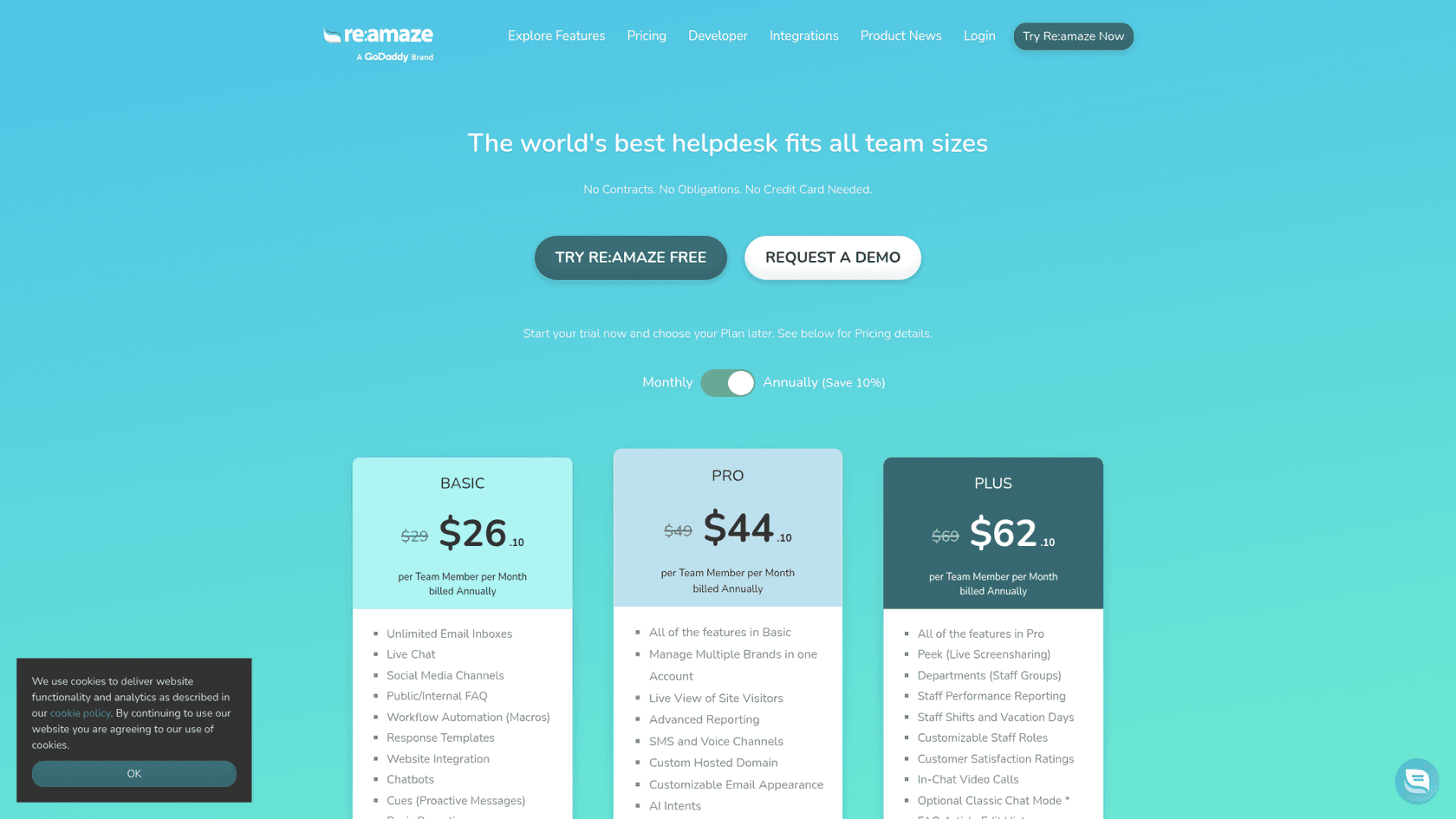
What you'd pay instead of Gorgias. Basic is $29, Pro $49 and Plus $69 per user a month (pricing; more in Re:amaze pricing). Starter is a flat $59 a month for unlimited users and 500 conversations, with more at $15 per 100 (Re:amaze's app listing). For the example store that's $59 + $15 = $74 a month, against $180 on Gorgias. AI resolutions cost $0.85 each beyond what a plan includes, and Starter includes none (AI billing doc).
What you give up. Pro features, if you stay on Starter. Starter has Basic's features only; SMS, voice and more than one brand need Pro at $49 per user, or Volume Pro, whose price isn't published (pricing). Re:amaze also offers a free native migration tool for stores leaving Gorgias (migration tools), so the move itself costs less than most.
My take: the default pick for a WooCommerce store leaving Gorgias. Skip it if a large team needs Pro features, since those are priced per seat. The deciding factor is that the store app is native and writes back to the order.
2. eDesk
Best for: stores that sell on WooCommerce and on marketplaces such as Amazon or eBay, and want one inbox for all of them.
On WooCommerce. eDesk builds its own WooCommerce app and puts "all WooCommerce customer and order data automatically attached to each eDesk ticket" (App Store listing). You connect it with WooCommerce REST API keys and forward your support mailbox to it (connection guide). In-ticket refund, cancel and replacement orders are documented for Shopify; I found no WooCommerce version of that article.
AI. eDesk's AI Agent runs on "Procedures" you build per type of question, sends a reply when it's confident and hands over when it isn't (AI Agent doc). It pulls order details and tracking, though the worked examples are Shopify and WooCommerce isn't named on its AI Agent page.
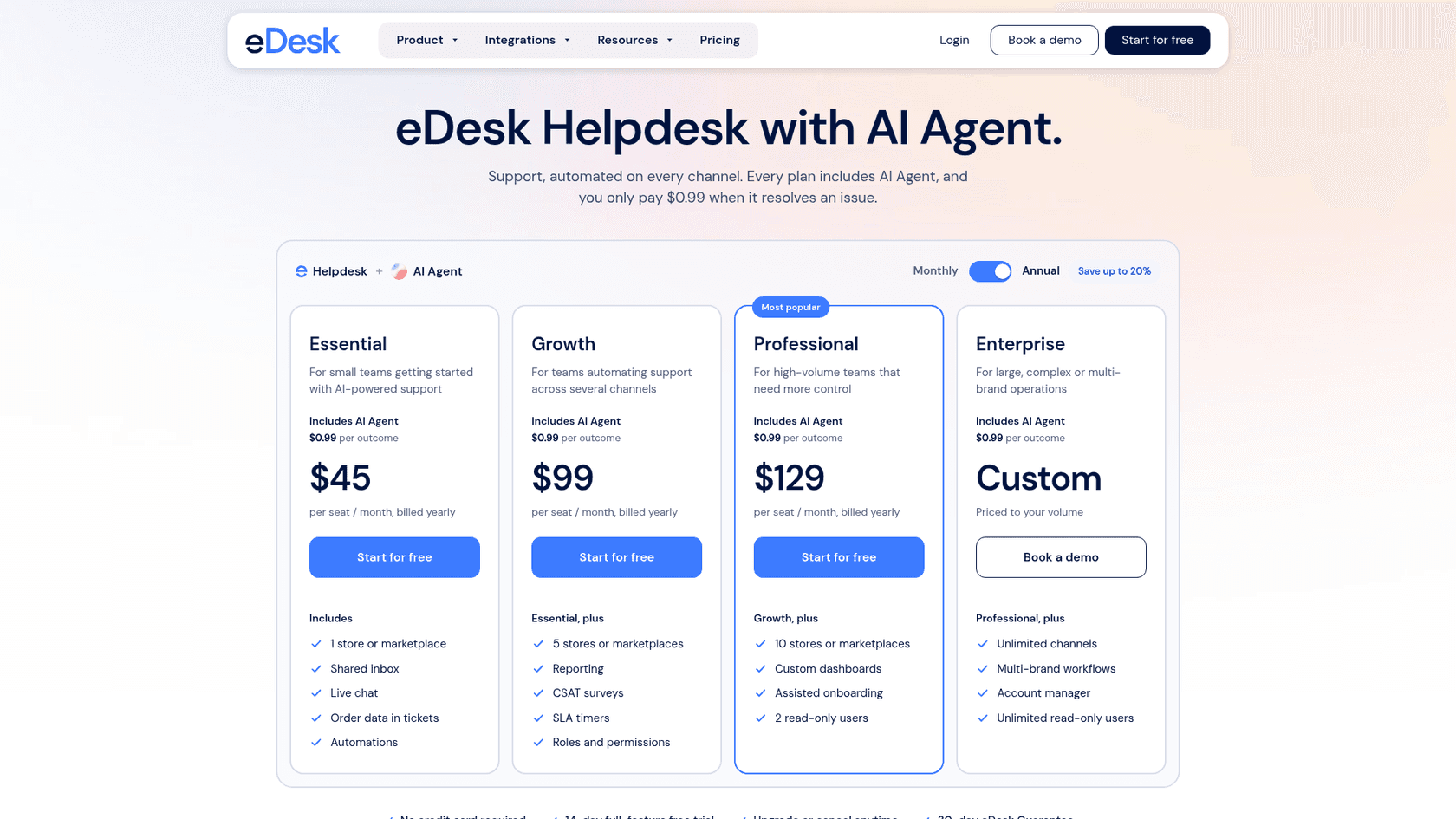
What you'd pay instead of Gorgias. Essential is $55 per seat a month billed monthly, and covers one store or marketplace; Growth ($125 or $99) covers five (pricing). The eDesk pricing guide has the full plan table. For the example store: 3 × $55 = $165 a month. AI Agent is $0.99 per outcome, which is a reply sent or an action taken, once per ticket.
What you give up. Gorgias's per-ticket pricing, since eDesk bills per seat, and a cheap entry plan: eDesk has no equivalent of Gorgias Starter. There's no import from Gorgias in eDesk's docs, and if eDesk is already your helpdesk, eDesk alternatives runs the other way.
"I like that you can integrate a large number of marketplace platforms in one place, and that you can link it directly to key mailboxes."

My take: pick eDesk if marketplaces are a big share of your tickets. Skip it if you sell only on WooCommerce, where Re:amaze does more for less. The deciding factor is how many sales channels feed your inbox.
3. Fluent Support
Best for: small WooCommerce teams that want support inside WordPress, with no per-seat or per-ticket bill.
On WooCommerce. Fluent Support is a WordPress plugin, so it reads WooCommerce from the same install: "You do not need to perform any manual integration steps" (docs). Agents see purchase history in the ticket, and customers can open a ticket against a specific order. No refund or cancel button appears in its docs, but WooCommerce admin is one click away in the same WordPress dashboard.
AI. Pro adds AI drafts and summaries with your own OpenAI, Gemini or Anthropic key, and Fluent Support doesn't charge for the AI beyond the licence (AI setup doc). There's no AI that answers customers on its own. Its MCP server lets an outside AI client read a customer's WooCommerce purchase history inside a ticket.
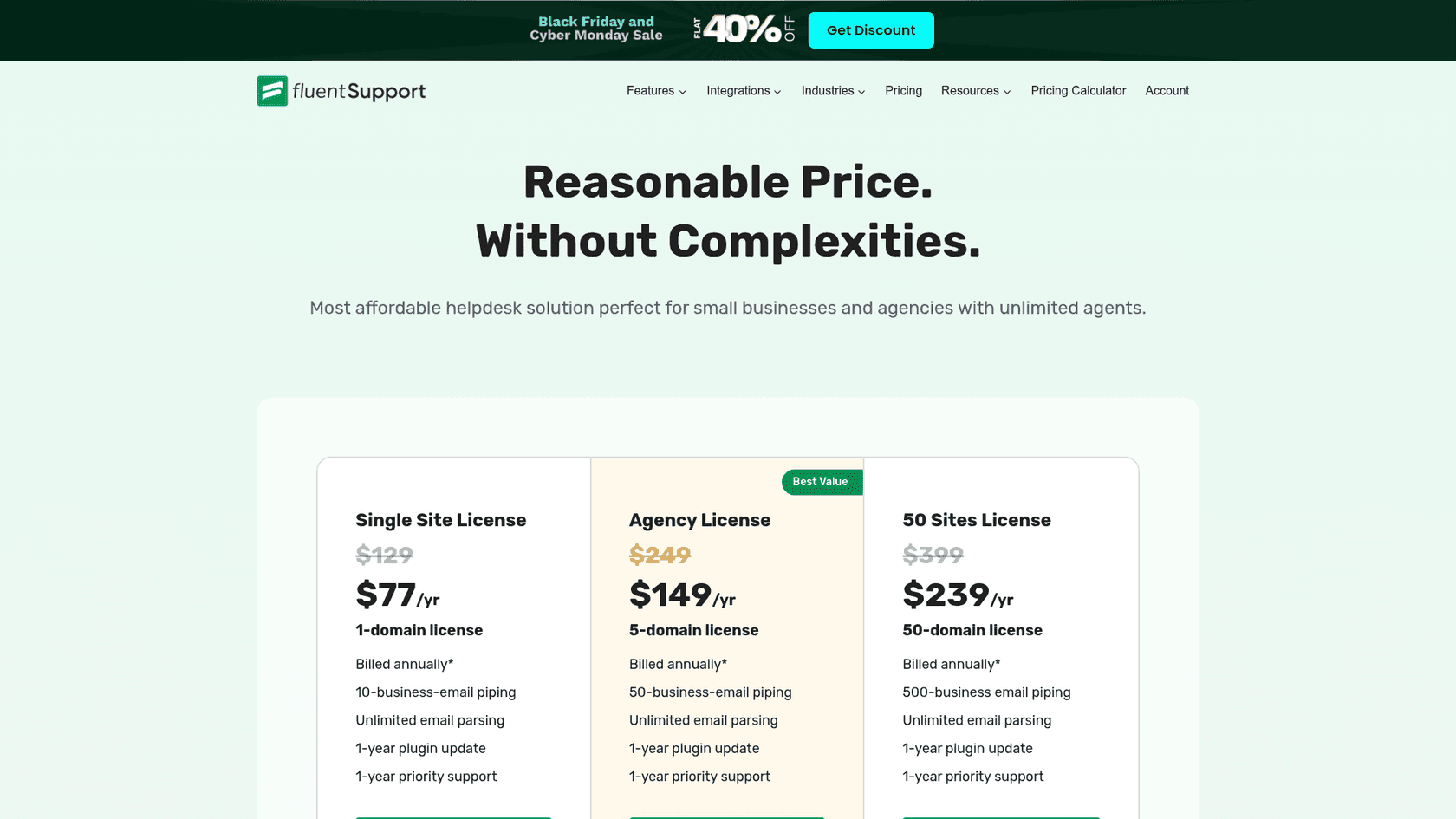
What you'd pay instead of Gorgias. The free plugin has unlimited agents and tickets, but the WooCommerce integration, email piping and AI are Pro (free vs pro). Pro lists at $129 a year for one site (pricing). For the example store: $129 a year, about $11 a month, whatever the team or volume.
What you give up. Live chat (none is listed in its free vs pro table), social channels in one inbox, and a hosted service: it runs on your own server, so its speed and backups are yours.
My take: pick Fluent Support if email and a ticket portal cover your support and price matters most. Skip it if chat and Instagram are big channels for you. The deciding factor is whether you can live without live chat.
4. Zendesk
Best for: larger teams that want enterprise routing and reporting, and will add a third-party WooCommerce app to get order actions.
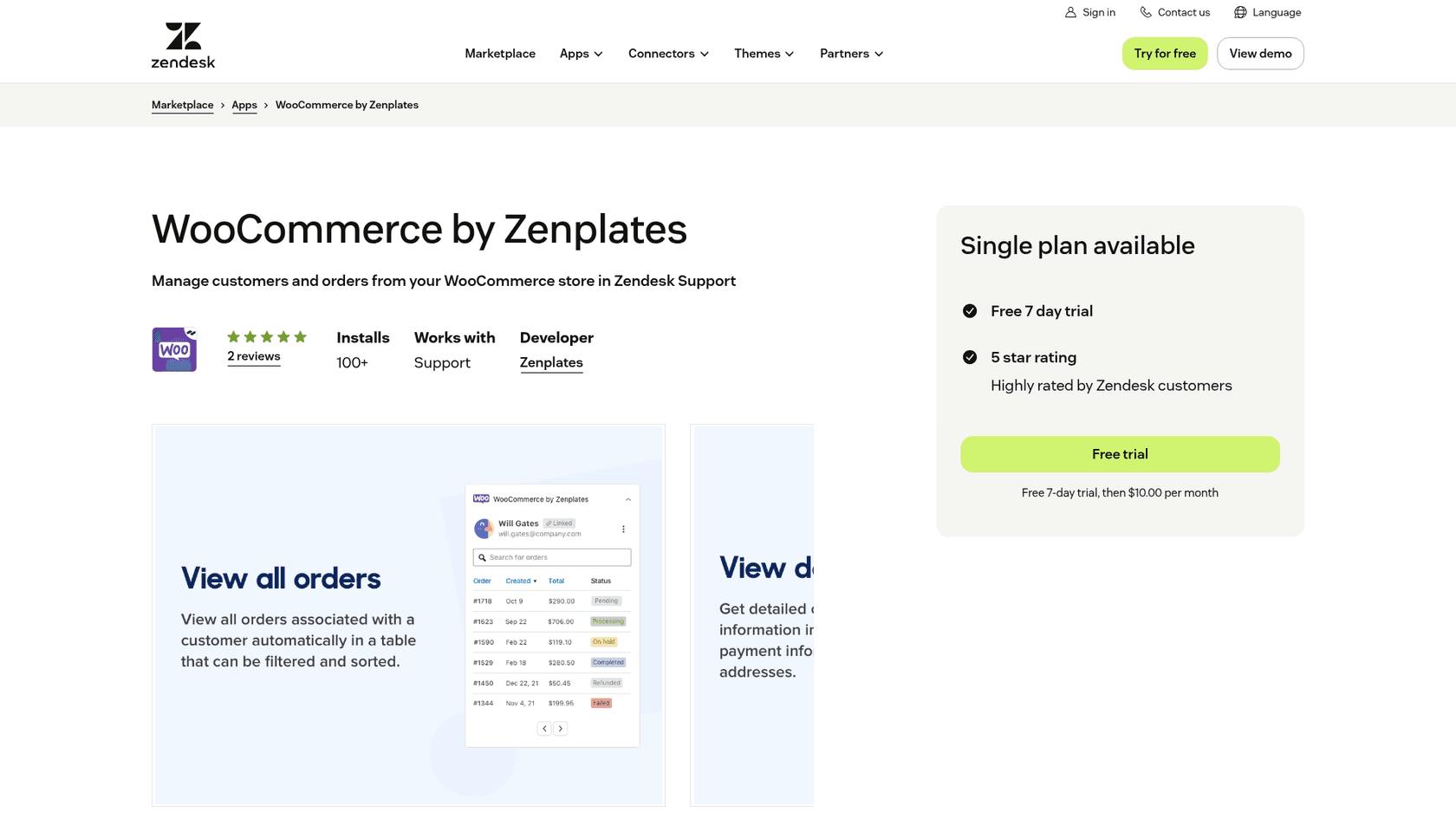
On WooCommerce. Zendesk doesn't build a WooCommerce app. WooCommerce by Zenplates, $10 a month after a 7-day trial, is the one that writes back: change order status, refund in part or in full, update addresses, apply coupons and add notes from the ticket. That's more than Gorgias lets you do on WooCommerce. The Zendesk WooCommerce integration guide compares all three apps.
AI. AI agents are included on every plan and billed per automated resolution, but Zendesk has no prebuilt WooCommerce order action. Its own help article says to build a custom API call for order status. The price per automated resolution isn't published (Zendesk AI pricing has what is known).
What you'd pay instead of Gorgias. Live chat starts on Suite Team at $69 per agent a month billed monthly ($55 yearly) (pricing). The Zendesk pricing guide covers the other plans. For the example store: 3 × $69 + $10 = $217 a month, the only option here that costs more than Gorgias.
What you give up. Simplicity. You'll set up triggers, views and an outside app to get what Re:amaze does out of the box, and Zendesk doesn't document an import from Gorgias beyond its general ticket import API (migration help).
My take: pick Zendesk if your team is big enough to need its routing, reporting and marketplace of apps. Skip it as a small store. The deciding factor is team size, since you pay per agent and per app.
5. Help Scout
Best for: email-heavy stores that care most about a calm shared inbox and a per-user price, and can refund in WooCommerce.
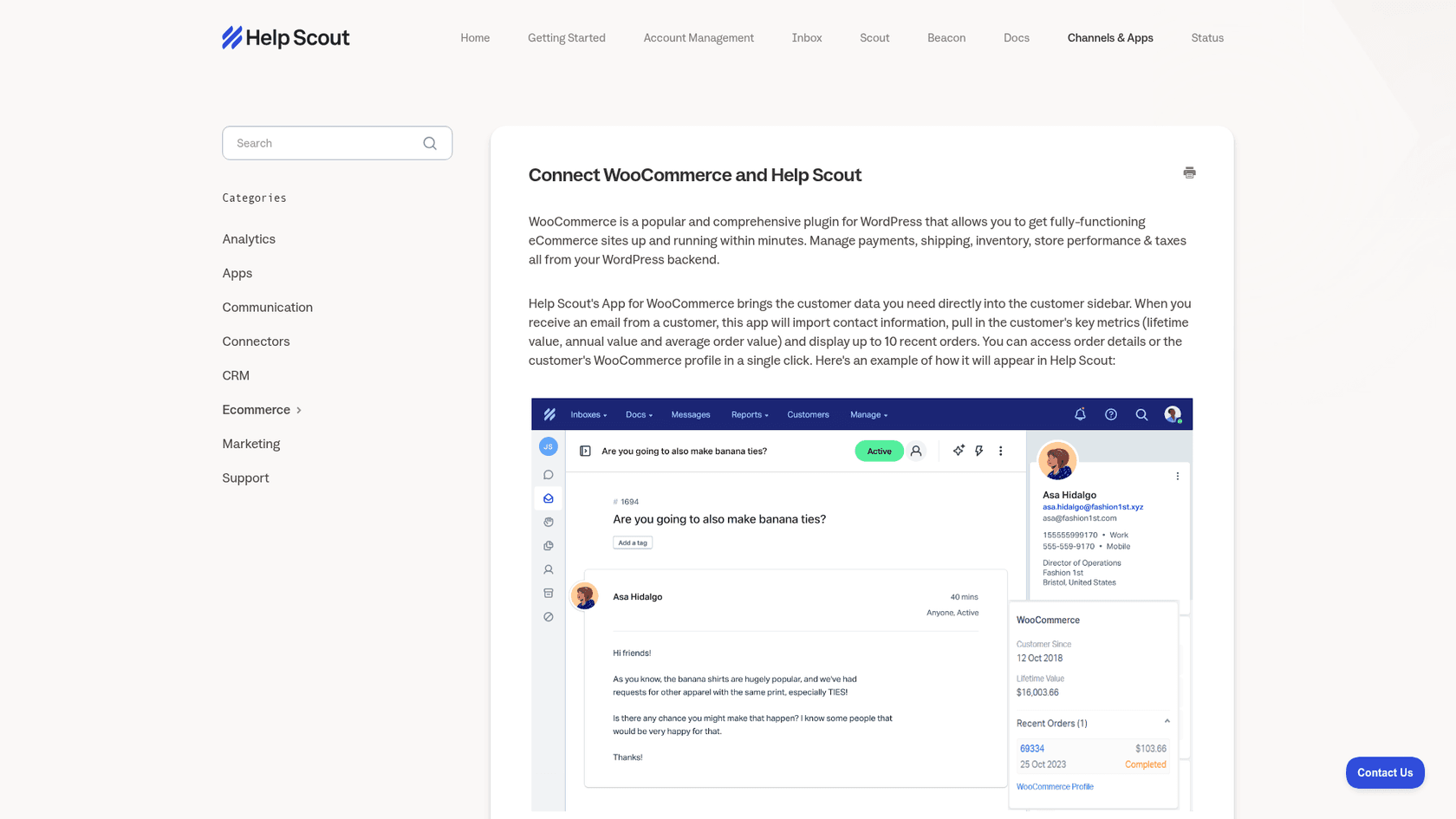
On WooCommerce. The connector is OPMC's Help Scout Integration for WooCommerce, $99 a year on the WooCommerce Marketplace. The sidebar shows lifetime value and up to 10 recent orders (Help Scout docs), and customers get a Get Help button on their orders. It doesn't refund or cancel, so on that point it's level with Gorgias. The listing rates it 2.7 out of 5 from 11 reviews.
"It seems like this plugin has been abandoned. They claim it works with HPOS, but it doesn't...at least not with guest orders."
AI. Scout answers customers at $0.75 per resolution (pricing), but reading apps such as a store is marked "Coming Soon!" on the Envoy page, so today it can't look up a WooCommerce order.
What you'd pay instead of Gorgias. Standard is $30 per user a month billed monthly ($25 yearly) and includes live chat. Full plans are in Help Scout pricing. For the example store: 3 × $30 + $99 a year = about $98 a month. Help Scout imports Gorgias tickets through its partner Import2, without macros, rules or help center articles (import doc).
What you give up. Refunds and order changes from the ticket, which stay in WordPress as they do on Gorgias today, and an AI that reads orders.
Ecommerce teams weighing it against others can read Help Scout alternatives for ecommerce.
My take: pick Help Scout if your pain with Gorgias is the bill, not the missing buttons. Skip it if you wanted refunds from the ticket. The deciding factor is whether the sidebar alone is enough for your team.
6. Freshdesk
Best for: teams that already use Freshworks or want a large helpdesk with a paid WooCommerce connector that can refund.
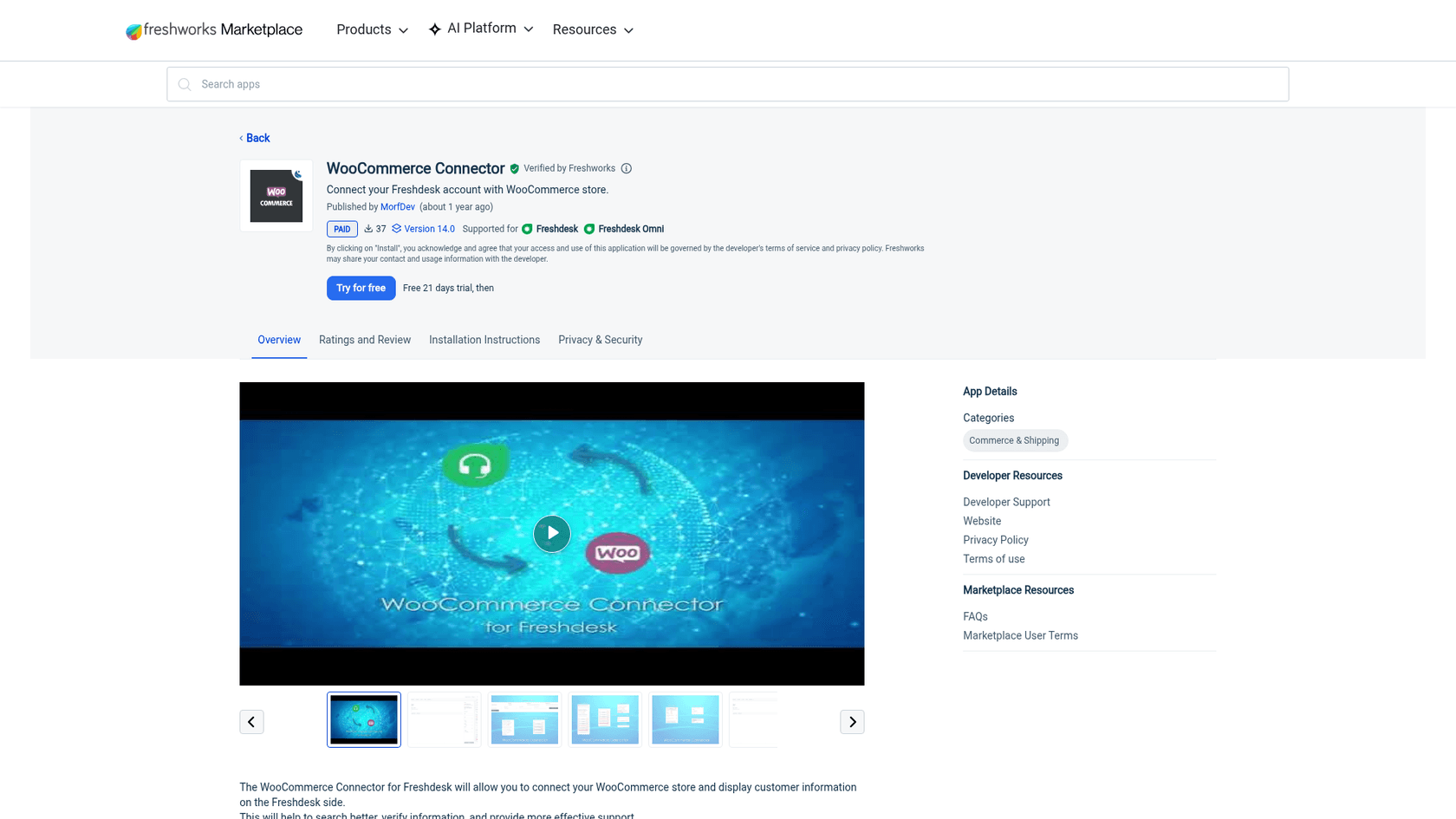
On WooCommerce. Freshworks builds no WooCommerce app. MorfDev's WooCommerce Connector does full and partial refunds, cancels orders and edits shipping addresses from the ticket, with a 21-day trial; its price isn't shown on the listing. The Freshdesk WooCommerce guide compares it with the other connector.
AI. Freddy AI Agent includes 500 sessions once per account, then $49 per 100 (pricing; more in Freddy AI pricing). Its workflow library has order workflows for Shopify, Magento and BigCommerce, and none for WooCommerce.
What you'd pay instead of Gorgias. Plain Freshdesk is email-first; chat needs Freshdesk Omni, from $35 per agent a month billed monthly ($29 yearly) (Omni pricing). See Freshdesk pricing for every plan. For the example store: 3 × $35 = $105 a month plus the connector.
What you give up. A price you can see up front, since the connector's isn't listed, and AI that knows your store without building it yourself.
My take: pick Freshdesk if your company already runs on Freshworks. Skip it otherwise; Re:amaze gives you the same refunds natively for less. The deciding factor is what the rest of your team already uses.
Which Gorgias alternative fits your store?
Every option above fixes a different part of the Gorgias gap; the wider Gorgias alternatives list covers stores on any platform. Pick the reason you're looking, and the chooser shows where I'd start.
Pick what's pushing you off Gorgias to see the pick, what it costs the three-person example store and the catch.
How do you move off Gorgias without losing history?
Plan the export before you cancel, because Gorgias's self-serve exports are thinner than most people expect. Exporting a view gives you a CSV of ticket details (tags, channel, assignee, customer email, dates) for up to a million tickets, but no message text. Exporting from an analytics drill-down adds the public messages, for the most recent 30 days and up to 100,000 tickets, without internal notes. Message bodies, macros and help center articles come out through a custom export you request from Gorgias support (export doc; help center articles).
Then mind the contract. Cancelling takes effect at your next renewal, and Gorgias "isn't required to issue a refund" (cancel doc). Its Master Subscription Agreement asks for notice of non-renewal 30 days before an annual term ends, or 5 days before a monthly one.
A sequence that works:
- Ask Gorgias support for the custom export of messages and macros, and save your help center articles.
- Start the new helpdesk's trial and connect WooCommerce first, so customer profiles match on email from day one.
- Import the history with the new tool's importer: Re:amaze's free Gorgias tool, Help Scout's Import2, or Gorgias's listed partner Help Desk Migration.
- Move the email forwarding and the chat widget on a quiet day, and keep Gorgias read-only until the renewal date.
If the history is what's keeping you, that's the strongest case for the other route: keep Gorgias and add what it doesn't do on WooCommerce.
Try eesel in your Gorgias, with your WooCommerce orders
If you like the Gorgias inbox and the missing piece is AI that knows the order, connect Gorgias and your store to eesel before you plan a migration. It reads past tickets and macros from Gorgias, works the tickets inside Gorgias, and looks up the live WooCommerce order before it answers. You choose what it may do: you might let it look up orders and add notes on its own while every refund waits for a teammate's approval, and it never touches what you've switched off (actions and approvals). Question Beauty runs eesel on Gorgias with a Shopify store: in a month it handled about 990 Gorgias tickets and looked up about 290 orders before answering. With WooCommerce connected, the order lookups go to your store instead, and the same teammate can answer on WhatsApp or in a WooCommerce chatbot. Developers can also reach a store from Claude through the WooCommerce MCP server.

If you're moving to Re:amaze, Zendesk, Freshdesk or Help Scout instead, eesel joins those too. Try eesel free with 100 credits for 7 days, no card, and test it on drafts in a few real tickets before it replies to anyone.