

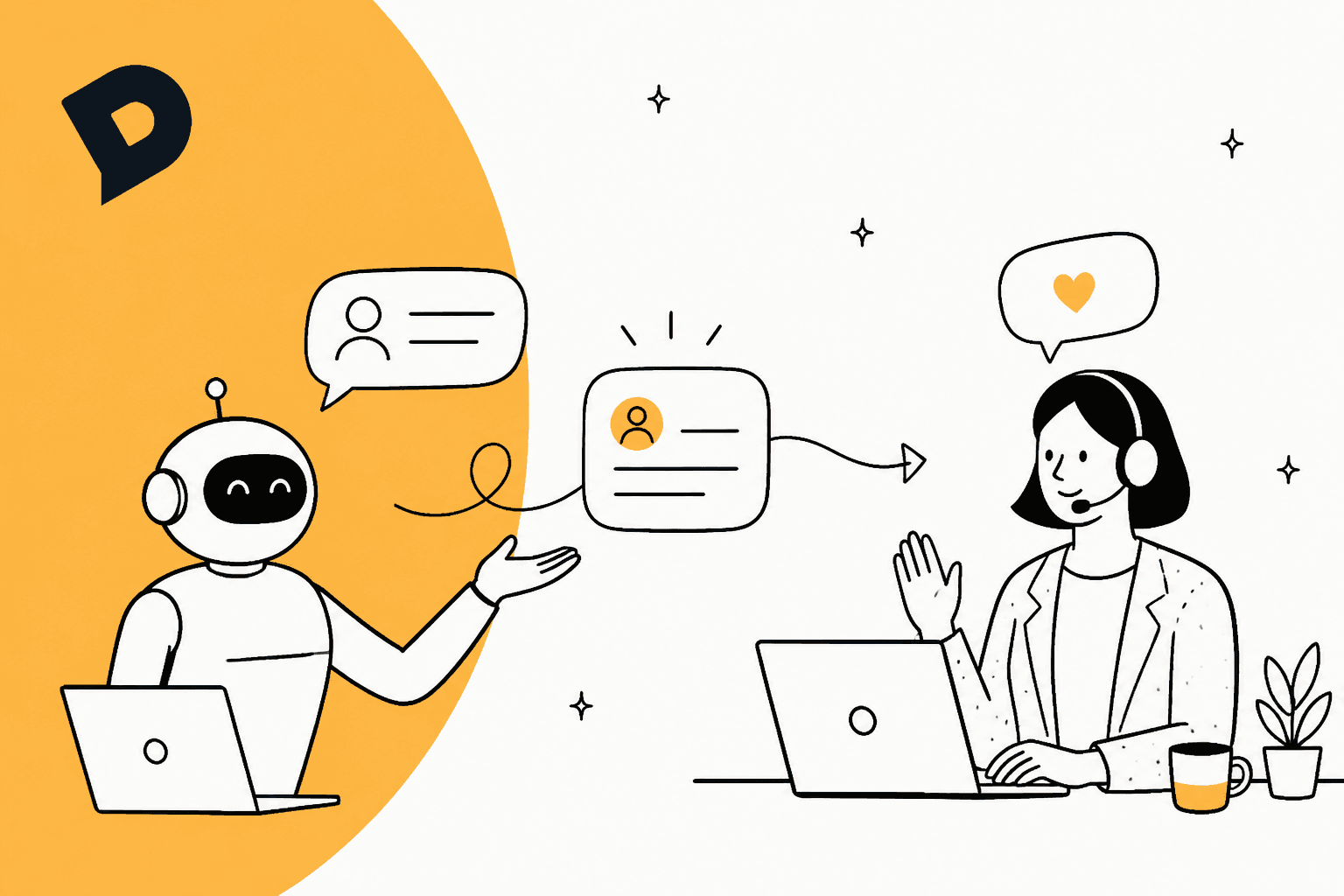
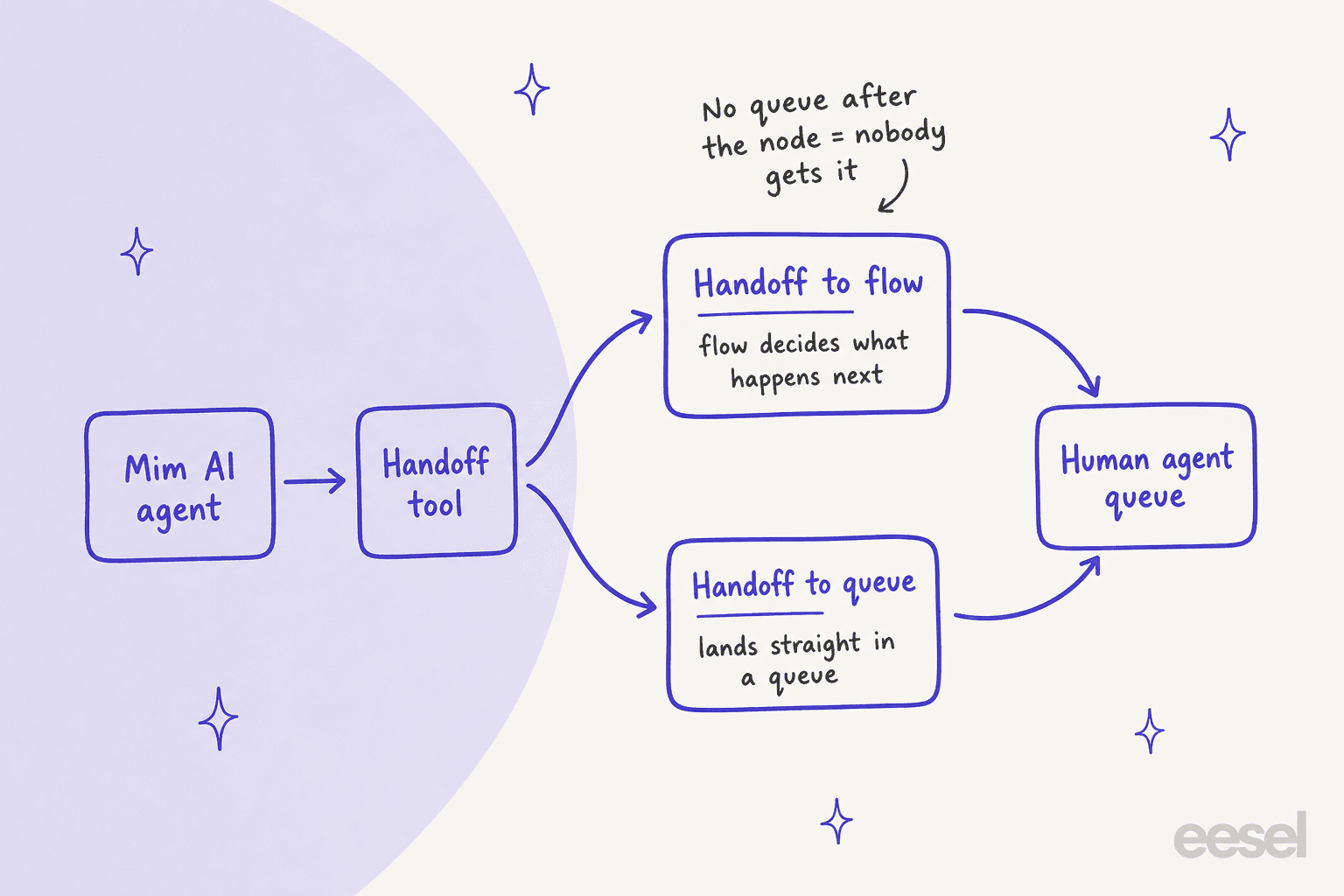
In Dixa, Mim escalates by calling a handoff tool, and the conversation then returns to your flow or lands in a queue you chose. Every Mim agent ships with an "Escalate to a human" handoff, and Dixa bills EUR 0.40 for each AI conversation whether Mim resolves it or hands it over. The trap I would check first: a handoff to a flow only works if a queue sits after the AI agent node, and nothing in the default setup covers a 2 AM request for a person.
eesel has no Dixa integration. On Zendesk, Freshdesk, Gorgias, Front or Help Scout, the AI helpdesk teammate hands refunds and requests for a person to your team. With the eesel CLI, an AI coding agent can upload approved escalation rules as knowledge and ask test questions before anything goes live. Connecting the helpdesk itself still needs an admin to approve it.
How does Mim hand a conversation to a human?
Through a tool, not a setting. Dixa's Handoff article says every Mim AI agent comes with a pre-configured handoff that recognises when a customer asks for a person. Its description tells Mim to call it when the user asks for a human or confirms they want to be connected.
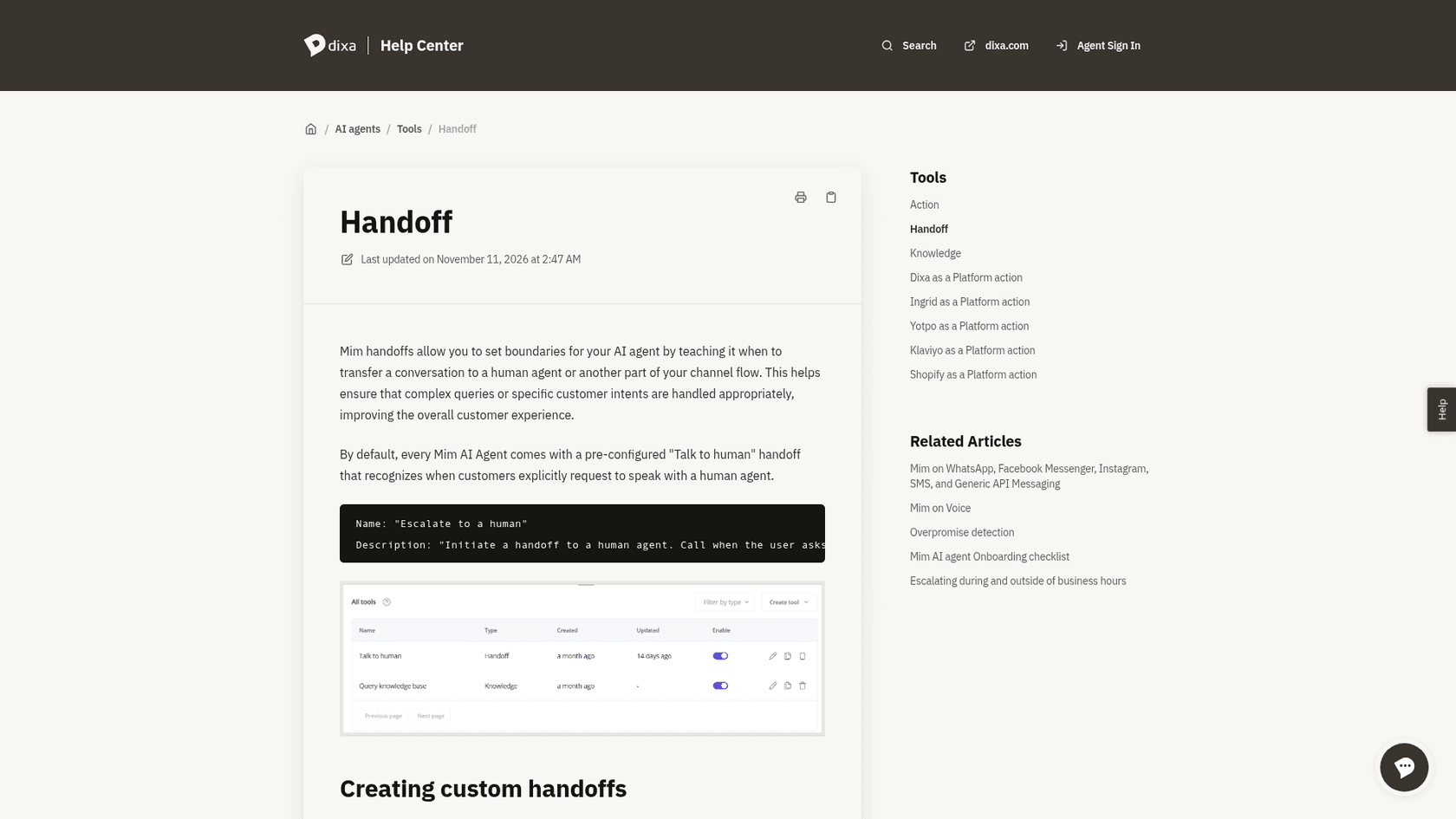
I run support on eesel's own side of this problem every day, so the thing I look for in any vendor is where the trigger lives. In Dixa it lives in the tool's name and description, which Mim reads to decide when to call it. You can add custom handoffs under the AI agent's Tools, for example one that sends pricing questions to sales and another that sends cancellations to support. Dixa's advice is to give each a distinct description with example phrases, so two handoffs don't compete.
Dixa also ships two default instructions that decide when Mim offers a transfer without being asked, per its custom instructions article:
- Proactive handoff: if the user needs further help, offer to transfer them to a human colleague.
- Contact details: when sharing support contact details, offer to transfer the user to an agent.
If those don't match how your team works, the article says you can edit, disable or remove them. That matters more than it looks, because an offer to transfer is the usual way a conversation leaves Mim.
Where does the conversation go: a flow or a queue?
You pick one of two behaviours when you create a handoff, and the wrong pick fails quietly.
| Behaviour | What happens | Use it when |
|---|---|---|
| Handoff to flow (default) | The conversation returns to the flow where the Mim node sits and continues from the node's next step | You want the flow to check business hours, show a contact form or route per channel |
| Handoff to queue | The conversation goes directly to a queue and skips the rest of the flow | The same agent runs on several channels, or a team such as sales or claims has its own queue |
Here is the part I would tell a new admin first. If the path after the AI agent node doesn't lead to a queue, the conversation can end without ever reaching an agent. Dixa's own article says Mim has handed off but nobody receives it. One Mim agent can sit in a Messenger flow and two email flows, and each needs its own route.
For the support queue itself, Dixa's offer prioritization article sets the order in which a waiting conversation is offered. I covered it in Dixa AI conversation prioritization, and the short version is below.
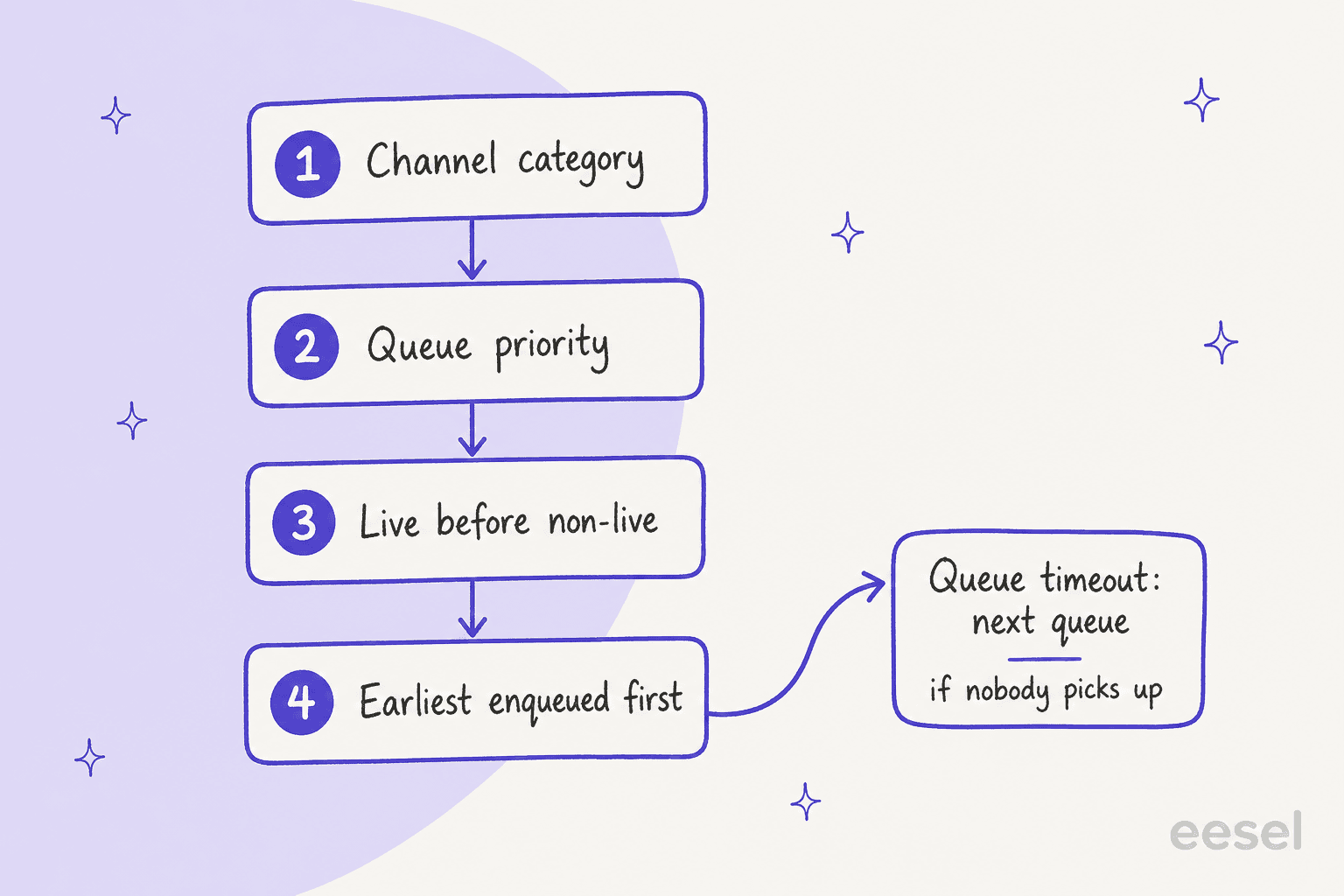
A queue timeout is the built-in net for an escalation nobody picks up: after the time you set, the flow triggers a new action, such as moving to another queue, a voicemail or a contact form. Dixa notes that if you select the same queue again the conversation keeps its position, and that timeouts don't apply to transferred conversations. For the general method, my shared support queue management guide and the ticket escalation process post cover what to watch.
What does the human agent actually receive?
Dixa's Mim product page says the agent gets the full conversation, what Mim already tried, the order and customer details, and the reason it escalated. That is the vendor's description, so I read it as the design intent. The help center is more specific about what you have to build.
Dixa's article on collecting information before handover gives three levels, and it says none is better than the others:
- A prompt that asks. A custom instruction or procedure asks for the order number and the reason, then calls the handoff.
- Custom conversation attributes. Each answer is stored through a Dixa Platform action, so the data arrives structured instead of buried in the chat.
- A form. Mim submits a form that uses those attributes, then must call the handoff straight away without a closing reply.
One limit worth knowing. The contact-form handoff, which fills form fields from the chat so customers don't repeat themselves, works across Messenger, WhatsApp, SMS, Facebook and Instagram but not well for email and voice. Dixa also says those handoffs aren't registered as handoffs in the AI agent's analytics, so handoff figures can understate reality. If you want a recap on top, the EUR 39 per agent Copilot add-on lists conversation summaries on Dixa's pricing page, and the general idea is explained in AI conversation summarization.
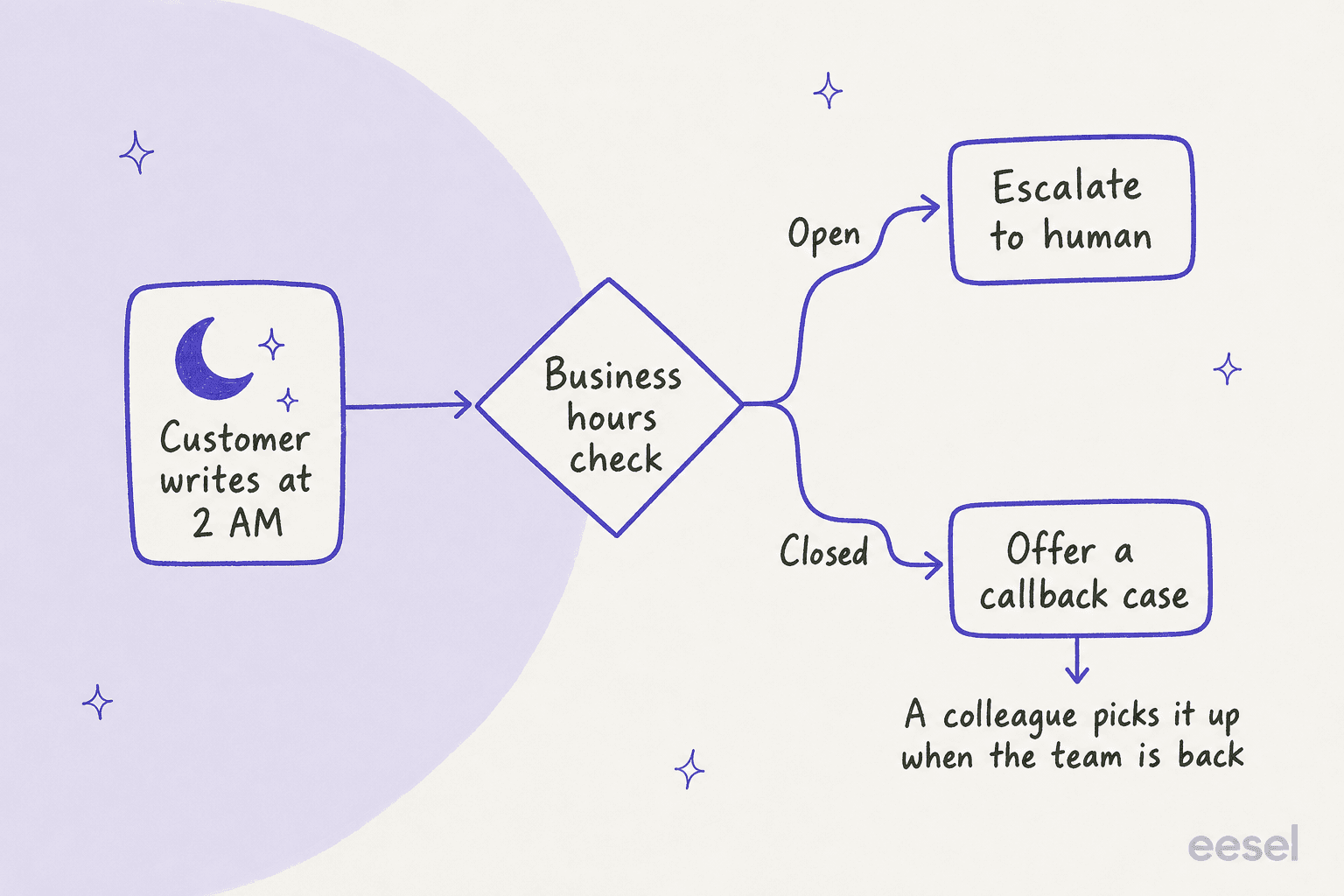
What happens when a customer asks for a human at 2 AM?
By default, a bad experience. Dixa's business hours article describes it plainly: Mim offers a transfer, and the customer gets a "no agents available" message right after.
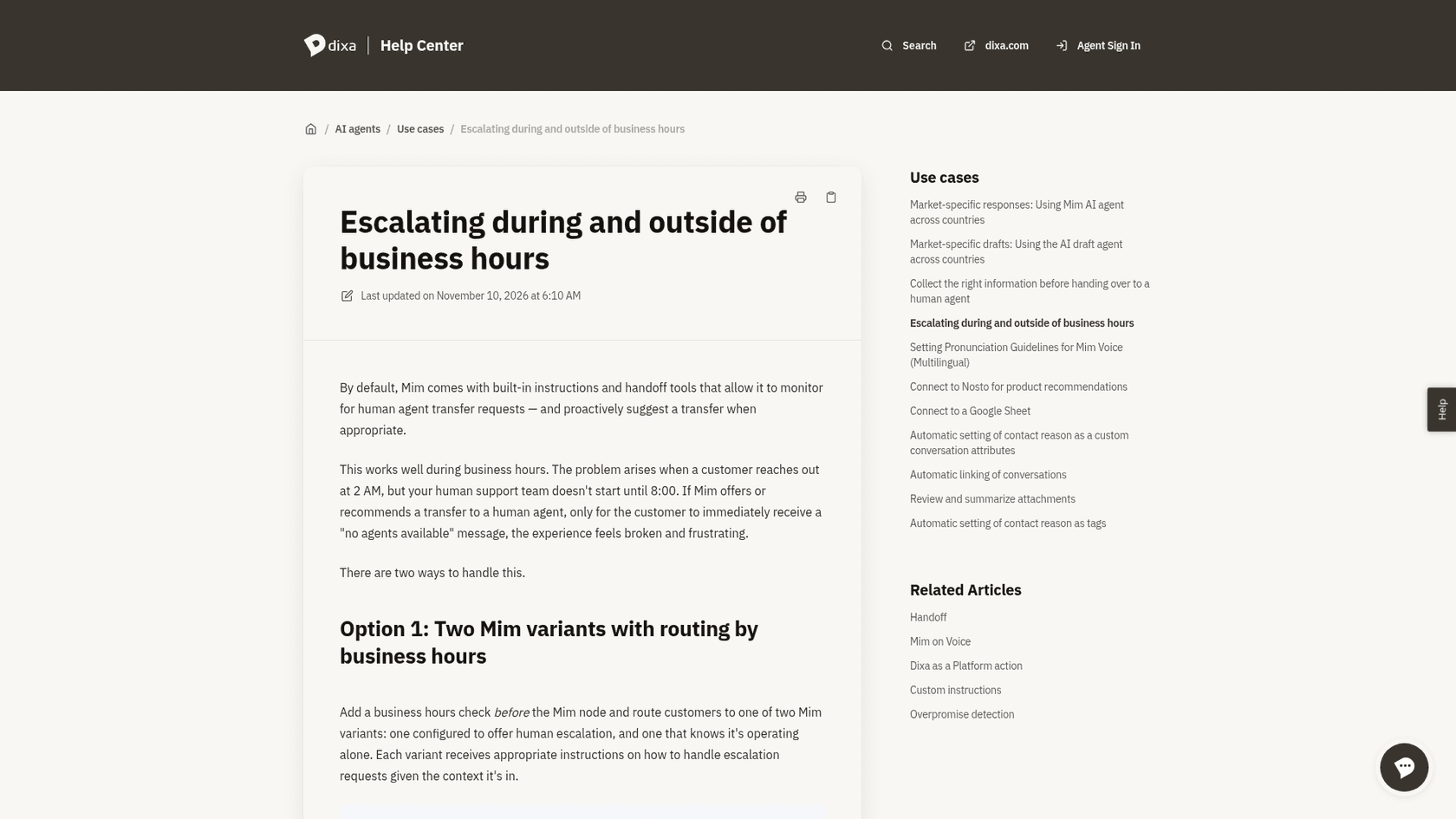
Dixa offers two fixes, and I would pick by how many agents you run.
- Two Mim variants. A business hours check sits before the Mim node and routes to one variant that offers a human and one that knows it works alone.
- One Mim with a check built in. You disable the default Escalate tool, write an escalation procedure, and give Mim a Check Business Hours tool and a Create contact form conversation tool. Inside hours it transfers. Outside hours it offers to file a case for a colleague to review on return.
Schedules live under Settings, Business Hours, per the business hours article. A new schedule defaults to 08:00 to 16:30 on weekdays, takes a holiday calendar, and requires an outside-hours audio message even if you only use it for chat. If nobody covers a channel at night, Dixa's instruction example is blunt: tell Mim not to proactively offer a human. My AI after-hours support guide has the wider pattern.
How does escalation differ by channel?
Setup changes with the channel, and each one has a trap.
| Channel | How handoff is wired | The catch |
|---|---|---|
| Dixa Messenger | AI agent node in the widget flow; you finish the "not succeeded" branch | Out-of-hours contact forms |
| Mim breaks containment and follows your handover flow instead of answering | A contact form from Messenger re-enters the email flow, so filter on channel | |
| WhatsApp, Facebook, Instagram, SMS | No channel flow, so Mim works from an automation triggered on a queue with no agents; a Queue node moves it to the human queue on handoff | Mim never closes a conversation, so you need an inactivity automation |
| Voice (beta) | AI agent node in the phone flow | A call can last up to 7 minutes unless transferred; the default chat-style handoff trigger can fire after almost every answer |
The voice row deserves a second look. The Mim on Voice article says a loosely worded handoff can transfer nearly every call, and recommends replacing it with explicit conditions. For social channels, the messaging article says to keep a clear route to a human for Meta's AI agent rules. The email article covers the filter.
Why does Mim sometimes say it escalated and not do it?
Dixa calls it overpromising, and it documents it openly. Its overpromise detection article describes Mim saying it is escalating while no handoff tool was called, so the customer waits and no agent knows. Dixa lists causes such as a vague tool description, a "reply and escalate" instruction, long procedures and, in rare cases, the model believing it called a tool.
The built-in Overpromise Watchdog checks answers against tool calls. Mim then calls the missed handoff, rephrases or does nothing. Conversations get tags, AI agent recovered promise or AI agent persistent promise, which you can filter in the AI Agents Insights dashboard. Two habits follow:
- Make the handoff the action in your instruction, and put the customer-facing text in the handoff's custom message. Dixa says not to ask Mim to reply and hand off in the same turn.
- Review the persistent-promise tag weekly. It is the closest thing Dixa gives you to a list of customers who were told help was coming.
What does Dixa AI escalation cost?
The handoff has no separate fee; the cost sits in the AI conversation and the person who takes it. Prices below come from Dixa's pricing page, billed in euro.
| Piece | Price | What it does for escalation |
|---|---|---|
| Mim AI agent | EUR 0.40 per conversation | Billed whether Mim resolves it or hands it to your team |
| Team seat | EUR 49 per agent per month, billed annually | The human who takes the handoff |
| Professional seat | EUR 139 per agent per month, billed annually | Adds IVR and skills-based routing for the queue after handoff |
| Copilot add-on | EUR 39 per agent per month | Summaries and drafts for the agent |
| Advanced Insights | EUR 29 per agent per month (included in Enterprise) | Contact reasons and sentiment across AI and human conversations |
| Quality Assurance | EUR 0.10 per review | Scores human and Mim conversations |
| Voice Transcription | EUR 0.012 per minute | Turns calls into searchable text |
A worked example: 2,500 AI conversations a month is EUR 1,000 for Mim, and that figure does not change if half of them escalate. That is the structure Dixa highlights against per-resolution pricing. The flip side, which I'd weigh honestly, is that a Mim that escalates too much still costs the same and then adds a human minute. Dixa also doesn't offer a self-serve trial, so you test this in a guided rollout. My Dixa pricing and Dixa review posts cover the wider cost picture.
How should you test it before going live?
Don't trust the test panel alone. Dixa's testing article says handoffs are listed in the activity log but don't actually go through, and tests aren't assigned to any queue or offered to any agent. Mim also behaves differently by channel, and the test options show Messenger only.
My routine for reviewing AI conversations applies here:
- Send a real message on each live channel asking for a person, once in hours and once out of hours.
- Confirm the conversation appears in the queue you expect, with the attributes filled in.
- Watch the
ai-agent-autotag and the persistent-promise tag for a week. - Track the containment rate and escalation rate together, since a rising containment number can hide customers who gave up. My containment and escalation quality guide shows how.
What do good handoffs look like on other tools?
The design questions are the same everywhere: who decides to escalate, what travels with the conversation, and who owns it afterwards. For a deeper treatment, see AI agent handoff best practices and when AI should hand off. The human-in-the-loop entry defines the pattern.
Here is how three eesel customers do it on helpdesks eesel supports:
- SE Ranking runs one agent per product on Zendesk. Across
4,650conversations in a month, including2,100live chats answered first by eesel, refunds, trial extensions, a request for a person or a question it can't answer go to the team with the customer's name and email. Data quality and API questions become a Tier 2 ticket with the evidence attached. - SamCart replies on Freshdesk tickets only until a teammate picks one up. When a seller asks for a person, or the question goes beyond the help center, the ticket is tagged for handoff and the agent stops replying.
- Nordbutiker, a Swedish e-commerce company selling e-bikes and scooters in four countries, keeps spare parts, warranty and anything the site and past tickets don't cover with a person.
The pattern I'd copy into Dixa is SamCart's: the agent steps back once a person owns the ticket. In Dixa that maps to ending the AI conversation cleanly on handoff and not letting a second flow re-trigger Mim. If you run other tools, I wrote the same kind of walkthrough for Front, Freshdesk, Re:amaze and Zendesk.
Which setup would I pick?
For a Dixa team starting out, I would do five things in this order. First, confirm every flow that contains a Mim node ends in a queue, or use a handoff to queue. Second, rewrite the two default handoff instructions so Mim only offers a human when a person is on shift. Third, collect order number and reason through custom attributes before the handoff. Fourth, add a queue timeout so a missed escalation moves on. Fifth, review the persistent-promise tag every week.
If you want the AI on a helpdesk eesel connects to, such as Zendesk, Freshdesk or Gorgias, the same checklist applies with different screens. If you are still choosing, best Dixa alternatives and best AI for Dixa are where I'd start, and Dixa AI deflection covers how much Mim keeps away from your team.
Try eesel for AI to human handoff
If your helpdesk is Zendesk, Freshdesk, Gorgias, Front or Help Scout, the AI helpdesk teammate works like a new hire who joins your existing queue: it answers from your help center, and hands refunds and requests for a person to your team with the customer's details attached. It does not connect to Dixa today. Pricing starts from $299 a month, and you can try eesel or see it on a call.