Claude Ship alternatives in 2026: 8 tools that review, fix and approve PRs

Kurnia Kharisma

Katelin Teen
Last edited November 25, 2026

The best Claude Ship alternative depends on which of its three jobs you want to replace. For review only, I would start with CodeRabbit or Greptile. For fixing failing CI and review comments, look at Gitar. For policy-based approval, Greptile, Gitar and Cursor Bugbot all ship an approve step, and each is gated or in beta. Most also cover GitLab and Bitbucket, which Claude Ship does not. Run any of them against 20 to 30 of your own past pull requests first. And for the tickets your shipped fixes generate, that is eesel's AI helpdesk teammate, not a code tool.
What are people really searching for when they look for Claude Ship alternatives?
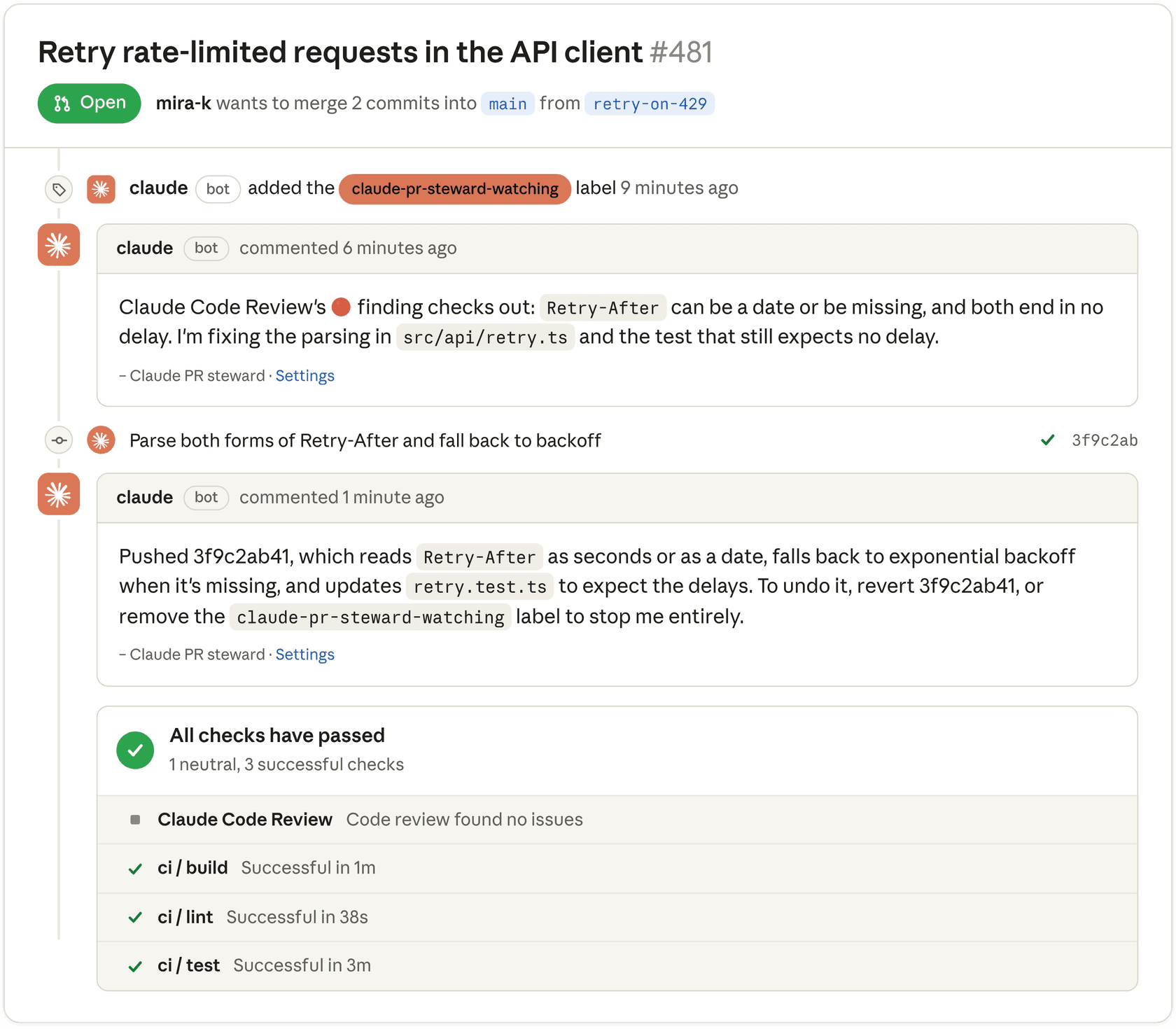
Three different questions share one keyword, and I see it every time I check what buyers type. Claude Ship launched on November 23, 2026 as three GitHub agents: Code Review, PR Steward and Claude Approvals. My Claude Ship review covers how they work. Here the question is what to use instead of each piece, or alongside it.
The shortlist ChatGPT gave me when I asked the question as a buyer would was CodeRabbit, Greptile, Qodo, GitHub Copilot code review and Graphite, with Cursor Bugbot, Kodus and Gitar as extras. I checked each tool's own pricing page and docs on November 25, 2026 rather than trust that list, and sorted them by the job they take over.
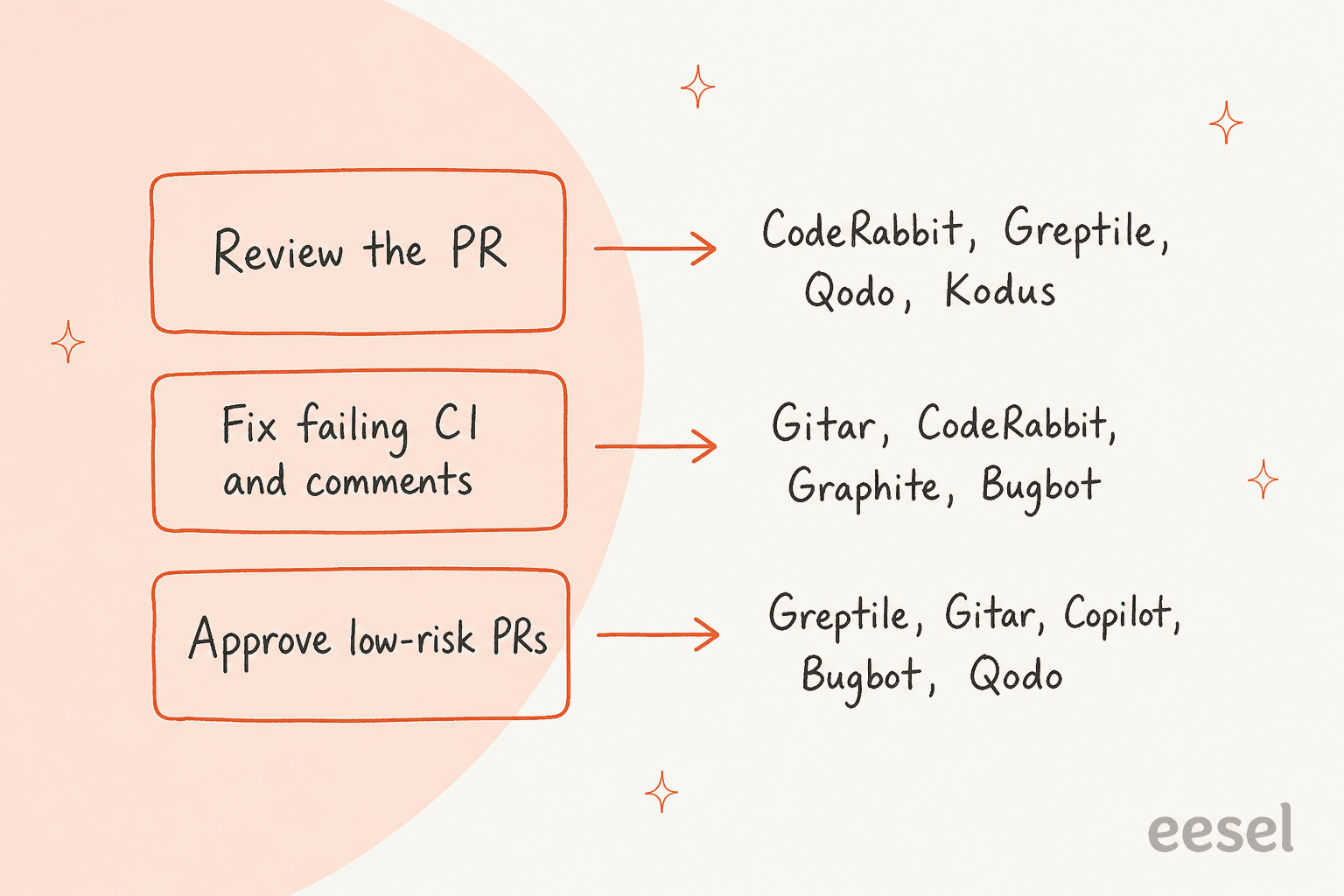
One reading of the map: review is a crowded, mature category, fixing is where tools differ most, and approval is the youngest. Greptile's auto-approve is in beta, Qodo's approval workflows are a research preview, and Claude Approvals itself is beta. Anyone selling "autonomous merge" today is early.
Who can't use Claude Ship at all?
Some readers are not choosing, they are blocked. Claude Ship needs a Team or Enterprise plan, GitHub repositories, and an organization without Zero Data Retention, the HIPAA configuration or customer-managed keys. If any of those fail, the alternatives below are the only route.
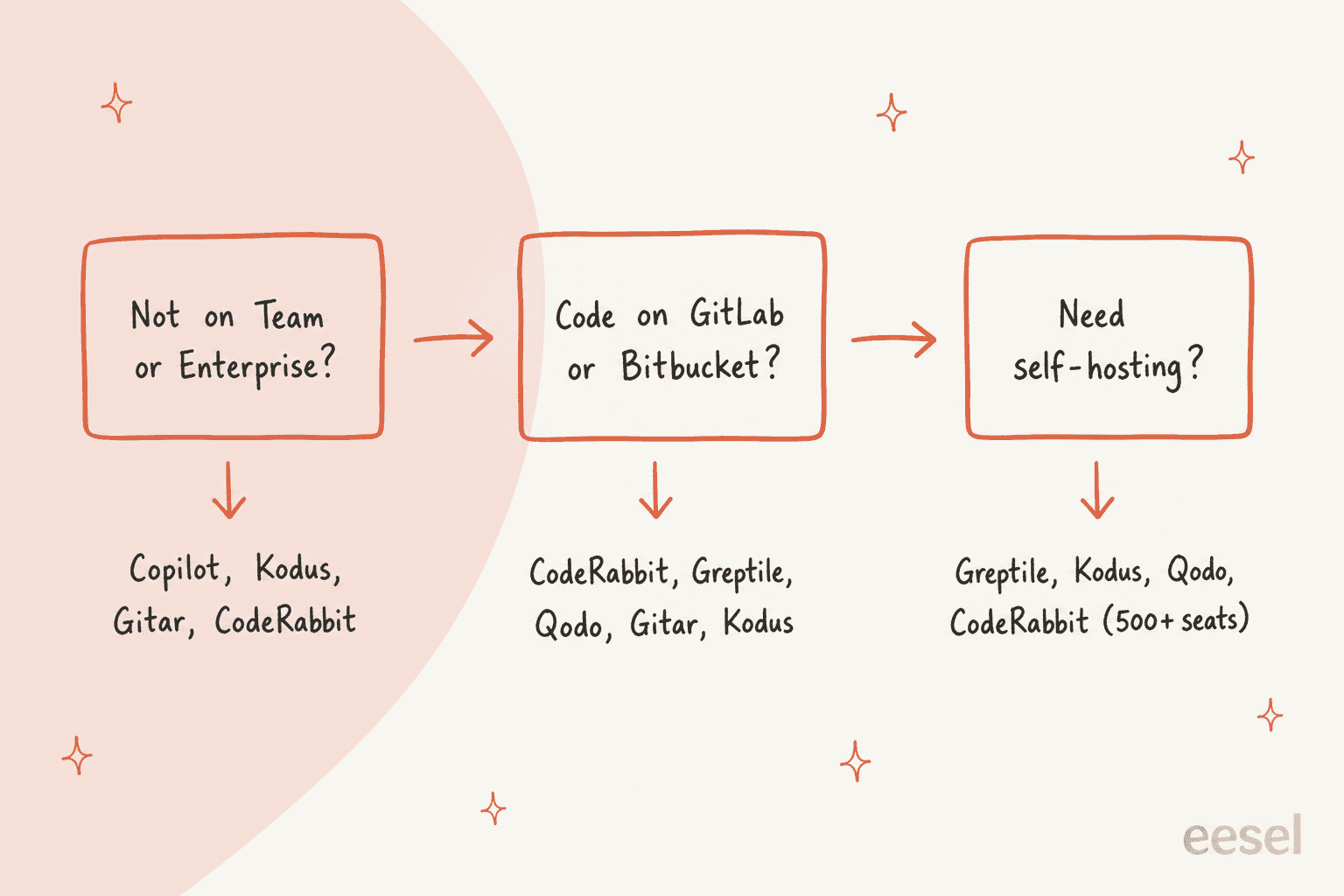
There is a second reason to look around, and a Hacker News commenter put it well on launch day:
"Claude Ship’s advantage is convenience and Github compatibility? But you have to bet that it survives as a product."

Another worried about lock-in:
"proliferation of all these additional tools only confirms that it will get more and more difficult to "just switch the model" in the future."
If you already run Claude Code for writing, a reviewer from another vendor is a fair way to avoid the same model checking its own work. My Claude Code review and the Claude Code GitHub integration guide cover the Anthropic-native route.
How do the Claude Ship alternatives compare?
Every price below comes from the vendor's own page. "Fixes" means the tool pushes or hands off a code change, not just comments.
| Tool | Starting price | Platforms | Fixes code | Approves or merges | Self-host | SOC 2 | Free tier |
|---|---|---|---|---|---|---|---|
| Claude Ship (reference) | Tokens, no flat price | GitHub | Yes (PR Steward) | Approvals, beta | No | Not checked | No, Team and Enterprise only |
| CodeRabbit | $24 per user per month | GitHub, GitLab, Azure DevOps, Bitbucket | Yes, Fix comments | Triage Rules merge ready PRs (Team, $48) | Enterprise, 500+ seats | Type II, ISO 27001 | 14-day trial |
| Greptile | $1 per credit, no seat fees | GitHub, GitLab.com, Bitbucket Cloud | Hands off to your agent | Auto-approve, beta | Enterprise | Type II | Starter: 1 developer, 50 credits |
| Qodo | $30 per month credit pack | GitHub, GitLab, Bitbucket, Azure DevOps | Commit suggested fixes | Workflows, research preview | Enterprise, on-prem | Yes | 14-day trial |
| Copilot code review | In Pro, $10 per month | GitHub, Azure DevOps, IDEs | Apply suggestions | Approvals, off by default | No | Not stated on pages I read | Free plan excludes it |
| Cursor Bugbot | Teams from $30 per user; runs bill $1.00 to $1.50 | GitHub, GitLab, Bitbucket, Azure DevOps | Autofix | PR Routing & Approval | No | Type II, ISO 27001 | No |
| Graphite | $20 Starter, $40 Team per user | GitHub | Chat edits | Merge Queue (Team) | No | Type II | Hobby, limited AI reviews |
| Gitar | $20 Core, $40 Pro per user | GitHub, GitLab, Bitbucket, Azure DevOps | Yes, CI fix loop | Auto-approve and merge blocking (Pro) | Enterprise | Type II, ISO 27001 | 14-day trial; free for open source |
| Kodus | Free, or $10 per developer plus tokens | GitHub, GitLab, Bitbucket, Azure Repos, Forgejo | Not found | Not found | Yes, free | Enterprise | Community plan |
Annual-billing prices are marked where the vendor shows both. For Copilot pricing, Cursor pricing and Claude billing, see my longer notes in those posts.
1. CodeRabbit
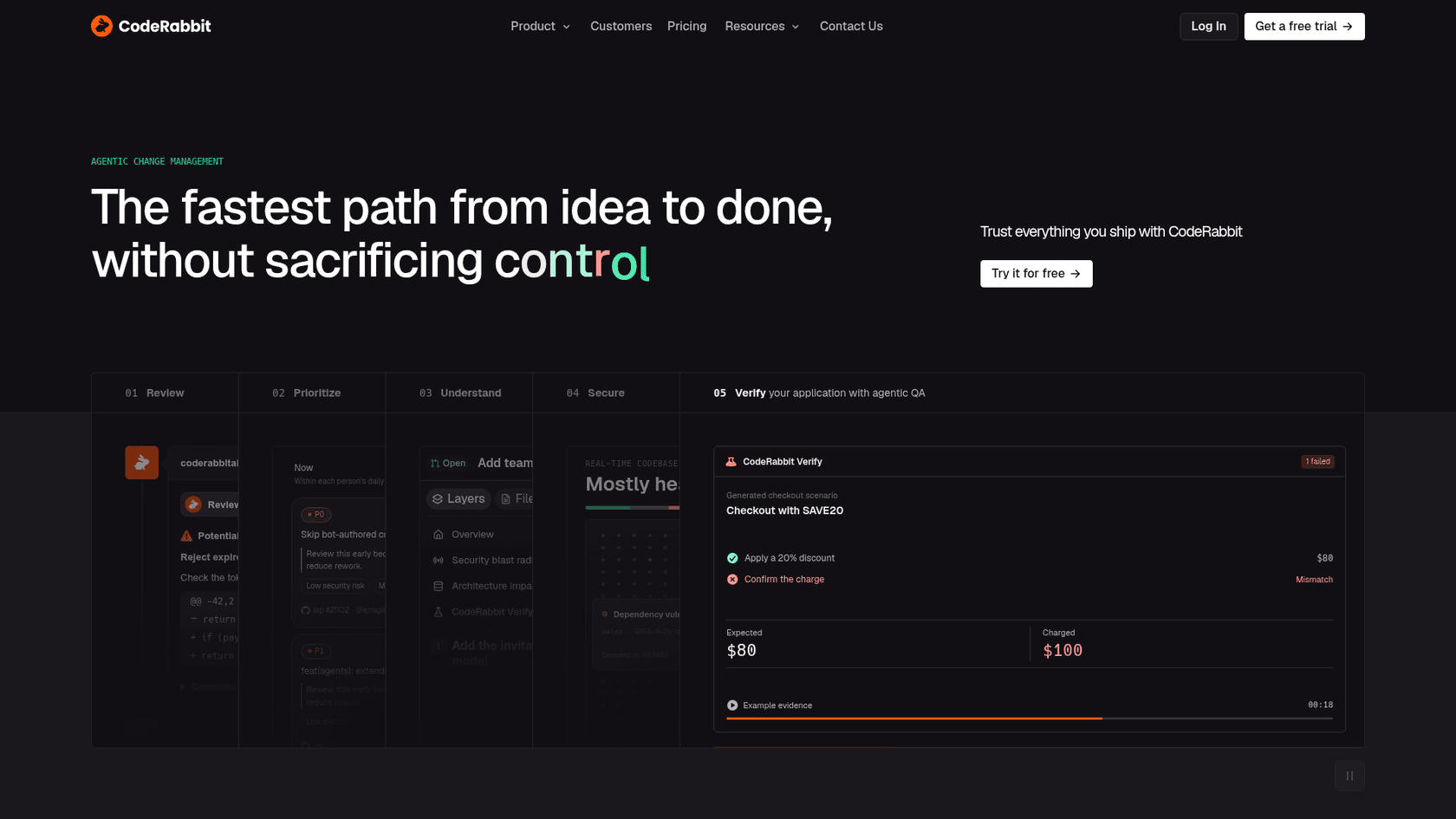
CodeRabbit is the broadest all-round reviewer on the list. It posts a summary and inline findings on every pull request, learns from your feedback, and runs checks before merge. On its pricing page the plans are Essentials at $24 per user per month, Team at $48 and Advanced at $72, with a 14-day trial.
- Price: Essentials $24, Team $48, Advanced $72 per user per month, plus a consumption option beyond five included reviews per developer per hour.
- Platforms: GitHub, GitLab, Azure DevOps and Bitbucket.
- Fixes and approval: Fix comments pushes a commit for unresolved findings on all four hosts. Resolving conflicts and fixing CI sit in Finishing touches on Team and up, as do Triage Rules that merge ready PRs.
- Hosting and security: Self-hosted CodeRabbit is for Enterprise customers with 500 or more seats. Its trust center lists SOC 2 Type II and ISO 27001. CodeRabbit says it shares code with OpenAI or Anthropic only for reviews.
Where it falls short: it is priced per seat, so a large team pays whether or not it opens many pull requests, and the Triage and merge automation starts at the $48 tier.
Verdict: pick it if you want the closest thing to a standard review bot across any Git host. Skip it if you only have a few developers and want pay-per-review.
One user on Hacker News described the review loop this way:
"My CodeRabbit will find comments to add every time and cycles through multiple loops."
2. Greptile
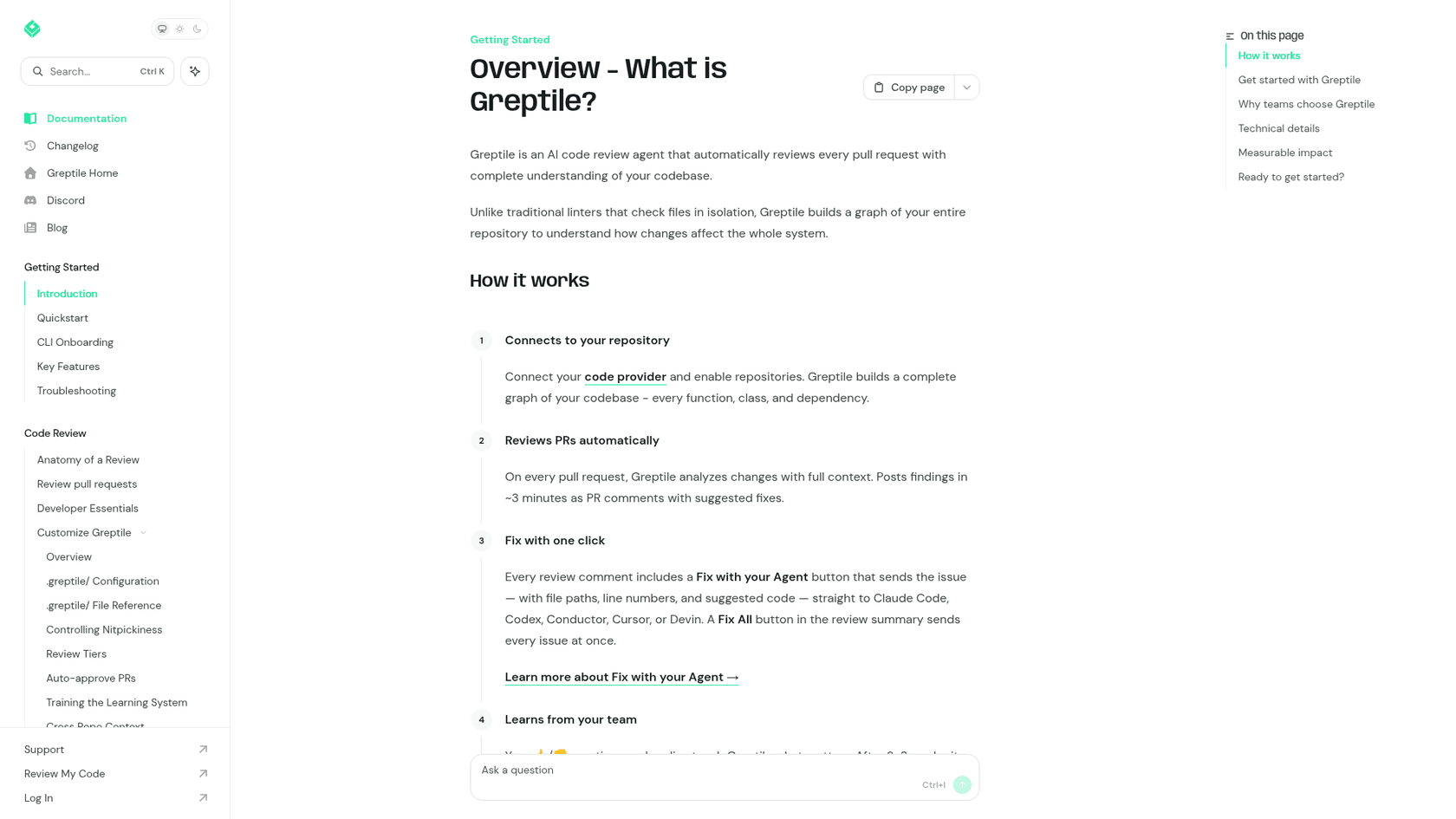
Greptile builds a graph of your repository and reviews each pull request against it, posting findings in about three minutes per its docs. It is the only tool here that prices per review with no seat fee: Pro is $1 per credit, shared across the organization.
- Price: Starter is free for one developer with 50 credits a month. Pro is $1 per credit: a base review costs 1 credit, Plus 3, Apex 10. Pre-Series A startups get 500 free credits a month for six months.
- Platforms: GitHub, GitLab.com and Bitbucket Cloud on every plan. GitHub Enterprise Server, GitLab Self-Managed, Bitbucket Data Center and Gitea need Enterprise.
- Fixes and approval: every comment has a "Fix with your Agent" button that sends the issue to Claude Code, Codex, Cursor or Devin, so it does not push the fix itself. Auto-approve is in beta and only fires on a clean 5/5 review; you can cap the risk level it may approve.
- Hosting and security: Docker Compose or Helm self-hosting, including air-gapped, on Enterprise. SOC 2 Type II.
Where it falls short: credits are metered, so a busy repository with Apex reviews needs a budget, and the approval feature defaults to no cap on risk until you set one.
Verdict: pick it if you want codebase-aware review, per-review billing, and a choice of coding agent to apply fixes. Skip it if you want the reviewer itself to push commits.
3. Qodo
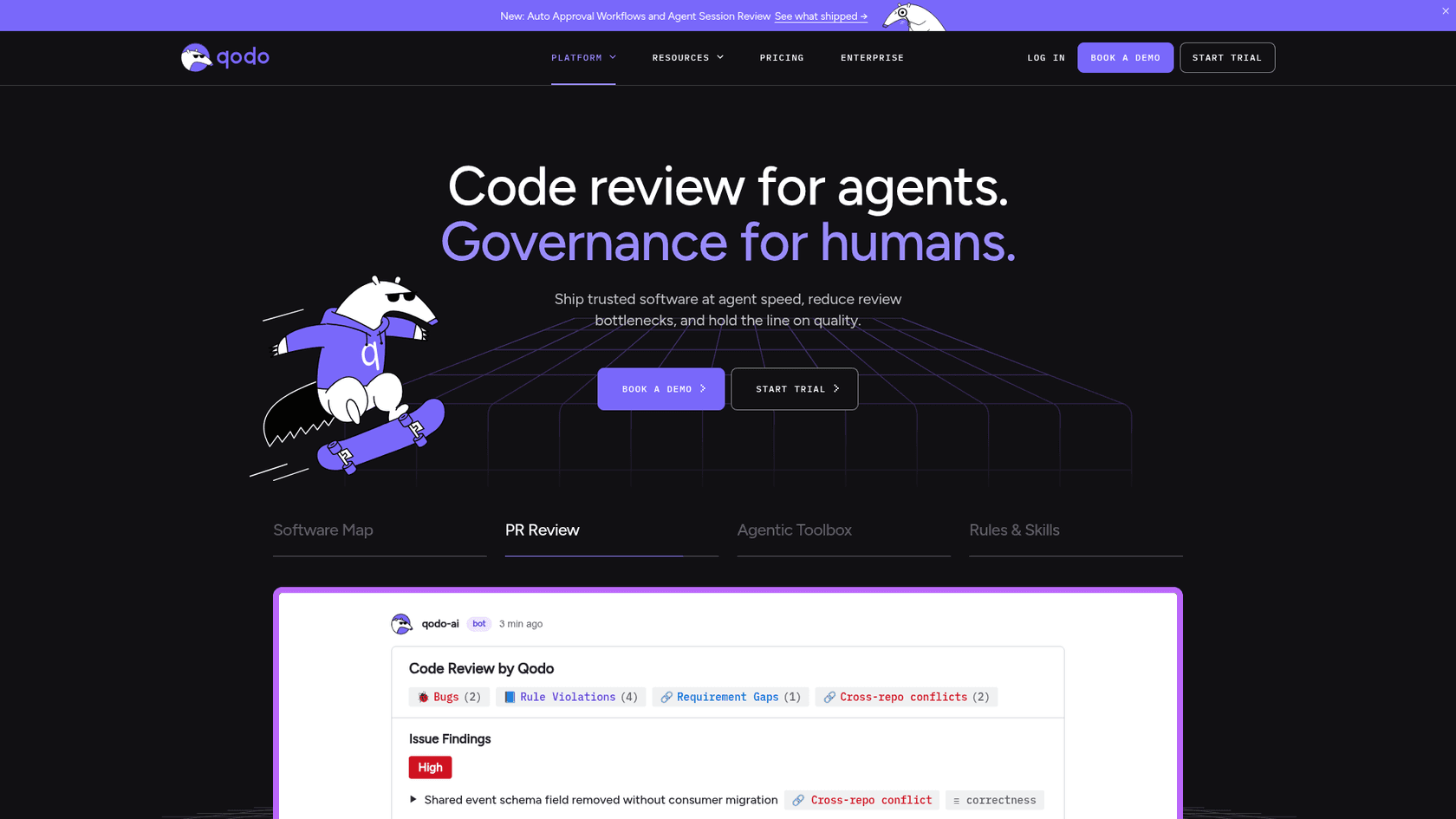
Qodo frames itself as governance for agent-written code. Its review comments are grouped into bugs, rule violations, requirement gaps and cross-repo conflicts, and it ties into a rules system you write once.
- Price: a 14-day free trial with no card, then Pro Team credit packs starting at $30 a month at $0.015 per credit, pooled across the team, per Qodo's pricing page. There is no permanent free tier, but qualified open source projects can apply.
- Platforms: GitHub, GitLab, Bitbucket and Azure DevOps.
- Fixes and approval: committable suggestions apply in the pull request. Approval workflows can auto-approve or label a PR as ready for a human, but Qodo marks that a research preview and says not to use it in production or business-critical workflows. It also rates merge risk as Low, Medium or High.
- Hosting and security: on-prem, air-gapped, single-tenant, bring-your-own keys and audit logs are Enterprise. Its trust center lists SOC 2.
Where it falls short: the approval step is a research preview and the credit math is opaque until you watch a month of usage.
Verdict: pick it if you want rules and risk labels that a policy can act on. Skip it if you need approval you can lean on in production today.
4. GitHub Copilot code review
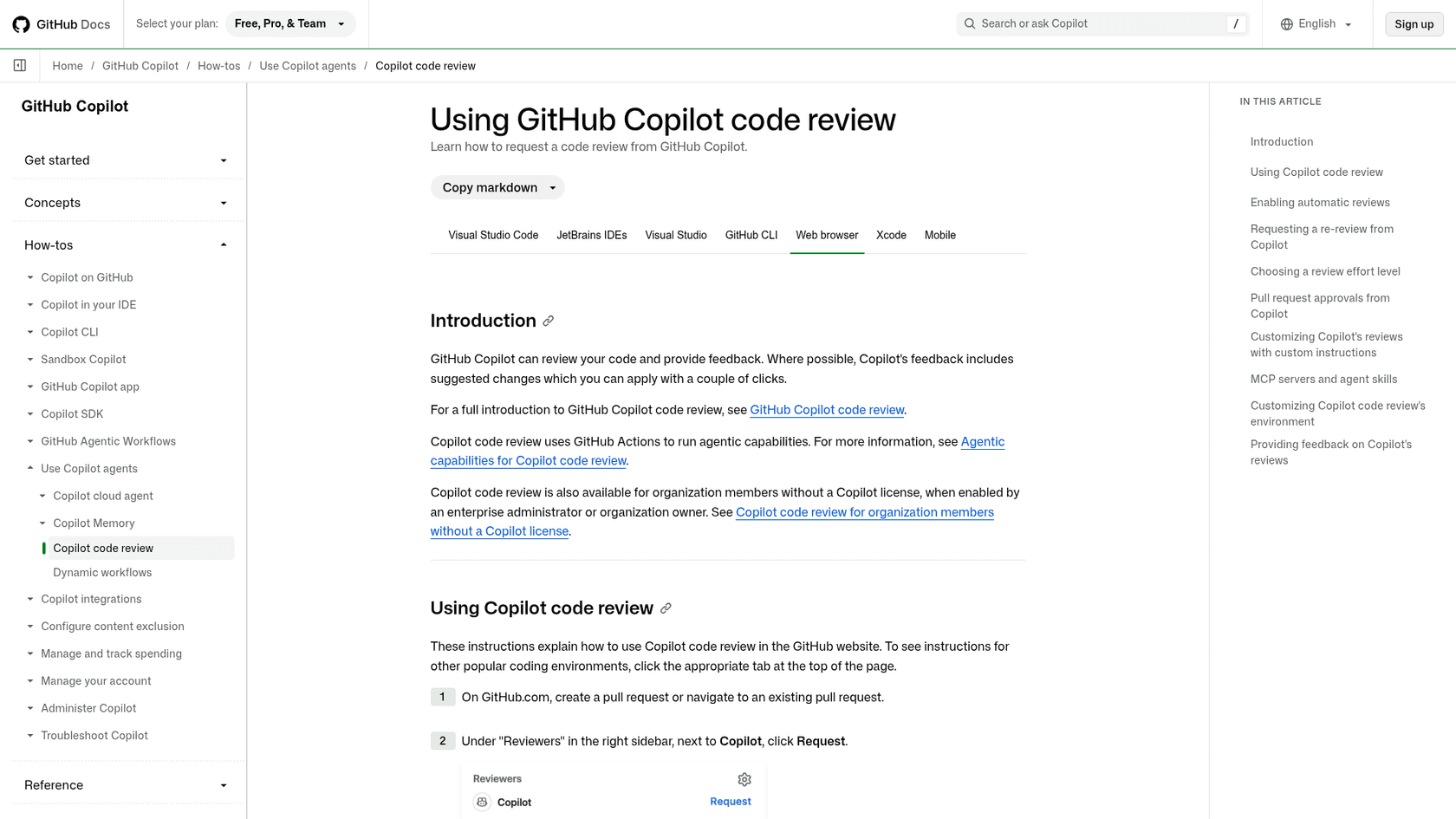
If your team is already in GitHub, Copilot code review is the lowest-friction option. You add Copilot as a reviewer and it comments with fixes you can apply in a couple of clicks. My GitHub Copilot overview covers the rest of the product, and Claude vs Copilot compares the two ecosystems.
- Price: included from Copilot Pro at $10 a month, then Pro+ $39 and Max $100. Reviews draw GitHub AI Credits. GitHub's docs estimate about $0.25 for a Lite review, $1.50 for Balanced and $10 for Max, plus GitHub Actions minutes.
- Platforms: GitHub.com, GitHub CLI, mobile, VS Code, Visual Studio, Xcode, JetBrains and Azure DevOps.
- Fixes and approval: it can pass suggestions, in public preview. Reviews are a "Comment" by default; Approve reviews are off and configurable by repository and path.
- Hosting and security: no self-hosted option. I did not find a SOC 2 statement on the pages I read, so check GitHub's trust documentation.
Where it falls short: the Free plan does not include code review, and you cannot switch models for it.
Verdict: pick it if you want one vendor and one bill with the repo host. Skip it if you want a dedicated reviewer you can tune.
A Hacker News user running both Bugbot and Copilot summed up the tradeoff:
"We still have Github Copilot reviewing because it will (very occasionally) catch something BugBot missed, but the false positive rate is wayyyy higher"
5. Cursor Bugbot
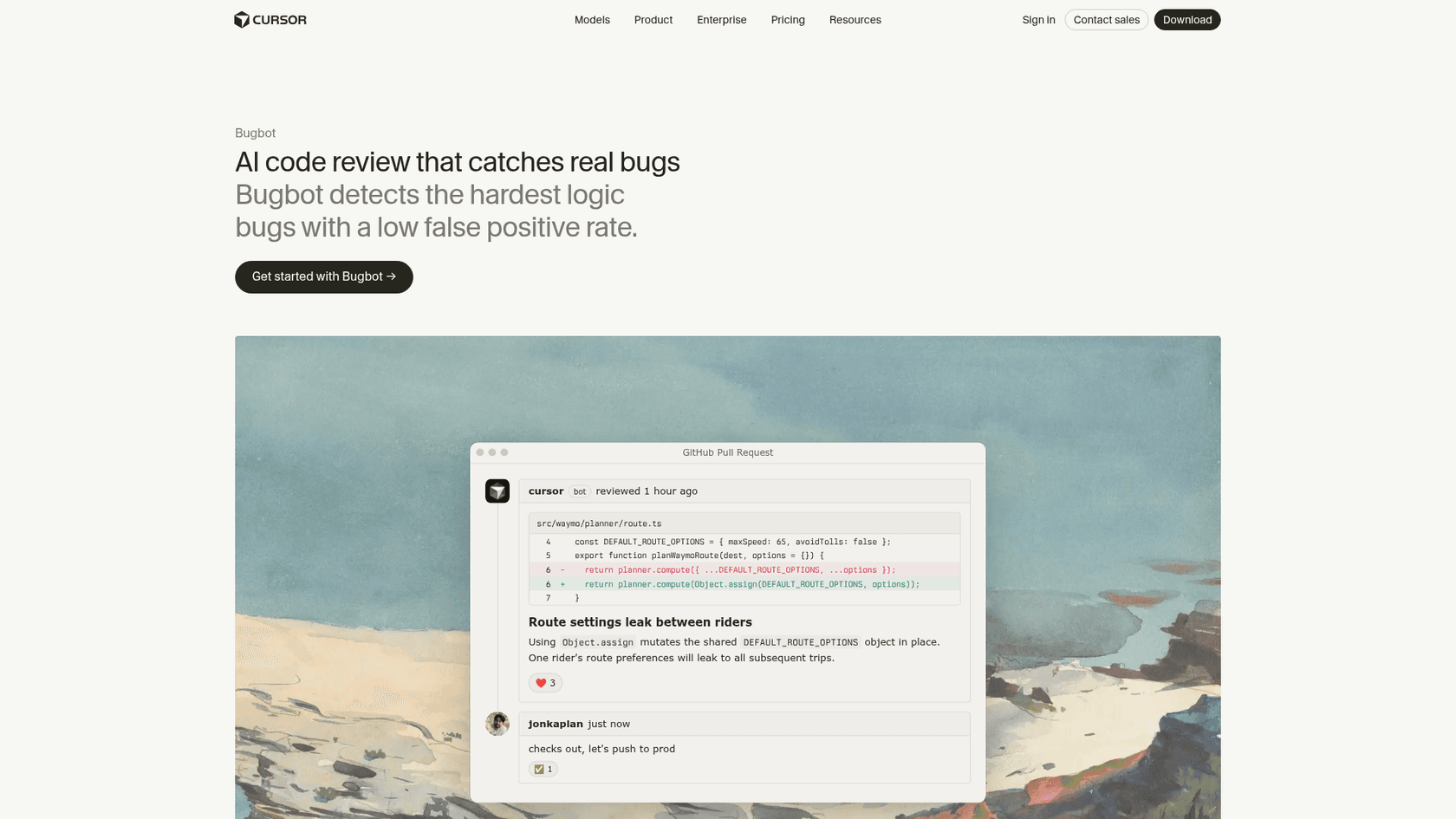
Bugbot reviews pull requests for bugs and security issues and leaves comments with fix suggestions. It runs on every PR update or when you comment bugbot run. My Cursor review covers the editor, and Cursor alternatives covers the wider market.
- Price: Bugbot comes with Cursor Premium and Teams, and Teams starts at $30 per user per month. Since May 2026 it bills on usage, and Cursor says the average run costs $1.00 to $1.50.
- Platforms: GitHub, GitLab, Bitbucket and Azure DevOps, including their self-hosted editions.
- Fixes and approval: Autofix can commit to the existing branch or open a new one. A separate PR Routing & Approval automation can approve low-risk PRs, and it will not approve when Bugbot flags findings.
- Hosting and security: Bugbot itself is cloud-only. Cursor lists SOC 2 Type II and ISO 27001.
Where it falls short: the usage bill needs watching. One commenter reported:
"bugbot was costing us $1k per month for a small team."
That is one team's report from October, so treat it as an experience, not a price. For the contrast, a different user wrote that Bugbot has been great at medium and high impact findings.
Verdict: pick it if your team already lives in Cursor and wants low false positives. Skip it if cost predictability matters more than review depth. The Cursor Origin git host is the other half of that stack.
6. Graphite
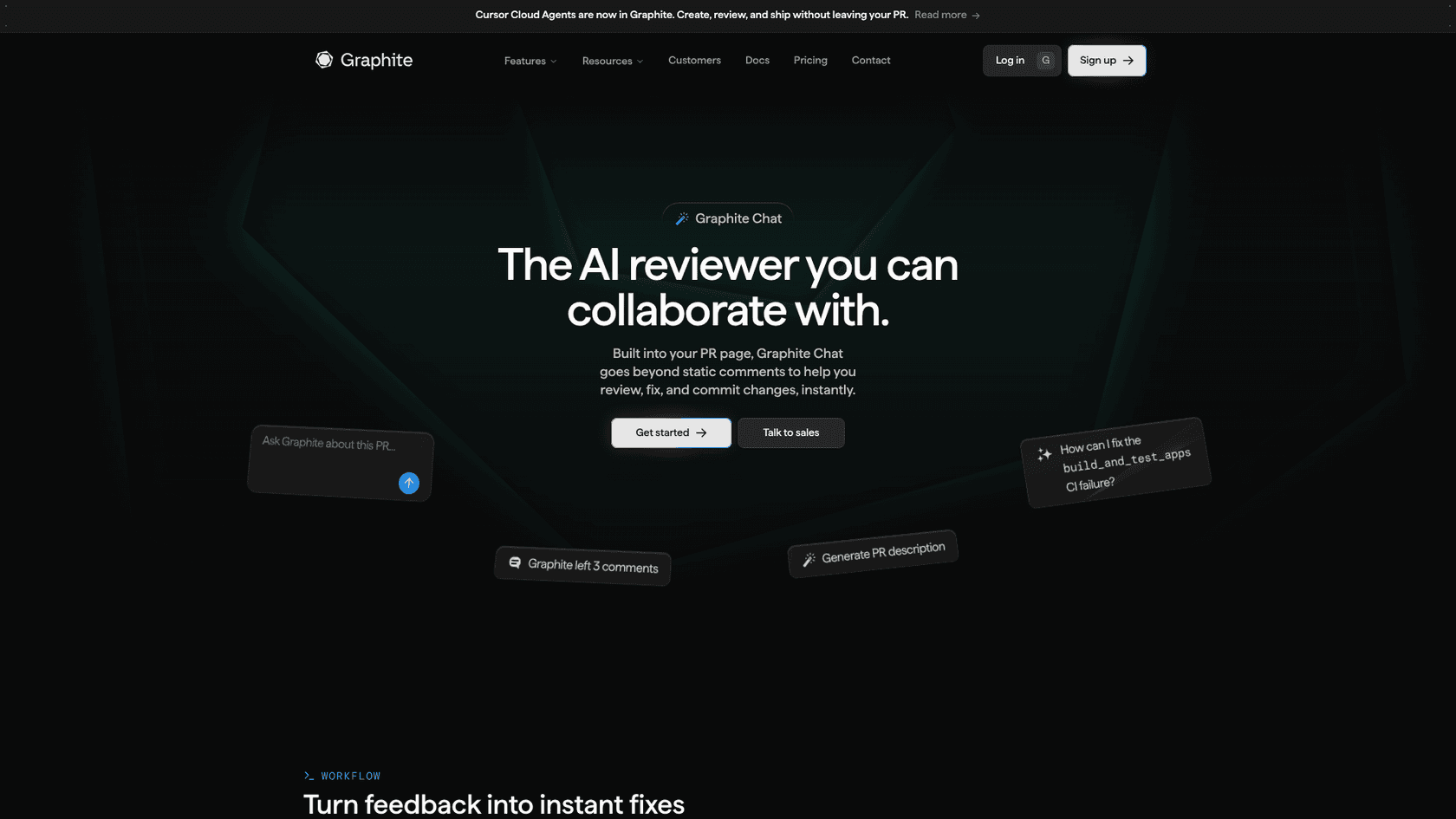
Graphite pairs AI review with the stacked-PR workflow it is known for. Its site now says Cursor Cloud Agents are in Graphite, after the company joined Cursor.
- Price: Hobby is free with limited AI reviews. Starter is $20 and Team is $40 per user per month on annual billing; Team adds unlimited AI reviews, automations and the merge queue.
- Platforms: GitHub only. Enterprise adds GitHub Enterprise Server support.
- Fixes and approval: Graphite Chat can make edits and apply fixes from the PR page. The Merge Queue merges stacks, but it is not an AI approval policy.
- Hosting and security: no self-hosting listed. Graphite says it is SOC 2 Type II compliant.
Where it falls short: GitHub-only, and the value shows up when you adopt stacked PRs, not just the bot.
Verdict: pick it if your team reviews many small stacked PRs on GitHub. Skip it if you want to keep GitHub's native flow untouched.
7. Gitar
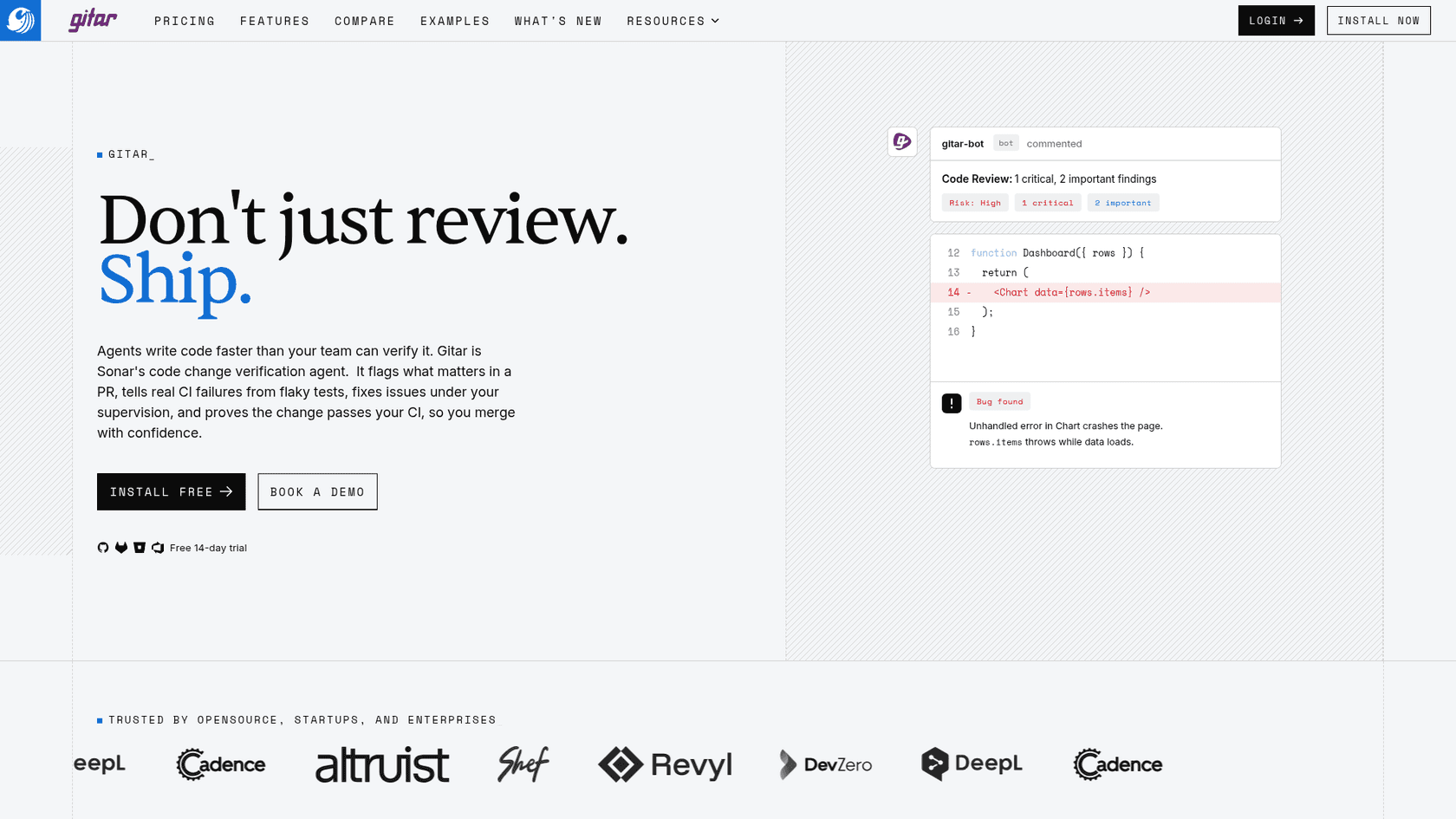
Gitar is the clearest match for the PR Steward job. It separates real CI failures from flaky tests, pushes the fix, and re-runs until CI passes. Its homepage now calls it Sonar's code change verification agent.
- Price: Core is $20, Pro $40 per user per month on annual billing ($25 and $50 monthly), both with a 14-day trial. Open source projects use it free.
- Platforms: GitHub, GitLab, Bitbucket (Cloud and Data Center) and Azure DevOps, with CI diagnosis for GitHub Actions, GitLab Pipelines and more.
- Fixes and approval: Pro adds an autonomous fix loop that commits on green, plus auto-approve and merge blocking under rules you define.
- Hosting and security: self-hosted code hosting, bring-your-own key and SAML are Enterprise. Its security page lists SOC 2 Type II, ISO 27001 and zero data retention with its model providers.
Where it falls short: the best bits, the fix loop and approvals, need the $40 Pro tier, and it now sits inside Sonar, which its FAQ says changes nothing in how it works today.
Verdict: pick it if CI failures and review comments eat your week. Skip it if you only want comments on the diff.
8. Kodus

Kodus is the open source pick. You bring your own model key and pay the provider at list price, with zero markup per its pricing.
- Price: Community is free, self-hosted or hosted by Kodus, with unlimited users and PRs on your own key. Teams is $10 per developer per month plus tokens, or $8 annually.
- Platforms: GitHub, GitLab, Bitbucket, Azure Repos and Forgejo.
- Fixes and approval: I found no automatic fix or approve feature on the pages I read. It reviews against rules you write.
- Hosting and security: self-hosting is available on the free plan. SOC 2 is listed under Enterprise.
Where it falls short: review only, so it replaces Code Review, not the other two Claude Ship agents.
Verdict: pick it if you need self-hosting without a sales call or want to pick the model. Skip it if you want fixes pushed for you.
How should you test an alternative before switching?
Run it on 20 to 30 of your own merged pull requests, not a demo repo. I would score each tool on four things:
- Real bugs caught that a human later fixed.
- Comments you would delete, which is your false positive rate.
- Cost per pull request, using the tool's own dashboard.
- Whether a pushed fix passes CI without a human touching it.
Then place the tool on an autonomy ladder: advisory, assisted, then autonomous. Keep authentication, payments, infrastructure and migrations on the human-approval rung until months of data say otherwise. This is the same human-in-the-loop principle behind AI guardrails, and it is why Greptile's risk cap and Claude Approvals' observe mode matter more than the headline feature. One Hacker News commenter said the market is crowded enough that every team ends up annoyed at something:
"we've looked at various products in the space (coderabbit, greptile, etc.) but have gripes with each."
If you would rather build than buy, the Claude Code SDK, subagents and a project AGENTS.md are the parts. Pair them with tight permissions and workflow automation. For other agent options, see Devin, Codex and my roundup of AI coding assistants.
Where does eesel fit next to these tools?
It does not review code, and I would not pretend otherwise. Everything above is infrastructure for one job in one system: moving a change through a Git host. eesel is the employee for a different job, answering customers in your helpdesk, as an AI helpdesk teammate that joins your existing queue. My AI teammates post explains the roster, and AI support for developer tools covers the engineering-facing case.
The link to the code side is the ticket. When your reviewer ships a fix, the customer who reported the bug still needs an answer. SE Ranking, a software company, runs Zendesk live chat for three products with one eesel agent each. In the month to September 8, 2026 eesel handled about 4,650 conversations there, including 2,100 live chats answered first. Refunds, trial extensions and requests for a person go to the team with the customer's name and email attached.
The eesel CLI is where an engineering team meets it. A coding agent such as Claude Code can use it to upload approved knowledge, like exported help articles and release notes, adjust the agent's instructions, and ask test questions to check the answers before anything goes live. Connecting the helpdesk itself still needs someone with admin access to approve it. If you expose help content through MCP, apply the same approve-first habit, and test the agent on past tickets with scoped permissions first.
Try eesel
If the pull request side is covered and the next backlog is the support inbox, eesel plugs an AI helpdesk teammate into your Zendesk, Freshdesk or Gorgias queue, learns from your help center and past tickets, and can be simulated on historical tickets before it replies to a customer. Engineers can drive setup from Claude Code through the CLI docs. You can try it free, or book a demo on your own tickets.