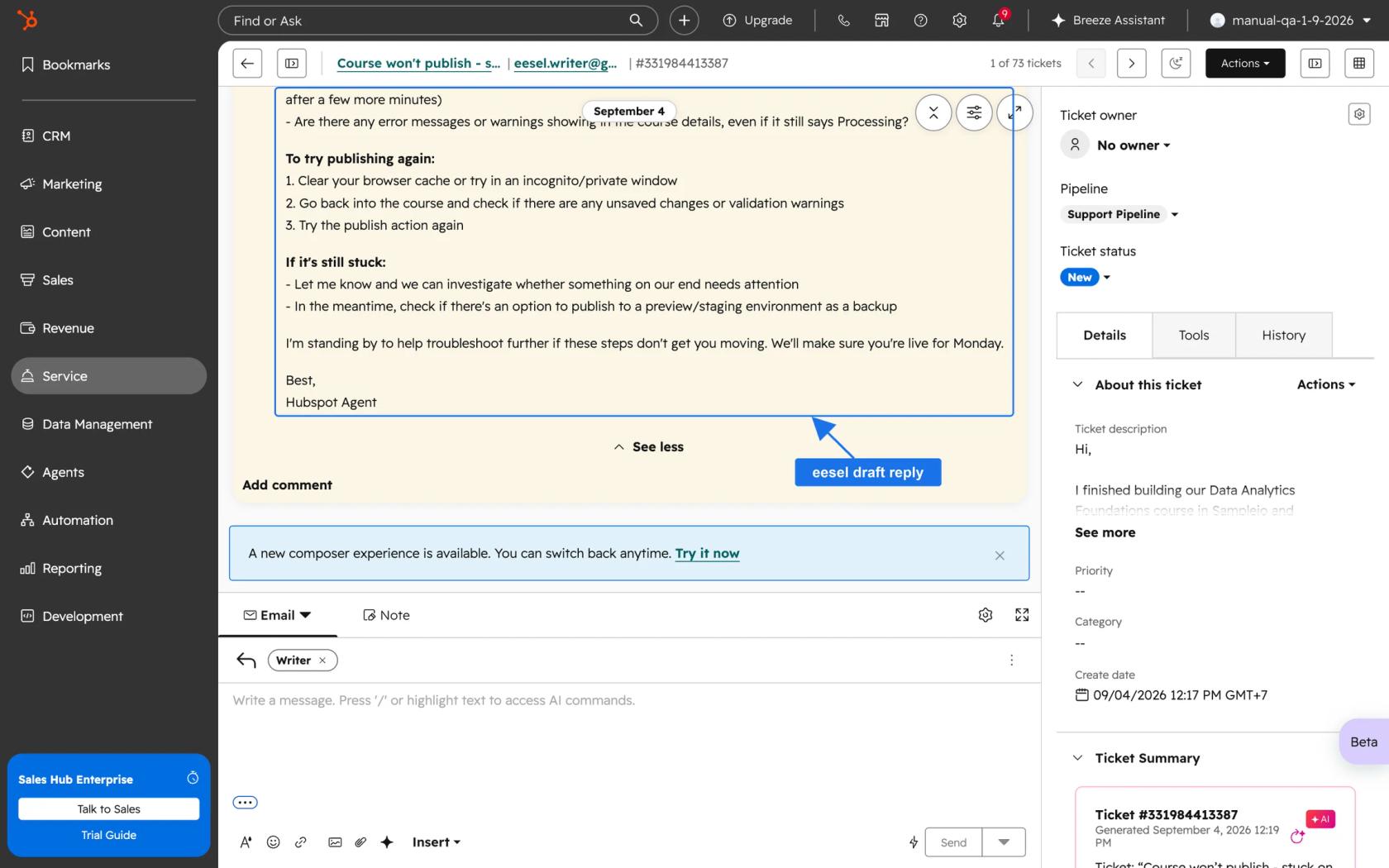
ChatGPT for HubSpot is one free app, built by HubSpot, that lets ChatGPT read and edit your CRM under each person's own HubSpot permissions. It's a strong fit for sales and marketing work like pipeline checks and campaign reports. For support it stops short, because inbox and help desk conversations are read-only, so ChatGPT can study your tickets but never answer a customer.
If the job is replying inside HubSpot, eesel joins the inbox as a support teammate that drafts or sends replies from your help center. With the eesel CLI, a coding agent like Codex can connect HubSpot, upload exported help articles and test answers before anything goes live, while a HubSpot admin still approves the connection.
What does "ChatGPT for HubSpot" mean in 2026?
I've spent two years in SEO watching what people type into search boxes, and "ChatGPT for HubSpot" is one of those queries where the searcher usually wants one of three things: connect the two, find out what it can actually do, or work out if it replaces HubSpot's own AI. The honest answer has changed a lot in 18 months, and most of the older pages, including our own HubSpot ChatGPT guide, describe a read-only tool that no longer exists.
When HubSpot launched its ChatGPT connector in June 2025, its launch announcement called it the first CRM with a deep research connector for ChatGPT, and OpenAI's release notes listed HubSpot among the first connectors in deep research on June 4, 2025. Early reviews were cool. One sales software CEO gave it a blunt score after about six hours of testing:
"I tried the HubSpot + ChatGPT integration. I give it a 2/10. It will not change anything about my day-to-day work."

That was July 2025, when the connector could only read. Today it writes too. HubSpot's product page says the connector now creates and updates campaigns, landing pages, leads and custom objects, and that older installs "may need to upgrade or reconnect" to get the new write capabilities. The marketplace listing shows 146K installs and a price of $0.
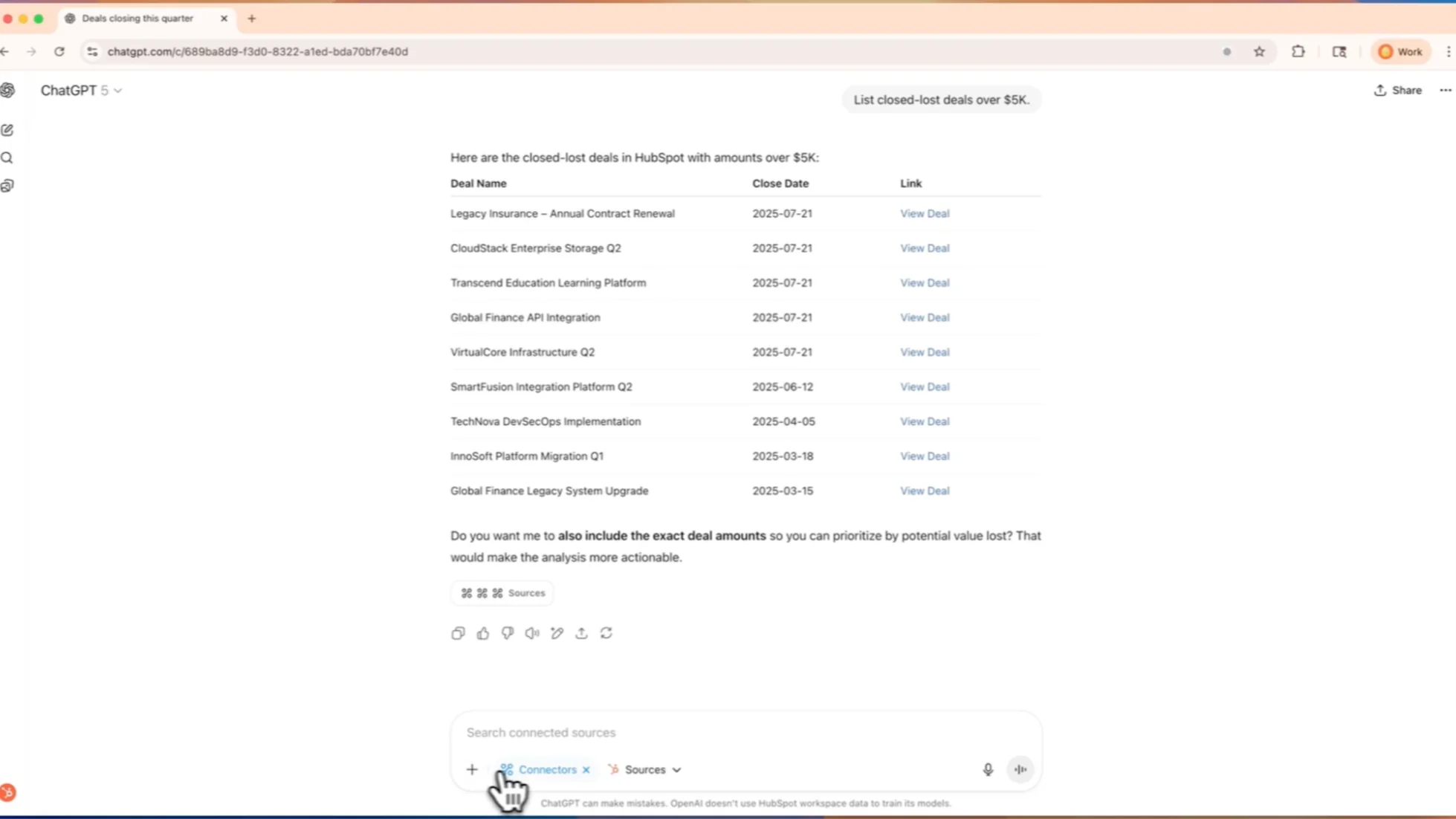
One naming note that trips people up: HubSpot's FAQ says the "HubSpot App" in ChatGPT and the "HubSpot connector for ChatGPT" are the same thing. OpenAI's newer HubSpot plugin wraps that same app with five ready-made skills, which is where things get more interesting.
The four ways to use ChatGPT with HubSpot
There are four routes, and they split on one question: are you asking ChatGPT something, or is ChatGPT doing a job on its own?
| Route | Where it runs | ChatGPT plans | Writes to HubSpot? | Best for |
|---|---|---|---|---|
| HubSpot app (chat and deep research) | ChatGPT chat window | Paid plans per the listing: Plus, Pro, Business, Enterprise, Edu | Yes, with your confirmation | Quick CRM questions, cited reports |
| HubSpot plugin | ChatGPT Work or Codex | Depends on plan and workspace settings | Yes, through the same app | Repeatable sales workflows with skills |
| Workspace agents | ChatGPT, Slack, schedules, API | Business, Enterprise, Edu | App write actions default to "Always ask" | One recurring job, like a weekly pipeline digest |
| HubSpot MCP server | Your own agent or custom ChatGPT connection | Custom MCP needs Business or Enterprise | Yes, with explicit confirmation | Teams building their own agent |
The plugin is the newest piece. OpenAI's page bundles the app with five skills, named "HubSpot", "CRM Data Hygiene", "Customer Prep", "Onboarding" and "Pipeline Health", and suggests prompts like "find the five leads I should follow up with this week and draft personalized emails in Gmail." It sits inside ChatGPT for Sales, which OpenAI says works on every ChatGPT plan, including Free, though partner plugins still depend on "your plan, region, and workspace settings."
The MCP server is the plumbing under all of it. HubSpot's developer docs say its own connectors for Claude, Copilot, Gemini and ChatGPT "are powered by this server," at https://mcp.hubspot.com. If you're building your own agent, that's your door. If you just want ChatGPT to see your CRM, use the app, and our step-by-step connection guide shows every screen. Our Claude for HubSpot post walks through the same server from the Claude side.
What can ChatGPT read and change in HubSpot?
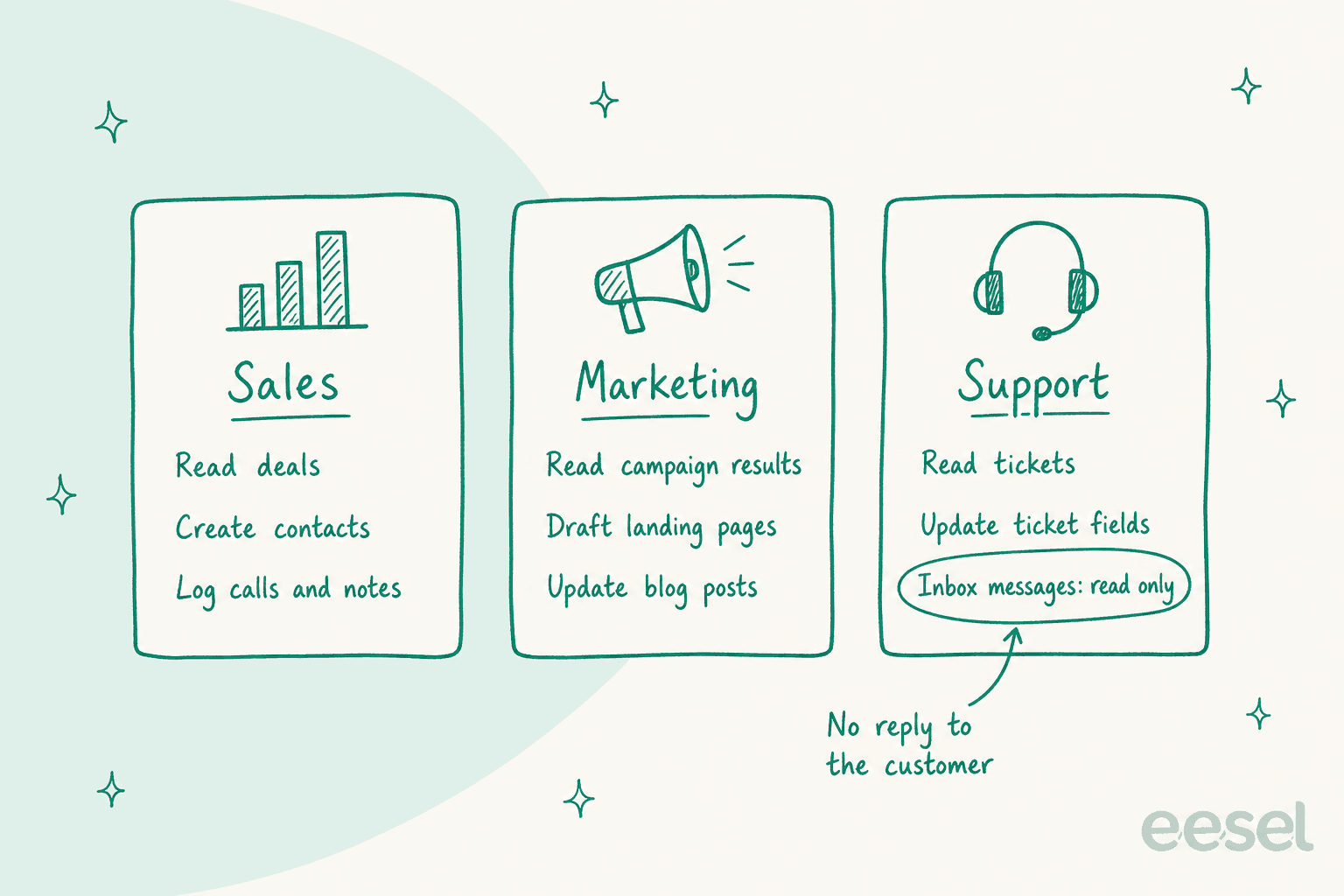
More than most people expect, with one gap that matters a lot for support. HubSpot's permissions tables list read, create and update for contacts, leads, companies, deals, tickets and custom objects, plus calls, meetings, notes, tasks and emails. Delete doesn't appear anywhere.
| Area | Read | Create or update | Notes |
|---|---|---|---|
| Contacts, leads, companies, deals | Yes | Yes | Bulk changes capped at 10 records per request |
| Tickets | Yes | Yes | Ticket fields only, not replies |
| Inbox and help desk conversations | Yes | No | Read-only |
| Calls, meetings, notes, tasks, emails | Yes | Yes | Logged as activities |
| Campaigns, landing pages, website pages, blog posts, marketing emails | Yes | Yes | Only published pages show full data |
| Quotes, invoices, orders, subscriptions | Yes | No | Read-only |
| Users, teams, saved reports | Yes | No | Read-only |
Two details from the same page deserve a second read. First, "custom validation rules (including pipeline stage validations and association label validations) aren't applied" when ChatGPT writes. If your RevOps team relies on stage validations to keep deals clean, ChatGPT can skip past them. Second, you can connect only one HubSpot account to one ChatGPT account at a time, which matters for agencies juggling client portals. If you need a broader shortlist, see the HubSpot AI tools we tried.
On the marketing side, the MCP docs note that the landing page, website page and blog post tools are "only available for select AI clients (Claude, ChatGPT, and Gemini)," and new blog posts are created as drafts. HubSpot's FAQ is clear on workflows and email campaigns too: ChatGPT "will provide the drafted content for you to implement in HubSpot."
How do you set up the HubSpot app in ChatGPT?
Setup takes about five minutes once an admin has said yes. Per HubSpot's setup guide:
- A Super Admin approves the connector in HubSpot and picks which data permissions it gets and who can install it. Super Admins and users with App Marketplace Access can skip this.
- In ChatGPT, open your profile icon, then Settings, then Apps.
- Select HubSpot, click Connect, then Continue to HubSpot.
- Log in, pick the HubSpot account, choose the permissions, and click Connect App.
- In the HubSpot tool settings in ChatGPT, set Write tools to Needs Approval.
That last step is the one I'd never skip. HubSpot says plainly that "if you set the connector to Always allow, edits may occur without asking for approval." With approval on, ChatGPT shows a proposed-changes table and waits for a yes.
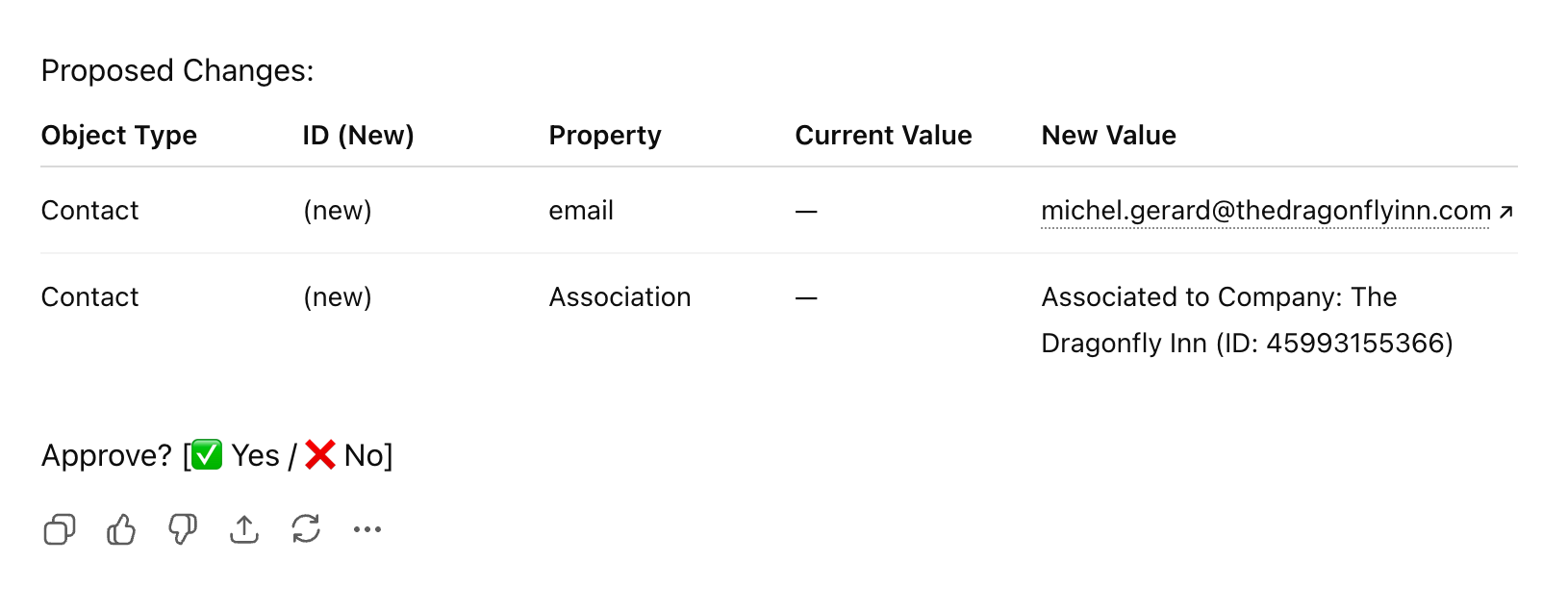
The permission model is the strongest part of the design. HubSpot says the connector "automatically respects the user permissions defined in HubSpot," so a rep who can only see their own deals sees only those deals in ChatGPT. Every write lands in the HubSpot audit log, attributed to both the user and the connector.
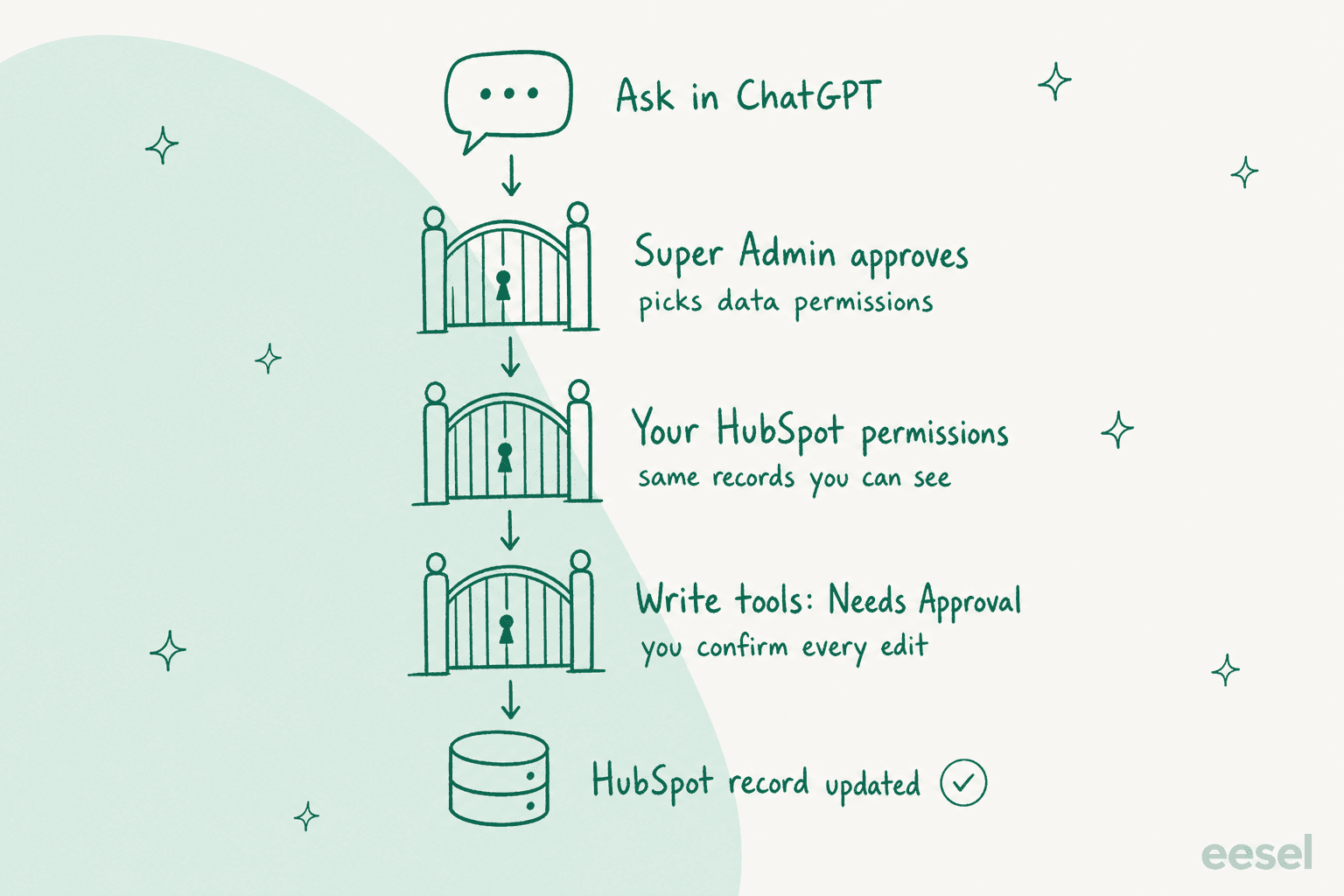
On the ChatGPT side, Business admins switch apps on in Admin Console > Plugins and choose between read and write actions, per OpenAI's admin controls article. Enterprise and Edu add role-based access. Sensitive data is opt-in: if your account has HubSpot's Sensitive Data settings turned on, a Super Admin can grant the connector read-only access to those properties during installation.
What does ChatGPT for HubSpot cost?
The app is free. You pay for ChatGPT seats, and agentic work draws credits. Here are the seat prices from OpenAI's business pricing page:
| ChatGPT plan | Price per user per month | What it adds for HubSpot |
|---|---|---|
| Plus | $20 | HubSpot app in chat and deep research |
| Business, standard seat | $20 billed annually, $25 monthly | App, plugin in ChatGPT Work, workspace agents, custom MCP, no training on your data |
| Business, Premium seat | $100 billed annually, $125 monthly | Same, with more usage and no 5-hour limit |
| Enterprise | Custom | Same, plus role-based access controls |
Business workspaces also get up to $500 a month in API credits. Agentic usage is where cost moves, and our ChatGPT pricing guide covers the seat decision in more depth. OpenAI's rate card says ChatGPT Work, workspace agents, Codex and the Office add-ins share one credit pool, and "a typical end-to-end Workspace Agent run using GPT-5.6 may consume between 5 and 25 credits."
There's also a launch sweetener running now. OpenAI's promo terms say HubSpot "offers $25 per grant (up to $50 per workspace), with 8,000 grants available." You have to run a real HubSpot workflow in ChatGPT Work or Codex within 7 days, and the credits expire 30 days after they land.
For context, HubSpot's own customer-facing AI bills differently. Breeze Customer Agent uses 50 HubSpot credits per resolved text conversation, and extra credits cost $0.010 each per HubSpot's product catalog, so about $0.50 per resolution.
Our Breeze agent pricing breakdown covers the plan allowances and when included credits run out.
How do sales, marketing and support teams use it?
Each team gets a different product out of the same app.
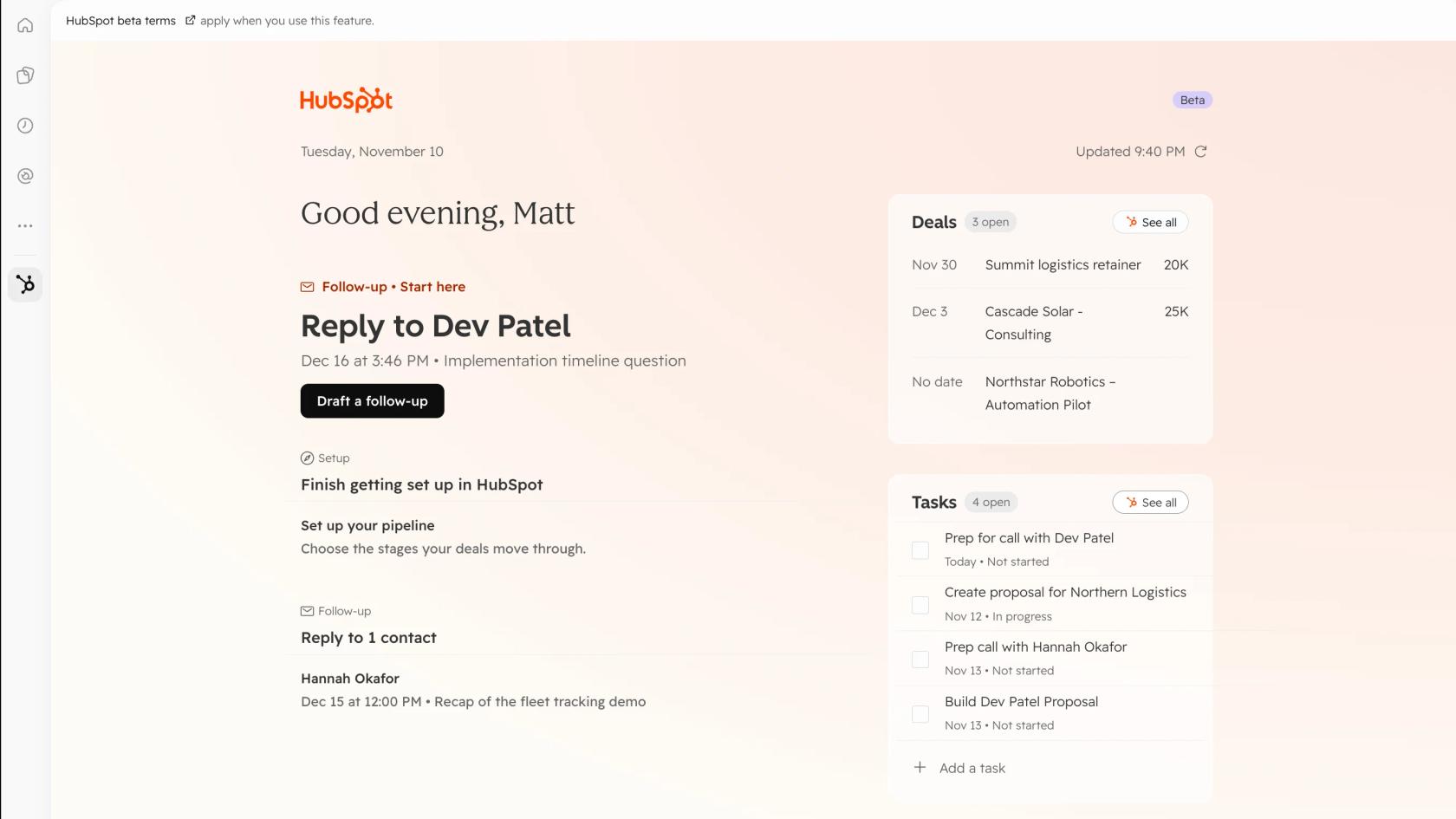
Sales gets the most. OpenAI's plugin page suggests a "pipeline health check including open deals by stage, biggest risks, and which deals need attention today," and call prep that pulls "contact/company history plus recent emails and notes." HubSpot's listing also shows a beta home view you can pin in ChatGPT's sidebar with deals, tasks and "who's waiting on a reply."
OpenAI's ChatGPT for Sales launch on November 17, 2026 quotes NeoBid's co-founder saying the firm uses HubSpot with ChatGPT for Sales to research real estate prospects and enrich CRM data, and estimates "this reduces manual effort for these activities by around 65%."
Marketing gets campaign reporting and content drafts, a different job from the website HubSpot chatbot. The connector can read campaign attribution and social engagement data, and create landing pages, blog posts and marketing emails. Ask for a page's numbers and HubSpot says to name the campaign and date range in the prompt.
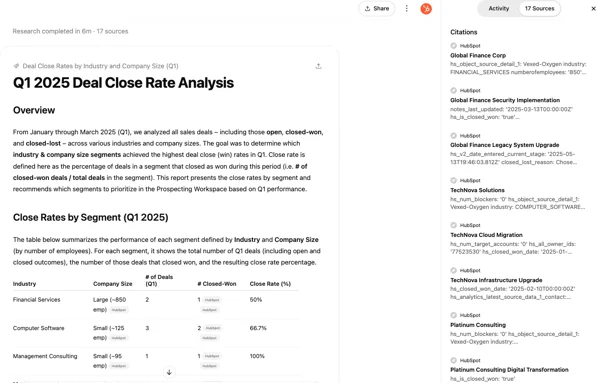
Support gets analysis, not answers. Deep research can sweep tickets and return a cited report, which is useful for a monthly trends review or a ticket deflection audit. Every claim links back to the HubSpot record, which beats asking HubSpot AI to summarize long threads one at a time.
The rough edges are real. One admin on HubSpot's community forum reported the connector failing mid-task even after a reinstall:
"The issue is that ChatGPT can see the HubSpot connector as connected, but when it tries to read the landing page modules, the HubSpot landing-page tool becomes unavailable and the request fails."
HubSpot's own advice fits that: "start small by updating a single record before making bulk changes," and include the word "HubSpot" in prompts so the connector actually fires.
Where does ChatGPT for HubSpot stop for support teams?
At the customer. The HubSpot app treats inbox and help desk conversations as read-only, so ChatGPT can read a thread, summarize it and update the ticket's fields, but it can't post the reply. Even with write access, every action starts with a teammate typing into ChatGPT. No customer message ever wakes it up, which is the same wall I found writing up ChatGPT for Zendesk. The Service Cloud version hits it too.
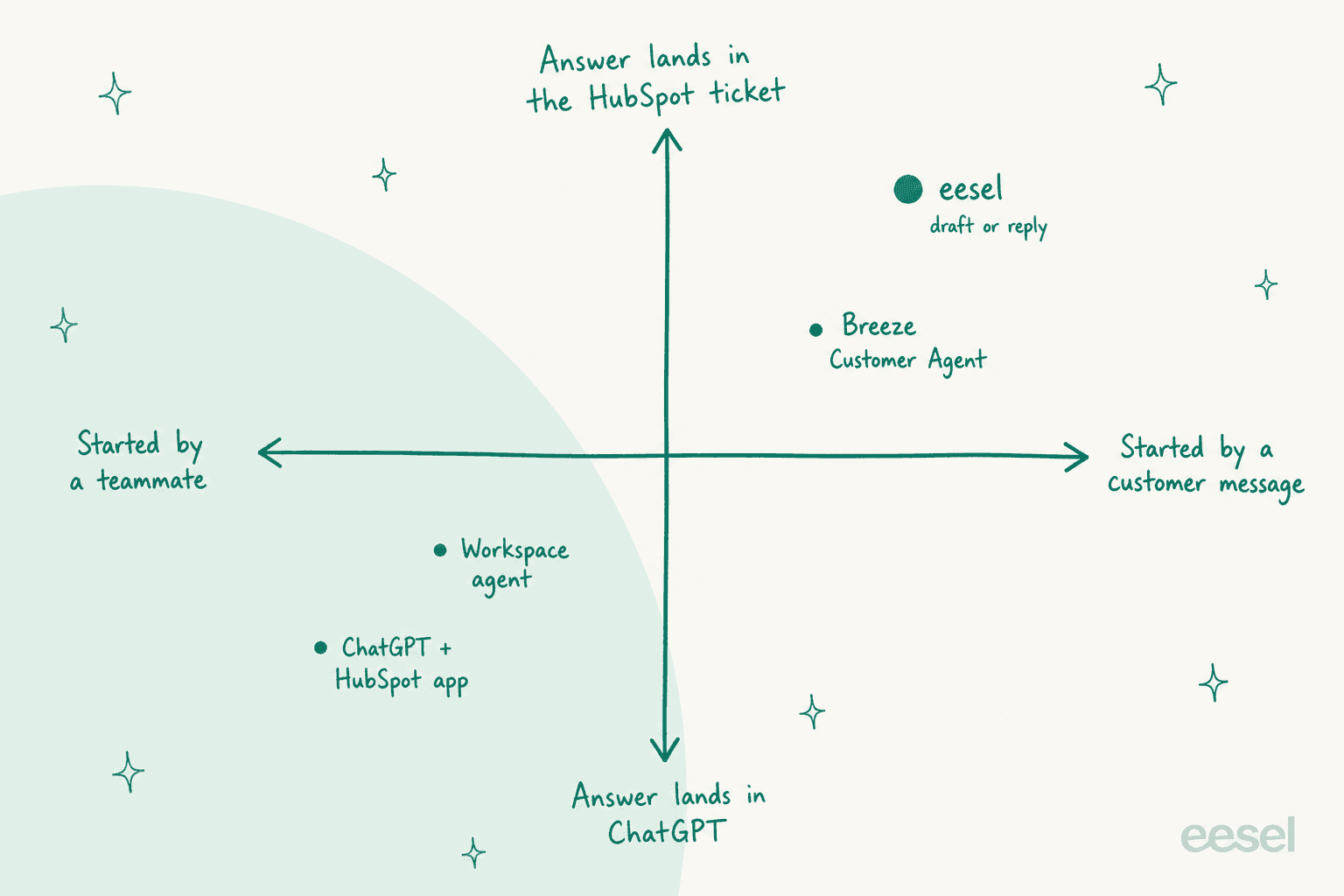
That's fine for a support lead pulling a weekly report. It's a problem for a team hoping ChatGPT will clear the queue. Four more limits show up once you try:
- No grounding rules. ChatGPT answers from whatever it can read, plus its general knowledge. One eCommerce support manager, writing instructions for eesel's own agent, had to add: "stop promising customer things we cant do. we cannot guarantee this customer's order to them by friday." A general-purpose assistant has no policy layer stopping that.
- No confidence routing. A CX lead at a supplements brand handling about 7,000 tickets a month told eesel's team she needs "an AI who is only handling the tickets that it's confident to handle and all the other ones, leave them alone." ChatGPT has no queue to leave alone.
- Sensitive data stays off by default. HubSpot's MCP docs say that with Sensitive Data turned on, "conversation data will be blocked from access through the MCP server."
- Search, not similarity. The same docs say the server is built on the CRM search API, "which currently doesn't include vector search capabilities," so fuzzy questions across thousands of old tickets can miss.
Interestingly, HubSpot's own Customer Agent already runs on OpenAI models. HubSpot's model card lists GPT-5.6 Luna and GPT 5 Mini alongside Claude Sonnet 5, Claude Sonnet 4.6 and Claude Haiku 4.5. So if you want an OpenAI model answering customers inside HubSpot, Breeze is one way to get it.
Our Breeze Customer Agent alternatives list covers the trade-offs, the Service Hub AI review weighs the native option, and the ChatGPT for Service Hub guide goes route by route for support.
Which route should you pick?
Match the route to who starts the work and where the answer needs to land.
| Your job | Pick | Why |
|---|---|---|
| Sales rep prepping calls, checking pipeline | HubSpot app in ChatGPT | Reads deals and notes under your own permissions |
| RevOps cleaning data on a schedule | HubSpot plugin or a workspace agent | Skills like "CRM Data Hygiene", runs without a prompt each time |
| Marketer drafting pages and reports | HubSpot app in ChatGPT | Creates draft pages and reads campaign data |
| Developer building a custom agent | HubSpot MCP server | OAuth with PKCE, confirmation on every write |
| Support team answering customers | A helpdesk agent inside HubSpot | ChatGPT can't send replies |
If you sit in that last row, the question is which AI helpdesk agent works your HubSpot queue, and our list of ChatGPT customer service alternatives covers tools that reach the customer.
Our roundup of the best AI for Service Hub compares them side by side, the HubSpot AI add-ons list adds smaller tools, and the AI ticket routing guide covers triage.
How eesel handles HubSpot tickets
eesel has put AI agents on live helpdesk queues for years, and the lesson that stuck is simple: the agent has to start from the customer message and step aside when it isn't sure. eesel is an AI teammate platform, and the one that fits here is the AI helpdesk teammate: it joins your HubSpot inbox and Service Hub tickets, starts on every new customer message, and writes either an internal note for a person to send or a direct reply. Setup is one approval in HubSpot by someone with App Marketplace Access, then one automation written in plain English, per our HubSpot docs.
The best example is MentorShow, a French online learning platform on HubSpot. Its agent read 1,200 HubSpot conversations and tickets in a month and wrote 432 reply drafts in French, English or Spanish, whichever the member wrote in. It checks the member's HubSpot record first, because, as the story puts it, "a login problem from someone with no active subscription is not a login problem." Refunds, billing checks and account changes go to a person. For a SaaS example on another helpdesk, Qontro gets a draft and linked help articles on every Freshdesk ticket.
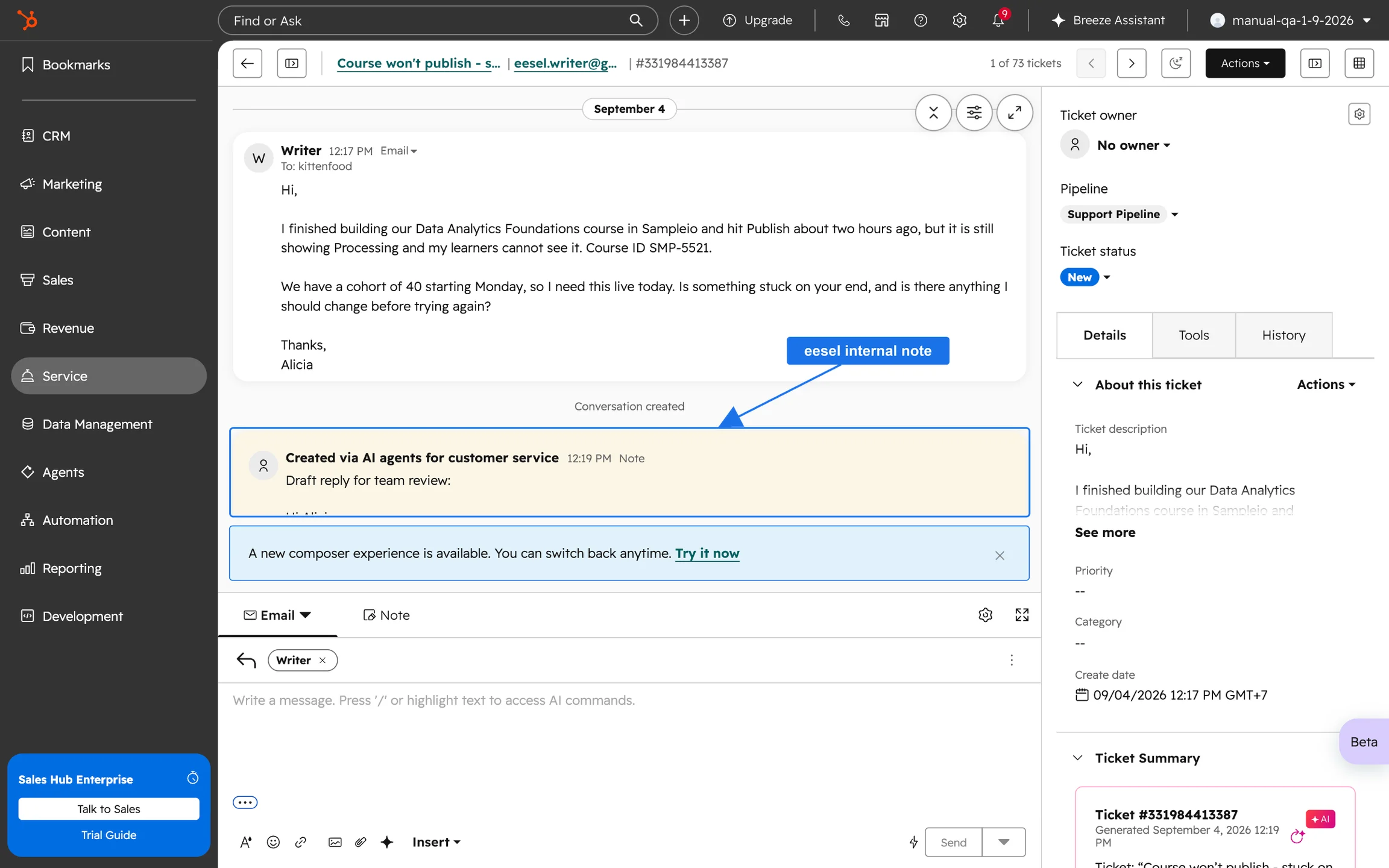
A few things it does that the ChatGPT app doesn't:
- It starts from the customer. A
hubspot_customer_messagetrigger fires on every inbound message, so nobody has to paste a ticket into a chat. - It learns from your history. Connecting indexes recently closed tickets so drafts match how your team writes, and the HubSpot knowledge base doesn't need to be public.
- You can test before launch. You can run the agent against past HubSpot tickets before it touches real ones.
The limits, honestly: CRM records like deals and contacts stay off until you switch them on per agent, HubSpot snippets aren't synced (paste them into instructions instead), and @eesel mentions only work in an inbox conversation comment.
Pricing is flat: $299 a month for 500 credits on eesel pricing, where a ticket the agent works on is 1 credit however long the thread runs. For teams weighing the build route, our eesel vs Breeze comparison and HubSpot AI agent explainer go further.
Try eesel on your HubSpot inbox
Keep the HubSpot app in ChatGPT for your sales and marketing teams; it's free and it's good at that job. For the inbox, try eesel: it works inside HubSpot, drafts replies your team approves, and only replies on its own once you're comfortable. Try eesel with internal notes first, then let it reply on the easy tickets.