ChatGPT for Salesforce Service Cloud: the real routes in 2026

Kurnia Kharisma

Katelin Teen
Last edited September 4, 2026
What "ChatGPT for Salesforce Service Cloud" actually means
Let me clear up the phrase first, because it hides two different questions.
The first question is literal: can I get ChatGPT, the chat product from OpenAI, to read and answer my Salesforce cases? The second is the one most support leads actually mean: can I get a strong large language model working my Service Cloud queue, drafting and resolving tickets the way ChatGPT feels like it should?
Those are not the same thing, and conflating them is where a lot of wasted setup time comes from. Salesforce rebranded Service Cloud as Agentforce Service and already ships its own AI (Einstein plus Agentforce). It also runs an open model ecosystem, so the same OpenAI models behind ChatGPT can sit under Salesforce's agents. So "ChatGPT for Service Cloud" can mean the OpenAI app bolted on the side, the OpenAI model powering Salesforce's own agent, or a third tool that uses top models to work your cases directly.
I'll be honest about where I'm coming from here. I work on eesel, and for a stretch eesel kept losing mid-market deals specifically because it didn't have a native Salesforce helpdesk integration. One team running Service Cloud told me plainly that no native Salesforce support was a dealbreaker, full stop. So the team built it, and I've spent a lot of time since in the weeds of how AI actually attaches to a Service Cloud case. This post is the map I wish those buyers had.
The four real routes to connect ChatGPT to Service Cloud
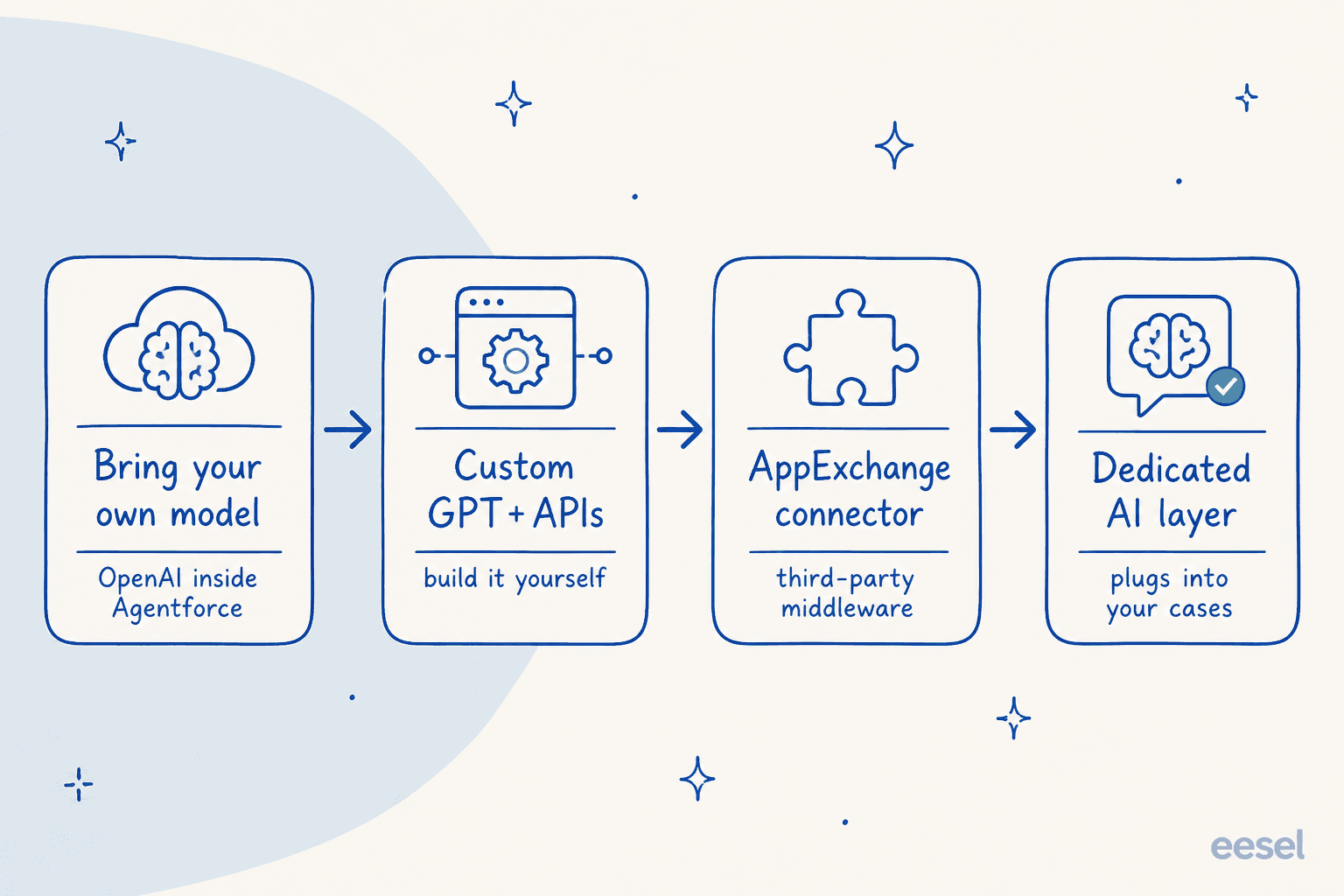
Here is the whole landscape on one page. Each route trades effort against control, and the right pick depends on how much plumbing you want to own.
Route 1: Copy-paste into ChatGPT (the zero-setup baseline)
The route nobody advertises but everybody uses first. An agent reads a case in the Service Console, pastes the customer's message into chatgpt.com, gets a draft, and pastes it back. It costs nothing, needs no admin, and works today.
It also breaks the moment you care about scale or safety. ChatGPT has no access to your CRM record, so it can't see the order history, the entitlement, or the last three cases from that customer. It doesn't know your macros or your tone. And pasting customer data into a personal ChatGPT account is a real data-governance problem, which is exactly the kind of thing Salesforce's Trust Layer exists to prevent. Fine as a personal crutch, not a support strategy.
Route 2: Build a Custom GPT that calls the Salesforce API
The next step up is to build a Custom GPT with Actions that hit the Salesforce REST API, so it can pull a case, look up the related account, and write a note back. This is a legitimate route, and for a technical team it can do real work.
The honest tradeoff is ownership. You're now maintaining OAuth, field mappings, API limits, and error handling, and you're doing it against an API that has real ceilings. When you build your own LLM app on top of a CRM, you also inherit every future change to that CRM's schema. One of our customers put the build-versus-buy calculation better than I can:
"We could try to write our own LLM application but we didn't want to invest our time into that. We wanted something that we would not have to maintain."
Karel, GENERAL BYTES
That's the quiet cost of Route 2. It works until the person who built it leaves.
Route 3: Bring OpenAI into Agentforce with Salesforce's own AI
This is the "official" answer, and it surprises people. Salesforce runs an open model ecosystem: its "Bring Your Own Model" option lets you securely connect foundation models from OpenAI, Anthropic and Google while keeping the platform's guardrails, and it now supports the Model Context Protocol to connect agents across systems. So you can have ChatGPT's underlying model reasoning over your cases, inside Salesforce, under the Trust Layer.
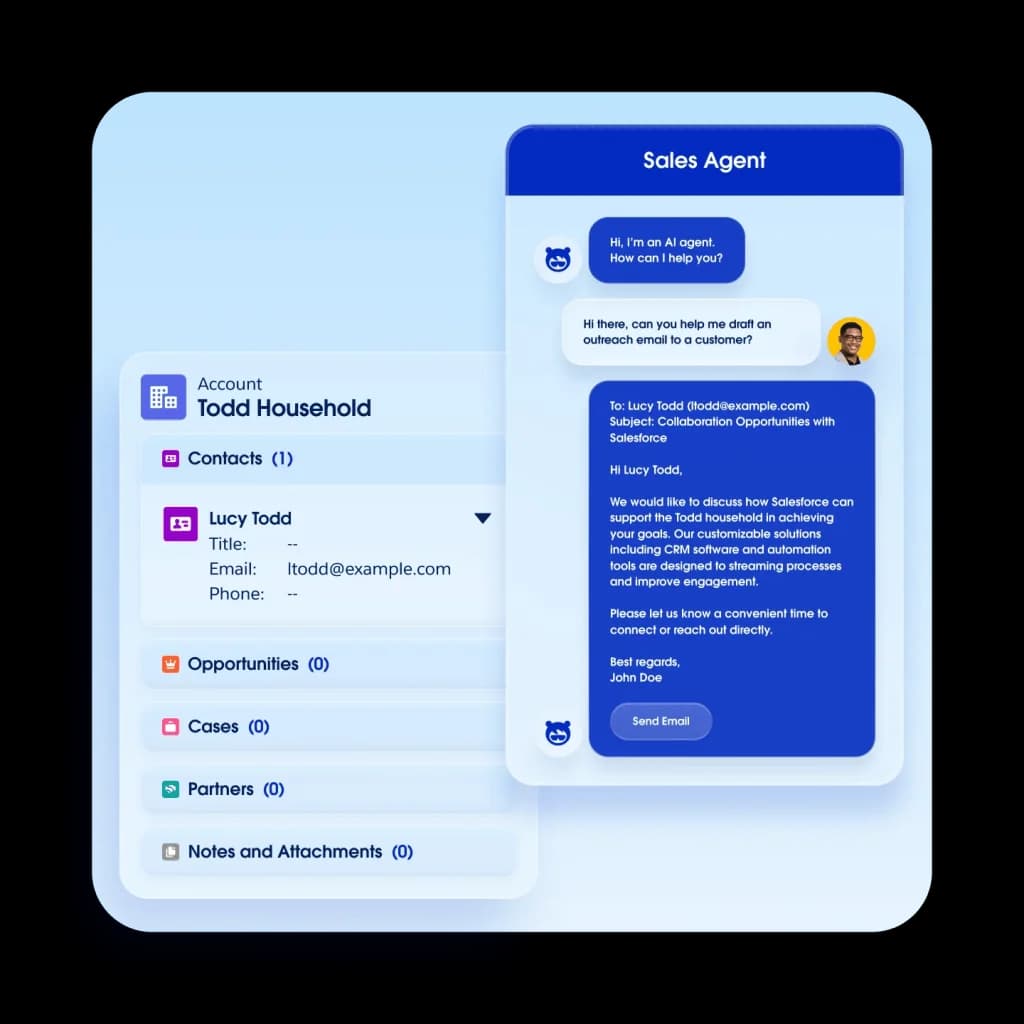
The thing to understand is that you're not really adding ChatGPT here, you're adding a model into Agentforce, and Agentforce is the product you're actually buying, configuring, and paying for. The model choice is a setting inside a much larger build. That build is powerful, and it's grounded in your Data Cloud records, but it lands you squarely in Salesforce's own AI pricing, which I'll break down below.
Route 4: A dedicated AI layer that plugs into your cases
The fourth route skips the question of "which model" entirely, because a good AI support layer already runs top models under the hood and handles the plumbing for you. Instead of building an agent or wiring an API, you connect the tool to Service Cloud, point it at your knowledge, and it works the cases.
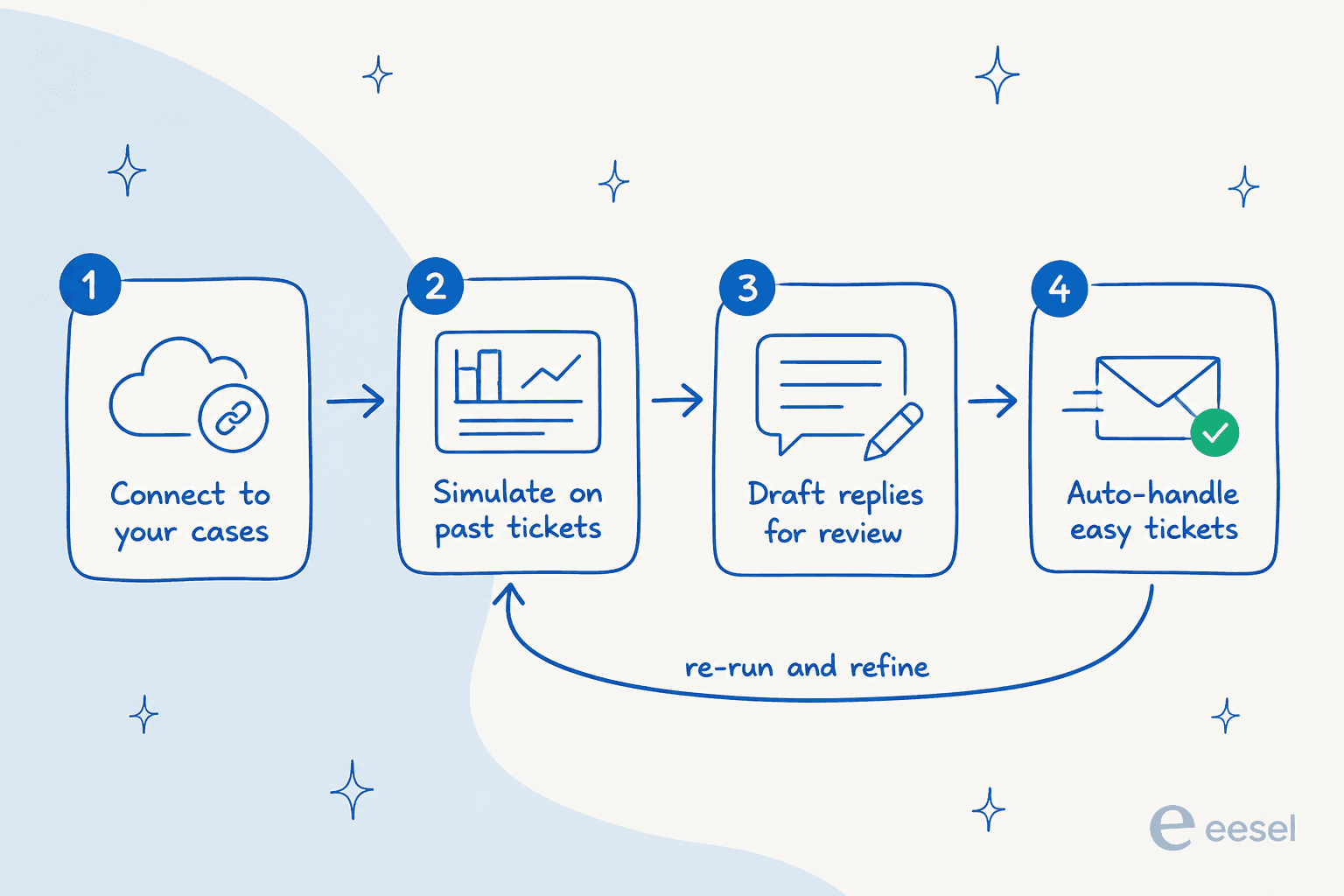
This is where eesel sits. It works inside Service Cloud cases and feeds with full CRM context, trains on your past tickets and help center rather than making you author dialog trees, and, crucially, lets you dry-run against your own history before it ever answers a real customer. More on that in the eesel section, because the "test before you trust it" part is the bit that separates a demo from a rollout.
Salesforce's own AI: Einstein Bots vs Agentforce Service Agent
If you go the Salesforce-native way (Route 3), there are two products in the box, and knowing which one you're using matters.
Einstein Bots are the older, structured chatbots. You build them from dialogs and intents: customer text goes through natural-language understanding, matches an intent, and runs the matching dialog, which either resolves the request or transfers to a human through Omni-Channel. You can bolt generative answers on with Generative Knowledge Answers or Article Answers, which pull from your Lightning Knowledge base. Worth knowing before you commit: each org gets 25 Einstein Bots conversations per month per active-subscription user, with an add-on for 100 more, and those conversations don't roll over.
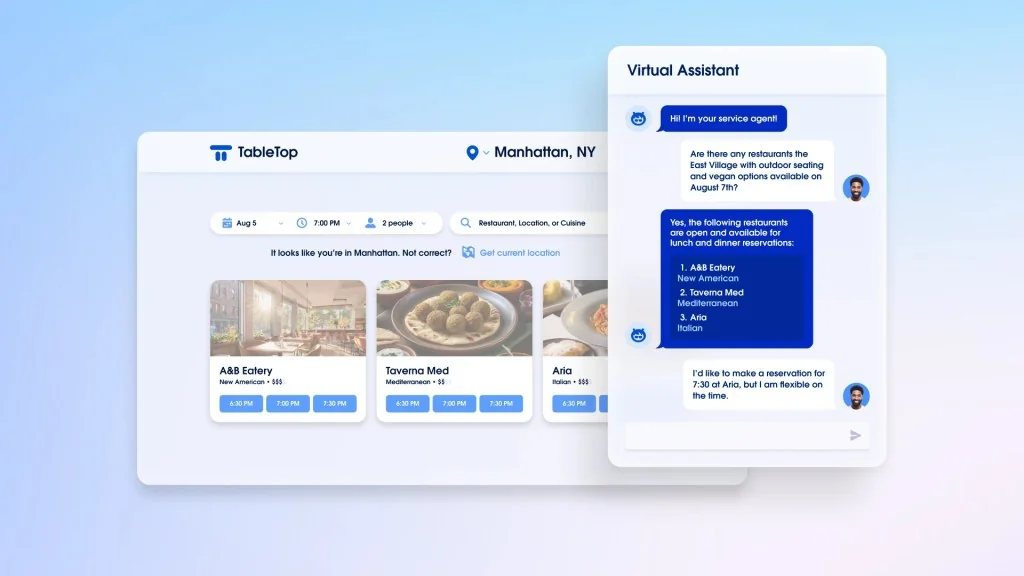
The Agentforce Service Agent is the newer, generative agent. Salesforce describes it as replacing "traditional chatbots with AI that can handle a wide range of service issues without preprogrammed scenarios," running on the Atlas Reasoning Engine, which breaks a request into steps and plans its way to an answer. If you already have an Einstein Bot, Salesforce ships a Create Agent from Bot tool (currently beta) to migrate, and the recommended pattern is to let a bot greet and filter, then hand complex cases to the Agentforce agent.
Both are real, capable tools. The friction is setup: an Einstein Bot needs a Service license plus a Chat or Messaging license, Omni-Channel routing, an Embedded Service deployment, and often an Experience Cloud site before it renders. That's the "few chores" Salesforce's own docs warn you about, and it's why native rollouts tend to be measured in months, not afternoons.
What Agentforce actually costs on top of Service Cloud
This is the part that reshapes the decision, so let's be precise. Your Service Cloud seat price does not include unlimited AI. AI is layered and metered on top.
Here's the full Service Cloud edition ladder, from the Service Cloud pricing page. Every line notes "Starting price. Transaction fees apply," so treat these as floors.
| Edition | Price (USD/user/mo) | AI included |
|---|---|---|
| Starter Suite | $25 | Built-in assistive AI (record summaries, email drafting) |
| Pro Suite | $100 | More automation, still assistive |
| Enterprise | $175 | "AI for Customer Service" (assistive, not unlimited agents) |
| Unlimited | $350 | Adds chat & bots |
| Agentforce 1 Service | $550 | Full AI suite, unmetered employee agents, 2.5M Flex Credits/org/yr |
Then, on top of the seat, autonomous Agentforce usage is charged one of two ways, per Salesforce's Agentforce pricing:
| Model | Price | Unit |
|---|---|---|
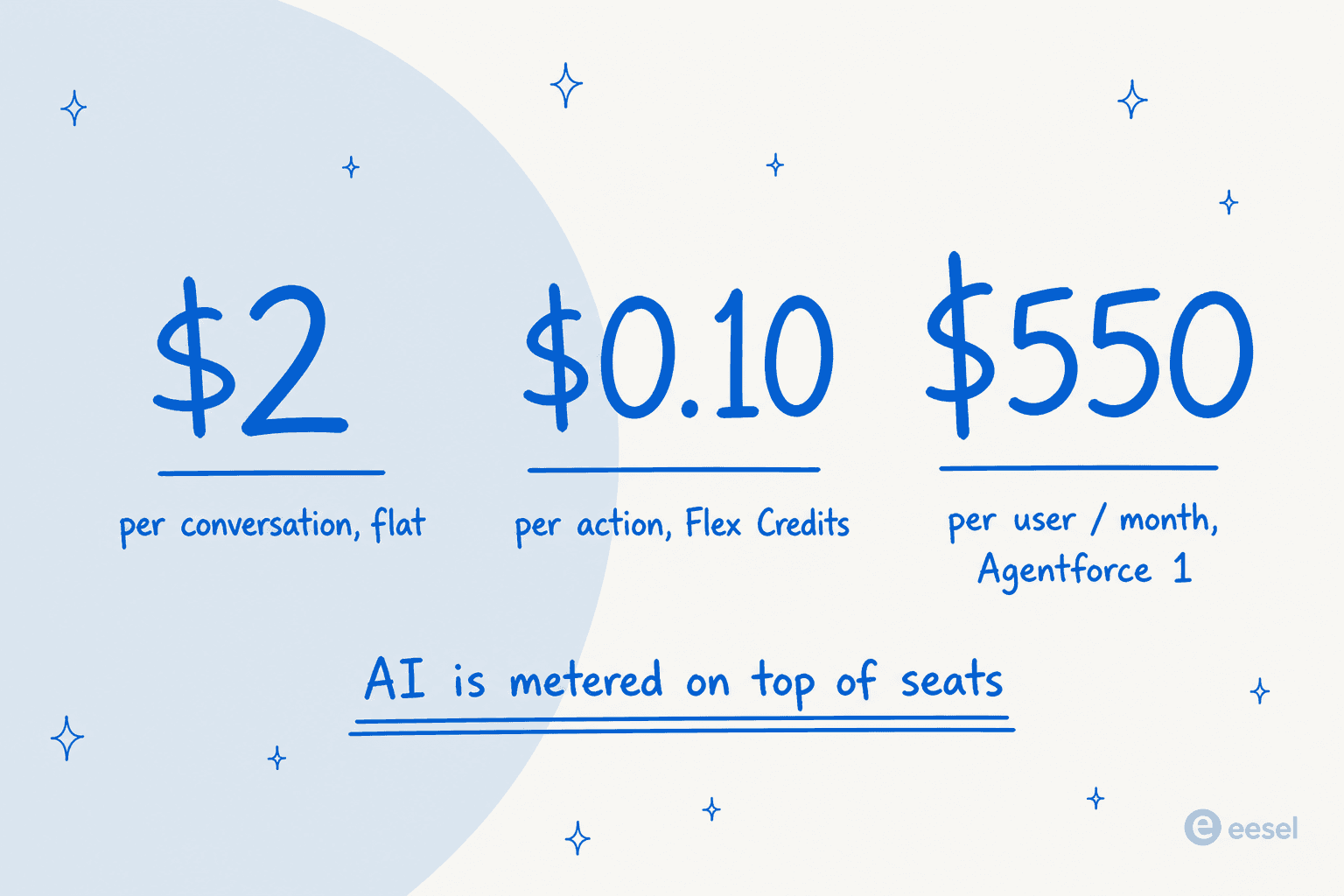
| Conversation-based | $2 | Per conversation, flat |
| Flex Credits | $0.10 per action | Consumption, 100,000 credits for $500 |
Salesforce's own math is worth quoting: a single interaction is a flat $2 under conversation billing, but the same exchange runs 3 to 6 actions on Flex Credits, so $0.30 to $0.60. Only the $550 Agentforce 1 Service edition bundles a meaningful AI allotment (2.5M Flex Credits per org per year, roughly 125,000 actions before overage). Every other edition has assistive AI only, or you're buying conversations and credits separately.
None of this is hidden or unfair, it's just enterprise pricing, and Salesforce customers feel it. The most common complaint in Salesforce's own G2 reviews is cost, especially AI licensing:
"Licensing fees and the cost of additional functionalities related to the advanced AI could be quite high, making ROI tougher to justify in the initial stages."

For comparison, a fixed-price layer like eesel sells monthly credit plans (1 credit per ticket or chat, however long), with no platform fee and no per-seat fee. At 1,000 tickets a month that's $499, and only the tickets the AI actually works on count. The point isn't that Salesforce is expensive for the sake of it, it's that the billable unit is very different, and that difference is worth modeling before you sign.
So which route actually fits you?
The right route depends less on budget and more on how much you want to build. Pick the situation that sounds most like yours.
Try eesel on your Service Cloud cases
If you landed here wanting AI on your Salesforce queue without a multi-month build, this is the route I'd actually reach for, and yes, I'm biased, so here's the concrete version rather than a pitch.
eesel is an AI teammate for the helpdesk. It plugs into Salesforce Service Cloud cases with full CRM context, and instead of authoring dialog trees it trains on your past tickets, help center, and docs. The differentiator I'd point a Service Cloud team to is Simulation: before it answers a single live customer, it replays your past tickets and scores its answers against what your team actually sent, then shows you the exact gaps by theme so you can fix them and re-run. That's the "test before you trust it" step that native rollouts usually skip.

It also rolls out the way a cautious support lead wants: every action starts as a draft for review, and you hand over more autonomy as it earns it, pulling anything back at any time. One customer described the payoff after starting on their own historical tickets:
"In the first month, eesel is resolving 73% of our tier-1 requests... we saw results quickly during our 7-day trial."
Kim Simpson, Gridwise
You can connect it, simulate on your real cases, and see what it drafts before committing to anything, and it starts free with 100 credits. If you also run Zendesk, Freshdesk, Gorgias, Help Scout, HubSpot, or Jira Service Management alongside Salesforce, the same teammate works across all of them under one account.