

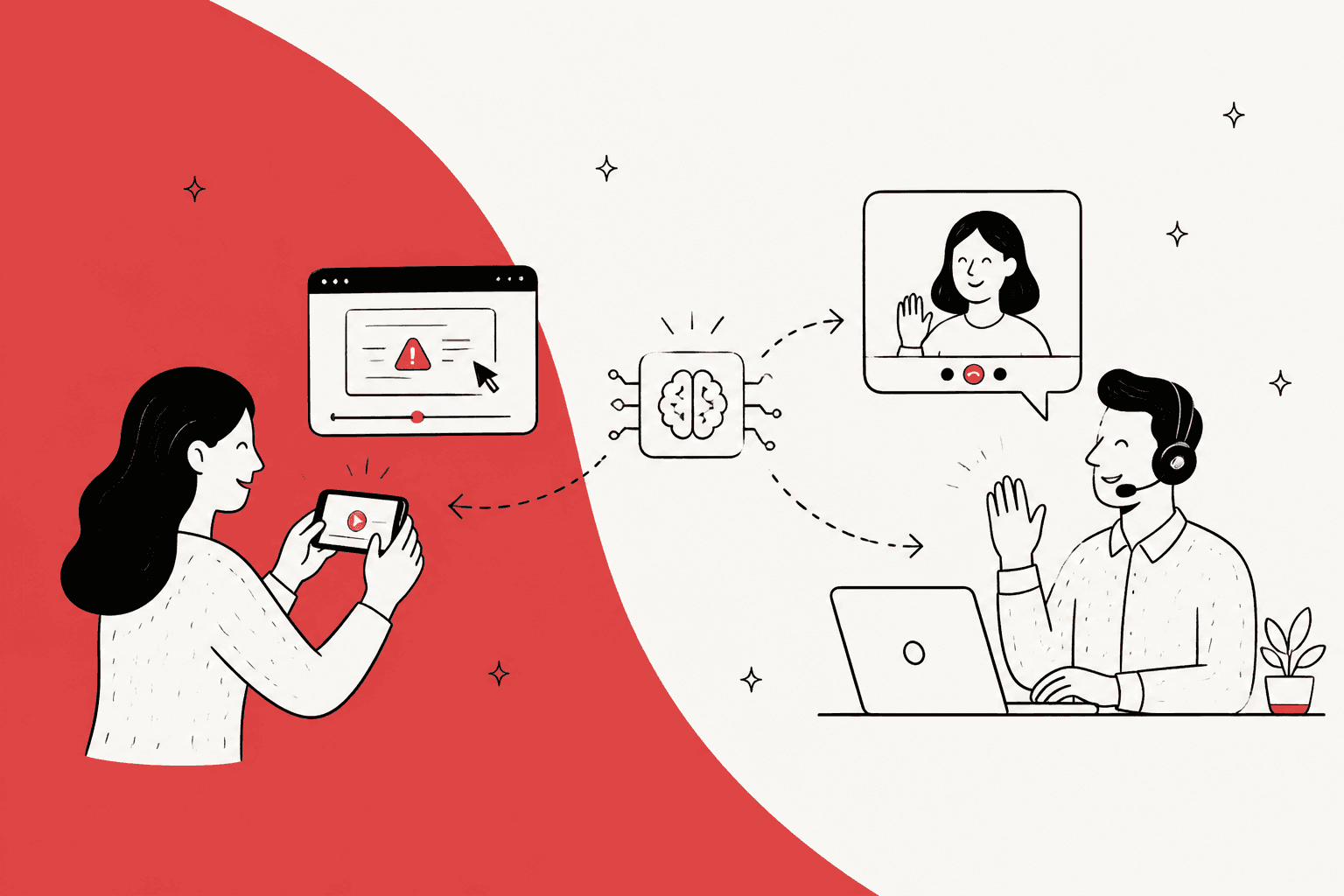
AI for video support works, but not the way most teams expect: the AI in your helpdesk usually can't open a video file, so the job is turning the clip into text it can read. Zendesk's email AI agents, Gorgias AI Agent and eesel all read screenshots and photos customers attach now. None of them opens a video attachment.
The fix is cheap. A video model like Gemini reads a 2-minute clip for about $0.01, and tools like Screendesk (from $15 per agent per month for AI summaries) collect the recording inside the ticket and summarize it. Then the helpdesk AI answers from the summary like any other ticket.
The bigger win is asking for the right thing. Most "video" problems are one frame: an error, a wrong price, a cracked box. Ask for a screenshot and an AI agent like eesel can answer it right away. Save recordings for step-by-step bugs and calls for setup a customer can't do alone.
Why does video break the AI in your helpdesk?
Because the AI reads text and images, and a video file is neither, so it answers from the words in the ticket and ignores the clip. I've watched this happen from the inside. A support team using eesel told us, word for word:
"Eesel is currently unable to analyze images, and our customers frequently share screenshots. Our agents are currently required to read these images and manually transfer the knowledge to Eesel."
That was the gap with screenshots, and it's closed now. eesel opens images and PDFs on Zendesk, Freshdesk, Gorgias and other channels, on every plan. But the same docs say plainly that "other file types (video, zip archives, spreadsheets) are not opened." Video is the same problem one step up the ladder, and it's where nearly every helpdesk AI still stops.
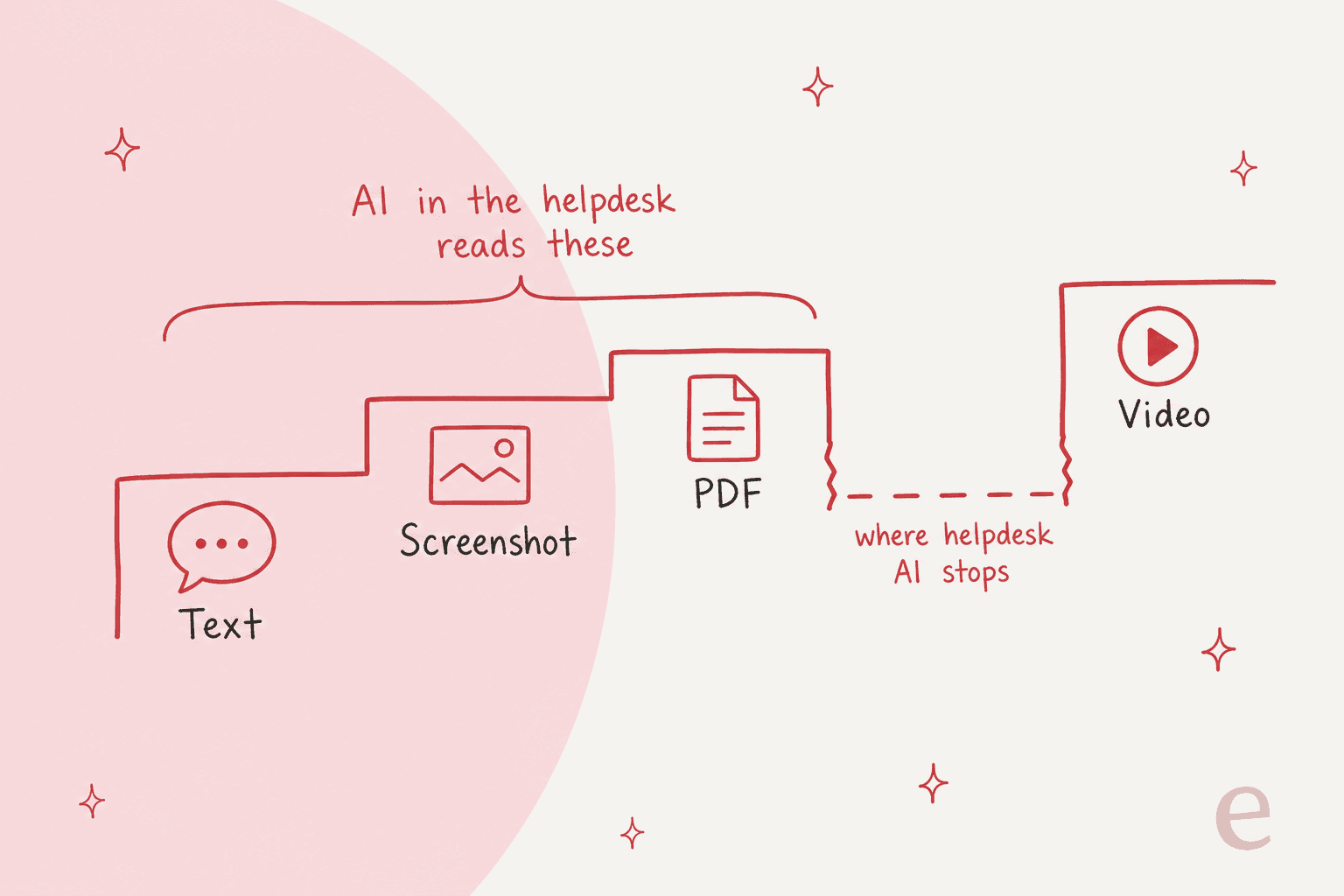
When the AI can't open the file, three things happen, and you've probably seen all of them:
- It asks the customer to describe what's already in the video. The customer, who filmed it so they wouldn't have to type, gets annoyed.
- It answers the text and misses the point. "It doesn't work" plus a clip becomes a generic troubleshooting reply.
- It hands off through an escalation, and a person watches the whole clip to find the 4 seconds that matter.
Zendesk's own attachment announcement names the cost: conversations with attachments "resolved at a lower rate than those without, because the AI agent couldn't see the evidence inside them." That's about images, which it now reads. For video, the gap is still open.
What can each helpdesk AI actually read today?
Screenshots and photos, yes, on most of them. Video, no, on all three I checked. Here's what each vendor's own docs say as of November 2026.
| Helpdesk AI | Images | PDFs | Video | Where it works |
|---|---|---|---|---|
| Zendesk AI agents (agentic, email) | Yes, PNG, JPEG, WebP, GIF | Yes, up to 150 pages | Not listed | Email channel, since Oct 21, 2026 |
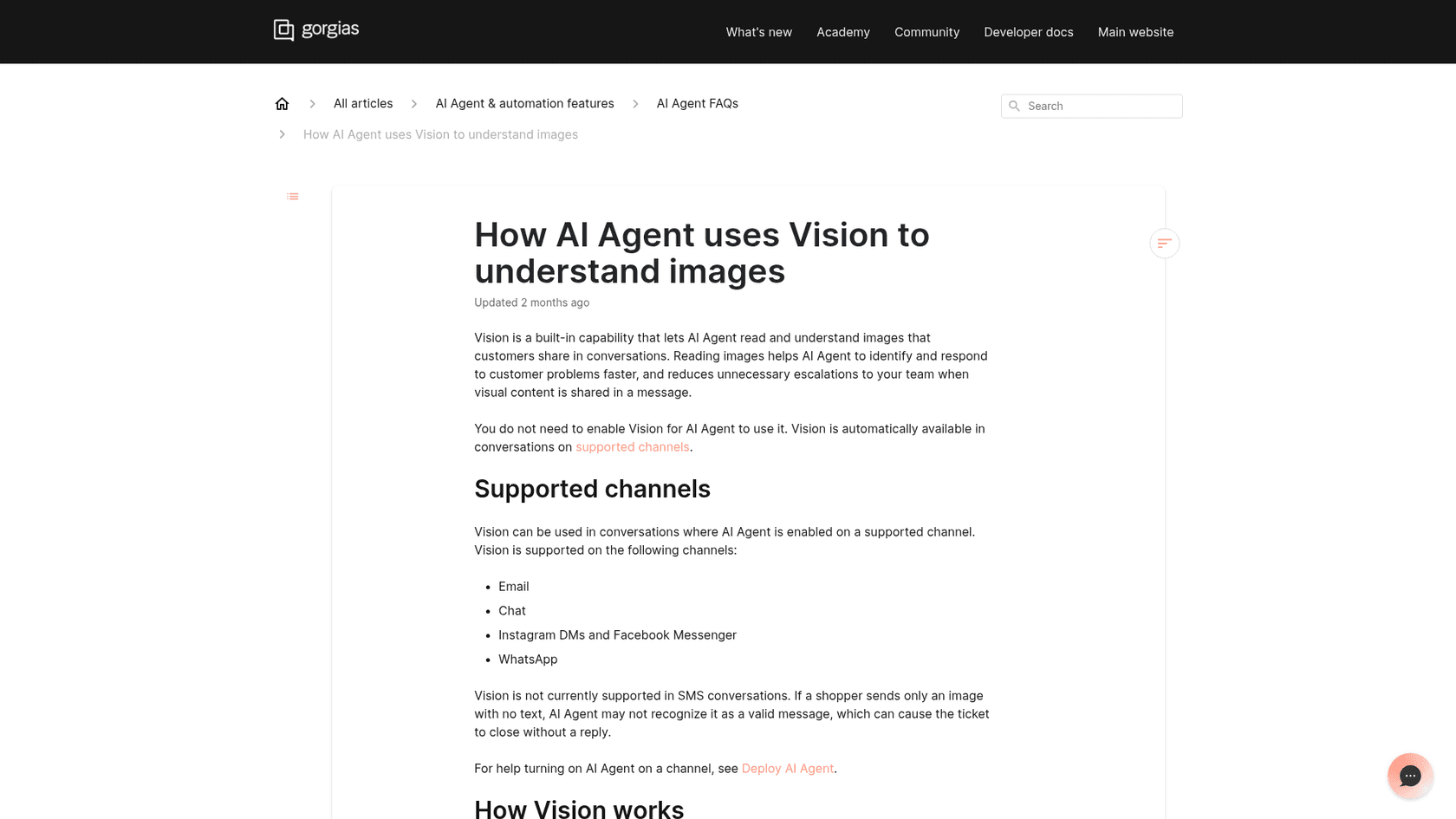
| Gorgias AI Agent (Vision) | Yes, PNG, JPEG, WebP, non-animated GIF | No | No | Email, chat, Instagram, Messenger, WhatsApp |
| eesel | Yes, PNG, JPEG, GIF, WebP | Yes, read for text | No | Zendesk, Intercom, Freshdesk, Freshchat, Gorgias, Slack, Teams, Discord |
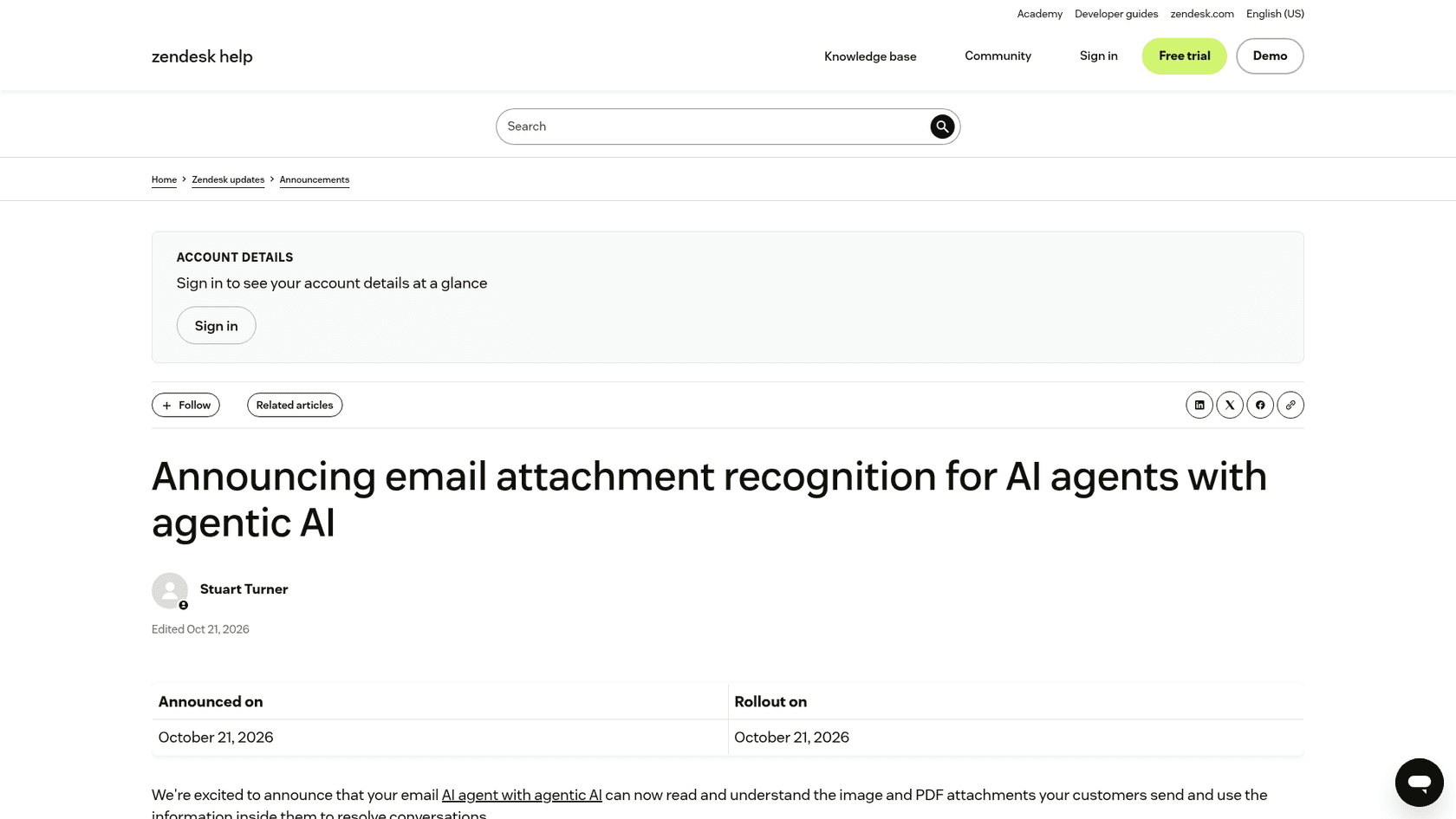
A few details matter more than the yes or no. Zendesk's attachment reading is on the email channel for accounts on the new infrastructure. Gorgias's Vision doc warns that a message with only an image and no text "can cause the ticket to close without a reply." And eesel's docs flag that iPhone photos often arrive as HEIC, which the agent can't view, so it says so and asks for a PNG or JPEG instead of guessing.
The video row is the reason this post exists. If your plan is "the AI will handle the videos," check that row first.
What should you ask customers to send?
Ask for the cheapest format that shows the problem: a screenshot when one frame is enough, a recording when the problem is a sequence, and a call only when the customer needs a hand. This one choice decides whether AI can help at all.
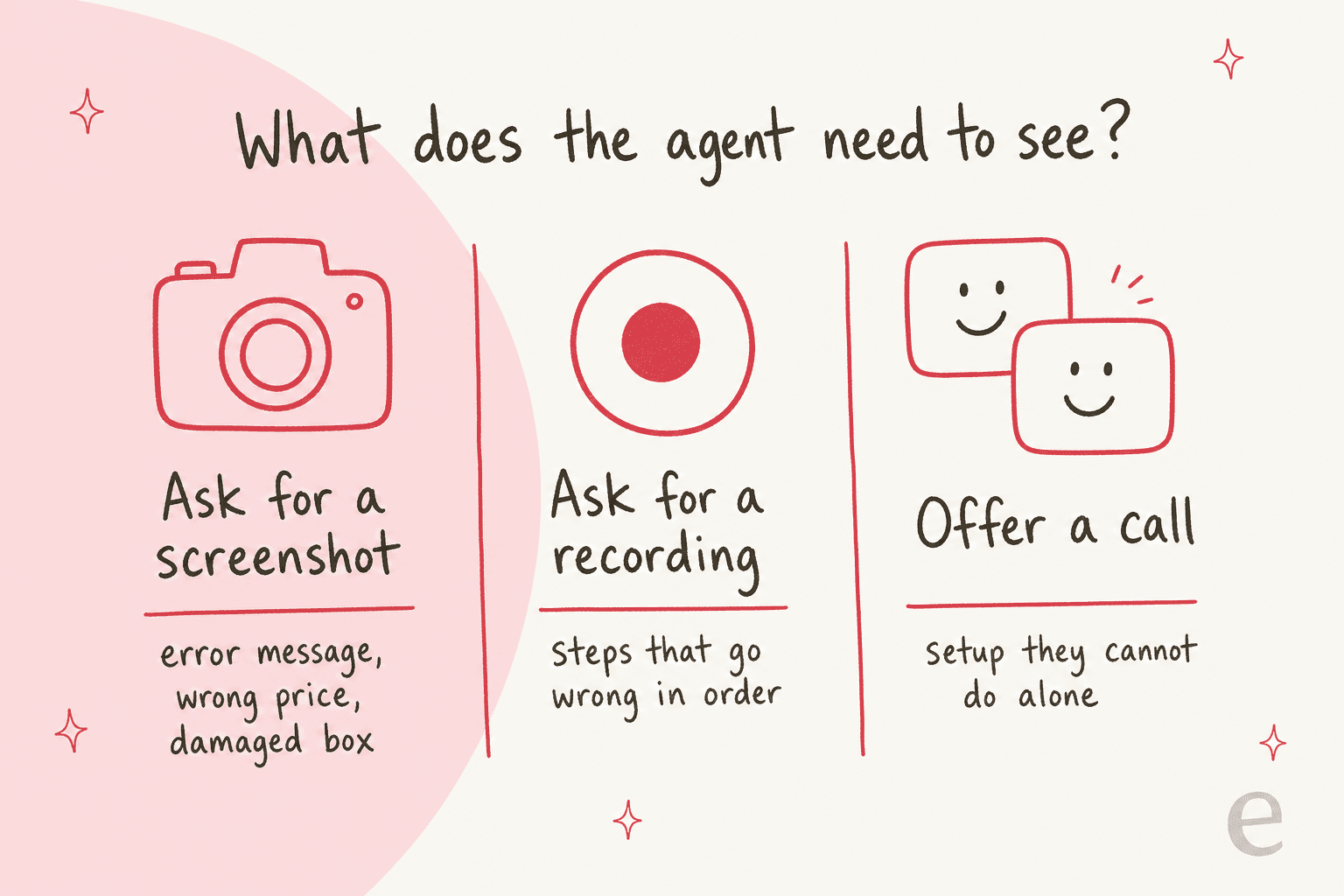
Here's how I'd sort it:
- Screenshot or photo. An error message, a wrong charge on an invoice, a cracked hinge, a missing item in the box. One frame carries the whole story, and the helpdesk AI can read it today. This covers most returns and warranty claims.
- Screen recording. "I click save and nothing happens," a checkout that fails on the third step, a sync that drops halfway. The order of events is the evidence. This is bug triage territory, and common in developer support.
- Video call. A smart device that won't pair, a setup with physical wiring, a confused customer who needs someone to watch along. A person stays on these, much like a field service visit.
SE Ranking bakes this into its setup. Its eesel agent sends Tier 2 issues like wrong data or broken connectors to the team "with the domain, audit link or connector screenshot collected first." The agent asks for the screenshot before the handoff, so nobody on the team has to go back and ask. You can tell your own agent the same thing in plain words, for example: "when a customer reports an error, ask for a screenshot of it before answering."
"you can show issues or ideas visually instead of explaining them in text, saving time and reducing confusion."

The point of that quote is fair: some problems really are easier to show. The goal isn't to stop taking videos. It's to stop asking for one when a screenshot would do.
How do you turn a customer video into something AI can answer?
Run the clip through a video model, get a written summary back, and put that summary in the ticket where the helpdesk AI can read it. The video stays attached for a person. The text is what the AI works from.
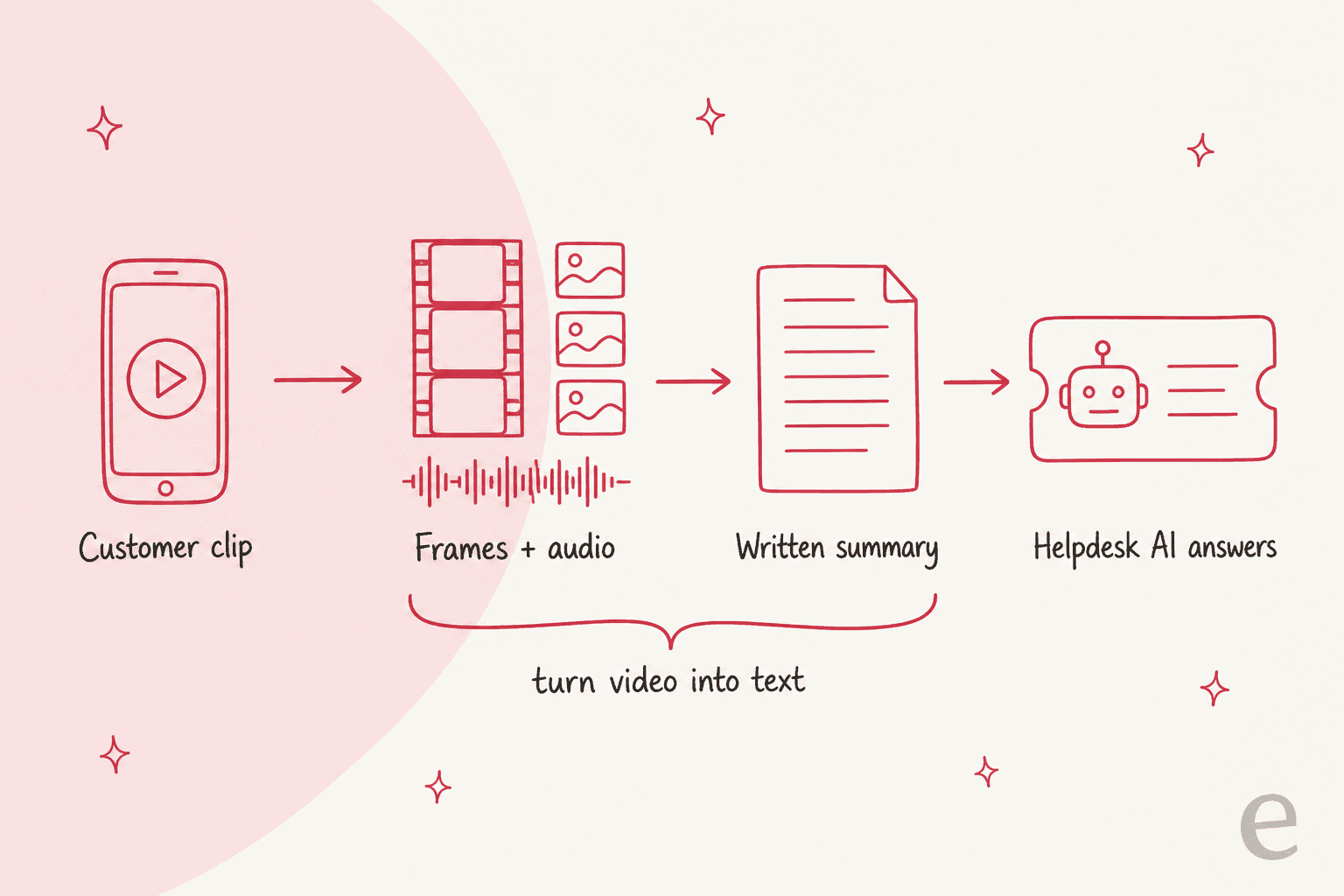
Under the hood, a model like Gemini doesn't watch the video the way you do. Its video docs say it samples frames at 1 frame per second, reads the audio at 32 tokens per second, and adds a timestamp every second. That has two practical effects:
- Ask it for timestamps. The model can point to
MM:SSmoments, so the summary can say "error appears at 0:21" and an agent can jump straight there. - Fast moments can slip through. At 1 frame per second, Google notes that "fast action sequences might lose detail." A popup that flashes for half a second may not make it into the summary. For those, a screenshot beats a video.
The written summary should hold four things: what the customer was trying to do, the steps they took, what went wrong and when (with the timestamp), and any text visible on screen, like an error code or an order number. That last part is what lets the helpdesk AI search your knowledge base for the right article instead of guessing, the same trick that makes help center search work.
What does it cost to have AI read a video?
About a cent for a 2-minute clip at the model level. Gemini counts roughly 100 tokens per second of video at its default resolution, so 2 minutes is about 12,000 tokens. On the Gemini pricing page, Gemini 3.8 Flash costs $0.75 per million input tokens through December 31, 2026 ($1.50 from January 1, 2027), and Gemini 3.5 Flash-Lite costs $0.30.
Plug in your own volume:
At 300 two-minute clips a month on Gemini 3.8 Flash, that's under $4. The model is the cheap part. The work is getting the clip out of the ticket, into the model, and back as a note, which is why most teams buy a tool for it rather than build it.
Which tools handle the video part?
Screendesk is the most complete fit for support teams, Vivu is for spotting the same problem across many videos, and LiveKit is for building your own live video agent. I'd start with the first and only reach for the others with a specific reason. None of these replace the AI in your helpdesk; for that side, my AI helpdesk roundup covers the field.
Screendesk
Screendesk lets an agent send a recording link from the ticket. The customer records their screen in the browser with nothing to install (on mobile, they use the front or back camera), and the recording lands back in the same ticket. It works inside Zendesk, Intercom, Help Scout, Freshdesk, Freshchat and HubSpot.
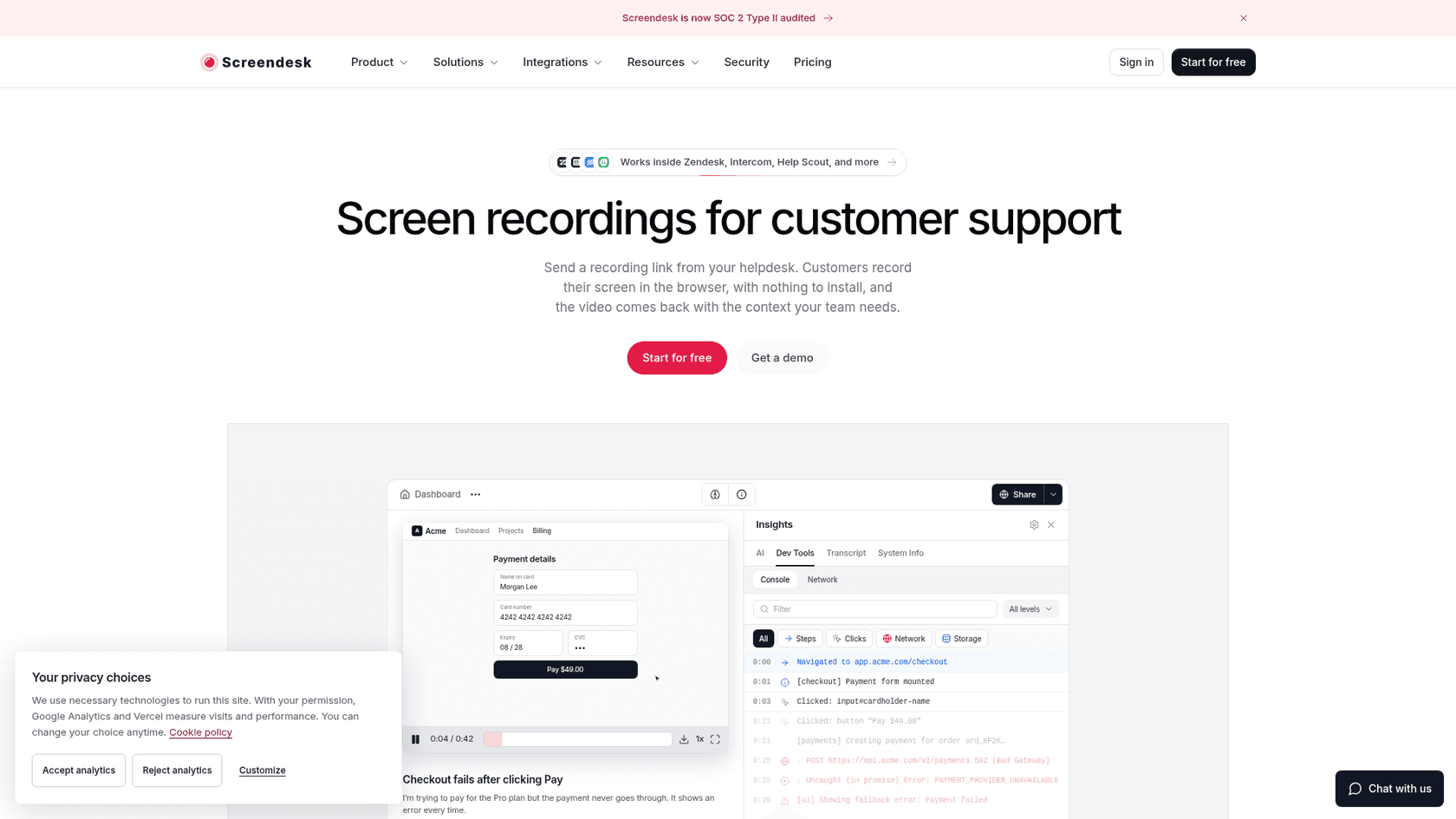
What it does with AI, per its AI docs:
- Report intelligence: summaries, issue findings and reproduction steps for eligible recordings, plus transcripts. It runs on Gemini, and you can bring your own Gemini key.
- AI Resolution: investigates recording-linked Zendesk tickets and posts a private note. The docs are clear that it "does not send a public reply or mark the customer's problem as solved," and it isn't part of the Intercom, Freshdesk or Freshchat workflow yet.
- Privacy: you list the fields to blur on your web app, like card numbers, and can require consent before the recorder opens.
- Live calls: customers join from a browser link and share their screen (no remote control), with a live transcript and an AI recap with action items after.
Pricing, from the Screendesk pricing page:
| Plan | Price per agent/month (annual) | Monthly billing | What you get |
|---|---|---|---|
| Free | $0 | $0 | 10 recordings or bug reports a month, 30-day retention |
| Plus | $8 | $10 | Unlimited recordings, custom branding |
| Pro | $15 | $18 | Video calls, AI summary and transcripts, workflow automations |
| Enterprise | Custom, from 10 agents | Custom | Console and network logs, SAML SSO and SCIM |
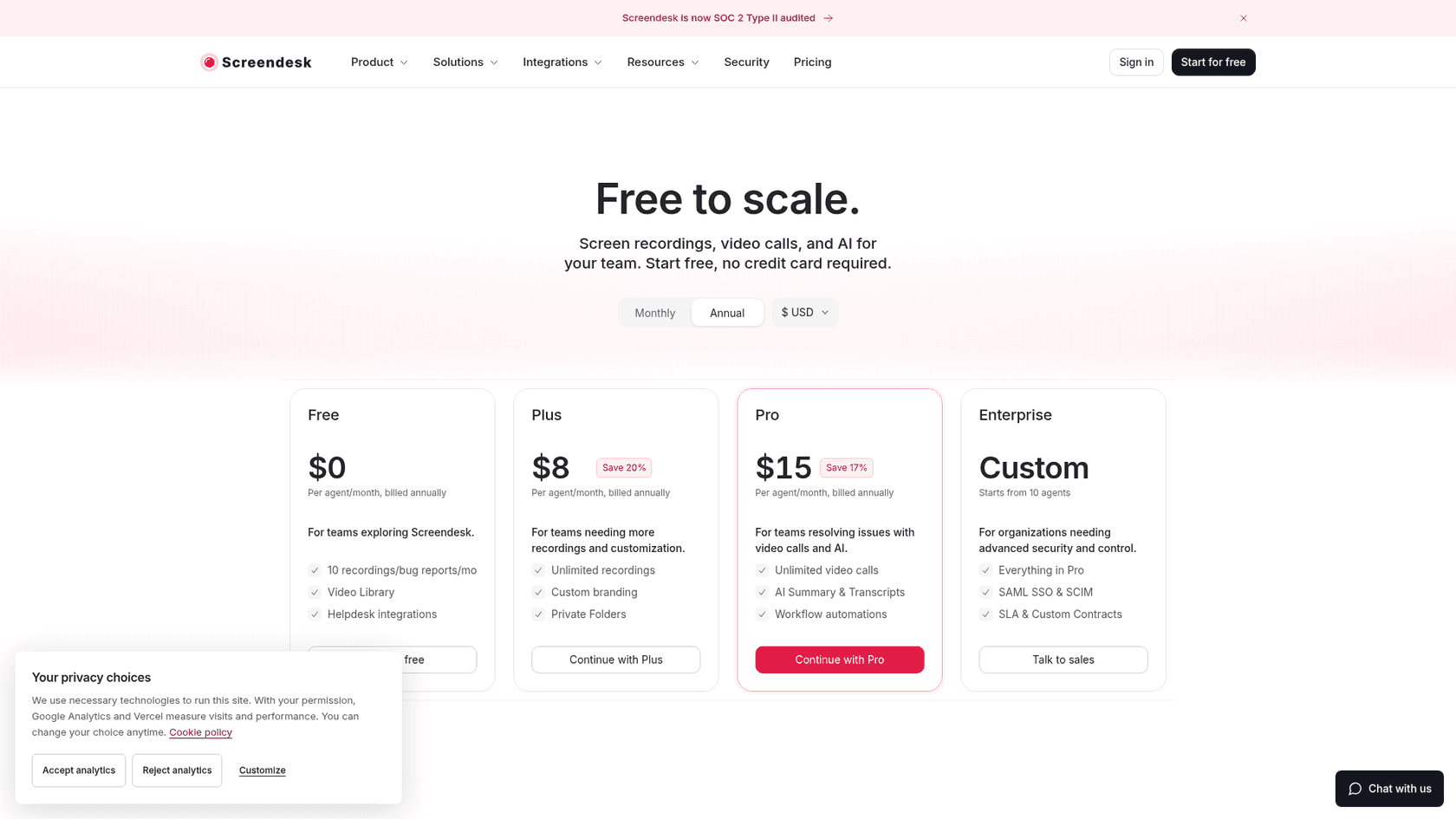
Two things to know before you buy. Recordings max out at 10 minutes on every plan. And console and network logs, which are what engineering wants for a bug report, are Enterprise only. On G2 it holds a 4.4 out of 5 from 14 reviews, with limited editing as the most common complaint.
Vivu
Vivu solves a different problem. It doesn't help with one ticket; it indexes all the clips customers send so you can search them by what they show, like "hinge cracked at the lid," and get back every case with that failure and the timestamp. Vivu's own page is honest that it gives "evidence, not verdicts" and doesn't diagnose the fault.
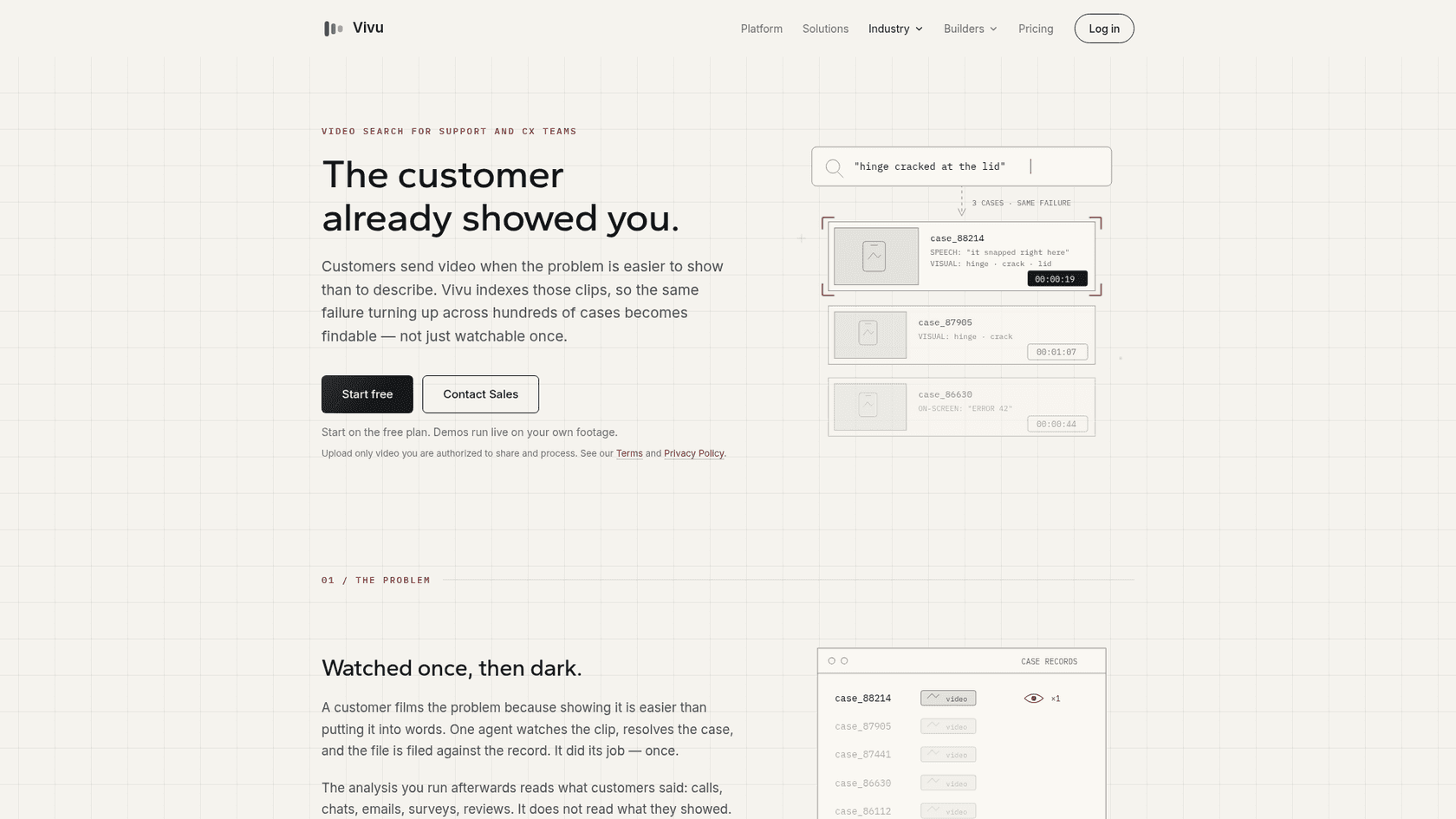
Vivu's pricing is a Free plan with 20 indexing minutes and 50 search credits a month, and Premium at $30 a month for 180 indexing minutes and 500 search credits. That's small for a busy queue, so I'd treat it as a product-quality tool for hardware teams, not a support inbox tool.
LiveKit and realtime models
If you want an AI that watches a live video call, you're building, not buying. LiveKit's video docs say live video input needs a realtime model with video support, and list the Gemini Live API and the OpenAI Realtime API. They also warn that many LLMs "are not trained for this use case" and can struggle with motion. For most support teams, this is a project for later, not the first step.
Where do live video calls fit?
Keep a person on the call and give AI the paperwork: the transcript, the recap and the ticket notes. Calls are for problems a customer can't solve from instructions, and those are the cases where you want a human watching along.
The useful AI jobs around a call are boring and valuable:
- Before: the AI agent answers what it can from the ticket and the screenshots, and only offers a call when it can't. That keeps calls for the hard cases.
- During: a live transcript, so the agent isn't typing notes while also reading the customer's screen.
- After: a recap with what was tried and what was agreed, posted to the ticket. If the issue comes back next week, whoever picks it up starts from the summary, not from zero.
That last step is the same "video into text" move from earlier. A call recap in the ticket is text the helpdesk AI can read, so the next time the customer writes in, the AI knows what already happened. This is also how a clean handoff works between shifts.
How would I set this up, step by step?
Start with screenshots, add a recording tool for the bug-shaped tickets, and make sure every video ends up as text in the ticket. In order:
- Turn on image reading in your helpdesk AI. On Zendesk email, Gorgias and eesel it's already on. Test it: send yourself a ticket with a screenshot attached and see what the AI does.
- Teach the AI when to ask for a screenshot. Write it as an instruction: "when a customer reports an error or a damaged item, ask for a screenshot or photo if there isn't one." The fastest video ticket is the one that never needed a video, and it keeps your first response quick.
- Add a recording tool for step-by-step problems. Screendesk on Pro, or a free plan to try it. Have the agent or the AI send the link only when the problem is a sequence, and route the result to your Tier 2 team if it's a real bug.
- Get the summary into the ticket as text. A private note with the steps, the timestamps and any on-screen error. Now the helpdesk AI and the next person can both use it.
- Set privacy rules before launch. Blur sensitive fields, ask for consent, and pick a retention period. Check this against your GDPR process.
- Watch three numbers. How often the AI asks for a video it didn't need, how many video tickets still need someone to watch the whole clip, and handle time on video tickets versus the rest.
Before you let any of it reply on its own, run it on old tickets first. I'd always simulate on past tickets before going live, because it's the only way to see how the AI handles your real mess of attachments.
How does eesel handle tickets with videos?
eesel reads the screenshots, photos and PDFs customers attach, answers from your help center and past tickets, and hands a video it can't open to your team with a note on what's missing. It works inside the helpdesk you already have, on Zendesk, Freshdesk, Gorgias and others, as a helpdesk teammate that drafts or sends replies, tags and routes.
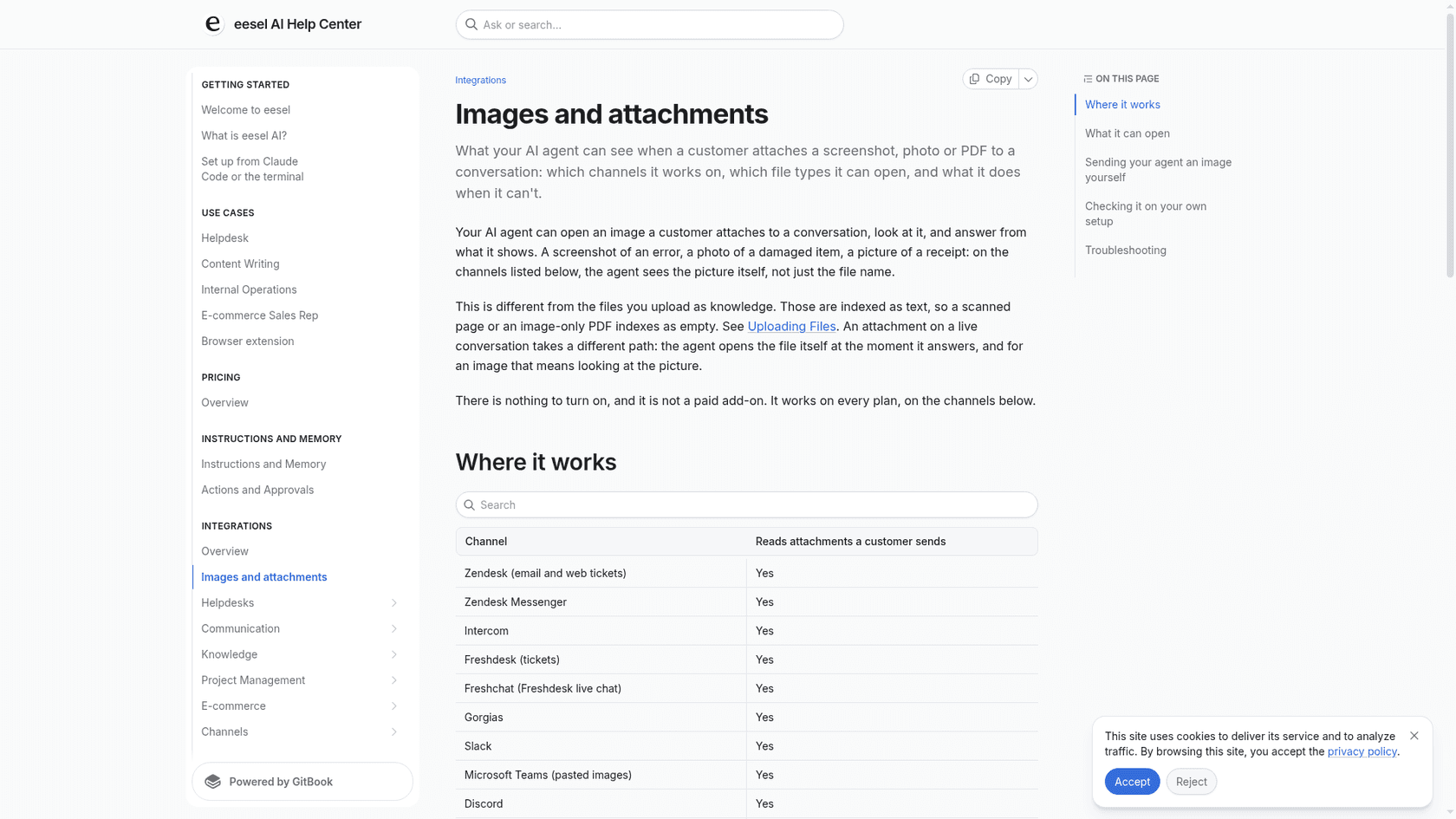
Being straight about it: eesel does not watch videos. If your queue is mostly screen recordings, pair it with a recording tool that writes a summary into the ticket, and eesel will answer from that summary like any other text.
What it's good at is the part around the video. Innr, a smart lighting company on Freshdesk, gets questions like "why will this bulb not pair" in Dutch, German, English and French. In one month eesel prepared 190 tickets and left 450 internal notes, each a draft, a summary, or what's missing. Lesson Pro works the same way on Zendesk: 1,900 tickets in a month, 1,700 internal notes, and the team approves every draft before it goes out. That "what's missing" note is exactly where "please send a screenshot of the error" belongs.
Try eesel
If customers keep sending you screenshots and clips, eesel can take the screenshot tickets off your plate today and leave a clean note on the video ones, inside Zendesk, Freshdesk or Gorgias. Plans start at $299 a month for 500 credits, where one ticket is one credit and there are no seat fees, with a 7-day free trial and 100 credits to test it on your own tickets.