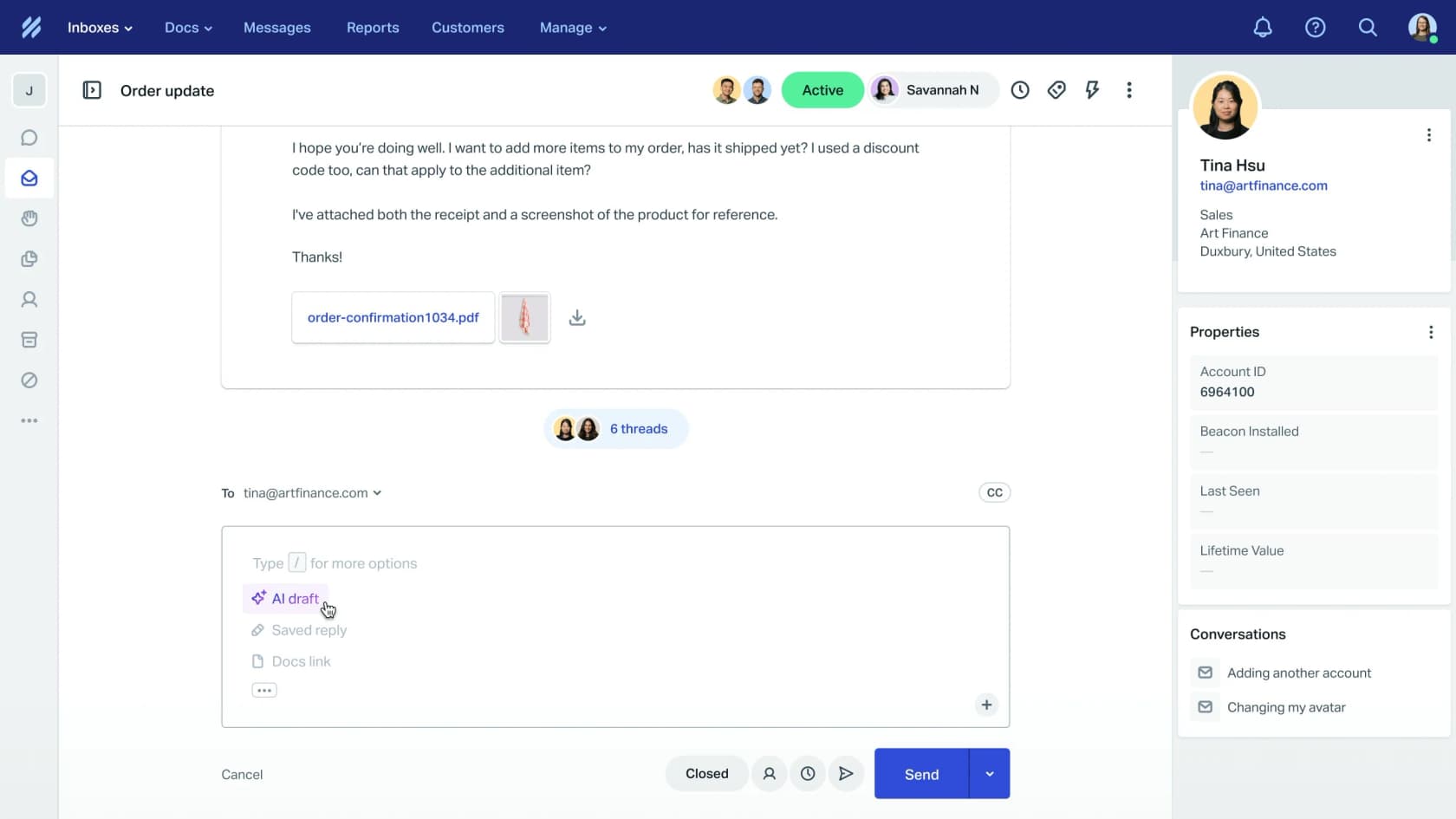
Why teams leave Zendesk for Help Scout
I work on the integrations at eesel, including the Zendesk and Help Scout ones, so I've spent a lot of time in both APIs. The pattern I see is consistent. Zendesk grew into an enterprise platform, and a 6-person support team ended up paying for depth it never uses.
Help Scout says so itself. Its Zendesk comparison page positions Help Scout for "companies with 500 or fewer employees", and Zendesk for "large and enterprise businesses that need deep customization". That split is a fair summary of the reviews too.
Cost is the first reason people give, usually with a complaint about complexity attached:
"Zendesk is absurdly expensive, unnecessarily complicated, and has potentially the worst customer support I've ever worked with, which is ironic since they are literally a customer support platform."
Nick, Trustpilot, after three years on Zendesk

Complexity is the other half, and it's an old complaint. This one is from a SaaS founder who made the same move years ago:
"We felt that Zendesk was getting too large and complicated for our reasonably straightforward requirements. Plus, we really liked the image of our customers getting back a personal email rather than the "YOU HAVE BEEN ASSIGNED TICKET #238989438928992, PLEASE WAIT (24) HOURS FOR RESPONSE" kind of system."
jason_tko, Hacker News, on switching a B2B SaaS team to Help Scout

Here's what the seats cost side by side, from each vendor's pricing page. My Zendesk pricing and Help Scout pricing posts break down every plan.
| Zendesk | Help Scout | |
|---|---|---|
| Entry plan | Support Team, $19/agent/mo | Free, up to 5 users |
| Main small-team plan | Suite Team, $55/agent/mo | Standard, $25/user/mo |
| Mid-tier | Suite Professional, $115/agent/mo | Plus, $45/user/mo |
| Top tier | Suite Enterprise, via sales | Pro, $75/user/mo (10-user minimum, via sales) |
| Knowledge base | From Suite Team | 1 Docs site even on Free |
| AI agent billing | $1.50 committed or $2.00 pay-as-you-go per automated resolution | $0.75 per AI Answers resolution |
| AI copilot | Copilot add-on, $50/agent/mo | AI Drafts included on Plus and Pro |
All prices are per month on annual billing, from the Zendesk pricing page and the Help Scout pricing page. Help Scout's monthly-billing rates run about 16% higher.
To be fair to Zendesk, the switch does cost you some things. Help Scout's own comparison lists skills-based routing, community forums, phone support without an integration, and benchmark reporting as Zendesk-only. One mid-market ops manager on G2 put the gap plainly:
"The native reporting and operational analytics are a bit too basic for my needs. [...] It also lacks some of the heavy-duty, enterprise-level routing logic you'd find in a tool like Zendesk."
Afzal M., G2, operations manager

If that describes your team, my Zendesk alternatives roundup and the Zendesk vs Help Scout comparison are worth a read before you commit.
What moves in a Zendesk to Help Scout migration, and what doesn't
Help Scout's Move From Zendesk article and its import guide are unusually clear about the split. Here's the full map, with the Help Scout term for each Zendesk object.
| Zendesk | Help Scout | Moves in the built-in import? |
|---|---|---|
| Tickets | Conversations | Yes |
| End users | Customers | Yes, the profiles attached to imported tickets |
| Tags | Tags | Yes |
| Custom fields | Custom fields | Only mapped onto Help Scout fields you create first |
| Agents | Users | No, create them by hand before importing |
| Groups | Inboxes or Teams | No, set up inboxes first |
| Macros | Saved replies | No |
| Triggers and automations | Workflows | No |
| Help center (Guide) | Docs | Not in the standard tool, ask Help Scout first |
| Ticket types and custom statuses | Tags, folders or custom fields | No |
| Problem and incident links | None | Tickets import, the link between them doesn't |
A few details from Help Scout's switching guide are worth knowing before you plan:
- Statuses collapse to three. Zendesk Open becomes Active, On-hold becomes Pending, and both Solved and Closed become Closed.
- Nothing marks a conversation as imported. Help Scout suggests you apply a tag such as
importedto every Zendesk ticket before the sample import, so you can tell old from new later. - Your support address stays the same. You change the forwarding at your email provider from your Zendesk address to your Help Scout inbox address.
Macros become saved replies
Help Scout's guidance is to "make a note of your Macros and Triggers at Zendesk", because "these will not be imported". Saved replies are the closest match to a Zendesk macro, and they're unlimited on every paid plan. The difference is that a saved reply is text. A Zendesk macro can also set fields, add tags and change status in one click. That part moves to a manual workflow, which can run several actions at once.
This is where I'd slow down. A team with 300 macros rarely needs 300 saved replies. Most macro libraries carry years of duplicates, and a migration is the cheapest chance you'll get to cut them. Sort by usage in Zendesk, rebuild the top 50, and archive the rest in a document your team can search.
Triggers become workflows
Zendesk triggers map to Help Scout's automatic workflows, and manual workflows cover the button-style jobs. The plan limits are real, per the Help Scout pricing page: Standard gets 150 basic workflows, Plus gets 500 advanced workflows, and Pro is unlimited. Advanced workflows are the ones that can use customer properties, so a trigger that routes by account tier needs Plus.
One gap to plan for is skills-based routing, which Help Scout doesn't have. Round robin comes with Plus, and Pro adds load-balanced routing. My Zendesk automation guide is a useful checklist for listing what your triggers do today.
The help center becomes Docs
The standard import skips knowledge base articles for every provider. Zendesk is the exception with a catch: Help Scout keeps "an older import tool that will import knowledge base articles", but you have to contact its team first. Its docs are blunt about the order of operations: "Do not start an import with Import2 if you need to import knowledge base articles as this can result in duplicate imported data."
So if you have a Zendesk help center, message Help Scout before you click anything. The fallbacks are the Docs API or a paid service. For the Zendesk side of the export, see my guide to Zendesk Guide articles.
Migration methods and what they cost
There are three realistic ways to move the data, and for most small teams the first one is the answer.
| Method | What it moves | Cost | Best for |
|---|---|---|---|
| Help Scout built-in import (Import2) | Tickets, customers, tags, mapped custom fields | Free up to 500,000 records, then $500 per 500,000 | Almost every team under a few hundred thousand tickets |
| Help Scout's older Zendesk tool | The above plus help center articles | Contact Help Scout | Teams with a Zendesk help center |
| Help Desk Migration (paid service) | Tickets, contacts, agents, knowledge base articles | $100 for 1,000 records, $514 for 10,000, on the Essential plan | Teams that want custom mapping, re-runs or hands-on support |
| DIY with the APIs | Anything you code | Developer time | Unusual data or strict compliance needs |
Sources: Help Scout's import guide, which says "Imports of 500,000 records or less will not incur any costs", and the Help Desk Migration pricing page. The built-in tool is available to account owners and admins on the Standard, Plus and Pro plans.
The free tier covers far more than most small teams need. A team handling 1,500 tickets a month for five years has around 90,000 tickets, well under the cap. Help Desk Migration earns its fee in other ways. It runs a free demo of 20 tickets and 20 knowledge base articles, and it lets you wipe and re-run a migration with new mappings. It can also map a Zendesk custom field with no Help Scout equivalent into tags or notes.
Getting your Zendesk data out
Even if Import2 does the heavy lifting, keep a full export of your own. Zendesk's data export article has two catches. First, exports "are not enabled by default", and the account owner has to contact Zendesk support to switch them on. Second, the built-in JSON, CSV and XML exports need Suite Growth or above, or Support Professional or above. Team plans have to use the API.
The line I'd put in bold for anyone running Zendesk's AI: "AI agent tickets cannot be exported." More on that below. My Zendesk data export and Zendesk ticket export guides walk through both routes, and Zendesk API rate limits matter if you script it yourself.
The cutover, step by step
Help Scout's docs lay out the order, and it's worth following exactly:
- Create every user and inbox in Help Scout. Mappings fail without them.
- Tag your Zendesk tickets with something like
importedso you can find them later. - Run the sample import from Settings > Import Data and review it at Import2.
- Switch your email forwarding and any forms or integrations that create tickets, so new mail lands in Help Scout.
- Start the full import on a quiet day, and ask your team to stop working in Zendesk from that point.
- Keep Zendesk read-only until you've checked the import, rebuilt your top saved replies and workflows, and exported what you want to keep.
The community reports are mostly calm about the data side. One team wrote on Hacker News that "The migration has been painless (all zendesk issues are imported to helpscout)." The work that bites is the rebuild, and the piece that surprises people most is the AI.
What happens to your AI in the switch
This is the part I'd plan hardest, because none of it is in the import. Everything your Zendesk AI knows lives in Zendesk's configuration, and Help Scout's AI works differently enough that you're starting over, not porting.
What stays in Zendesk
Zendesk AI agents are included in every Suite and Support plan, billed per automated resolution, according to the Zendesk pricing page. You get 5 to 10 automated resolutions per agent per month depending on plan, capped at 10,000 a year. Beyond that you pay $1.50 each committed, or $2.00 each pay-as-you-go. Copilot, the agent-assist add-on, is $50 per agent per month. I cover the whole stack in Zendesk AI pricing.
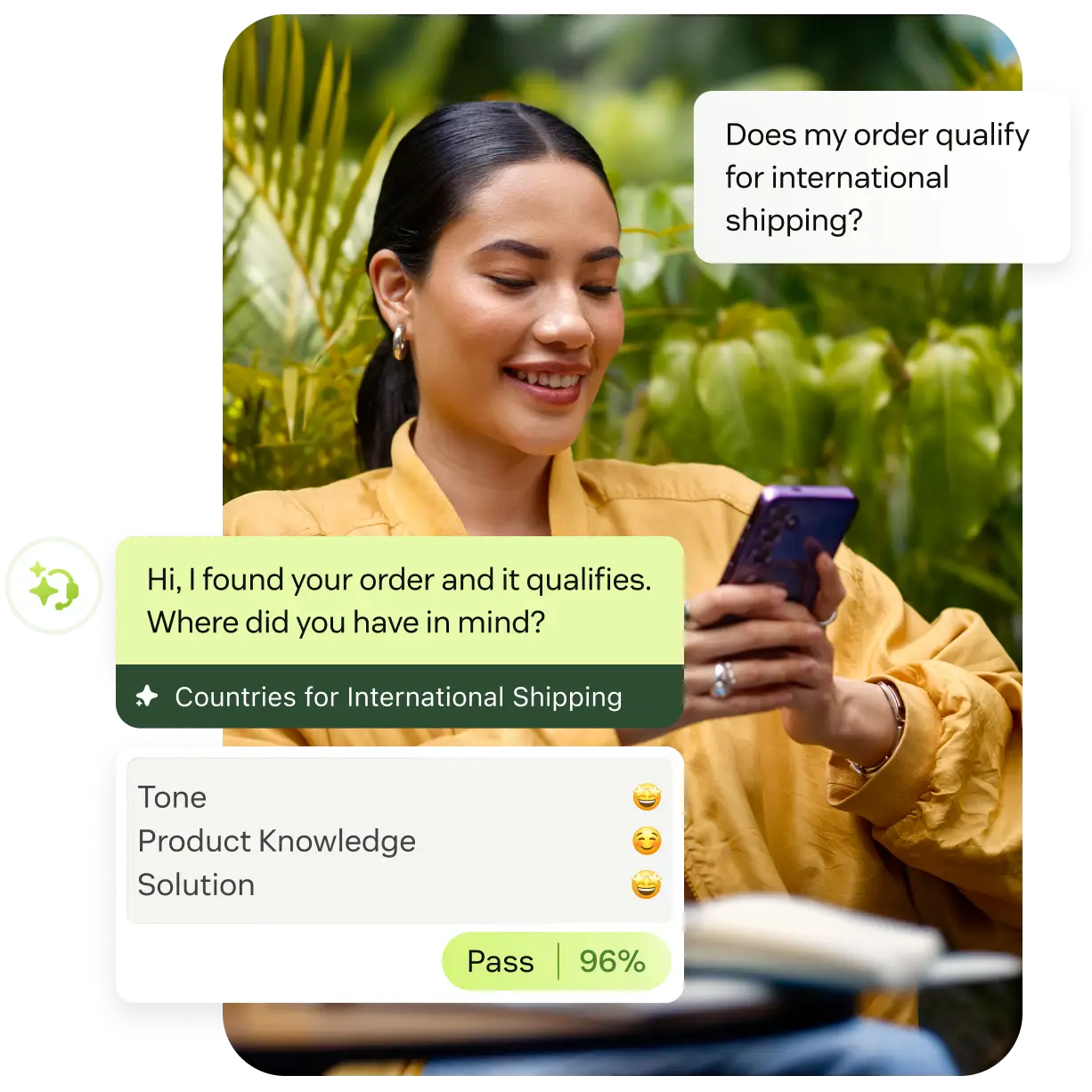
When you leave, all of this stays behind:
- The AI agent's setup. Its use cases, procedures, tone and actions are Zendesk configuration, with no export to Help Scout. My Zendesk AI agents guide shows how much lives in there.
- The AI's conversation history. Zendesk says AI agent tickets can't be exported, so the transcripts that show what your bot got right and wrong don't come along.
- Any committed resolutions you prepaid. Zendesk's automated resolutions article says your allocation "expires annually".
Some teams are relieved to leave the meter behind. On one of eesel's sales calls, a CX lead at a US healthcare platform said: "we have kicked the tires in zendesk AI solutions and found it largely inadequate and overpriced." Public reviews are sharper still:
"They count abandoned chats as automated resolutions that you have to pay for."
Naila Khan, Trustpilot, reviewing Zendesk
What Help Scout's AI does instead
Help Scout has three AI features, and they're easy to confuse. The pricing page and help docs split them like this:
| Feature | What it does | Learns from | Plan | Cost |
|---|---|---|---|---|
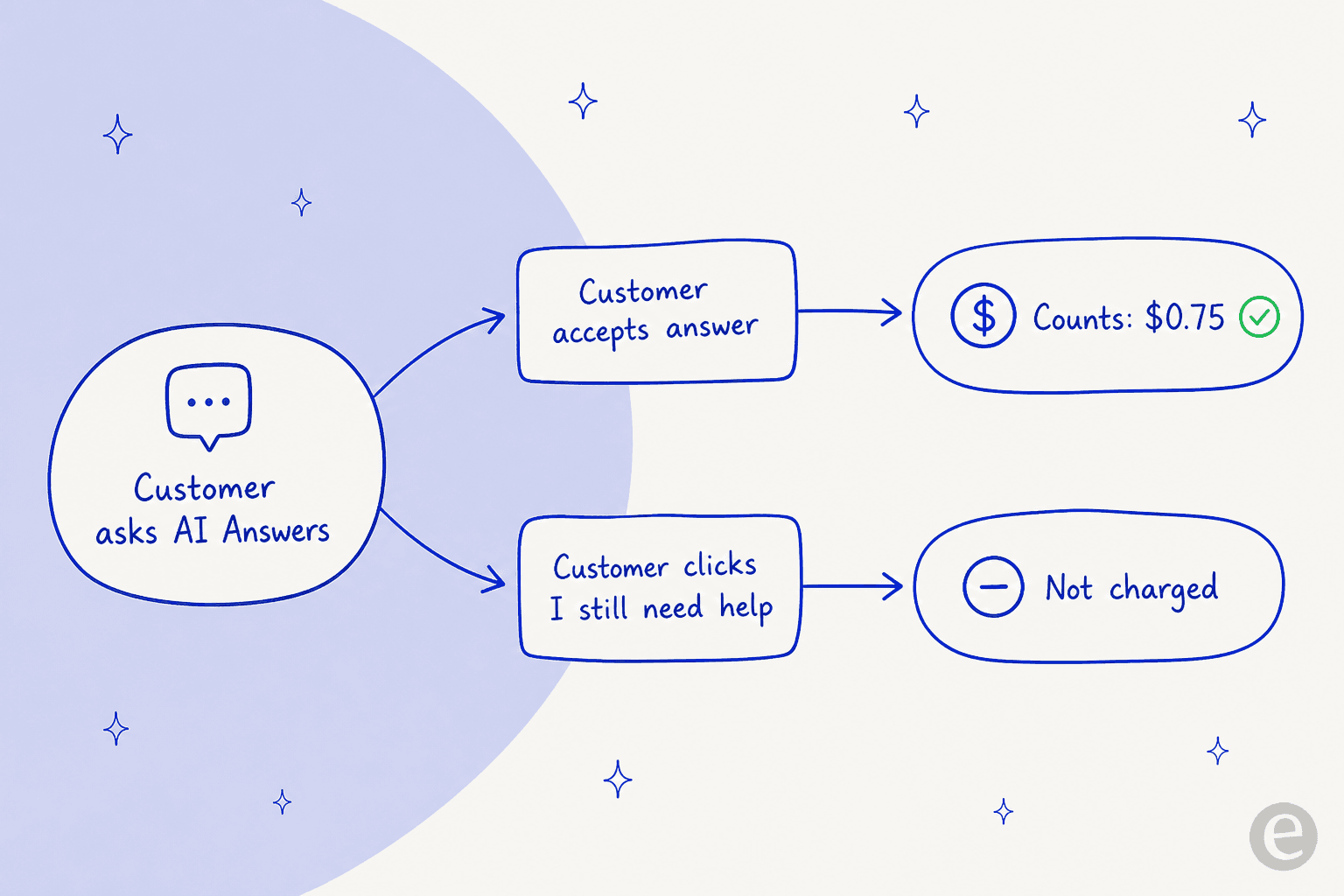
| AI Answers | Answers customers in the Beacon widget and the mobile SDKs | Docs sites, public web pages, PDFs and shared Google Docs added as links, plus "improvements" you write | All plans | $0.75 per resolution, 3-month trial for new customers |
| AI Drafts | Drafts replies for your team in the inbox | Past conversations and Docs articles | Plus and Pro | Included |
| AI Assist and Summarize | Rewrites, translates and summarizes text | The conversation in front of you | AI Assist on all paid plans | Included |
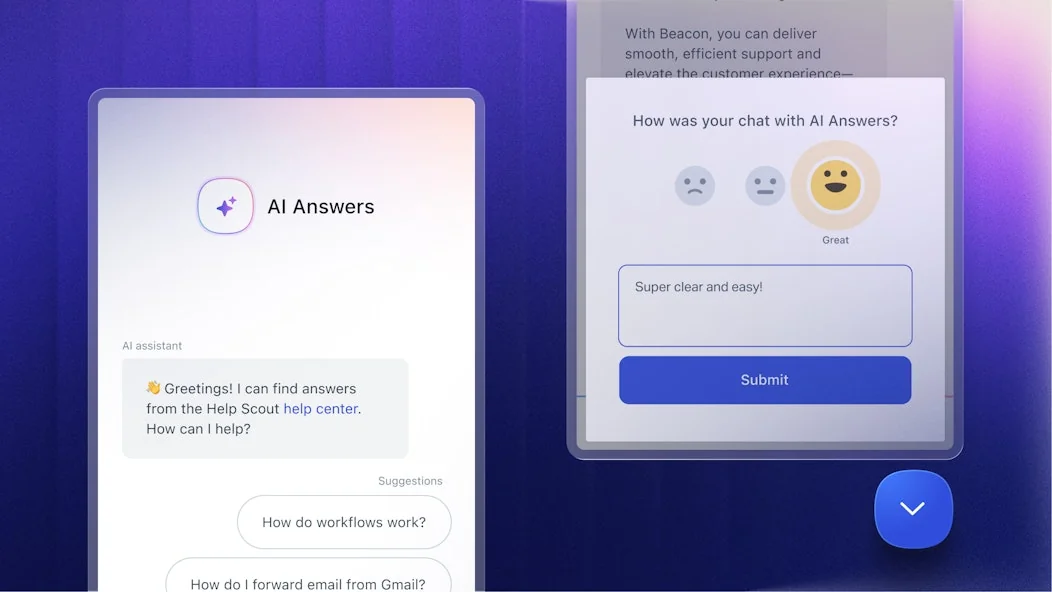
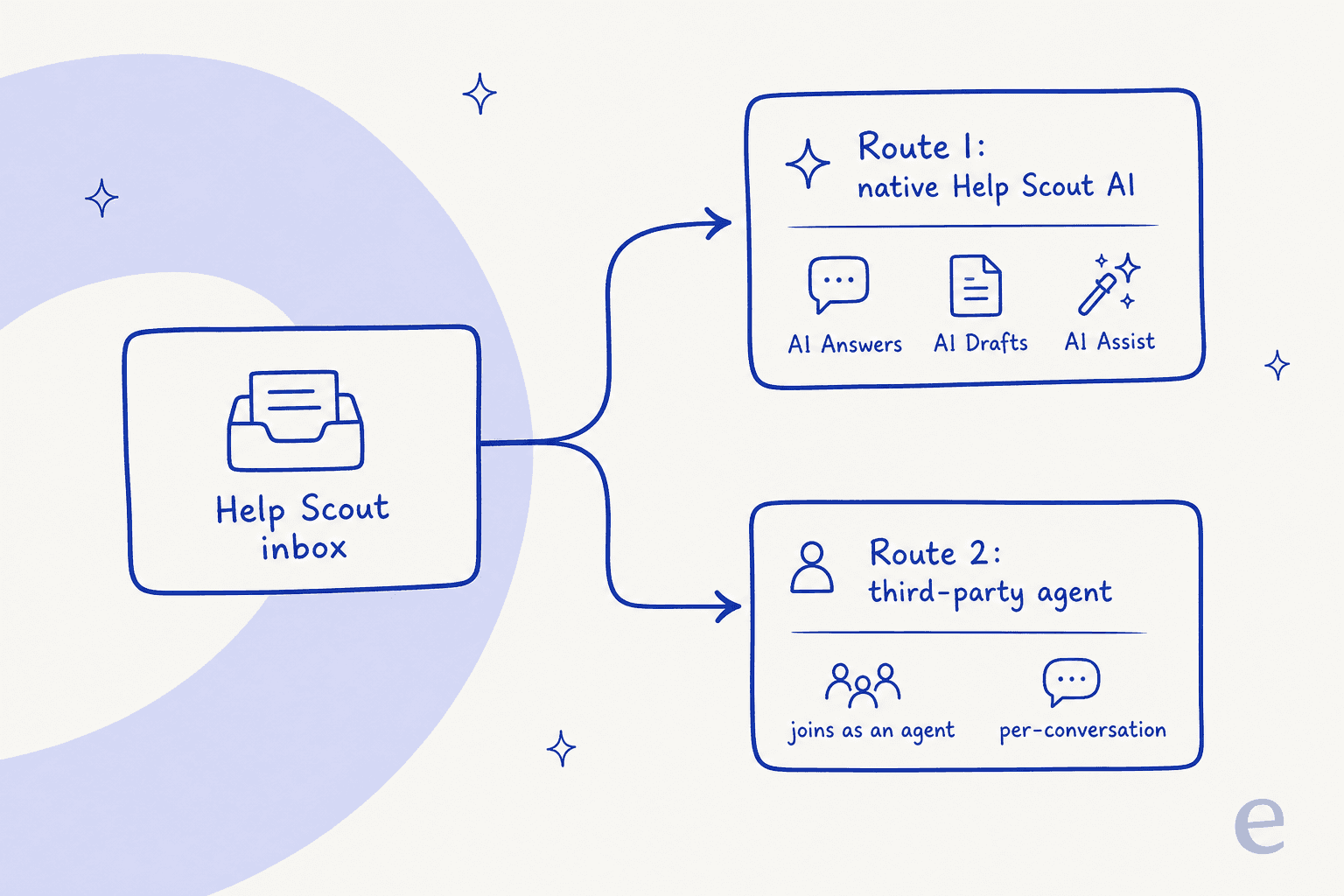
A few things stand out if you're coming from Zendesk:
- AI Answers lives in Beacon. The AI Answers guide needs "at least one Beacon with Docs enabled". Help Scout's comparison page says its agent answers over live chat and "will be available via email soon". Your email queue, which is most of the volume for many Help Scout teams, isn't covered by AI Answers today.
- It answers, it doesn't act. In Help Scout's own words: "Help Scout's AI agents do not take action on customer requests." No refunds, no order lookups, no field updates.
- Your saved replies aren't a knowledge source. AI Answers reads Docs, public URLs and improvements. So the knowledge that sat in your Zendesk macros, which you've just turned into saved replies, isn't something AI Answers can use until you write it into Docs.
- You're only billed for real resolutions. Help Scout charges once per session, and only when the customer doesn't ask for more help after the AI's last answer. You can set a monthly spending limit.
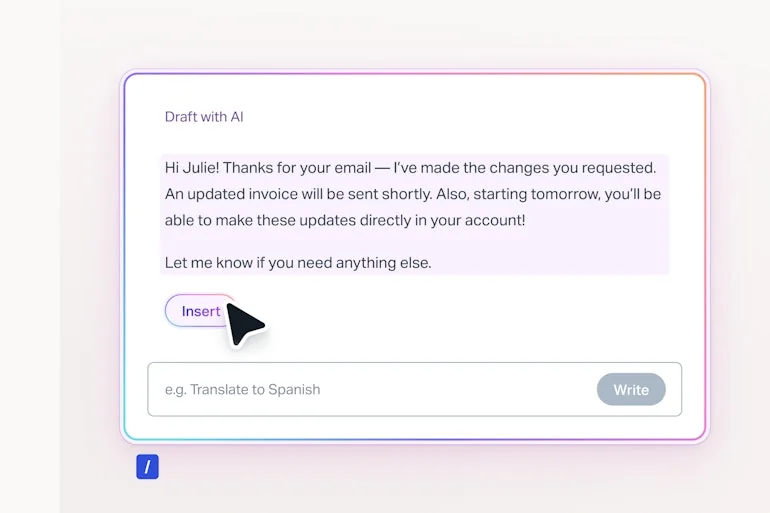
AI Drafts is the closer match for an email team, and it does learn from past conversations. The AI Drafts article says you need "about 100 conversation replies" before it can draft. Help Scout doesn't say whether imported Zendesk conversations count toward that, so I'd test it on a small inbox before you promise your team drafts on day one. It's also a Plus and Pro feature, which moves a Standard team up $20 per user a month.
Help Scout's AI push isn't universally welcome either. One Standard-plan customer on Trustpilot complained about a forced plan change "so that we can use AI drafts", adding that "customers hate not talking to an actual person" (Damion, Trustpilot). I'd read that as a reason to keep the AI optional and supervised, not as a reason to skip it. My Help Scout AI review and Help Scout AI agent post go deeper.
What it costs a real team
Here's a 5-person team handling 1,000 conversations a month, where the AI handles 400 of them. The units differ by vendor, so read the last column.
| Setup | Seats | AI | Monthly total | AI billing unit |
|---|---|---|---|---|
| Zendesk Suite Team + AI agent | $275 | 25 included, 375 x $1.50 = $562.50 | $837.50 | Automated resolution, committed |
| Help Scout Plus + AI Answers | $225 | 400 x $0.75 = $300 | $525 | Resolved chat session, Beacon only |
| Help Scout Standard + eesel | $125 | 1,000-credit plan = $499 | $624 | Ticket or chat worked, 1 credit each |
Seat and AI prices come from the Zendesk, Help Scout and eesel pricing pages. The Help Scout row assumes those 400 resolutions all happen in Beacon chat, and it doesn't apply during the 3-month trial. The eesel row counts every conversation the agent works, resolved or not, which is why it's sized to a 500-credit plan.
How to carry your AI's knowledge across
The expensive part of an AI support setup isn't the software. It's the months of corrections: "never promise a refund date", "always ask for the order number first", "customers on the legacy plan get the old policy". That knowledge sits in your Zendesk AI's configuration and in your macros, and neither migrates.
Here's how I'd move it, whichever AI you land on:
- Export your macros and your AI's instructions to a document before you switch anything off. Your Zendesk AI's procedures and tone settings are text you can copy.
- Write the durable answers into Help Scout Docs. Docs is what AI Answers reads, and a clean Docs site helps AI Drafts too. My Help Scout self service guide covers structure.
- Keep Zendesk readable until the new AI is tested. Once the account closes, your old answers are gone.
- Test on real conversations before customers see a reply. Help Scout's AI agent has a Test tab where you chat with it yourself, and those test chats don't count toward billing.
Where an AI teammate that works in both helps
This is the gap eesel fills. It's an AI helpdesk teammate that plugs into your helpdesk like a new hire, and it has native integrations with both Zendesk and Help Scout. That matters during a migration in three concrete ways.
It can work in both helpdesks at once. Per eesel's docs, one agent can connect to as many integrations as you like, and it searches all connected knowledge together. During the overlap it learns from your Zendesk help center, macros and past tickets. At the same time it reads your Help Scout Docs site and conversations as they build up.

Its instructions belong to the agent, not the helpdesk. When you correct eesel in chat, it rewrites its own instructions, and those apply in every app it works in. So "always ask for the order number first" survives the switch without anyone retyping it.

It works the email queue AI Answers doesn't cover. In Help Scout, eesel drafts or sends replies, adds notes and tags, and updates conversations inside your mailbox. Before it touches a live conversation, you can run its helpdesk simulation skill against your past conversations and see which ones it would get right.
Two limits to know. First, knowledge is tied to its source: if you remove Zendesk from your eesel workspace, eesel's security docs say the synced data is removed too. Move the macros you still want into Help Scout Docs or an uploaded file before you disconnect. Second, eesel works Help Scout's email conversations, not Beacon live chat, so if live chat is your main channel, AI Answers fits better there. For more options, see my roundups of the best AI for Help Scout and Help Scout AI alternatives.
My take on the switch
For a small or mid-size team whose volume is mostly email, the move from Zendesk to Help Scout is one of the easier helpdesk migrations out there. The data import is free, the docs are clear about the gaps, and the seat price usually halves. Budget your time for the rebuild instead: saved replies, workflows, Docs and, above all, the AI.
I'd skip it if you rely on skills-based routing, community forums, deep custom reporting or an AI agent that takes actions like refunds. In that case my Zendesk AI alternatives roundup is the better next read. It covers AI you can add on top of Zendesk instead of leaving it.
Try eesel in Help Scout
If you're moving to Help Scout and don't want to retrain your AI from zero, eesel is built for that job. Connect it to Zendesk and Help Scout at the same time, let it learn from both, and test it on your past conversations. Then let it draft replies in your new mailbox for your team to check and send.

Pricing is one fixed monthly plan, from $299 for 500 credits, where a ticket or chat is 1 credit however long it runs. There are no seat fees. Try eesel free with 100 credits and no card.
My eesel vs Zendesk AI comparison and AI for Help Scout guide are good next reads.
Frequently Asked Questions
How do I migrate from Zendesk to Help Scout?
Is a Zendesk to Help Scout migration free?
Do Zendesk macros and triggers transfer to Help Scout?
Can I move my Zendesk help center to Help Scout Docs?
What happens to Zendesk AI when I switch to Help Scout?
How much does Help Scout AI cost compared to Zendesk AI?
How long does a Zendesk to Help Scout migration take?
Can one AI tool work in both Zendesk and Help Scout during a migration?


Article by
Rama Adi
Rama is a software engineer at eesel AI with two years of experience writing about B2B SaaS, AI tools, and customer support technology. Based in Bali, Indonesia, he brings a developer's perspective to product comparisons — cutting through marketing copy to what the integrations and APIs actually do.