Teams Approvals app: setup, licensing, e-sign and limits

Kira

Katelin Teen
Last edited November 13, 2026

The Teams Approvals app is a built-in hub for sending, answering and auditing approval requests, and it runs on Power Automate and Dataverse underneath, so your license and environment matter more than the app itself. Microsoft's docs ask for a Power Automate, Microsoft 365 or Dynamics 365 license, a Forms license to build templates, and e-sign needs a separate Adobe Sign or DocuSign license. It handles the sign-off, not the questions around it, which is where I'd put an eesel teammate in Teams to answer "which template do I use?" from your policies.
What is the Teams Approvals app?
The Approvals app is a personal app, available to all Teams users, for creating, managing and sharing approval requests in Teams. Microsoft's admin guide says it brings auditing, compliance and accountability to both structured and unstructured approvals. I work on eesel's AI agents, and I read this app from the side of a team that also has to answer people in Teams. I did not test it on a live tenant, so every claim below comes from Microsoft's own pages and is linked where I use it. On the eesel side, the eesel CLI lets an AI coding agent add approved knowledge, like your expense policy and exported template guides, then ask test questions and check the answers before anything goes live, though a Teams admin still has to upload the eesel app.
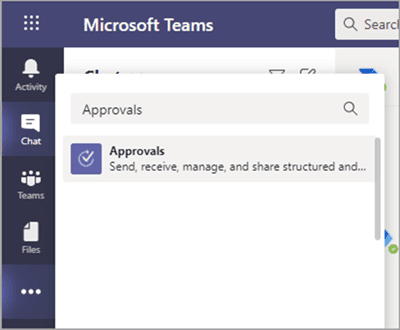
Microsoft's overview lists the parts you will meet:
- Approvals hub: every approval you sent or received, including finished ones. It also shows approvals from Power Automate, SharePoint and Dynamics 365.
- Approvals from chat: you send a request from the compose box, and only people in that conversation can be approvers.
- Approvals from templates: preset forms such as discount requests or expense reports.
- Workflow approvals: started by a flow, using a trigger from one of the 350+ connectors Microsoft mentions.
- Approvals card: a live summary of who has responded.
There is also a Microsoft Graph route. The Approvals app API lets you create, update and list approvals from your own apps and receive notifications for responses. If your Teams work is mostly support, my guides to AI in Microsoft Teams and the Teams IT support bot show where approvals sit next to everything else.
What do you need to use the Approvals app?
You need a license, a Dataverse database and, for templates, Microsoft Forms. The admin guide lists these prerequisites:
- Permission to create a Microsoft Dataverse database.
- An account on powerautomate.microsoft.com.
- Administrator role in the target environment.
- A license for Power Automate, Microsoft 365 or Dynamics 365.
- A Microsoft Forms license for users who set up new approval templates.
The first approval created from the app triggers provisioning of the Approval solution in the default Dataverse environment. After that, a user is added to the Approvals User role in the target environment on their first approval assignment.
Which license does a user actually need?
It depends which Microsoft page you read, and I would check this on your own tenant before a rollout. I found three different phrasings.
| Where | What it says |
|---|---|
| Admin guide, prerequisites | A license for Power Automate, Microsoft 365 or Dynamics 365 |
| Same guide, next paragraph | "You need a license for Power Automate" |
| Approvals app listing in the Teams admin center | "You need to have an F3 license or above" |
The last one is the text your own admins see when they open the app.
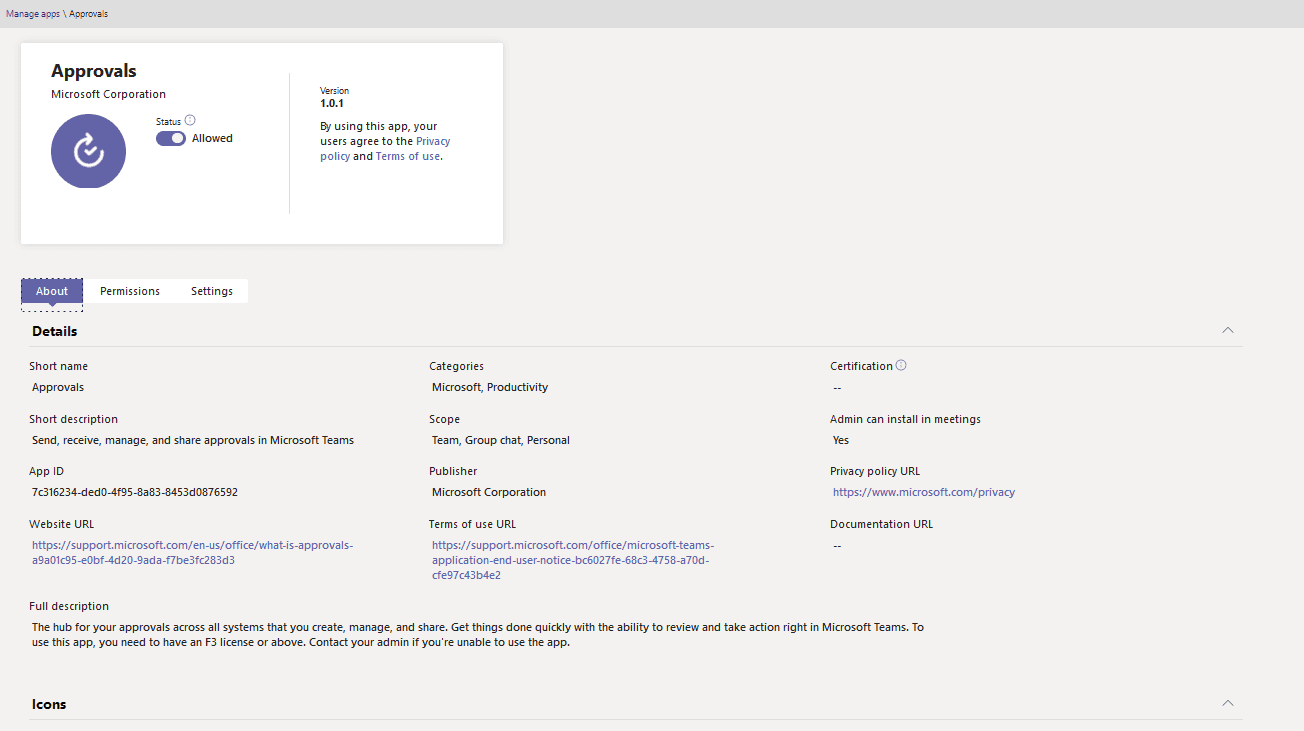
I did not find a separate price for the Approvals app on Microsoft's pages, so I will not quote one. If the licensing maths pushes you to look elsewhere, my Microsoft Teams alternatives list is the place to start. The cost is the license you already hold or need to buy, which my Microsoft Teams pricing guide breaks down.
Where do approvals and their data live?
They live in three places, depending on the kind of approval. That matters for retention, backups and who can export what, and it is the kind of detail any ITSM best practice checklist asks about.
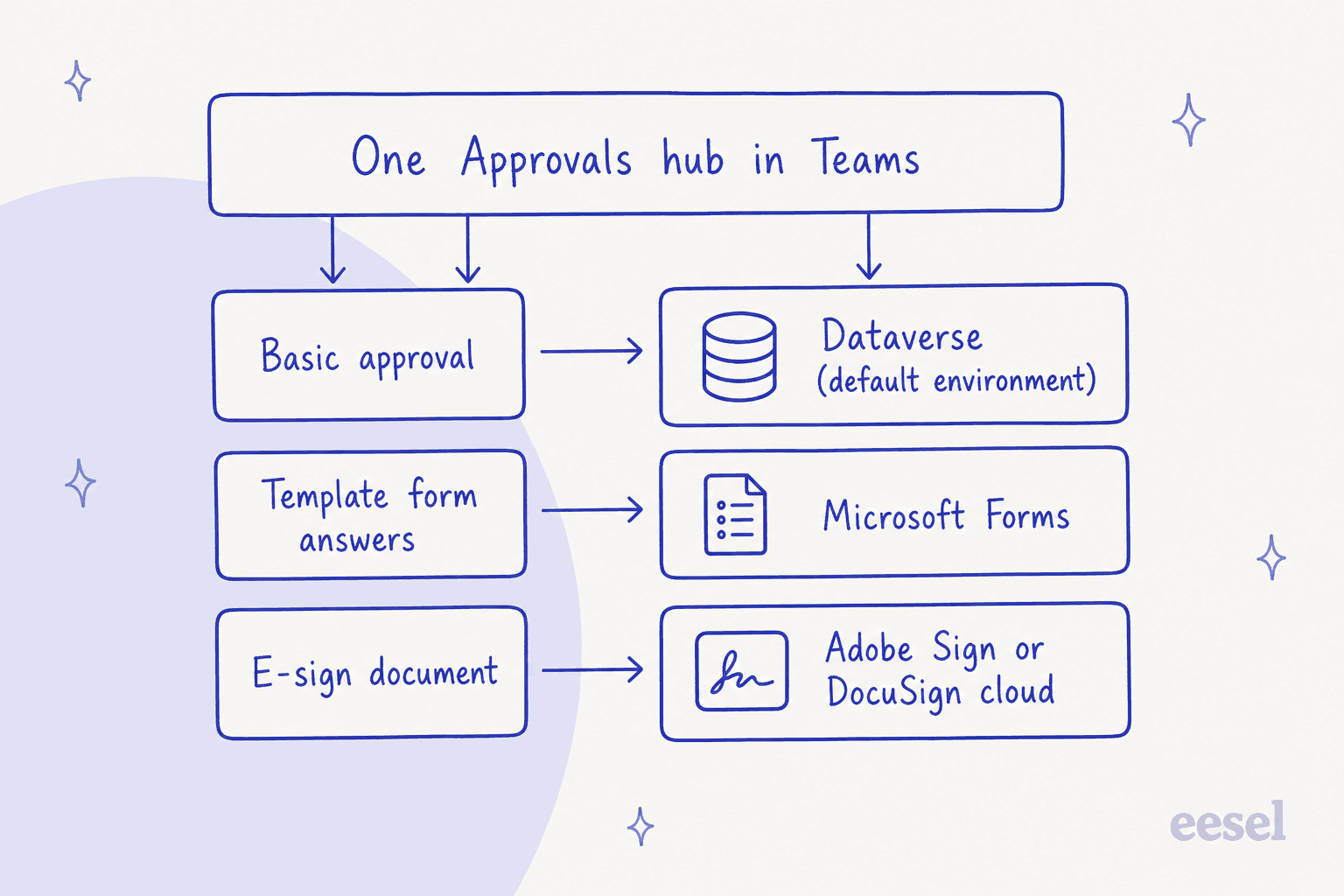
- Dataverse, default environment: approvals created from the app, including a template approval's title, details and template ID. Microsoft says this environment does not support backups at this time, though admins can set custom retention policies on the tables.
- Microsoft Forms: the answers submitted on a template-based request. They are not deleted until team owners clear them from the Deleted forms tab.
- The e-sign provider: documents from Adobe Sign or DocuSign are stored in that provider's cloud, and exporting them means going to the provider's site.
Two traps from the same page. If someone deletes a template's form on the Microsoft Forms site, the approval template breaks and users see a "CDB TableNotFound" error. And org-scoped templates live as long as the tenant, while team-scoped templates live as long as the team, so permanently deleting a team deletes its templates. A Power Automate note adds that all approvals are currently created in your organization's default environment.
How do you create an approval in Teams?
Three starting points cover most requests: the hub, a chat or channel, and a template. Pick by how often the request repeats, the same way a self-service portal separates one-off asks from standard forms.
From the hub, Microsoft's create an approval steps are short. Open Approvals, select New approval request, add the name, approvers, order, details and any attachment, then Send. You track it later under Sent.
From a conversation, the chat guide says you can only add approvers who are already in the chat, and you can select All must approve when there is more than one. The approval then shows in the chat and in the hub. Microsoft also notes that viewers can be people in the chat or channel, and they cannot act on the request unless they were made approvers at creation.
How do approval templates work?
A template is a reusable form with a fixed approval route, much like the request types in an ITSM self-service portal. Microsoft's template page lists three setup areas: basic settings (icon, name, description, category), form design, and workflow settings for approval order, approvers and custom responses.
| Who creates it | Scope they can choose |
|---|---|
| Admin | Org wide, specific people, or team wide |
| Team owner | Team wide, for teams they own |
To create one, Microsoft's organization-wide templates steps say to open the hub's overflow menu, select Manage templates, then New template, and preview before publishing. Team owners and admins can also turn off pre-existing templates that do not fit.
When an admin first creates an org-wide template, Microsoft creates a new Microsoft Entra group of the tenant's admins so they can co-manage templates. Admins who join later must be added as group owners by hand, and if someone deletes the group you have one month to restore it. Also keep the original form on the Forms site, or your team loses access to the template.
How do e-signature approvals work?
They hand the document to Adobe Sign or DocuSign from inside Teams. Microsoft's e-sign guide says you sign in to a provider account, or start a trial, then attach and send the document from the hub or from a chat.
| Adobe Sign | DocuSign | |
|---|---|---|
| Attach | Choose from Adobe Sign, or upload | Choose from DocuSign, upload, or choose a template |
| Recipient roles | Signer or Approver | Sign, Get copy or View |
| Order | "Must complete in order" | "Must complete in order" |
| After sending | You cannot edit the request | Review opens DocuSign in Teams |
Three limits matter. You need a license for the provider, which Microsoft says you buy on the provider's site. Approvals via Adobe Sign and DocuSign are not available in GCC, although plain Approvals in Teams is. And once the request is complete, a signed copy is emailed to all recipients.
Admins can control this. In the Teams admin center, go to Teams apps, then Manage apps, open Approvals and use the Settings tab to switch Adobe Sign and DocuSign on or off. Both are on by default, and turning one off also stops users viewing e-sign requests made with it.
How does it connect to Power Automate?
Teams approvals run on the Power Automate infrastructure without needing a flow, and a flow only adds custom pre- or post-approval steps. Microsoft's Power Automate page lists the approval types a flow can use:
| Approval type | Behavior |
|---|---|
| Approve/Reject, everyone must approve | Waits for every approver, or stops on one rejection |
| Approve/Reject, first to respond | Any one answer completes it |
| Custom responses, wait for all | You define the options, all must respond |
| Custom responses, wait for one | You define the options, one response completes it |
| Sequential | One approver at a time, in order |
You can assign approvals to guest users and Microsoft 365 groups. Guests who never accepted the B2B invitation are dropped from the list, so check the invite before you blame the flow. For routing that outgrows this, my notes on service desk automation and ITSM automation show the next layer up.
What can admins control?
Admins can switch the app off, pin it, restrict it, and audit it. Most of the controls sit in the Teams admin center, and Microsoft lists them in the admin guide.
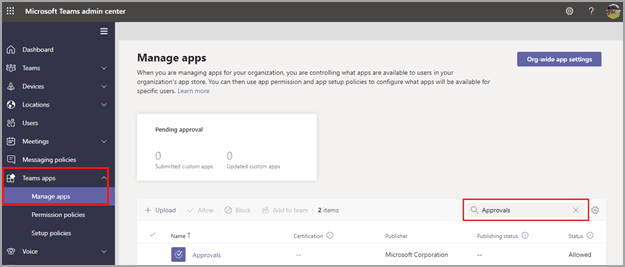
- Disable or pin: the app is on by default. You can pin it with an app setup policy, and users with an F license get it pinned automatically by the tailored frontline experience.
- Conditional Access: Approvals supports Continuous Access Evaluation, so any Conditional Access policy can restrict a user, app or service.
- Audit: the Microsoft Purview portal logs Teams approvals activities, such as created, approved, rejected, reassigned, shared and e-signature events, plus template changes. Deeper Power Automate auditing needs to be enabled on the default environment.
- Security: users only see approvals they sent or received, or ones where they are a viewer or responder.
If your admins already track change history on other systems, or compare it with the ServiceNow control tower approach, the same idea shows up in Salesforce's audit trail and Gorgias audit log posts.
What are the limits of the Approvals app?
The limits are numeric and published, so plan around them before you build many templates.
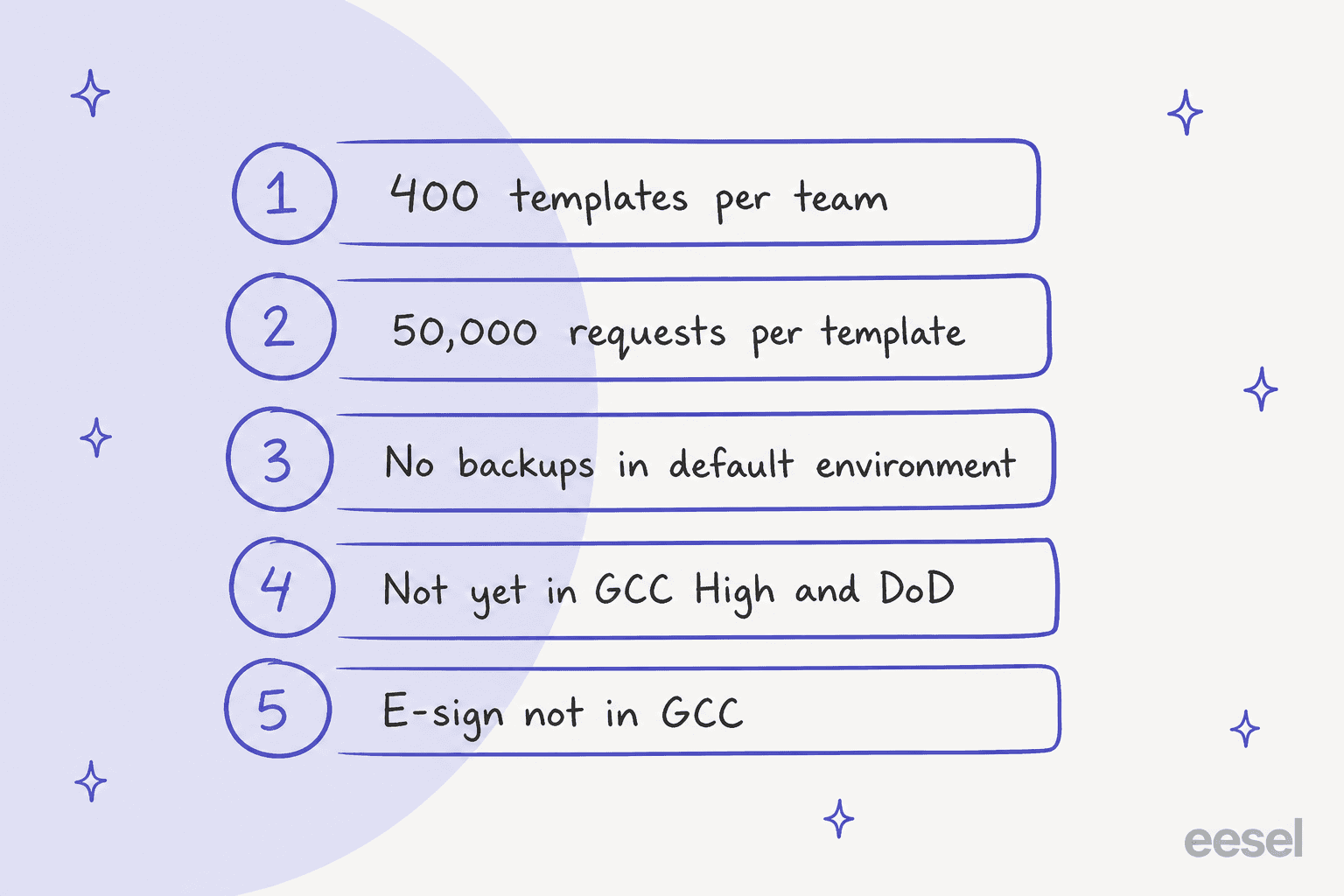
- Templates: at most 400 per team, and 50,000 requests per template, per the admin guide.
- Backups: the default Dataverse environment does not support backups at this time.
- Government clouds: Microsoft says the feature has not been released to GCC High and DoD users yet, and e-sign is not in GCC.
- E-sign editing: an Adobe Sign request cannot be edited once sent.
- Chat scope: a chat approval can only go to people in that chat.
One older detail worth checking: Microsoft's overview still describes approvals as stored in the Common Data Service, which is the old name for Dataverse. The admin guide uses Dataverse, so I treat that as a stale label rather than a different store.
What do people say about it?
Nothing I found is a deep review, but the two LinkedIn comments I could verify point at the same use: small, repeated internal requests. Both are under a Lisa Crosbie tutorial post about the app.
"We use this all of the time for time-off requests. It's a really handy tool."

"I've seen this used in a contact centre environment for shift swap requests"
That matches the shape of the app. It is strongest for light, repeatable sign-offs where a person says yes or no, and it is where HR and IT helpdesks tend to start.
Compared with ticketing tools, it has no queue, SLA or knowledge base, which my Freshdesk approvals and Jira Service Management approvals posts cover on the helpdesk side.
Where does the Approvals app stop?
It stops at the decision. The pages I read describe sending requests, answering them, tracking status and auditing, and none of them describes answering the questions people ask before or after a request.
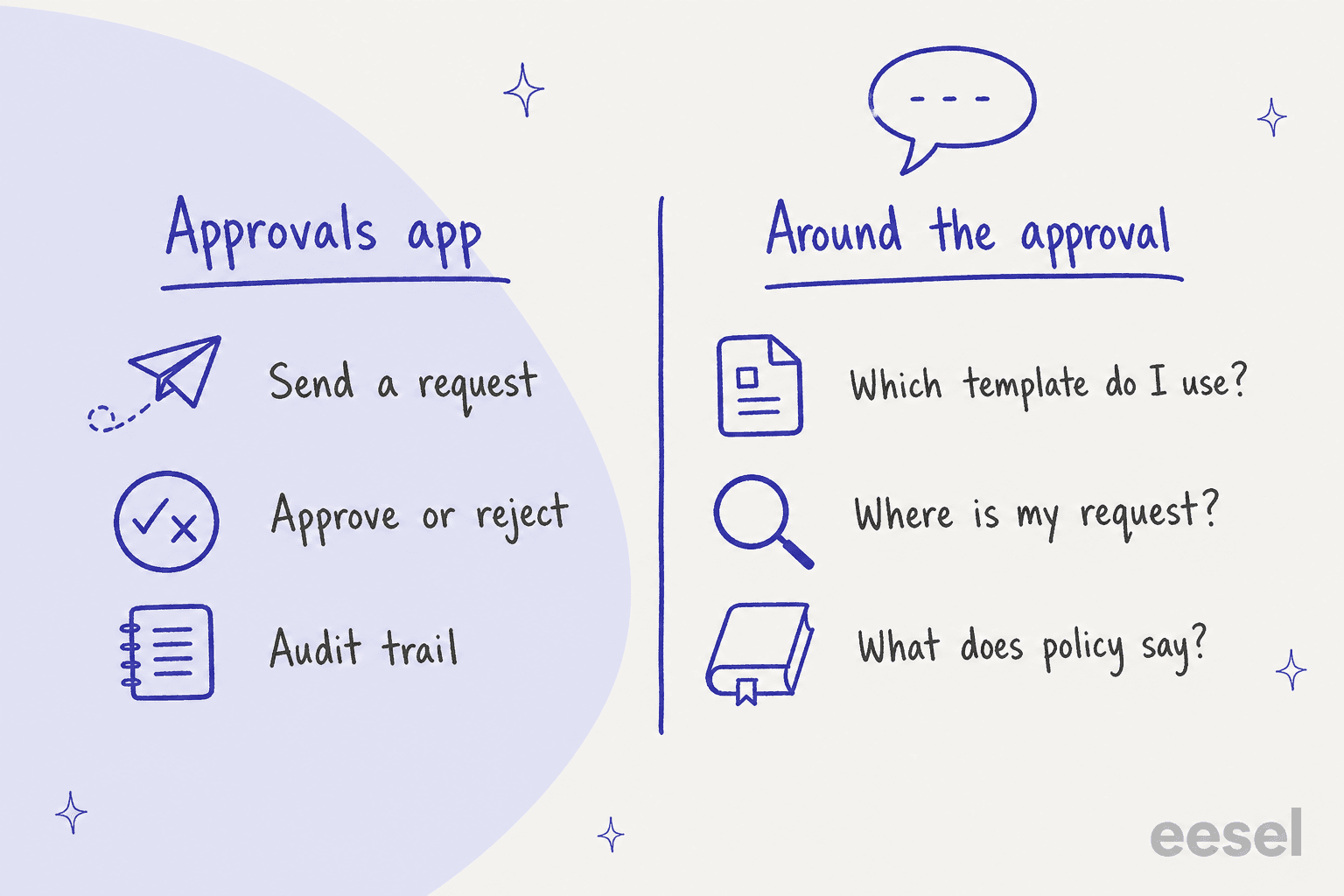
A new hire asks which template covers a software purchase. A manager asks whether a request over a certain amount needs a second approver. Someone asks why theirs is still pending. Those questions land in a Teams channel, and a person answers them. That is the job I would hand to a teammate, and it is the same idea behind employee support AI and a well-kept internal knowledge base.
If you run Freshservice or Freshdesk next to Teams, see the Freshservice Teams integration and Freshdesk Teams posts.
For IT service management teams that want ticketing in the Microsoft stack, my Microsoft ticketing system guide covers it, and the internal helpdesk software roundup compares tools built for it.
Can eesel create or answer Teams approvals?
No, not as far as eesel's docs say. I checked eesel's Microsoft Teams docs for any action that creates, reads or decides a Teams Approvals request and found none. eesel does not approve requests in the Approvals app.
What it does in Teams is documented: people mention it in a channel or message it directly, and it answers from the knowledge you connect. It can read a channel thread before replying and search recent messages in channels it has been added to. If one of eesel's own actions is set to ask first, it posts an approval card in the Teams thread, and only editors of your eesel workspace can approve or deny it. That is eesel's own approval step, separate from the Microsoft app.
A named example of a person staying in the loop is Poseidon Animal Health, though it runs on Gorgias, not Teams. Its team drafted about 610 customer conversations with eesel in a month, from 8 August to 8 September 2026, and a person reads and sends every draft. I use it here because the same pattern, a teammate that prepares and a person who decides, is how I would set up an eesel teammate next to Approvals. My overview of the AI helpdesk agent and the AI teammates idea explains the approach.
Try eesel in Teams
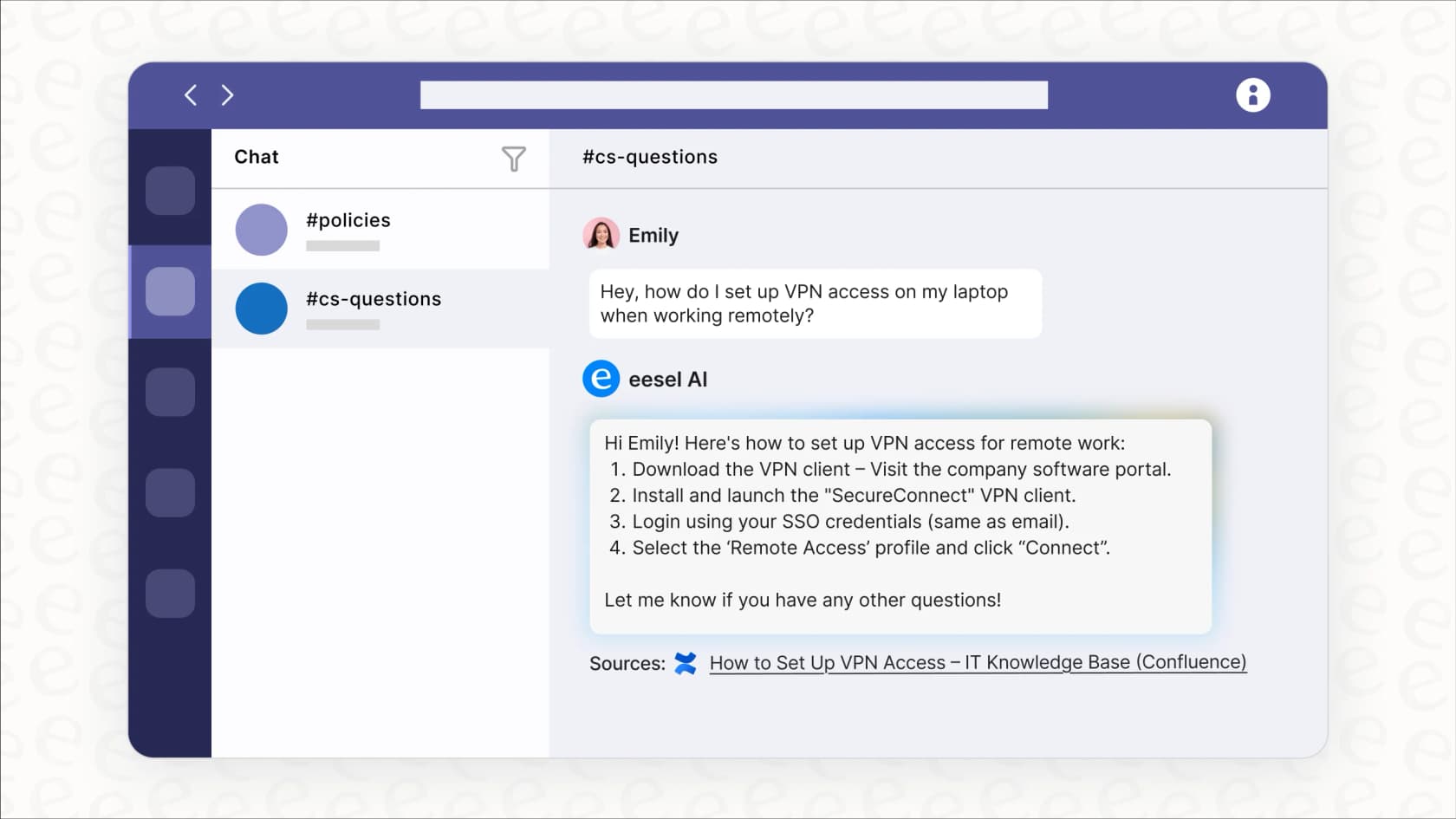
If your Approvals app is working but people keep asking questions around it, an eesel teammate in Teams can answer "which template do I use?" from your policy documents and link the source. It works from the knowledge you connect to an AI knowledge base, such as Confluence pages or exported guides, and it stays in the channel your team already uses. See the eesel Microsoft Teams integration for the setup.
Frequently Asked Questions
What is the Teams Approvals app?
It is a personal app, available to all Teams users, for creating, sending and responding to approval requests without leaving Teams, according to Microsoft's admin guide. It sits inside the wider Microsoft Teams AI stack and also shows approvals started in Power Automate.
Is the Teams Approvals app free?
Microsoft's pages I read do not list a separate price for it. They list license requirements instead: a Power Automate, Microsoft 365 or Dynamics 365 license, plus a Forms license to build templates. For the wider bill, see my Microsoft Teams pricing guide.
Where do I find the Approvals app in Teams?
Select View more apps, search for Approvals and open it. If it is missing, Microsoft says your Teams admin has probably disabled it in the Teams admin center. If you are rolling out other Teams tools, my guide to automating Microsoft Teams support covers the setup side.
Can the Teams Approvals app collect e-signatures?
Yes, through Adobe Sign or DocuSign, but you need your own license with the provider, and the feature is not available in Government Community Cloud. Admins can switch each provider on or off. A customer support approval workflow rarely needs a signature, so check before paying for one.
How many approval templates can a Teams team have?
Microsoft's admin guide says each team can have at most 400 approval templates, and each template can collect up to 50,000 requests. Planning approvals for an internal IT helpdesk or employee onboarding will stay well inside that.
Does the Teams Approvals app connect to Power Automate?
Yes. Approvals created in Power Automate appear in the same hub, and Teams approvals run on the Power Automate infrastructure. For heavier routing, see my overview of AI for workflow automation and the n8n Teams integrations post.
Can an AI agent approve requests in the Teams Approvals app?
I found nothing in eesel's docs that lets eesel create or act on Teams Approvals requests, so I would not promise it. eesel does answer staff questions in Teams, and it posts its own approval card when one of its actions is set to ask first. My AI for Microsoft Teams support roundup compares the options.