

The Teams Queues app is a Teams-native console for Teams Phone call queues, and every person who uses it needs both a Teams Phone license and a Teams Premium license, which Microsoft lists at $10 per user per month paid yearly. Agents opt in and out of queues, and leads get live wait metrics and queue controls without opening the Teams admin center. It handles the phone side only, and the Microsoft pages I read describe no follow-up or staff Q&A step, which is where I'd add an eesel teammate in Teams chat or in your helpdesk.
What is the Teams Queues app?
The Queues app is a Teams app that lets agents and team leads run Teams Phone call queues and auto attendants from the Teams client. Microsoft's admin guide lists four things it adds: call queue management by delegated leads, real-time metrics, historical reporting, and Monitor, Whisper, Barge and Takeover for coaching. Microsoft announced it on March 26, 2024 in a Tech Community post as a way to handle customer calls without leaving Teams.
I build eesel's integrations, including the Teams one, so I read this app from the side of a team that also has to answer people in writing. I did not test it on a live tenant, so everything below comes from Microsoft's own documentation and is linked where I use it.
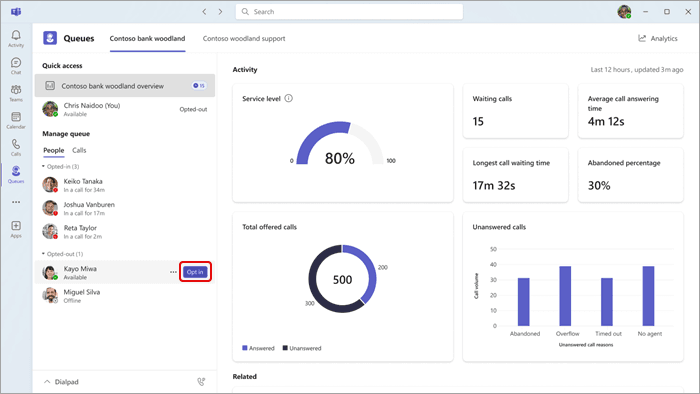
The screen above is the lead's view. Agents are grouped by opt-in status on the left, the activity panel shows queue health on the right, and a lead can opt an agent in with one click. If you are new to the surrounding pieces, my guides to call center automation and contact center management give the wider frame, and the call center versus service desk comparison explains where phones end and tickets begin.
What do you need to use the Queues app?
You need four things per person, and missing any one of them is why the app does not show up. Microsoft's guide says users must have Teams Phone and Teams Premium licenses, and that the app is enabled by default for users who hold both and are voice enabled. They must also be in at least one call queue, and after Teams Premium is assigned it can take up to 48 hours to appear.
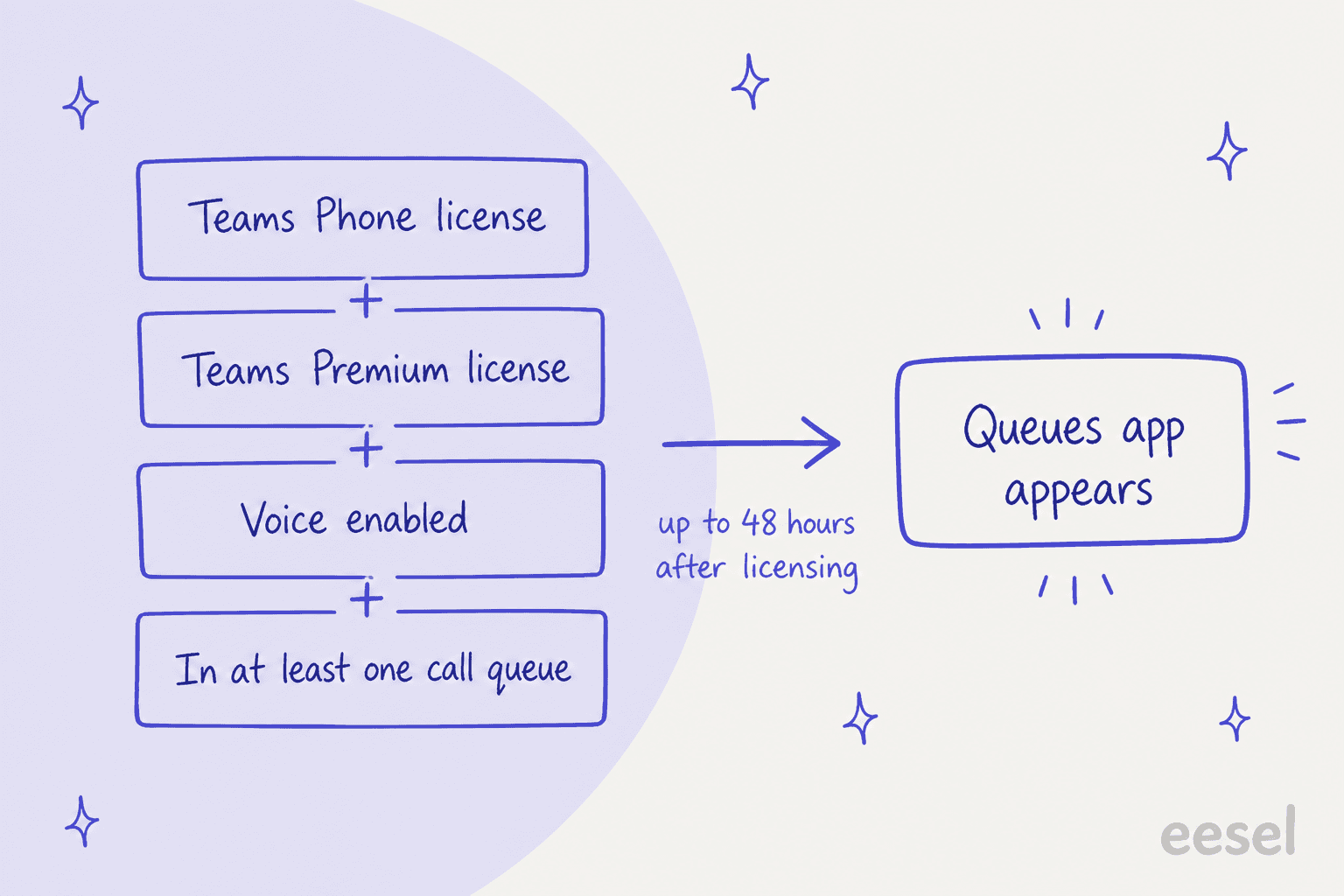
Teams Premium alone does not unlock it. Microsoft's licensing page says the Queues app requires a Teams Phone license, and that as of April 1, 2026 some features moved into Teams Enterprise while Premium still carries advanced communication such as the Queues app. A Microsoft Tech Community thread from June 2025 shows how confusing this gets: one reply claims the app is available without Premium, and another quotes the Learn page to say it is not. Trust the Learn page.
How much does the Queues app cost?
The Premium part is $10 per user per month. Microsoft's Teams Premium page lists $10.00 per user per month, paid yearly with an annual auto-renewing subscription. Because agents need the license too, not only leads, the bill scales with everyone who takes calls. Teams Phone is a separate license that I have not priced here, so add your own quote for it.
For the wider Teams bill, my Microsoft Teams pricing guide breaks down the base plans, and the Teams alternatives post is the place to look if the Premium add-on tips you toward a different stack.
Who can do what: agents, leads and admins?
Agents take calls and opt in or out, leads run the queue day to day, and admins decide how much leads may change. The split is controlled by a voice applications policy, not by Teams admin roles. Microsoft's authorized users guide says authorized users need neither access to the Teams admin center nor a Teams Administrator role.
| Role | What they can do in the Queues app | What they need |
|---|---|---|
| Agent | Take PSTN and VoIP calls, opt in or out of each queue, make outgoing calls for the queue, review call history | Teams Phone, Teams Premium, voice enabled, member of a queue |
| Lead (authorized user) | Opt agents in or out, change queue membership and routing, edit greetings, view real-time and historical reports, monitor and coach | Everything above, plus a voice applications policy and authorized-user status on the queue |
| Teams admin | Create and assign the policies, assign licenses, pin the app | Teams admin center access |
Agent actions come from Microsoft's Queues app guide. Two details there matter in practice: if presence-based routing is on, an agent must be opted in and set to Available to receive calls, and leads can opt team members in or out by hovering over their name.
What can a voice applications policy allow?
It can allow individual settings, which is how you give a shift lead less than a team supervisor. Microsoft's policy reference lists the options per call queue, from welcome greeting and music on hold to membership, routing method, overflow, timeout and no-agents handling. Most of the useful ones carry a Teams Premium requirement.
- Greetings and music on hold: no Premium needed, the generally available part of authorized users.
- Membership and routing: Premium. If a queue uses a distribution list, Microsoft 365 group, Teams channel or Shifts, the group owner can add or remove representatives without Premium or the Queues app.
- Reporting: set to None, AuthorizedOnly or All, so a supervisor can see every queue while a shift lead sees only theirs.
- Agent monitoring: Off, Monitor, Whisper, Barge or Takeover, plus an optional notice to the agent.
Microsoft's own example is a "team supervisor" policy with real-time and historical reporting and a "shift leads" policy with real-time reporting and opt-in and opt-out control. I'd copy that split. For wider routing design, my shared support queue guide covers who should own what.
How do you set up the Queues app?
Five steps, and steps three and four are where most of the time goes.
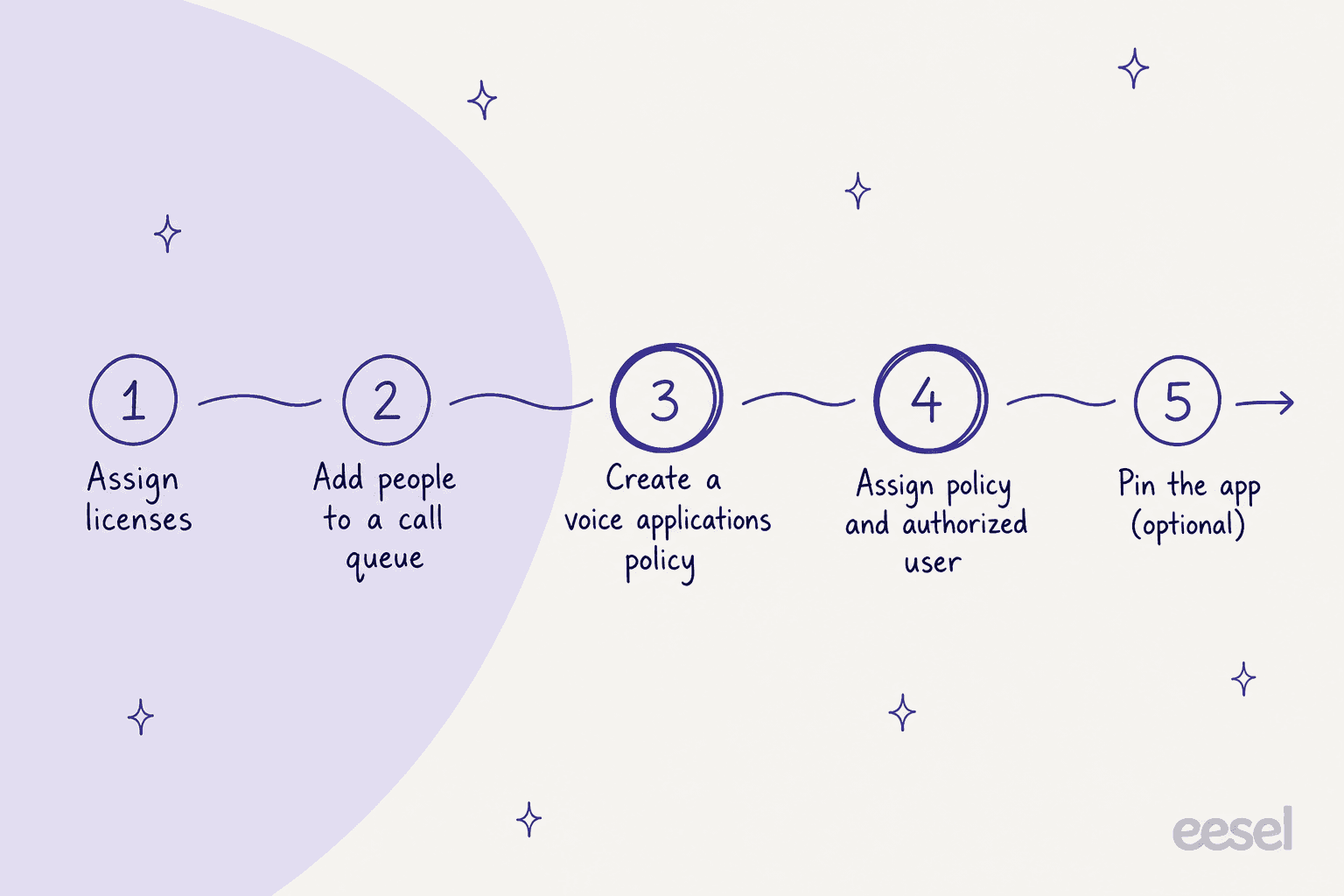
- Assign licenses. Teams Phone and Teams Premium to every person who will use the app, then wait up to 48 hours.
- Put people in a call queue. Microsoft says users must be in at least one queue. The call queue setup article allows up to 20 representatives individually and up to 200 via groups.
- Create a custom voice applications policy. In the Teams admin center go to Voice, then Voice applications policies, then Add. Microsoft warns that the name and description cannot be changed later, and that the global policy disables all configuration changes and should be left alone.
- Assign the policy and make the lead an authorized user. A lead needs both a policy and authorized-user status on at least one queue, or the actions do nothing. Follow the minimum-permission advice Microsoft gives.
- Pin the app (optional). Under Teams apps, then Setup policies, add Queues under Pinned apps. Without it, users still find the app under View more apps.
Two traps from the same pages. Nesting an auto attendant or call queue without a resource account stops authorized users from editing it. And turning the Queues app off org-wide also turns off Insights and Tasks, because it sits under Microsoft apps in the admin center.
What metrics does the Queues app show?
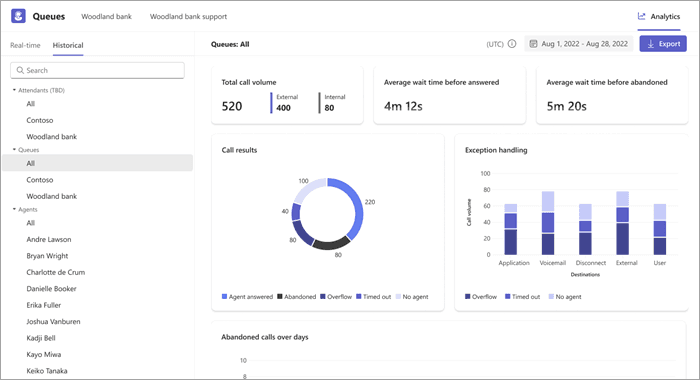
Real-time metrics cover today only, starting at midnight local time, and historical metrics are in UTC. Microsoft's analytics article lists the queue-level numbers.
| View | Queue metrics | Agent metrics |
|---|---|---|
| Real-time | Waiting calls, average answering time, longest waiting time, abandoned percentage, total offered, unanswered | Calls answered, calls presented, share of presented calls answered |
| Historical | Call volume, wait before answered, wait before abandoned, call results, abandoned calls over days, call volume against opted-in agents | Calls answered, total and average call duration |
Learn says historical reports go back up to 45 days, so check your own tenant before you build a monthly report on this view. Reporting in Power BI is a separate route, and Microsoft's voice policy table marks historical queue data there as needing no Premium license.
What can leads do with Monitor, Whisper, Barge and Takeover?
They can listen to a live queue call, speak privately to the agent, join the call, or take it over, if the policy allows it. Microsoft's monitor and assist article says these features need the voice applications policy, which requires Teams Premium.
The prerequisites are easy to miss:
- The call queue must have conference mode on and presence-based routing enabled.
- Monitoring is not available when presence-based routing is off or the routing method is longest idle.
- A lead who is also a member of the queue must be opted out to monitor.
- Whether the agent sees a notice is a separate policy setting, off by default.
Microsoft's policy reference also says VDI users see a normal call notification instead of auto-joining on one VDI type. If you run call coaching today, my guide to call center quality assurance shows how to turn it into a scoring routine.
Does the Queues app work on mobile and Teams phones?
Yes on iOS and Android, on Teams desktop, Mac and VDI, and on Teams phones with touch screens, but not on the web client. Microsoft's admin guide states the platform list and notes availability in Commercial, GCC, GCC High and DoD environments.
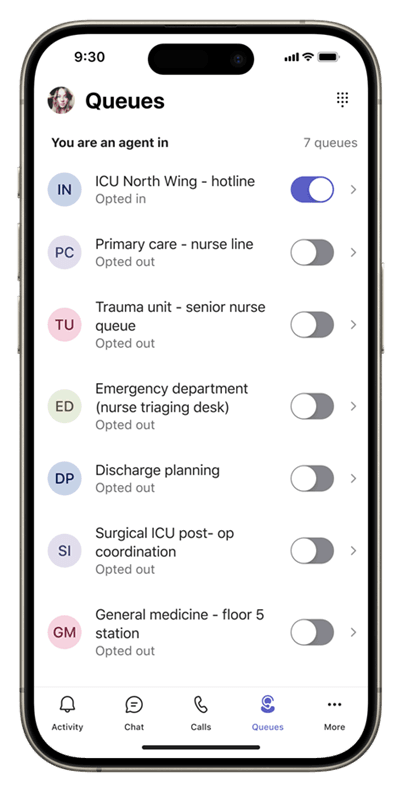
On mobile, agents toggle each queue on or off from the home screen, and supervisor leads can bulk manage queue participation for their teams. It is a good fit for field and clinical staff. For teams that mix phones and chat, my AI phone support roundup shows what sits next to it.
What are the limits of the Queues app?
The limits are numeric and published, so plan around them before you design queues. Microsoft's admin guide lists the first three.
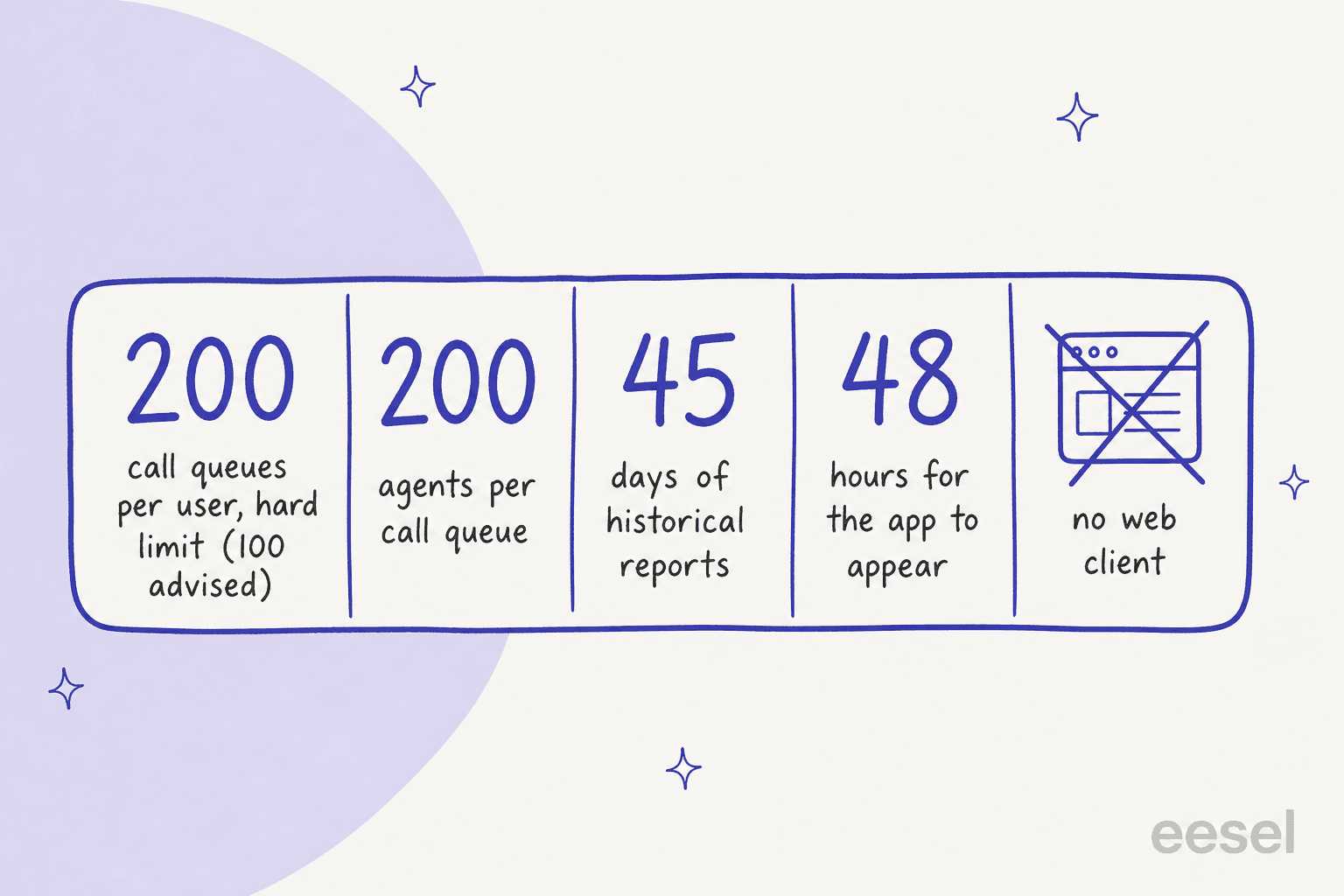
- Queues per user: 100 advised, 200 hard limit.
- Agents per queue: 200.
- Calls waiting in a queue: the call queue article sets a default of 50 and a range of 0 to 200, and says a value of 0 means the greeting cannot play.
- Call recording and transcription: an admin can turn it on per queue, but Microsoft's Queues page labels it public preview. Agents cannot pause it, callers hear an announcement, and recordings are stored in SharePoint.
- Platforms: no web client.
The bigger fit question is scope: the app manages queues and shows you how they are doing, but it is not a full contact center suite. For heavier needs, compare it with the voice stacks in my Zendesk Contact Center and Freshdesk Contact Center guides, or the neutral customer service call center software list.
Where does the Queues app stop?
It stops at the call. The pages I read describe opt-in, routing, live metrics, coaching and call history, and none of them describes a ticket, a written follow-up, or answers to staff questions.
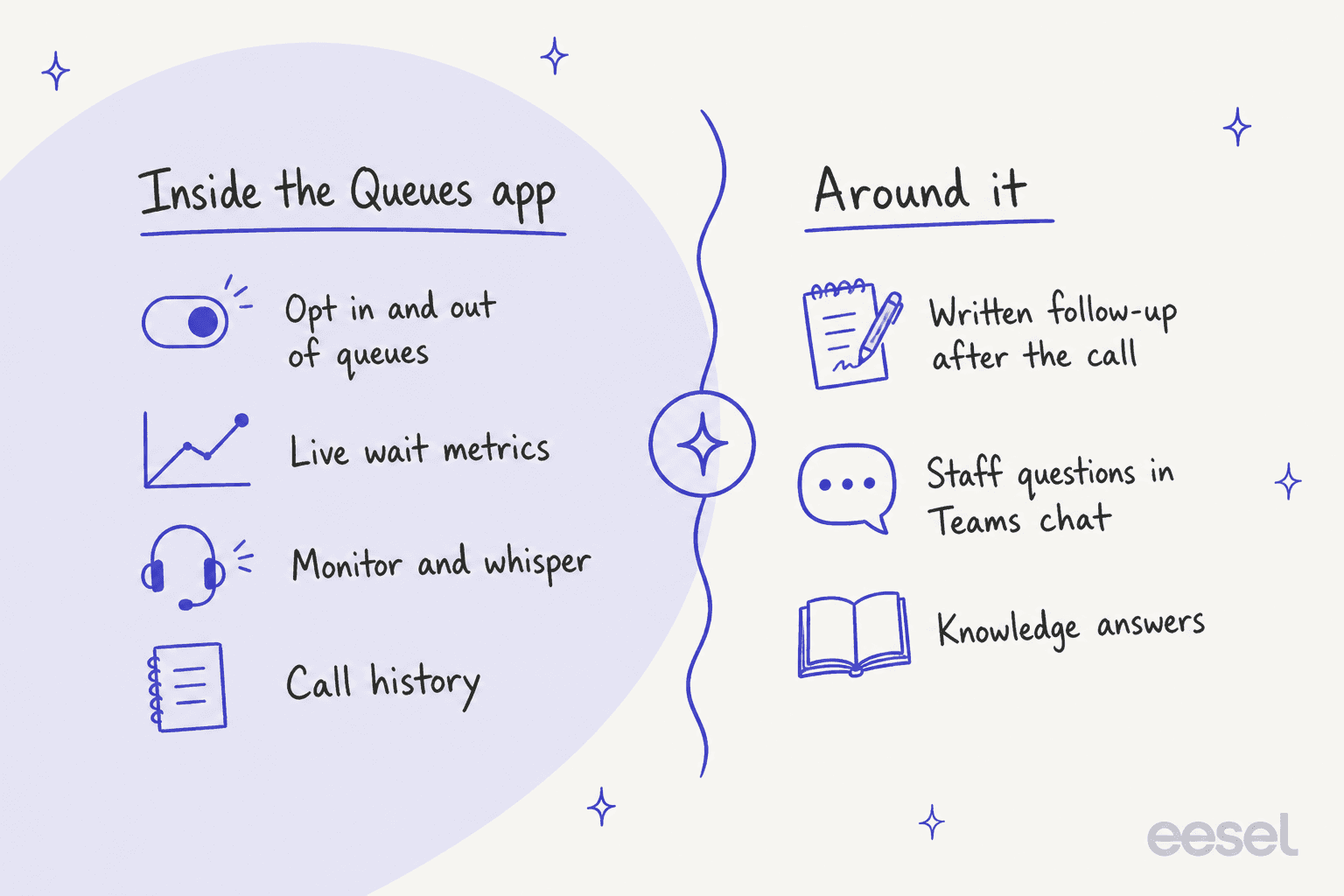
That gap is normal for a phone console. A caller asks about a refund, the agent answers on the call, and afterwards someone has to write the follow-up and update the ticket. Agents also hit questions mid-shift that the queue cannot answer, such as "what is the return window for annual plans?" Teams is where they would ask a colleague.
My AI phone call and can AI answer support calls guides cover AI that handles the call itself. That is a different job from the one I would add next to this app.
How does eesel fit next to the Queues app?
eesel is not a phone system, and it does not read the Queues app. What it does is the written part around the queue, in two places.
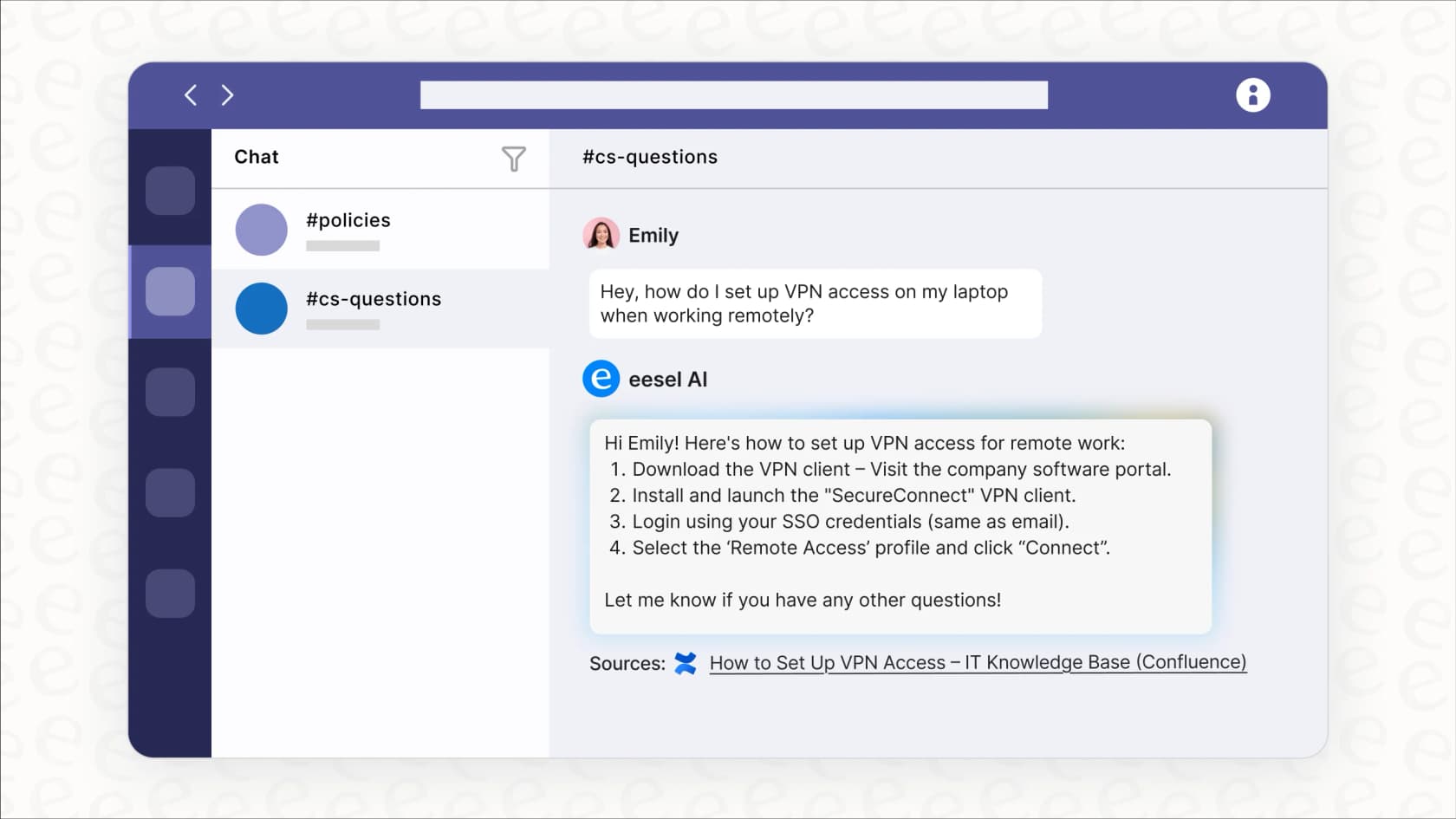
In Teams chat. eesel's Microsoft Teams integration lets people @mention it in a channel or message it directly, and it answers from the knowledge you have connected. Its documentation says it reads the thread before answering and can approve actions through a card in the thread. A phone agent can ask for the refund rule between calls and get an answer with the source linked.
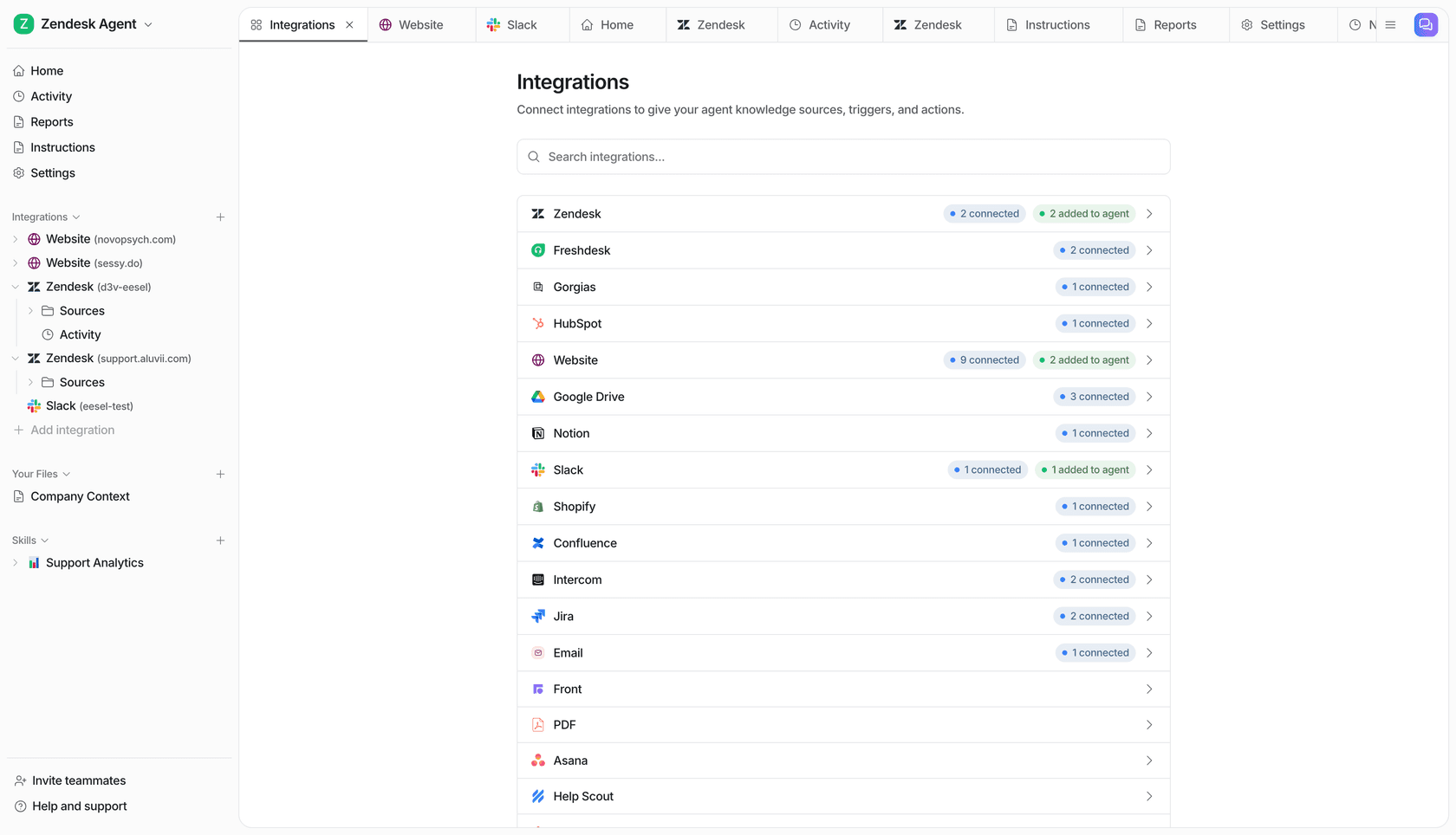
In your helpdesk. After the call, the ticket still needs a reply. Timengo, a Danish Microsoft cloud partner that works with more than 600 Danish companies on Microsoft 365, runs eesel on Freshdesk for its technical support. In the month from 8 August to 8 September 2026 eesel prepared about 300 tickets, wrote about 180 draft replies and about 260 internal notes from roughly 5,300 past tickets and help articles, and an engineer sent each reply. XAP shows the other side of scope: its agent leaves tickets logged from a phone call for the team to handle.
Here is how I'd set expectations. In its documentation, eesel's Teams actions are send message, look up person, list channels, read conversation, read channel and search messages. There is nothing about call queues, and eesel is not yet in the Teams store, so a Teams admin uploads the app package, and Teams asks you to approve a permission to read messages. For the surrounding picture, my how to automate Teams support guide and the AI in Microsoft Teams overview go deeper, and AI voice for customer support covers the call itself.
With the eesel CLI, an AI coding agent can upload approved knowledge, like your call-handling scripts and queue policies exported from SharePoint, then ask test questions and check the answers before anyone relies on them. Connecting Teams itself still needs a Teams admin to approve the app, and uploading knowledge is not the same as ready, so test first.
Try eesel for your Teams phone team
If your agents work phones in the Queues app and ask each other for policy answers in Teams, eesel in Microsoft Teams gives them an answer in the same chat, with the source linked, from $299 a month. On the helpdesk side, the AI helpdesk teammate drafts the follow-up that the call leaves behind, and a person approves it.
Try eesel on one channel first, ask it the five questions your phone agents ask most, and check the answers against your policies.
Frequently Asked Questions
What is the Teams Queues app?
It is a Teams-native app where agents opt in and out of Teams Phone call queues and leads watch live queue metrics and manage queues, according to Microsoft's Queues app admin guide. It sits on top of the call queues you already run, which I cover in my call center technology overview.
How do I set up the Queues app in Teams?
Assign Teams Phone and Teams Premium, put people in at least one call queue, then create a custom voice applications policy and assign it to your leads as authorized users. Pinning the app with a setup policy is optional. My notes on shared queue management cover the staffing side.
Can agents use the Teams Queues app on a phone?
Yes, on iOS and Android, where agents toggle each queue on or off and supervisors can bulk manage queue participation. The web client is not supported. Mobile coverage matters for modern call centers with hybrid staff.
How many call queues and agents does the Queues app support?
Microsoft advises no more than 100 call queues per user, with a hard limit of 200, and allows 200 agents per call queue. Queue limits are also an input to call center agent productivity planning.
Does the Teams Queues app create tickets or follow-ups?
The Microsoft pages I read describe call handling, metrics and call history, but no ticket or written follow-up step. That follow-up usually lives in your helpdesk, where an AI helpdesk teammate can draft it, and my guide on summarizing phone calls into tickets shows the pattern.
Can eesel work alongside the Teams Queues app?
Yes, on the written side. eesel's Microsoft Teams integration answers staff questions in channels and DMs from connected knowledge, so a phone agent can ask it for a policy mid-shift. It does not answer calls or read queue metrics, and my best AI for Teams support roundup compares the options.