What "agent productivity" actually means
Here's the trap almost every center walks into: productivity gets defined as throughput. Calls handled per hour. Tickets closed per shift. Average handle time (AHT) shaved by another 20 seconds. These are easy to count, which is exactly why they're dangerous.
Optimize for calls-per-hour and you teach agents to rush, close prematurely, and dump the customer back into the queue on a callback. You get a lovely-looking dashboard and a rising customer effort score that nobody's watching. A fast interaction that doesn't solve the problem isn't productive, it's just quick.
Real agent productivity is useful output per hour: issues resolved for good, customers who don't come back angry, and complex problems handled well. The metrics that track that are a different set.
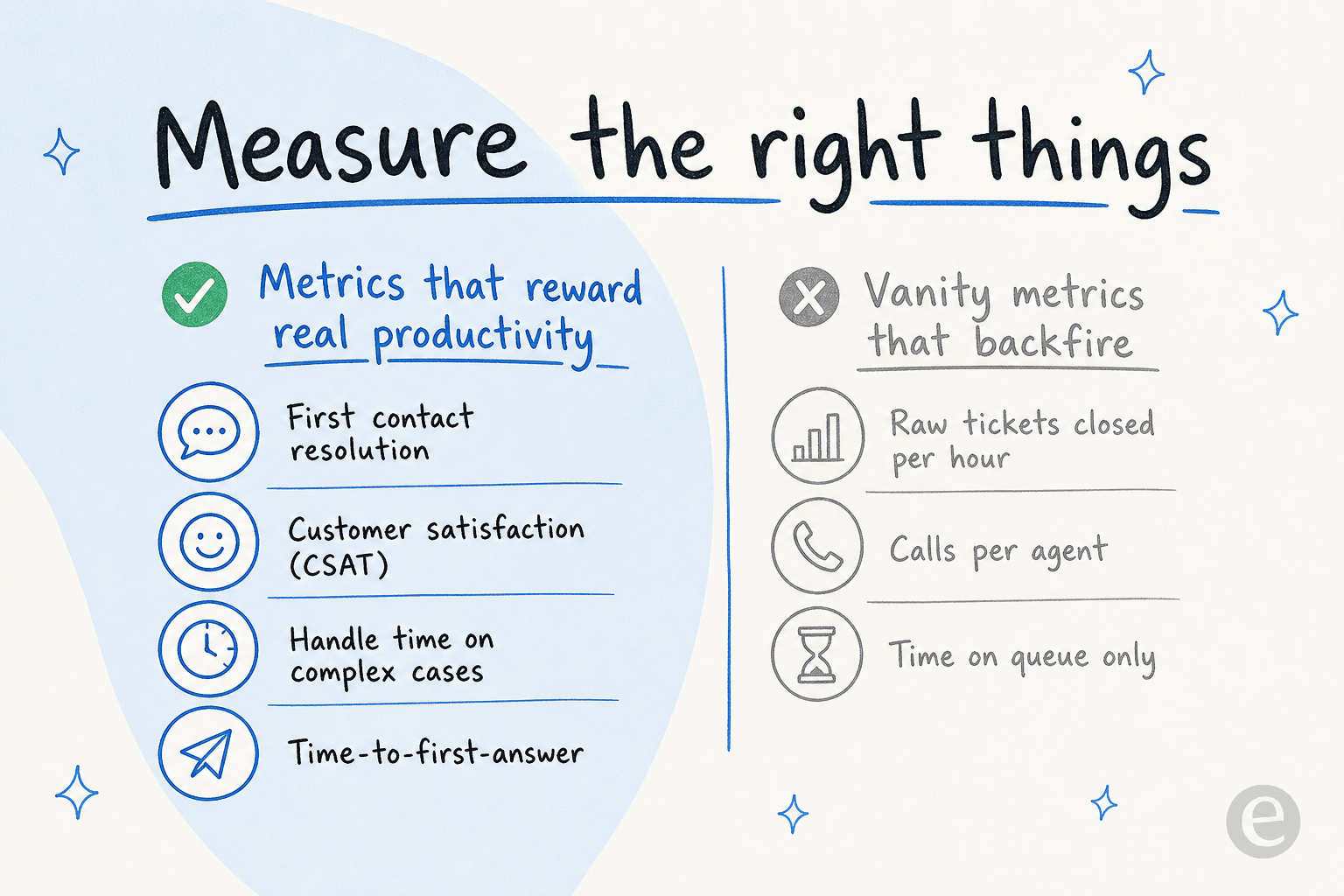
The pairing rule is what keeps you honest: never track a volume metric without a quality metric next to it, so an agent can't win one by breaking the other. First contact resolution is the closest thing to a single productivity number worth chasing, because a resolved-first-time contact is one that never generates a follow-up, a reopen, or an escalation. Read it alongside CSAT and reopen rate and you can actually trust the picture.
Where the shift actually goes
Before you can lift productivity, you have to be honest about where the hours disappear. When I look at a typical agent's day, the smallest slice is usually the part everyone assumes is the whole job: solving hard problems.
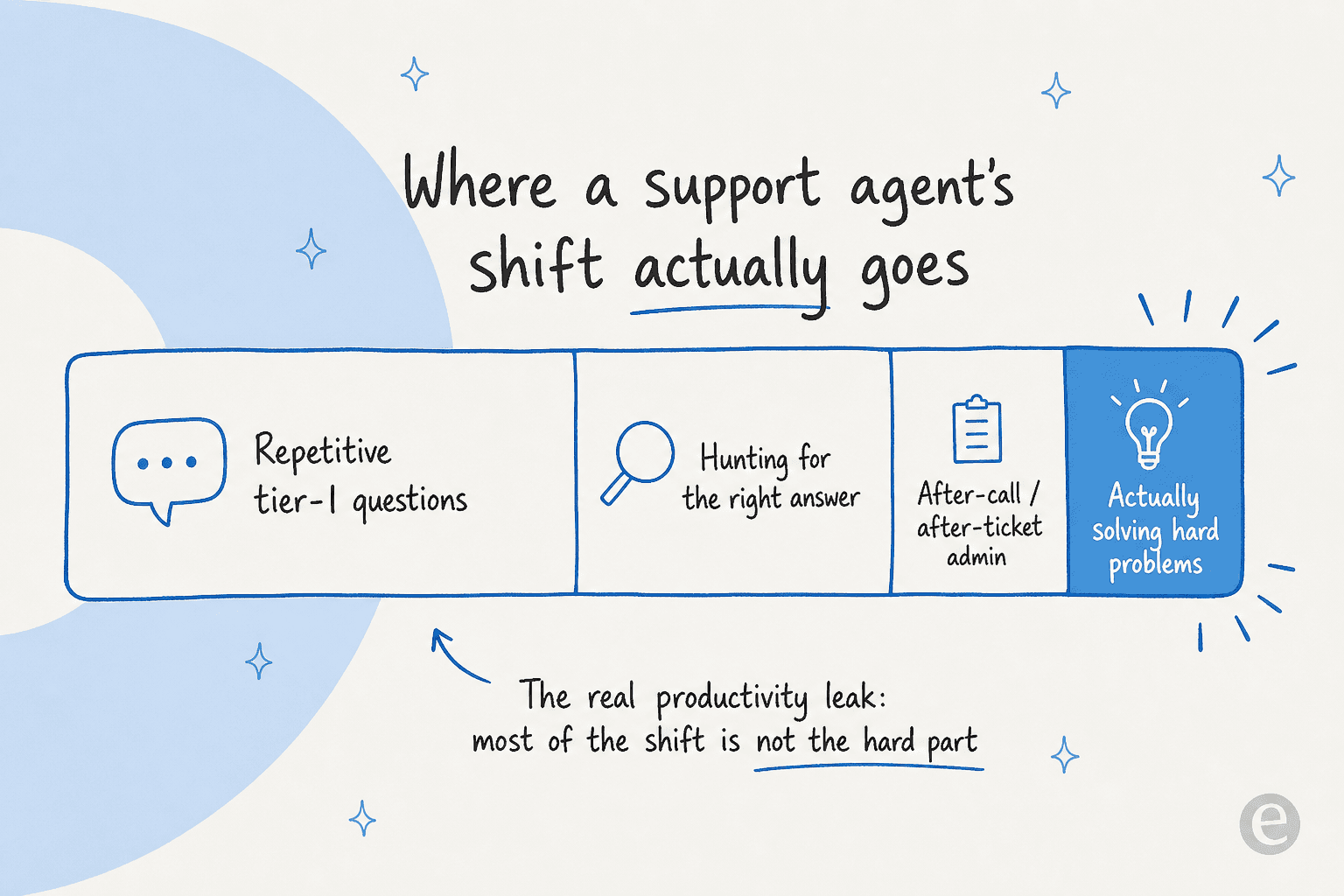
Most of the shift goes to three things that feel like work but produce very little: answering the same tier-1 questions for the hundredth time, digging through scattered docs and old tickets to find the right answer, and after-call admin like tagging, notes, and wrap-up. This is why "hire more agents" and "push people to move faster" both underperform. You're adding capacity to a system that's leaking most of it, when the cheaper move is often AI that saves the cost of that extra headcount.
It's also why agents burn out. The repetitive volume is demoralizing, and the frantic search for answers under a handle-time target is stressful in a way that solving an interesting problem never is. A CX lead I spoke with put the goal perfectly: they didn't want AI answering everything, they wanted an AI that only handles the tickets it's confident about and leaves the rest alone, so the humans get the tickets that are actually worth a human. Fix the leak and you improve productivity and morale at the same time.
Seven ways to actually improve call center agent productivity
None of these are stopwatch tricks. They're structural changes to how work reaches your agents.
1. Fix the knowledge problem first
Agents lose more time to finding the answer than to writing it. If your macros are stale, your knowledge base is out of date, and half the real answers live in one senior agent's head, every interaction carries a search tax.
Before you touch AI, get your knowledge management in order: one source of truth, kept current, that agents actually trust. This is the single highest-leverage move because every other improvement, human or AI, depends on there being a correct answer to retrieve. A development director at an EU HR-software company told us their team reported a huge day-to-day productivity boost the moment they had instant access to their documentation, before any automation entered the picture.
2. Let AI clear the repetitive tier-1 volume
This is the big one. If a chunk of your contacts are password resets, order-status checks, and "where's my refund" questions, those don't need an agent, they need a correct answer delivered instantly. An AI helpdesk agent trained on your past tickets can resolve those end to end.
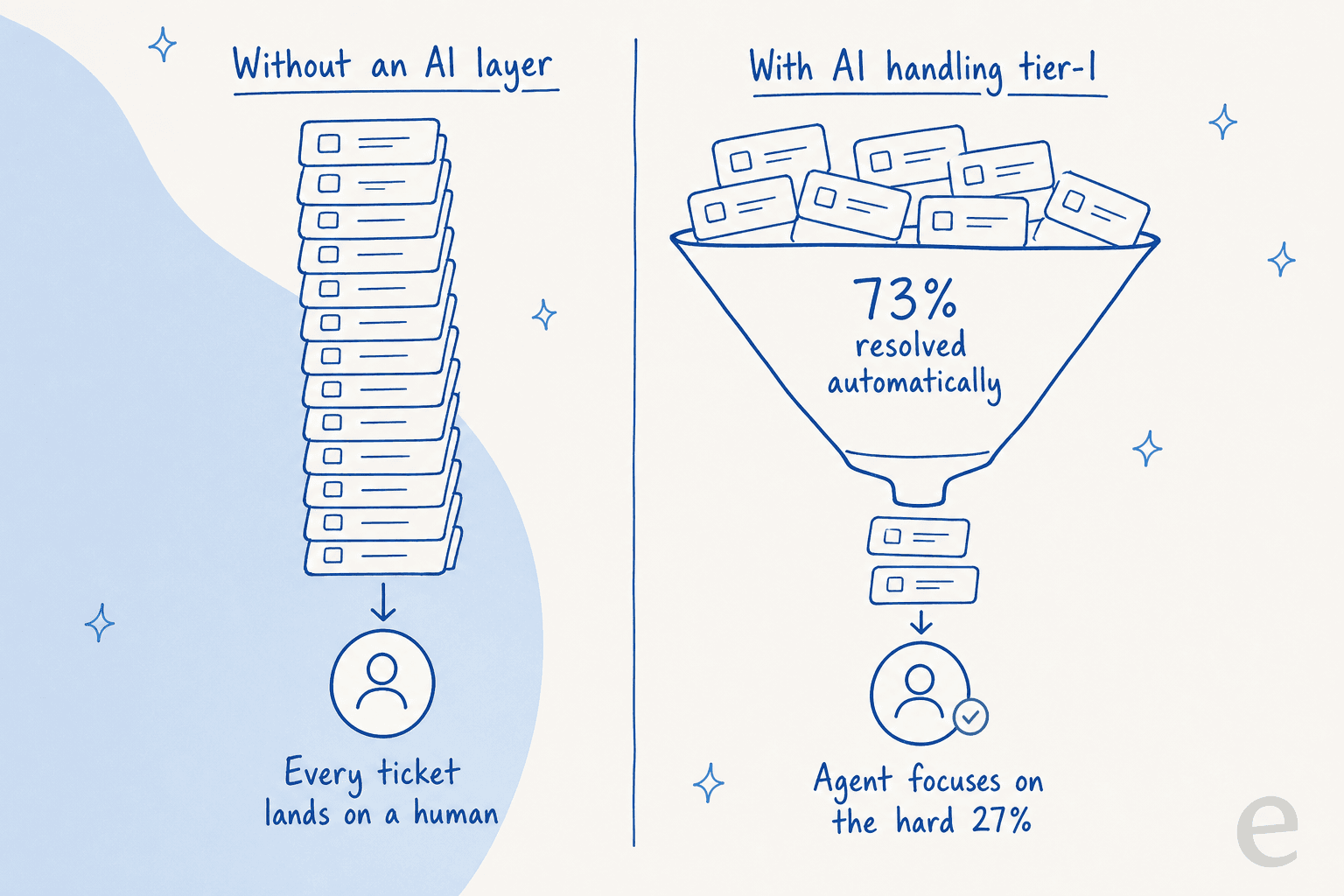
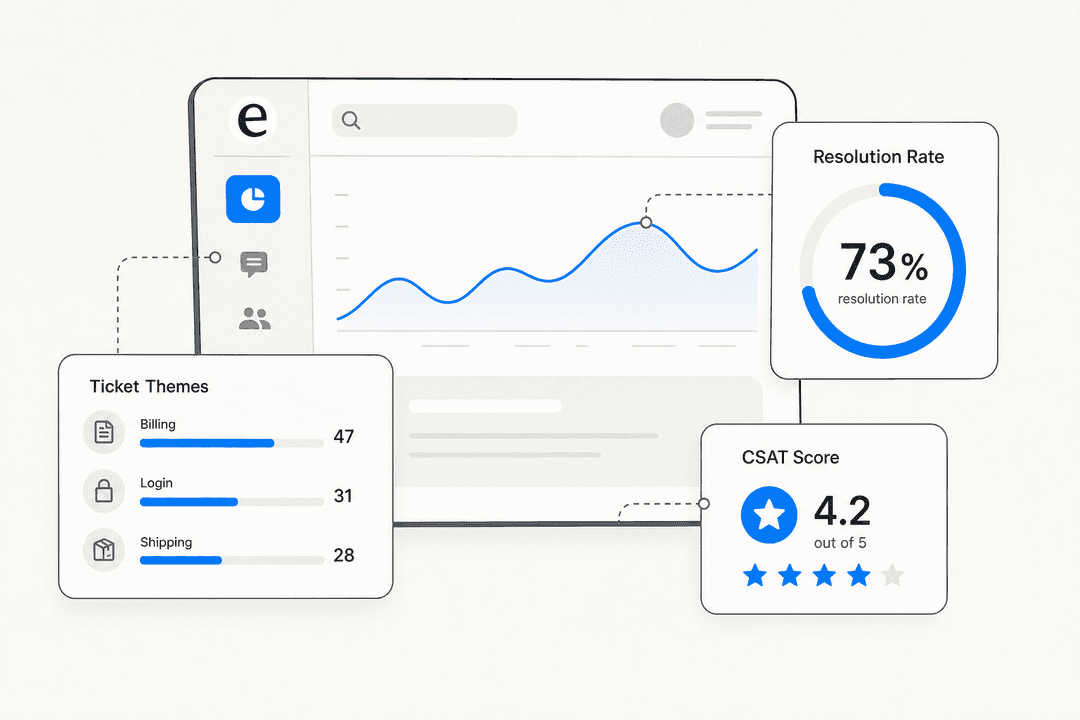
The productivity math here is different from anything a human process change gets you. You're not making agents faster on 100% of the volume, you're removing a big share of the volume from humans entirely. That's how Gridwise hit 73% tier-1 resolution in month one. The remaining tickets, the hard 27%, are the ones your agents should have been spending their shift on all along. If you want the deeper version, our guide to customer support automation walks through it.
3. Give agents a copilot for the tickets that stay
Not every contact should be auto-resolved. For everything a human handles, an AI helpdesk copilot drafts a full reply from your knowledge, which the agent reviews, tweaks, and sends. That turns a five-minute research-and-write task into a 30-second review.
The copilot pattern is also the safest way to introduce AI. Agents stay in control of every response, so there's no "confident-sounding bot gives a wrong answer" risk, and the AI learns from their edits to draft better next time. We've watched confident bots quietly give wrong answers before, which is exactly why we simulate every rollout against historical tickets first.
4. Route by skill, not round-robin
A ticket that lands on the wrong agent gets reassigned, re-read, and re-worked, which is pure lost productivity. Smart ticket triage reads the incoming contact, classifies it, and routes it to the agent (or the automation) best suited to it.
Good ticket classification also means the AI can leave a suggested reply as an internal note on tickets it doesn't auto-resolve, so the assigned agent opens the ticket already halfway to done. If you're worried about mis-routing, our note on reducing AI false positives covers how to tune it.
5. Kill after-call work with auto-summaries
Wrap-up time is invisible in most productivity conversations and huge in reality. Agents spend real minutes after every contact writing notes, tagging, and updating fields. Auto-summarization and auto-tagging hand that back: the AI writes the summary and applies the tags, the agent glances and confirms. Multiply a couple of saved minutes across a full shift and it's one of the quieter but bigger wins.
6. Coach with real ticket data, not gut feel
You can't improve productivity you can't see. The centers that get this right stop guessing and pull ticket analysis on where time actually goes: which topics drive volume, where handle time spikes, which answers are missing from the knowledge base entirely.

That surfaces the coaching that matters. If 30% of contacts are one topic with no good macro, the fix is a knowledge article, not a pep talk about handle time. And when the data shows a gap, some AI systems will draft the missing article for you.
7. Measure first contact resolution and CSAT, not raw volume
Back to where we started, because it's the change that protects all the others. If you install AI, sharpen your knowledge base, and then keep grading agents on calls-per-hour, you'll undo the gains, because agents will optimize for the number you reward.
Switch the scorecard to first contact resolution, CSAT, and time-to-first-answer. Those reward the behavior you actually want: solving the problem, once, well. Our guide to reducing first response time with AI has the full playbook on moving those numbers.
The honest version: where AI fits, and where it doesn't
I'll be straight about this, because pretending otherwise is how you lose trust. If you run a pure voice call center with an IVR and phone queues, eesel isn't a phone system, and it won't replace your ACD or dialer. What it does handle brilliantly is the text side that most modern "call centers" have quietly become: the email, chat, and ticket volume that now sits alongside the phones, plus arming your phone agents with instant answers from the same knowledge base.
For most teams, that text and chat volume is where the deflectable, repetitive work lives anyway. Handle that with AI and your phone agents get shorter queues and faster answer lookups, even the ones the AI never touches directly, and you edge toward 24/7 coverage without adding a night shift. It's the same logic that makes a modern contact center lean on automation for the routine tier. A chief innovation officer at a payments company running eesel over their internal docs reported up to 80% time savings finding answers and onboarding new agents, which is productivity that shows up on every channel.
Try eesel for your support team
If the productivity leak in your center is repetitive tickets and slow answer lookups, that's the exact problem eesel was built for. It's one of the best AI support agents for exactly this: it connects to your existing helpdesk (Zendesk, Freshdesk, Gorgias, Front, and more), learns from your past tickets and help docs on day one, and starts auto-resolving tier-1 volume while drafting replies for everything else. If you're still comparing options, our roundup of the best AI helpdesk software lays out the field.

The differentiator that matters for productivity: you can simulate the rollout against thousands of your own historical tickets before it ever replies to a live customer, so you see the resolution rate and coverage gaps up front rather than finding out in production. Pricing is usage-based with no per-seat fees, so productivity gains don't get taxed by headcount-based licensing. You can try it free on your own tickets and watch what comes off your agents' plates.
Frequently Asked Questions
What is call center agent productivity?
How do you measure call center agent productivity without hurting quality?
How can AI improve call center agent productivity?
What should I track instead of calls per agent per hour?
Will automating tier-1 work replace call center agents?


Article by
Riellvriany Indriawan
Riell is a designer and writer at eesel AI with about two years of experience researching CX platforms, AI chatbots, and helpdesk software. She combines her design background with a sharp eye for how these tools actually look and feel in practice — making her comparisons unusually visual and user-focused.