


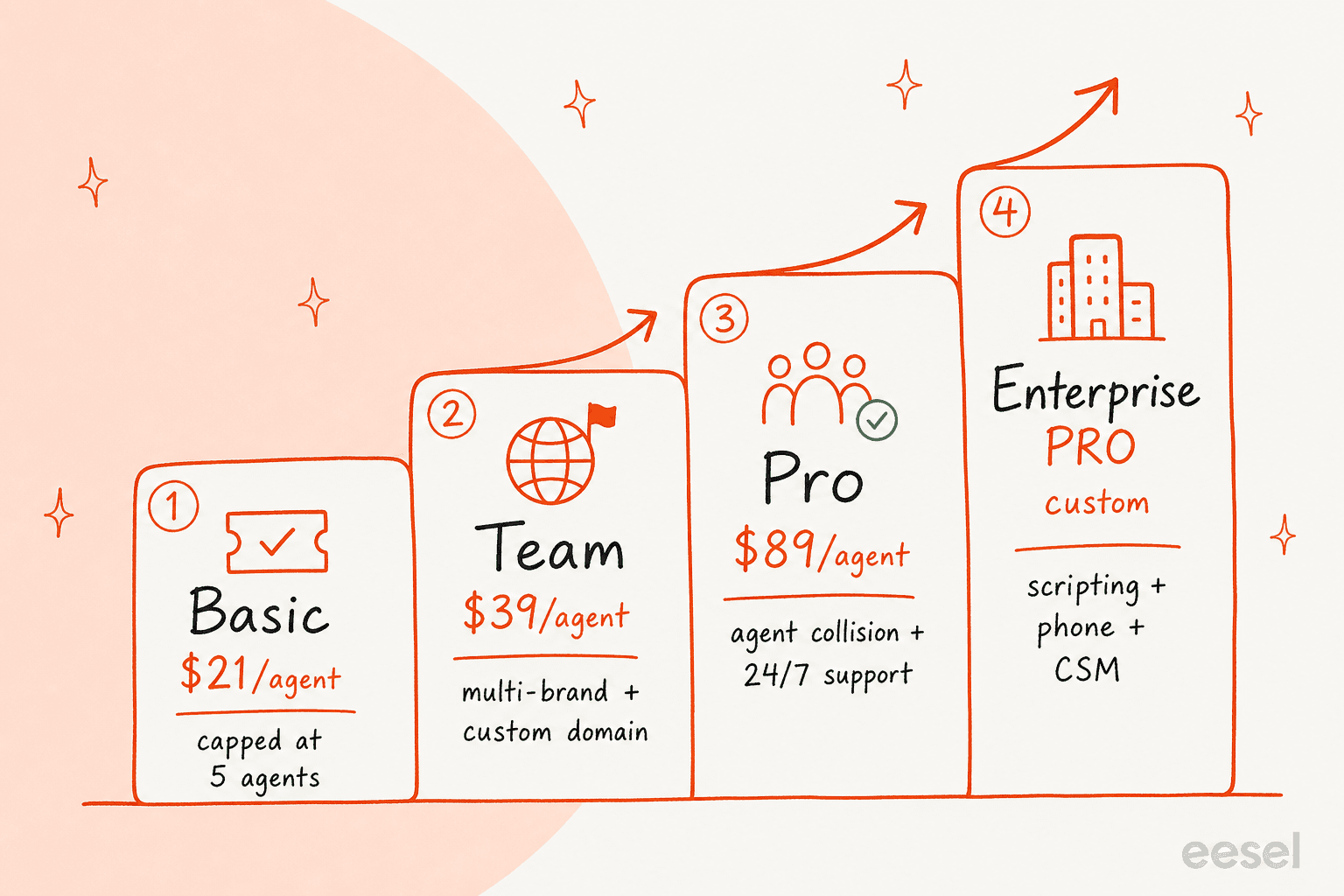
HappyFox help desk pricing starts at $21 per agent/month on Basic (capped at 5 agents), then jumps to $39 (Team), $89 (Pro), and custom pricing for Enterprise PRO, all billed annually. The number most people miss: that sticker price buys the ticketing, not the AI.
HappyFox AI is a separate $14 to $29 per agent/month, Autopilot agents bill at $0.02 per completed task, and the chatbot and Assist AI are demo-only with no public price. So a 10-agent team that wants the "AI Powered Support Platform" from the homepage is realistically looking at $1,000+ a month once you add it all up.
It's genuinely good value for a mid-market ticketing tool, and reviewers consistently say it does most of what Zendesk does at a fraction of the cost. But there's no free trial, the AI pricing is opaque, and the per-agent model means your bill scales with headcount, not with how much work the AI takes off your plate. If your goal is to automate tier-1 tickets rather than buy more seats, a tool like eesel with a fixed monthly price by ticket volume (from $299 for 500 credits) often lands cheaper, and you can see the result before you commit.
What HappyFox actually costs
I've spent the last three years helping teams put AI on live support queues, and the most common moment on a pricing call isn't sticker shock, it's confusion. One operator I worked with was scaling toward 150,000 tickets a month and spent half the call trying to reconcile a per-interaction quote against a per-ticket one, eventually projecting something like $30,000 a month at roughly 20 cents a ticket and not trusting his own math. That's the recurring problem with help desk pricing pages: the headline figure rarely matches the bill you actually get.
So let me do the thing the pricing page makes harder than it should be and lay out the real numbers.
HappyFox sells two pricing models. The default is agent-based pricing (per seat), and there's a separate Unlimited Agents model for teams that would rather pay for volume than headcount. The page toggles between Monthly, Annual, and a 2-Year Savings Plan paid up front; the per-agent figures below are the annual view, which is what HappyFox leads with.
The four help desk plans
Here's every agent-based plan, what it costs, and the one thing each tier is really about.
| Plan | Price (per agent/mo, annual) | Agent cap | The headline unlock |
|---|---|---|---|
| Basic | $21 | Up to 5 (hard cap) | Unlimited tickets, SLA management, knowledge base, SSO |
| Team | $39 | No limit | Multi-brand help desk, custom domain, custom roles |
| Pro (Most Popular) | $89 | No limit | Agent collision, asset management, 24/7 email support, uptime SLA |
| Enterprise PRO | Custom (contact sales) | No limit | Agent scripting, all-time reporting, 24/7 phone support, CSM |
Source: HappyFox plans and pricing.
A few things worth flagging before you pick a tier:
- Basic's 5-agent cap is the real ceiling, not the price. At $21 it looks like the obvious starter, but the moment you hire a sixth agent you're on Team. If you know you'll cross five seats this year, price from Team upward and treat Basic as a pilot, not a plan.
- Pro is where most of the "real help desk" features live. Proactive agent collision, asset management, scheduled tickets, load-balanced assignment, and 24/7 email support all start at Pro. That's a $50/agent jump from Team, and it's the leap most growing teams end up making.
- Enterprise PRO is the only tier with phone support and a CSM. If 24/7 phone and advanced audit logs are non-negotiable for your security or compliance review, you're in contact-sales territory.
The per-tier limits matter as much as the feature list, because they're where the gating bites later:
| Limit | Basic | Team | Pro | Enterprise PRO |
|---|---|---|---|---|
| Attachment storage | 50 GB | 500 GB | 1 TB | 2 TB |
| Multi-brand (custom domain) | None | 5 brands | 15 brands | 25 brands |
| Reporting history | 1 year | 3 years | 5 years | All time |
| REST API (req/min) | 100 | 200 | 400 | 800 |
| Phone support (PST) | None | 8AM-5PM Mon-Fri | 5AM-5PM Mon-Fri | 24/7 |
| Email support (PST) | 5AM-5PM Mon-Fri | 24/5 | 24/7 | 24/7 |
That reporting-history ladder is sneaky: on Basic you only keep one year of reporting data, which is a problem if you ever want to look at year-over-year seasonality. Audit logs stay "Basic" until Enterprise PRO too.
The part the pricing page buries: AI is a separate bill
This is the bit that catches people. HappyFox markets itself as an "AI Powered Support Platform", but almost none of that AI is included in the help desk price. It's a stack of separate products, each with its own line item.
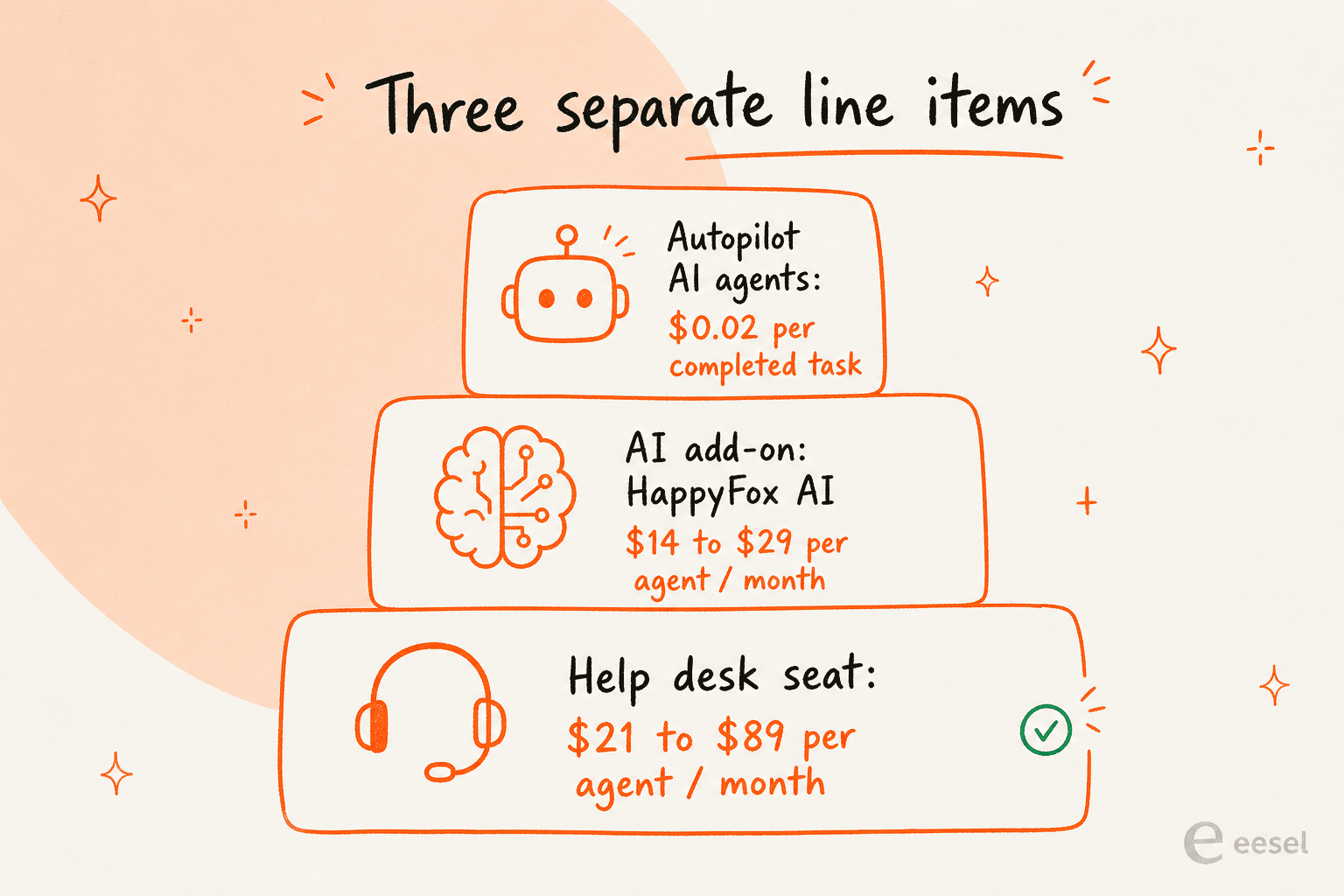
Here's how the AI layer prices out:
- HappyFox AI (the agent copilot) runs $14 per agent/month (Standard) with 500 interactions per agent, and $29 per agent/month (Premium). It's the layer that does ticket summaries, suggested replies, urgency detection, and auto-drafted knowledge base articles. HappyFox claims 60%+ AI-assisted resolution and built it on an AWS stack where no customer data is used for training.
- Autopilot (the AI agents) bills at $0.02 per completed task. These are pre-built agents (custom field triage, duplicate notifier, Shopify return-policy checker) rather than blank slates you build yourself.
- Chatbot and Assist AI have no published price at all. Both are "Get a demo" products, so deflection-bot pricing is whatever sales quotes you.
The takeaway: when someone says "we got HappyFox for the AI," they didn't get the AI for the help desk price. They got the ticketing for the help desk price and then bought the AI on top, per seat, on a different line.
What this looks like at real team sizes
Abstract per-agent numbers hide how the bill compounds, so here's a 10-agent customer support team, help desk seats only first, then with copilot AI added.
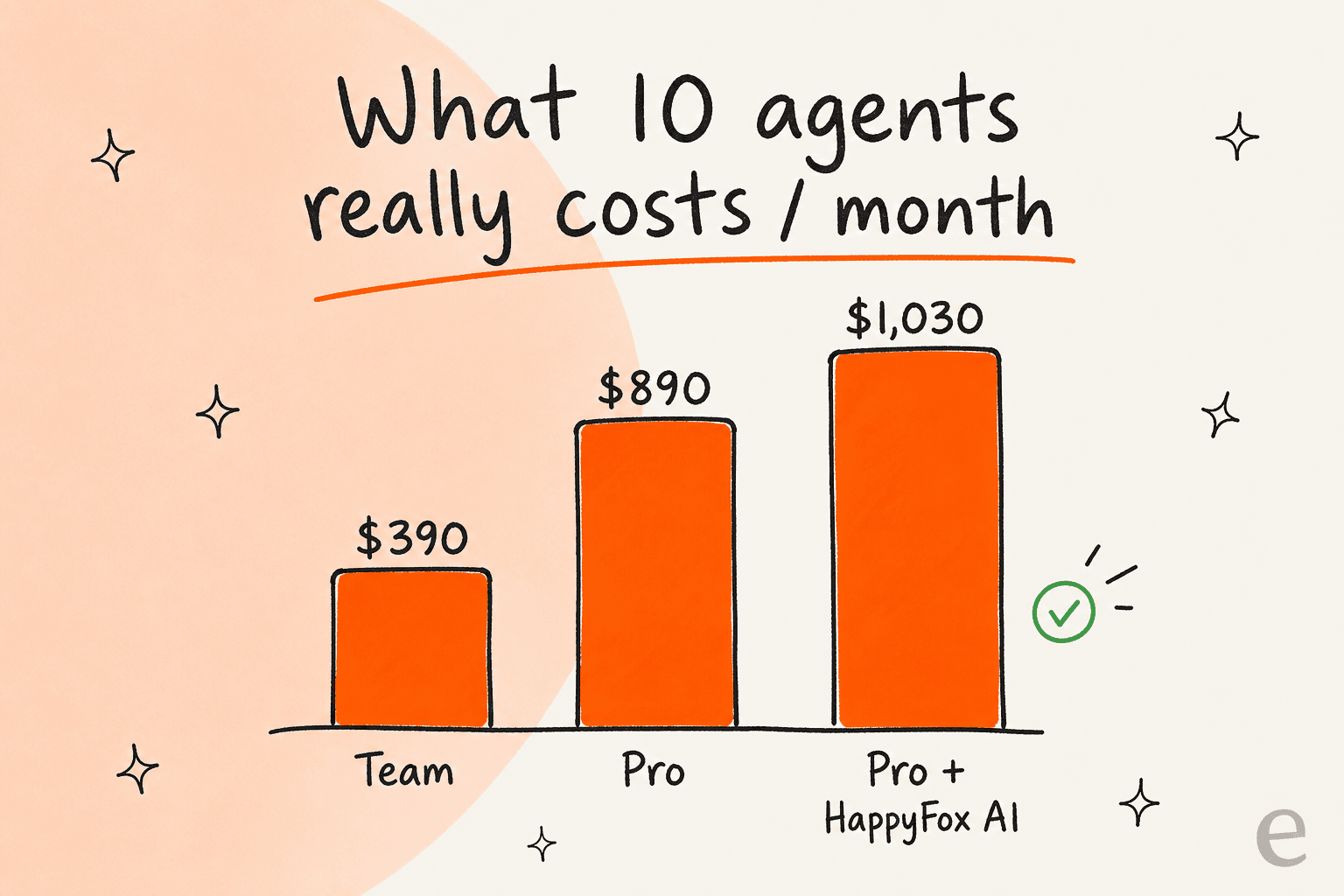
- 10 agents on Team: 10 × $39 = $390/month for ticketing.
- 10 agents on Pro: 10 × $89 = $890/month, which you'll likely need for asset management, collision, and 24/7 support.
- 10 agents on Pro + HappyFox AI Standard: $890 + (10 × $14) = $1,030/month, and that's before any Autopilot tasks or a chatbot quote.
Notice what's driving that number: every figure scales with how many agents you employ, not with how many tickets the AI actually handles. You pay the same $14 copilot seat whether that agent leans on the AI all day or barely touches it. For a 5-person team the math is gentler (Pro is 5 × $89 = $445, plus $70 of AI), but the shape is the same. If you're comparing options, our help desk software for small businesses and ticketing system for small teams roundups are a good sanity check on what comparable seats cost elsewhere.
Where HappyFox is genuinely good value
I don't want this to read as a hit piece, because on pure ticketing value, HappyFox earns its 4.6 rating on Capterra from 92 reviews. The price-to-feature ratio is the single most consistent thing buyers praise.
"Happy Fox is an incredible ticketing solution and I cannot recommend it enough. For the price I do not think that it can be beaten."
Clay K., Network Administrator, Education Management, via Capterra

And the comparison buyers reach for most often is the one HappyFox wants you to make:
"Happyfox could do about 75-80% of the features of the other 2 [Zendesk and another], and was about 10% of the price of the others."
Amanda K., Sr. Manager HR, Retail, via Capterra
Setup and customization get steady praise too: reviewers like that they can tailor the help desk home page and ticket dropdowns, and that onboarding came with hands-on support. If what you need is a flexible, affordable ticketing system and you're pricing it against the big incumbents, HappyFox is a fair fight and often the cheaper seat.
The catches worth knowing before you sign
The flip side of "great value ticketing" is a handful of things the pricing page won't tell you.
There's no free trial. HappyFox is demo-led, so you can't self-serve a sandbox and kick the tires the way you can with most modern tools. You request a demo, talk to sales, and may get a proof-of-concept account afterward. For a budget-conscious team that just wants to test the AI on real tickets, that's friction, and at least one reviewer felt it during pre-sales:
"DO NOT PURCHASE HAPPYFOX... As a potential new client, you are left under valued, like you're just another sale."
Richard T., Director, Hospitality, 1/5 review via Capterra
That's the harshest review on the page and an outlier against mostly positive support feedback, but it points at a real gap: no trial means your first real test of the product is also your first invoice.
Prices have moved, and per-agent costs add up. Reviewers and aggregators point to a 2025 pricing restructuring that pushed the Pro tier up meaningfully, and "expensive as you scale" is a recurring theme once a team grows past a handful of seats. Because billing is per agent, the cost grows with the org chart whether or not ticket volume justifies it.
Some features are gated higher than you'd expect. Asset management and a few integrations sit behind the upper tiers, which drew direct complaints:
"Less Integration like asset management cannot be linked to the system."
Meenakshi M., Project Coordinator, Retail, via Capterra
Reporting and the knowledge base editor are the soft spots. Two of the most-repeated criticisms are worth weighing if those areas matter to you:
"The reporting is very challenging. I wish they had better reporting capabilities."
Amanda K., Sr. Manager HR, Retail, via Capterra
Combine that with Basic's one-year reporting cap and you can see how analytics-heavy teams get squeezed toward the pricier tiers.
How HappyFox pricing compares
If you're shopping this category, it helps to see where HappyFox sits.
- vs Zendesk: HappyFox is the value pick. You typically get comparable core ticketing for less per seat, and HappyFox leans on exactly that in its marketing. Zendesk's advantage is depth, marketplace, and reporting.
- vs Freshdesk: closer fight. Freshdesk has a 6-month Free Program for 2 agents and its own Freddy AI alternatives conversation; HappyFox tends to win on customization and support hands-on-ness.
- vs Zoho Desk: Zoho is the budget king if you're already in the Zoho ecosystem; HappyFox is the more polished standalone help desk.
- vs Help Scout, Gladly, Dixa, and Hiver: each targets a different shape of team, but HappyFox's broad suite (help desk, ITSM, employee support) is unusually wide for the price.
For the full field, our best AI helpdesk software and AI helpdesk tools for small teams roundups put all of these side by side.
The pricing question underneath all this
Step back and the real decision isn't "which HappyFox tier." It's "do I want to pay for AI by the seat, or by the result?"
HappyFox (like most incumbents) prices AI per agent. That's fine if every agent uses the copilot constantly. It's wasteful if your goal is deflection, because you're paying for seats while hoping the AI removes the need for those seats. The model and the goal pull against each other.
This is the gap I built eesel to close, so treat the next bit as a clearly biased but specific comparison.
Try eesel if you'd rather not pay per seat
If you want AI on your help desk without rebuilding on a new platform or paying per seat, eesel is worth a look. It plugs into the helpdesk you already run, learns from your past tickets and docs on day one, and is priced at a fixed monthly price, not per agent, from $299/month for 500 credits (1 credit per ticket or chat), so your bill follows ticket volume rather than your headcount. There's no per-seat fee and no demo gate to get started.

The part that matters most for a pricing decision: before you pay anything, you can run a simulation against your own historical tickets to see exactly what eesel would have resolved, by theme, with a real deflection number. That's the test HappyFox's no-trial model makes you skip. In practice it shows up fast: Gridwise saw eesel resolve 73% of tier-1 requests in the first month, with results landing during a 7-day trial, and a payments team at Global Pay reported up to 80% time savings finding answers.
Try eesel free, run the simulation on your own tickets, and you'll know your real number before you ever talk to sales. If HappyFox's per-seat model still fits better, you'll at least have a deflection figure to price it against.