

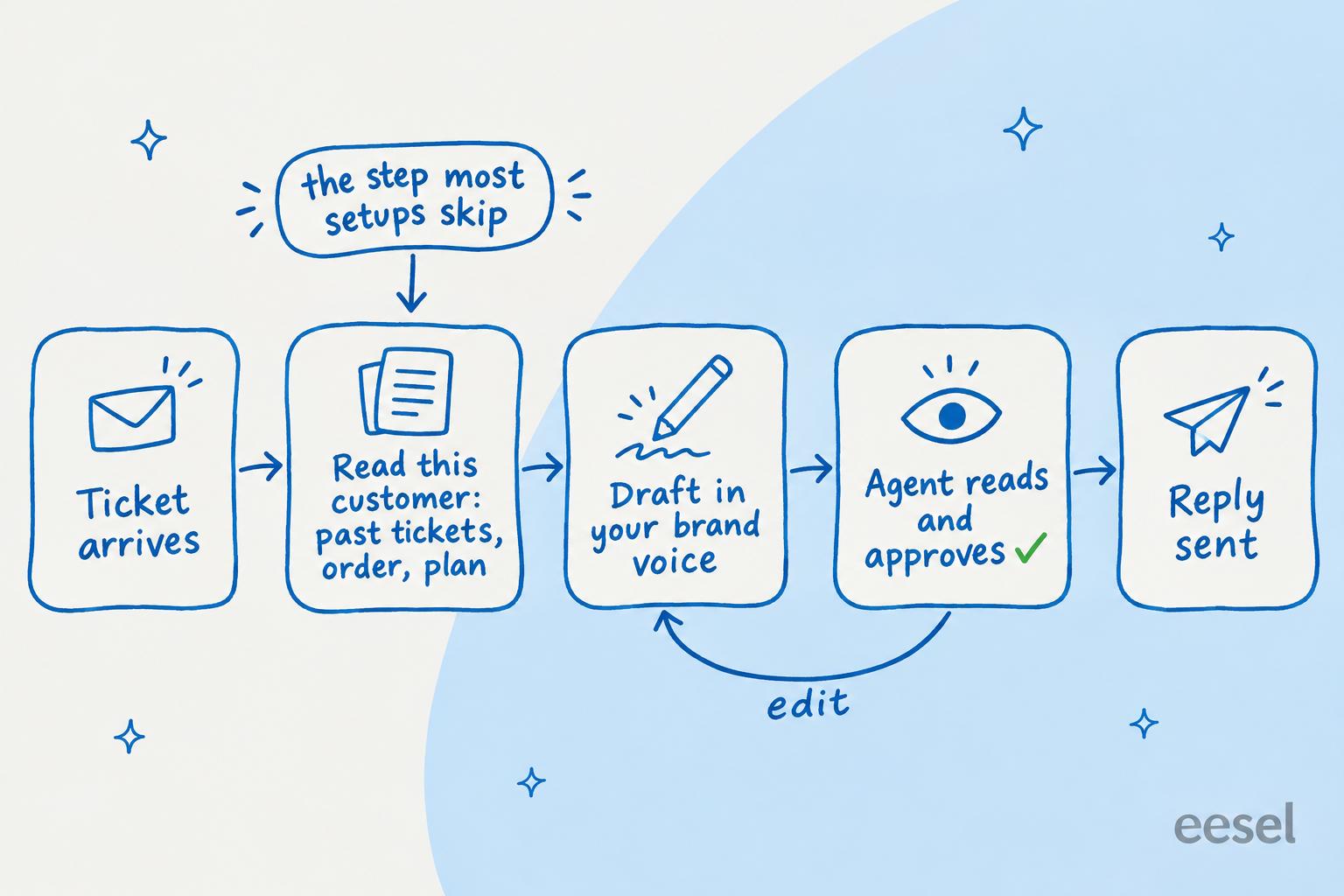
To personalize support replies with AI, give the AI this customer's facts before it writes (their order, their plan, what you promised last time), since 74% of consumers say repeating information frustrates them (Zendesk CX Trends 2026); then set how it sounds. Tone is the easy half: in Zendesk, communication guidelines and tone-of-voice settings cover it in an afternoon. Zendesk's auto assist gets facts from procedures (and the actions in them), help center articles, similar solved tickets and connected knowledge; this customer's own past tickets aren't among its listed sources. An AI teammate like eesel reads those past tickets and looks up the order before it drafts, and a coding agent can set it up through the eesel CLI (uploading approved macros, asking test questions), while connecting Zendesk still takes an admin's approval.
What does a personalized AI reply actually contain?
A personalized AI reply is one that changes because of who the customer is: it already knows their order, their plan and what happened last time, and it sounds like your team. Those are two different jobs, and most AI settings only do the second. (The tone of voice part is what a style guide covers.)
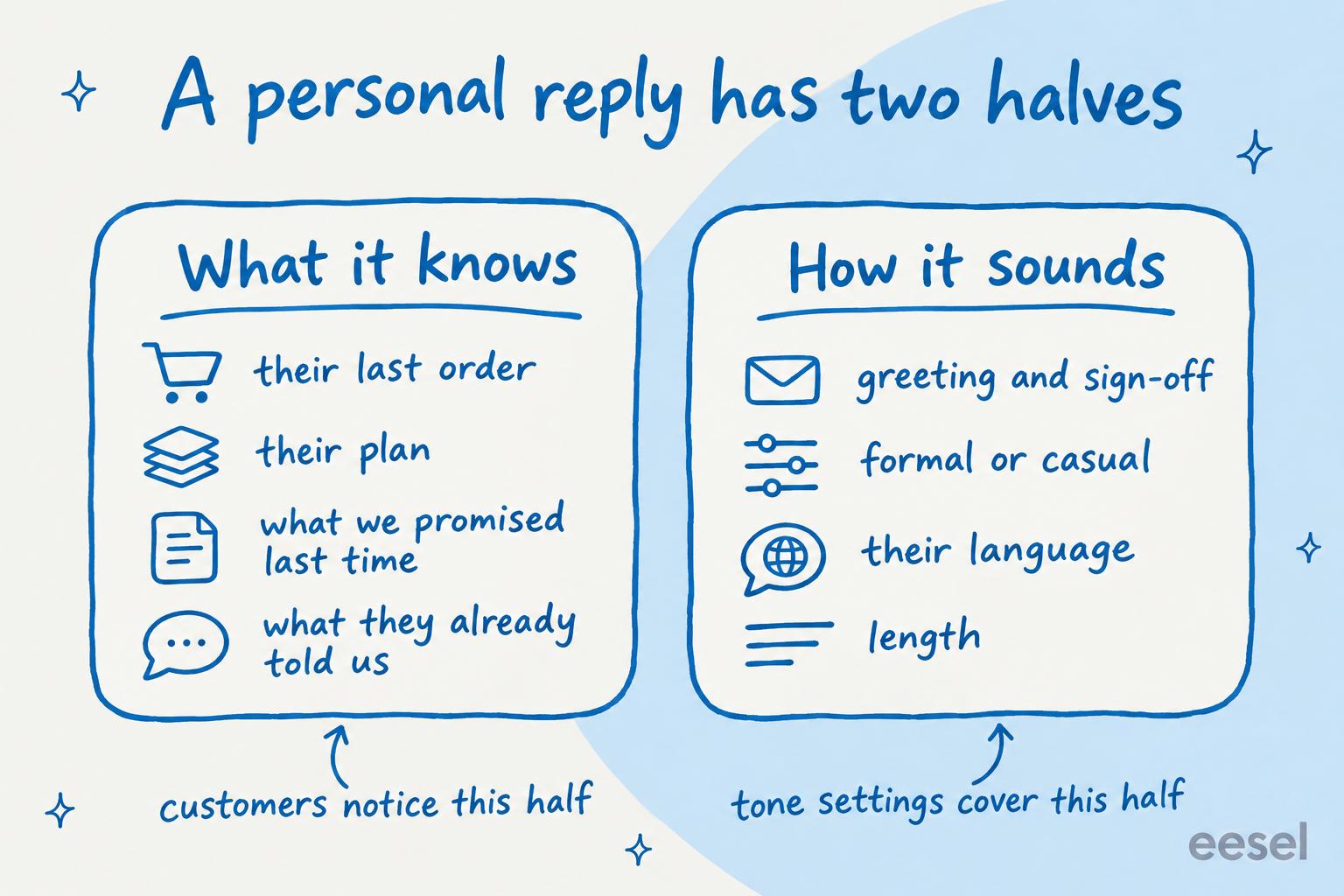
The numbers back the left card. In Zendesk's CX Trends 2026 survey, 81% of consumers want agents to continue a conversation without backtracking and 67% expect support tailored to their prior interactions. It's the same reason customer effort and first contact resolution move together.
I build AI agents at eesel, and the failure I see most isn't a robotic tone. It's a perfectly friendly draft that asks for information the customer already gave. Zendesk's own auto assist demo shows the pattern:
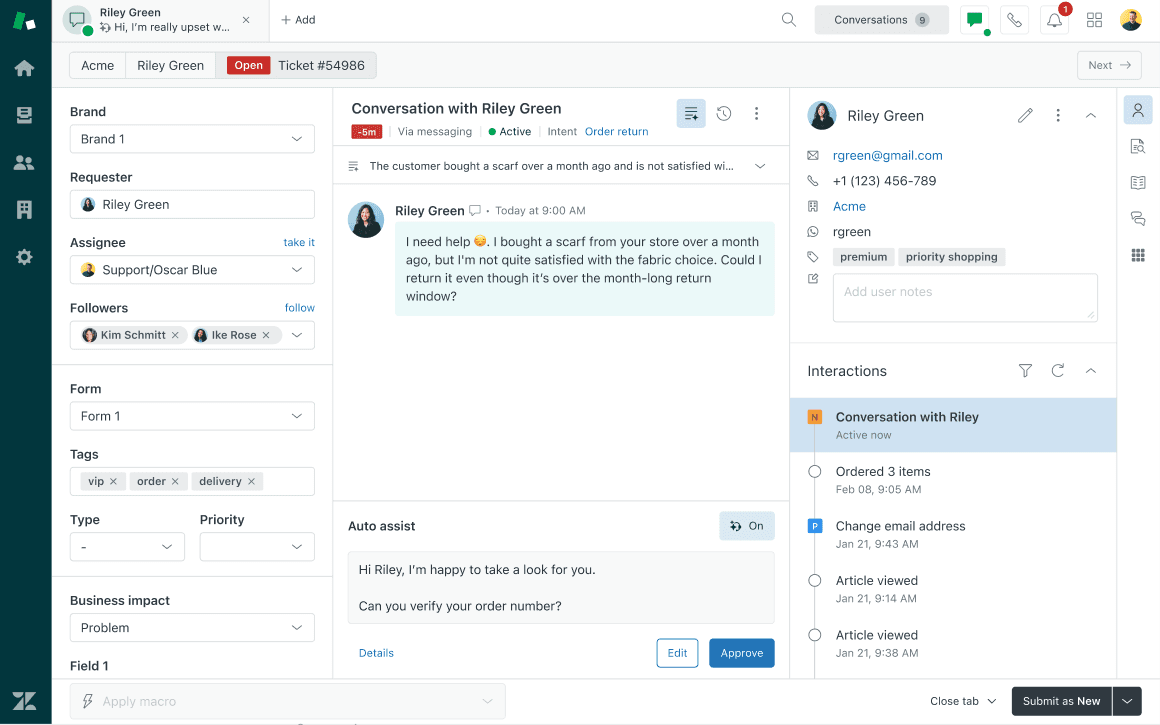
To be fair to Zendesk, asking to verify an order number is a reasonable step in a returns procedure. But it shows the gap: the AI wrote a warm, on-brand line, and the personal part (Riley's order is right there) didn't make it into the reply. So this guide goes in the order that matters: facts first, voice second, sending last.
Step 1: Decide what the AI should know about each customer
Before touching any AI setting, list the facts a good agent checks before replying, per ticket type. For a return, that's the order, the delivery date and the return window. For a billing question, the plan and the last invoice. For a repeat contact, what was promised on the previous ticket. If your team already uses macros for these, the facts each macro asks the agent to fill in are a good first list.
Then check where each fact lives today:
- On the Zendesk profile, as a user or organization field. The AI can read it if your setup passes fields through, and a macro can set custom fields so the next reply finds them. My colleague's guide to personalizing support at scale covers fields, placeholders and Liquid.
- In another system, like Shopify or your billing tool. The AI needs a live lookup, not a copy that goes stale. See the Zendesk Shopify integration for the store side.
- In past tickets. Promises, workarounds, the thing that went wrong last month. This is the one most setups never feed to the AI.
If one customer exists as three Zendesk users, every lookup finds a third of their history, so fix that first with a single customer view.
Step 2: Set how replies sound with communication guidelines
Communication guidelines are Zendesk's way to give its AI a house style. They're part of the Copilot add-on, they're on by default, and they shape two things: auto assist suggestions and the Rewrite in your tone writing tool.
Even with no guidelines written, Zendesk adapts suggestions to the ticket itself. Its docs say the system analyzes the conversation's tone and language, greetings and signatures, writing style, and the ticket's sentiment, topic and urgency. Your own guidelines add brand rules on top, and when the two conflict, your guidelines win.
To write them: in Admin Center, click AI, then Agent copilot > Writing, and define a guideline for each brand.
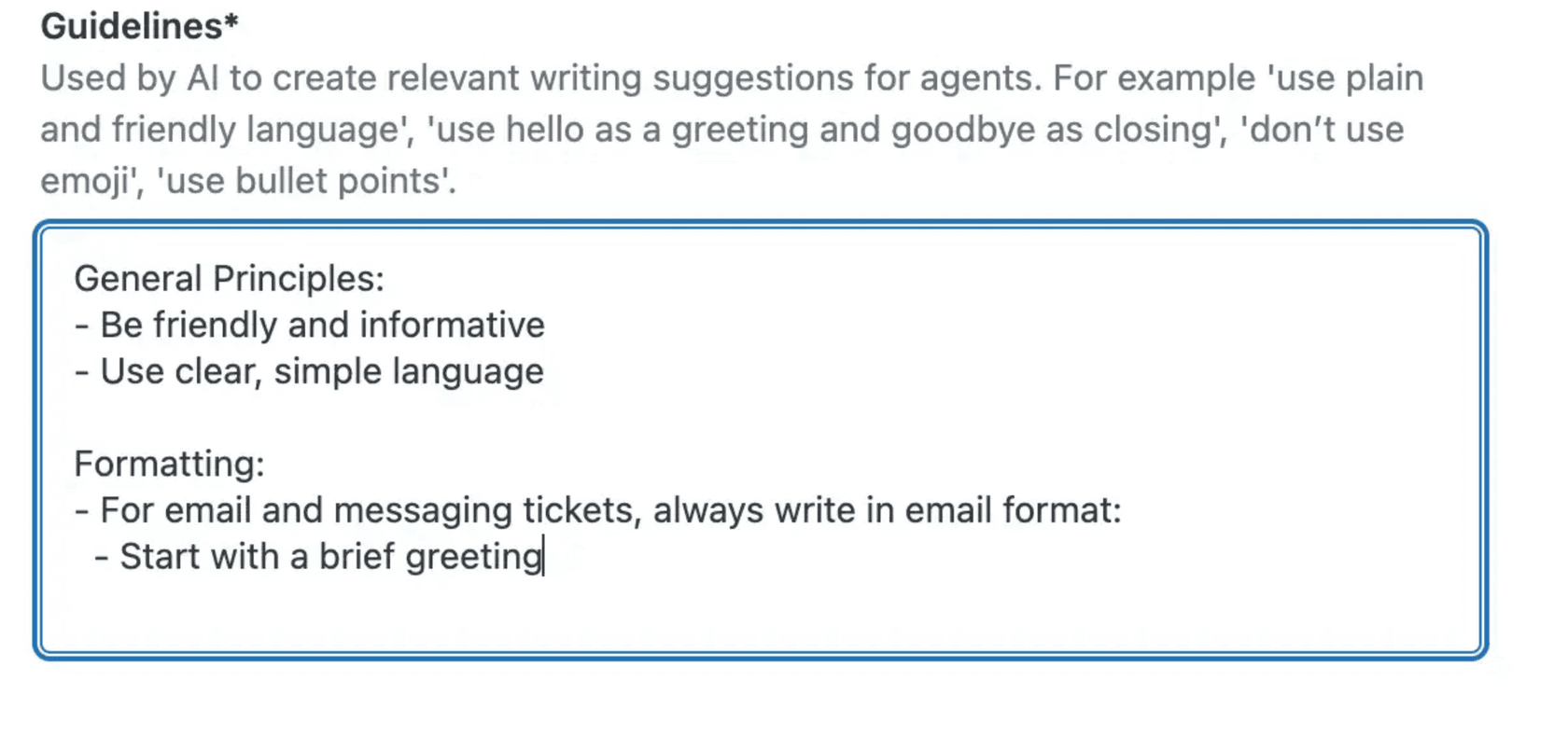
Zendesk's best practices for guidelines are worth reading in full. The four rules I'd pin above your desk:
- Guidelines say how, procedures say what. "Be apologetic and professional when discussing refunds" belongs in a guideline. "Always escalate refund requests" doesn't.
- They're signals, not strict rules. Zendesk says customer empathy is always prioritized, so a "happy tone" rule may be ignored when the customer is upset. That's a feature.
- One guideline per brand, up to 10,000 characters. A guideline can cover several brands, but a brand can only have one.
- They apply when the whole message is selected for rewriting, not part of it.
If you're on Professional or above without the add-on, you still get the basic writing tools (Expand, Simplify, Make more friendly, Make more formal, a custom prompt), capped at five uses per agent a month by Zendesk's rollout notice, pooled across the team, with a 500-use ceiling. Rewrite in your tone is Copilot-only, and Zendesk AI pricing breaks down what the add-on adds to a seat.
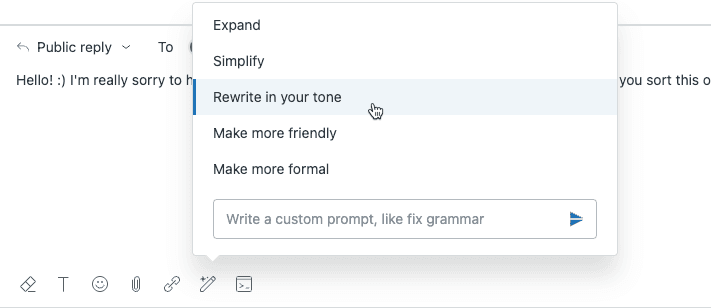
Rewrite in your tone matches the agent's earlier messages in the same ticket, so a reply that switched from chatty to stiff halfway through gets pulled back in line. Useful, and still only the right-hand card. For more on voice, see brand voice with AI and our empathy statements list.
Step 3: Feed the AI the facts with procedures and actions
This is the step that makes a reply personal. In Zendesk, auto assist builds its suggestions from four kinds of source, and the comments in the current ticket:
| Source | What it gives the reply | Personal to this customer? |
|---|---|---|
| Procedures | Your steps, macros, actions (such as a Shopify order lookup) and certain ticket fields | Yes, through fields and actions you build |
| Help center articles | Policy and how-to text, matched to the ticket's brand and language | No |
| Similar solved tickets | How agents solved this kind of issue, same brand | No: matched by topic, not customer |
| Connected knowledge (Confluence, web crawler) | Text from your other docs, for text replies only | No |
Zendesk calls procedures the primary source and recommends them over everything else; for a first reply without one, see suggested first reply. A procedure for returns can call an action that checks the order, so the suggestion includes the delivery date instead of asking for it. Actions only run if a procedure defines them, and one marked as pre-approved in a procedure can run without the agent clicking. My colleague covers the mechanics in Zendesk Copilot auto assist actions.
Look at the last column, though. Nothing in auto assist's listed sources is this customer's earlier tickets. Similar solved tickets are someone else's tickets on the same topic. Zendesk's own community has asked about history even within a ticket; here's a customer team after interviewing their agents in February:
"The most complaints we received are related to how auto assist doesn't look at the history of current conversation before making suggestions."
Zendesk's current article says suggestions take into account all public comments and internal notes in the ticket, so the within-ticket part may have moved since. Across tickets, the gap stands: "we sent a replacement on your last ticket" has to come from somewhere, and in a default setup that somewhere is an agent opening the Interactions panel. Our post on repeat support tickets shows how often that ticket comes back.
Two catches: auto assist doesn't work on AI agent tickets, and tag mode supports messaging and email only, not chat or voice. In tag mode, intelligent triage plus a trigger can add the agent_copilot_enabled tag by topic.
Which Zendesk tool personalizes which part?
Customer-facing Zendesk AI agents have their own voice settings, separate from Copilot. Under Build > Personalization > Tone of voice you pick Professional (the default), Informal, Enthusiastic, or Custom with a short description, plus an approximate answer length.
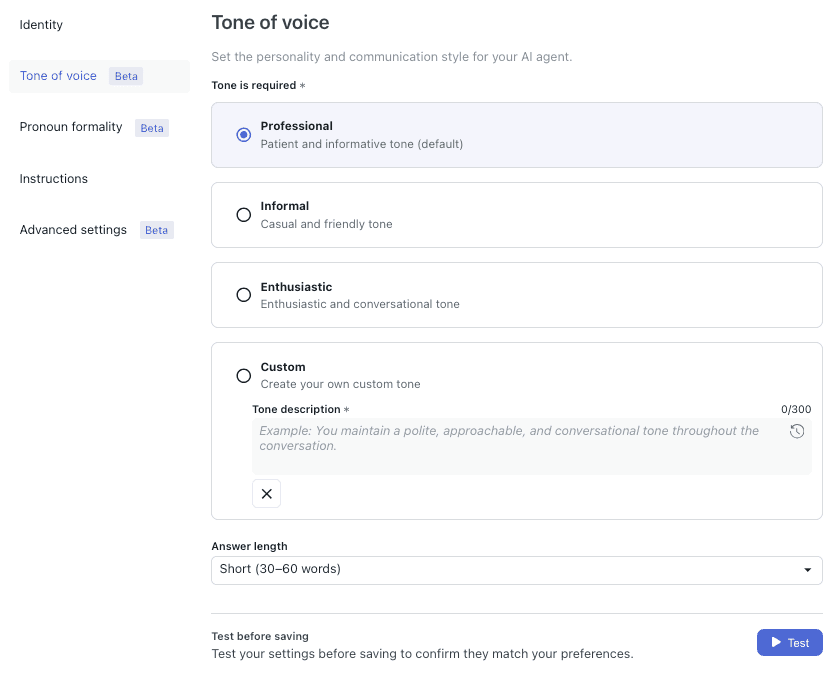
Zendesk's tone of voice docs note the lengths are approximations, not hard limits, and that email agents with agentic AI don't have the length setting. Again, that's voice. Pick what keeps going wrong in your drafts to see where the fix lives:
Pick the problem you see most often in drafts to see which tool fixes it.
Step 4: Start with drafts, then let it send
Personalized or not, an AI reply your agents haven't read yet is a guess, which is why human in the loop is the default for a new setup. Auto assist is built for this: every suggestion waits for an agent to approve it, and customers aren't aware of auto assist at all. Run it that way for a few weeks and read the edits. An edit that adds a fact means a source is missing; an edit that changes wording means the guideline needs a line. Track both alongside CSAT on the tickets it drafted.
Lesson Pro is a good example of the order working. They run several lesson brands (GOSKATE is the best known) out of Zendesk, where two tickets can look alike and belong to different businesses. Their eesel setup works out the brand first, from the ticket's company field or the lesson type, then searches past tickets and the help center and drafts the reply signed as that brand, and for GOSKATE as GOSKATE of the customer's city. Between 8 August and 8 September 2026 it worked about 1,900 tickets, left about 1,700 internal notes and drafted about 560 replies for the team to send, while sending 26 itself. If you want a framework for the hand-off, see human handoff best practices and approval workflows.
Common mistakes when personalizing AI replies
- Writing tone rules to fix missing facts. A guideline that says "be personal" can't produce an order date. If the edits are adding information, the fix is in Step 3, not Step 2.
- Putting process into guidelines. Zendesk is explicit that guidelines say how and procedures say what. Escalation rules in a style guide get treated as tone signals.
- Mistaking similar tickets for history. They help the AI solve the type of issue. They say nothing about this customer, and a repeat contact is where silent churn starts.
- Merging profiles carelessly. A Zendesk user merge can't be undone (Rama's single customer view guide has the details), so check before you merge to give the AI one history.
- Letting it send before you've read its drafts. Read a few hundred first. The Zendesk AI agent review and Zendesk Copilot posts cover the trade-offs of each Zendesk tool in more depth.
Try eesel next to Zendesk
If your voice settings are done and the drafts still ask customers to repeat themselves, the missing piece is reading. eesel is an AI teammate that works inside Zendesk: before it drafts, it reads this customer's past tickets, searches your help center and macros, and looks up their order, then writes in the voice you describe in plain language. You decide, per kind of person, what it may do alone and what waits for an agent's yes, so it can draft every reply as an internal note while you read along, and send only the ticket types you've cleared.
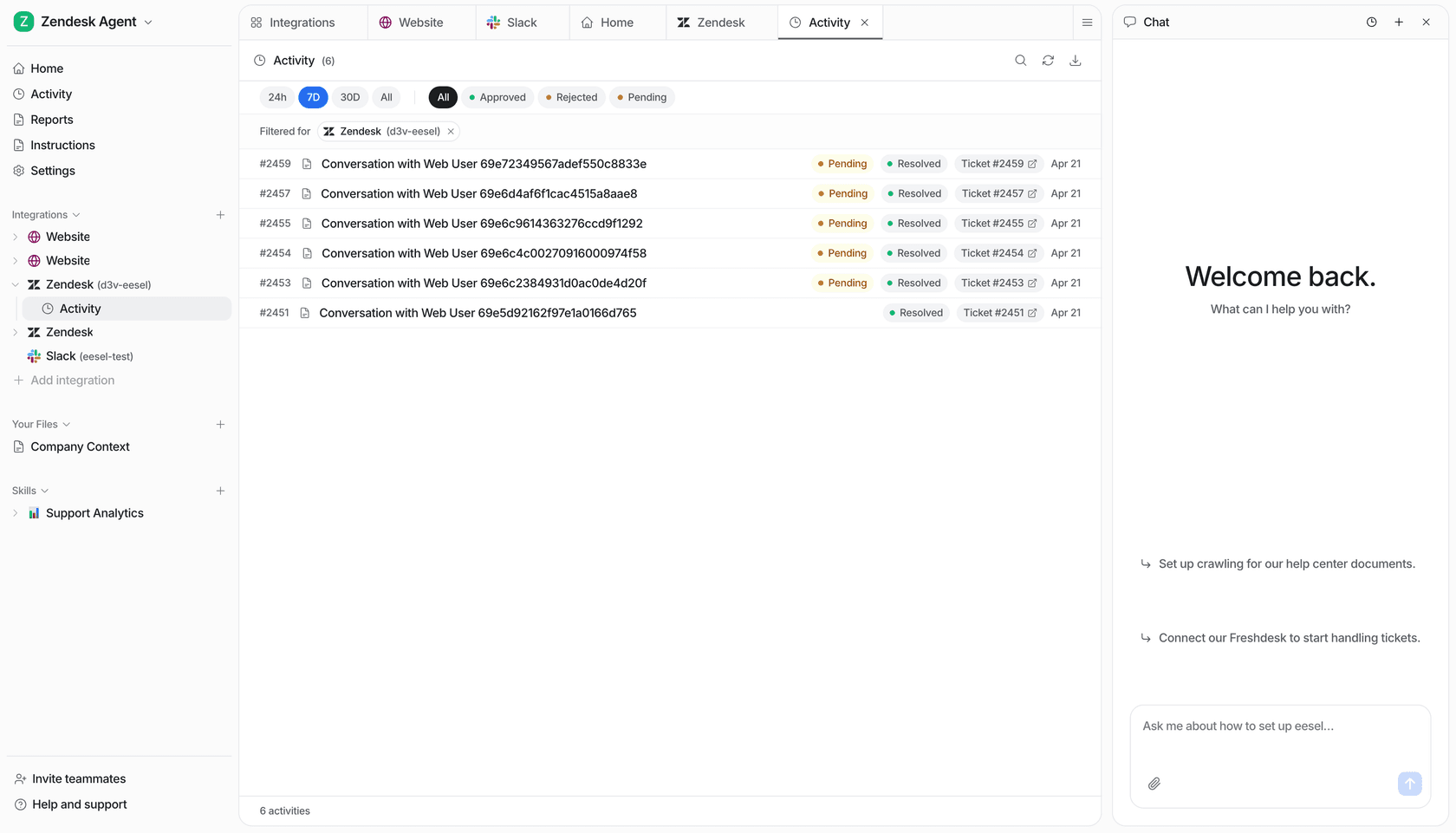
It's tested against your past tickets before it replies to anyone, so you see how it would have answered last month's customers first. Then it can draft for your team, the way Dokument 24 gets a Danish draft as an internal note when a customer first writes in. Try eesel and compare its drafts with what your team actually sent.