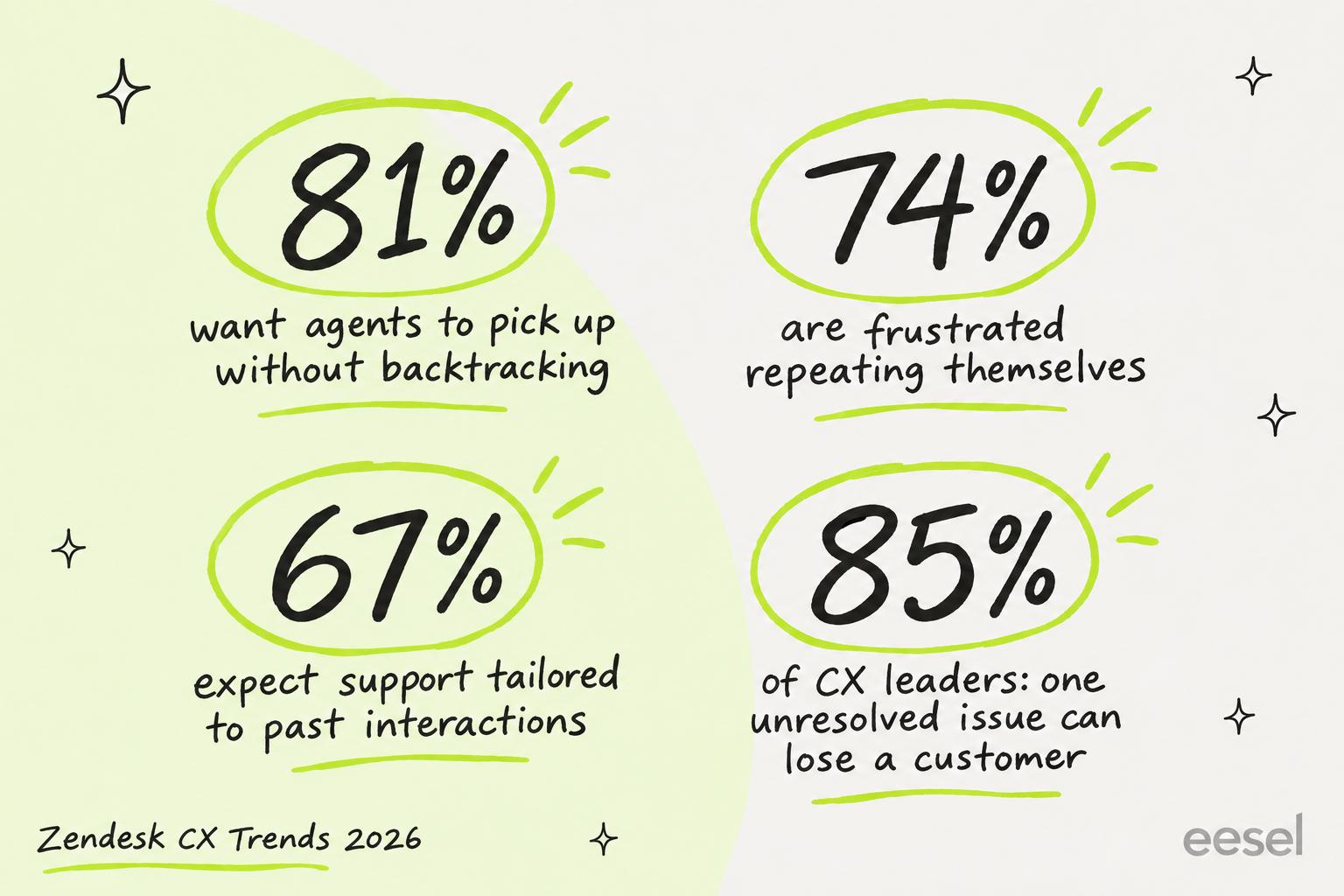
To personalize customer support at scale, stop making customers repeat themselves: in Zendesk's CX Trends 2026 survey, 81% of consumers want agents to pick up a conversation without backtracking, and 67% expect support tailored to their past interactions. A first name in the greeting doesn't get you there. In Zendesk it takes three layers: facts stored on the user and organization, macros and triggers that read those facts with placeholders and Liquid, and the customer's recent history open at the moment someone replies. The first two are settings you build once. The third is where teams run out of road, because a rule can't read the last ticket. That is the part an AI teammate like eesel does: it reads past tickets and looks up the order before it writes. An AI coding agent can also set eesel up through the eesel CLI, uploading approved macros and asking test questions before go-live, while connecting Zendesk still needs an admin's approval.
What does personalized support mean to customers now?
Personalized support means the customer never has to tell you something you already know. That's a stricter bar than "Hi Sam".
Zendesk's CX Trends 2026 report, based on 6,182 consumers and 5,115 business respondents across 22 countries surveyed in June 2025, puts numbers on it. 74% of consumers are frustrated when they have to repeat information, and 85% of CX leaders say one unresolved issue is enough to lose a customer, which is why first contact resolution and personalization end up being the same project.
I work on eesel's support team, and in my view the ticket that goes badly is rarely the one with a missing first name. It's the one where the customer already explained the problem on chat yesterday and gets asked for their order number again today. So in this guide, "personalize" means three things, in this order:
- Know who they are: name, language, plan, account owner, stored once.
- Let the reply use it: templates that change with those facts, without an agent editing them.
- Know what just happened: the last tickets, the last order, the pages they read, open when someone writes back.
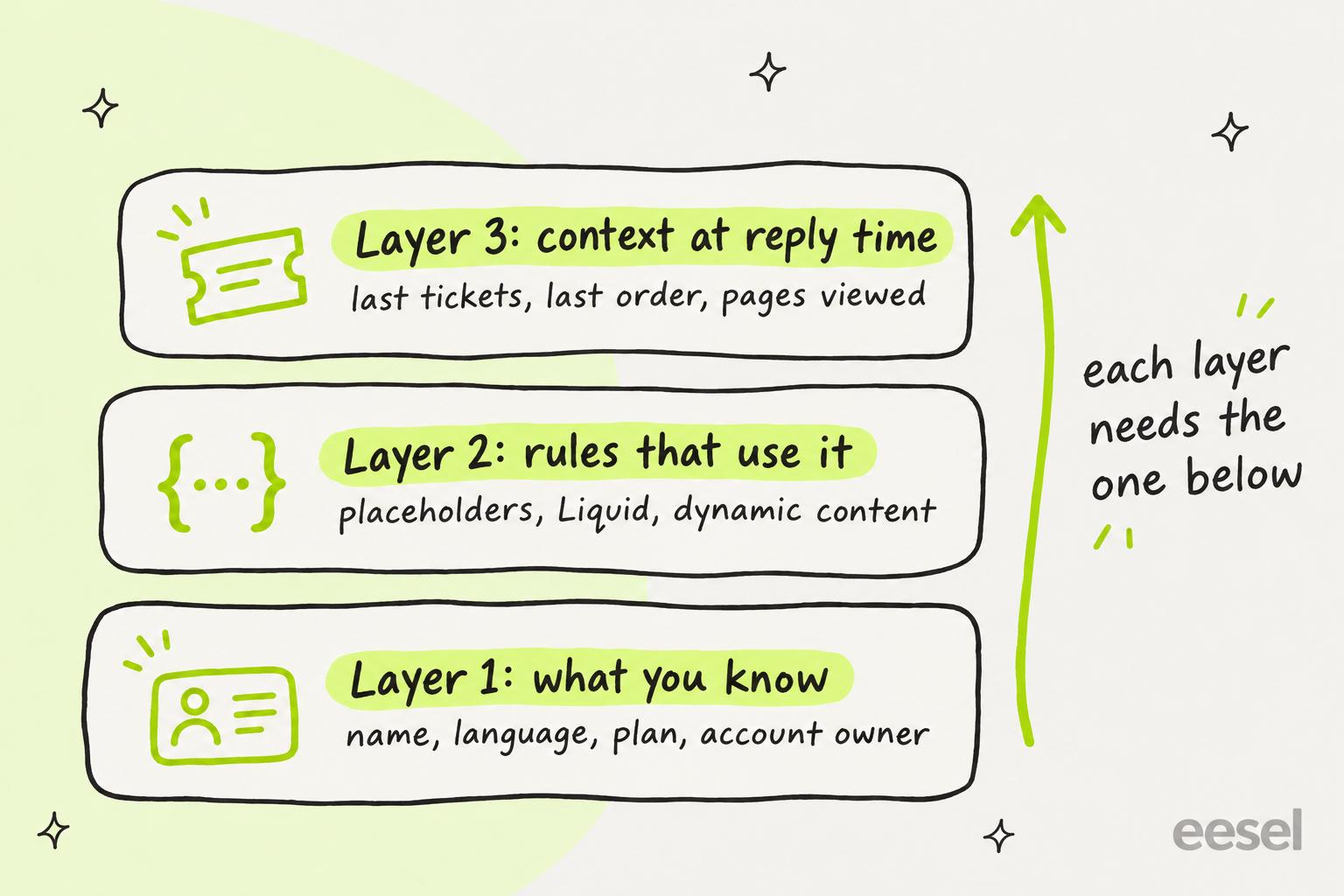
Each layer depends on the one below. A Liquid branch on "plan" does nothing if half your users have no plan set. That's why the steps below start with data, not templates.
Step 1: Put what you know on the user and organization
Personalization at scale starts with fields, because every rule after this reads them. Zendesk already gives each end user a profile, shown on the ticket in customer context: a user profile card with contact details, time zone and language, plus their recent interactions and the 20 most recent pages or help center articles they viewed.
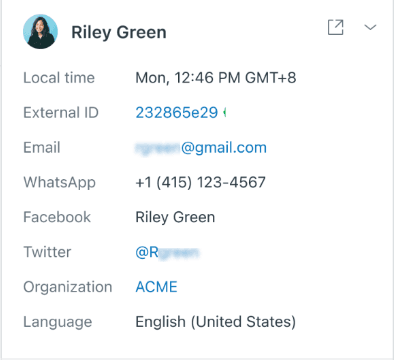
What's on that card by default is contact data. What makes a reply personal is usually business data: plan, renewal date, VIP status, the language they want, who their account manager is. Add those as custom user fields or organization fields (and read Zendesk custom field issues before you add twenty), and fill them from the system that owns them (your CRM or store) rather than by hand.
Two things to get right here:
- Pick the key carefully. When you create a custom user or organization field, you enter a unique key that can't be edited once it is set, per Zendesk's placeholder guide. That key becomes the placeholder name every macro uses.
- One customer, one profile. If the same person exists as three Zendesk users, the fields land on one of them and the other two get generic replies. Fix that first; my colleague Rama covers it in single customer view for support.
Step 2: Use placeholders and Liquid so one macro fits many customers
Placeholders are how a macro or trigger reads those fields. Zendesk describes them as references to ticket, user and custom data, written in double curly brackets and case sensitive. A custom user field becomes {{ticket.requester.custom_fields.<field_key>}}, per the placeholder reference.
The scale part comes from Liquid markup, the templating language behind placeholders. Zendesk's own words: with control statements in a macro's comment action, or the email user action in automations and ticket triggers, "you can accomplish in one automation, macro, or trigger what you used to have to do in multiple automations, macros, and triggers." So instead of a "Refund (VIP)" macro and a "Refund (standard)" macro, you write one:
{% if ticket.requester.custom_fields.plan == "enterprise" %}
Your account manager, {{ticket.requester.custom_fields.account_manager}}, will follow up today.
{% else %}
You'll hear back from us within one business day.
{% endif %}
The field keys here are examples; yours are whatever you set in Step 1. Liquid supports if/else, case statements, for loops and variable assignments, and filters that change how text is shown.
Three limits worth knowing before you rebuild your macro library around it:
- A placeholder whose field is empty comes out blank, so "Hi ," ships. Wrap anything optional in an
if. - Checkbox custom fields hold 0 or 1, not true or false, so test for
contains 1as Zendesk's example does. - Liquid in comments isn't supported for messaging triggers, and Zendesk's system ticket rules suppress placeholders in ticket triggers in some cases to stop spam. If a trigger's placeholder looks broken, check that first.
For the mechanics of building and sorting macros, see how to create a macro and Zendesk macro categories.
Step 3: Answer in the customer's language with dynamic content
If you support more than one language, dynamic content is the Zendesk feature for it. You create one item with a variant per language, then reference it with a placeholder like {{dc.password_help}} in a macro, trigger or automation. When it runs, Zendesk inserts the variant that matches the user's language, and the default variant when the user's language isn't one you support.
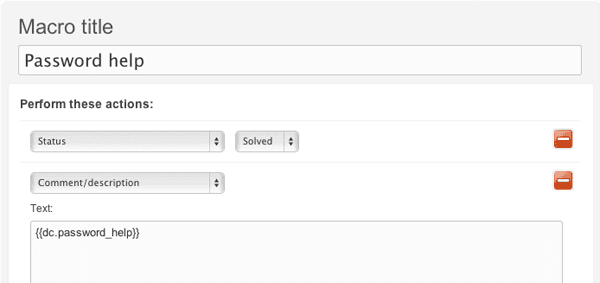
Two catches. Dynamic content needs Support Professional or Enterprise, or Suite Growth and above; on Team plans you're back to one macro per language. And the language it picks is the one on the user's profile, which is another reason Step 1 matters: a user with the wrong language set gets the wrong variant, politely and consistently. Our multilingual customer support guide goes deeper on the rest of the stack.
Step 4: Give the reply the customer's history
This is the layer customers actually notice, and the one rules can't build. CX Trends 2026 found 67% of consumers expect brands to tailor support based on prior interactions. A placeholder can read a field. It can't read last Tuesday's chat and notice the customer was promised a replacement.
Zendesk's part of this is the context panel: the Interactions list shows the requester's recent conversations and tickets, and Pages viewed shows the last 20 pages they looked at. That's useful when an agent opens it. The context panel is closed by default, though, and on a busy queue it's easy to skim the newest message and fire a macro without ever opening it.
Three ways to close the gap, from cheapest to most complete:
- Make reading history a step, not a habit. Put "check Interactions before replying" into the macro's internal note for ticket types where it matters (refunds, complaints, repeat contacts). See macro internal notes.
- Write the outcome down where the next rule can read it. When a ticket ends with a promise ("replacement sent"), set a ticket or user field, which a macro can set for you. A later macro can then branch on it.
- Have something read the history for every ticket. That's an AI agent's job, and it's the only option that scales to every reply rather than the ones someone remembers to check. More on how that works in giving agents full customer context.
Which personalization layer fits this message?
Most teams reach for the wrong tool: a new macro for something that needed a field, or a field for something only the history can tell you. Pick the kind of message you're trying to personalize.
Pick a message type to see which layer does the work and what it needs first.
What goes wrong when teams personalize at scale?
The usual failures are the same few:
- Templates before data. A beautiful Liquid macro that branches on a plan field nobody fills in. Audit the field's fill rate before you write the branch.
- One macro per segment. Ten copies of the refund macro, each a little out of date. Liquid exists so you can merge them.
- Personalizing the greeting, not the answer. A warm tone doesn't cover a missing fact. The customer doesn't care that you used their name if you also asked for the order number they gave you yesterday. The customer effort guide has more on this.
- Duplicate users. Every rule above reads one profile. If the customer's history is split across three, the reply is personal to a third of them.
- Trusting a habit for history. If reading the last ticket depends on an agent opening a closed panel, it happens on the slow days only. Repeat contacts are also where silent churn starts, and where winning customers back gets hard.
Try eesel next to Zendesk
If Steps 1 to 3 are in place and Step 4 is where you're stuck, that's the gap eesel fills. eesel is an AI teammate that works inside Zendesk: before it answers, it reads the customer's past tickets, searches your help center and macros, and looks up their order in your store, then drafts or sends a reply that already knows what happened last time.
Cape Coffee Beans runs it on Zendesk, Shopify and Google Drive. Their team writes @eesel in an internal note to pull up a product, a past ticket or an order, and every answer links the source it used. eesel's story on them counts 23 tickets where the team called it in and 120 knowledge searches across tickets, products and Drive files.
You decide what it may do on its own. Each action can run by itself, wait for a person's yes, or stay off, per actions and approvals, so it can draft notes for agents on day one and reply to customers once you trust it, with a clean handoff to a person when it should. If you're weighing it against Zendesk's own AI, what is Zendesk AI covers the built-in side. Try eesel on your own Zendesk tickets.