

To win back a customer after a bad experience, reply to the bad rating within a day with the specific fix, from one named person who has already read the whole history, then ask them to rate again. Zendesk's benchmark data says more than half of consumers switch to a competitor after one bad experience and 73% after multiple ones, so the recovery is your one chance to stop the second bad experience, and a clumsy recovery counts as that second one. Before you apologise, check the rating is real: Zendesk says link scanners in customers' mail servers can click the "bad" link on their own. eesel, an AI teammate that works inside Zendesk, can do the legwork: pull the history and the order, and draft the recovery reply for a person to send, while refunds and credits wait for a yes. A team that runs an AI coding agent can also have it set this up through the eesel CLI, uploading recovery macros and asking test questions before anything goes live; connecting the helpdesk still needs an admin's approval.
What went wrong, and what is the first move?
Pick what went wrong to see the first move, what to say and when to ask for a new rating.
Why does one bad experience cost so much?
One bad experience is enough for over half of consumers, because they don't wait for a second one. Zendesk's own customer service statistics, drawn from its benchmark data, put it at more than half switching after one bad experience and 73% after multiple bad experiences. Its 2020 CX Trends press release told the same story with slightly different numbers: "half of customers will switch to a competitor after just one bad experience, and 80 percent will leave after multiple bad experiences."
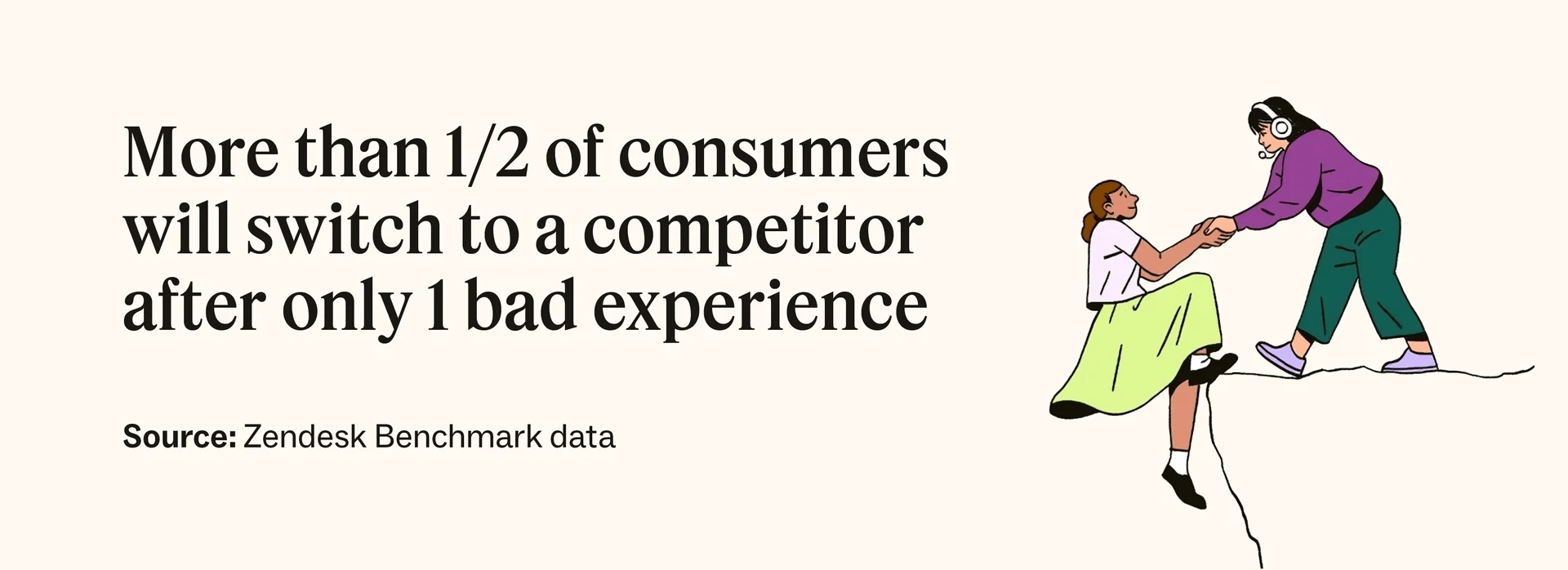
The gap between "one" and "multiple" is where a win-back lives. The customer who had one bad experience and is still talking to you hasn't left yet. What decides it is whether your next contact is the fix or the second bad experience, and a slow, generic or "please explain again" recovery is the second one.
I work on eesel's support team, and the pattern I see most often is a recovery that fails on context rather than on tone. Zendesk's guide to customer dissatisfaction cites its CX Trends research: "70 percent of customers expect anyone they interact with to have the full context of their situation," and 6 in 10 agents said a lack of data often causes negative experiences. A warm apology that asks for the order number again has already failed.
Step 1: Find the customers who had a bad experience
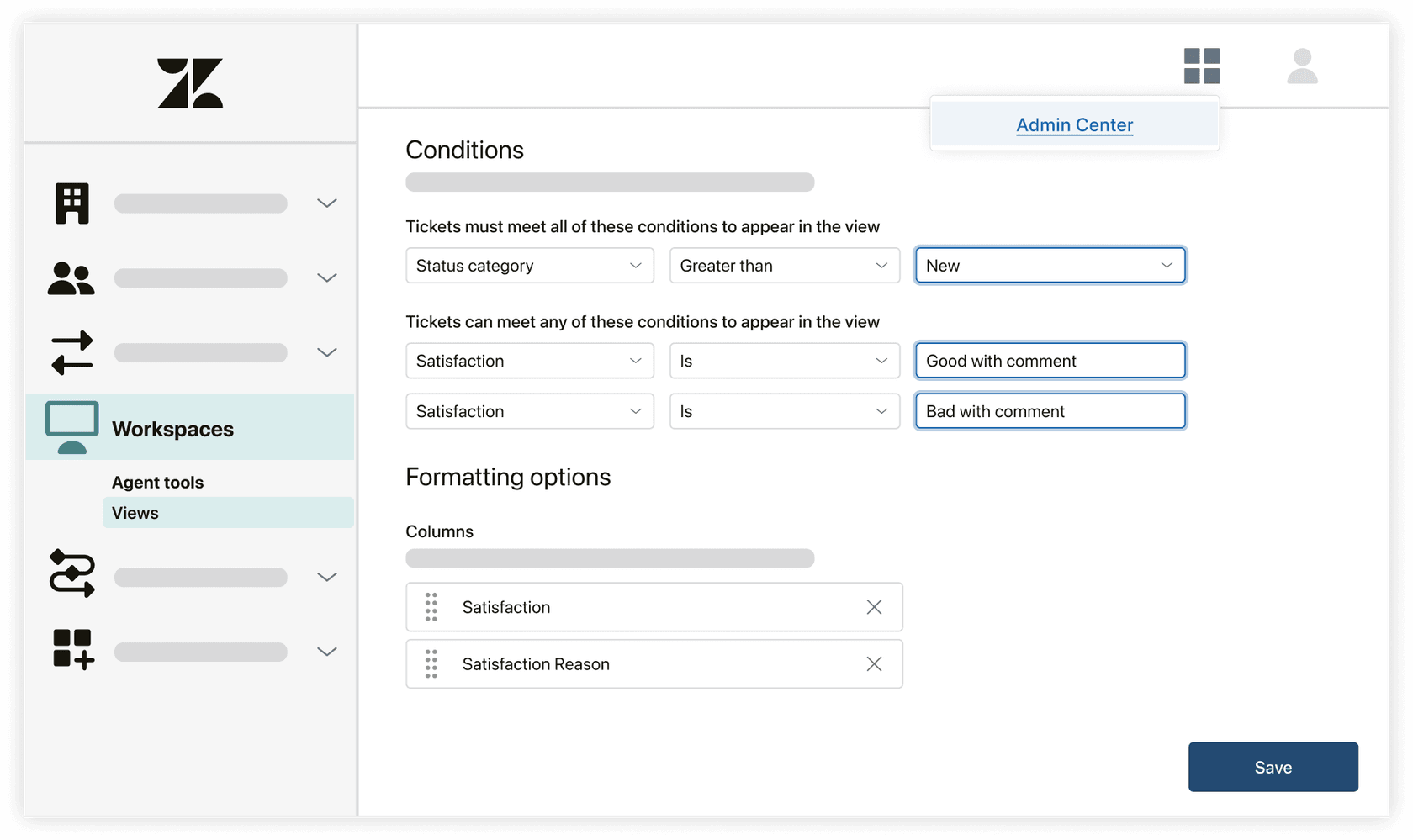
The customers who told you are the easy ones, so start there. In Zendesk, a bad CSAT rating is the clearest signal, and the ones that came with a comment can go straight into a queue. Zendesk's view workflow builds it in a few conditions:
- Add a new view in Zendesk Support.
- Under "all of these conditions", add Status Category | Greater than | New.
- Under "any of these conditions", add Satisfaction | Is | Bad with comment (Zendesk's example also adds Good with comment; for a recovery queue you only need the bad ones).
- Add the Satisfaction and Satisfaction Reason columns, then save.
This view catches the bad ratings that came with a comment, the ones you can act on straight away. Bad ratings with no comment don't land in it, so check those in your CSAT reporting as well (and read Step 2 before replying to them).
Satisfaction Reason is worth turning on. It shows the predefined reasons customers pick when they give a negative score, which turns a pile of angry comments into a sortable list. Zendesk's CSAT survey settings let you add a drop-down of reasons and an open-ended question shown only to people who rate negatively.
A few details change who lands in that view:
- What counts as "bad" depends on your scale. As eesel's good vs bad rating guide also covers, on Zendesk's 1-5 scale, 1-3 is bad and 4-5 is good; on 1-3, 1-2 is bad; on 1-2, 1 is bad. A 3 out of 5 lands in your recovery queue.
- The survey link lasts 28 days by default. The CSAT experience article says customers can respond as long as the link hasn't expired, even on a closed ticket, so bad ratings can arrive weeks after the ticket left your mind. When the survey goes out is set in its automation (survey email delay).
- CSAT needs the right plan. The same article lists Suite Growth, Professional, Enterprise or Enterprise Plus, or Support Professional or Enterprise.
Bad ratings are only the customers who bothered to tell you, and customer churn mostly comes from the rest. The quieter ones show up as reopened tickets, a second ticket on the same order, or a cancellation request; spotting churn risk in conversations covers how to catch those.
Step 2: Check the rating is real before you apologise
Some bad ratings were never given by a person, and apologising to a happy customer is its own small bad experience. Zendesk's article on unexpected bad satisfaction ratings explains why: customers' anti-malware or mail-server link expanders open links in the email to check them, and since CSAT stores the last rating link clicked, "a script that clicks every link registers a bad satisfaction response."
The signs are a bad rating with no comment on a ticket whose thread ends in a thank-you. Zendesk's fixes, in order:
- Turn on DKIM and SPF for your support address so scanners are less likely to inspect the mail.
- If that isn't enough, edit the Request customer satisfaction rating automation and replace the
{{satisfaction.survey_section}}placeholder (which puts the good and bad links in the email) with{{satisfaction.survey_url}}, a link to a separate page with the options. - Or build your own survey with a verification step and send the results through the Satisfaction Rating API.
Admins in that article's comments are not fans of the workaround:
"Additionally, the inability to remove or delete surveys is extremely frustrating when trying to handle these ‘fake surveys’."
Admins there say a fake bad rating can't be deleted, but you can stop sending a recovery email to someone who never complained.
Step 3: Read the whole history before you write a word
A recovery reply that makes the customer repeat themselves fails on arrival, so the person writing it reads everything first: the rated ticket, the customer's other tickets, the order or account, and any internal notes. Then write down in two lines what went wrong, in the customer's terms, not the team's.
This is also the moment to decide who owns it. One named person, the one who will send every reply until it's sorted. Bouncing a recovery between agents is how a ticket escalation turns into a third bad experience. If the original agent caused the problem, someone else can still own the recovery; what matters is that it's one person.
Step 4: Fix it first, then write the reply
The best recovery email reports a fix that has already happened. "A replacement left the warehouse this morning, tracking below" beats "we'll look into this" every time, because the second asks the customer to trust you again on credit.
Then the reply itself, which I keep to four parts:
- Name what went wrong, specifically. "You waited three days and got an answer about the wrong order" shows you read it. "We're sorry for any inconvenience" shows you didn't. eesel's guide to empathy statements has phrasing that doesn't sound scripted.
- Say what you've done. The fix, with the proof: tracking number, refund reference, the corrected answer.
- Say what changes. One line on why it won't happen again: the macro you corrected, the help article you rewrote, the check you added.
- Give them a person. Your name and a way to reach you directly for the rest of this.
Goodwill (a discount, a credit, free shipping) works best when it's decided, not reached for. Decide it with a written rule your team applies the same way every time, like a refund approval matrix, and have a person approve anything outside it. A coupon sent instead of a fix reads as "go away", and the customer still has the original problem. For the apology wording itself, see eesel's apology message examples; for a customer who's still heated, dealing with angry customers comes first.
A Zendesk admin described this routine back in 2013: the team agrees a plan, then calls the customer. It still holds:
"We apologize for the unsatisfying comments, and ask if we can help further. The personal touch and approach with your customers can lead to an overwhelmingly positive response from them."
Step 5: Close the loop and ask for a new rating
Once the customer confirms it's sorted, ask whether they'd change their rating. Zendesk supports it: its help article says end users can change the satisfaction score for a ticket, and you automate it with a macro that includes the {{satisfaction.survey_url}} placeholder ({{satisfaction.rating_url}} on legacy CSAT). The macro puts a link in the reply that lets the customer change their score.
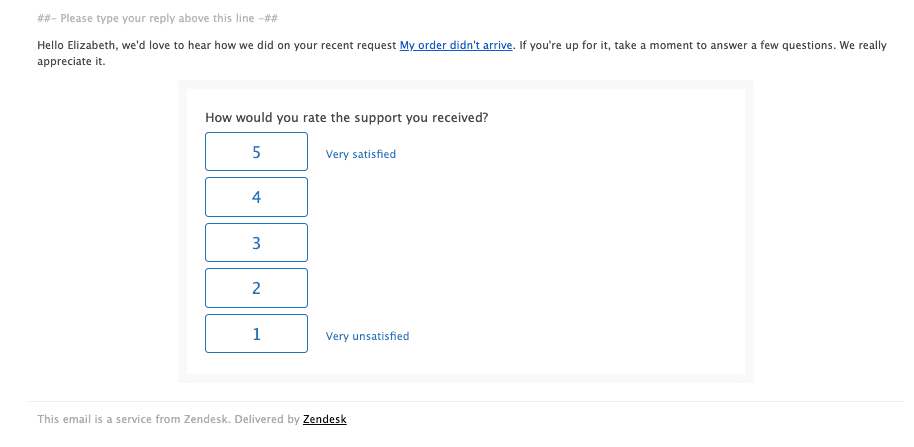
Time it to the fix, not the apology. Asking for a new rating before the replacement arrives asks the customer to grade a promise.
Sending the survey a second time after a recovery is a question one admin asked on Zendesk's CSAT article:
"Is there a way to trigger a second send of the CSAT survey on the same ticket, for example, after a service recovery attempt occurs?"
The community answer from that 2013 thread is still the practical one: the agent adds a tag such as followup_satisfaction and solves the ticket, and a trigger on "tag contains followup_satisfaction" and "status is Solved" emails the customer the rating section, then removes the tag so the cycle can run again if the ticket reopens. One commenter there runs it as an automation instead, so the customer gets a day to settle before being asked. The same thread suggests copying the support manager on each follow-up, so someone sees every recovery happen.
Step 6: Fix the cause so the next customer doesn't need winning back
A win-back that doesn't change anything upstream is a cost you'll pay again. Once a week, read the recovery queue by Satisfaction Reason and by ticket tag, and fix the top cause: the macro that gave the wrong answer, the help article that's out of date, the shipping partner behind half the "order failed" ratings. eesel's Zendesk CSAT reporting guide (linked in Step 1) shows how to trend it; a spreadsheet of last week's bad ratings works too, and AI feedback analysis can group the comments for you.
Measure the recovery itself with two numbers: how many bad ratings got a personal reply within a day, and how many of those customers changed their rating or bought again. Both sit beside your usual CSAT measurement. The first is fully in your control, so it's the one to fix first.
Common mistakes when winning back customers
- Apologising to a link scanner. Check the thread before you send a recovery email to someone who never complained (Step 2).
- Asking them to explain again. If the reply asks for an order number you already have, the recovery is the second bad experience.
- A coupon instead of a fix. Goodwill on top of a fix reads as generosity; goodwill instead of one reads as a brush-off.
- Asking for a new rating too early. Wait until the fix has landed, not just been promised.
- A different agent on every reply. One owner from start to finish.
- Only reading the bad ratings with comments. A bad rating with no comment from a real customer still needs a reply; the comment just tells you where to start.
Where AI fits in a win-back, and where it doesn't
AI is good at the slow part of a recovery: reading the history, looking up the order and drafting a reply that already knows what went wrong. It shouldn't decide on its own what the customer gets as an apology, and it shouldn't be the one asking an upset customer to trust you again without a person reading the reply first.
That split is how eesel's customers already run it. STIL Classics has eesel read each Gorgias ticket, look up the Shopify order and leave the draft reply as an internal note; a person does any refund or replacement, edits and sends. eesel's own guide to AI refund guardrails explains why that line sits where it does. STIL's customer story puts the rule plainly: "Goodwill is a human call. The draft does not offer credits or discount codes; the team adds those when they want to." Over a month eesel prepared about 320 tickets and looked up about 230 Shopify orders before drafting.
Finding the unhappy customers is the other job AI does well. Cape Coffee Beans has eesel sweep its Zendesk queue every morning for tickets that slipped through and email the founder a short list, with a link to each ticket. A sweep of yesterday's bad ratings is the same kind of scheduled job.
For the tools side, AI for customer complaints compares the options. If you want to stay inside Zendesk, its own Zendesk Copilot is covered separately.
Try eesel on your Zendesk recovery queue
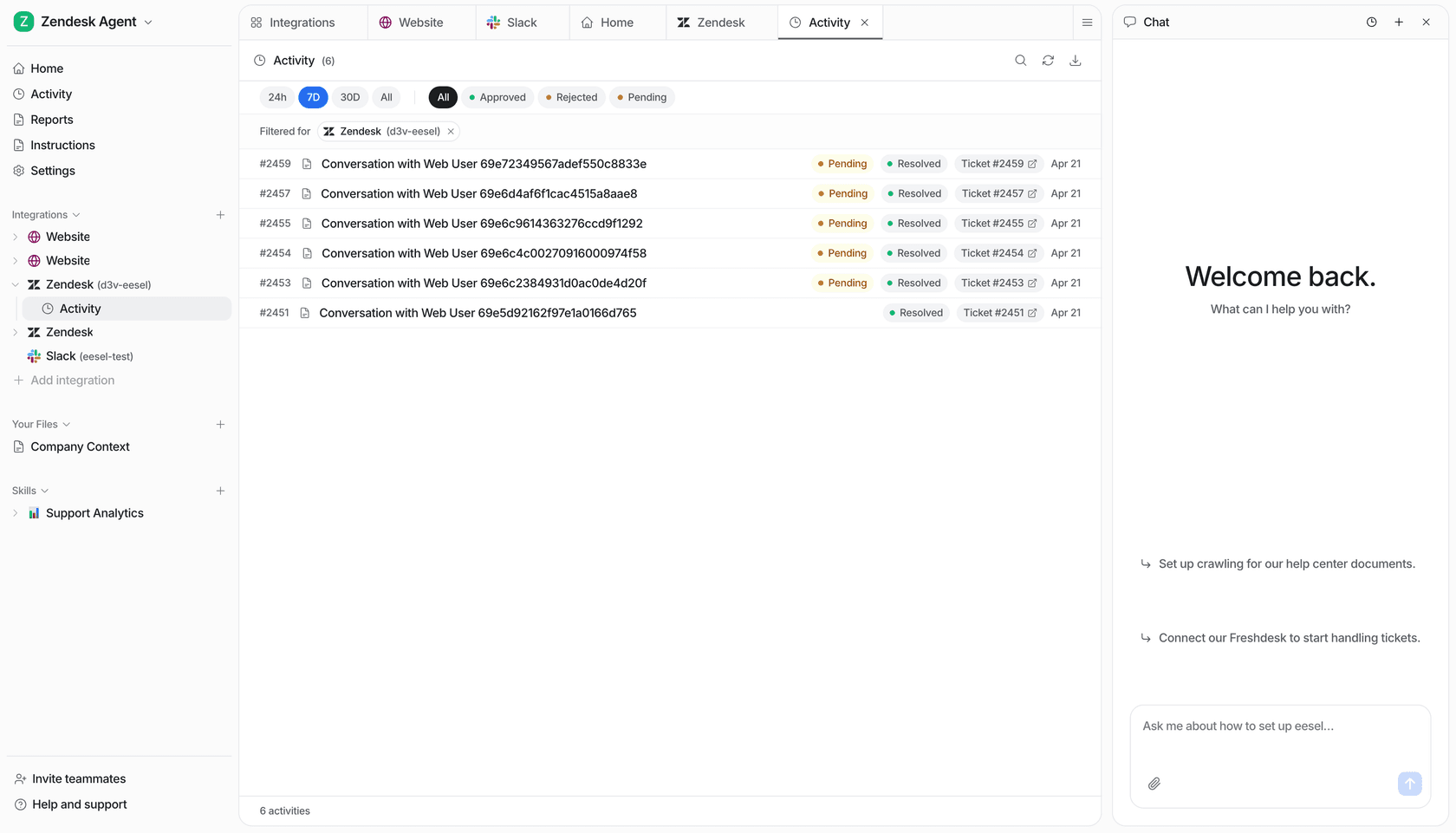
If you run Zendesk, eesel joins it as a teammate and works the recovery queue the way your best agent would: it reads the rated ticket, the customer's past tickets and the order before it writes, and leaves a draft recovery reply on the ticket for the owner to check and send. You decide what it may do for whom. Drafting can run on its own while a refund or credit always asks a named person first, with the reason shown, from Slack, email or the dashboard, as eesel's actions and approvals docs describe. Your team keeps the goodwill decisions and hands off the digging before each one.
Try eesel and test it against your past Zendesk tickets before it drafts a live recovery reply.