EasyAgentForYou alternatives: 8 AI agent platforms compared (2026)

Rama Adi

Katelin Teen
Last edited August 19, 2026
What EasyAgent actually is
EasyAgent is a no-code place to build agents, point them at some documents and a few work apps, and let them answer questions or run a scheduled task. The personas on its homepage are researchers, product managers, developers, designers, marketers and business analysts. Support agents are not on that list, and that omission is honest rather than accidental.
The model list is the strongest thing on the page. EasyAgent exposes 13 OpenAI models, 9 through Microsoft Azure, 6 Anthropic models and 6 Gemini models, and you can bring your own key for each provider. That is more model choice than any helpdesk vendor offers, and if switching models per task matters to you, it is a real reason to look. Most tools in the AI agents category pin you to one provider.
The integration list is the weakest. Six apps are listed as native: Slack, Gmail, Google Calendar, Google Sheets, Google Docs and Asana. Two of those six are marked "Available" rather than "Active", and there is no helpdesk, no ticketing system and no CRM among them.
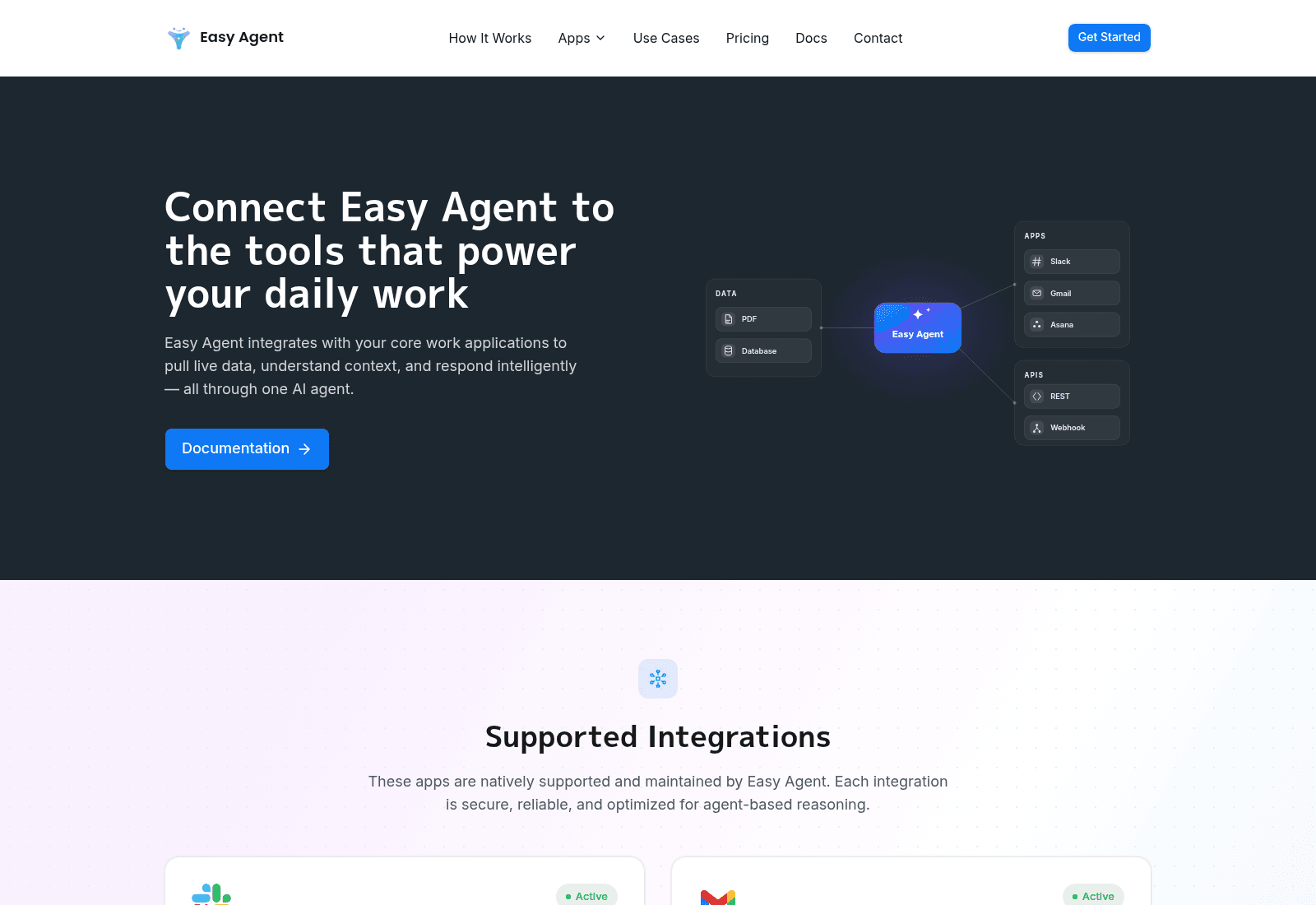
The API reference tells a slightly different story: it lists eight app values, adding hubspot and google-stitch to the six on the marketing page. So a HubSpot connection does exist, it just is not advertised. It also sets a limit worth knowing before you design around it: an agent can hold one connection per app type, and attaching a second returns 409 app_already_connected. One agent, one Slack workspace.
Three things the pricing page does not tell you
I read the docs before I read the price list, which is usually where the interesting parts are.
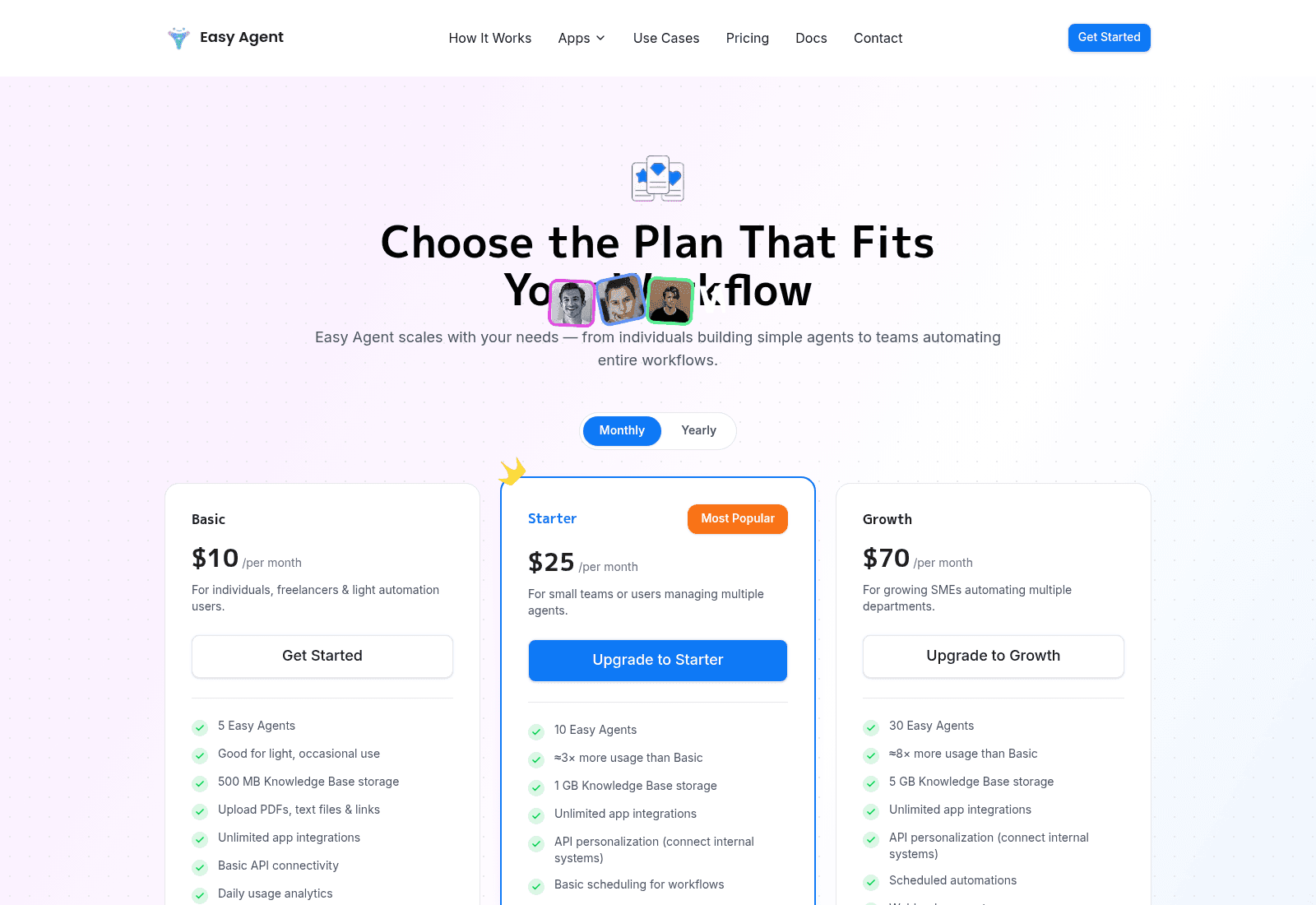
The meter is credits, and credits are dollars. The rate-limits page says it plainly: "Rate limits govern request volume; credits govern spend. They are independent." A sample response in the docs shows "usage": { "credits": 0.0031, "currency": "USD" }. So a run costs a fraction of a cent, drawn from a balance you top up. Your $70 Growth plan buys agents and storage, then the work is billed separately at a rate no public page states.
Bring your own key and the credit meter reads zero. The docs are clear that agents using your own provider key report credits: 0 because "you are billed by that provider directly." That is a real option for anyone who already has an OpenAI or Anthropic account, and it means your real per-answer cost is whatever your provider charges. It also means two customers on the same plan can have wildly different bills.
Running out of credits is a quiet failure. The docs say that when the balance is exhausted, "the run returns a message saying so rather than an error status." For an internal research agent that is a minor annoyance. For anything a customer can see, a 200 response containing an apology about billing is the worst possible failure mode, because nothing downstream that watches for HTTP errors will notice.
Knowledge is uploads, not a sync. Through the API you can ingest .txt and .pdf files up to 50 MB each, and that is the list. There is no help-center crawl, no Confluence connector, no past-ticket import. Your agent knows what you remembered to upload, and the ceiling on that is measured in megabytes.
Two smaller things I noticed and could not unsee. The Enterprise "Contact Sales" button on the pricing page is a mailto: pointing at sales@easyagent.example, which is a reserved domain that cannot receive mail. And the three named testimonials on that same page are attributed to Gillette, Louis Vuitton and Ferrari using placeholder names that ship with common design templates. Neither affects how the product works. Both suggest treating the social proof as unverified and the enterprise path as not yet built.
Where a builder stops and a support tool starts
Here is the distinction that decides this whole comparison, and it has nothing to do with model quality.
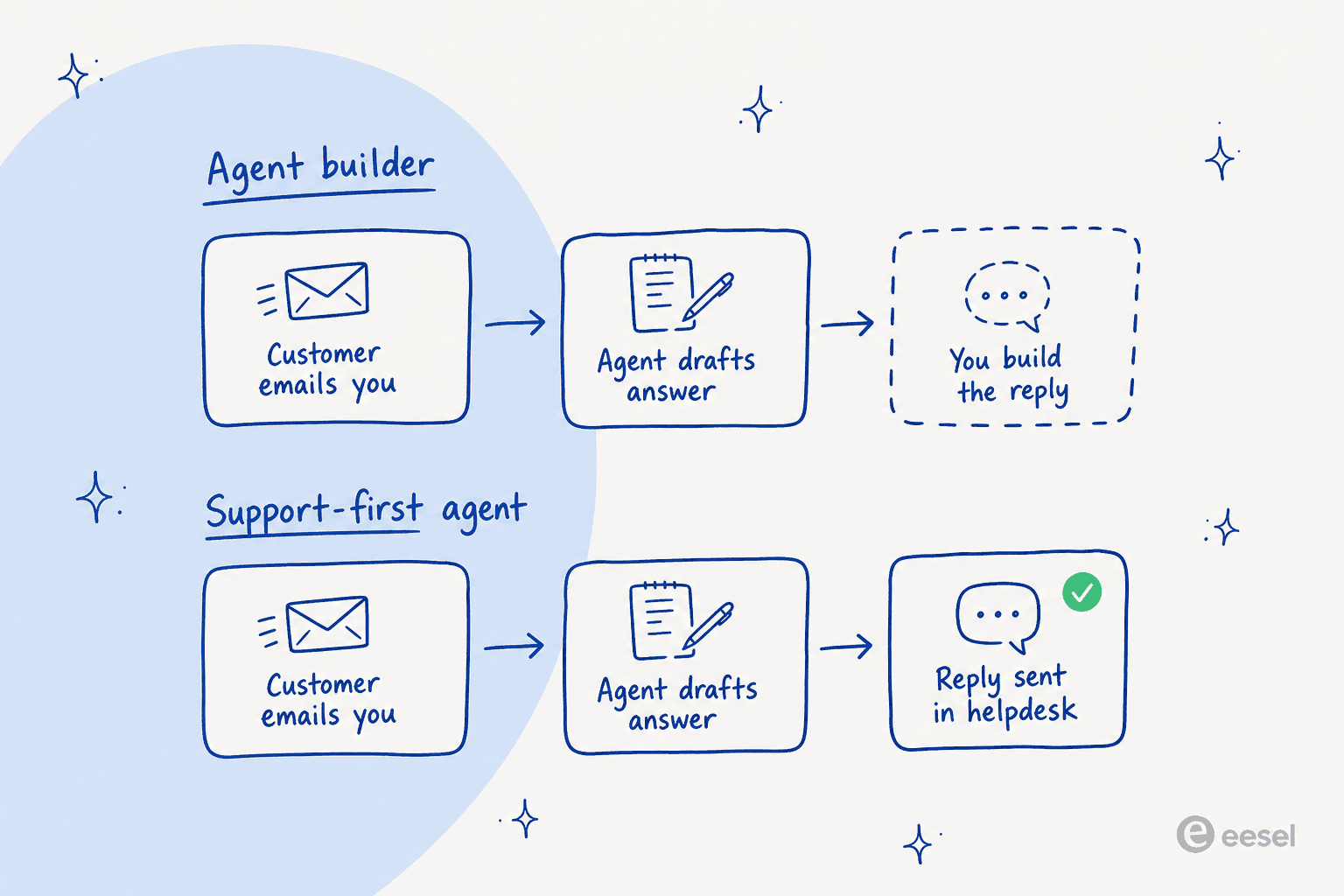
EasyAgent gives you an agent and an HTTP endpoint. POST /responses with an agent_id and an input, and you get an answer back, optionally streamed over Server-Sent Events. It is a clean API and the docs are better than most. But an answer in a JSON body is not a reply to a customer. Somebody still has to watch the queue, decide which tickets are safe to automate, post that answer as the right macro on the right ticket, tag it, then escalate whatever the agent should not have touched. That is what help desk automation actually means in practice. That last leg is most of the work, and an agent builder leaves all of it with you.
Support-first tools sell you that last leg. The agent reads the ticket where it already lives and replies in the thread, then hands off when confidence drops. You are buying the plumbing, the guardrails and the reporting, not the model.
EasyAgent's own comparison page reaches the same conclusion, which I respect. It tells readers to choose a dedicated support platform outright if "customer support is your primary need," and positions itself for individuals and small teams automating tasks across productivity apps. That is a fair self-assessment, and it is the sentence I would lead with if I were shopping.
The other half of the decision is whether you want to build at all. A customer who left eesel put it better than I can:
"We switched to a system (Chatbase) that is working well at half the cost. But long term we will just build our own, which is so possible now with AI. I think you have a decent system for now, but we are probably too large of a customer for this. That being said, we probably would have stayed if support was faster and better."
That is a churned mid-market customer, quoted from a win-back thread I still have open, and I keep it close because both halves are true. Building your own is more possible than it has ever been. It is also the option where every edge case, every silent sync failure and every 2am escalation rule becomes yours. EasyAgent sits in the middle of that trade: more scaffolding than raw API calls, less finished than a support product.
How I picked these eight
I started from the shortlist on EasyAgent's own alternatives page, because matching the set a buyer is already being shown is more useful than inventing a new one. Then I priced every tool from its own published pages on 19 August 2026, the same method I use for every chatbot builder roundup, and I put the billing unit in the table rather than the sticker price, because the unit is what makes two "cheap" tools differ by 4x at the same volume.
Every price below is the vendor's own published number. Where a rate only exists in documentation rather than on the pricing page, I say so.
The eight alternatives at a glance
| Tool | Best for | What it bills for | Entry price | AI rate past the included allowance | Replies inside a helpdesk | Learns from past tickets | Native integrations | Free tier | Self-host |
|---|---|---|---|---|---|---|---|---|---|
| eesel AI | Support teams that want the ticket closed | Ticket or chat handled | $0.40/ticket, no platform fee | Flat $0.40, one price per ticket however long | Yes, in Zendesk, Freshdesk, Gorgias and more | Yes, simulated on your history before go-live | 100+ | $50 of usage, no card | No |
| Chatbase | A doc-trained widget you can ship today | Message credits | Free, then $40/mo Hobby | $40 per 1,000 credits auto-recharge | Yes, from Standard ($150/mo) | Yes, but only on Pro at $500/mo | 20+ | 50 credits, agent deleted after 14 idle days | No |
| n8n | Engineers who want to own the wiring | Workflow executions | $20/mo annual, or free self-hosted | EUR 4,000 per 300,000 executions on Business | Only what you build | Only what you build | 400+ nodes | Community Edition, unlimited | Yes |
| Zendesk AI agents | Teams already standardised on Zendesk | Automated resolutions, plus seats | $19/agent/mo Support Team | Per automated resolution, quoted per account | Yes, native | Yes | 1,000+ | Trial only | No |
| Freshdesk Freddy | Email-heavy teams on a tight seat budget | 72-hour AI sessions, plus seats | $19/agent/mo Growth | $49 per 100 sessions | Yes, native | Partially | 1,000+ | 14-day trial | No |
| Gorgias AI Agent | Shopify and ecommerce support | Tickets and automated interactions | $40/mo Starter | $1.50 per automated interaction | Yes, native | Yes, 18+ verticals pre-trained | 254 apps | Trial only | No |
| Tidio Lyro | Small teams that want a widget plus inbox | Two meters: conversations and Lyro chats | Free, Plus from $300/mo | Set by the on-page calculator | Yes, its own inbox | Yes | 100+ | 50 conversations, 50 Lyro chats | No |
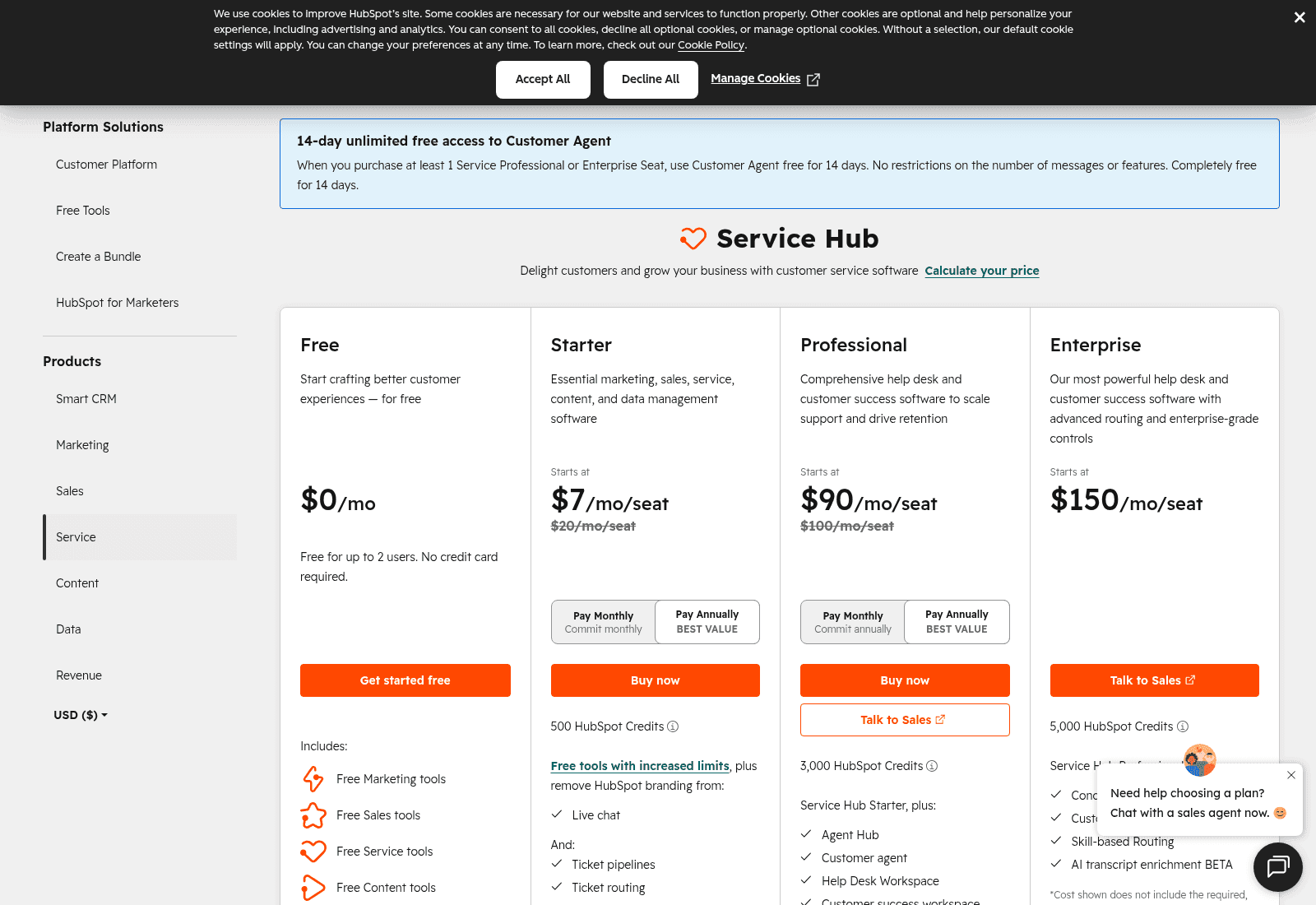
| HubSpot Breeze | Teams whose CRM is the source of truth | Resolved conversations, plus seats | Service Hub Starter $20/seat | $0.50 per resolved conversation | Yes, native | Yes, via Smart CRM context | 1,500+ | 28-day agent trial | No |
| EasyAgent (the incumbent) | One person automating their own tools | Agents, storage, then USD credits | $10/mo Basic | Credit rate not published | No | No | 6 listed, 8 in the API | Free plan with topped-up credits | No |
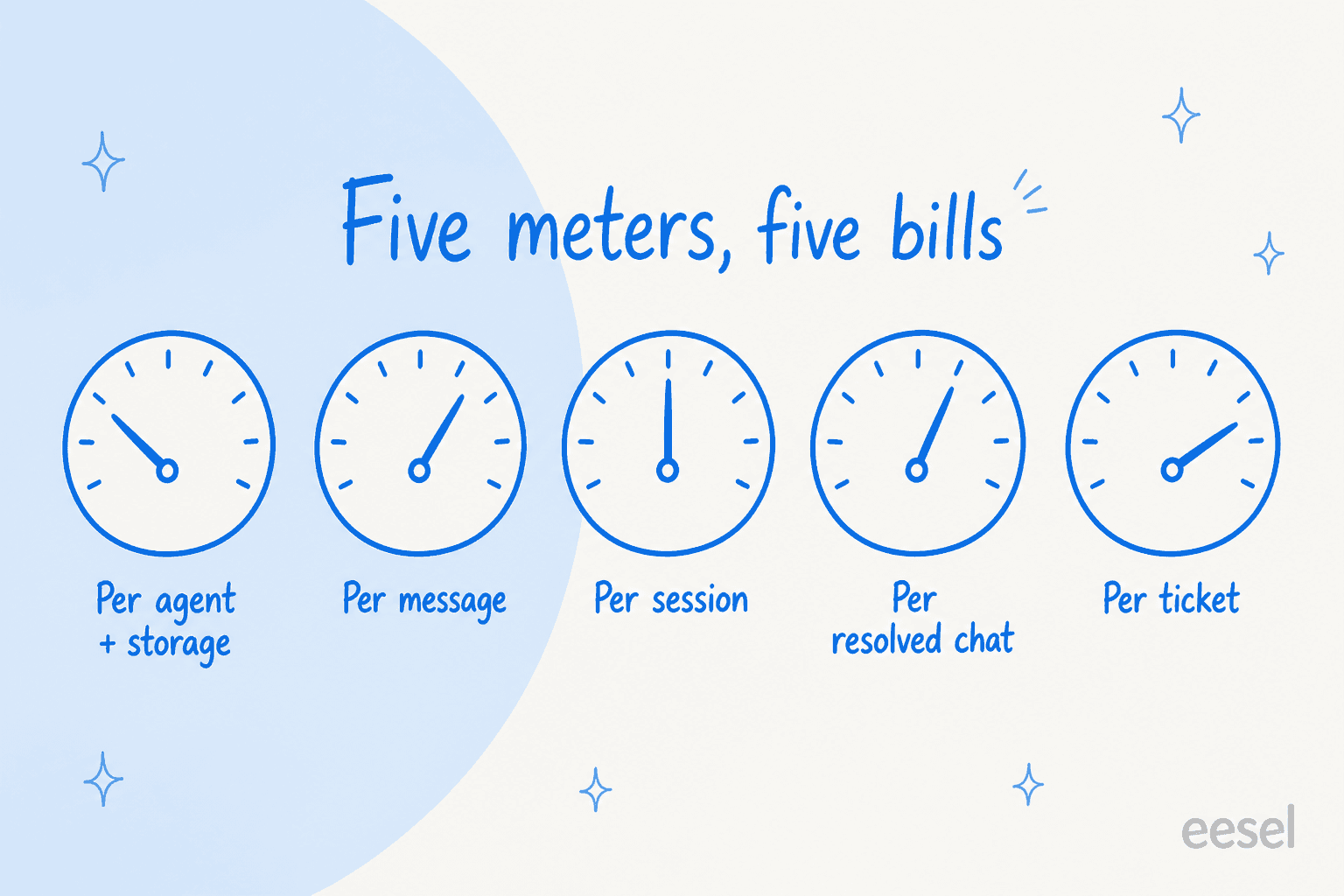
Read that table one column at a time and the pattern is obvious. Four of the eight bill you only when a customer's problem is actually solved. EasyAgent bills you for the containers and meters the work separately. If the queue is the thing you are trying to fix, start from an AI ticketing system instead.
1. eesel AI

What it is. I build eesel, so read this section with that in mind and check the numbers yourself on the pricing page. It is an AI teammate that connects to the helpdesk you already run, learns from your existing tickets and docs, and works tickets end to end rather than handing you a draft.
Where it fits. You have a queue. You want a chunk of it handled without hiring, and you want to know what the agent will do before it talks to a customer.
Pros.
- One price per ticket, however many replies that ticket takes. A follow-up thread does not double the bill.
- Simulation over your real ticket history before anything goes live. This exists because I have watched a confident-sounding bot give wrong answers, and the only cure was running it against tickets where the right answer was already known.
- No platform fee, no per-seat charge, no monthly minimum. A quiet month is a cheap month.
- Multiple agent types on one account, so a helpdesk agent and a blog writer bill from the same balance.
- A spend cap you set yourself, defaulting to $250, with email alerts at 50%, 75% and 100%.
Cons.
- No self-hosted option. If your compliance rules say the model runs on your own metal, this is not the tool.
- HIPAA and a signed BAA sit on the Enterprise tier at $1,000/month platform fee.
- It is built for support and content work. If your goal is a general-purpose research assistant across Notion and Asana, an agent builder is a better shape than eesel is.
Pricing. $0.40 per ticket or chat handled. Blog generation is a heavy task at $4.00. Dashboard questions are free. New accounts get $50 of usage plus two free blog generations with no card. An annual commitment takes up to 25% off.
Verdict. Pick eesel if the work is support and you want to pay for outcomes. At 1,000 automated conversations a month that is $400, and there is no seat licence underneath it. Compare that against a per-resolution helpdesk rate before you assume a subscription is cheaper.
Want AI that actually closes tickets instead of handing you drafts? eesel plugs into Zendesk, Freshdesk, Gorgias or HubSpot in minutes, learns from the tickets you have already answered, and you can watch it run against your own history before a customer ever sees it. $50 of free usage, no card. Try eesel.

2. Chatbase
What it is. The closest like-for-like swap. Chatbase is the tool EasyAgent's own comparison page names first: you train an agent on documents and a site crawl, then deploy it as a widget or through integrations. Its own site claims 10,000+ businesses.
Where it fits. You want a customer-facing agent live this week, trained on your help centre, without touching your helpdesk configuration.
Pros.
- Broad model choice across OpenAI, Anthropic, Gemini, DeepSeek, Meta, Mistral, Moonshot and Z.ai.
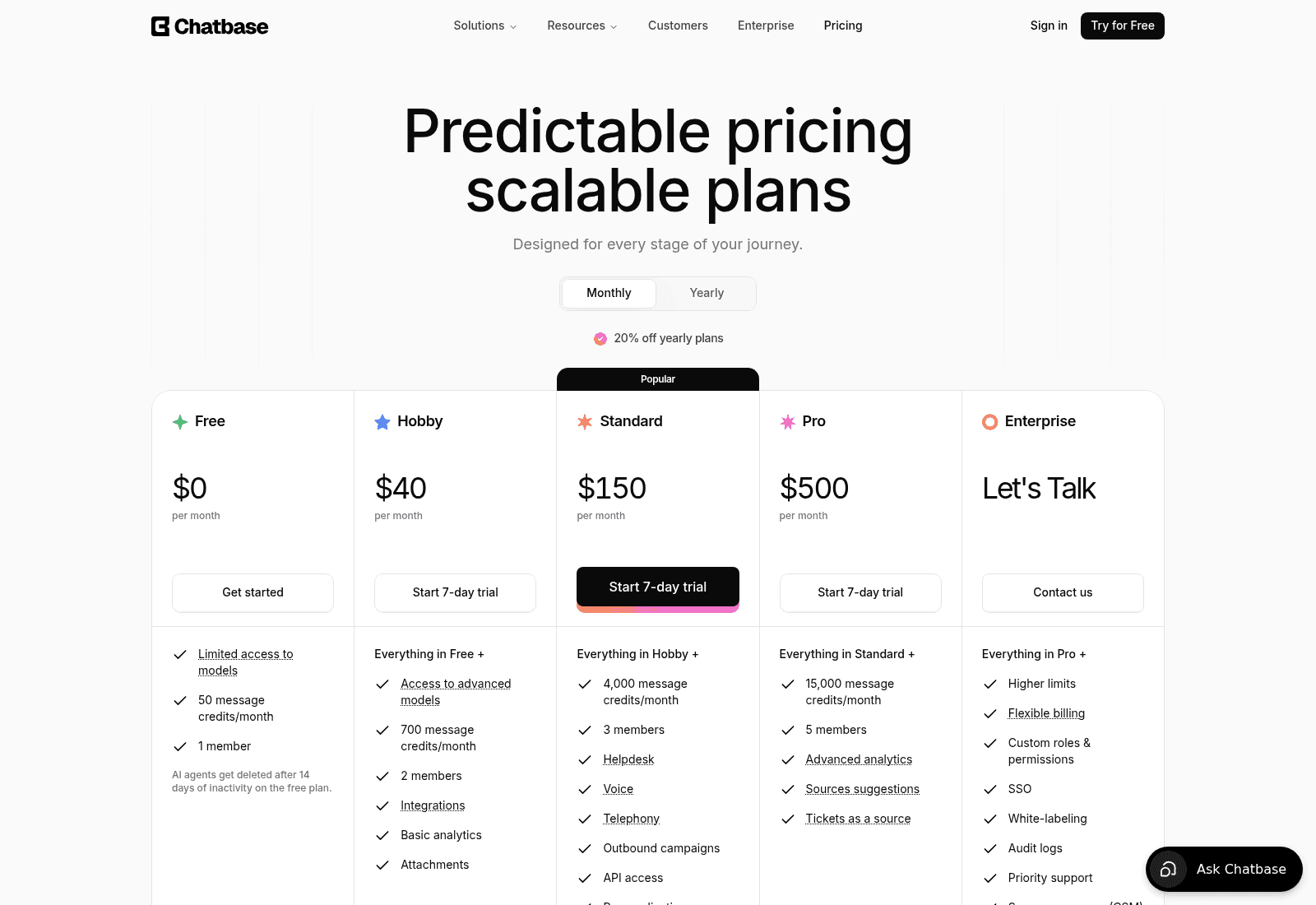
- Real helpdesk integrations from the Standard tier: Zendesk, Freshdesk, HubSpot, Help Scout, Gorgias, Zoho Desk and Salesforce.
- Voice and telephony are included on Standard rather than sold as a separate product.
- Enterprise adds SSO, audit logs, zero data retention and HIPAA eligibility.
Cons.
- The meter is message credits, not conversations. A chatty five-turn thread costs five times a one-shot answer, which makes forecasting hard.
- Training content is capped in megabytes: 1 MB on Free, 10 MB on Hobby, 20 MB on Standard, 40 MB on Pro.
- Tickets as a source is Pro only, at $500/month. Learning from your own ticket history, the single highest-value input a support agent can have, sits behind the second-most expensive tier.
- Removing the "Powered by Chatbase" badge is a $99/month add-on.
- Free-plan agents are deleted after 14 days of inactivity, which catches people out mid-evaluation. More on the trade-offs in my Chatbase review.
Pricing. Free ($0, 50 credits), Hobby $40/mo (700 credits), Standard $150/mo (4,000 credits), Pro $500/mo (15,000 credits), Enterprise on request. Auto-recharge credits are $40 per 1,000. Extra agents are $25/month each.
Verdict. The best straight replacement if you want a trained widget rather than a workbench, and the churned customer I quoted above moved to it and was happy. Just do the arithmetic on your average messages per conversation first, and read the Chatbase pricing breakdown before committing to a tier. If the message meter bothers you, the alternatives roundup covers the per-conversation options.
3. n8n
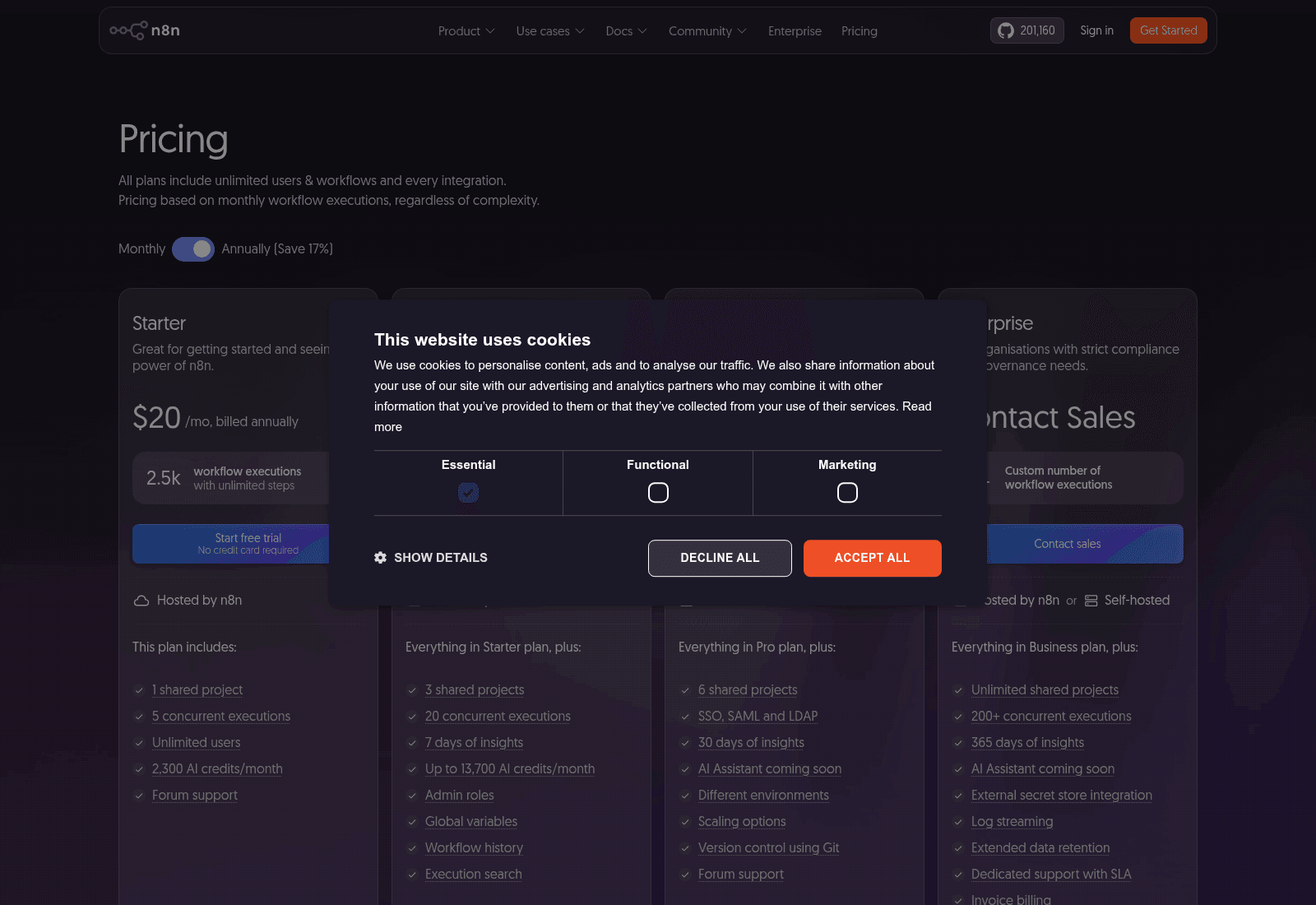
What it is. The honest answer for anyone whose real reaction to EasyAgent was "I could wire this myself." n8n is a workflow automation platform with AI nodes, 400+ integrations, and a free self-hosted Community Edition.
Where it fits. You have an engineer, you want the logic visible and versioned, and you would rather own the integration than wait for a vendor to ship it.
Pros.
- Billing is per workflow execution, not per step, so a 40-node workflow costs the same as a 3-node one.
- Community Edition is free and self-hosted with no execution ceiling.
- Code steps in JavaScript and Python, custom nodes, Git version control on Business.
- Cloud data sits in Frankfurt, and self-hosting puts it wherever you want.
- A startup discount takes 50% off Business for teams under 20 people.
Cons.
- You are the integrator. Nothing here knows what a good support reply looks like, what an escalation rule should be, or which tickets are too risky to automate.
- The jump from Pro to Business is $50 to $800 a month, and dedicated support only arrives at Enterprise.
- AI Assistant credits do not roll over and cannot be topped up, so heavy use means a tier upgrade.
- Business overage is billed at EUR 4,000 per extra 300,000 executions, invoiced 45 days later.
Pricing. Starter $20/mo annual (2,500 executions), Pro $50/mo (10,000), Business $800/mo (40,000, self-hosted), Enterprise custom. Community Edition free.
Verdict. The right choice if building is the point rather than the cost of the point. It is also the tool that shows what EasyAgent is really competing with: see how it stacks up against n8n and Zapier as an orchestration layer, or against a managed agent platform. Worth knowing before you commit a quarter to it: even a mature Asana integration still leaves every support guardrail for you to define.
4. Zendesk AI agents

What it is. The AI agents built into Zendesk's Suite and Support plans, plus the Forethought agents Zendesk acquired and now sells as a layer that works on other platforms too.
Where it fits. Your tickets are already in Zendesk and you would rather not add a vendor to the stack.
Pros.
- Billed per automated resolution, which Zendesk defines as a request solved with no escalation to a human. You do not pay for the ones it punts.
- AI agents ship on every Suite and Support plan rather than a top tier only.
- The deepest app ecosystem in the category, north of 1,000 integrations.
- Action Builder, knowledge base and omnichannel routing are all in the same product, so the handoff logic is native.
Cons.
- Seats are the floor. Suite Team is $55/agent/month before a single automated resolution, so a 10-person team starts at $550/month.
- The per-resolution rate is not printed on the pricing page. It is quoted per account, which makes side-by-side comparison harder than it should be.
- Enterprise plus Copilot is quote-only.
- Prospects tell me the native AI is a mixed experience. One CX lead at a US healthcare platform running roughly 500 tickets a month described having "kicked the tires in Zendesk AI solutions and found it largely inadequate and overpriced" before looking elsewhere.
Pricing. Support Team $19/agent/mo billed yearly, Suite Team $55, Suite Professional $115, Suite Enterprise + Copilot on request. Automated resolutions billed separately.
Verdict. The safe institutional choice, and the outcome-based unit is the right unit. Price it as seats plus resolutions rather than either alone, and read the Zendesk AI agent review plus the full Zendesk pricing breakdown before you sign. If the resolution rate is what you care about, I tracked how resolution rate metrics actually get counted.
5. Freshdesk with Freddy AI Agent
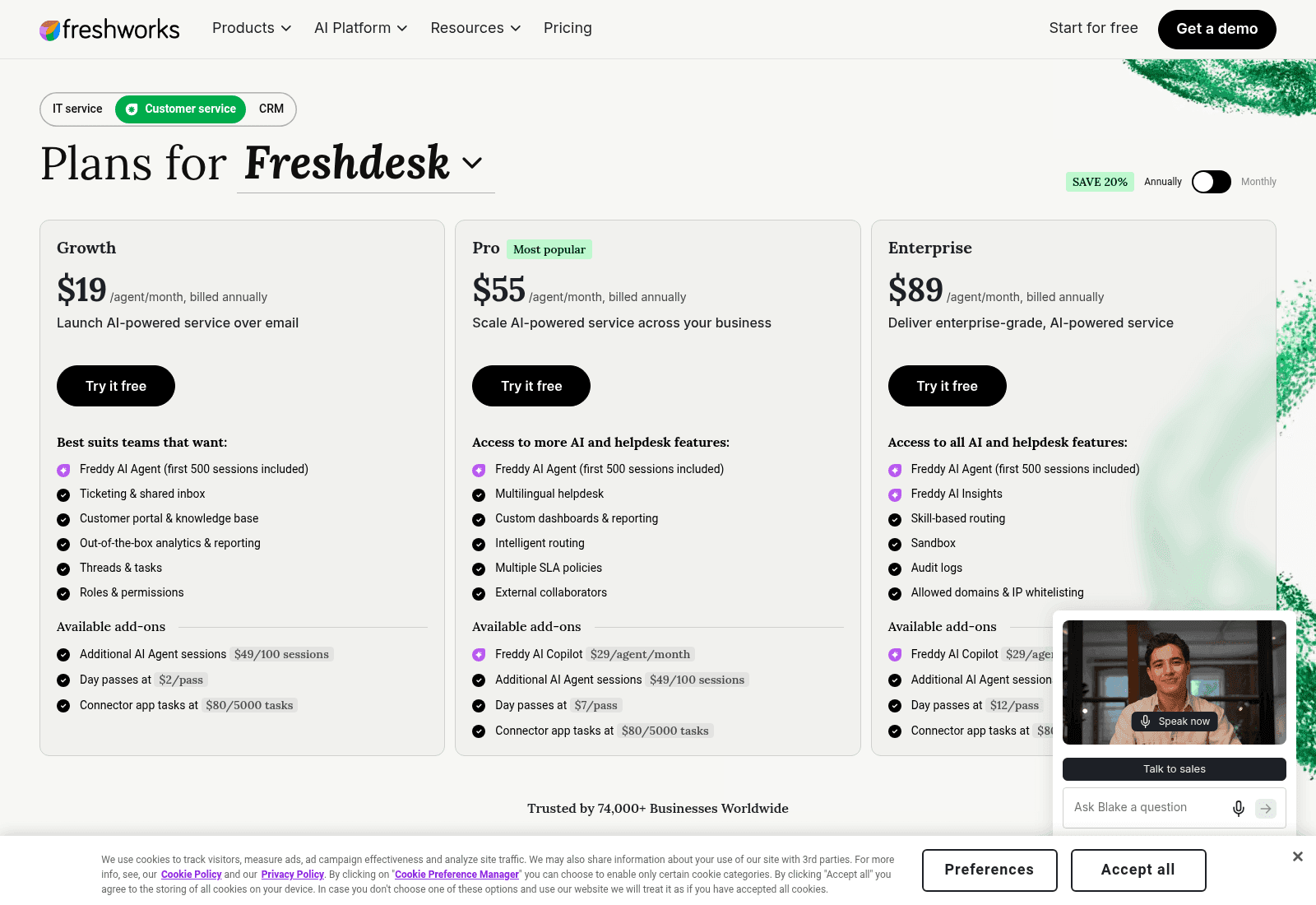
What it is. Freshworks' helpdesk with Freddy AI Agent for autonomous replies and Freddy AI Copilot as a separately priced assist layer for humans.
Where it fits. Email is your dominant channel, you want an AI agent without a top-tier plan, and seat cost matters.
Pros.
- Freddy AI Agent is on the $19 Growth plan, not gated to the expensive tier. That is unusual and it matters for small teams.
- 500 AI Agent sessions are included free once per account, which is enough to actually evaluate it.
- A session is a 72-hour window from the customer's first email, and every AI reply inside that window counts once. For back-and-forth email threads that is a friendly unit.
- Day passes at $2 to $12 cover holiday spikes without buying annual seats.
Cons.
- The AI rate works out to $0.49 per session in packs of 100, and packs expire on your payment cycle rather than rolling over.
- Copilot is a separate $29/agent/month on top of the seat, so "Freddy" is really two purchases.
- Multilingual helpdesk and custom dashboards start on Pro at $55/agent/month.
- Connector app tasks are metered too, at $80 per 5,000.
Pricing. Growth $19/agent/mo annual, Pro $55, Enterprise $89. Freddy AI Agent 500 sessions included, then $49 per 100. Freddy AI Copilot $29/agent/mo.
Verdict. The best value per seat of the four helpdesks here, provided your volume is email-shaped so the 72-hour session works in your favour. Check the Freshdesk pricing detail on what each tier gates, and the Freddy assist guide for what Copilot adds. Teams who want a stronger agent on top of Freshdesk usually end up comparing AI options for Freshdesk.
6. Gorgias AI Agent
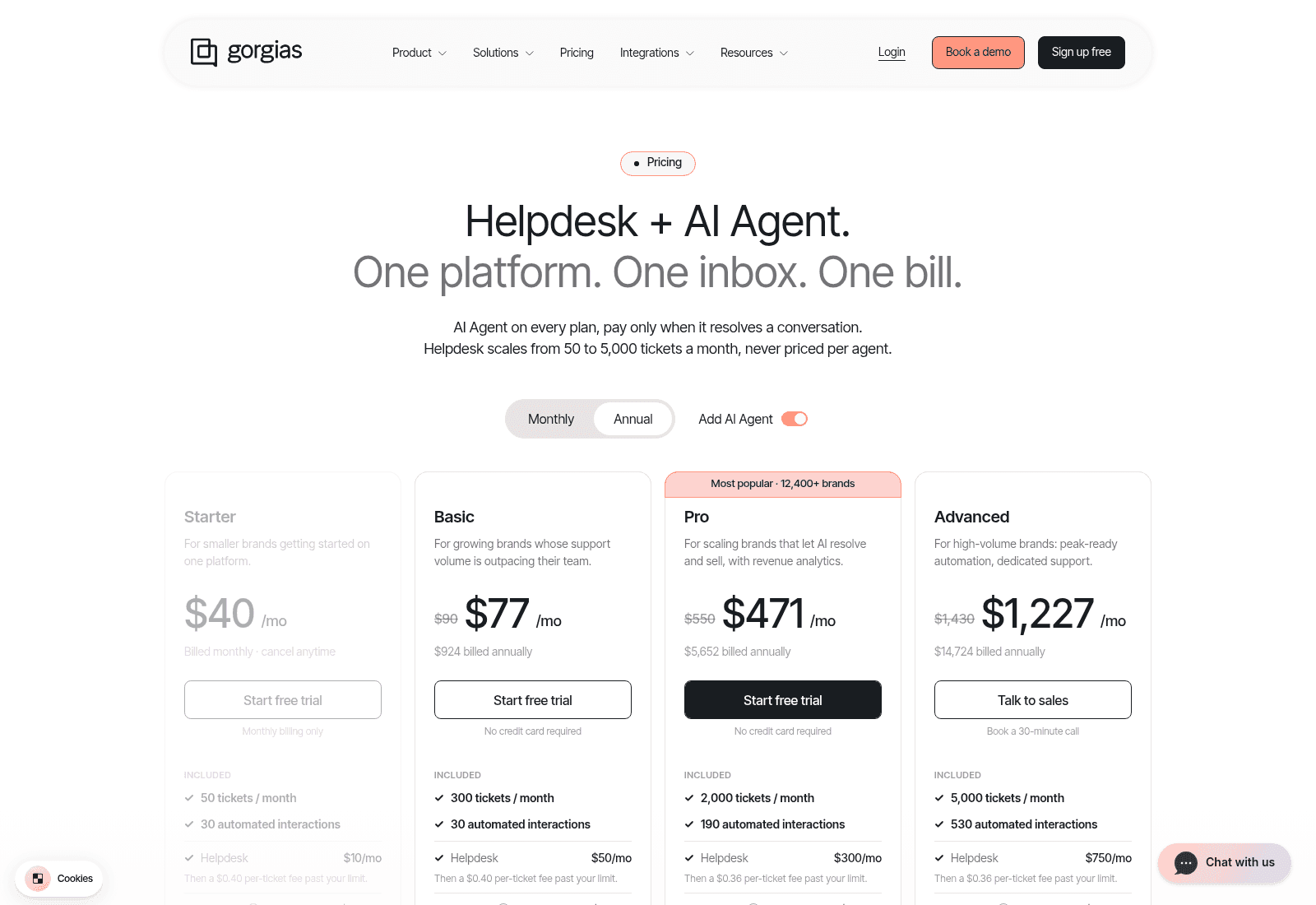
What it is. An ecommerce-first helpdesk where the AI Agent can take actions such as cancelling orders, tracking shipments and applying discounts, not just answer questions.
Where it fits. You sell on Shopify, most of your tickets are order status and returns, and you want the agent to do the thing rather than describe it.
Pros.
- Pre-trained on 18+ ecommerce verticals, so day one is not a blank prompt.
- Actions are real: cancel, discount, apply. Gorgias claims 40% of Shopify brands run on it.
- Never priced per agent. Helpdesk pricing scales with ticket volume from 50 to 5,000 a month, and Basic includes 500 user seats.
- 254 apps, and Klaviyo, Yotpo, Recharge and Smile are all first-class.
Cons.
- Two meters run at once. Tickets are billed at $0.40 each past your allowance ($0.36 on Pro and Advanced), and automated interactions at $1.50 each past theirs.
- $1.50 per automated interaction is the highest AI rate in this comparison, roughly 3.75x eesel's per-ticket price.
- Brand voice, guardrails and Actions are all off on Starter.
- The API is capped at 2 requests per second, rising to 4 only on Enterprise.
- Audit logs start on Pro at $550/month.
Pricing. Starter $40/mo (50 tickets, 30 automated interactions), Basic $90 or $77 annual (300 tickets), Pro $550 or $471 annual (2,000 tickets, 190 automated), Advanced $1,430 or $1,227 annual (5,000 tickets, 530 automated).
Verdict. If your tickets are order-shaped, the action library earns the premium and no seat licence is a real gift for seasonal teams. Model the two meters together before you pick a tier, and read the Gorgias AI Agent walkthrough for what Actions cover. Teams that outgrow the automated-interaction rate tend to look at Gorgias alternatives or a layered AI for Gorgias.
7. Tidio Lyro
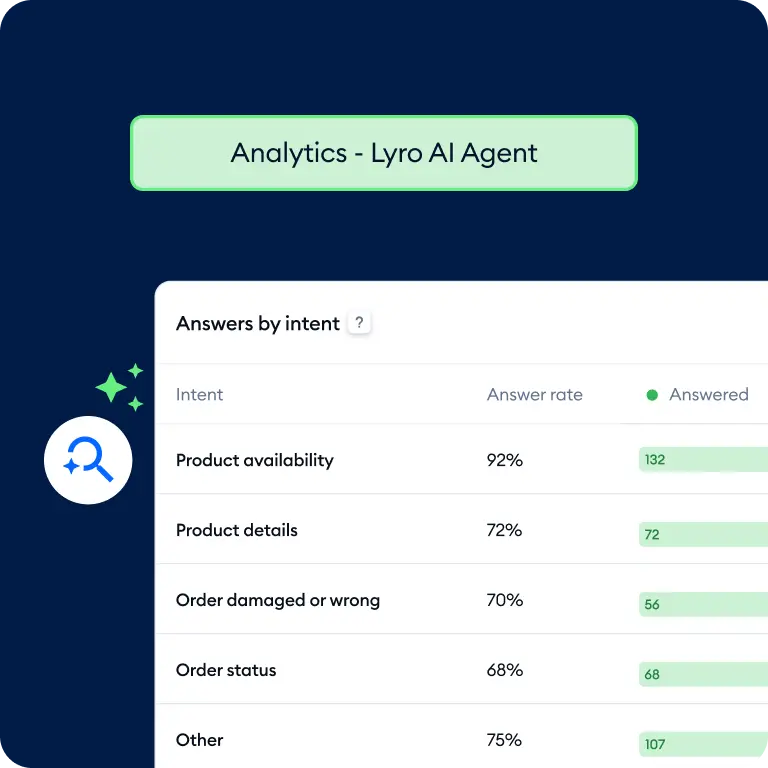
What it is. A live chat widget plus shared inbox with Lyro as the AI agent, aimed squarely at small businesses and online stores.
Where it fits. You have no helpdesk at all and want the widget, the inbox and the AI as one purchase.
Pros.
- The only tool here that publishes a guaranteed 50% Lyro resolution rate on its top tier, alongside pay-per-resolution billing and Lyro run as a managed service.
- A genuine free tier: 50 billable conversations plus 50 one-off Lyro conversations.
- Flows handle proactive chat campaigns as well as reactive support.
- Easiest setup of the eight if you are starting from a website and nothing else, and a decent base to layer AI for Tidio on later.
Cons.
- Two separate meters again: billable conversations for your humans, Lyro conversations for the AI, each priced independently.
- The rates only exist inside an on-page calculator, so there is no static price list to compare or archive.
- Premium features start at $300/month on Plus, which is a steep step up from the free tier.
- The resolution guarantee and managed service sit on the top tier, from 3,000 Lyro conversations.
Pricing. Free tier as above. Plus from $300/month for premium features with AI and human conversations billed separately at lower rates. Premium is quote-based.
Verdict. The most complete starter package, and the resolution guarantee is a rare buyer-friendly move that more vendors should copy. The two-meter structure is the thing to model carefully: see the Tidio pricing breakdown, and Lyro alternatives if the calculator lands higher than you expected.
8. HubSpot Breeze Customer Agent
What it is. HubSpot's support agent, sitting inside Service Hub and drawing on Smart CRM records for context. Relevant here because hubspot is one of the eight connectors in EasyAgent's own API, so this is the one comparison where the two products can touch.
Where it fits. HubSpot is already your system of record and your support questions need customer history to answer well.
Pros.
- $0.50 per resolved conversation, charged as 50 HubSpot Credits. HubSpot moved to this from $1.00 per conversation in April 2026, and the direction of travel is the right one.
- HubSpot's own pricing announcement puts the agent at 65% of conversations resolved and a 39% cut in resolution time, across more than 8,000 customers who activated it.
- CRM context is the differentiator, and it is a real one. The agent knows the deal, the ticket history and the lifecycle stage.
- A 28-day free trial of the agent.
Cons.
- Breeze agents are Pro and Enterprise only. Service Hub Professional starts around $100 per seat per month, so the entry cost is the plan, not the agent.
- Credits are a shared currency across HubSpot's agents, so support automation competes with marketing spend from the same pool.
- "Resolved" is defined by HubSpot's own logic, and worth pinning down in your trial before you budget from the 65% figure.
Pricing. $0.50 per resolved conversation (50 credits, with credits at $9.00 per 1,000 annually). Service Hub Starter $20/seat/month, Professional from $100/seat/month. Pro and Enterprise only.
Verdict. The best outcome-based rate of the four helpdesks, and the cleanest story if your CRM already holds the truth. Price the seats honestly first: read the HubSpot Service Hub analysis and the Breeze rename notes so you know what each tier gates. If deflection is the goal, HubSpot ticket deflection covers the mechanics.
How to choose in about a minute
Four questions, and the first one settles most of it.
- Is a customer waiting on the other end? If yes, you need a tool that replies where the ticket already lives. That rules out an agent builder no matter how good the model list is. Start with eesel AI, or the native agent in the helpdesk you already pay for.
- Is the work internal instead? Summarising research, chasing a spreadsheet, drafting from Google Docs. Then EasyAgent is a reasonable fit at $10 to $70 a month, and so is any other no-code agent builder. Look at the model choice and the app list, not the resolution rate.
- Do you want to own the wiring? Then n8n, and budget engineering time rather than licence fees. The comparison of an agent builder against n8n is the useful frame.
- What is your average conversation length? This is the one people skip. On a message meter a chatty thread multiplies your bill. On a per-ticket or per-resolution meter it does not. Everything in the customer support tools category now differs more on this than on features.
One closing thought from the seat I sit in. The teams that get the most out of AI support are not the ones who picked the smartest model, they are the ones who could see what the agent would do before it did it. A support lead at a public-sector IT firm told me his two most experienced agents were leaving that year and he wanted their knowledge captured before they walked. No amount of model choice solves that. A tool that reads the tickets those agents already answered does, and that is what ticket triage has to be built on. That is the difference between an AI teammate and a chatbot with a nice prompt, and it is why I put the knowledge source question above the price question every time.
Running support on Zendesk, Freshdesk, Gorgias or HubSpot and tired of tools that stop at a draft? eesel works like a new hire that plugs into your helpdesk in a few minutes, already knows your help centre, and can be dry-run against your last few thousand tickets before it answers a live one. $0.40 a ticket, $50 free to start. Try eesel.

Sources
Every figure in this post came from the vendor's own published pages, checked on 19 August 2026.
- EasyAgent pricing, integrations, API docs, connected apps, rate limits and its own alternatives page
- eesel AI pricing
- Chatbase pricing
- n8n pricing
- Zendesk pricing and AI agents
- Freshdesk pricing
- Gorgias pricing
- Tidio pricing
- HubSpot service pricing and the outcome-based pricing announcement
Customer quotes are drawn from eesel's own call and win-back records, anonymised.
Frequently Asked Questions
What are the best EasyAgentForYou alternatives in 2026?
How much does EasyAgentForYou cost?
Does EasyAgentForYou integrate with Zendesk or Freshdesk?
hubspot and google-stitch, so a HubSpot connection exists but is not advertised. There is no Zendesk, Freshdesk, Gorgias or Zoho Desk connector, so an EasyAgent agent cannot reply on a ticket without code you write. If your queue lives in a helpdesk, look at a helpdesk AI agent instead.What is an EasyAgent credit and what does it cost?
0.0031 credits with "currency": "USD", drawn from a balance you top up, with auto-recharge available. Credits are independent of your plan and independent of the API rate limit. No public EasyAgentForYou pricing page states the credit rate for a given model, which makes forecasting harder than on a published per-ticket rate.Is EasyAgentForYou good for customer support?
.txt and .pdf uploads capped in megabytes. It is built for individuals and small teams automating their own tools. For a queue with customers in it, a support-first AI agent does the last mile that EasyAgent leaves to you.What is the cheapest EasyAgentForYou alternative for a small team?
Can EasyAgentForYou train on my past support tickets?
.txt and .pdf only through the API at up to 50 MB each, plus the app connections you authorise. There is no ticket-history importer and no help-centre crawl in the API reference. Past tickets are the highest-value training input a support agent can have, which is why I simulate against them before go-live. Chatbase gates the same capability behind its $500/month Pro tier. More on why it matters in RAG for help centres.EasyAgentForYou vs n8n: which should I choose?


Article by
Rama Adi
Rama is a software engineer at eesel AI with two years of experience writing about B2B SaaS, AI tools, and customer support technology. Based in Bali, Indonesia, he brings a developer's perspective to product comparisons — cutting through marketing copy to what the integrations and APIs actually do.