


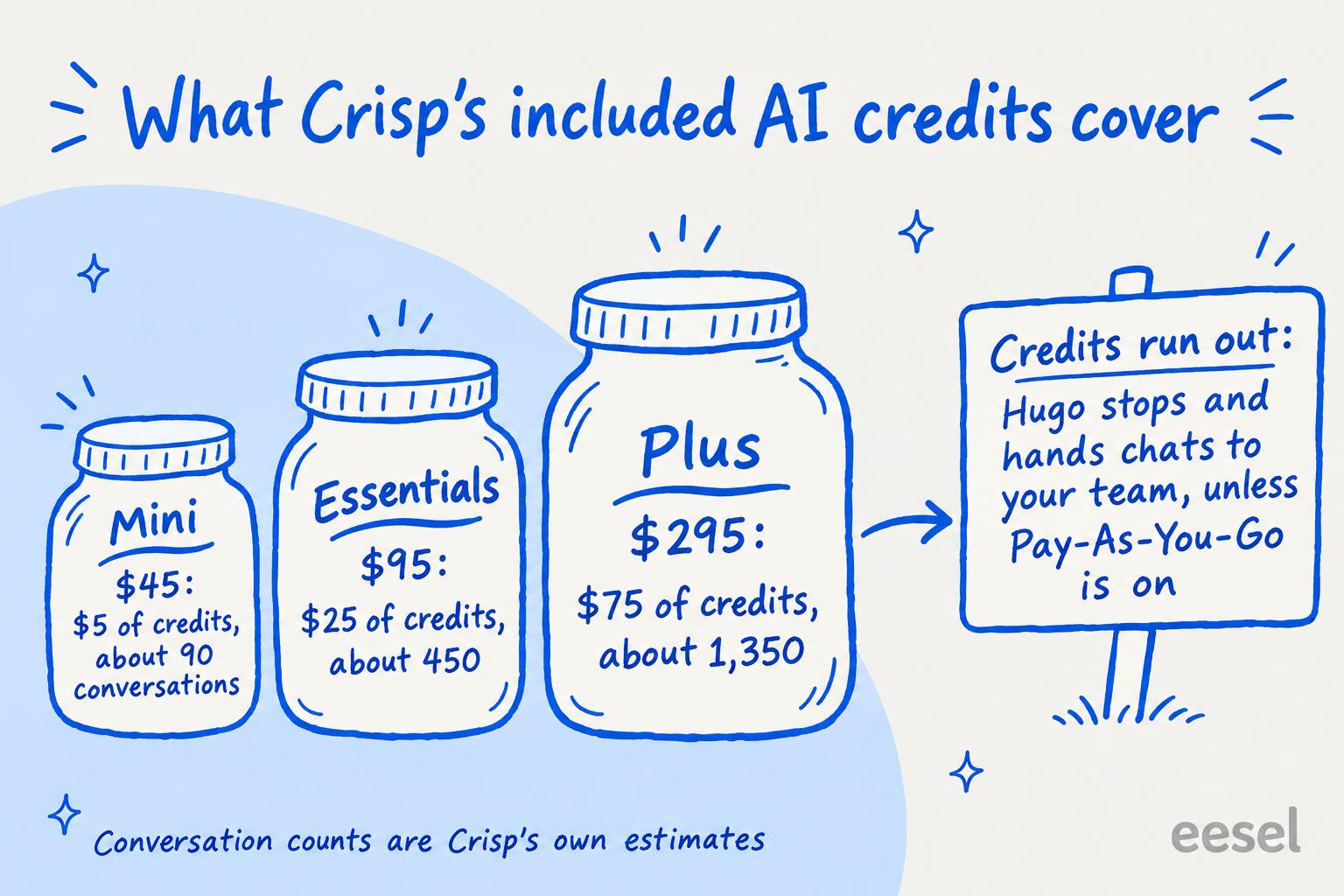
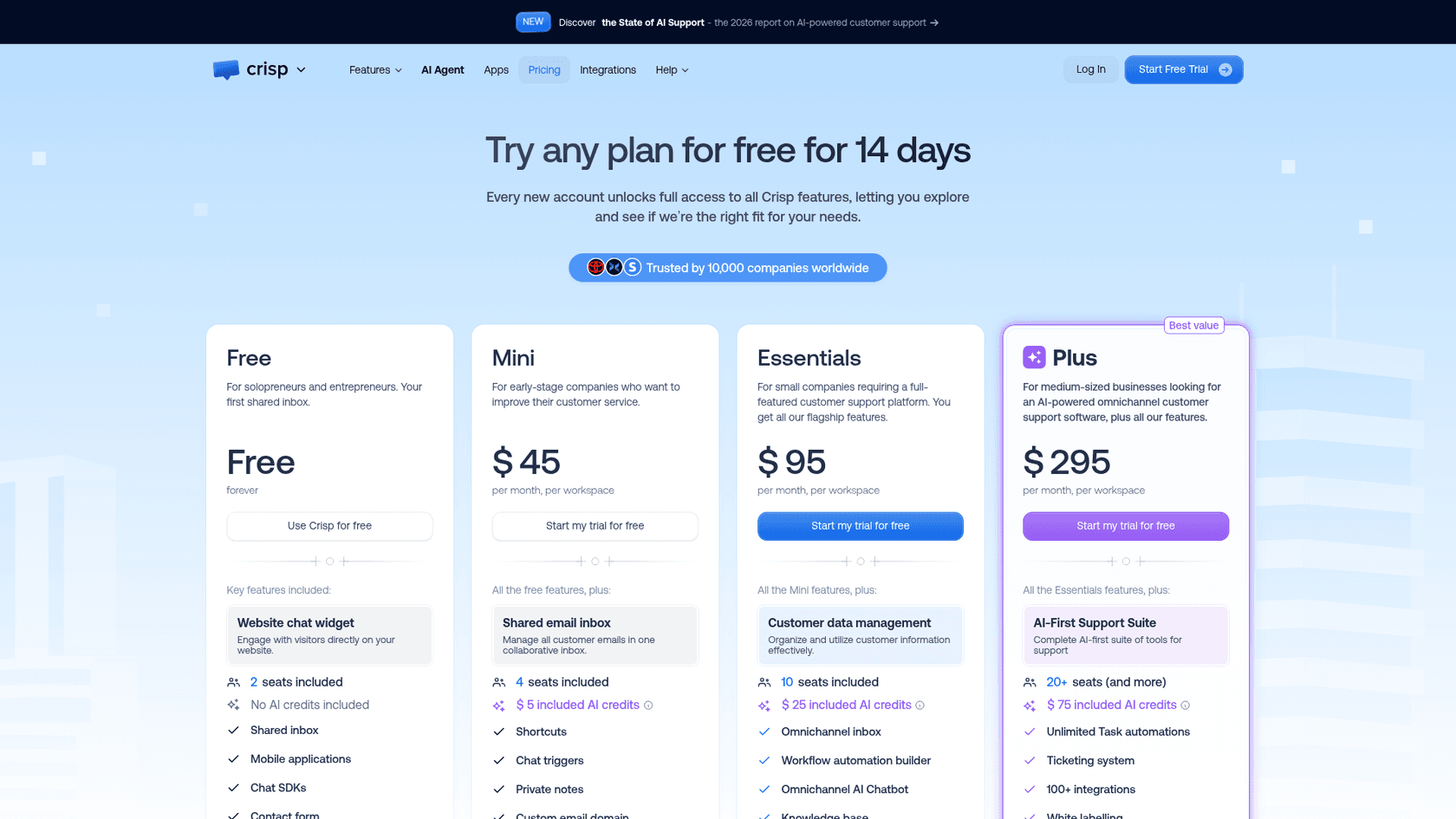
The best AI for most teams on Crisp is its own Hugo AI Agent, which is included from the $45 Mini plan and runs on monthly AI credits worth $5, $25 or $75 depending on your plan. Crisp estimates those credits cover about 90, 450 or 1,350 automated conversations, and when they run out Hugo stops and hands chats to your team unless you turn on Pay-As-You-Go. Beyond Hugo you have Hugo Copilot, which drafts for your team on Essentials and Plus from the same credits; Hugo integrations, which give Hugo tools through MCP; and the Crisp MCP server, which lets Claude or another MCP client work inside your workspace. If your support runs in a mainstream helpdesk or Slack and Crisp is only your website chat, an AI teammate like eesel works across those tools instead, and a coding agent can set it up for you with the eesel CLI, with an admin approving the helpdesk connection.
How I picked these
I build integrations and APIs at eesel, so I read Crisp the way I'd read any platform I had to connect an AI to: who the AI answers, what it learns from, what it's allowed to touch, and what each conversation costs. Every option here comes from Crisp's own pricing page, help center and developer docs, read on 24 November 2026. If you're still weighing the platform itself, our Crisp live chat review and Crisp AI chatbot guide go deeper on setup.
The five routes split by who the AI works for. Hugo AI Agent works for your customers, Hugo Copilot for your team, Hugo integrations give Hugo hands in your other systems, the MCP server puts your own AI tool to work inside Crisp, and an AI teammate like eesel works across the tools around it.
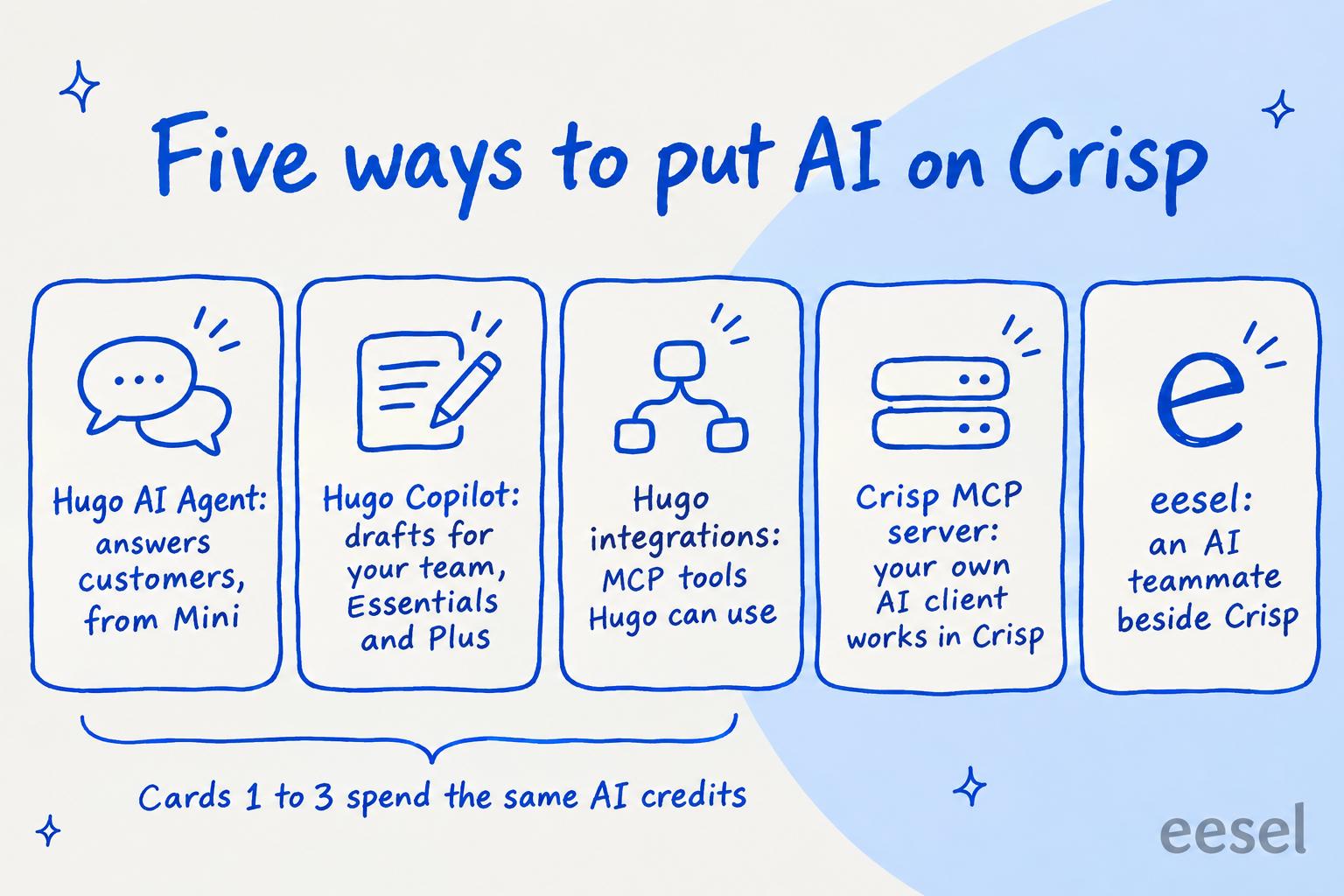
The best AI for Crisp, compared
| Option | Works for | Plans | What you pay | Acts on its own? |
|---|---|---|---|---|
| Hugo AI Agent | Your customers | Mini, Essentials and Plus | AI credits: $5, $25 or $75 included a month, then Pay-As-You-Go if you turn it on | Yes; hands over to your team through the Automated inbox |
| Hugo Copilot | Your team | Essentials and Plus | The same AI credits | No; an operator sends every reply |
| Hugo integrations (MCP tools) | Hugo, for your customers or Copilot | Wherever Hugo runs; unlimited task automations on Plus | The same AI credits, plus whatever the connected tool charges | Yes, for the tools you enable, with an optional one-time code check |
| Crisp MCP server and API | Your own AI tool or code | Listed under AI on Crisp's plan table | No extra Crisp charge listed; your AI client bills its own usage | As your client's confirmations allow |
| eesel | Your team and customers, in your other tools | Its own plans | One credit per ticket or chat, from $299 a month for 500 | Per person and per tool: on its own, ask first, or off |
Our Tidio guide covers a close neighbour in website chat, and best AI for SaaS support covers the wider field. The pick for most teams already on Crisp is Hugo, with integrations once it handles the easy questions well. Copilot and the MCP server add to it rather than replace it.
1. Hugo AI Agent
Best for small teams whose answers live in their website and help center and who want the chatbox answered without adding another tool. Our Crisp AI overview covers the older bot features around it.
What it does
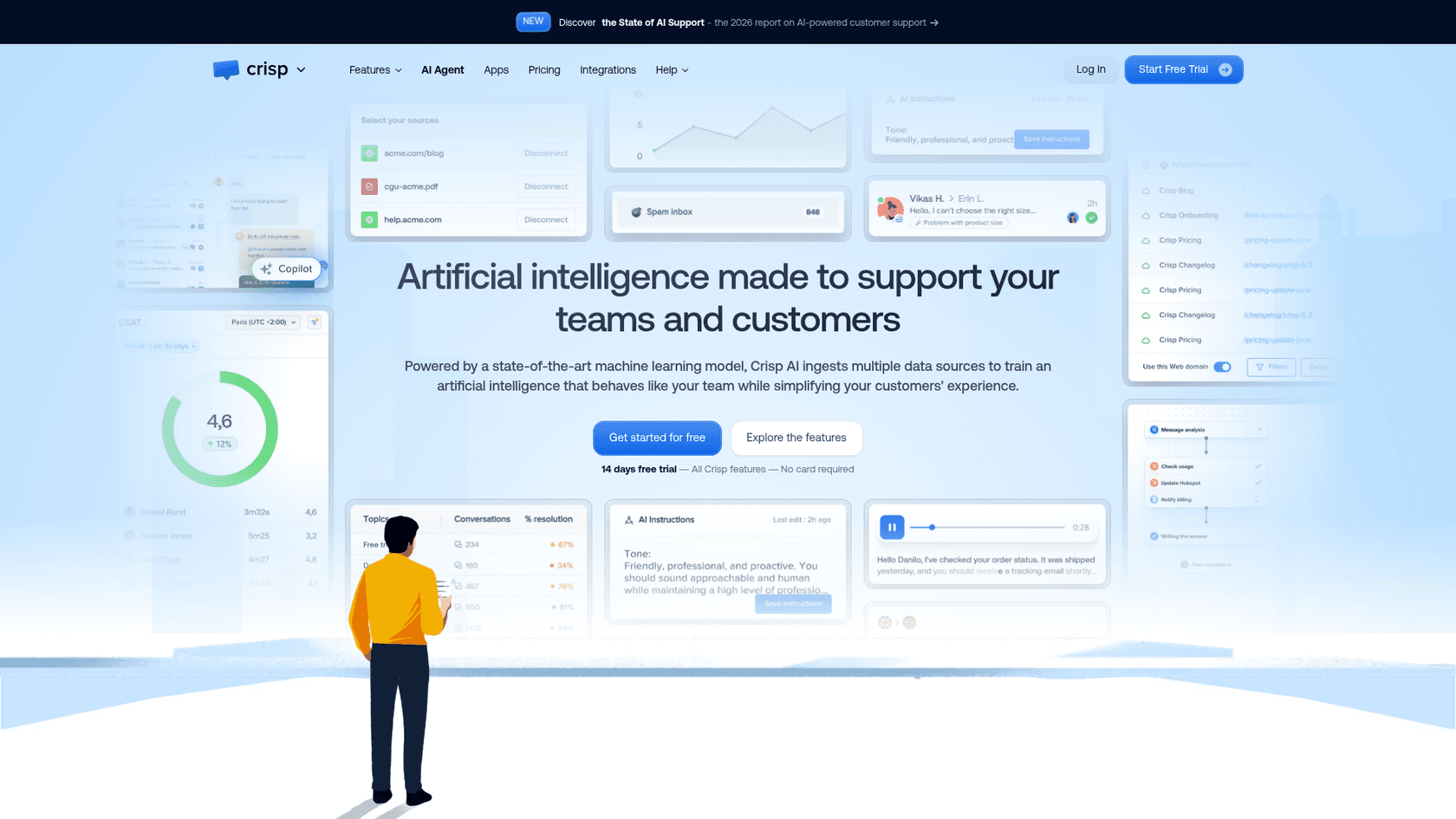
Hugo is the AI agent Crisp rebuilt its platform around, and Crisp now calls itself "the AI-first customer support platform". It answers customers in the live chat widget and the channels your workflows route to it, and Crisp's AI page lists web chat, WhatsApp, Messenger, Instagram and email as places an AI Agent workflow can start. While Hugo handles a conversation it sits in a separate Automated inbox. It hands over in three ways, according to the escalation guide: on its own when it can't find an answer or the customer asks for a person, through routing rules you write as prompts, and the moment an operator replies in the thread.
You can let Crisp pick the model or choose OpenAI, Anthropic, Google, Mistral or a Crisp-hosted model, per the model settings guide. Model choice changes how fast credits go.
What it learns from
Hugo trains on web pages it crawls, your Crisp knowledge base articles, TXT, CSV and PDF files, and Q&A snippets, as Crisp's training guide lists them. Knowledge base articles stay in sync as you create, edit or delete them. Past conversations aren't one of the sources in that guide, so if your best answers sit in years of chat history rather than a knowledge base, plan to write the top ones up as snippets or articles first.
Pricing
Hugo is included from the Mini plan, and each paid plan carries monthly AI credits, written as a dollar value: $5 on Mini, $25 on Essentials and $75 on Plus, per the Hugo billing article. Credits are token-based, so longer conversations, bigger sources and pricier models use more. That article puts a full Hugo conversation at "around $0.05 to $0.10 USD", while the MagicReply migration guide says "around $0.10–$0.20 USD on average". Plan for the higher figure until your own billing screen tells you otherwise, and compare it with other models in our guide to cost per resolution.
When included credits run out, Hugo stops answering and new conversations go to your operators until the credits reset on the 4th of the month. Turning on Pay-As-You-Go keeps Hugo answering, with billing limits you set; Crisp doesn't publish a separate rate for it. Testing, training and Playground runs use credits too, even during a trial.
If you're coming from Crisp's older bots, MagicReply is deprecated and the migration guide set 30 October 2026 as the date every workspace had to move to Hugo. Before Hugo, AI replies were free; Crisp's AI core update says resolutions "now move to a paid model".
Our roundup of Crisp AI reviews collects what users say about it.
My take: pick Hugo if Crisp is your whole support desk and your volume is mostly how-to and order questions answered on your site. Skip it as your only AI if your best answers live in past chats, since the training guide doesn't list them. The deciding factor is whether you'll watch the credit balance in the first month, because the default when it runs dry is silence from the bot, not a bill.
2. Hugo Copilot
Best for teams that want an AI copilot in the Crisp inbox before they let AI answer customers alone.
What it does
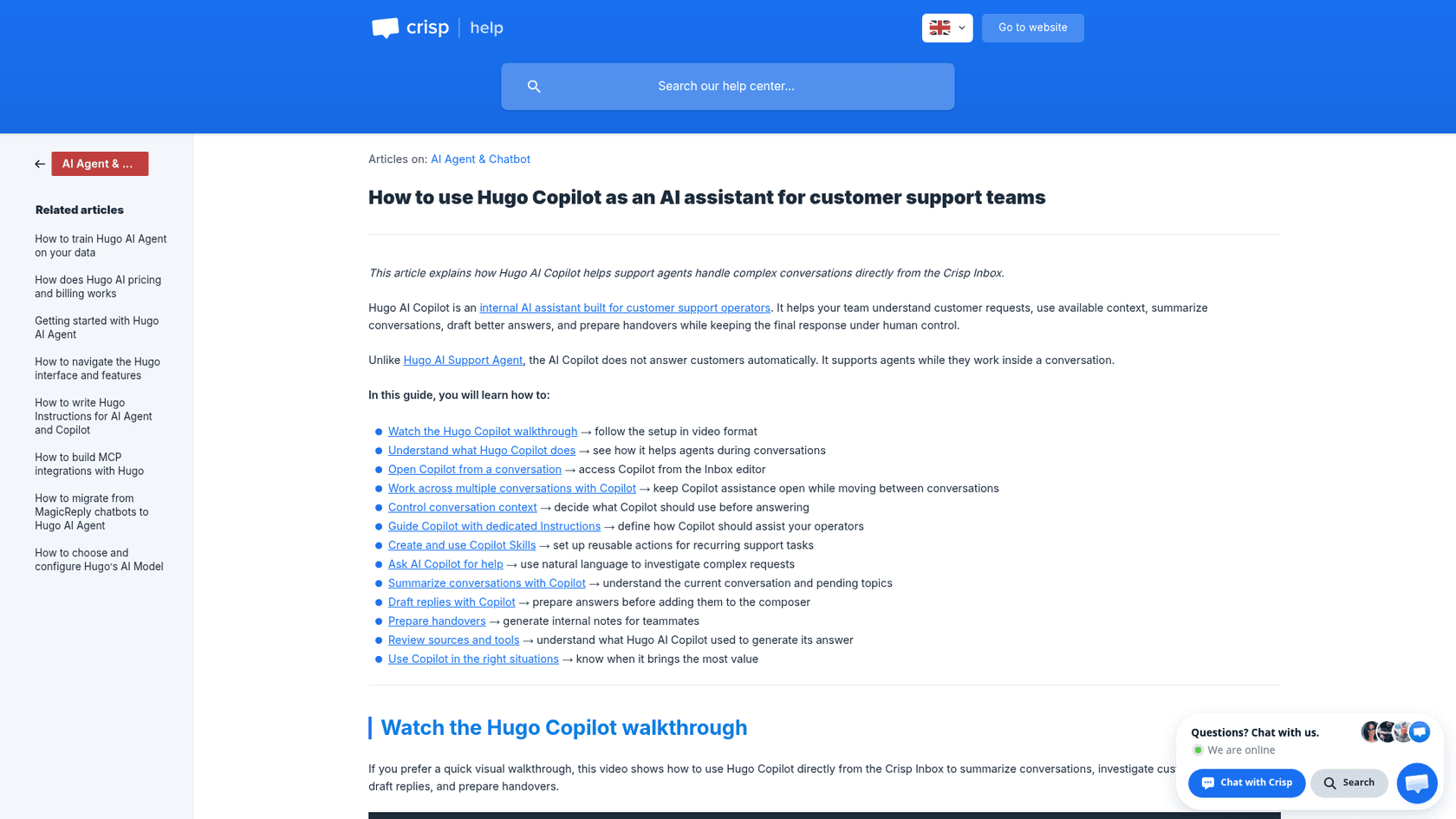
Hugo Copilot opens from the inbox editor. It summarizes the conversation and lists pending topics, finds information from your sources, drafts a customer-ready reply, rephrases, and writes handover notes for a teammate. Unlike Hugo AI Agent, it never answers customers itself, which is the split most AI copilots for support make. It can also use the integration tools you make available to Copilot (route 3).
Copilot Skills are saved procedures your team runs with a slash command, such as an investigation or a support-ticket template. Copilot can also pick a workspace skill by its description when an operator describes the task, if the skill allows it, and each skill returns plain text, text to copy, a reply draft or a private note. The customer-facing agent never uses them.
Pricing and plans
Copilot is available on Essentials and Plus, and its messages use the same AI credits as Hugo AI Agent, the Copilot guide says. So on Essentials, a busy team drafting with Copilot all day is spending from the same $25 that keeps the bot answering customers. Copilot threads are also kept in the browser and can reset when you refresh.
My take: turn it on if you're on Essentials or Plus and your operators handle long, messy threads where a summary saves real time. Skip it if you're on Mini, where it isn't available. The deciding factor is credit budget: if Hugo already uses most of your allowance, Copilot pushes you into Pay-As-You-Go sooner.
3. Hugo integrations and custom MCP tools
Best for ecommerce and SaaS teams whose most common chats need a lookup or a change in another system: an order status, a subscription, an account detail.
What it does
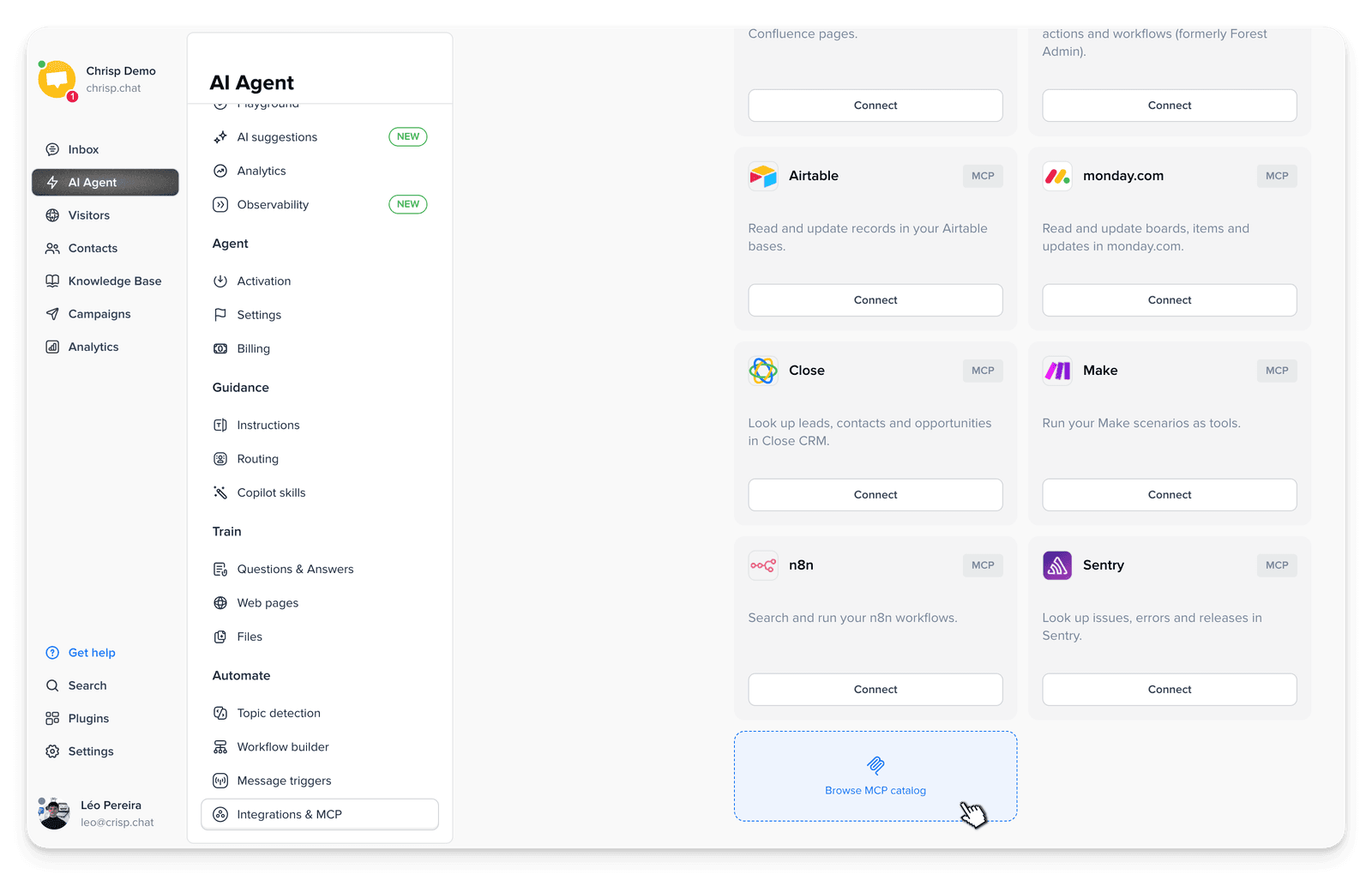
Hugo integrations connect Hugo to other services through an MCP store that Crisp says holds "26,000+ MCP servers", with Shopify, WooCommerce, PrestaShop, Stripe, Notion, Linear, PostHog, HubSpot and Zapier among its examples. For a store, that is the same order-lookup job our Shopify helpdesk guide weighs. You pick which tools to turn on, and whether each one is available to the customer-facing agent, to Copilot, or both. If the service you need isn't in the store, you can connect your own MCP server by URL, protected with Bearer tokens or Basic auth. If MCP is new to you, our explainer on Model Context Protocol covers the basics.
The guardrail
Each tool can require user identity verification, and Hugo then sends a one-time code by email or SMS before it runs the tool. That is the setting to switch on for anything that reads an order or touches an account, since the customer typing in your chatbox could be anyone until they prove otherwise. Crisp's plan table lists "Unlimited Task automations" (connecting your AI Agent to third-party tools) on Plus; it doesn't say how many the lower plans get.
If most of those chats are simple deflection, our guide to AI for live chat deflection covers what to automate first.
My take: start with one read-only tool, such as order lookup through the Shopify server, with the one-time code on, and watch a week of conversations before adding anything that changes data. Skip it if your chats are all product questions a help article already answers. The deciding factor is whether your top five chat types need data that isn't on your website.
4. Crisp MCP server and API
Best for teams that already work in Claude, Le Chat or another MCP client and want that tool to work inside Crisp.
What it does
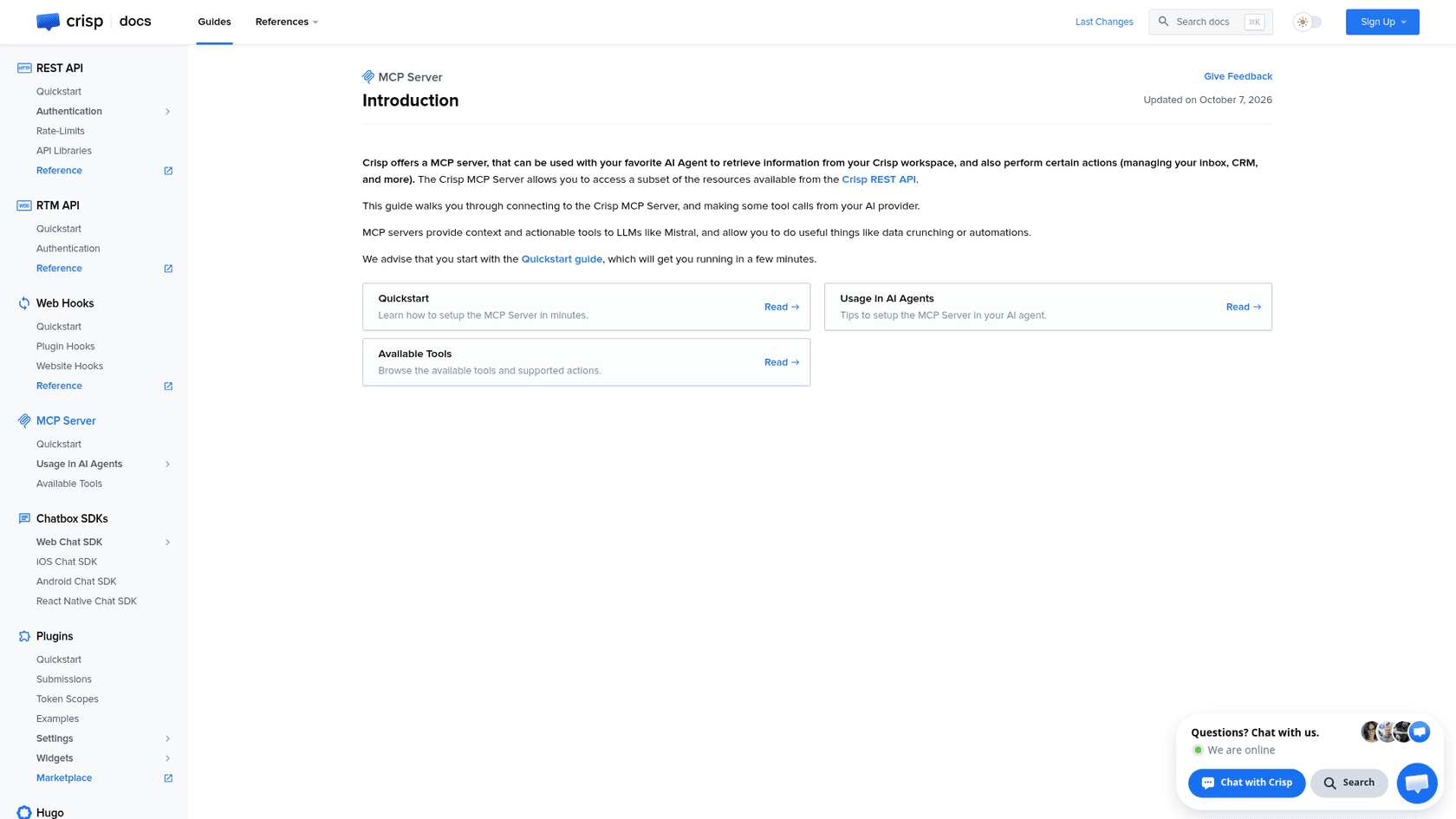
The Crisp MCP server, one of a growing set of helpdesk MCP servers, works the other way round from Hugo integrations: instead of Hugo calling your tools, your AI tool calls Crisp. It exposes a subset of the Crisp REST API, so an assistant can retrieve information from your workspace and take actions such as managing your inbox and CRM. The quickstart connects any client at https://api.crisp.chat/mcp/ with a Bearer token you generate in workspace settings.
One trap from that page: the MCP token is tied to your REST API token, so "re-generating one means re-generating everything". Check with whoever owns your existing API integration before you click Generate. Crisp's own Claude recipes post from 17 November shows the kind of work this suits: an assistant reading a week of conversations to find the top issues, rather than answering customers. Our explainer on an AI agent MCP server covers the difference between the two directions.
What it doesn't do
The MCP server works when you ask. It doesn't sit in the inbox waiting for new chats, and your AI client's approvals and bill are its own. For code that has to run on every event, Crisp has web hooks and a real-time event stream, the RTM API.
My take: connect it if your team lives in Claude or another MCP client already; it adds no Crisp charge, so it's a low-cost way to get weekly reporting and knowledge base upkeep done by AI. Skip it as a support answer, since nothing replies to customers unless you ask it to. The deciding factor is whether someone will run it every week.
What will Hugo on Crisp cost your team?
A Crisp AI bill has three parts: the plan price, which is flat per workspace rather than per seat (our Crisp pricing guide has every plan); AI usage beyond the plan's included credits; and extra agents, which the plan table lists at $10 a month on Plus. The usage line depends on how many conversations Hugo handles, which tracks its resolution rate, and what each one costs you, and Crisp's own two estimates differ by a factor of two at the top end.
Pick your plan, volume and cost assumption to see what Hugo adds to your Crisp bill. Copilot use comes out of the same credits and isn't counted here.
The usage line assumes Pay-As-You-Go bills at the same per-conversation cost as included credits; Crisp doesn't publish a separate rate, so treat it as an estimate and set a billing limit. Crisp also lets you cap spend per conversation in Hugo's settings, the migration guide says, which is worth doing before a long, looping chat burns a week of credits.
5. Where eesel fits, if Crisp isn't your whole support stack
eesel is an AI teammate that joins the tools your team already works in: Zendesk, Freshdesk, Help Scout, Front, Slack, email and Shopify. It has no built-in Crisp integration, so if Crisp runs your whole support desk, one of the four routes above is your answer. eesel earns a look when Crisp is only your website chat while tickets, email or Slack support run somewhere else, or when you're still choosing where support should live, a choice our AI chatbot for SaaS guide also weighs.
For the first case, eesel's Your APIs page lets it call a REST API with the authentication headers you set per domain. Crisp's API takes two, a Basic Authorization header and an X-Crisp-Tier header, as Crisp's website token docs set out. So the same teammate answering tickets in your helpdesk or Slack support channels can look up a customer's Crisp conversation or add a note to it, without anyone copying text between tabs. It doesn't answer in the Crisp chatbox out of the box.
What eesel may do depends on who is asking. For your team, named people, a verified customer and an anonymous visitor, each tool can act on its own, ask first or stay off, so the same teammate can issue a refund when your support lead asks and never touch billing for a visitor. Anything set to ask first waits for a person's yes, as eesel's actions and approvals docs describe. It learns from your past tickets as well as your help center, and you can run it over historical tickets before it replies to anyone. Pricing is one credit per ticket or chat, from $299 a month for 500 credits on eesel's pricing page, with a 7-day trial and 100 free credits. If you work with a coding agent such as Claude Code or Cursor, the eesel CLI lets it load your help articles and macros into eesel and ask test questions before anything goes live, with an admin approving the helpdesk connection.
SE Ranking, which builds SEO software, runs one eesel agent per product across three Zendesk connections and handled 4,650 conversations in a month, with refunds and Tier 2 issues handed to the team.
My take: pick eesel if your tickets live in a mainstream helpdesk or Slack and Crisp is one channel among several. Skip it if Crisp is your helpdesk and you want the AI inside the Crisp chatbox, since eesel doesn't answer there. The deciding factor is where most of your customers' conversations happen. For the wider trade-off between a helpdesk's own AI and a layer on top, see our post on built-in AI vs a layer.
Try eesel beside your Crisp chat
If your website chat runs on Crisp but your real queue sits in Zendesk, Freshdesk, Help Scout or Slack, run eesel on your past tickets first. You'll see which questions it would answer from your own replies, and which it would hand to a person, before a single customer sees a draft.

Try eesel free for 7 days, or compare it with your shortlist in our guide to Crisp AI alternatives.