


The best AI for most teams on Featurebase is its own Fibi AI Agent, which is on every paid plan and costs $0.49 per resolution, on top of a plan from $29 a seat a month billed yearly ($37 monthly). Featurebase gives you three more routes: Copilot, which drafts replies for your team from your help center and past conversations (10 free conversations per teammate a month, or $19 per teammate a month for unlimited, billed yearly); custom Fibi actions, which let Fibi call your own API to extend a trial or look up an invoice; and the Featurebase MCP server, which lets Claude, ChatGPT or Cursor read and change your workspace. For a 4-person team on Growth, billed yearly, with 1,000 conversations a month and Featurebase's average 65% resolution rate, I make it about $435 a month. If your support lives in a mainstream helpdesk and Slack and Featurebase is only your feedback board, eesel is an AI teammate that works in those tools and can reach Featurebase through its API.
How I picked these
I work on eesel's support team, so I read Featurebase the way I'd read a tool I had to run on a live queue: who the AI answers, what it learns from, what it's allowed to do, and what each conversation costs. Every option here comes from Featurebase's own pricing page, help center and changelog, read on 24 November 2026. If you're still pricing the platform itself, start with our Featurebase pricing breakdown or the Featurebase alternatives list. I left out integrations that only move data in or out of Featurebase (Linear and Jira sync, Zapier), since they don't answer anyone.
The five routes split by who the AI works for. Fibi works for your customers, Copilot for your team, custom actions give Fibi hands in your own systems, the MCP server puts your own AI tool to work inside Featurebase, and an AI teammate like eesel works across the tools around it.
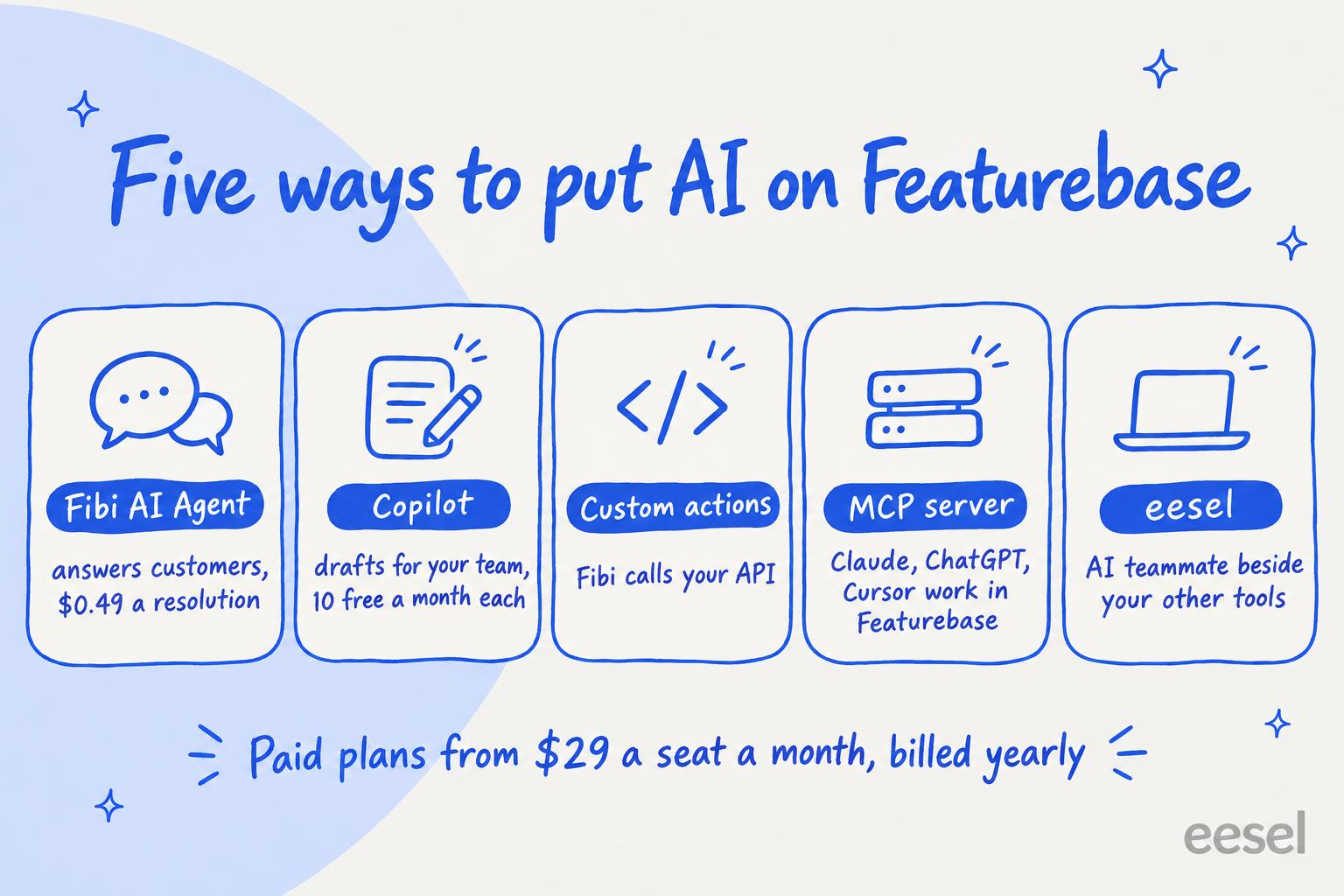
The best AI for Featurebase, compared
| Option | Works for | Plans | What you pay | Acts on its own? |
|---|---|---|---|---|
| Fibi AI Agent | Your customers | Every paid plan; Slack from Professional (Microsoft Teams coming soon) | $0.49 per resolution, at most once per conversation | Yes; hands over to your team when a customer asks for a person |
| Copilot | Your team | Every paid plan | 10 conversations per teammate a month free, then $19 per teammate a month (yearly) or $25 (monthly) | No; you review and send |
| Custom Fibi actions | Your customers, through your API | Every paid plan, with Fibi | No extra Featurebase charge; billed as a Fibi resolution if it resolves the conversation | Yes, within the fields and channels you allow |
| Featurebase MCP server and API | Your own AI tool or code | Every paid plan | No extra Featurebase charge; your AI client bills its own usage | As the connection's OAuth scopes allow, with your client's confirmations |
| eesel | Your team and customers, in your other tools | Its own plans | One credit per ticket or chat, from $299 a month for 500 | Per person and per tool: on its own, ask first, or off |
Our Gleap guide uses the same format for a close neighbour, and best AI for B2B support covers the wider field. The pick for most teams already on Featurebase is Fibi, with custom actions once it handles the easy questions well. Copilot and the MCP server add to it rather than replace it.
1. Fibi AI Agent
Best for teams whose help center is in Featurebase and who want an AI answering customers in chat and email without another tool.
What it does
Fibi AI Agent answers customers in live chat and email, and in Slack channels you share with customers from the Professional plan (more on Slack in our guide to automating Slack support), according to Featurebase's AI agent page. The pricing comparison lists Microsoft Teams and WhatsApp as coming soon. You set it live with a simple deploy for the Messenger or through Workflows for routing, branches and email, as the Fibi setup guide explains. By default it hands a conversation to your team when a customer asks for a person or it can't resolve the request; turn handoff off and it runs bot-only.
Fibi can ask for a CSAT rating after it resolves a conversation or before a handover, set in each Workflow step. Since Fibi 3.0 in June, Fibi can also classify conversations by attributes you define (issue type, sentiment, urgency, spam) so Workflows route on meaning rather than keywords, and a teammate can click Improve answer on a reply to fix the source or add a Q&A snippet.
What it learns from
Fibi learns from your Featurebase help center, updates and feedback portal automatically, plus files, websites and Q&A snippets you add, according to Featurebase's custom training docs. Past support conversations aren't one of the inputs. Three details from the same page are worth knowing before you go live: there's no native Notion or Confluence connection (you export to PDF or a web page), websites aren't recrawled automatically, and there's no separate sandbox, so you test on your live site or the Messenger settings preview.
Pricing
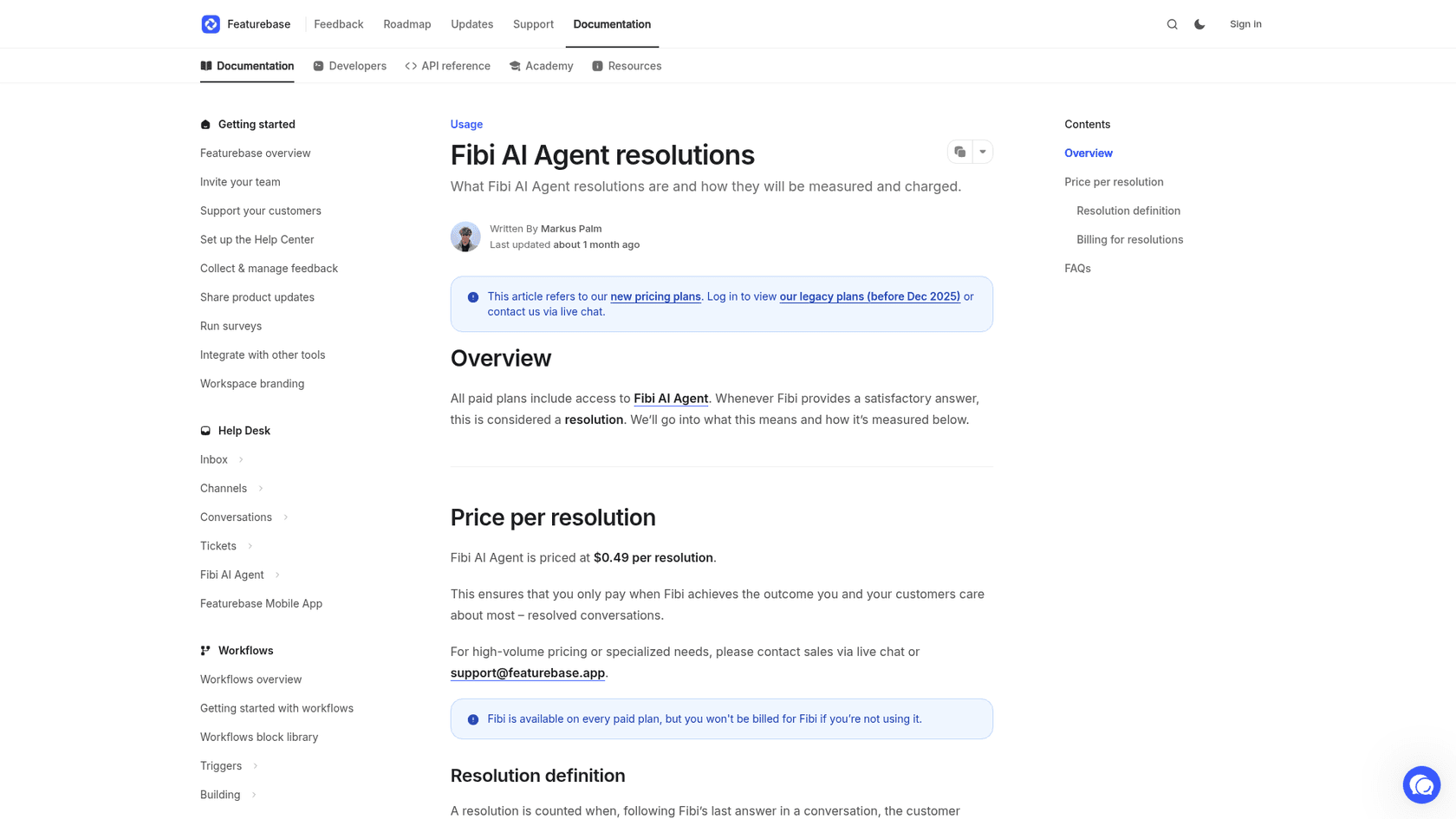
Fibi costs $0.49 per resolution, charged once per conversation, on every paid plan, as the resolutions article sets out. A resolution counts when the customer confirms the answer helped, or leaves without asking for more help; Featurebase calls the second an "assumed resolution" and says the definition isn't directly configurable. A handover to a person is free, and a resolved conversation the customer comes back to is deducted. The price rose from $0.29 on 1 July 2026 for new and existing customers, the Fibi 3.0 changelog says, alongside a fleet-wide resolution rate that went from 50% to 65%.
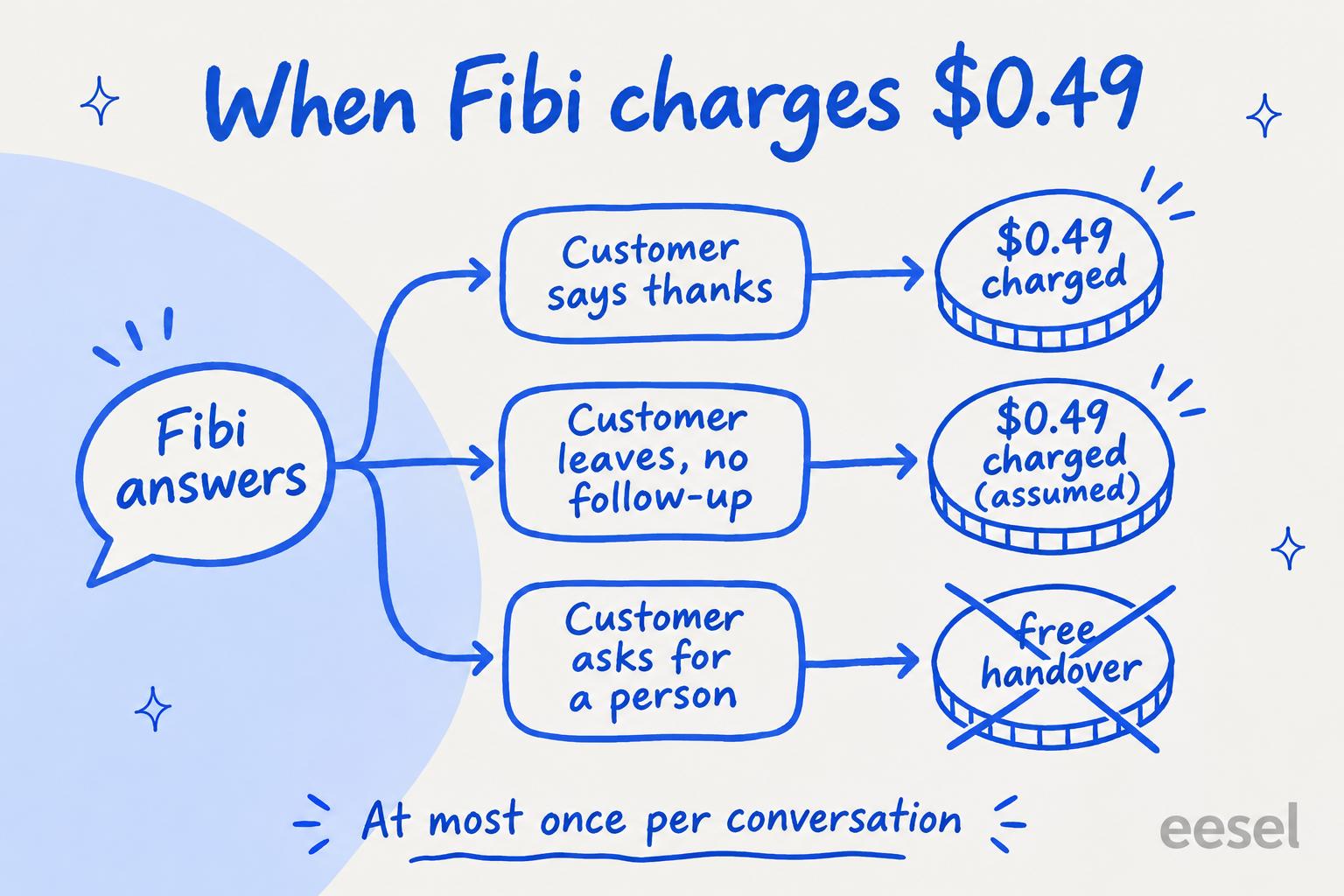
My take: pick Fibi if your knowledge already lives in Featurebase and your volume is mostly how-to questions. Skip it if your best answers sit in years of past tickets rather than a knowledge base, since Fibi doesn't read them. The deciding factor is how many of your customers leave quietly after an answer, because every one of them is billed.
2. Copilot
Best for teams that want an AI copilot in the inbox but aren't ready to let AI answer customers alone.
What it does
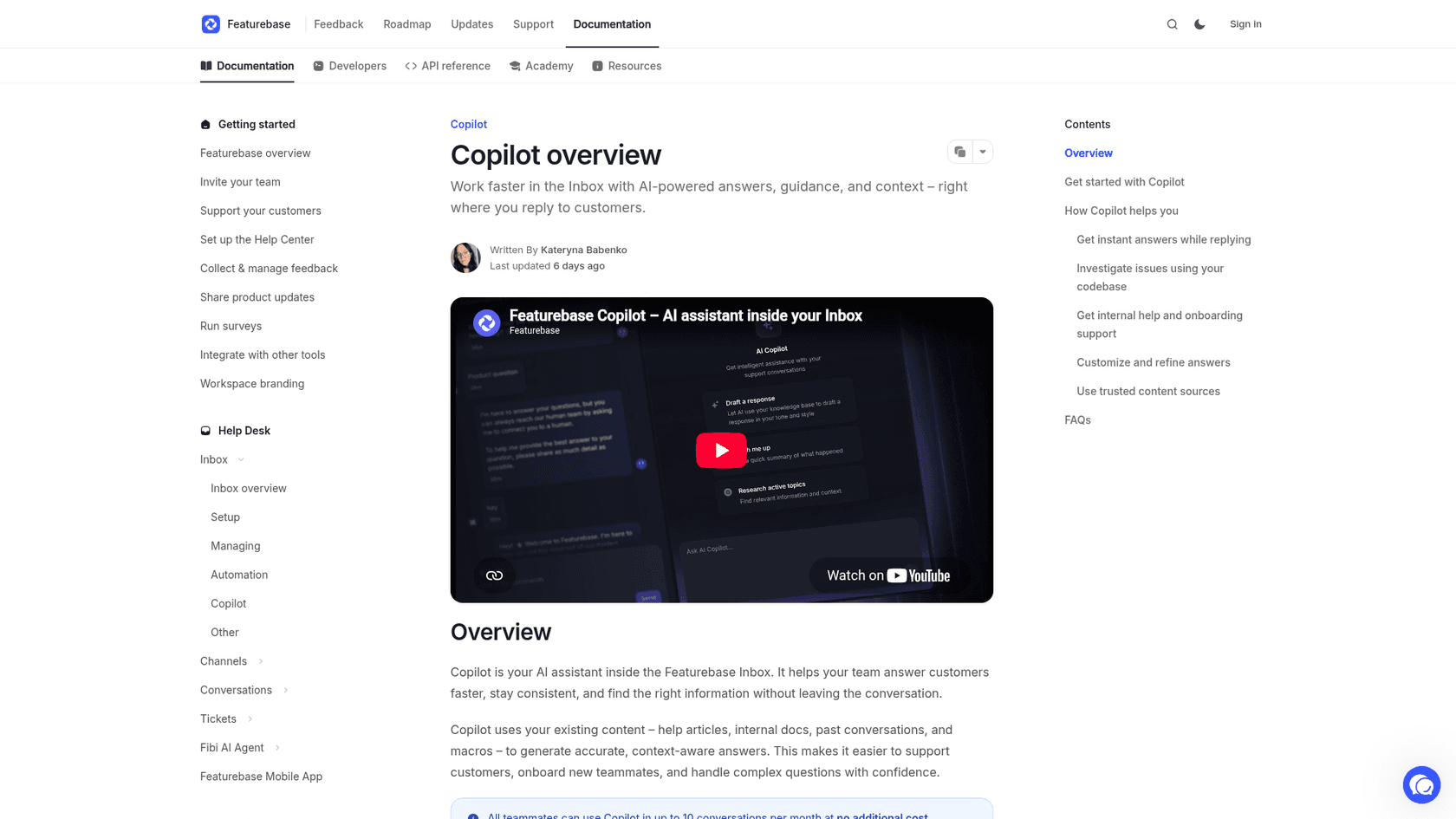
Copilot sits inside the Featurebase Inbox and drafts replies from your help articles, internal docs, macros and past Inbox conversations, limited to the ones each teammate's access allows. You review or edit every answer before it goes out. It also answers internal questions ("how did we handle this last time?"), summarises long threads and translates replies. With the Cursor integration, Copilot can ask Cursor to investigate an issue in your codebase, or implement a fix and open a pull request, and each request waits for your approval.
Pricing
Every teammate with a full seat on a paid plan gets Copilot in up to 10 conversations a month, according to the Copilot pricing article; a conversation counts once, however many follow-ups you ask. After that Copilot stops answering that teammate until you buy unlimited use, which is $19 per teammate a month billed yearly or $25 billed monthly, and you can buy it for some teammates and not others.
My take: turn the free allowance on for everyone and buy unlimited only for the people who hit 10 in the first week. Skip it as your only AI if your queue is mostly repeat questions, since a person still sends every reply. The deciding factor is whether your hard tickets need past-case context, which is where Copilot beats Fibi.
3. Custom Fibi actions
Best for SaaS teams whose most common requests need a lookup or a change in your own product: a trial extension, an invoice, an account summary.
What it does
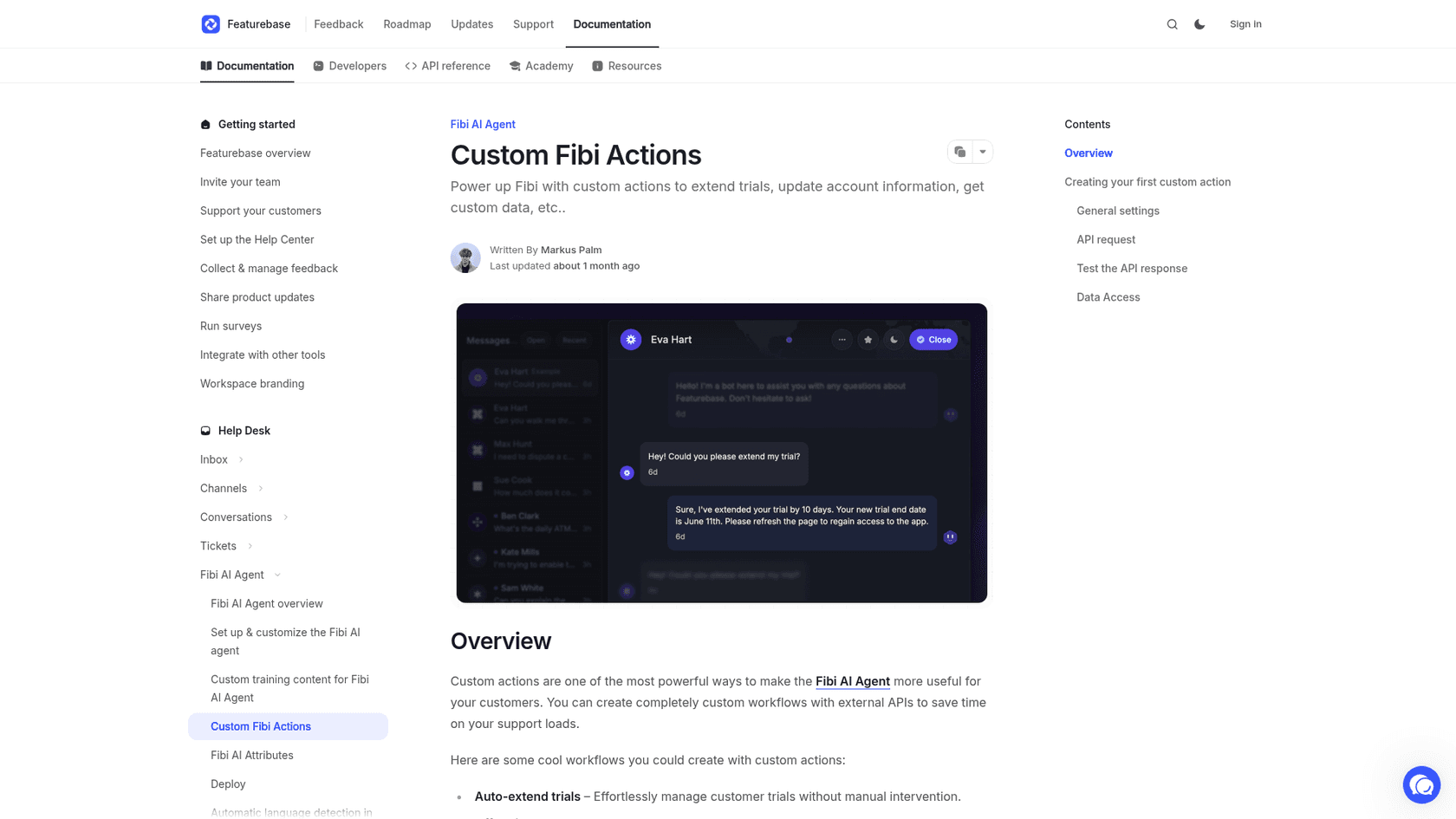
A custom Fibi action is an API request you describe to Fibi: a name, when to use it, the inputs it collects from the customer, and the endpoint, headers and body to call. You test it with real values and can add instructions for how Fibi should phrase the result. Featurebase's examples are extending trials, offering discounts, account summaries, order tracking and fetching invoices.
The guardrails
Three settings decide what an action can expose. You choose whether Fibi sees the full API response or only fields you allow. Each action is off in Slack by default, and you can open it as public-safe or company-safe, where Featurebase supplies the channel's linked company ID and Fibi can't change it. And to check that a customer is who they say, the guide says to confirm the built-in userType variable equals customer, which only works with identity verification turned on. Featurebase caps the API request at 20KB and returns an error above that.
Featurebase's warning about Slack actions applies everywhere: "Your API must still check authorization." Fibi passes what the customer told it, so a refund or plan change belongs behind a check in your own code, not in the action's description.
My take: build one read-only action first (an invoice or account summary) and watch a week of conversations before you add anything that changes data. Skip it if no one on the team can write and secure an API endpoint. The deciding factor is whether your top five ticket types need data Fibi can't read from articles.
4. Featurebase MCP server and API
Best for teams that already work in Claude, ChatGPT, Cursor, Claude Code or Codex and want that tool to work inside Featurebase.
What it does
The Featurebase MCP server at https://mcp.featurebase.app connects any client that supports remote MCP servers through OAuth. It is built on the public API, so your AI tool can search and update feedback posts, read and reply to conversations and tickets, edit and publish help center articles, draft Updates, manage contacts and companies, build Journeys, and manage Fibi's Q&A snippets and training files. The docs suggest jobs like weekly feedback digests, escalation briefs, finding documentation gaps from recurring questions (the same job as detecting outdated help center content) and turning release notes into Updates. Our help center MCP server guide goes deeper on that use.
It ships read-only and write/delete tools separately, so your client can let reads run and ask before writes. If MCP is new to you, our explainer on Model Context Protocol covers the basics. A teammate needs the Manage API keys permission to connect, the connection is workspace-wide, and Settings lists who authorised each client. When it launched in May it was Professional only; the help center and pricing page now put it on every paid plan, from Growth.
What it doesn't do
The MCP server works when you ask. It doesn't sit in the inbox waiting for new conversations, and your AI client's schedule, approvals and bill are its own. For code that must run on every event, the API has webhooks.
"I want an option or setting to let Fibi AI agent automatically create feature requests/posts in Featurebase directly from customer conversations."
That request is a good example of where the MCP server or API fills a gap today: an AI tool can read the week's conversations and file the posts, with a person approving the writes.
My take: connect it if you live in Claude or Cursor already; it's the cheapest way to get reporting and help center upkeep done by AI. Skip it as a support answer, since nothing replies to customers unless you ask it to. The deciding factor is whether someone on your team will run it every week.
What will AI on Featurebase cost your team?
A Featurebase AI bill has three parts: seats on your plan, $0.49 for each conversation Fibi resolves, and any teammates you move to unlimited Copilot. The resolution line grows with both your volume and Fibi's resolution rate, and the pricing page says high-volume discounts are available.
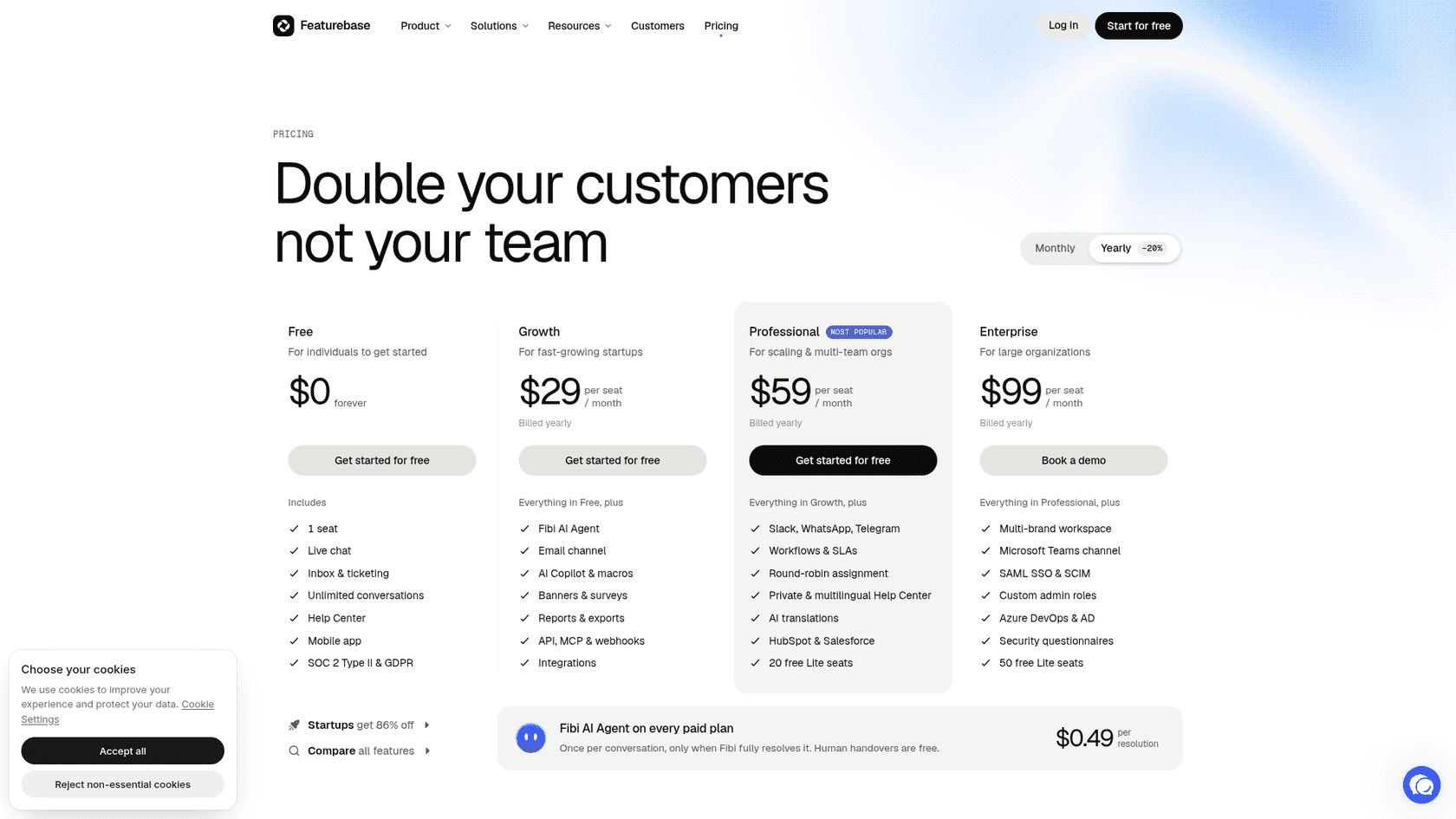
Set your plan, team size, volume and Fibi's resolution rate to see a month of Featurebase with AI.
The 65% default is Featurebase's own fleet-wide figure from the Fibi 3.0 changelog, not a promise for your queue. New customers can try Fibi free for 10 days, the resolutions article says, which is the cheapest way to find your real rate before the $0.49 line starts.
5. Where eesel fits, if Featurebase isn't your whole support stack
eesel is an AI teammate that joins the tools your team already works in: Zendesk, Freshdesk, Help Scout, Front, Slack, Jira, Linear and GitHub. It has no Featurebase integration, so if Featurebase runs your whole support desk, one of the four routes above is your answer. eesel earns a look when Featurebase is your feedback board and roadmap while support runs somewhere else, or when you're still choosing a helpdesk.
For that first case, eesel's Your APIs page lets it call any REST API that authenticates with a header, and Featurebase's API takes one Authorization: Bearer key. So the same teammate answering tickets in Zendesk can look up a feature request's status in Featurebase, or file the request a customer just made, which is the job the feedback-board post above asks Fibi for. Our guide to AI for feature request tracking covers how teams run that loop, and AI customer feedback analysis the reporting side.
What eesel may do depends on who is asking. For your team, named people, a verified customer and an anonymous visitor, each tool can act on its own, ask first or stay off, so the same teammate can file a feature request for your support lead and never touch billing for a visitor. Anything set to ask first waits for a person's yes, as eesel's actions and approvals docs describe. It learns from your past tickets as well as your help center, and you can run it over historical tickets before it replies to anyone. Pricing is one credit per ticket or chat, from $299 a month for 500 credits on eesel's pricing page, with a 7-day trial and 100 free credits. If you work with a coding agent such as Claude Code or Cursor, the eesel CLI lets it load your help articles and macros into eesel and ask test questions before anything goes live, with an admin approving the helpdesk connection.
SE Ranking, which builds SEO software, runs one eesel agent per product across three Zendesk connections and handled 4,650 conversations in a month, with refunds and Tier 2 issues handed to the team.
My take: pick eesel if your tickets live in a mainstream helpdesk or Slack and Featurebase holds your feedback. Skip it if Featurebase is your helpdesk, since eesel can't answer in the Featurebase Messenger. The deciding factor is where your customers' conversations happen.
Try eesel beside your Featurebase board
If your support runs in Zendesk, Freshdesk, Help Scout or Slack and your roadmap lives in Featurebase, run eesel on your real tickets first. You'll see which questions it would answer from your past replies and which feature requests it would pass to your board, before a single customer sees a draft.

Try eesel free for 7 days, or compare it with your shortlist in our guide to the best AI for SaaS support.