


A help center MCP server lets AI assistants like Claude and ChatGPT search and read your articles live. Before you build one, check your platform: GitBook, Mintlify and ReadMe already run a public one that anyone's assistant can connect to. Zendesk, Freshdesk, Help Scout, Gorgias and Document360 run one too, but it signs in your staff, so it serves your team's AI tools, not customers. Whichever you use, start read-only. If the goal is answering tickets from that help center, eesel reads it directly and can also link a public or key-based MCP server your docs already run.
What is a help center MCP server?
A help center MCP server is a small web service that exposes your support articles to AI tools through the Model Context Protocol, usually as a search tool and a read-article tool. The MCP specification describes MCP as an open protocol that connects AI applications to outside data and tools, and its current revision is dated 2026-07-28.
In practice, you paste one URL into Claude, ChatGPT or Cursor. From then on, when someone asks "how do I change my plan?", the assistant calls your server, searches your articles, pulls the right one and answers from it, with a link back. Your help center stays the source of truth. Nothing gets copied into the model.
I work on eesel's integrations, so I spend more time than is healthy reading other companies' MCP docs. The thing I'd tell you up front: "help center MCP server" means two different products depending on where your articles live, and most guides only describe one of them.
If you want the protocol basics first, my AI agent MCP server explainer covers tools, resources and transports. This post is about the help center case specifically. And if your goal is an AI that answers tickets from that help center, the eesel CLI lets a coding agent like Claude Code upload exported help center articles and saved replies to an eesel agent, then ask it test questions and check the answers before anything goes live. Connecting the helpdesk itself still needs an admin to approve it.
Who is the MCP server for: your customers or your team?
The single most useful question to ask before you set anything up is who will connect to the server. The answer splits the market cleanly.
- Reader-facing servers sit on your public docs URL. Anyone can add them to their own AI assistant with no login. GitBook, Mintlify and ReadMe work this way. A customer using Cursor or Claude can point it at your docs and get answers straight from your articles.
- Workspace servers sit behind a staff login. They act as one of your employees, with that person's permissions, and usually expose tickets, customers and macros alongside articles. Zendesk, Freshdesk, Help Scout, Gorgias and Document360 work this way, as do wikis like Confluence and Notion.
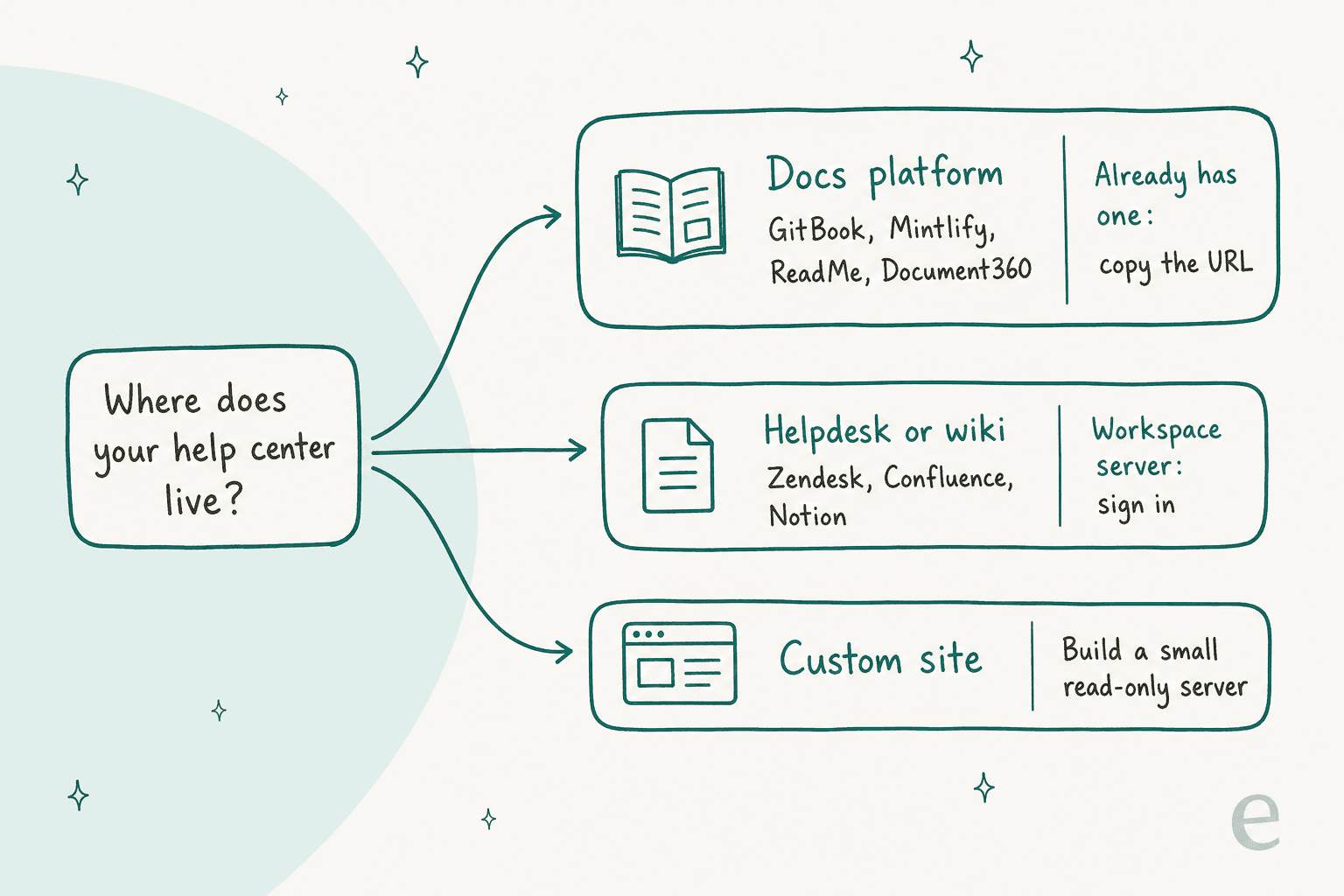
This matters because a lot of teams set up their helpdesk's MCP server expecting customers' AI assistants to start answering from it. They won't. A Zendesk or Freshdesk server signs people in as agents, so it is a productivity tool for your support team, not a public channel. If you want outside AI tools to read your help center, the work is on the public site, which I covered in my help center readability checklist.
Does your help center platform already ship an MCP server?
Probably. When I asked ChatGPT how to set up a help center MCP server, its answer centred on building one with the TypeScript SDK and didn't mention that several platforms already ship one. Here's what each vendor's own docs say as of November 2026.
| Platform | Server URL | Who connects | Auth | Article search tool | Write tools | Plan / status |
|---|---|---|---|---|---|---|
| GitBook | <site>/~gitbook/mcp | Anyone (public sites) | None, or OAuth for private sites | Yes | No, read-only | Included with published sites |
| Mintlify | <site>/mcp | Anyone (public sites) | None, or OAuth / client credentials | Yes | Feedback only on this server | Live, automatic |
| ReadMe | <project>.readme.io/mcp | Anyone (public projects) | None, or header token | Yes, with AI Booster Pack | API calls only | OpenAPI tools on all plans |
| Document360 | Regional, e.g. mcp.document360.io/mcp | Document360 users | OAuth only | Yes (semantic + exact phrase) | Yes, incl. publish | Business and Enterprise |
| Zendesk | <subdomain>.zendesk.com/mcp | Admins and chosen agent groups | OAuth 2.1 | Help center search listed | Yes, with confirmation | Early access, free for now |
| Freshdesk | <subdomain>.freshdesk.com/mcp | Admins and agents | API key only | No, browse by folder | Yes | GA, 1,200 to 12,000 actions a year |
| Help Scout | mcp.helpscout.net/mcp | Users on Standard, Plus, Pro | OAuth + Docs API key | Yes | No, read-only for new connections | GA |
| Gorgias | mcp.gorgias.com/mcp | Lead role and above for articles | OAuth | No, list by category | Yes, edits saved as drafts | All Helpdesk plans |
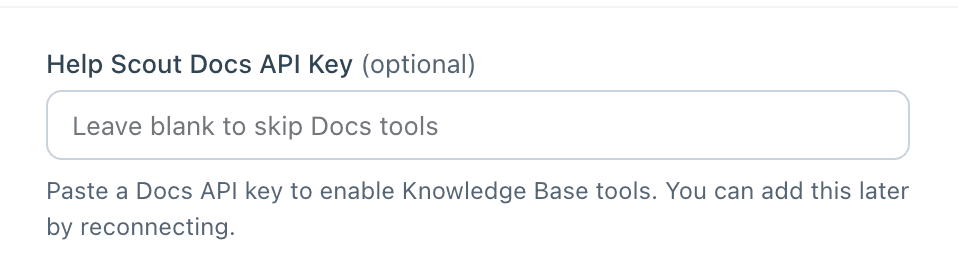
Three lines in that table surprised me. Freshdesk and Gorgias both expose article tools, but neither documents a keyword search tool for articles, so an assistant has to browse categories and folders to find the right page. Zendesk is still in an early access program. And Help Scout's Docs tools only switch on if you paste a separate Docs API key during sign-in.
Docs platforms with a public server
These are the easy wins. If your help center already runs on one of them, you may have a working MCP server today without having touched a setting.
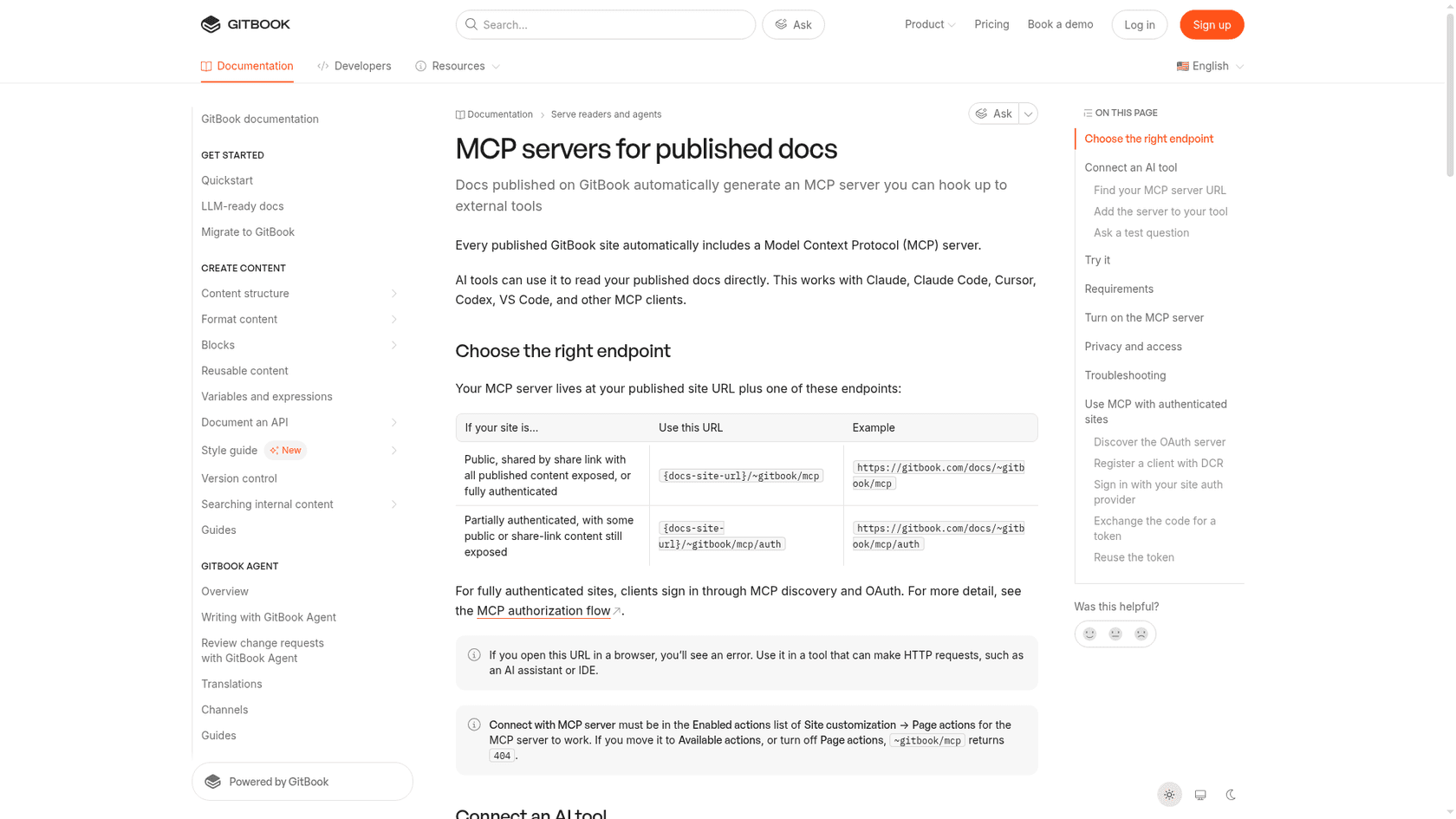
GitBook. Every published GitBook site gets an MCP server at the site URL plus /~gitbook/mcp. It only works when "Connect with MCP server" sits under Enabled actions in Site customization, and otherwise the endpoint returns a 404. It is read-only and serves published content only, though GitBook notes that hidden pages are still reachable through MCP, which is worth knowing before you hide a half-finished article and assume it's private. More on the platform in my GitBook review.
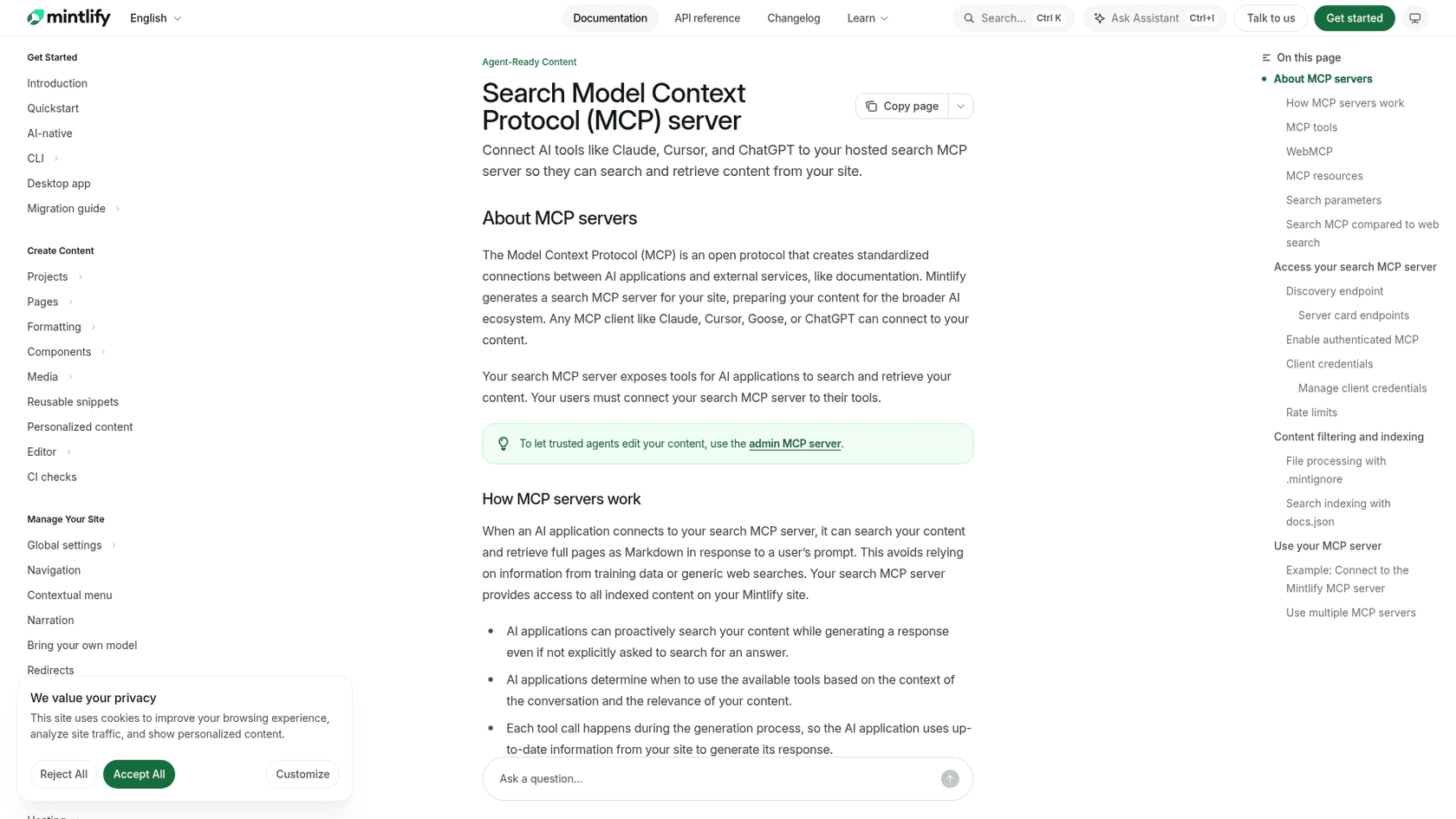
Mintlify. Mintlify generates a search MCP server at /mcp on every docs site, with /authed/mcp for signed-in content. It exposes three tools: search, a query tool that reads the docs as a file system, and a feedback tool. The limits are generous for a help center: 5,000 requests an hour per user and 10,000 searches an hour per site. Only pages in your docs.json navigation are indexed by default, so orphan pages won't show up.
ReadMe. Every ReadMe project can turn on a hosted server with one toggle under AI, then MCP. The catch for support content: the API tools are on all plans, but the docs search and fetch tools need the AI Booster Pack add-on. Without it, an assistant gets the API tools but not the docs search and fetch tools.
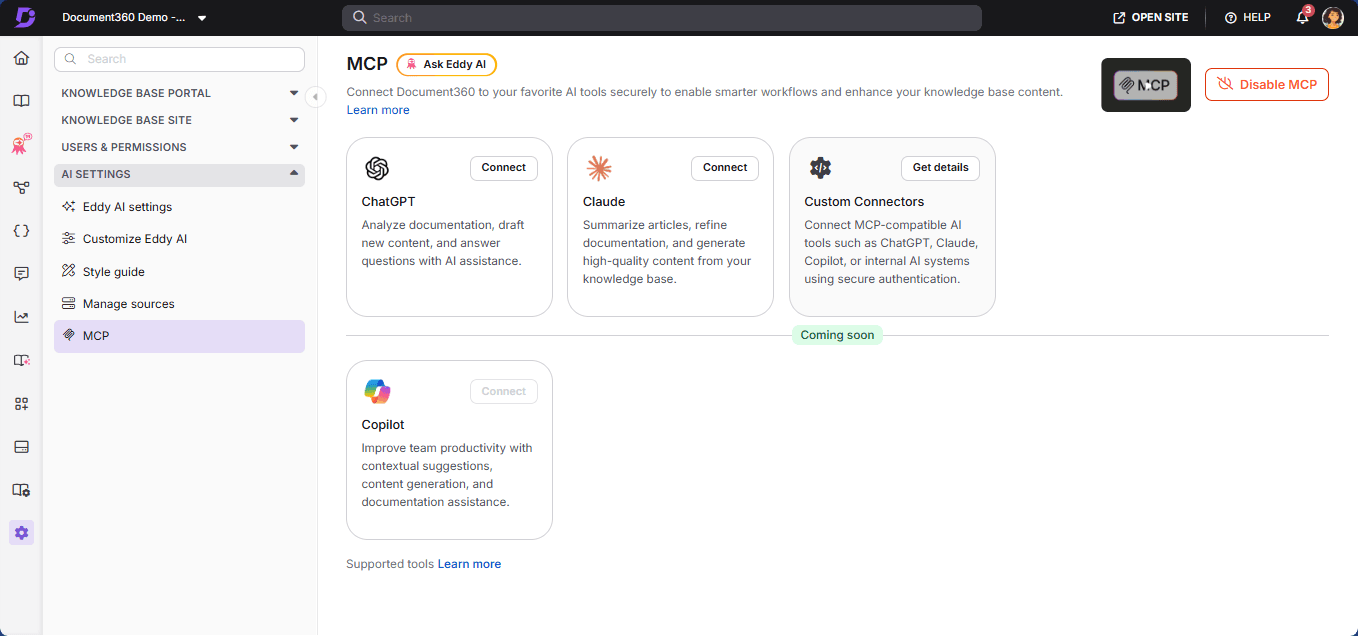
Document360. This one sits between the two camps. Document360's MCP is enabled per project by an owner or admin under AI Settings, and it has 29 tools that can search, read, create, update and publish articles. It signs people in with OAuth only, and every person needs their own Document360 account, so it suits your writers more than your customers. It is on the Business and Enterprise plans. My Document360 pricing breakdown has the plan details.
Helpdesks with a workspace server
If your help center lives inside your helpdesk, the MCP server is a tool for your team. It's a good one, and it's how a support lead can ask Claude "which articles get linked most in refund tickets?" without exporting anything.
Zendesk. Zendesk Bridge is in an early access program and free while it lasts, with metered billing phased in through general availability in 2027. You set it up in Admin Center under AI, then External AI, pick tools from a catalog, and copy the server URL into Claude, ChatGPT or another client. Searching your help center is one of the listed actions, alongside tickets, users and macros. Changes are proposed and confirmed by a person first. I covered the other direction, Zendesk calling outside servers, in Zendesk's MCP client.
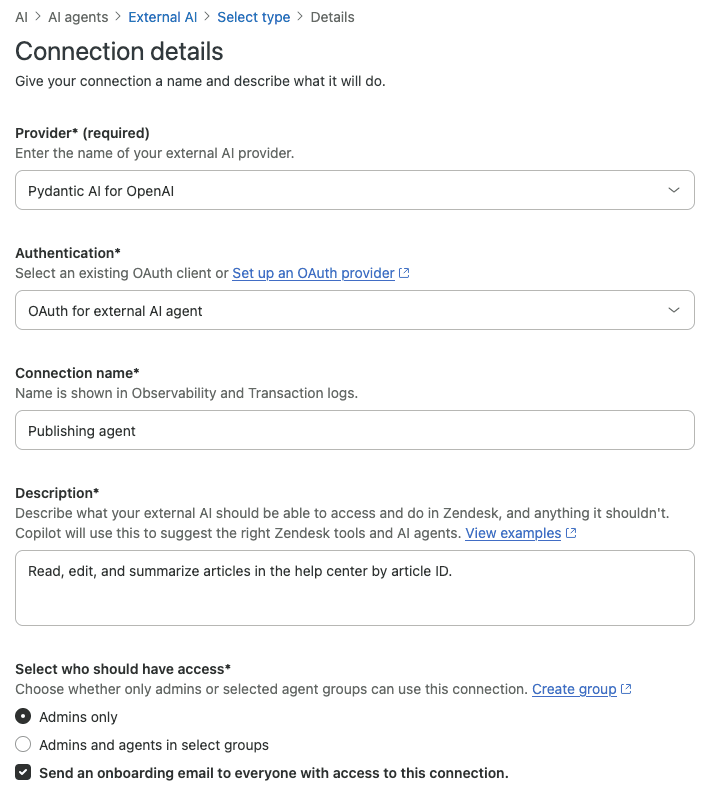
Freshdesk. The Freshworks MCP server went generally available on September 10, 2026. It uses an API key only, with no OAuth, and it is on by default, so any agent with an API key can connect. Every tool call counts as one action: Growth includes 1,200 a year, Pro 6,000 and Enterprise 12,000. If an assistant needs 4 tool calls to answer one question, Growth's allowance covers about 300 questions a year, which is fine for an admin and thin for a team. I broke this down further in the Freshdesk MCP actions pack post.
Help Scout. Help Scout's MCP can search and read Docs articles, sites and collections, and it is read-only for new connections. The Docs tools need an extra Docs API key pasted on the sign-in page. Skip that field and everything else works while the knowledge base tools quietly don't, which is the most likely reason a "Help Scout MCP can't find my articles" complaint exists.
Gorgias. Gorgias MCP is included on every Helpdesk plan and listed in Claude's and ChatGPT's directories. Its help center tools need the Lead role or above, and they can list, read, draft and publish articles. Edits save as drafts until someone publishes, which is a sensible default. More on the article side in my Gorgias help center guide.
HubSpot is the gap. Its remote MCP server went GA in April 2026, but its docs list no knowledge base article tools, only blog, website and landing page content. My AI for HubSpot Service Hub guide covers what else works there.
Wikis and internal knowledge bases
If your "help center" is really an internal knowledge base, the wiki vendors all ship workspace servers. Atlassian runs one at mcp.atlassian.com with Confluence search and read tools, Notion runs one at mcp.notion.com, and Guru runs one for its cards. They sign in with OAuth (Guru also takes an API token), they're scoped to the signed-in user, and none publishes a public per-site endpoint. If Confluence is your source, my guides on Claude for Confluence and ChatGPT and Confluence cover the rest.
How does a help center MCP call actually work?
When someone asks an assistant a question, it decides to call your server's search tool, reads the top few snippets, fetches the full article it trusts most, then answers with a link. That's two or three tool calls per question, all against your live content.
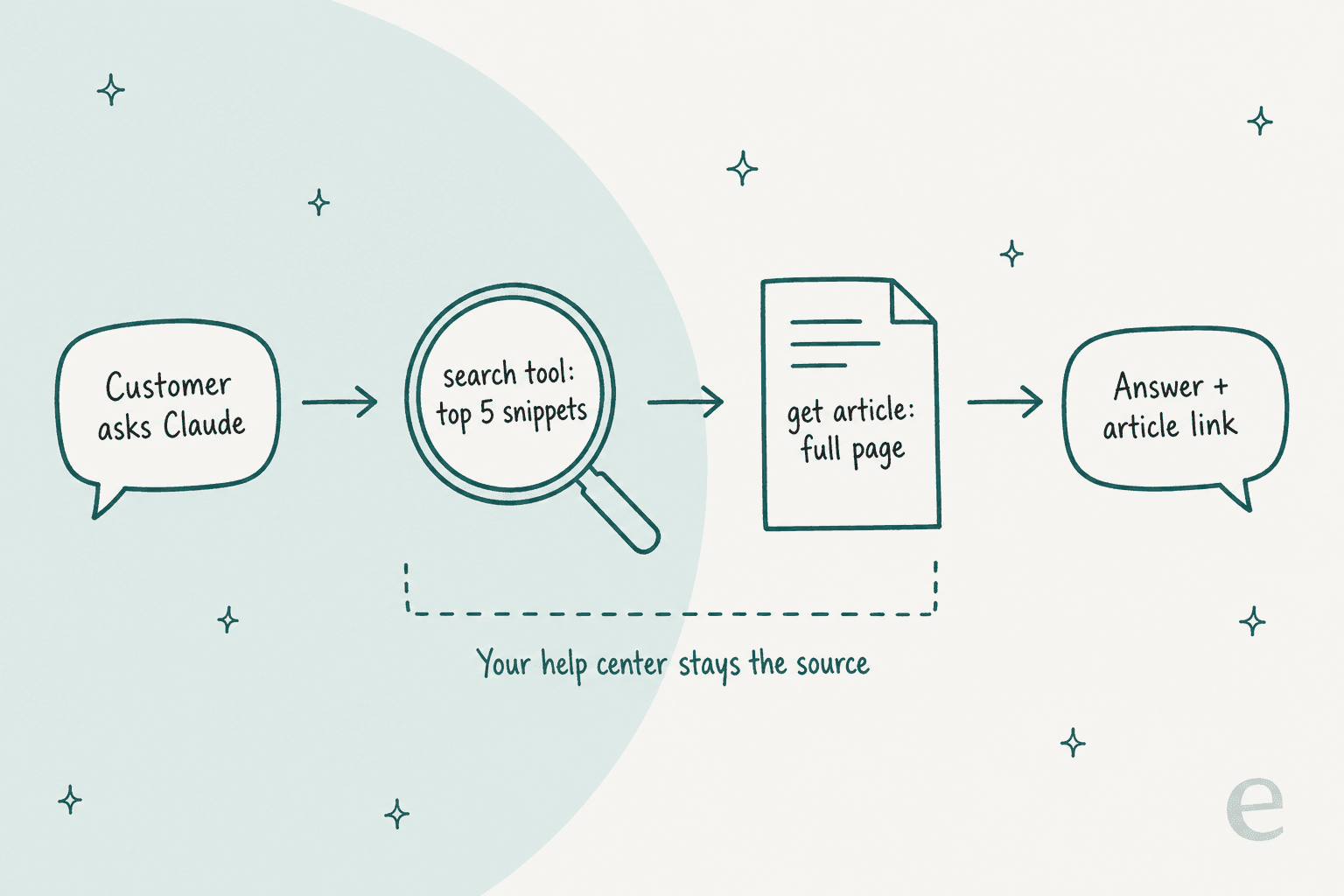
A few pieces of the spec explain why the platforms look alike:
- Tools, resources and prompts. MCP servers offer three kinds of building block. Tools are things the model calls on its own, like
search. Resources are content the app attaches. Prompts are templates a person picks. Help center servers lean almost entirely on tools. - Streamable HTTP. Remote servers use the Streamable HTTP transport, which is why every URL in the table above ends in
mcp. GitBook, for example, supports HTTP only, not localstdio. - Search quality is your search quality. The server doesn't make your search smarter. If your help center search can't match "can't get into my account" to "login troubleshooting", neither can the MCP tool. My post on AI for help center search goes into that.
That last point is the one teams miss. An MCP server is a window onto your articles, not a fix for them. An outdated refund article gets quoted faster, by more assistants. Running a knowledge base audit before you open the window saves you from that.
How do I connect a help center MCP server to Claude and ChatGPT?
You paste the server URL into the assistant's connector settings and sign in if the server asks. The steps are short, but the plan rules are where people get stuck.
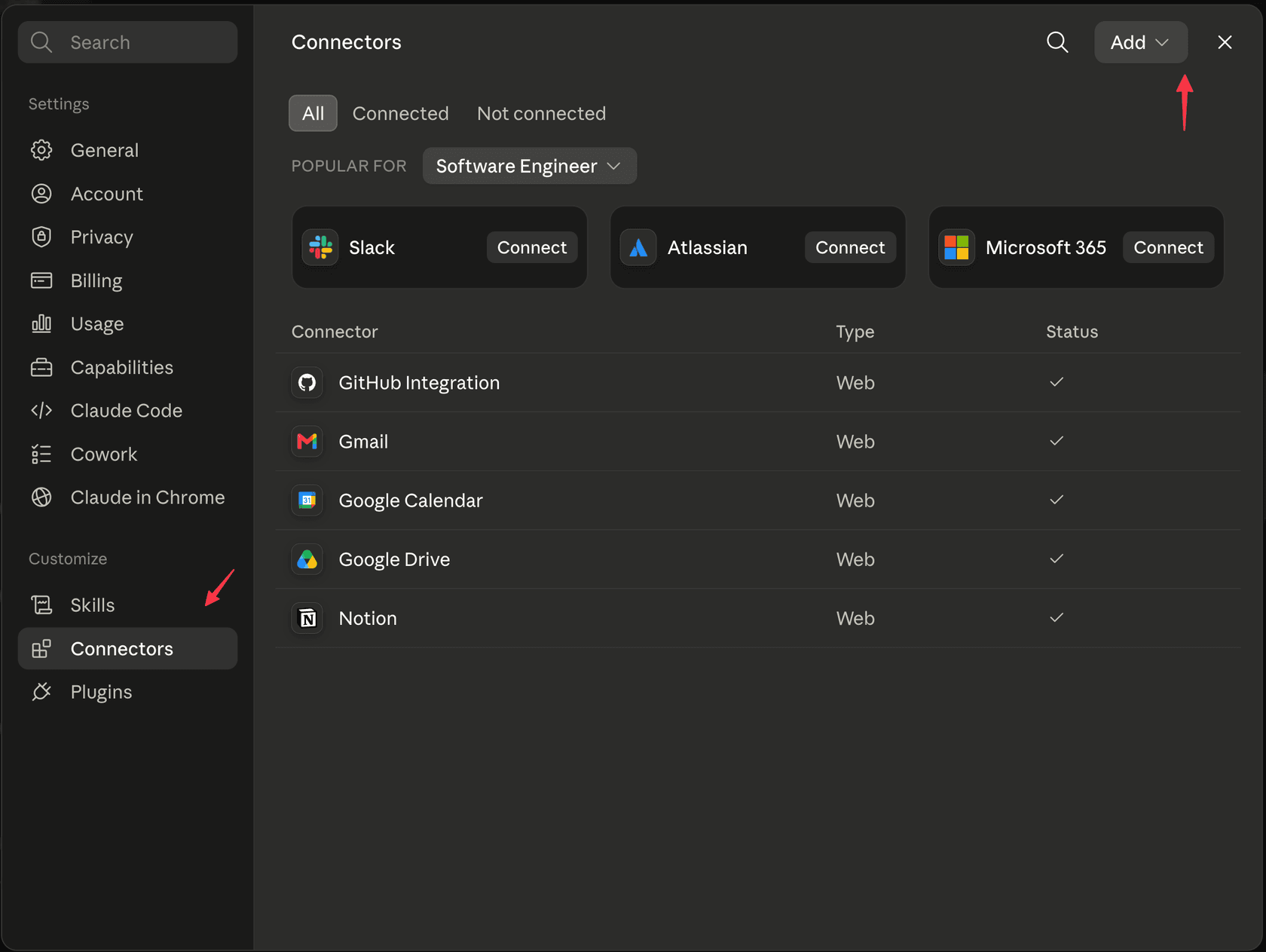
Claude. Custom connectors work on Free (one connector), Pro, Max, Ultra, Team and Enterprise.
- Open Customize, then Connectors.
- Choose Add, then "Add custom connector".
- Name it and paste the full URL, including the
/mcppath. - Pick the sign-in option, then turn the connector on in a chat from the "+" menu.
On Team and Enterprise, only owners can add a custom connector, and members then connect it for themselves. One detail that trips up self-built servers: Claude connects from Anthropic's cloud, so the server has to be reachable from the public internet on port 443.
ChatGPT. Custom MCP servers are available on Business and Enterprise/Edu on the web, added under Plugins with "Add custom MCP server". On Business, only admins and owners can create them. Pro accounts can connect with read and fetch permissions only. That makes a read-only help center server the version that works on every ChatGPT surface, since anything with write tools narrows to the business plans. If you're building for ChatGPT specifically, my ChatGPT connector guide covers the plugin flow.
Coding tools. Claude Code, Cursor, Codex and VS Code all take the same URL. GitBook's docs, for example, give claude mcp add --transport http my-docs <url> for Claude Code. My Claude Code MCP tools post covers that side.
Should you build your own help center MCP server?
Build one only if your articles live on a custom site, or if your platform's server is staff-only and you want customers' assistants to read your help center too. Otherwise you're maintaining code to get what your platform already runs.
If you do build, keep it small. Three tools cover almost every question:
| Tool | What it does | Why it's there |
|---|---|---|
search_articles | Takes a question, returns 5 to 10 titles, snippets and URLs | Lets the model choose before reading |
get_article | Returns one full article by ID or URL | Gives the model the full answer, with a link |
list_categories | Returns your section tree | Helps when a question is vague |
The rest is plumbing. Use the official SDK and the Streamable HTTP transport. Serve only published articles. Mark the tools read-only. For a public help center, no sign-in is a reasonable choice. For private articles, use OAuth, and if ChatGPT is a target, issue refresh tokens, because without offline_access ChatGPT can lose access when the first sign-in expires. Then list your server in the official MCP Registry, which is still in preview, so clients can find it.
If you're weighing a server against a plain API, one Hacker News commenter put the skeptic's case well:
"As far as I can tell MCP is just "we bothered to document our api in a programatically readable way"."

That's fair, and it's also the point. A help center vendor on the same site said their customers asked for MCP because they already live in AI tools:
"An API would work for all of these cases too, but since customers are using it in their AI tools anyway, MCP is just simpler for them."
The same commenter added that their public WebMCP endpoint for outside agents hadn't seen use yet, while the admin tools for reorganizing articles had. That matches what the vendor table above suggests: today, help center MCP is mostly a tool for the team that writes the help center, with public reading as a slower second act.
What can go wrong with a help center MCP server?
The read side is low risk. The write side is where you need rules. A server that can only search and read published articles exposes what's already public. A server that can create, update, publish or delete articles can be steered by whatever text the model reads.
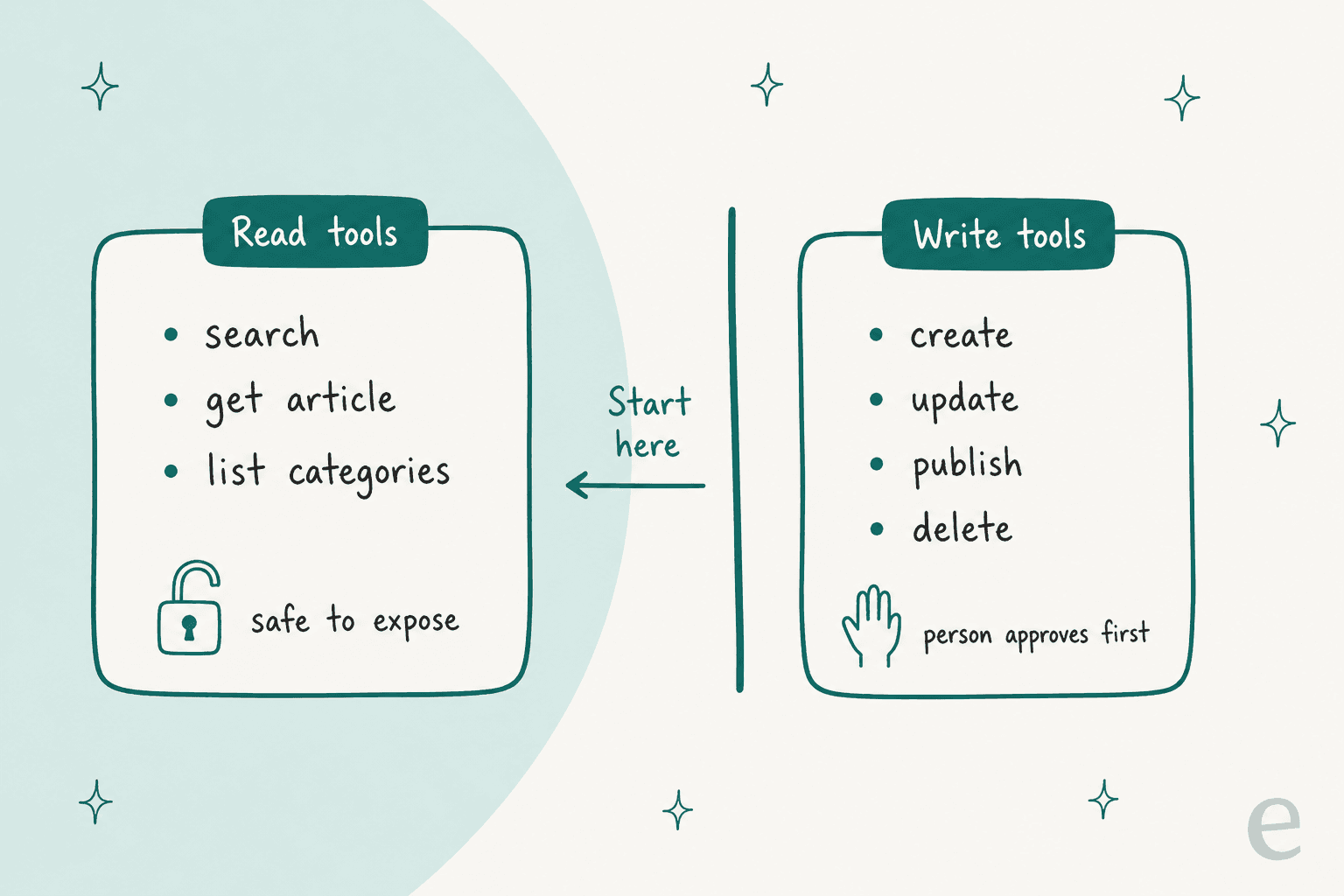
The spec is direct about this. Its tools page says there should always be a human in the loop who can deny tool calls, and that tool descriptions should be treated as untrusted unless they come from a trusted server. Anthropic's connector guide warns about prompt injection, meaning hidden instructions a malicious server or document can slip to the model. One developer described the support version of that risk plainly:
"A program that has its own workflow but uses LLMs can have pretty much the same benefit without introducing the problem that a support ticket can tell it to exfiltrate data or delete data or whatever, simply because that workflow is more specialized in what it does."
Four practical rules I'd set:
- Public servers are read-only. No exceptions.
- Write tools ask first. Gorgias saves article edits as drafts, and Zendesk asks a person to confirm changes. Copy those defaults.
- Check who can connect. Freshdesk's server is on by default for any agent with an API key, and Help Scout has no account-wide off switch. Know that before an audit asks you.
- Hidden isn't private. On GitBook, hidden pages stay reachable through MCP. Unpublish anything that shouldn't be read.
Help center MCP server or llms.txt?
Do both, in order. llms.txt is a static index an AI reads once. An MCP server answers live questions with the exact article. Some developers find a static copy works better for coding agents; one wrote that after a year of trying RAG, web search, llms.txt and MCP servers, "local documentation works best for coding agents" (ryoppippi, Hacker News). For support content, where articles change weekly, the live server has the edge, and buyers are starting to expect it:
"No MCP I can install so Cursor can query. Prob no llms.txt. No quick Copy to Markdown. This stuff is table stakes, if you don't have it and a competitor does, I'm not even considering you guys"
That quote is about developer docs, but the expectation is spreading to product help centers. The sequence I'd follow: fix the articles, add llms.txt and markdown versions, then the MCP server. The readability checklist has the first two steps, and RAG vs fine-tuning for help centers explains why live retrieval beats training a model on your articles.
How eesel uses your help center (and your MCP server)
Here's the part most MCP guides skip. Exposing your help center to outside assistants is one job. Answering your own customers' tickets from it is a bigger one, and that happens inside your helpdesk, not in someone's Claude window.
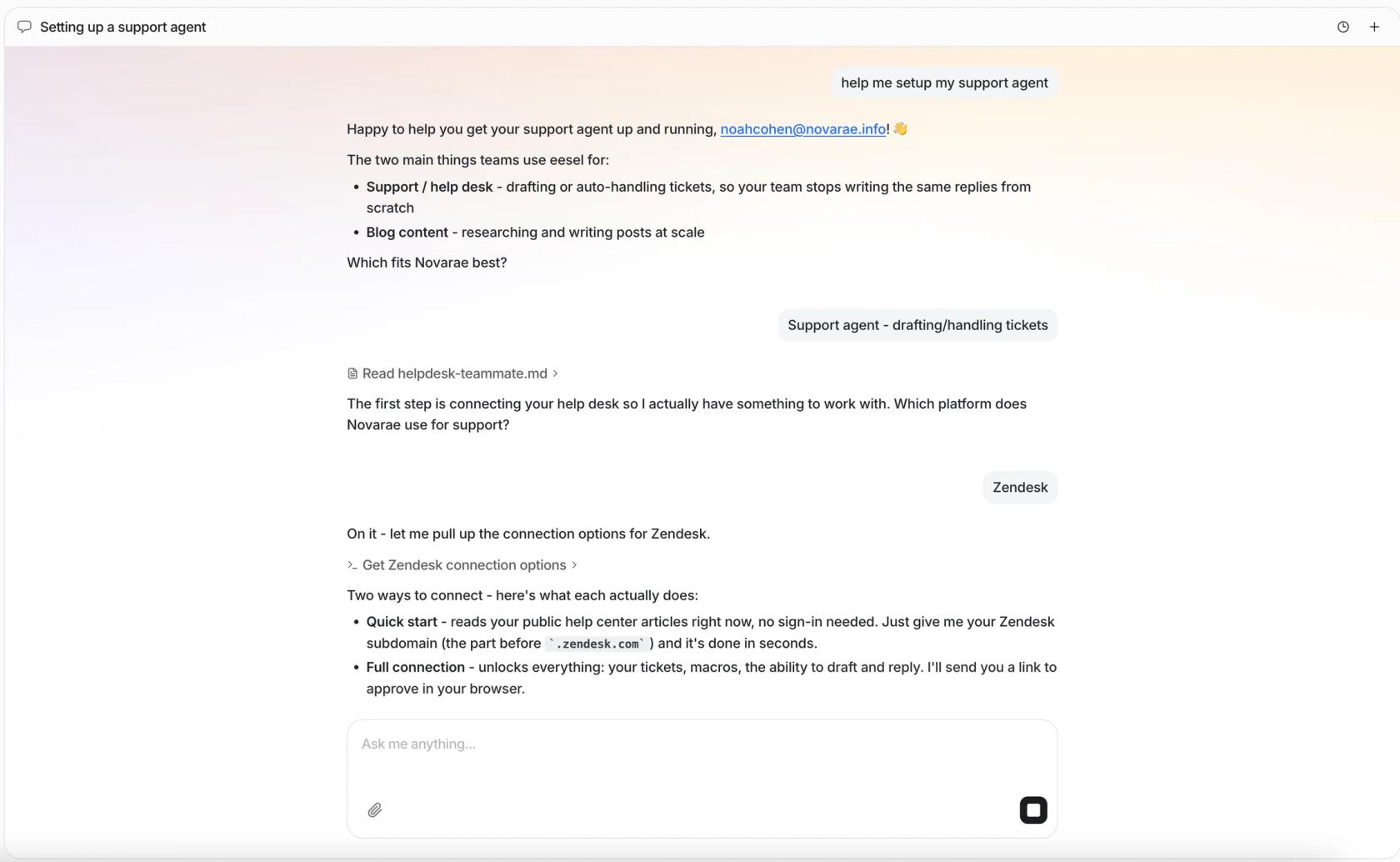
That's the job the eesel AI helpdesk teammate does. It connects to Zendesk, Freshdesk, Help Scout, HubSpot and Gorgias, reads the help center and past tickets, and drafts or sends replies there. A few real setups:
- Lesson Pro runs eesel on two Zendesk accounts. It reads the help center, past tickets and the GOSKATE website, about 4,000 sources in all, and weekly syncs pull in new articles. In one month it worked about 1,900 Zendesk tickets and left about 1,700 internal notes.
- MentorShow runs it on HubSpot, where it ran 837 knowledge base searches across 123 HubSpot articles and 5 uploaded files in a month, writing 432 reply drafts in French, English or Spanish.
- Timengo keeps knowledge current on a schedule: the Freshdesk help center re-syncs every Sunday evening and its product docs are re-crawled every Monday.
- SamCart answers Freshdesk tickets and website chat from the same 280 help center articles, linking public articles only.
And if your docs platform already runs an MCP server, eesel can use it. Per eesel's integration docs, you give the agent the link in chat, approve it, and the server's tools show up for the agent. Tools the server marks read-only run on their own, and the rest ask a person first. For OAuth servers like a Mintlify site's signed-in MCP, you paste a client ID and secret into a private form and eesel refreshes the token itself.
It works the other way too. Your eesel workspace is itself an MCP server, so you can add it to Claude as a custom connector and ask "what did eesel answer from the refund article today?" The same tools are available from a terminal, which my AI agent CLI post walks through.
Try eesel
If you've just found out your help center already has an MCP server, the next question is who's going to use it. eesel puts it to work on your actual queue: it reads your help center and past tickets in Help Scout, Gorgias or your other helpdesk, drafts replies your team can send, and can link a public or key-based MCP server your docs platform already runs. You can see it work on your own articles before your customers do. Try eesel.