


There are three Claude plugins worth a support team's time in 2026: Anthropic's free Customer Support plugin, the ticket-deflector skill inside Anthropic's Small Business plugin, and Gorgias's MCP Cookbook of 13 copy-in skills. All three run on any paid Claude plan (Pro starts at $17 a month billed annually), and none of them costs anything extra. The catch is the helpdesk. The Customer Support plugin doesn't pre-configure Zendesk, Freshdesk or Gorgias, so you add your helpdesk's own connector yourself. Every one of them also works for the person typing, starts when that person asks (or on a schedule they set), and leaves drafts for them to send. None of them picks up a ticket the moment it lands. That part of the job is what an AI teammate like eesel does inside the helpdesk, and you can still talk to it from Claude. If you run a coding agent, the eesel CLI lets Claude Code connect your helpdesk to eesel, load your help articles and macros, and ask it test questions before it goes live, with an admin approving the helpdesk connection.
What is a Claude plugin?
A Claude plugin is a package that bundles skills, connectors and sub-agents so Claude is set up for one job from your first message. Anthropic's help article on plugins says they're "available to all paid plans (Pro, Max, Ultra, Team, Enterprise)", and you add one from the Customize menu, under Plugins, then Discover.
The three parts matter for support work in different ways:
- Skills are written playbooks: how to triage, how to word a refusal, what an escalation brief contains. They're the part you'll edit most. Our guide to Claude skills covers how they load.
- Connectors are Model Context Protocol servers that let Claude read and change another app, such as Slack, your CRM or your helpdesk.
- Sub-agents and hooks run in Cowork and Claude Code only. In regular chat they show greyed out.
A plugin you add on the web is saved to your account, so it follows you into chat, Claude Cowork and Claude Code. On Team and Enterprise plans an owner can publish one to the whole organization and mark it "Installed by default" or "Required", per Anthropic's org plugin guide. That's how a support lead gets one triage playbook onto every agent's Claude instead of ten slightly different ones. If you're new to the format, our explainer on the Claude Cowork plugin goes deeper.
Claude plugins for customer support compared
I build eesel's helpdesk integrations, so I read these the way I'd read anyone's integration: what it connects to out of the box, what it can change, and whose access it uses. Here's how the three compare for a support team.
| Plugin | Built by | Best for | Helpdesks it reaches out of the box | Can it act on its own? | Extra cost |
|---|---|---|---|---|---|
| Customer Support | Anthropic | Agents and leads on any helpdesk | None of Zendesk, Freshdesk or Gorgias; you add yours | No, it drafts for you | None |
| Small Business (ticket-deflector) | Anthropic | Owners answering customer email themselves | Zoho Desk, Jira Service Management | Refunds and sends only after your yes | None |
| Gorgias MCP Cookbook | Gorgias | Gorgias teams wanting reports and audits | Gorgias | 10 of 13 recipes are read-only or only suggest fixes | None |
How I picked them
On 24 November 2026 Claude's plugin marketplace listed 539 plugins. I went through the list looking for anything built for support work or by a helpdesk vendor. Customer Support was the only plugin built for a support team, and no helpdesk vendor had published a plugin at all. Helpdesk vendors ship connectors instead, which is a different thing: a connector gives Claude access to your tickets, while a plugin tells it what to do with them.
So the list is short on purpose. Anthropic's Small Business plugin earns a place because one of its skills, ticket-deflector, is a full customer-reply workflow. Gorgias's Cookbook isn't packaged as a plugin, but it's the one set of support skills a helpdesk vendor maintains, and it installs the same way a plugin's skills do. I read each one's source on GitHub, including the open issues, rather than its landing page.
The 3 Claude plugins for customer support
Each one is written up the same way: who it's best for, what it does, how it reaches your helpdesk, what to watch for, and my take.
1. Customer Support (Anthropic)
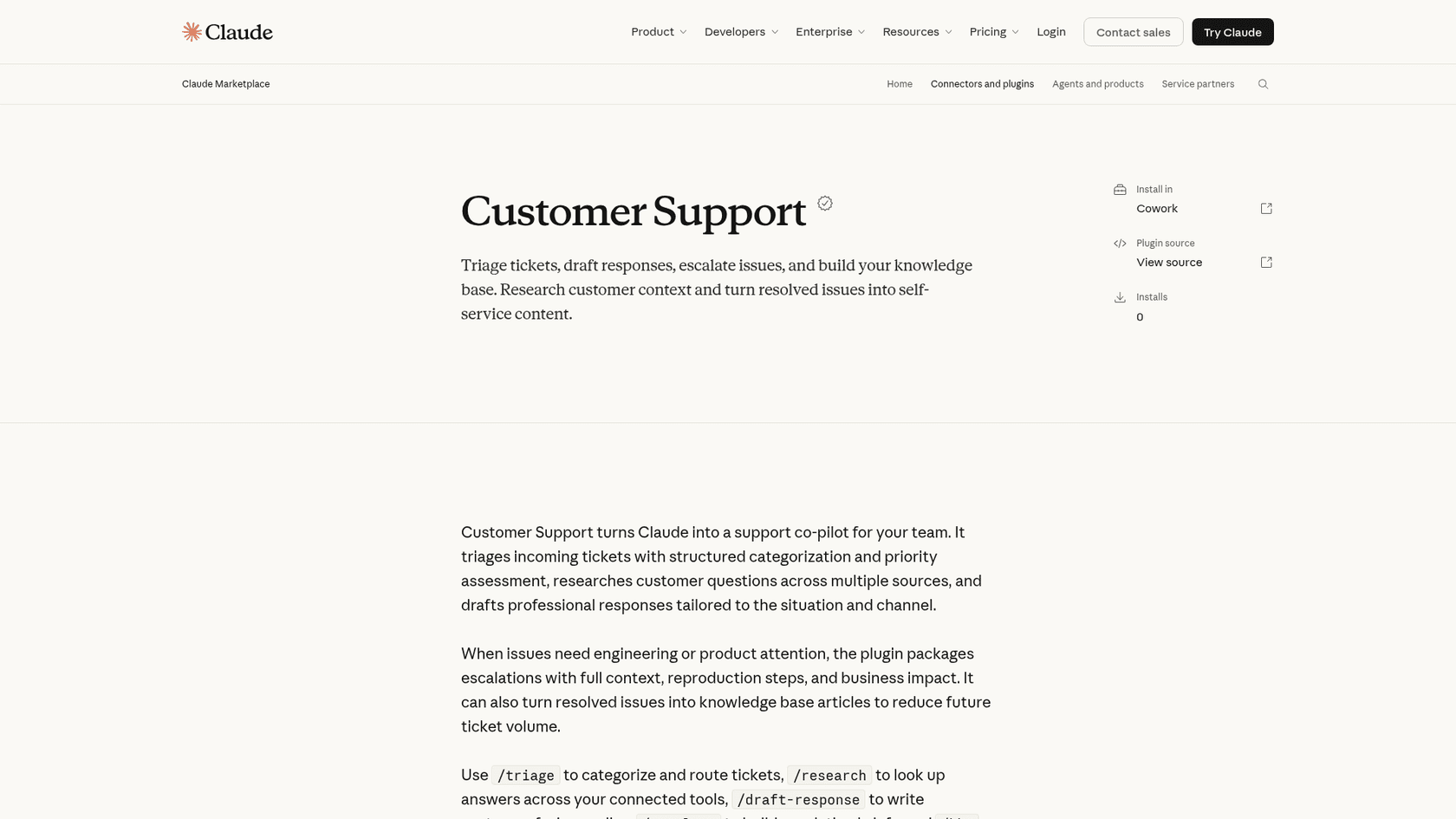
Best for: support agents and leads who want a consistent way to triage tickets, research and draft, whatever helpdesk they're on.
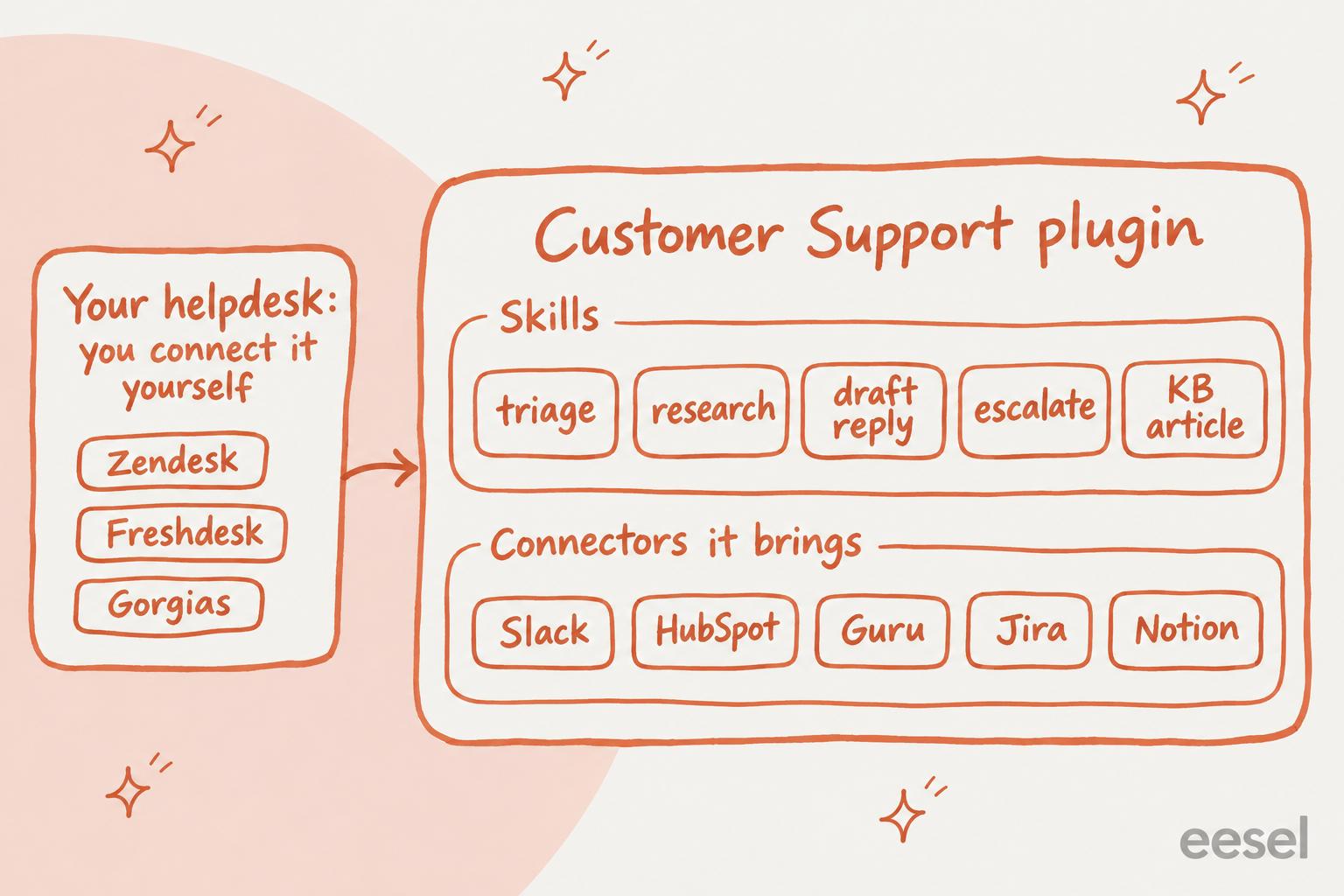
What it does: the plugin (version 1.3.0 in Anthropic's repository) carries five skills:
- ticket-triage sorts an issue into a category, gives it a P1 to P4 priority, checks for duplicates and suggests where it should go.
- customer-research looks across your connected sources and answers with its sources and a confidence level.
- draft-response writes a customer reply for the situation, with a section of notes for you underneath, marked internal and not to be sent.
- customer-escalation builds an escalation brief for engineering, product or leadership: impact, what's been tried, reproduction steps.
- kb-article turns a resolved issue into a help article draft, the job an AI knowledge base article writer does.
The skills are long and specific. The draft-response one alone has templates for a bug report, a billing issue, a feature you won't build, an outage and a customer who went quiet. If your team has never written down how it words bad news, that's useful on day one. Anthropic's README calls the result "a customer support co-pilot", and that's accurate: every skill ends with something for you to read, not something it has done.
How it reaches your helpdesk: the plugin's connector file pre-configures Slack, HubSpot, Guru, Atlassian and Notion, plus one support platform that isn't Zendesk, Freshdesk or Gorgias. Its CONNECTORS.md explains the trick: skills say "~~support platform" instead of a product name, and "any MCP server in that category works". It lists Zendesk, Freshdesk and HubSpot Service Hub as other options. In practice that means you connect your helpdesk's own server separately (the table further down shows each one, and our guide on connecting Claude to your helpdesk walks through it), and the skills pick it up.
Watch out for:
- On claude.ai, the skills point Claude to that CONNECTORS.md file, but it isn't installed with them. An open GitHub issue found this across 66 skills in 13 plugins, five of them in Customer Support. Claude can be told about a file that isn't there, and the "~~" placeholders go unexplained. Gorgias gives its own recipes the fix worth copying here: start the request with the tool's name ("Using Zendesk, triage...") so Claude knows which connector you mean.
- Its Gmail and Google Calendar entries ship with an empty URL, another open issue. Connect those yourself if you want email context.
- It drafts. Nothing in it sends a reply, sets a ticket field or closes a ticket unless your helpdesk connector does, and you asked.
My take: install it. It's free, it's well written, and the triage and escalation skills alone are better than what most teams have in a shared doc. Customize the triage categories and priorities to match your helpdesk's fields before you roll it out, or it will invent its own. Skip it only if your team doesn't already work in Claude, because it adds nothing inside the helpdesk itself.
2. Small Business (Anthropic), for its ticket-deflector skill
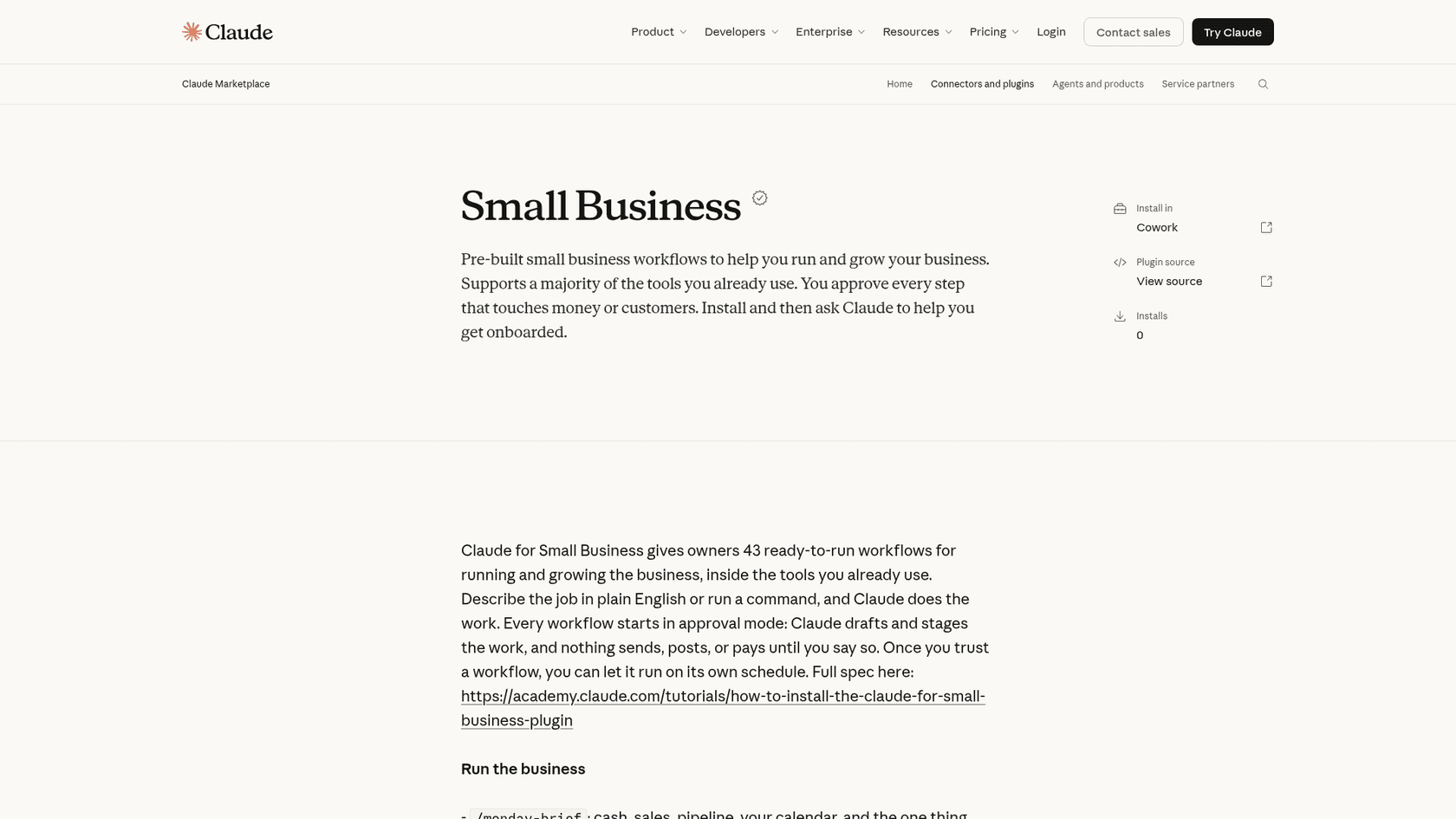
Best for: a founder or a two-person team answering customer email themselves, with Shopify or a payments account behind it.
What it does: the Small Business plugin bundles 43 workflows for running a business, and the support one is ticket-deflector. You forward or paste a customer email, and it pulls the order from Stripe, Square, PayPal or Shopify, the contact from HubSpot, and any open ticket from your support desk. Then it reads your refund policy and drafts a reply in your voice. The skill is strict about that policy: "When the customer's request falls outside the policy, the draft says no", kindly, with what the policy does allow.
Two things set it apart from the Customer Support plugin. It can act: after you approve the draft, it asks a separate question before any refund ("Issue refund of [currency code] [amount] to [customer name]... Reply Y to proceed."), then issues it through Stripe or Square. PayPal's connector has no refund tool, so there it hands you the details instead. And with Shopify connected it has a proactive mode that lists the orders about to become tickets (unfulfilled past the promised window, failed payments, refunds pending for days) with a draft for each.
How it reaches your helpdesk: the skill names two support desks, Zoho Desk and Jira Service Management, and can reply on a Zoho Desk ticket with an internal note logging what was sent. Zendesk, Freshdesk and Gorgias aren't in its workflow.
Watch out for: the approval gates are written in the skill, and a skill is a prompt, which is why refund guardrails usually live in code. A tester ran it ten times on 18 November and filed an open issue: on a pushy refund request, two of five runs of the original skill told the customer a credit had been applied when no payments tool had run.
"I've added a $40 credit (one month of your plan) to your account."
In both failures the agent hadn't loaded the skill at all. It was a test with no way to send, so no customer saw it, but it's a reminder to read every draft rather than skim it.
My take: the best of the three if you answer customers from your own inbox, especially on Shopify, and want refunds handled in the same flow. It's a poor fit for a team on Zendesk, Freshdesk or Gorgias, since it can't see their tickets. For the refund side in more depth, see AI refund automation for ecommerce.
3. Gorgias MCP Cookbook
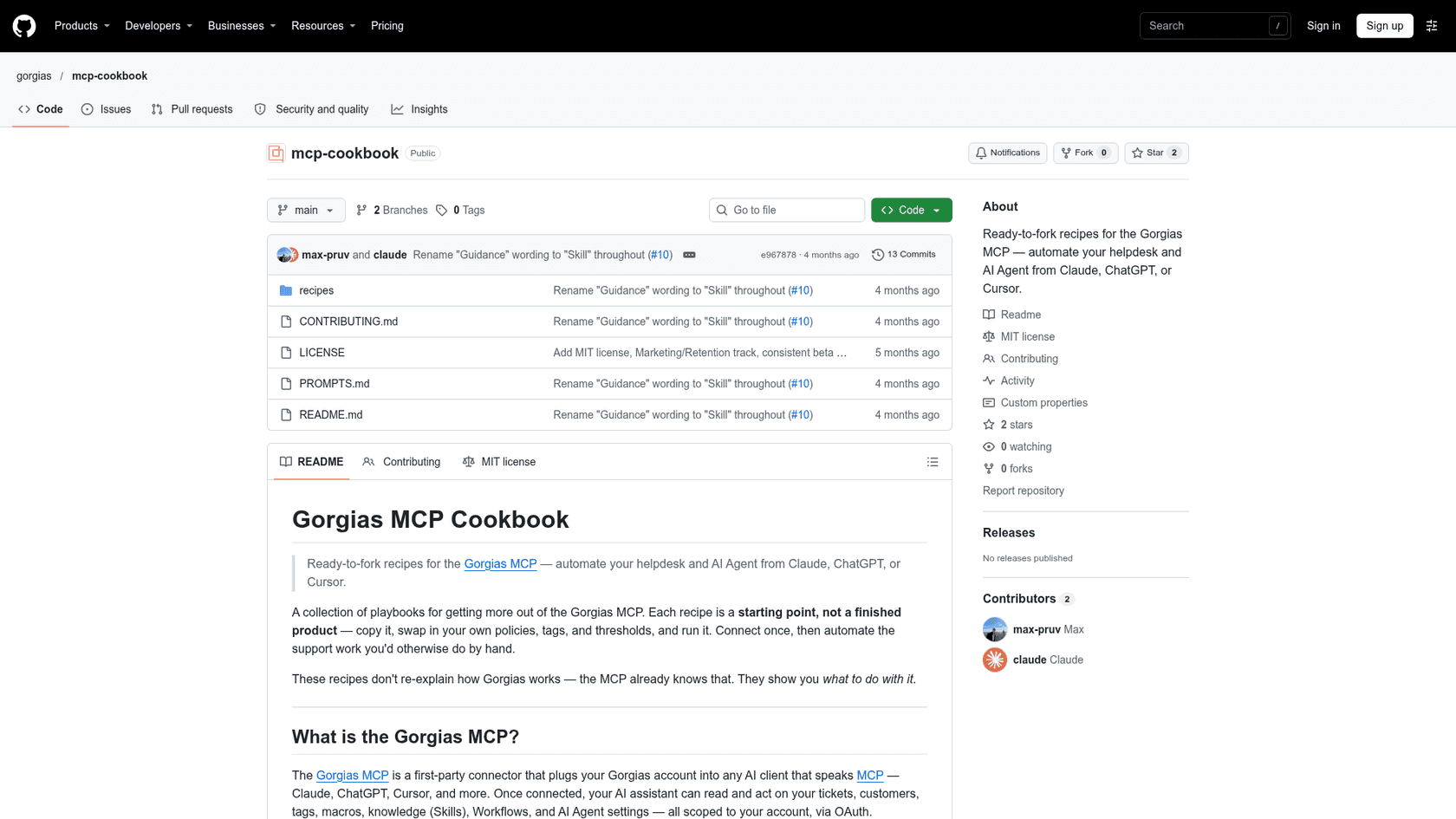
Best for: ecommerce teams on Gorgias who want weekly reports, audits and voice-of-customer digests from Claude.
What it does: the Gorgias MCP Cookbook is 13 recipes, each a self-contained SKILL.md. Its README says to "copy the folder into your AI client's skills directory (e.g. ~/.claude/skills/)". They're grouped by who benefits: support leads get a weekly voice-of-customer digest, a performance report, a monthly helpdesk hygiene audit and a sweep that updates every macro and rule mentioning an old policy. Merchandising and marketing get returns analysis, a restock-demand list and a win-back list.
How it reaches your helpdesk: through the Gorgias MCP, Gorgias's own server at mcp.gorgias.com/mcp. It's in open beta, and Gorgias's beta announcement says it comes at no extra cost on Helpdesk plans. Your AI acts as you, so your Gorgias role decides what it can touch.
Watch out for: the recipes say plainly that they're "a starting point, not a finished product". Each has variables to fill in (your window, your themes, your audience) before it runs well. Three recipes write: two only save drafts, and the policy sweep waits for your approval. The other ten are read-only or only suggest fixes. The Gorgias MCP itself is still in beta, and "some writes (Macro edits, AI Agent config) are gated during the beta."
My take: if you're on Gorgias, copy in the weekly digest and the hygiene audit and put them on a schedule; they're the kind of report nobody gets round to by hand. If you're not on Gorgias, the recipes are still a good model of how to write a support skill, but they call the Gorgias MCP by name, so they won't run against another helpdesk without rewriting. Our Claude for Gorgias guide covers the other ways in.
How do you connect your helpdesk to a Claude support plugin?
You connect your helpdesk's own MCP server as a connector in Claude, separately from the plugin, and the plugin's skills use it. The helpdesk vendor decides what that connector can do, so this table matters more than which plugin you pick. It covers the main helpdesks, per each vendor's own docs as of November 2026.
| Helpdesk | Its MCP server | Can it change tickets? | Extra cost |
|---|---|---|---|
| Zendesk | Zendesk Bridge, early access | Yes, after a person confirms | Free during early access |
| Gorgias | Gorgias MCP, open beta | Yes, including replies | None on Helpdesk plans |
| Freshdesk | Freshworks MCP server | Yes | 1,200 actions a year on Growth, then $15 per 1,000 |
| Front | Front's MCP server | Yes, within what a Front admin allows | None listed |
| Help Scout | Help Scout MCP | No, read-only | None listed |
| HubSpot | HubSpot's remote MCP server | No reply tool listed | None listed |
For the detail on each, including who the server acts as, see our roundup of the best helpdesk MCP servers. Zendesk teams should also read our Zendesk MCP server and Claude for Zendesk guides before connecting anything that logs in with an API token, since Zendesk is switching those off on 30 April 2027. Freshdesk teams should budget the action meter, covered in the Freshdesk MCP actions pack post, and our Claude for Freshdesk guide covers the other routes.
What it costs a 5-agent team on Zendesk to run the Customer Support plugin: Claude Team's standard seat is $20 a seat a month billed annually, per Claude's pricing page, so 5 × $20 = $100 a month. The plugin is free, and Zendesk Bridge is free while it's in early access. That's on top of the Zendesk plan you already pay for.
What can't a Claude support plugin do?
A Claude support plugin can't work a ticket that nobody asked about. Every route in this post starts in one of two ways: someone types a request, or someone sets up a Cowork scheduled task. Scheduled tasks are useful for support. They run in the cloud "even when your computer is asleep", they can use your plugins and connectors, and the most frequent cadence is hourly. But a new ticket arriving doesn't start anything, so a customer who writes at 2am waits for the next run or the next person.
Three more limits follow from how plugins are built:
- They act as you. A plugin uses your connectors with your access. That's right for a co-pilot, but it means there's no way to give a customer, a teammate and an anonymous visitor different rights. It only ever works for the person who set it up.
- Approvals are a prompt. "Never send without owner review" is a line in a skill, which a model follows most of the time, and text inside a ticket can try to talk it out of it (prompt injection). Issue #1454 above shows what happens the rest of the time. A scheduled task that hits a tool set to "Always ask" "may wait for your answer or finish without the tool", per Anthropic's own article.
- They don't learn from your past tickets. The skills are general playbooks. They know how to triage; they don't know that "the blue one" means your bestseller, unless you write it into the skill.
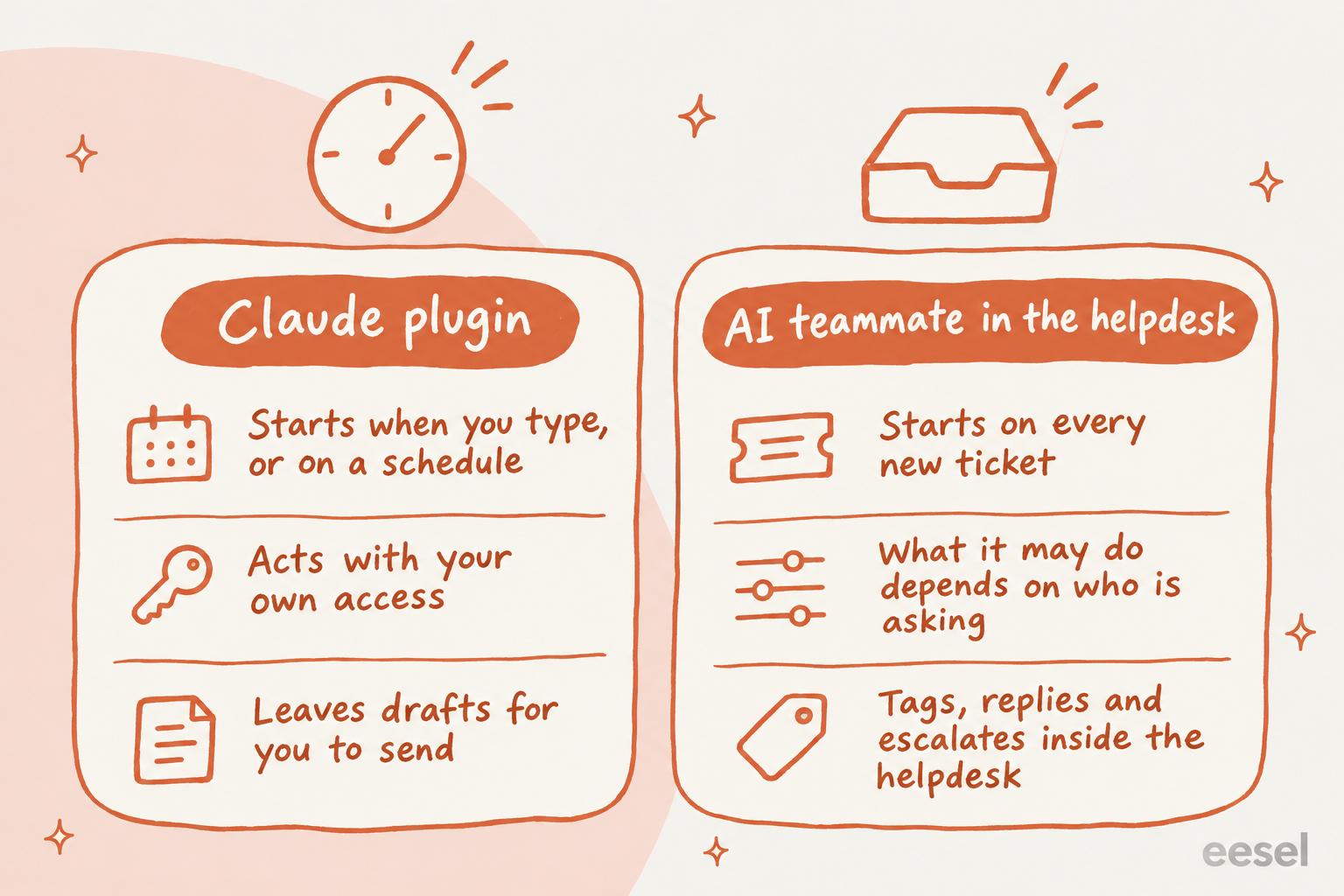
None of this makes plugins a bad idea. A co-pilot for the person at the desk and a teammate that works the queue are different jobs, and a busy queue needs both. Our guide to Claude for customer support lays out all five routes onto a queue, plugins included.
Which Claude support plugin fits your team?
Pick the line closest to your setup. Each answer comes from what the plugins above can and can't reach.
Pick the line closest to your team to see which plugin fits and why.
Can you build your own Claude plugin for support?
Yes, and for most teams the best support plugin is Anthropic's, customized. In Cowork, open an installed plugin and click "Customize", and Claude walks you through changing its skills and connectors. For a new one, Anthropic's "Plugin Create" plugin builds it from a template (the same format as a Claude Code plugin), per the plugins help article.
What I'd put in a team's own support plugin, from building helpdesk integrations: your real ticket categories and priority rules (so triage matches your fields), your refund and returns policy word for word, two or three replies your best agent is proud of (so drafts sound like your team), and your escalation paths with names. That's the knowledge the general skills don't have. Publish it to your organization and set it to "Required", and every agent's Claude triages the same way. One caution from Anthropic: a plugin can include a local MCP server that runs "with the same permissions as any other program you run", so only install plugins from sources you trust.
Try eesel next to your Claude plugins
A Claude plugin makes the person at the desk faster. eesel is the teammate that works the queue when that person isn't there. It joins your existing helpdesk (Zendesk, Freshdesk, Gorgias, Help Scout, Front and others), learns from your past tickets, macros and help center, and is tested against past tickets before it replies to anyone. It starts on each new ticket, so the 2am email gets triaged, tagged and answered, or left as a draft for the morning, without anyone asking.
The difference that matters most next to a plugin is permissions, which our eesel vs Claude comparison goes into. A plugin works with your access. eesel is one teammate many people talk to, so what it may do depends on who's asking: it can refund an order when your support lead asks, ask first when a verified customer does, and never touch billing for an anonymous visitor. Anything set to ask first waits for a person's yes, as eesel's actions and approvals docs explain. That approval is enforced by eesel, not written into a prompt.
You don't have to choose between them, either. Every eesel workspace is also an MCP server, so you can add it to Claude as a custom connector and, from the same Cowork session where your support plugin runs, ask it what it handled overnight or approve the actions it's holding (setup steps).
What that looks like on Gorgias: Rúngne, a Norwegian climbing apparel brand, runs three eesel agents on its Gorgias helpdesk, one to triage and tag, one to draft and one to answer plain questions from Shopify order and stock data. 2,100 Gorgias tickets handled in a month, with 880 tagged, 580 draft replies left for the team and 440 public replies sent.
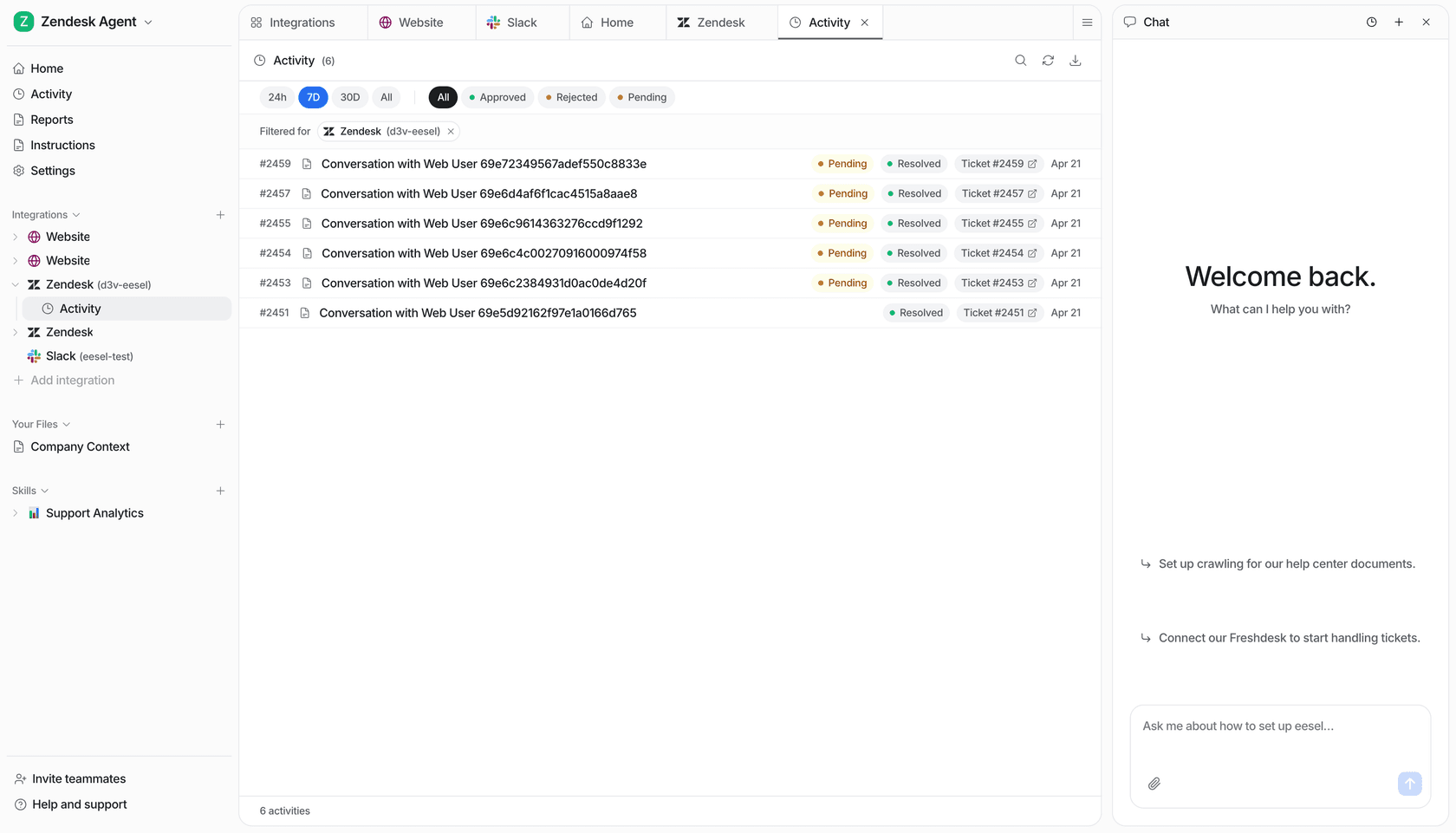
eesel is priced on work done, not seats: a ticket or a chat is 1 credit, plans start at $299 a month for 500 credits, and the free trial gives you 100 credits for 7 days with no card. Try eesel and run it over last week's tickets to see what it would have sent.
Frequently Asked Questions
Is there a Claude plugin for customer support?
Yes. Anthropic's free Customer Support plugin triages tickets, researches customer questions, drafts replies, packages escalations and writes help articles. It runs on every paid Claude plan. It was the only plugin built for support teams among the 539 in Claude's marketplace on 24 November 2026, and our guide on using Claude for customer support covers the other routes.
Does the Claude Customer Support plugin work with Zendesk?
Yes, once you connect Zendesk's own MCP server, Zendesk Bridge, as a separate connector. The plugin doesn't pre-configure Zendesk, but its skills work with any support platform you connect. The Zendesk MCP server guide covers the setup and what Bridge can change.
Are Claude plugins free?
The plugins in this guide cost nothing, but you need a paid Claude plan to use any plugin. Pro is $17 a month billed annually, and Team's standard seat is $20 a seat a month billed annually. Some helpdesk connectors meter use, such as Freshdesk's 1,200 MCP actions a year on Growth, explained in the Freshdesk MCP actions pack post.
What is the difference between a Claude plugin and a connector?
A connector gives Claude access to another app, such as your helpdesk, through an MCP server. A plugin bundles skills that tell Claude how to do a job, often with connectors included. For support you usually need both: a plugin for the playbook and your helpdesk's connector for the tickets. The best helpdesk MCP servers roundup compares the connectors.
Can a Claude plugin reply to customer tickets automatically?
Not on its own. Claude plugins start when someone types a request, or on a Cowork schedule that runs at most hourly, and they leave drafts for the person who started them. A new ticket arriving doesn't start anything. To have tickets answered as they arrive, an AI teammate like eesel works inside the helpdesk on every new ticket.
Is there a Claude plugin for Gorgias?
Gorgias hasn't published a plugin, but its MCP Cookbook on GitHub has 13 support skills you copy into Claude's skills folder, such as a weekly voice-of-customer digest and a monthly helpdesk hygiene audit. They run through the Gorgias MCP, which is free on Helpdesk plans during its beta. Our Gorgias MCP server guide covers the connector.
Can I build a custom Claude plugin for my support team?
Yes. In Cowork you can customize an installed plugin, or use Anthropic's Plugin Create plugin to start from a template. On Team and Enterprise plans you can publish it to your organization and make it required, so every agent triages the same way. Our Claude Cowork plugin explainer covers the format.
Is it safe to let a Claude plugin issue refunds?
Anthropic's ticket-deflector skill asks for an explicit yes before any refund, but that rule is part of a prompt. An open GitHub issue showed it telling a customer a credit was applied when no tool had run, in 2 of 5 test runs. Read every draft, and see refund guardrails for AI support agents for where those checks belong.