


The four ChatGPT apps worth connecting for customer support in 2026 are OpenAI's own Zendesk (Beta) plugin, the Gorgias MCP, Front's plugin and Help Scout's read-only connector. Each one is free inside any ChatGPT plan that can use it, and each lets an agent read tickets, research a customer and draft replies without leaving ChatGPT. ChatGPT now calls these apps plugins. What none of them does is notice a new ticket. ChatGPT can start a task when you type, on a schedule that runs at most hourly, or on an event from Gmail, Slack or GitHub, but not on a ticket landing in your helpdesk. That part of the job is what an AI teammate like eesel does inside the helpdesk itself. If you work with a coding agent such as Codex or Claude Code, the eesel CLI lets it load your help articles and macros into eesel and ask test questions before anything goes live, with an admin approving the helpdesk connection.
What are ChatGPT apps now?
A ChatGPT app connects ChatGPT to another service, such as your helpdesk, so it can read records and take actions there. OpenAI has folded apps into plugins: per OpenAI's help article on plugins, a plugin can include connected apps, skills (written instructions for a workflow), app templates for admins, and interactive views. "Some plugins include multiple apps. Others include only skills and do not require an app connection." So when a helpdesk vendor says it has a "ChatGPT plugin", it usually means an app that reaches its Model Context Protocol server.
You find them under Plugins in the ChatGPT sidebar on web, desktop or mobile. Once one is installed, ChatGPT uses it when it's relevant to your request, or you call it with an @ mention. Installing a plugin never widens your access: "installation cannot bypass provider or workspace permissions", so the helpdesk still decides what your login can see and change. If you've read our older guides to apps in ChatGPT or the ChatGPT apps directory, this is the same idea under a new name, with skills added.
ChatGPT apps for customer support compared
I build eesel's AI agents, so I read these the way I'd read anyone's agent setup: what it can reach, what it can change, and whose login it uses. Here's how the four compare.
| App | Built by | Best for | Can it change tickets? | How you add it | Extra cost |
|---|---|---|---|---|---|
| Zendesk (Beta) | OpenAI | Zendesk agents and leads | Yes, when you ask | Plugin directory | None in ChatGPT |
| Gorgias MCP | Gorgias | Ecommerce teams on Gorgias | Yes, some writes gated in beta | Plugin directory | None on Helpdesk plans |
| Front | Front | Shared-inbox teams on Front | Yes, within what a Front admin allows | Plugin directory | None listed |
| Help Scout MCP | Help Scout | Help Scout teams wanting reports | No, read-only | Custom connector | Needs Standard plan or above |
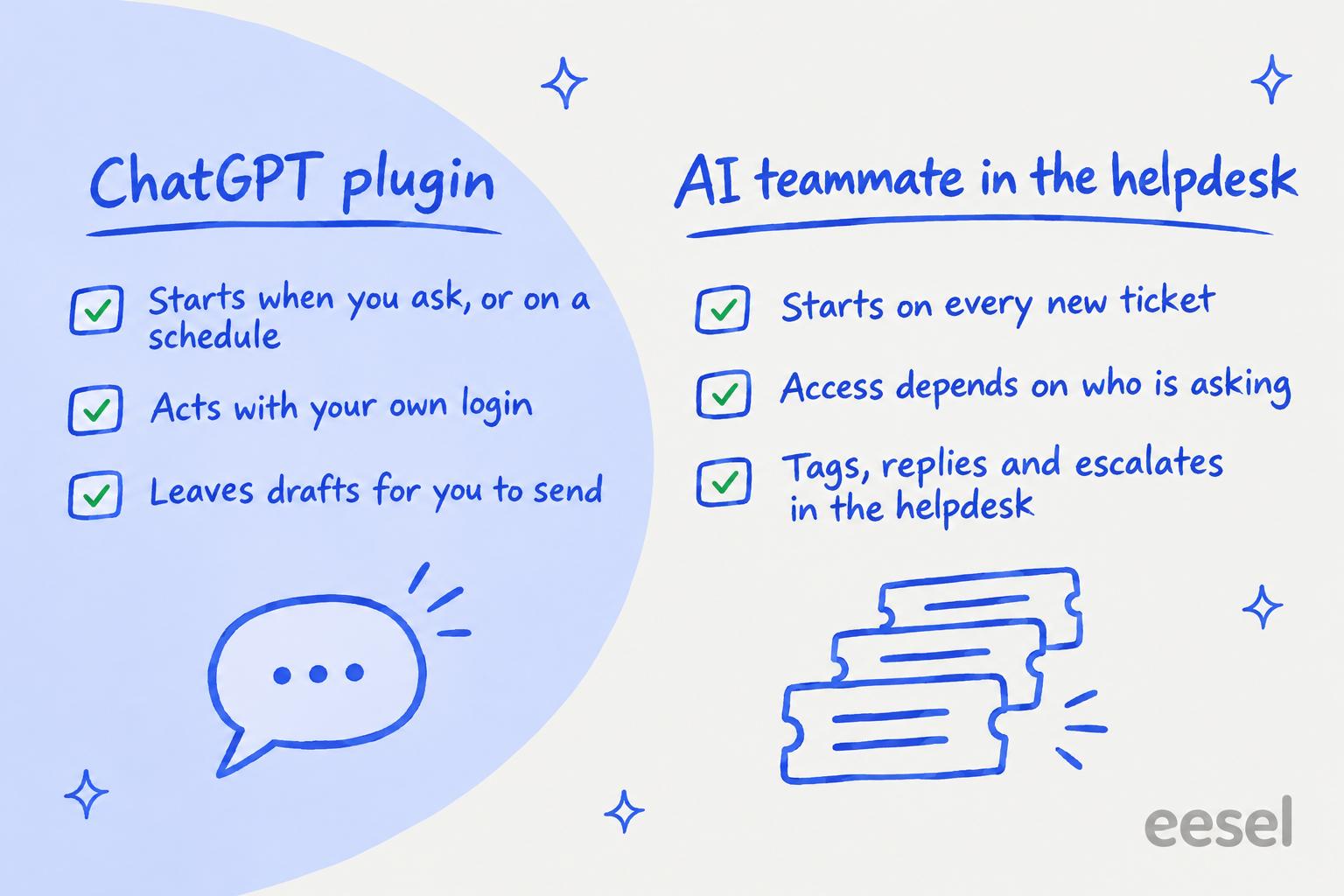
All four sign each agent in with their own helpdesk account, so two people asking the same question can get different answers. That's the right default for a co-pilot.
How I picked them
OpenAI's public plugin pages listed 20 plugins under Customer Support on 24 November 2026. Nine of them were built for support work; the rest are general tools like Gmail, Slack and Salesforce. The public pages don't show every plugin in the in-app directory, either: Gorgias, Front and Plain each document a ChatGPT plugin that has no public OpenAI page.
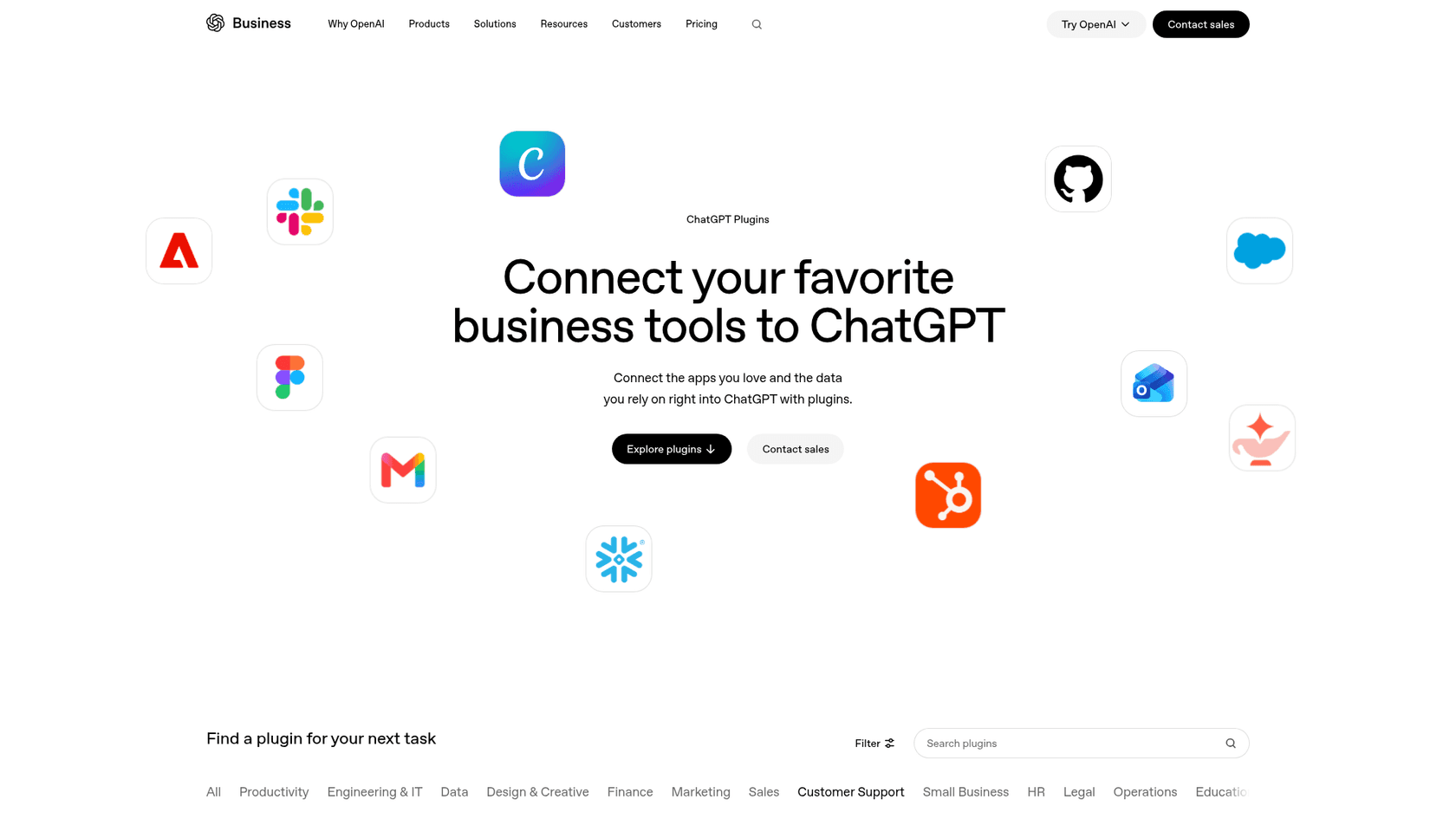
I kept the four that connect a helpdesk most of eesel's customers run on, and read each vendor's own setup docs rather than the listing. A note on the rest is further down, along with Freshdesk and HubSpot, which don't have a support-ready ChatGPT app yet.
The 4 ChatGPT apps for customer support
Each one is written up the same way: who it's best for, what it does, how you connect it, what to watch for, and my take.
1. Zendesk (Beta), built by OpenAI
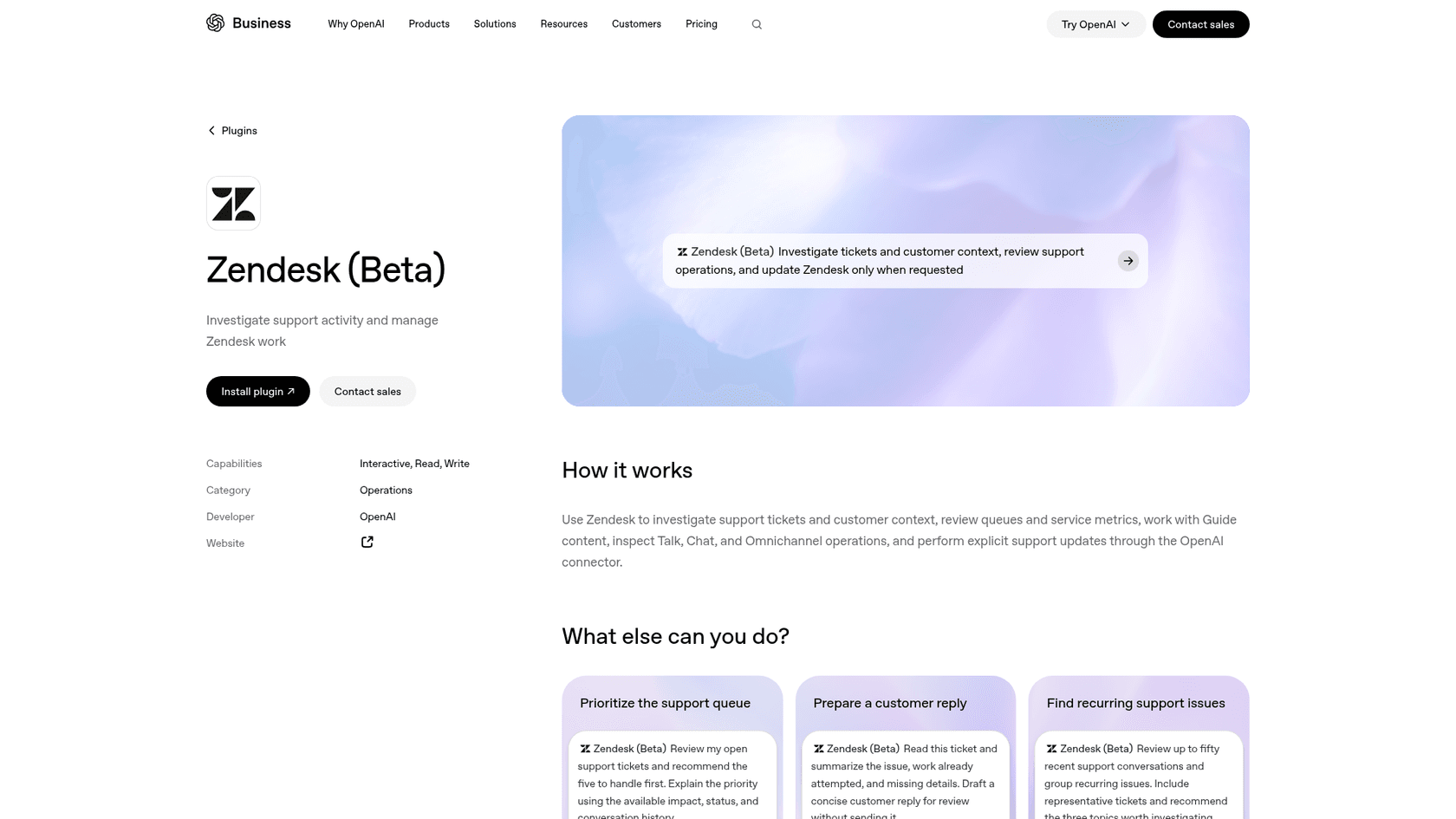
Best for: Zendesk agents and team leads who already use ChatGPT and want ticket context, queue reviews and draft replies in one place.
What it does: this is the rare plugin OpenAI built for someone else's product. Its plugin page lists it as Interactive, Read and Write, and says it can "investigate support tickets and customer context, review queues and service metrics, work with Guide content, inspect Talk, Chat, and Omnichannel operations, and perform explicit support updates through the OpenAI connector." The suggested prompts show the intended use: rank your open tickets and pick five to handle first, summarize a ticket and "draft a concise customer reply for review without sending it", or group up to fifty recent conversations into recurring issues.
How you connect it: per OpenAI's Zendesk setup article, open Plugins, pick the Zendesk plugin "developed by OpenAI", enter only your subdomain, and sign in with your own Zendesk account. "Each person who uses the individually authorized connection needs to connect their own Zendesk account." In a managed workspace, an admin may need to switch it on first.
Watch out for: it's a beta, and OpenAI says availability "depends on the account and current rollout." If setup asks for a client ID or secret, you've picked a Zendesk listing marked Custom or Template rather than OpenAI's. And there's a second route that's easy to confuse with it: Zendesk's own Zendesk Bridge, in early access, lists ChatGPT as a built-in provider. Bridge is free during early access, lets a Zendesk admin choose which tools the external agent gets, and keeps destructive actions, bulk exports and changes to admin settings off for now. Our Zendesk MCP server guide covers Bridge in depth.
My take: if you're on Zendesk, start here. It's the easiest way to give an agent ticket history and help center content inside ChatGPT, and the read-only test prompt OpenAI suggests is a sensible first step. Leave its permission on "Allow read actions" until you've approved a few of its proposed changes and they were ones you'd have made yourself. For the wider picture, see ChatGPT for Zendesk.
2. Gorgias MCP
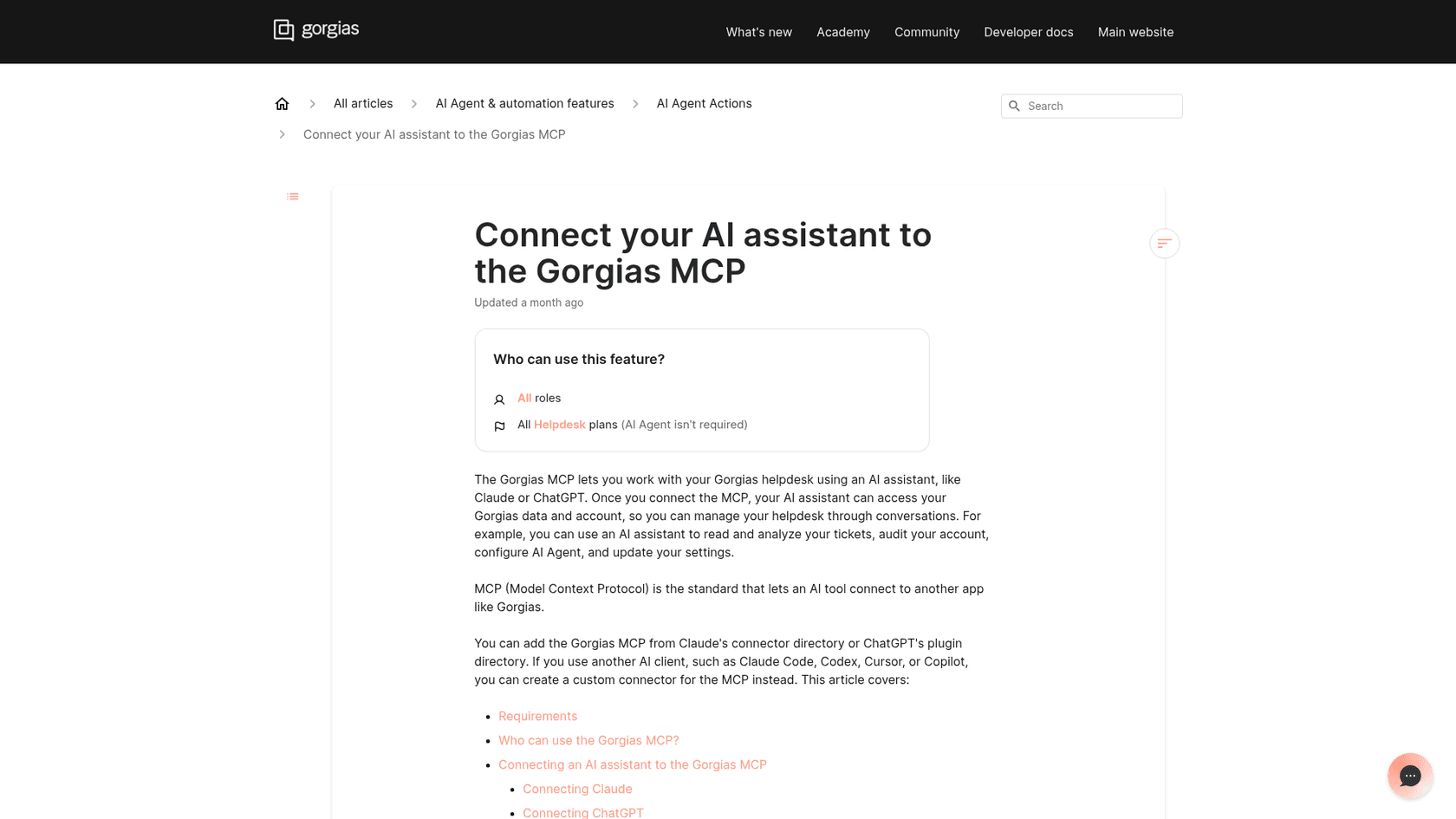
Best for: ecommerce teams on Gorgias who want to analyze tickets, audit their account and tune automations from ChatGPT.
What it does: Gorgias's setup guide says you can use ChatGPT "to read and analyze your tickets, audit your account, configure AI Agent, and update your settings." It works on every Gorgias Helpdesk plan, and you don't need Gorgias's AI Agent to use it.
How you connect it: search the plugin directory for Gorgias MCP, select Install plugin, enter your subdomain and authorize. If you're on ChatGPT Business, Enterprise or Edu, "an admin may need to make the Gorgias MCP available to your workspace first."
Watch out for: it's in open beta, and Gorgias's beta announcement says any plan works and it's included at no extra cost. It also says "Some writes (Macro edits, AI Agent config) are gated during the beta." Your Gorgias role decides what ChatGPT can touch, so an agent's connection can do less than an admin's.
My take: the strongest of the four for reporting and housekeeping. Ask it for last week's top contact reasons, or which macros still mention an old returns window, and it saves an afternoon. Our Gorgias MCP server guide covers the tools in detail, and ChatGPT for Gorgias covers the other ways in.
3. Front
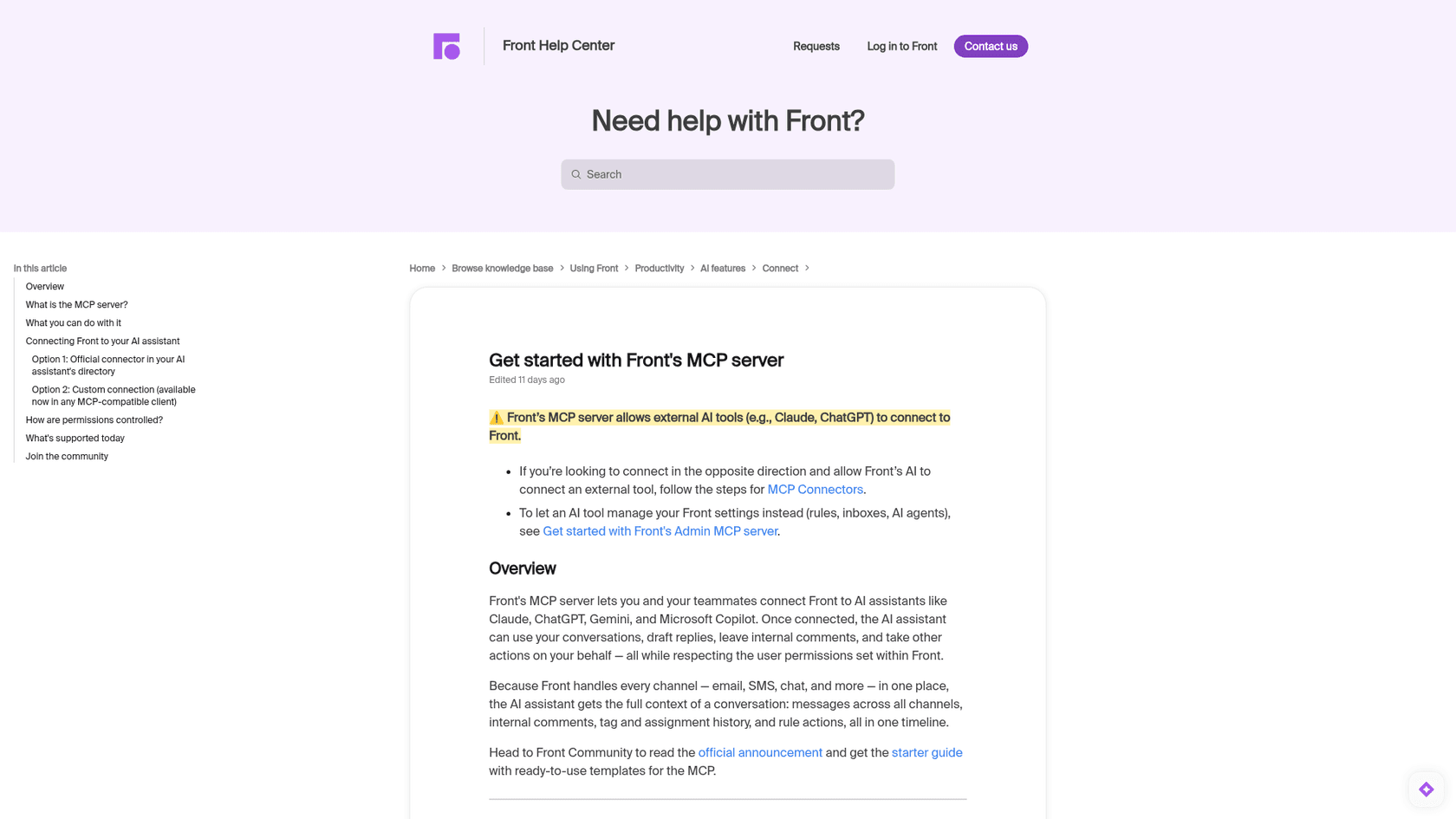
Best for: teams that run support out of a shared inbox in Front, across email, SMS and chat.
What it does: Front's help article says a connected assistant can "search your inbox, read a thread, draft a reply, leave an internal comment, or tag a conversation", acting as you with your Front permissions. Because Front keeps every channel in one timeline, ChatGPT gets the whole thread, internal comments and tag history included. Front's own example prompts lean on that: pull the conversations tagged "high-risk" from the last 48 hours and add an internal comment with a next step on each.
How you connect it: install Front from ChatGPT's plugin directory and sign in to your own Front account.
Watch out for: two layers of permission apply. Front admins set the most the MCP server may do (read, write, send), and each teammate is then limited to the inboxes they can open in Front. On a directory connector, which tools are switched on is up to your ChatGPT admin, "depending on the controls the AI assistant supplies."
My take: a good fit for a lead who wants to sweep a busy inbox for risk, or an agent who wants a draft with context from another tool in the same prompt. Keep sending turned off for most people and let them post drafts or internal comments instead. More in ChatGPT for Front.
4. Help Scout MCP
Best for: Help Scout teams who want to search conversations and pull reports in ChatGPT, without risk of anything changing.
What it does: Help Scout's connector guide says it pulls up "conversations, customer details, mailbox data, and Docs content." It works on Standard, Plus and Pro, and report tools need Plus or Pro. Access is read-only for new connections: "AI Agents can find and summarize information in your account, but they cannot create, send, edit, or delete data."
How you connect it: it isn't a one-click plugin. Help Scout's steps add it as a custom MCP connector, and on ChatGPT Business only admins and owners can create and publish one, per OpenAI's custom MCP article. Once it's published, each team member signs in with their own Help Scout login. Searching your Docs knowledge base also needs a Docs API key.
Watch out for: full custom connectors need ChatGPT Business, Enterprise or Edu, on the web. OpenAI says Pro users can add a custom MCP server with read and fetch permissions, which covers a read-only connector like this one, but Plus isn't mentioned.
My take: the safest one to roll out to a whole team, precisely because it can't change anything. It's best for "what did customers say about the new pricing this month?" questions and weekly reports. For more on triage in Help Scout, see our guide to Help Scout ticket triage.
What about Freshdesk, HubSpot and smaller helpdesks?
Freshdesk has no plugin in ChatGPT's directory. The Freshworks MCP server setup guide walks through Claude Code, Claude Desktop, Cursor, Copilot Studio and VS Code, but not ChatGPT. HubSpot's ChatGPT plugin sits in OpenAI's Sales category and is built to "analyze CRM data and surface insights", which helps with account context but isn't a ticket workflow.
If you run a smaller helpdesk, check the directory, because six have shipped their own. Gleap can reply to customers or add an internal note. Text (HelpDesk tickets and LiveChat chats) can create and update tickets, reply, and tag, transfer or end chats. Pylon and Unthread, a B2B support platform, can search and update issues, and Muninx is a help desk for small teams. Plain documents its own plugin in its MCP guide.
How do you connect your helpdesk to ChatGPT?
You install your helpdesk's plugin from the directory, sign in with your own helpdesk account, then set how much it may do without asking. The steps are short. The settings are where support teams should spend their time.
- Check your plan. Every plan sees the plugin directory, but what's in it depends on your plan and workspace, and full custom connectors need Business, Enterprise or Edu; Pro can add a read-only one, like Help Scout's.
- Ask your admin to enable it. In ChatGPT Business, OpenAI's admin controls article says apps are enabled by default and admins change workspace-wide availability; Enterprise and Edu can also limit apps by role.
- Install and sign in. Open Plugins, pick the helpdesk, select Install plugin, and authorize your own account.
- Set the permission. OpenAI's app permissions article gives four levels: Always ask, Allow read actions, Allow low-risk actions and Allow all actions. Workspace-wide defaults don't offer "Allow all actions" at all.
- Test read-only first. Ask for the five most recently updated tickets and tell it not to change anything.
What it costs a five-agent team: ChatGPT Business's standard seat is $20 a seat a month billed annually, or $25 billed monthly, per OpenAI's Business pricing. So 5 × $20 = $100 a month on an annual plan, or 5 × $25 = $125 billed monthly. None of the four apps adds a ChatGPT charge, though the helpdesk side can: Help Scout's connector needs a plan with API access. Our ChatGPT pricing guide covers the other plans.
Can ChatGPT answer support tickets on its own?
No. A ChatGPT app can't pick up a ticket the moment it lands, because a helpdesk isn't one of the things that can start a ChatGPT task. Per OpenAI's scheduled tasks article, a task starts in one of three ways, and only one of them reacts to the outside world:
- You type a request, with any plugin.
- A schedule. Paid plans can run a task "up to once per hour", and Business allows 10 active tasks at a time.
- An app event. Event-triggered tasks "respond to supported Gmail, Slack, or GitHub activity", run in ChatGPT's Work mode, and cap out at 30 runs an hour and 720 a day across all of them.
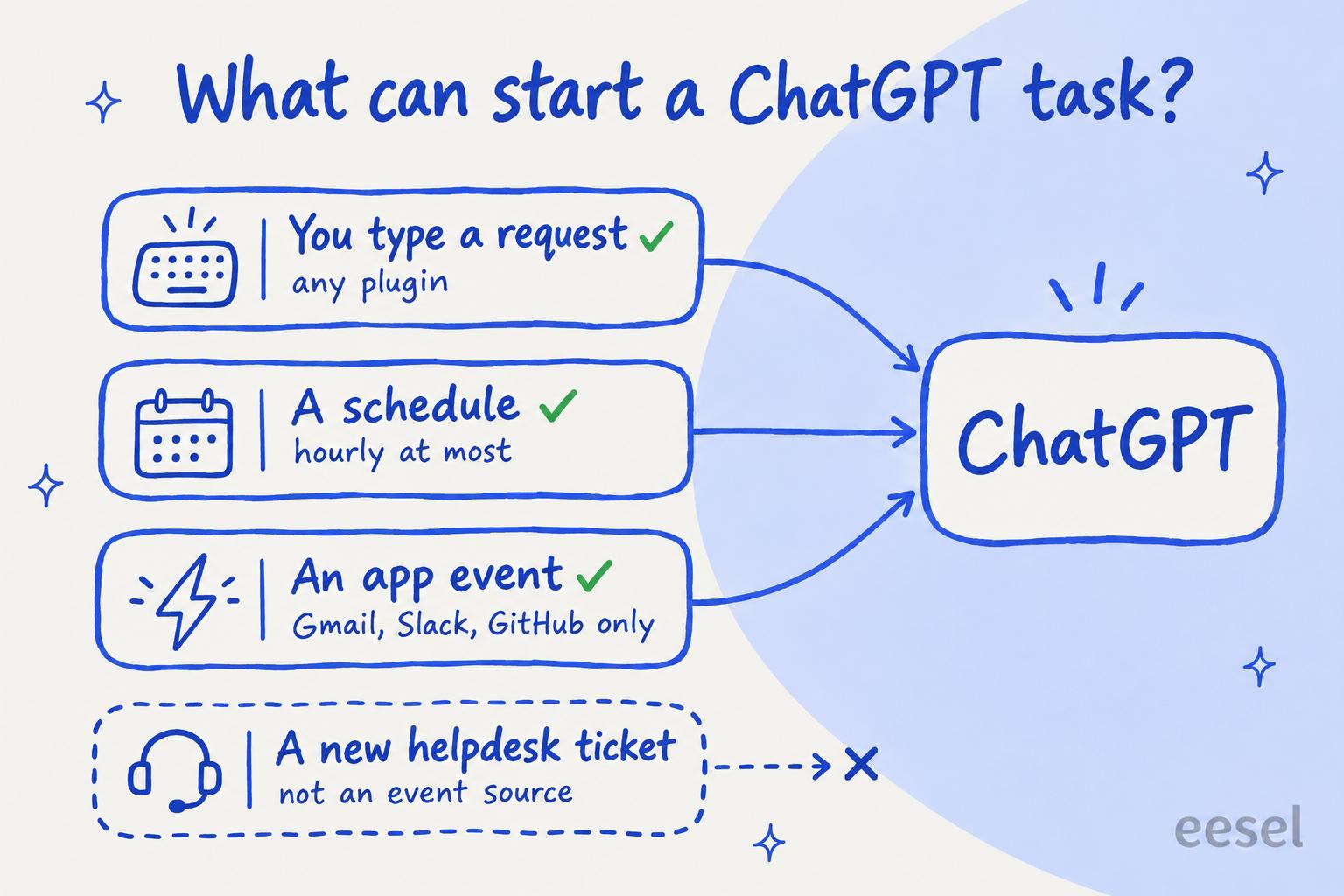
So the closest you get is an hourly sweep: "every hour, find unassigned Zendesk tickets and draft a reply on each." A customer who writes at 2:01am waits up to an hour for a draft, and then for a person to approve it. And when an unattended task tries to write, it doesn't always get there. Since September, ChatGPT users have reported scheduled tasks being blocked at the last step, even with the app set to allow every action:
"This tool call was blocked by OpenAI's safety checks. Please double check what you're sending."
OpenAI's support team traced that user's runs and replied that "Gmail sends hit a safety check before 'Allow all actions' could apply", and suggested moving the task to Work. The thread was still open when I checked on 24 November.
There is one way to start ChatGPT from a helpdesk, if you're willing to build it. Workspace agents, on Business and Enterprise, can be triggered through an API, so a helpdesk webhook could post each new ticket to one. OpenAI's trigger docs note that "the agent's response cannot currently be retrieved through the API", so the agent has to write its answer back through its own Zendesk or Gorgias connection. You'd also own the webhook, the retries, the escalation rules and the testing, which is the build versus buy call most teams don't want to make for support.
None of this makes the apps a bad idea. A co-pilot for the person at the desk and a teammate that works the queue are different jobs. Our guide to Claude plugins for customer support found the same split on the Claude side.
Which ChatGPT app fits your support team?
Pick the line closest to your setup. Each answer comes from what the apps above can and can't reach.
Pick the line closest to your team to see which ChatGPT app to connect first.
Try eesel next to ChatGPT
If what you want is the queue worked as tickets arrive, eesel is an AI teammate that joins your helpdesk the way a new hire would. It starts on every new ticket, learns from your past tickets and help center, and is tested against real past tickets before it replies to anyone. It tags, drafts, answers or escalates inside Zendesk, Gorgias, Freshdesk, Front and the rest, so Freshdesk teams get it without waiting for a ChatGPT plugin.
The part ChatGPT can't copy is permissions. A ChatGPT app works with the access of whoever is typing. With eesel, what the teammate may do depends on who's asking: it can issue a refund when your support lead asks, ask first when a verified customer does, and never touch billing for an anonymous visitor. Anything set to ask first waits for a person's yes, with the reason shown, from Slack, email or the dashboard (how approvals work).
What that looks like on Gorgias: Rúngne, a Norwegian climbing apparel brand, runs three eesel agents on one Gorgias queue, one to triage and tag, one to leave drafts for the team and one to answer plain order and stock questions from Shopify. About 2,100 Gorgias tickets handled in a month, with 880 tagged, 580 drafts left for the team and 440 public replies sent.
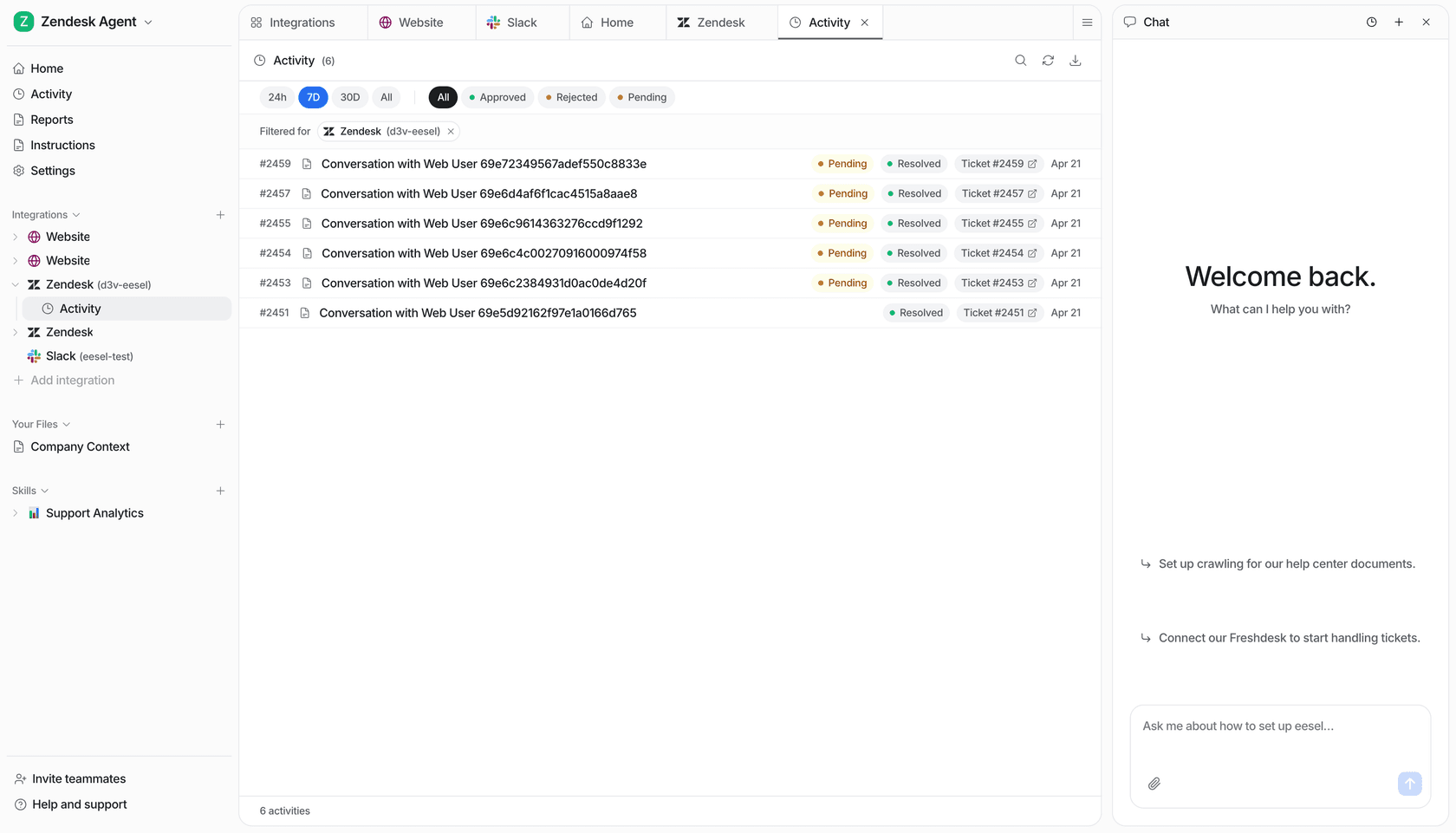
You don't have to give up ChatGPT to use it. eesel's apps for ChatGPT, one per helpdesk, are on their way into ChatGPT's directory, per eesel's ChatGPT docs, so agents will be able to ask the teammate what it handled or have it draft a reply from a ChatGPT chat. Until then, you can reach it from Claude or from a terminal with the CLI. Try eesel on your own helpdesk and see what it would have done with last week's tickets.
Frequently Asked Questions
What are the best ChatGPT apps for customer support?
For most teams it's the app for the helpdesk you already use: OpenAI's own Zendesk (Beta) plugin, the Gorgias MCP, Front's plugin, or Help Scout's read-only connector. Smaller helpdesks such as Gleap, Pylon, Text and Unthread have their own. Our roundup of the best helpdesk MCP servers compares what each one can change.
Are ChatGPT apps now called plugins?
Yes. In ChatGPT, apps and connectors now sit inside plugins. A plugin can bundle connected apps, skills and app templates, and you find them under Plugins in the ChatGPT sidebar. Our explainer on apps in ChatGPT covers the earlier version.
Is there a ChatGPT app for Zendesk?
Yes. OpenAI built a Zendesk (Beta) plugin that reads tickets, queues, Guide content and service metrics, and makes support updates when you ask. Each agent signs in with their own Zendesk account. Zendesk's own Bridge, in early access, can also connect ChatGPT. See ChatGPT for Zendesk for the other routes.
Can ChatGPT answer support tickets automatically?
Not from a helpdesk event. ChatGPT tasks start when you type, on a schedule that runs at most hourly, or on an event from Gmail, Slack or GitHub only. A new Zendesk, Gorgias or Front ticket doesn't start anything. An AI teammate like eesel works inside the helpdesk and starts on every new ticket.
How much does ChatGPT cost for a support team?
ChatGPT Business is $20 a seat a month billed annually, or $25 billed monthly, so a five-agent team pays $100 to $125 a month. The helpdesk plugins in this guide cost nothing extra in ChatGPT. Our ChatGPT pricing guide breaks down every plan.
Can I use a ChatGPT app with Freshdesk?
Not with a one-click plugin yet. Freshworks' MCP setup guide walks through Claude Code, Claude Desktop, Cursor, Copilot Studio and VS Code, but not ChatGPT, and there's no Freshdesk plugin in ChatGPT's directory. Our guide to ChatGPT for Freshdesk lays out the routes that do work today.
Who can add a ChatGPT app in a Business workspace?
In ChatGPT Business, apps are enabled by default and admins control which ones the workspace can use. Only admins and owners can create and publish a custom MCP connector, such as Help Scout's. Every agent still signs in to the helpdesk with their own account. Our ChatGPT for teams guide covers the workspace side.
Is it safe to let ChatGPT change tickets?
You can set ChatGPT to ask before every change (Always ask or Allow read actions), so nothing is written without your yes. The app acts with your own helpdesk permissions, so it can't do more than you can. Text inside a ticket can still try to steer it, which is called prompt injection, so review each change before you approve it.