Zendesk MCP server: Bridge, Swifteq or open source, and how to connect Claude

Rama Adi

Katelin Teen
Last edited November 23, 2026
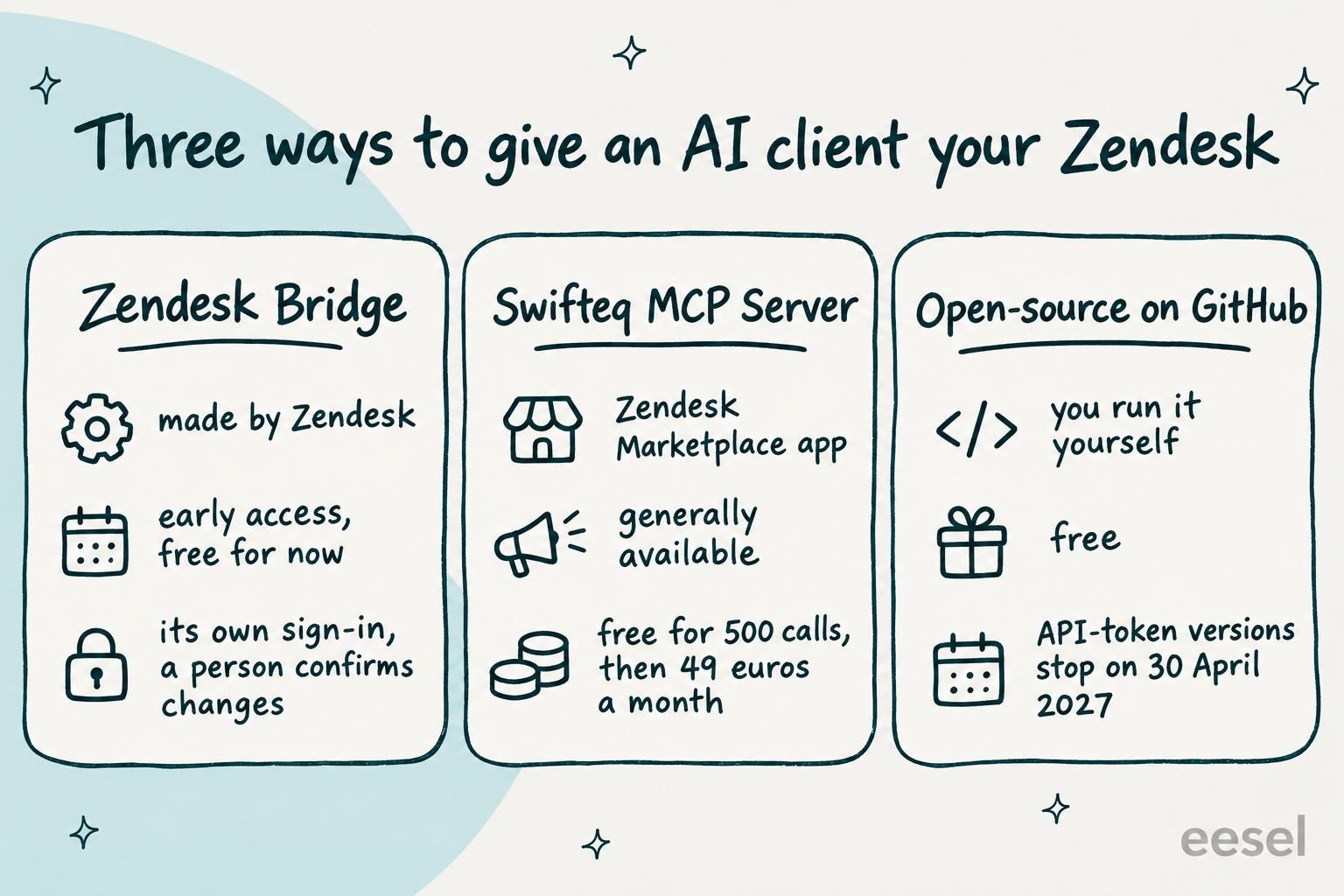
Yes, Zendesk has its own MCP server: Zendesk Bridge, opened on 10 November 2026 as a free early access program on every Suite plan and on Support Team and up. It gives Claude, ChatGPT, Codex or your own agent more than 400 Zendesk tools, signs the AI in with its own identity rather than a person's password, and asks a person to confirm before anything changes. If you need something generally available today, or mostly want reports, Swifteq's MCP Server from the Zendesk Marketplace is free for 500 calls a month and then €49 a month. The open-source servers on GitHub still work, but any of them that logs in with an API token stops on 30 April 2027, when Zendesk switches API tokens off. All three act only when an AI client calls them, and none of them wakes up when a ticket arrives. For tickets that arrive while nobody is asking, eesel is the AI teammate that works the Zendesk queue on its own, and a coding agent like Claude Code can set it up through the eesel CLI, with an admin approving the Zendesk connection.
What is the Zendesk MCP server?
The Zendesk MCP server is the endpoint that lets an AI client read and change your Zendesk through the Model Context Protocol. You paste its URL into Claude, ChatGPT or Cursor, sign in, and the AI can look up tickets, users and help center articles in plain language. If you're weighing MCP against Zendesk's other AI routes, our Claude for Zendesk guide covers the rest, and ChatGPT and Zendesk covers the ChatGPT side.
"Zendesk MCP" covers three different things, and most of the confusion comes from mixing them up:
- Zendesk Bridge, the server Zendesk runs itself. AI clients call into Zendesk through it. This is what most people searching "Zendesk MCP server" want.
- The Zendesk MCP client, the opposite direction: Zendesk's action flows calling out to other companies' MCP servers. It has been generally available since August on Suite Growth and up, and our Zendesk MCP client guide covers it.
- Servers somebody else runs: Swifteq's hosted marketplace app, and open-source projects on GitHub you run yourself.
I build integrations and APIs at eesel, including the one that connects our AI teammate to Zendesk, so I read these the way I'd read any integration: what it can reach, whose credentials it uses, and what breaks first. Everything below comes from Zendesk's and Swifteq's own docs, Swifteq's published test of Bridge, and the GitHub repositories, read in November 2026. I didn't run Bridge on a live account myself.
| Zendesk Bridge | Swifteq MCP Server | Open source (e.g. reminia) | |
|---|---|---|---|
| Made by | Zendesk | Swifteq, a Zendesk Marketplace partner | Community, you host it |
| Status | Early access, since 10 Nov 2026 | Generally available | Varies by repo |
| Plans | All Suite plans; Support Team, Professional, Enterprise | Any Zendesk plan with a login | Any plan with API access |
| Tools | 400+ in the catalog, up to 150 per Claude connection | 49, built around support tasks | 7 to about 50, depending on the repo |
| Signs in as | The AI's own OAuth identity, for a consenting user | Each person's own Zendesk login | Your OAuth login, or an API token |
| Changes | A person confirms each one; no deletes | Read-only until an owner allows each kind | Whatever the repo exposes |
| Price | Free during early access | Free for 500 calls a month, then €49 a month | Free, plus your hosting |
Zendesk Bridge: Zendesk's official MCP server
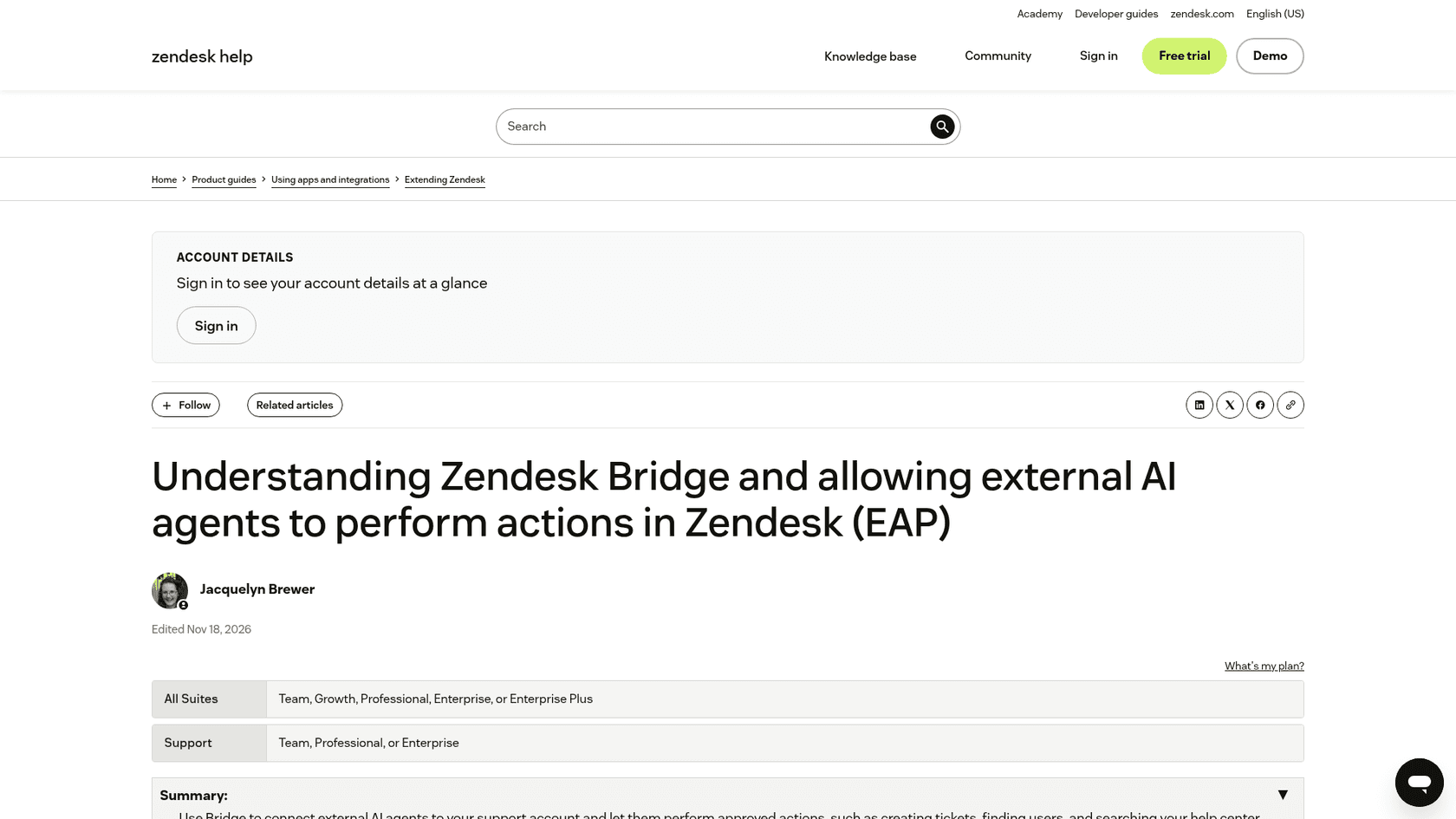
Zendesk Bridge is how Zendesk lets outside AI agents into your account. Zendesk announced it on 10 November 2026 as a way to "use Zendesk from the AI experiences where they already work", with "more than 400 Zendesk tools for finding information, coordinating work, and taking approved actions."
What it can do
The tool catalog covers tickets, messaging, users, organizations, knowledge, Admin Center and action flows. In practice that means an AI that can pull a customer's open tickets, find similar solved ones, look up users and organizations, search the help center, apply macros, and create or update tickets. Zendesk's own suggested uses lean toward analysis and admin work, such as asking an agent to "look at your ticket fields, macros, and triggers, and suggest a new escalation process". That makes it a natural partner for an audit of your Zendesk triggers.
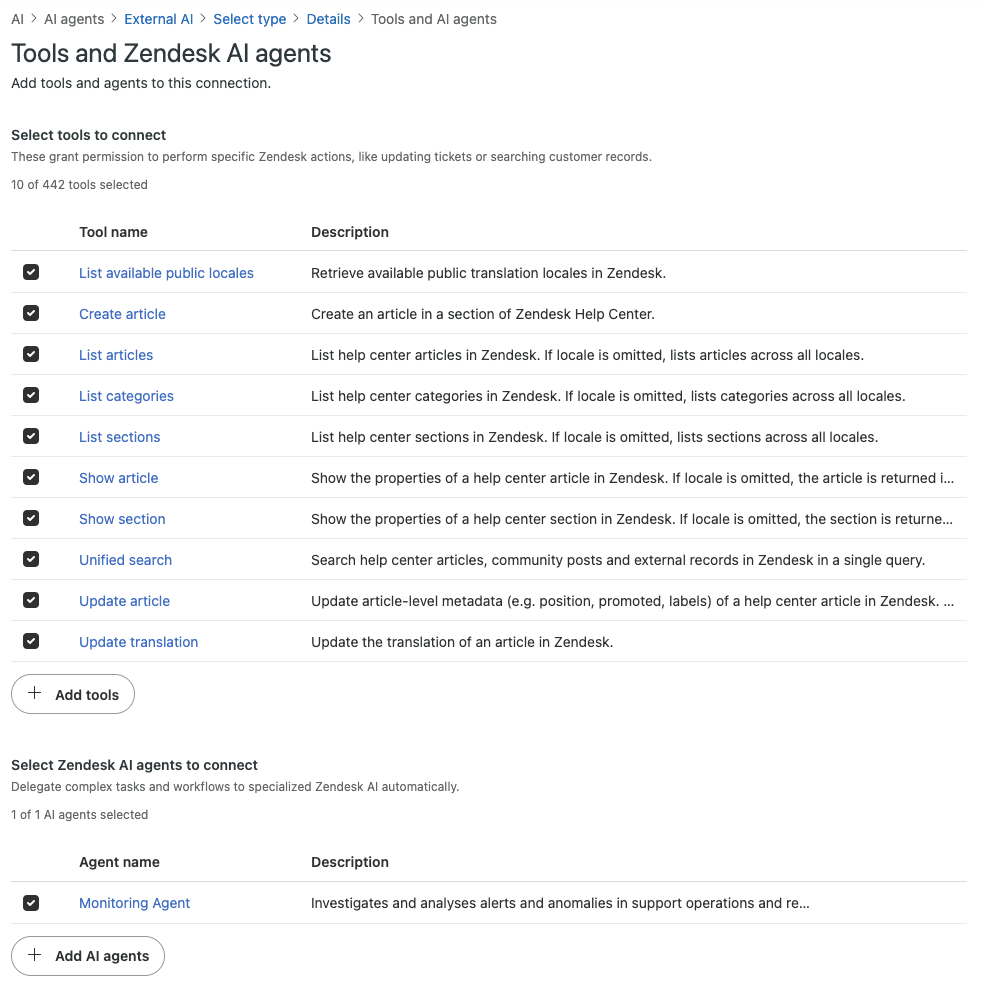
Swifteq, which makes a competing server, tested Bridge on its own account the day after launch and counted 441 tools that "follow the Zendesk API almost one endpoint at a time", reaching views, automations, SLA policies, custom objects, approvals and webhooks. Zendesk's own setup screenshot shows 442.
Bridge also speaks a second protocol, Agent2Agent (A2A), so your agent can hand a job to a Zendesk AI agent instead of calling tools one by one. During early access the only Zendesk AI agent available this way is the Monitoring agent, which explains why a metric moved and which alerts are active. It recommends and never acts, unlike the Zendesk AI agents that answer customers.
Who it acts as
This is the part I'd point a security reviewer at. An external agent signs in "with their own identity using standard OAuth 2.1" and never uses a person's email, password or API token. It acts on behalf of a user who consents, and that user's role, groups and permissions are checked on every call, so an AI can't do what the person asking couldn't. Transaction logs record which agent did what, and for whom.
An admin decides which AI clients may connect, which agent groups can use each connection, and which tools each one gets. By default a new connection has no access at all.
What early access leaves out
Bridge is early access, and Zendesk is plain about the gaps:
- No destructive actions, no bulk exports and no third-party integrations.
- Admin Center tools are read-only: an agent can search settings and view usage, but can't change them.
- For changes, the agent "proposes the change and asks for human confirmation before making any changes."
- Only one connection per pre-built provider, so a second ChatGPT agent needs a custom connection.
- A connection can hold up to 150 tools for a pre-built provider, out of the 400+ catalog. Swifteq says other clients get 30 by default.
Swifteq's test also found that ticket search results come back with only the ID, dates and description, so an AI has to fetch full tickets to group them by status or tag, and that view exports are emailed to the person rather than handed to the AI. Read that as a competitor's finding, but it fits what you'd expect from tools that map one to one onto API endpoints.
What it costs
Bridge is free during early access, but you still need the Zendesk plan underneath. On Zendesk's pricing page, Support Team is $19 an agent a month billed annually ($25 monthly), and Suite Team is $55 (more in our Zendesk pricing breakdown). Zendesk's Bridge FAQ says "billing-grade metering, credit wallets, and outcome-based pricing phase in through general availability in 2027", with rate limits that will "mark the boundary between included plan usage and paid consumption." So budget for it to cost something once it leaves early access.
How to connect Claude to the Zendesk MCP server
Connecting is two steps: define the connection in Zendesk, then point the AI client at the URL it gives you. These steps follow Zendesk's connection guide, and you need to be a Zendesk admin.
- Join the early access program. In Admin Center, click AI, then External AI, select External AI early access, accept the terms and click Submit.
- Add a connection. On the same External AI page, click Add connection. Pick Use a pre-built provider for Claude, Claude Code, ChatGPT, Codex, Antigravity, Lovable, Notion, Pi, Slack or Visual Studio Code. Pick Bring your own provider for anything else, after registering an OAuth client in Admin Center with Allowed scopes left blank.
- Describe it and choose who can use it. Give it a name (that's what shows in the logs), write what it should and shouldn't do, and choose admins only or specific agent groups.
- Pick its tools. Click Add tools. Zendesk's Copilot suggests tools from your description, or you pick them yourself, up to the provider's limit. Add the Monitoring agent here too if you want it.
- Save, then copy the server URL. Open the connection's Setup tab and copy the MCP server URL under Tools. It looks like
https://yoursubdomain.zendesk.com/mcp. - Add it to your client. In Claude Code, the Setup tab gives you a command in this shape:
claude mcp add --scope user --client-id '<OAuth client ID>' --transport http zendesk '<MCP server URL>'. In Claude or ChatGPT, add it as a custom connector and sign in, following that client's own docs. Our Claude Code MCP tools guide covers the client side. - Test with a read. Zendesk suggests something like "Use zendesk to show ticket 522325288." Claude Code asks you to confirm the tool call, then shows the ticket.
If the connection authenticates but a call is refused, Zendesk's FAQ lists the usual suspects: the tool isn't granted, the person isn't in an allowed group, or their own role can't do it.
Swifteq's MCP Server for Zendesk
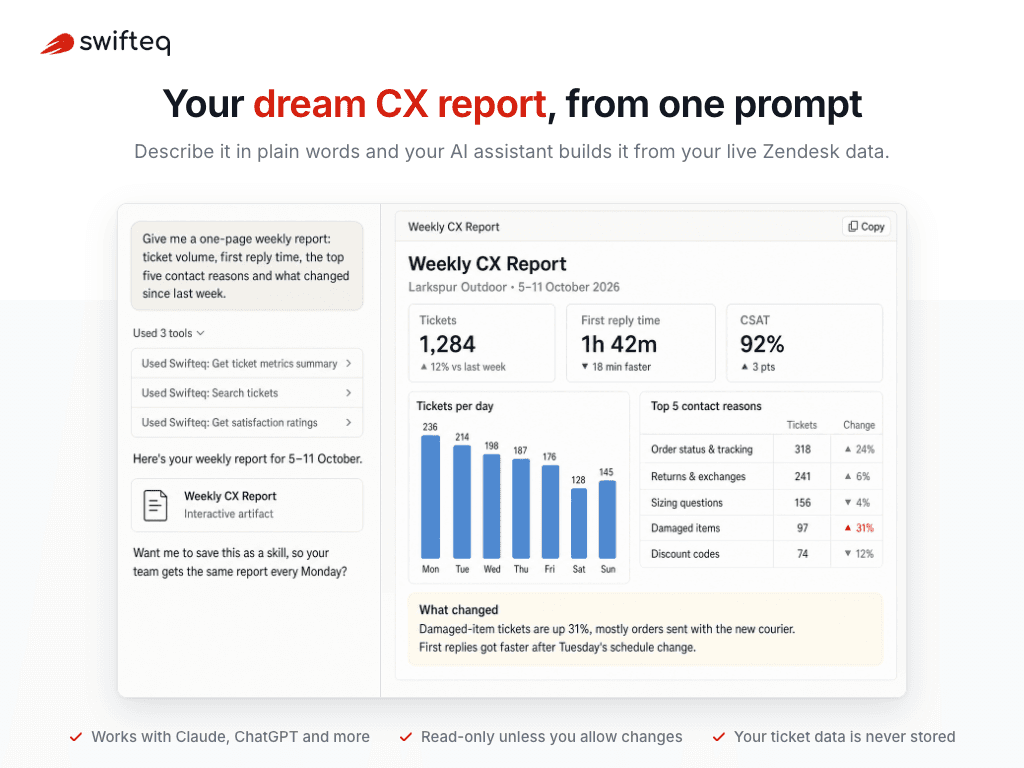
The Swifteq MCP Server is a hosted Zendesk Marketplace app for connecting Claude or ChatGPT to Zendesk, and unlike Bridge it's generally available today. You add https://mcp.swifteq.com/api/mcp/mcp as a custom connector and sign in with a Swifteq account and your own Zendesk login.
It's built for analysis rather than coverage. Swifteq's comparison page lists 49 tools that return ticket search results as a table with your fields named, counts broken down by group or field, KPI and SLA summaries, and up to 10 conversations per call. On its Team plan, an optional ticket data store lets the AI query up to a year of ticket fields and metrics like a database (never the conversations, names or email addresses).
Changes are off by default: public replies, merging tickets, publishing articles and macro edits each stay off until an account owner turns them on, and nothing can be deleted. The catch is that Swifteq's server sits between your AI and Zendesk, hosted on AWS in Ireland. Swifteq says it's SOC 2 Type 2 and never stores ticket conversations, but it is still another company in the path, and there's no activity log for account owners.
Pricing is simple: free for 500 MCP calls a month per Zendesk account, then €49 a month for the account and its first user, plus €9 for each extra user, with no call limits. A team of 10 pays €130 a month. One reviewer on the listing wrote:
"I've been using this MCP with Claude Cowork for several months now, starting from the free period and now on a paid plan that's been well worth it. At this point, I practically can't live without it for my day-to-day work."
Swifteq's own advice, to be fair to it, is that you can run both: Bridge for governed changes, Swifteq for reporting. Claude will pick whichever tool fits the question.
What about the open-source Zendesk MCP servers on GitHub?
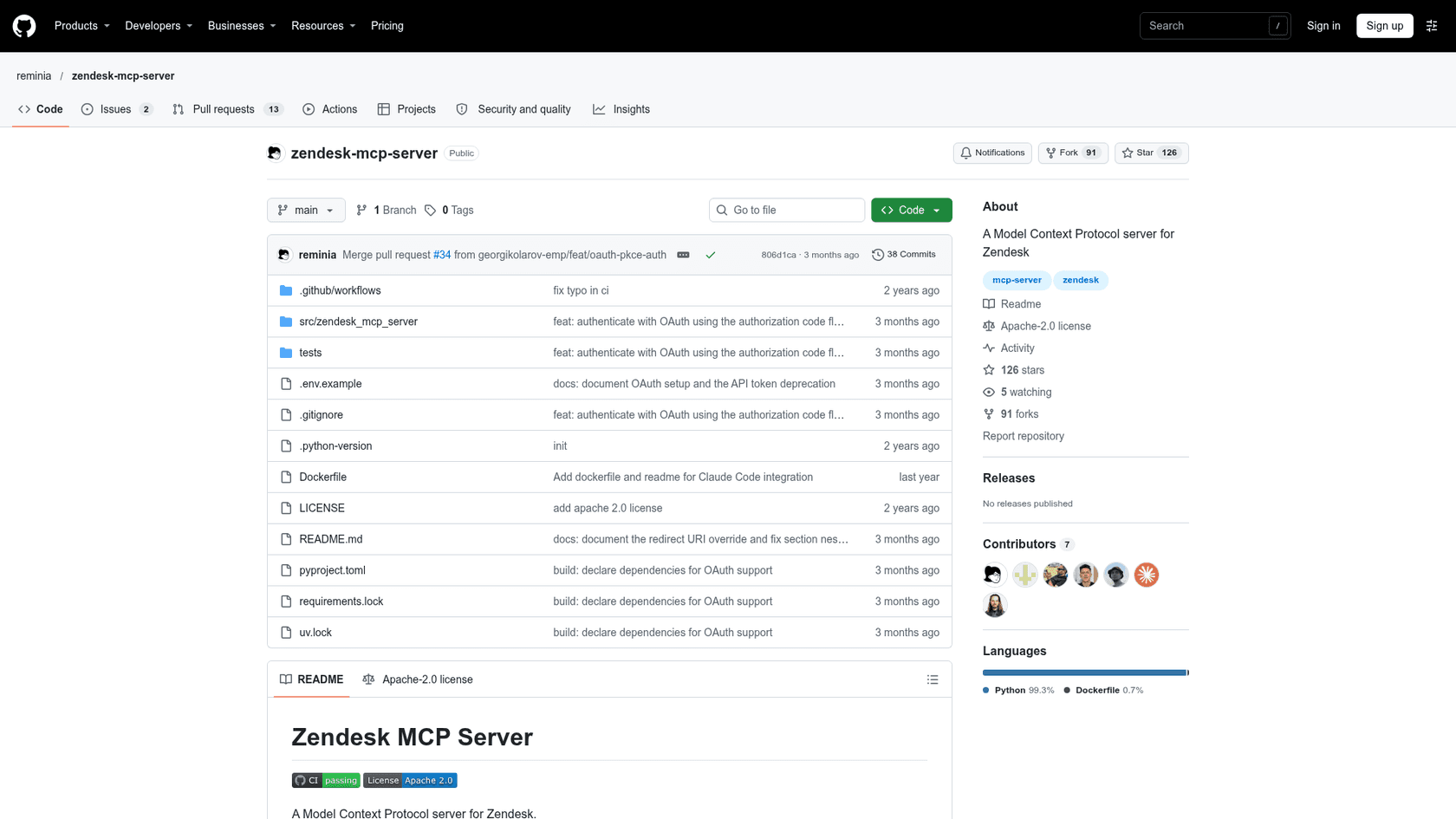
There are plenty. One with a following is reminia/zendesk-mcp-server: Apache 2.0, 126 stars, running on your own machine over standard input, so it suits Claude Desktop and Claude Code, and I found no hosted version for claude.ai. It has 7 tools: reading tickets and their comments, creating and updating tickets, adding comments and downloading attachments, plus your help center as a resource the AI can read.
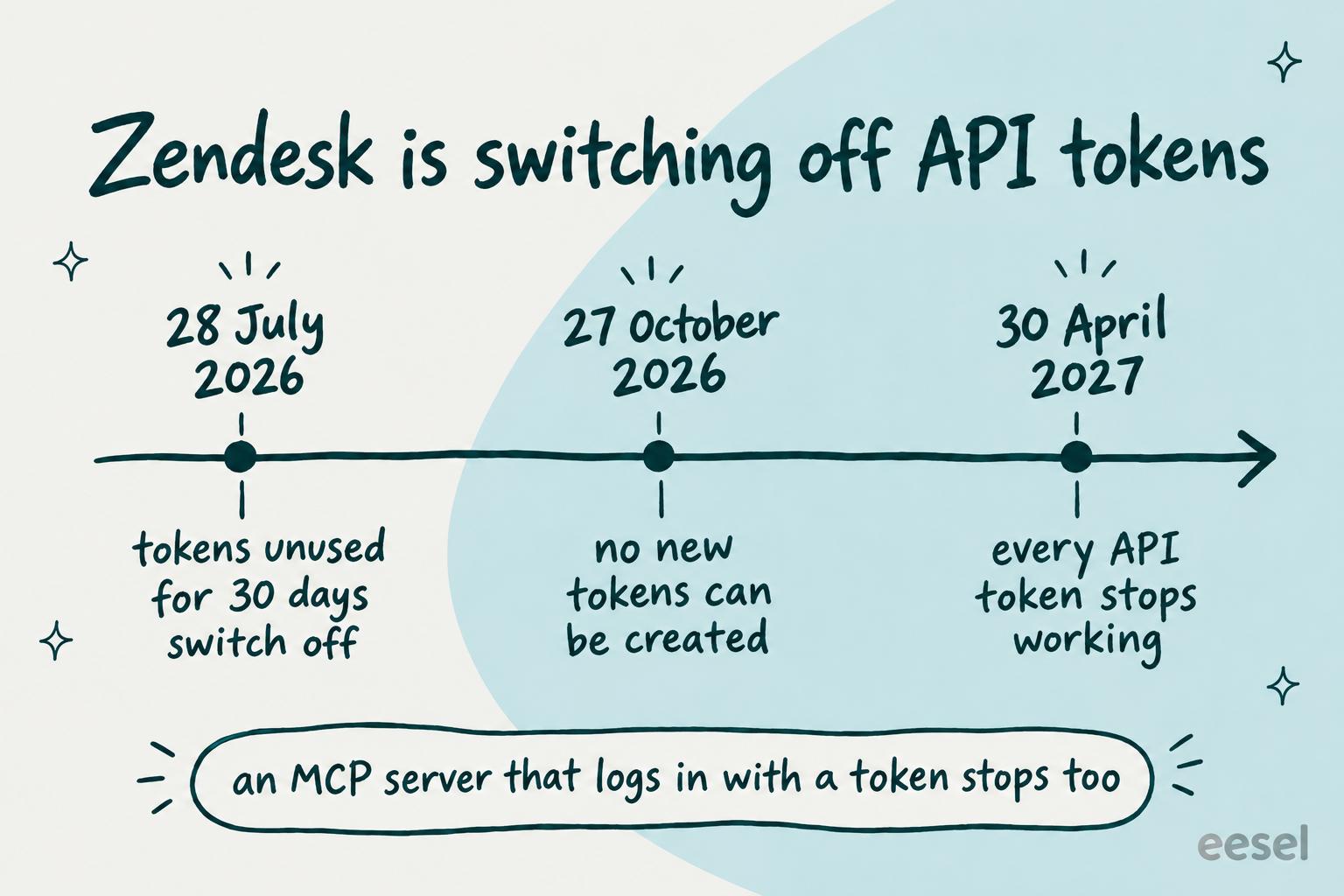
The thing to check in any of these is how it logs in. Zendesk is removing API tokens: since 27 October 2026 no account can create a new one, and on 30 April 2027 every remaining token stops working. That's from Zendesk's own announcement, which also explains why: a token "can be used to impersonate any user in your account, including admins." Many community servers were written to log in with an email address and an API token from a .env file, and those share that deadline.
reminia's server was updated in August to sign in with OAuth, one login per person, and its commit message puts the case well: a token is "account-level and unscoped, so whoever holds it gets the full access of the user it is paired with, which for most installations is an admin." With OAuth, each person's own role and groups apply, and comments are posted under their name. Older forks such as mattcoatsworth/zendesk-mcp-server still use an API token and include delete tools for tickets, users, triggers and automations, which is a lot of reach for a token in a text file. Our guide to Zendesk API authentication covers the OAuth migration, and Zendesk API rate limits still apply to whatever the server calls.
My take: if you want to run your own, pick one that already uses OAuth, keep its scopes to what you use, and treat it as a tool for engineers on your team, not for the whole support floor.
Which Zendesk MCP server should you use?
Here's how I'd choose, based on the job you came with.
Pick the job you have in mind to see which server fits it, and the catch.
What a Zendesk MCP server won't do
Every option above has the same shape: a person opens Claude or ChatGPT, asks for something, and the AI calls Zendesk on that person's behalf. When they close the chat, nothing happens. That's the right design for analysis and admin work, and Bridge's confirmation step makes it safer still. But it means no Zendesk MCP server picks up a ticket on its own.
Working the queue needs things a server doesn't have: something that wakes the AI when a ticket arrives, an identity of its own to reply under, and rules for what it may do depending on who wrote in. I went through that gap in more detail in our headless helpdesk post and in MCP for customer support, and the best helpdesk MCP servers roundup compares Zendesk's server with seven others.
What that looks like in practice: smava, a German loan comparison company, runs eesel on the Zendesk it shares with its sister brand Finanzcheck. 27,000 Zendesk tickets handled in a month, with 14,600 categorised into ticket fields and 15,300 draft replies prepared, most of them from its macro library. Nobody asks for any of it ticket by ticket. eesel never sends those replies itself: an agent approves each draft or asks for a different macro.
Try eesel next to your Zendesk MCP server
Keep Bridge or Swifteq for the questions you ask Zendesk. eesel is the AI teammate for the tickets nobody is asking about yet. It connects to Zendesk, learns from your help center, macros and past tickets, wakes on every new ticket, and drafts, tags, routes or replies inside Zendesk.
What it may do depends on who is asking. Each action runs on its own, asks first or stays off, set separately for your team and for customers, and anything held waits for a person's yes in Slack, Teams, email or the dashboard, as eesel's actions and approvals docs explain.
It also works from the same terminal as your MCP setup. Your eesel workspace is itself an MCP server, so Claude Code or Cursor can check your agent's activity and approve held actions. The eesel CLI lets a coding agent do the whole setup: connect Zendesk (an admin still approves that), add knowledge, set each action, and run test questions before it goes live. Try eesel on your own Zendesk.