

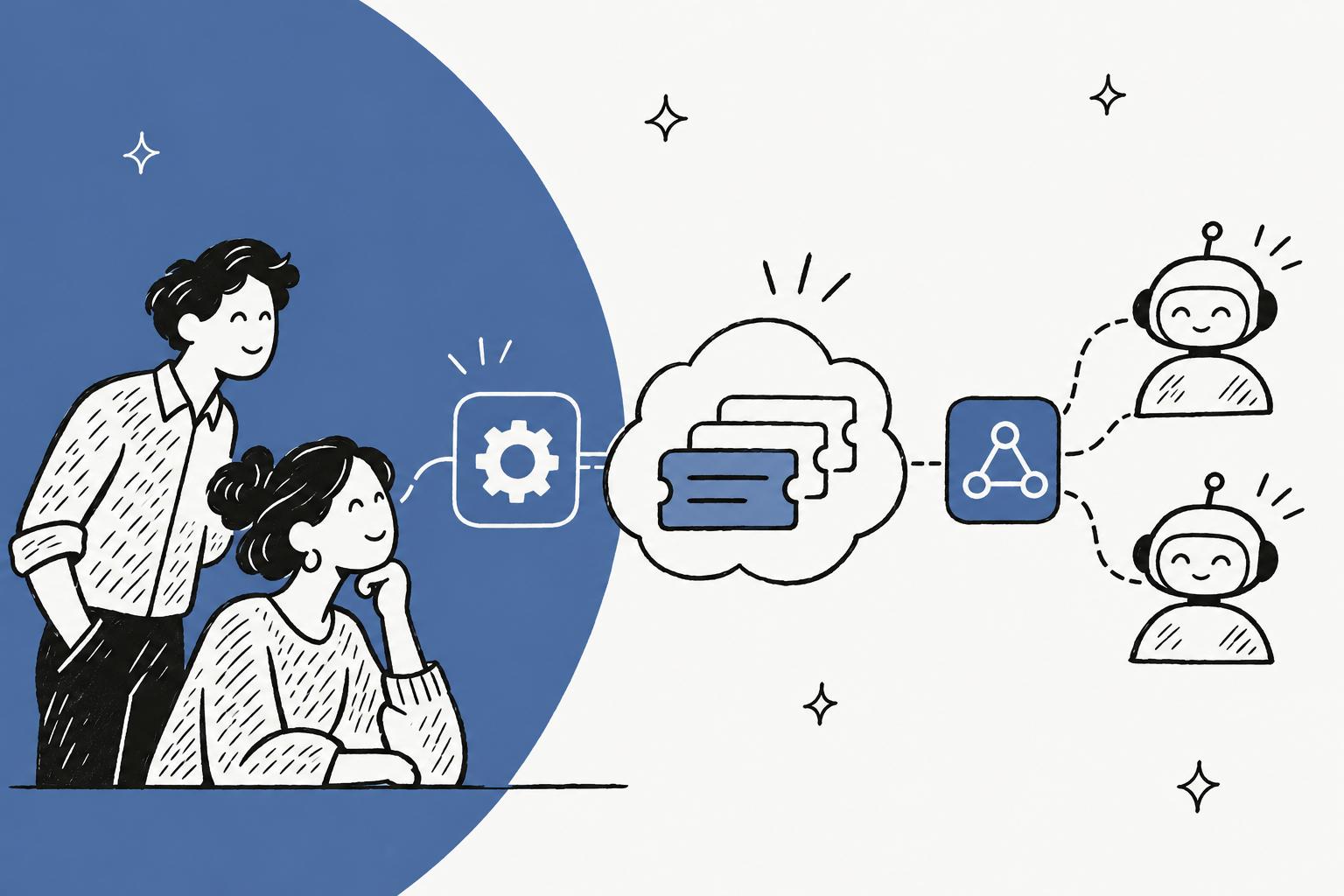
A headless helpdesk is a ticketing system you work through its API or an MCP server instead of its own screens: your app renders the support UI (HelpSpot and Plain sell this), or an AI agent reads and updates tickets through MCP. In 2026 that second meaning is everywhere. Plain, Gorgias, HelpSpot and Jitbit ship their own MCP servers, and Zendesk has one in early access. What none of them hands you is a worker: a helpdesk MCP acts for the person who connected it and only runs while they're typing, so nobody answers the ticket that lands at 2am. For that you need an always-on agent that wakes on every ticket and has permissions of its own, built on the helpdesk's webhooks or hired, like eesel.
I build integrations at eesel, which means I spend my days on the part of a helpdesk nobody demos: its API, its webhooks and what an AI agent is actually allowed to do once it's in. "Headless" gets used for three different things in support right now, and picking a helpdesk for the wrong one is an expensive mistake. If an AI coding agent like Claude Code helps run your stack, it can set up eesel on your helpdesk with the eesel CLI, test it with real questions and set what it may do on its own, though connecting the helpdesk still needs an admin to approve it in the browser.
What is a headless helpdesk?
A headless helpdesk keeps the back office (tickets, customers, rules, reports) and lets something other than its own interface sit in front of it. The term borrows from headless CMS and headless commerce, and Plain's definition puts it plainly: the support backend is decoupled from the frontend, and "the public API is the primary surface, not a secondary integration channel."
In practice there are two different heads you can put on it.
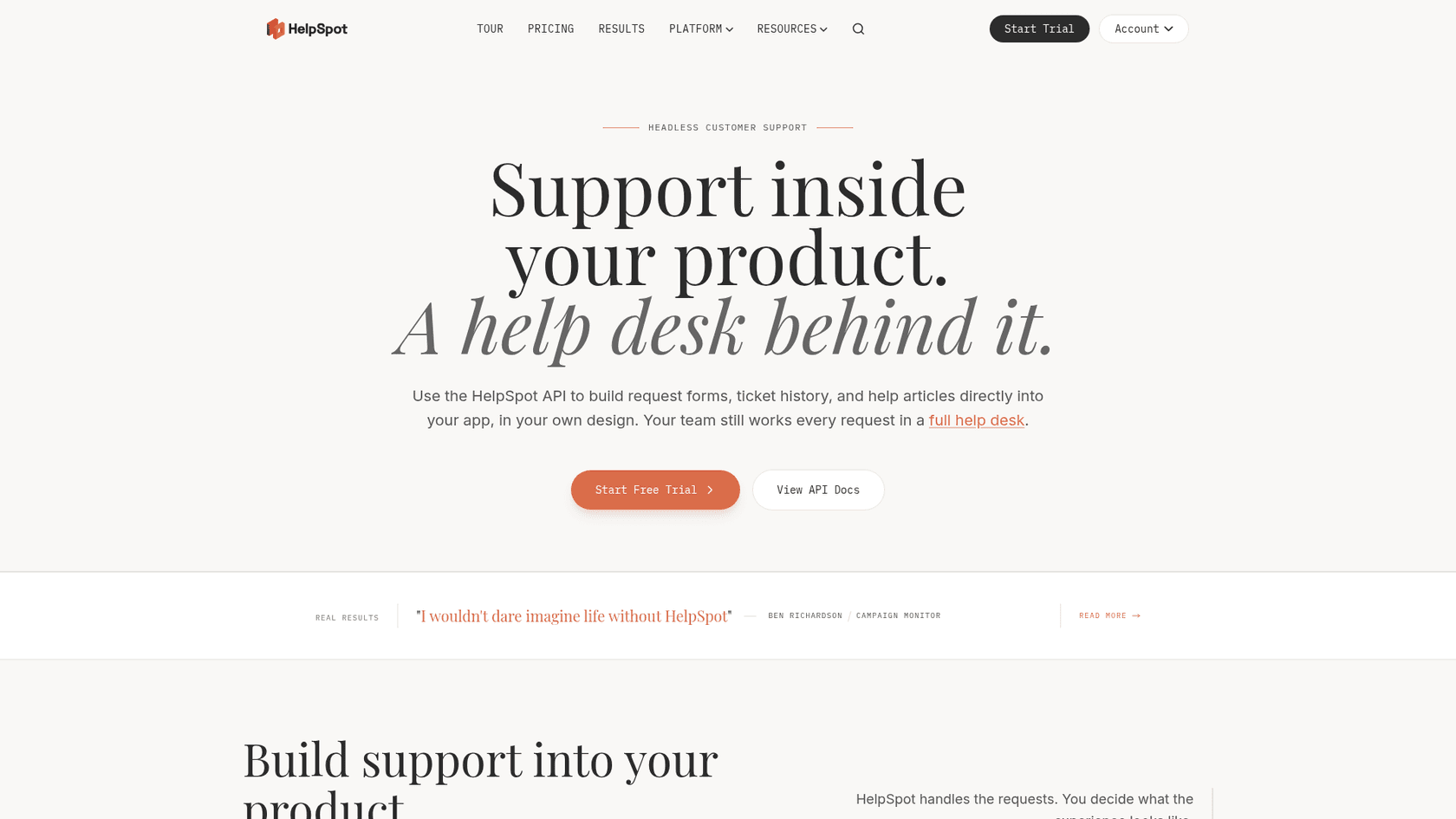
- Your own UI, through the API. Customers submit, track and reply to requests inside your product, in your design, already signed in. HelpSpot's headless page is the clearest version: a public API for what customers do (
request.create,customer.getRequests,request.get,request.update) and a private API for what staff do (filters, search, time tracking, reports). - An AI agent, through MCP. The Model Context Protocol lets Claude, ChatGPT, Cursor or Claude Code read and change tickets directly, the same way Claude Code uses MCP tools. This is the meaning that has taken off in 2026, and the one most people searching the term now mean.
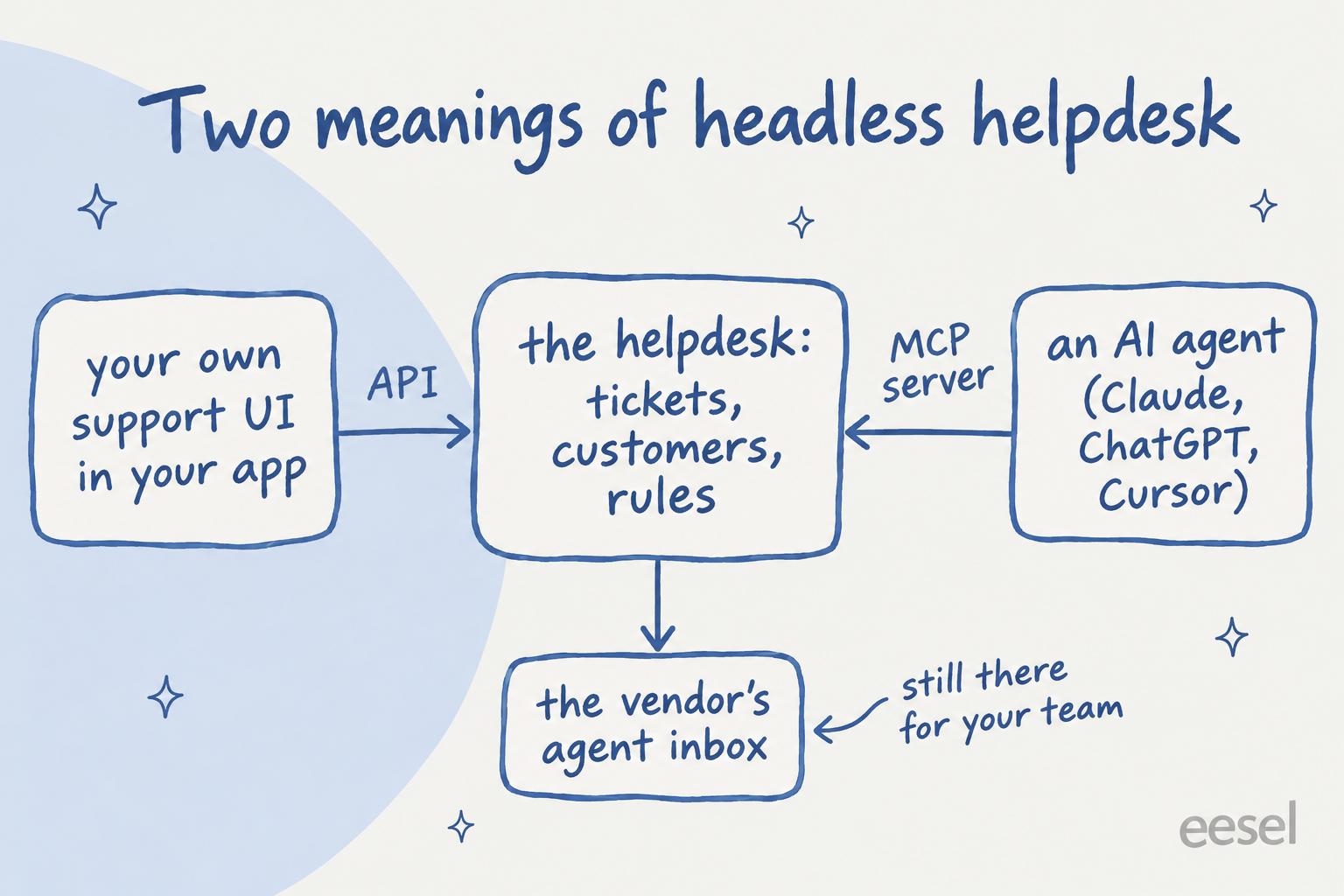
In both cases your team usually still works tickets in the vendor's own inbox. HelpSpot says so on its page: "Your team still works every request in a full help desk." Headless removes the customer-facing widget or adds an AI head; it rarely removes the agent workspace.
If you came here for the AI-engine version of the idea, where the support AI is the thing you call from any frontend, eesel's guide to headless AI customer support covers it.
Why an MCP server stopped being the test
For most of the last two years, "is this helpdesk headless?" meant "is its API complete?". Plain's own eight-question checklist, published in May 2026, asks whether the API is the primary surface, how tight the rate limits are, whether you can bring your own AI agent, and whether the platform ships an MCP server, and at the time it listed Pylon, Zendesk, Front and Help Scout as having none. (If Pylon is on your list, see Pylon vs Plain.)
Six months later, an MCP server is close to table stakes:
- The Gorgias MCP is first-party and works on every Helpdesk plan, with AI Agent not required. It can search and read tickets, reply to customers, add internal notes, update status, priority, assignee and tags, manage macros and rules, and pull CSAT and response-time data. Its open beta note says some writes stay gated during the beta.
- Plain's MCP server has "nearly 400 tools" covering threads, customers, labels, the help center, workflows, SLAs and saved views.
- HelpSpot's MCP lets an agent "find and update requests, add notes, search and edit knowledge base articles, and build reports from live data."
- Jitbit's server is built into every SaaS account at
/api/mcpand can create tickets, post replies or notes, change category or priority, and close tickets. - Teamwork Desk connects through the Teamwork.com MCP server.
- Freshdesk has an MCP server too, with a monthly action allowance you can top up with paid packs, covered in eesel's guide to the Freshdesk MCP actions pack.
- On Zendesk, Zendesk Bridge connects outside AI agents to Zendesk's own MCP server. It's in early access and free while that lasts. The MCP server in Zendesk's marketplace is a different thing: Swifteq's partner app.
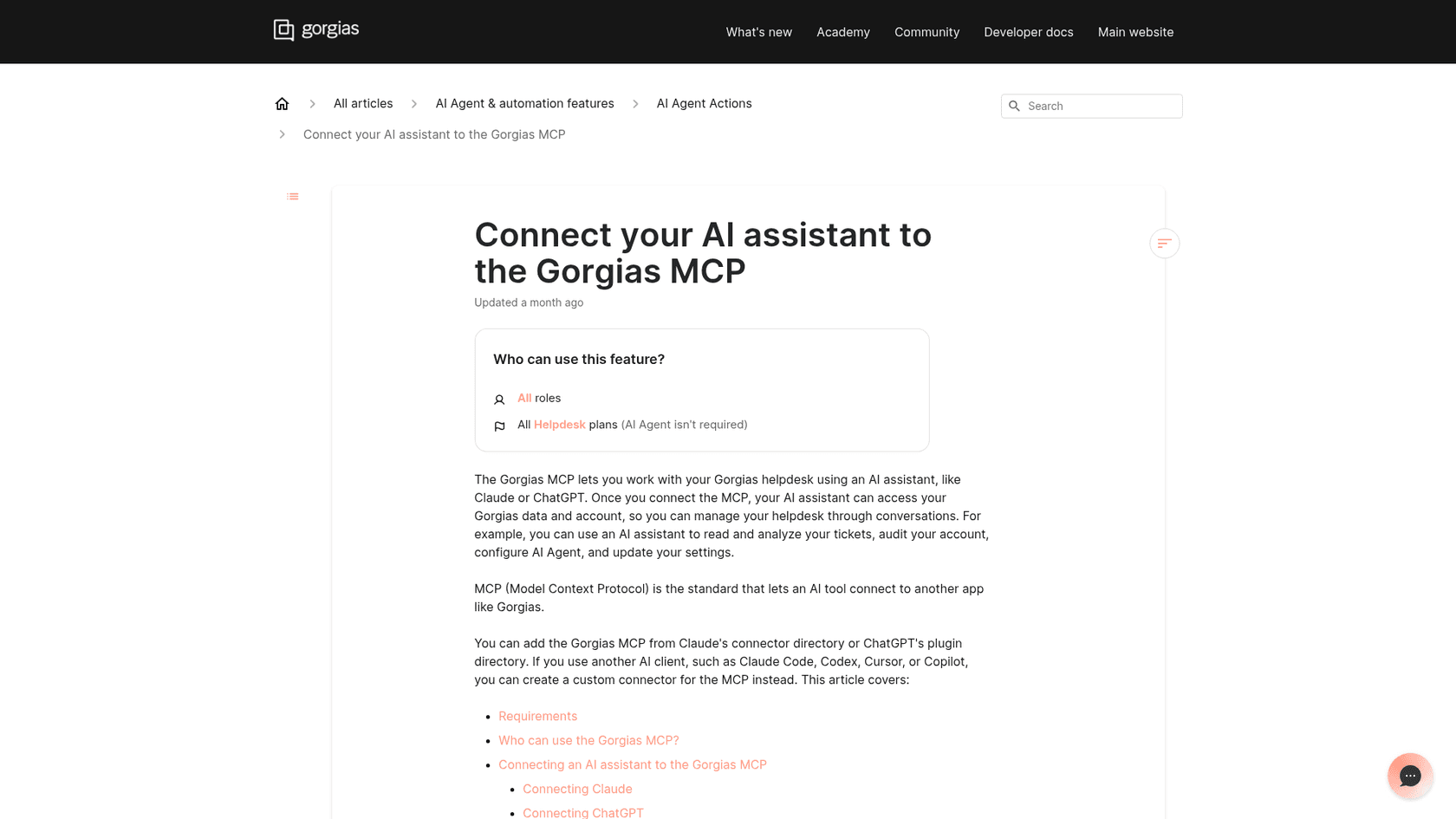
So "does it have an MCP server?" no longer separates helpdesks. What does is the question underneath it: who is the agent when it acts, and who is there to start it.
Which helpdesks work headless today?
Here's how the ones with a real headless story compare, from each vendor's own docs and pricing pages, checked 23 November 2026.
| Helpdesk | API for your own UI | MCP server | Who the MCP acts as | Price to start |
|---|---|---|---|---|
| Plain | GraphQL API; machine users with scoped API keys | First-party, nearly 400 tools | You, via OAuth; replies show as from your user | $45 per user a month, billed annually (Foundation plan) |
| HelpSpot | Public API (customer side) and private API (staff side) | First-party | API tokens carry the permissions of the staff member who made them | $2,199 a year for 10 agents (HelpSpot pricing) |
| Gorgias | REST API | First-party, open beta, every Helpdesk plan | You, within your Gorgias role | Helpdesk plan price; MCP included at no extra cost |
| Jitbit | API with per-user tokens | First-party, built in (on-premise from v11.21) | The user whose API token or OAuth login it uses | See Jitbit pricing |
| Zendesk | REST API | First-party in early access (Zendesk Bridge), or a partner app (Swifteq) | Bridge: the agent's own identity, for a consenting user. Swifteq: each teammate's own login | Bridge: free during early access. Swifteq: free for 500 MCP calls a month; Team plan 49 EUR a month plus 9 EUR per extra user |
Two things stand out. First, Plain and HelpSpot are the only two that sell headless as the point of the product, and both are built for teams that want support inside their own app. Second, nearly every MCP server in that table works as a person. Plain's docs say it outright: the connection shares "the same context as your normal web app user," and "replies to threads will appear as though they come from your user." Gorgias puts it as "Your AI assistant acts as you."
That's the right design for a person asking their helpdesk questions. It's the wrong shape for an agent that answers customers.
What a headless helpdesk doesn't give you
A headless helpdesk gives you the pipes. (For the protocol side of this, eesel's MCP for customer support guide goes deeper.) It doesn't give you the worker that sits on them. An MCP connection in Claude runs only while someone is in that chat: nothing wakes it when a ticket arrives, it carries one person's role into every action, and when that person logs off, the queue is on its own again.
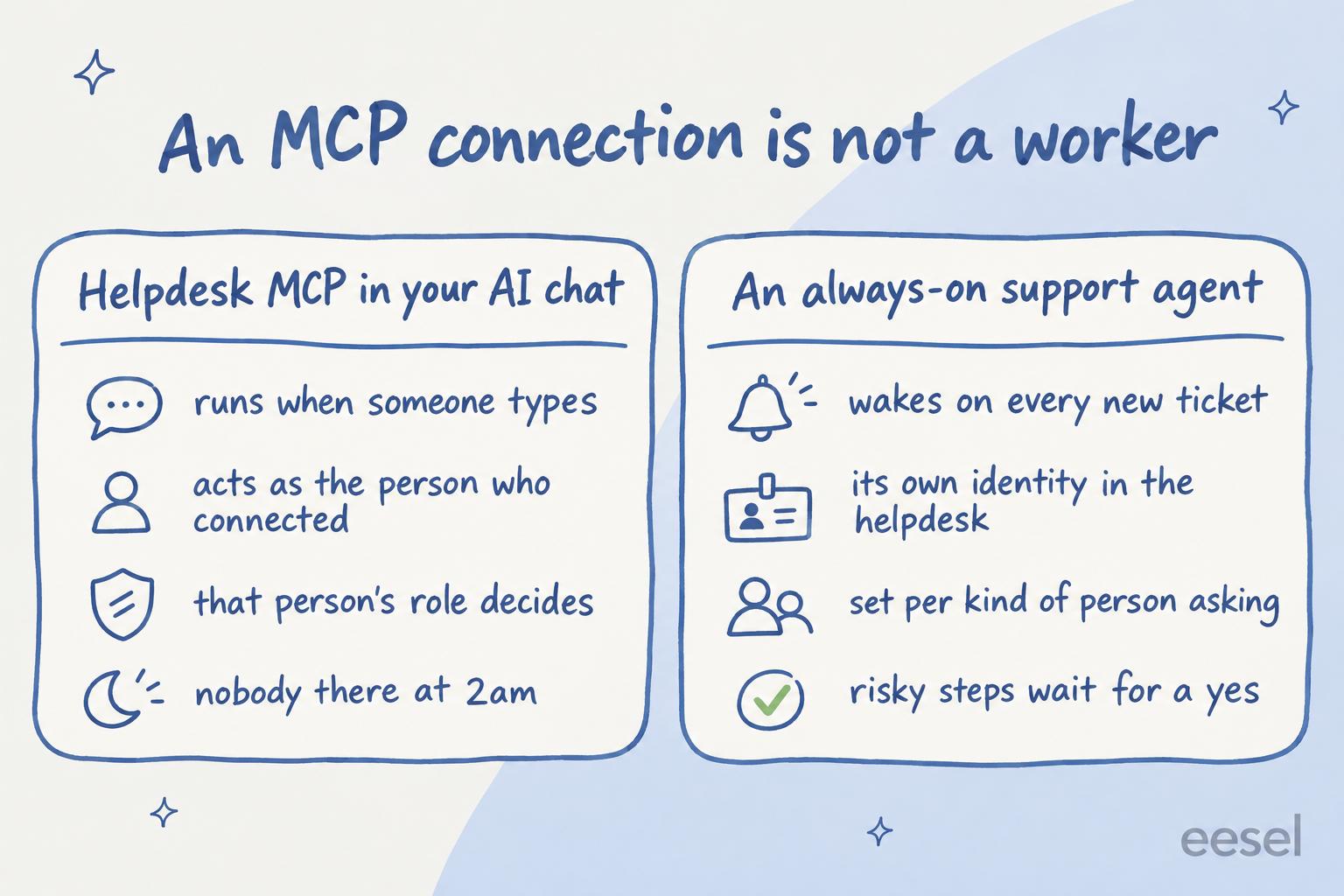
To get from pipes to a worker you need four things the MCP server doesn't ship:
- A trigger. Something has to start the agent on every new ticket or reply, which means the helpdesk's webhooks and a service listening to them, as in any AI helpdesk API build.
- Its own identity. An agent that replies as your head of support is a problem the first time it's wrong. Plain handles this with machine users, separate API identities whose keys each carry their own permissions, and its bring-your-own-agent option assigns threads to them, billed as a Connected Agent at 15 credits per assignment plus 15 per discussion on every plan, per Plain's pricing.
- Permissions by who's asking. What the agent may do for your support lead isn't what it may do for an anonymous visitor. A person's helpdesk role can't express that, because it's one role.
- Approvals and hand-off. Keeping a human in the loop is the point here. A refund or a public reply on a touchy ticket should wait for a person's yes, and a customer who asks for a human should get one. The handoff rules are yours to write.
Swifteq's Zendesk app shows the care this takes even for a person-driven connection: it is read-only until you allow changes, public replies and merges stay off until an account owner turns them on, and "there are no delete or spam tools." An autonomous agent needs those choices made for every action, not just the scary ones.
You can build all four, and an API-first agent platform can take some of it off you. But be honest about what you're signing up for: the model loop, retrieval over your help center and past tickets, testing before it goes live, and someone on call when it misbehaves. eesel's support agent API guide walks through what that build involves.
Which kind of headless do you need?
Most teams want one of four things when they search for a headless helpdesk, and each points somewhere different. Pick yours.
Pick the job you're hiring "headless" for to see what it needs, who it acts as, and what's left to build.
If you picked the first, your helpdesk choice matters most (eesel's best AI help desk software roundup compares the field), and HelpSpot or Plain are where I'd look. If you picked the second, you probably don't need to switch helpdesks at all: check whether yours already has an MCP server and connect it; on Gorgias, eesel's guide to an AI agent for Gorgias shows what an agent adds. The third and fourth are where most support teams actually end up, because the questions that eat a team's day come in when nobody is in a chat window.
Try eesel on your headless helpdesk
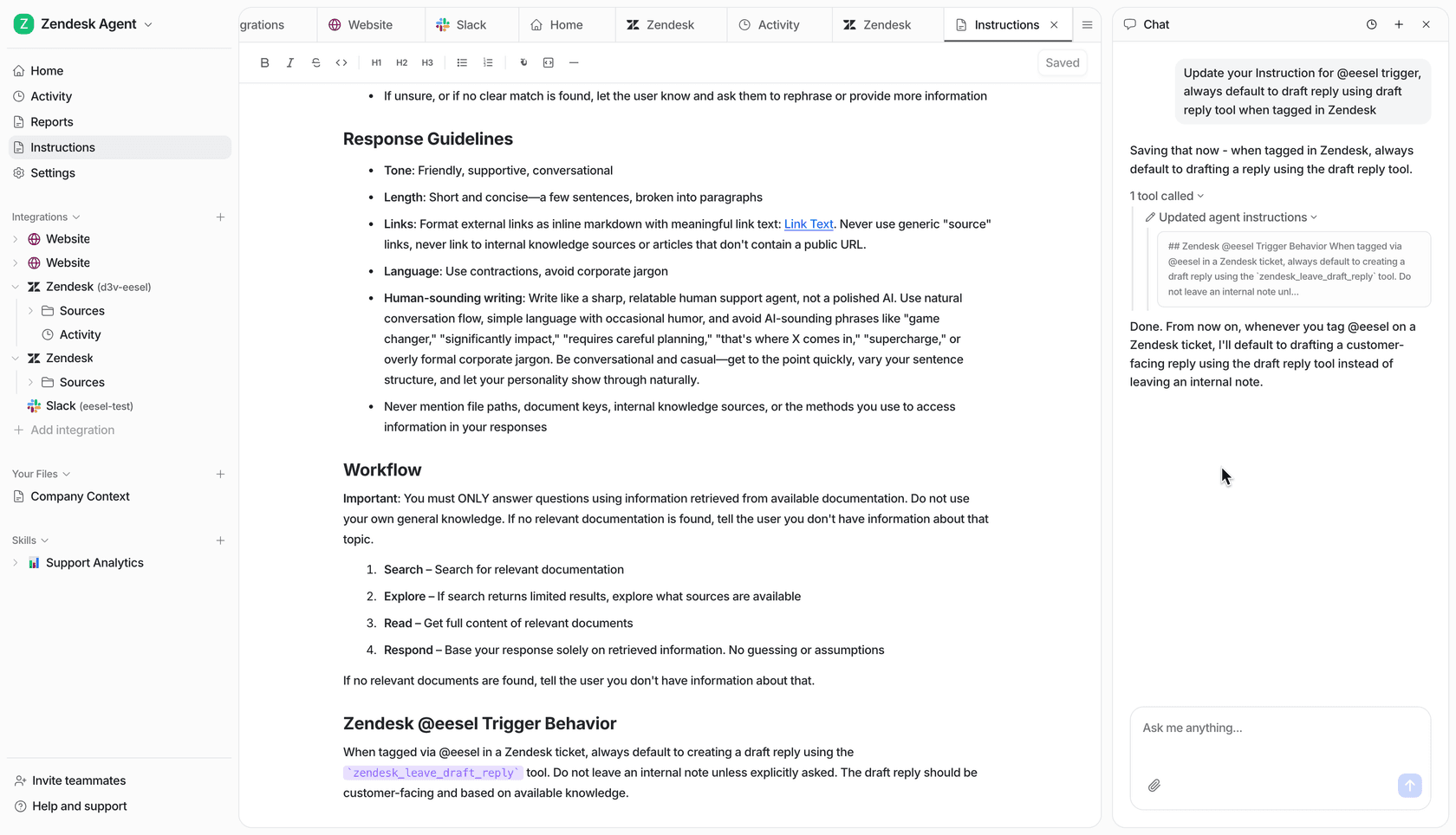
eesel is the worker for the helpdesk you already have. It connects to Zendesk, Freshdesk, Gorgias, Help Scout and others, wakes on every new ticket, learns from your help center and past tickets, and replies, tags, drafts or hands off inside the helpdesk, with what it may do set per kind of person. ClutchLoop runs it as "Loopy" on Gorgias: 230 Gorgias tickets handled in a month, 180 replies sent to customers directly, live Shopify lookups for price and stock, and it steps back the moment a person is already replying.
Every eesel action is on, ask first or off, so the same teammate can close a ticket on its own, wait for a yes before a refund, and never touch billing for an anonymous visitor. Anything set to ask first waits for a person's approval, with the reason shown, from Slack, email or the dashboard.
And it's headless in the sense your engineers care about. The eesel CLI runs the same teammate from a terminal, a script or a coding agent such as Claude Code, Codex or Cursor: eesel integrations connect gorgias starts the connection (an admin approves it in Gorgias), eesel integrations gorgias actions lists every action with its approval setting, and eesel chat sends it a test question so you can read the real answer before it touches a customer.
If your helpdesk already has an MCP server, keep it for the questions you ask it yourself. Try eesel for the tickets that arrive while you're not asking anything.