Zendesk Open Service Directory: what it is, how it works, and what's live

Rama Adi

Katelin Teen
Last edited October 14, 2026
What is the Zendesk Open Service Directory?
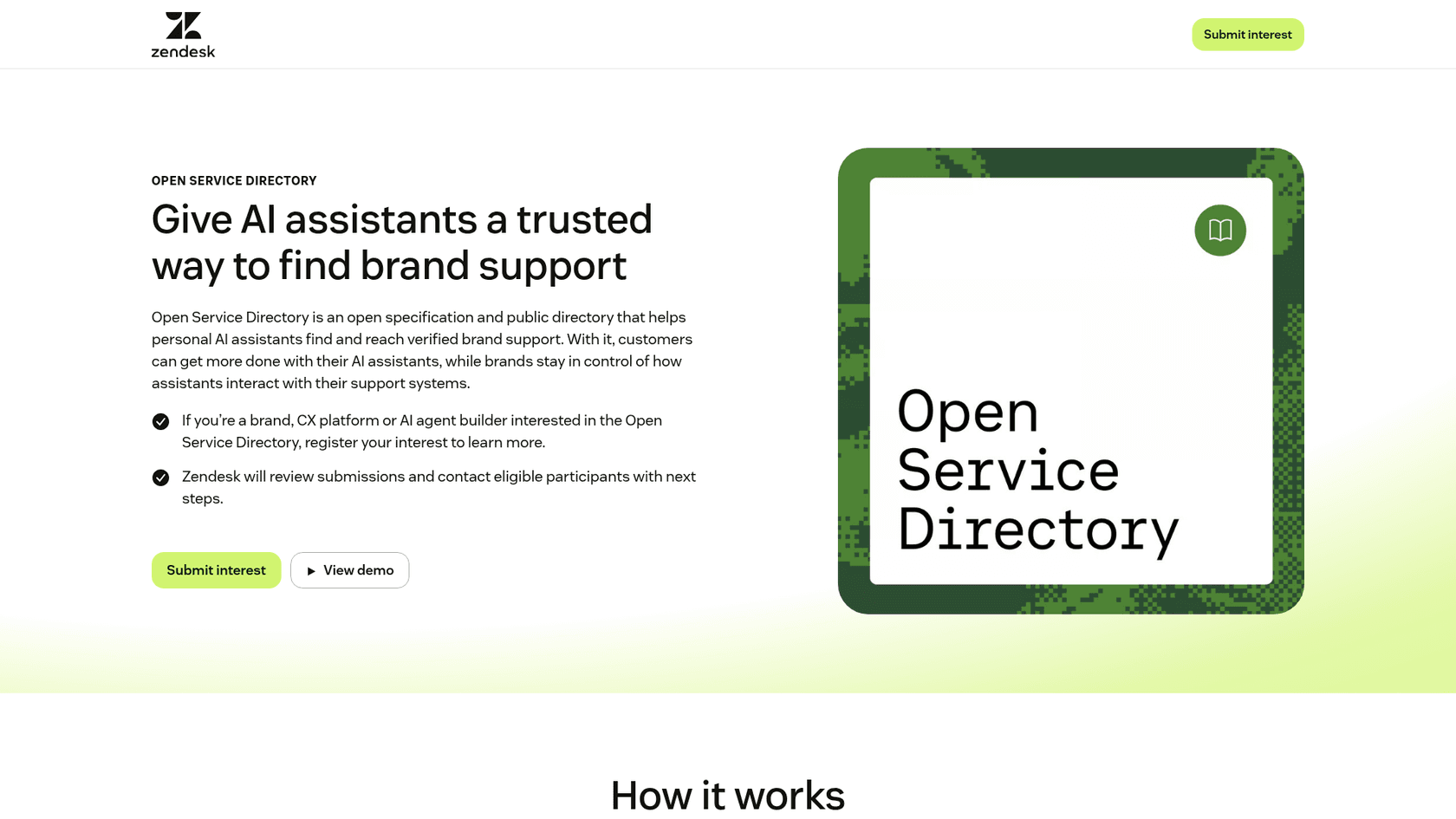
The Open Service Directory is Zendesk's answer to a new kind of support request: one that arrives from a customer's personal AI assistant rather than from the customer. In Zendesk's launch post, written by Jad Chamoun (Senior Director of Applied AI) and Will Poon (Director of Product Management for Messaging and AI), it is described as "a specification and public directory of verified support destinations."
I build integrations for a living, so I read the launch the way I read any API announcement: what is the contract, who hosts what, and what is shipping versus promised. Here is the short version.
| Question | Answer (from Zendesk's own pages) |
|---|---|
| Announced | October 11, 2026 |
| What it is | An open spec plus a public directory of verified support destinations |
| Built on | Agentic Resource Discovery (ARD), the discovery spec Google announced with industry partners |
| Who can list | Any brand, on Zendesk or another service platform, that opts in and approves a listing |
| Cost | "No cost associated to register or participate", per the campaign FAQ |
| Launch brands | Betterment, ElevenLabs, Flex, TeamSystem, TBAuctions, Telekom Payment S.A., Wireless Logic |
| Compatible assistants | OpenAI's Dots and ChatGPT, Claude, Muse, Instinct, Grok Bot, Gemini |
| Who governs it | Zendesk "and other stewards" |
| Next update | More detail promised at Zendesk AI Summit next month |
If the assistant names on that list are new to you, I have written up OpenAI Dots, Instinct AI and Grok Bot separately. OSD is the first time a helpdesk vendor has tried to give all of them one shared way in.
Why would an AI assistant need a directory to find support?
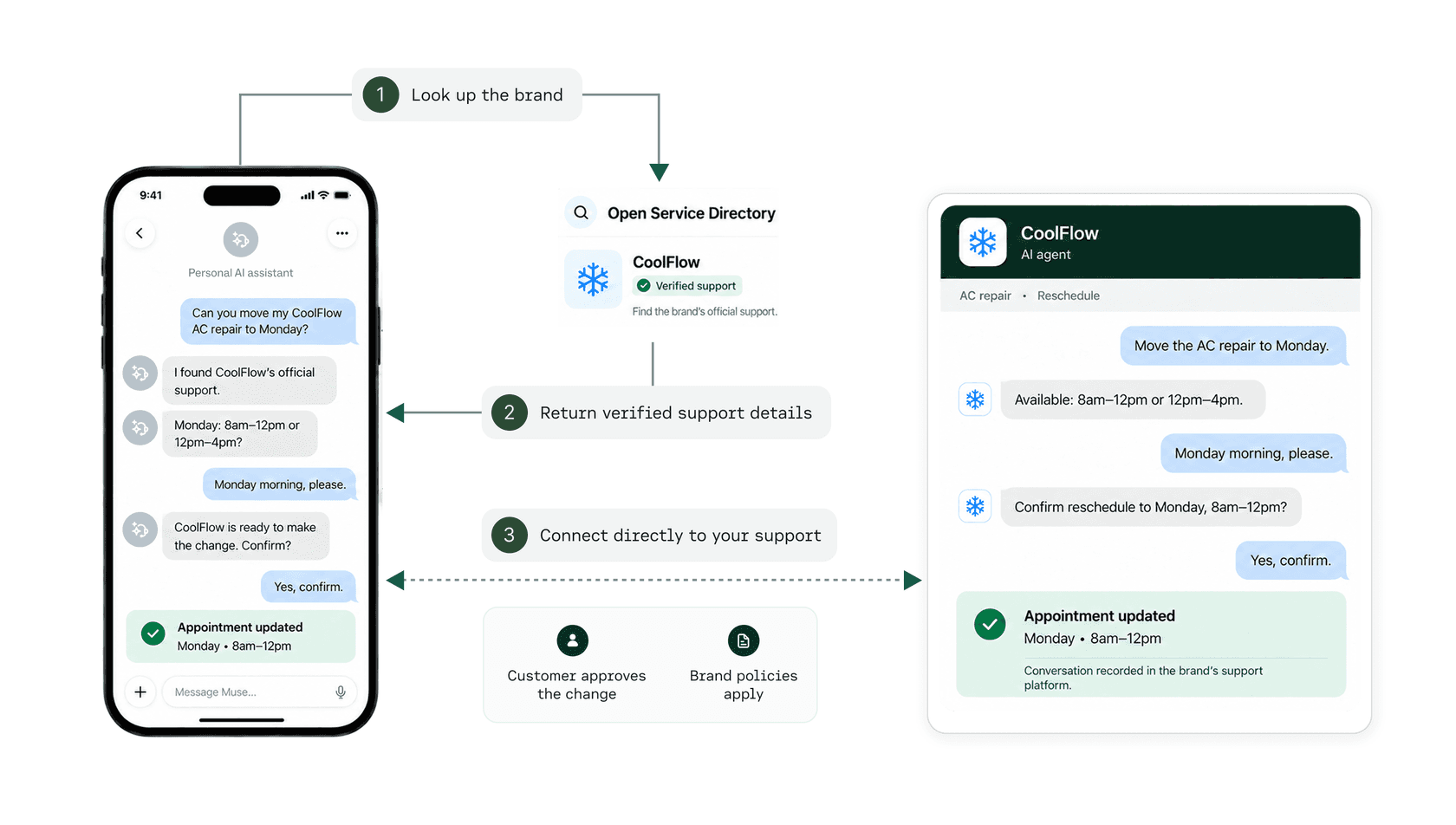
Because today it guesses. Zendesk's own example is a customer asking an assistant, "Can you move my air conditioner repair appointment to Monday?" The assistant can find the company's help articles, but moving the appointment means reaching the company's real support, and there is no shared, trusted way to check that the "support" it found is the brand's and not a lookalike.
This is not a far-future problem. I have already seen assistants route real buyers: one prospect told the eesel team on a sales call that they found eesel because an AI assistant recommended it directly, alongside a friend's tip at dinner the night before. If assistants are already picking vendors on a buyer's behalf, they will pick support desks on a customer's behalf too, and a wrong pick there means a customer handing order details to a fake help desk.
The skeptics have a fair point about where this goes once there is something to win. When Google's ARD spec, the base layer OSD sits on, hit Hacker News, the top comment put it plainly:
"This seems useful as a standard interface, but, again, doesn't solve the harder discovery problem. Once there is value in appearing in the top results, the system inherits the same adversarial dynamics as SEO/app stores, spam, scams, etc."

OSD's answer to that is the endorsement rule in the next section, and I think it is the most important design choice in the whole spec.
How the Open Service Directory works
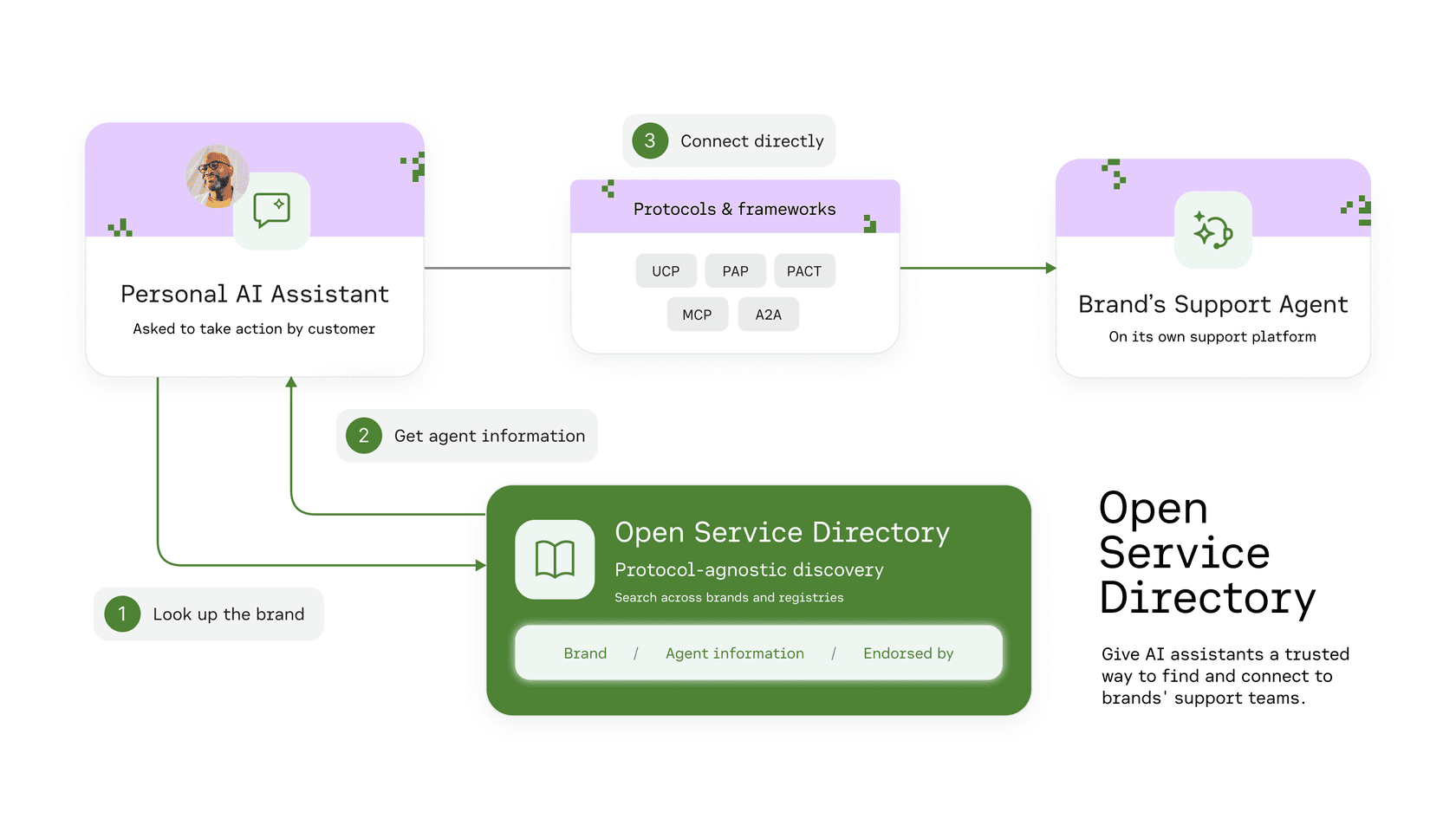
Zendesk describes it in three steps: list approved support, find the right business, connect to official support. The OSD developer docs fill in the mechanics, and they are refreshingly small.
Step 1: the brand publishes a listing on its own domain
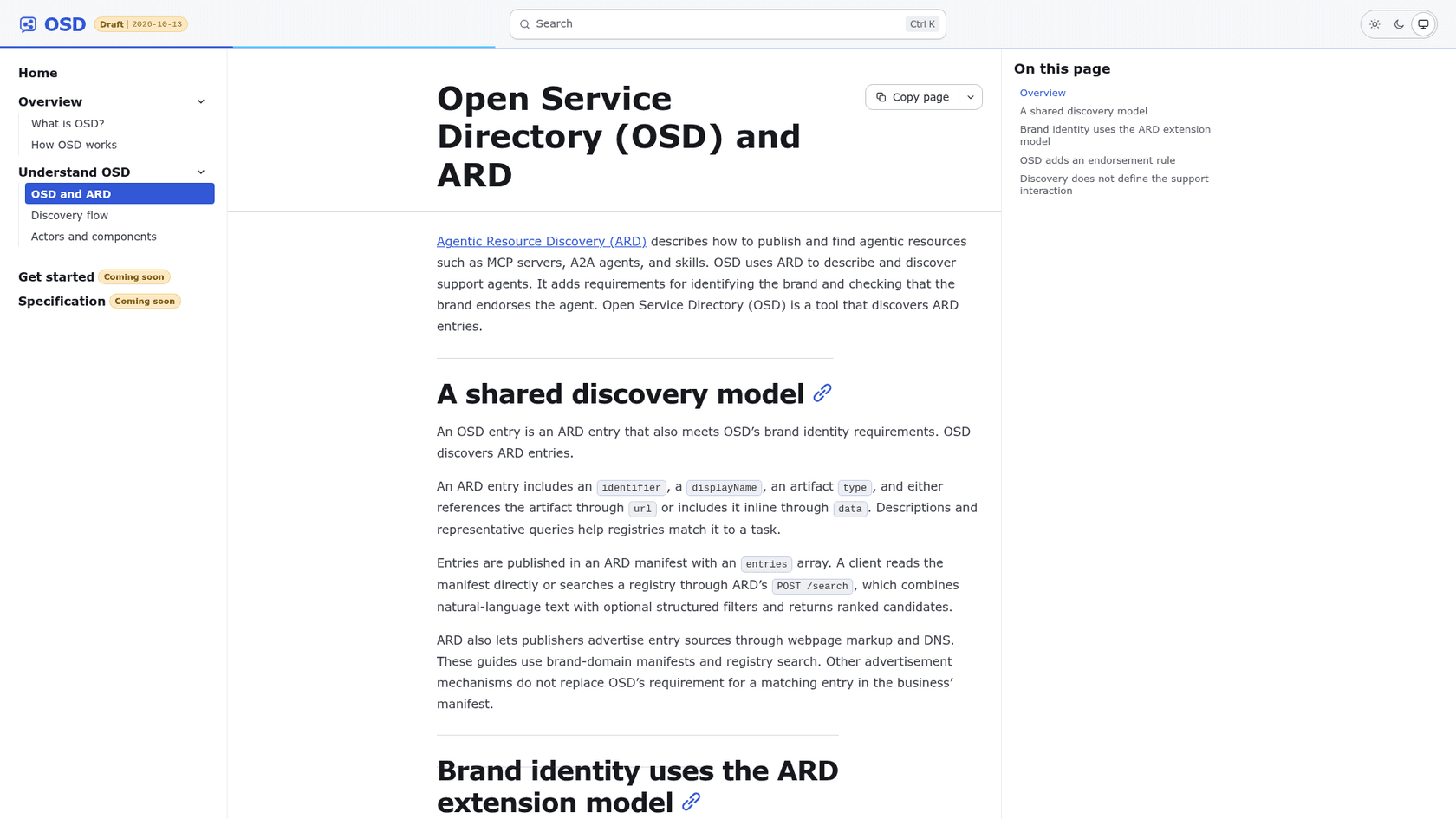
A brand describes each support agent it wants assistants to find in a JSON manifest at https://{brand-domain}/.well-known/ard.json. Each entry is a normal ARD entry (an identifier, a display name, a description, sample queries, and a link to the agent's MCP Server Card or A2A Agent Card) plus two OSD fields: osd:brandName and osd:brandDomain. Here is the trimmed example from the OSD and ARD page, using their fictional airline:
{
  "identifier": "urn:air:airline.example:support:assistant",
  "displayName": "Example Air Support",
  "description": "Support for cancelled flights and rebooking.",
  "type": "application/mcp-server-card+json",
  "url": "https://support.airline.example/server-card.json",
  "osd:brandName": "Example Air",
  "osd:brandDomain": "airline.example"
}
The agent itself can live anywhere, including on Zendesk's or another platform's servers. What matters is that the endorsement is served from the brand's own domain. The brand can maintain the file itself or authorize its support platform to manage it.
Step 2: the assistant finds a candidate
If the assistant already knows the brand's domain (say, from a flight itinerary), it reads the manifest directly. If it only knows the brand name or the problem, it searches an OSD registry through ARD's POST /search, which returns complete entries with a relevance score. The docs are careful to say that score "measures query match, not trust."
Step 3: the assistant checks the endorsement and connects
This is the step that answers the spam worry. A registry result is just a candidate. It only counts as endorsed if its complete entry matches one published in the brand's own manifest.
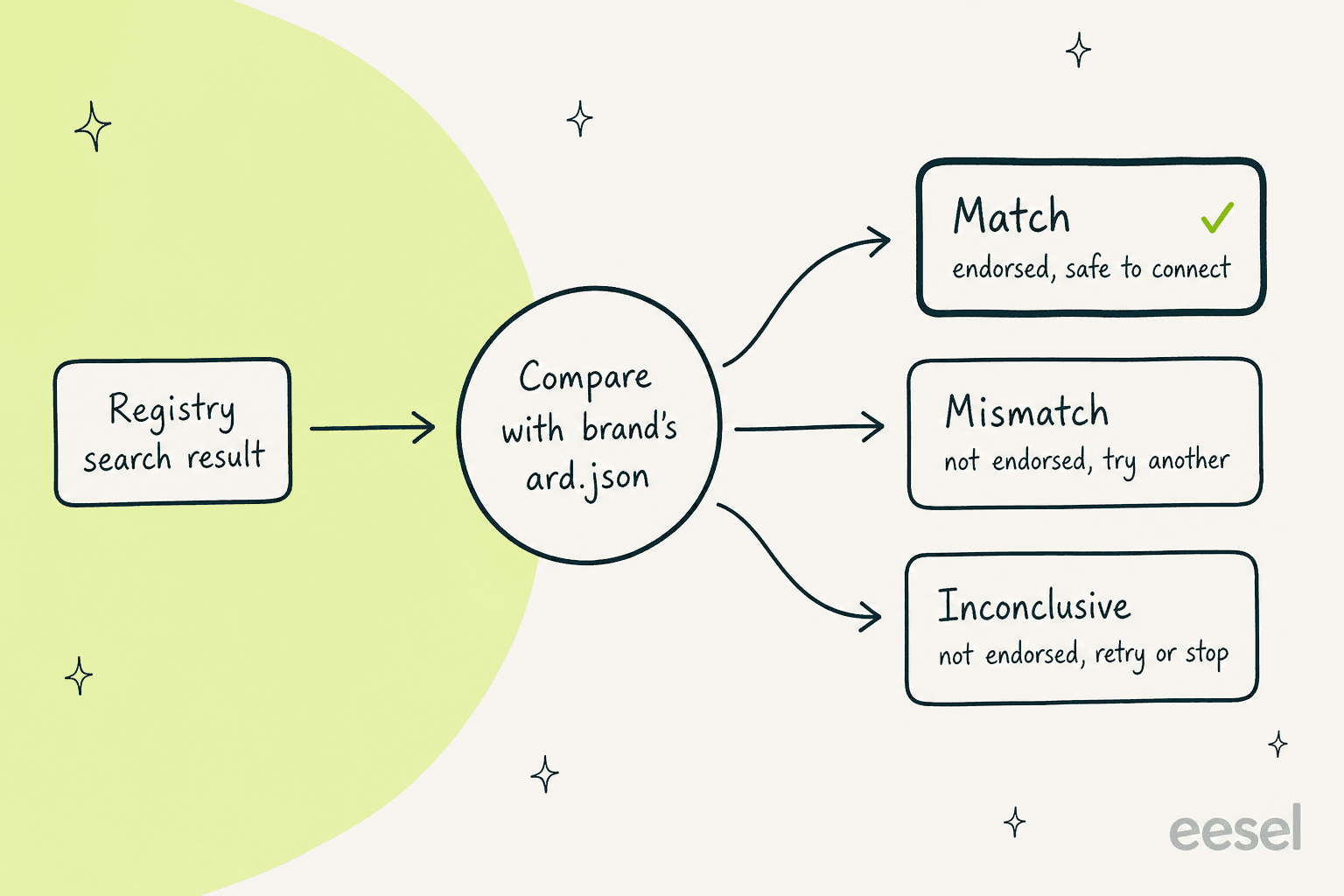
So a scammer can get a lookalike listing into a registry, but they cannot get it into airline.example/.well-known/ard.json without controlling the airline's domain. That is the same trust anchor the web already uses for TLS certificates, and it is a sensible choice. The docs add one more honest caveat: osd:brandDomain is a claim, and it is still the assistant's job to decide whether that domain belongs to the business the customer meant.
Once a match is confirmed, the assistant reads the agent's card and connects over its native protocol, usually MCP or A2A. If you have been following MCP for customer support or what makes a good AI agent MCP server, this is where those servers plug in.
Where OSD stops and your support agent starts
Here is the part I would underline for any support lead reading the launch post. Zendesk says it directly: "The directory does not access private customer data or carry out support actions." The docs go further: OSD "defines discovery and endorsement only."
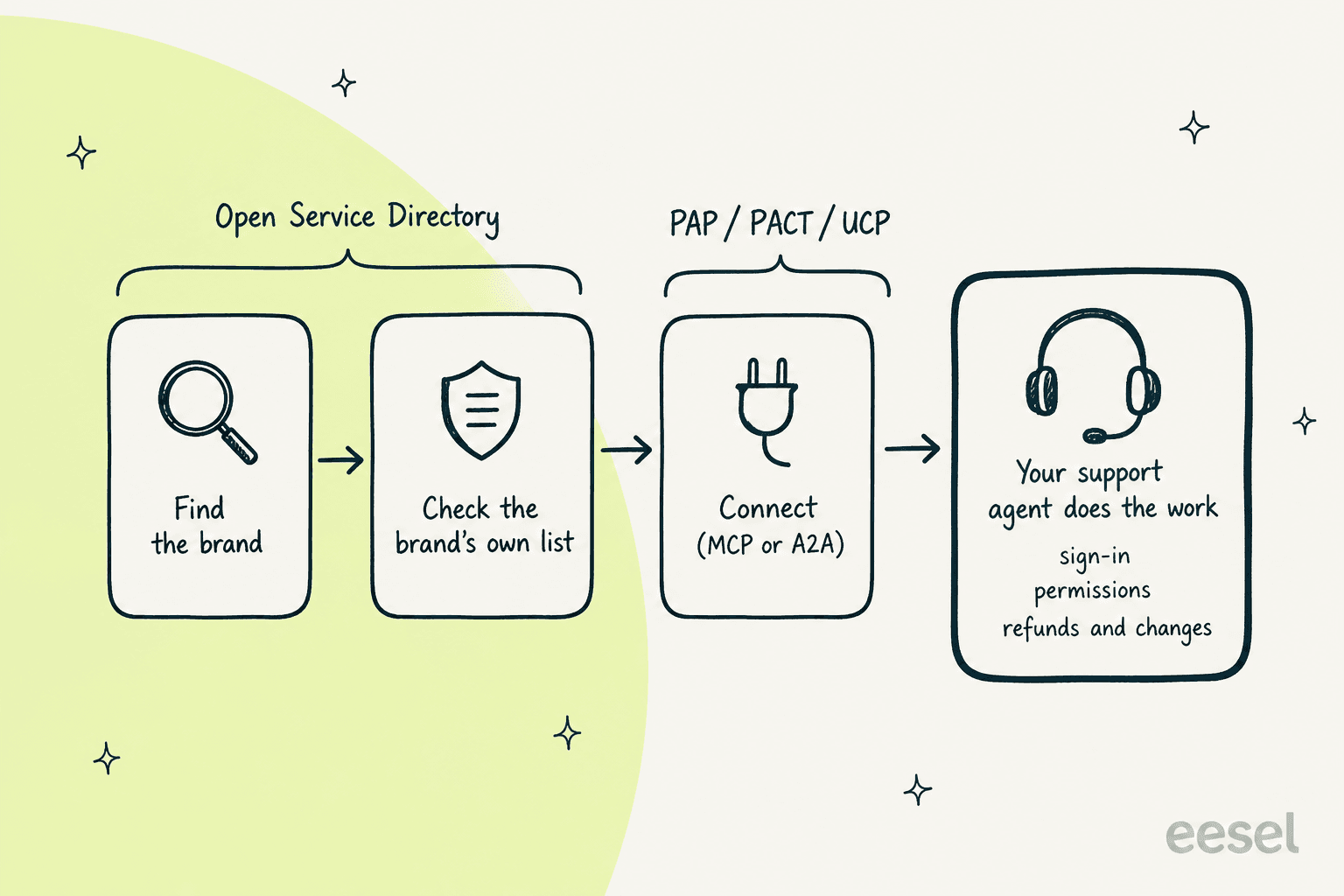
Everything after the handshake belongs to other layers. Zendesk names three protocols it plans to adopt for that part:
- Personal Agent Protocol (PAP), from Sierra, covers how a company decides what an agent may do, from "search rooms" with no sign-in to "book a room" with the user's approval. I covered it in my Personal Agent Protocol post.
- PACT (Personal Agent Consent and Trust), from Decagon, builds on A2A and OAuth so a business can verify which agent is calling and what the customer authorized. It pairs with Decagon's personal agent gateway.
- UCP (Universal Commerce Protocol), a shared language for agentic commerce from discovery to checkout, in the same family as the agentic commerce protocol work.
Not everyone is sold on the idea of protocols here at all. On the PAP launch thread, one commenter pushed back:
"As a human directing my personal agent, why does it need a protocol? It has that with the websites and APIs businesses expose."
My read, as someone who has wired a lot of helpdesk APIs: the website-and-API route works until the action involves an account, money or identity, and then both sides need a way to prove who is acting for whom. That is exactly the slice these protocols target, and OSD is just the lookup that comes before it.
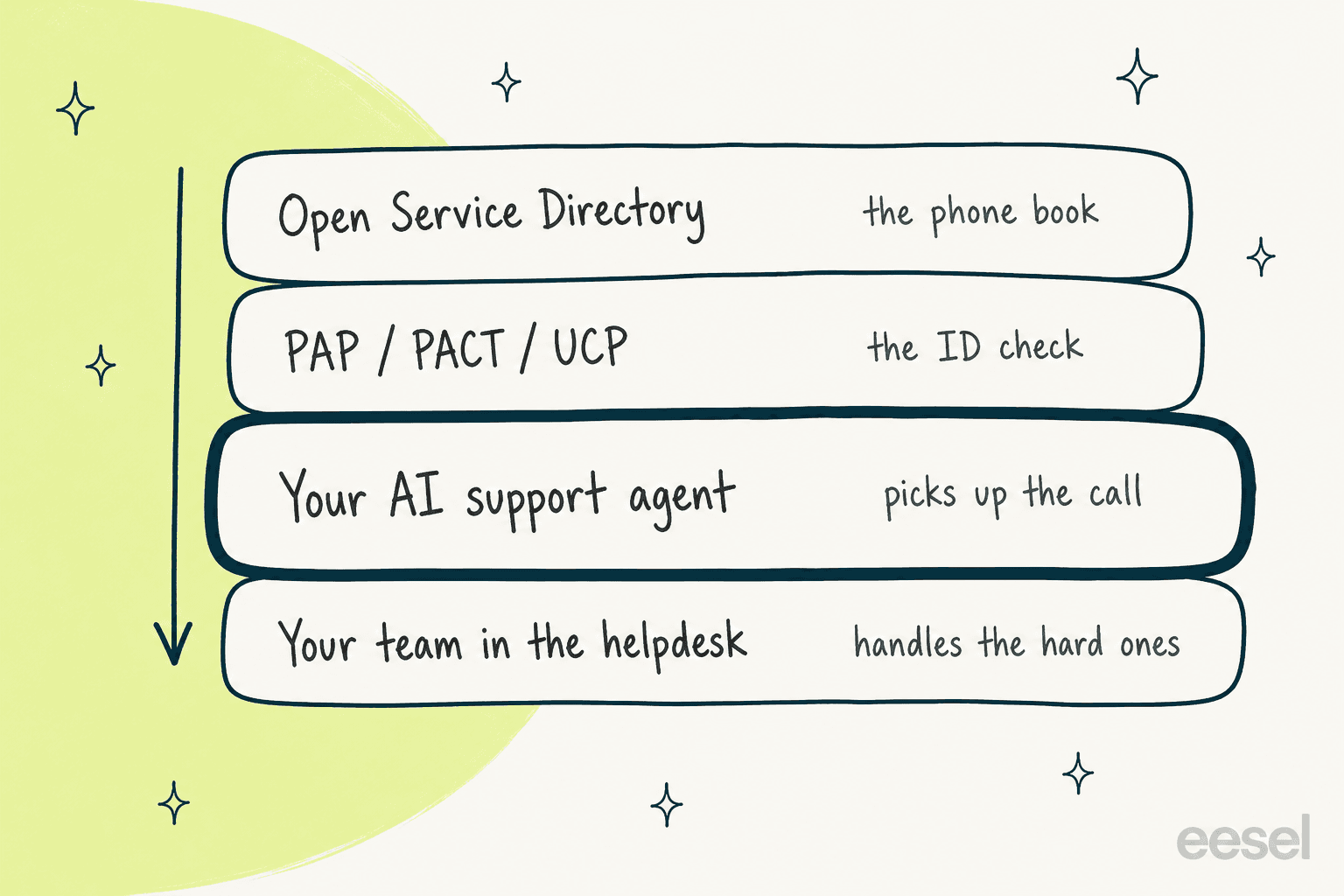
Put together, the stack looks like this, and only one layer is yours to make good:
What is actually live today?
Less than the headlines suggest, which is normal for a spec launch. Here is what I could verify on October 14, 2026:
| Piece | Status on Oct 14, 2026 |
|---|---|
| Developer docs | Live, marked "Draft" and dated 2026-10-13 |
| "Get started" and "Specification" docs sections | Both labelled "Coming soon" |
| Concept pages (OSD and ARD, discovery flow, actors) | Live |
| Joining | A register-interest form; Zendesk "will review submissions and contact eligible participants" |
| Launch-brand listings | /.well-known/ard.json returned 404 for Betterment, ElevenLabs, TeamSystem, TBAuctions and Wireless Logic when I checked |
| Assistant traffic | Not promised: "AI Assistants still need to use their judgement to decide to read or use the directory" |
| Underlying ARD spec | v0.91, status "Proposal", per the ARD spec page |
None of that is a knock. The brands are described as joining "to help shape the Directory", and the endorsement model is the hard part to get right first. But if you are a support lead wondering whether you have to do something this week, the honest answer is no. You have a few months.
The docs also mention an OSD CLI for discovery, verification and direct MCP commands, but they say it is "intended for internal developer workflows only," so I would not plan around it yet.
What does the Open Service Directory mean for you?
The answer changes a lot depending on which side of the connection you sit on. Pick yours:
What it means for a Zendesk support team
If you run support on Zendesk, the directory itself is the easy part. The question it forces is a different one: when a customer's assistant connects to your support, what does it actually reach?
The cost lands on your agent, not the directory
The directory is free. The agent at the end of it is not. If assistant requests are handled by Zendesk's own AI agent, they bill like any other conversation. Per Zendesk's pricing page, Suite Team is $55 per agent per month and Suite Professional $115 (paid yearly), each includes a small batch of automated resolutions (5 per agent per month on Suite Team, 10 on Suite Professional), and every extra automated resolution is $1.50 committed or $2.00 pay-as-you-go. My Zendesk AI pricing and automated resolutions breakdowns go deeper.
So a brand that gets 1,000 assistant-originated requests a month, all resolved by the Zendesk AI agent above its included allowance, adds $1,500 to $2,000 on top of seats. That is not a reason to skip OSD. It is a reason to know your per-request cost before you make yourself easier to reach, and to watch where outcome-based pricing takes that bill next.
Your policies become the product
Zendesk is explicit that once an assistant connects, "the brand decides what customer information can be accessed, which actions are permitted and when a human needs to step in." In practice, that means three things have to be written down somewhere a machine can follow:
- Answers. Does your agent answer from your real policies and past tickets, or from a thin help center? An assistant will ask the questions your customers ask, phrased more precisely.
- Actions. Which writes run on their own, which wait for a person, and which are off? Rescheduling is one thing; refunds and cancellations are another. My approval workflows guide and refund approval matrix cover how to draw those lines.
- Handoff. When the agent is not confident, does the human get the full history? Zendesk's own example promises the request "can move to the support team with the conversation history and actions already taken." See handoff context and AI agent escalations in Zendesk for setups that actually do this.
The second point is the one I hear most from support leads. A CX lead at a DTC supplements brand handling about 7,000 tickets a month put it to the eesel team this way:
"The AI will never be able to answer 100% of the questions, but if it tries and just answers 'sorry I don't know this,' I cannot go and check all my 7,000 tickets to see if the AI actually made a good answer. I need an AI who is only handling the tickets that it's confident to handle and all the other ones, leave them alone."
An assistant arriving through a verified directory raises that bar, not lowers it. The customer trusts the connection more, so a bad answer costs more. My confidence thresholds guide and Zendesk's own intent confidence settings are where I would start.
Where eesel fits
eesel is an AI teammate you hire for a specific job, and on Zendesk that job is the helpdesk. It joins your account as an agent, learns from your past Zendesk tickets, help center articles and macros, and you set per action whether it runs on its own, waits for approval, or is off.
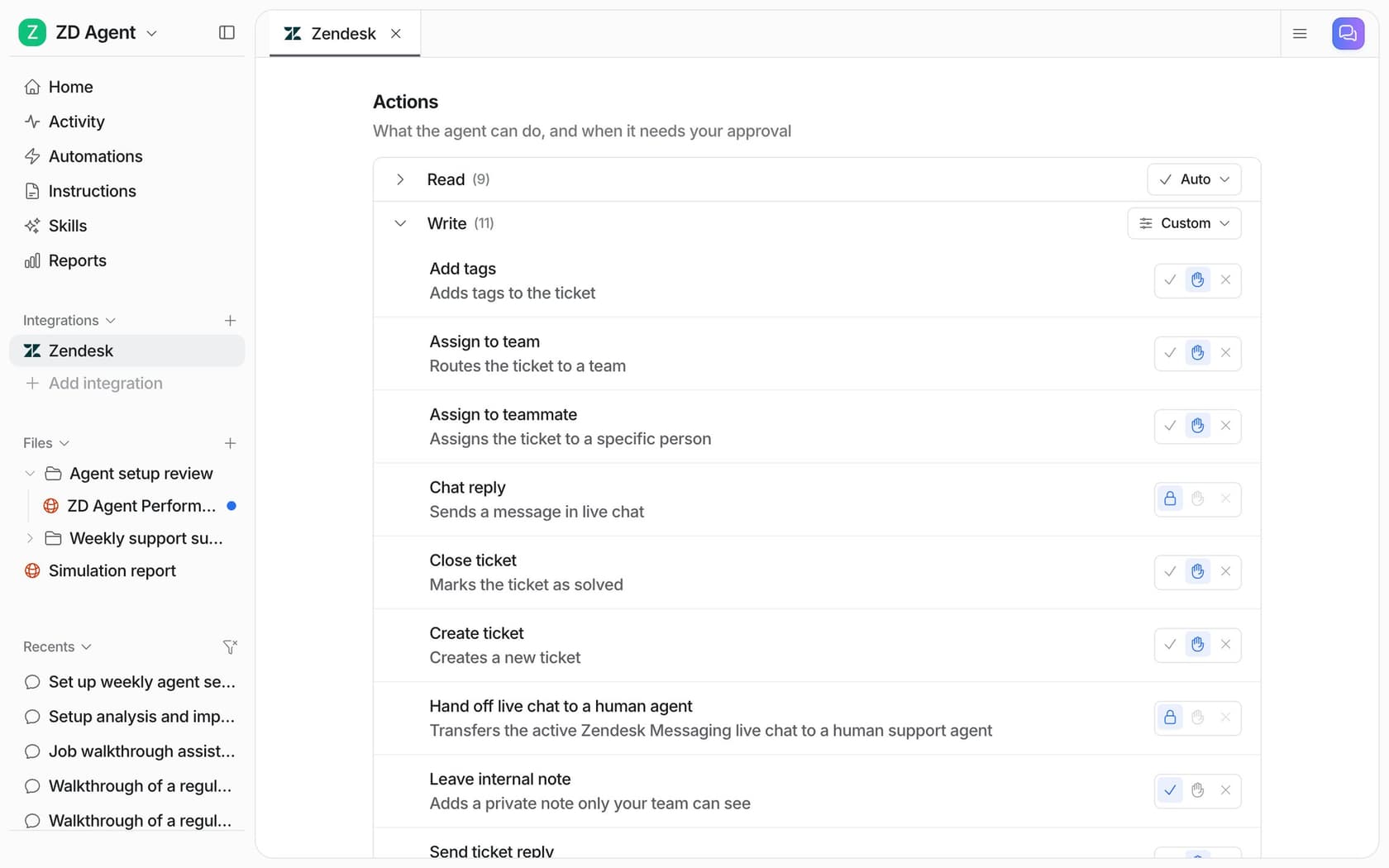
To be clear about what it is not: eesel is not listed in the Open Service Directory, and nobody's listing is public yet. What it does is the layer OSD hands off to, the agent that picks up the call and the rules for what it may do, and it works the same whether a request comes from a person, a chat bubble or, later, someone's assistant.
Since OSD is a developer-first launch, it is worth knowing eesel has a developer-first surface too. The eesel CLI (npm install -g @eesel/cli) runs the same agent you see in the dashboard from a terminal, and every command prints JSON, so a script or a coding agent like Claude Code, Codex or Cursor can drive it. For a Zendesk team getting ready for assistant traffic, the useful commands are the ones that mirror the three points above:
eesel integrations connect zendesk     # a Zendesk admin approves the connection
eesel integrations zendesk actions     # every Zendesk action and its approval setting
eesel instructions                     # read or edit the agent's standing rules
eesel approvals list                   # held actions waiting on a person
eesel activity                         # what the agent did, newest first
Writes from the CLI follow the same approval rules as the dashboard, and --dry-run prints the exact server call a write would make without sending it, which is how I would review a policy change before it ships. Every workspace is also an MCP server you can connect from Claude Code with one eesel mcp token command. That server is for you operating your agent, not for customers' assistants, so do not confuse it with an OSD listing. My AI agent CLI post covers why that terminal access matters for support teams.
Try eesel on your Zendesk queue
If the Open Service Directory has you thinking about who answers when an assistant knocks, start with the agent rather than the listing. eesel plugs into Zendesk in about 30 minutes, learns from the tickets your team has already answered, and lets you replay it against past conversations before it replies to anyone. You set which actions need a human, and every run shows up in an activity log you can audit.

The free plan comes with 100 credits and every feature, and paid plans start at $299 a month for 500 credits, where one ticket is one credit however long it runs (eesel pricing). If you want the comparison first, here is eesel vs Zendesk AI. Otherwise, Try eesel on your own Zendesk tickets.
Frequently Asked Questions
What is the Zendesk Open Service Directory?
How does the Open Service Directory verify a brand's support agent?
/.well-known/ard.json on its own domain, and that publication is the endorsement. A registry search result only counts as endorsed if its complete entry matches one in that manifest. It is the same idea as checking a phone number against the company's own website, which also matters for MCP support servers.