

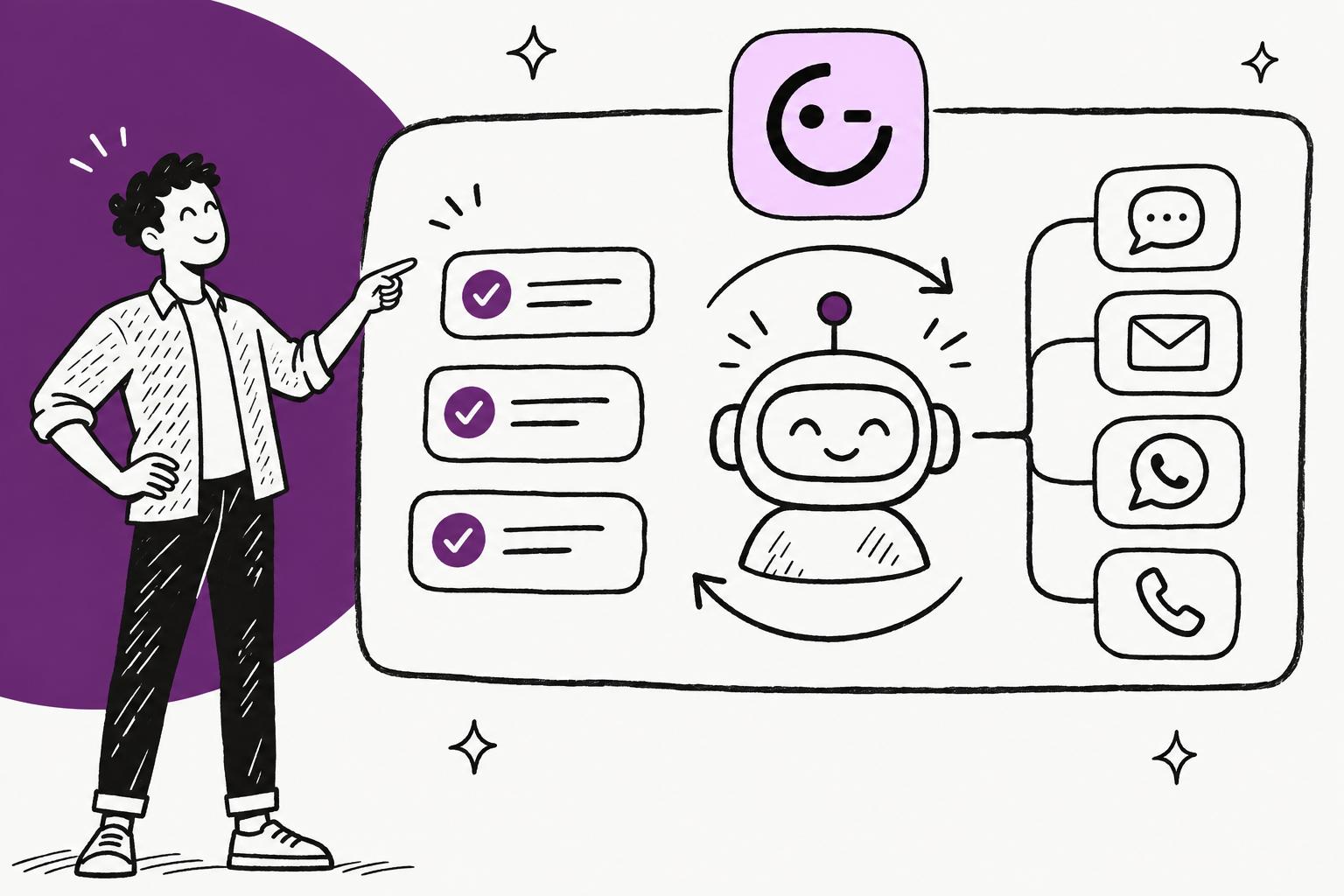
The best AI for most teams on Gleap is Gleap's own Kai Support, which is on every plan and costs about $0.05 a conversation by Gleap's estimate, paid from a prepaid AI balance on top of a plan from $29 a month billed yearly ($35 monthly). Gleap gives you four more routes: Kai Copilot, which drafts replies for your team and sends them when you say yes; Kai Code, which turns a bug report into a pull request (from the $99 Growth plan); custom agents you build with your own tools and triggers (Growth and up); and Gleap's MCP server, which lets Claude, ChatGPT, Codex or Cursor work your tickets with your role. For a 6-person team on Growth answering 2,000 conversations a month, I make it about $241 a month before investigations. If you haven't committed to Gleap and your support runs in Slack and a mainstream helpdesk, eesel is an AI teammate that works in both and charges one credit per ticket or chat.
How I picked these
I build AI agents at eesel, so I read Gleap the way I'd read a system I had to run: what each agent is allowed to do, what it's billed on, and which plan switches it on. Every option here comes from Gleap's own pricing page, its plans and AI pricing docs and its product pages, read on 24 November 2026. I left out tools that only send events into Gleap, since they don't answer anyone.
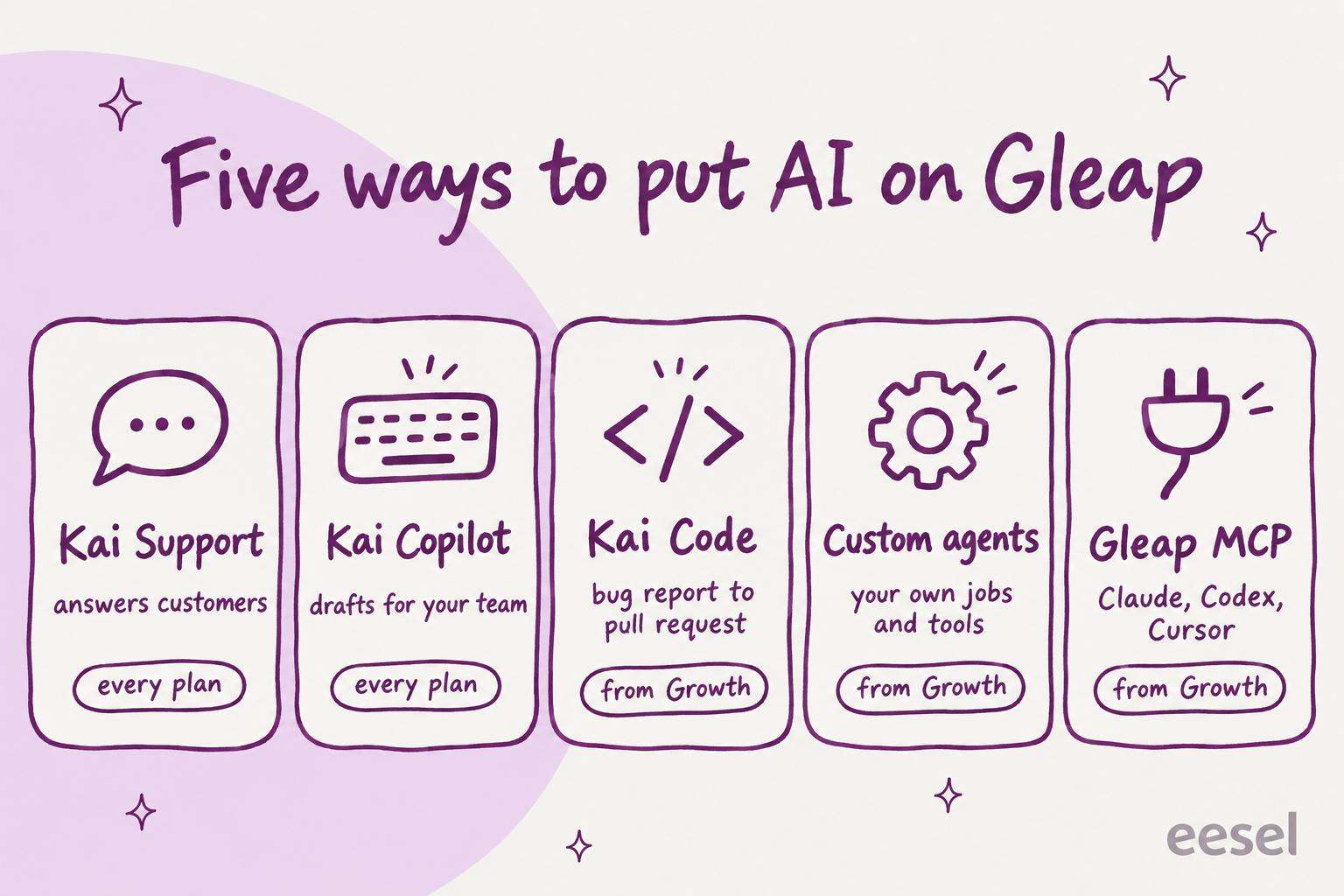
The five routes split by who the AI works for. Kai Support works for your customers, Kai Copilot for your team, Kai Code for your codebase, a custom agent for whatever job you give it, and the MCP server puts your own AI tool to work inside Gleap.
The best AI for Gleap, compared
| Option | Works for | Plans | What you pay | Acts on its own? |
|---|---|---|---|---|
| Kai Support | Your customers | Every plan; investigations from Growth | About $0.05 a conversation (estimate); an investigation stops at $1 | Yes; asks your team on a card when it needs a decision |
| Kai Copilot | Your team | Every plan | About $0.05 a conversation (estimate) | No; replies go out when you say yes |
| Kai Code | Your codebase | Growth (5 repositories), Pro (20) | Cloud sessions by usage; Kai Code Bridge sessions aren't billed by Gleap | Opens pull requests; your team merges |
| Custom agents | Any job you define | Growth and up | By usage, with a cost cap per run | Yes, within the tools and permissions you set |
| Gleap MCP server and APIs | Your own AI tool or code | Growth and up | No extra Gleap charge; your AI client bills its own usage | As you, with your role |
The pick for most teams is Kai Support, since it's the only one that talks to customers out of the box. The other four add to it rather than replace it.
1. Kai Support
Best for: any team on Gleap that wants an AI agent answering customers first, around the clock.
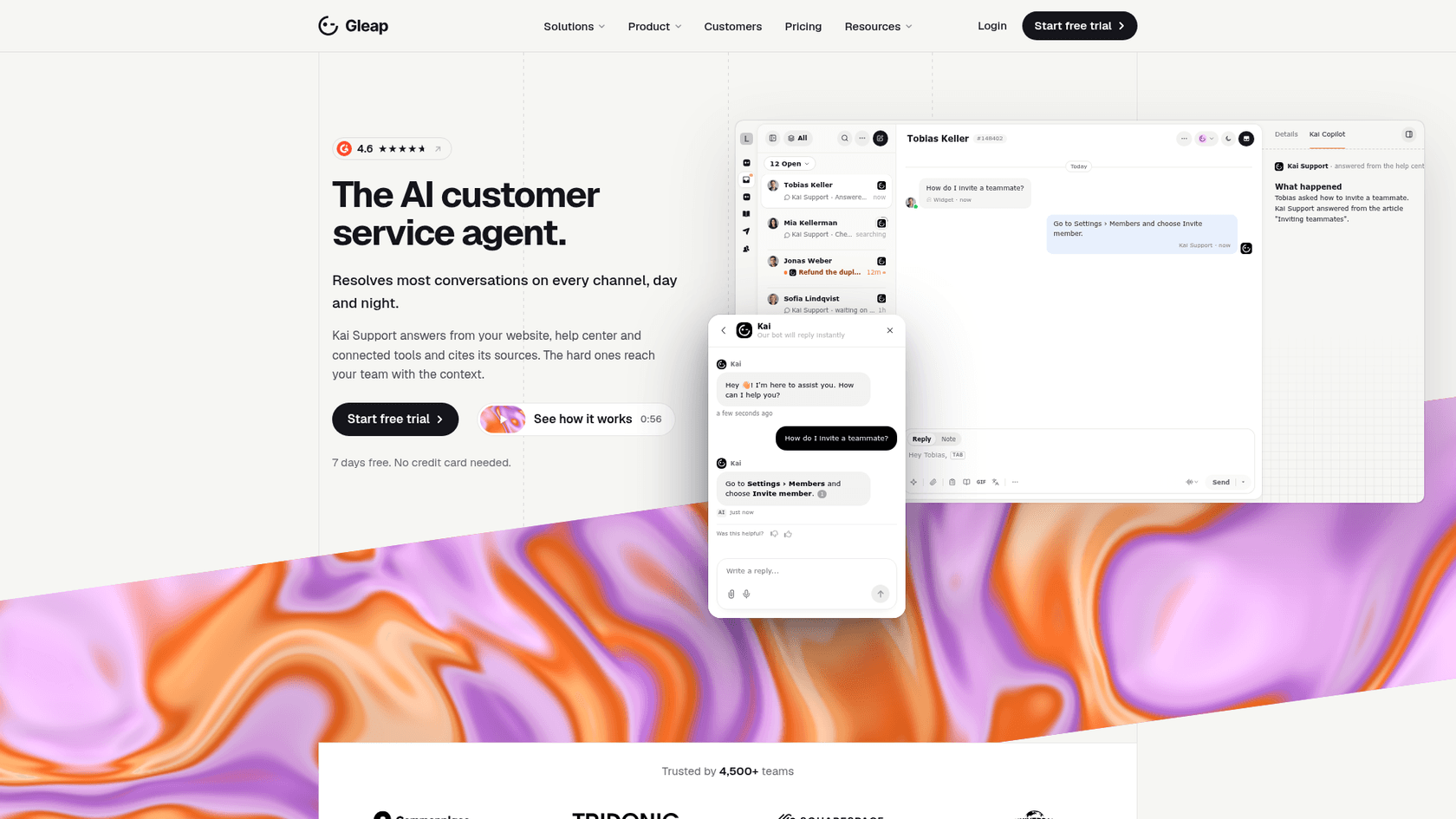
What it does: Kai Support answers every new or reopened conversation from your website, help center and connected tools, cites the articles it used, and hands the hard ones to your team. Gleap says it works in chat, email, WhatsApp and on the phone, but Hobby covers live chat only; email and messaging need Growth. You teach it jobs as skills: describe the job in a sentence, test the draft skill on past conversations, then publish it for everyone or for verified contacts only. When it needs a decision it asks your team with one card that carries the question, the reason and its recommendation, and refunds and credits follow the money limits you set.
From Growth, Kai Support also investigates hard tickets: bug reports, customers asking for a person, or questions it can't answer straight away. It reads screen recordings, console and network logs, account data and your code (read-only, in a sandbox), then answers or hands over with a diagnosis. Kai Voice adds calls on Growth and up, at $0.075 a minute in the widget and $0.20 a started minute on a phone line, per Gleap's pricing docs. Gleap claims 85% or more of conversations solved by Kai on its pricing page; that's the vendor's number, so test it on your own deflection rate.
What it costs: Kai Support is billed by the tokens it uses, at the model provider's rate plus Gleap's margin, from a prepaid AI balance. The pricing page puts that at about $0.05 a conversation, counted whether Kai resolves it or hands it over, and Gleap picks the model. An investigation costs more and stops at $1 each time Kai works on a ticket; you can cap investigations per day (500 by default) and set a monthly budget. For a 6-person team on Growth answering 2,000 conversations a month, that's about $100 of AI on top of the plan.
Limits: the $0.05 is an estimate, not a price, and Gleap's own pricing docs give a lower one (about $0.007 a conversation for answers only), so budget from the higher number until your own billing shows otherwise. Auto-recharge is on by default, and if the balance reaches zero with auto-recharge off, Kai pauses. The help center needs Growth, and Hobby indexes one website of up to 1,000 pages.
My take: pick Kai Support if you're on Gleap and want an AI agent for customer service without another vendor. Skip it only if you need AI pricing agreed in a contract, which Gleap offers only on Enterprise ("by agreement"). The deciding factor is how much of your queue your help center already answers, since that's what Kai answers from.
2. Kai Copilot
Best for: support teams that want drafts and setup help inside Gleap, with a person sending every reply.
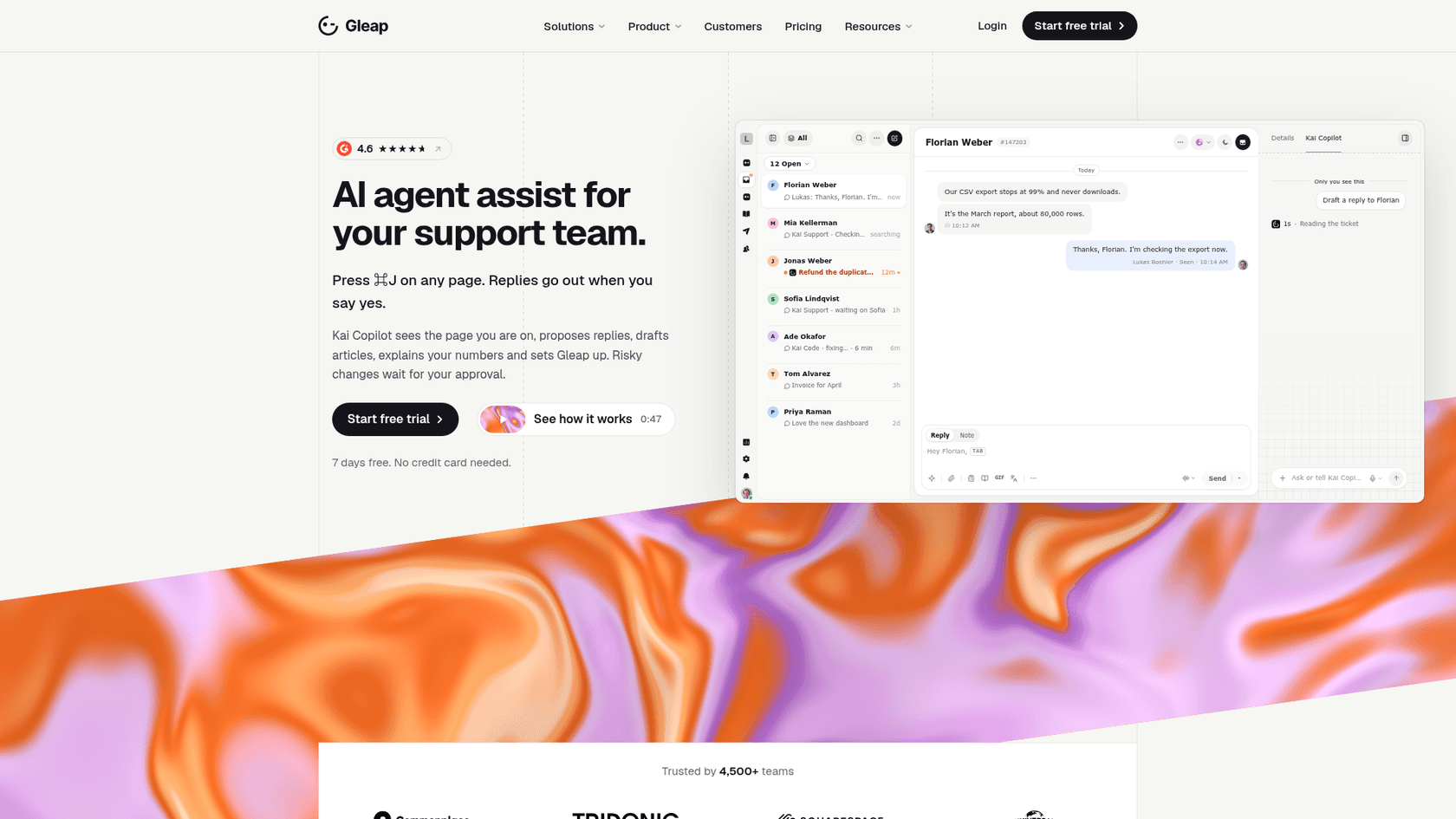
What it does: Kai Copilot is Gleap's agent assist: press ⌘J on any page and it proposes a reply from your knowledge and similar tickets, naming the tickets and articles behind it. The reply goes out in your name when you say yes. It also drafts help articles and outreach, explains a report and finds the tickets behind a number, sets Gleap up (plain changes apply at once, risky ones wait for your OK), and runs routines on a schedule. Bigger answers land as artifacts: a report, a table or a page you can share with the team. Roadmap updates, changelogs and release notes need Growth.
What it costs: about $0.05 a conversation by Gleap's estimate, from the same AI balance, on every plan.
Limits: it never talks to customers on its own, which is the point, and it only helps teammates working in Gleap's own inbox and dashboard.
My take: turn it on alongside Kai Support; it costs about the same per conversation and covers the tickets Kai hands over. Skip it if your agents already draft with another AI copilot they like. The deciding factor is whether your team lives in the Gleap inbox all day.
3. Kai Code
Best for: product teams whose support queue is mostly bug reports from their own app.
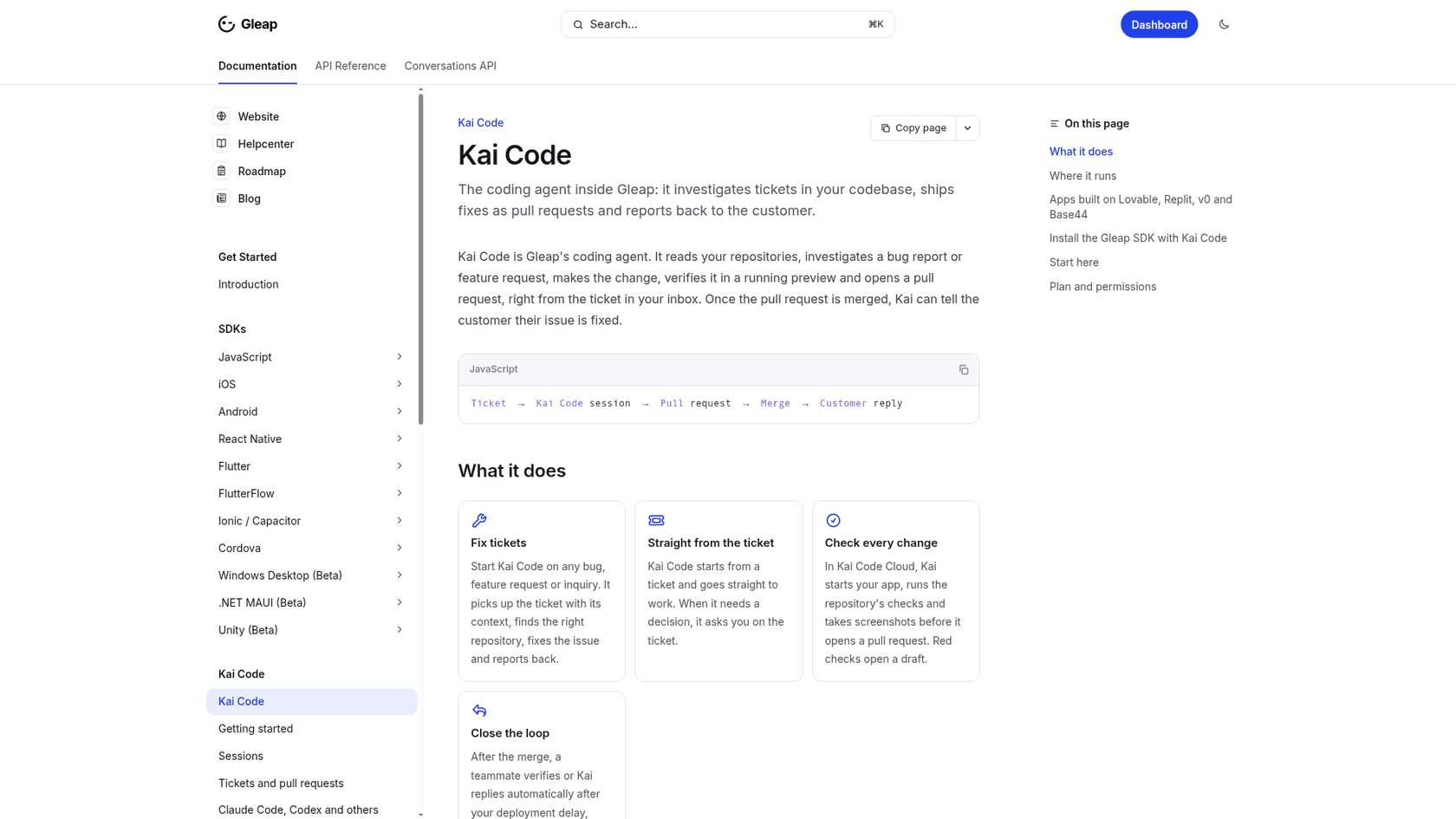
What it does: Kai Code reads your repositories on GitHub, GitLab, Bitbucket or Azure DevOps, investigates a bug report or feature request from the ticket, makes the change and opens a pull request for your team to review. In Gleap's cloud it starts your app, runs the repository's checks and takes screenshots first, and red checks open a draft. Once the pull request is merged, a teammate checks or Kai tells the customer after a delay you set. Apps on Lovable, Replit, v0 or Base44 work too: Kai asks the platform's own agent to make the change (our guides to an AI chatbot for Replit and v0 cover the support side of those apps).
What it costs: each teammate picks where it runs. Kai Code Cloud runs in Gleap's sandbox and is billed by the tokens it uses from the AI balance, with no public price per session. Kai Code Bridge runs on your own computer or server with your own Claude Code, Codex or Cursor subscription, and Gleap doesn't bill those sessions. If your team already pays for Claude Code or Cursor, Bridge adds nothing to your Gleap bill.
Limits: it needs Growth (5 repositories) or Pro (20), and choosing its model needs Pro. A person still merges every change.
My take: pick Kai Code if more than a few tickets a week end with "we've fixed it". Skip it if your bugs go straight to engineers in Jira or Linear and support never sees the fix. The deciding factor is whether you want the fix to start from the ticket or from your issue tracker; our post on AI for bug report triage covers the second route.
4. Custom agents
Best for: teams with a repeatable job that needs their own tools, like checking a duplicate charge in Stripe.
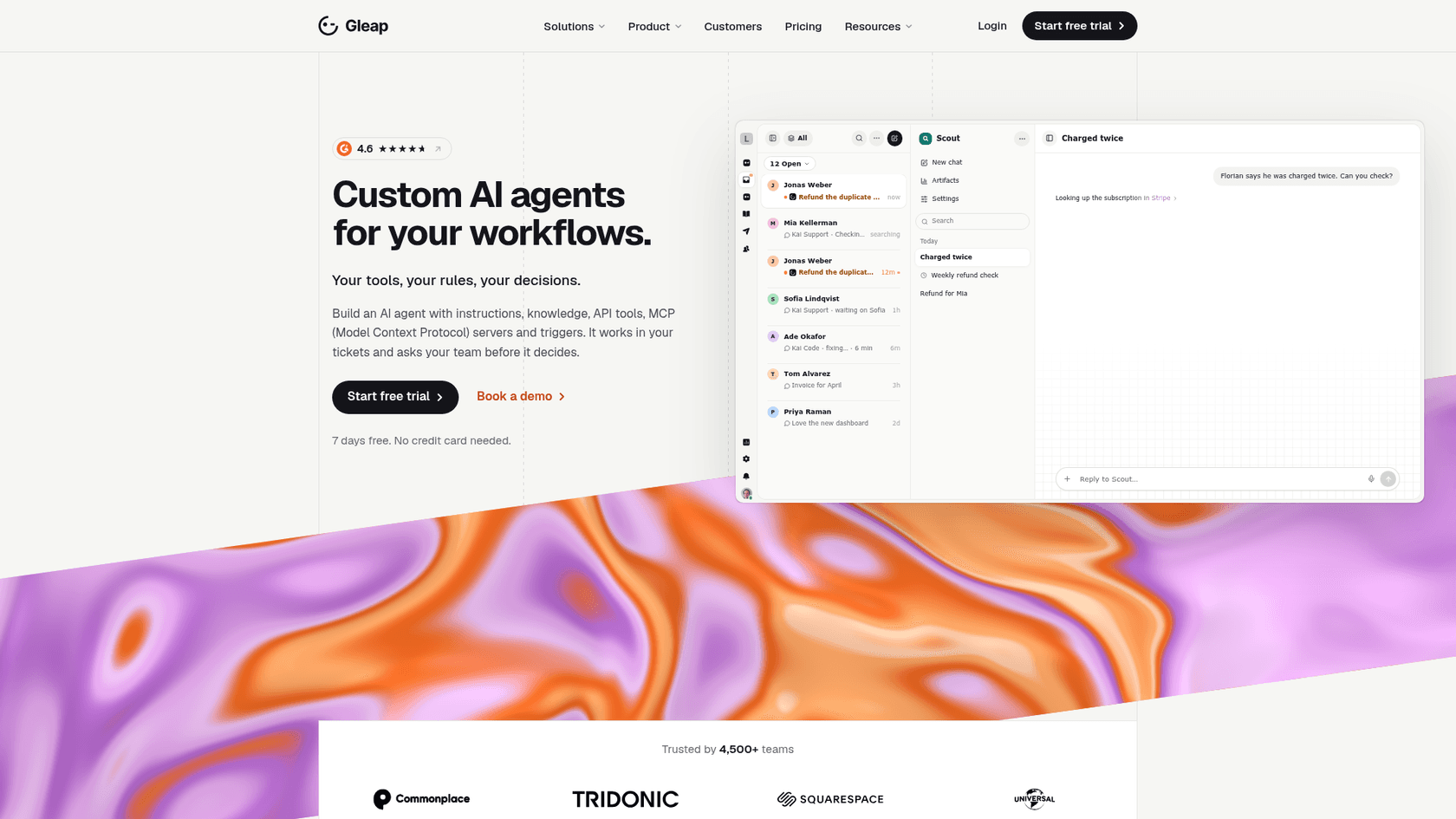
What it does: a custom agent is one you build in Gleap with instructions, knowledge, tools and triggers. Tools can be connected apps through MCP, your own MCP server, HTTP API calls, knowledge search, workflows and SDK tools in your app; you switch off any action it doesn't need. It runs on a schedule, on an SDK event, when a connected tool fires an event, by API call, or from a ticket with an @mention. Every tool call shows in the agent's chat on the ticket, decisions wait on a card with named options, and customer replies only go out through a reply tool you attach.
What it costs: by usage from the AI balance, with a cost cap per run that warns at 75% and stops at the cap. On Growth it runs on Gleap's default model; Pro lets you pin a model from Anthropic, OpenAI or Google.
Limits: it needs Growth, and you write and test the agent yourself. Kai Support's skills cover many single jobs without a separate agent, so start there.
"Gleap has changed a lot lately, and I'm still kind of lost about the new features and how to use them. I'm missing some documents about how to use it properly, especially for the new Gleap AI features for using external tools and creating and using agents."

My take: build a custom agent when the job has its own trigger (a weekly refund check, a new Stripe dispute) rather than a customer's question. Skip it if a Kai Support skill can do the same job from the conversation. The deciding factor is whether the work starts from a customer or from an event.
5. Gleap's MCP server and APIs
Best for: teams that already work in Claude, ChatGPT, Codex or Cursor and want that tool to read and act on Gleap tickets.
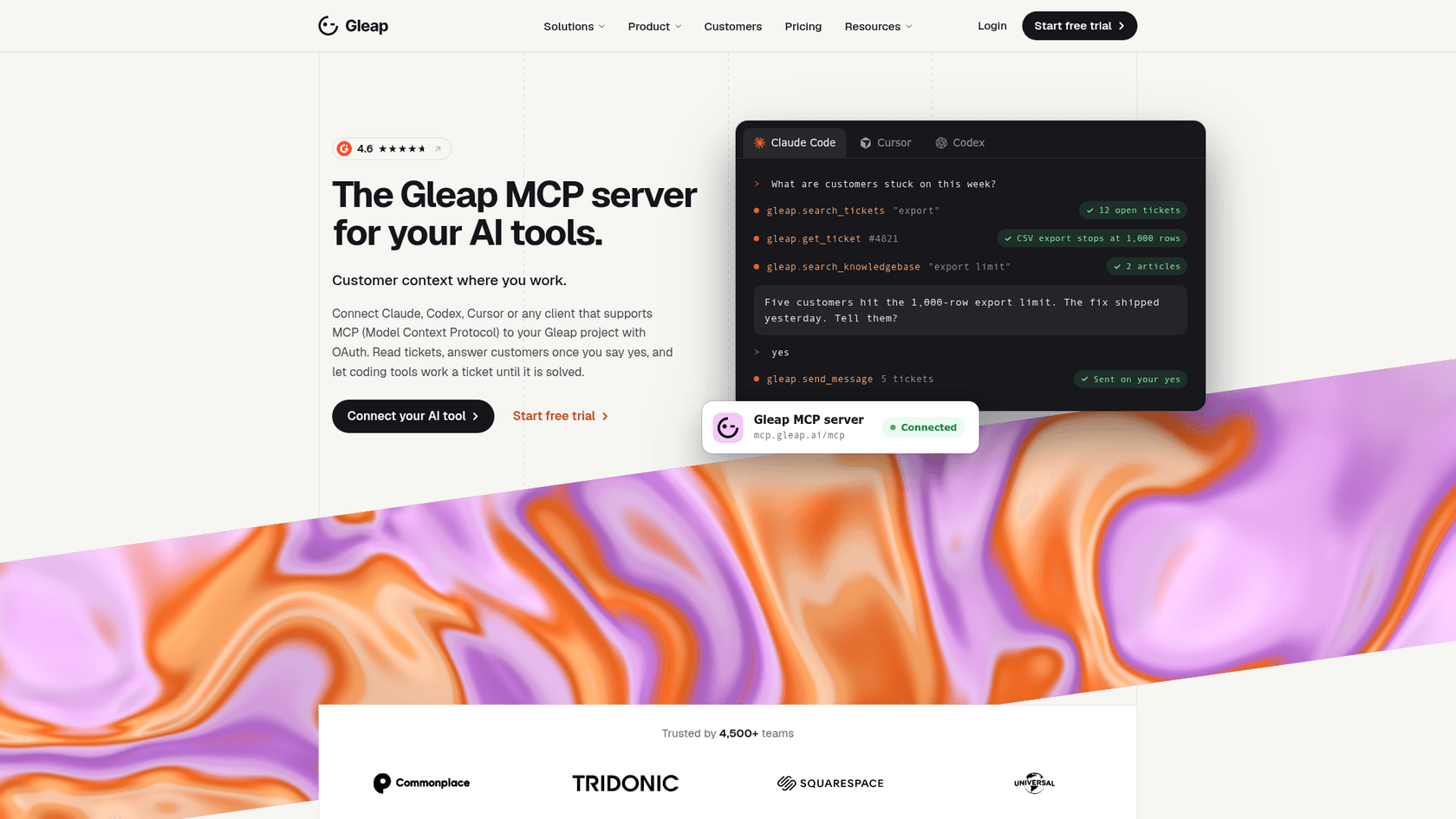
What it does: the Gleap MCP server connects any client that speaks the Model Context Protocol to your Gleap projects, with over 90 tools for tickets, contacts, the help center, outbound messages, feature requests, statistics and coding sessions. You sign in with OAuth and pick up to 10 projects, and the AI tool acts with your role, so it can only do what you can do in the dashboard. A coding agent working a ticket shows you each customer reply and sends it only after you say yes. If you'd rather build your own agent, Gleap's admin REST API acts as your team, its Conversations API acts as the end customer with webhooks for every change, and a JavaScript component drops an agent conversation into your app.
What it costs: nothing extra from Gleap on Growth, Pro and Enterprise; your AI client bills its own usage. Growth allows 1,000 MCP requests a minute per key, Pro 3,000.
Limits: Hobby has no API, webhooks or MCP access. Since the agent acts as the person who connected it, it's a tool for your team, not something that answers customers by itself.
"Its MCP lets my local AI help me manage customer support tickets, review the customer knowledge center, and create workflows."
My take: connect it if your team already lives in Claude or Cursor; it's free on Growth, and a coding agent's customer replies wait for your yes. Skip it if nobody on the team uses an AI client daily. The deciding factor is where your people already work, which is also why we compared helpdesk MCP servers side by side.
What will AI on Gleap cost your team?
A Gleap bill has three parts: the plan, extra seats, and the AI balance. A 6-person team on Growth pays $99 plus two extra seats at $250 a year each (about $41.67 a month), so about $140.67, and Kai Support adds about $100 for 2,000 conversations. At that volume the AI is about two-thirds of what the plan and seats cost, about $241 a month in all, before investigations. An investigation stops at $1 each time Kai works on a ticket; any part that reads your code is billed as Kai Code usage.
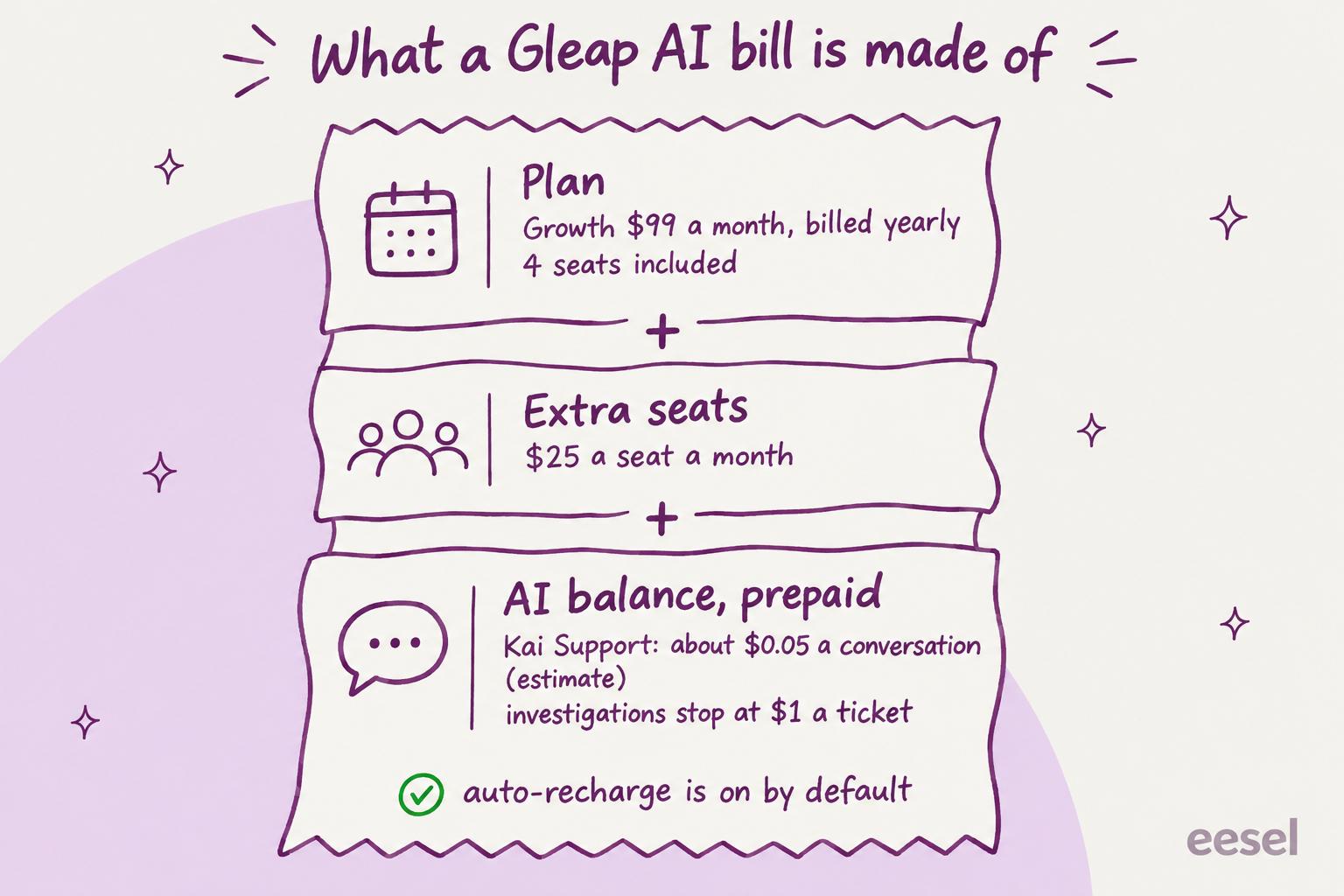
Prices from Gleap's pricing page, checked 24 November 2026: Hobby $29 a month billed yearly ($35 monthly) for one seat; Growth $99 billed yearly ($119 monthly) with 4 seats, then $25 a seat a month or $250 a year; Pro $299 billed yearly ($359 monthly) with unlimited seats. Enterprise starts at $999 a month billed yearly ($1,199 monthly), and its AI pricing is by agreement.
Set your plan, team size and volume to see a month of Gleap with Kai Support.
If you only have a feel for your volume, run the 7-day trial on real traffic: it comes with $25 of AI credit ($5 if you sign up with a public email address) and up to 500 customer conversations, and Billing shows usage per agent.
Where eesel fits, if you haven't committed to Gleap
eesel is an AI teammate that joins the tools your team already works in: Slack, Zendesk, Freshdesk, Help Scout, Front, Jira, Linear and GitHub. It has no Gleap integration, so if you're happy on Gleap, one of the five routes above is your answer. Where eesel earns a look is the decision before them: a SaaS team that keeps its helpdesk and its bug triage where they are, and wants one AI working across both.
What eesel may do depends on who is asking. For your team, named people, a verified customer and an anonymous visitor, each tool can act on its own, ask first or stay off, so the same teammate can file a bug in Linear for your support lead and never touch billing for a visitor. Anything set to ask first waits for a person's yes, as eesel's actions and approvals docs describe. It learns from your past tickets as well as your help center, and you can run it over historical tickets before it replies to anyone. Pricing is one credit per ticket or chat, from $299 a month for 500 credits on eesel's pricing page, with a 7-day trial and 100 free credits. If you work with a coding agent such as Claude Code or Cursor, the eesel CLI lets it load your help articles and macros into eesel and ask test questions before anything goes live, with an admin approving the helpdesk connection.
SE Ranking, which builds SEO software, runs one eesel agent per product across three Zendesk connections and handled 4,650 conversations in a month, with refunds and Tier 2 issues handed to the team.
Try eesel before you move your SaaS support
If you're weighing Gleap against staying on Zendesk, Freshdesk or Help Scout with Jira or Linear beside it, run eesel on your real tickets first. You'll see which questions it would answer from your past replies and which bug reports it would hand to engineering, without a single customer seeing a draft.

Try eesel free for 7 days, or compare it with your shortlist in our guide to the best AI for SaaS support.
Frequently Asked Questions
What is the best AI for Gleap?
For most teams on Gleap it's Gleap's own Kai Support, since it's on every plan, answers from your website and knowledge with sources, and costs about $0.05 a conversation by Gleap's estimate. Teams on Growth or higher can add Kai Code for bug fixes and custom agents for their own jobs. For a wider shortlist, see our guide to the best AI for SaaS support.
What is Kai in Gleap?
Kai is the name of Gleap's AI agents. Kai Support answers your customers, Kai Copilot works beside your team, and Kai Code turns bug reports into pull requests. Kai Support and Kai Copilot are on every plan. Our AI agent glossary entry explains the general idea.
How much does Gleap's AI cost?
Kai Support and Kai Copilot cost about $0.05 a conversation by Gleap's own estimate, paid from a prepaid AI balance on top of the plan. Plans start at $29 a month billed yearly (Hobby, one seat), and Growth is $99 a month billed yearly with 4 seats. Our breakdown of AI customer service cost shows how other vendors bill.
Does Gleap charge per resolution?
No. Gleap bills Kai Support by the AI it uses, so a conversation Kai answers is counted once whether Kai resolves it or hands it to your team. The per-resolution terms it used before have ended for every workspace. See our resolution rate entry for why the billing unit matters.
Can I use Claude or Cursor with Gleap?
Yes, on Growth, Pro and Enterprise. Gleap's hosted MCP server connects Claude, ChatGPT, Codex, Cursor and other MCP clients to your projects with an OAuth sign-in, and the AI tool acts with your role. Our list of helpdesk MCP servers compares it with other helpdesks' servers.
Is there a free plan or trial for Gleap's AI?
There is no free plan. Every plan starts with a 7-day trial without a card, with $25 of AI credit ($5 if you sign up with a public email address) and up to 500 customer conversations. Use it to run a sample of your own bug reports and questions through Kai before you set a budget.
Can Gleap's AI fix bugs on its own?
Kai Code can make the change and open a pull request from a ticket, but your team reviews and merges it. It runs in Gleap's cloud, billed by usage, or on your own machine with your Claude Code, Codex or Cursor subscription through Kai Code Bridge. If your app lives on Lovable, see our guide to an AI chatbot for Lovable.
Does eesel work with Gleap?
No, eesel has no Gleap integration. It is an AI teammate for teams on Zendesk, Freshdesk, Help Scout, Front, Slack, Jira and Linear, so it fits a team that hasn't picked Gleap yet. Our guide to the best AI for B2B support covers that choice.