


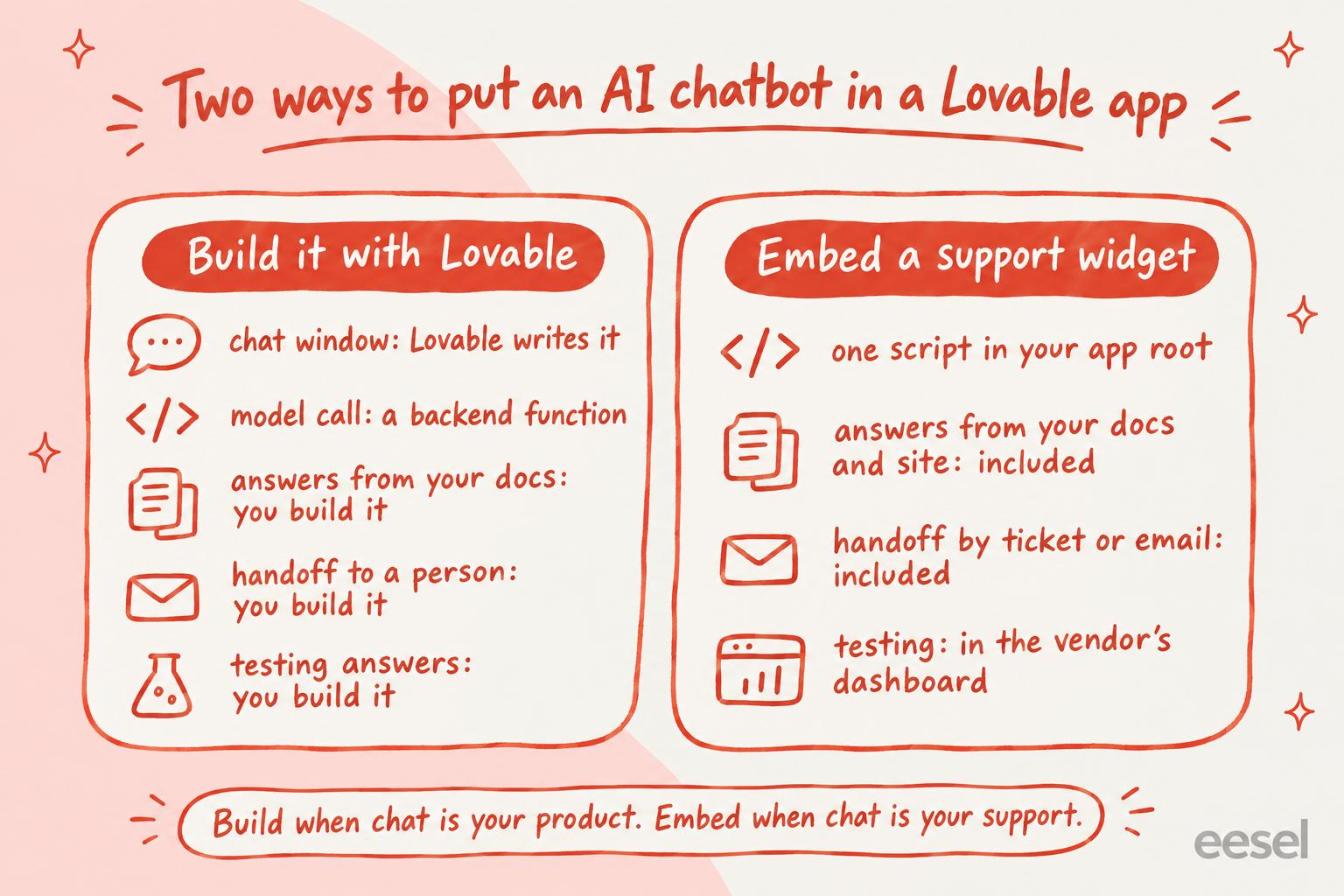
If you want a support bot on a Lovable app, don't build one: ask Lovable to load a hosted widget's script once in your root route file (or index.html on older projects), then publish. New Lovable projects use TanStack Start, which has the root route file; older React and Vite projects take the script in index.html. Build your own with Lovable's built-in AI connector only when chat is a feature of your product, because that route bills against the same credits you build with (a 4-credit monthly AI grant, then general credits) and leaves answering from your docs and handing off to a person for you to make. eesel's chat bubble is that one script: it answers from your site and help docs and hands the hard ones to you.
Build or embed: which AI chatbot does your Lovable app need?
I'm Riell, and I work on eesel's support team, so I see what happens after a chatbot launches: the questions it can't answer, the visitor who wanted a person, the answer that was right last month and wrong today. A Lovable app gets the chat window in one prompt. Everything after that is the real work.
Two jobs hide behind the search "AI chatbot for Lovable". The first is an AI feature inside your product: an assistant that reads the user's own records, a Q&A screen over their documents, a writing helper. That is a build, and Lovable is good at it. The second is a support bot that answers visitors from your docs and passes what it can't answer to you. That is a script you add and then tune.
Lovable's own guide to building an AI chatbot argues for building, which is fair for a tool that builds things. Its case against widgets is cost and branding: "A third-party chatbot widget can add ongoing monthly costs for small businesses, come branded with someone else's logo, and lock your conversation data behind paywalled tiers." The same guide also says what a built chatbot still needs: "A chatbot with no data connection is far more likely to produce inaccurate answers," and "judgment-heavy decisions should stay with humans and be escalated to your team." Those two sentences are the support bot's whole job, and they are what you would be building.
How do you build an AI chatbot with Lovable itself?
You describe it, and Lovable writes the chat window and a backend function that calls the model. The built-in AI connector works with "No API keys or provider setup required." Lovable creates and manages a LOVABLE_API_KEY for each project, calls the model from the backend so the key never reaches the browser, and sets up streaming so replies appear as they are written.
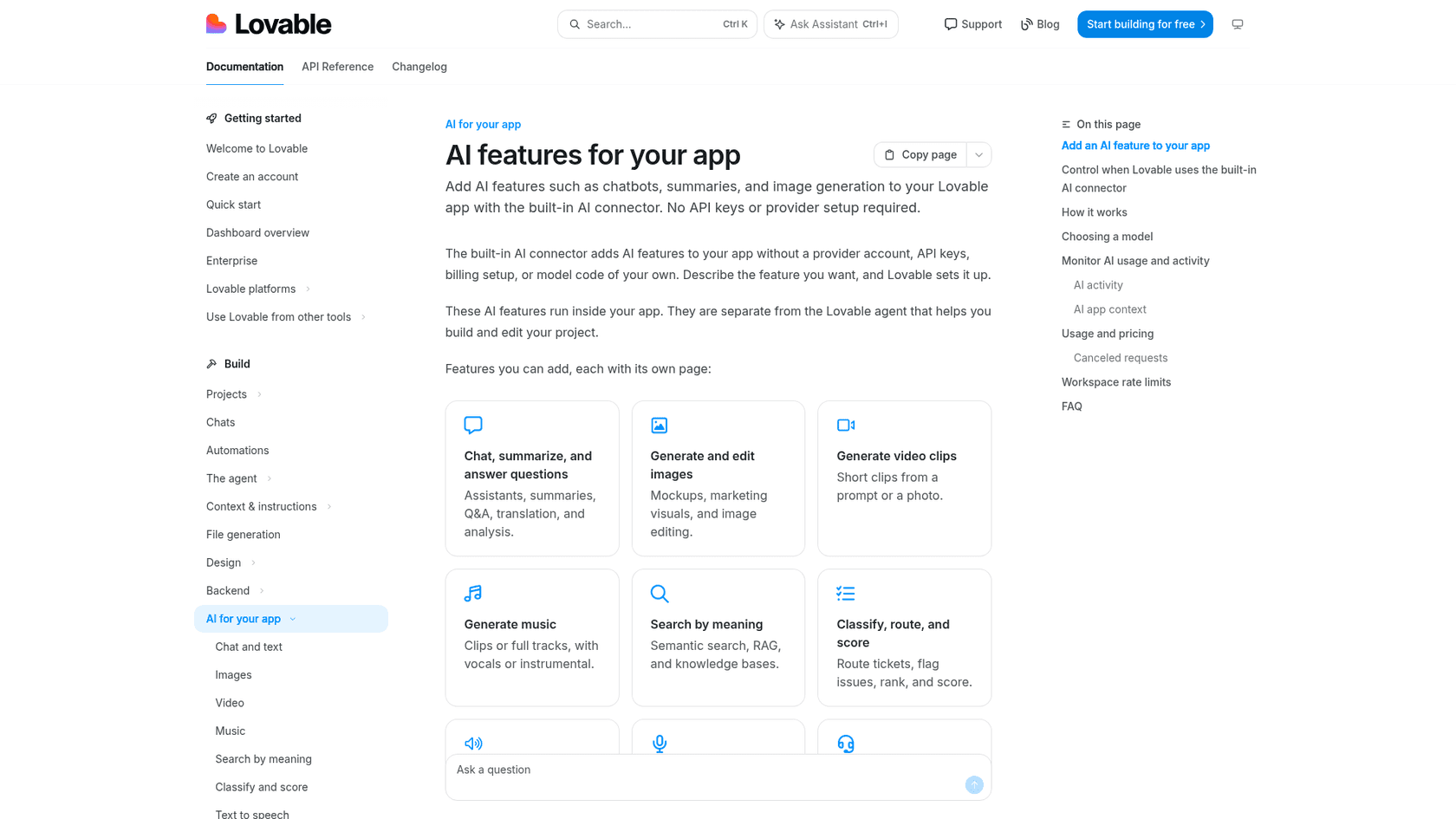
The default chat model is GPT-6 Astra. Claude models (Fable 5.1, Opus 5.5, Opus 5, Sonnet 5 and Haiku 4.5) are offered only in newer apps created from May 13, 2026, which use TanStack Start. If you want a provider Lovable doesn't offer, the docs say to call it from a backend edge function with your own key stored as a secret.
Three things to know before you build:
- It bills against your build credits. Lovable uses one credit balance for building, hosting and the AI features in your published app. Lovable's docs describe a "Temporary offering, subject to change": Free, Pro and Business workspaces get a 4-credit monthly AI grant, after which usage "draws from general credits", priced on the underlying model's cost. When the workspace runs out, "the server returns a 402 Payment Required status code," so your chatbot stops answering until someone tops up.
- Answering from your docs is a second feature. Lovable has a separate knowledge base page for semantic search and RAG. You prompt it in, then keep the content current yourself. My explainer on RAG for customer service covers what that layer does.
- Handoff and testing are yours. Who gets the chat the bot can't answer, how, and with what context, is logic you design. So is checking its answers before visitors see them. My piece on human handoff in chat lists what the person picking it up needs.
Keep keys out of the browser while you build. Lovable's secrets docs say anything prefixed VITE_ is "a build-time, browser-exposed value," so an AI provider key belongs in Secrets, where it is "injected into your Edge Functions automatically" and never reaches the browser. Lovable's security guide is blunter: secrets in frontend code "should be considered compromised." If your chatbot stores conversations, put row-level security on that table so one visitor can't read another's chats.
How do you add a chatbot widget to a Lovable app?
You ask Lovable to load the vendor's script once at the root of your app, then publish. Which file that is depends on when the project was created. Tidio's Lovable guide, the only chat vendor's install guide for Lovable I found, puts it plainly: "New Lovable projects use TanStack Start and older ones use React with Vite. The script goes in a different file in each."
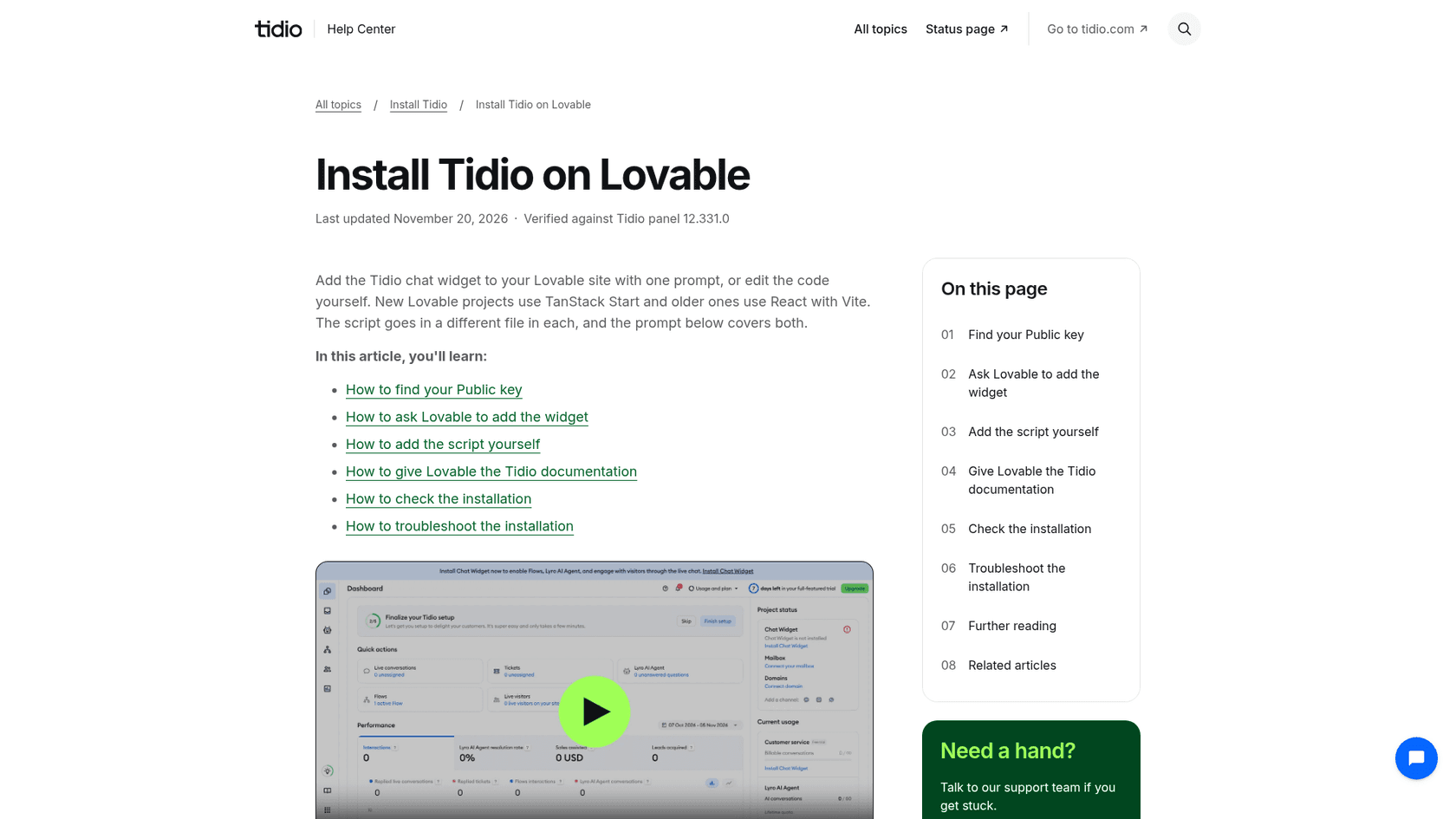
Its prompt works for any vendor's script: "Put it in the root route file for a TanStack Start project, or index.html in the project root for an older React + Vite project, so it loads once and stays loaded during client-side navigation. Do not add it to single pages or to a component that mounts more than once."
Here is the prompt I'd paste, with your vendor's snippet underneath it:
Add this chat widget script once at the root of the app: the root route file
if this is a TanStack Start project, or index.html before </body> if it is
React + Vite. Make sure the script actually executes (not inserted as an HTML
string), loads only in the browser, and is not added to any page or component.
Keep one copy only.
That middle line matters. A widget vendor, Common Ninja, explains a common failure: "If you hand that whole thing to React as a string of HTML, the container appears and the script tag does not run." There is no error, just a gap where the chat should be.
The other things that go wrong, in the order I'd check them:
- You tested the preview. Tidio's guide says "Test the published URL, not just the preview." Saving code doesn't update the live site; publishing does.
- Two widgets, or one that reloads on every page. The script ended up in a component that mounts more than once. Ask Lovable to find every copy and keep the one at the root.
- A blank page on a TanStack Start app. Code that touches
windowordocumentmust run only in the browser, since TanStack Start renders on the server first. - A Content Security Policy blocks it. Allow the vendor's script host. For eesel that is
https://cdn.eesel.aifor scripts and connections; for Tidio,code.tidio.co. - You're on Lovable's Free plan. The code editor is read-only there, so add the script by prompt, as above.
The options at a glance
I've limited this to the two routes above: building with Lovable's connector, and hosted widgets with a working Lovable path. Prices are from each vendor's pricing page on 23 Nov 2026.
| Option | How it goes in | Answers from your docs | Handoff to a person | Entry price |
|---|---|---|---|---|
| Lovable AI connector | Built by prompt, backend function | You build it (RAG feature) | You build it | 4-credit monthly AI grant, then Lovable credits |
| eesel chat bubble | One script at the app root | Yes: site, help center, Drive, Notion, helpdesk and more | Helpdesk ticket, email, or Zendesk Messenger or Freshchat | 7-day trial with 100 credits, then $299/mo for 500 |
| Tidio | One script, Lovable guide from Tidio | Yes (Lyro) | Live chat in Tidio's inbox | Starter $33/mo billed yearly, 50 conversations |
| Chatbase | One script | Yes | Chatbase's helpdesk inbox | $150/mo, or $120/mo billed yearly |
| Crisp | One script | Yes, on paid plans | Crisp's own inbox | Mini $45/mo with $5 of AI credits |
Read the units before comparing prices. eesel counts a chat as 1 credit however many messages go back and forth, Tidio counts conversations handled by Lyro and your team together, Chatbase counts message credits, Crisp counts AI credits by usage, and Lovable counts credits by model cost. My chatbot cost guide works through what each unit means for a real month.
Lovable's AI connector
Best for: an AI feature inside your product. Nothing else on this list sits as close to your own data and UI, and the chat window is yours down to the pixel. The cost is that every part a support bot needs beyond the window (retrieval, handoff, testing, keeping answers current) is yours too, and it shares a credit pool with your building. See my Lovable review for how the builder itself holds up.
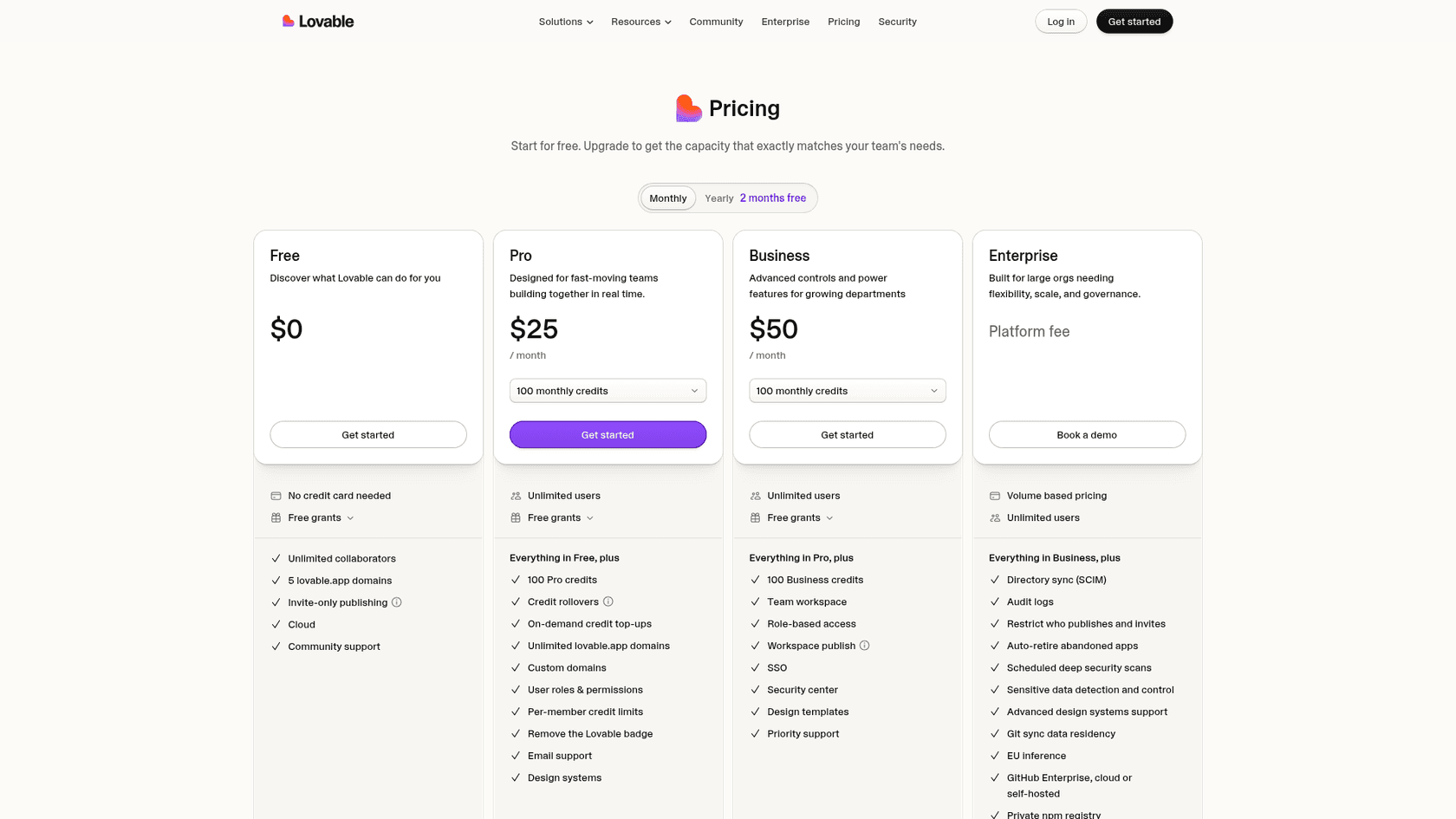
My take: build it when the chatbot is the product. For support, the 402 when credits run out is the detail that would worry me most: a launch week of heavy building could leave your visitors talking to a bot that no longer answers.
eesel chat bubble
Best for: a support bot that answers from what you already wrote and hands off to you. The chat bubble is one async script that loads from cdn.eesel.ai, and eesel's docs say it "works with any framework" and "reads nothing else from your site's code." It answers from your website, help center and whatever else you connect (Google Drive, Notion, Confluence, your helpdesk), and when it shouldn't answer it creates a helpdesk ticket, sends an email, or opens Zendesk Messenger or Freshchat with a summary.
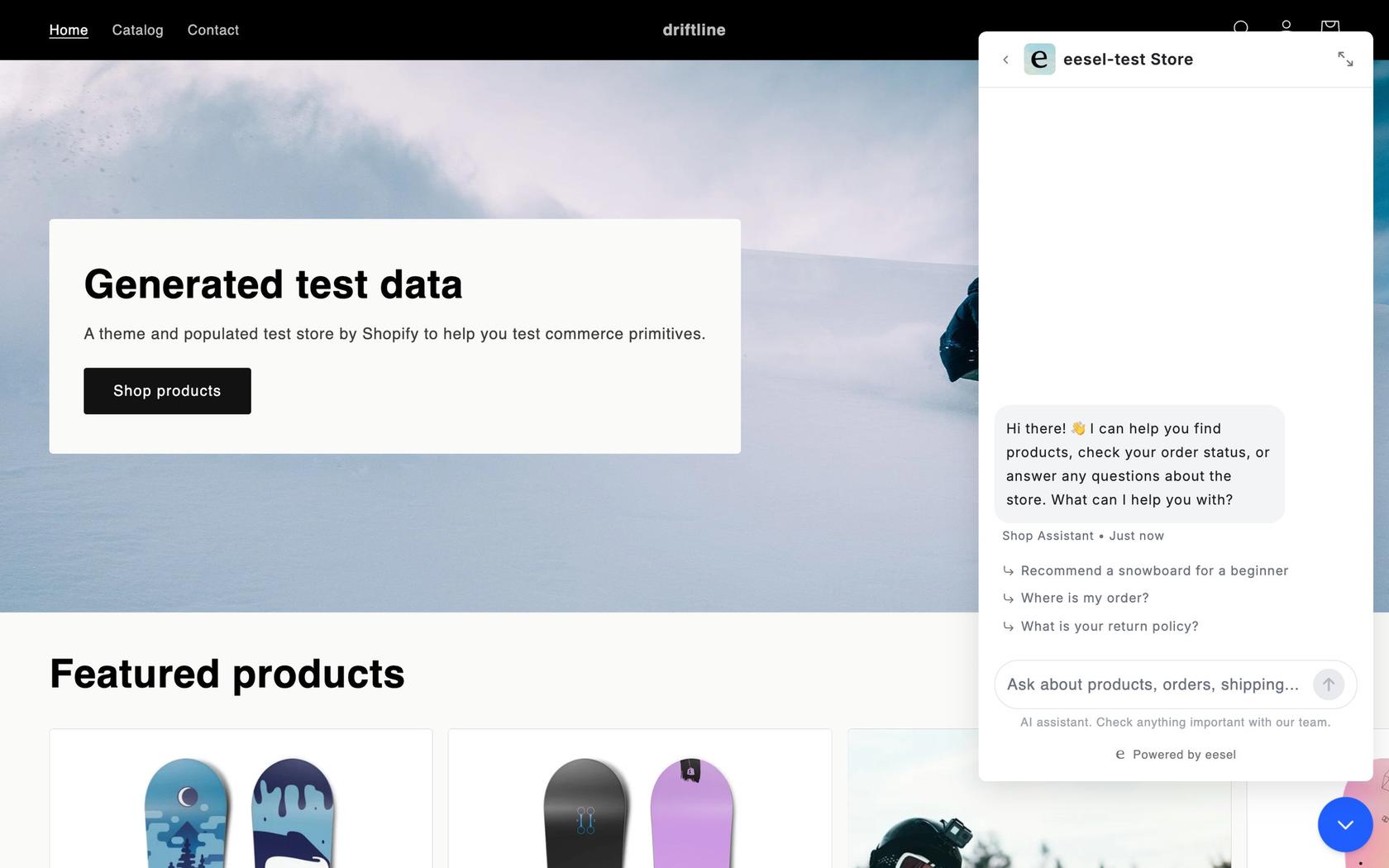
Two things fit a Lovable builder well. You can say where the bubble shows in plain words ("Show the chat bubble only on /help/* and product pages.") in its instructions, so there is nothing to code per page. And you can set it up from a coding agent: npx @eesel/cli init chat-bubble --site https://your-app.lovable.app creates the bubble and prints the snippet, per the eesel CLI docs.
My take: the right pick when the job is support and you want it tested and answering this week. Skip it for a bot that answers account-specific questions from the browser alone: the bubble treats a visitor's name or email passed from your page as unverified unless your site signs it, and signed visitors are set up by asking eesel. There is no always-free tier: the free plan is a 7-day trial.
Tidio
Best for: a small team that wants live chat and an AI agent in one inbox, with the clearest Lovable install guide of any vendor. Lyro answers from your knowledge base, and your team picks up in the same place. The Tidio pricing page puts Starter at $33 a month billed yearly for 50 conversations, and Growth at $63 a month from 100.
My take: easy to install and easy to outgrow. Lyro's conversations and your team's count toward the same plan limit, so check the next tier's price before a busy month. My Tidio alternatives list covers the step up.
Chatbase
Best for: a bot trained on your own content, embedded by script, with its own helpdesk inbox for the chats it hands off. Chatbase pricing starts at $150 a month ($120 billed yearly) for 4,000 message credits, and removing "Powered by Chatbase" is another $99 a month.
My take: the entry price is high for a side project and branding removal is an add-on. There's no Lovable-specific guide, so use the prompt above. More in my Chatbase pricing breakdown.
Crisp
Best for: a free live chat now, with AI when you pay. Crisp's free plan has no AI; Crisp pricing puts Mini at $45 a month with $5 of AI credits, which Crisp estimates at around 90 automated conversations, and Essentials at $95 with $25 (around 450).
My take: flat per-workspace pricing is easy to plan around, but the AI credit allowance is small on Mini. See my Crisp pricing notes.
Which chatbot route fits your Lovable app?
By this point you know the two routes. Pick the job you have and see where it lands.
Pick the job your chatbot has to do to see which route fits and why.
How do you add an AI support chatbot to Lovable, step by step?
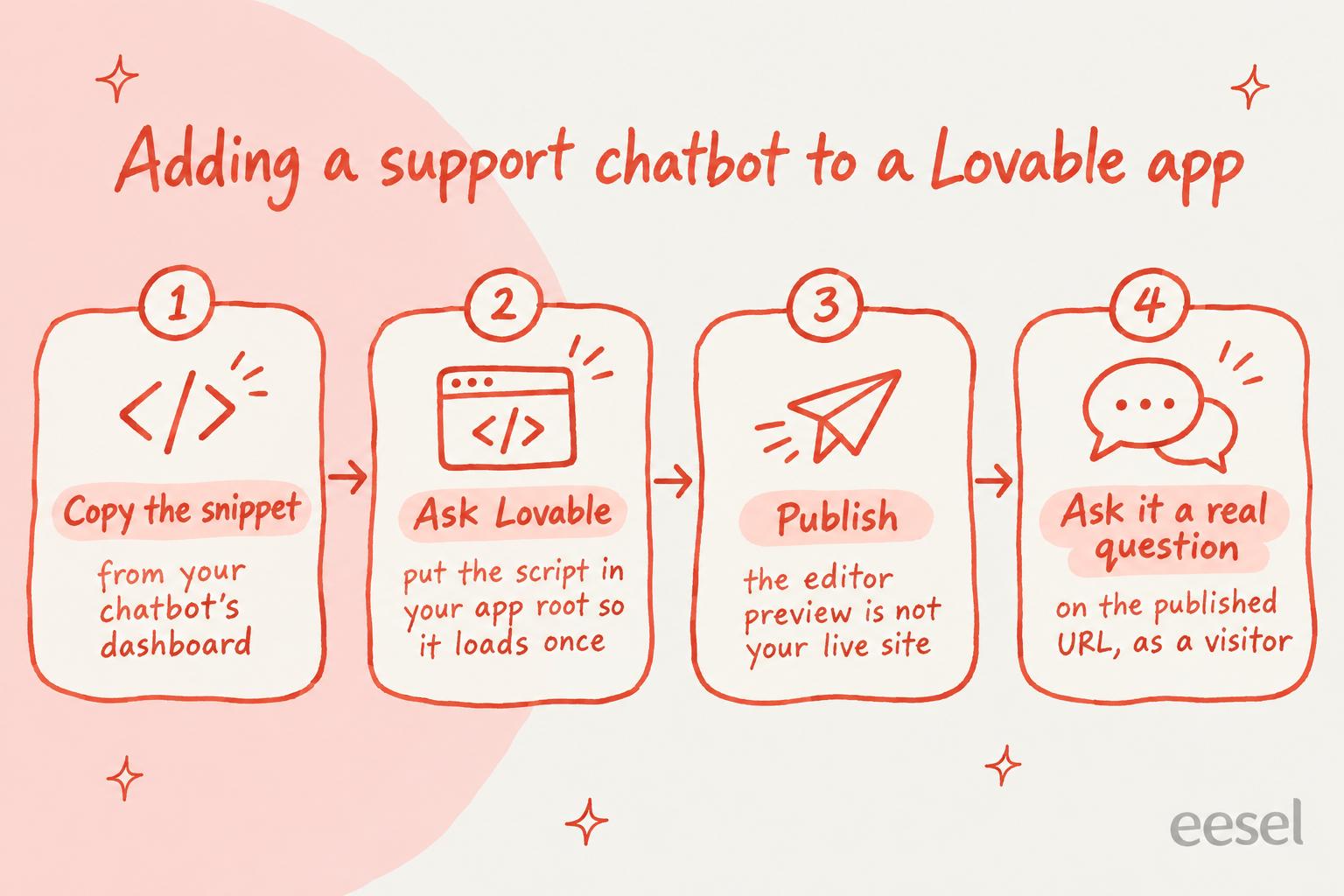
- Get the snippet. Create the bot in your vendor of choice, connect your docs or help center, and copy the embed code. With eesel,
npx @eesel/cli init chat-bubble --site https://your-app.lovable.appcreates the bubble and prints the snippet, or copy it from the Chat Bubble settings in the dashboard. - Ask Lovable to add it at the root. Paste the prompt above with your snippet. Check the diff: one copy, in the root route file or
index.html, not in a page component. - Allow it in your Content Security Policy, if your app sets one.
- Publish. The editor preview is not your live site.
- Test on the published URL as a visitor. Ask the three questions your customers ask most, then one it shouldn't answer, and check where that one goes.
- Set the handoff. Decide when the bot stops and who gets the chat. My guide to chatbot escalation covers the rules worth writing down.
Common mistakes
- Pasting the embed into a page component. It renders as a string and never runs. Load it once at the root.
- Putting a provider key in a
VITE_variable. It ships to every visitor's browser. Keys go in Lovable's Secrets. - Launching without a test set. Before visitors see it, check the bot's answers against real questions. My notes on preventing hallucinations cover what to test.
- Forgetting your other pages. If your marketing site is on another builder, the same one-script approach works on Framer and Wix, and my Next.js guide covers a hand-written app.
Try eesel on your Lovable app
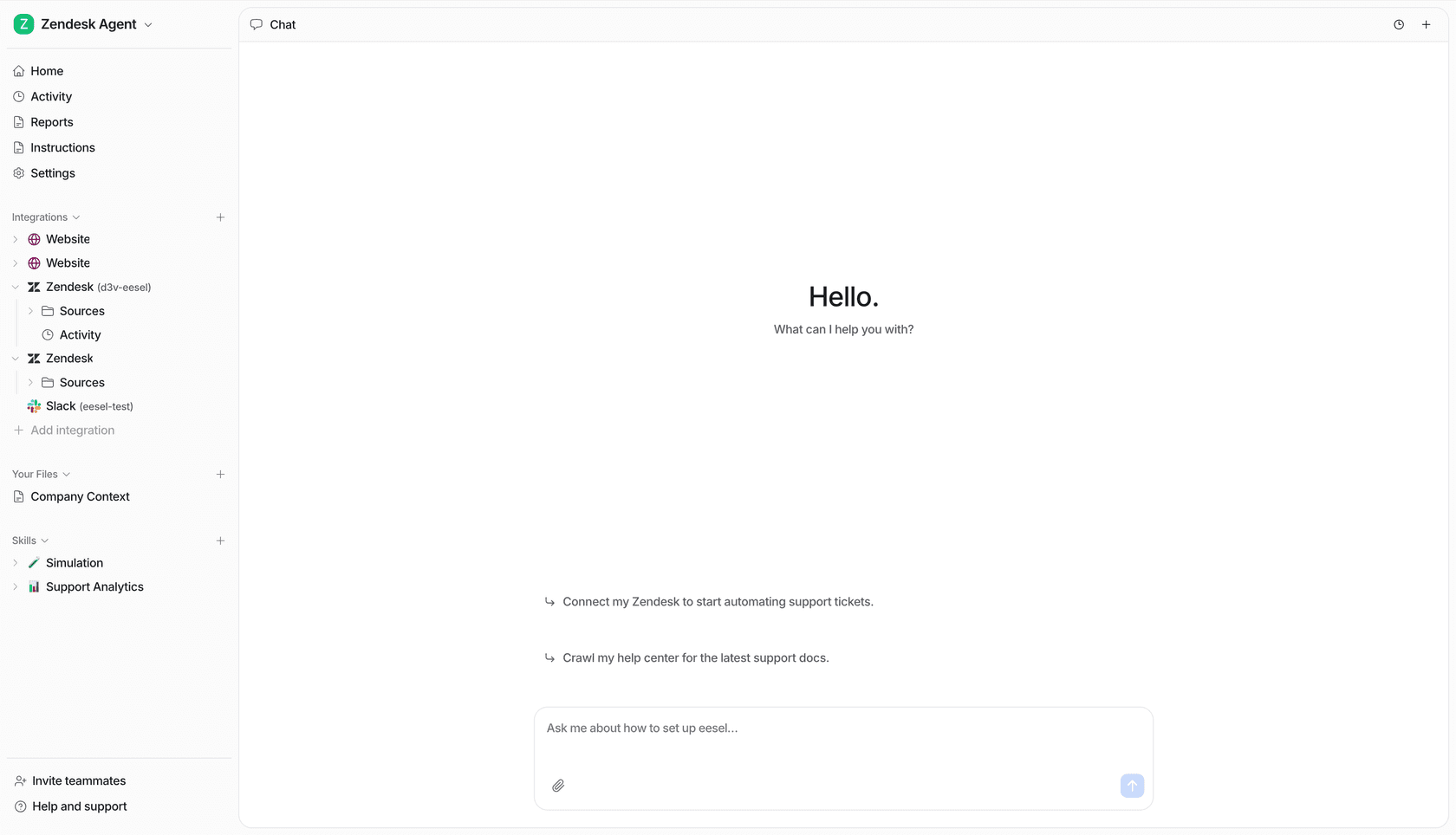
If your Lovable app needs a support bot rather than a chat feature, Try eesel. The chat bubble is one script at your app root, it answers visitors from your site, help center and the docs you connect, and it hands the questions it shouldn't answer to you as a helpdesk ticket or an email. You decide what it may do for an anonymous visitor versus your own team, and anything set to ask first waits for a yes. A chat is 1 credit however many messages go back and forth, the free plan is 100 credits for 7 days, and plans start at $299 a month for 500 credits. A real example is SamCart, where one eesel agent works Freshdesk tickets and another runs the website chat bubble from 280 help center articles.
Frequently Asked Questions
Can Lovable build an AI chatbot?
Yes. Describe the chatbot in a prompt and Lovable builds the chat window and a backend function that calls the model through its built-in AI connector, with no API key of your own. Answering from your help docs and handing a chat to a person are still parts you design and maintain. If you are new to the tool, start with my overview of Lovable.
How do I add a chat widget to my Lovable app?
Ask Lovable to put the vendor's script in the root route file (newer TanStack Start projects) or in index.html (older React and Vite projects), so it loads once and stays loaded as visitors move between pages. Then publish and test on the published URL. My guide to an AI chatbot for your website covers the same step on other platforms.
Why doesn't my chatbot embed code work in Lovable?
Usually because the script tag was pasted into a component as HTML, and React does not run a script inserted that way: the container shows and nothing loads, with no error. Load the script once at the app root instead, allow its domain in any Content Security Policy, and remember the editor preview is not your live site. My notes on the AI chat bubble show what a working widget looks like.
How much does an AI chatbot on Lovable cost?
A chatbot built with Lovable's AI connector draws on your Lovable credits: Free, Pro and Business workspaces get a 4-credit monthly AI grant, which Lovable calls temporary, and then usage comes out of general credits. Hosted widgets bill on their own: eesel is $299 a month for 500 credits at 1 credit a chat, Crisp's AI starts on its $45 Mini plan, and Chatbase starts at $150 a month. My chatbot cost breakdown compares the units.
Is there a free AI chatbot for Lovable?
Lovable's Free plan includes 4 credits a month for AI features in your app, enough to try a chatbot but not to run one for real traffic. Crisp's free plan has live chat but no AI, and eesel's free plan is a 7-day trial with 100 credits. My list of free AI chatbots has more options.
What happens to a Lovable chatbot when credits run out?
Lovable's docs say the server returns a 402 Payment Required status when the workspace is out of credits, so the AI calls in your app fail until you top up. Building and the AI features in your app share one balance, so a busy week of building can stop your chatbot too. A hosted widget avoids that coupling. See my Lovable pricing guide for how credits work.
Should I build a chatbot in Lovable or use a support widget?
Build it when chat is a feature of your product, such as an assistant over the user's own data. Use a support widget when the job is answering visitors from your docs and passing hard questions to a person, because retrieval, handoff and testing come with it. My roundup of AI chatbots for customer service compares the widgets.